phone TOYOTA COROLLA 2017 11.G Navigation Manual
[x] Cancel search | Manufacturer: TOYOTA, Model Year: 2017, Model line: COROLLA, Model: TOYOTA COROLLA 2017 11.GPages: 300, PDF Size: 8.56 MB
Page 61 of 300
61
3. OTHER SETTINGS
COROLLA_Navi_U_OM02496U
BASIC FUNCTION
2
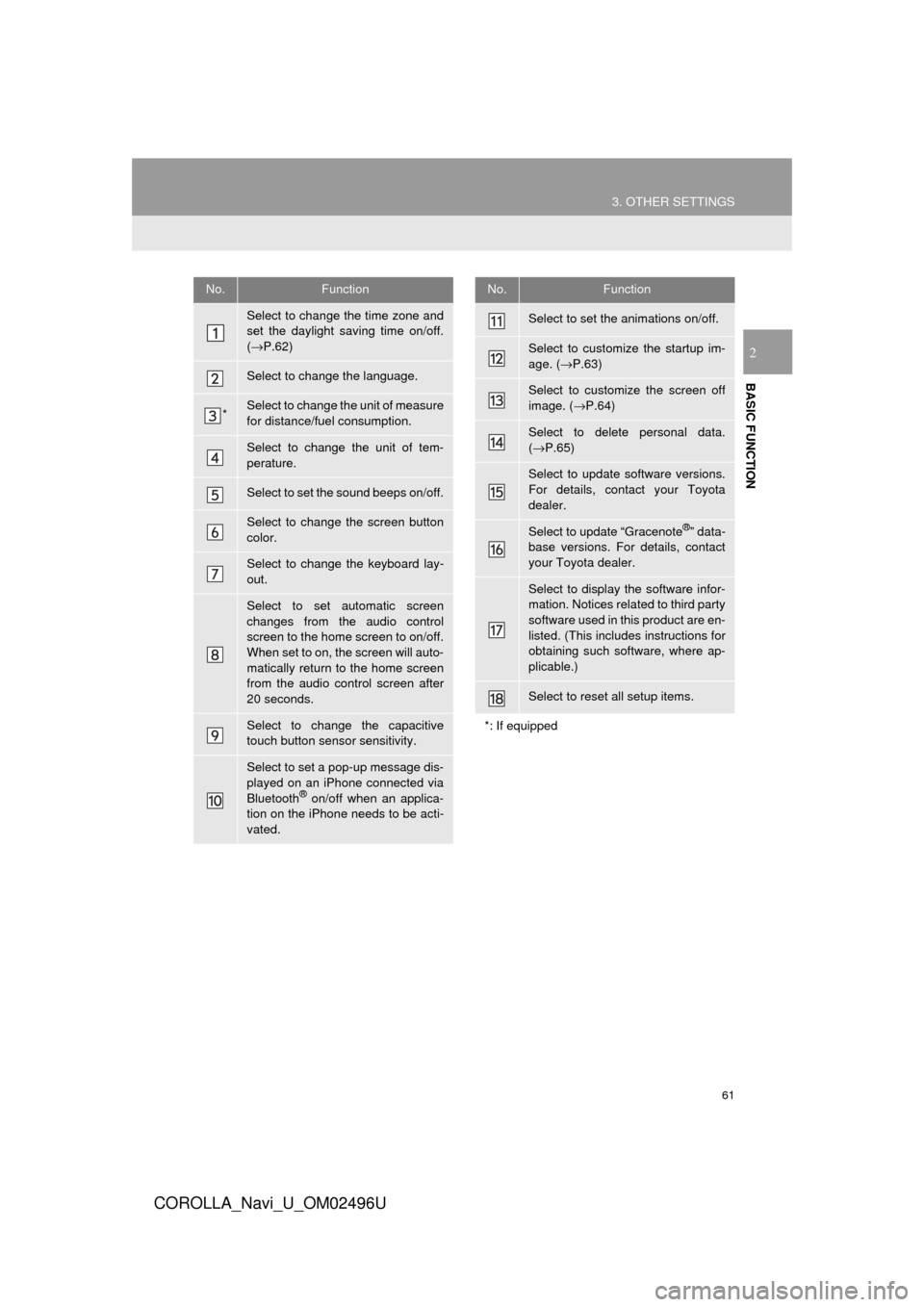
No.Function
Select to change the time zone and
set the daylight saving time on/off.
(→ P.62)
Select to change the language.
*Select to change the unit of measure
for distance/fuel consumption.
Select to change the unit of tem-
perature.
Select to set the sound beeps on/off.
Select to change the screen button
color.
Select to change the keyboard lay-
out.
Select to set automatic screen
changes from the audio control
screen to the home screen to on/off.
When set to on, the screen will auto-
matically return to the home screen
from the audio control screen after
20 seconds.
Select to change the capacitive
touch button sensor sensitivity.
Select to set a pop-up message dis-
played on an iPhone connected via
Bluetooth
® on/off when an applica-
tion on the iPhone needs to be acti-
vated.
Select to set the animations on/off.
Select to customize the startup im-
age. ( →P.63)
Select to customize the screen off
image. ( →P.64)
Select to delete personal data.
(→ P.65)
Select to update software versions.
For details, contact your Toyota
dealer.
Select to update “Gracenote®” data-
base versions. For details, contact
your Toyota dealer.
Select to display the software infor-
mation. Notices related to third party
software used in this product are en-
listed. (This includes instructions for
obtaining such software, where ap-
plicable.)
Select to reset all setup items.
*: If equipped
No.Function
Page 65 of 300
65
3. OTHER SETTINGS
COROLLA_Navi_U_OM02496U
BASIC FUNCTION
2
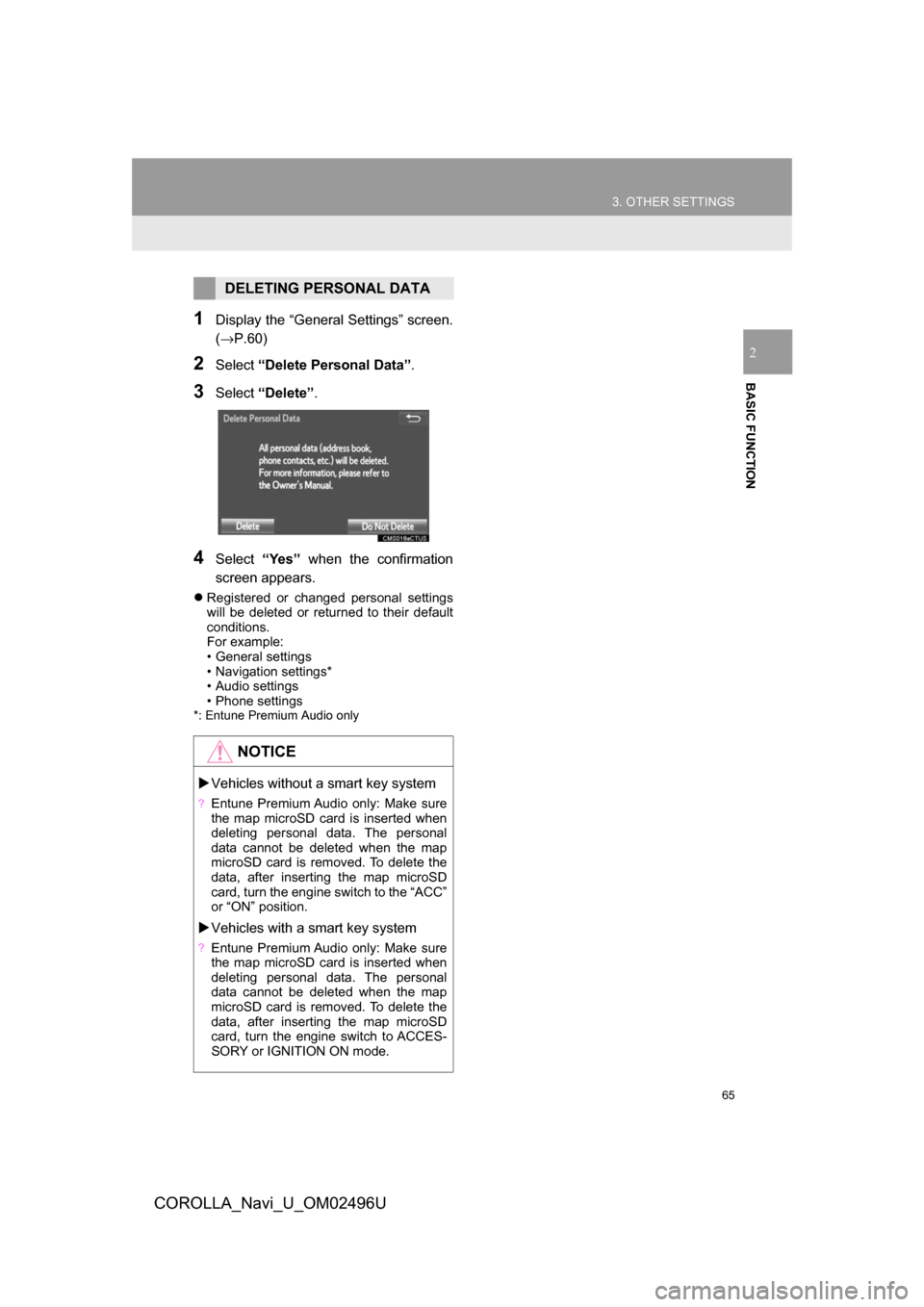
1Display the “General Settings” screen.
(→P.60)
2Select“Delete Personal Data”.
3Select“Delete” .
4Select“Yes” when the confirmation
screen appears.
Registered or changed personal settings
will be deleted or returned to their default
conditions.
For example:
• General settings
• Navigation settings*
• Audio settings
• Phone settings
*: Entune Premium Audio only
DELETING PERSONAL DATA
NOTICE
Vehicles without a smart key system
?Entune Premium Audio only: Make sure
the map microSD card is inserted when
deleting personal data. The personal
data cannot be deleted when the map
microSD card is removed. To delete the
data, after inserting the map microSD
card, turn the engine switch to the “ACC”
or “ON” position.
Vehicles with a smart key system
?Entune Premium Audio only: Make sure
the map microSD card is inserted when
deleting personal data. The personal
data cannot be deleted when the map
microSD card is removed. To delete the
data, after inserting the map microSD
card, turn the engine switch to ACCES-
SORY or IGNITION ON mode.
Page 67 of 300
67
3. OTHER SETTINGS
COROLLA_Navi_U_OM02496U
BASIC FUNCTION
2
3. DRIVER SETTINGS
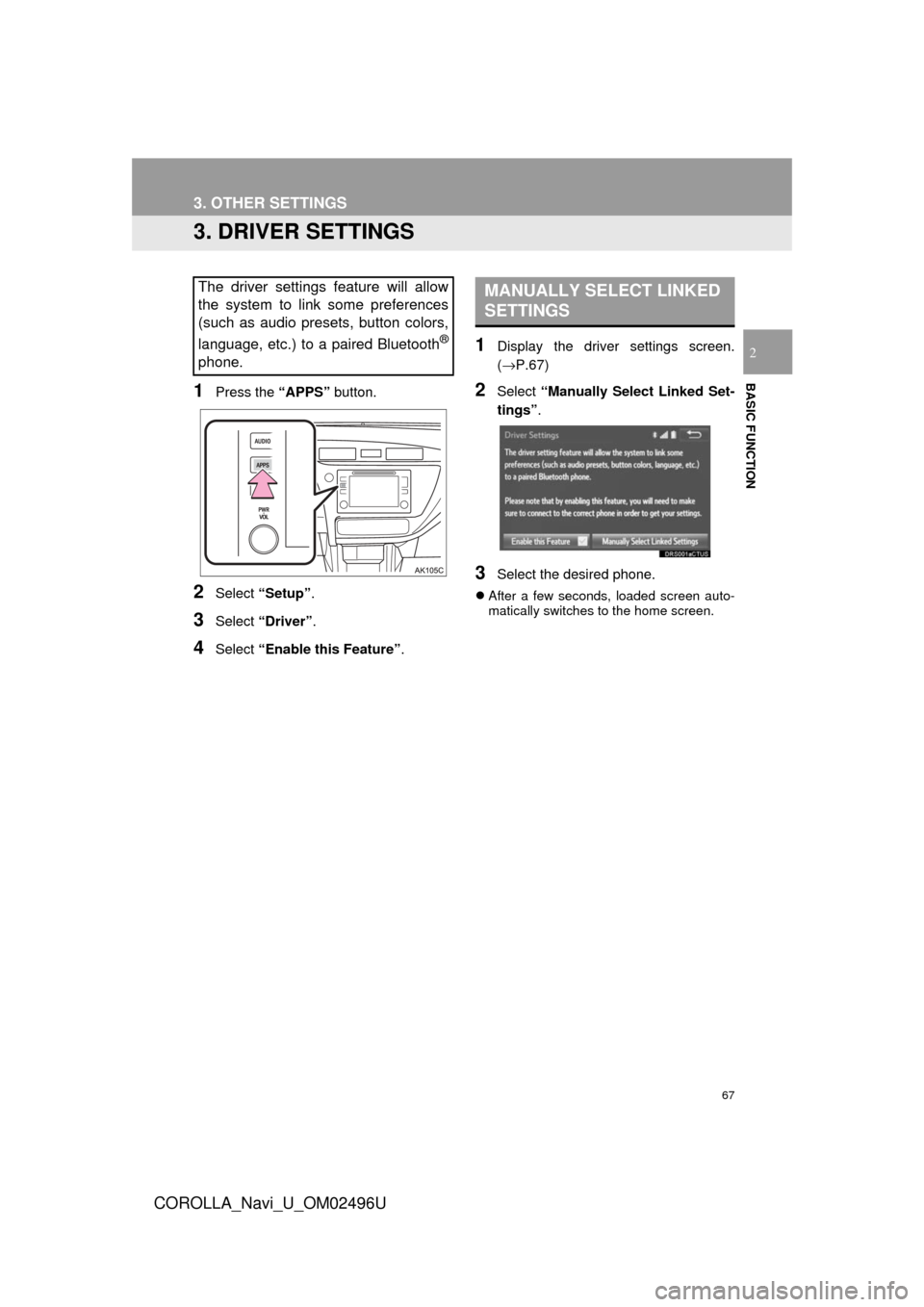
1Press the “APPS” button.
2Select “Setup” .
3Select “Driver” .
4Select “Enable this Feature” .
1Display the driver settings screen.
(→P.67)
2Select “Manually Select Linked Set-
tings” .
3Select the desired phone.
After a few seconds, loaded screen auto-
matically switches to the home screen.
The driver settings feature will allow
the system to link some preferences
(such as audio presets, button colors,
language, etc.) to a paired Bluetooth
®
phone.
MANUALLY SELECT LINKED
SETTINGS
Page 70 of 300
70
3. OTHER SETTINGS
COROLLA_Navi_U_OM02496U
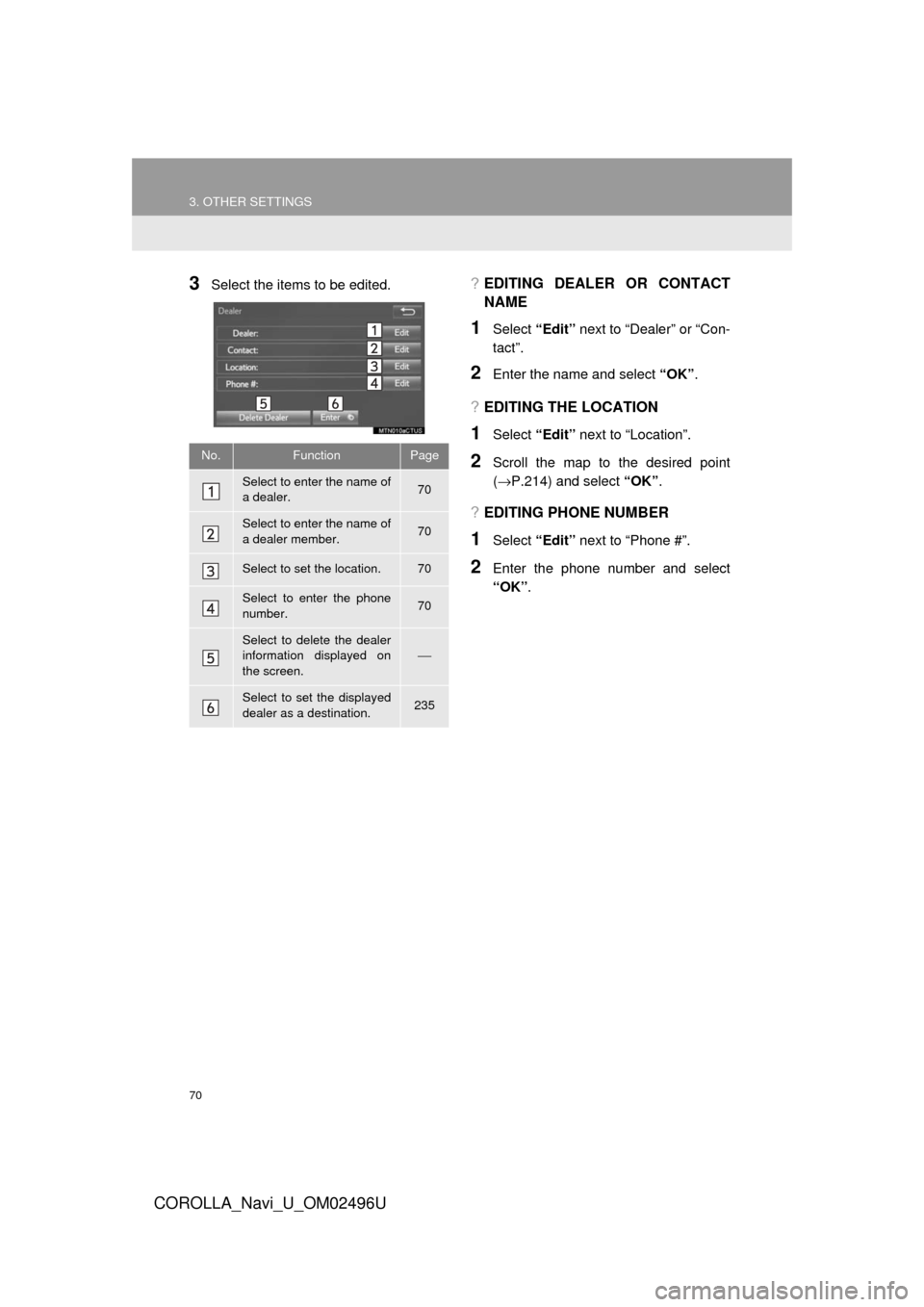
3Select the items to be edited.?EDITING DEALER OR CONTACT
NAME
1Select “Edit” next to “Dealer” or “Con-
tact”.
2Enter the name and select “OK”.
?EDITING THE LOCATION
1Select “Edit” next to “Location”.
2Scroll the map to the desired point
(→P.214) and select “OK”.
?EDITING PHONE NUMBER
1Select “Edit” next to “Phone #”.
2Enter the phone number and select
“OK”.
No.FunctionPage
Select to enter the name of
a dealer.70
Select to enter the name of
a dealer member.70
Select to set the location.70
Select to enter the phone
number.70
Select to delete the dealer
information displayed on
the screen.⎯
Select to set the displayed
dealer as a destination.235
Page 87 of 300
87
2. RADIO OPERATION
COROLLA_Navi_U_OM02496U
AUDIO SYSTEM
3
AUTOMATIC PLAYBACK OF
THE CACHE
If the radio broadcast is interrupted by
another audio output, such as an
incoming phone call, the system will
automatically cache the interrupted
portion and perform time-shift
playback when the interruption ends.
To manually operate the cache
operation: →P.86
INFORMATION
?The system can store up to 20 minutes.
Cached data will be erased when the
radio mode or station is changed or
when the audio system is turned off.
?If noise or silence occurs during the
caching process, cache writing will con-
tinue, with the noise or silence recorded
as is. In this case, the cached broadcast
will contain the noise or silence when
played back.
RADIO BROADCAST DATA
SYSTEM
This audio system is equipped with Ra-
dio Broadcast Data Systems (RBDS).
RBDS mode allows text messages to
be received from radio stations that uti-
lize RBDS transmitters.
When RBDS is on, the radio can
— only select stations of a particular
program type,
— display messages from radio sta-
tions.
RBDS features are available only
when listening to an FM station that
broadcasts RBDS information and the
“FM Info” indicator is on.
Page 98 of 300
98
2. RADIO OPERATION
COROLLA_Navi_U_OM02496U
3. INTERNET RADIO*
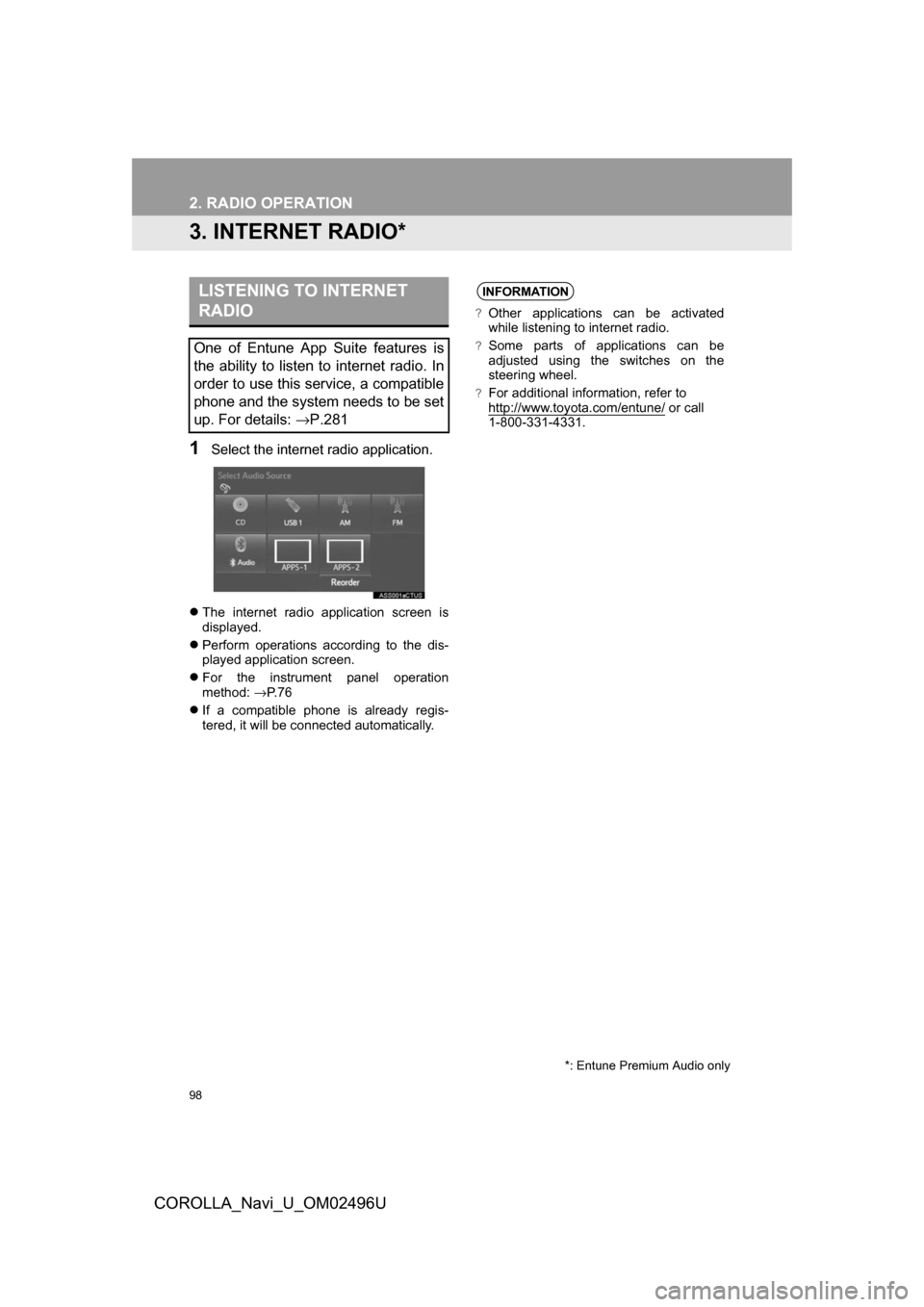
1Select the internet radio application.
The internet radio application screen is
displayed.
Perform operations according to the dis-
played application screen.
For the instrument panel operation
method: →P. 7 6
If a compatible phone is already regis-
tered, it will be connected automatically.
LISTENING TO INTERNET
RADIO
One of Entune App Suite features is
the ability to listen to internet radio. In
order to use this service, a compatible
phone and the system needs to be set
up. For details: →P.281
*: Entune Premium Audio only
INFORMATION
?Other applications can be activated
while listening to internet radio.
?Some parts of applications can be
adjusted using the switches on the
steering wheel.
?For additional information, refer to
http://www.toyota.com/entune/ or call
1-800-331-4331.
Page 109 of 300
109
3. MEDIA OPERATION
COROLLA_Navi_U_OM02496U
AUDIO SYSTEM
3
WARNING
?Do not operate the player’s controls or connect the iPod while driving.
NOTICE
?Do not leave your portable player in the car. In particular, high temperatures inside the
vehicle may damage the portable player.
?Do not push down on or apply unnecessary pressure to the portable player while it is con-
nected as this may damage the portable player or its terminal.
?Do not insert foreign objects into the port as this may damage the portable player or its
terminal.
INFORMATION
?When an iPod is connected using a genuine iPod cable, the iPod starts charging its bat-
tery.
?Depending on the iPod, the video sound may not be able to be heard.
?Depending on the iPod and the songs in the iPod, iPod cover art may be displayed. This
function can be changed to on/off. (→P.121) It may take time to display iPod cover art,
and the iPod may not be operated while the cover art display is in process.
?When an iPod is connected and the audio source is changed to iPod mode, the iPod will
resume playing from the same point it was last used.
?Depending on the iPod that is connected to the system, certain functions may not be
available.
?Files/tracks selected by operating a connected iPod may not be recognized or displayed
properly.
?If an iPhone is connected via Bluetooth® and USB at the same time, system operation
may become unstable. For known phone compatibility information, refer to
http://www.toyota.com/entune/
.
Page 115 of 300
115
3. MEDIA OPERATION
COROLLA_Navi_U_OM02496U
AUDIO SYSTEM
3
INFORMATION
?Depending on the Bluetooth® device that is connected to the system, the music may start
playing when selecting while it is paused. Conversely, the music may pause when
selecting while it is playing.
?In the following conditions, the system may not function:
• The Bluetooth
® device is turned off.
• The Bluetooth
® device is not connected.
• The Bluetooth
® device has a low battery.
?It may take time to connect the phone when Bluetooth® audio is being played.
?For operating the portable player, see the instruction manual that comes with it.
?If the Bluetooth® device is disconnected due to poor reception from the Bluetooth® net-
work when the engine switch is in the following, the system will automatically reconnect
to the portable player.
Vehicles without a smart key system
The engine switch is in the “ACC” or “ON” position.
Vehicles with a smart key system
The engine switch is in ACCESSORY or IGNITION ON mode.
If the Bluetooth® device is disconnected on purpose, such as it was turned off, this does
not happen. Reconnect the portable player manually.
?Bluetooth® device information is registered when the Bluetooth® device is connected to
the Bluetooth® audio system. When selling or disposing of the vehicle, remove the
Bluetooth® audio information from the system. ( →P.65)
Page 123 of 300
123
COROLLA_Navi_U_OM02496U
AUDIO SYSTEM
3
6. TIPS FOR OPERATING THE AUDIO SYSTEM
1. OPERATING INFORMATION
Fading and drifting stations: Generally, the
effective range of FM is about 25 miles (40
km). Once outside this range, you may no-
tice fading and drifting, which increase with
the distance from the radio transmitter.
They are often accompanied by distortion.
Multi-path: FM signals are reflective, mak-
ing it possible for 2 signals to reach the ve-
hicle’s antenna at the same time. If this
happens, the signals will cancel each other
out, causing a momentary flutter or loss of
reception.
Static and fluttering: These occur when
signals are blocked by buildings, trees or
other large objects. Increasing the bass
level may reduce static and fluttering.
Station swapping: If the FM signal being
listened to is interrupted or weakened, and
there is another strong station nearby on
the FM band, the radio may tune in the
second station until the original signal can
be picked up again.
Fading: AM broadcasts are reflected by
the upper atmosphere — especially at
night. These reflected signals can interfere
with those received directly from the radio
station, causing the radio station to sound
alternately strong and weak.
Station interference: When a reflected sig-
nal and a signal received directly from a ra-
dio station are very nearly the same
frequency, they can interfere with each
other, making it difficult to hear the broad-
cast.
Static: AM is easily affected by external
sources of electrical noise, such as high
tension power lines, lightening or electrical
motors. This results in static.
NOTICE
?To avoid damage to the audio/visual
system:
• Be careful not to spill beverages over the audio/visual system.
• Do not put anything other than an appropriate disc into the disc slot.
INFORMATION
?The use of a cellular phone inside or
near the vehicle may cause a noise from
the speakers of t he audio/visual system
which you are listening to. However, this
does not indicate a malfunction.
RADIO
Usually, a problem with radio reception
does not mean there is a problem with
the radio — it is just the normal result
of conditions outside the vehicle.
For example, nearby buildings and ter-
rain can interfere with FM reception.
Power lines or phone wires can inter-
fere with AM signals. And of course, ra-
dio signals have a limited range. The
farther the vehicle is from a station, the
weaker its signal will be. In addition, re-
ception conditions change constantly
as the vehicle moves.
Here, some common reception prob-
lems that probably do not indicate a
problem with the radio are described.
FM
AM
Page 126 of 300
126
6. TIPS FOR OPERATING THE AUDIO SYSTEM
COROLLA_Navi_U_OM02496U
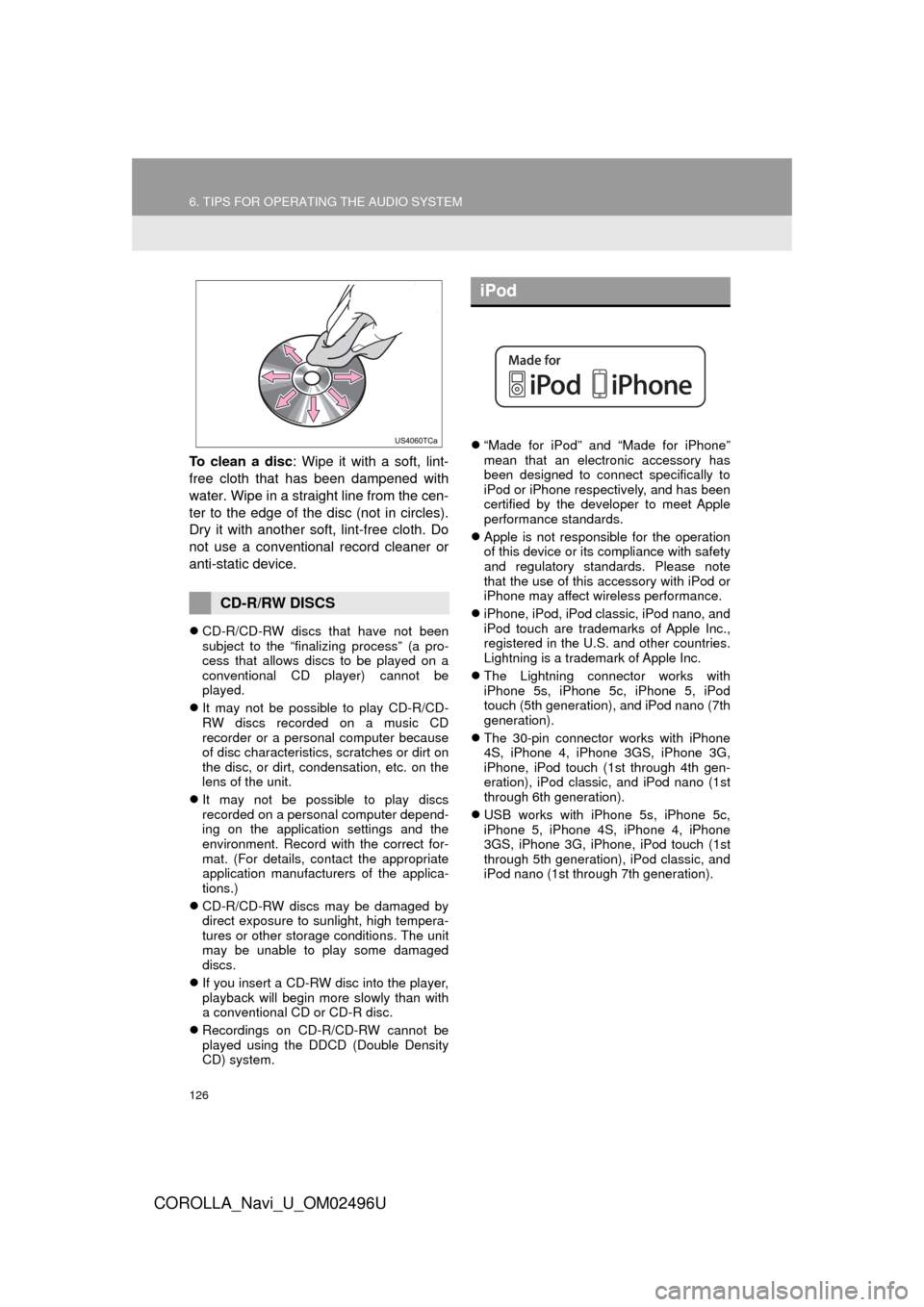
To clean a disc: Wipe it with a soft, lint-
free cloth that has been dampened with
water. Wipe in a straight line from the cen-
ter to the edge of the disc (not in circles).
Dry it with another soft, lint-free cloth. Do
not use a conventional record cleaner or
anti-static device.
CD-R/CD-RW discs that have not been
subject to the “finalizing process” (a pro-
cess that allows discs to be played on a
conventional CD player) cannot be
played.
It may not be possible to play CD-R/CD-
RW discs recorded on a music CD
recorder or a personal computer because
of disc characteristics, scratches or dirt on
the disc, or dirt, condensation, etc. on the
lens of the unit.
It may not be possible to play discs
recorded on a personal computer depend-
ing on the application settings and the
environment. Record with the correct for-
mat. (For details, contact the appropriate
application manufacturers of the applica-
tions.)
CD-R/CD-RW discs may be damaged by
direct exposure to sunlight, high tempera-
tures or other storage conditions. The unit
may be unable to play some damaged
discs.
If you insert a CD-RW disc into the player,
playback will begin more slowly than with
a conventional CD or CD-R disc.
Recordings on CD-R/CD-RW cannot be
played using the DDCD (Double Density
CD) system.
“Made for iPod” and “Made for iPhone”
mean that an electronic accessory has
been designed to connect specifically to
iPod or iPhone respectively, and has been
certified by the developer to meet Apple
performance standards.
Apple is not responsible for the operation
of this device or its compliance with safety
and regulatory standards. Please note
that the use of this accessory with iPod or
iPhone may affect wireless performance.
iPhone, iPod, iPod classic, iPod nano, and
iPod touch are trademarks of Apple Inc.,
registered in the U.S. and other countries.
Lightning is a trademark of Apple Inc.
The Lightning connector works with
iPhone 5s, iPhone 5c, iPhone 5, iPod
touch (5th generation), and iPod nano (7th
generation).
The 30-pin connector works with iPhone
4S, iPhone 4, iPhone 3GS, iPhone 3G,
iPhone, iPod touch (1st through 4th gen-
eration), iPod classic, and iPod nano (1st
through 6th generation).
USB works with iPhone 5s, iPhone 5c,
iPhone 5, iPhone 4S, iPhone 4, iPhone
3GS, iPhone 3G, iPhone, iPod touch (1st
through 5th generation), iPod classic, and
iPod nano (1st through 7th generation).
CD-R/RW DISCS
iPod