radio TOYOTA COROLLA 2017 11.G Navigation Manual
[x] Cancel search | Manufacturer: TOYOTA, Model Year: 2017, Model line: COROLLA, Model: TOYOTA COROLLA 2017 11.GPages: 300, PDF Size: 8.56 MB
Page 94 of 300
94
2. RADIO OPERATION
COROLLA_Navi_U_OM02496U
HOW TO SUBSCRIBE TO AN
XM Satellite Radio
To listen to a satellite radio broadcast
in the vehicle, a subscription to the XM
Satellite Radio service is necessary.
An XM Satellite Radio is a tuner de-
signed exclusively to receive broad-
casts provided under a separate
subscription. Availability is limited to
the 48 contiguous U.S. states and
some Canadian provinces.
HOW TO SUBSCRIBE
It is necessary to enter into a separate
service agreement with XM Satellite
Radio in order to receive satellite
broadcast programming in the vehicle.
Additional activation and service sub-
scription fees apply that are not includ-
ed in the purchase price of the vehicle
and digital satellite tuner.
For complete information on subscrip-
tion rates and terms, or to subscribe to
XM Satellite Radio:
U.S.A.
Refer to www.siriusxm.com
or call
1-877-447-0011.
Canada
Refer to www.siriusxm.ca
or call
1-877-438-9677.
NOTICE
?XM Radio Services ⎯Legal Disclaimers
and Warnings
• Fees and Taxes ⎯Subscription fee,
taxes, one time activation fee, and
other fees may apply. Subscription
fee is consumer only. All fees and
programming subject to change.
Subscriptions subject to Customer
Agreement available at
www.siriusxm.com
(U.S.A.) or
www.siriusxm.ca (Canada) XM ser-
vice only available in the 48 contigu-
ous United States and Canada.
Explicit Language Notice ⎯Channels
with frequent explicit language are
indicated with an “XL” preceding the
channel name. Channel blocking is
available for XM Satellite Radio
receivers by notifying XM at;
U.S.A. Customers:
Visit www.siriusxm.com
or calling
1-877-447-0011
Canadian Customers:
Visit www.siriusxm.ca
or calling
1-877-438-9677
?It is prohibited to copy, decompile, disas-
semble, reverse engineer, hack, manip-
ulate, or otherwise make available any
technology or software incorporated in
receivers compatible with the XM Satel-
lite Radio System or that support the XM
website, the Online Service or any of its
content. Furthermore, the AMBE
® voice
compression software included in this
product is protected by intellectual prop-
erty rights including patent rights, copy-
rights, and trade secrets of Digital Voice
Systems, Inc.
?Note: this applies to XM receivers only
and not XM Ready devices.
Page 95 of 300
95
2. RADIO OPERATION
COROLLA_Navi_U_OM02496U
AUDIO SYSTEM
3
INFORMATION
?XM Radio Services⎯Descriptions
• Radio and Entertainment XM offers more than 170 satellite radio
channels of commercial-free music
and premier sports, news, talk, and
entertainment. XM is broadcast via sat-
ellites to millions of listeners across the
continental United States. XM sub-
scribers listen to XM on satellite radio
receivers for the car, home, and porta-
ble use. More information about XM is
available online at www.siriusxm.com
(U.S.A.) or www.siriusxm.ca (Canada).
?XM Radio Services ⎯Subscription
Instructions
• For XM Services requiring a subscrip- tion (such as XM Radio, and some
Infotainment & data services), the fol-
lowing paragraph shall be included.
Required XM Radio and some Infotain-
ment & data services monthly sub-
scriptions sold separately after trial
period. Subscription fee is consumer
only. All fees and programming subject
to change. Subscriptions are subject to
the Customer Agreement available at
www.siriusxm.com
(U.S.A.) or
www.siriusxm.ca (Canada). XM ser-
vice only available in the 48 contiguous
United States (U.S.A.) or 10 Canadian
provinces (Canada). 2011 Sirius XM
Radio Inc. Sirius, XM and all related
marks and logos are trademarks of Sir-
ius XM Radio Inc. All other marks,
channel names and logos are the
property of their respective owners.
For more information, program sched-
ules, and to subscribe or extend sub-
scription after complimentary trial
period; more information is available
at:
USA Customers:
Visit www.siriusxm.com
or call
1-877-447-0011
Canadian Customers:
Visit www.xmradio.ca
or call
1-877-438-9677
INFORMATION
?XM Satellite Radio is solely responsible
for the quality, availability and content of
the satellite radio services provided,
which are subject to the terms and con-
ditions of the XM Satellite Radio cus-
tomer service agreement.
?Customers should have their radio ID
ready; the radio ID can be found by tun-
ing to “Ch 000” on the radio. For details,
see “DISPLAYING THE RADIO ID”
below.
?All fees and programming are the
responsibility of XM Satellite Radio and
are subject to change.
SATELLITE TUNER
TECHNOLOGY NOTICE
Toyota’s satellite radio tuners are
awarded Type Approval Certificates
from XM Satellite Radio Inc. as proof of
compatibility with the services offered
by XM Satellite Radio.
INFORMATION
?Satellite tuner
The tuner supports only Audio Services
(Music and Talk) and the accompanying
Text Information of XM
® Satellite Radio.
Page 96 of 300
96
2. RADIO OPERATION
COROLLA_Navi_U_OM02496U
If “Ch 000” is selected using the
“TUNE•SCROLL” knob, the ID code,
which is 8 alphanumeric characters, will
be displayed. If another channel is
selected, the ID code will no longer be dis-
played. The channel (000) alternates
between displaying the radio ID and the
specific radio code.
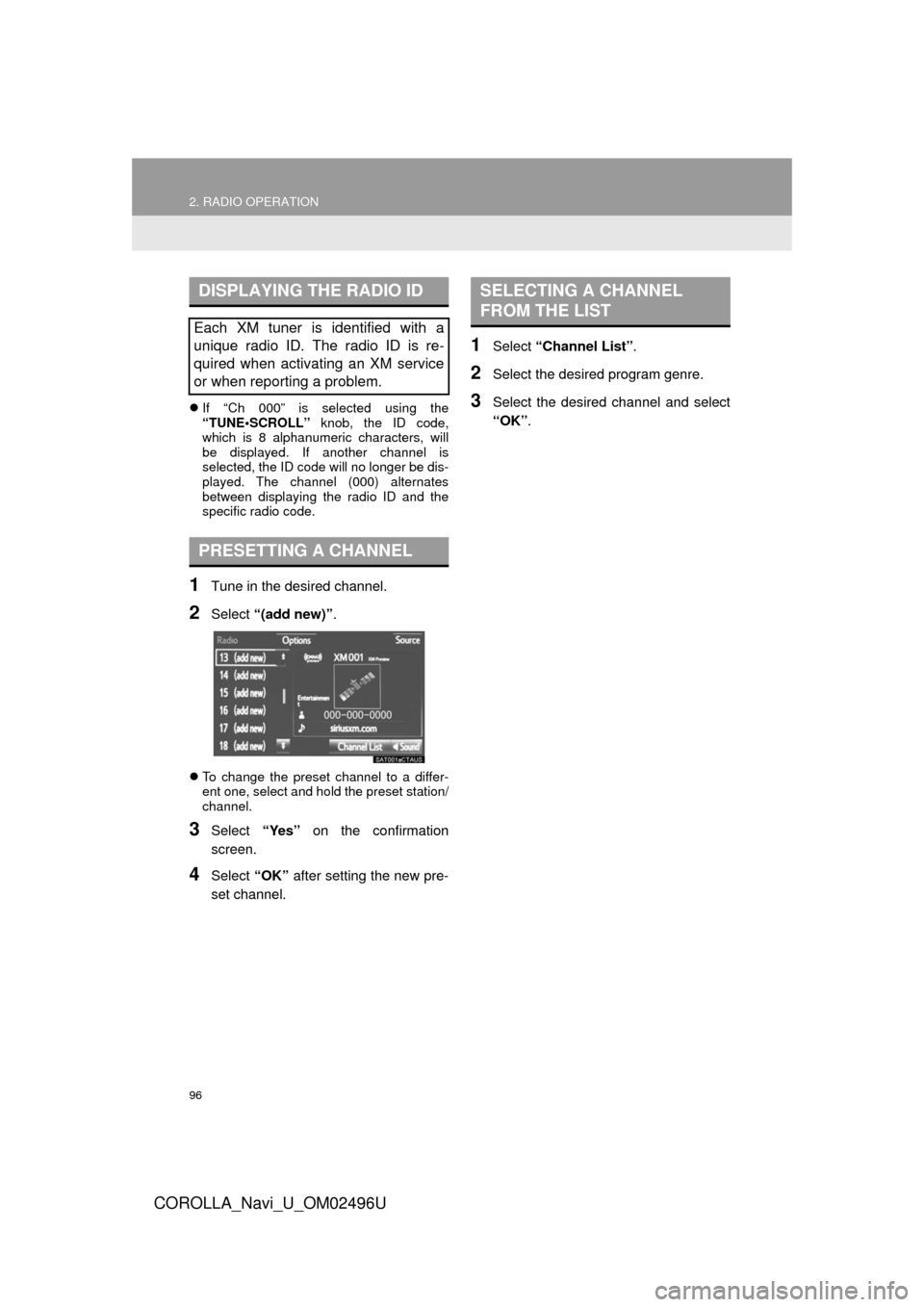
1Tune in the desired channel.
2Select “(add new)” .
To change the preset channel to a differ-
ent one, select and hold the preset station/
channel.
3Select “Yes” on the confirmation
screen.
4Select “OK” after setting the new pre-
set channel.
1Select “Channel List” .
2Select the desired program genre.
3Select the desired channel and select
“OK”.
DISPLAYING THE RADIO ID
Each XM tuner is identified with a
unique radio ID. The radio ID is re-
quired when activating an XM service
or when reporting a problem.
PRESETTING A CHANNEL
SELECTING A CHANNEL
FROM THE LIST
Page 97 of 300
97
2. RADIO OPERATION
COROLLA_Navi_U_OM02496U
AUDIO SYSTEM
3
IF THE SATELLITE RADIO TUNER MALFUNCTIONS
When problems occur with the XM tuner, a message will appear on the screen. Re-
ferring to the table below to identify the problem, take the suggested corrective ac-
tion.
MessageExplanation
“Check Antenna”
The XM antenna is not connected. Check whether the XM antenna
cable is attached securely.
A short circuit occurs in the antenna or the surrounding antenna ca-
ble. See a Toyota certified dealer for assistance.
“Ch Unauthorized”
You have not subscribed to XM Satellite Radio. The radio is being
updated with the latest encryption code. Contact XM Satellite Radio
for subscription information. When a contract is canceled, you can
choose “Ch 000” and all free-to-air channels.
The premium channel you selected is not authorized. Wait for about
2 seconds until the radio returns to the previous channel or “Ch 001”.
If it does not change automatically, select another channel. To listen
to the premium channel, contact XM Satellite Radio.
“No Signal”The XM signal is too weak at the current location. Wait until your ve-
hicle reaches a location with a stronger signal.
“Loading”The unit is acquiring audio or program information. Wait until the unit
has received the information.
“Channel Off Air”The channel you selected is not broadcasting any programming. Se-
lect another channel.
-----There is no song/program title or artist name/feature associated with
the channel at that time. No action is required.
“Chan Unavailable”
The channel you selected is no longe r available. Wait for about 2
seconds until the radio returns to the previous channel or “Ch 001”.
If it does not change automatically, select another channel.
INFORMATION
?Contact the XM Listener Care Center at 1-877-447-0011 (U.S.A.) or 1-877-438-9677 (Canada).
Page 98 of 300
98
2. RADIO OPERATION
COROLLA_Navi_U_OM02496U
3. INTERNET RADIO*
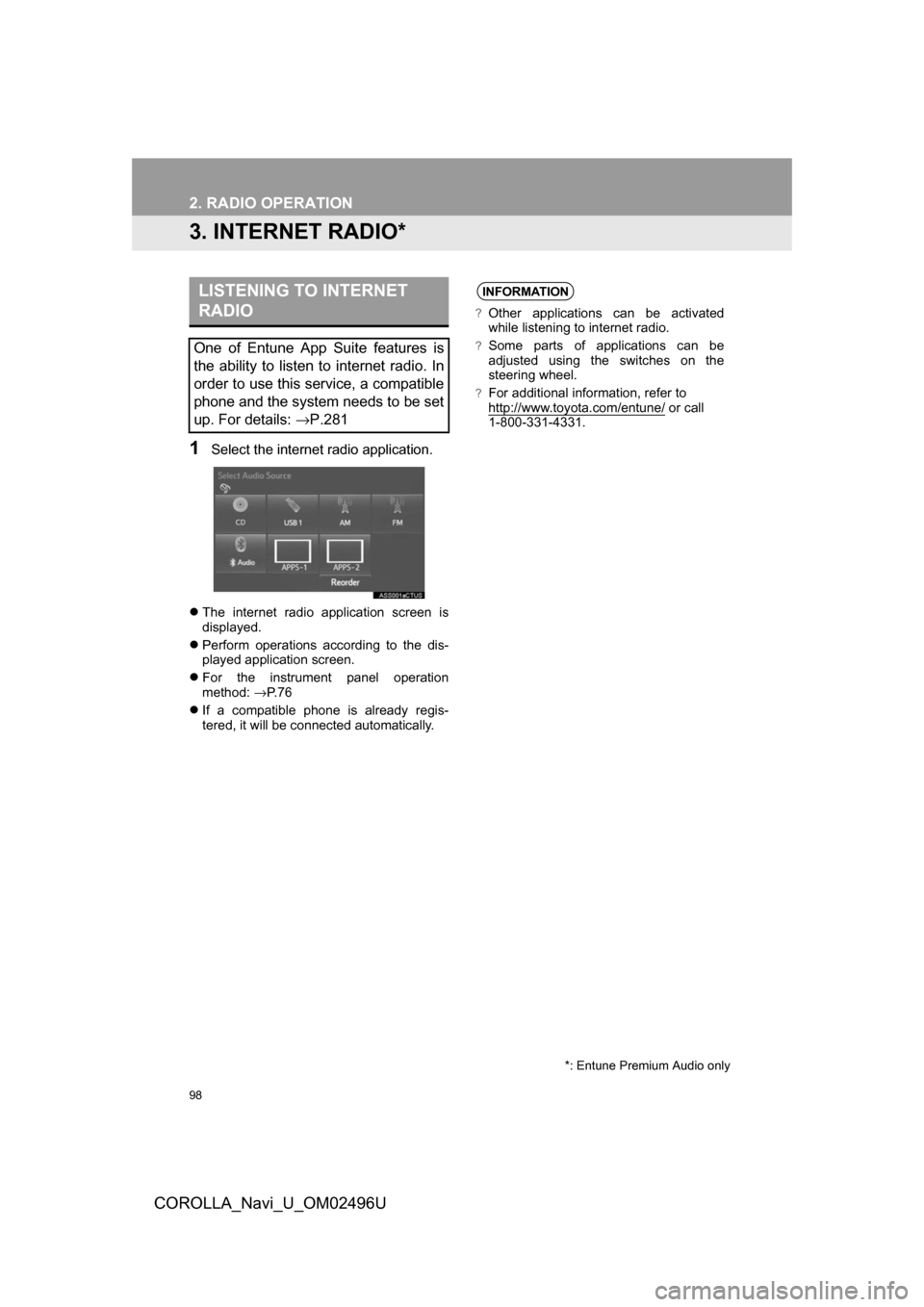
1Select the internet radio application.
The internet radio application screen is
displayed.
Perform operations according to the dis-
played application screen.
For the instrument panel operation
method: →P. 7 6
If a compatible phone is already regis-
tered, it will be connected automatically.
LISTENING TO INTERNET
RADIO
One of Entune App Suite features is
the ability to listen to internet radio. In
order to use this service, a compatible
phone and the system needs to be set
up. For details: →P.281
*: Entune Premium Audio only
INFORMATION
?Other applications can be activated
while listening to internet radio.
?Some parts of applications can be
adjusted using the switches on the
steering wheel.
?For additional information, refer to
http://www.toyota.com/entune/ or call
1-800-331-4331.
Page 114 of 300
114
3. MEDIA OPERATION
COROLLA_Navi_U_OM02496U
WARNING
?Do not operate the player’s controls or connect to the Bluetooth® audio system while driv-
ing.
?Your audio unit is fitted with Bluetooth® antennas. People with implantable cardiac pace-
makers, cardiac resynchronization therapy-pacemakers or implantable cardioverter
defibrillators should maintain a reasonable distance between themselves and the
Bluetooth
® antennas. The radio waves may affect the operation of such devices.
?Before using Bluetooth® devices, users of any electrical medical device other than
implantable cardiac pacemakers, cardiac resynchronization therapy-pacemakers or
implantable cardioverter defibrillators should consult the manufacturer of the device for
information about its operation under the influence of radio waves. Radio waves could
have unexpected effects on the operation of such medical devices.
NOTICE
?Do not leave your portable player in the vehicle. In particular, high temperatures inside
the vehicle may damage the portable player.
Page 120 of 300
120
4. AUDIO REMOTE CONTROLS
COROLLA_Navi_U_OM02496U
“ ” switch
“MODE/HOLD” switch
ModeOperationFunction
AM, FM
PressPreset station/channel up/down
Station/channel list up/down
Press and holdFast preset station/channel up/down
Fast station/channel list up/down
XM*
PressPreset channel up/down
Channel list up/down
Press and holdFast preset channel up/down
Fast channel list up/down
Audio CD, MP3/
WMA/AAC disc,
USB, iPod,
Bluetooth
® audio
PressTrack/file up/down
Track/file list up/down
Press and holdFast track/file up/down
Fast track/file list up/down
*: If equipped
ModeOperationFunction
AM, FM,
XM*1, AUX
PressChange audio modes
Press and holdMute*2 (Press and hold again to resume the sound.)
Audio CD,
MP3/WMA/ AAC disc,
USB, iPod,
Bluetooth
®
audio,
APPS*3
PressChange audio modes
Press and holdPause (Press and hold again to resume the playmode.)
*
1: If equipped
*2: For AM, FM radio, if cache radio (Entune Premium Audio only) is enabled, pressing and hold- ing the “MODE/HOLD” switch pauses the broadcast. (Press and hold again to play back the
cashed radio program.)
*
3: Entune Premium Audio only
INFORMATION
?In the APPS mode, some operation may be done on the screen depend on the selected
APPS.
Page 121 of 300
121
COROLLA_Navi_U_OM02496U
AUDIO SYSTEM
3
5. SETUP
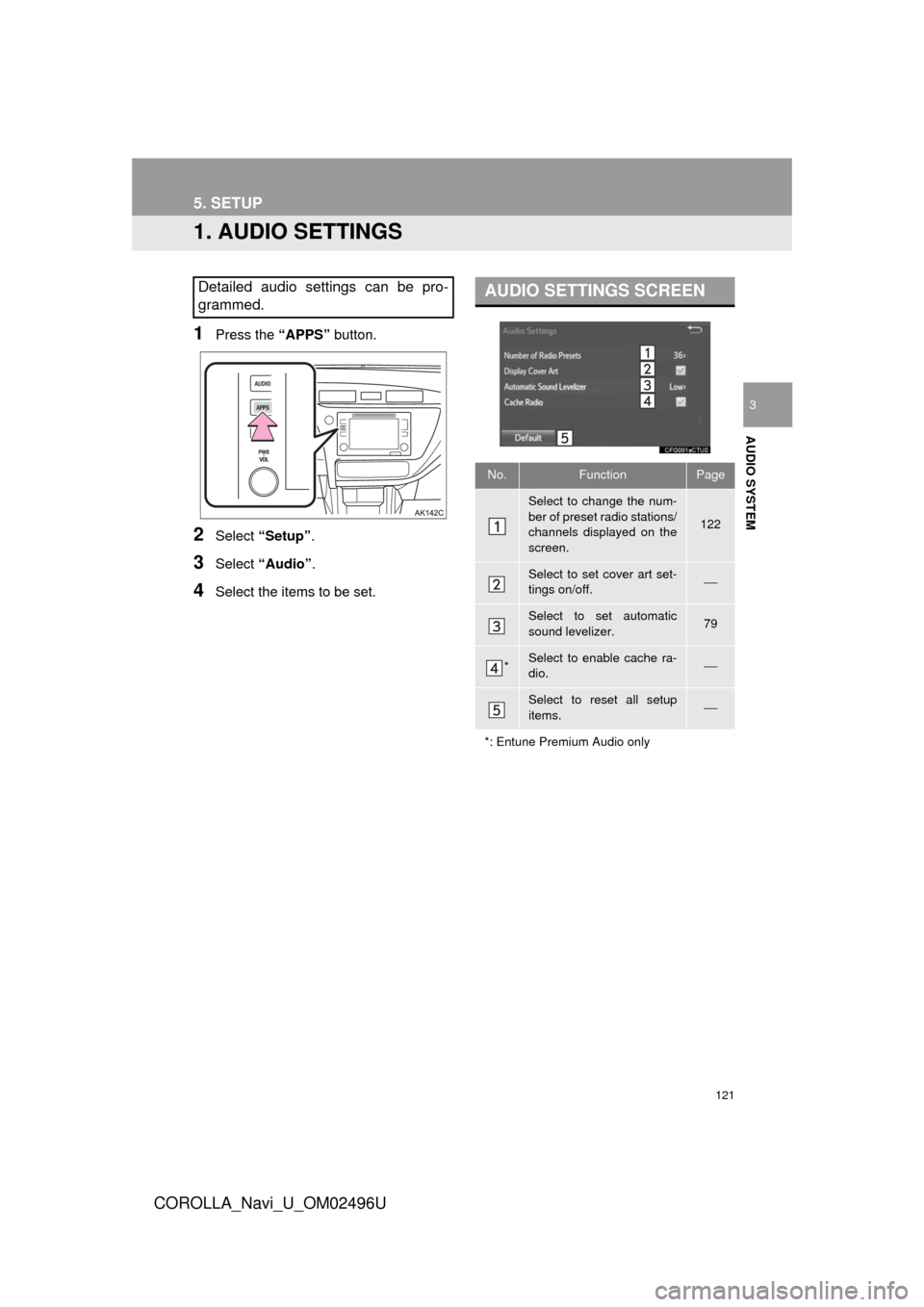
1. AUDIO SETTINGS
1Press the “APPS” button.
2Select “Setup” .
3Select “Audio” .
4Select the items to be set.
Detailed audio settings can be pro-
grammed.AUDIO SETTINGS SCREEN
No.FunctionPage
Select to change the num-
ber of preset radio stations/
channels displayed on the
screen.
122
Select to set cover art set-
tings on/off.⎯
Select to set automatic
sound levelizer.79
*Select to enable cache ra-
dio.⎯
Select to reset all setup
items.⎯
*: Entune Premium Audio only
Page 122 of 300
122
5. SETUP
COROLLA_Navi_U_OM02496U
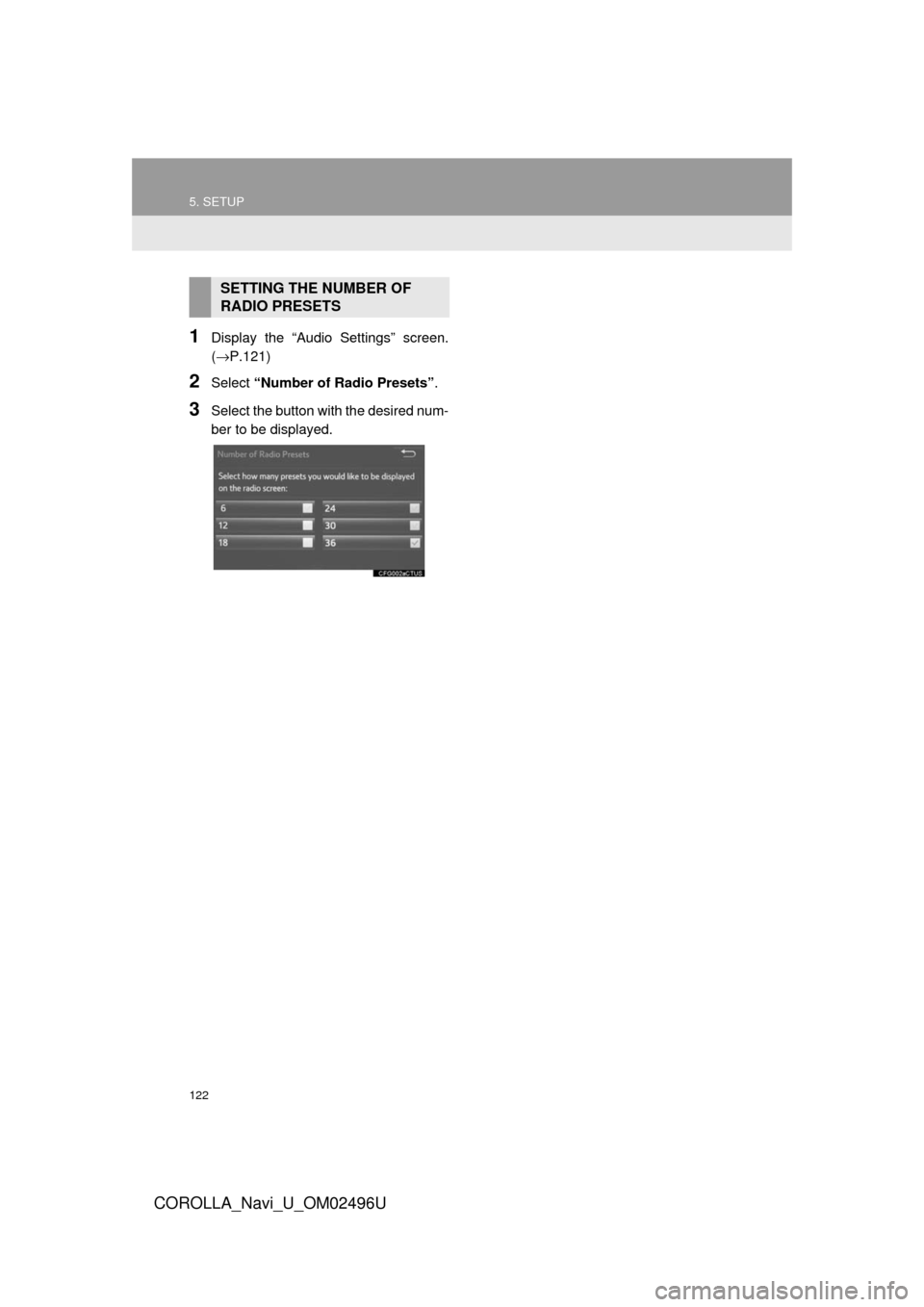
1Display the “Audio Settings” screen.
(→P.121)
2Select “Number of Radio Presets” .
3Select the button with the desired num-
ber to be displayed.
SETTING THE NUMBER OF
RADIO PRESETS
Page 123 of 300
123
COROLLA_Navi_U_OM02496U
AUDIO SYSTEM
3
6. TIPS FOR OPERATING THE AUDIO SYSTEM
1. OPERATING INFORMATION
Fading and drifting stations: Generally, the
effective range of FM is about 25 miles (40
km). Once outside this range, you may no-
tice fading and drifting, which increase with
the distance from the radio transmitter.
They are often accompanied by distortion.
Multi-path: FM signals are reflective, mak-
ing it possible for 2 signals to reach the ve-
hicle’s antenna at the same time. If this
happens, the signals will cancel each other
out, causing a momentary flutter or loss of
reception.
Static and fluttering: These occur when
signals are blocked by buildings, trees or
other large objects. Increasing the bass
level may reduce static and fluttering.
Station swapping: If the FM signal being
listened to is interrupted or weakened, and
there is another strong station nearby on
the FM band, the radio may tune in the
second station until the original signal can
be picked up again.
Fading: AM broadcasts are reflected by
the upper atmosphere — especially at
night. These reflected signals can interfere
with those received directly from the radio
station, causing the radio station to sound
alternately strong and weak.
Station interference: When a reflected sig-
nal and a signal received directly from a ra-
dio station are very nearly the same
frequency, they can interfere with each
other, making it difficult to hear the broad-
cast.
Static: AM is easily affected by external
sources of electrical noise, such as high
tension power lines, lightening or electrical
motors. This results in static.
NOTICE
?To avoid damage to the audio/visual
system:
• Be careful not to spill beverages over the audio/visual system.
• Do not put anything other than an appropriate disc into the disc slot.
INFORMATION
?The use of a cellular phone inside or
near the vehicle may cause a noise from
the speakers of t he audio/visual system
which you are listening to. However, this
does not indicate a malfunction.
RADIO
Usually, a problem with radio reception
does not mean there is a problem with
the radio — it is just the normal result
of conditions outside the vehicle.
For example, nearby buildings and ter-
rain can interfere with FM reception.
Power lines or phone wires can inter-
fere with AM signals. And of course, ra-
dio signals have a limited range. The
farther the vehicle is from a station, the
weaker its signal will be. In addition, re-
ception conditions change constantly
as the vehicle moves.
Here, some common reception prob-
lems that probably do not indicate a
problem with the radio are described.
FM
AM