Brake TOYOTA COROLLA 2017 11.G Owner's Manual
[x] Cancel search | Manufacturer: TOYOTA, Model Year: 2017, Model line: COROLLA, Model: TOYOTA COROLLA 2017 11.GPages: 612, PDF Size: 14.18 MB
Page 173 of 612
173
4
Driving
COROLLA_TMMMS_TMMC_U (OM02494U)
4-2. Driving procedures
Continuously variable transmission
Check that the parking brake is set.
Check that the shift lever is set in P.
Firmly depress the brake pedal.
Turn the engine switch to the “START” position and start the
engine.
Manual transmission
Check that the parking brake is set.
Check that the shift lever is set in N.
Firmly depress the clutch pedal.
Turn the engine switch to the “START” position and start the
engine.
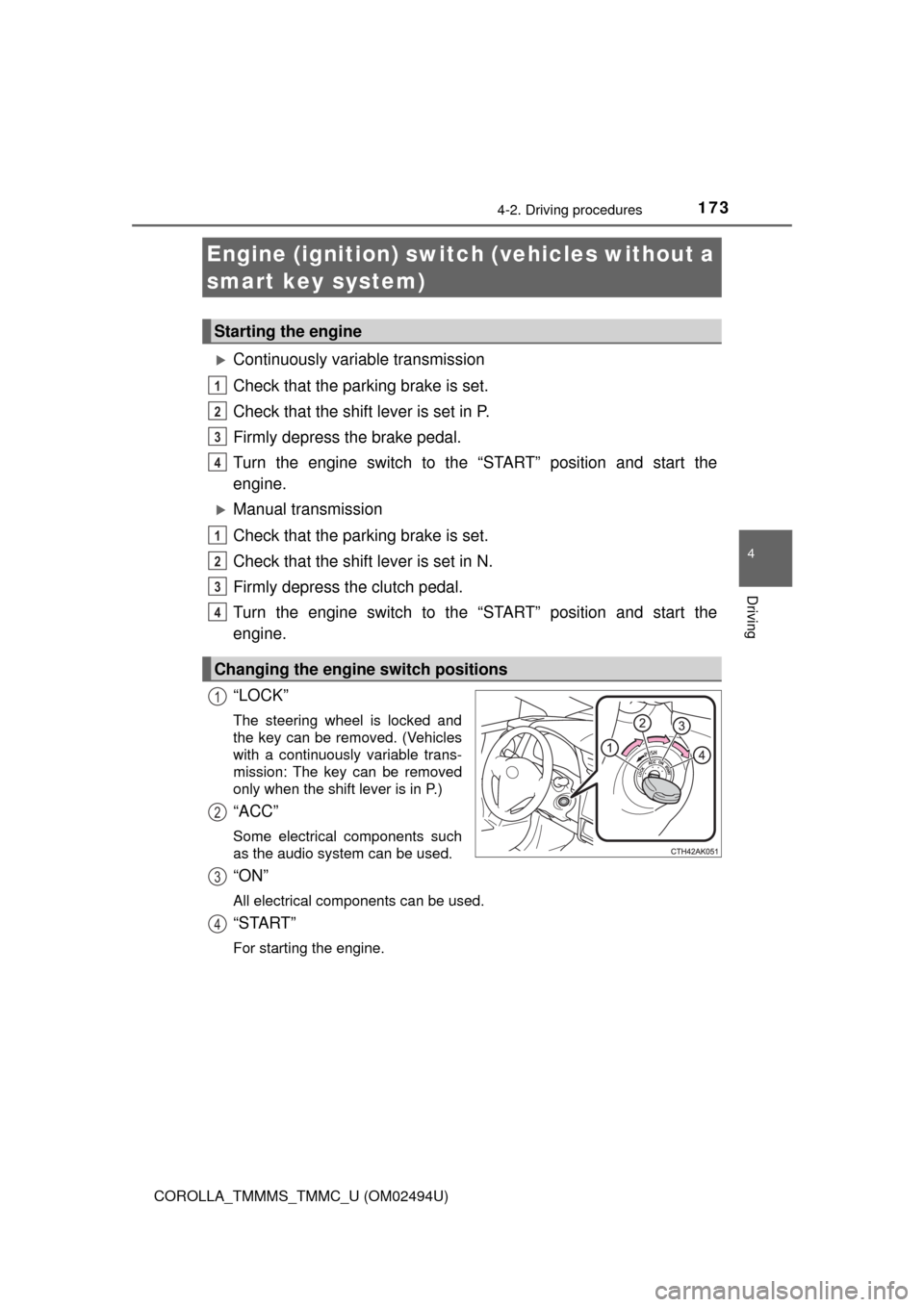
“LOCK”
The steering wheel is locked and
the key can be removed. (Vehicles
with a continuously variable trans-
mission: The key can be removed
only when the shift lever is in P.)
“ACC”
Some electrical components such
as the audio system can be used.
“ON”
All electrical components can be used.
“START”
For starting the engine.
Engine (ignition) switch (vehicles without a
smart key system)
Starting the engine
Changing the engine switch positions
1
2
3
4
1
2
3
4
1
2
3
4
Page 176 of 612
1764-2. Driving procedures
COROLLA_TMMMS_TMMC_U (OM02494U)
Check that the parking brake is set.
Continuously variable transmission: Check that the shift lever is set
in P. Firmly depress the brake pedal.
Manual transmission: Check that the shift lever is set in N. Firmly
depress the clutch pedal.
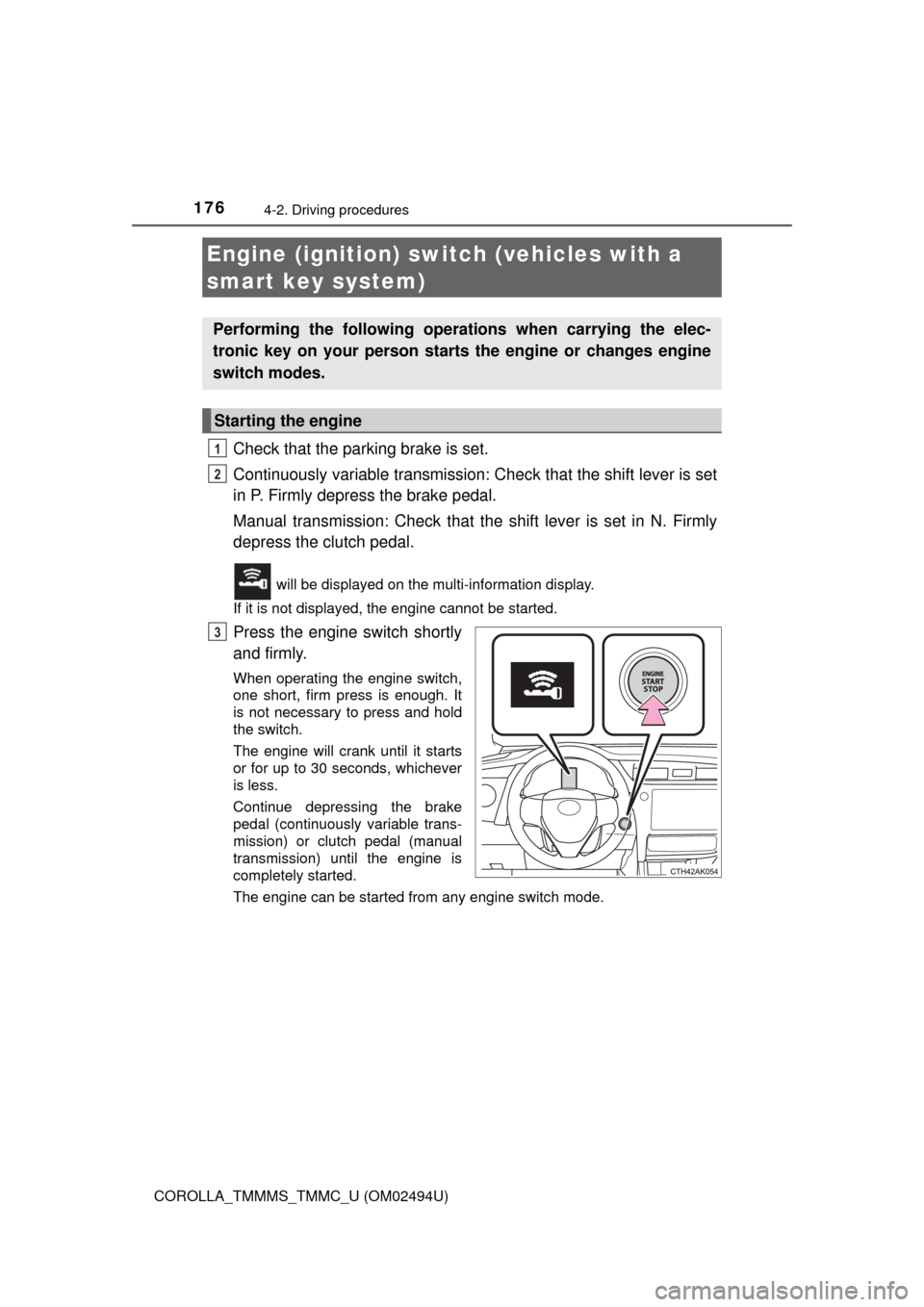
will be displayed on the multi-information display.
If it is not displayed, the engine cannot be started.
Press the engine switch shortly
and firmly.
When operating the engine switch,
one short, firm press is enough. It
is not necessary to press and hold
the switch.
The engine will crank until it starts
or for up to 30 seconds, whichever
is less.
Continue depressing the brake
pedal (continuously variable trans-
mission) or clutch pedal (manual
transmission) until the engine is
completely started.
The engine can be started from any engine switch mode.
Engine (ignition) switch (vehicles with a
smart key system)
Performing the following operations when carrying the elec-
tronic key on your person starts the engine or changes engine
switch modes.
Starting the engine
1
2
3
Page 177 of 612
1774-2. Driving procedures
4
Driving
COROLLA_TMMMS_TMMC_U (OM02494U)
Continuously variable transmission
Stop the vehicle.
Set the parking brake (→P. 194), and shift the shift lever to P.
Press the engine switch.
Release the brake pedal and check that “Power On” on the multi-
information display is off.
Manual transmission
Stop the vehicle.
Shift the shift lever to N.
Set the parking brake. (→P. 194)
Press the engine switch.
Release the clutch pedal and check that “Power On” on the multi-
information display is off.
Stopping the engine
1
2
3
4
1
2
3
4
5
Page 178 of 612
1784-2. Driving procedures
COROLLA_TMMMS_TMMC_U (OM02494U)
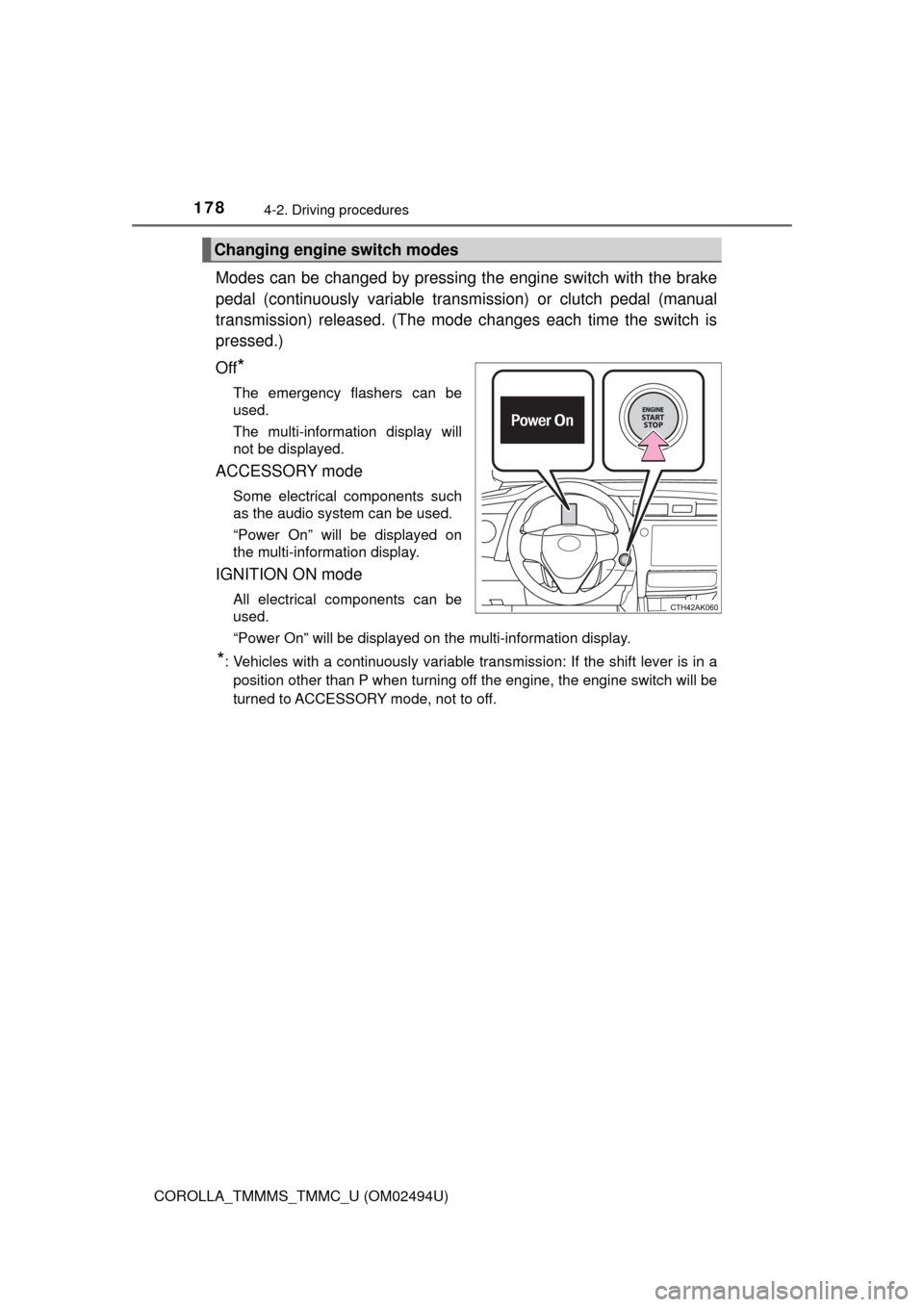
Modes can be changed by pressing the engine switch with the brake
pedal (continuously variable transmission) or clutch pedal (manual
transmission) released. (The mode changes each time the switch is
pressed.)
Off
*
The emergency flashers can be
used.
The multi-information display will
not be displayed.
ACCESSORY mode
Some electrical components such
as the audio system can be used.
“Power On” will be displayed on
the multi-information display.
IGNITION ON mode
All electrical components can be
used.
“Power On” will be displayed on the multi-information display.
*: Vehicles with a continuously variable transmission: If the shift lever is in a
position other than P when turning off the engine, the engine switch will be
turned to ACCESSORY mode, not to off.
Changing engine switch modes
Page 179 of 612
1794-2. Driving procedures
4
Driving
COROLLA_TMMMS_TMMC_U (OM02494U)
If the engine is stopped with the shift lever in a position other than P,
the engine switch will not be turned off but instead be turned to
ACCESSORY mode. Perform the following procedure to turn the
switch off:
Check that the parking brake is set.
Shift the shift lever to P.
Check that “Power On” and “Turn Off Vehicle”/“TURN POWER
OFF” are displayed alternately on the multi-information display and
then press the engine switch once.
Check that “Power On” and “Turn Off Vehicle”/“TURN POWER
OFF” on the multi-information display are off.
■Message displays
Message displays used in this section are intended as examples, and may
differ from the image that is actually displayed on the multi-information dis-
play.
■Auto power off function
Vehicles with a continuously variable transmission
If the vehicle is left in ACCESSORY mode for more than 20 minutes or IGNI-
TION ON mode (the engine is not running) for more than an hour with the
shift lever in P, the engine switch will automatically turn off. However, this
function cannot entirely prevent battery discharge. Do not leave the vehicle
with the engine switch in ACCESSORY or IGNITION ON mode for long peri-
ods of time when the engine is not running.
Vehicles with a manual transmission
If the vehicle is left in ACCESSORY mode for more than 20 minutes or IGNI-
TION ON mode (the engine is not running) for more than an hour, the engine
switch will automatically turn off. However, this function cannot entirely pre-
vent battery discharge. Do not leave the vehicle with the engine switch in
ACCESSORY or IGNITION ON mode for long periods of time when the
engine is not running.
When stopping the engine with the shift lever in a position other
than P (vehicles with a continuously variable transmission)
1
2
3
4
Page 181 of 612

1814-2. Driving procedures
4
Driving
COROLLA_TMMMS_TMMC_U (OM02494U)■When “Smart Key System Malfunction See Owner's Manual”/“CHECK
SMART KEY SYSTEM” will be displayed on the multi-information display
The system may be malfunctioning. Have the vehicle inspected by your
Toyota dealer immediately.
■If the electronic key battery is depleted
→P. 459
■Operation of the engine switch
●If the switch is not pressed shortly and firmly, the engine switch mode may
not change or the engine may not start.
●If attempting to restart the engine immediately after turning the engine
switch off, the engine may not start in some cases. After turning the engine
switch off, please wait a few seconds before restarting the engine.
■If the smart key system has been deactivated in a customized setting
→P. 527
WARNING
■When starting the engine
Always start the engine while sitting in the driver’s seat. Do not depress the
accelerator pedal while starting the engine under any circumstances.
Doing so may cause an accident resulting in death or serious injury.
■Caution while driving
If engine failure occurs while the vehicle is moving, do not lock or open the
doors until the vehicle reaches a safe and complete stop. Activation of the
steering lock in this circumstance may lead to an accident, resulting in
death or serious injury.
■Stopping the engine in an emergency
If you want to stop the engine in an emergency while driving the vehicle,
press and hold the engine switch for more than 2 seconds, or press it briefly
3 times or more in succession. (→P. 475)
However, do not touch the engine switch while driving except in an emer-
gency. Turning the engine off while driving will not cause loss of steering or
braking control, but the power assist to these systems will be lost. This will
make it more difficult to steer and brake, so you should pull over and stop
the vehicle as soon as it is safe to do so.
Page 183 of 612
1834-2. Driving procedures
4
Driving
COROLLA_TMMMS_TMMC_U (OM02494U)
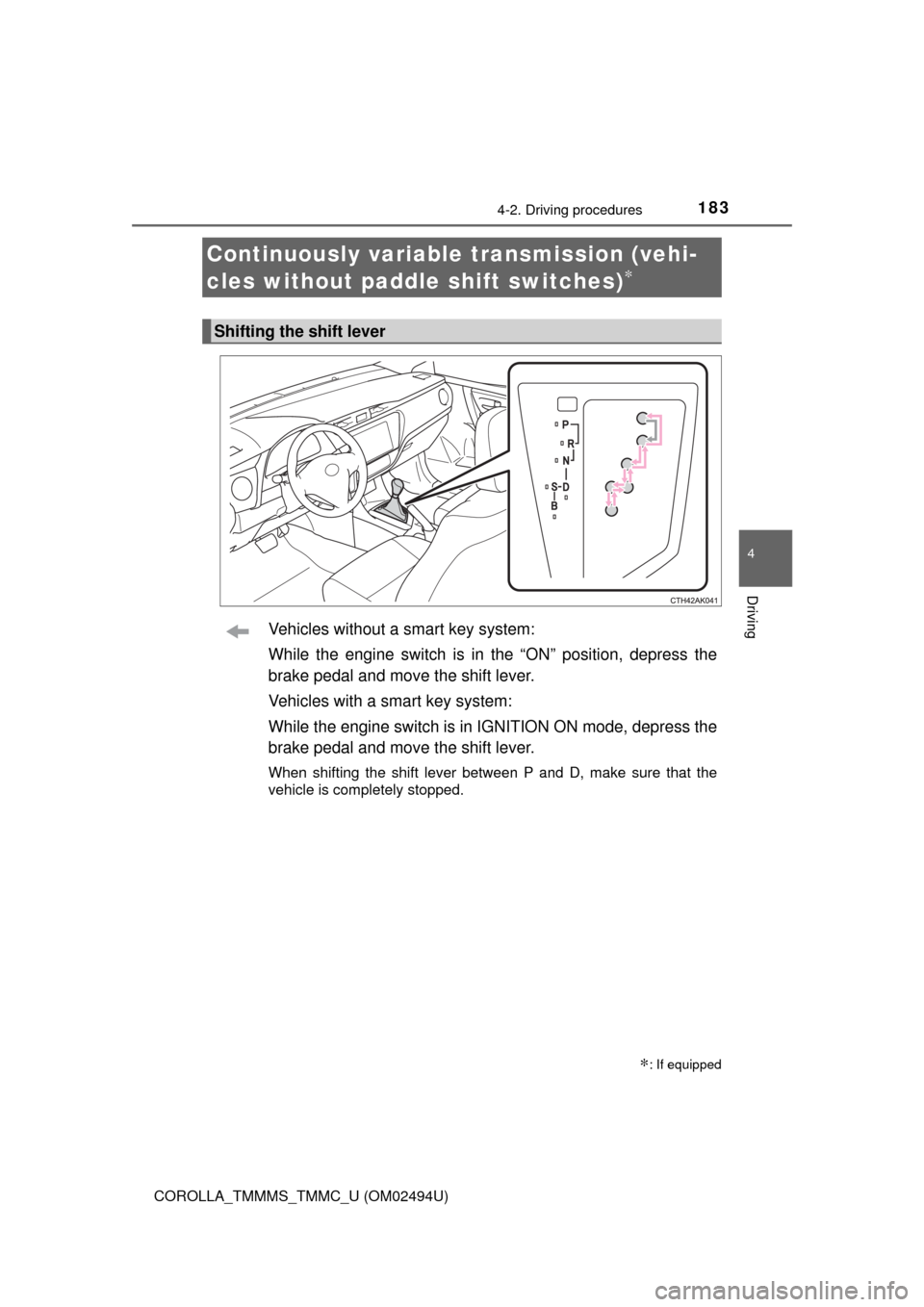
Vehicles without a smart key system:
While the engine switch is in the “ON” position, depress the
brake pedal and move the shift lever.
Vehicles with a smart key system:
While the engine switch is in IGNITION ON mode, depress the
brake pedal and move the shift lever.
When shifting the shift lever between P and D, make sure that the
vehicle is completely stopped.
Continuously variable transmission (vehi-
cles without paddle shift switches)
∗
∗: If equipped
Shifting the shift lever
Page 184 of 612
1844-2. Driving procedures
COROLLA_TMMMS_TMMC_U (OM02494U)
*: To improve fuel efficiency and reduce noises, set the shift lever in D for
normal driving.
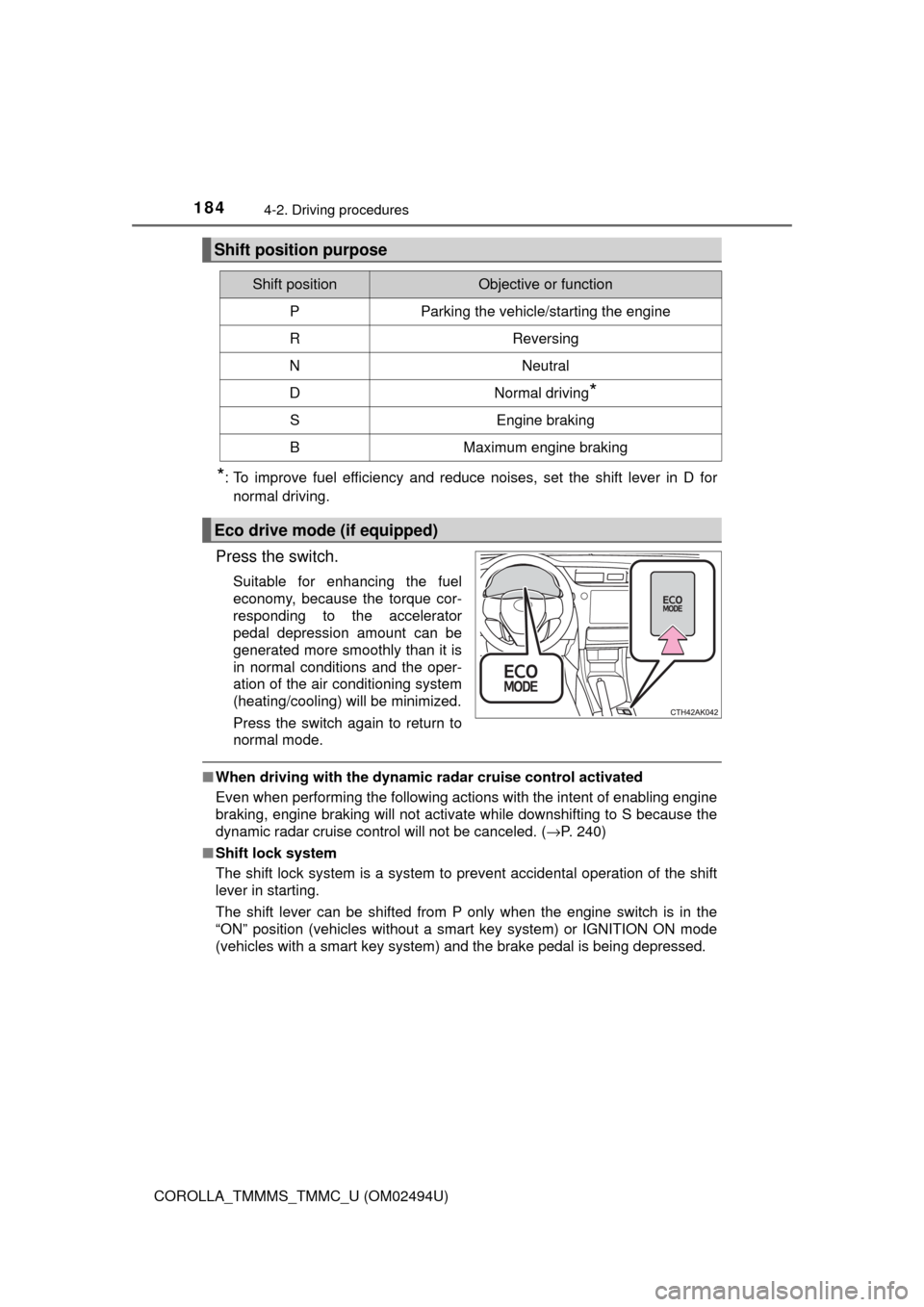
Press the switch.
Suitable for enhancing the fuel
economy, because the torque cor-
responding to the accelerator
pedal depression amount can be
generated more smoothly than it is
in normal conditions and the oper-
ation of the air conditioning system
(heating/cooling) will be minimized.
Press the switch again to return to
normal mode.
■When driving with the dynamic radar cruise control activated
Even when performing the following actions with the intent of enabling engine
braking, engine braking will not activate while downshifting to S because the
dynamic radar
cruise control will not be canceled. (→P. 240)
■Shift lock system
The shift lock system is a system to prevent accidental operation of the shift
lever in starting.
The shift lever can be shifted from P only when the engine switch is in the
“ON” position (vehicles without a smart key system) or IGNITION ON mode
(vehicles with a smart key system) and the brake pedal is being depressed.
Shift position purpose
Shift positionObjective or function
PParking the vehicle/starting the engine
RReversing
NNeutral
DNormal driving*
SEngine braking
BMaximum engine braking
Eco drive mode (if equipped)
Page 185 of 612
1854-2. Driving procedures
4
Driving
COROLLA_TMMMS_TMMC_U (OM02494U)■If the shift lever cannot be shifted from P
First, check whether the brake pedal is being depressed.
If the shift lever cannot be shifted with your foot on the brake pedal, there may
be a problem with the shift lock system. Have the vehicle inspected by your
Toyota dealer immediately.
The following steps may be used as an emergency measure to ensure that
the shift lever can be shifted.
Releasing the shift lock:
Set the parking brake.
Vehicles without a smart key system: Turn the engine switch to the “LOCK”
position.
Vehicles with a smart key system: Turn the engine switch off.
Depress the brake pedal.
1
2
3
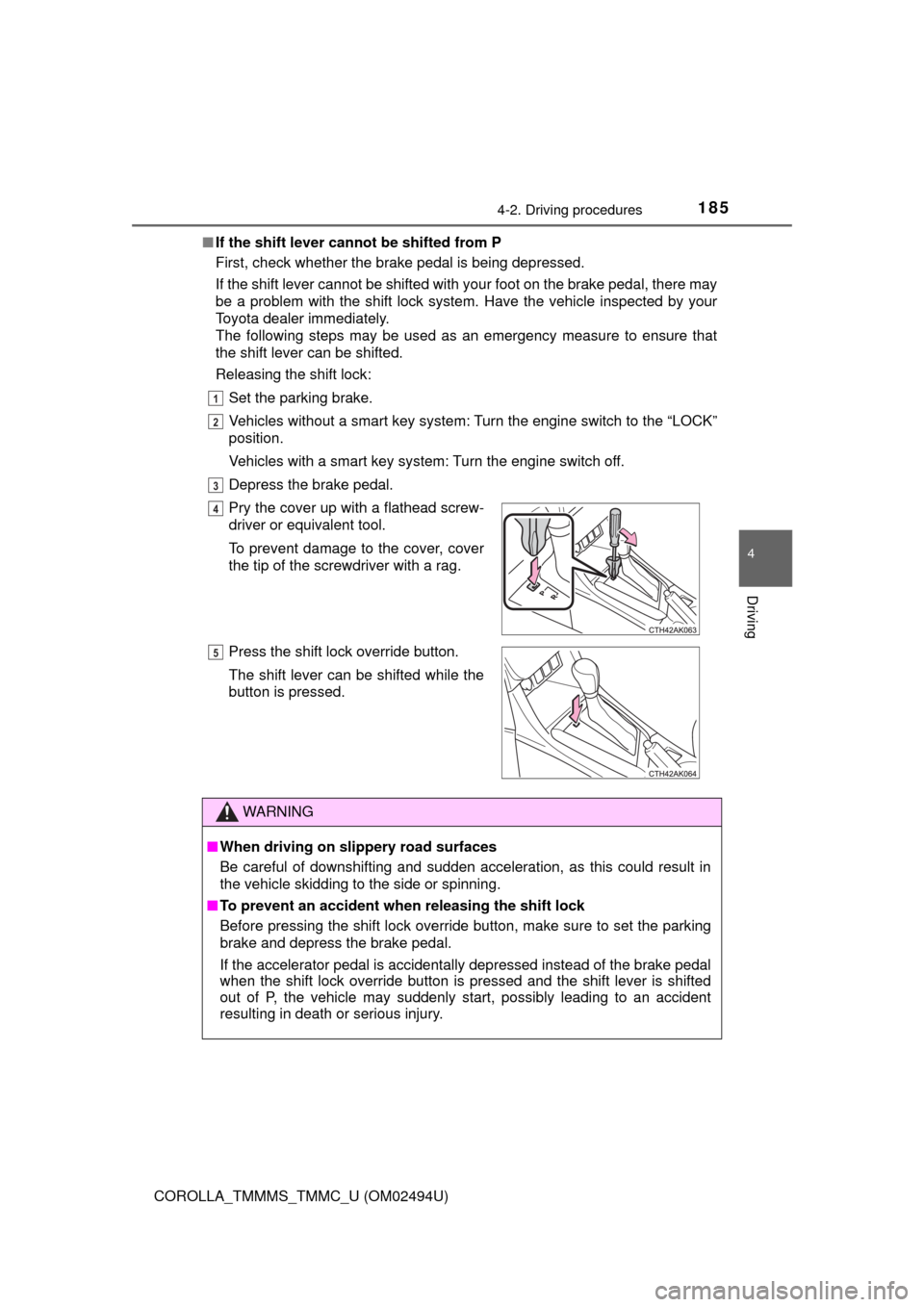
Pry the cover up with a flathead screw-
driver or equivalent tool.
To prevent damage to the cover, cover
the tip of the screwdriver with a rag.
Press the shift lock override button.
The shift lever can be shifted while the
button is pressed.
WARNING
■When driving on slippery road surfaces
Be careful of downshifting and sudden acceleration, as this could result in
the vehicle skidding to the side or spinning.
■To prevent an accident when releasing the shift lock
Before pressing the shift lock override button, make sure to set the parking
brake and depress the brake pedal.
If the accelerator pedal is accidentally depressed instead of the brake pedal
when the shift lock override button is pressed and the shift lever is shifted
out of P, the vehicle may suddenly start, possibly leading to an accident
resulting in death or serious injury.
4
5
Page 186 of 612
1864-2. Driving procedures
COROLLA_TMMMS_TMMC_U (OM02494U)
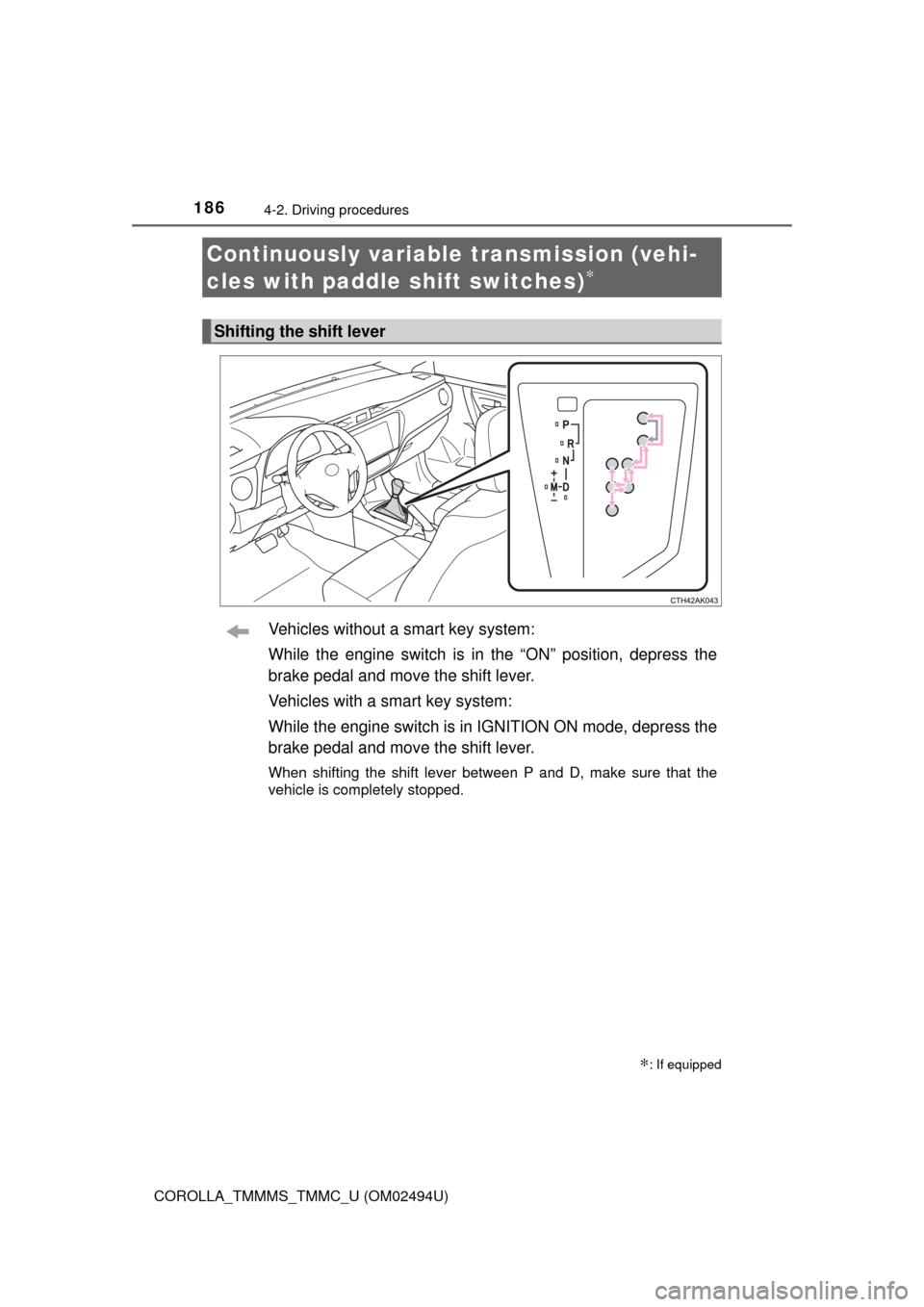
Vehicles without a smart key system:
While the engine switch is in the “ON” position, depress the
brake pedal and move the shift lever.
Vehicles with a smart key system:
While the engine switch is in IGNITION ON mode, depress the
brake pedal and move the shift lever.
When shifting the shift lever between P and D, make sure that the
vehicle is completely stopped.
Continuously variable transmission (vehi-
cles with paddle shift switches)
∗
∗: If equipped
Shifting the shift lever