mirror TOYOTA COROLLA 2017 11.G Owner's Manual
[x] Cancel search | Manufacturer: TOYOTA, Model Year: 2017, Model line: COROLLA, Model: TOYOTA COROLLA 2017 11.GPages: 612, PDF Size: 14.18 MB
Page 372 of 612
3726-1. Using the air conditioning system and defogger
COROLLA_TMMMS_TMMC_U (OM02494U)■
Switching between outside air and recirculated air modes
Press .
The mode switches between outside air mode (indicator off) and recir-
culated air mode (indicator on) each time is pressed.
■
Defogging the windshield
Defoggers are used to defog the windshield and front side win-
dows.
Set the air outlet selector dial to the position.
Set the outside/recirculated air mode button to outside air mode if the
recirculated air mode is used. (It may switch automatically.)
To defog the windshield and the side windows early, turn the air flow and
temperature up.
Vehicles with the air conditioning system: If the dehumidification
function is not operating, press to operate the dehumidifica-
tion function.
■Defogging the rear window and outside rear view mirrors
Vehicles without outside rear view mirror defoggers
Defoggers are used to defog the rear window.
Press .
The defoggers will automatically turn off after a period of time.
Vehicles with outside rear view mirror defoggers
Defoggers are used to defog the rear window, and to remove rain-
drops, dew and frost from the outside rear view mirrors.
Press .
The defoggers will automatically turn off after a period of time.
Other functions
Page 376 of 612
3766-1. Using the air conditioning system and defogger
COROLLA_TMMMS_TMMC_U (OM02494U)
WARNING
■To prevent the windshield from fogging up
●Do not set the air outlet selector dial to during cool air operation in
extremely humid weather. The difference between the temperature of the
outside air and that of the windshield can cause the outer surface of the
windshield to fog up, blocking your vision.
■To prevent burns (vehicles with outside rear view mirror defoggers)
Do not touch the rear view mirror surfaces when the outside rear view mirror
defoggers are on.
NOTICE
■To prevent battery discharge
Do not leave the air conditioning system on longer than necessary when the
engine is stopped.
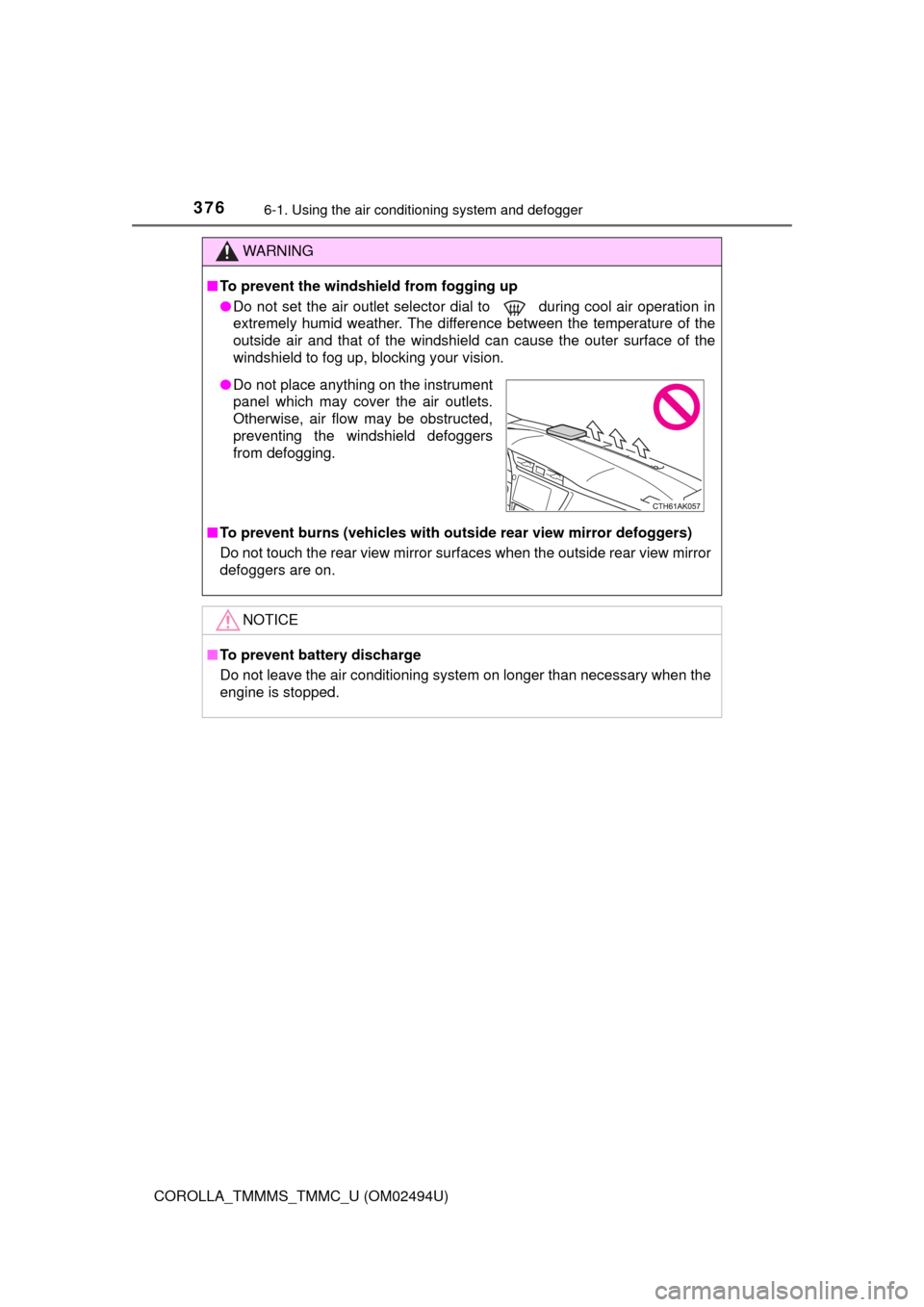
●Do not place anything on the instrument
panel which may cover the air outlets.
Otherwise, air flow may be obstructed,
preventing the windshield defoggers
from defogging.
Page 378 of 612
3786-1. Using the air conditioning system and defogger
COROLLA_TMMMS_TMMC_U (OM02494U)■
Fan speed setting
Increases the fan speed
Decreases the fan speed
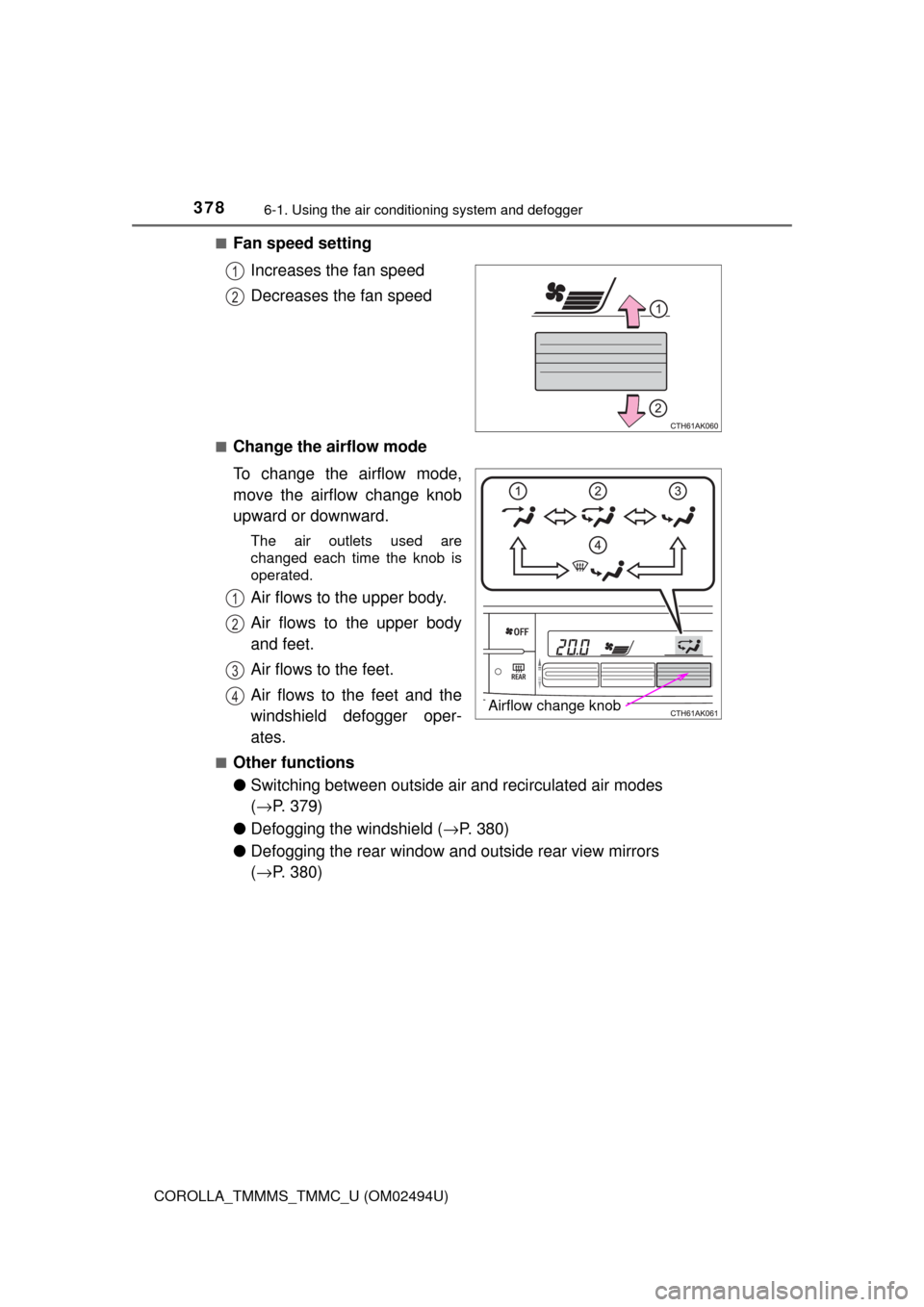
■Change the airflow mode
To change the airflow mode,
move the airflow change knob
upward or downward.
The air outlets used are
changed each time the knob is
operated.
Air flows to the upper body.
Air flows to the upper body
and feet.
Air flows to the feet.
Air flows to the feet and the
windshield defogger oper-
ates.
■Other functions
●Switching between outside air and recirculated air modes
(→P. 379)
●Defogging the windshield (→P. 380)
●Defogging the rear window and outside rear view mirrors
(→P. 380)
1
2
Airflow change knob
1
2
3
4
Page 380 of 612
3806-1. Using the air conditioning system and defogger
COROLLA_TMMMS_TMMC_U (OM02494U)■
Defogging the windshield
Defoggers are used to defog the windshield and front side win-
dows.
Press .
The dehumidification function operates and fan speed increases.
Set the outside/recirculated air mode button to the outside air mode if the
recirculated air mode is used. (It may switch automatically.)
To defog the windshield and the front side windows early, turn the air flow
and temperature up.
To return to the previous mode, press again when the windshield is
defogged.
■
Defogging the rear window and outside rear view mirrors
Defoggers are used to defog the rear window, and to remove rain-
drops, dew and frost from the outside rear view mirrors.
Press .
The defoggers will automatically turn off after a period of time.
■
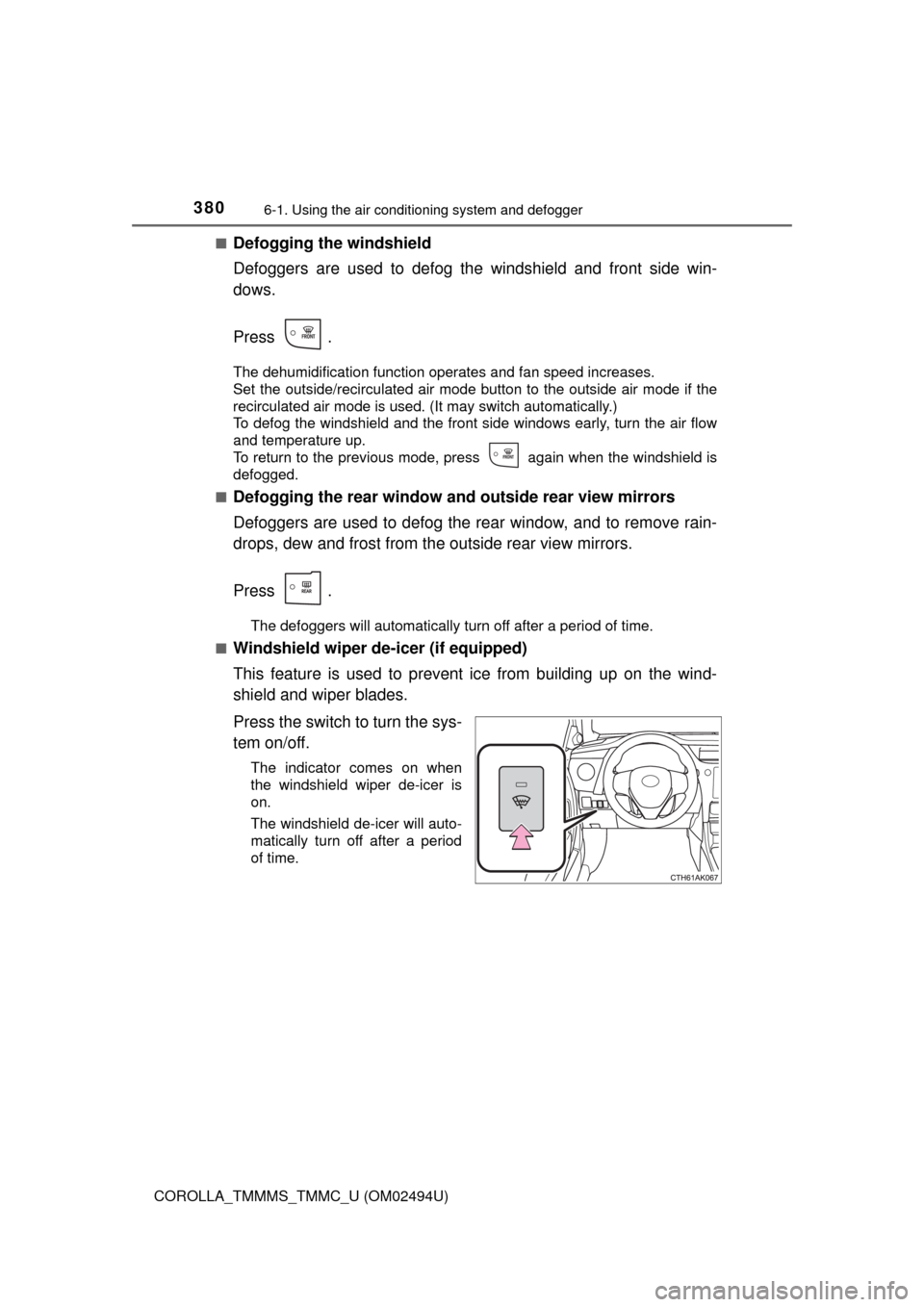
Windshield wiper de-icer (if equipped)
This feature is used to prevent ice from building up on the wind-
shield and wiper blades.
Press the switch to turn the sys-
tem on/off.
The indicator comes on when
the windshield wiper de-icer is
on.
The windshield de-icer will auto-
matically turn off after a period
of time.
Page 385 of 612
3856-1. Using the air conditioning system and defogger
6
Interior features
COROLLA_TMMMS_TMMC_U (OM02494U)
WARNING
■To prevent the windshield from fogging up
●Do not use during cool air operation in extremely humid weather.
The difference between the temperature of the outside air and that of the
windshield can cause the outer surface of the windshield to fog up, block-
ing your vision.
■To prevent burns
Do not touch the rear view mirror surfaces when the outside rear view mirror
defoggers are on.
●Do not touch the glass at lower part of the windshield or to the side of the
front pillars when the windshield wiper de-icer is on. (if equipped)
NOTICE
■To prevent battery discharge
Do not leave the air conditioning system on longer than necessary when the
engine is stopped.
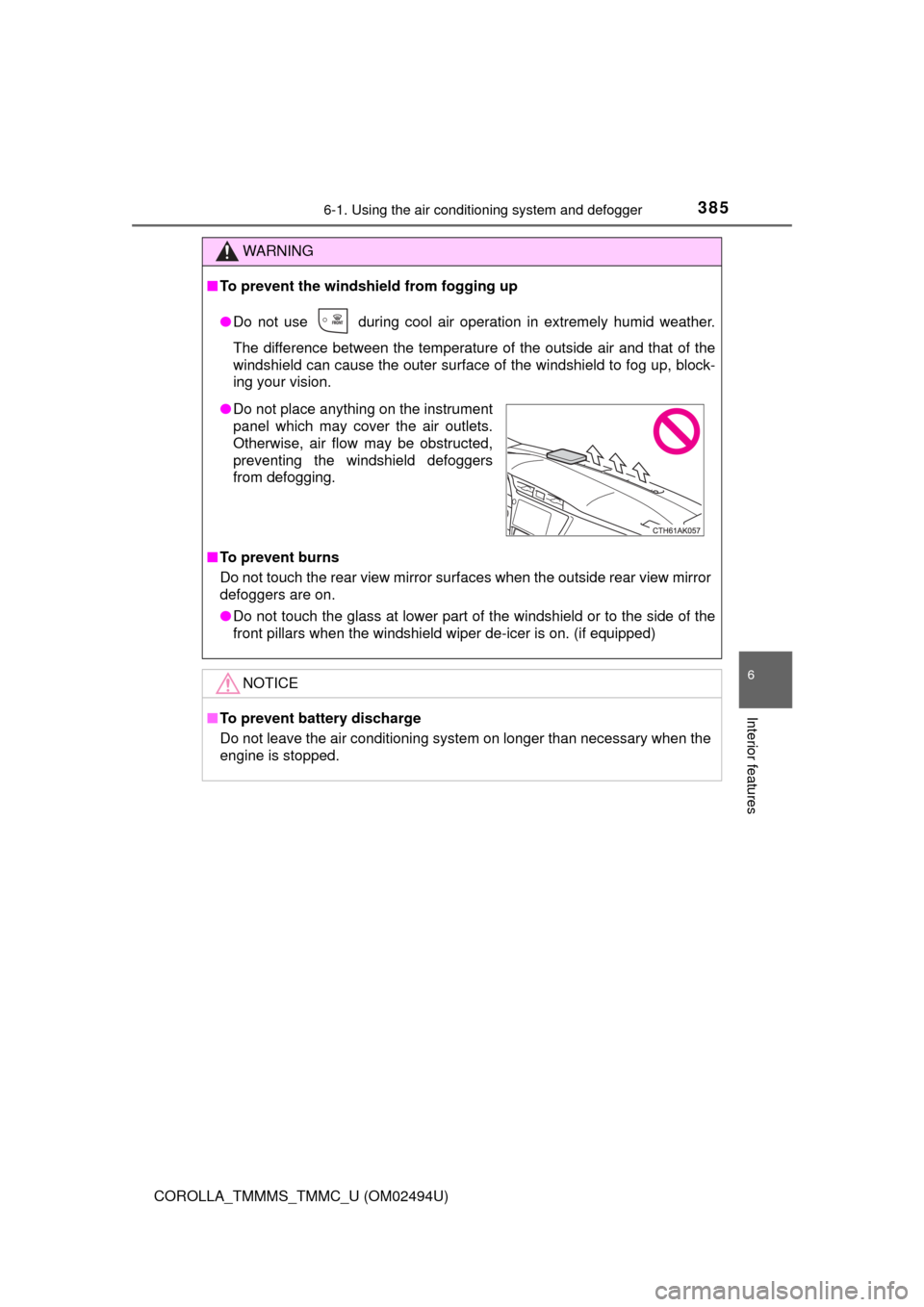
●Do not place anything on the instrument
panel which may cover the air outlets.
Otherwise, air flow may be obstructed,
preventing the windshield defoggers
from defogging.
Page 396 of 612
396
COROLLA_TMMMS_TMMC_U (OM02494U)
6-4. Other interior features
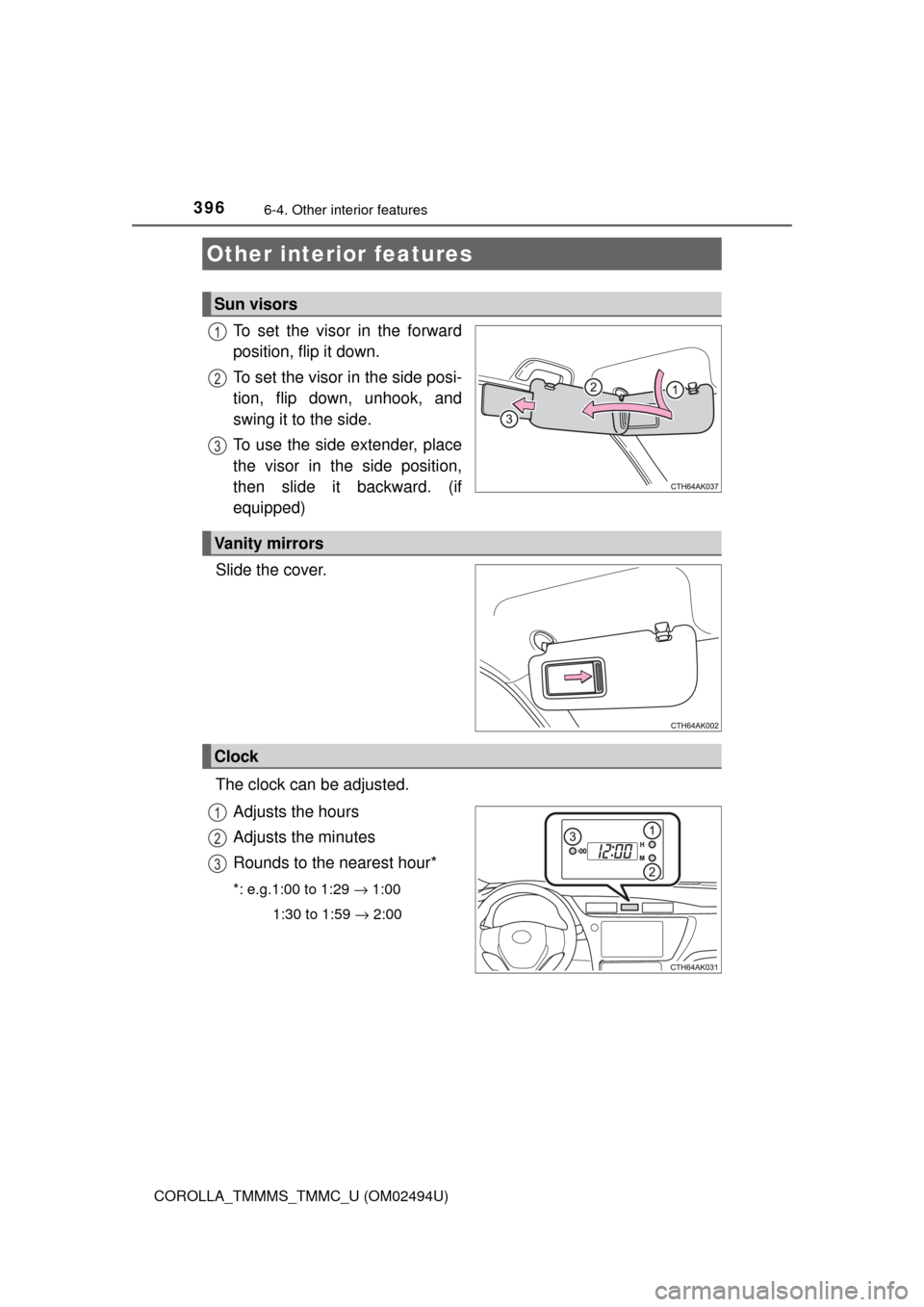
To set the visor in the forward
position, flip it down.
To set the visor in the side posi-
tion, flip down, unhook, and
swing it to the side.
To use the side extender, place
the visor in the side position,
then slide it backward. (if
equipped)
Slide the cover.
The clock can be adjusted.
Adjusts the hours
Adjusts the minutes
Rounds to the nearest hour*
*: e.g.1:00 to 1:29 → 1:00
1:30 to 1:59 → 2:00
Other interior features
Sun visors
1
2
3
Vanity mirrors
Clock
1
2
3
Page 401 of 612
4016-4. Other interior features
6
Interior features
COROLLA_TMMMS_TMMC_U (OM02494U)■
Programming the HomeLink®
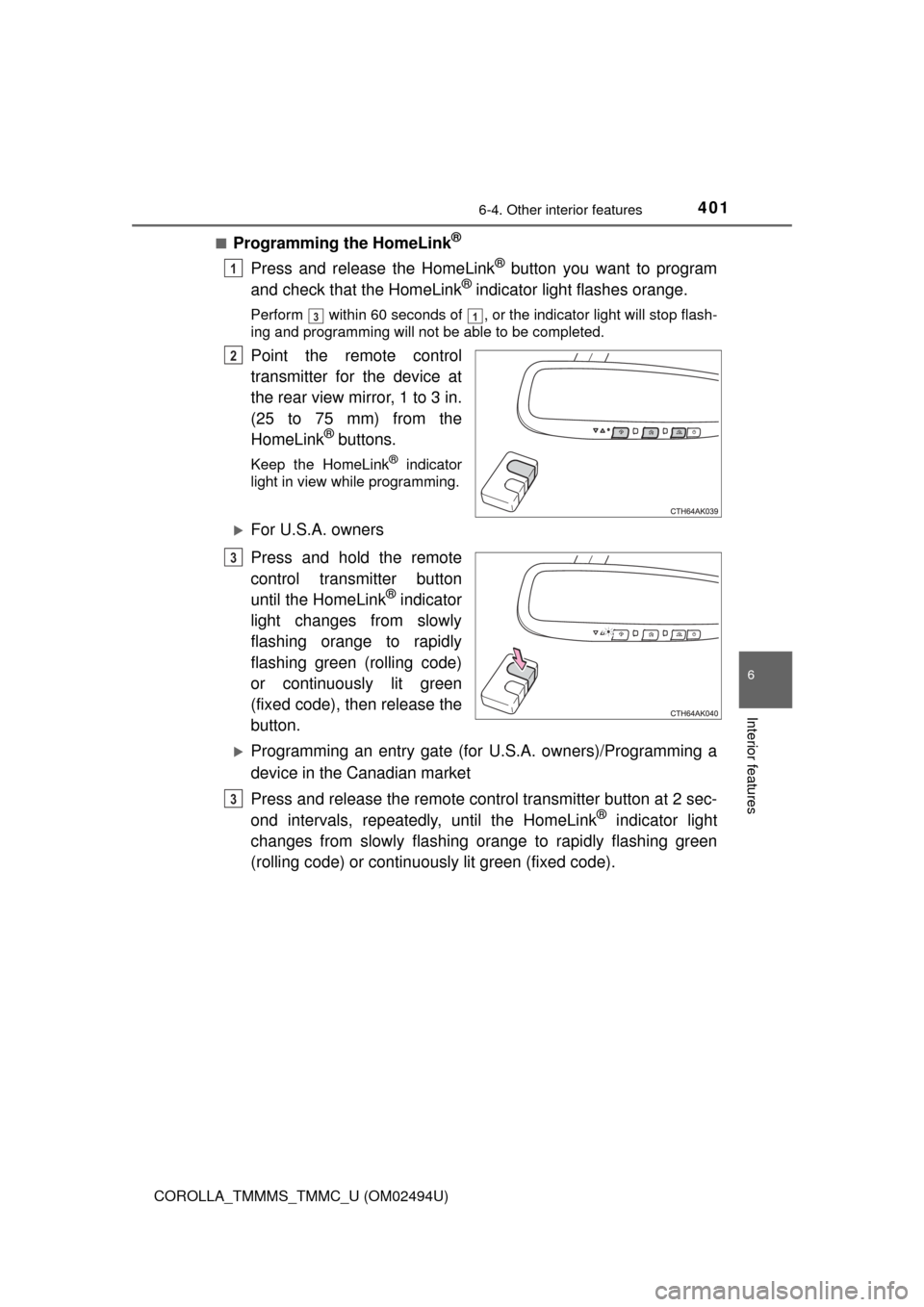
Press and release the HomeLink® button you want to program
and check that the HomeLink® indicator light flashes orange.
Perform within 60 seconds of , or the indicator light will stop flash-
ing and programming will not be able to be completed.
Point the remote control
transmitter for the device at
the rear view mirror, 1 to 3 in.
(25 to 75 mm) from the
HomeLink
® buttons.
Keep the HomeLink® indicator
light in view while programming.
For U.S.A. owners
Press and hold the remote
control transmitter button
until the HomeLink
® indicator
light changes from slowly
flashing orange to rapidly
flashing green (rolling code)
or continuously lit green
(fixed code), then release the
button.
Programming an entry gate (for U.S.A. owners)/Programming a
device in the Canadian market
Press and release the remote control transmitter button at 2 sec-
ond intervals, repeatedly, until the HomeLink
® indicator light
changes from slowly flashing orange to rapidly flashing green
(rolling code) or continuously lit green (fixed code).
1
31
2
3
3
Page 407 of 612
4076-4. Other interior features
6
Interior features
COROLLA_TMMMS_TMMC_U (OM02494U)
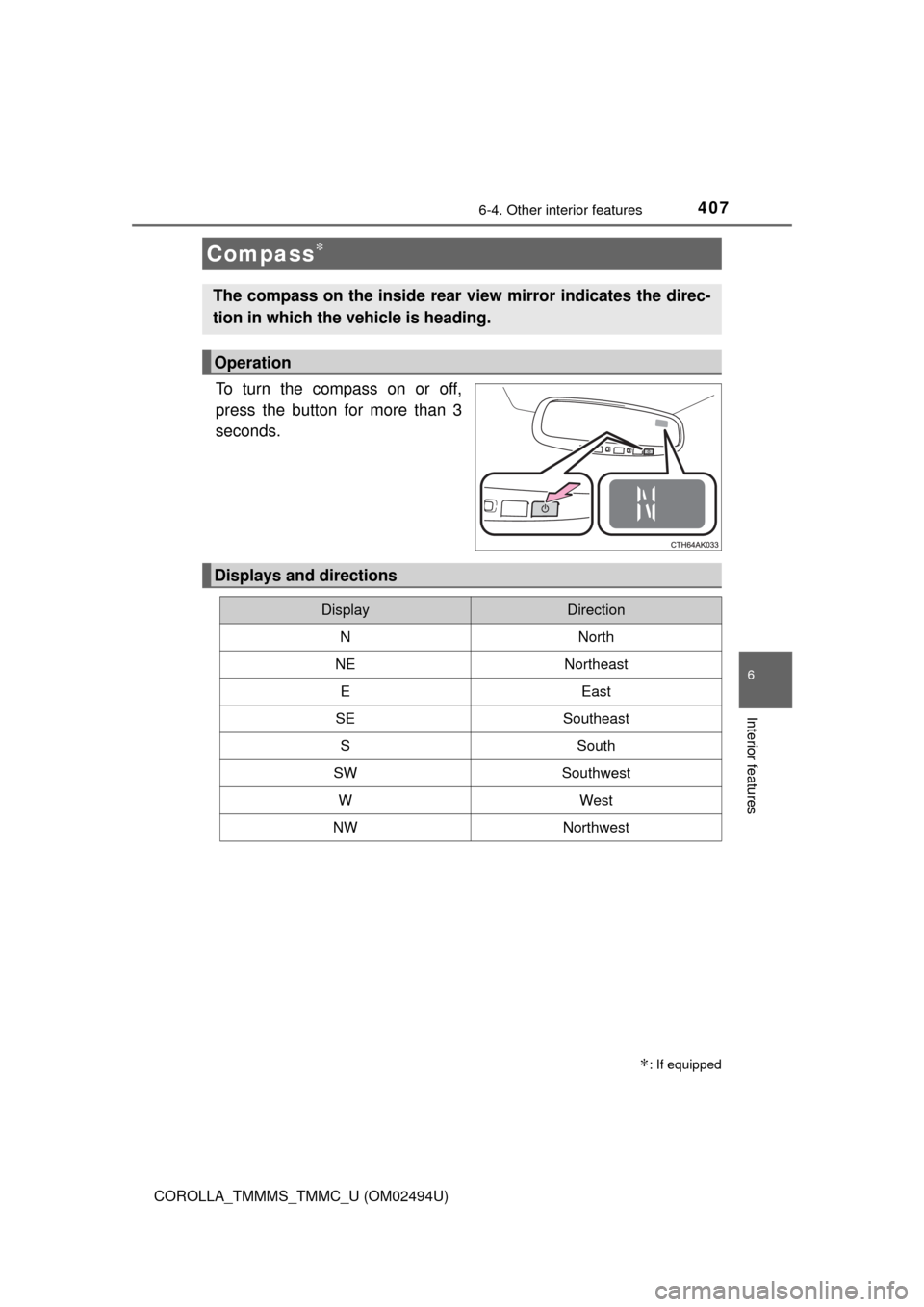
To turn the compass on or off,
press the button for more than 3
seconds.
Compass∗
∗: If equipped
The compass on the inside rear view mirror indicates the direc-
tion in which the vehicle is heading.
Operation
Displays and directions
DisplayDirection
NNorth
NENortheast
EEast
SESoutheast
SSouth
SWSouthwest
WWest
NWNorthwest
Page 410 of 612
4106-4. Other interior features
COROLLA_TMMMS_TMMC_U (OM02494U)
■Conditions unfavorable to correct operation
The compass may not show the correct direction in the following conditions:
●The vehicle is stopped immediately after turning.
●The vehicle is on an inclined surface.
●The vehicle is in a place where the earth's magnetic field is subject to inter-
ference by artificial magnetic fields (underground car park/parking lot, under
a steel tower, between buildings, roof car park/parking lot, near an intersec-
tion, near a large vehicle, etc.).
●The vehicle has become magnetized.
(There is a magnet or metal object near the inside rear view mirror.)
●The battery has been disconnected.
●A door is open.
WARNING
■While driving the vehicle
Do not adjust the display. Adjust the display only when the vehicle is
stopped.
■When doing the circling calibration
Secure a wide space, and watch out for people and vehicles in the neigh-
borhood. Do not violate any local traffic rules while performing circling cali-
bration.
NOTICE
■To avoid compass malfunctions
Do not place magnets or any metal objects near the inside rear view mirror.
Doing this may cause the compass sensor to malfunction.
■To ensure normal operation of the compass
●Do not perform circling calibration of the compass in a place where the
earth's magnetic field is subject to interference by artificial magnetic fields.
●During calibration, do not operate electric systems (moon roof, power win-
dows, etc.) as they may interfere with the calibration.
Page 412 of 612
412
COROLLA_TMMMS_TMMC_U (OM02494U)
7-1. Maintenance and care
●Working from top to bottom, liberally apply water to the vehicle
body, wheel wells and underside of the vehicle to remove any dirt
and dust.
●Wash the vehicle body using a sponge or soft cloth, such as a
chamois.
●For hard-to-remove marks, use car wash soap and rinse thoroughly
with water.
●Wipe away any water.
●Wax the vehicle when the waterproof coating deteriorates.
If water does not bead on a clean surface, apply wax when the vehicle
body is cool.
■Automatic car washes
●Fold the mirrors before washing the vehicle. Start washing from the front of
the vehicle. Make sure to extend the mirrors before driving.
●Brushes used in automatic car washes may scratch the vehicle surface and
harm your vehicle's paint.
●Vehicles with rear spoiler: In certain automatic car washes, the rear spoiler
may interfere with machine operation. This may prevent the vehicle from
being cleaned properly or result in damage to the rear spoiler.
■High pressure car washes
●Do not allow the nozzles of the car wash to come within close proximity of
the windows.
●Before using the car wash, check that the fuel filler door on your vehicle is
closed properly.
Cleaning and protecting the vehicle
exterior
Perform the following to protect the vehicle and maintain it in
prime condition: