ECU TOYOTA COROLLA 2017 11.G Workshop Manual
[x] Cancel search | Manufacturer: TOYOTA, Model Year: 2017, Model line: COROLLA, Model: TOYOTA COROLLA 2017 11.GPages: 612, PDF Size: 14.18 MB
Page 316 of 612
3165-7. Connecting Bluetooth®
COROLLA_TMMMS_TMMC_U (OM02494U)
Display the “Bluetooth* Setup” screen. (→P. 313)
Select “Add”.
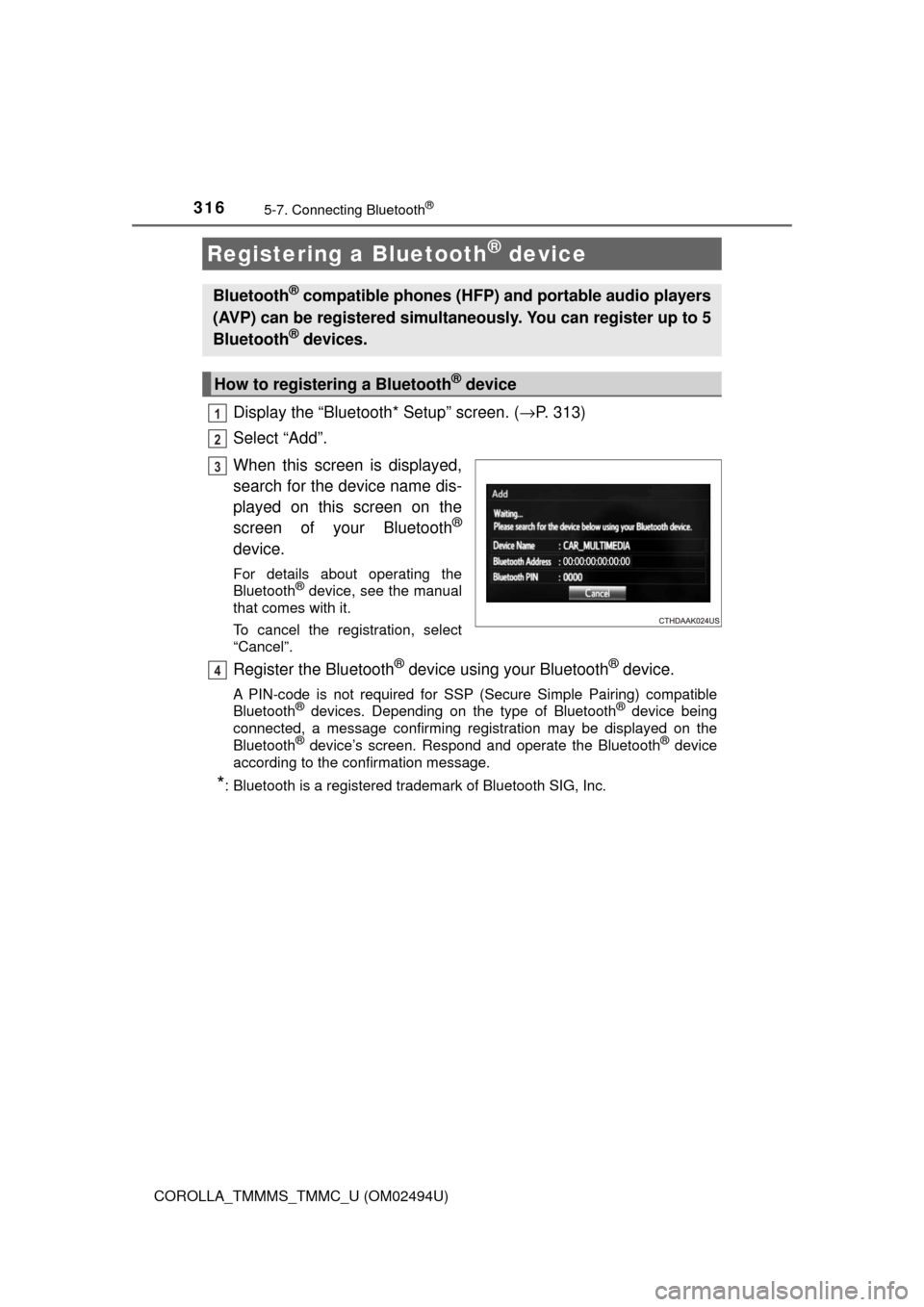
When this screen is displayed,
search for the device name dis-
played on this screen on the
screen of your Bluetooth
®
device.
For details about operating the
Bluetooth® device, see the manual
that comes with it.
To cancel the registration, select
“Cancel”.
Register the Bluetooth® device using your Bluetooth® device.
A PIN-code is not required for SSP (Secure Simple Pairing) compatible
Bluetooth® devices. Depending on the type of Bluetooth® device being
connected, a message confirming registration may be displayed on the
Bluetooth
® device’s screen. Respond and operate the Bluetooth® device
according to the confirmation message.
*: Bluetooth is a registered trademark of Bluetooth SIG, Inc.
Registering a Bluetooth® device
Bluetooth® compatible phones (HFP) and portable audio players
(AVP) can be registered simultaneously. You can register up to 5
Bluetooth
® devices.
How to registering a Bluetooth® device
1
2
3
4
Page 358 of 612
3585-9. Bluetooth® phone
COROLLA_TMMMS_TMMC_U (OM02494U)
In other situations
Even though all conceivable measures have been taken, the symptom sta-
tus does not change.
The cellular phone is not close enough to this system.
→Bring the cellular phone closer to this system.
The cellular phone is the most likely cause of the symptom.
→Turn the cellular phone off, remove and reinstall the battery pack,
and then restart the cellular phone.
→Enable the cellular phone’s Bluetooth
® connection.
→Stop the cellular phone’s security software and close all applica-
tions.
→Before using an application installed on the cellular phone, care-
fully check its source and how its operation might affect this sys-
tem.
Page 400 of 612
4006-4. Other interior features
COROLLA_TMMMS_TMMC_U (OM02494U)
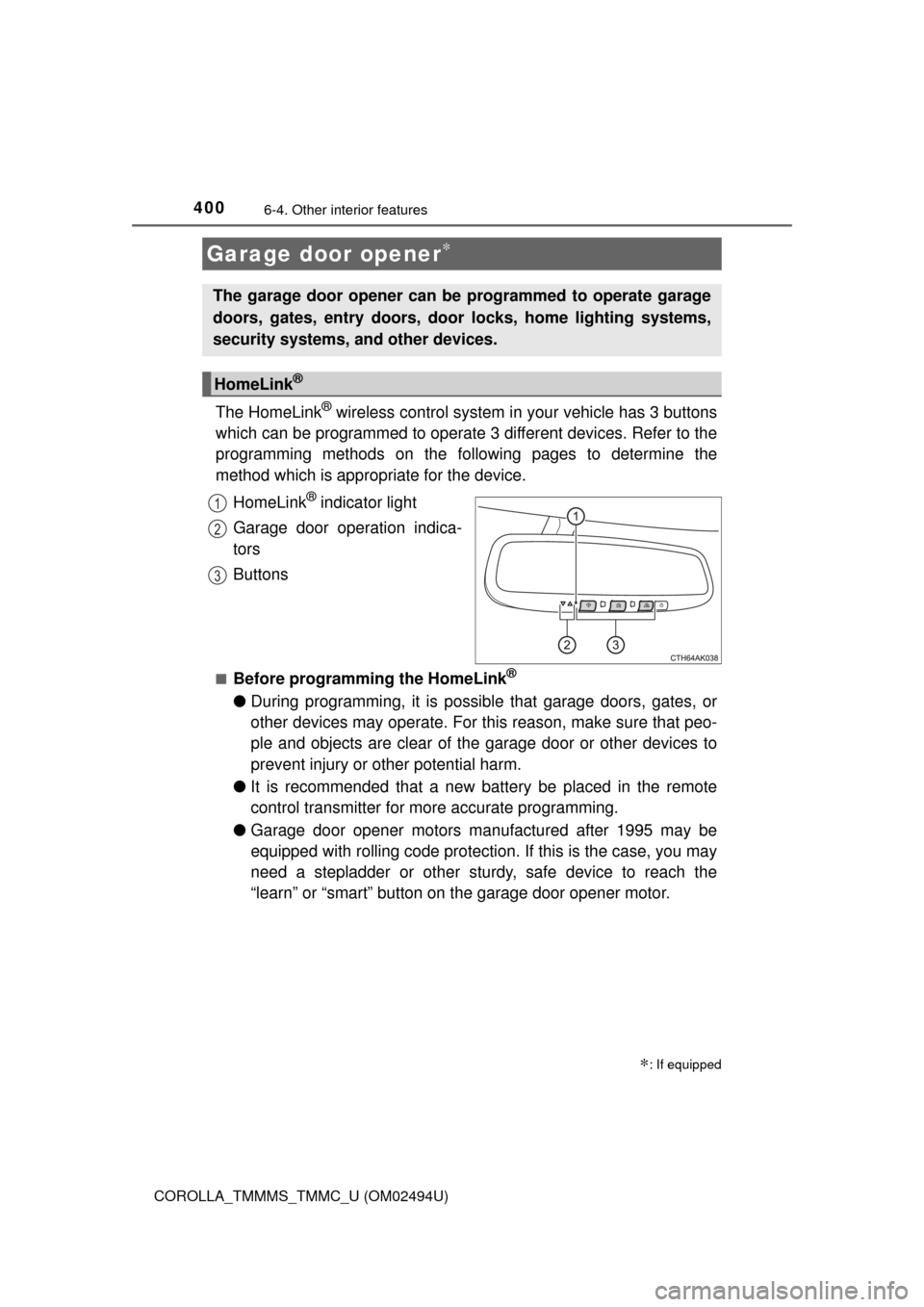
The HomeLink® wireless control system in your vehicle has 3 buttons
which can be programmed to operate 3 different devices. Refer to the
programming methods on the following pages to determine the
method which is appropriate for the device.
HomeLink
® indicator light
Garage door operation indica-
tors
Buttons
■Before programming the HomeLink®
●During programming, it is possible that garage doors, gates, or
other devices may operate. For this reason, make sure that peo-
ple and objects are clear of the garage door or other devices to
prevent injury or other potential harm.
●It is recommended that a new battery be placed in the remote
control transmitter for more accurate programming.
●Garage door opener motors manufactured after 1995 may be
equipped with rolling code protection. If this is the case, you may
need a stepladder or other sturdy, safe device to reach the
“learn” or “smart” button on the garage door opener motor.
Garage door opener∗
∗: If equipped
The garage door opener can be programmed to operate garage
doors, gates, entry doors, door locks, home lighting systems,
security systems, and other devices.
HomeLink®
1
2
3
Page 410 of 612
4106-4. Other interior features
COROLLA_TMMMS_TMMC_U (OM02494U)
■Conditions unfavorable to correct operation
The compass may not show the correct direction in the following conditions:
●The vehicle is stopped immediately after turning.
●The vehicle is on an inclined surface.
●The vehicle is in a place where the earth's magnetic field is subject to inter-
ference by artificial magnetic fields (underground car park/parking lot, under
a steel tower, between buildings, roof car park/parking lot, near an intersec-
tion, near a large vehicle, etc.).
●The vehicle has become magnetized.
(There is a magnet or metal object near the inside rear view mirror.)
●The battery has been disconnected.
●A door is open.
WARNING
■While driving the vehicle
Do not adjust the display. Adjust the display only when the vehicle is
stopped.
■When doing the circling calibration
Secure a wide space, and watch out for people and vehicles in the neigh-
borhood. Do not violate any local traffic rules while performing circling cali-
bration.
NOTICE
■To avoid compass malfunctions
Do not place magnets or any metal objects near the inside rear view mirror.
Doing this may cause the compass sensor to malfunction.
■To ensure normal operation of the compass
●Do not perform circling calibration of the compass in a place where the
earth's magnetic field is subject to interference by artificial magnetic fields.
●During calibration, do not operate electric systems (moon roof, power win-
dows, etc.) as they may interfere with the calibration.
Page 422 of 612
4227-2. Maintenance
COROLLA_TMMMS_TMMC_U (OM02494U)
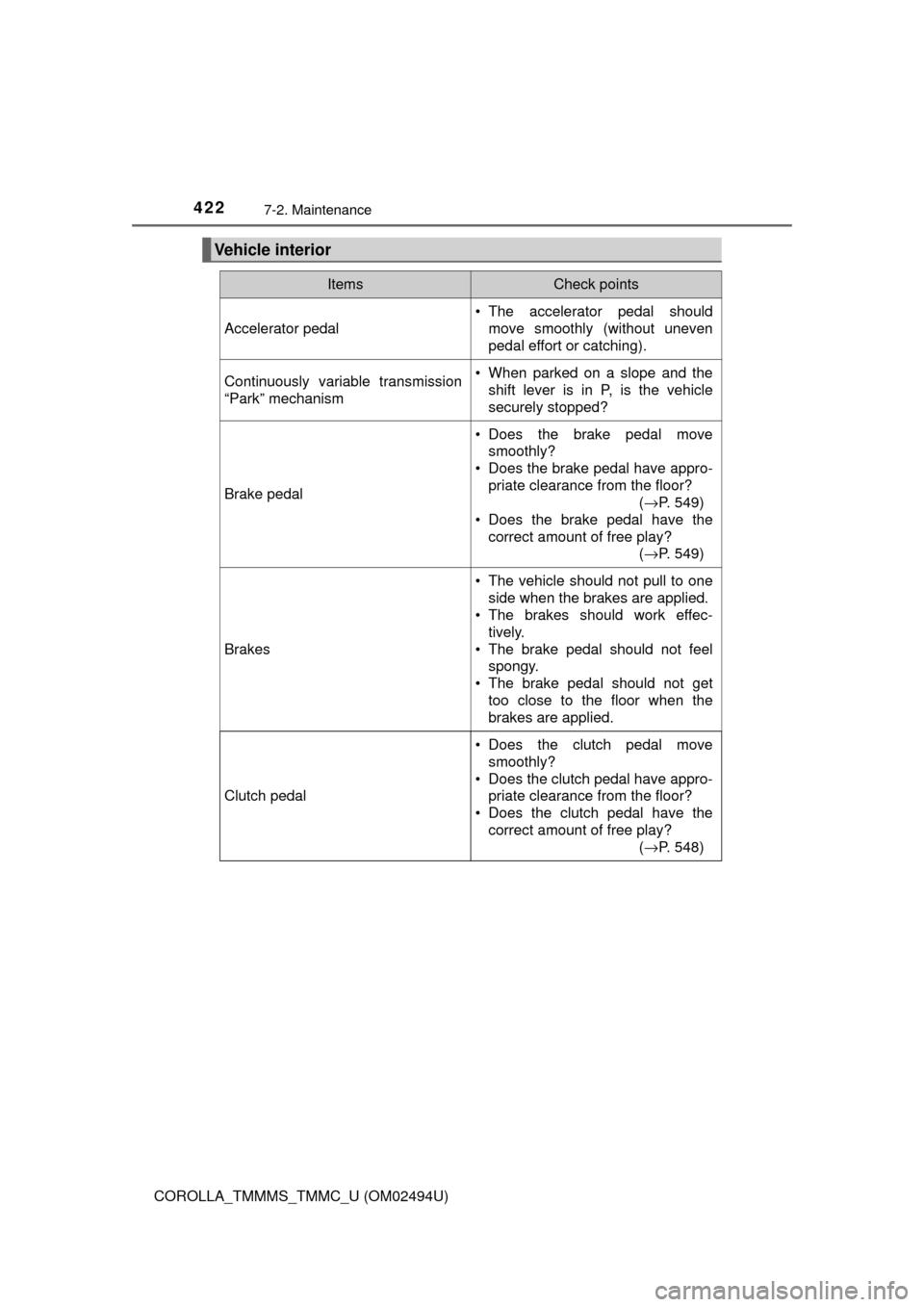
Vehicle interior
ItemsCheck points
Accelerator pedal
• The accelerator pedal should
move smoothly (without uneven
pedal effort or catching).
Continuously variable transmission
“Park” mechanism• When parked on a slope and the
shift lever is in P, is the vehicle
securely stopped?
Brake pedal
• Does the brake pedal move
smoothly?
• Does the brake pedal have appro-
priate clearance from the floor?
(→P. 549)
• Does the brake pedal have the
correct amount of free play?
(→P. 549)
Brakes
• The vehicle should not pull to one
side when the brakes are applied.
• The brakes should work effec-
tively.
• The brake pedal should not feel
spongy.
• The brake pedal should not get
too close to the floor when the
brakes are applied.
Clutch pedal
• Does the clutch pedal move
smoothly?
• Does the clutch pedal have appro-
priate clearance from the floor?
• Does the clutch pedal have the
correct amount of free play?
(→P. 548)
Page 423 of 612
4237-2. Maintenance
7
Maintenance and care
COROLLA_TMMMS_TMMC_U (OM02494U)
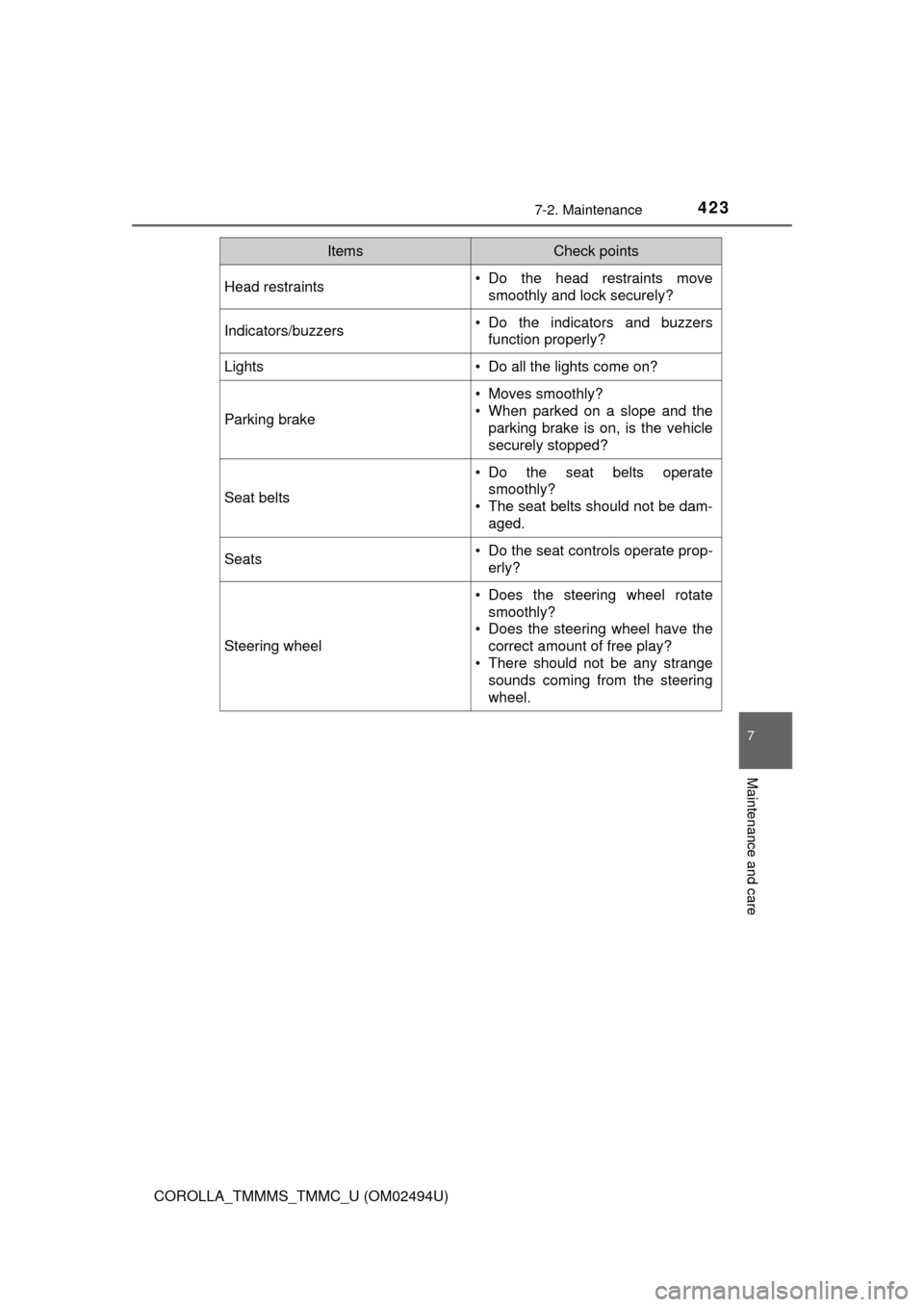
Head restraints• Do the head restraints move
smoothly and lock securely?
Indicators/buzzers• Do the indicators and buzzers
function properly?
Lights • Do all the lights come on?
Parking brake
• Moves smoothly?
• When parked on a slope and the
parking brake is on, is the vehicle
securely stopped?
Seat belts
• Do the seat belts operate
smoothly?
• The seat belts should not be dam-
aged.
Seats• Do the seat controls operate prop-
erly?
Steering wheel
• Does the steering wheel rotate
smoothly?
• Does the steering wheel have the
correct amount of free play?
• There should not be any strange
sounds coming from the steering
wheel.
ItemsCheck points
Page 430 of 612
4307-3. Do-it-yourself maintenance
COROLLA_TMMMS_TMMC_U (OM02494U)
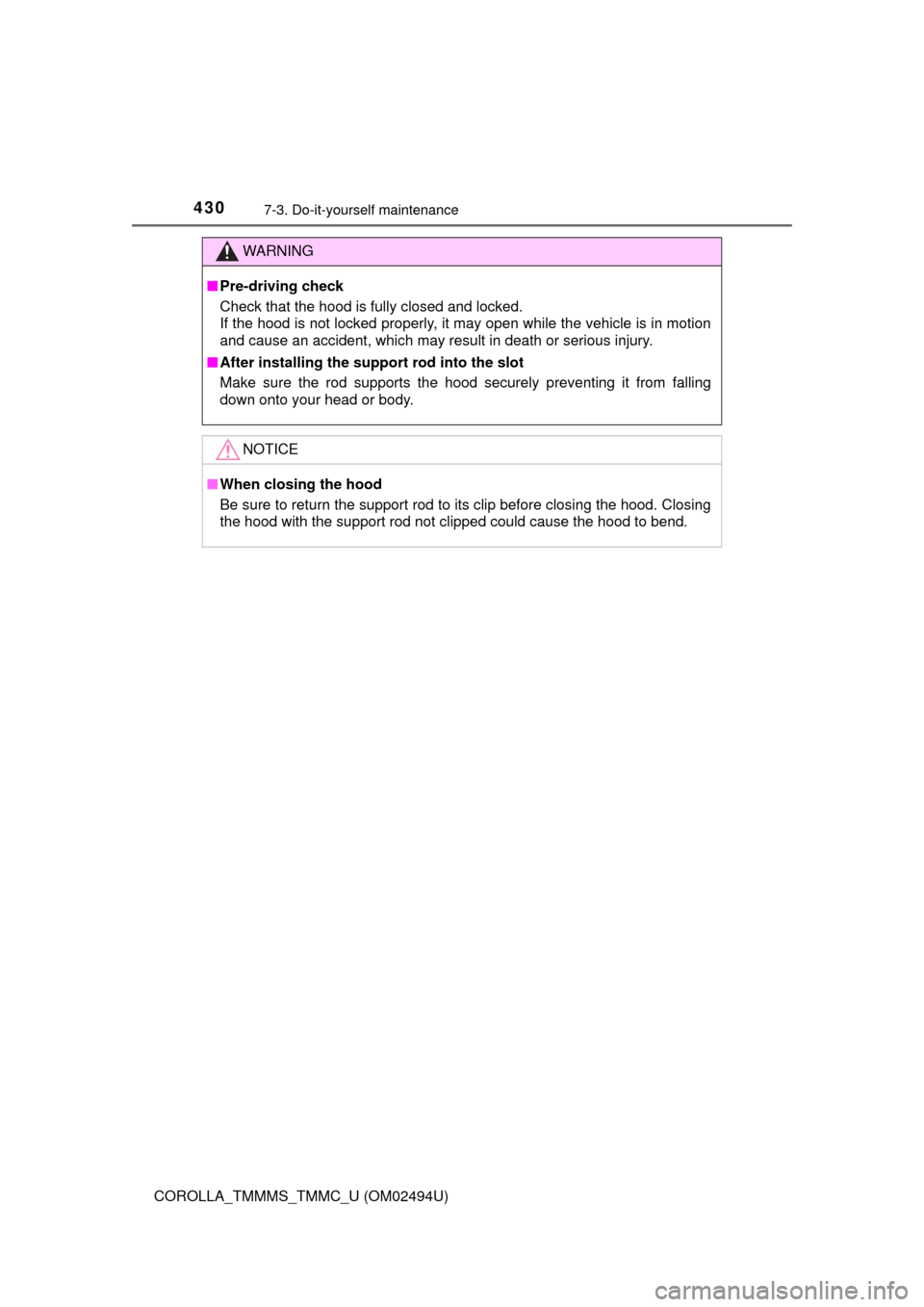
WARNING
■Pre-driving check
Check that the hood is fully closed and locked.
If the hood is not locked properly, it may open while the vehicle is in motion
and cause an accident, which may result in death or serious injury.
■After installing the support rod into the slot
Make sure the rod supports the hood securely preventing it from falling
down onto your head or body.
NOTICE
■When closing the hood
Be sure to return the support rod to its clip before closing the hood. Closing
the hood with the support rod not clipped could cause the hood to bend.
Page 432 of 612
4327-3. Do-it-yourself maintenance
COROLLA_TMMMS_TMMC_U (OM02494U)
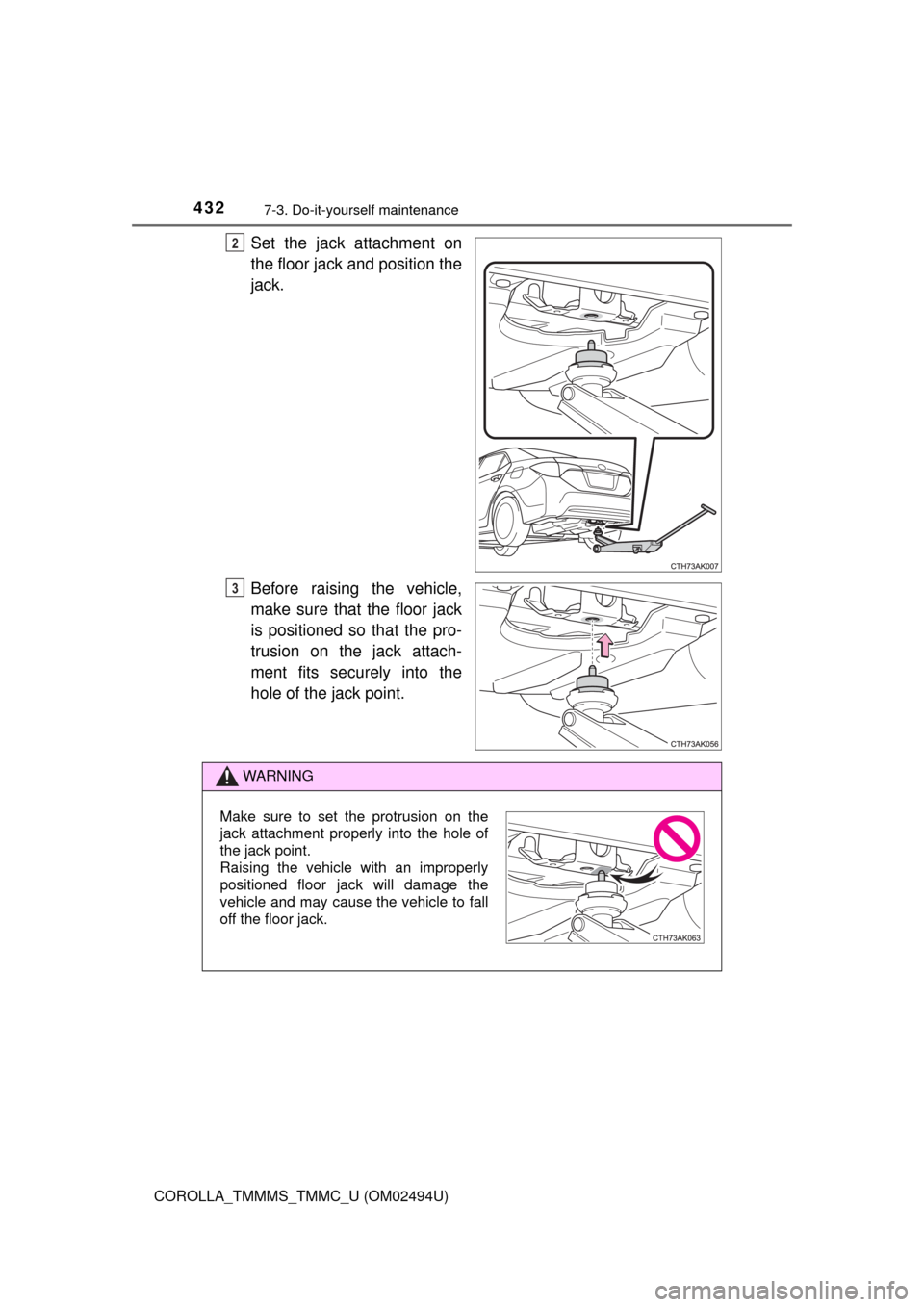
Set the jack attachment on
the floor jack and position the
jack.
Before raising the vehicle,
make sure that the floor jack
is positioned so that the pro-
trusion on the jack attach-
ment fits securely into the
hole of the jack point.2
3
WARNING
Make sure to set the protrusion on the
jack attachment properly into the hole of
the jack point.
Raising the vehicle with an improperly
positioned floor jack will damage the
vehicle and may cause the vehicle to fall
off the floor jack.
Page 449 of 612

4497-3. Do-it-yourself maintenance
7
Maintenance and care
COROLLA_TMMMS_TMMC_U (OM02494U)■
If you press the tire pressure warning reset switch accidentally (vehi-
cles with a tire pressure warning system)
If initialization is performed, adjust the tire inflation pressure to the speci-
fied level and initialize the tire pressure warning system again.
■When initialization of the tire pressure warning system has failed
(vehicles with a tire pressure warning system)
Initialization can be completed in a few minutes. However, in the following
cases, the settings have not been recorded and the system will not oper-
ate properly. If repeated attempts to record tire inflation pressure settings
are unsuccessful, have the vehicle inspected by your Toyota dealer.
●When operating the tire pressure warning reset switch, the tire pressure
warning light does not blink 3 times.
●After driving for a certain period of time since the initialization has been
completed, the warning light comes on after blinking for 1 minute.
■Tire pressure warning system certification
For the U.S.A.
FCC ID: HYQ23AAK FCC ID: PAXPMVC010
NOTE:
This device complies with part 15 of the FCC Rules. Operation is subject
to the following two conditions: (1) This device may not cause harmful
interference, and (2) this device must accept any interference received,
including interference that may cause undesired operation.
FCC WARNING:
Changes or modifications not expressly approved by the party responsi-
ble for compliance could void the user’s authority to operate the equip-
ment.
For Canada
NOTE:
Operation is subject to the following two conditions: (1) this device may
not cause interference, and (2) this device must accept any interference,
including interference that may cause undesired operation of the device.
NOTE:
L’utilisation de ce dispositif est autorisée seulement aux deux conditions
suivantes : (1) il ne doit pas produire de brouillage, et (2) l’utilisateur du
dispositif doit être prêt à accepter tout brouillage radioélectrique reçu,
même si ce brouillage est susceptible de compromettre le fonctionne-
ment du dispositif.
Page 472 of 612

4727-3. Do-it-yourself maintenance
COROLLA_TMMMS_TMMC_U (OM02494U)■
Replacing the following bulbs
If any of the lights listed below has burnt out, have it replaced by
your Toyota dealer.
●Headlights/daytime running lights (if equipped)
●Daytime running lights (if equipped)
●High mounted stoplight
●Side turn signal lights (if equipped)
●Back-up lights (LED type)
■LED light bulbs
The headlights, daytime running lights, high mounted stoplight, and
back-up
lights (LED type) consist of a number of LEDs. If any of the LEDs burns out,
take your vehicle to your Toyota dealer to have the light replaced.
■Condensation build-up on the inside of the lens
Temporary condensation build-up on the inside of the headlight lens does not
indicate a malfunction.
Contact your Toyota dealer for more information in the following situations:
●Large drops of water have built up on the inside of the lens.
●Water has built up inside the headlight.
WARNING
■Replacing light bulbs
●Turn off the lights. Do not attempt to replace the bulb immediately after
turning off the lights.
The bulbs become very hot and may cause burns.
●Do not touch the glass portion of the light bulb with bare hands. When it is
unavoidable to hold the glass portion, use and hold with a clean dry cloth
to avoid getting moisture and oils on the bulb.
Also, if the bulb is scratched or dropped, it may blow out or crack.
●Fully install light bulbs and any parts used to secure them. Failure to do so
may result in heat damage, fire, or water entering the headlight unit. This
may damage the headlights or cause condensation to build up on the lens.
■To prevent damage or fire
Make sure bulbs are fully seated and locked.