Brake TOYOTA COROLLA 2017 11.G Manual PDF
[x] Cancel search | Manufacturer: TOYOTA, Model Year: 2017, Model line: COROLLA, Model: TOYOTA COROLLA 2017 11.GPages: 612, PDF Size: 14.18 MB
Page 493 of 612
4938-2. Steps to take in an emergency
8
When trouble arises
COROLLA_TMMMS_TMMC_U (OM02494U)
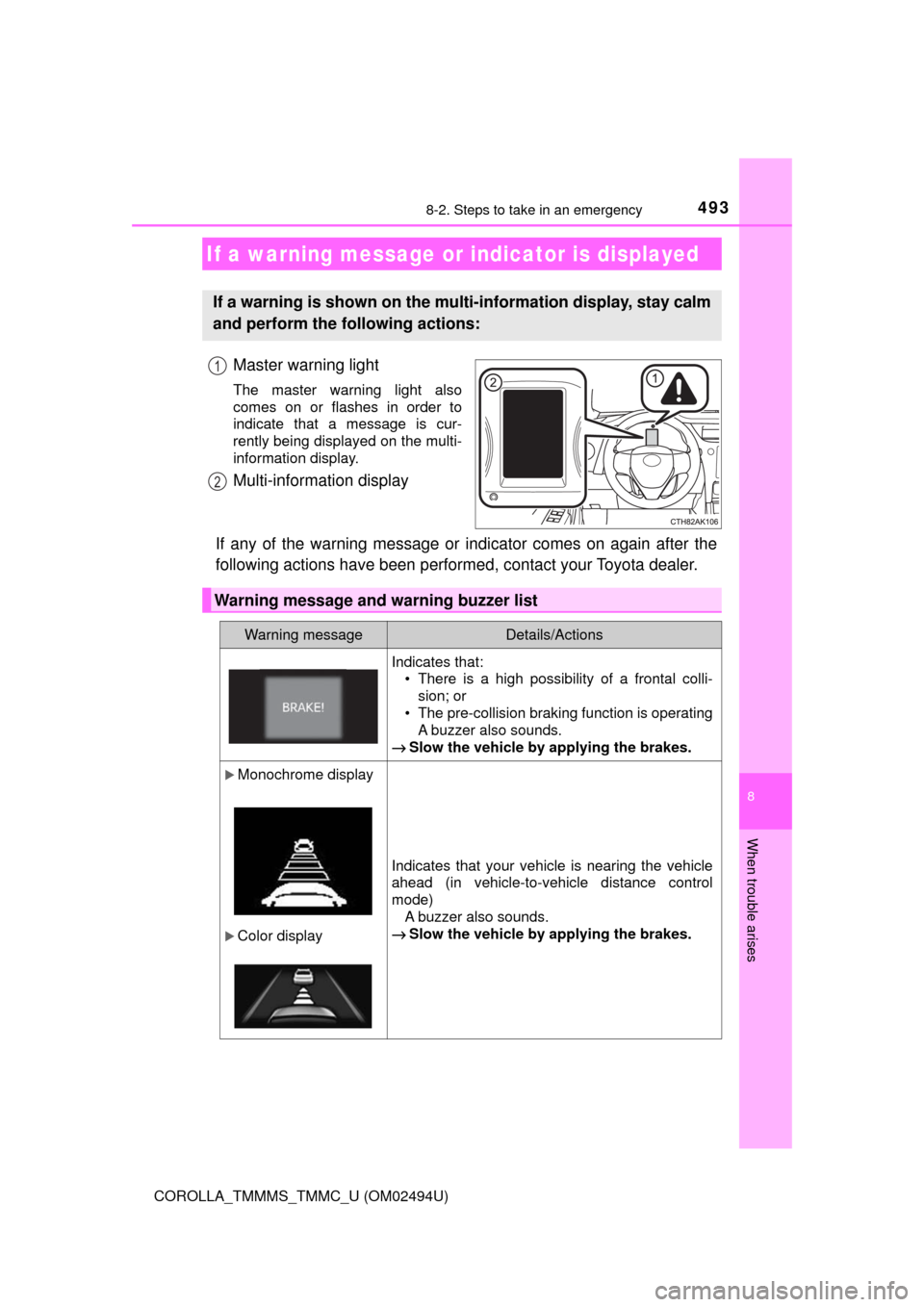
Master warning light
The master warning light also
comes on or flashes in order to
indicate that a message is cur-
rently being displayed on the multi-
information display.
Multi-information display
If any of the warning message or indicator comes on again after the
following actions have been performed, contact your Toyota dealer.
If a warning message or indicator is displayed
If a warning is shown on the multi-information display, stay calm
and perform the following actions:
1
2
Warning message and warning buzzer list
Warning messageDetails/Actions
Indicates that:
• There is a high possibility of a frontal colli-
sion; or
• The pre-collision braking function is operating
A buzzer also sounds.
→Slow the vehicle by applying the brakes.
Monochrome display
Color display
Indicates that your vehicle is nearing the vehicle
ahead (in vehicle-to-vehicle distance control
mode)
A buzzer also sounds.
→Slow the vehicle by applying the brakes.
Page 494 of 612
4948-2. Steps to take in an emergency
COROLLA_TMMMS_TMMC_U (OM02494U)
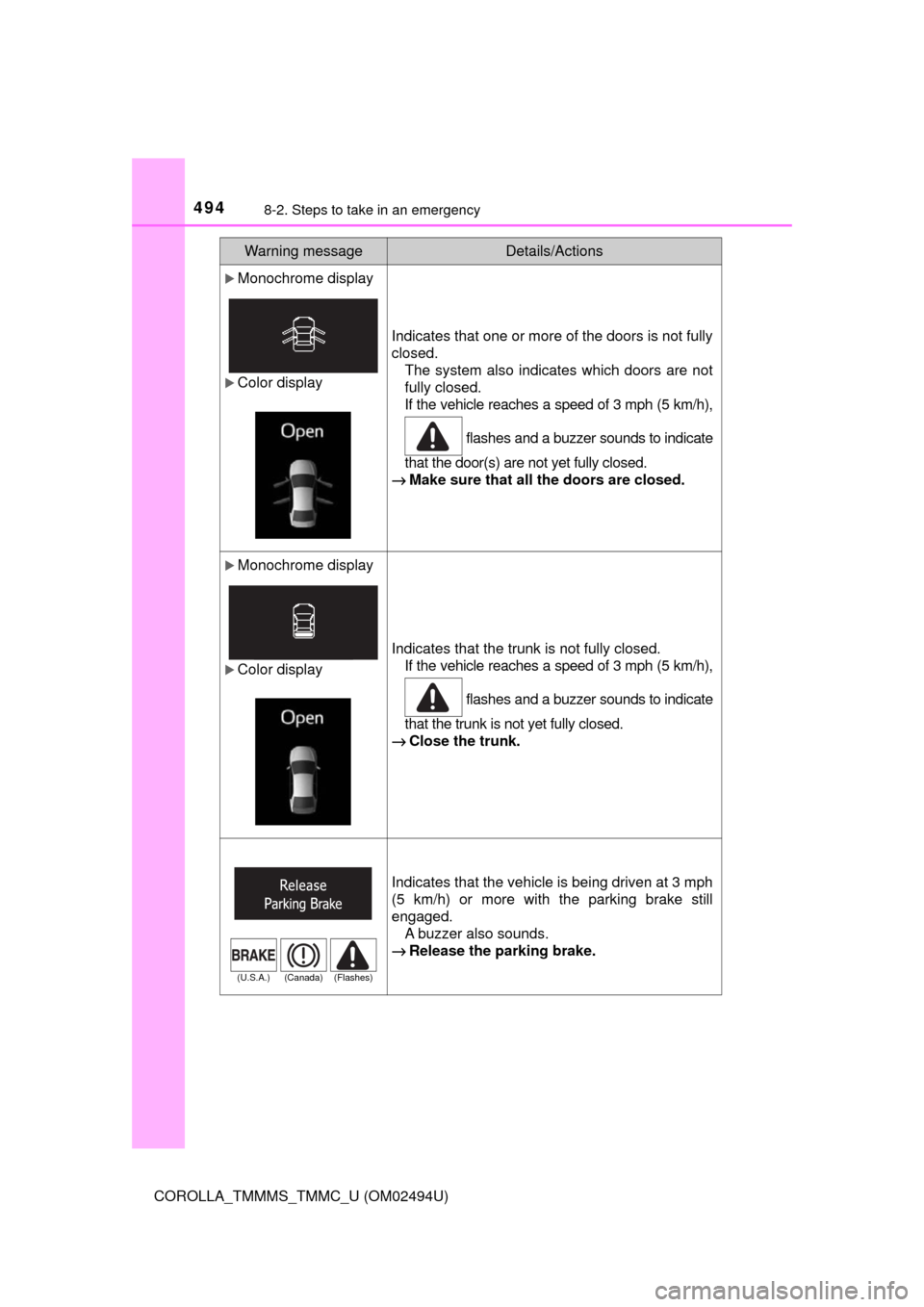
Monochrome display
Color display
Indicates that one or more of the doors is not fully
closed.
The system also indicates which doors are not
fully closed.
If the vehicle reaches a speed of 3 mph (5 km/h),
flashes and a buzzer sounds to indicate
that the door(s) are not yet fully closed.
→Make sure that all the doors are closed.
Monochrome display
Color display
Indicates that the trunk is not fully closed.
If the vehicle reaches a speed of 3 mph (5 km/h),
flashes and a buzzer sounds to indicate
that the trunk is not yet fully closed.
→Close the trunk.
Indicates that the vehicle is being driven at 3 mph
(5 km/h) or more with the parking brake still
engaged.
A buzzer also sounds.
→Release the parking brake.
Warning messageDetails/Actions
(U.S.A.) (Canada) (Flashes)
Page 498 of 612
4988-2. Steps to take in an emergency
COROLLA_TMMMS_TMMC_U (OM02494U)
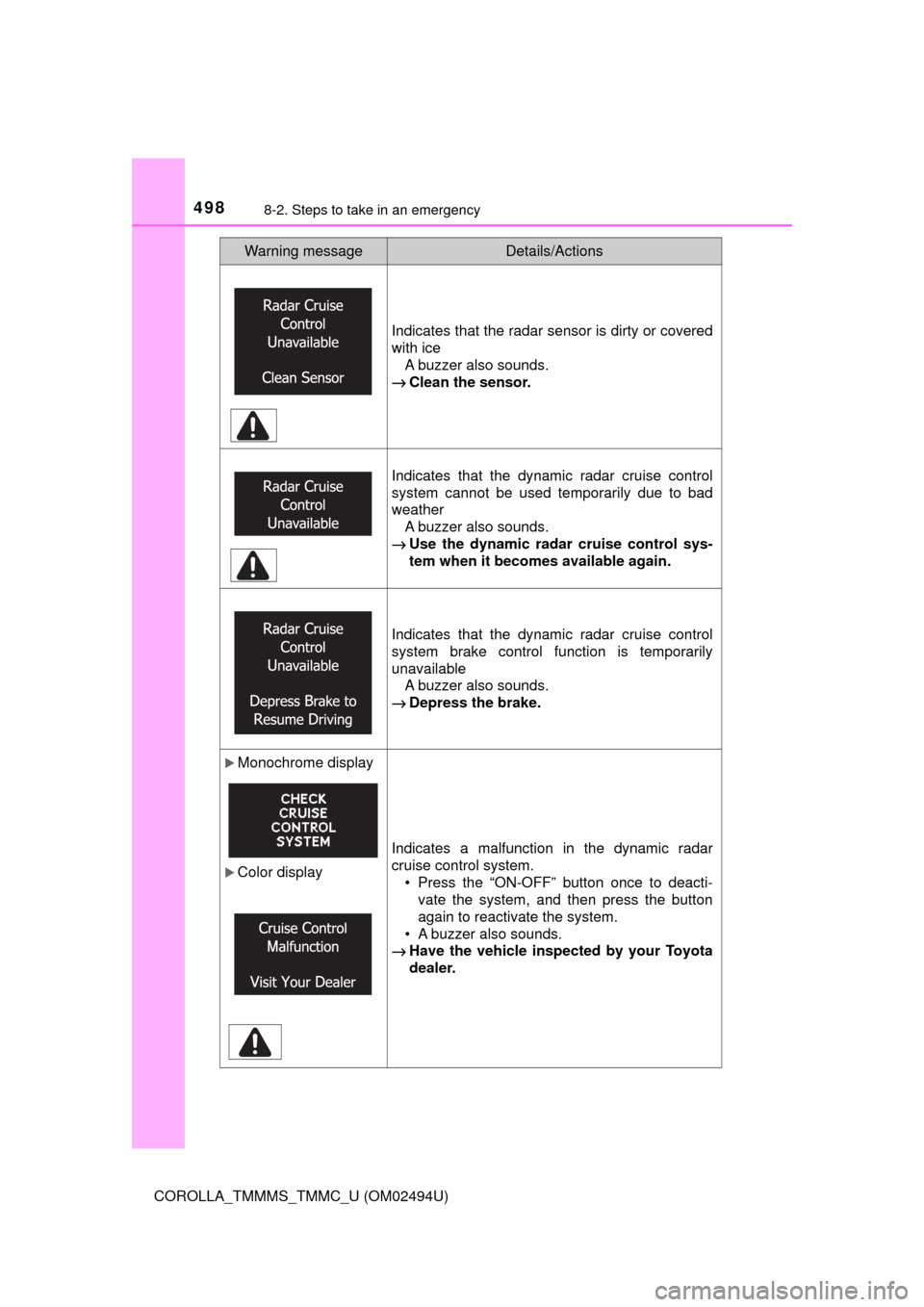
Indicates that the radar sensor is dirty or covered
with ice
A buzzer also sounds.
→Clean the sensor.
Indicates that the dynamic radar cruise control
system cannot be used temporarily due to bad
weather
A buzzer also sounds.
→Use the dynamic radar cruise control sys-
tem when it becomes available again.
Indicates that the dynamic radar cruise control
system brake control function is temporarily
unavailable
A buzzer also sounds.
→Depress the brake.
Monochrome display
Color displayIndicates a malfunction in the dynamic radar
cruise control system.
• Press the “ON-OFF” button once to deacti-
vate the system, and then press the button
again to reactivate the system.
• A buzzer also sounds.
→Have the vehicle inspected by your Toyota
dealer.
Warning messageDetails/Actions
Page 499 of 612
4998-2. Steps to take in an emergency
8
When trouble arises
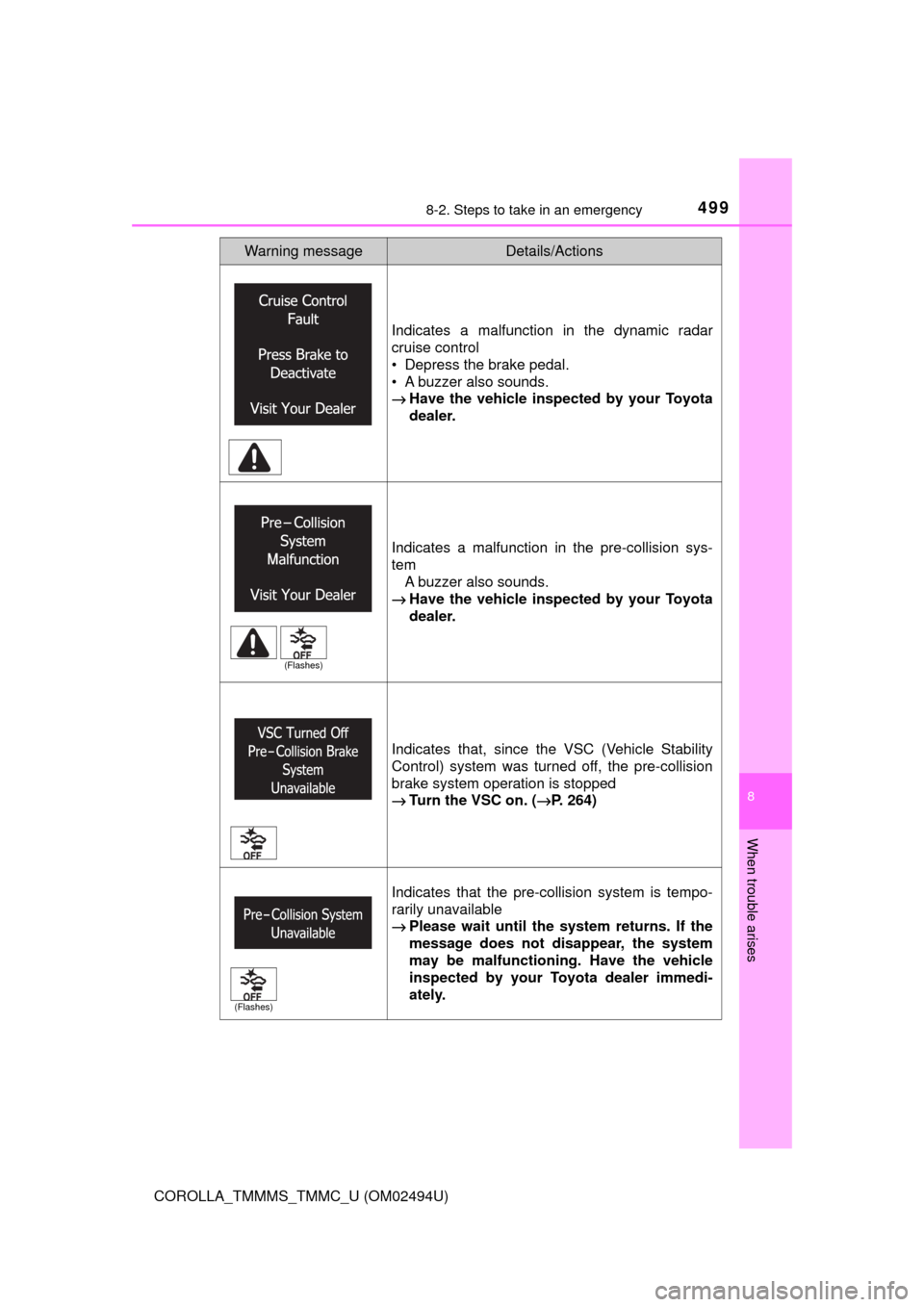
COROLLA_TMMMS_TMMC_U (OM02494U)Indicates a malfunction in the dynamic radar
cruise control
• Depress the brake pedal.
• A buzzer also sounds.
→Have the vehicle inspected by your Toyota
dealer.
Indicates a malfunction in the pre-collision sys-
tem
A buzzer also sounds.
→Have the vehicle inspected by your Toyota
dealer.
Indicates that, since the VSC (Vehicle Stability
Control) system was turned off, the pre-collision
brake system operation is stopped
→Turn the VSC on. (→P. 264)
Indicates that the pre-collision system is tempo-
rarily unavailable
→Please wait until the system returns. If the
message does not disappear, the system
may be malfunctioning. Have the vehicle
inspected by your Toyota dealer immedi-
ately.
Warning messageDetails/Actions
(Flashes)
(Flashes)
Page 508 of 612
5088-2. Steps to take in an emergency
COROLLA_TMMMS_TMMC_U (OM02494U)
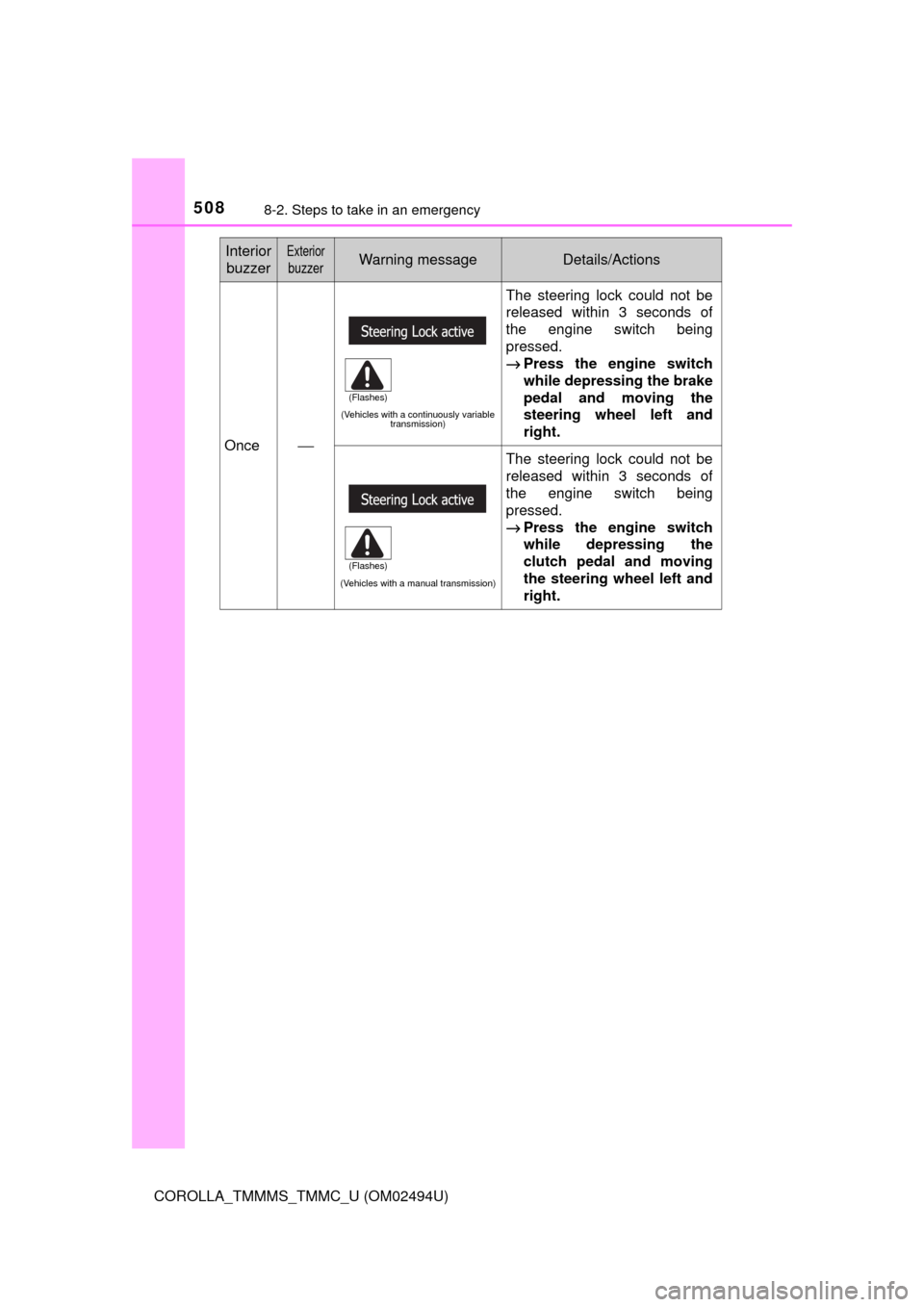
Once⎯
(Vehicles with a continuously variable
transmission)
The steering lock could not be
released within 3 seconds of
the engine switch being
pressed.
→Press the engine switch
while depressing the brake
pedal and moving the
steering wheel left and
right.
(Vehicles with a manual transmission)
The steering lock could not be
released within 3 seconds of
the engine switch being
pressed.
→Press the engine switch
while depressing the
clutch pedal and moving
the steering wheel left and
right.
Interior
buzzerExterior
buzzerWarning messageDetails/Actions
(Flashes)
(Flashes)
Page 509 of 612
5098-2. Steps to take in an emergency
8
When trouble arises
COROLLA_TMMMS_TMMC_U (OM02494U)
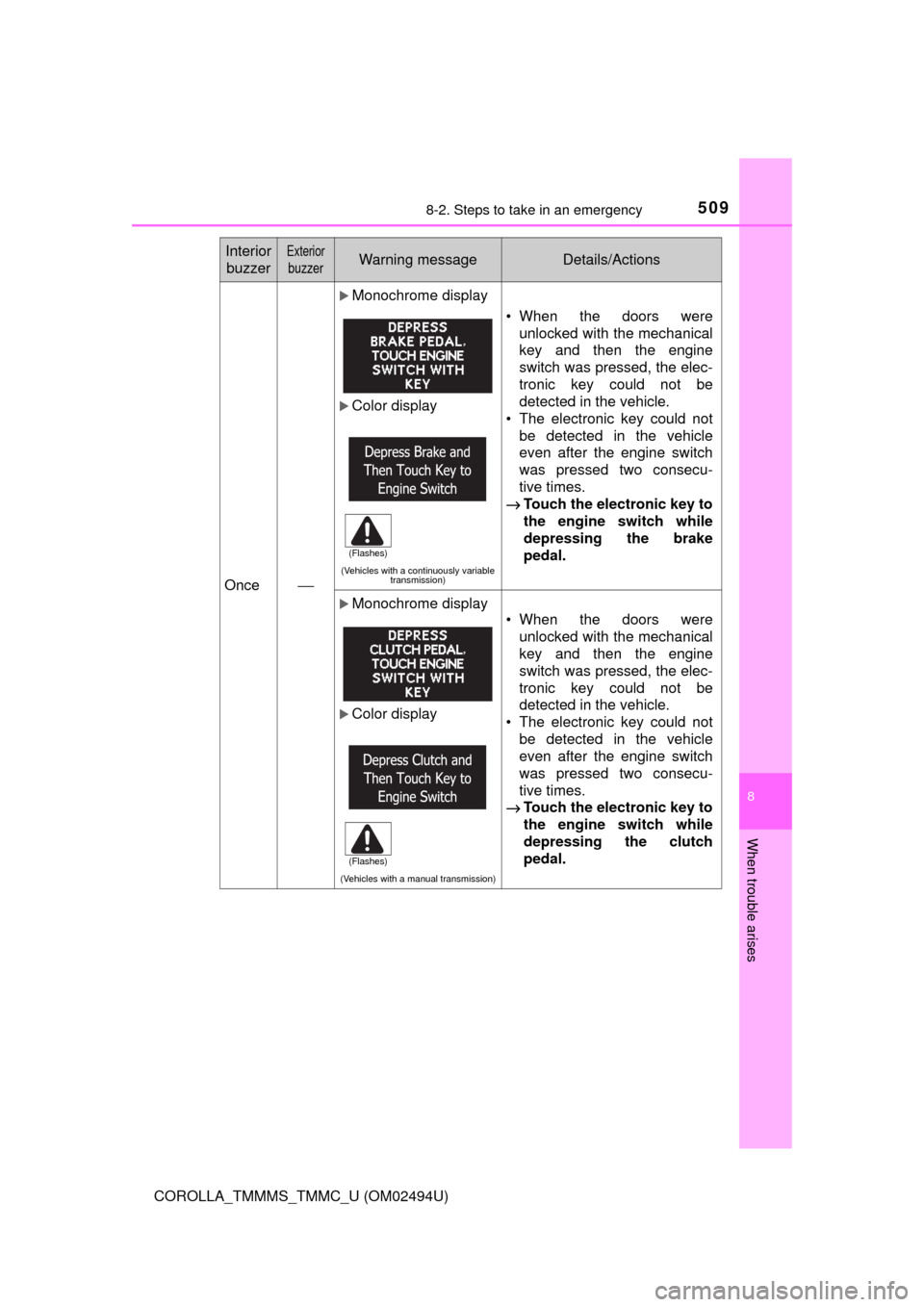
Once⎯
Monochrome display
Color display
(Vehicles with a continuously variable
transmission)
• When the doors were
unlocked with the mechanical
key and then the engine
switch was pressed, the elec-
tronic key could not be
detected in the vehicle.
• The electronic key could not
be detected in the vehicle
even after the engine switch
was pressed two consecu-
tive times.
→Touch the electronic key to
the engine switch while
depressing the brake
pedal.
Monochrome display
Color display
(Vehicles with a manual transmission)
• When the doors were
unlocked with the mechanical
key and then the engine
switch was pressed, the elec-
tronic key could not be
detected in the vehicle.
• The electronic key could not
be detected in the vehicle
even after the engine switch
was pressed two consecu-
tive times.
→Touch the electronic key to
the engine switch while
depressing the clutch
pedal.
Interior
buzzerExterior
buzzerWarning messageDetails/Actions
(Flashes)
(Flashes)
Page 510 of 612
5108-2. Steps to take in an emergency
COROLLA_TMMMS_TMMC_U (OM02494U)
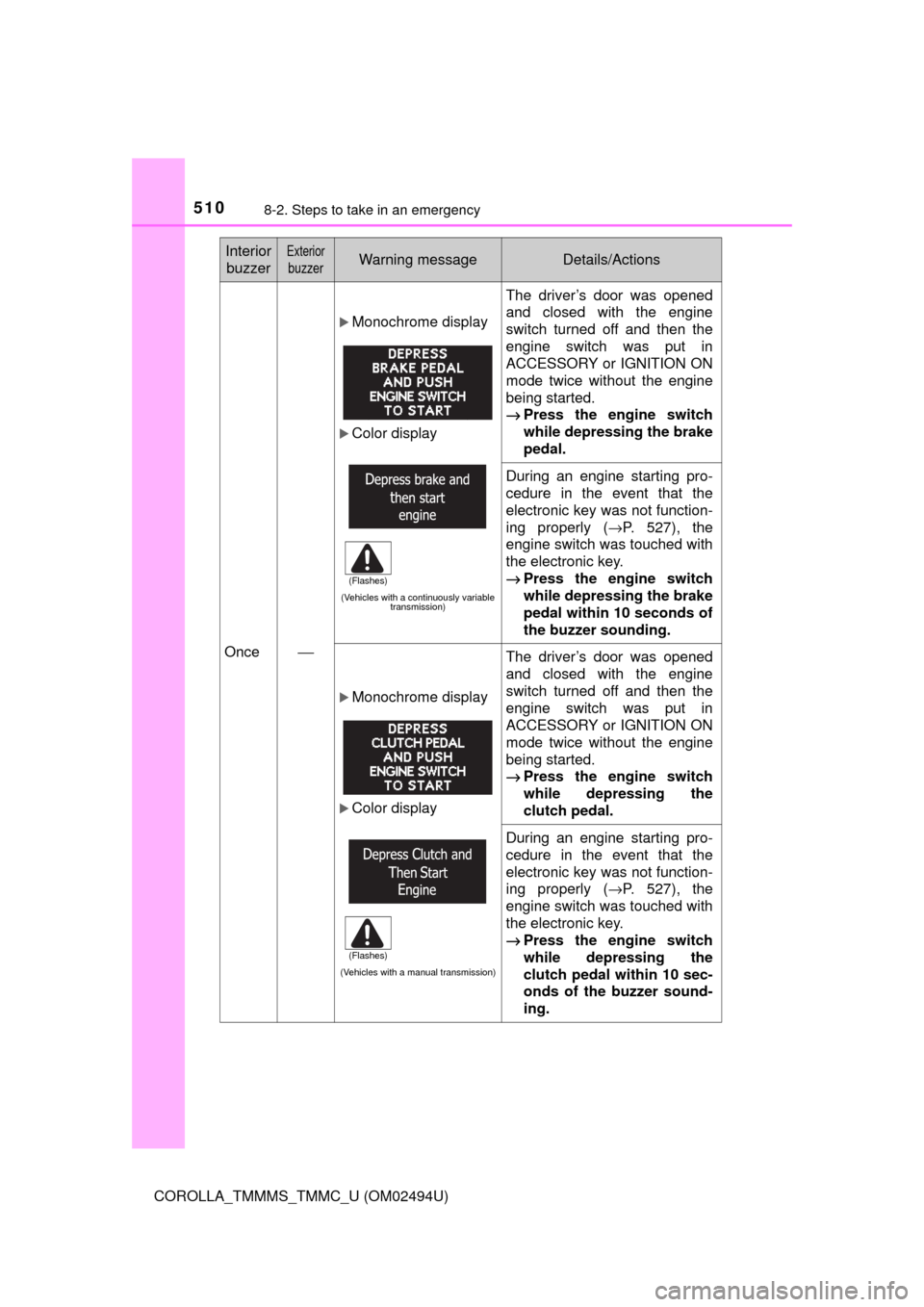
Once⎯
Monochrome display
Color display
(Vehicles with a continuously variable
transmission)
The driver’s door was opened
and closed with the engine
switch turned off and then the
engine switch was put in
ACCESSORY or IGNITION ON
mode twice without the engine
being started.
→Press the engine switch
while depressing the brake
pedal.
During an engine starting pro-
cedure in the event that the
electronic key was not function-
ing properly (→P. 527), the
engine switch was touched with
the electronic key.
→Press the engine switch
while depressing the brake
pedal within 10 seconds of
the buzzer sounding.
Monochrome display
Color display
(Vehicles with a manual transmission)
The driver’s door was opened
and closed with the engine
switch turned off and then the
engine switch was put in
ACCESSORY or IGNITION ON
mode twice without the engine
being started.
→Press the engine switch
while depressing the
clutch pedal.
During an engine starting pro-
cedure in the event that the
electronic key was not function-
ing properly (→P. 527), the
engine switch was touched with
the electronic key.
→Press the engine switch
while depressing the
clutch pedal within 10 sec-
onds of the buzzer sound-
ing.
Interior
buzzerExterior
buzzerWarning messageDetails/Actions
(Flashes)
(Flashes)
Page 513 of 612
5138-2. Steps to take in an emergency
8
When trouble arises
COROLLA_TMMMS_TMMC_U (OM02494U)
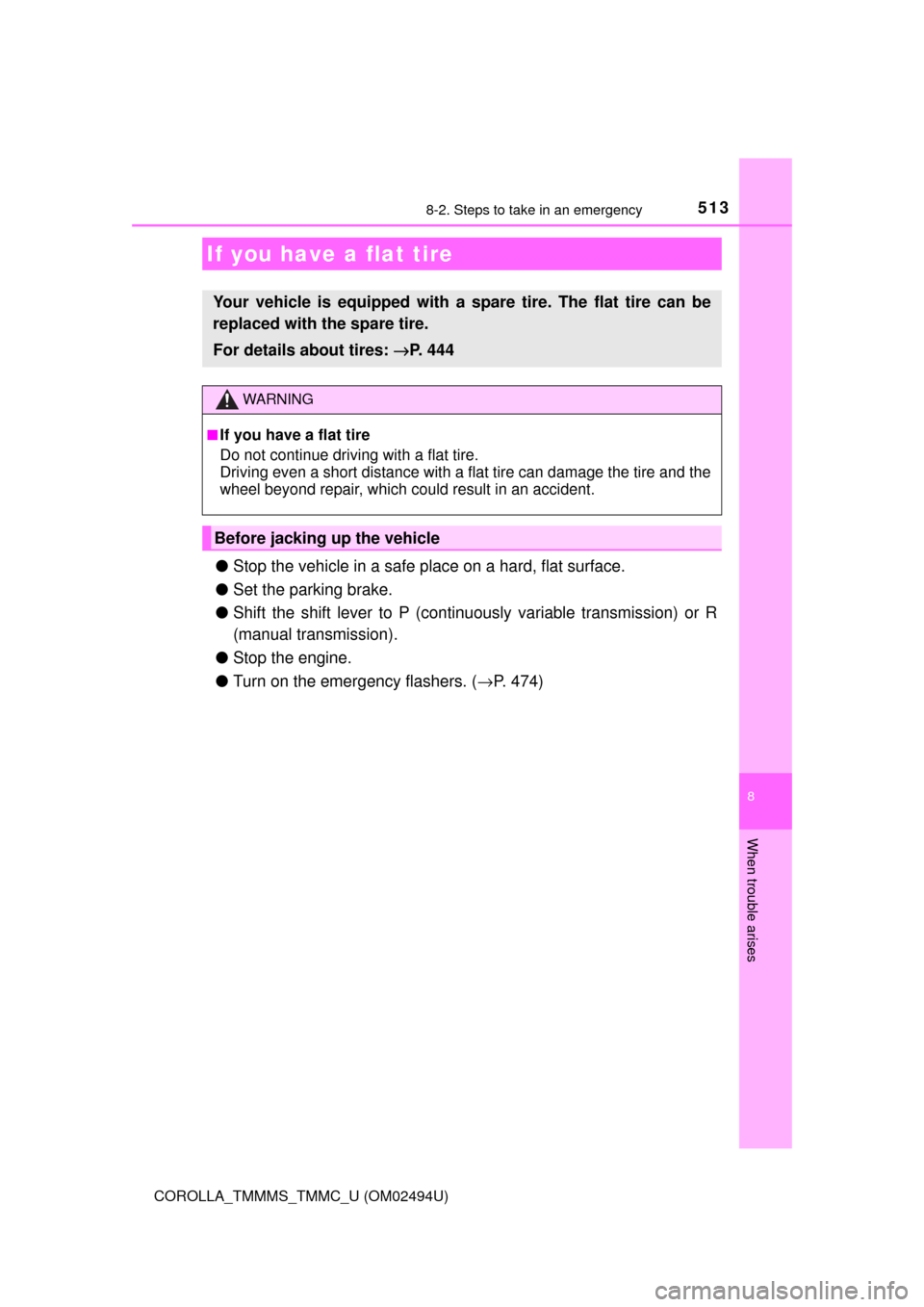
●Stop the vehicle in a safe place on a hard, flat surface.
●Set the parking brake.
●Shift the shift lever to P (continuously variable transmission) or R
(manual transmission).
●Stop the engine.
●Turn on the emergency flashers. (→P. 474)
If you have a flat tire
Your vehicle is equipped with a spare tire. The flat tire can be
replaced with the spare tire.
For details about tires: →P. 444
WARNING
■If you have a flat tire
Do not continue driving with a flat tire.
Driving even a short distance with a flat tire can damage the tire and the
wheel beyond repair, which could result in an accident.
Before jacking up the vehicle
Page 519 of 612

5198-2. Steps to take in an emergency
8
When trouble arises
COROLLA_TMMMS_TMMC_U (OM02494U)
WARNING
■Replacing a flat tire
●Do not touch the disc wheels or the area around the brakes immedi-
ately after the vehicle has been driven.
After the vehicle has been driven the disc wheels and the area around
the brakes will be extremely hot. Touching these areas with hands, feet
or other body parts while changing a tire, etc. may result in burns.
●Failure to follow these precautions could cause the wheel nuts to
loosen and the tire to fall off, resulting in death or serious injury.
• Have the wheel nuts tightened with a torque wrench to 76 ft•lbf (103
N•m, 10.5 kgf•m) as soon as possible after changing wheels.
• Do not attach a heavily damaged wheel ornament, as it may fly off
the wheel while the vehicle is moving.
• When installing a tire, only use wheel nuts that have been specifi-
cally designed for that wheel.
• If there are any cracks or deformations in the bolt screws, nut
threads or bolt holes of the wheel, have the vehicle inspected by
your Toyota dealer.
• When installing the wheel nuts, be sure to install them with the
tapered ends facing inward. (→P. 456)
Page 523 of 612
5238-2. Steps to take in an emergency
8
When trouble arises
COROLLA_TMMMS_TMMC_U (OM02494U)
WARNING
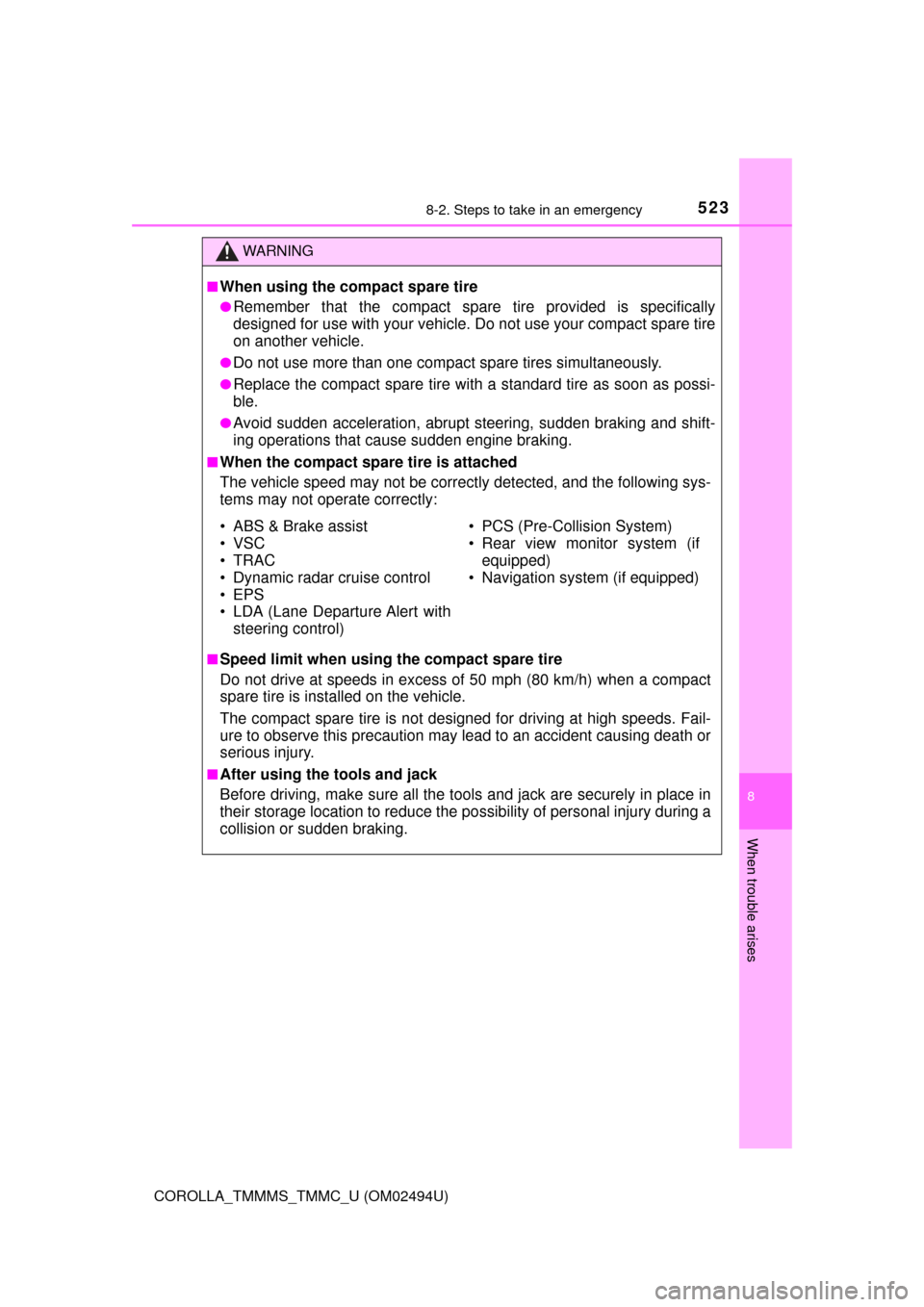
■When using the compact spare tire
●Remember that the compact spare tire provided is specifically
designed for use with your vehicle. Do not use your compact spare tire
on another vehicle.
●Do not use more than one compact spare tires simultaneously.
●Replace the compact spare tire with a standard tire as soon as possi-
ble.
●Avoid sudden acceleration, abrupt steering, sudden braking and shift-
ing operations that cause sudden engine braking.
■When the compact spare tire is attached
The vehicle speed may not be correctly detected, and the following sys-
tems may not operate correctly:
■Speed limit when using the compact spare tire
Do not drive at speeds in excess of 50 mph (80 km/h) when a compact
spare tire is installed on the vehicle.
The compact spare tire is not designed for driving at high speeds. Fail-
ure to observe this precaution may lead to an accident causing death or
serious injury.
■After using the tools and jack
Before driving, make sure all the tools and jack are securely in place in
their storage location to reduce the possibility of personal injury during a
collision or sudden braking.
• ABS & Brake assist
• VSC
•TRAC
• Dynamic radar cruise control
• EPS
• LDA (Lane Departure Alert with
steering control)• PCS (Pre-Collision System)
• Rear view monitor system (if
equipped)
• Navigation system (if equipped)