ECO mode TOYOTA COROLLA 2017 11.G Owners Manual
[x] Cancel search | Manufacturer: TOYOTA, Model Year: 2017, Model line: COROLLA, Model: TOYOTA COROLLA 2017 11.GPages: 612, PDF Size: 14.18 MB
Page 20 of 612
20Pictorial index
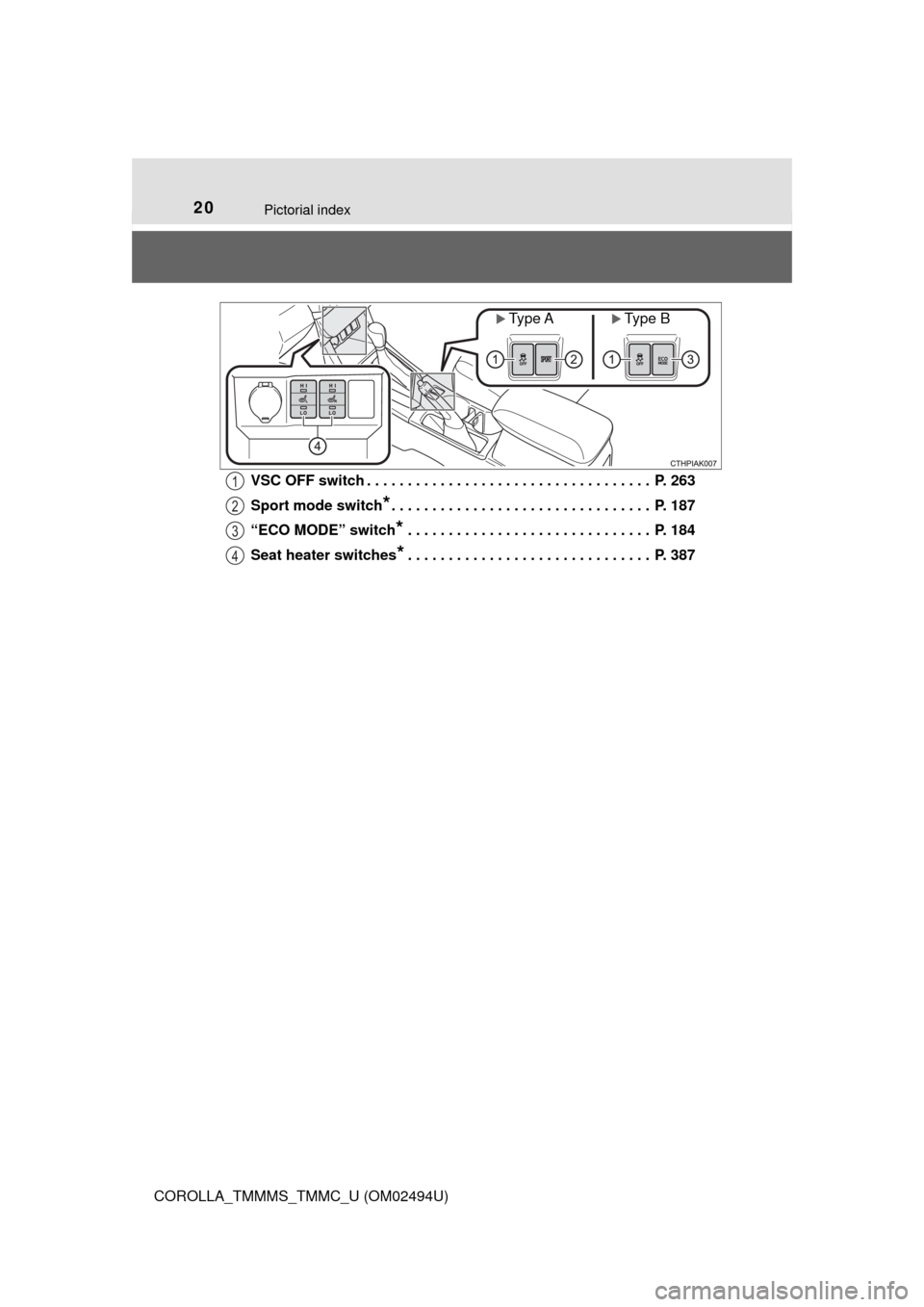
COROLLA_TMMMS_TMMC_U (OM02494U)VSC OFF switch . . . . . . . . . . . . . . . . . . . . . . . . . . . . . . . . . . . P. 263
Sport mode switch
*. . . . . . . . . . . . . . . . . . . . . . . . . . . . . . . . P. 187
“ECO MODE” switch
* . . . . . . . . . . . . . . . . . . . . . . . . . . . . . . P. 184
Seat heater switches
*. . . . . . . . . . . . . . . . . . . . . . . . . . . . . . P. 387
Type AType B
1
2
3
4
Page 25 of 612
251-1. For safe use
1
For safety and security
COROLLA_TMMMS_TMMC_U (OM02494U)
WARNING
Observe the following precautions.
Failure to do so may cause the driver’s floor mat to slip, possibly interfering
with the pedals while driving. An unexpectedly high speed may result or it may
become difficult to stop the vehicle. This could lead to an accident, resulting in
death or serious injury.
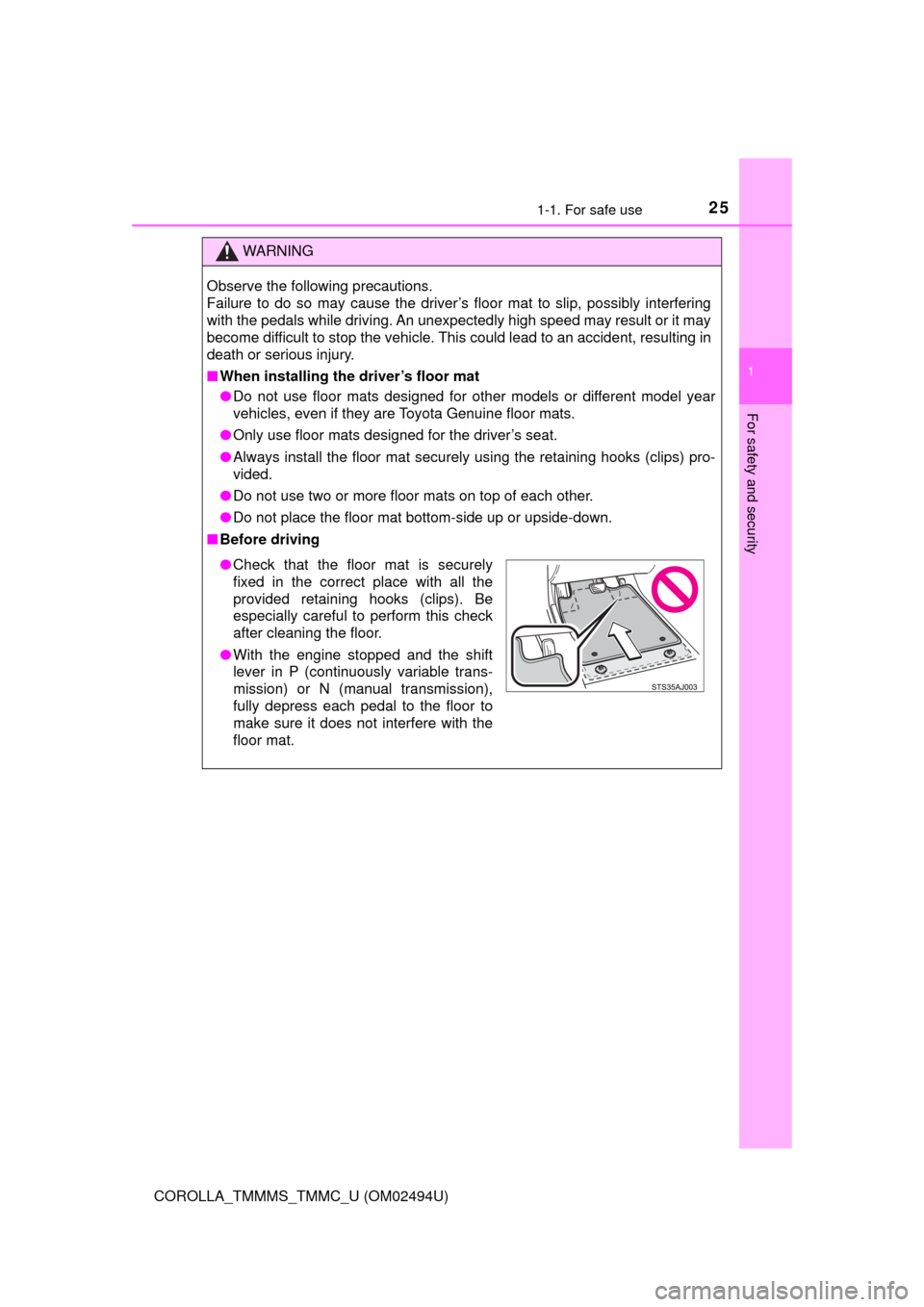
■When installing the driver’s floor mat
●Do not use floor mats designed for other models or different model year
vehicles, even if they are Toyota Genuine floor mats.
●Only use floor mats designed for the driver’s seat.
●Always install the floor mat securely using the retaining hooks (clips) pro-
vided.
●Do not use two or more floor mats on top of each other.
●Do not place the floor mat bottom-side up or upside-down.
■Before driving
●Check that the floor mat is securely
fixed in the correct place with all the
provided retaining hooks (clips). Be
especially careful to perform this check
after cleaning the floor.
●With the engine stopped and the shift
lever in P (continuously variable trans-
mission) or N (manual transmission),
fully depress each pedal to the floor to
make sure it does not interfere with the
floor mat.
Page 70 of 612
701-2. Theft deterrent system
COROLLA_TMMMS_TMMC_U (OM02494U)
The alarm uses light and sound to give an alert when an intrusion is
detected.
The alarm is triggered in the following situations when the alarm is
set:
●A locked door or trunk is unlocked or opened in any way other than
using the entry function, wireless remote control or mechanical key.
(The doors will lock again automatically.)
●The hood is opened.
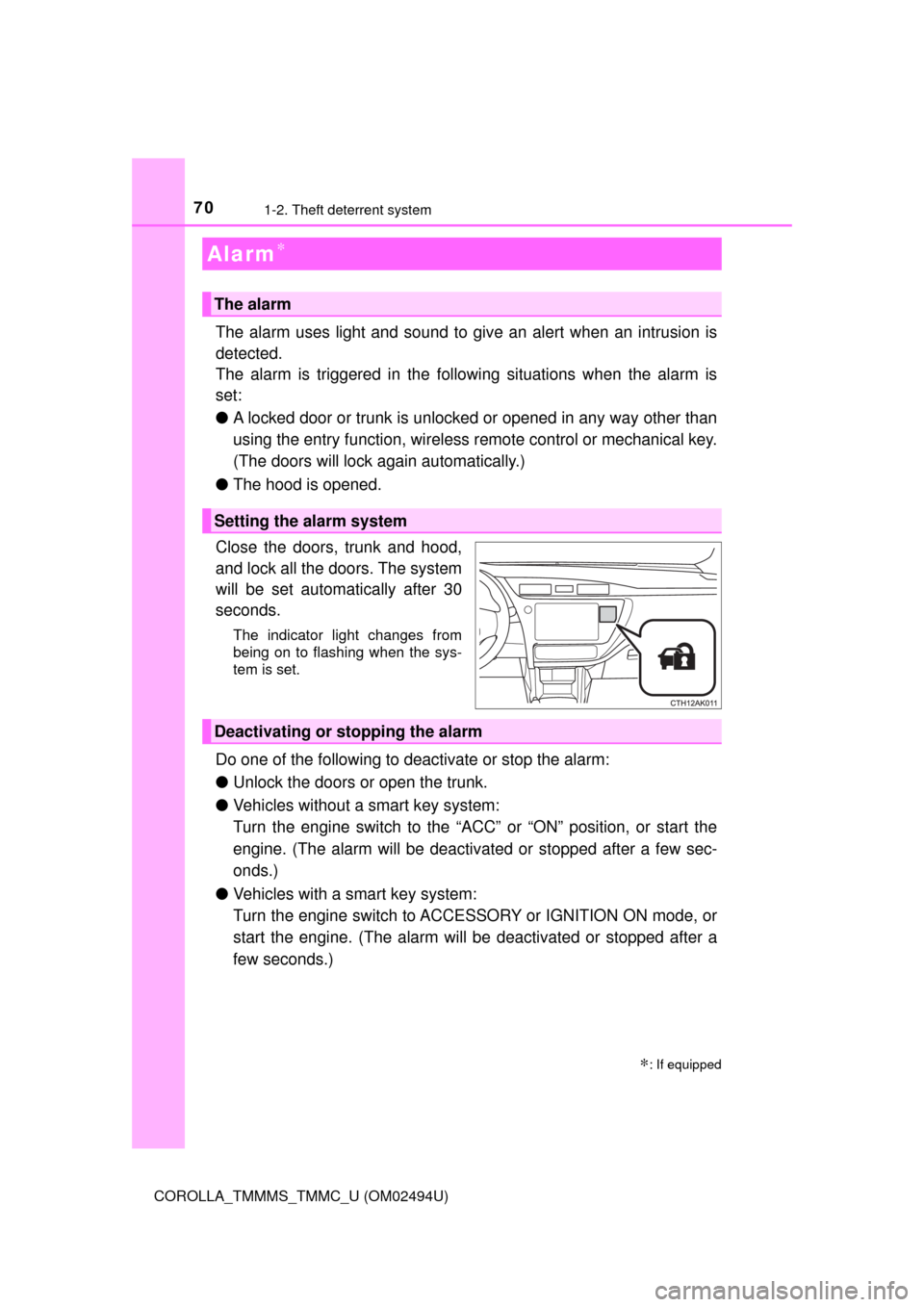
Close the doors, trunk and hood,
and lock all the doors. The system
will be set automatically after 30
seconds.
The indicator light changes from
being on to flashing when the sys-
tem is set.
Do one of the following to deactivate or stop the alarm:
●Unlock the doors or open the trunk.
●Vehicles without a smart key system:
Turn the engine switch to the “ACC” or “ON” position, or start the
engine. (The alarm will be deactivated or stopped after a few sec-
onds.)
●Vehicles with a smart key system:
Turn the engine switch to ACCESSORY or IGNITION ON mode, or
start the engine. (The alarm will be deactivated or stopped after a
few seconds.)
Alarm∗
∗: If equipped
The alarm
Setting the alarm system
Deactivating or stopping the alarm
Page 76 of 612

762. Instrument cluster
COROLLA_TMMMS_TMMC_U (OM02494U)
*1: These lights turn on when the engine switch is turned to the “ON” position
(vehicles without a smart key system) or the engine switch is turned to
IGNITION ON mode (vehicles with a smart key system), to indicate that a
system check is being performed. They will turn off after the engine is
started, or after a few seconds. There may be a malfunction in a system if
a light does not come on, or turn off. Have the vehicle inspected by your
Toyota dealer.
*2: If equipped
*3: The light flashes to indicate a malfunction.
Page 77 of 612
772. Instrument cluster
2
Instrument cluster
COROLLA_TMMMS_TMMC_U (OM02494U)
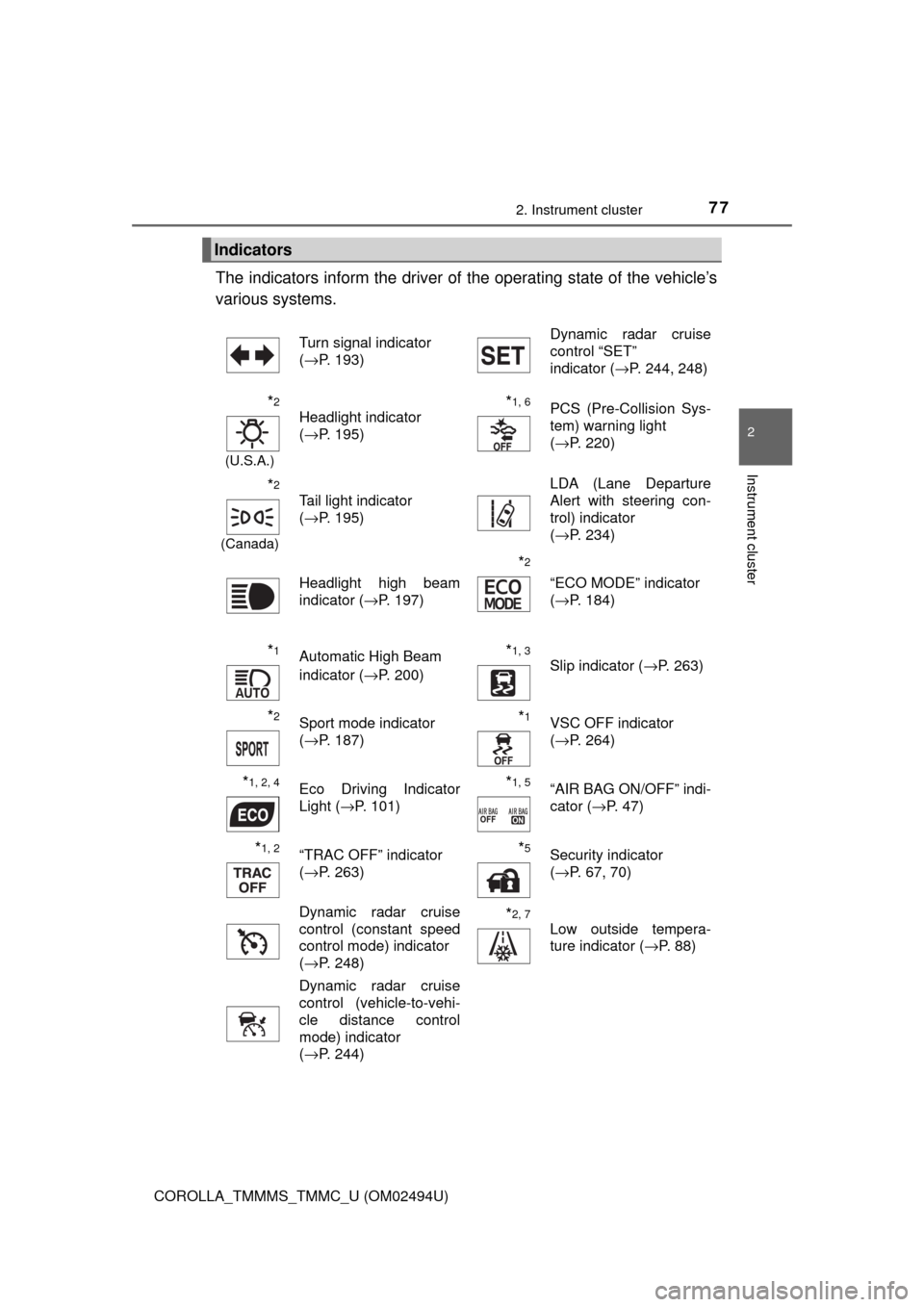
The indicators inform the driver of the operating state of the vehicle’s
various systems.
Indicators
Turn signal indicator
(→P. 193)Dynamic radar cruise
control “SET”
indicator (→P. 244, 248)
*2
(U.S.A.)
Headlight indicator
(→P. 195)*1, 6PCS (Pre-Collision Sys-
tem) warning light
(→P. 220)
*2
(Canada)
Tail light indicator
(→P. 195) LDA (Lane Departure
Alert with steering con-
trol) indicator
(→P. 234)
Headlight high beam
indicator (→P. 197)
*2
“ECO MODE” indicator
(→P. 184)
*1Automatic High Beam
indicator (→P. 200)*1, 3 Slip indicator (→P. 263)
*2Sport mode indicator
(→P. 187)*1VSC OFF indicator
(→P. 264)
*1, 2, 4Eco Driving Indicator
Light (→P. 101)*1, 5“AIR BAG ON/OFF” indi-
cator (→P. 47)
*1, 2“TRAC OFF” indicator
(→P. 263)*5Security indicator
(→P. 67, 70)
Dynamic radar cruise
control (constant speed
control mode) indicator
(→P. 248)
*2, 7
Low outside tempera-
ture indicator (→P. 88)
Dynamic radar cruise
control (vehicle-to-vehi-
cle distance control
mode) indicator
(→P. 244)
Page 85 of 612
852. Instrument cluster
2
Instrument cluster
COROLLA_TMMMS_TMMC_U (OM02494U)
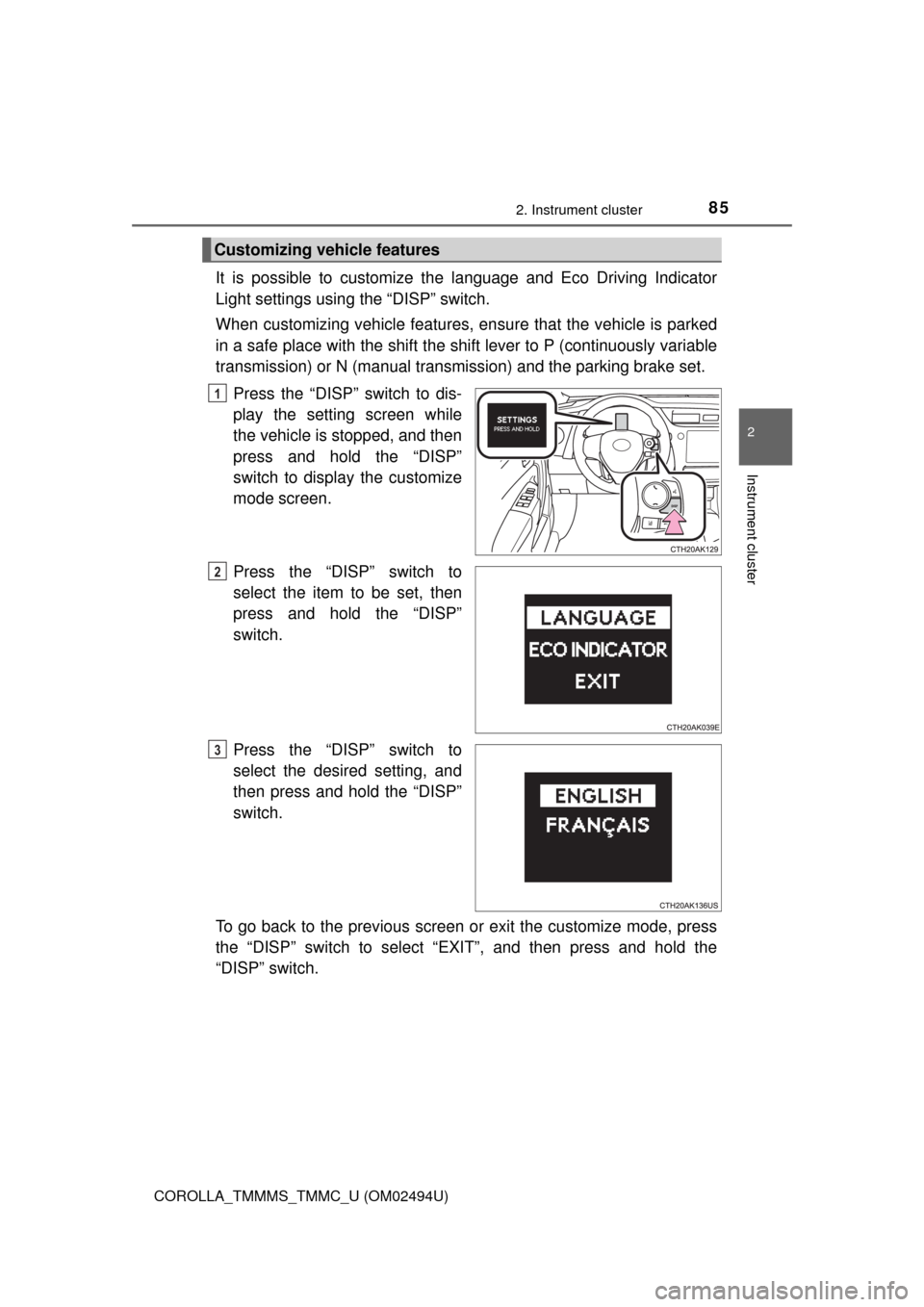
It is possible to customize the language and Eco Driving Indicator
Light settings using the “DISP” switch.
When customizing vehicle features, ensure that the vehicle is parked
in a safe place with the shift the shift lever to P (continuously variable
transmission) or N (manual transmission) and the parking brake set.
Press the “DISP” switch to dis-
play the setting screen while
the vehicle is stopped, and then
press and hold the “DISP”
switch to display the customize
mode screen.
Press the “DISP” switch to
select the item to be set, then
press and hold the “DISP”
switch.
Press the “DISP” switch to
select the desired setting, and
then press and hold the “DISP”
switch.
To go back to the previous screen or exit the customize mode, press
the “DISP” switch to select “EXIT”, and then press and hold the
“DISP” switch.
Customizing vehicle features
1
2
3
Page 86 of 612

862. Instrument cluster
COROLLA_TMMMS_TMMC_U (OM02494U)■
Customization
Some settings can be changed. (Customizable features: →P. 568)
■The meters and display illuminate when
Vehicles without a smart key system
The engine switch is in the “ON” position.
Vehicles with a smart key system
The engine switch is in IGNITION ON mode.
■When disconnecting and reconnecting battery terminals
The following information data will be reset:
●Driving range
●Average vehicle speed
●Elapsed time
●Average fuel consumption
■Liquid crystal display
Small spots or light spots may appear on the display. This phenomenon is
characteristic of liquid crystal displays, and there is no problem continuing to
use the display.
■Setting display automatic suspension
In the following situations, the setting display will be suspended.
●When a message appears.
●When the vehicle begins to move.
Page 99 of 612
992. Instrument cluster
2
Instrument cluster
COROLLA_TMMMS_TMMC_U (OM02494U)
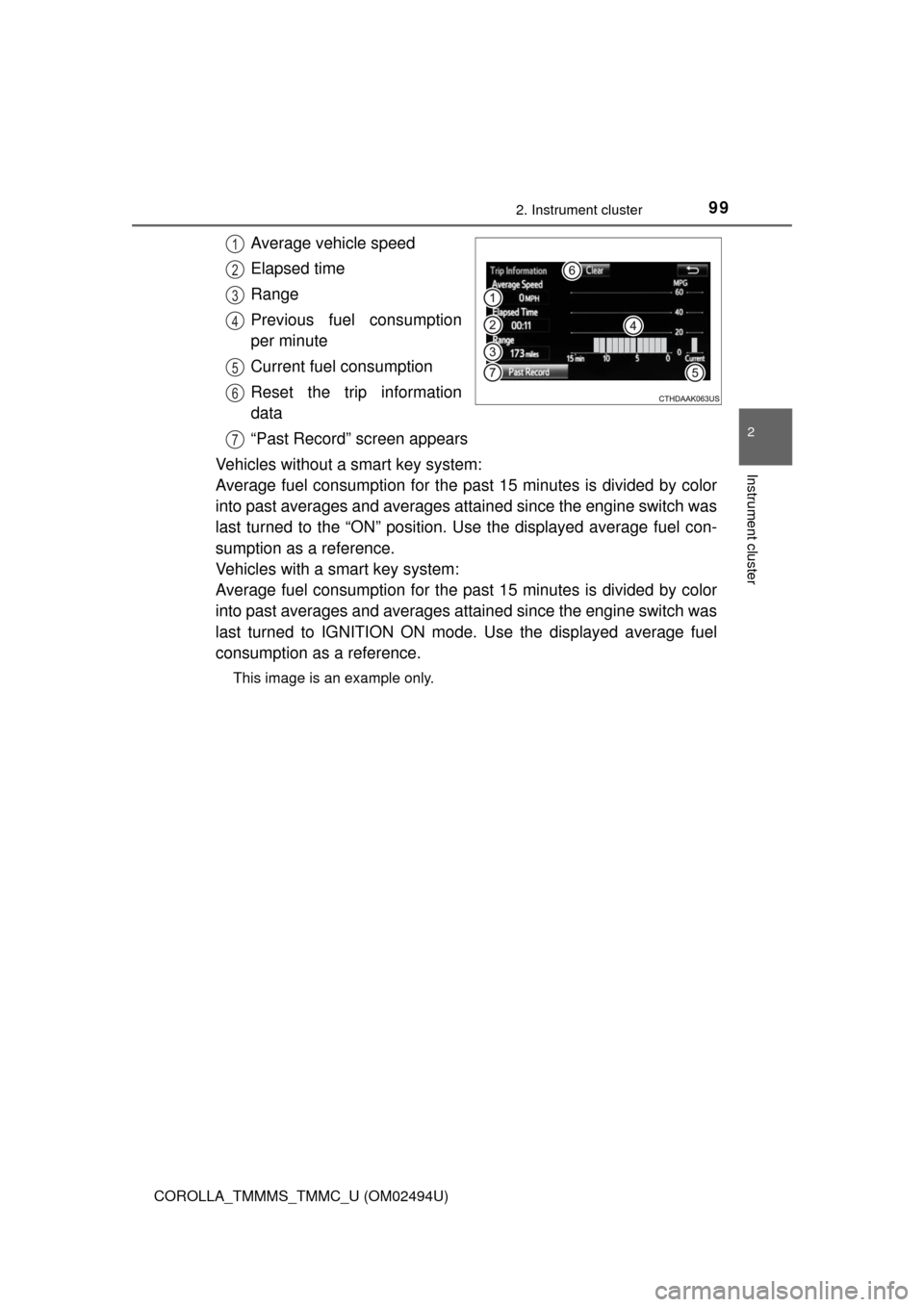
Average vehicle speed
Elapsed time
Range
Previous fuel consumption
per minute
Current fuel consumption
Reset the trip information
data
“Past Record” screen appears
Vehicles without a smart key system:
Average fuel consumption for the past 15 minutes is divided by color
into past averages and averages attained since the engine switch was
last turned to the “ON” position. Use the displayed average fuel con-
sumption as a reference.
Vehicles with a smart key system:
Average fuel consumption for the past 15 minutes is divided by color
into past averages and averages attained since the engine switch was
last turned to IGNITION ON mode. Use the displayed average fuel
consumption as a reference.
This image is an example only.
1
2
3
4
5
6
7
Page 102 of 612
1022. Instrument cluster
COROLLA_TMMMS_TMMC_U (OM02494U)
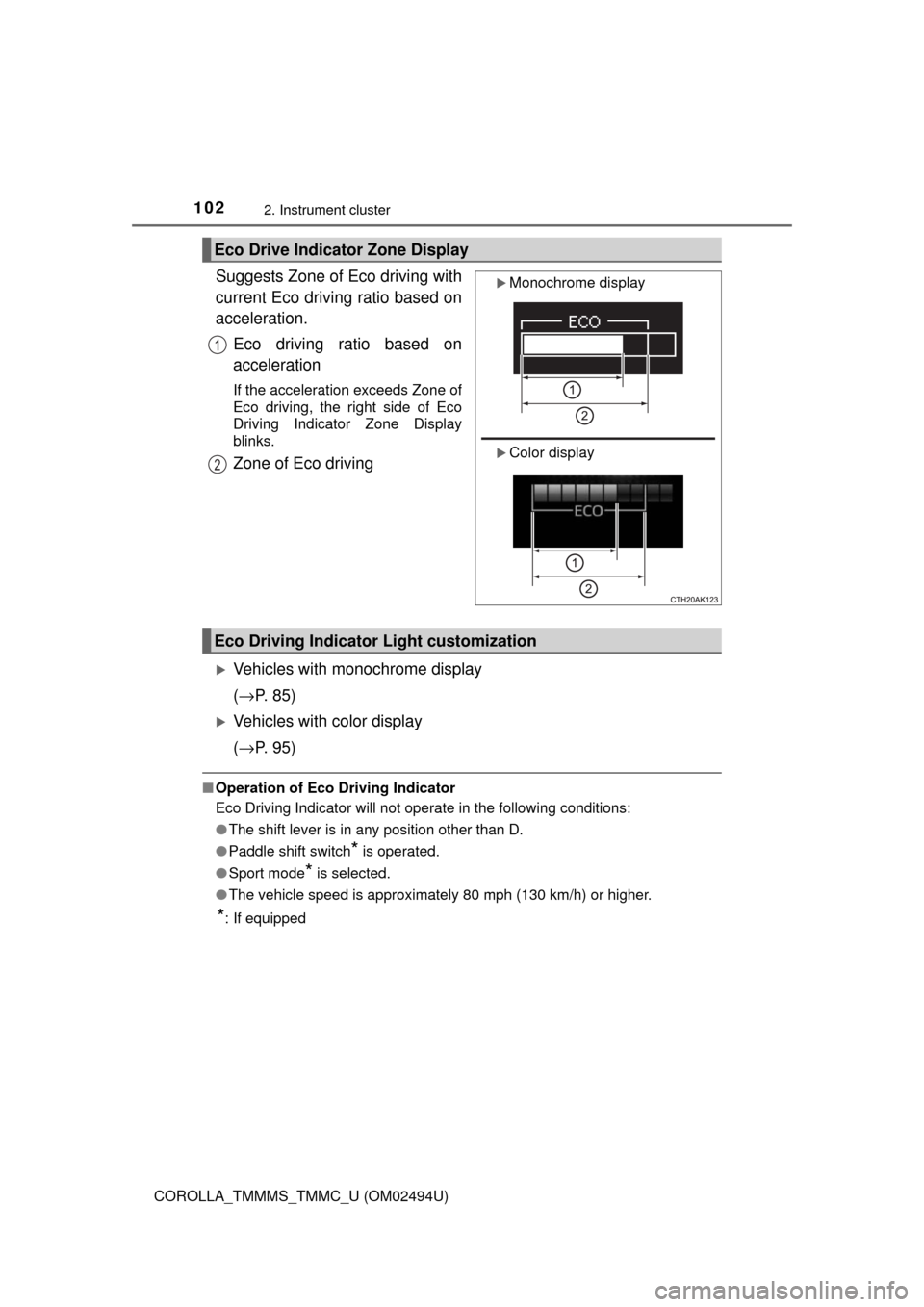
Suggests Zone of Eco driving with
current Eco driving ratio based on
acceleration.
Eco driving ratio based on
acceleration
If the acceleration exceeds Zone of
Eco driving, the right side of Eco
Driving Indicator Zone Display
blinks.
Zone of Eco driving
Vehicles with monochrome display
(→P. 85)
Vehicles with color display
(→P. 95)
■Operation of Eco Driving Indicator
Eco Driving Indicator will not operate in the following conditions:
●The shift lever is in any position other than D.
●Paddle shift switch
* is operated.
●Sport mode
* is selected.
●The vehicle speed is approximately 80 mph (130 km/h) or higher.
*: If equipped
Eco Drive Indicator Zone Display
Monochrome display
Color display
1
2
Eco Driving Indicator Light customization
Page 106 of 612
1063-1. Key information
COROLLA_TMMMS_TMMC_U (OM02494U)
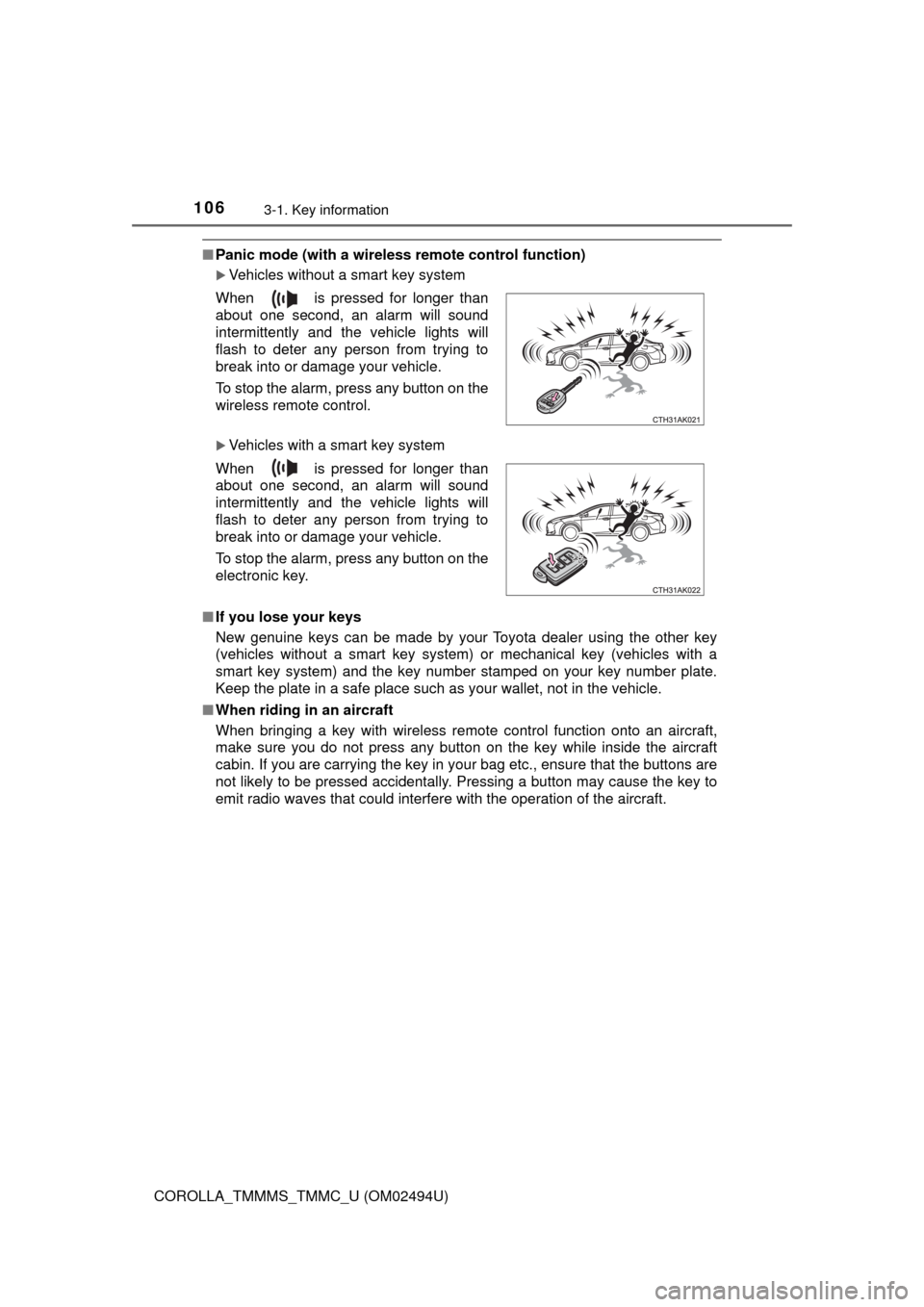
■Panic mode (with a wireless remote control function)
Vehicles without a smart key system
Vehicles with a smart key system
■If you lose your keys
New genuine keys can be made by your Toyota dealer using the other key
(vehicles without a smart key system) or mechanical key (vehicles with a
smart key system) and the key number stamped on your key number plate.
Keep the plate in a safe place such as your wallet, not in the vehicle.
■When riding in an aircraft
When bringing a key with wireless remote control function onto an aircraft,
make sure you do not press any button on the key while inside the aircraft
cabin. If you are carrying the key in your bag etc., ensure that the buttons are
not likely to be pressed accidentally. Pressing a button may cause the key to
emit radio waves that could interfere with the operation of the aircraft. When is pressed for longer than
about one second, an alarm will sound
intermittently and the vehicle lights will
flash to deter any person from trying to
break into or damage your vehicle.
To stop the alarm, press any button on the
wireless remote control.
When is pressed for longer than
about one second, an alarm will sound
intermittently and the vehicle lights will
flash to deter any person from trying to
break into or damage your vehicle.
To stop the alarm, press any button on the
electronic key.