child lock TOYOTA COROLLA 2020 (in English) User Guide
[x] Cancel search | Manufacturer: TOYOTA, Model Year: 2020, Model line: COROLLA, Model: TOYOTA COROLLA 2020Pages: 588, PDF Size: 13.49 MB
Page 107 of 588
1073-2. Opening, closing and locking the doors
COROLLA_U
3
Before driving
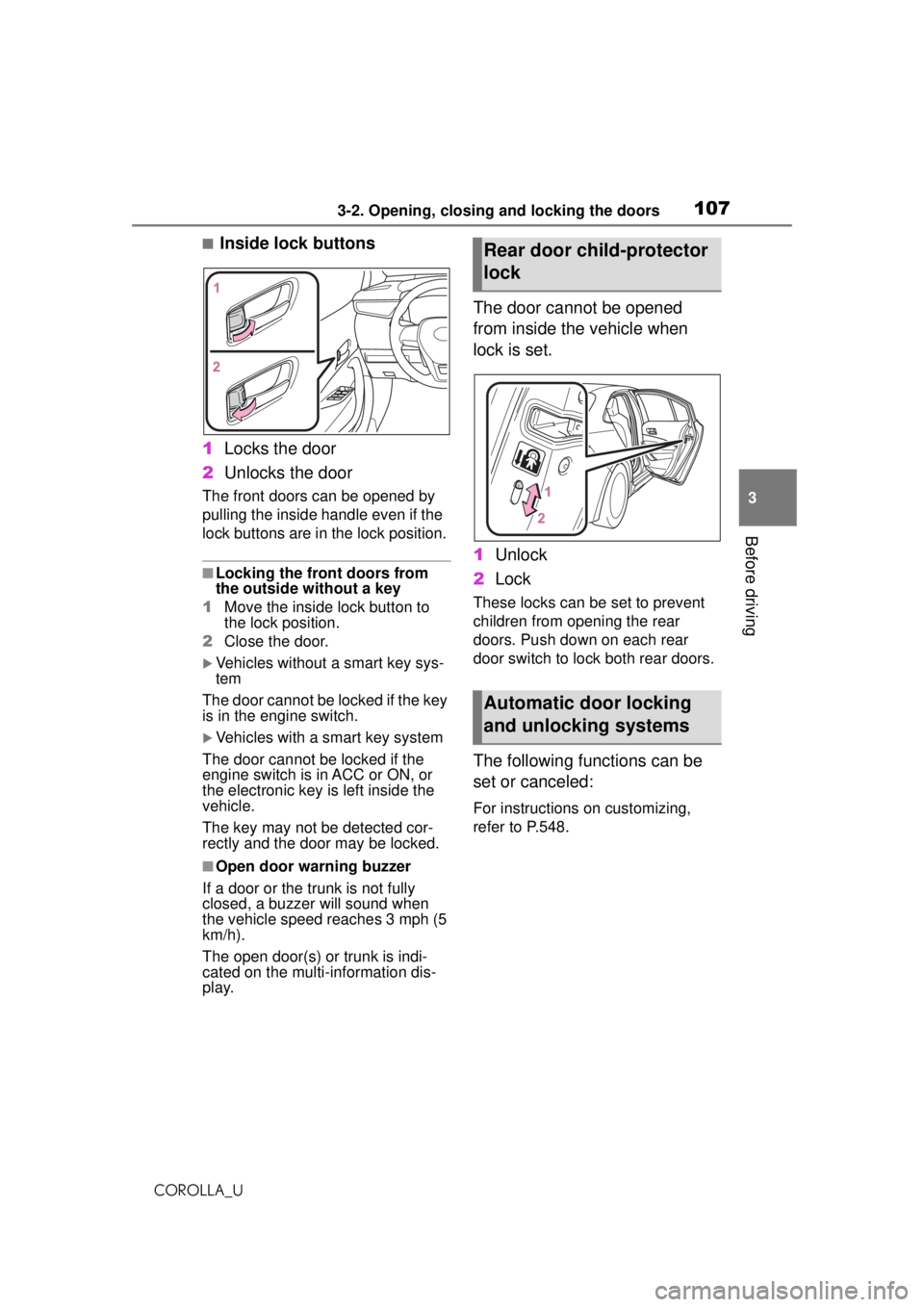
■Inside lock buttons
1 Locks the door
2 Unlocks the door
The front doors can be opened by
pulling the inside ha ndle even if the
lock buttons are in the lock position.
■Locking the front doors from
the outside without a key
1 Move the inside lock button to
the lock position.
2 Close the door.
Vehicles without a smart key sys-
tem
The door cannot be locked if the key
is in the engine switch.
Vehicles with a smart key system
The door cannot be locked if the
engine switch is in ACC or ON, or
the electronic key is left inside the
vehicle.
The key may not be detected cor-
rectly and the door may be locked.
■Open door warning buzzer
If a door or the trunk is not fully
closed, a buzzer will sound when
the vehicle speed reaches 3 mph (5
km/h).
The open door(s) or trunk is indi-
cated on the multi-information dis-
play.
The door cannot be opened
from inside the vehicle when
lock is set.
1 Unlock
2 Lock
These locks can be set to prevent
children from opening the rear
doors. Push down on each rear
door switch to lock both rear doors.
The following functions can be
set or canceled:
For instructions on customizing,
refer to P.548.
Rear door child-protector
lock
Automatic door locking
and unlocking systems
Page 108 of 588
1083-2. Opening, closing and locking the doors
COROLLA_U
*: Vehicles with a continuously vari-able transmission
FunctionOperation
Speed linked
door locking
function
All doors are auto-
matically locked
when vehicle
speed is approxi-
mately 12 mph (20
km/h) or higher.
Shift position
linked door
locking func-
tion
*
All doors are auto-
matically locked
when shifting the
shift lever out of P.
Shift position
linked door
unlocking
function
*
All doors are auto-
matically unlocked
when shifting the
shift lever to P.
Driver’s door
linked door
unlocking
functionAll doors are auto-
matically unlocked
when driver’s door
is opened.
Tr unk
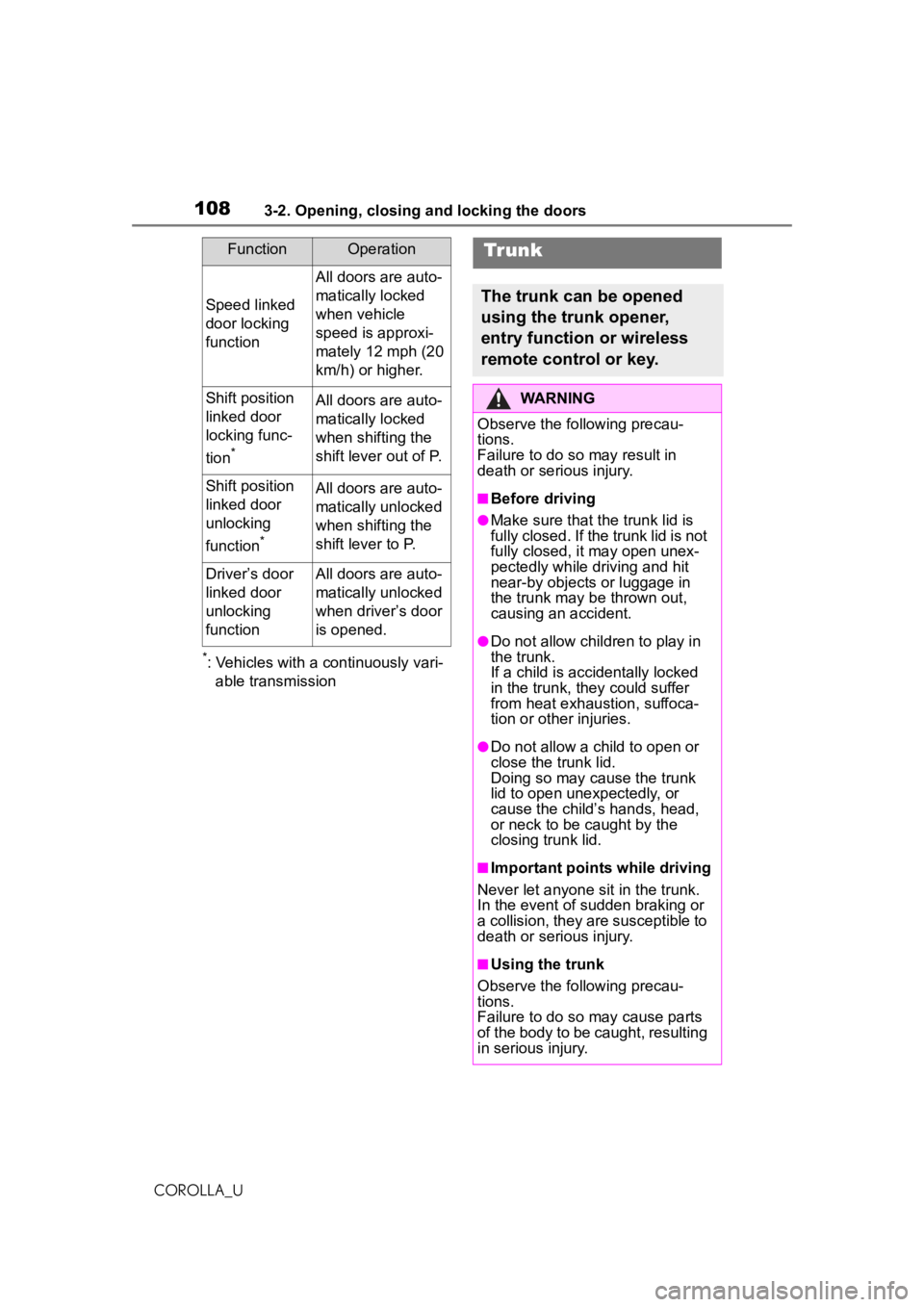
The trunk can be opened
using the trunk opener,
entry function or wireless
remote control or key.
WARNING
Observe the following precau-
tions.
Failure to do so may result in
death or serious injury.
■Before driving
●Make sure that the trunk lid is
fully closed. If the trunk lid is not
fully closed, it may open unex-
pectedly while driving and hit
near-by objects or luggage in
the trunk may be thrown out,
causing an accident.
●Do not allow children to play in
the trunk.
If a child is accidentally locked
in the trunk, they could suffer
from heat exhaustion, suffoca-
tion or other injuries.
●Do not allow a child to open or
close the trunk lid.
Doing so may cause the trunk
lid to open unexpectedly, or
cause the child’s hands, head,
or neck to be caught by the
closing trunk lid.
■Important points while driving
Never let anyone sit in the trunk.
In the event of sudden braking or
a collision, they are susceptible to
death or serious injury.
■Using the trunk
Observe the following precau-
tions.
Failure to do so may cause parts
of the body to be caught, resulting
in serious injury.
Page 120 of 588
1203-3. Adjusting the seats
COROLLA_U
WARNING
●Stop the vehicle on level
ground, set the parking brake
and shift the shift lever to P
(continuously variable transmis-
sion) or N (manual transmis-
sion).
●Do not allow anyone to sit on a
folded seatback or in the trunk
while driving.
●Do not allow children to enter
the trunk.
●Be careful not to get your hand
caught when folding the rear
seatbacks.
●Adjust the position of the front
seats before folding down the
rear seatbacks so that the front
seats do not interfere with the
rear seatbacks when folding
down the rear seatbacks.
■After returning the rear seat-
back to the upright position
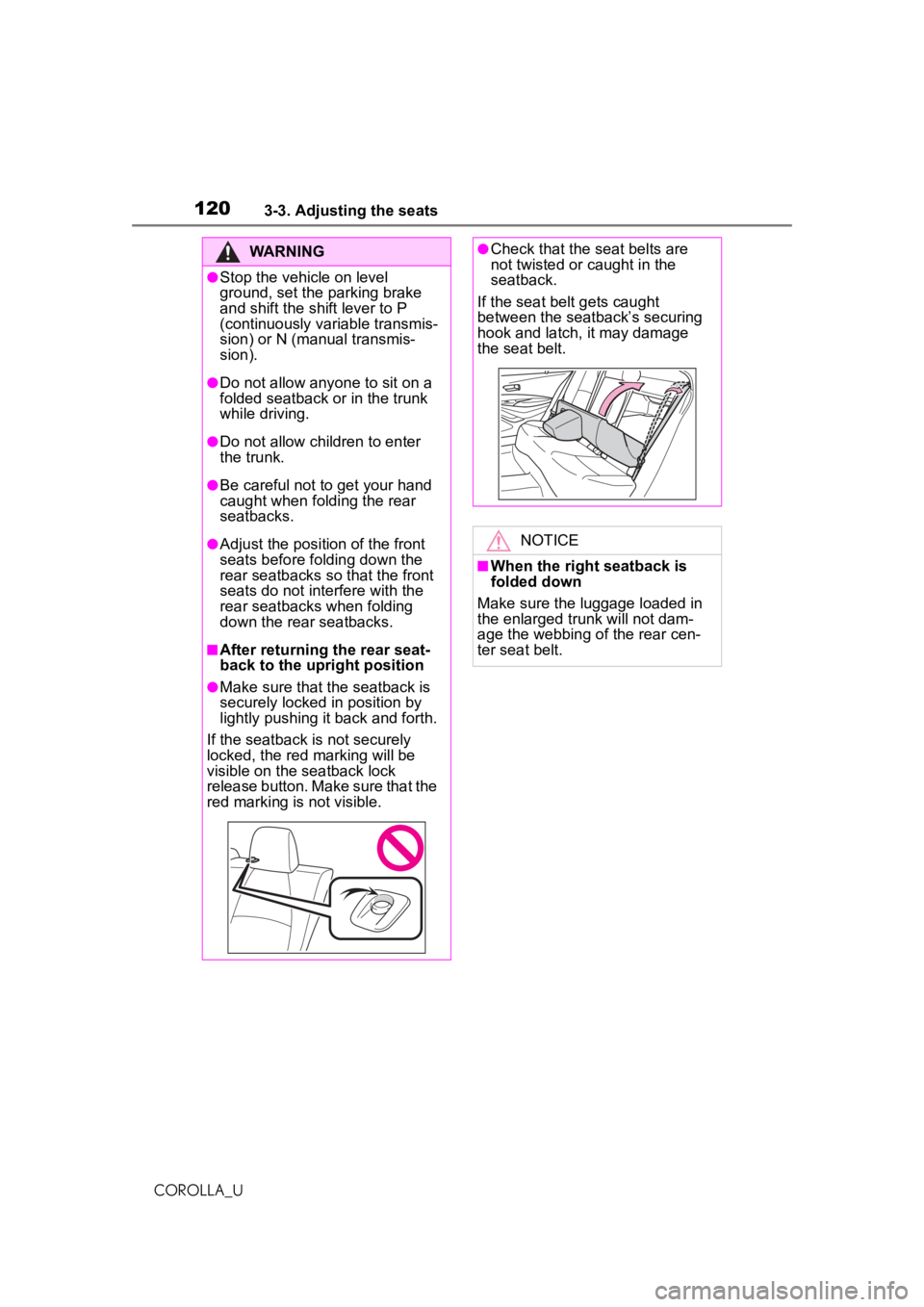
●Make sure that the seatback is
securely locked in position by
lightly pushing it back and forth.
If the seatback is not securely
locked, the red marking will be
visible on the seatback lock
release button. Make sure that the
red marking is not visible.
●Check that the seat belts are
not twisted or caught in the
seatback.
If the seat belt gets caught
between the seatback’s securing
hook and latch, it may damage
the seat belt.
NOTICE
■When the right seatback is
folded down
Make sure the luggage loaded in
the enlarged trunk will not dam-
age the webbing of the rear cen-
ter seat belt.
Page 128 of 588
1283-5. Opening and closing the windows
COROLLA_Upushing the switch in the
one-touch opening direction, and
hold it there for approximately 4
seconds or more.
6 Pull and hold the power window
switch in the one-touch closing
direction again. After the door
window is completely closed,
continue holding the switch for a
further 1 second or more.
If you release the switch while the
window is moving, start again from
the beginning.
If the window reverses and cannot
be fully closed or opened, have the
vehicle inspected by your Toyota
dealer.
■Door lock linked window opera-
tion
●Vehicles without a smart key sys-
tem: The power windows can be
opened and closed using the key.
*
( P.104)
Vehicles with a smart key system:
The power windows can be
opened and closed using the
mechanical key.
* ( P.514)
●The power windows can be
opened using the wireless remote
control.
* (with a wireless remote
control function) ( P.103)
*: These settings must be custom-
ized at your Toyota dealer.
■Customization
Some functions can be customized.
( P.548)
WARNING
Observe the following precau-
tions. Failure to do so may result
in death or serious injury.
■Closing the windows
●The driver is responsible for all
the power window operations,
including the operation for the
passengers. In order to prevent
accidental operation, especially
by a child, do not let a child
operate the power windows. It is
possible for children and other
passengers to have body parts
caught in the power window.
Also, when riding with a child, it
is recommended to use the win-
dow lock switch. (
P.129)
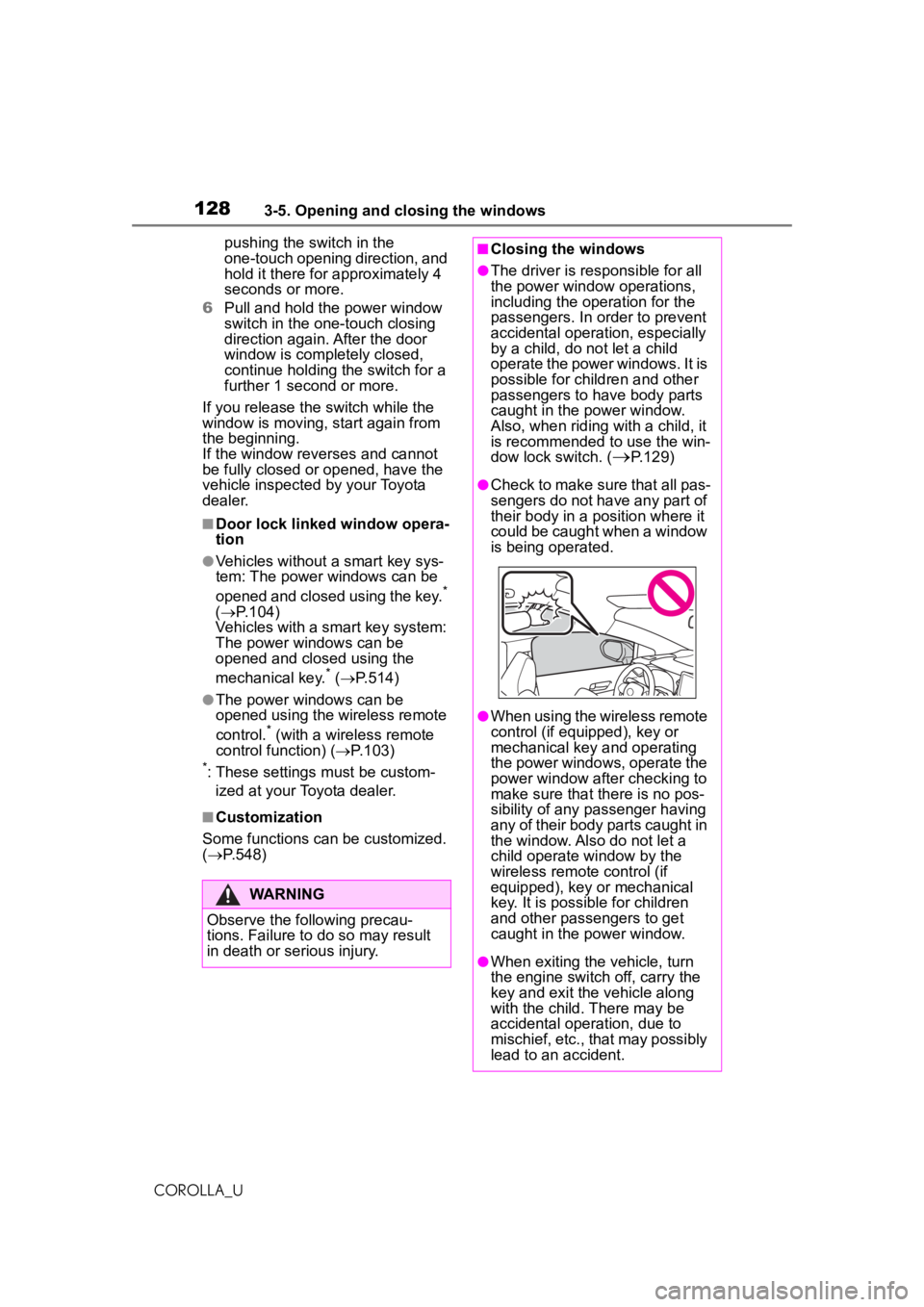
●Check to make sure that all pas-
sengers do not have any part of
their body in a position where it
could be caught when a window
is being operated.
●When using the wireless remote
control (if equipped), key or
mechanical key and operating
the power windows, operate the
power window after checking to
make sure that there is no pos-
sibility of any passenger having
any of their body parts caught in
the window. Also do not let a
child operate window by the
wireless remote control (if
equipped), key or mechanical
key. It is possible for children
and other passengers to get
caught in the power window.
●When exiting the vehicle, turn
the engine switch off, carry the
key and exit the vehicle along
with the child. There may be
accidental operation, due to
mischief, etc., that may possibly
lead to an accident.
Page 129 of 588
1293-5. Opening and closing the windows
COROLLA_U
3
Before driving
This function can be used to
prevent children from acciden-
tally opening or closing a pas-
senger window.
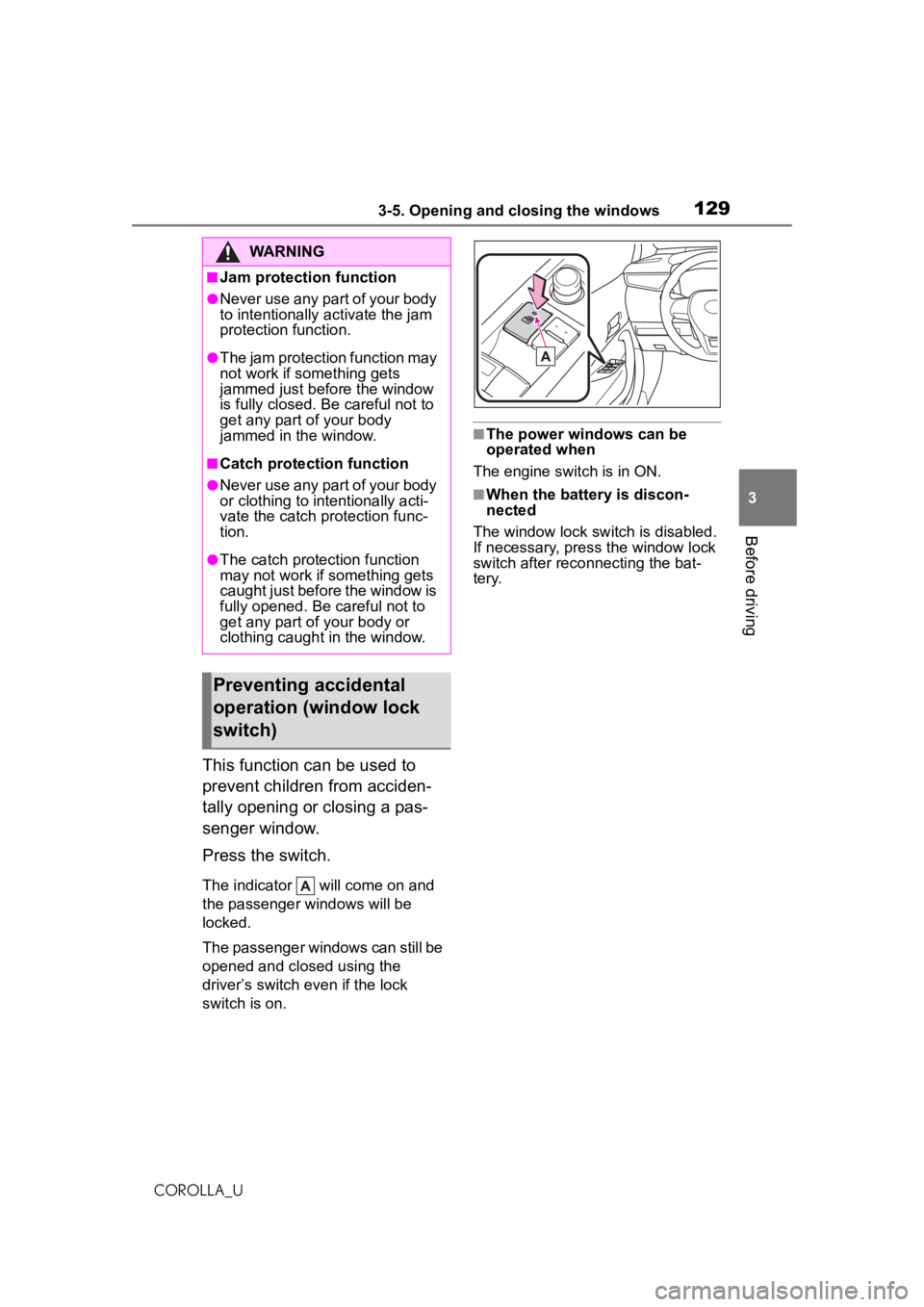
Press the switch.
The indicator will come on and
the passenger windows will be
locked.
The passenger windows can still be
opened and closed using the
driver’s switch even if the lock
switch is on.
■The power windows can be
operated when
The engine switch is in ON.
■When the battery is discon-
nected
The window lock switch is disabled.
If necessary, press the window lock
switch after reco nnecting the bat-
tery.
WARNING
■Jam protection function
●Never use any part of your body
to intentionally activate the jam
protection function.
●The jam protection function may
not work if something gets
jammed just before the window
is fully closed. Be careful not to
get any part of your body
jammed in the window.
■Catch protection function
●Never use any part of your body
or clothing to intentionally acti-
vate the catch protection func-
tion.
●The catch protection function
may not work if something gets
caught just before the window is
fully opened. Be careful not to
get any part of your body or
clothing caught in the window.
Preventing accidental
operation (window lock
switch)
Page 439 of 588
4397-3. Do-it-yourself maintenance
COROLLA_U
7
Maintenance and care
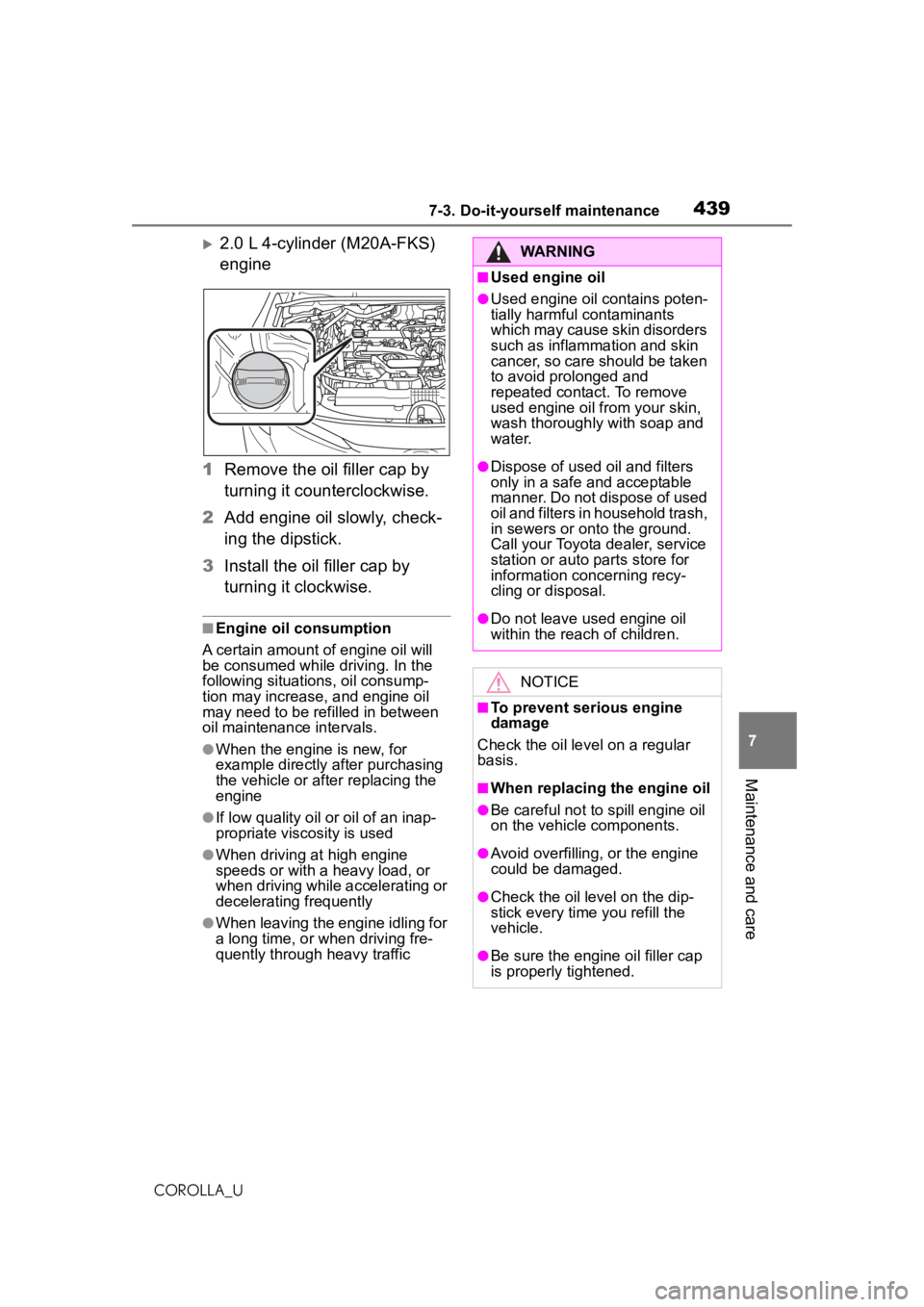
2.0 L 4-cylinder (M20A-FKS)
engine
1 Remove the oil filler cap by
turning it counterclockwise.
2 Add engine oil slowly, check-
ing the dipstick.
3 Install the oil filler cap by
turning it clockwise.
■Engine oil consumption
A certain amount of engine oil will
be consumed while driving. In the
following situations, oil consump-
tion may increase, and engine oil
may need to be refilled in between
oil maintenance intervals.
●When the engine is new, for
example directly after purchasing
the vehicle or after replacing the
engine
●If low quality oil or oil of an inap-
propriate viscosity is used
●When driving at high engine
speeds or with a heavy load, or
when driving while accelerating or
decelerating frequently
●When leaving the engine idling for
a long time, or when driving fre-
quently through heavy traffic
WARNING
■Used engine oil
●Used engine oil contains poten-
tially harmful contaminants
which may cause skin disorders
such as inflammation and skin
cancer, so care should be taken
to avoid prolonged and
repeated contact. To remove
used engine oil from your skin,
wash thoroughly with soap and
water.
●Dispose of used oil and filters
only in a safe and acceptable
manner. Do not dispose of used
oil and filters in household trash,
in sewers or onto the ground.
Call your Toyota dealer, service
station or auto parts store for
information concerning recy-
cling or disposal.
●Do not leave used engine oil
within the reach of children.
NOTICE
■To prevent serious engine
damage
Check the oil le vel on a regular
basis.
■When replacing the engine oil
●Be careful not to spill engine oil
on the vehicle components.
●Avoid overfilling, or the engine
could be damaged.
●Check the oil level on the dip-
stick every time you refill the
vehicle.
●Be sure the engine oil filler cap
is properly tightened.
Page 460 of 588
4607-3. Do-it-yourself maintenance
COROLLA_U
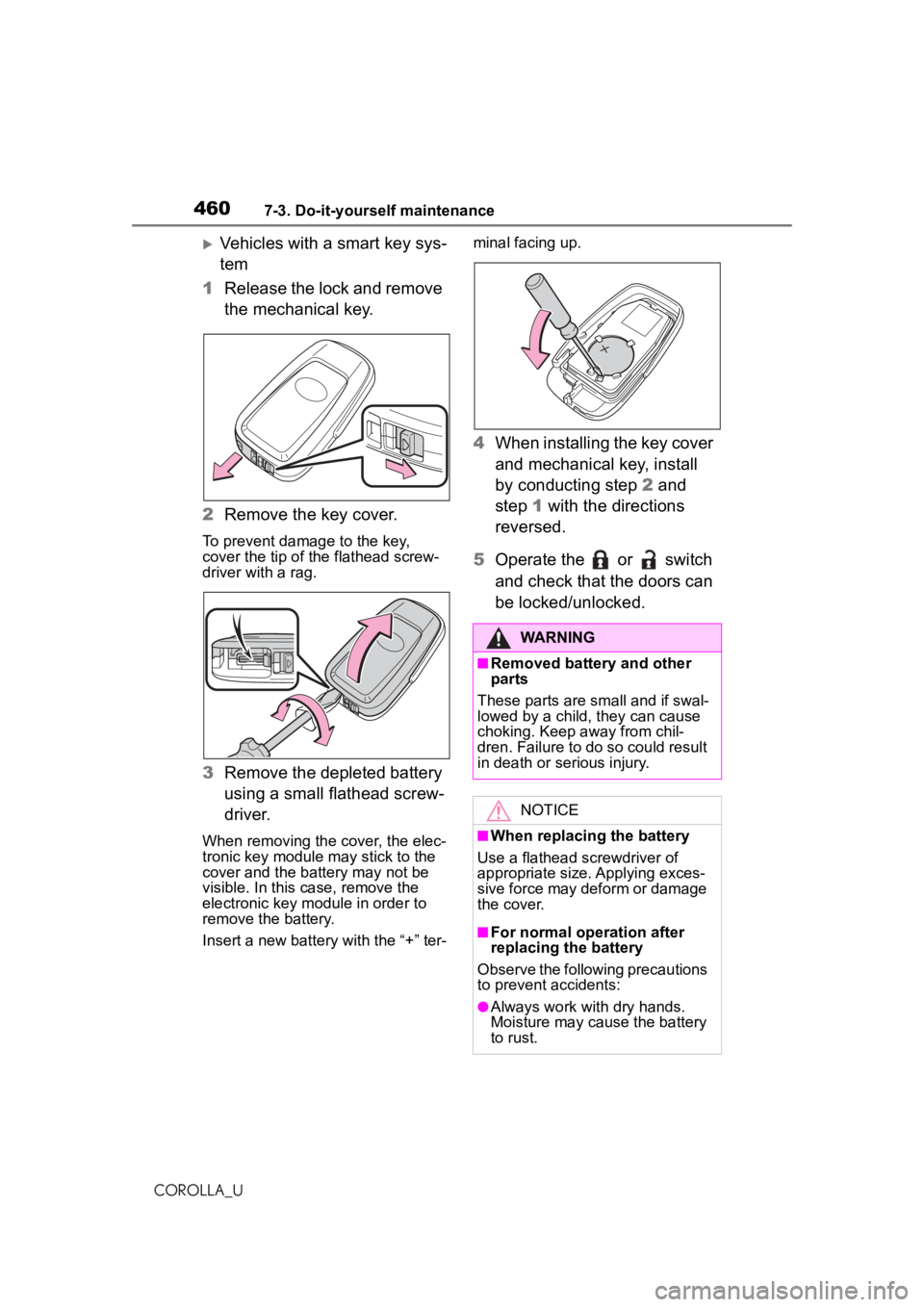
Vehicles with a smart key sys-
tem
1 Release the lock and remove
the mechanical key.
2 Remove the key cover.
To prevent damage to the key,
cover the tip of the flathead screw-
driver with a rag.
3Remove the depleted battery
using a small flathead screw-
driver.
When removing the cover, the elec-
tronic key module may stick to the
cover and the battery may not be
visible. In this case, remove the
electronic key module in order to
remove the battery.
Insert a new battery with the “+” ter- minal facing up.
4
When installing the key cover
and mechanical key, install
by conducting step 2 and
step 1 with the directions
reversed.
5 Operate the or switch
and check that the doors can
be locked/unlocked.
WARNING
■Removed battery and other
parts
These parts are small and if swal-
lowed by a child, they can cause
choking. Keep away from chil-
dren. Failure to do so could result
in death or serious injury.
NOTICE
■When replacing the battery
Use a flathead screwdriver of
appropriate size. Applying exces-
sive force may deform or damage
the cover.
■For normal operation after
replacing the battery
Observe the following precautions
to prevent accidents:
●Always work with dry hands.
Moisture may cause the battery
to rust.
Page 514 of 588
5148-2. Steps to take in an emergency
COROLLA_U
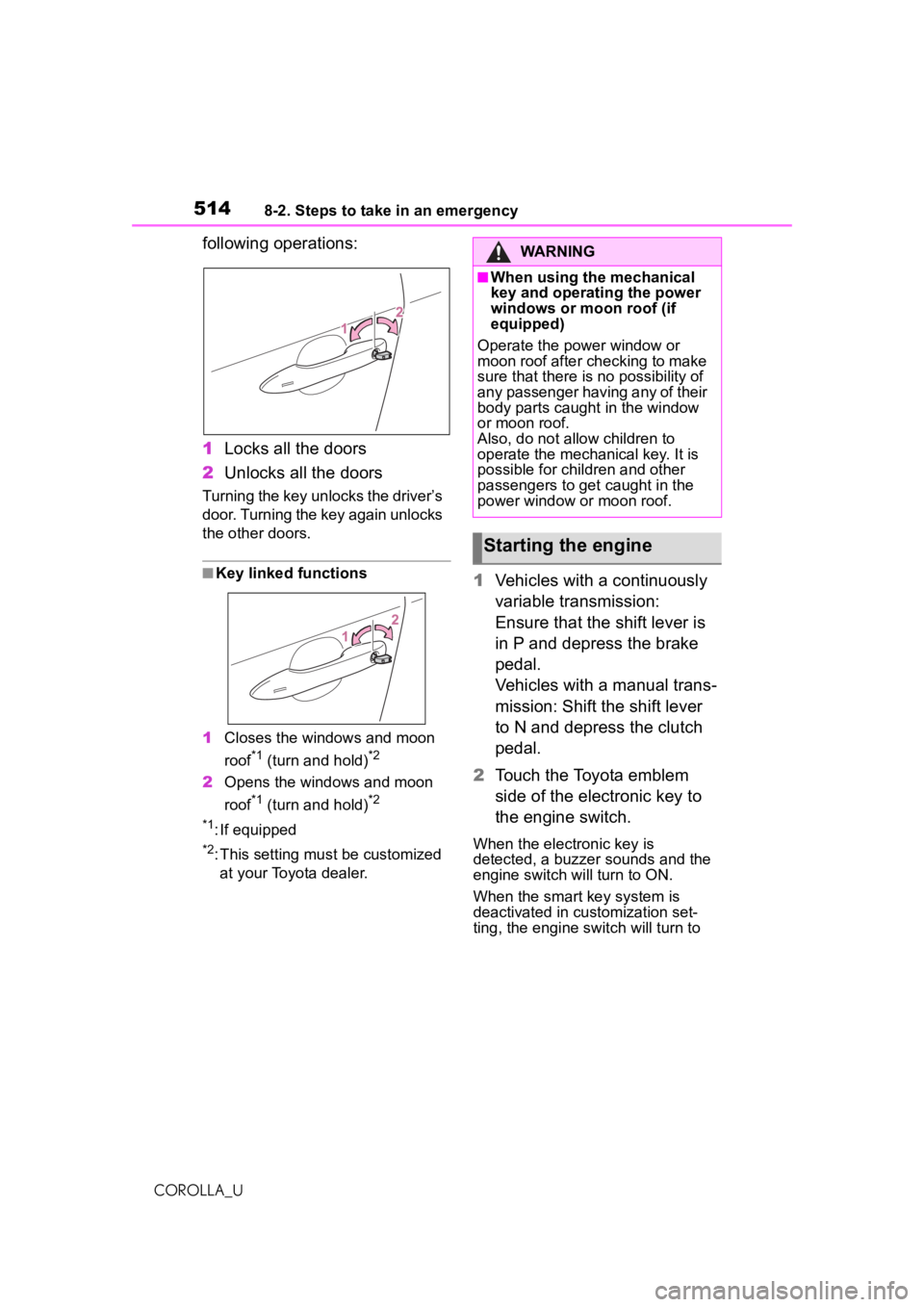
following operations:
1Locks all the doors
2 Unlocks all the doors
Turning the key unlocks the driver’s
door. Turning the key again unlocks
the other doors.
■Key linked functions
1 Closes the windows and moon
roof
*1 (turn and hold)*2
2Opens the windows and moon
roof
*1 (turn and hold)*2
*1
: If equipped
*2: This setting must be customized at your Toyota dealer.
1 Vehicles with a continuously
variable transmission:
Ensure that the shift lever is
in P and depress the brake
pedal.
Vehicles with a manual trans-
mission: Shift the shift lever
to N and depress the clutch
pedal.
2 Touch the Toyota emblem
side of the electronic key to
the engine switch.
When the electronic key is
detected, a buzzer sounds and the
engine switch will turn to ON.
When the smart key system is
deactivated in customization set-
ting, the engine switch will turn to
WARNING
■When using the mechanical
key and operating the power
windows or moon roof (if
equipped)
Operate the power window or
moon roof after ch ecking to make
sure that there is no possibility of
any passenger having any of their
body parts caught in the window
or moon roof.
Also, do not allow children to
operate the mechanical key. It is
possible for children and other
passengers to get caught in the
power window or moon roof.
Starting the engine
Page 568 of 588
568What to do if... (Troubleshooting)
COROLLA_U
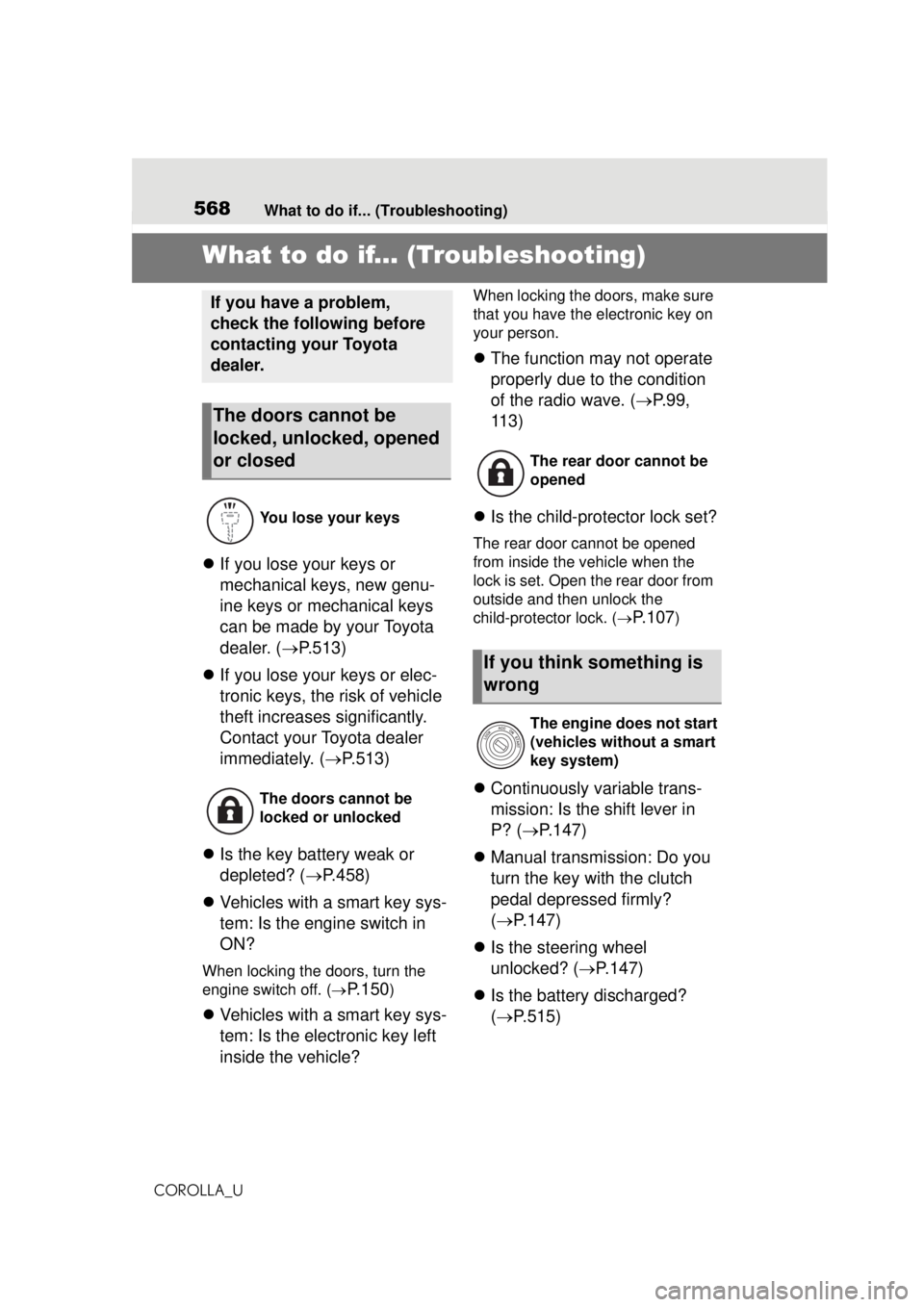
1-1.What to do if... (Troubleshooting)What to do if... (Troubleshooting)
If you lose your keys or
mechanical keys, new genu-
ine keys or mechanical keys
can be made by your Toyota
dealer. ( P.513)
If you lose your keys or elec-
tronic keys, the risk of vehicle
theft increases significantly.
Contact your Toyota dealer
immediately. ( P.513)
Is the key battery weak or
depleted? ( P.458)
Vehicles with a smart key sys-
tem: Is the engine switch in
ON?
When locking the doors, turn the
engine switch off. (
P.150)
Vehicles with a smart key sys-
tem: Is the electronic key left
inside the vehicle?
When locking the doors, make sure
that you have the electronic key on
your person.
The function may not operate
properly due to the condition
of the radio wave. ( P.99,
113)
Is the child-protector lock set?
The rear door cannot be opened
from inside the vehicle when the
lock is set. Open the rear door from
outside and then unlock the
child-protector lock. (
P. 1 0 7)
Continuously variable trans-
mission: Is the shift lever in
P? ( P.147)
Manual transmission: Do you
turn the key with the clutch
pedal depressed firmly?
( P.147)
Is the steering wheel
unlocked? ( P.147)
Is the battery discharged?
( P.515)
If you have a problem,
check the following before
contacting your Toyota
dealer.
The doors cannot be
locked, unlocked, opened
or closed
You lose your keys
The doors cannot be
locked or unlocked
The rear door cannot be
opened
If you think something is
wrong
The engine does not start
(vehicles without a smart
key system)
Page 571 of 588

5711-1. What to do if... (Troubleshooting)
COROLLA_U571Alphabetical Index
Alphabetical Index
A
A/C Air conditioning filter ............. 457
Automatic air conditioning sys-tem ..................................... 391
Manual air conditioning system ........................................... 386
ABS (Anti-lock Brake System) ............................................... 250Warning light ........................ 483
ACA (Active Cornering Assist) ............................................... 251
Active Cornering Assist (ACA) ............................................... 251
Adaptive Front-lighting System (AFS)...................................... 172
AFS (Adaptive Front-lighting System) ................................. 172
Air conditioning filter ............. 457
Air conditioning system Air conditioning filter ............. 457
Automatic air conditioning sys-tem ..................................... 391
Manual air conditioning system ........................................... 386
Airbags Airbag operating conditions.... 31
Airbag precautions for your child............................................. 34
Correct driving posture ........... 23
Curtain shield airbag operating conditions ............................. 32
Curtain shield airbag precautions ............................................. 34
Front passenger occupant clas- sification system ................... 39
General airbag precautions .... 34
Locations of airbags ............... 29
Modification and disposal of air- bags ..................................... 37 Side airbag operating conditions
.............................................32
Side airbag precautions..........34
Side and curtain shield airbags operating conditions .............32
Side and curtain shield airbags precautions ...........................34
SRS airbags ...........................29
SRS warning light .................482
Alarm Alarm ......................................69
Warning buzzer ....................481
AM ............................................307
Anchor brackets .................48, 58
Antennas (smart key system) 111
Anti-lock Brake System (ABS) ...............................................250Warning light.........................483
Apple CarPlay .................292, 293
Approach warning ..........219, 229
Apps button (Menu screen) ...263
Armrest ......... ......................... ..413
Assist grips .............................413
Audio .......................................302 Audio source ........................303
Operating information ...........324
Reordering the audio source 303
Screen adjustment ...............305
Some basics .........................303
Sound settings......................304
Turning the system on and off...........................................303
USB/AUX port ......................304
Voice command system .......306
AUDIO button ..........................261
Audio button (Menu screen) ..263
Audio settings.........................323 Common settings .................323
Radio settings.......................323
Audio source...........................303
Audio system-linked display ...90