AUX TOYOTA COROLLA 2020 Owners Manual (in English)
[x] Cancel search | Manufacturer: TOYOTA, Model Year: 2020, Model line: COROLLA, Model: TOYOTA COROLLA 2020Pages: 588, PDF Size: 13.49 MB
Page 3 of 588
3TABLE OF CONTENTS
COROLLA_U
1
2
3
4
5
6
7
8
9
10
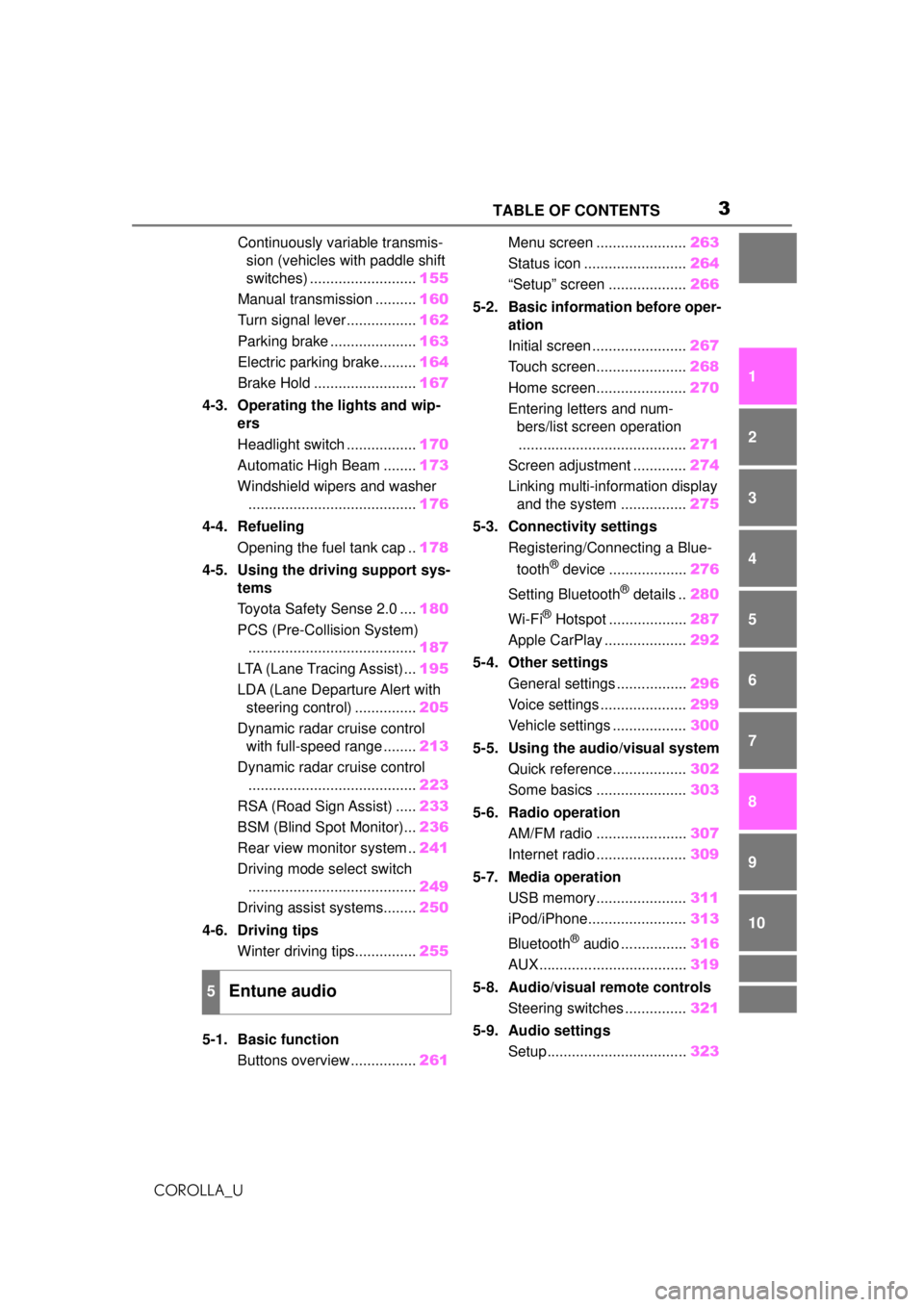
Continuously variable transmis- sion (vehicles with paddle shift
switches) .......................... 155
Manual transmission .......... 160
Turn signal lever................. 162
Parking brake ..................... 163
Electric parking brake......... 164
Brake Hold ......................... 167
4-3. Operating the lights and wip- ers
Headlight switch ................. 170
Automatic High Beam ........ 173
Windshield wipers and washer ......................................... 176
4-4. Refueling Opening the fuel tank cap .. 178
4-5. Using the driving support sys- tems
Toyota Safety Sense 2.0 .... 180
PCS (Pre-Collision System) ......................................... 187
LTA (Lane Tracing Assist)... 195
LDA (Lane Departure Alert with steering control) ............... 205
Dynamic radar cruise control with full-speed range ........ 213
Dynamic radar cruise control ......................................... 223
RSA (Road Sign Assist) ..... 233
BSM (Blind Spot Monitor)... 236
Rear view monitor system .. 241
Driving mode select switch ......................................... 249
Driving assist systems........ 250
4-6. Driving tips Winter driving tips............... 255
5-1. Basic function Buttons overview ................ 261Menu screen ......................
263
Status icon ......................... 264
“Setup” screen ................... 266
5-2. Basic information before oper- ation
Initial screen ....................... 267
Touch screen...................... 268
Home screen...................... 270
Entering letters and num- bers/list screen operation
......................................... 271
Screen adjustment ............. 274
Linking multi-information display and the system ................ 275
5-3. Connectivity settings Registering/Connecting a Blue-
tooth
® device ................... 276
Setting Bluetooth
® details .. 280
Wi-Fi
® Hotspot ................... 287
Apple CarPlay .................... 292
5-4. Other settings General settings ................. 296
Voice settings ..................... 299
Vehicle settings .................. 300
5-5. Using the audio/visual system Quick reference.................. 302
Some basics ...................... 303
5-6. Radio operation AM/FM radio ...................... 307
Internet radio ...................... 309
5-7. Media operation USB memory...................... 311
iPod/iPhone........................ 313
Bluetooth
® audio ................ 316
AUX.................................... 319
5-8. Audio/visual remote controls Steering switches ............... 321
5-9. Audio settings Setup.................................. 323
5Entune audio
Page 259 of 588
259
COROLLA_U
5
5
Entune audio
Entune audio
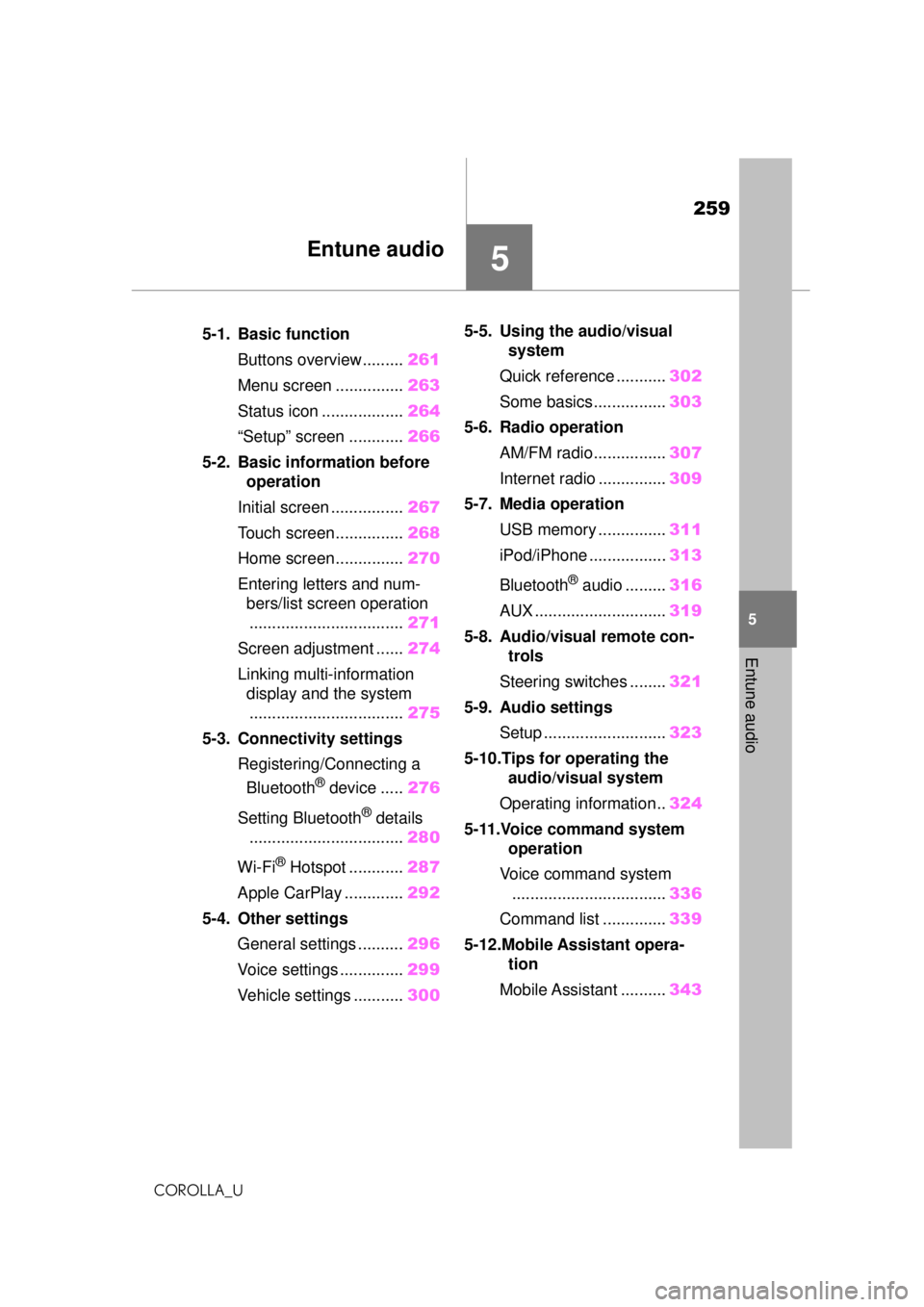
.5-1. Basic functionButtons overview......... 261
Menu screen ............... 263
Status icon .................. 264
“Setup” screen ............ 266
5-2. Basic information before operation
Initial screen ................ 267
Touch screen............... 268
Home screen............... 270
Entering letters and num- bers/list screen operation
.................................. 271
Screen adjustment ...... 274
Linking multi-information display and the system
.................................. 275
5-3. Connectivity settings Registering/Connecting a Bluetooth
® device ..... 276
Setting Bluetooth
® details
.................................. 280
Wi-Fi
® Hotspot ............ 287
Apple CarPlay ............. 292
5-4. Other settings General settings .......... 296
Voice settings .............. 299
Vehicle settings ........... 3005-5. Using the audio/visual
system
Quick reference ........... 302
Some basics................ 303
5-6. Radio operation AM/FM radio................ 307
Internet radio ............... 309
5-7. Media operation USB memory ............... 311
iPod/iPhone ................. 313
Bluetooth
® audio ......... 316
AUX ............................. 319
5-8. Audio/visual remote con- trols
Steering switches ........ 321
5-9. Audio settings Setup ........................... 323
5-10.Tips for operating the audio/visual system
Operating information.. 324
5-11.Voice command system operation
Voice command system .................................. 336
Command list .............. 339
5-12.Mobile Assistant opera- tion
Mobile Assistant .......... 343
Page 302 of 588
3025-5. Using the audio/visual system
COROLLA_U
5-5.Using the audio/visual system
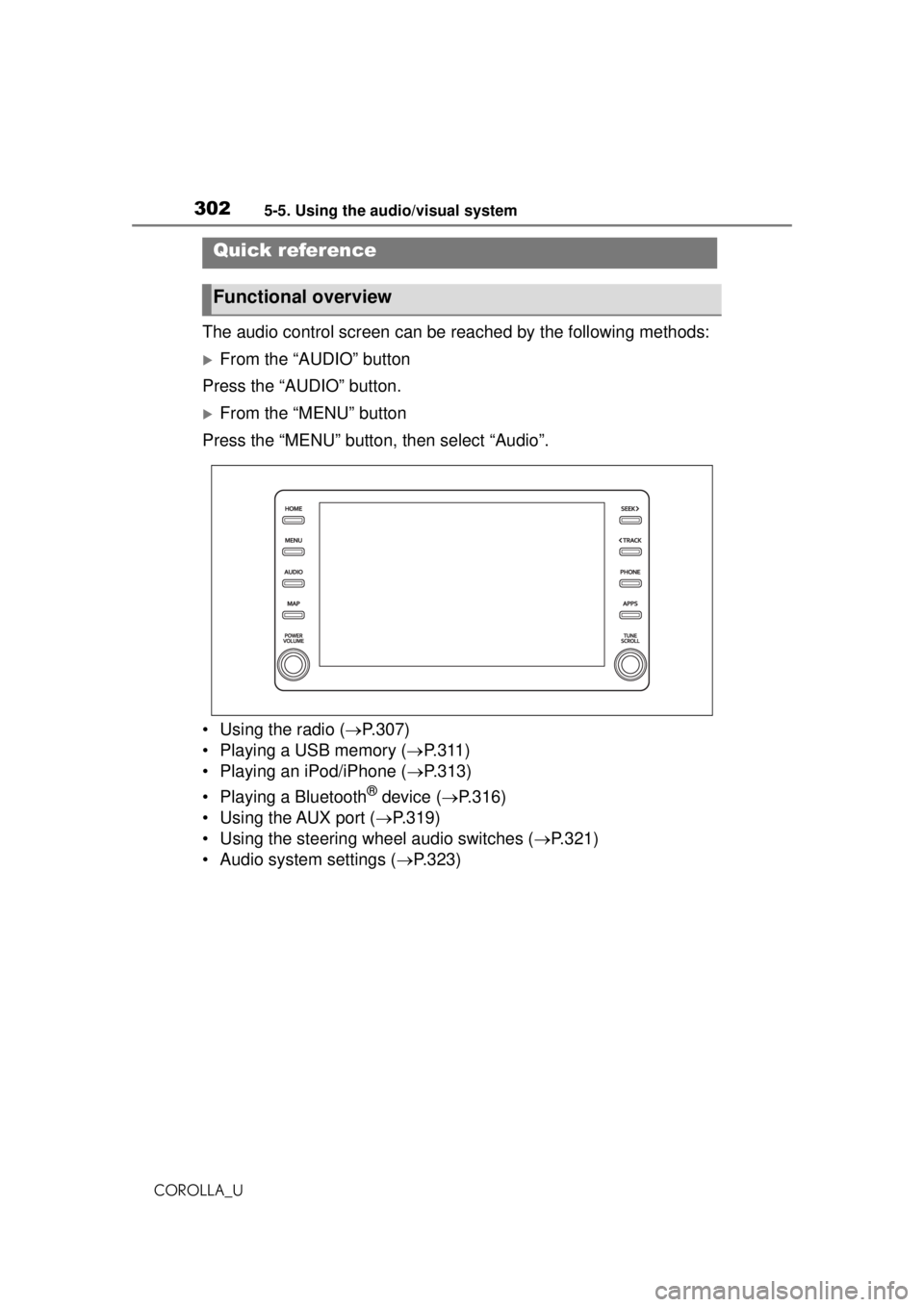
The audio control screen can be reached by the following methods:
From the “AUDIO” button
Press the “AUDIO” button.
From the “MENU” button
Press the “MENU” button, then select “Audio”.
• Using the radio ( P.307)
• Playing a USB memory ( P.311)
• Playing an iPod/iPhone ( P.313)
• Playing a Bluetooth
® device ( P.316)
• Using the AUX port ( P.319)
• Using the steering wheel audio switches ( P.321)
• Audio system settings ( P.323)
Quick reference
Functional overview
Page 304 of 588
3045-5. Using the audio/visual system
COROLLA_U
3Select the desired audio
source then or to reor-
der.
4 Select “OK”.
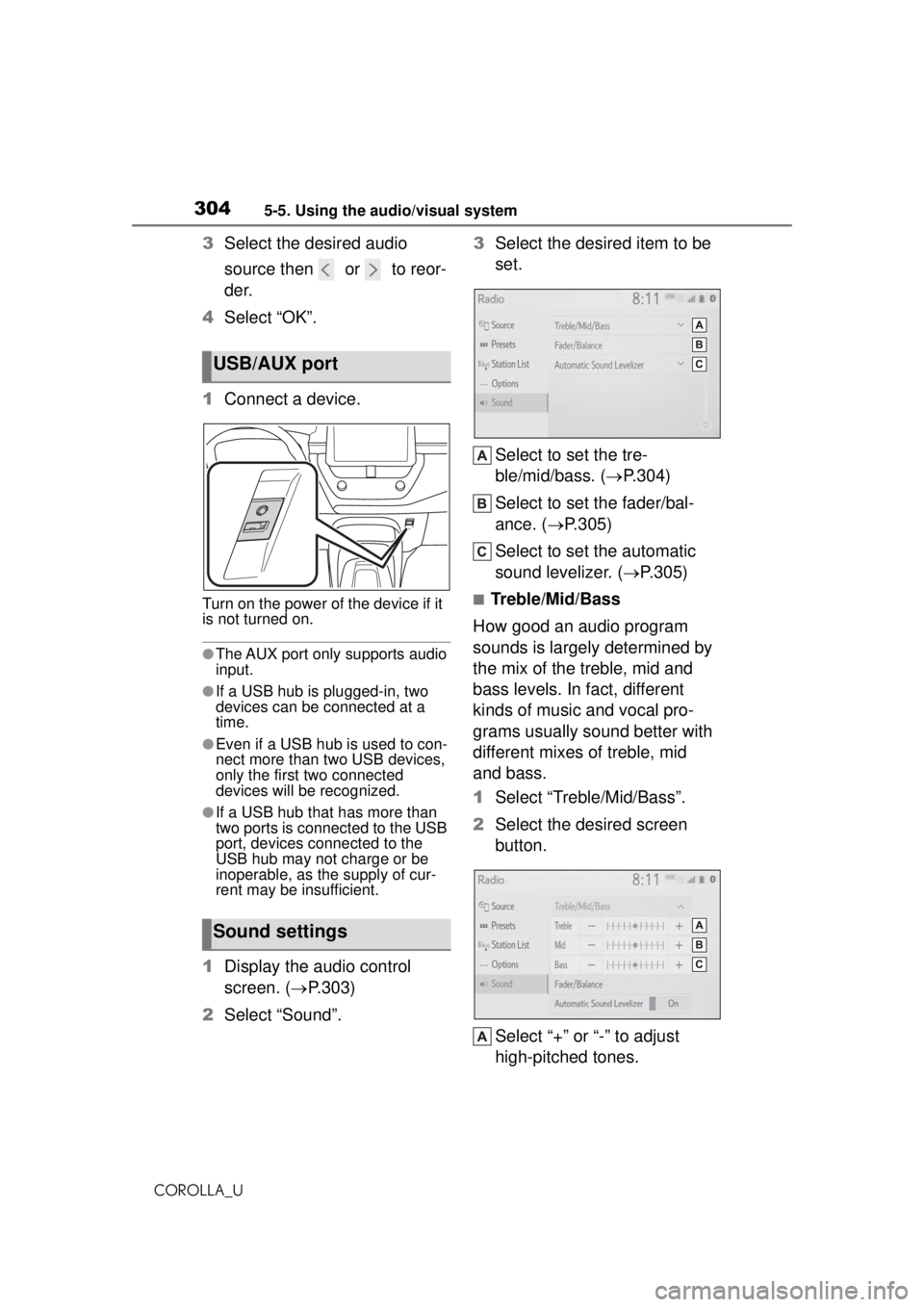
1 Connect a device.
Turn on the power of the device if it
is not turned on.
●The AUX port only supports audio
input.
●If a USB hub is plugged-in, two
devices can be connected at a
time.
●Even if a USB hub is used to con-
nect more than two USB devices,
only the first two connected
devices will be recognized.
●If a USB hub that has more than
two ports is connected to the USB
port, devices connected to the
USB hub may not charge or be
inoperable, as the supply of cur-
rent may be insufficient.
1Display the audio control
screen. ( P.303)
2 Select “Sound”. 3
Select the desired item to be
set.
Select to set the tre-
ble/mid/bass. ( P.304)
Select to set the fader/bal-
ance. ( P.305)
Select to set the automatic
sound levelizer. ( P.305)
■Treble/Mid/Bass
How good an audio program
sounds is largely determined by
the mix of the treble, mid and
bass levels. In fact, different
kinds of music and vocal pro-
grams usually sound better with
different mixes of treble, mid
and bass.
1 Select “Treble/Mid/Bass”.
2 Select the desired screen
button.
Select “+” or “-” to adjust
high-pitched tones.
USB/AUX port
Sound settings
Page 319 of 588
3195-7. Media operation
COROLLA_U
5
Entune audio
Selecting a registered device
1 Display the Bluetooth
® audio
control screen. ( P.317)
2 Select “Connect”.
3 Select the desired device to
be connected.
4 Check that a confirmation
screen is displayed when the
connection is complete.
If an error message is displayed,
follow the guidance on the screen
to try again.
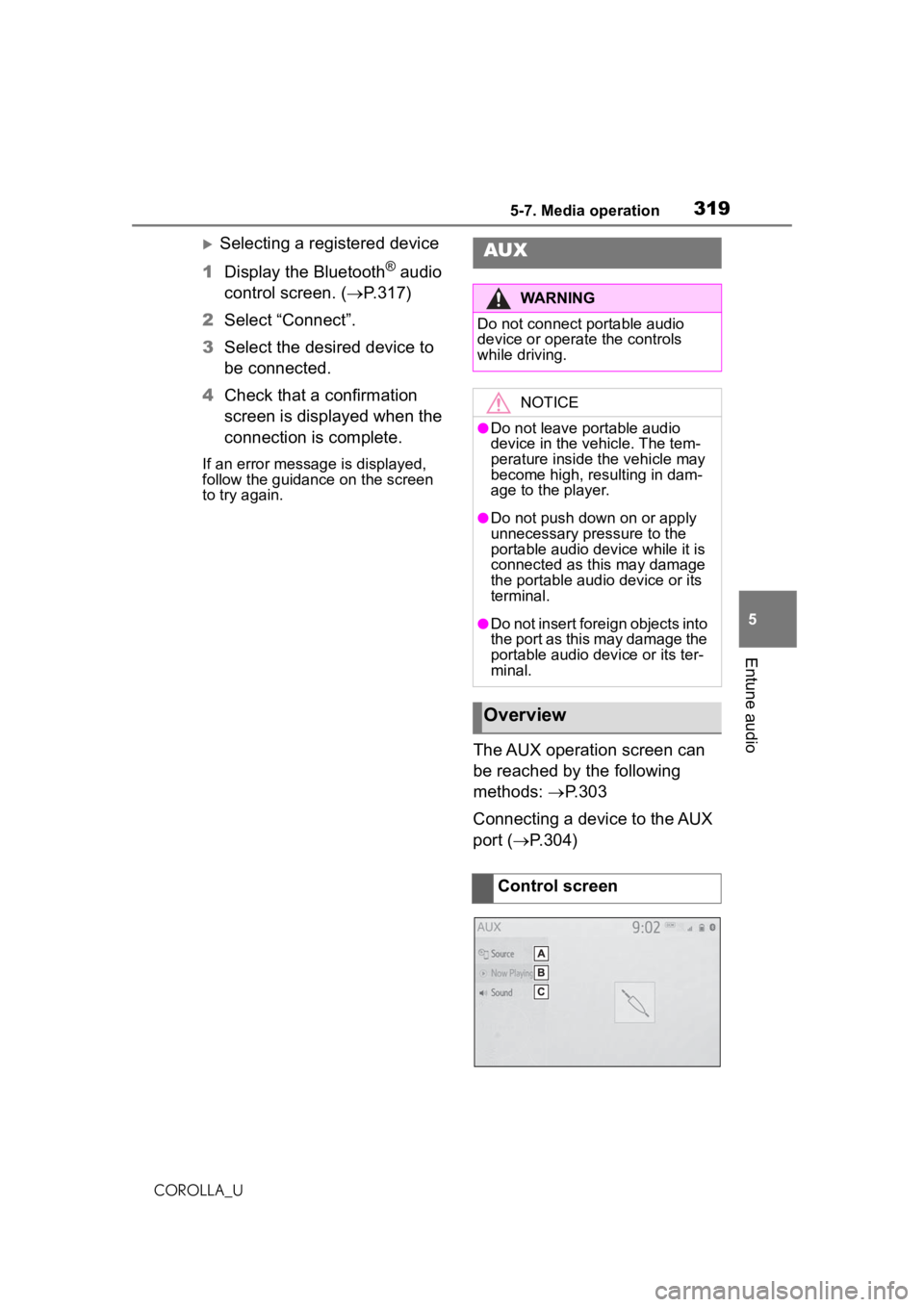
The AUX operation screen can
be reached by the following
methods: P.303
Connecting a device to the AUX
port ( P.304)
AUX
WARNING
Do not connect portable audio
device or operate the controls
while driving.
NOTICE
●Do not leave portable audio
device in the vehicle. The tem-
perature inside the vehicle may
become high, resulting in dam-
age to the player.
●Do not push down on or apply
unnecessary pressure to the
portable audio device while it is
connected as this may damage
the portable audio device or its
terminal.
●Do not insert foreign objects into
the port as this may damage the
portable audio device or its ter-
minal.
Overview
Control screen
Page 321 of 588
3215-8. Audio/visual remote controls
COROLLA_U
5
Entune audio
5-8.Audio/visual remote controls
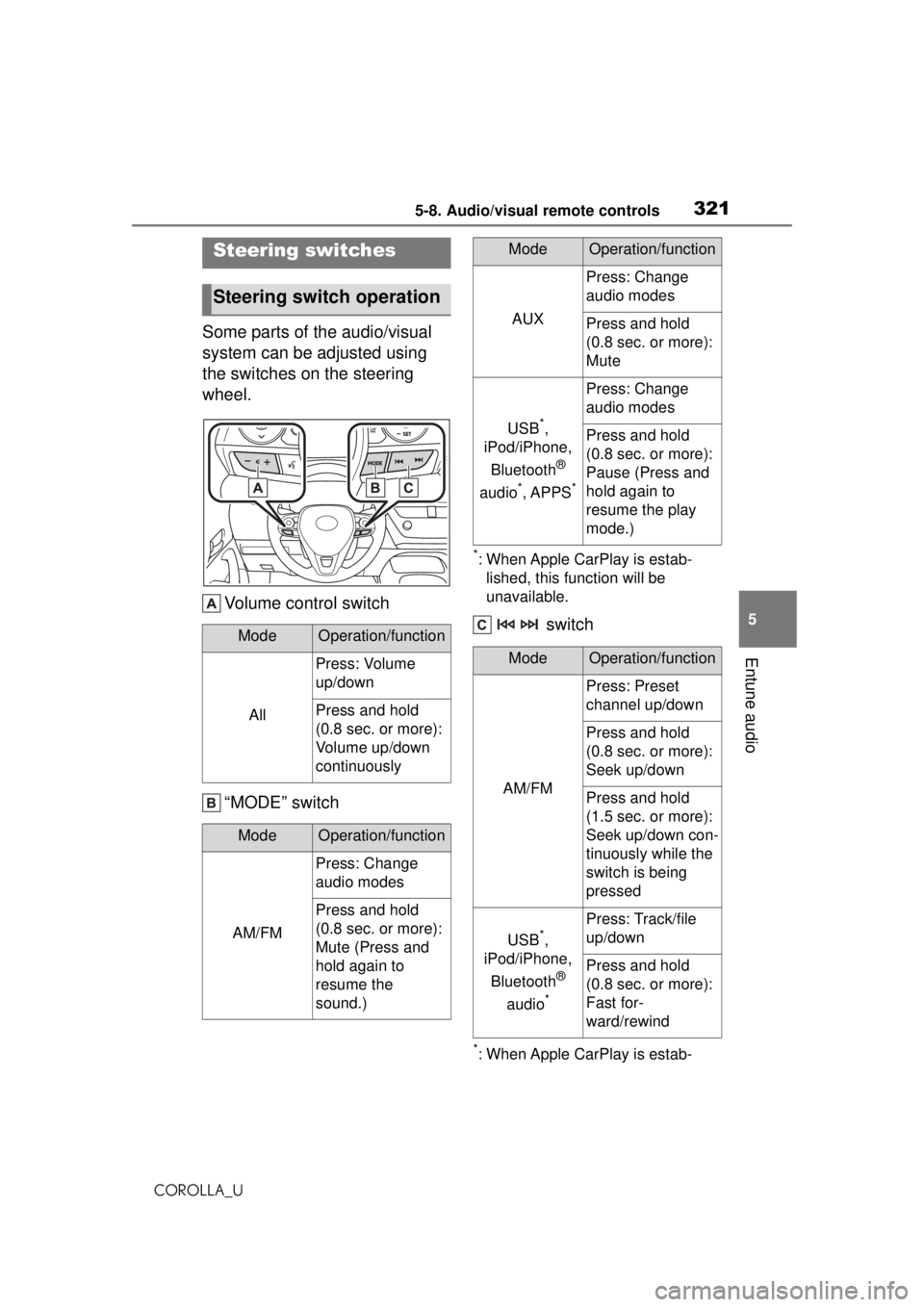
Some parts of the audio/visual
system can be adjusted using
the switches on the steering
wheel. Volume control switch
“MODE” switch
*: When Apple CarPlay is estab-lished, this function will be
unavailable.
switch
*: When Apple CarPlay is estab-
Steering switches
Steering switch operation
ModeOperation/function
All
Press: Volume
up/down
Press and hold
(0.8 sec. or more):
Volume up/down
continuously
ModeOperation/function
AM/FM
Press: Change
audio modes
Press and hold
(0.8 sec. or more):
Mute (Press and
hold again to
resume the
sound.)
AUX
Press: Change
audio modes
Press and hold
(0.8 sec. or more):
Mute
USB*,
iPod/iPhone,
Bluetooth
®
audio
*, APPS*
Press: Change
audio modes
Press and hold
(0.8 sec. or more):
Pause (Press and
hold again to
resume the play
mode.)
ModeOperation/function
AM/FM
Press: Preset
channel up/down
Press and hold
(0.8 sec. or more):
Seek up/down
Press and hold
(1.5 sec. or more):
Seek up/down con-
tinuously while the
switch is being
pressed
USB*,
iPod/iPhone,
Bluetooth
®
audio
*
Press: Track/file
up/down
Press and hold
(0.8 sec. or more):
Fast for-
ward/rewind
ModeOperation/function
Page 403 of 588
4036-3. Using the storage features
COROLLA_U
6
Interior features
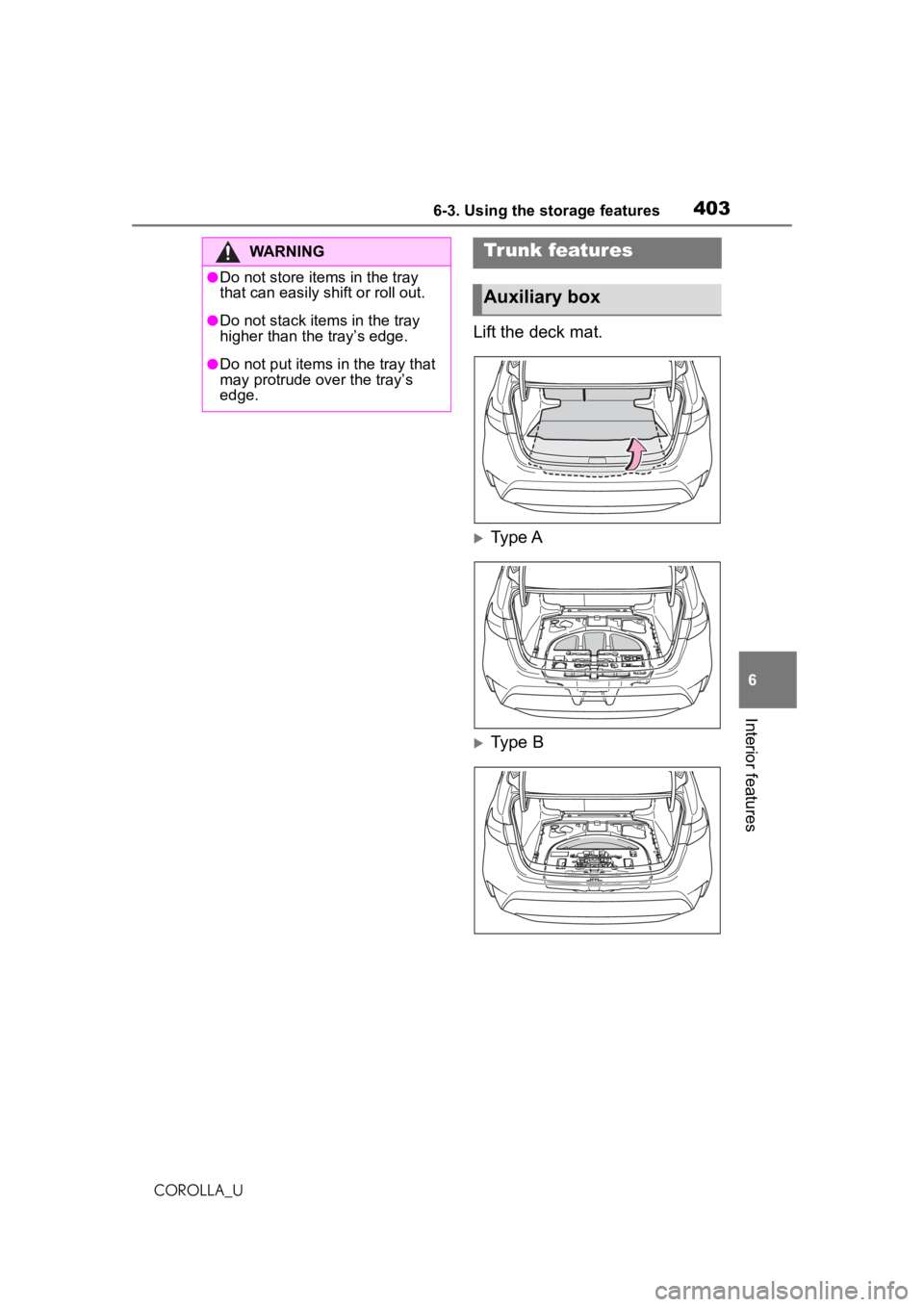
Lift the deck mat.
Type A
Type B
WARNING
●Do not store items in the tray
that can easily shift or roll out.
●Do not stack items in the tray
higher than the tray’s edge.
●Do not put items in the tray that
may protrude over the tray’s
edge.
Trunk features
Auxiliary box
Page 434 of 588
4347-3. Do-it-yourself maintenance
COROLLA_U
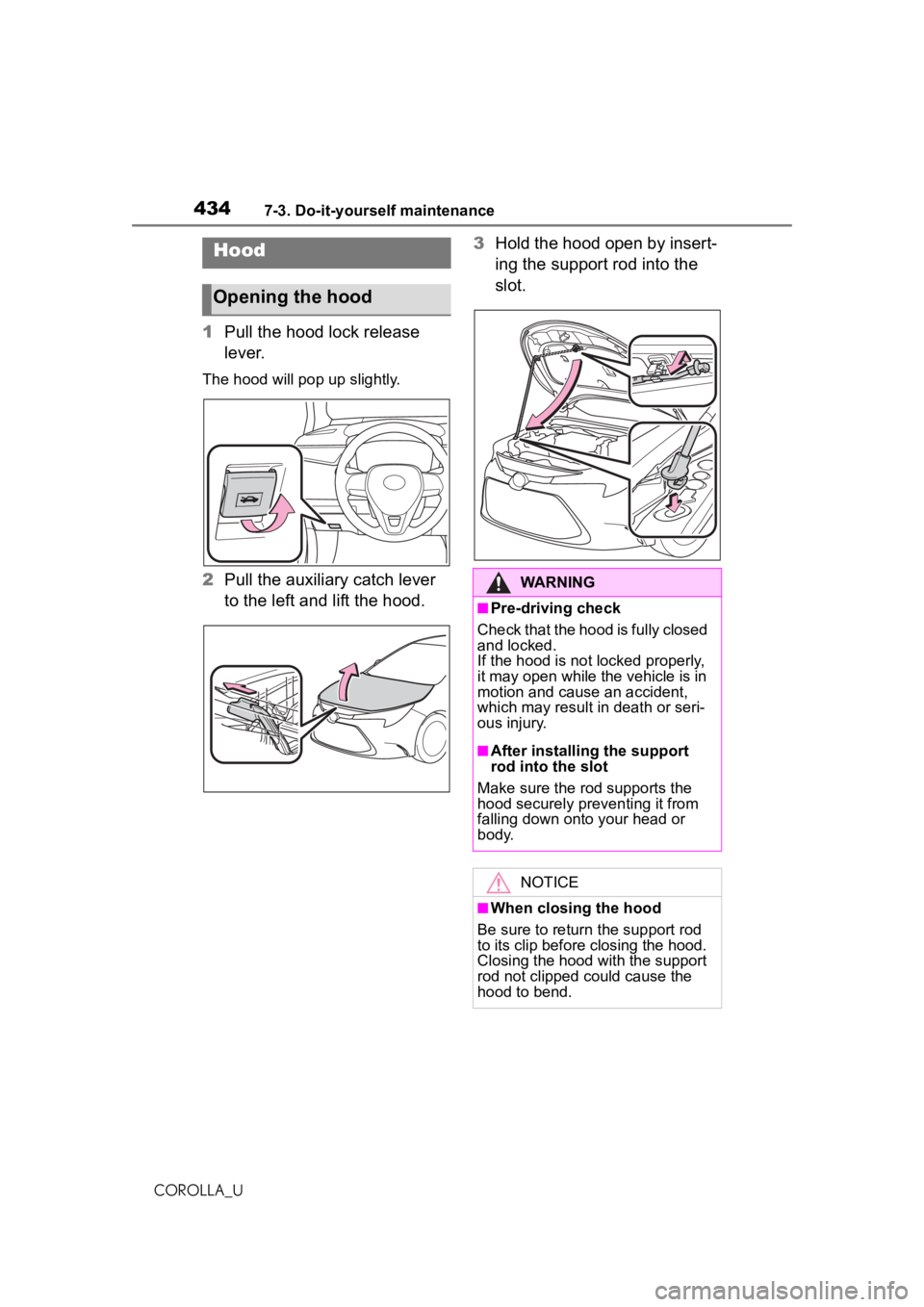
1Pull the hood lock release
lever.
The hood will pop up slightly.
2Pull the auxiliary catch lever
to the left and lift the hood. 3
Hold the hood open by insert-
ing the support rod into the
slot.
Hood
Opening the hood
WARNING
■Pre-driving check
Check that the hood is fully closed
and locked.
If the hood is not locked properly,
it may open while the vehicle is in
motion and cause an accident,
which may result in death or seri-
ous injury.
■After installing the support
rod into the slot
Make sure the rod supports the
hood securely preventing it from
falling down onto your head or
body.
NOTICE
■When closing the hood
Be sure to return the support rod
to its clip before closing the hood.
Closing the hood with the support
rod not clipped could cause the
hood to bend.
Page 447 of 588
4477-3. Do-it-yourself maintenance
COROLLA_U
7
Maintenance and care
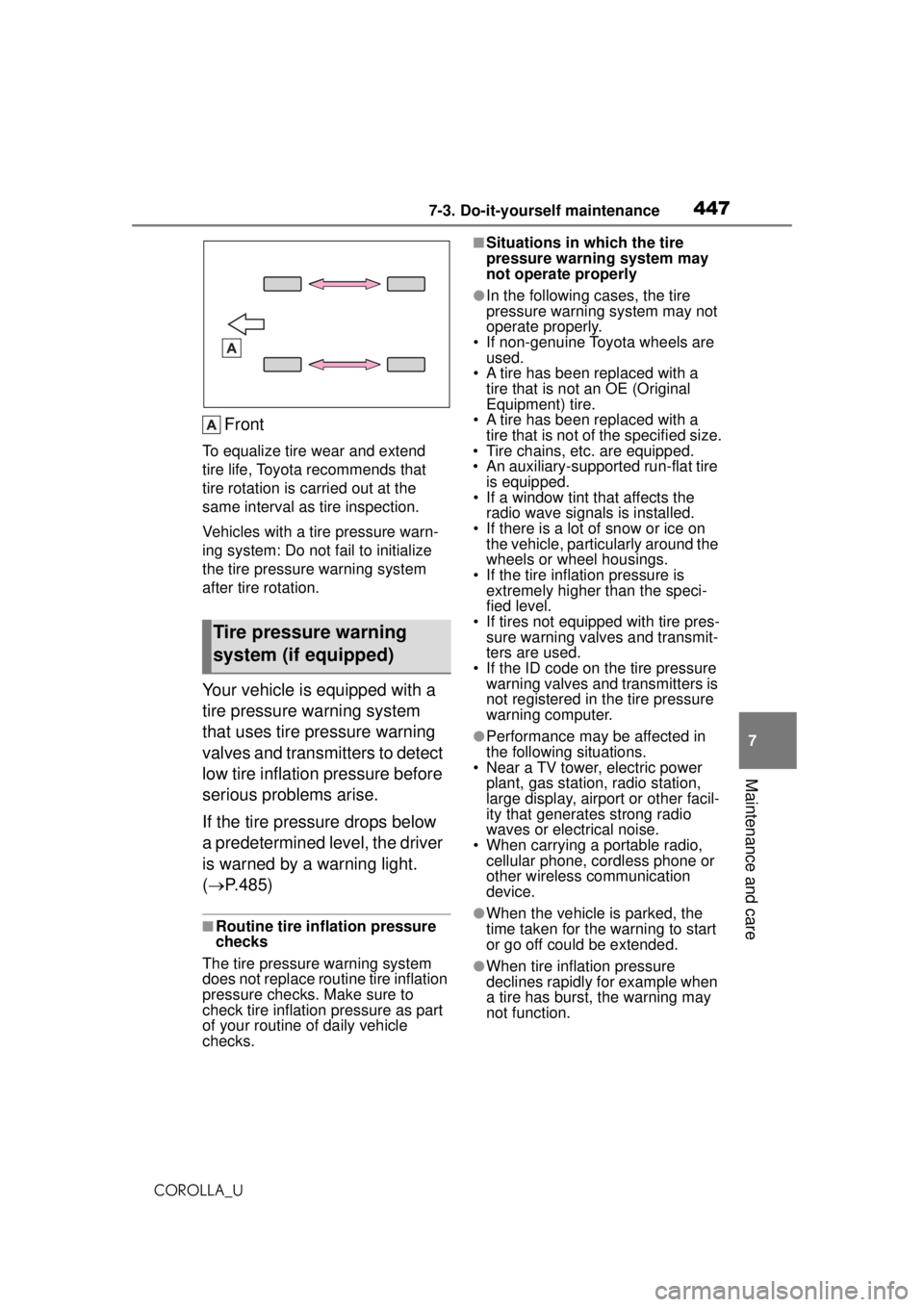
Front
To equalize tire wear and extend
tire life, Toyota recommends that
tire rotation is carried out at the
same interval as tire inspection.
Vehicles with a tire pressure warn-
ing system: Do not fail to initialize
the tire pressure warning system
after tire rotation.
Your vehicle is equipped with a
tire pressure warning system
that uses tire pressure warning
valves and transmitters to detect
low tire inflation pressure before
serious problems arise.
If the tire pressure drops below
a predetermined level, the driver
is warned by a warning light.
( P.485)
■Routine tire inflation pressure
checks
The tire pressure warning system
does not replace routine tire inflation
pressure checks. Make sure to
check tire inflation pressure as part
of your routine of daily vehicle
checks.
■Situations in which the tire
pressure warning system may
not operate properly
●In the following cases, the tire
pressure warning system may not
operate properly.
• If non-genuine Toyota wheels are used.
• A tire has been replaced with a tire that is not an OE (Original
Equipment) tire.
• A tire has been replaced with a tire that is not of the specified size.
• Tire chains, etc. are equipped.
• An auxiliary-sup ported run-flat tire
is equipped.
• If a window tint that affects the
radio wave signals is installed.
• If there is a lot of snow or ice on the vehicle, particularly around the
wheels or wheel housings.
• If the tire inflation pressure is extremely higher than the speci-
fied level.
• If tires not equipped with tire pres- sure warning valv es and transmit-
ters are used.
• If the ID code on the tire pressure warning valves and transmitters is
not registered in the tire pressure
warning computer.
●Performance may be affected in
the following situations.
• Near a TV tower, electric power
plant, gas station, radio station,
large display, airport or other facil-
ity that generates strong radio
waves or electrical noise.
• When carrying a portable radio, cellular phone, cordless phone or
other wireless communication
device.
●When the vehicle is parked, the
time taken for the warning to start
or go off could be extended.
●When tire inflation pressure
declines rapidly for example when
a tire has burst, the warning may
not function.
Tire pressure warning
system (if equipped)
Page 560 of 588
56010-1. For owners
COROLLA_U
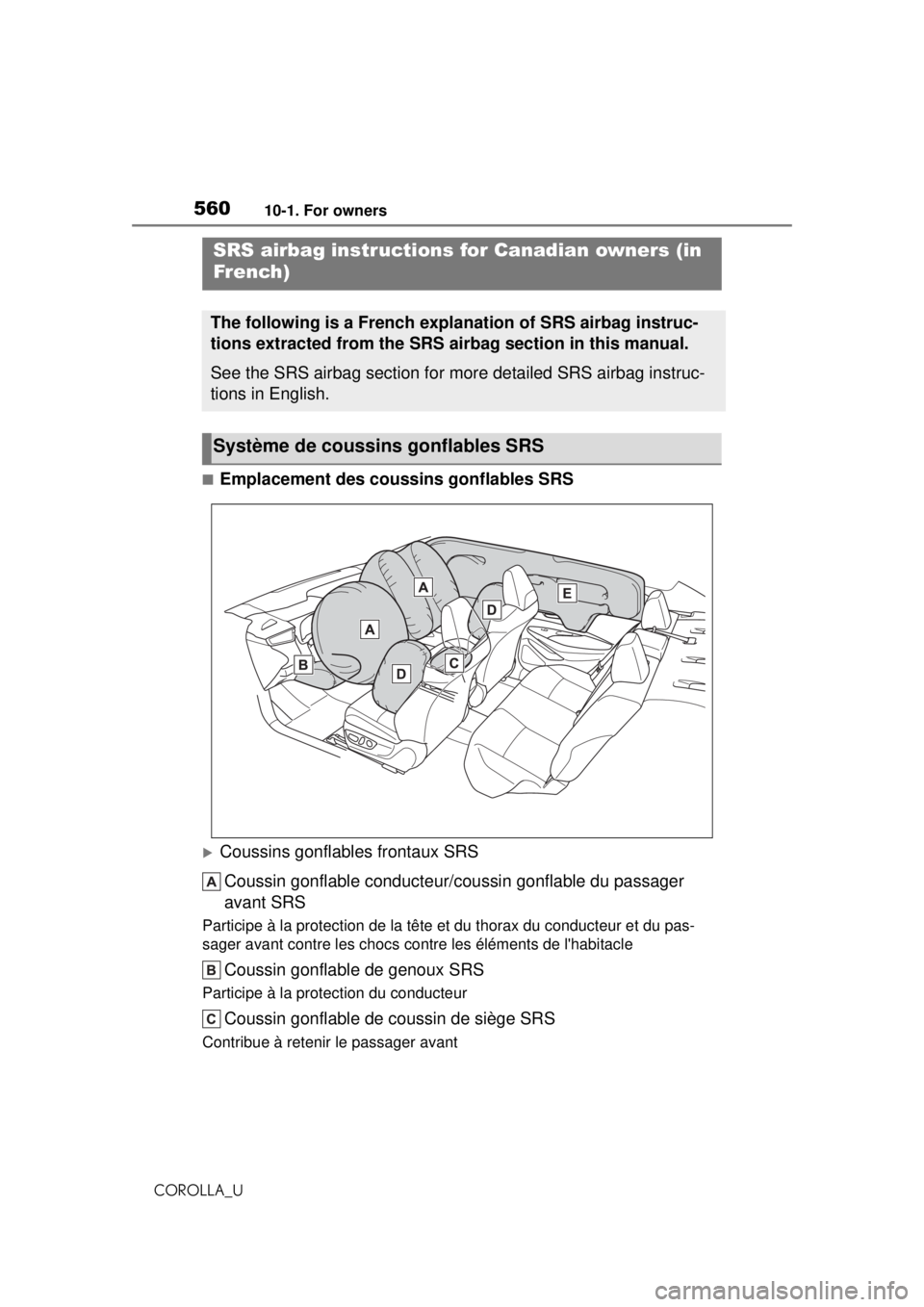
■Emplacement des coussins gonflables SRS
Coussins gonflables frontaux SRSCoussin gonflable conducteur/c oussin gonflable du passager
avant SRS
Participe à la protection de la tête et du thorax du conducteur et du pas-
sager avant contre les chocs contre les éléments de l'habitacle
Coussin gonflable de genoux SRS
Participe à la protection du conducteur
Coussin gonflable de coussin de siège SRS
Contribue à retenir le passager avant
SRS airbag instructions for Canadian owners (in
French)
The following is a French explanation of SRS airbag instruc-
tions extracted from the SRS airbag section in this manual.
See the SRS airbag section for more detailed SRS airbag instruc-
tions in English.
Système de coussi ns gonflables SRS