carplay TOYOTA COROLLA 2020 Owners Manual (in English)
[x] Cancel search | Manufacturer: TOYOTA, Model Year: 2020, Model line: COROLLA, Model: TOYOTA COROLLA 2020Pages: 588, PDF Size: 13.49 MB
Page 3 of 588
3TABLE OF CONTENTS
COROLLA_U
1
2
3
4
5
6
7
8
9
10
Continuously variable transmis- sion (vehicles with paddle shift
switches) .......................... 155
Manual transmission .......... 160
Turn signal lever................. 162
Parking brake ..................... 163
Electric parking brake......... 164
Brake Hold ......................... 167
4-3. Operating the lights and wip- ers
Headlight switch ................. 170
Automatic High Beam ........ 173
Windshield wipers and washer ......................................... 176
4-4. Refueling Opening the fuel tank cap .. 178
4-5. Using the driving support sys- tems
Toyota Safety Sense 2.0 .... 180
PCS (Pre-Collision System) ......................................... 187
LTA (Lane Tracing Assist)... 195
LDA (Lane Departure Alert with steering control) ............... 205
Dynamic radar cruise control with full-speed range ........ 213
Dynamic radar cruise control ......................................... 223
RSA (Road Sign Assist) ..... 233
BSM (Blind Spot Monitor)... 236
Rear view monitor system .. 241
Driving mode select switch ......................................... 249
Driving assist systems........ 250
4-6. Driving tips Winter driving tips............... 255
5-1. Basic function Buttons overview ................ 261Menu screen ......................
263
Status icon ......................... 264
“Setup” screen ................... 266
5-2. Basic information before oper- ation
Initial screen ....................... 267
Touch screen...................... 268
Home screen...................... 270
Entering letters and num- bers/list screen operation
......................................... 271
Screen adjustment ............. 274
Linking multi-information display and the system ................ 275
5-3. Connectivity settings Registering/Connecting a Blue-
tooth
® device ................... 276
Setting Bluetooth
® details .. 280
Wi-Fi
® Hotspot ................... 287
Apple CarPlay .................... 292
5-4. Other settings General settings ................. 296
Voice settings ..................... 299
Vehicle settings .................. 300
5-5. Using the audio/visual system Quick reference.................. 302
Some basics ...................... 303
5-6. Radio operation AM/FM radio ...................... 307
Internet radio ...................... 309
5-7. Media operation USB memory...................... 311
iPod/iPhone........................ 313
Bluetooth
® audio ................ 316
AUX.................................... 319
5-8. Audio/visual remote controls Steering switches ............... 321
5-9. Audio settings Setup.................................. 323
5Entune audio
Page 259 of 588
259
COROLLA_U
5
5
Entune audio
Entune audio
.5-1. Basic functionButtons overview......... 261
Menu screen ............... 263
Status icon .................. 264
“Setup” screen ............ 266
5-2. Basic information before operation
Initial screen ................ 267
Touch screen............... 268
Home screen............... 270
Entering letters and num- bers/list screen operation
.................................. 271
Screen adjustment ...... 274
Linking multi-information display and the system
.................................. 275
5-3. Connectivity settings Registering/Connecting a Bluetooth
® device ..... 276
Setting Bluetooth
® details
.................................. 280
Wi-Fi
® Hotspot ............ 287
Apple CarPlay ............. 292
5-4. Other settings General settings .......... 296
Voice settings .............. 299
Vehicle settings ........... 3005-5. Using the audio/visual
system
Quick reference ........... 302
Some basics................ 303
5-6. Radio operation AM/FM radio................ 307
Internet radio ............... 309
5-7. Media operation USB memory ............... 311
iPod/iPhone ................. 313
Bluetooth
® audio ......... 316
AUX ............................. 319
5-8. Audio/visual remote con- trols
Steering switches ........ 321
5-9. Audio settings Setup ........................... 323
5-10.Tips for operating the audio/visual system
Operating information.. 324
5-11.Voice command system operation
Voice command system .................................. 336
Command list .............. 339
5-12.Mobile Assistant opera- tion
Mobile Assistant .......... 343
Page 261 of 588
2615-1. Basic function
COROLLA_U
5
Entune audio
5-1.Basic function
*: If equipped
Entune Audio Plus/Entune Premium Audio
Owners of this system should re fer to the “NAVIGATION AND MUL-
TIMEDIA SYSTEM OWNER’S MANUAL”.
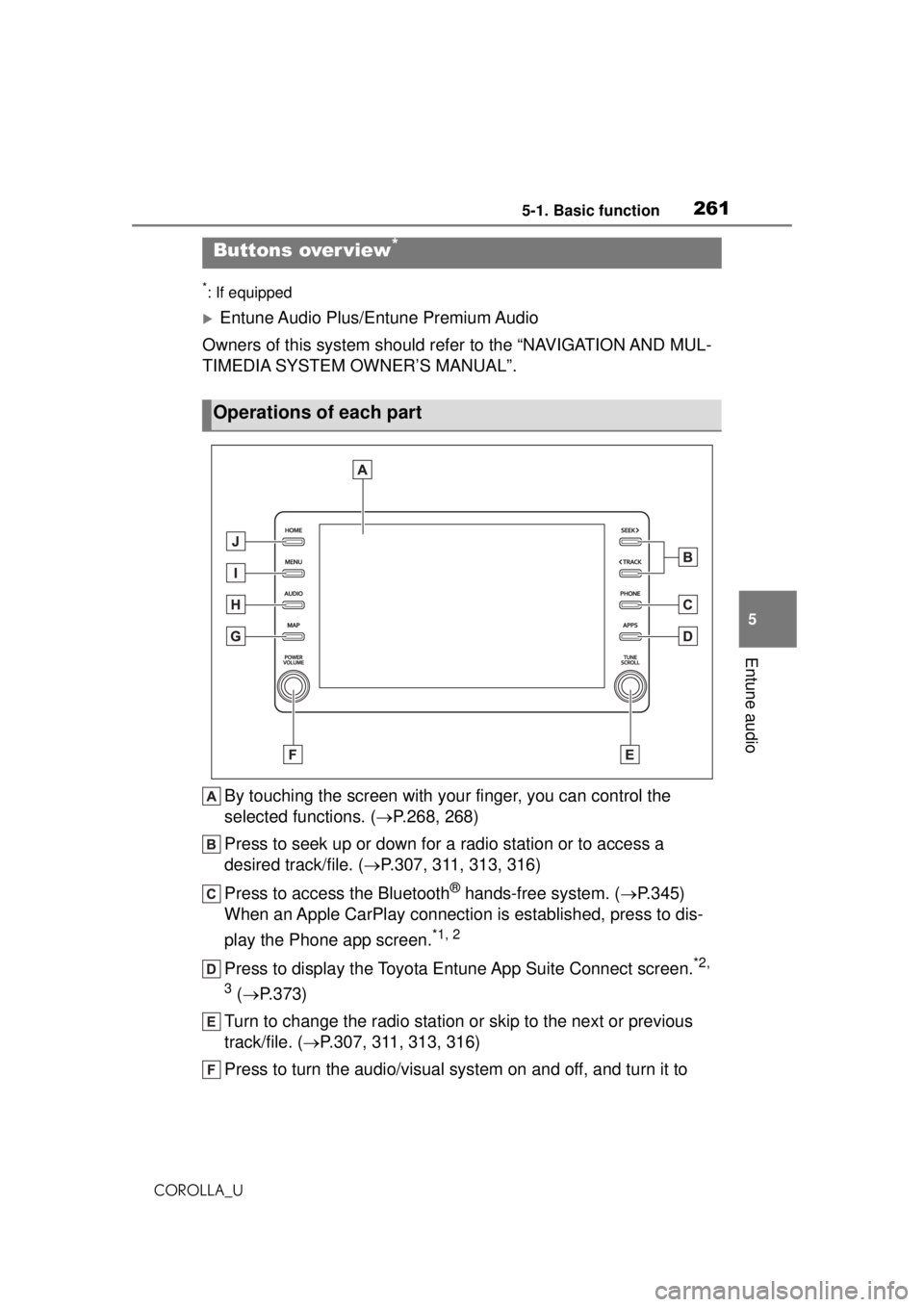
By touching the screen with your finger, you can control the
selected functions. ( P.268, 268)
Press to seek up or down for a radio station or to access a
desired track/file. ( P.307, 311, 313, 316)
Press to access the Bluetooth
® hands-free system. ( P.345)
When an Apple CarPlay connection is established, press to dis-
play the Phone app screen.
*1, 2
Press to display the Toyota Entune App Suite Connect screen.*2,
3
( P.373)
Turn to change the radio station or skip to the next or previous
track/file. ( P.307, 311, 313, 316)
Press to turn the audio/visual system on and off, and turn it to
Buttons over view*
Operations of each part
Page 262 of 588
2625-1. Basic function
COROLLA_U
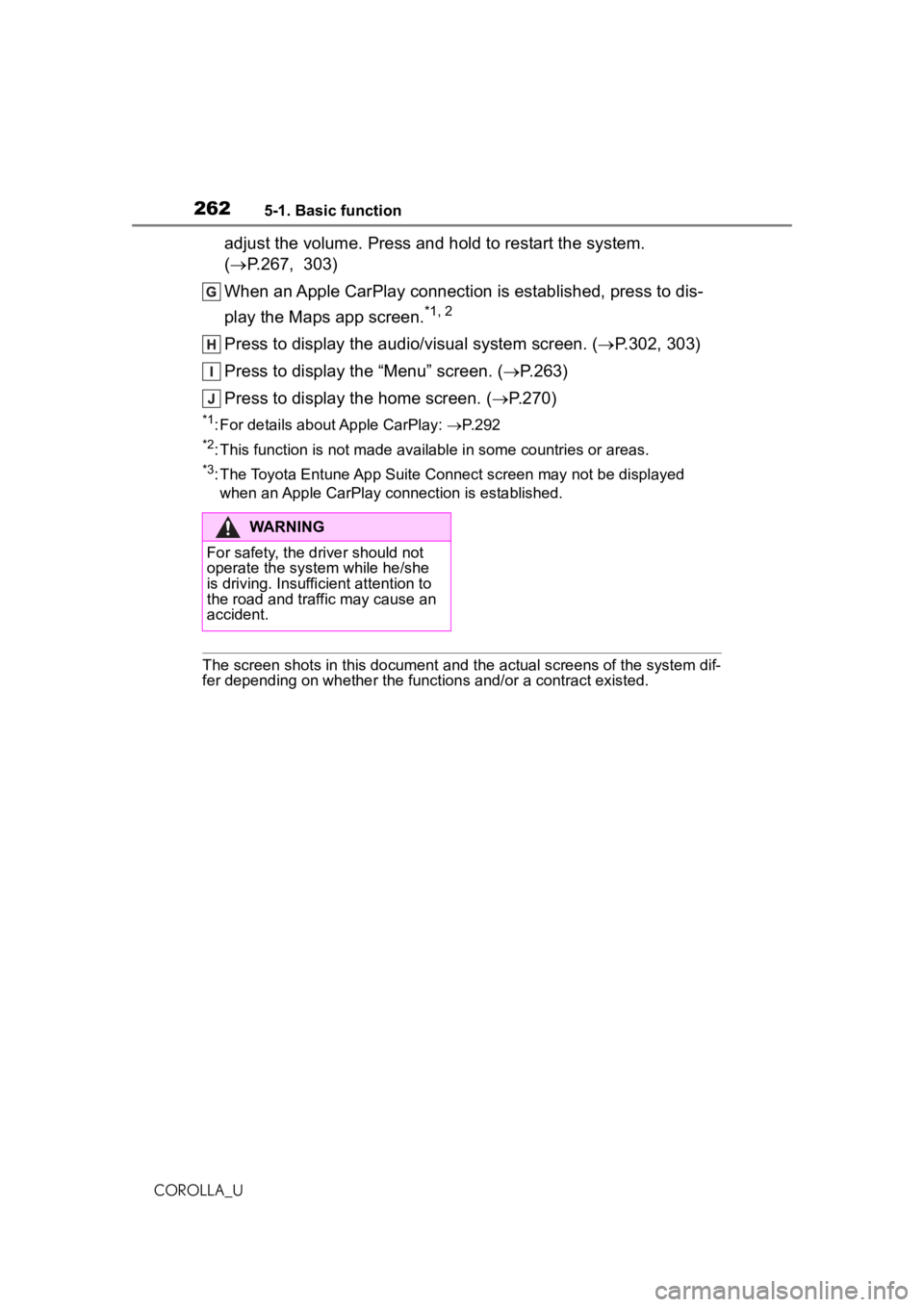
adjust the volume. Press and hold to restart the system.
(P.267, 303)
When an Apple CarPlay connection is established, press to dis-
play the Maps app screen.
*1, 2
Press to display the audio/ visual system screen. (P.302, 303)
Press to display the “Menu” screen. ( P.263)
Press to display the home screen. ( P.270)
*1: For details about Apple CarPlay: P. 2 9 2
*2: This function is not made available in some countries or areas.
*3: The Toyota Entune App Suite Connect screen may not be displayed
when an Apple CarPlay connection is established.
The screen shots in this document and the actual screens of the system dif-
fer depending on whether the functions and/or a contract existed.
WARNING
For safety, the driver should not
operate the system while he/she
is driving. Insuffic ient attention to
the road and traffic may cause an
accident.
Page 263 of 588
2635-1. Basic function
COROLLA_U
5
Entune audio
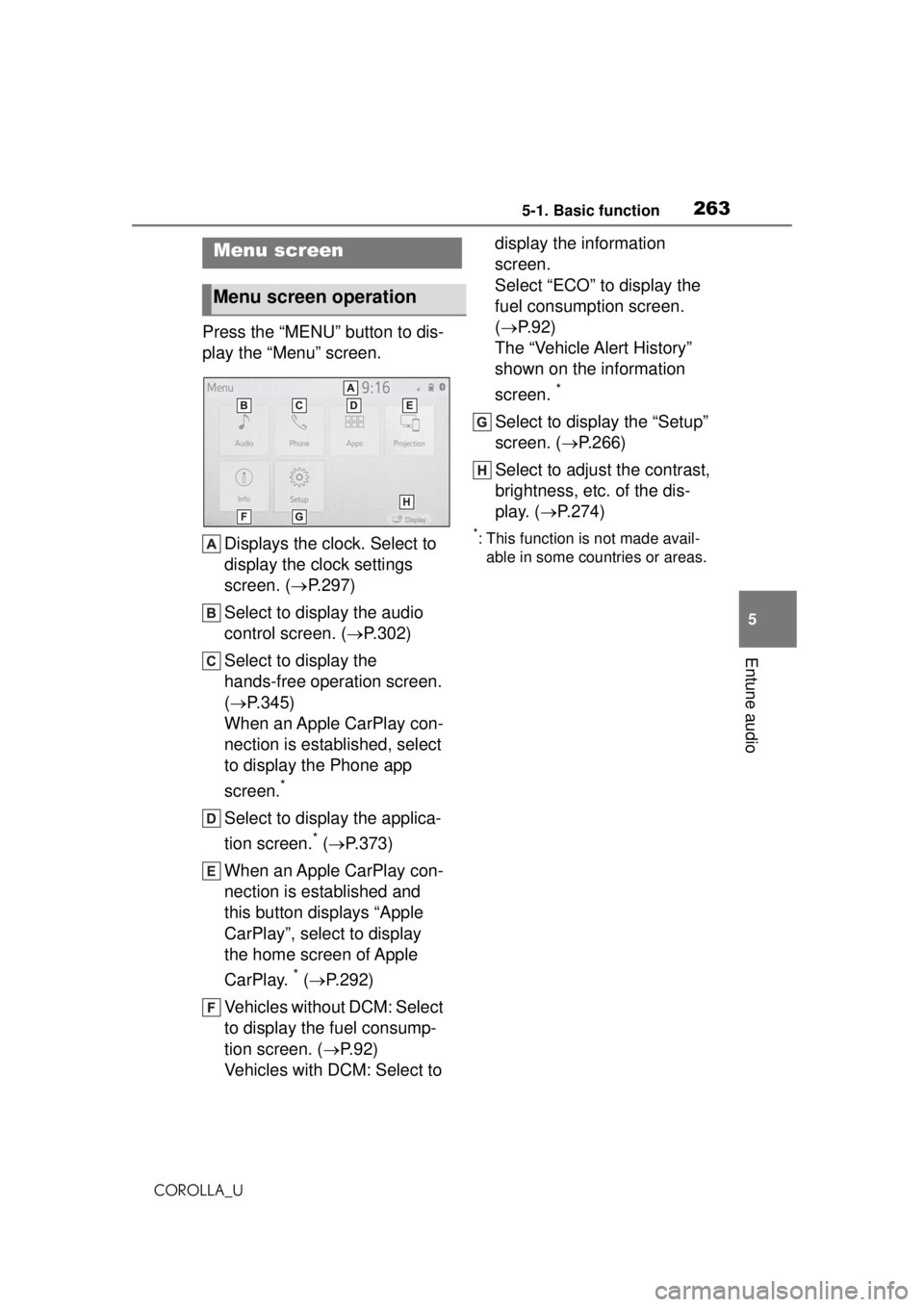
Press the “MENU” button to dis-
play the “Menu” screen. Displays the clock. Select to
display the clock settings
screen. ( P.297)
Select to display the audio
control screen. ( P.302)
Select to display the
hands-free operation screen.
( P.345)
When an Apple CarPlay con-
nection is established, select
to display the Phone app
screen.
*
Select to display the applica-
tion screen.
* ( P.373)
When an Apple CarPlay con-
nection is established and
this button displays “Apple
CarPlay”, select to display
the home screen of Apple
CarPlay.
* ( P.292)
Vehicles without DCM: Select
to display the fuel consump-
tion screen. ( P.92)
Vehicles with DCM: Select to display the information
screen.
Select “ECO” to display the
fuel consumption screen.
(
P.92)
The “Vehicle Alert History”
shown on the information
screen.
*
Select to display the “Setup”
screen. ( P.266)
Select to adjust the contrast,
brightness, etc. of the dis-
play. ( P.274)
*: This function is not made avail-
able in some countries or areas.
Menu screen
Menu screen operation
Page 275 of 588
2755-2. Basic information before operation
COROLLA_U
5
Entune audio
Select “<” or “>” to select the
desired display.
“Contrast”
“+”: Select to strengthen the con-
trast of the screen.
“-”: Select to weaken the contrast of
the screen.
“Brightness”
“+”: Select to brighten the screen.
“-”: Select to darken the screen.
Linking multi-informa-
tion display and the
system
The following functions of
the system are linked with
the multi-information dis-
play in the instrument clus-
ter:
Audio
Phone
*
etc.
These functions can be
operated using multi-infor-
mation display control
switches on the steering
wheel. ( P.87)
*: When an Apple CarPlay con-
nection is established, this
function will be unavailable.
Page 276 of 588
2765-3. Connectivity settings
COROLLA_U
5-3.Connectivity settings
●This system is not guaranteed to
operate with all Bluetooth®
devices.
●If your cellular phone does not
support HFP, registering the Blue-
tooth
® phone or using OPP,
PBAP, MAP or SPP profiles indi-
vidually will not be possible.
●If the connec ted Bluetooth®
device version is older than rec-
ommended or incompatible, the
Bluetooth
® device function may
not work properly.
●Refer to
http://www.toyota.com/Entune/
in the United States,
http://www.toyota.ca/entune
in
Canada, and
http://www.toyo tapr.com/entune
in
Puerto Rico, to find approved Bluetooth
® phones for this sys-
tem.
●Certification
Bluetooth is a registered trademark
of Bluetooth SIG, Inc.
■Registering from the sys-
tem
1 Turn the Bluetooth
® connec-
tion setting of your cellular
phone on.
This function is not available when
Bluetooth® connection setting of
your cellular phone is set to off.
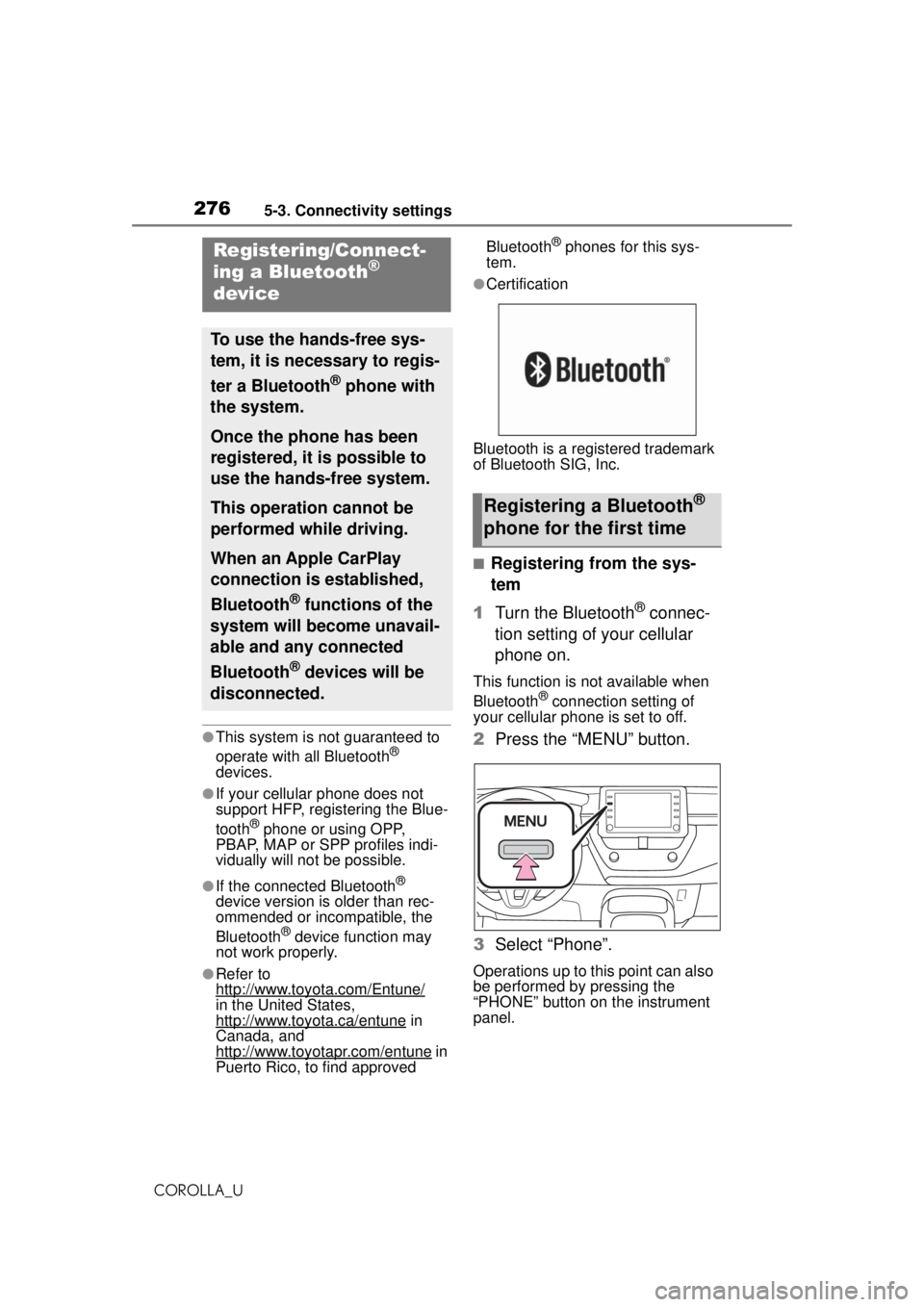
2 Press the “MENU” button.
3 Select “Phone”.
Operations up to this point can also
be performed by pressing the
“PHONE” button on the instrument
panel.
Registering/Connect-
ing a Bluetooth®
device
To use the hands-free sys-
tem, it is necessary to regis-
ter a Bluetooth
® phone with
the system.
Once the phone has been
registered, it is possible to
use the hands-free system.
This operation cannot be
performed while driving.
When an Apple CarPlay
connection is established,
Bluetooth
® functions of the
system will become unavail-
able and any connected
Bluetooth
® devices will be
disconnected.
Registering a Bluetooth®
phone for the first time
Page 279 of 588
2795-3. Connectivity settings
COROLLA_U
5
Entune audio
player with the system.
Once the player has been regis-
tered, it is possible to use the
Bluetooth
® audio.
This operation cannot be per-
formed while driving.
For details about registering a
Bluetooth
® device: P.276
When an Apple CarPlay con-
nection is established, Blue-
tooth
® functions of the system
will become unavailable and any
connected Bluetooth
® devices
will be disconnected.
1 Turn the Bluetooth
® connec-
tion setting of your audio
player on.
This function is not available when
the Bluetooth® connection setting
of your audio player is set to off.
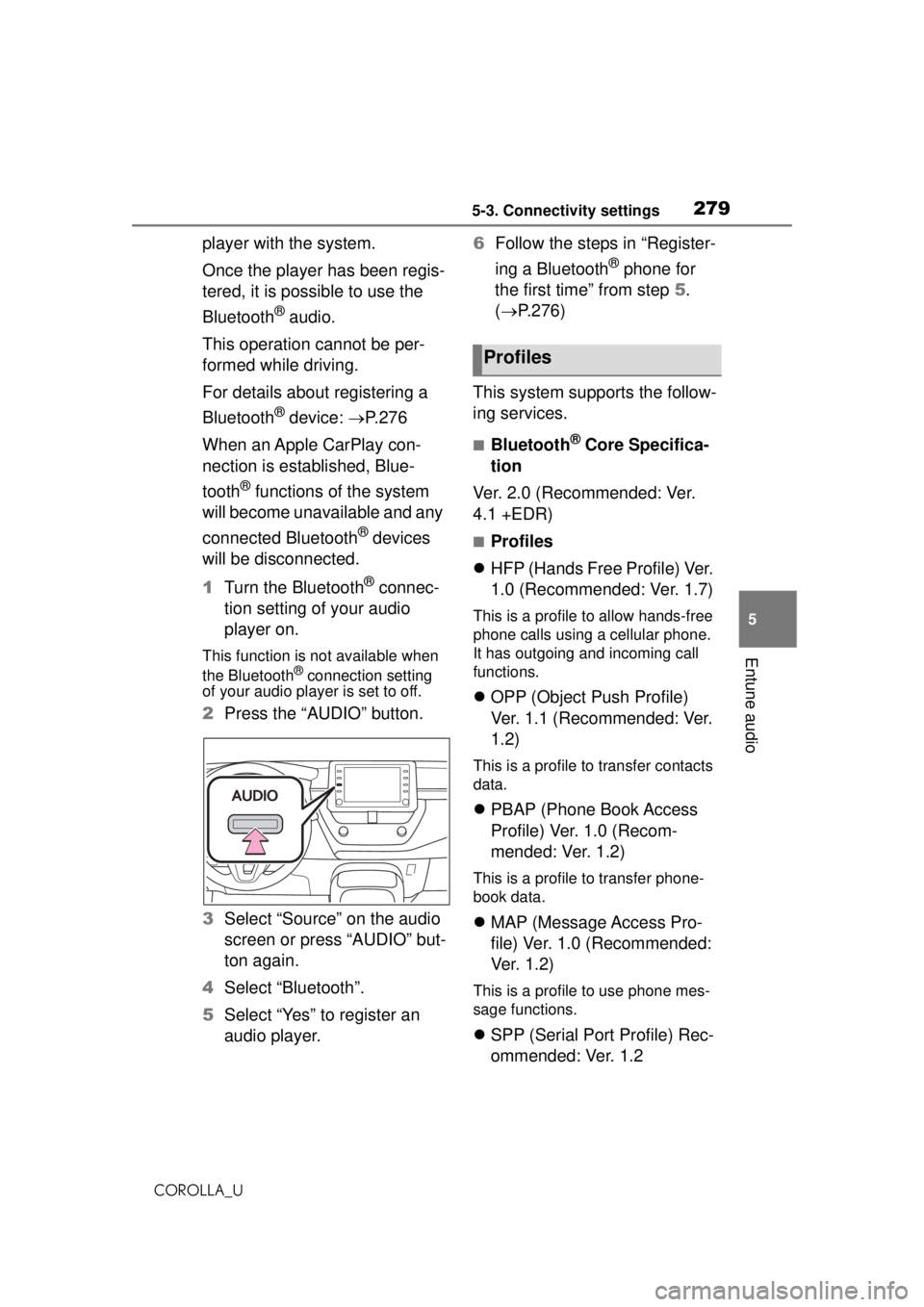
2 Press the “AUDIO” button.
3 Select “Source” on the audio
screen or press “AUDIO” but-
ton again.
4 Select “Bluetooth”.
5 Select “Yes” to register an
audio player. 6
Follow the steps in “Register-
ing a Bluetooth
® phone for
the first time” from step 5.
( P.276)
This system supports the follow-
ing services.
■Bluetooth® Core Specifica-
tion
Ver. 2.0 (Recommended: Ver.
4.1 +EDR)
■Profiles
HFP (Hands Free Profile) Ver.
1.0 (Recommended: Ver. 1.7)
This is a profile to allow hands-free
phone calls using a cellular phone.
It has outgoing and incoming call
functions.
OPP (Object Push Profile)
Ver. 1.1 (Recommended: Ver.
1.2)
This is a profile to transfer contacts
data.
PBAP (Phone Book Access
Profile) Ver. 1.0 (Recom-
mended: Ver. 1.2)
This is a profile to transfer phone-
book data.
MAP (Message Access Pro-
file) Ver. 1.0 (Recommended:
Ve r. 1 . 2 )
This is a profile to use phone mes-
sage functions.
SPP (Serial Port Profile) Rec-
ommended: Ver. 1.2
Profiles
Page 292 of 588
2925-3. Connectivity settings
COROLLA_U
*: if equipped
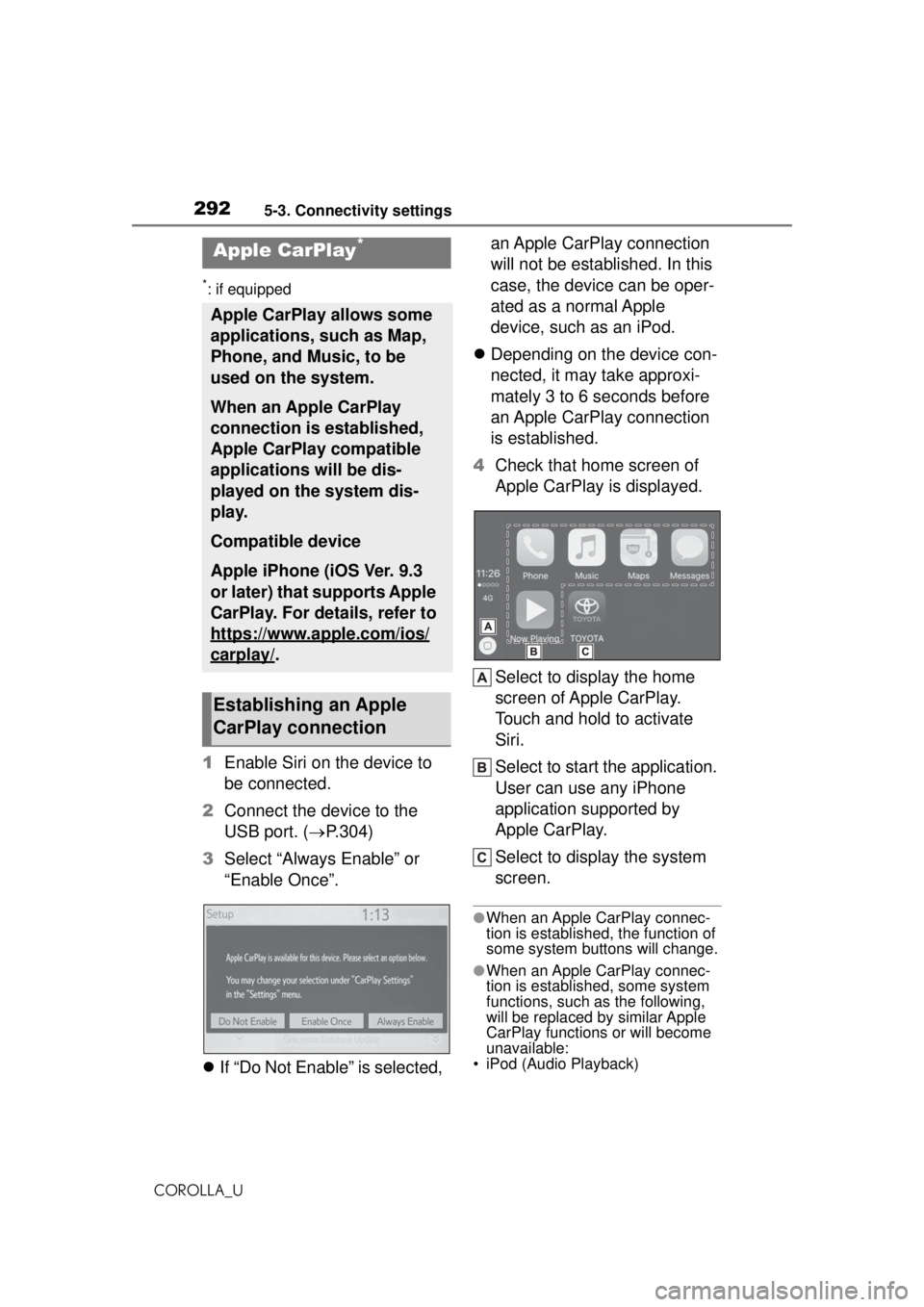
1Enable Siri on the device to
be connected.
2 Connect the device to the
USB port. ( P.304)
3 Select “Always Enable” or
“Enable Once”.
If “Do Not Enable” is selected, an Apple CarPlay connection
will not be established. In this
case, the device can be oper-
ated as a normal Apple
device, such as an iPod.
Depending on the device con-
nected, it may take approxi-
mately 3 to 6 seconds before
an Apple CarPlay connection
is established.
4 Check that home screen of
Apple CarPlay is displayed.
Select to display the home
screen of Apple CarPlay.
Touch and hold to activate
Siri.
Select to start the application.
User can use any iPhone
application supported by
Apple CarPlay.
Select to display the system
screen.
●When an Apple CarPlay connec-
tion is establishe d, the function of
some system buttons will change.
●When an Apple CarPlay connec-
tion is established, some system
functions, such as the following,
will be replaced by similar Apple
CarPlay functions or will become
unavailable:
• iPod (Audio Playback)
Apple CarPlay*
Apple CarPlay allows some
applications, such as Map,
Phone, and Music, to be
used on the system.
When an Apple CarPlay
connection is established,
Apple CarPlay compatible
applications will be dis-
played on the system dis-
play.
Compatible device
Apple iPhone (iOS Ver. 9.3
or later) that supports Apple
CarPlay. For details, refer to
https://www.apple.com/ios/
carplay/.
Establishing an Apple
CarPlay connection
Page 293 of 588
2935-3. Connectivity settings
COROLLA_U
5
Entune audio
• Hands-free Phone
• USB audio/USB video
• Bluetooth
® audio
• Bluetooth® phone
• Toyota Entune App Suite Connect
●The guidance volume can be
changed on the voice settings
screen. ( P.299)
●To disable Apple CarPlay while a
device is connected, set “Apple
CarPlay” on the general settings
screen to off. ( P.296)
●Apple CarPlay is an application
developed by Apple Inc. Its func-
tions and services may be termi-
nated or changed without notice
depending on the connected
device’s operation system, hard-
ware and software, or due to
changes in Apple CarPlay specifi-
cations.
●In some regions, speed limit infor-
mation is displayed on the route
guidance screen of the iOS 11 or
later map application. The dis-
played information is based on the
information in the map application,
so it may differ from the speed
limit information displayed on the
multi-information display.
●Use of the Apple CarPlay logo
means that a vehicle user inter-
face meets Apple performance
standards. Apple is not responsi-
ble for the operation of this vehicle
or its compliance with safety and
regulatory standards. Please note
that the use of this product with
iPhone or iPod may affect wire-
less performance.
●Apple, iPad, iPhone, iPod, and
iPod touch are trademarks of
Apple Inc., registered in the U.S.
and other countries. Apple Car-
Play is a trademark of Apple Inc.
If you are experiencing di fficulties with Apple CarPlay, check the fol-
lowing table.
WARNING
Do not connect iPhone or operate
the controls while driving.
NOTICE
●Do not leave your iPhone in the
vehicle. In particular, high tem-
peratures inside the vehicle
may damage the iPhone.
●Do not push down on or apply
unnecessary pressure to the
iPhone while it is connected as
this may damage the iPhone or
its terminal.
●Do not insert foreign objects into
the port as this may damage the
iPhone or its terminal.
Troubleshooting