door lock TOYOTA COROLLA 2020 Owners Manual (in English)
[x] Cancel search | Manufacturer: TOYOTA, Model Year: 2020, Model line: COROLLA, Model: TOYOTA COROLLA 2020Pages: 588, PDF Size: 13.49 MB
Page 2 of 588
2
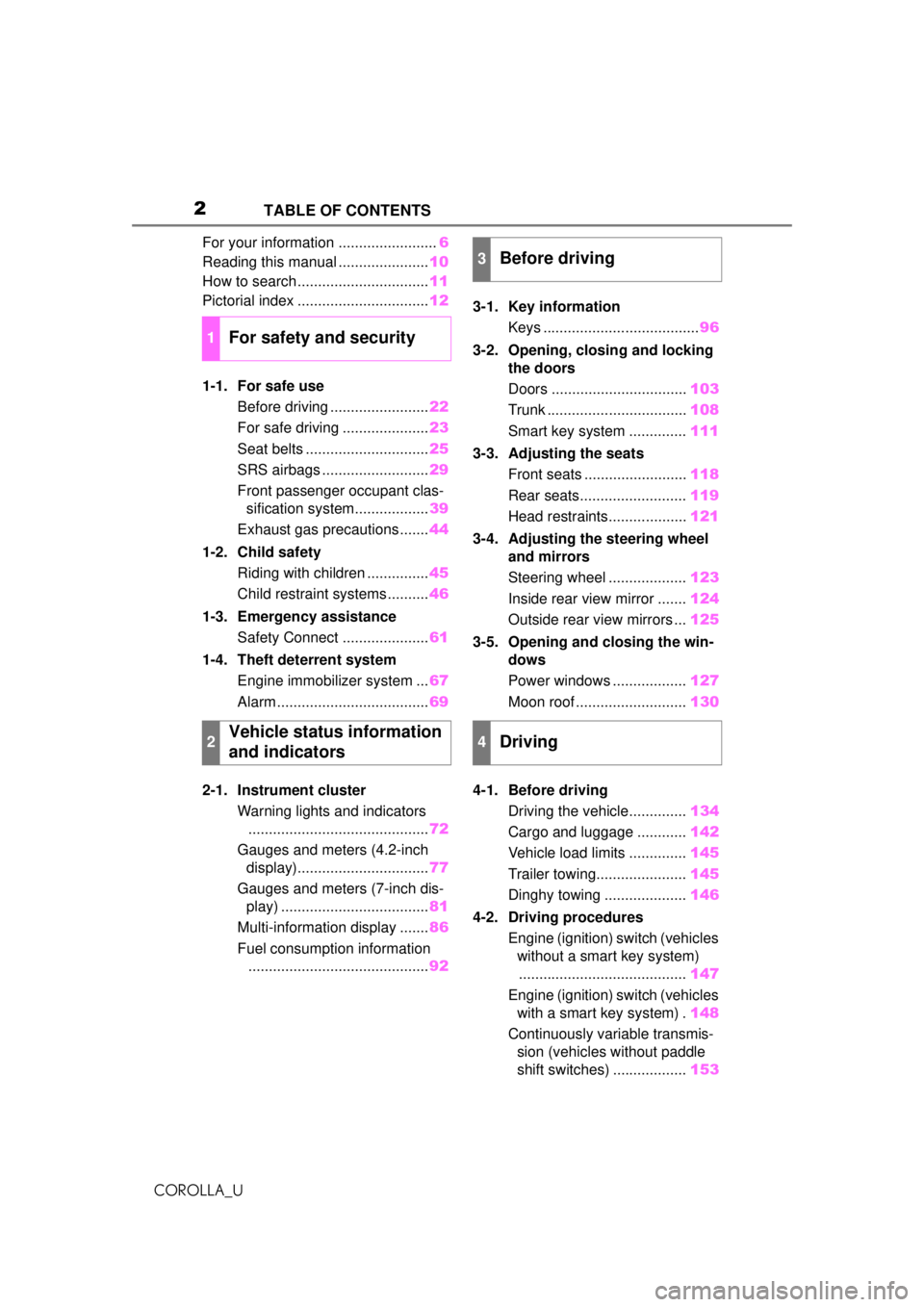
COROLLA_UTABLE OF CONTENTS
For your information ........................
6
Reading this manual ...................... 10
How to search ................................ 11
Pictorial index ................................ 12
1-1. For safe use Before driving ........................ 22
For safe driving ..................... 23
Seat belts .............................. 25
SRS airbags .......................... 29
Front passenger occupant clas- sification system.................. 39
Exhaust gas precautions....... 44
1-2. Child safety Riding with children ............... 45
Child restraint systems .......... 46
1-3. Emergency assistance Safety Connect ..................... 61
1-4. Theft deterrent system Engine immobilizer system ... 67
Alarm ..................................... 69
2-1. Instrument cluster Warning lights and indicators............................................ 72
Gauges and meters (4.2-inch display)................................ 77
Gauges and meters (7-inch dis- play) .................................... 81
Multi-information display ....... 86
Fuel consumption information ............................................ 923-1. Key information
Keys ...................................... 96
3-2.
Opening, closing and locking
th
e doors
Doors ................................. 103
Trunk .................................. 108
Smart key system .............. 111
3-3. Adjusting the seats Front seats ......................... 118
Rear seats.......................... 119
Head restraints................... 121
3-4. Adjust
ing the steering wheel
and mirrors
Ste
ering wheel ...................123
Inside rear view mirror ....... 124
Outside rear view mirrors ... 125
3-5. Opening and closing the win- dows
Power windows .................. 127
Moon roof ........................... 130
4-1. Before driving Driving the vehicle.............. 134
Cargo and luggage ............ 142
Vehicle load limits .............. 145
Trailer towing...................... 145
Dinghy towing .................... 146
4-2. Driving procedures Engine (ignition) switch (vehicles without a smart key system)......................................... 147
Engine (ignition) switch (vehicles with a smart key system) . 148
Continuously variable transmis- sion (vehic les without paddle
shift switches)
..................153
1For safety and security
2Vehicle status information
and indicators
3Before driving
4Driving
Page 12 of 588
12Pictorial index
Pictorial index
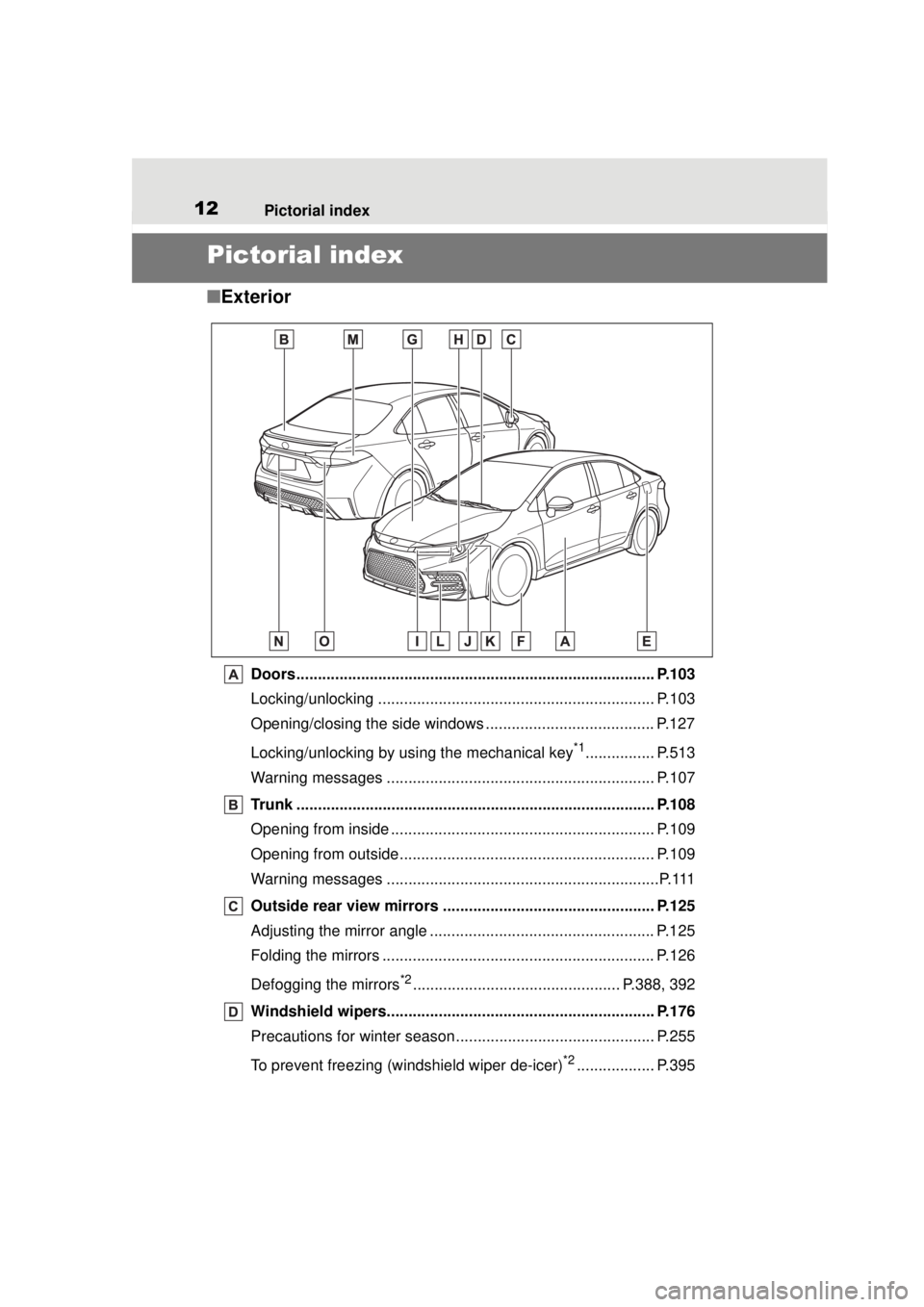
■Exterior
Doors................................................................................... P.103
Locking/unlocking ................................................................ P.103
Opening/closing the side windows ....................................... P.127
Locking/unlocking by using the mechanical key
*1................ P.513
Warning messages .............................................................. P.107
Trunk ................................................................................... P.108
Opening from inside ............................................................. P.109
Opening from outside........................................................... P.109
Warning messages ...............................................................P.111
Outside rear view mirrors ................................................. P.125
Adjusting the mirror angle .................................................... P.125
Folding the mirrors ............................................................... P.126
Defogging the mirrors
*2................................................ P.388, 392
Windshield wipers.............................................................. P.176
Precautions for winter season.... .......................................... P.255
To prevent freezing (windshield wiper de-icer)
*2.................. P.395
Page 16 of 588
16Pictorial index
COROLLA_U
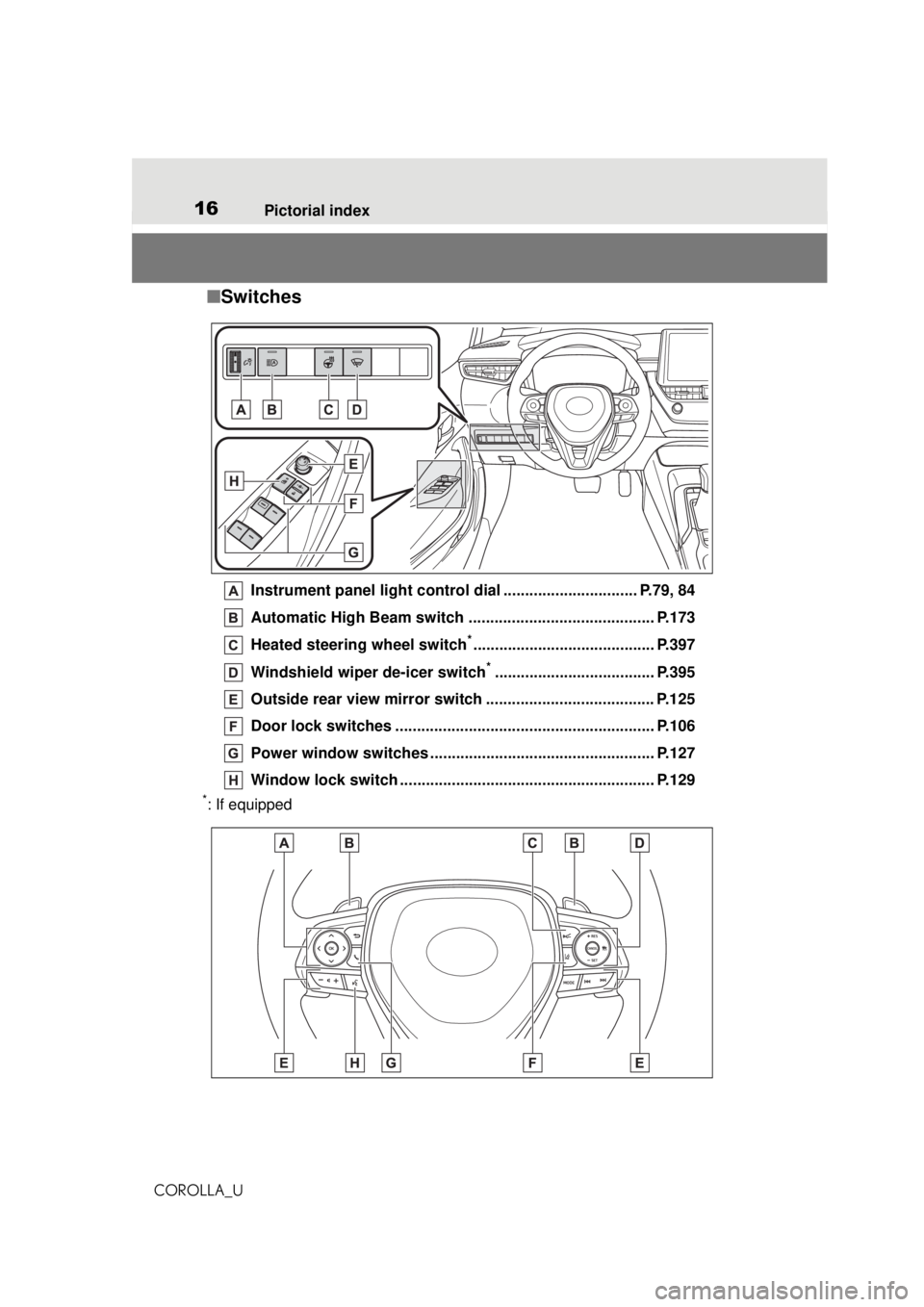
■ Switches
Instrument panel light control dial ............................... P.79, 84
Automatic High Beam switch ........................................... P.173
Heated steering wheel switch
*.......................................... P.397
Windshield wiper de-icer switch
*..................................... P.395
Outside rear view mirror switch ....................................... P.125
Door lock switches ............................................................ P.106
Power window switches ................................. ................... P.127
Window lock switch .... ................................................ ....... P.129
*: If equipped
Page 45 of 588
451-2. Child safety
COROLLA_U
1
For safety and security
1-2.Child safety
Riding with children
Observe the following pre-
cautions when children are
in the vehicle.
Use a child restraint system
appropriate for the child,
until the child becomes
large enough to properly
wear the vehicle’s seat belt.
It is recommended that chil-
dren sit in the rear seats to
avoid accidental contact
with the shift lever, wiper
switch, etc.
Use the rear door child-pro-
tector lock or the window
lock switch to avoid children
opening the door while driv-
ing or operating the power
window accidentally.
( P.107, 129)
Do not let small children
operate equipment which
may catch or pinch body
parts, such as the power
window, hood, trunk, seats,
etc.
WARNING
■When children are in the vehi-
cle
Never leave children unattended
in the vehicle, and never allow
children to have or use the key.
Children may be able to start the
vehicle or shift the vehicle into
neutral. There is also a danger
that children ma y injure them-
selves by playing with the win-
dows, the moon roof (if equipped)
or other features of the vehicle. In
addition, heat build-up or
extremely cold temperatures
inside the vehicle can be fatal to
children.
Page 51 of 588
511-2. Child safety
COROLLA_U
1
For safety and security
A child restraint system for a
small child or baby must itself be
properly restrained on the seat
with the lap portion of the
lap/shoulder belt.
■Installing child restraint
system using a seat belt
(child restraint lock func-
tion belt)
Install the child restraint system
in accordance to the operation
manual enclosed with the child
restraint system.
WARNING
●Do not allow the child to lean
his/her head or any part of
his/her body against the door or
the area of the seat, front or rear
pillars, or roof side rails from
which the SRS side airbags or
SRS curtain shield airbags
deploy even if the child is
seated in the child restraint sys-
tem. It is dangerous if the SRS
side and curtain shield airbags
inflate, and the impact could
cause death or serious injury to
the child.
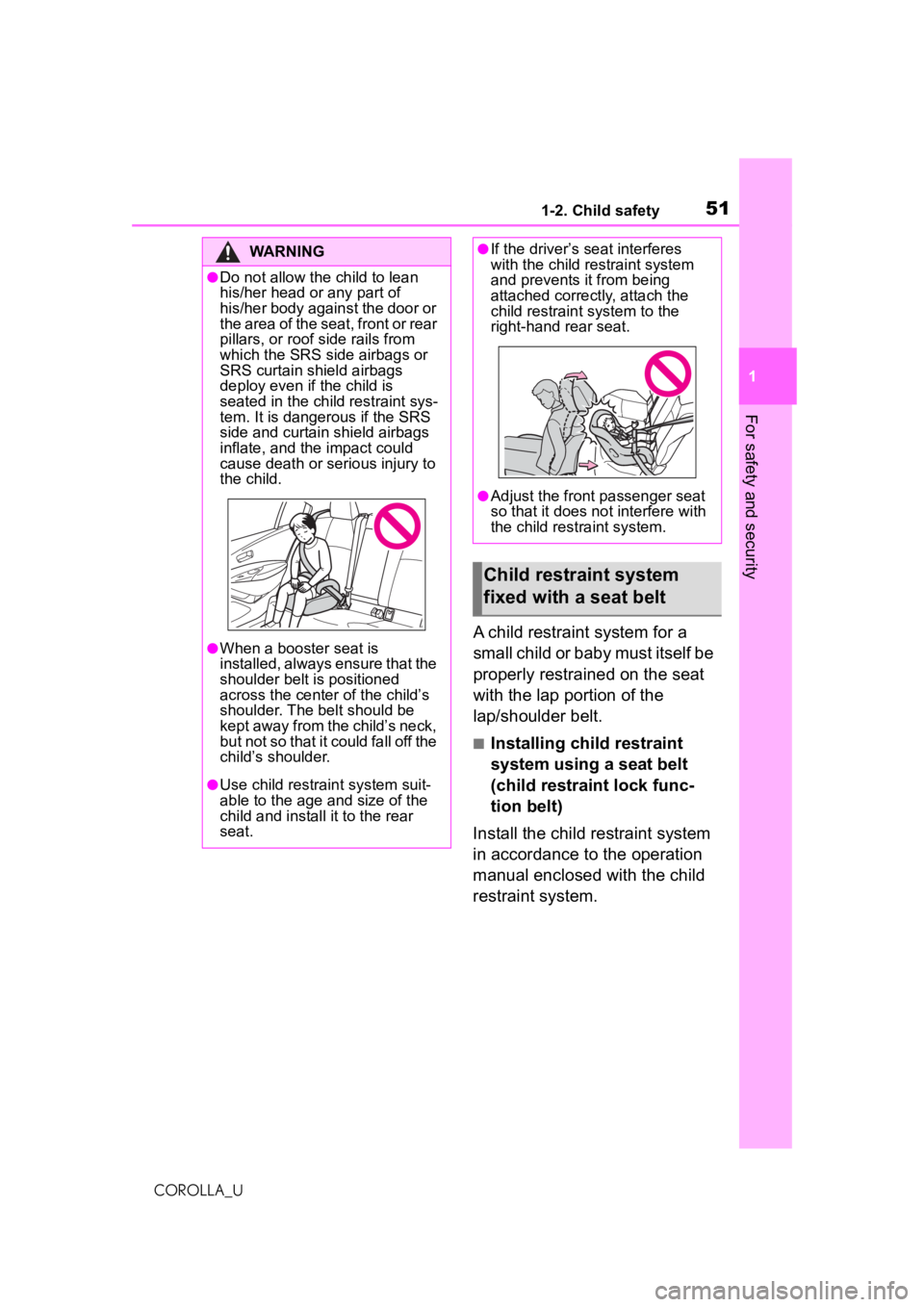
●When a booster seat is
installed, always ensure that the
shoulder belt is positioned
across the center of the child’s
shoulder. The belt should be
kept away from the child’s neck,
but not so that it could fall off the
child’s shoulder.
●Use child restraint system suit-
able to the age and size of the
child and install it to the rear
seat.
●If the driver’s seat interferes
with the child restraint system
and prevents it from being
attached correctly, attach the
child restraint system to the
right-hand rear seat.
●Adjust the front passenger seat
so that it does not interfere with
the child restraint system.
Child restraint system
fixed with a seat belt
Page 69 of 588
691-4. Theft deterrent system
COROLLA_U
1
For safety and security
*: If equipped
■Items to check before lock-
ing the vehicle
To prevent unexpected trigger-
ing of the alarm and vehicle
theft, make sure of the following:
Nobody is in the vehicle.
The windows and moon roof
(if equipped) are closed
before the alarm is set.
No valuables or other per-
sonal items are left in the
vehicle.
■Setting
Close the doors, trunk and
NOTICE
■To ensure the system oper-
ates correctly
Do not modify or remove the sys-
tem. If modified or removed, the
proper operation of the system
cannot be guaranteed.
Alar m*
The alarm uses light and
sound to give an alert when
an intrusion is detected.
The alarm is triggered in the
following situations when
the alarm is set:
A locked door or trunk is
unlocked or opened in any
way other than using the
entry function (if equipped),
wireless remote control,
mechanical key (if
equipped) or key (if
equipped). (The doors will
lock again automatically.)
The hood is opened.
Setting/canceling/stop-
ping the alarm system
Page 70 of 588
701-4. Theft deterrent system
COROLLA_U
hood, and lock all the doors.
The system will set automati-
cally after 30 seconds.
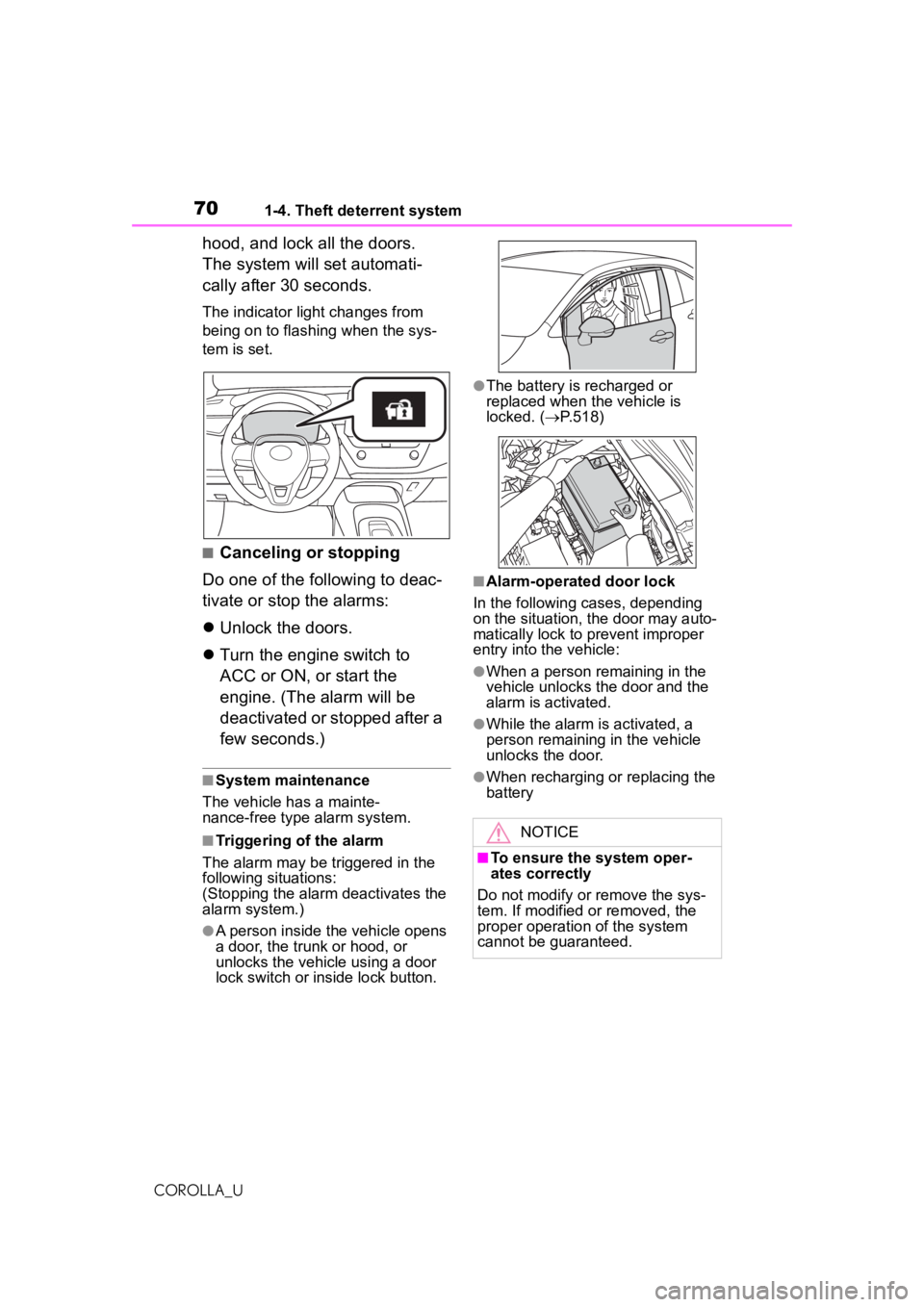
The indicator light changes from
being on to flashing when the sys-
tem is set.
■Canceling or stopping
Do one of the following to deac-
tivate or stop the alarms:
Unlock the doors.
Turn the engine switch to
ACC or ON, or start the
engine. (The alarm will be
deactivated or stopped after a
few seconds.)
■System maintenance
The vehicle has a mainte-
nance-free type alarm system.
■Triggering of the alarm
The alarm may be triggered in the
following situations:
(Stopping the alarm deactivates the
alarm system.)
●A person inside the vehicle opens
a door, the trunk or hood, or
unlocks the vehicle using a door
lock switch or inside lock button.
●The battery is recharged or
replaced when the vehicle is
locked. ( P.518)
■Alarm-operated door lock
In the following cases, depending
on the situation, the door may auto-
matically lock to prevent improper
entry into the vehicle:
●When a person remaining in the
vehicle unlocks the door and the
alarm is activated.
●While the alarm is activated, a
person remaining in the vehicle
unlocks the door.
●When recharging or replacing the
battery
NOTICE
■To ensure the system oper-
ates correctly
Do not modify or remove the sys-
tem. If modified or removed, the
proper operation of the system
cannot be guaranteed.
Page 95 of 588
95
COROLLA_U
3
3
Before driving
Before driving
.3-1. Key informationKeys ............................... 96
3-2. Opening, closing and locking the doors
Doors .......................... 103
Trunk ........................... 108
Smart key system ....... 111
3-3. Adjusting the seats Front seats .................. 118
Rear seats................... 119
Head restraints............ 121
3-4. Adjusting the steering wheel and mirrors
Steering wheel ............ 123
Inside rear view mirror .................................. 124
Outside rear view mirrors .................................. 125
3-5. Opening and closing the windows
Power windows ........... 127
Moon roof .................... 130
Page 97 of 588
973-1. Key information
COROLLA_U
3
Before driving
the key in your bag, etc., ensure that
the buttons are not likely to be
pressed accidentally. Pressing a
button may cause the key to emit
radio waves that could interfere with
the operation of the aircraft.
■Key battery depletion (with a
wireless remote control func-
tion)
Vehicles without a smart key sys-
tem
●The standard battery life is 1 to 2
years.
●The battery will be come depleted
even if the key is not used. The
following symptoms indicate that
the key battery may be depleted.
Replace the battery when neces-
sary. ( P.458)
• The wireless remote control does not operate.
• The detection area becomes
smaller.
Vehicles with a smart key system
●The standard battery life is 1 to 2
years.
●If the battery becomes low, an
alarm will sound in the cabin and a
message will be shown on the
multi-information display when the
engine is stopped.
●To reduce key battery depletion
when the electronic key is to not
be used for long periods of time,
set the electronic key to the bat-
tery-saving mode. ( P.113)
●As the electronic key always
receives radio waves, the battery
will become depleted even if the
electronic key is not used. The fol-
lowing symptoms indicate that the
electronic key battery may be
depleted. Replace the battery
when necessary. ( P.458)
• The smart key system or the wire-
less remote control does not oper-
ate.
• The detection area becomes
smaller.
• The LED indicator on the key sur- face does not turn on.
●To avoid serious deterioration, do
not leave the electronic key within
3 ft. (1 m) of the following electri-
cal appliances that produce a
magnetic field:
•TVs
• Personal computers
• Cellular phones, cordless phones and battery chargers
• Recharging cellular phones or
cordless phones
• Table lamps
• Induction cookers
●If the electronic key is near the
vehicle for longer than necessary,
even if the smart key system is not
operated, the key battery may
become depleted faster than nor-
mal.
■Replacing the battery (with a
wireless remote control func-
tion)
P.458
■If “A New Key has been Regis-
tered Contact Your Dealer for
Details” is shown on the
multi-information display (vehi-
cles with a smart key system)
This message will be displayed
each time the driver’s door is
opened when the doors are
unlocked from the outside for
approximately 10 days after a new
electronic key has been registered.
If this message is displayed but you
have not had a new electronic key
registered, ask your Toyota dealer to
check if an unknown electronic key
(other than those in your posses-
sion) has been registered.
■If a wrong key is used (with a
wireless remote control func-
tion)
The key cylinder rotates freely, iso-
lated from the internal mechanism.
Page 98 of 588
983-1. Key information
COROLLA_U
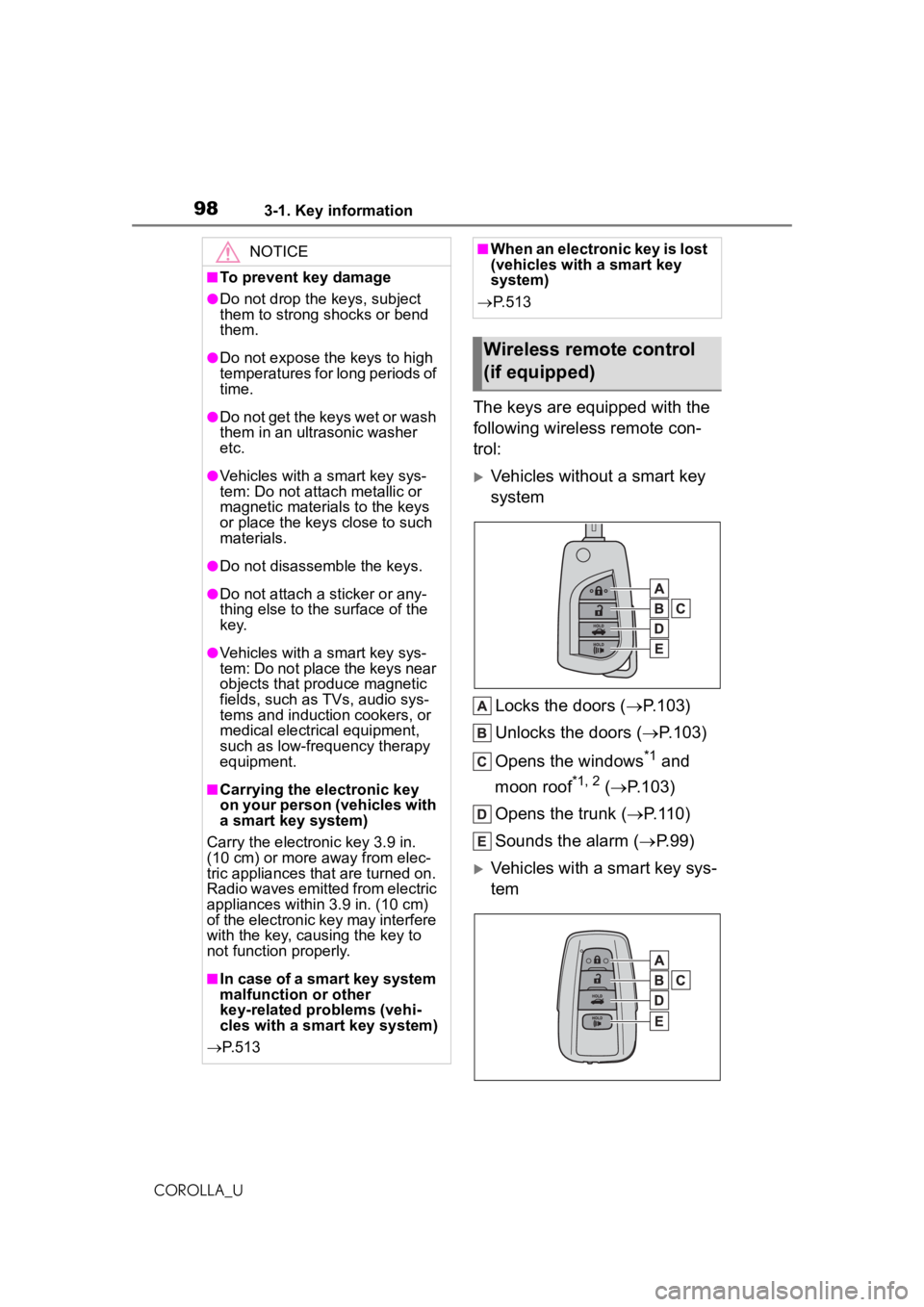
The keys are equipped with the
following wireless remote con-
trol:
Vehicles without a smart key
systemLocks the doors ( P.103)
Unlocks the doors ( P.103)
Opens the windows
*1 and
moon roof
*1, 2 ( P.103)
Opens the trunk ( P.110)
Sounds the alarm ( P.99)
Vehicles with a smart key sys-
tem
NOTICE
■To prevent key damage
●Do not drop the keys, subject
them to strong shocks or bend
them.
●Do not expose the keys to high
temperatures for long periods of
time.
●Do not get the keys wet or wash
them in an ultrasonic washer
etc.
●Vehicles with a smart key sys-
tem: Do not attach metallic or
magnetic materials to the keys
or place the keys close to such
materials.
●Do not disassemble the keys.
●Do not attach a sticker or any-
thing else to the surface of the
k e y.
●Vehicles with a smart key sys-
tem: Do not place the keys near
objects that produce magnetic
fields, such as TVs, audio sys-
tems and induction cookers, or
medical electrical equipment,
such as low-frequency therapy
equipment.
■Carrying the electronic key
on your person (vehicles with
a smart key system)
Carry the electronic key 3.9 in.
(10 cm) or more away from elec-
tric appliances that are turned on.
Radio waves emitted from electric
appliances within 3.9 in. (10 cm)
of the electronic key may interfere
with the key, causing the key to
not function properly.
■In case of a smart key system
malfunction or other
key-related problems (vehi-
cles with a smart key system)
P. 5 1 3
■When an electronic key is lost
(vehicles with a smart key
system)
P. 5 1 3
Wireless remote control
(if equipped)