power steering TOYOTA COROLLA 2020 Owners Manual (in English)
[x] Cancel search | Manufacturer: TOYOTA, Model Year: 2020, Model line: COROLLA, Model: TOYOTA COROLLA 2020Pages: 588, PDF Size: 13.49 MB
Page 2 of 588
2
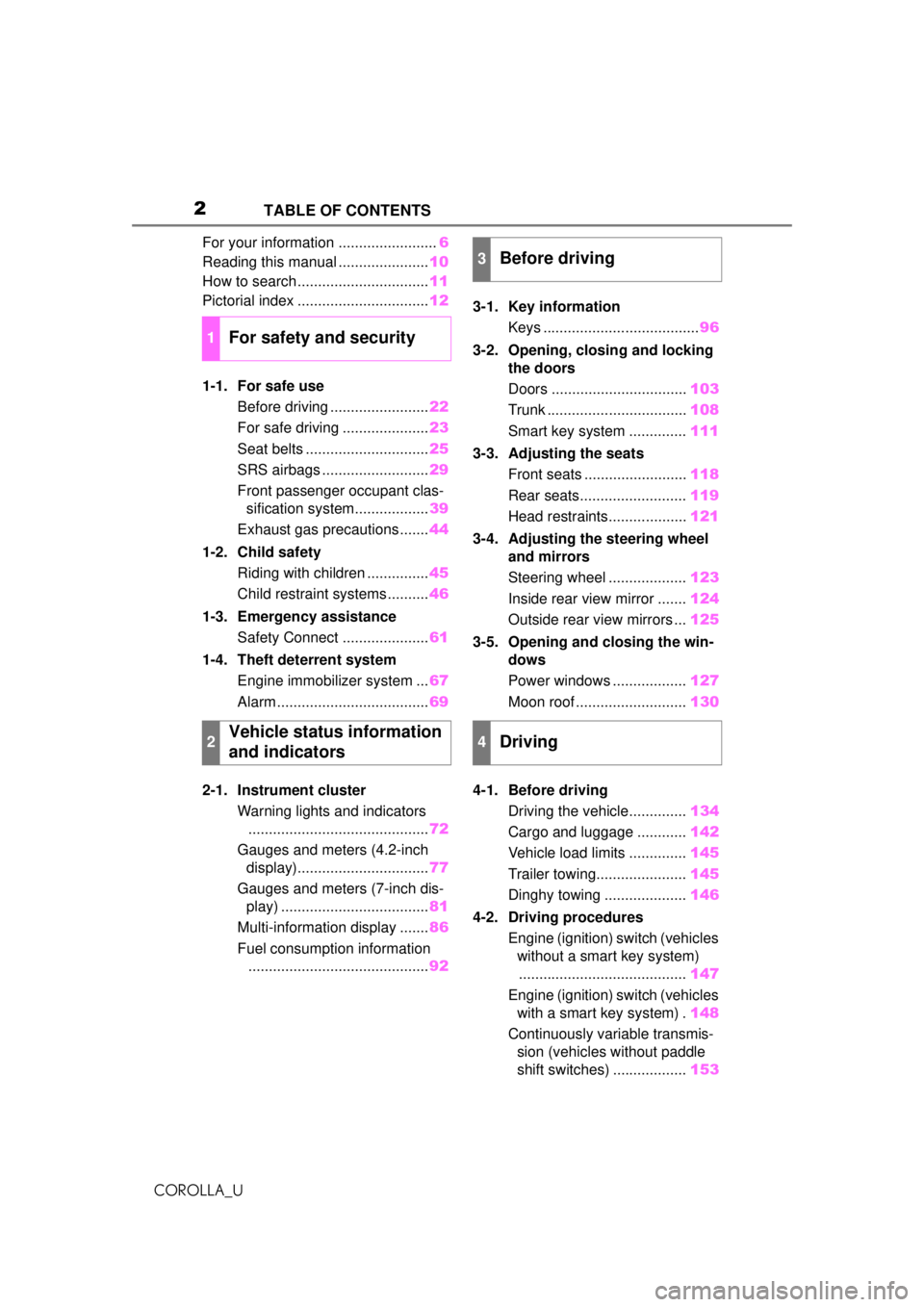
COROLLA_UTABLE OF CONTENTS
For your information ........................
6
Reading this manual ...................... 10
How to search ................................ 11
Pictorial index ................................ 12
1-1. For safe use Before driving ........................ 22
For safe driving ..................... 23
Seat belts .............................. 25
SRS airbags .......................... 29
Front passenger occupant clas- sification system.................. 39
Exhaust gas precautions....... 44
1-2. Child safety Riding with children ............... 45
Child restraint systems .......... 46
1-3. Emergency assistance Safety Connect ..................... 61
1-4. Theft deterrent system Engine immobilizer system ... 67
Alarm ..................................... 69
2-1. Instrument cluster Warning lights and indicators............................................ 72
Gauges and meters (4.2-inch display)................................ 77
Gauges and meters (7-inch dis- play) .................................... 81
Multi-information display ....... 86
Fuel consumption information ............................................ 923-1. Key information
Keys ...................................... 96
3-2.
Opening, closing and locking
th
e doors
Doors ................................. 103
Trunk .................................. 108
Smart key system .............. 111
3-3. Adjusting the seats Front seats ......................... 118
Rear seats.......................... 119
Head restraints................... 121
3-4. Adjust
ing the steering wheel
and mirrors
Ste
ering wheel ...................123
Inside rear view mirror ....... 124
Outside rear view mirrors ... 125
3-5. Opening and closing the win- dows
Power windows .................. 127
Moon roof ........................... 130
4-1. Before driving Driving the vehicle.............. 134
Cargo and luggage ............ 142
Vehicle load limits .............. 145
Trailer towing...................... 145
Dinghy towing .................... 146
4-2. Driving procedures Engine (ignition) switch (vehicles without a smart key system)......................................... 147
Engine (ignition) switch (vehicles with a smart key system) . 148
Continuously variable transmis- sion (vehic les without paddle
shift switches)
..................153
1For safety and security
2Vehicle status information
and indicators
3Before driving
4Driving
Page 16 of 588
16Pictorial index
COROLLA_U
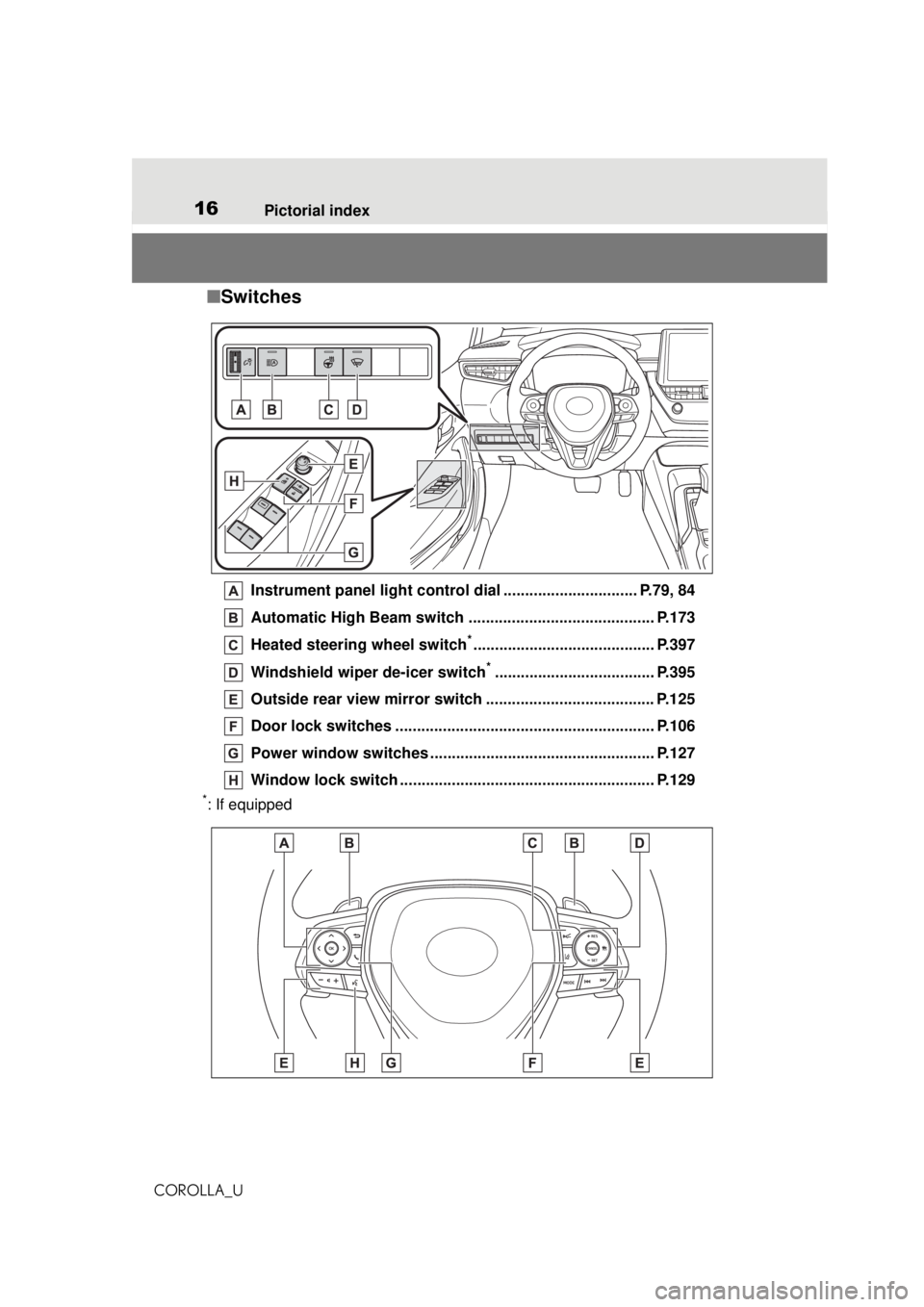
■ Switches
Instrument panel light control dial ............................... P.79, 84
Automatic High Beam switch ........................................... P.173
Heated steering wheel switch
*.......................................... P.397
Windshield wiper de-icer switch
*..................................... P.395
Outside rear view mirror switch ....................................... P.125
Door lock switches ............................................................ P.106
Power window switches ................................. ................... P.127
Window lock switch .... ................................................ ....... P.129
*: If equipped
Page 73 of 588
732-1. Instrument cluster
COROLLA_U
2
Vehicle status information and indicators
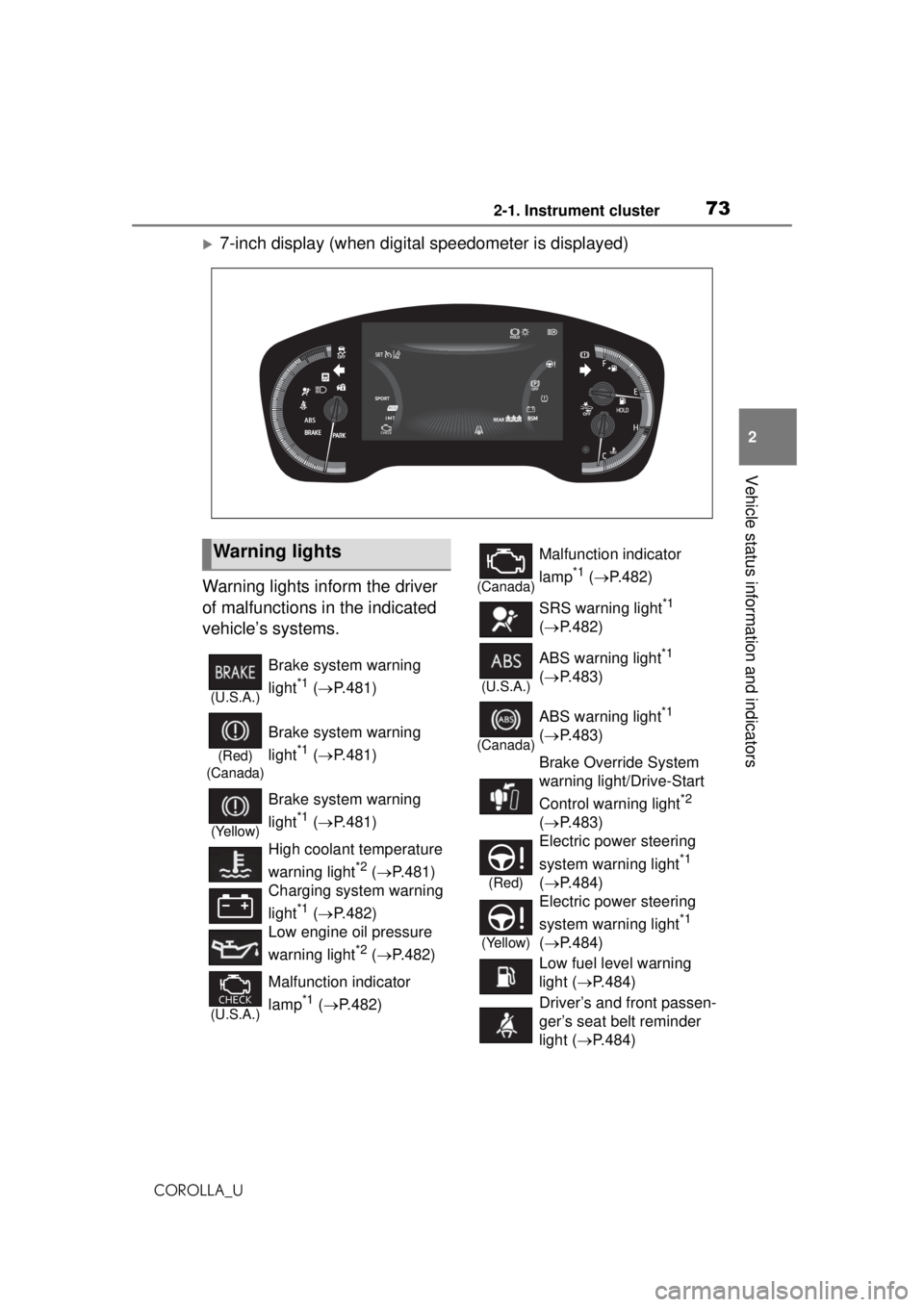
7-inch display (when digital speedometer is displayed)
Warning lights inform the driver
of malfunctions in the indicated
vehicle’s systems.
Warning lights
(U.S.A.)
Brake system warning
light
*1 ( P.481)
(Red)
(Canada)
Brake system warning
light
*1 ( P.481)
(Yellow)
Brake system warning
light
*1 ( P.481)
High coolant temperature
warning light
*2 ( P.481)
Charging system warning
light
*1 ( P.482)
Low engine oil pressure
warning light
*2 ( P.482)
(U.S.A.)
Malfunction indicator
lamp
*1 ( P.482)
(Canada)
Malfunction indicator
lamp
*1 ( P.482)
SRS warning light
*1
( P.482)
(U.S.A.)
ABS warning light*1
( P.483)
(Canada)
ABS warning light*1
( P.483)
Brake Override System
warning light/Drive-Start
Control warning light
*2
( P.483)
(Red)
Electric power steering
system warning light
*1
( P.484)
(Yellow)
Electric power steering
system warning light
*1
( P.484)
Low fuel level warning
light ( P.484)
Driver’s and front passen-
ger’s seat belt reminder
light ( P.484)
Page 95 of 588
95
COROLLA_U
3
3
Before driving
Before driving
.3-1. Key informationKeys ............................... 96
3-2. Opening, closing and locking the doors
Doors .......................... 103
Trunk ........................... 108
Smart key system ....... 111
3-3. Adjusting the seats Front seats .................. 118
Rear seats................... 119
Head restraints............ 121
3-4. Adjusting the steering wheel and mirrors
Steering wheel ............ 123
Inside rear view mirror .................................. 124
Outside rear view mirrors .................................. 125
3-5. Opening and closing the windows
Power windows ........... 127
Moon roof .................... 130
Page 137 of 588
1374-1. Before driving
COROLLA_U
4
Driving
WARNING
■When driving the vehicle
●Do not drive if you are unfamil-
iar with the location of the brake
and accelerator pedals to avoid
depressing the wrong pedal.
• Accidentally depressing the accelerator pedal instead of the
brake pedal will result in sudden
acceleration that may lead to an
accident.
• When backing up, you may twist your body around, leading to a
difficulty in operating the pedals.
Make sure to operate the pedals
properly.
• Make sure to keep a correct driving posture even when mov-
ing the vehicle only slightly. This
allows you to depress the brake
and accelerator pedals properly.
• Depress the brake pedal using your right foot. Depressing the
brake pedal using your left foot
may delay response in an emer-
gency, resulting in an accident.
●Do not drive the vehicle over or
stop the vehicle near flammable
materials.
The exhaust system and
exhaust gases can be
extremely hot. These hot parts
may cause a fire if there is any
flammable material nearby.
●During normal driving, do not
turn off the engine. Turning the
engine off while driving will not
cause loss of steering or brak-
ing control, but the power assist
to these systems will be lost.
This will make it more difficult to
steer and brake, so you should
pull over and stop the vehicle as
soon as it is safe to do so.
However, in the event of an
emergency, such as if it
becomes impossible to stop the
vehicle in the normal way:
P.472
●Use engine braking (shift posi-
tion B*1 or downshift*2, 3) to
maintain a safe speed when
driving down a steep hill.
Using the brakes continuously
may cause the brakes to over-
heat and lose effectiveness.
(
P.153, 155, 160)
*1: Vehicles with a continuously
variable transmission (without
paddle shift switches)
*2: Vehicles with a continuously variable transmission (with
paddle shift switches)
*3: Vehicles with a manual trans-mission
●Do not adjust the positions of
the steering wheel, the seat, or
the inside or outside rear view
mirrors while driving.
Doing so may resu lt in a loss of
vehicle control.
●Always check that all passen-
gers’ arms, heads or other parts
of their body are not outside the
vehicle.
Page 141 of 588
1414-1. Before driving
COROLLA_U
4
Driving
NOTICE
●Observe the following precau-
tions.
Failure to do so may cause
excessive premature wear or
damage to the clutch, eventu-
ally making it difficult to acceler-
ate and start off from a stop.
Have the vehicle inspected by
your Toyota dealer.
• Do not rest your foot on the clutch pedal or depress it any
time other than when shifting.
Doing so may cause clutch trou-
ble.
• Do not use any gear other than the 1st gear when starting off
and moving forward.
Doing so may damage the
clutch.
• Do not use the clutch pedal to adjust vehicle speed.
Doing so may damage the
clutch.
• When stopping the vehicle with the shift lever in a position other
than N, make sure to fully
depress the clutch pedal and
stop the vehicle using the
brakes.
●Do not shift the shift lever to R
without the vehicle completely
stopped.
Doing so may damage the
clutch, transmission and gears.
■When parking the vehicle
(vehicles with a continuously
variable transmission)
Always set the parking brake and
shift the shift lever to P. Failure to
do so may cause the vehicle to
move or the vehi cle may acceler-
ate suddenly if the accelerator
pedal is accidentally depressed.
■Avoiding damage to vehicle
parts
●Do not turn the steering wheel
fully in either direction and hold
it there for an extended period
of time.
Doing so may damage the
power steering motor.
●When driving over bumps in the
road, drive as slowly as possible
to avoid damaging the wheels,
underside of the vehicle, etc.
■If you get a flat tire while driv-
ing
A flat or damaged tire may cause
the following situations. Hold the
steering wheel firmly and gradu-
ally depress the brake pedal to
slow down the vehicle.
●It may be difficult to control your
vehicle.
●The vehicle will make abnormal
sounds or vibrations.
●The vehicle will lean abnor-
mally.
Information on what to do in case
of a flat tire (
P.503)
■When encountering flooded
roads
Do not drive on a road that has
flooded after heavy rain etc.
Doing so may cause the following
serious damage to the vehicle:
●Engine stalling
●Short in electrical components
●Engine damage caused by
water immersion
In the event that you drive on a
flooded road and the vehicle
becomes flooded or stuck in mud
or sand, be sure to have your Toy-
ota dealer check the following:
Page 150 of 588
1504-2. Driving procedures
COROLLA_U
Continuously variable trans-
mission
1 Stop the vehicle completely.
2 Set the parking brake
( P.163, 164), and shift the
shift lever to P.
Check the parking brake indicator
is illuminated.
3 Press the engine switch.
The engine will stop, and the meter
display will be extinguished.
4Release the brake pedal and
check that “ACCESSORY” or
“IGNITION ON” is not shown
on the multi-information dis-
play.
Manual transmission
1 Stop the vehicle completely.
2 Set the parking brake.
( P.163, 164)
Check the parking brake indicator
is illuminated.
3Shift the shift lever to N.
( P.160)
4 Press the engine switch.
The engine will stop, and the meter
display will be extinguished.
5Release the brake pedal and
check that “ACCESSORY” or
“IGNITION ON” is not shown
on the multi-information dis-
play.
WARNING
■Caution while driving
If engine failure o ccurs while the
vehicle is moving, do not lock or
open the doors until the vehicle
reaches a safe and complete
stop. Activation of the steering
lock in this circ umstance may lead
to an accident, resulting in death
or serious injury.
NOTICE
■When starting the engine
●Do not race a cold engine.
●If the engine becomes difficult to
start or stalls frequently, have
your vehicle checked by your
Toyota dealer immediately.
■Symptoms indicating a mal-
function with the engine
switch
If the engine switch seems to be
operating somewhat differently
than usual, such as the switch
sticking slightly, there may be a
malfunction. Contact your Toyota
dealer immediately.
Stopping the engine
WARNING
■Stopping the engine in an
emergency
●If you want to stop the engine in
an emergency while driving the
vehicle, press and hold the
engine switch for more than 2
seconds, or press it briefly 3
times or more in succession.
( P.472)
However, do not touch the
engine switch while driving
except in an emergency. Turn-
ing the engine off while driving
will not cause loss of steering or
braking control, but the power
assist to these systems will be
lost. This will make it more diffi-
cult to steer and brake, so you
should pull over and stop the
vehicle as soon as it is safe to
do so.
Page 249 of 588
2494-5. Using the driving support systems
COROLLA_U
4
Driving
*: If equipped
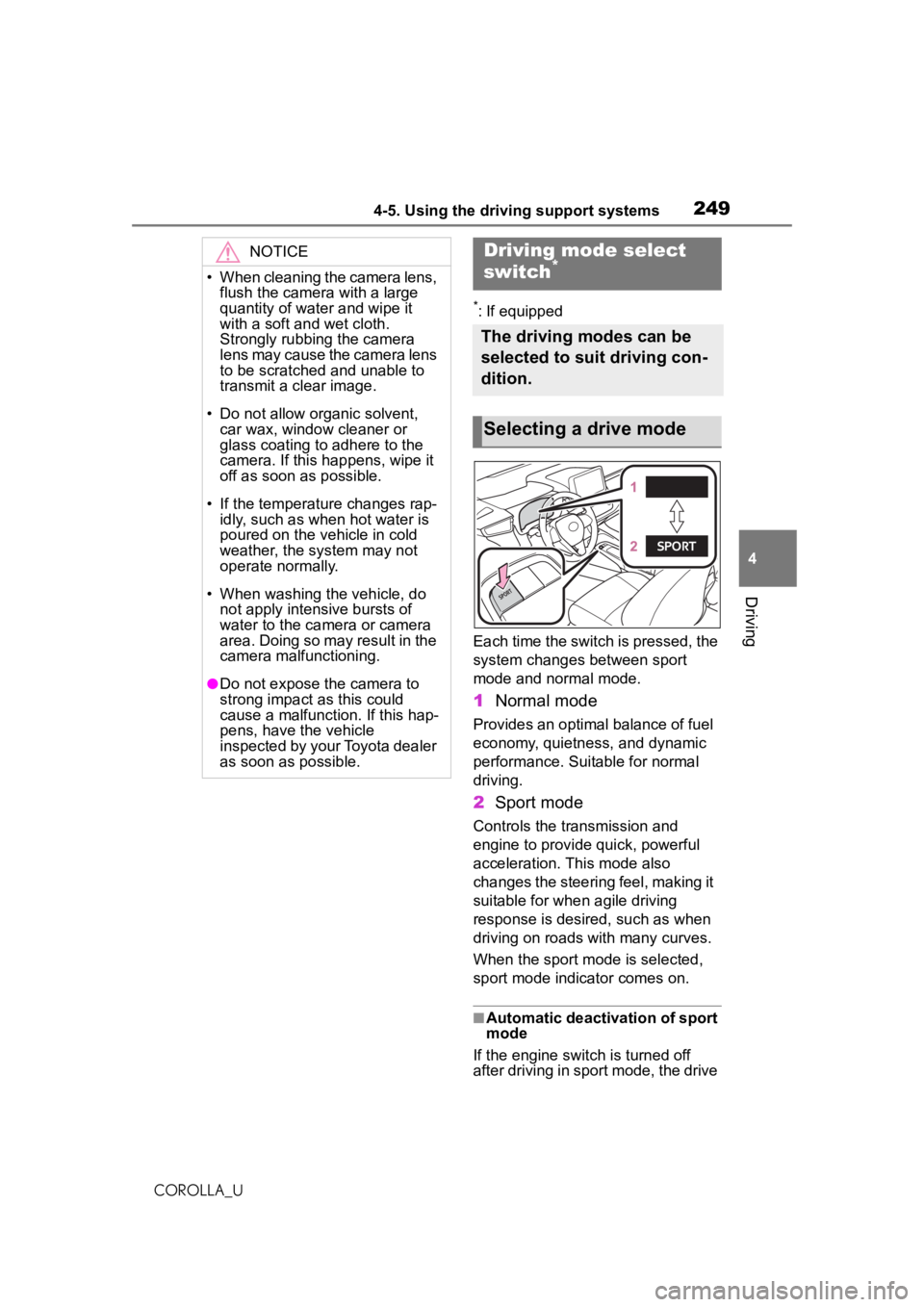
Each time the switch is pressed, the
system changes between sport
mode and normal mode.
1 Normal mode
Provides an optimal balance of fuel
economy, quietness, and dynamic
performance. Suitable for normal
driving.
2Sport mode
Controls the transmission and
engine to provide quick, powerful
acceleration. This mode also
changes the steering feel, making it
suitable for when agile driving
response is desired, such as when
driving on roads with many curves.
When the sport mode is selected,
sport mode indicator comes on.
■Automatic deactivation of sport
mode
If the engine switch is turned off
after driving in sport mode, the drive
NOTICE
• When cleaning the camera lens, flush the camera with a large
quantity of water and wipe it
with a soft and wet cloth.
Strongly rubbing the camera
lens may cause the camera lens
to be scratched and unable to
transmit a clear image.
• Do not allow organic solvent, car wax, window cleaner or
glass coating to adhere to the
camera. If this happens, wipe it
off as soon as possible.
• If the temperature changes rap- idly, such as when hot water is
poured on the vehicle in cold
weather, the system may not
operate normally.
• When washing the vehicle, do not apply intensive bursts of
water to the camera or camera
area. Doing so may result in the
camera malfunctioning.
●Do not expose the camera to
strong impact as this could
cause a malfunction. If this hap-
pens, have the vehicle
inspected by your Toyota dealer
as soon as possible.
Driving mode select
switch*
The driving modes can be
selected to suit driving con-
dition.
Selecting a drive mode
Page 251 of 588
2514-5. Using the driving support systems
COROLLA_U
4
Driving
■Enhanced VSC (Enhanced
Vehicle Stability Control)
Provides cooperative control of
the ABS, TRAC, VSC and EPS.
Helps to maintain directional
stability when sw erving on slip-
pery road surfaces by con-
trolling steering performance.
■TRAC (Traction Control)
Helps to maintain drive power
and prevent the drive wheels
from spinning when starting the
vehicle or accelerating on slip-
pery roads
■Active Cornering Assist
(ACA)
Helps to prevent the vehicle
from drifting to the outer side by
performing inner wheel brake
control when attempting to
accelerate while turning
■Hill-start assist control
Helps to reduce the backward
movement of the vehicle when
starting on an uphill
■EPS (Electric Power Steer-
ing)
Employs an electric motor to
reduce the amount of effort
needed to turn the steering
wheel.
■The Secondary Collision
Brake
When the SRS airbag sensor
detects a collision and the sys-
tem operates, the brakes and
brake lights are automatically controlled to reduce the vehicle
speed and help reduce the pos-
sibility of further damage due to
a secondary collision.
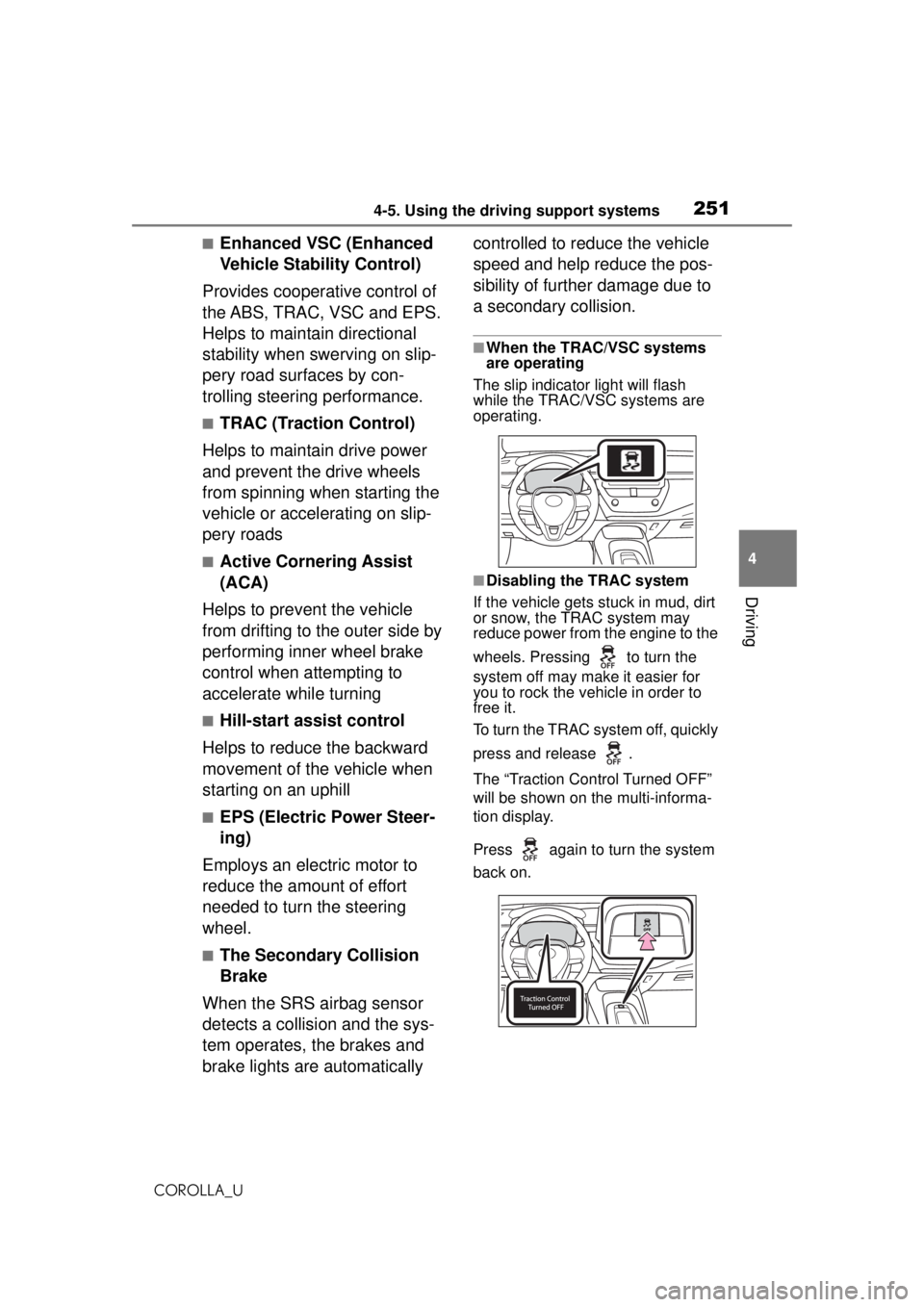
■When the TRAC/VSC systems
are operating
The slip indicator light will flash
while the TRAC/VSC systems are
operating.
■Disabling the TRAC system
If the vehicle gets stuck in mud, dirt
or snow, the TRAC system may
reduce power from the engine to the
wheels. Pressing to turn the
system off may make it easier for
you to rock the vehicle in order to
free it.
To turn the TRAC system off, quickly
press and release .
The “Traction Control Turned OFF”
will be shown on the multi-informa-
tion display.
Press again to turn the system
back on.
Page 344 of 588
3445-12. Mobile Assistant operation
COROLLA_U
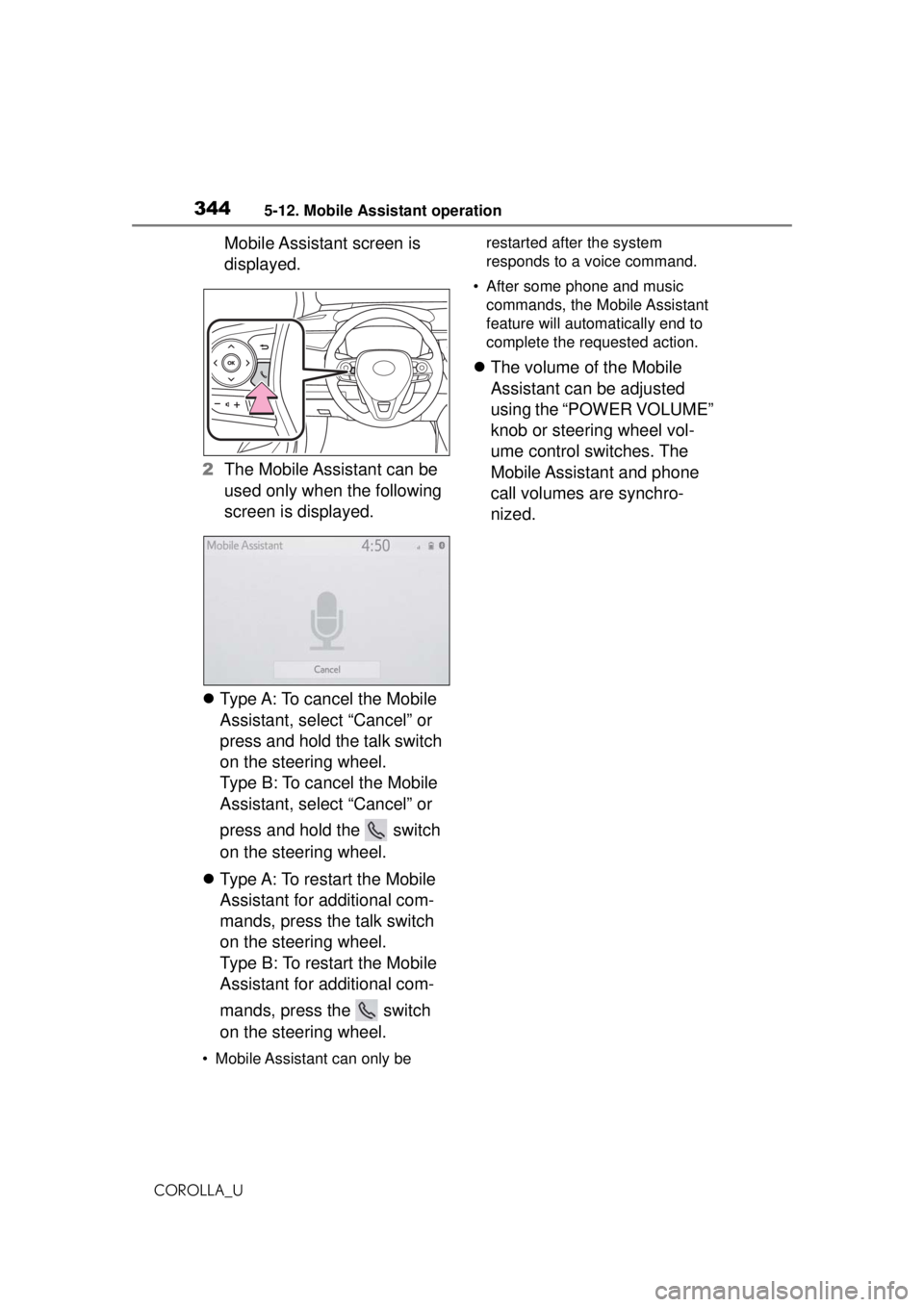
Mobile Assistant screen is
displayed.
2 The Mobile Assistant can be
used only when the following
screen is displayed.
Type A: To cancel the Mobile
Assistant, select “Cancel” or
press and hold the talk switch
on the steering wheel.
Type B: To cancel the Mobile
Assistant, select “Cancel” or
press and hold the switch
on the steering wheel.
Type A: To restart the Mobile
Assistant for additional com-
mands, press the talk switch
on the steering wheel.
Type B: To restart the Mobile
Assistant for additional com-
mands, press the switch
on the steering wheel.
• Mobile Assistant can only be restarted after the system
responds to a voice command.
• After some phone and music commands, the Mobile Assistant
feature will automa tically end to
complete the requested action.
The volume of the Mobile
Assistant can be adjusted
using the “POWER VOLUME”
knob or steering wheel vol-
ume control switches. The
Mobile Assistant and phone
call volumes are synchro-
nized.