window TOYOTA COROLLA CROSS 2023 Owners Manual
[x] Cancel search | Manufacturer: TOYOTA, Model Year: 2023, Model line: COROLLA CROSS, Model: TOYOTA COROLLA CROSS 2023Pages: 500, PDF Size: 15.11 MB
Page 1 of 500
1
2
3
4
5
6
7
8
9
COROLLA CROSS_MTMUS_U
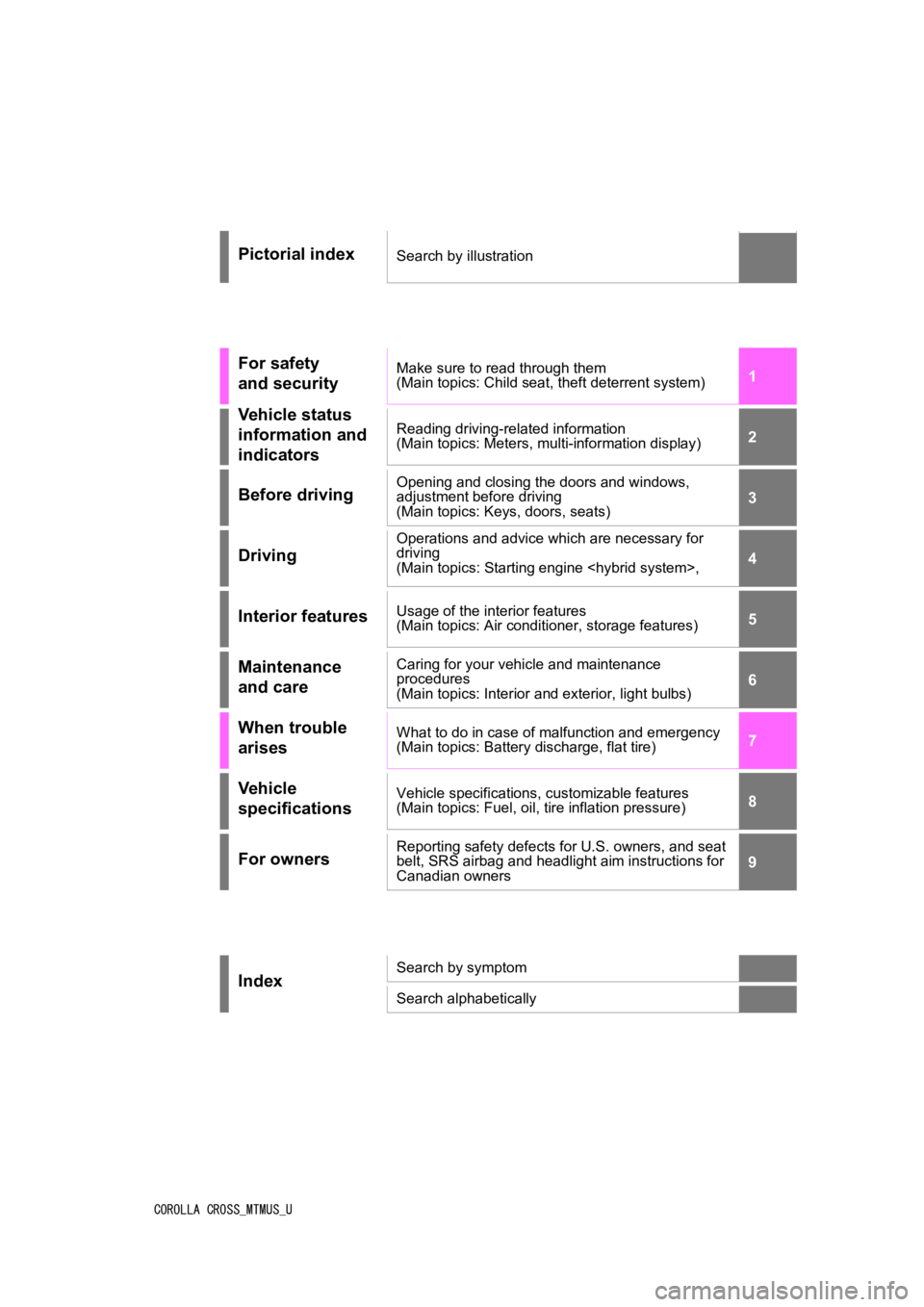
Pictorial indexSearch by illustration
For safety
and securityMake sure to read through them
(Main topics: Child seat, theft deterrent system)
Vehicle status
information and
indicatorsReading driving-related information
(Main topics: Meters, multi-information display)
Before drivingOpening and closing the doors and windows,
adjustment before driving
(Main topics: Keys, doors, seats)
Driving
Operations and advice which are necessary for
driving
(Main topics: Starting engine
Interior featuresUsage of the interior features
(Main topics: Air conditioner, storage features)
Maintenance
and careCaring for your vehicle and maintenance
procedures
(Main topics: Interior and exterior, light bulbs)
When trouble
arisesWhat to do in case of malfunction and emergency
(Main topics: Battery discharge, flat tire)
Vehicle
specificationsVehicle specifications, customizable features
(Main topics: Fuel, oil, tire inflation pressure)
For ownersReporting safety defects for U.S. owners, and seat
belt, SRS airbag and headlight aim instructions for
Canadian owners
IndexSearch by symptom
Search alphabetically
Page 2 of 500
2TABLE OF CONTENTS
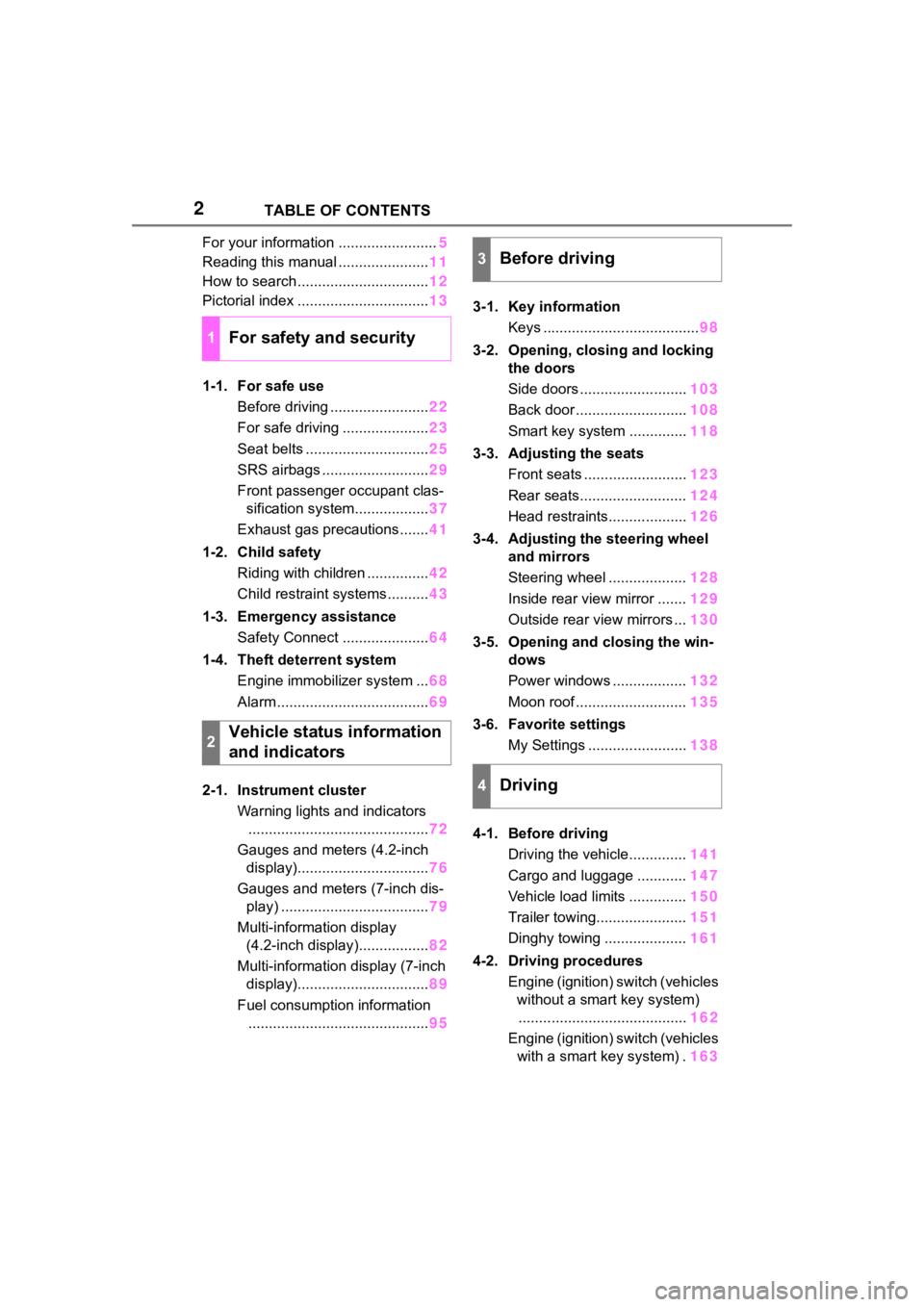
For your information ........................5
Reading this manual ...................... 11
How to search ................................ 12
Pictorial index ................................ 13
1-1. For safe use Before driving ........................ 22
For safe driving ..................... 23
Seat belts .............................. 25
SRS airbags .......................... 29
Front passenger occupant clas- sification system.................. 37
Exhaust gas precautions....... 41
1-2. Child safety Riding with children ............... 42
Child restraint systems .......... 43
1-3. Emergency assistance Safety Connect ..................... 64
1-4. Theft deterrent system Engine immobilizer system ... 68
Alarm ..................................... 69
2-1. Instrument cluster Warning lights and indicators............................................ 72
Gauges and meters (4.2-inch display)................................ 76
Gauges and meters (7-inch dis- play) .................................... 79
Multi-information display (4.2-inch display)................. 82
Multi-information display (7-inch display)................................ 89
Fuel consumption information ............................................ 953-1. Key information
Keys ...................................... 98
3-2. Opening, closing and locking the doors
Side doors .......................... 103
Back door ........................... 108
Smart key system .............. 118
3-3. Adjusting the seats Front seats ......................... 123
Rear seats.......................... 124
Head restraints................... 126
3-4. Adjusting the steering wheel and mirrors
Steering wheel ................... 128
Inside rear view mirror ....... 129
Outside rear view mirrors ... 130
3-5. Opening and closing the win- dows
Power windows .................. 132
Moon roof ........................... 135
3-6. Favorite settings My Settings ........................ 138
4-1. Before driving Driving the vehicle.............. 141
Cargo and luggage ............ 147
Vehicle load limits .............. 150
Trailer towing...................... 151
Dinghy towing .................... 161
4-2. Driving procedures Engine (ignition) switch (vehicles without a smart key system)........ ................................. 162
Eng
ine (ignition) switch (vehicles
with a smart key system) . 163
1For safety and security
2Vehicle status information
and indicators
3Before driving
4Driving
Page 13 of 500
13Pictorial index
Pictorial index
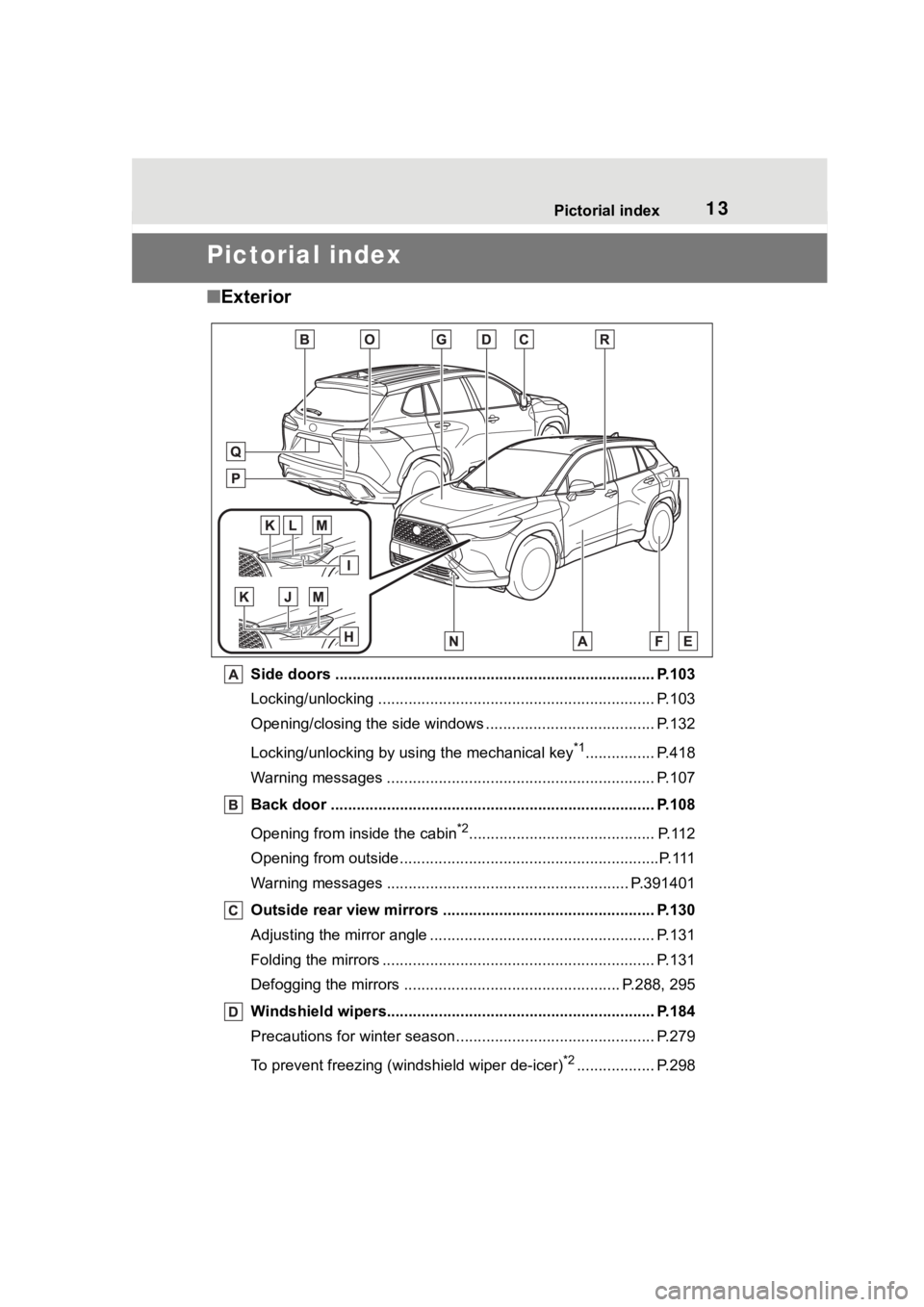
■Exterior
Side doors ......... ................................. ................................ P.103
Locking/unlocking .............................................. .................. P.103
Opening/closing the side windows ............................... ........ P.132
Locking/unlocking by using the mechanical key
*1................ P.418
Warning messages ............................................... ............... P.107
Back door ...................................................... ..................... P.108
Opening from inside the cabin
*2........................................... P.112
Opening from outside........................................... .................P.111
Warning messages ............................................... ......... P.391401
Outside rear view mirrors ................................................. P.130
Adjusting the mirror angle ..................................... ............... P.131
Folding the mirrors ............................................ ................... P.131
Defogging the mirrors .......................................... ........ P.288, 295
Windshield wipers.............................................. ................ P.184
Precautions for winter seas on.............................................. P.279
To prevent freezing (windshield wiper de-icer)
*2.................. P.298
Page 16 of 500
16Pictorial index
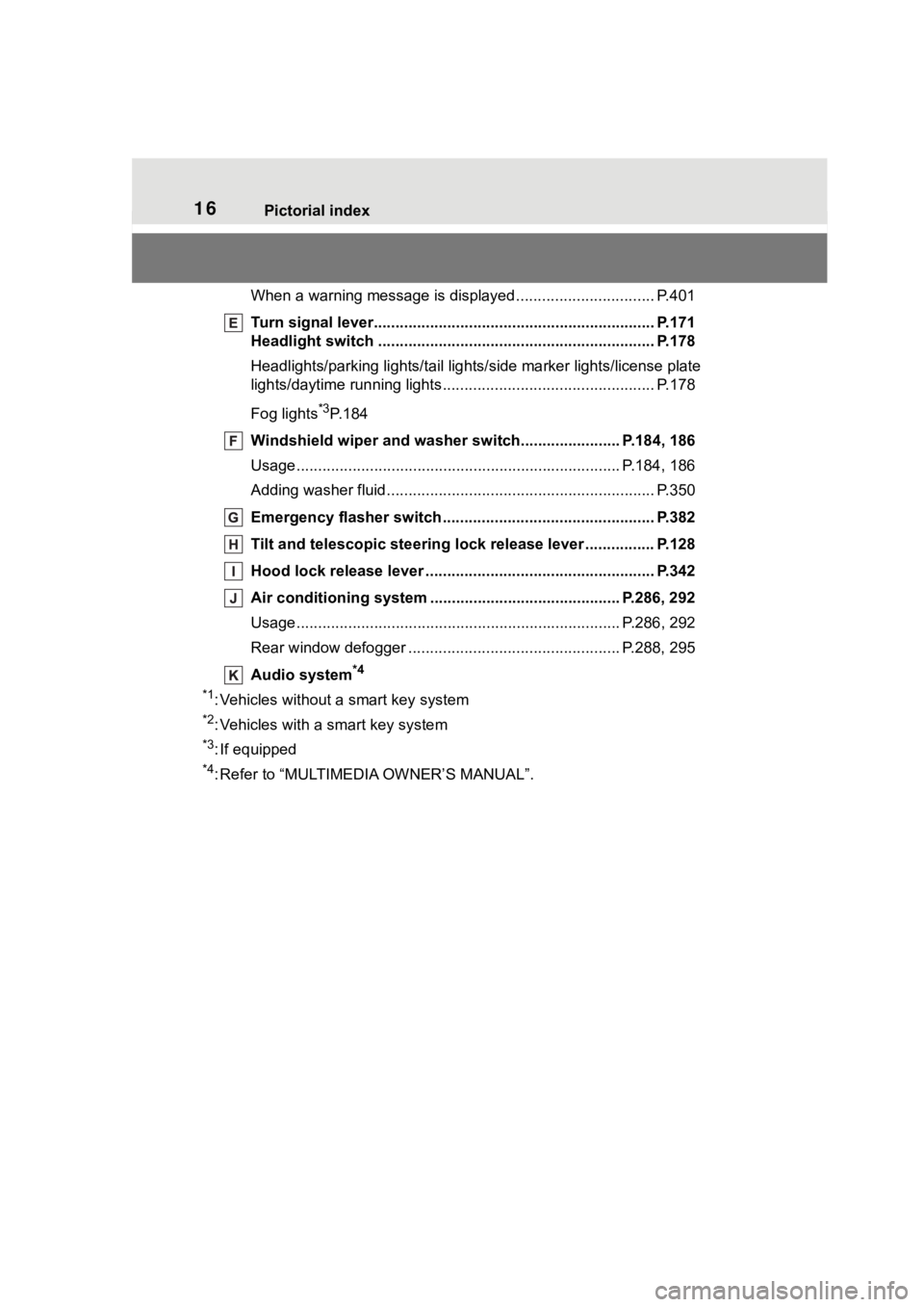
When a warning message is displayed ................................ P.401
Turn signal lever.............................................. ................... P.171
Headlight switch ............................................... ................. P.178
Headlights/parking lights/tail lig hts/side marker lights/license plate
lights/daytime running lights .................................. ............... P.178
Fog lights
*3P. 1 8 4
Windshield wiper and washer sw itch....................... P.184, 186
Usage.......................................................... ................. P.184, 186
Adding washer fluid .............................................................. P.350
Emergency flasher switch ....................................... .......... P.382
Tilt and telescopic steering lock release lever ................P. 1 2 8
Hood lock release lever ........................................ ............. P.342
Air conditioning system ............................. ............... P.286, 292
Usage.......................................................... ................. P.286, 292
Rear window defogger ........................................... ...... P.288, 295
Audio system
*4
*1
: Vehicles without a smart key system
*2: Vehicles with a smart key system
*3: If equipped
*4: Refer to “MULTIMEDIA OWNER’S MANUAL”.
Page 17 of 500
17Pictorial index
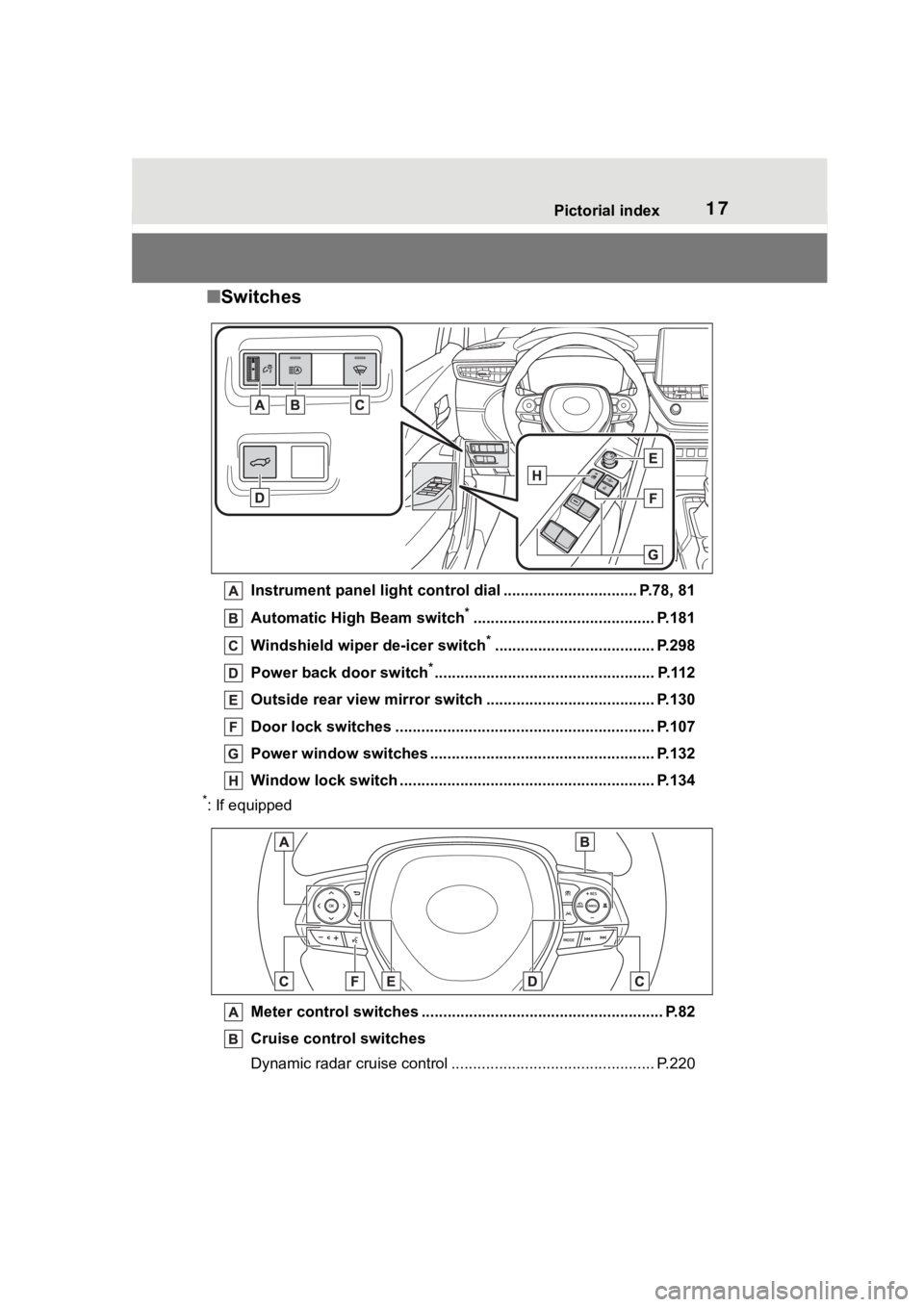
■Switches
Instrument panel light cont rol dial ............................... P.78, 81
Automatic High Beam switch
*.......................................... P.181
Windshield wiper de-icer switch
*..................................... P.298
Power back door switch
*................................................... P.112
Outside rear view mirror s witch ....................................... P.130
Door lock switches ............................................................ P.107
Power window switches ....... ............................................. P.132
Window lock switch ............................................. .............. P.134
*: If equipped
Meter control switches .. ...................................................... P.82
Cruise control switches
Dynamic radar cruise control ................................... ............ P.220
Page 42 of 500
421-2. Child safety
1-2.Child safety
Riding with children
Observe the following pre-
cautions when children are
in the vehicle.
Use a child restraint system
appropriate for the child,
until the child becomes
large enough to properly
wear the vehicle’s seat belt.
It is recommended that chil-
dren sit in the rear seats to
avoid accidental contact
with the shift lever, wiper
switch, etc.
Use the rear door child-pro-
tector lock or the window
lock switch to avoid children
opening the door while driv-
ing or operating the power
window accidentally.
( P.107, 134)
Do not let small children
operate equipment which
may catch or pinch body
parts, such as the power
window, hood, back door,
seats, etc.
WARNING
■When children are in the vehi-
cle
Never leave children unattended
in the vehicle, and never allow
children to have or use the key.
Children may be able to start the
vehicle or shift the vehicle into
neutral. There is also a danger
that children ma y injure them-
selves by playing with the win-
dows, the moon roof (if equipped)
or other features of the vehicle. In
addition, heat build-up or
extremely cold temperatures
inside the vehicle can be fatal to
children.
Page 69 of 500
691-4. Theft deterrent system
1
For safety and security
*: If equipped
■Items to check before lock-
ing the vehicle
To prevent unexpected trigger-
ing of the alarm and vehicle
theft, make sure of the following:
Nobody is in the vehicle.
The windows and moon roof
(if equipped) are closed
before the alarm is set.
No valuables or other per-
sonal items are left in the
vehicle.
■Setting
Close the doors and hood, and
lock all the doors. The system
will set automatically after 30
seconds.
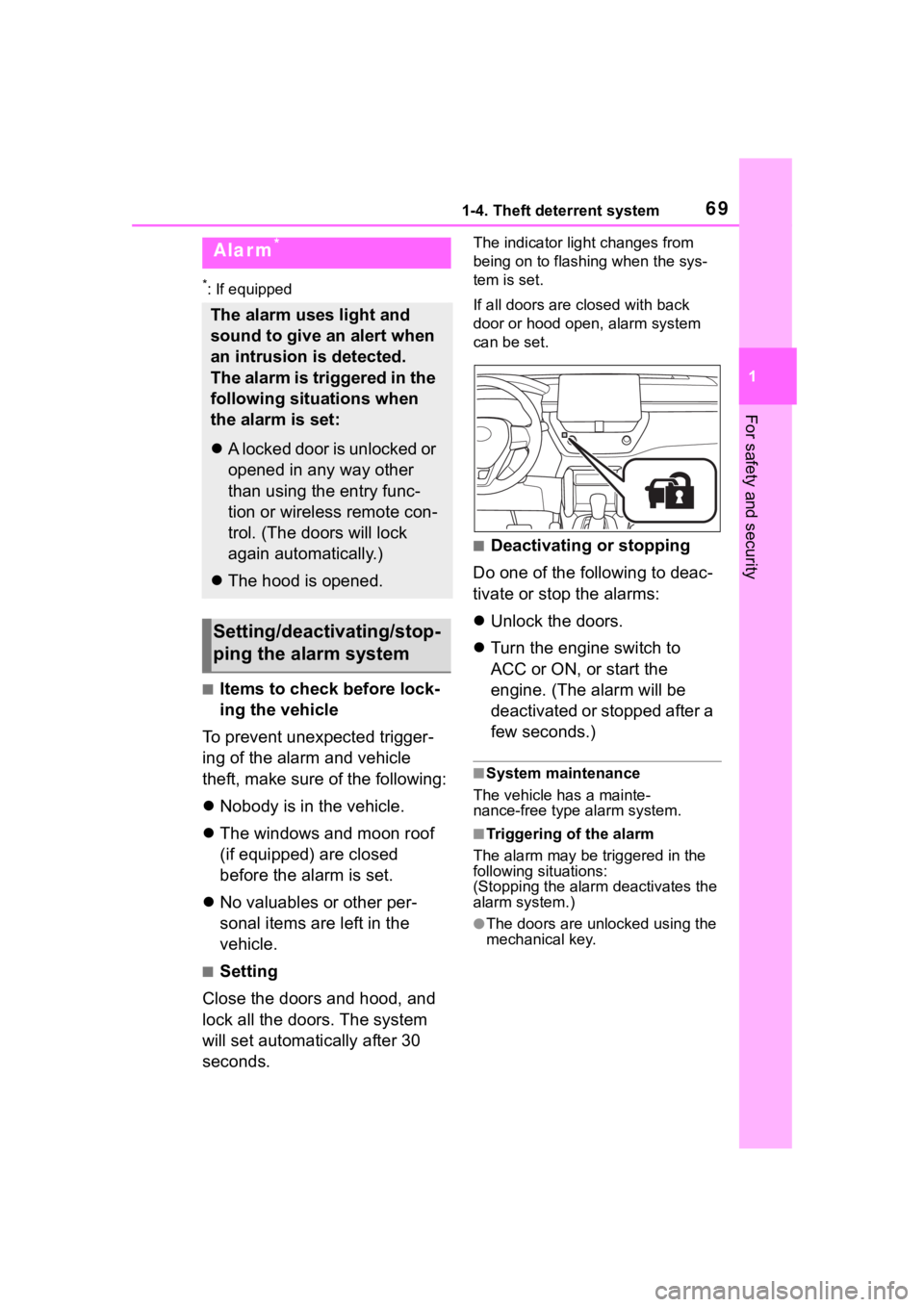
The indicator light changes from
being on to flashing when the sys-
tem is set.
If all doors are cl osed with back
door or hood open, alarm system
can be set.
■Deactivating or stopping
Do one of the following to deac-
tivate or stop the alarms:
Unlock the doors.
Turn the engine switch to
ACC or ON, or start the
engine. (The alarm will be
deactivated or stopped after a
few seconds.)
■System maintenance
The vehicle has a mainte-
nance-free type alarm system.
■Triggering of the alarm
The alarm may be triggered in the
following situations:
(Stopping the alarm deactivates the
alarm system.)
●The doors are unlocked using the
mechanical key.
Alarm*
The alarm uses light and
sound to give an alert when
an intrusion is detected.
The alarm is triggered in the
following situations when
the alarm is set:
A locked door is unlocked or
opened in any way other
than using the entry func-
tion or wireless remote con-
trol. (The doors will lock
again automatically.)
The hood is opened.
Setting/deactivating/stop-
ping the alarm system
Page 97 of 500
97
3
3
Before driving
Before driving
.3-1. Key informationKeys ............................... 98
3-2. Opening, closing and locking the doors
Side doors ................... 103
Back door .................... 108
Smart key system ....... 118
3-3. Adjusting the seats Front seats .................. 123
Rear seats................... 124
Head restraints............ 126
3-4. Adjusting the steering wheel and mirrors
Steering wheel ............ 128
Inside rear view mirror .................................. 129
Outside rear view mirrors .................................. 130
3-5. Opening and closing the windows
Power windows ........... 132
Moon roof .................... 135
3-6. Favorite settings My Settings ................. 138
Page 100 of 500
1003-1. Key information
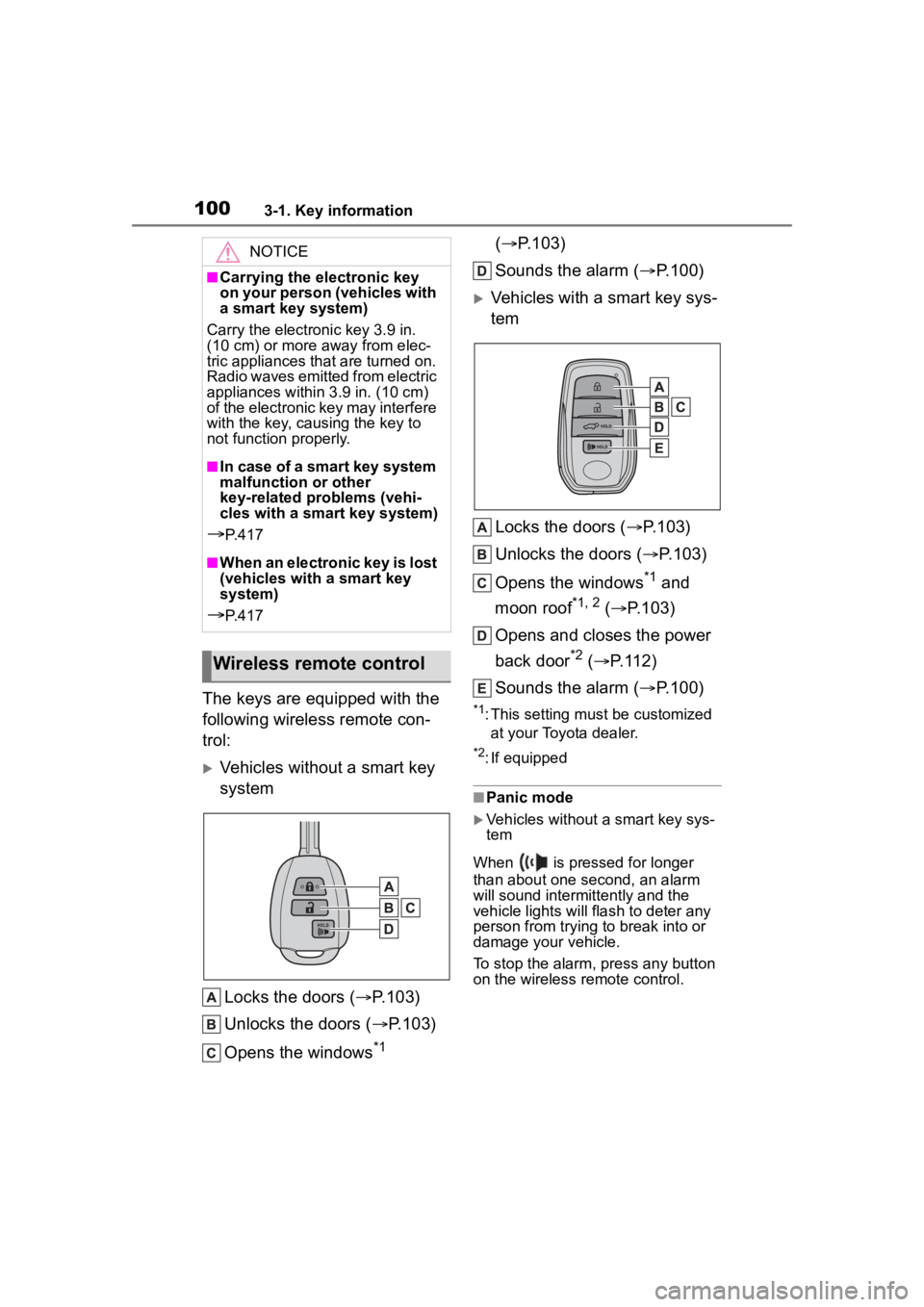
The keys are equipped with the
following wireless remote con-
trol:
Vehicles without a smart key
systemLocks the doors ( P.103)
Unlocks the doors ( P.103)
Opens the windows
*1 (
P.103)
Sounds the alarm ( P.100)
Vehicles with a smart key sys-
tem
Locks the doors ( P.103)
Unlocks the doors ( P.103)
Opens the windows
*1 and
moon roof
*1, 2 ( P.103)
Opens and closes the power
back door
*2 ( P.112)
Sounds the alarm ( P.100)
*1: This setting must be customized
at your Toyota dealer.
*2: If equipped
■Panic mode
Vehicles without a smart key sys-
tem
When is pressed for longer
than about one second, an alarm
will sound intermittently and the
vehicle lights will flash to deter any
person from trying to break into or
damage your vehicle.
To stop the alarm, press any button
on the wireless remote control.
NOTICE
■Carrying the electronic key
on your person (vehicles with
a smart key system)
Carry the electronic key 3.9 in.
(10 cm) or more away from elec-
tric appliances that are turned on.
Radio waves emitted from electric
appliances within 3.9 in. (10 cm)
of the electronic key may interfere
with the key, causing the key to
not function properly.
■In case of a smart key system
malfunction or other
key-related problems (vehi-
cles with a smart key system)
P. 4 1 7
■When an electronic key is lost
(vehicles with a smart key
system)
P. 4 1 7
Wireless remote control
Page 101 of 500
1013-1. Key information
3
Before driving
Vehicles with a smart key system
When is pressed for longer
than about one second, an alarm
will sound intermittently and the
vehicle lights will f lash to deter any
person from trying to break into or
damage your vehicle.
To stop the alarm, press any button
on the electronic key.
■Conditions affect ing the opera-
tion of the smart key system or
wireless remo te control
Vehicles without a smart key sys-
tem
The wireless remote control function
may not operate normally in the fol-
lowing situations:
●When the wireless key battery is
depleted
●Near a TV tower, electric power
plant, gas station , radio station,
large display, airpo rt or other facil-
ity that generates strong radio
waves or electrical noise
●When carrying a portable radio,
cellular phone or other wireless
communication devices
●When the wireles s key is in con-
tact with, or is covered by a metal-
lic object
●When a wireless key (that emits radio waves) is being used nearby
●If window tint wit
h a metallic con-
tent or metallic objects are
attached to the rear window
Vehicles with a smart key system
P. 1 1 9
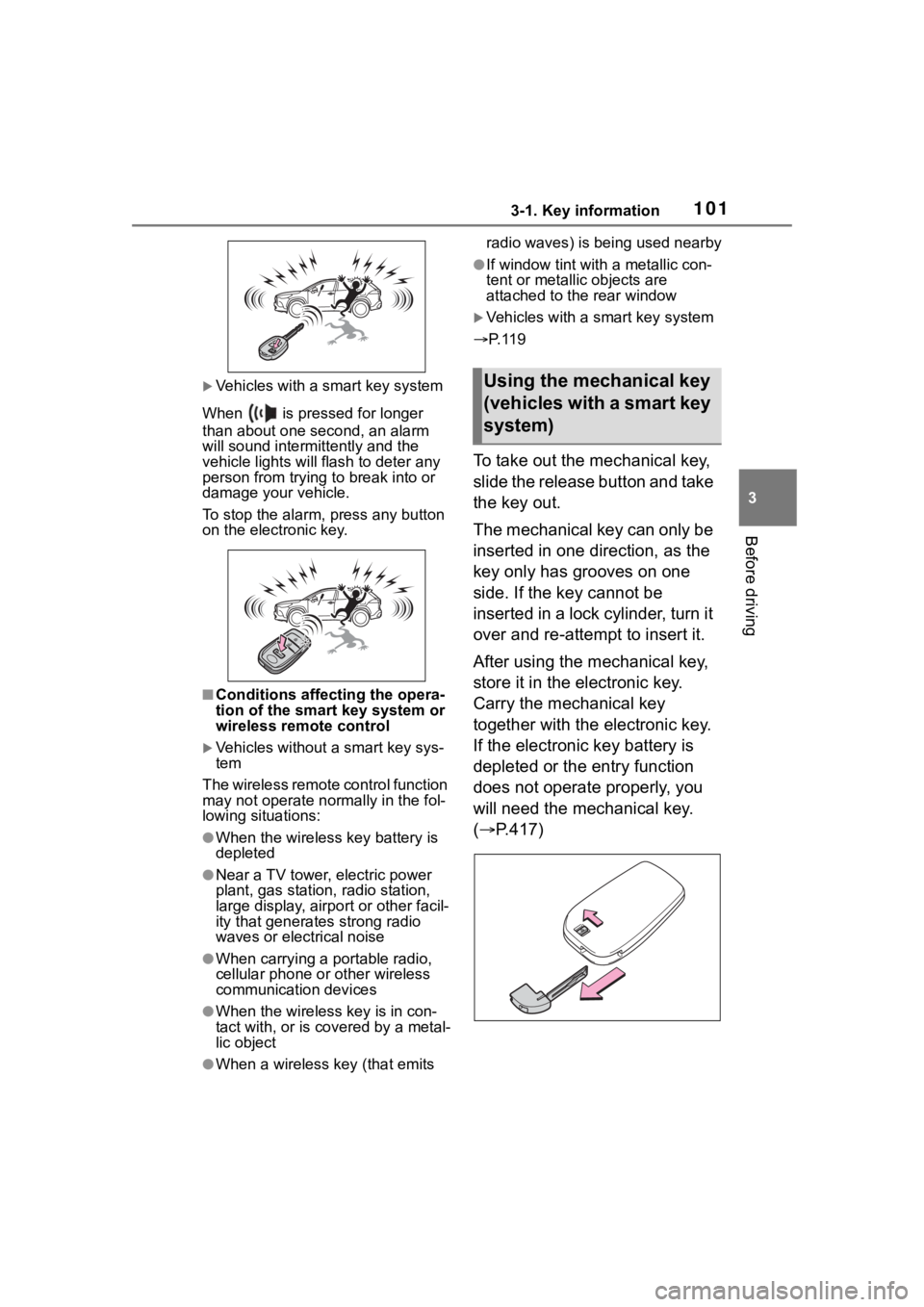
To take out the mechanical key,
slide the release button and take
the key out.
The mechanical key can only be
inserted in one direction, as the
key only has grooves on one
side. If the key cannot be
inserted in a lock cylinder, turn it
over and re-attempt to insert it.
After using the mechanical key,
store it in the electronic key.
Carry the mechanical key
together with the electronic key.
If the electronic key battery is
depleted or the entry function
does not operate properly, you
will need the mechanical key.
( P.417)
Using the mechanical key
(vehicles with a smart key
system)