turn signal TOYOTA COROLLA HATCHBACK 2021 (in English) User Guide
[x] Cancel search | Manufacturer: TOYOTA, Model Year: 2021, Model line: COROLLA HATCHBACK, Model: TOYOTA COROLLA HATCHBACK 2021Pages: 576, PDF Size: 12.73 MB
Page 193 of 576
1934-5. Using the driving support systems
COROLLA H/B_U
4
Driving
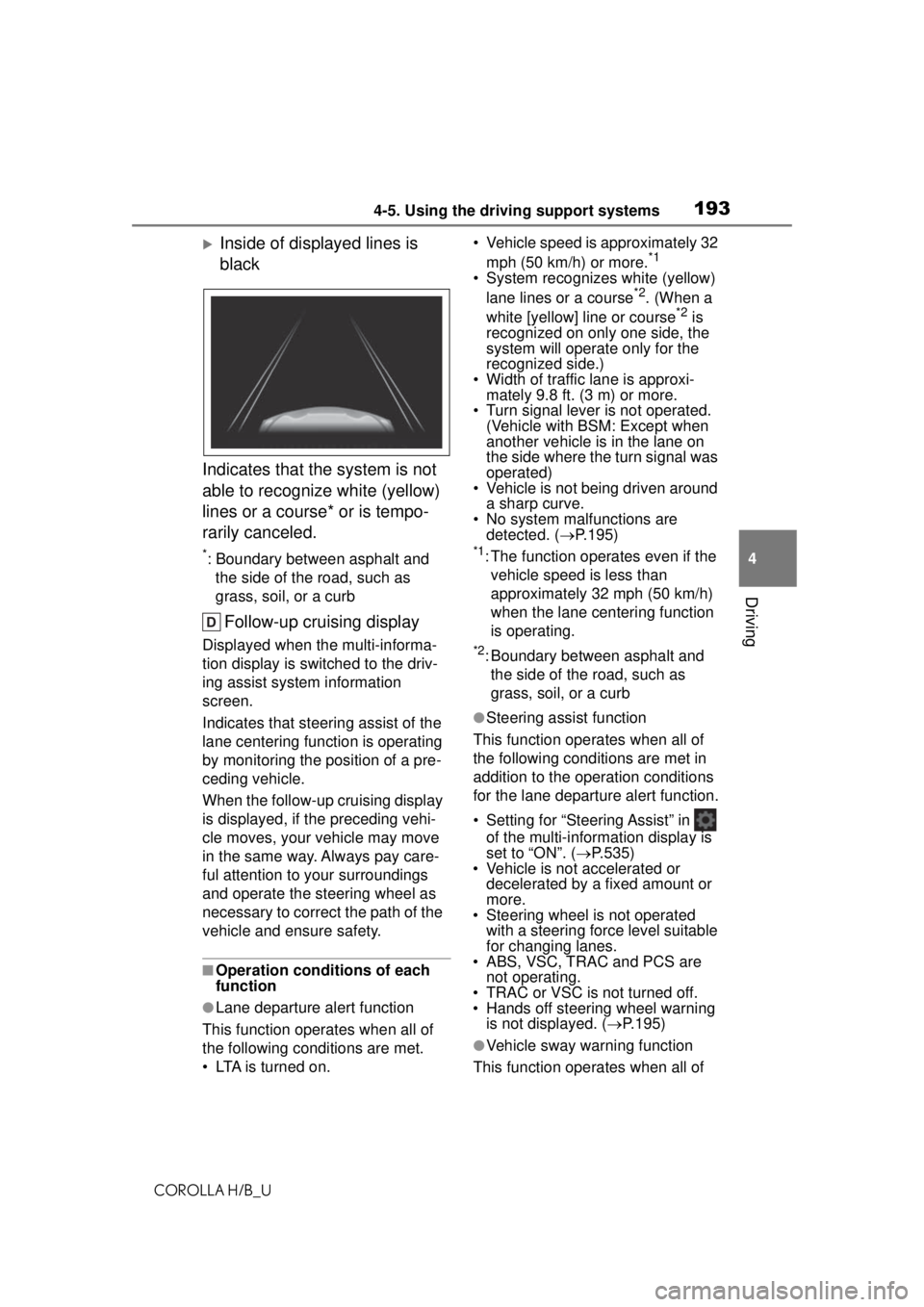
Inside of displayed lines is
black
Indicates that the system is not
able to recognize white (yellow)
lines or a course* or is tempo-
rarily canceled.
*: Boundary between asphalt and the side of the road, such as
grass, soil, or a curb
Follow-up cruising display
Displayed when the multi-informa-
tion display is switched to the driv-
ing assist system information
screen.
Indicates that steering assist of the
lane centering function is operating
by monitoring the position of a pre-
ceding vehicle.
When the follow-up cruising display
is displayed, if the preceding vehi-
cle moves, your vehicle may move
in the same way. Always pay care-
ful attention to your surroundings
and operate the steering wheel as
necessary to correct the path of the
vehicle and ensure safety.
■Operation conditions of each
function
●Lane departure alert function
This function operates when all of
the following conditions are met.
• LTA is turned on. • Vehicle speed is approximately 32
mph (50 km/h) or more.
*1
• System recognizes white (yellow) lane lines or a course*2. (When a
white [yellow] line or course*2 is
recognized on only one side, the
system will operate only for the
recognized side.)
• Width of traffic lane is approxi- mately 9.8 ft. (3 m) or more.
• Turn signal lever is not operated. (Vehicle with BSM: Except when
another vehicle is in the lane on
the side where the turn signal was
operated)
• Vehicle is not being driven around
a sharp curve.
• No system malfunctions are detected. ( P.195)
*1: The function operates even if the
vehicle speed is less than
approximately 32 mph (50 km/h)
when the lane centering function
is operating.
*2: Boundary between asphalt and the side of the road, such as
grass, soil, or a curb
●Steering assist function
This function operates when all of
the following conditions are met in
addition to the operation conditions
for the lane departure alert function.
• Setting for “Steering Assist” in of the multi-information display is
set to “ON”. ( P.535)
• Vehicle is not accelerated or decelerated by a fixed amount or
more.
• Steering wheel is not operated with a steering force level suitable
for changing lanes.
• ABS, VSC, TRAC and PCS are not operating.
• TRAC or VSC is not turned off.
• Hands off steering wheel warning
is not displayed. ( P.195)
●Vehicle sway warning function
This function operates when all of
Page 194 of 576
1944-5. Using the driving support systems
COROLLA H/B_Uthe following conditions are met.
• Setting for “Sway Warning” in
of the multi-information display is
set to “ON”. ( P.535)
• Vehicle speed is approximately 32
mph (50 km/h) or more.
• Width of traffic lane is approxi- mately 9.8 ft. (3 m) or more.
• No system malfunctions are detected. ( P.195)
●Lane centering function
This function operates when all of
the following conditions are met.
• LTA is turned on.
• Setting for “Steering Assist” and “Lane Center” in of the
multi-information di splay are set to
“ON” ( P.535)
• This function recognizes white (yellow) lane lines or the position
of a preceding vehicle (except
when the preceding vehicle is
small, such as a motorcycle).
• The dynamic radar cruise control
with full-speed range is operating
in vehicle-to-vehicle distance con-
trol mode.
• Width of traffic lane is approxi- mately 10 to 13 ft. (3 to 4 m).
• Turn signal lever is not operated.
• Vehicle is not being driven around
a sharp curve.
• No system malfunctions are
detected. ( P.195)
• Vehicle does not accelerate or decelerate by a fixed amount or
more.
• Steering wheel is not operated with a steering force level suitable
for changing lanes.
• ABS, VSC, TRAC and PCS are not operating.
• TRAC or VSC is not turned off.
• Hands off steering wheel warning
is not displayed. ( P.195)
• The vehicle is being driven in the
center of a lane.
• Steering assist function is not operating.
■Temporary cancellation of func-
tions
●When operation conditions are no
longer met, a function may be
temporarily canceled. However,
when the operation conditions are
met again, operation of the func-
tion is automatically restored.
( P.193)
●If the operation conditions
( P.193) are no longer met while
the lane centering function is
operating, the buzzer may sound
to indicate that the function has
been temporarily canceled.
■Steering assist function/lane
centering function
●Depending on the vehicle speed,
lane departure situation, road con-
ditions, etc., the driver may not
feel the function is operating or
the function may not operate at
all.
●The steering control of the func-
tion is overridden by the driver’s
steering wheel operation.
●Do not attempt to test the opera-
tion of the steering assist function.
■Lane departure alert function
●The warning buzzer may be diffi-
cult to hear due to external noise,
audio playback, etc.
●If the edge of the course* is not
clear or straight, the lane depar-
ture alert function may not oper-
ate.
●Vehicle with BSM: It may not be
possible for the system to deter-
mine if there is a danger of a colli-
sion with a vehicle in an adjacent
lane.
●Do not attempt to test the opera-
tion of the lane departure alert
function.
*: Boundary between asphalt and
the side of the road, such as
grass, soil, or a curb
Page 199 of 576
1994-5. Using the driving support systems
COROLLA H/B_U
4
Driving
■Lane departure alert func-
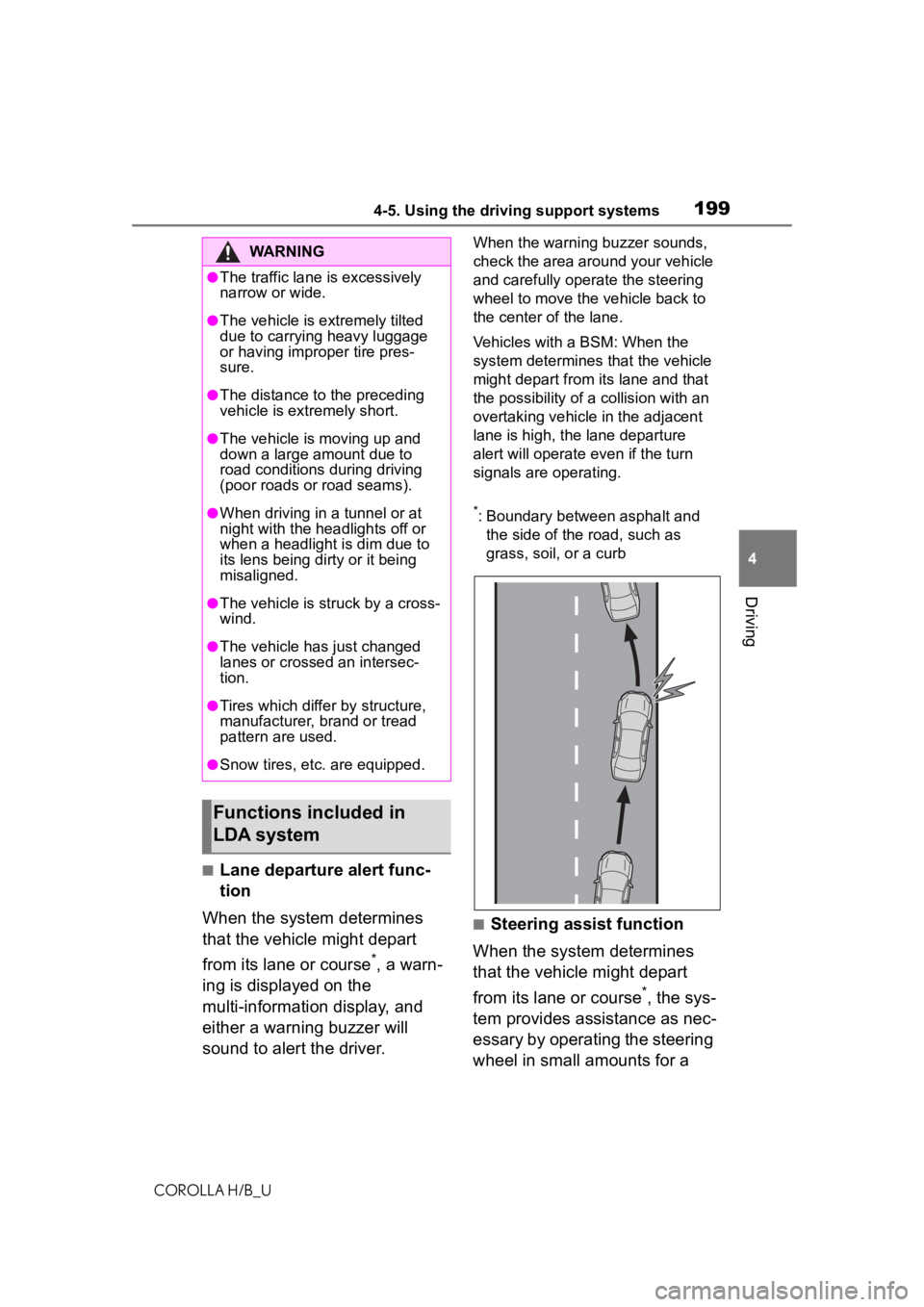
tion
When the system determines
that the vehicle might depart
from its lane or course
*, a warn-
ing is displayed on the
multi-information display, and
either a warning buzzer will
sound to alert the driver.
When the warning buzzer sounds,
check the area around your vehicle
and carefully operate the steering
wheel to move the vehicle back to
the center of the lane.
Vehicles with a BSM: When the
system determines that the vehicle
might depart from its lane and that
the possibility of a collision with an
overtaking vehicle in the adjacent
lane is high, the lane departure
alert will operate even if the turn
signals are operating.
*: Boundary between asphalt and the side of the road, such as
grass, soil, or a curb
■Steering assist function
When the system determines
that the vehicle might depart
from its lane or course
*, the sys-
tem provides assistance as nec-
essary by operating the steering
wheel in small amounts for a
WARNING
●The traffic lane is excessively
narrow or wide.
●The vehicle is extremely tilted
due to carrying heavy luggage
or having improper tire pres-
sure.
●The distance to the preceding
vehicle is extremely short.
●The vehicle is moving up and
down a large amount due to
road conditions during driving
(poor roads or road seams).
●When driving in a tunnel or at
night with the headlights off or
when a headlight is dim due to
its lens being dirty or it being
misaligned.
●The vehicle is struck by a cross-
wind.
●The vehicle has just changed
lanes or crossed an intersec-
tion.
●Tires which differ by structure,
manufacturer, brand or tread
pattern are used.
●Snow tires, etc. are equipped.
Functions included in
LDA system
Page 200 of 576
2004-5. Using the driving support systems
COROLLA H/B_U
short period of time to keep the
vehicle in its lane.
If the system detects that the steer-
ing wheel has not been operated
for a fixed amount of time or the
steering wheel is not being firmly
gripped, a warning is displayed on
the multi-information display and
the function is temporarily can-
celed.
Vehicles with a BSM: When the
system determines that the vehicle
might depart from its lane and that
the possibility of a collision with an
overtaking vehicle in the adjacent
lane is high, the steering assist
function will operate even if the turn
signals are operating.
*: Boundary between asphalt and the side of the road, such as
grass, soil, or a curb
■Vehicle sway warning func-
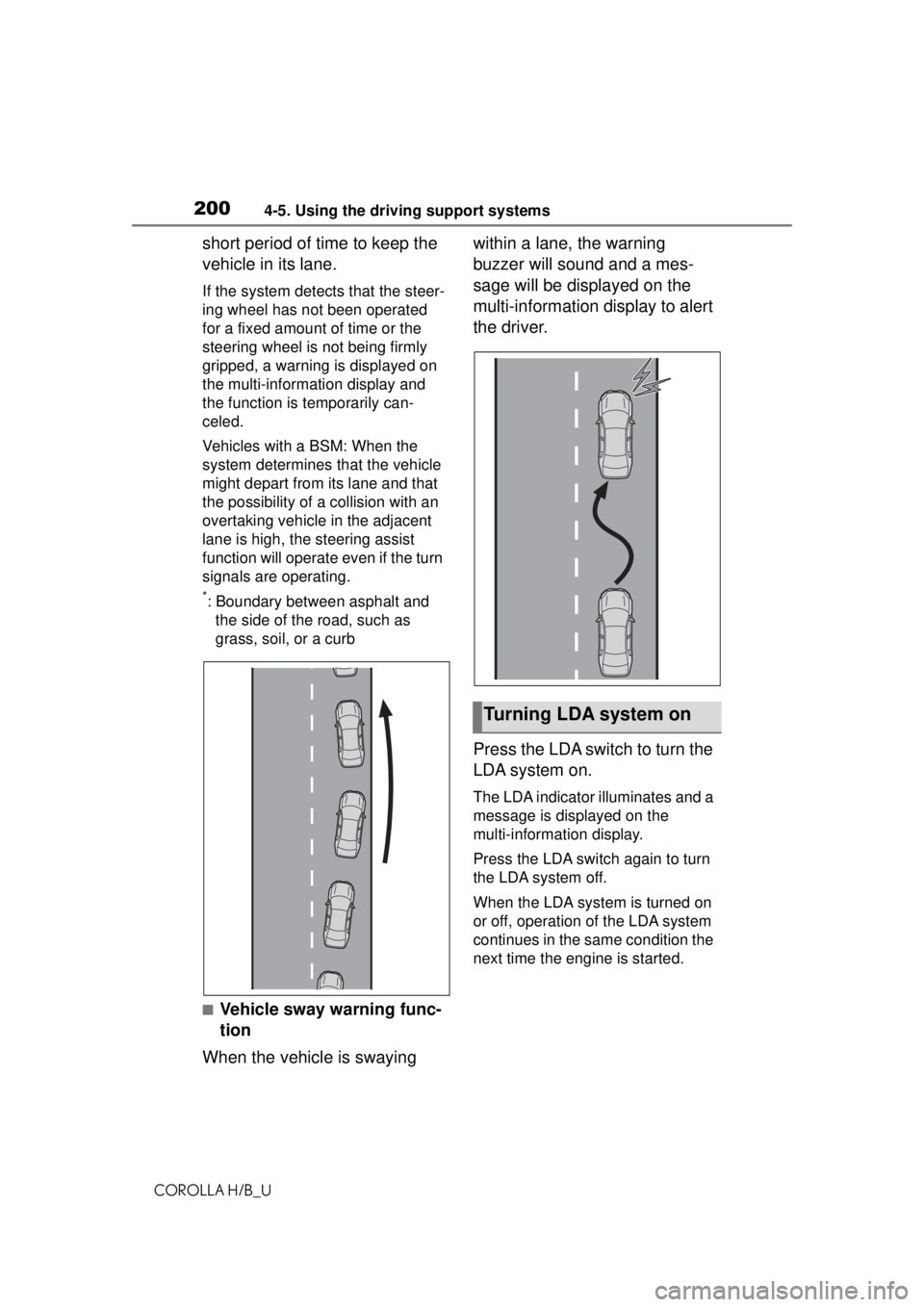
tion
When the vehicle is swaying within a lane, the warning
buzzer will sound and a mes-
sage will be displayed on the
multi-information display to alert
the driver.
Press the LDA switch to turn the
LDA system on.
The LDA indicator illuminates and a
message is displayed on the
multi-information display.
Press the LDA switch again to turn
the LDA system off.
When the LDA system is turned on
or off, operation of the LDA system
continues in the same condition the
next time the engine is started.
Turning LDA system on
Page 202 of 576
2024-5. Using the driving support systems
COROLLA H/B_U
*: Boundary between asphalt and the side of the road, such as
grass, soil, or a curb
■Operation conditions of each
function
●Lane departure alert function
This function operates when all of
the following conditions are met.
• LDA is turned on.
• Vehicle speed is approximately 32 mph (50 km/h) or more.
• System recognizes white (yellow)
lane lines or a course*. (When a
white [yellow] line or course
* is
recognized on only one side, the
system will operate only for the
recognized side.)
• Width of traffic lane is approxi- mately 9.8 ft. (3 m) or more.
• Turn signal lever is not operated.
(Vehicle with BSM: Except when
another vehicle is in the lane on
the side where the turn signal was
operated)
• Vehicle is not being driven around a sharp curve.
• No system malfunctions are detected. ( P.203)
*: Boundary between asphalt and
the side of the road, such as
grass, soil, or a curb
●Steering assist function
This function operates when all of
the following conditions are met in
addition to the operation conditions
for the lane departure alert function.
• Setting for “Steering Assist” in of the multi-information display is
set to “ON”. ( P.535)
• Vehicle is not accelerated or
decelerated by a fixed amount or
more.
• Steering wheel is not operated
with a steering force level suitable
for changing lanes.
• ABS, VSC, TRAC and PCS are
not operating. • TRAC or VSC is not turned off.
• Hands off steering wheel warning
is not displayed. ( P.203)
●Vehicle sway warning function
This function operates when all of
the following conditions are met.
• Setting for “Sway Warning” in of the multi-information display is
set to “ON”. ( P.535)
• Vehicle speed is approximately 32
mph (50 km/h) or more.
• Width of traffic lane is approxi- mately 9.8 ft. (3 m) or more.
• No system malfunctions are detected. ( P.203)
■Temporary cancellation of func-
tions
●When operation conditions are no
longer met, a function may be
temporarily canceled. However,
when the operation conditions are
met again, operation of the func-
tion is automatically restored.
( P.202)
■Steering assist function
●Depending on the vehicle speed,
lane departure situation, road con-
ditions, etc., the driver may not
feel the function is operating or
the function may not operate at
all.
●The steering control of the func-
tion is overridden by the driver’s
steering wheel operation.
●Do not attempt to test the opera-
tion of the steering assist function.
■Lane departure alert function
●The warning buzzer may be diffi-
cult to hear due to external noise,
audio playback, etc.
●If the edge of the course* is not
clear or straight, the lane depar-
ture alert function may not oper-
ate.
●Vehicle with BSM: It may not be
possible for the system to deter-
mine if there is a danger of a colli-
sion with a vehicle in an adjacent
Page 208 of 576
2084-5. Using the driving support systems
COROLLA H/B_UWhen the turn signal lever is operated and your vehicle moves to an over-
taking lane while driving at 50 mph (
80 km/h) or more, the vehicle will accel-
erate to help to overtake a passing vehicle.
The system’s identification of what is an overtaking lane may be determined
solely based on the location of the steering wheel in the vehicle (left side
driver position versus right side driver position.) If the vehicle is driven to a
region where the overtaking lane is on a different side from where the vehi-
cle is normally driven, the vehicle may accelerate when the turn signal lever
is operated in the opposite direction to the overtaking lane (e.g., if the driver
normally operates the vehicle in a region where the overtaking lane is to the
right but then drives to a region where the overtaking lane is to the left, the
vehicle may accelerate when the ri ght turn signal is activated).
Example of acceleration
When there are no longer any preceding vehicles driving slower
than the set speed
The system accelerates until the set speed is reached. The system then
returns to constant speed cruising.
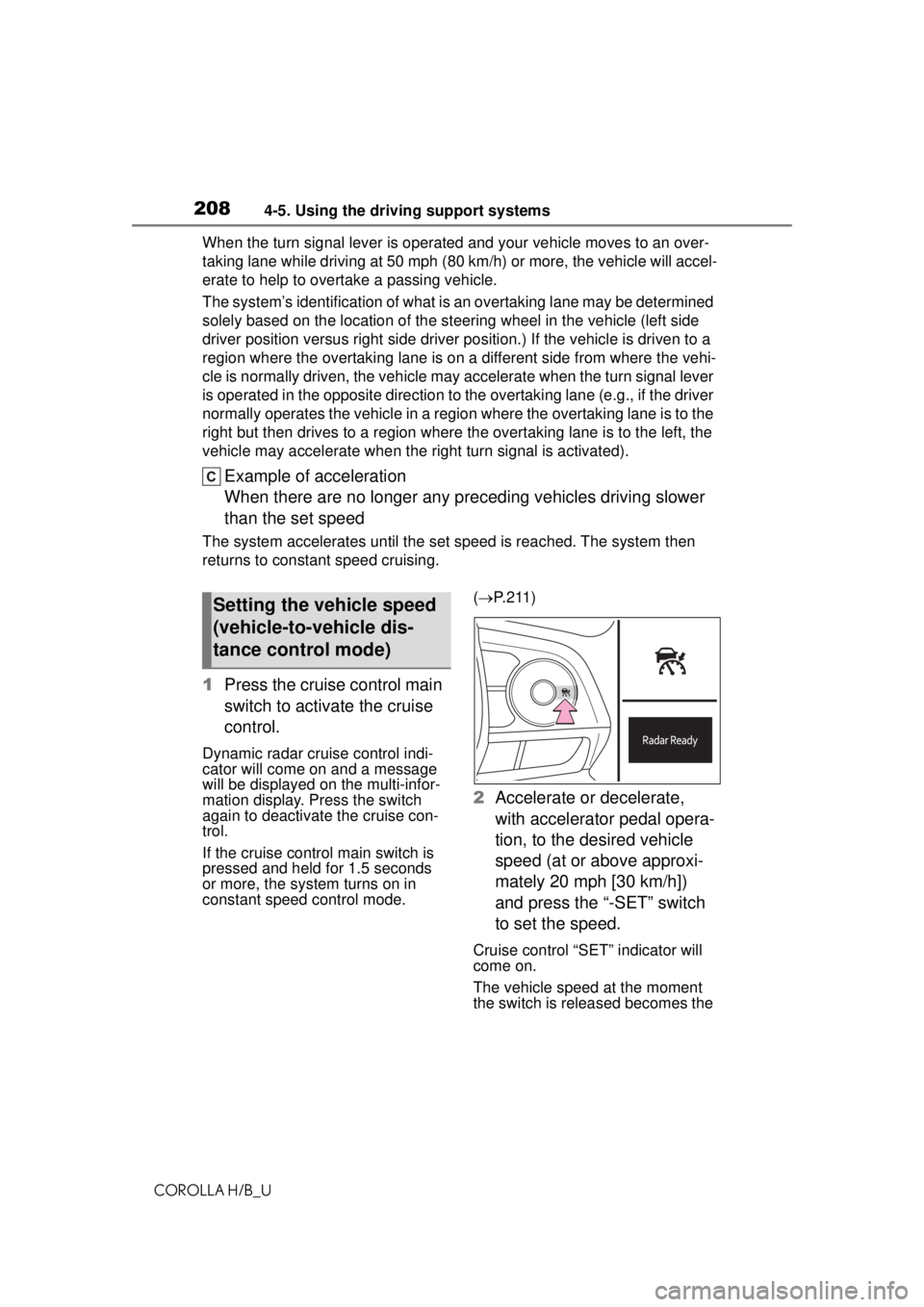
1 Press the cruise control main
switch to activate the cruise
control.
Dynamic radar cruise control indi-
cator will come on and a message
will be displayed on the multi-infor-
mation display. Press the switch
again to deactivate the cruise con-
trol.
If the cruise control main switch is
pressed and held for 1.5 seconds
or more, the system turns on in
constant speed control mode. (
P. 2 1 1 )
2 Accelerate or decelerate,
with accelerator pedal opera-
tion, to the desired vehicle
speed (at or above approxi-
mately 20 mph [30 km/h])
and press the “-SET” switch
to set the speed.
Cruise control “SET” indicator will
come on.
The vehicle speed at the moment
the switch is released becomes the
Setting the vehicle speed
(vehicle-to-vehicle dis-
tance control mode)
Page 218 of 576
2184-5. Using the driving support systems
COROLLA H/B_U
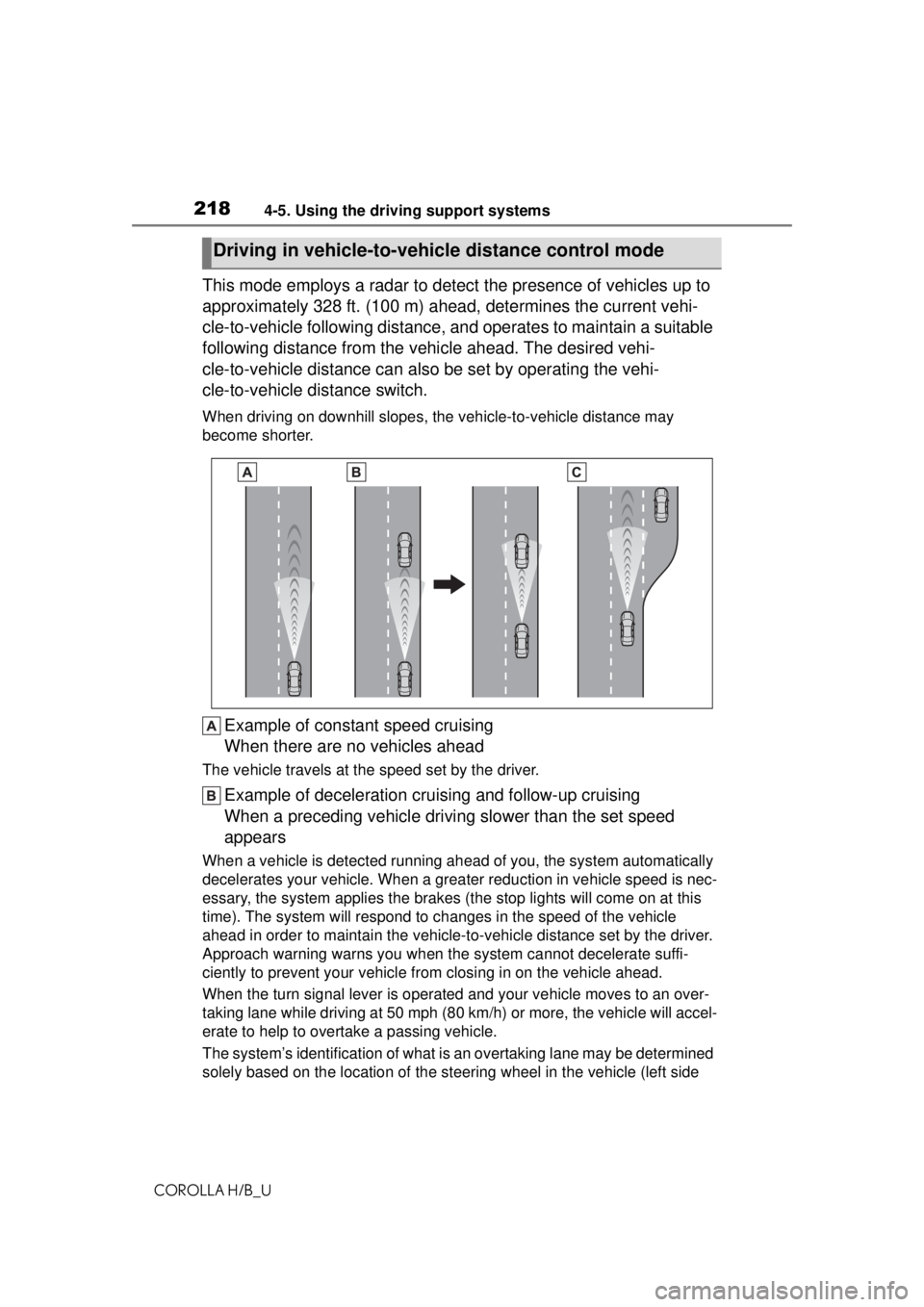
This mode employs a radar to detect the presence of vehicles up to
approximately 328 ft. (100 m) ahead, determines the current vehi-
cle-to-vehicle following distance, and operates to maintain a suitable
following distance from the vehicle ahead. The desired vehi-
cle-to-vehicle distance can also be set by operating the vehi-
cle-to-vehicle distance switch.
When driving on downhill slopes, the vehicle-to-vehicle distance may
become shorter.
Example of const ant speed cruising
When there are no vehicles ahead
The vehicle travels at the speed set by the driver.
Example of deceleration cruising and follow-up cruising
When a preceding vehicle driving slower than the set speed
appears
When a vehicle is detected running ahea d of you, the system automatically
decelerates your vehicle. When a greater reduction in vehicle speed is nec-
essary, the system applies the brakes (the stop lights will come on at this
time). The system will respond to ch anges in the speed of the vehicle
ahead in order to maintain the vehicle-to-vehicle distance set by the driver.
Approach warning warns you when the system cannot decelerate suffi-
ciently to prevent your vehicle from closing in on the vehicle ahead.
When the turn signal lever is operated and your vehicle moves to an over-
taking lane while driving at 50 mph ( 80 km/h) or more, the vehicle will accel-
erate to help to overtake a passing vehicle.
The system’s identification of what is an overtaking lane may be determined
solely based on the location of the steering wheel in the vehicle (left side
Driving in vehicle-to-vehicle distance control mode
Page 219 of 576
2194-5. Using the driving support systems
COROLLA H/B_U
4
Driving
driver position versus right side driver position.) If the vehicle is driven to a
region where the overtaking lane is on a different side from where the vehi-
cle is normally driven, the vehicle may accelerate when the turn signal lever
is operated in the opposite direction to the overtaking lane (e.g., if the driver
normally operates the vehicle in a region where the overtaking lane is to the
right but then drives to a region where the overtaking lane is to the left, the
vehicle may accelerate when the ri ght turn signal is activated).
Example of acceleration
When there are no longer any preceding vehicles driving slower
than the set speed
The system accelerates until the set speed is reached. The system then
returns to constant speed cruising.
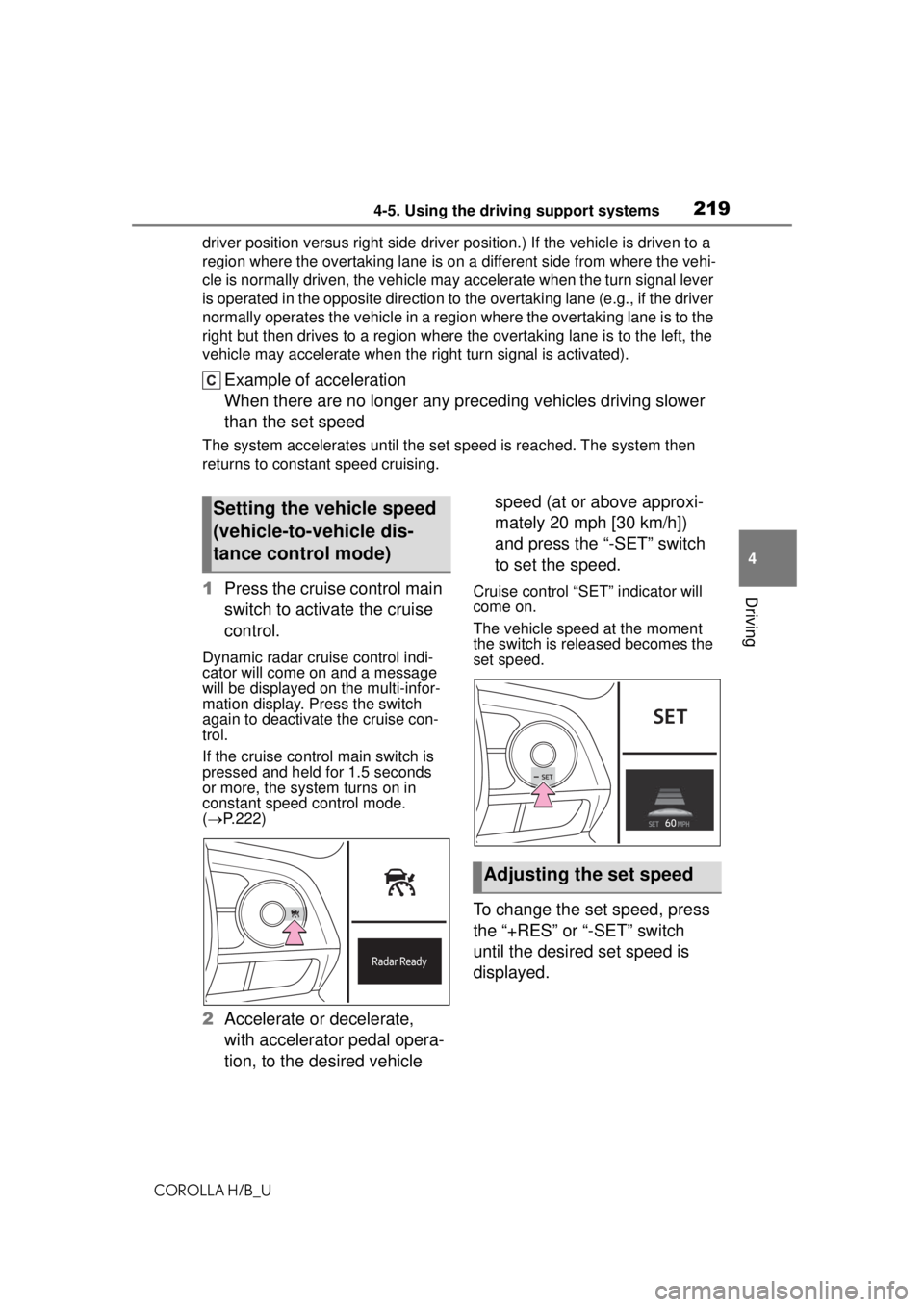
1 Press the cruise control main
switch to activate the cruise
control.
Dynamic radar cruise control indi-
cator will come on and a message
will be displayed on the multi-infor-
mation display. Press the switch
again to deactivate the cruise con-
trol.
If the cruise control main switch is
pressed and held for 1.5 seconds
or more, the system turns on in
constant speed control mode.
( P.222)
2 Accelerate or decelerate,
with accelerator pedal opera-
tion, to the desired vehicle speed (at or above approxi-
mately 20 mph [30 km/h])
and press the “-SET” switch
to set the speed.
Cruise control “SET” indicator will
come on.
The vehicle speed at the moment
the switch is released becomes the
set speed.
To change the set speed, press
the “+RES” or “-SET” switch
until the desired set speed is
displayed.
Setting the vehicle speed
(vehicle-to-vehicle dis-
tance control mode)
Adjusting the set speed
Page 228 of 576
2284-5. Using the driving support systems
COROLLA H/B_U
*: If equipped
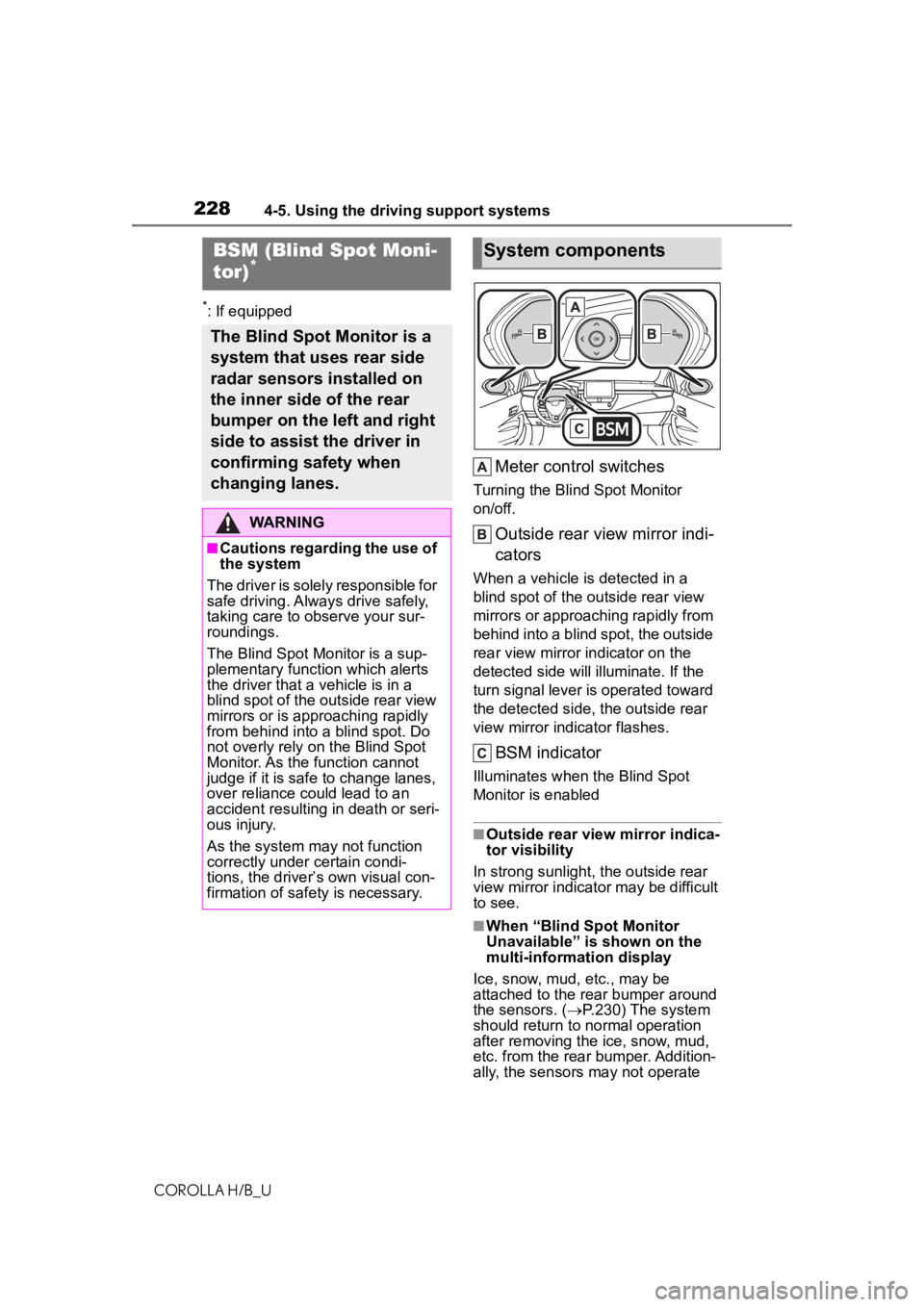
Meter control switches
Turning the Blind Spot Monitor
on/off.
Outside rear view mirror indi-
cators
When a vehicle is detected in a
blind spot of the outside rear view
mirrors or approaching rapidly from
behind into a blind spot, the outside
rear view mirror indicator on the
detected side will illuminate. If the
turn signal lever is operated toward
the detected side, the outside rear
view mirror indicator flashes.
BSM indicator
Illuminates when the Blind Spot
Monitor is enabled
■Outside rear view mirror indica-
tor visibility
In strong sunlight, the outside rear
view mirror indicator may be difficult
to see.
■When “Blind Spot Monitor
Unavailable” is shown on the
multi-information display
Ice, snow, mud, etc., may be
attached to the rear bumper around
the sensors. ( P.230) The system
should return to normal operation
after removing the ice, snow, mud,
etc. from the rear bumper. Addition-
ally, the sensors may not operate
BSM (Blind Spot Moni-
tor)*
The Blind Spot Monitor is a
system that uses rear side
radar sensors installed on
the inner side of the rear
bumper on the left and right
side to assist the driver in
confirming safety when
changing lanes.
WARNING
■Cautions regarding the use of
the system
The driver is solely responsible for
safe driving. A lways drive safely,
taking care to observe your sur-
roundings.
The Blind Spot Monitor is a sup-
plementary function which alerts
the driver that a vehicle is in a
blind spot of the outside rear view
mirrors or is approaching rapidly
from behind into a blind spot. Do
not overly rely on the Blind Spot
Monitor. As the function cannot
judge if it is safe to change lanes,
over reliance could lead to an
accident resulting in death or seri-
ous injury.
As the system may not function
correctly under certain condi-
tions, the driver’s own visual con-
firmation of safety is necessary.
System components
Page 311 of 576
3115-6. Radio operation
COROLLA H/B_U
5
Audio
Stern, every NFL, MLB® and NBA
game, every NASCAR® race,
NHL® games, 24/7 talk channels
dedicated to the biggest leagues,
and more. You get all kinds of
commercial-free mu sic, including
artist-dedicated channels and
more, plus sports, news, talk and
entertainment.
●Radio operation
• Look for the Sirius, XM, SiriusXM, Band, SAT, AUX, Radio or Source
button and you’re in. If you can’t
hear us, it’s easy to get started:
U.S.A.:
Locate your Radio ID by turning to
Channel 0. If you don’t see your
number there, go to siri-
usxm.com/activationhelp to find it.
Visit siriusxm.com/refresh
or call
1-855-MYREFRESH (697-3373)
to send a refresh signal to your
radio.
Canada:
Locate your Radio ID by turning to
Channel 0.
Visit siriusxm.ca/refresh
to send a refresh signal to your radio or call
1-888-539-7474 for service.
Each SiriusXM tuner is identified
with a unique radio ID. The radio
ID is required when activating
an SiriusXM service or when
reporting a problem.
If “Ch 000” is selected using
the “TUNE SCROLL” knob,
the ID code, which is 8 alpha-
numeric characters, will be
displayed. If another channel
is selected, the ID code will no
longer be displayed. The
channel (000) alternates
between displaying the radio
ID and the specific radio
code.
When problems occur with the SiriusXM tuner, a message will
appear on the screen. Referring to the table below to identify the
problem, take the suggested corrective action.
Displaying the radio ID
Refer to the table below to identify the problem and take
the suggested corrective action
MessageExplanation
“Check
Antenna”
The SiriusXM antenna is not connected. Check whether the
SiriusXM antenna cable is attached securely. Contact your
Toyota dealer for assistance.
A short circuit occurs in the antenna or the surrounding
antenna cable. Contact your Toyota dealer for assistance.
“No Signal”The SiriusXM signal is too weak at the current location. Wait
until your vehicle reaches a location with a stronger signal.