overheating TOYOTA COROLLA HATCHBACK 2023 Owners Manual
[x] Cancel search | Manufacturer: TOYOTA, Model Year: 2023, Model line: COROLLA HATCHBACK, Model: TOYOTA COROLLA HATCHBACK 2023Pages: 436, PDF Size: 8.72 MB
Page 14 of 436
14Pictorial index
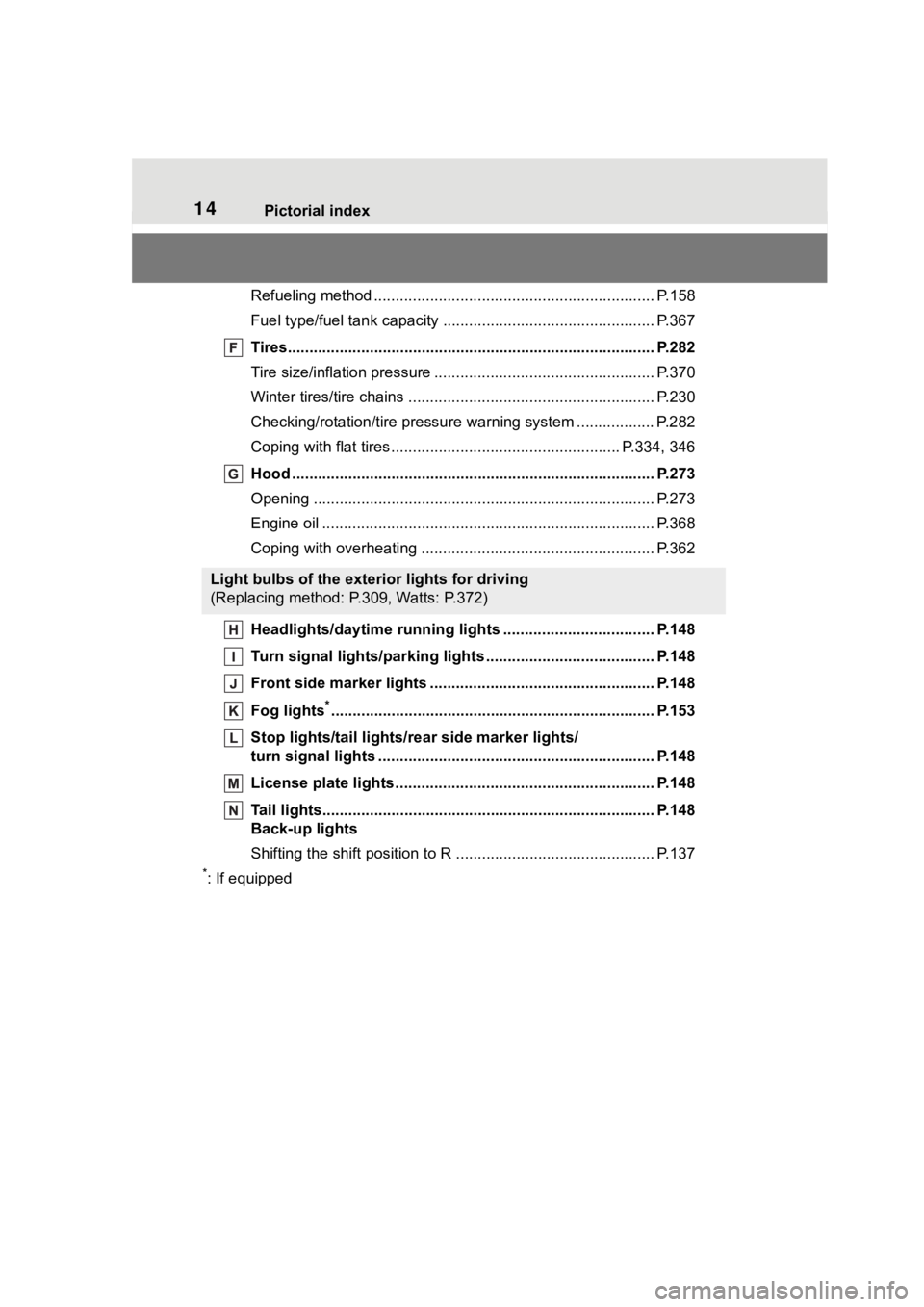
Refueling method ................................................................. P.158
Fuel type/fuel tan k capacity ................................... .............. P.367
Tires.......................................................... ........................... P.282
Tire size/inflation pressure ................................... ................ P.370
Winter tires/tire chains ....................................... .................. P.230
Checking/rotation/tire pressur e warning system ..................P.282
Coping with flat tires......................................... ............ P.334, 346
Hood ........................................................... ......................... P.273
Opening ............................................................................... P.273
Engine oil ..................................................... ........................ P.368
Coping with overheating ...................................................... P.362
Headlights/daytime running lights .............................. ..... P.148
Turn signal lights/parking lights .............................. ......... P.148
Front side marker lights ....................................... ............. P.148
Fog lights
*............................................................... ............ P.153
Stop lights/tail lights/ rear side marker lights/
turn signal lights ............................................. ................... P.148
License plate lights........................................... ................. P.148
Tail lights.................................................... ......................... P.148
Back-up lights
Shifting the shift position to R ............................... ............... P.137
*: If equipped
Light bulbs of the exterior lights for driving
(Replacing method: P.309, Watts: P.372)
Page 73 of 436
732-1. Instrument cluster
2
Vehicle status information and indicators
■Outside temperature display
●In the following situations, the cor-
rect outside tempe rature may not
be displayed, or the display may
take longer than normal to
change:
• When stopped, or driving at low
speeds (less than 12 mph [20
km/h])
• When the outside temperature
has changed suddenly (at the
entrance/exit of a garage, tunnel,
etc.)
●When “--” or “E” is displayed, the
system may be malfunctioning.
Take your vehicle to your Toyota
dealer.
■Liquid crystal display
P. 7 8
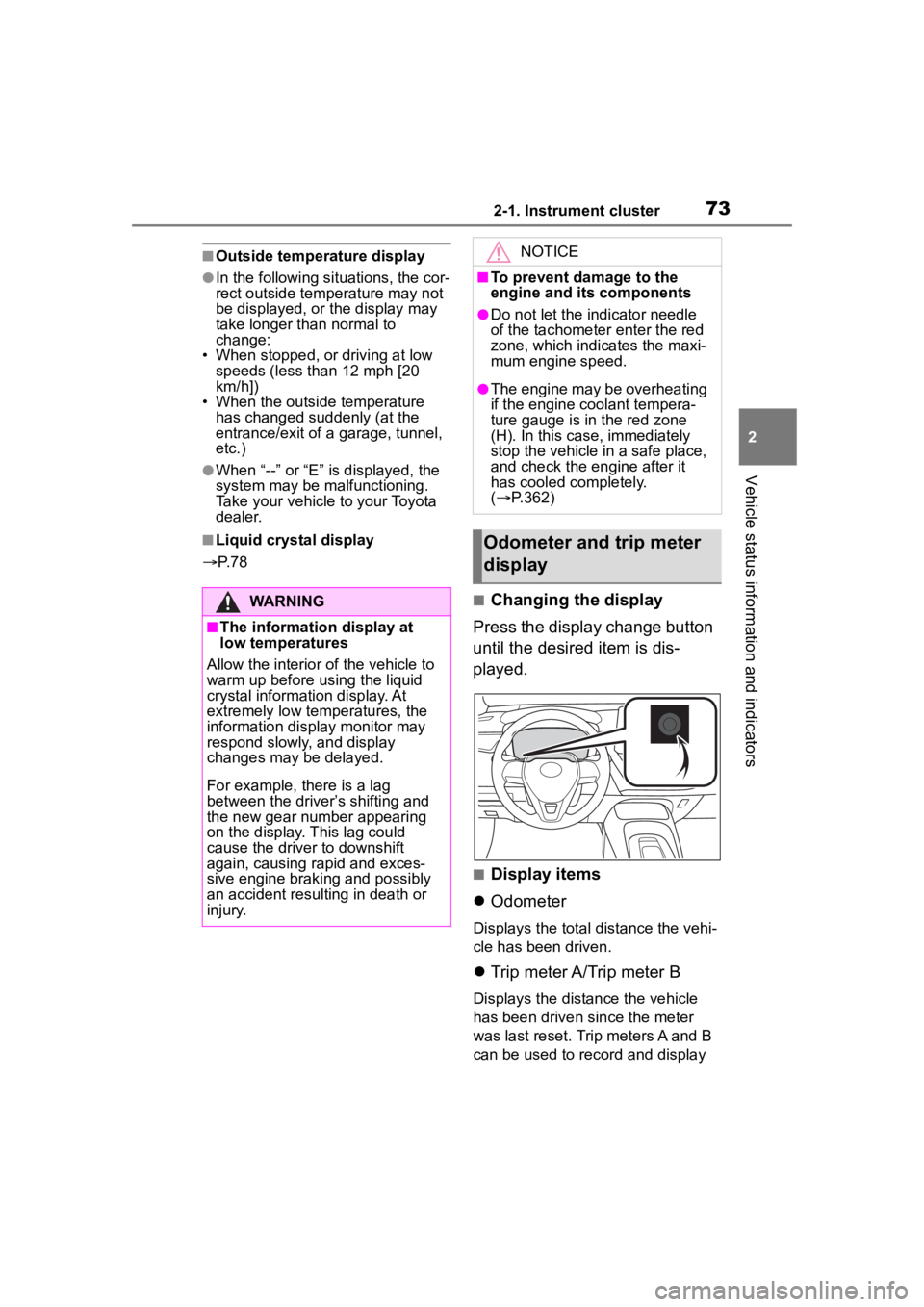
■Changing the display
Press the display change button
until the desired item is dis-
played.
■Display items
Odometer
Displays the total distance the vehi-
cle has been driven.
Trip meter A/Trip meter B
Displays the distance the vehicle
has been driven since the meter
was last reset. Trip meters A and B
can be used to record and display
WARNING
■The information display at
low temperatures
Allow the interior of the vehicle to
warm up before u sing the liquid
crystal informat ion display. At
extremely low temperatures, the
information display monitor may
respond slowly, and display
changes may be delayed.
For example, there is a lag
between the driver’s shifting and
the new gear number appearing
on the display. This lag could
cause the driver to downshift
again, causing rapid and exces-
sive engine braking and possibly
an accident resulting in death or
injury.
NOTICE
■To prevent damage to the
engine and its components
●Do not let the indicator needle
of the tachometer enter the red
zone, which indicates the maxi-
mum engine speed.
●The engine may be overheating
if the engine coolant tempera-
ture gauge is in the red zone
(H). In this case, immediately
stop the vehicle in a safe place,
and check the engine after it
has cooled completely.
( P.362)
Odometer and trip meter
display
Page 76 of 436
762-1. Instrument cluster
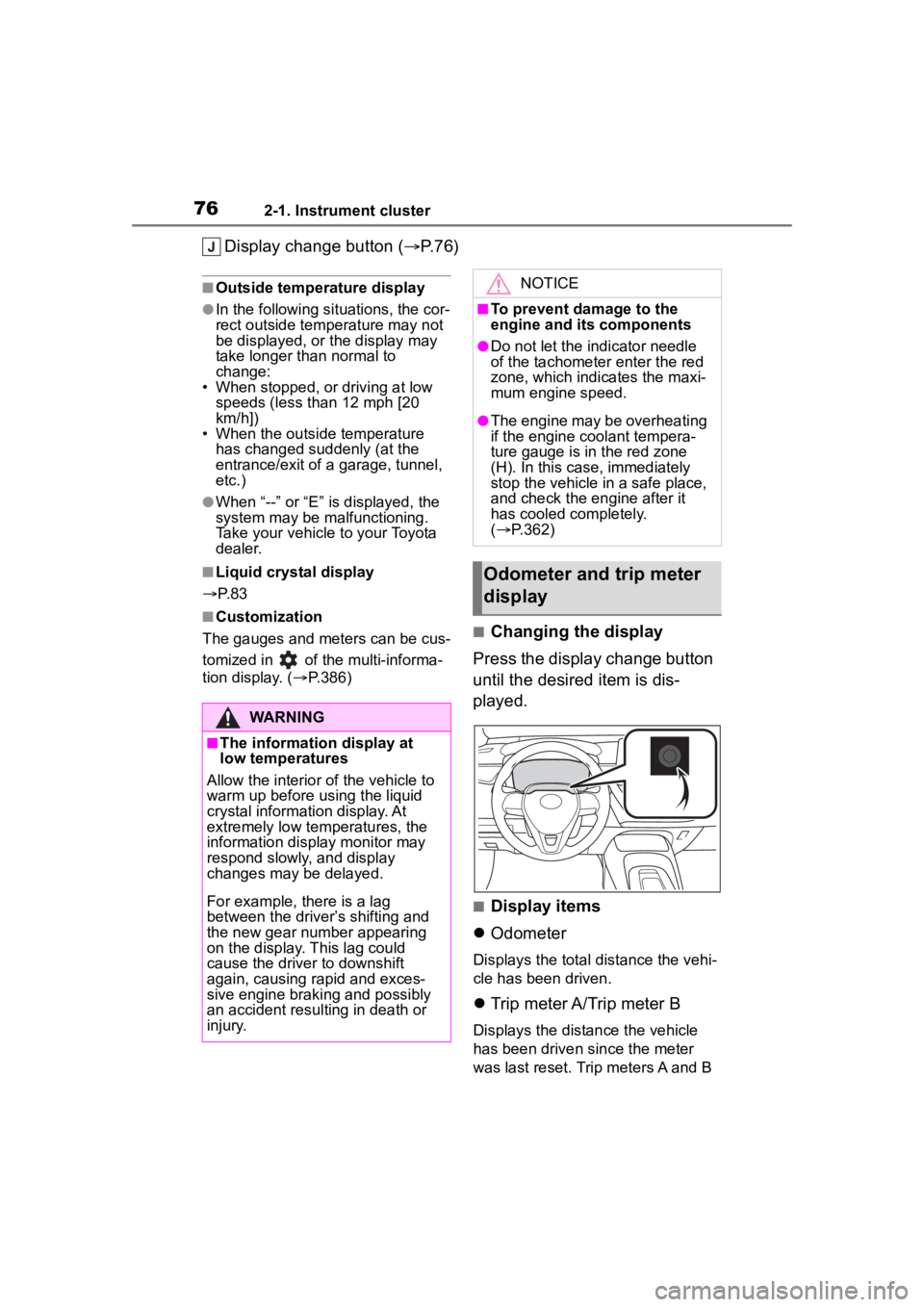
Display change button (P.76)
■Outside temperature display
●In the following situations, the cor-
rect outside tempe rature may not
be displayed, or the display may
take longer than normal to
change:
• When stopped, or driving at low
speeds (less than 12 mph [20
km/h])
• When the outside temperature
has changed suddenly (at the
entrance/exit of a garage, tunnel,
etc.)
●When “--” or “E” is displayed, the
system may be malfunctioning.
Take your vehicle to your Toyota
dealer.
■Liquid crystal display
P. 8 3
■Customization
The gauges and meters can be cus-
tomized in of the multi-informa-
tion display. ( P.386)■Changing the display
Press the display change button
until the desired item is dis-
played.
■Display items
Odometer
Displays the total distance the vehi-
cle has been driven.
Trip meter A/Trip meter B
Displays the distance the vehicle
has been driven since the meter
was last reset. Trip meters A and B
WARNING
■The information display at
low temperatures
Allow the interior of the vehicle to
warm up before u sing the liquid
crystal informat ion display. At
extremely low temperatures, the
information display monitor may
respond slowly, and display
changes may be delayed.
For example, there is a lag
between the driver’s shifting and
the new gear number appearing
on the display. This lag could
cause the driver to downshift
again, causing rapid and exces-
sive engine braking and possibly
an accident resulting in death or
injury.
NOTICE
■To prevent damage to the
engine and its components
●Do not let the indicator needle
of the tachometer enter the red
zone, which indicates the maxi-
mum engine speed.
●The engine may be overheating
if the engine coolant tempera-
ture gauge is in the red zone
(H). In this case, immediately
stop the vehicle in a safe place,
and check the engine after it
has cooled completely.
( P.362)
Odometer and trip meter
display
Page 126 of 436
1264-1. Before driving
WARNING
●Do not leave a door or window
open if the curved glass is
coated with a metallized film
such as a silver-colored one.
Reflected sunlight may cause
the glass to act as a lens, caus-
ing a fire.
●Always apply the parking brake,
shift the shift lever to P, stop the
engine and lock the vehicle.
Do not leave the vehicle unat-
tended while the engine is run-
ning.
If the vehicle is parked with the
shift lever in P but the parking
brake is not set, the vehicle may
start to move, possibly leading
to an accident.
●Do not touch the exhaust pipes
while the engine is running or
immediately after turning the
engine off.
Doing so may cause burns.
■When taking a nap in the vehi-
cle
Always turn the engine off. Other-
wise, if you accidentally move the
shift lever or dep ress the acceler-
ator pedal, this could cause an
accident or fire due to engine
overheating. Additionally, if the
vehicle is parked in a poorly venti-
lated area, exhaust gases may
collect and enter the vehicle, lead-
ing to death or a serious health
hazard.
■When braking
●When the brakes a re wet, drive
more cautiously.
Braking distance increases
when the brakes are wet, and
this may cause one side of the
vehicle to brake differently than
the other side. Also, the parking
brake may not securely hold the
vehicle.
●If the brake booster device does
not operate, do not follow other
vehicles closely and avoid hills
or sharp turns t hat require brak-
ing.
In this case, braking is still pos-
sible, but the brake pedal
should be depressed more
firmly than usual. Also, the brak-
ing distance will increase. Have
your brakes fixed immediately.
●Do not pump the brake pedal if
the engine stalls.
Each push on the brake pedal
uses up the reserve for the
power-assisted brakes.
●The brake system consists of 2
individual hydraulic systems; if
one of the systems fails, the
other will still operate. In this
case, the brake pedal should be
depressed more firmly than
usual and the braking distance
will increase. Have your brakes
fixed immediately.
■If the vehicle becomes stuck
Do not spin the wheels exces-
sively when a driven wheel is up
in the air, or the vehicle is stuck in
sand, mud, etc. This may damage
the driveline components or pro-
pel the vehicle forward or back-
ward, causing an accident.
NOTICE
■When driving the vehicle
●Do not depress the accelerator
and brake pedals at the same
time during driving, as this may
restrain the engine output.
●Do not use the accelerator
pedal or depress the accelera-
tor and brake pedals at the
same time to hold the vehicle on
a hill.
Page 144 of 436
1444-2. Driving procedures
when the accelerator pedal is
depressed, release the parking
brake manually.
When the shift lever is shifted from
P, the parking brake will be released
automatically.
■Parking brake automatic lock
function
The parking brake will be set auto-
matically under the following condi-
tions:
●The brake pedal is not depressed
●The driver’s door is open
●The driver’s seat belt is not fas-
tened
●The shift lever is in a position
other than P or N
●The malfunction indicator lamp
and brake system warning light
are not illuminated
■If “Parking Brake Temporarily
Unavailable” i s displayed on
the multi-information display
If the parking brake is operated
repeatedly over a short period of
time, the system may restrict opera-
tion to prevent overheating. If this
happens, refrain from operating the
parking brake. Nor mal operation will
return after about 1 minute.
■If “Parking Brake Unavailable”
is displayed on the multi-infor-
mation display
Operate the parking brake switch. If
the message does not disappear
after operating the switch several
times, the system may be malfunc-
tioning. Have the vehicle inspected
by your Toyota dealer.
■Parking brake operation sound
When the parking brake operates, a
motor sound (whirring sound) may
be heard. This does not indicate a
malfunction.
■Parking brake indicator light
●Depending on the engine switch
position/mode, the parking brake indicator light will turn on and stay
on as described below:
ON: Comes on until the parking
brake is released.
Not in ON: Stays
on for approxi-
mately 15 seconds.
●When the engine switch is turned
off with the parking brake set, the
parking brake i ndicator light will
stay on for about 15 seconds. This
does not indicate a malfunction.
■When the parking brake switch
malfunctions
Automatic mode (automatic brake
setting and releas ing) will be turned
on automatically.
■Parking the vehicle
P.122
■Parking brake engaged warning
buzzer
A buzzer will sound if the vehicle is
driven with the parking brake
engaged. “Parking Brake ON” is dis-
played on the multi-information dis-
play (with the vehicle reaching a
speed of 3 mph [5 km/h]).
■If the brake system warning
light comes on
P.320
■Usage in winter time
P.230
WARNING
■When parking the vehicle
Do not leave a child in the vehicle
alone. The parking brake may be
released unintentionally by a child
and there is the danger of the
vehicle moving that may lead to
an accident resulting in death or
serious injury.
Page 145 of 436
1454-2. Driving procedures
4
Driving
WARNING
■Parking brake switch
Do not set any o bjects near the
parking brake switch.
Objects may interfere with the
switch and may lead the parking
brake to unexpectedly operate.
■Parking brake automatic lock
function
Never use the automatic parking
brake engagement function in
place of normal parking brake
operation. This function is
designed to reduc e the risk of a
collision due to the driver forget-
ting to engage the parking brake.
Over-reliance on this function to
park the vehicle safely may lead
to an accident resulting in death
or serious injury.
NOTICE
■When parking the vehicle
Before you leave the vehicle, shift
the shift lever to P, set the parking
brake and make sure that the
vehicle does not move.
■When the system malfunc-
tions
Stop the vehicle in a safe place
and check the warning messages.
■When the vehicle battery is
discharged
The parking brake system cannot
be activated. ( P.358)
■When the parking brake can-
not be released due to a mal-
function
Driving the vehicle with the park-
ing brake set will lead to brake
components overheating, which
may affect braking performance
and increase brake wear.
Have the vehicle inspected by
your Toyota dealer immediately if
this occurs.
Page 228 of 436
2284-5. Using the driving support systems
●When the engine switch is turned
off
●If only the TRAC system is turned
off, the TRAC will turn on when
vehicle speed increases
If both the TRAC and VSC sys-
tems are turned off, automatic
re-enabling will not occur when
vehicle speed increases.
■Operating conditions of Active
Cornering Assist
The system operates when the fol-
lowing occurs.
●TRAC/VSC can operate
●The driver is at tempting to accel-
erate while turning
●The system detects that the vehi-
cle is drifting to the outer side
●The brake pedal is released
■Reduced effectiveness of the
EPS system
The effectiveness of the EPS sys-
tem is reduced to prevent the sys-
tem from overheating when there is
frequent steering input over an
extended period of time. The steer-
ing wheel may feel heavy as a
result. Should this occur, refrain
from excessive steering input or
stop the vehicle and turn the engine
off. The EPS syst em should return
to normal within 10 minutes.
■Secondary Collision Brake
operating conditions
The system operates when the SRS
airbag sensor detects a collision
while the vehicle is in motion.
However, the system does not oper-
ate when the components are dam-
aged.
■Secondary Collision Brake
automatic cancellation
The system is automatically can-
celed in any of th e following situa-
tions.
●The vehicle speed drops below
approximately 0 mph (0 km/h)
●A certain amount of time elapses
during operation
●The accelerator pedal is
depressed a large amount
WARNING
■The ABS does not operate
effectively when
●The limits of tire gripping perfor-
mance have been exceeded
(such as excessively worn tires
on a snow covered road).
●The vehicle hydroplanes while
driving at high speed on wet or
slick roads.
■Stopping distance when the
ABS is operating may exceed
that of normal conditions
The ABS is not designed to
shorten the vehicle’s stopping dis-
tance. Always maintain a safe dis-
tance from the veh icle in front of
you, especially in the following sit-
uations:
●When driving on dirt, gravel or
snow-covered roads
●When driving with tire chains
●When driving over bumps in the
road
●When driving over roads with
potholes or uneven surfaces
■TRAC/VSC may not operate
effectively when
Directional control and power may
not be achievable while driving on
slippery road surfaces, even if the
TRAC/VSC system is operating.
Drive the vehicle carefully in con-
ditions where stability and power
may be lost.
Page 242 of 436
2425-1. Using the air conditioning system and defogger
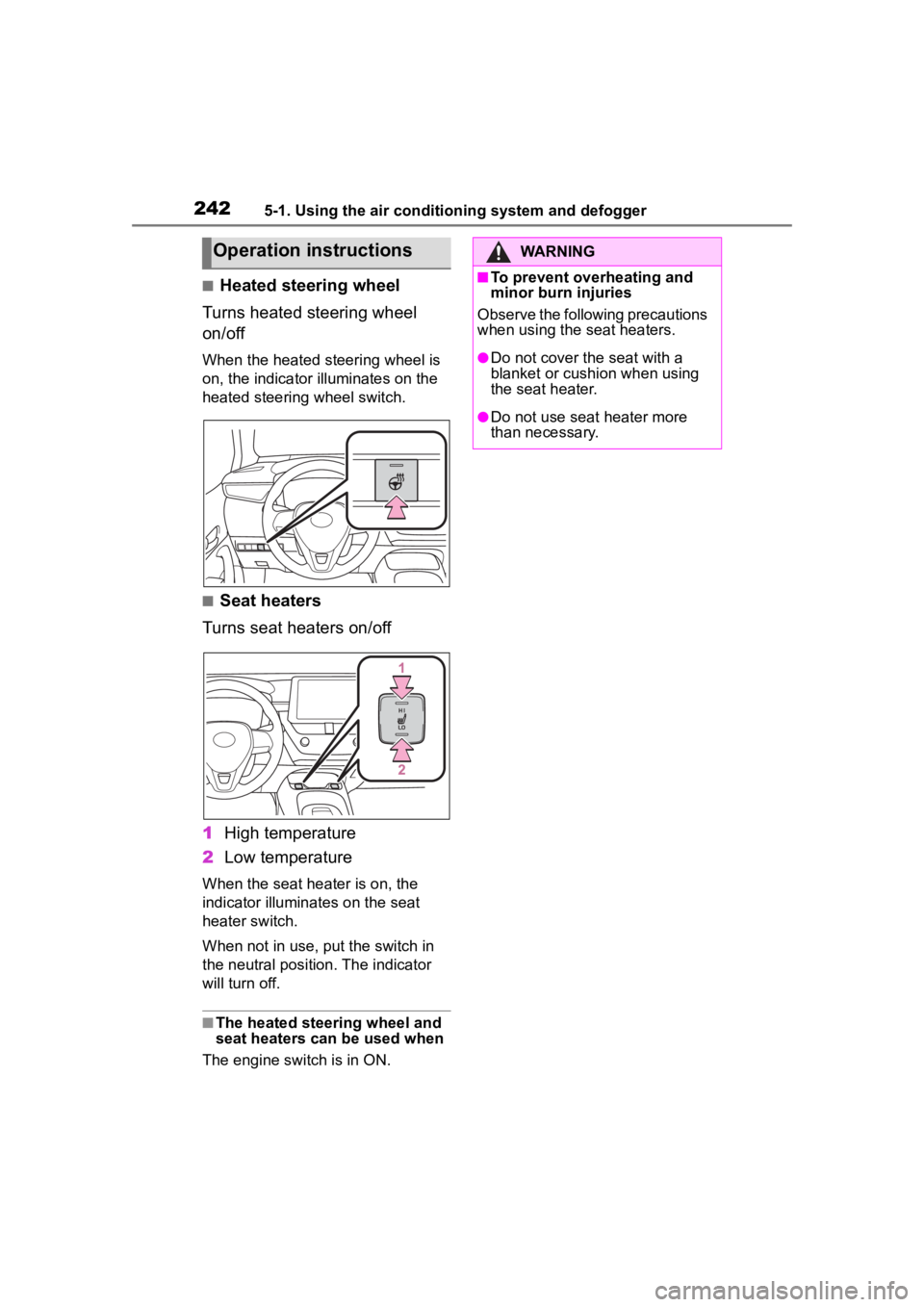
■Heated steering wheel
Turns heated steering wheel
on/off
When the heated steering wheel is
on, the indicator illuminates on the
heated steering wheel switch.
■Seat heaters
Turns seat heaters on/off
1 High temperature
2 Low temperature
When the seat hea ter is on, the
indicator illumina tes on the seat
heater switch.
When not in use, put the switch in
the neutral position. The indicator
will turn off.
■The heated steering wheel and
seat heaters can be used when
The engine switch is in ON.
Operation instructionsWARNING
■To prevent overheating and
minor burn injuries
Observe the following precautions
when using the seat heaters.
●Do not cover the seat with a
blanket or cushion when using
the seat heater.
●Do not use seat heater more
than necessary.
Page 412 of 436

412Alphabetical Index
Brake assist ............................ 225
Break-in tips ........................... 123
Brightness control Instrument panel light control74, 77
Meter light control ................... 76
BSM (Blind Spot Monitor) ...... 209
C
Care Exterior ................................. 260
Interior .................................. 262
Seat belts ............................. 262
Wheels and wheel ornaments........................................... 260
Cargo capacity ....................... 131
Cargo hooks ........................... 248
Chains ..................................... 231
Child restraint system Fixed with a LATCH system ... 56
Fixed with a seat belt ............. 51
Front passenger occupant clas-sification system ................... 40
Points to remember ................ 47
Riding with children ................ 46
Types of child restraint system installation met hod ............... 49
Using an anchor bracket ........ 57
Child safety Airbag precautions ................. 36
Battery precautions ...... 280, 361
Child restraint system............. 49
Heated steering wheel and seat
heater precautions ............. 241
How your child should wear the seat belt................................ 28
Power window lock switch.... 119
Power window precautions .. 118
Rear door child-protectors...... 98
Seat belt extender precautions ............................................. 28
Seat belt precautions ............. 46 Child-protectors........................98
Cleaning
Exterior .................................260
Interior ..................................262
Seat belts .............................262
Wheels and wheel ornaments...........................................260
Clock ................... .....72, 74, 75, 77
Coat hooks ..............................258
Condenser ............. ..................278
Console box ............................247
Consumption screen ................88
Continuously variable transmis- sion ........................................137If th e s hif t le ver ca n no t b e s hif te d from P .................................139
M mode ................................140
Paddle shift switches ....139, 140
Cooling system .......................277 Engine overheating .............362
Cruise control .........................201
Cup holders.............................246
Current fuel consumption..79, 84
Curtain shield airbags ..............31
Customizable featu res ...........386
D
Daytime running light system148
Defogger
Outside rear view mirrors .....237
Rear window.........................237
Windshield ............................236
Dimensions .............................366
Dinghy towing .........................132
Display Cruise control .......................202
Dynamic radar cruise control 196
Multi-information display...77, 83
RCTA ....................................214
Warning message.................330
Display change button .......73, 76
Do-it-yourself maintenance ...266
Page 414 of 436

414Alphabetical Index
Ignition switch (engine switch)........................................... 133
Overheating ......................... 362
Tachometer ............................ 72
Engine coolant Capacity ............................... 369
Checking .............................. 277
Preparing and c hecking before
winter.................................. 230
Engine coolant temperature gauge................................. 72, 75
Engine immobilizer system ..... 64
Engine oil Capacity ............................... 368
Checking .............................. 275
Preparing and c hecking before
winter.................................. 230
Warning light ........................ 321
Engine switch ......................... 133 Auto power off function ........ 136
Changing the engine switch modes ................................ 135
If your vehicle has to be stopped in an emergency................. 312
Enhanced VSC ........................ 226
EPS (Electric Power Steering) ............................................... 226Warning light ........................ 322
Event data recorder (EDR)......... 8
F
Flat tire Tire pressure warning system........................................... 285
Vehicles without a spare tire 334
Floor mats ................................. 24
Fluid Brake .................................... 370
Continuously variable transmis-sion..................................... 369
Washer ................................. 281 Fog lights ................................153
Replacing light bulbs ............309
Switch ...................................153
Front fog lights Replacing light bulbs ............309
Switch ...................................153
Front passenger occupant clas- sification system ....................40
Front seats Adjustment ...........................107
Cleaning ...............................262
Correct driving posture ...........25
Head restraints ..................... 110
Seat heaters ....... ..................241
Front side marker lights Light switch...........................148
Front turn signal lights Replacing light bulbs ............309
Turn signal lever ...................141
Fuel Capacity ...............................367
Fuel gauge .......................72, 75
Fuel pump shut off system ...319
Information ......... ..................373
Refueling ..............................157
Type......................................367
Warning light.........................323
Fuel consumption Average fuel economy ......79, 84
Current fuel consumption .79, 84
Fuel economy .....................79, 84
Fuel filler door Refueling ..............................157
Fuel gauge...........................72, 75
Fuel pump shut off system ....319
Fuses .......................................306
G
Gauges ................................72, 75
Glove box ................................246
Glove box light........................246
Grocery bag hooks .................248