another vehicle TOYOTA COROLLA HYBRID 2023 Owners Manual
[x] Cancel search | Manufacturer: TOYOTA, Model Year: 2023, Model line: COROLLA HYBRID, Model: TOYOTA COROLLA HYBRID 2023Pages: 496, PDF Size: 10.13 MB
Page 29 of 496
291-1. For safe use
1
For safety and security
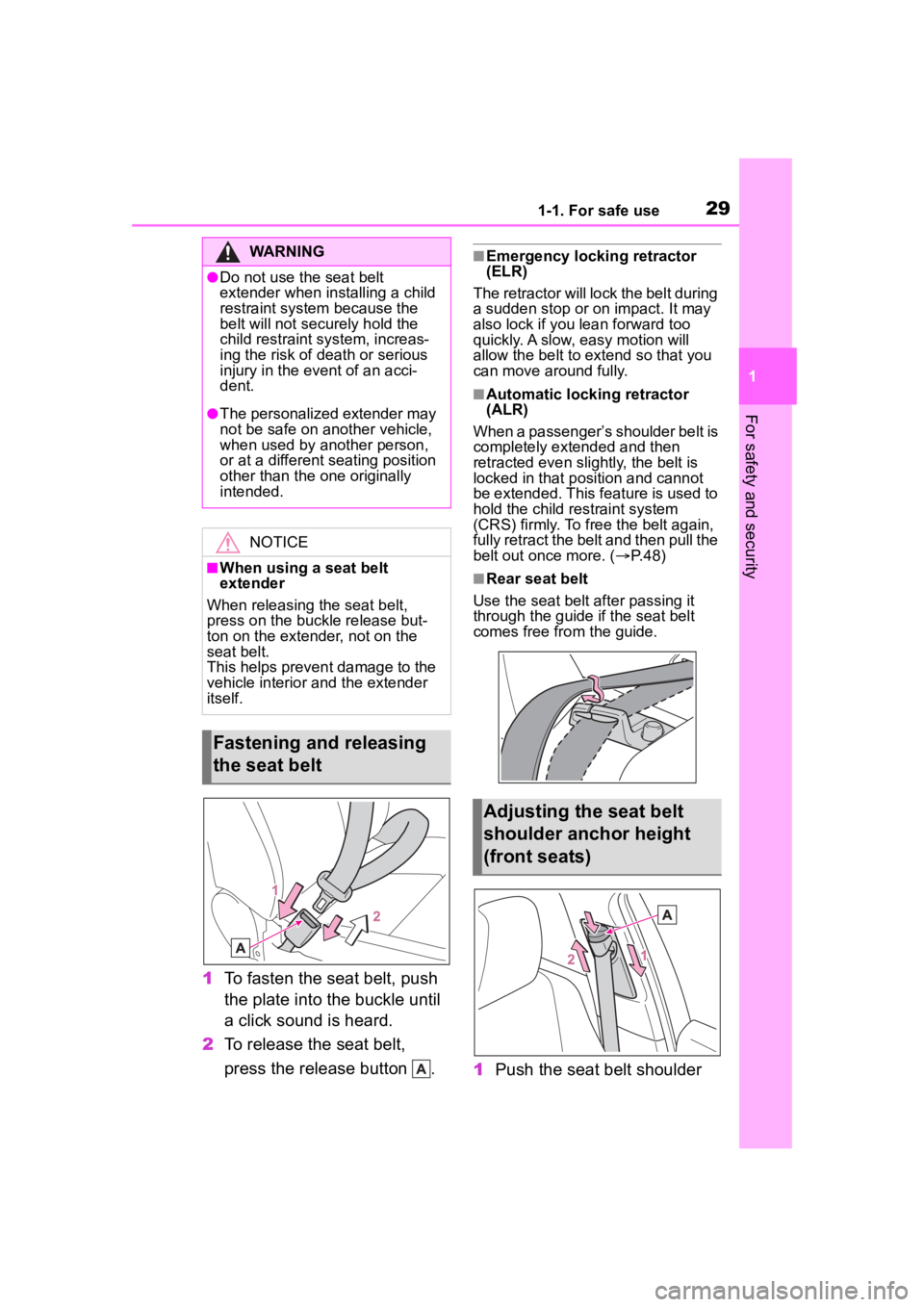
1To fasten the seat belt, push
the plate into the buckle until
a click sound is heard.
2 To release the seat belt,
press the release button .
■Emergency locking retractor
(ELR)
The retractor will lock the belt during
a sudden stop or on impact. It may
also lock if you lean forward too
quickly. A slow, easy motion will
allow the belt to extend so that you
can move around fully.
■Automatic locking retractor
(ALR)
When a passenger’s shoulder belt is
completely extended and then
retracted even slightly, the belt is
locked in that position and cannot
be extended. This feature is used to
hold the child restraint system
(CRS) firmly. To free the belt again,
fully retract the belt and then pull the
belt out once more. ( P. 4 8 )
■Rear seat belt
Use the seat belt after passing it
through the guide if the seat belt
comes free fro m the guide.
1Push the seat belt shoulder
WARNING
●Do not use the seat belt
extender when installing a child
restraint system because the
belt will not securely hold the
child restraint system, increas-
ing the risk of death or serious
injury in the event of an acci-
dent.
●The personalized extender may
not be safe on another vehicle,
when used by another person,
or at a different seating position
other than the one originally
intended.
NOTICE
■When using a seat belt
extender
When releasing the seat belt,
press on the buckle release but-
ton on the extender, not on the
seat belt.
This helps prevent damage to the
vehicle interior and the extender
itself.
Fastening and releasing
the seat belt
Adjusting the seat belt
shoulder anchor height
(front seats)
Page 87 of 496
871-5. Theft deterrent system
1
For safety and security
1-5.Theft deterrent system
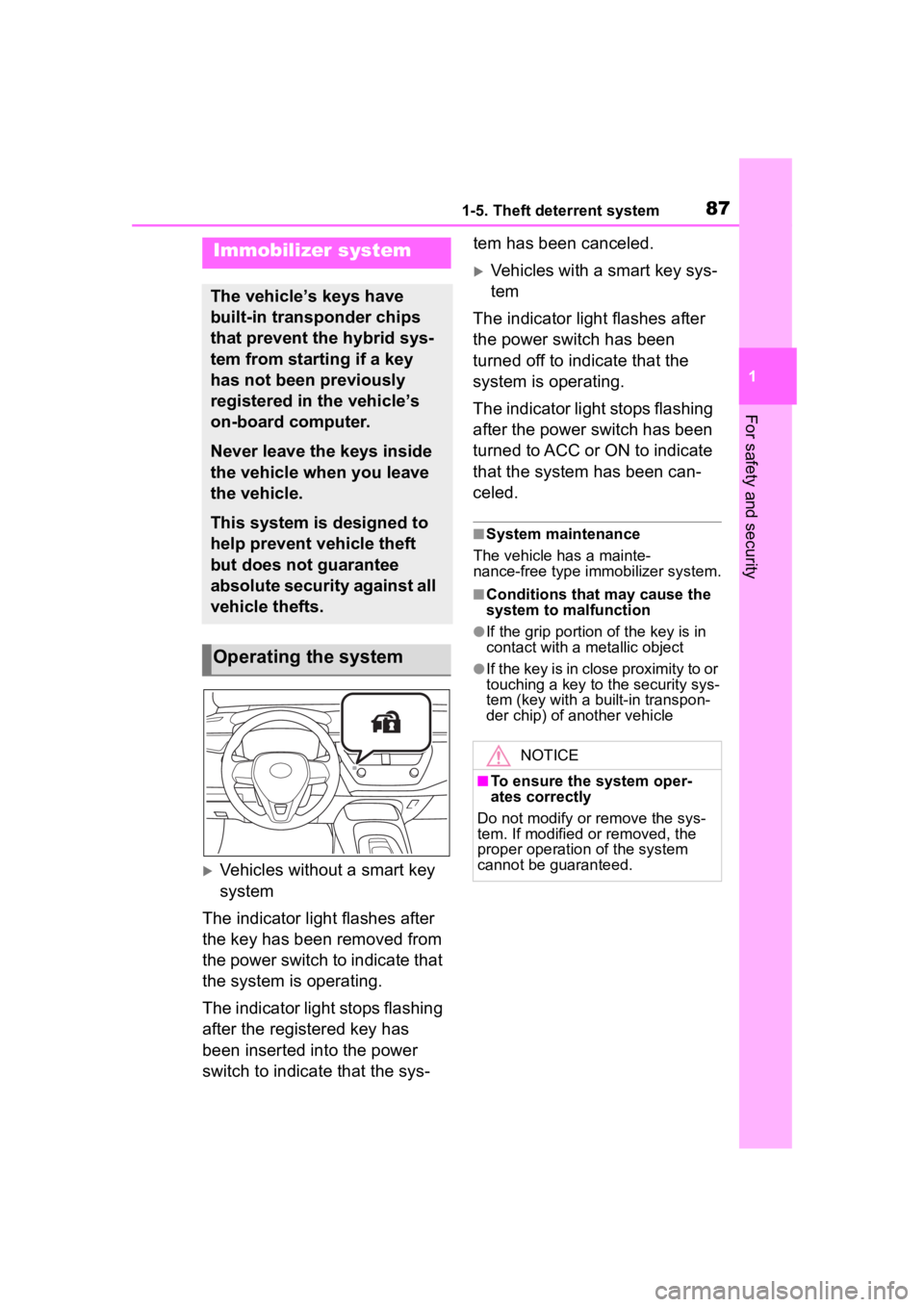
Vehicles without a smart key
system
The indicator light flashes after
the key has been removed from
the power switch to indicate that
the system is operating.
The indicator light stops flashing
after the registered key has
been inserted into the power
switch to indicate that the sys- tem has been canceled.
Vehicles with a smart key sys-
tem
The indicator light flashes after
the power switch has been
turned off to indicate that the
system is operating.
The indicator light stops flashing
after the power switch has been
turned to ACC or ON to indicate
that the system has been can-
celed.
■System maintenance
The vehicle has a mainte-
nance-free type immobilizer system.
■Conditions that may cause the
system to malfunction
●If the grip portion of the key is in
contact with a metallic object
●If the key is in close proximity to or
touching a key to the security sys-
tem (key with a built-in transpon-
der chip) of another vehicle
Immobilizer system
The vehicle’s keys have
built-in transponder chips
that prevent the hybrid sys-
tem from starting if a key
has not been previously
registered in the vehicle’s
on-board computer.
Never leave the keys inside
the vehicle when you leave
the vehicle.
This system is designed to
help prevent vehicle theft
but does not guarantee
absolute security against all
vehicle thefts.
Operating the system
NOTICE
■To ensure the system oper-
ates correctly
Do not modify or remove the sys-
tem. If modified or removed, the
proper operation of the system
cannot be guaranteed.
Page 138 of 496

1383-2. Opening, closing and locking the doors
●Near a TV tower, electric power
plant, gas station, radio station,
large display, airpo rt or other facil-
ity that generates strong radio
waves or electrical noise
●When carrying a portable radio,
cellular phone, cordless phone or
other wireless communication
device
●When the electronic key is in con-
tact with, or is covered by the fol-
lowing metallic objects
• Cards to which al uminum foil is
attached
• Cigarette boxes that have alumi- num foil inside
• Metallic wallets or bags
• Coins
• Hand warmers made of metal
• Media such as CDs and DVDs
●When other wireless keys (that
emit radio waves) are being used
nearby
●When carrying the electronic key
together with the following devices
that emit radio waves
• Another vehicle’s electronic key or a wireless key that emits radio
waves
• Personal computers or personal digital assistants (PDAs)
• Digital audio players
• Portable game systems
●If window tint with a metallic con-
tent or metallic objects are
attached to the rear window
●When the electronic key is placed
near a battery charger or elec-
tronic devices
●When the vehicle is parked in a
pay parking spot where radio
waves are emitted
If the doors cannot be
locked/unlocked using the smart key
system, lock/unlock the doors by
performing any of the following:
●Bring the electronic key close to
either front door handle and oper-
ate the entry function.
●Operate the wireless remote con- trol.
If the doors cannot be
locked/unlocked using the above
methods, use the mechanical key.
( P.408)
If the hybrid system cannot be
started using the smart key system,
refer to P.409.
■Note for the entry function
●Even when the electronic key is
within the effective range (detec-
tion areas), the system may not
operate properly in the following
cases:
• The electronic key is too close to the window or outside door han-
dle, near the ground, or in a high
place when the doors are locked
or unlocked.
• The electronic key is near the ground or in a high place, or too
close to the center of the rear
bumper when the trunk is opened.
• The electronic key is on the instru- ment panel, rear package tray or
floor, or in the door pockets or
glove box when the hybrid system
is started or power switch modes
are changed.
●Do not leave the electronic key on
top of the instrument panel or near
the door pockets when exiting the
vehicle. Depending on the radio
wave reception conditions, it may
be detected by the antenna out-
side the cabin and the door will
become lockable from the outside,
possibly trapping the electronic
key inside the vehicle.
●As long as the electronic key is
within the effective range, the
doors may be locked or unlocked
by anyone. However, only the
doors detecting the electronic key
can be used to unlock the vehicle.
●Even if the electro nic key is not
inside the vehicle, it may be possi-
ble to start the hybrid system if the
electronic key is near the window.
●The doors may unlock or lock if a
large amount of water splashes on
Page 139 of 496

1393-2. Opening, closing and locking the doors
3
Before driving
the door handle, such as in the
rain or in a car wash when the
electronic key is within the effec-
tive range. (The doors will auto-
matically be locked after
approximately 60 seconds if the
doors are not opened and closed.)
●If the wireless remote control is
used to lock the doors when the
electronic key is near the vehicle,
there is a possib ility that the door
may not be unlocke d by the entry
function. (Use the wireless remote
control to unloc k the doors.)
●If the doors have been locked
from outside of the vehicle and are
then not unlocked using the wire-
less remote contr ol or smart key
system, the hybri d system cannot
be started using the smart key
system. (However, if the doors
have been locked from inside the
vehicle, the hybrid system can be
started using the smart key sys-
tem.)
If it is necessary to start the hybrid
system, it can be started using the
procedure in “If the electronic key
dose not operate properly”
( P.409).
●Touching the door lock or unlock
sensor while wearing gloves may
prevent lock or unlock operation.
●When the lock op eration is per-
formed using the lock sensor, rec-
ognition signals will be shown up
to two consecutive times. After
this, no recogniti on signals will be
given.
●If the door handle becomes wet
while the electronic key is within
the effective ran ge, the door may
lock and unlock repeatedly. In that
case, follow the fo llowing correc-
tion procedures to wash the vehi-
cle:
• Place the electronic key in a loca-
tion 6 ft. (2 m) or more away from
the vehicle. (Take care to ensure
that the key is not stolen.)
• Set the electronic key to bat- tery-saving mode to disable the smart key system. (
P.137)
●If the electronic key is inside the
vehicle and a door handle
becomes wet during a car wash, a
message may be shown on the
multi-information display and a
buzzer will sound outside the vehi-
cle. To turn off the alarm, lock all
the doors.
●The lock sensor may not work
properly if it comes into contact
with ice, snow, m ud, etc. Clean
the lock sensor and attempt to
operate it again.
●A sudden handle operation or a
handle operation immediately
after entering the effective range
may prevent the doors from being
unlocked. Touch the door unlock
sensor and check that the doors
are unlocked befo re pulling the
door handle again.
●If there is another electronic key in
the detection area, it may take
slightly longer to unlock the doors
after the door handle is gripped.
■When the vehicle is not driven
for extended periods
●To prevent theft of the vehicle, do
not leave the electronic key within
6 ft. (2 m) of the vehicle.
●The smart key system can be
deactivated in advance. ( P.442)
●Setting the electronic key to bat-
tery-saving mode helps to reduce
key battery depletion. ( P.137)
■To operate the system properly
●Make sure to carry the electronic
key when operating the system.
Do not get the electronic key too
close to the vehicle when operat-
ing the system from the outside of
the vehicle.
Depending on the position and hold-
ing condition of the electronic key,
the key may not be detected cor-
rectly and the system may not oper-
Page 177 of 496
1774-2. Driving procedures
4
DrivingIf the hybrid system is stopped
with the shift lever in a position
other than P, the power switch
will not be turned off. Perform
the following procedure to turn
the switch off:
1 Check that the parking brake
is set.
2 Shift the shift lever to P.
3 Check that “IGNITION ON” is
displayed on the multi-infor-
mation display and press the
power switch shortly and
firmly.
4 Check that “ACCESSORY”
or “IGNITION ON” on the
multi-information display are
off.
NOTICE
■To prevent 12-volt battery dis-
charge
●Do not leave the power switch
in ACC or ON for long periods of
time without the hybrid system
on.
●If “ACCESSORY” or “IGNITION
ON” is displayed on the
multi-informatio n display, the
power switch is not off. Exit the
vehicle after turning the power
switch off.
When stopping the hybrid
system with the shift lever
in a position other than P
NOTICE
■To prevent 12-volt battery dis-
charge
Do not stop the hybrid system
when the shift lever is in a position
other than P. If the hybrid system
is stopped in another shift lever
position, the power switch will not
be turned off and remained to ON.
If the vehicle is left in ON, battery
discharge may occur.
Page 192 of 496
1924-3. Operating the lights and wipers
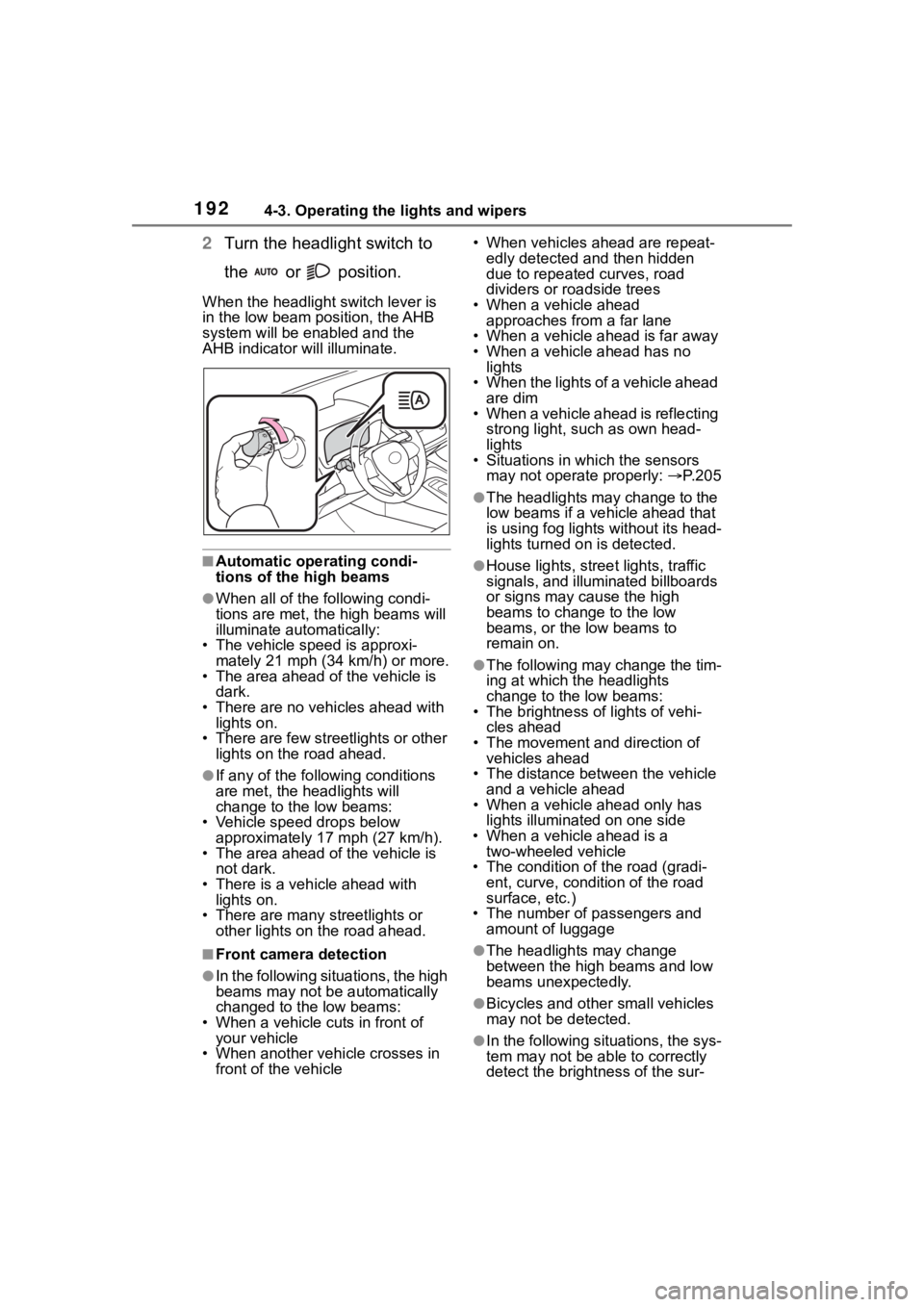
2Turn the headlight switch to
the or position.
When the headlight switch lever is
in the low beam position, the AHB
system will be enabled and the
AHB indicator will illuminate.
■Automatic operating condi-
tions of the high beams
●When all of the following condi-
tions are met, the high beams will
illuminate automatically:
• The vehicle speed is approxi-
mately 21 mph (34 km/h) or more.
• The area ahead of the vehicle is dark.
• There are no vehicles ahead with lights on.
• There are few streetlights or other
lights on the road ahead.
●If any of the following conditions
are met, the headlights will
change to the low beams:
• Vehicle speed drops below
approximately 17 mph (27 km/h).
• The area ahead of the vehicle is not dark.
• There is a vehi cle ahead with
lights on.
• There are many streetlights or
other lights on the road ahead.
■Front camera detection
●In the following situations, the high
beams may not be automatically
changed to the low beams:
• When a vehicle cuts in front of your vehicle
• When another vehicle crosses in front of the vehicle • When vehicles ahead are repeat-
edly detected and then hidden
due to repeated curves, road
dividers or roadside trees
• When a vehicle ahead approaches from a far lane
• When a vehicle ahead is far away
• When a vehicle ahead has no lights
• When the lights of a vehicle ahead are dim
• When a vehicle ahead is reflecting
strong light, such as own head-
lights
• Situations in which the sensors
may not operate properly: P. 2 0 5
●The headlights may change to the
low beams if a vehicle ahead that
is using fog lights without its head-
lights turned on is detected.
●House lights, street lights, traffic
signals, and illuminated billboards
or signs may cause the high
beams to change to the low
beams, or the low beams to
remain on.
●The following may change the tim-
ing at which the headlights
change to the low beams:
• The brightness o f lights of vehi-
cles ahead
• The movement and direction of vehicles ahead
• The distance between the vehicle and a vehicle ahead
• When a vehicle ahead only has
lights illuminate d on one side
• When a vehicle ahead is a two-wheeled vehicle
• The condition of the road (gradi- ent, curve, condition of the road
surface, etc.)
• The number of passengers and amount of luggage
●The headlights may change
between the high beams and low
beams unexpectedly.
●Bicycles and other small vehicles
may not be detected.
●In the following situations, the sys-
tem may not be able to correctly
detect the brightness of the sur-
Page 201 of 496
2014-5. Using the driving support systems
4
Driving
Toyota Safety Sense
3.0
The Toyota Safety Sense 3.0
consists of the driving
assist systems and contrib-
utes to a safe and comfort-
able driving experience:
WARNING
■Toyota Safety Sense 3.0
The Toyota Safety Sense 3.0
operates under the assumption
that the driver will drive safely,
and is designed to help reduce
the impact to the occupants in a
collision and assist the driver
under normal driving conditions.
As there is a limit to the degree of
recognition accuracy and control
performance that this system can
provide, do not ov erly rely on this
system. The driver is solely
responsible for paying attention to
the vehicle’s surroundings and
driving safely.
■For safe use
●Do not overly rely on this sys-
tem. The driver is solely respon-
sible for paying attention to the
vehicle’s surroundings and driv-
ing safely. This system may not
operate in all situations and pro-
vided assistance is limited.
Over-reliance on this system to
drive the vehicle safely may
lead to an accident resulting in
death or serious injury.
●Do not attempt to test the oper-
ation of the system, as it may
not operate properly, possibly
leading to an accident.
●If attention is necessary while
performing driving operations or
a system malfunction occurs, a
warning message or warning
buzzer will be operated. If a
warning message is displayed
on the display, follow the
instructions displayed.
●Depending on external noise,
the volume of the audio system,
etc. it may be difficult to hear the
warning buzzer. Also, depend-
ing on the road conditions, it
may be difficult to recognize the
operation of the system.
■When it is necessary to dis-
able the system
In the following si tuations, make
sure to disable the system.
Failure to do so may lead to the
system not operating properly,
possibly leading to an accident
resulting in death o r serious injury.
●When the vehicle is tilted due to
being overloaded or having a
flat tire
●When driving at extremely high
speeds
●When towing another vehicle
●When the vehicle is being trans-
ported by a truck, ship, train,
etc.
●When the vehicle is raised on a
lift and the tires are allowed to
rotate freely
●When inspecting the vehicle
using a drum tester such as a
chassis dynamometer or speed-
ometer tester, or when using an
on vehicle wheel balancer
●When the vehicle is driven in a
sporty manner or off-road
●When using an automatic car
wash
Page 205 of 496
2054-5. Using the driving support systems
4
Driving
■Situations in which the sensors
may not operate properly
●When the height or inclination of
the vehicle has been changed due
to modifications
●When the windshield is dirty,
fogged up, cracked or damaged
●When the ambient temperature is
high or low
●When mud, water, snow, dead
insects, foreign matter, etc., is
attached to the front of the sensor
●When in inclement weather such
as heavy rain, fog, snow, or a
sandstorm
●When water, snow, dust, etc. is
thrown up in front of the vehicle, or
when driving through mist or
smoke
●When the headlig hts are not illu-
minated while driving in the dark,
such as at night o r when in a tun-
nel
●When the lens of a headlight is
dirty and illumination is weak
●When the headlights are mis-
aligned
●When a headlight is malfunction-
ing
●When the headlights of another
vehicle, sunlight, or reflected light
shines directly into the front cam-
era
●When the brightness of the sur-
rounding area changes suddenly
●When driving near a TV tower,
broadcasting station, electric
power plant, radar equipped vehi-
cles, etc., or other location where
strong radio waves or electrical
noise may be present
●When a wiper blade is blocking
the front camera
●When in a location or near objects
which strongly reflect radio waves,
such as the following:
• Tunnels
• Truss bridges
• Gravel roads
• Rutted, snow-covered roads
• Walls
• Large trucks
• Manhole covers
• Guardrail
• Metal plates
●When near a step or protrusion
●When a detectable vehicle is nar-
row, such as a small mobility vehi-
cle
●When a detectable vehicle has a
small front or rear end, such as an
unloaded truck
●When a detectable vehicle has a
low front or rear end, such as a
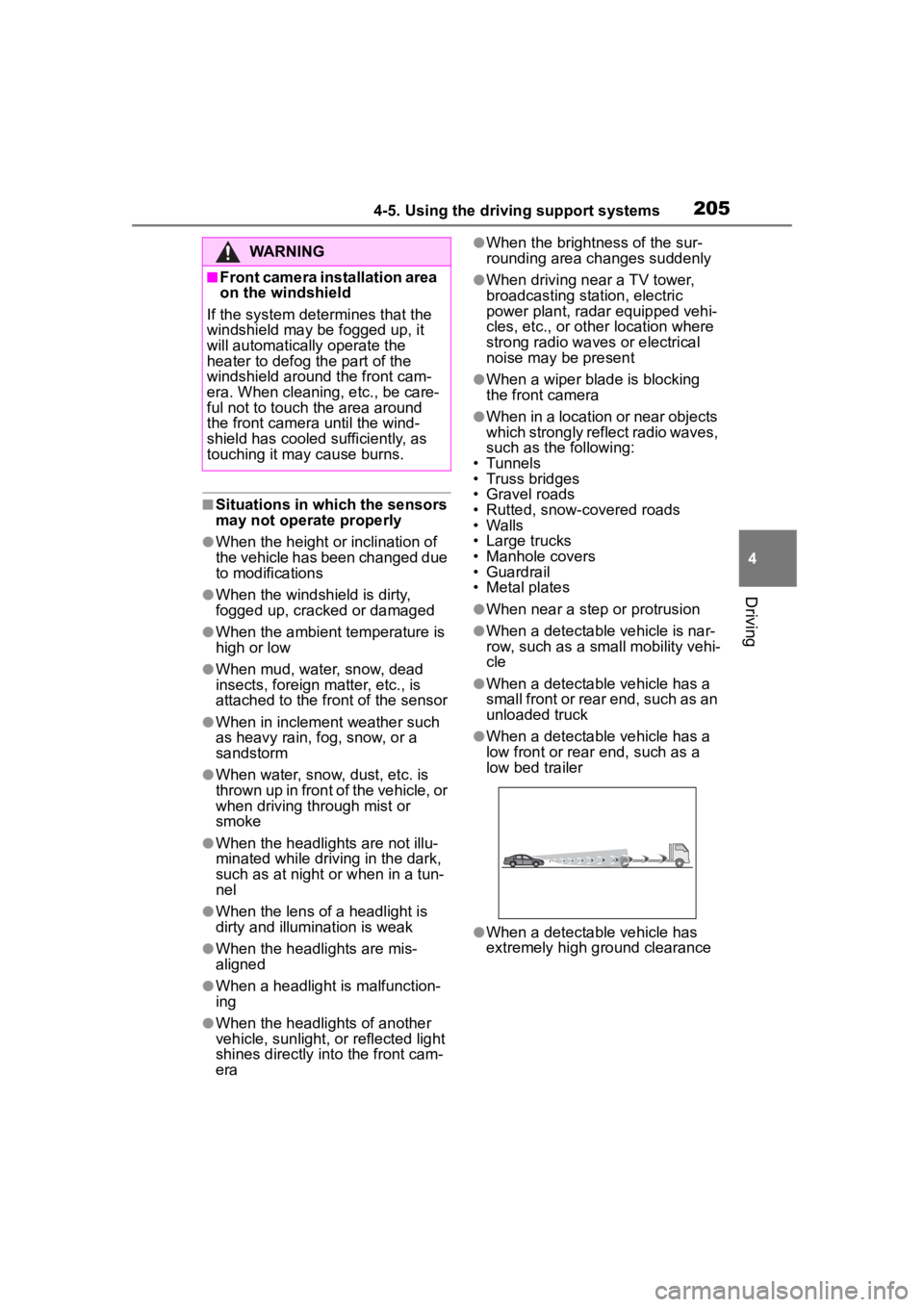
low bed trailer
●When a detectable vehicle has
extremely high ground clearance
WARNING
■Front camera installation area
on the windshield
If the system determines that the
windshield may be fogged up, it
will automatically operate the
heater to defog the part of the
windshield around the front cam-
era. When cleaning, etc., be care-
ful not to touch the area around
the front camera until the wind-
shield has cooled sufficiently, as
touching it may cause burns.
Page 216 of 496
2164-5. Using the driving support systems
• When passing a detectable object which is stopped to make a
left/right turn
• When a detectable object stops immediately before entering the
path of the vehicle
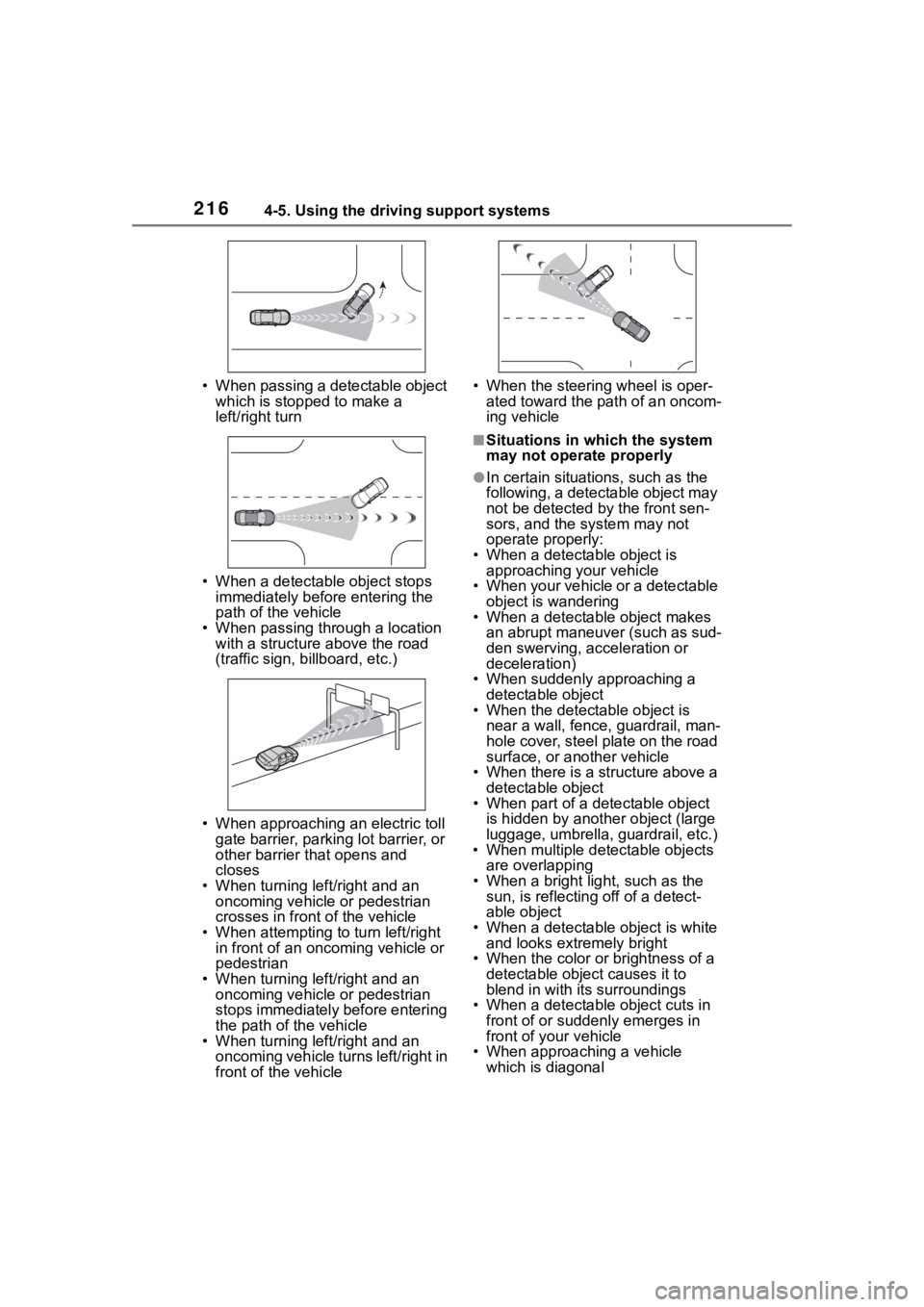
• When passing through a location with a structure above the road
(traffic sign, b illboard, etc.)
• When approaching an electric toll gate barrier, parking lot barrier, or
other barrier that opens and
closes
• When turning left/right and an oncoming vehicle or pedestrian
crosses in front of the vehicle
• When attempting to turn left/right in front of an oncoming vehicle or
pedestrian
• When turning left/right and an oncoming vehicle or pedestrian
stops immediately before entering
the path of the vehicle
• When turning left/right and an oncoming vehicle turns left/right in
front of the vehicle • When the steering wheel is oper-
ated toward the path of an oncom-
ing vehicle
■Situations in which the system
may not operate properly
●In certain situations, such as the
following, a detectable object may
not be detected by the front sen-
sors, and the system may not
operate properly:
• When a detectable object is approaching your vehicle
• When your vehicle or a detectable object is wandering
• When a detectable object makes
an abrupt maneuver (such as sud-
den swerving, acceleration or
deceleration)
• When suddenly approaching a detectable object
• When the detectable object is
near a wall, fence, guardrail, man-
hole cover, steel plate on the road
surface, or another vehicle
• When there is a structure above a detectable object
• When part of a detectable object
is hidden by another object (large
luggage, umbrella, guardrail, etc.)
• When multiple det ectable objects
are overlapping
• When a bright light, such as the sun, is reflecting off of a detect-
able object
• When a detectable object is white and looks extremely bright
• When the color or brightness of a detectable object causes it to
blend in with its surroundings
• When a detectable object cuts in
front of or suddenly emerges in
front of your vehicle
• When approaching a vehicle
which is diagonal
Page 231 of 496
2314-5. Using the driving support systems
4
Driving
WARNING
●When a detectable object is
approaching your vehicle
●When your vehicle or a detect-
able object is wandering
●When the movement of a
detectable object changes
(change in direction, sudden
acceleration or deceleration,
etc.)
●When suddenly approaching a
detectable object
●When a preceding vehicle or
motorcycle is not directly in front
of your vehicle
●When there is a structure above
a detectable object
●When part of a detectable
object is hidden by another
object (large luggage, umbrella,
guardrail, etc.)
●When multiple detectable
objects are overlapping
●When a bright light, such as the
sun or headlights of another
vehicle, is reflecting off of the
detectable object
●When the detectable object is
white and looks extremely bright
●When the color or brightness of
the detectable object causes it
to blend in with its surroundings
●When a detectable object cuts
in front of or emerges from
beside a vehicle
●When approaching a vehicle
ahead which is perpendicular or
at an angle to the vehicle, or is
facing the vehicle
●If a parked vehicle is perpendic-
ular or at an angle to the vehicle
●When a bicycle is a child sized
bicycle, is carrying a large load,
is carrying an extra passenger,
or has an unusual shape (bicy-
cles equipped with a child seat,
tandem bicycles, etc.)
●When a pedestrian or bicyclist is
shorter than app roximately 3.2
ft. (1 m) or talle r than approxi-
mately 6.5 ft. (2 m)
●When the silhouette of a pedes-
trian or bicyclist is unclear (such
as when they are wearing a
raincoat, long skirt, etc.)
●When a pedestrian or bicyclist is
bending forward or squatting
●When a pedestrian or bicyclist is
moving at high speed
●When a pedestrian is pushing a
stroller, wheelchair, bicycle or
other vehicle
●When a detectable object
blends in with the surrounding
area, such as when it is dim (at
dawn or dusk) or dark (at night,
in a tunnel, etc.)
●When the lane width is 13.1 ft.
(4 m) or more
●When the lane width is 8.2 ft.
(2.5 m) or less
●When the vehicle has not been
driven for a certain amount of
time after the hybrid system was
started
●While turning left or right or a
few seconds after turning left or
right
●While changing lanes or a few
seconds after changing lanes
●When entering a curve, driving
around a curve and a few sec-
onds after driving around a
curve