turn signal TOYOTA COROLLA HYBRID 2023 Owners Manual
[x] Cancel search | Manufacturer: TOYOTA, Model Year: 2023, Model line: COROLLA HYBRID, Model: TOYOTA COROLLA HYBRID 2023Pages: 496, PDF Size: 10.13 MB
Page 3 of 496
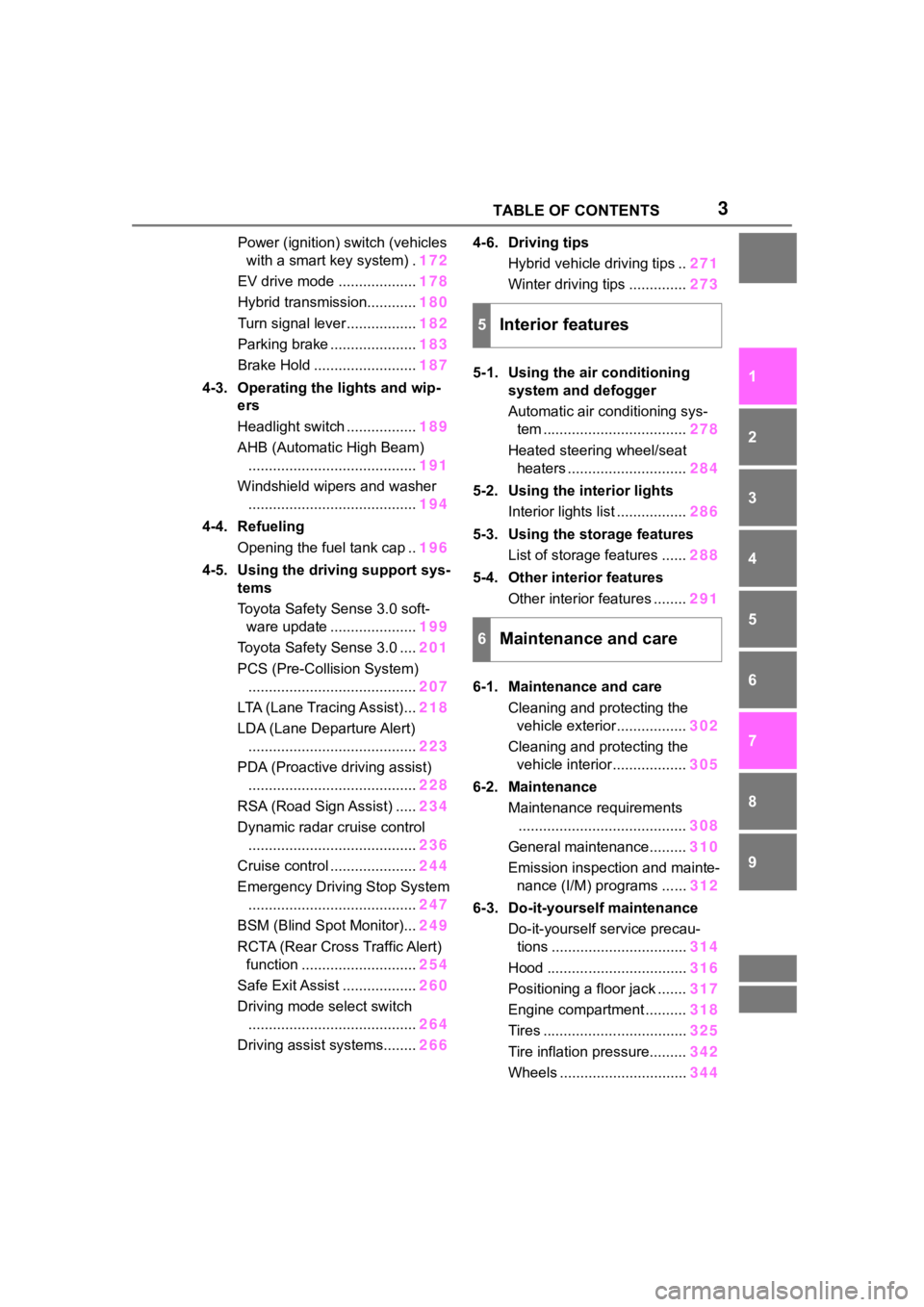
3TABLE OF CONTENTS
1
2
3
4
5
6
7
8
9
10
Power (ignition) switch (vehicles with a smart key system) . 172
EV drive mode ................... 178
Hybrid transmission............ 180
Turn signal lever................. 182
Parking brake ..................... 183
Brake Hold ......................... 187
4-3. Operating the lights and wip- ers
Headlight switch ................. 189
AHB (Automatic High Beam) ......................................... 191
Windshield wipers and washer ......................................... 194
4-4. Refueling Opening the fuel tank cap .. 196
4-5. Using the driving support sys- tems
Toyota Safety Sense 3.0 soft-ware update ..................... 199
Toyota Safety Sense 3.0 .... 201
PCS (Pre-Collision System) ......................................... 207
LTA (Lane Tracing Assist)... 218
LDA (Lane Departure Alert) ......................................... 223
PDA (Proactive driving assist) ......................................... 228
RSA (Road Sign Assist) ..... 234
Dynamic radar cruise control ......................................... 236
Cruise control ..................... 244
Emergency Driving Stop System ......................................... 247
BSM (Blind Spot Monitor)... 249
RCTA (Rear Cross Traffic Alert) function ............................ 254
Safe Exit Assist .................. 260
Driving mode select switch ......................................... 264
Driving assist systems........ 2664-6. Driving tips
Hybrid vehicle driving tips .. 271
Winter driving tips .............. 273
5-1. Using the air conditioning system and defogger
Automatic air conditioning sys-
tem ................................... 278
Heated steering wheel/seat heaters ............................. 284
5-2. Using the interior lights Interior lights list ................. 286
5-3. Using the storage features List of storage features ...... 288
5-4. Other interior features Other interior features ........ 291
6-1. Maintenance and care Cleaning and protecting the vehicle exterior................. 302
Cleaning and protecting the vehicle interior.................. 305
6-2. Maintenance Maintenance requirements......................................... 308
General maintenance......... 310
Emission inspection and mainte- nance (I/M) programs
......312
6-3. Do-it-yourself maintenance Do-it-yourself service precau-tions ................................. 314
Hood .................................. 316
Positioning a floor jack ....... 317
Engine compartment .......... 318
Tires ................................... 325
Tire inflation pressure......... 342
Wheels ............................... 344
5Interior features
6Maintenance and care
Page 14 of 496
14Pictorial index
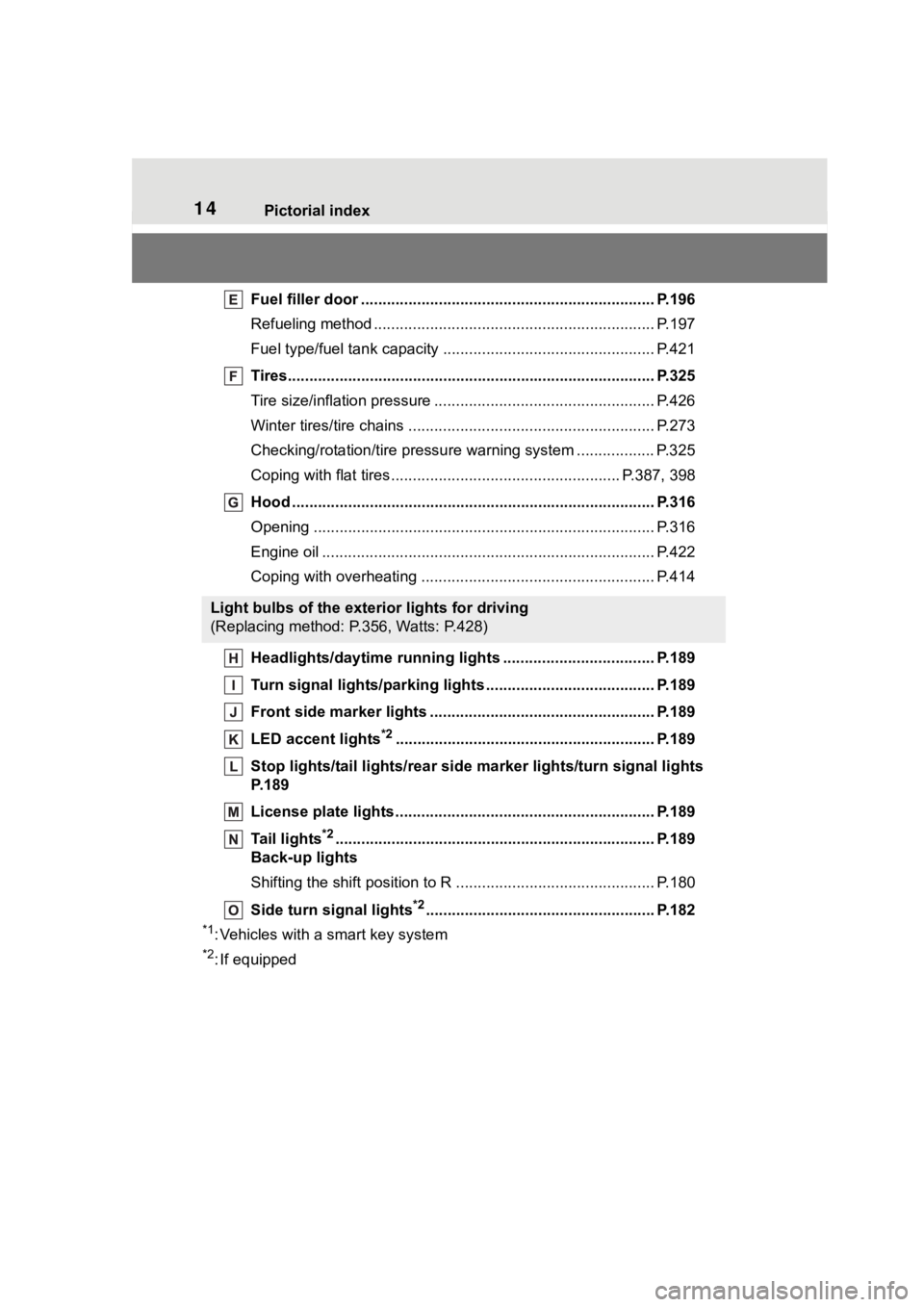
Fuel filler door .................................................................... P.196
Refueling method ............................................... .................. P.197
Fuel type/fuel tan k capacity ................................... .............. P.421
Tires.......................................................... ........................... P.325
Tire size/inflation pressure ................................... ................ P.426
Winter tires/tire chains ....................................... .................. P.273
Checking/rotation/tire pressur e warning system ..................P.325
Coping with flat tires......................................... ............ P.387, 398
Hood ........................................................... ......................... P.316
Opening ............................................................................... P.316
Engine oil ..................................................... ........................ P.422
Coping with overheating ...................................................... P.414
Headlights/daytime running lights .............................. ..... P.189
Turn signal lights/parking lights .............................. ......... P.189
Front side marker lights ....................................... ............. P.189
LED accent lights
*2............................................................ P.1 89
Stop lights/tail lights/rear side marker lights/turn signal lig hts
P. 1 8 9
License plate lights........................................... ................. P.189
Tail lights
*2............................................................... ........... P.189
Back-up lights
Shifting the shift position to R ............................... ............... P.180
Side turn signal lights
*2..................................................... P.182
*1: Vehicles with a smart key system
*2: If equipped
Light bulbs of the exterior lights for driving
(Replacing method: P.356, Watts: P.428)
Page 16 of 496

16Pictorial index
Energy monitor..................................................................... P.116
When a warning message is displayed ............................ .... P.382
Turn signal lever.............................................. ................... P.182
Headlight switch ............................................... ................. P.189
Headlights/parking lights/tail lig hts/side marker lights/daytime run-
ning lights/LED accent lights
*3............................................. P.189
Windshield wiper and washer switch............................... P.194
Usage................................................................................... P.194
Adding washer fluid .............................................................. P.324
Emergency flasher switch ....................................... .......... P.362
Hood lock release lever ........................................ ............. P.316
Tilt and telescopic steering lock release lever ................P. 1 4 6
Air conditioning system ............................. ....................... P.278
Usage................................................................................... P.278
Rear window defogger ........................................... .............. P.280
Audio system
*4
*1
: Vehicles without a smart key system
*2: Vehicles with a smart key system
*3: If equipped
*4: Refer to “MULTIMEDIA OWNER’S MANUAL”.
Page 94 of 496
942-1. Instrument cluster
*1: These lights come on when the power switch is turned to ON to
indicate that a system check is
being performed. They will turn
off after the hybrid system is on,
or after a few seconds. There
may be a malfunction in a sys-
tem if the lights do not come on,
or turn off. Have the vehicle
inspected by your Toyota dealer.
*2: This light illuminates on the multi-information display.
*3: 4.2-inch display.
*4: 7-inch display.
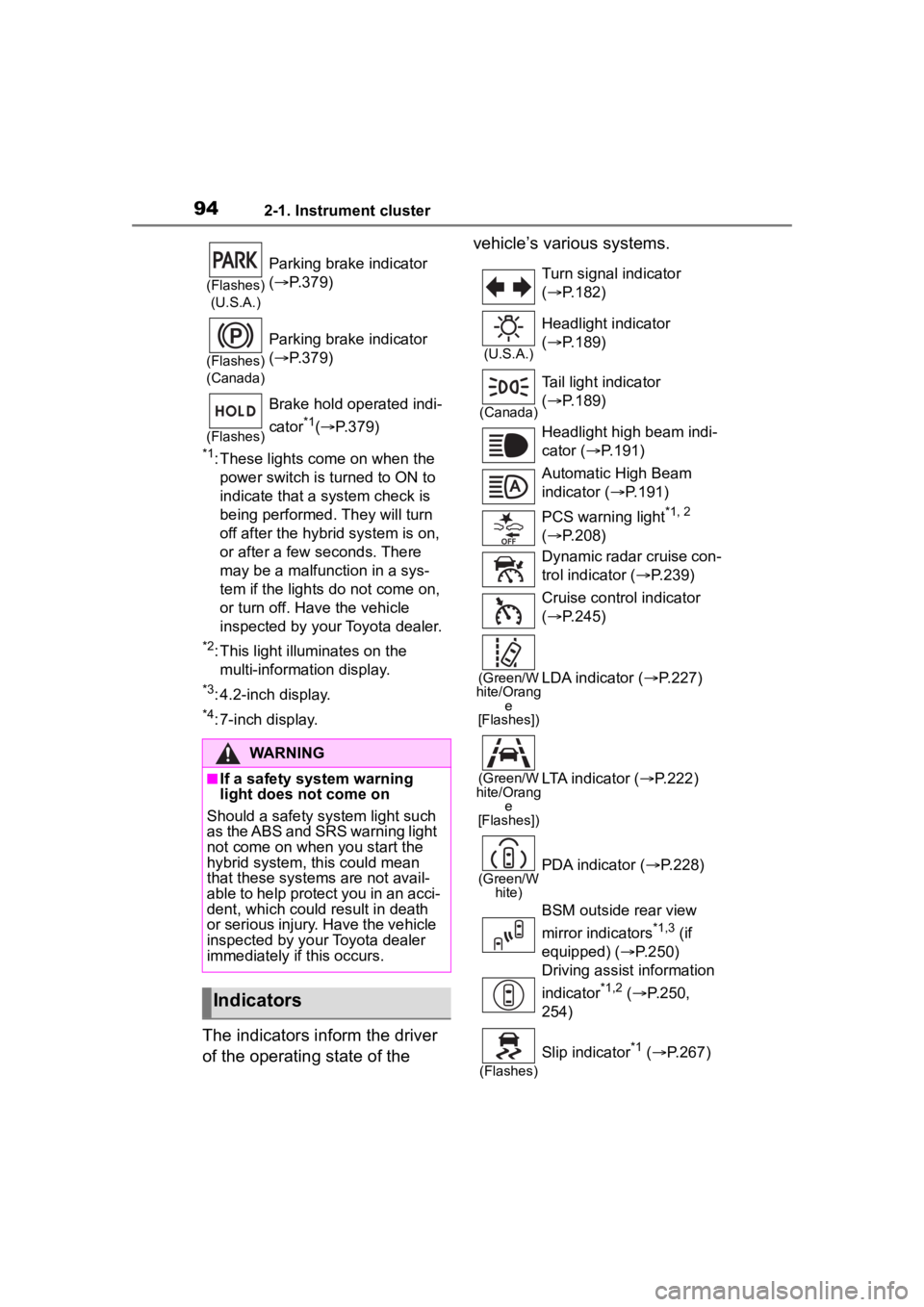
The indicators inform the driver
of the operating state of the vehicle’s various systems.
(Flashes)
(U.S.A.)
Parking brake indicator
( P.379)
(Flashes)
(Canada)
Parking brake indicator
( P.379)
(Flashes)
Brake hold operated indi-
cator
*1( P.379)
WARNING
■If a safety system warning
light does not come on
Should a safety system light such
as the ABS and SRS warning light
not come on when you start the
hybrid system, this could mean
that these systems are not avail-
able to help protect you in an acci-
dent, which could result in death
or serious injury. Have the vehicle
inspected by your Toyota dealer
immediately if this occurs.
Indicators
Turn signal indicator
( P.182)
(U.S.A.)
Headlight indicator
( P.189)
(Canada)
Tail light indicator
( P.189)
Headlight high beam indi-
cator ( P.191)
Automatic High Beam
indicator ( P.191)
PCS warning light
*1, 2
( P.208)
Dynamic radar cruise con-
trol indicator ( P.239)
Cruise control indicator
( P.245)
(Green/W
hite/Orang e
[Flashes])LDA indicator ( P.227)
(Green/W
hite/Orang e
[Flashes])LTA indicator ( P.222)
(Green/W
hite)PDA indicator ( P.228)
BSM outside rear view
mirror indicators
*1,3 (if
equipped) ( P.250)
Driving assist information
indicator
*1,2 ( P.250,
254)
(Flashes)
Slip indicator*1 ( P.267)
Page 139 of 496
1393-2. Opening, closing and locking the doors
3
Before driving
the door handle, such as in the
rain or in a car wash when the
electronic key is within the effec-
tive range. (The doors will auto-
matically be locked after
approximately 60 seconds if the
doors are not opened and closed.)
●If the wireless remote control is
used to lock the doors when the
electronic key is near the vehicle,
there is a possib ility that the door
may not be unlocke d by the entry
function. (Use the wireless remote
control to unloc k the doors.)
●If the doors have been locked
from outside of the vehicle and are
then not unlocked using the wire-
less remote contr ol or smart key
system, the hybri d system cannot
be started using the smart key
system. (However, if the doors
have been locked from inside the
vehicle, the hybrid system can be
started using the smart key sys-
tem.)
If it is necessary to start the hybrid
system, it can be started using the
procedure in “If the electronic key
dose not operate properly”
( P.409).
●Touching the door lock or unlock
sensor while wearing gloves may
prevent lock or unlock operation.
●When the lock op eration is per-
formed using the lock sensor, rec-
ognition signals will be shown up
to two consecutive times. After
this, no recogniti on signals will be
given.
●If the door handle becomes wet
while the electronic key is within
the effective ran ge, the door may
lock and unlock repeatedly. In that
case, follow the fo llowing correc-
tion procedures to wash the vehi-
cle:
• Place the electronic key in a loca-
tion 6 ft. (2 m) or more away from
the vehicle. (Take care to ensure
that the key is not stolen.)
• Set the electronic key to bat- tery-saving mode to disable the smart key system. (
P.137)
●If the electronic key is inside the
vehicle and a door handle
becomes wet during a car wash, a
message may be shown on the
multi-information display and a
buzzer will sound outside the vehi-
cle. To turn off the alarm, lock all
the doors.
●The lock sensor may not work
properly if it comes into contact
with ice, snow, m ud, etc. Clean
the lock sensor and attempt to
operate it again.
●A sudden handle operation or a
handle operation immediately
after entering the effective range
may prevent the doors from being
unlocked. Touch the door unlock
sensor and check that the doors
are unlocked befo re pulling the
door handle again.
●If there is another electronic key in
the detection area, it may take
slightly longer to unlock the doors
after the door handle is gripped.
■When the vehicle is not driven
for extended periods
●To prevent theft of the vehicle, do
not leave the electronic key within
6 ft. (2 m) of the vehicle.
●The smart key system can be
deactivated in advance. ( P.442)
●Setting the electronic key to bat-
tery-saving mode helps to reduce
key battery depletion. ( P.137)
■To operate the system properly
●Make sure to carry the electronic
key when operating the system.
Do not get the electronic key too
close to the vehicle when operat-
ing the system from the outside of
the vehicle.
Depending on the position and hold-
ing condition of the electronic key,
the key may not be detected cor-
rectly and the system may not oper-
Page 157 of 496
157
4
4
Driving
Driving
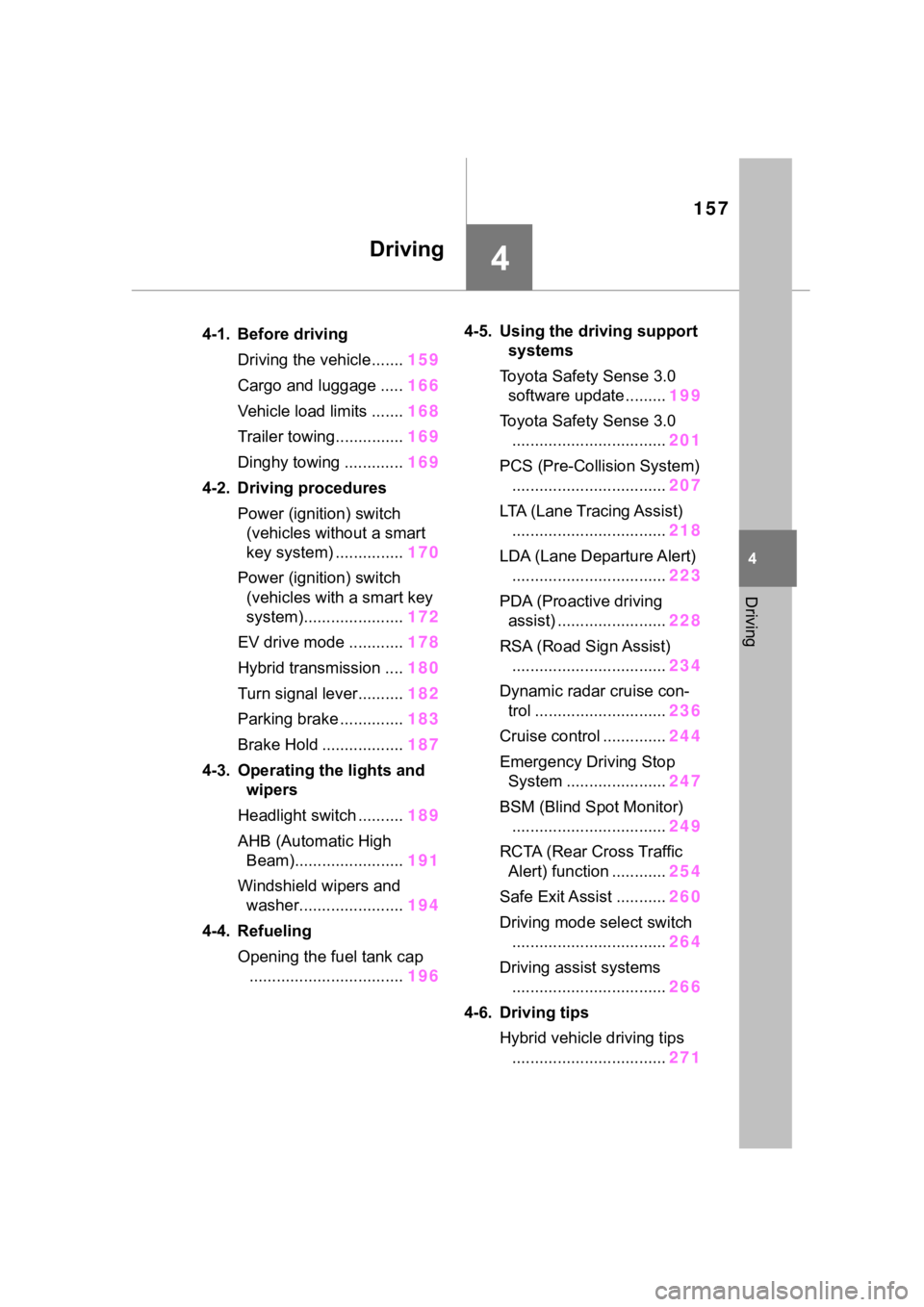
.4-1. Before drivingDriving the vehicle....... 159
Cargo and luggage ..... 166
Vehicle load limits ....... 168
Trailer towing............... 169
Dinghy towing ............. 169
4-2. Driving procedures Power (ignition) switch (vehicles without a smart
key system) ............... 170
Power (ignition) switch (vehicles with a smart key
system)...................... 172
EV drive mode ............ 178
Hybrid transmission .... 180
Turn signal lever.......... 182
Parking brake .............. 183
Brake Hold .................. 187
4-3. Operating the lights and wipers
Headlight switch .......... 189
AHB (Automatic High Beam)........................ 191
Windshield wipers and washer....................... 194
4-4. Refueling Opening the fuel tank cap.................................. 1964-5. Using the dr
iving support
systems
Toyota Safety Sense 3.0 software update ......... 199
Toyota Safety Sense 3.0 .................................. 201
PCS (Pre-Collision System) .................................. 207
LTA (Lane Tracing Assist) .................................. 218
LDA (Lane Departure Alert) .................................. 223
PDA (Proactive driving assist) ........................ 228
RSA (Road Sign Assist) .................................. 234
Dynamic radar cruise con- trol ............................. 236
Cruise control .............. 244
Emergency Driving Stop System ...................... 247
BSM (Blind Spot Monitor) .................................. 249
RCTA (Rear Cross Traffic Alert) function ............ 254
Safe Exit Assist ........... 260
Driving mode select switch .................................. 264
Driving assist systems .................................. 266
4-6. Driving tips Hybrid vehicle driving tips.................................. 271
Page 182 of 496
1824-2. Driving procedures
P.264
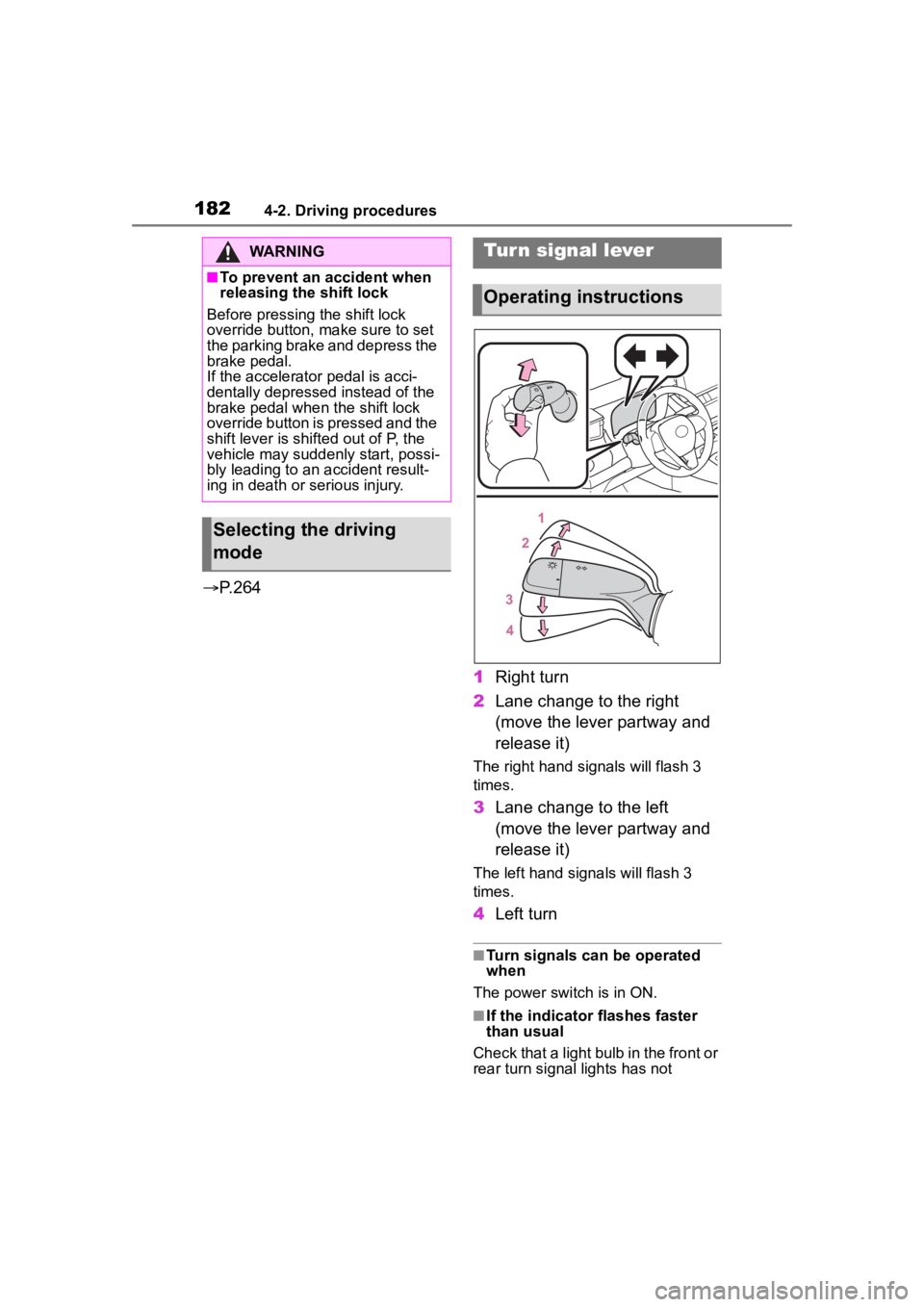
1Right turn
2 Lane change to the right
(move the lever partway and
release it)
The right hand s ignals will flash 3
times.
3 Lane change to the left
(move the lever partway and
release it)
The left hand signals will flash 3
times.
4Left turn
■Turn signals can be operated
when
The power switch is in ON.
■If the indicator flashes faster
than usual
Check that a light bulb in the front or
rear turn signal lights has not
WARNING
■To prevent an accident when
releasing the shift lock
Before pressing the shift lock
override button, make sure to set
the parking brake and depress the
brake pedal.
If the accelerator pedal is acci-
dentally depressed instead of the
brake pedal when the shift lock
override button is pressed and the
shift lever is shifted out of P, the
vehicle may suddenly start, possi-
bly leading to an accident result-
ing in death or serious injury.
Selecting the driving
mode
Tur n signal lever
Operating instructions
Page 192 of 496
1924-3. Operating the lights and wipers
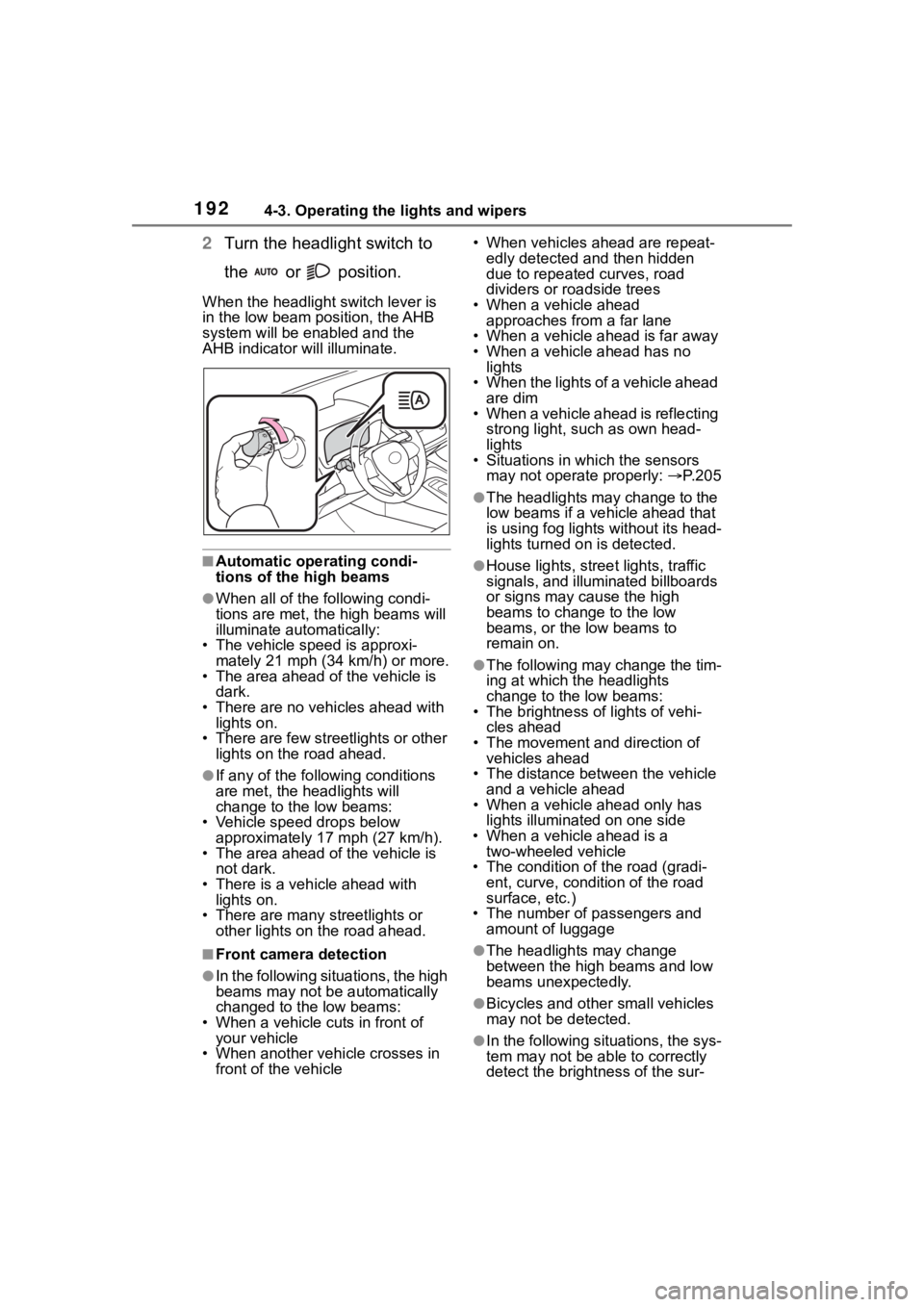
2Turn the headlight switch to
the or position.
When the headlight switch lever is
in the low beam position, the AHB
system will be enabled and the
AHB indicator will illuminate.
■Automatic operating condi-
tions of the high beams
●When all of the following condi-
tions are met, the high beams will
illuminate automatically:
• The vehicle speed is approxi-
mately 21 mph (34 km/h) or more.
• The area ahead of the vehicle is dark.
• There are no vehicles ahead with lights on.
• There are few streetlights or other
lights on the road ahead.
●If any of the following conditions
are met, the headlights will
change to the low beams:
• Vehicle speed drops below
approximately 17 mph (27 km/h).
• The area ahead of the vehicle is not dark.
• There is a vehi cle ahead with
lights on.
• There are many streetlights or
other lights on the road ahead.
■Front camera detection
●In the following situations, the high
beams may not be automatically
changed to the low beams:
• When a vehicle cuts in front of your vehicle
• When another vehicle crosses in front of the vehicle • When vehicles ahead are repeat-
edly detected and then hidden
due to repeated curves, road
dividers or roadside trees
• When a vehicle ahead approaches from a far lane
• When a vehicle ahead is far away
• When a vehicle ahead has no lights
• When the lights of a vehicle ahead are dim
• When a vehicle ahead is reflecting
strong light, such as own head-
lights
• Situations in which the sensors
may not operate properly: P. 2 0 5
●The headlights may change to the
low beams if a vehicle ahead that
is using fog lights without its head-
lights turned on is detected.
●House lights, street lights, traffic
signals, and illuminated billboards
or signs may cause the high
beams to change to the low
beams, or the low beams to
remain on.
●The following may change the tim-
ing at which the headlights
change to the low beams:
• The brightness o f lights of vehi-
cles ahead
• The movement and direction of vehicles ahead
• The distance between the vehicle and a vehicle ahead
• When a vehicle ahead only has
lights illuminate d on one side
• When a vehicle ahead is a two-wheeled vehicle
• The condition of the road (gradi- ent, curve, condition of the road
surface, etc.)
• The number of passengers and amount of luggage
●The headlights may change
between the high beams and low
beams unexpectedly.
●Bicycles and other small vehicles
may not be detected.
●In the following situations, the sys-
tem may not be able to correctly
detect the brightness of the sur-
Page 211 of 496
2114-5. Using the driving support systems
4
Driving
WARNING
■Acceleration Suppression at
Low Speed
If the steering wheel is being
turned, the syste m may determine
that the driver is taking evasive
action and possibly prevent the
Acceleration Suppression at Low
Speed function from operating.
■Emergency steering assist
●The emergency steering assist
will be canceled when the sys-
tem determines that lane depar-
ture prevention control has
completed.
●Depending on operations per-
formed by the driver, emer-
gency steering assist may not
operate or operation may be
canceled.
• If the accelerator pedal is depressed strongly, the steering
wheel is turned heavily, the
brake pedal is depressed, or the
turn signal lever is operated, the
system may determine that the
driver is taking evasive action
and the emergency steering
assist may not operate.
• While the emergency steering assist is operating, if the accel-
erator pedal is depressed
strongly, the st eering wheel is
turned heavily, or the brake
pedal is depressed, the system
may determine that the driver is
taking evasive action and emer-
gency steering assist operation
may be canceled.
• While the emergency steering assist is operating, if the steer-
ing wheel is held or turned in the
opposite direction of system
operation, emergency steering
assist operation will be can-
celed.
Page 213 of 496
2134-5. Using the driving support systems
4
Driving
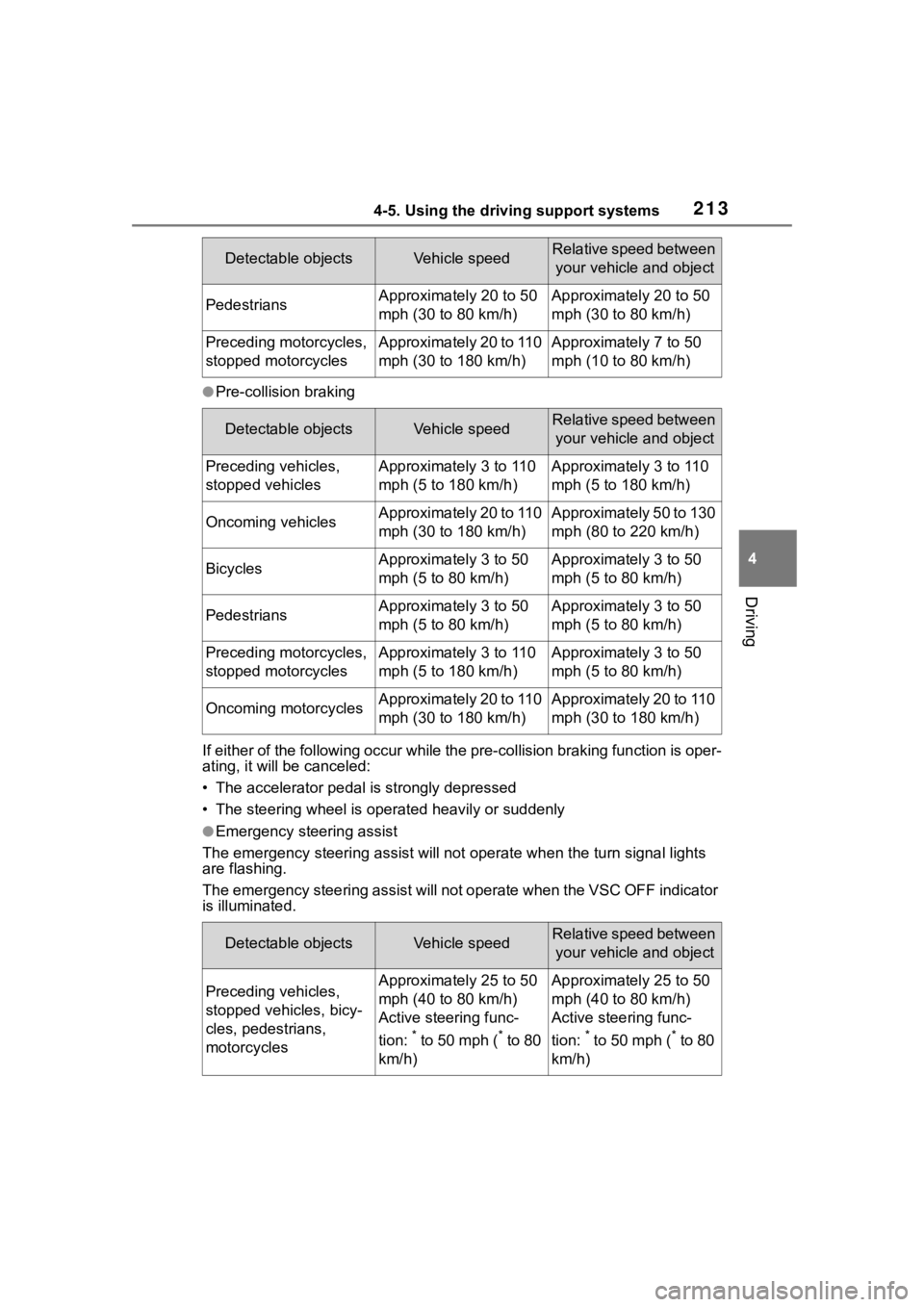
●Pre-collision braking
If either of the following occur while the pre-collision braking function is oper-
ating, it will be canceled:
• The accelerator pedal is strongly depressed
• The steering wheel is ope rated heavily or suddenly
●Emergency steering assist
The emergency steeri ng assist will not opera te when the turn signal lights
are flashing.
The emergency steering assist will not operate when the VSC OFF indicator
is illuminated.
PedestriansApproximately 20 to 50
mph (30 to 80 km/h)Approximately 20 to 50
mph (30 to 80 km/h)
Preceding motorcycles,
stopped motorcyclesApproximately 20 to 110
mph (30 to 180 km/h)Approximately 7 to 50
mph (10 to 80 km/h)
Detectable objectsVehicle speedRelative speed between
your vehicle and object
Preceding vehicles,
stopped vehiclesApproximately 3 to 110
mph (5 to 180 km/h)Approximately 3 to 110
mph (5 to 180 km/h)
Oncoming vehiclesApproximately 20 to 110
mph (30 to 180 km/h)Approximately 50 to 130
mph (80 to 220 km/h)
BicyclesApproximately 3 to 50
mph (5 to 80 km/h)Approximately 3 to 50
mph (5 to 80 km/h)
PedestriansApproximately 3 to 50
mph (5 to 80 km/h)Approximately 3 to 50
mph (5 to 80 km/h)
Preceding motorcycles,
stopped motorcyclesApproximately 3 to 110
mph (5 to 180 km/h)Approximately 3 to 50
mph (5 to 80 km/h)
Oncoming motorcyclesApproximately 20 to 110
mph (30 to 180 km/h)Approximately 20 to 110
mph (30 to 180 km/h)
Detectable objectsVehicle speedRelative speed between your vehicle and object
Preceding vehicles,
stopped vehicles, bicy-
cles, pedestrians,
motorcyclesApproximately 25 to 50
mph (40 to 80 km/h)
Active steering func-
tion:
* to 50 mph (* to 80
km/h)
Approximately 25 to 50
mph (40 to 80 km/h)
Active steering func-
tion:
* to 50 mph (* to 80
km/h)
Detectable objectsVehicle speedRelative speed between your vehicle and object