steering TOYOTA FJ CRUISER 2010 1.G Workshop Manual
[x] Cancel search | Manufacturer: TOYOTA, Model Year: 2010, Model line: FJ CRUISER, Model: TOYOTA FJ CRUISER 2010 1.GPages: 439, PDF Size: 11.02 MB
Page 187 of 439
187
2-5. Driving information
2
When driving
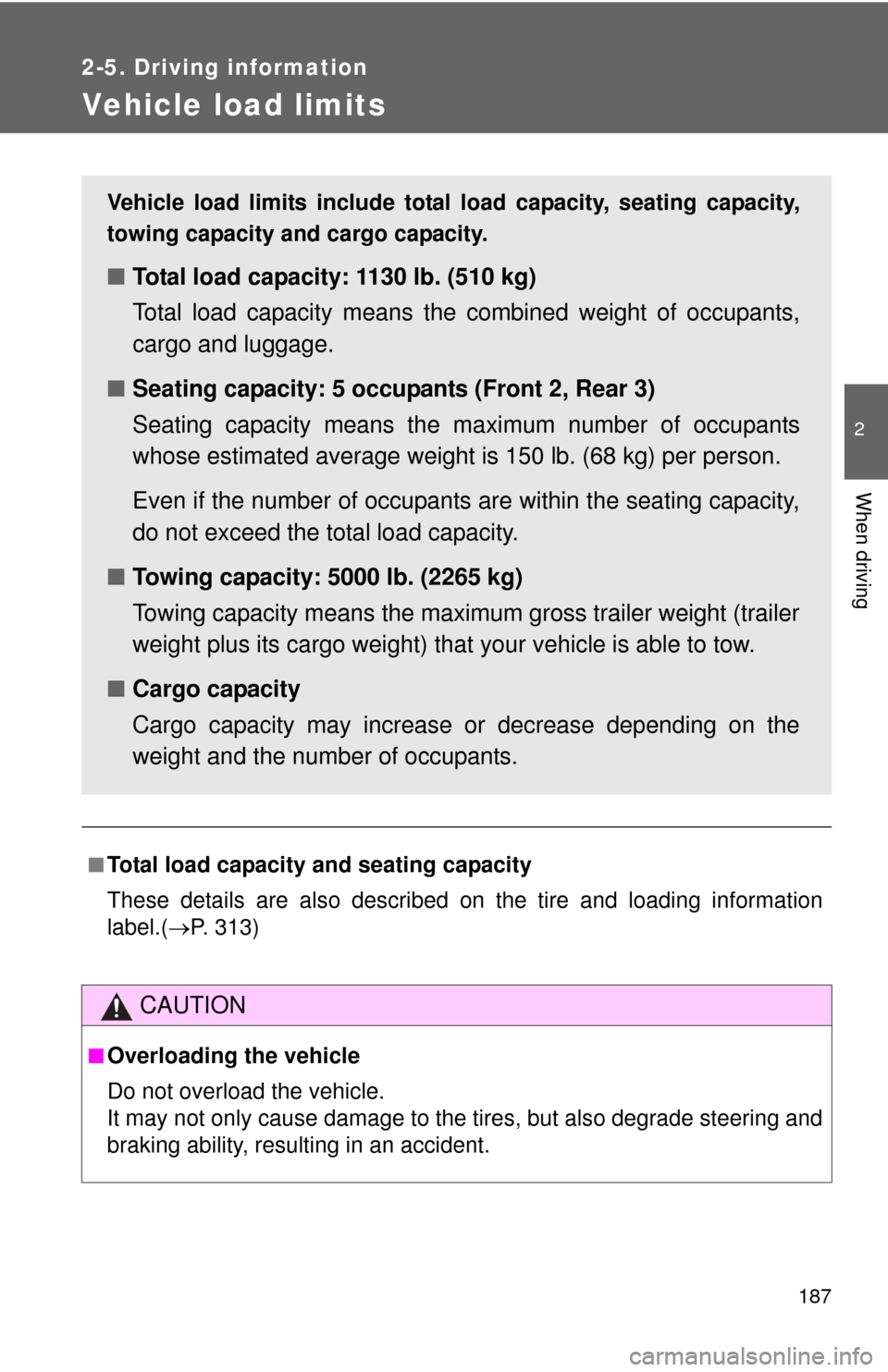
Vehicle load limits
■Total load capacity and seating capacity
These details are also described on the tire and loading information
label.(P. 313)
CAUTION
■Overloading the vehicle
Do not overload the vehicle.
It may not only cause damage to the tires, but also degrade steering and
braking ability, resulting in an accident.
Vehicle load limits include total load capacity, seating capacity,
towing capacity and cargo capacity.
■Total load capacity: 1130 lb. (510 kg)
Total load capacity means the combined weight of occupants,
cargo and luggage.
■Seating capacity: 5 occupants (Front 2, Rear 3)
Seating capacity means the maximum number of occupants
whose estimated average weight is 150 lb. (68 kg) per person.
Even if the number of occupants are within the seating capacity,
do not exceed the total load capacity.
■Towing capacity: 5000 lb. (2265 kg)
Towing capacity means the maximum gross trailer weight (trailer
weight plus its cargo weight) that your vehicle is able to tow.
■Cargo capacity
Cargo capacity may increase or decrease depending on the
weight and the number of occupants.
Page 197 of 439

197 2-5. Driving information
2
When driving
Trailer towing tips
Your vehicle will handle differently when towing a trailer. The three
main causes of vehicle-trailer accidents are driver error, excessive
speed and improper trailer loading. Keep these in mind when towing.
●Before starting out, check the trailer’s light and the vehicle-trailer
connections. Recheck after driving a short distance.
●Practice turning, stopping and reversing with the trailer attached in
an area away from traffic until you become accustomed to the feel
of the vehicle.
●Reversing with a trailer attached is difficult and requires practice.
Grip the bottom of the steering wheel and move your hand to the
left to move the trailer to the left. Move your hand to the right to
move the trailer to the right. (This is generally opposite to reversing
without a trailer attached.) Avoid sharp or prolonged turning. Have
someone guide you when reversing to reduce the risk of an acci-
dent.
●As stopping distance is increased when towing a trailer, vehicle-to-
vehicle distance should be increased. For each 10 mph (16 km/h)
of speed, allow at least one vehicle and trailer length.
●Avoid sudden braking as you may skid, resulting in jackknifing and
loss of control. This is especially true on wet or slippery surfaces.
●Avoid jerky starts or sudden acceleration. Vehicles with a manual
transmission, prevent excessive clutch slippage by keeping engine
rpm low and not racing the engine. Always start out in first gear.
●Avoid jerky steering and sharp turns, and slow down before mak-
ing a turn.
Page 198 of 439

198 2-5. Driving information
●Note that when making a turn, the trailer wheels will be closer than
the vehicle wheels to the inside of the turn. Compensate by making
a larger than normal turning radius.
●Crosswinds and rough roads will adversely affect handling of your
vehicle and trailer, causing sway. Periodically check the rear to
prepare for being passed by large trucks or buses, which may
cause your vehicle and trailer to sway. If swaying occurs, firmly grip
the steering wheel, reduce speed immediately but gradually, and
steer straight ahead. Never increase speed. If you make no
extreme correction with the steering or brakes, your vehicle and
trailer will stabilize.
●Take care when passing other vehicles. Passing requires consider-
able distance. After passing a vehicle, do not forget the length of
your trailer, and be sure you have plenty of room before changing
lanes.
●In order to maintain engine braking efficiency, do not use the trans-
mission in D (automatic transmission) or 6 (manual transmission).
●Due to the added load of the trailer, your vehicle’s engine may
overheat on hot days (at temperatures over 85°F [30°C]) when
driving up a long or steep grade. If the engine coolant temperature
gauge indicates overheating, immediately turn off the air condition-
ing (if in use), pull your vehicle off the road and stop in a safe spot.
(P. 382)
Page 203 of 439
Interior features3
203
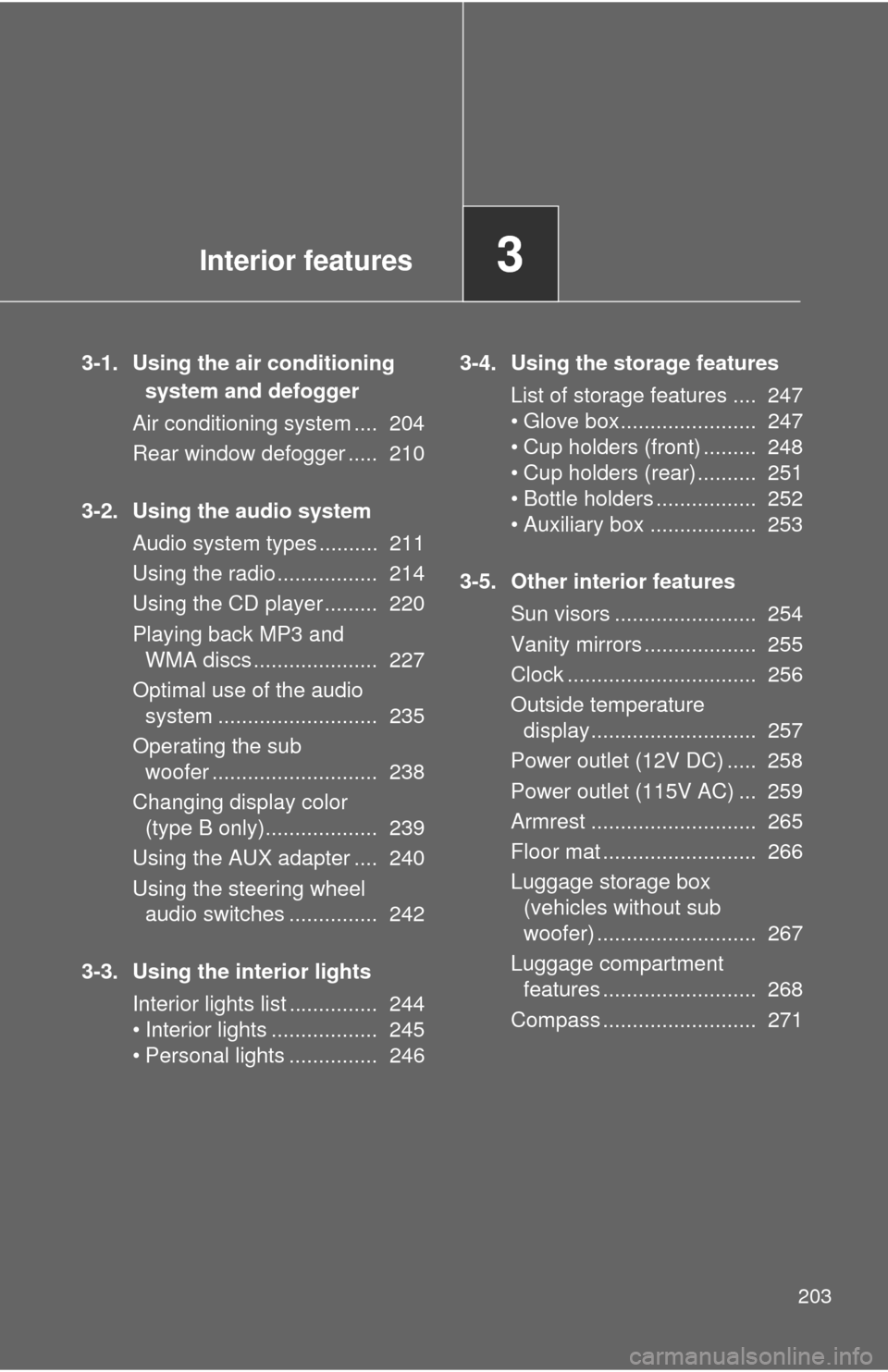
3-1. Using the air conditioning
system and defogger
Air conditioning system .... 204
Rear window defogger ..... 210
3-2. Using the audio system
Audio system types .......... 211
Using the radio ................. 214
Using the CD player ......... 220
Playing back MP3 and
WMA discs ..................... 227
Optimal use of the audio
system ........................... 235
Operating the sub
woofer ............................ 238
Changing display color
(type B only)................... 239
Using the AUX adapter .... 240
Using the steering wheel
audio switches ............... 242
3-3. Using the interior lights
Interior lights list ............... 244
• Interior lights .................. 245
• Personal lights ............... 2463-4. Using the storage features
List of storage features .... 247
• Glove box....................... 247
• Cup holders (front) ......... 248
• Cup holders (rear) .......... 251
• Bottle holders ................. 252
• Auxiliary box .................. 253
3-5. Other interior features
Sun visors ........................ 254
Vanity mirrors ................... 255
Clock ................................ 256
Outside temperature
display............................ 257
Power outlet (12V DC) ..... 258
Power outlet (115V AC) ... 259
Armrest ............................ 265
Floor mat .......................... 266
Luggage storage box
(vehicles without sub
woofer) ........................... 267
Luggage compartment
features .......................... 268
Compass .......................... 271
Page 212 of 439
212 3-2. Using the audio system
■Welcome function (type B only)
When you turn the engine switch to the ACC or ON position, “FJ CRUISER”
will appear scrolling on the display. And then “FJammer” will appear for 6
seconds.
While this function is operating, the display is illuminated with full intensity
and the instrument panel light control dial is disabled. However, you can turn
off the display illumination by pushing the .
■Using cellular phones
Interference may be heard through the audio system's speakers if a cellular
phone is being used inside or close to the vehicle while the audio system is
operating.
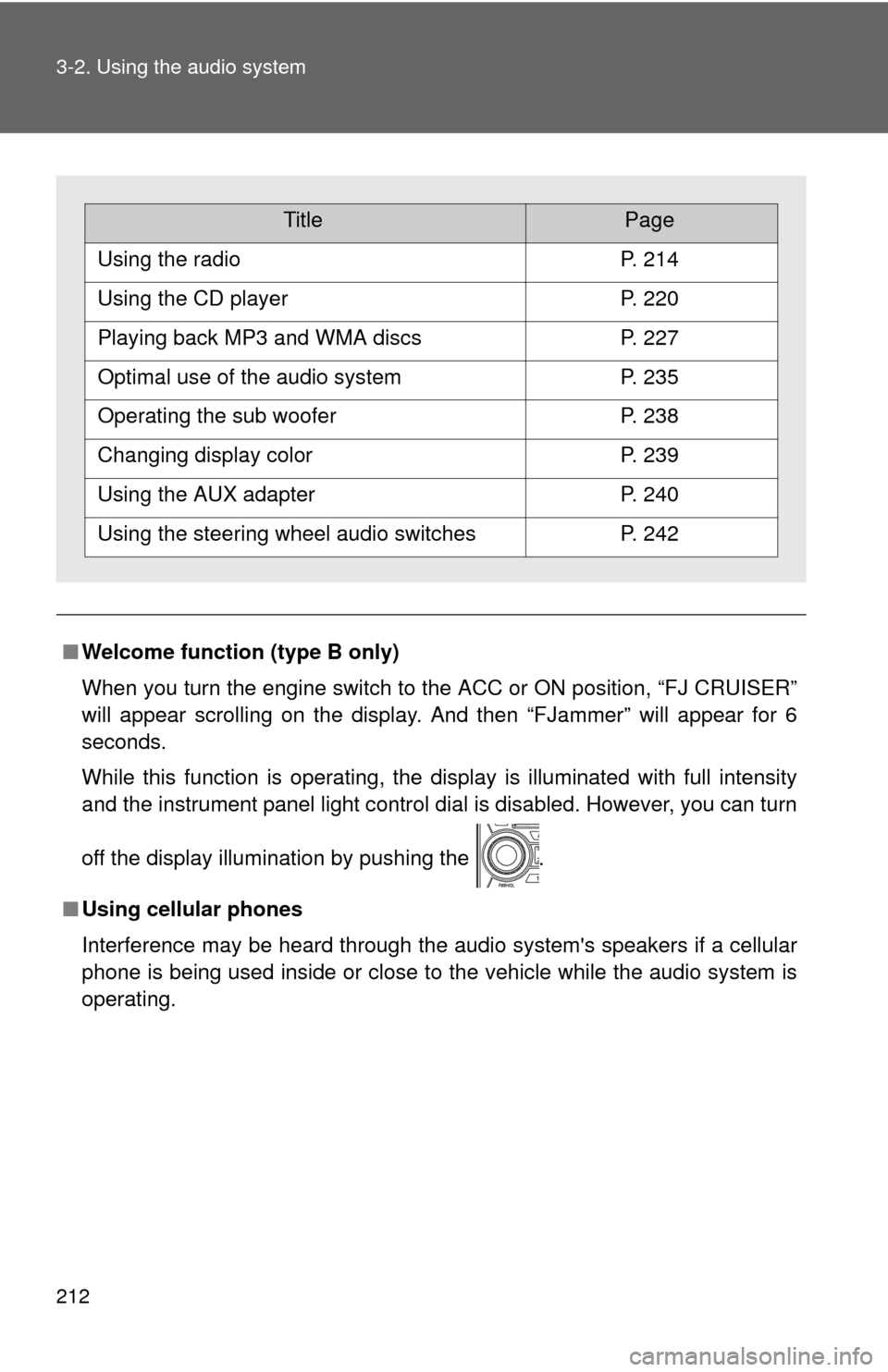
TitlePage
Using the radioP. 214
Using the CD playerP. 220
Playing back MP3 and WMA discsP. 227
Optimal use of the audio systemP. 235
Operating the sub wooferP. 238
Changing display colorP. 239
Using the AUX adapterP. 240
Using the steering wheel audio switchesP. 242
Page 242 of 439
242
3-2. Using the audio system
Using the steering wheel audio switches
Turning on the power
Press when the audio system is turned off.
The audio system can be turned off by holding the switch down until the
system turns off.
Changing the audio source
Press when the audio system is turned on. The audio source
changes as follows each time is pressed.
CD player without changer:
FM1FM2CDAUXAM
CD player with changer:
FM1FM2CD changerAUXAMSAT1SAT2SAT3
: If equipped
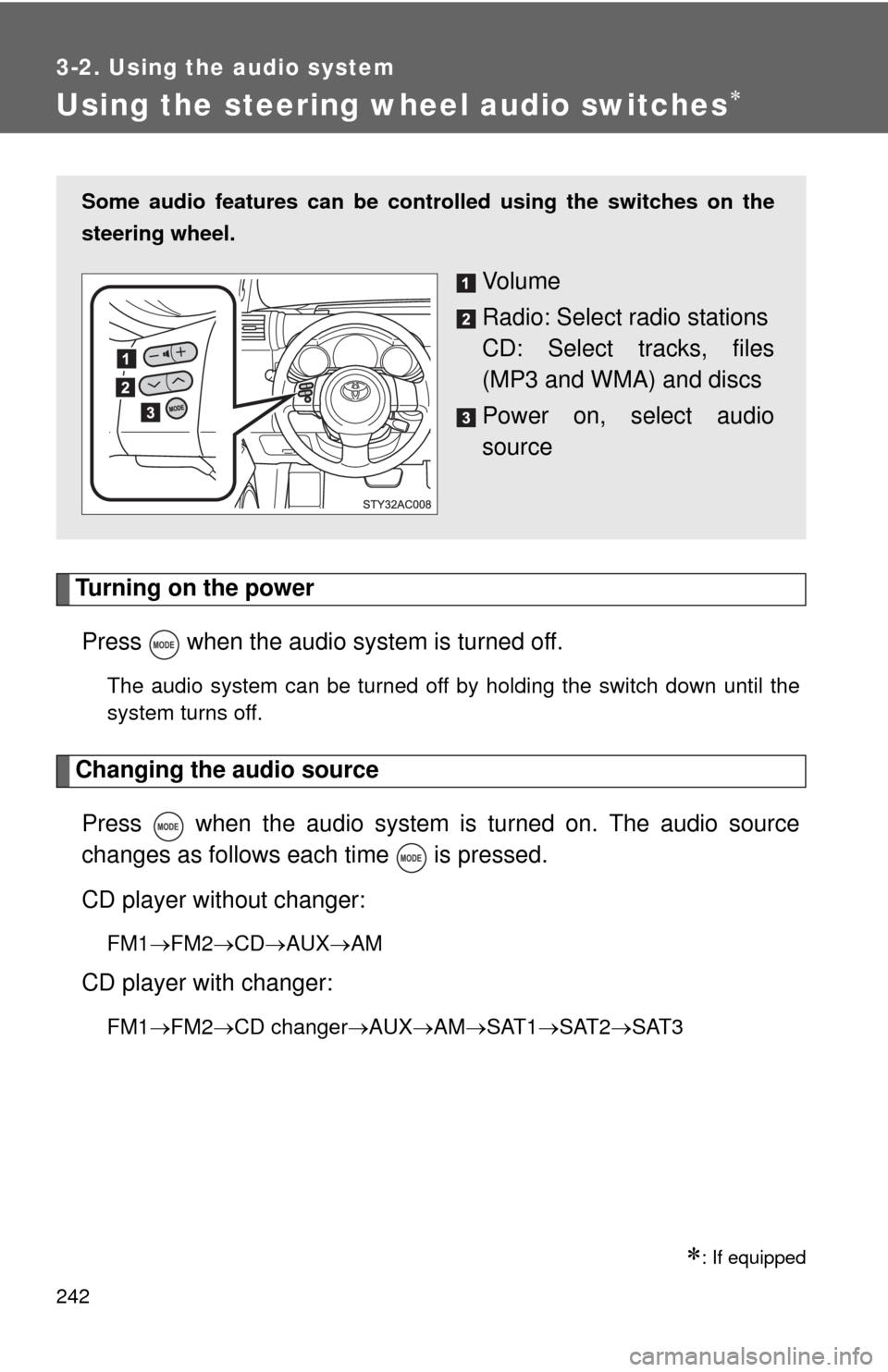
Some audio features can be controlled using the switches on the
steering wheel.
Vo l u m e
Radio: Select radio stations
CD: Select tracks, files
(MP3 and WMA) and discs
Power on, select audio
source
Page 243 of 439
243 3-2. Using the audio system
3
Interior features
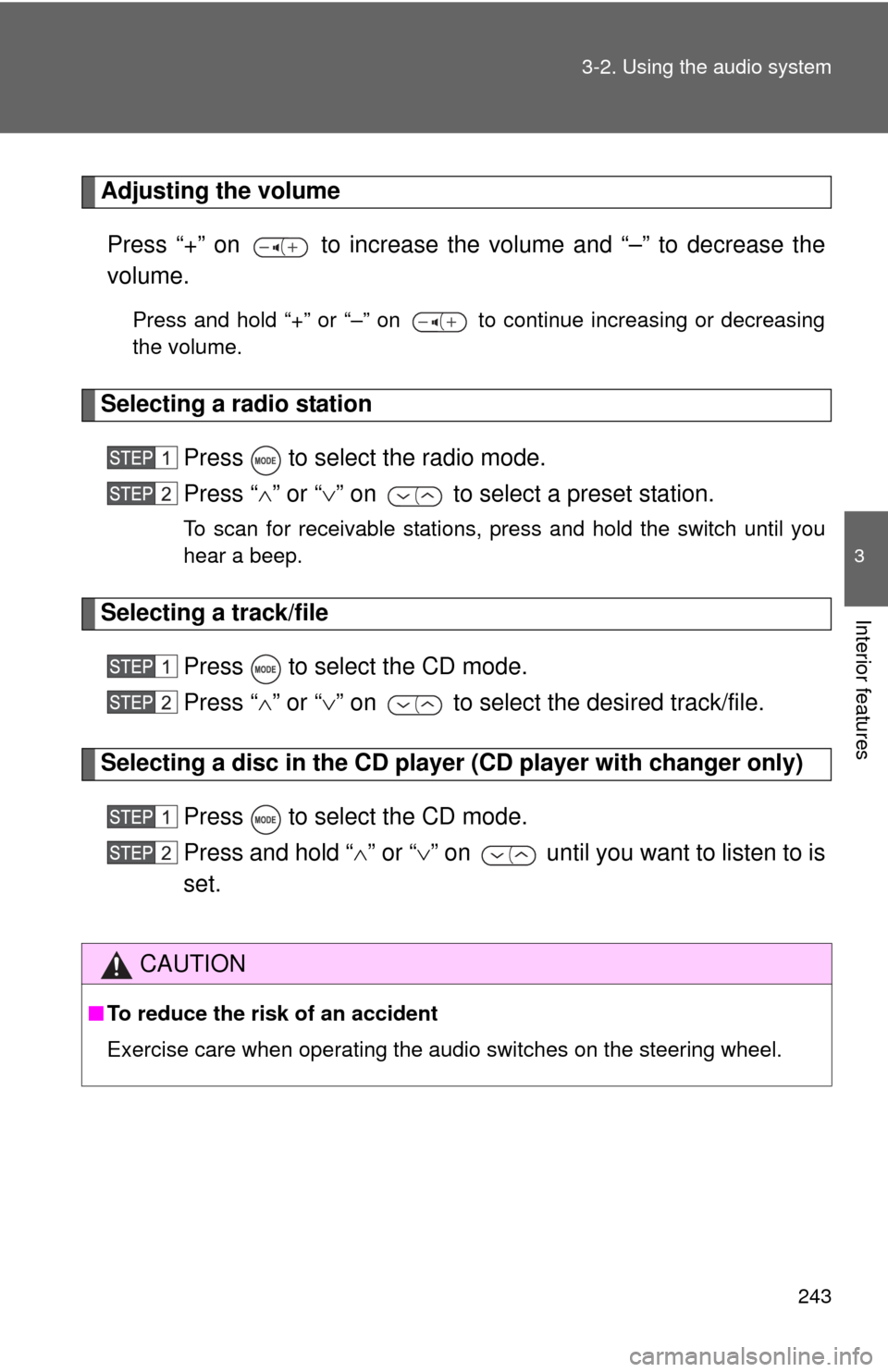
Adjusting the volume
Press “+” on to increase the volume and “–” to decrease the
volume.
Press and hold “+” or “–” on to continue increasing or decreasing
the volume.
Selecting a radio station
Press to select the radio mode.
Press “” or “” on to select a preset station.
To scan for receivable stations, press and hold the switch until you
hear a beep.
Selecting a track/file
Press to select the CD mode.
Press “” or “” on to select the desired track/file.
Selecting a disc in the CD player (CD player with changer only)
Press to select the CD mode.
Press and hold “” or “” on until you want to listen to is
set.
CAUTION
■To reduce the risk of an accident
Exercise care when operating the audio switches on the steering wheel.
Page 286 of 439
286
4-2. Maintenance
4
Maintenance and care
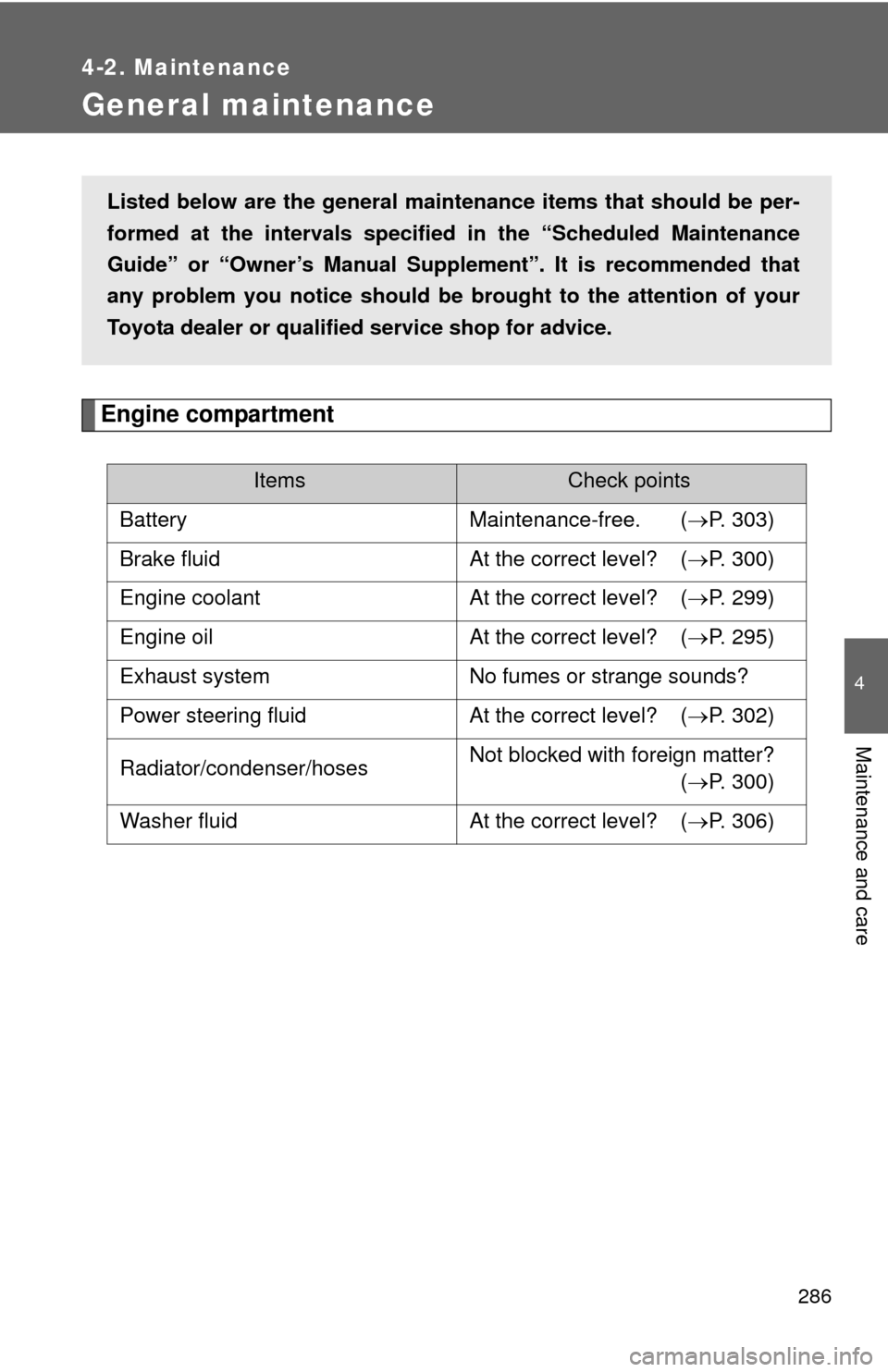
General maintenance
Engine compartment
ItemsCheck points
Battery Maintenance-free. (P. 303)
Brake fluid At the correct level? (P. 300)
Engine coolant At the correct level? (P. 299)
Engine oil At the correct level? (P. 295)
Exhaust system No fumes or strange sounds?
Power steering fluid At the correct level? (P. 302)
Radiator/condenser/hosesNot blocked with foreign matter?
(P. 300)
Washer fluid At the correct level? (P. 306)
Listed below are the general maintenance items that should be per-
formed at the intervals specified in the “Scheduled Maintenance
Guide” or “Owner’s Manual Supplement”. It is recommended that
any problem you notice should be brought to the attention of your
Toyota dealer or qualified service shop for advice.
Page 288 of 439
288 4-2. Maintenance
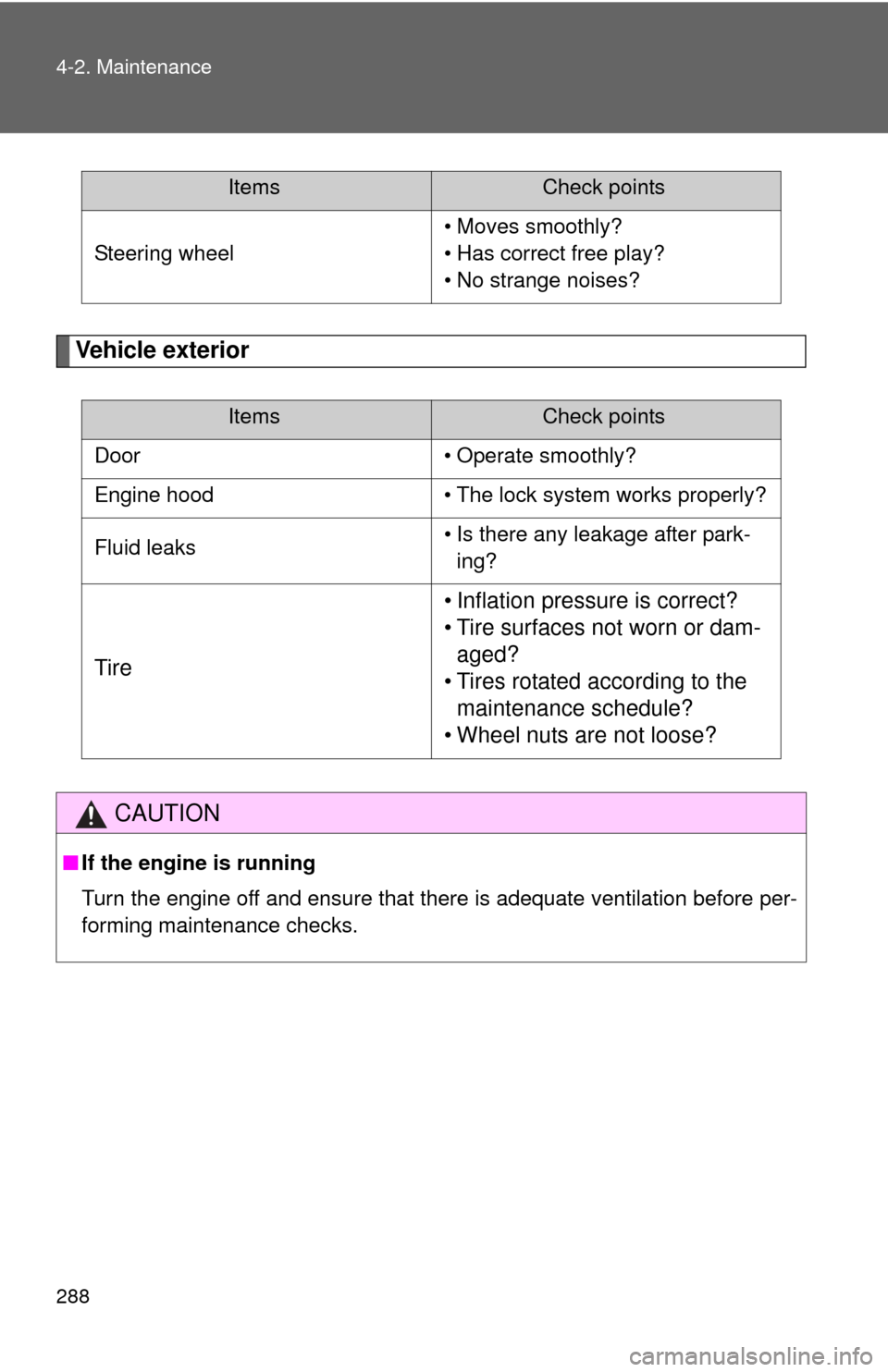
Vehicle exterior
Steering wheel• Moves smoothly?
• Has correct free play?
• No strange noises?
ItemsCheck points
Door • Operate smoothly?
Engine hood • The lock system works properly?
Fluid leaks• Is there any leakage after park-
ing?
Tire• Inflation pressure is correct?
• Tire surfaces not worn or dam-
aged?
• Tires rotated according to the
maintenance schedule?
• Wheel nuts are not loose?
CAUTION
■If the engine is running
Turn the engine off and ensure that there is adequate ventilation before per-
forming maintenance checks.
ItemsCheck points
Page 291 of 439
290 4-3. Do-it-yourself maintenance
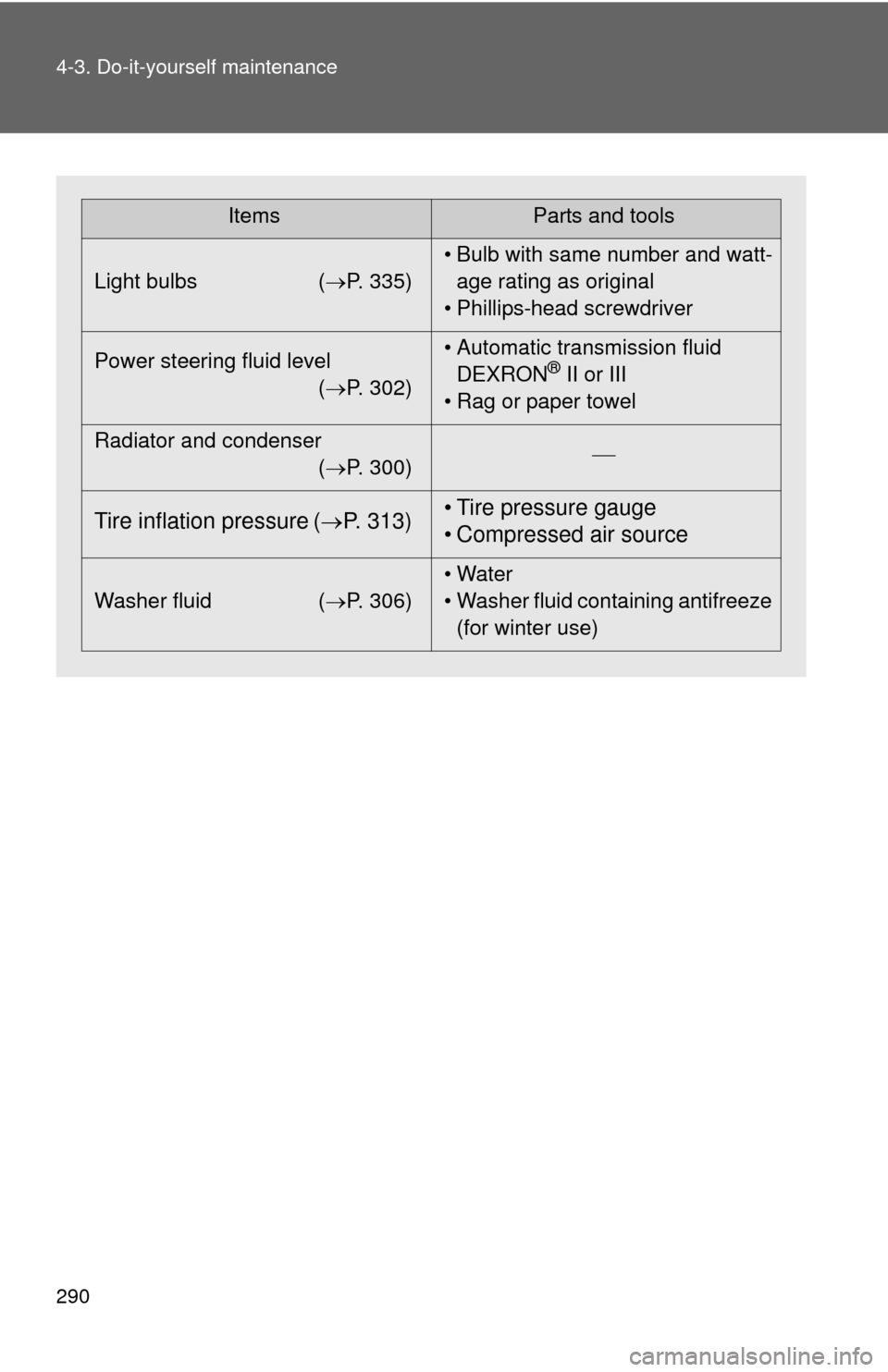
ItemsParts and tools
Light bulbs (P. 335)• Bulb with same number and watt-
age rating as original
• Phillips-head screwdriver
Power steering fluid level
(P. 302)• Automatic transmission fluid
DEXRON
® II or III
• Rag or paper towel
Radiator and condenser
(P. 300)
Tire inflation pressure (P. 313)• Tire pressure gauge
• Compressed air source
Washer fluid (P. 306)• Water
• Washer fluid containing antifreeze
(for winter use)