reset TOYOTA FJ CRUISER 2011 1.G Owners Manual
[x] Cancel search | Manufacturer: TOYOTA, Model Year: 2011, Model line: FJ CRUISER, Model: TOYOTA FJ CRUISER 2011 1.GPages: 528, PDF Size: 10.93 MB
Page 135 of 528
135
2
When driving
2-2. Instrument cluster
Gauges and meters
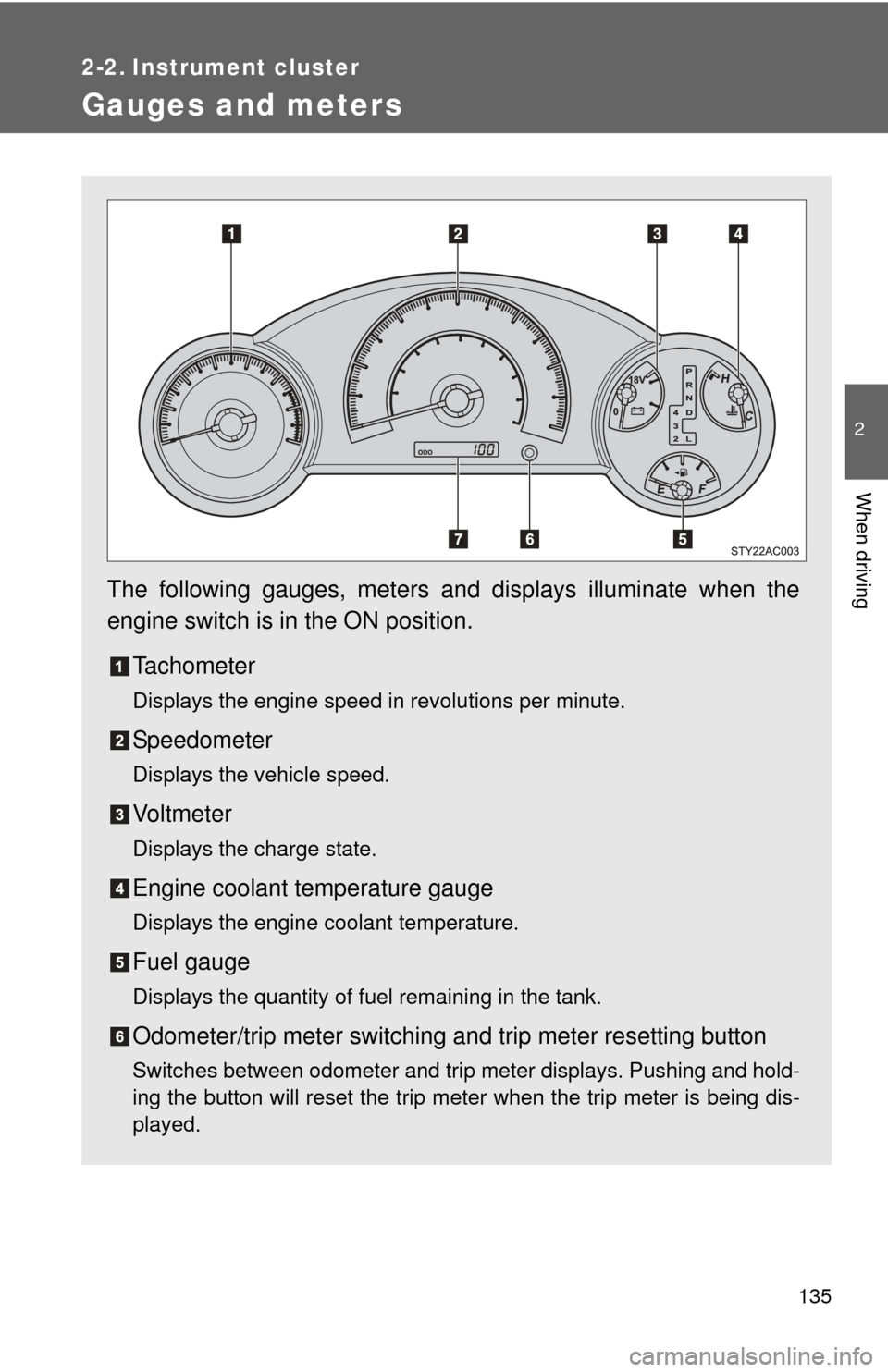
The following gauges, meters and displays illuminate when the
engine switch is in the ON position.Tachometer
Displays the engine speed in revolutions per minute.
Speedometer
Displays the vehicle speed.
Vo l t m e t e r
Displays the charge state.
Engine coolant temperature gauge
Displays the engine coolant temperature.
Fuel gauge
Displays the quantity of fuel remaining in the tank.
Odometer/trip meter switching and trip meter resetting button
Switches between odometer and trip meter displays. Pushing and hold-
ing the button will reset the trip meter when the trip meter is being dis-
played.
Page 136 of 528
136 2-2. Instrument cluster
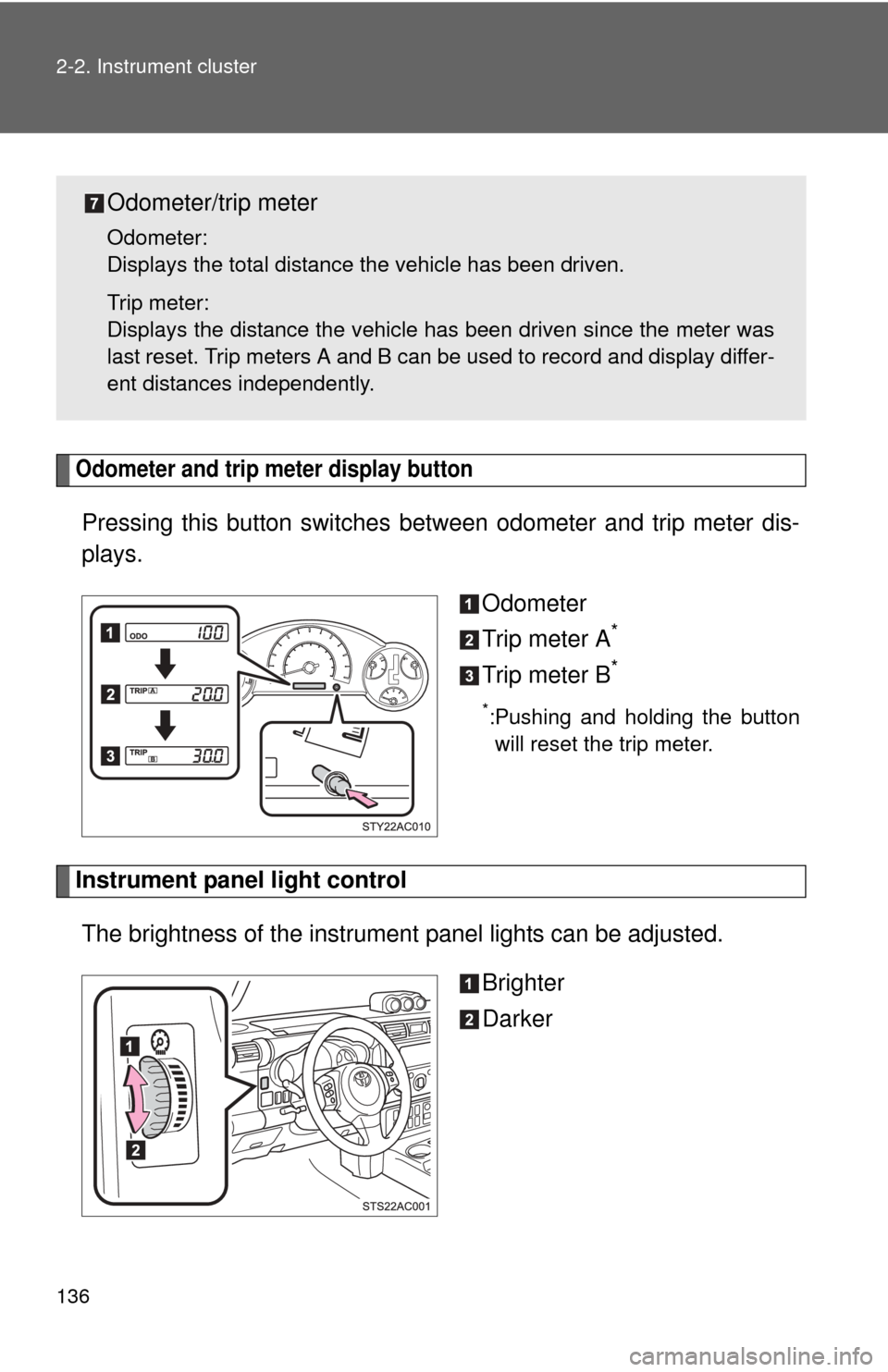
Odometer and trip meter display button
Pressing this button switches between odometer and trip meter dis-
plays.
Odometer
Trip meter A
*
Trip meter B*
*:Pushing and holding the buttonwill reset the trip meter.
Instrument panel light control
The brightness of the instrument panel lights can be adjusted.
Brighter
Darker
Odometer/trip meter
Odometer:
Displays the total distance the vehicle has been driven.
Trip meter:
Displays the distance the vehicle has been driven since the meter was
last reset. Trip meters A and B can be used to record and display differ-
ent distances independently.
Page 150 of 528
150 2-4. Using other driving systems
■Cruise control can be set when
●The shift lever is in the D or 4 range (vehicles with an automatic transmis-
sion).
● Vehicle speed is above approximately 25 mph (40 km/h).
■ Accelerating
The vehicle can be accelerated normally. After acceleration, the set speed
resumes.
■ Automatic cruise control cancellation
Cruise control will stop maintaining the vehicle speed in any of the following
situations.
●Actual vehicle speed falls more than approximately 10 mph (16 km/h)
below the preset vehicle speed.
At this time, the memorized set speed is not retained.
● Actual vehicle speed is below approximately 25 mph (40 km/h).
● VSC is activated.
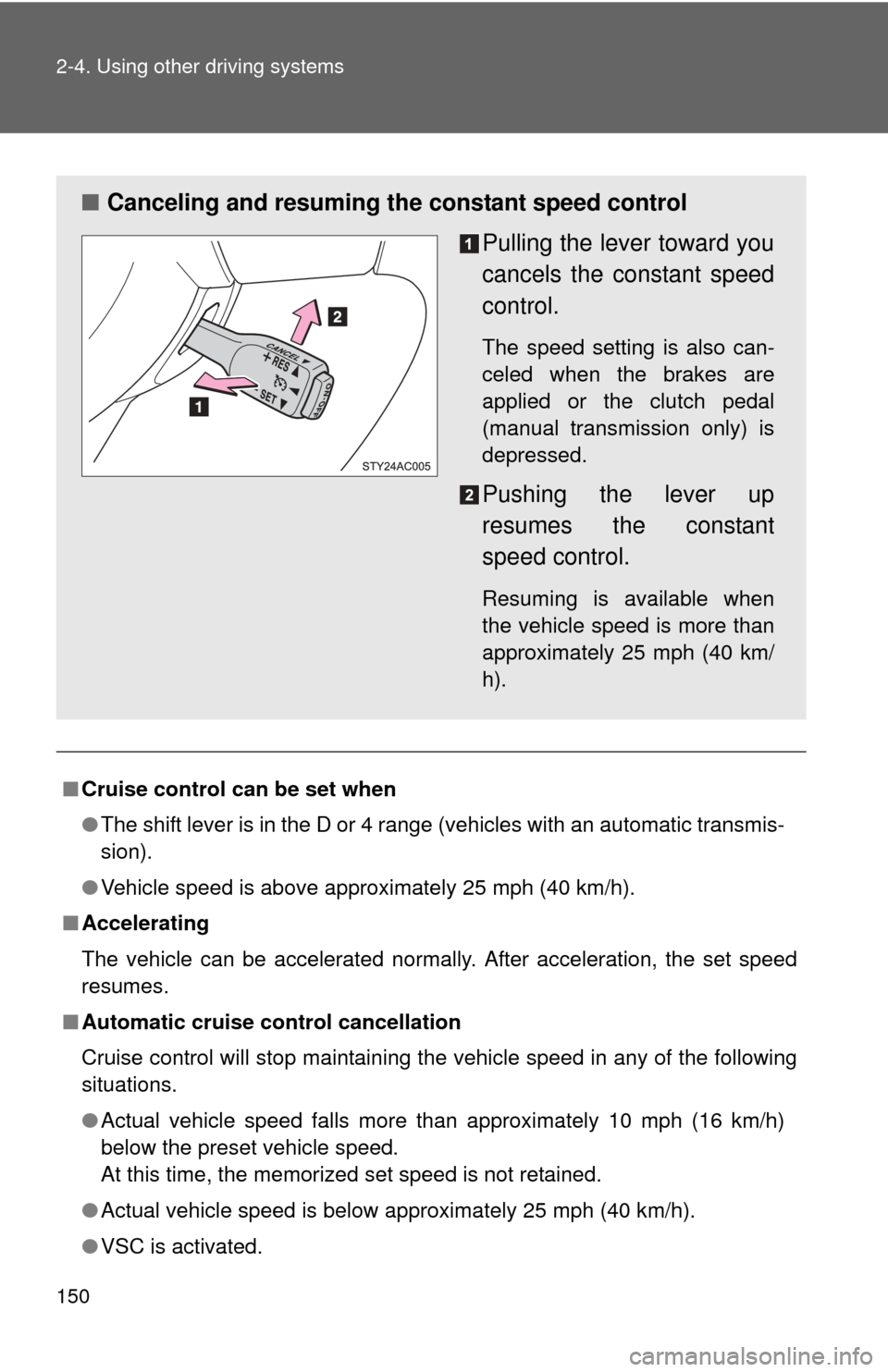
■ Canceling and resuming the constant speed control
Pulling the lever toward you
cancels the constant speed
control.
The speed setting is also can-
celed when the brakes are
applied or the clutch pedal
(manual transmission only) is
depressed.
Pushing the lever up
resumes the constant
speed control.
Resuming is available when
the vehicle speed is more than
approximately 25 mph (40 km/
h).
Page 218 of 528
218
3-2. Using the audio system
Using the radio
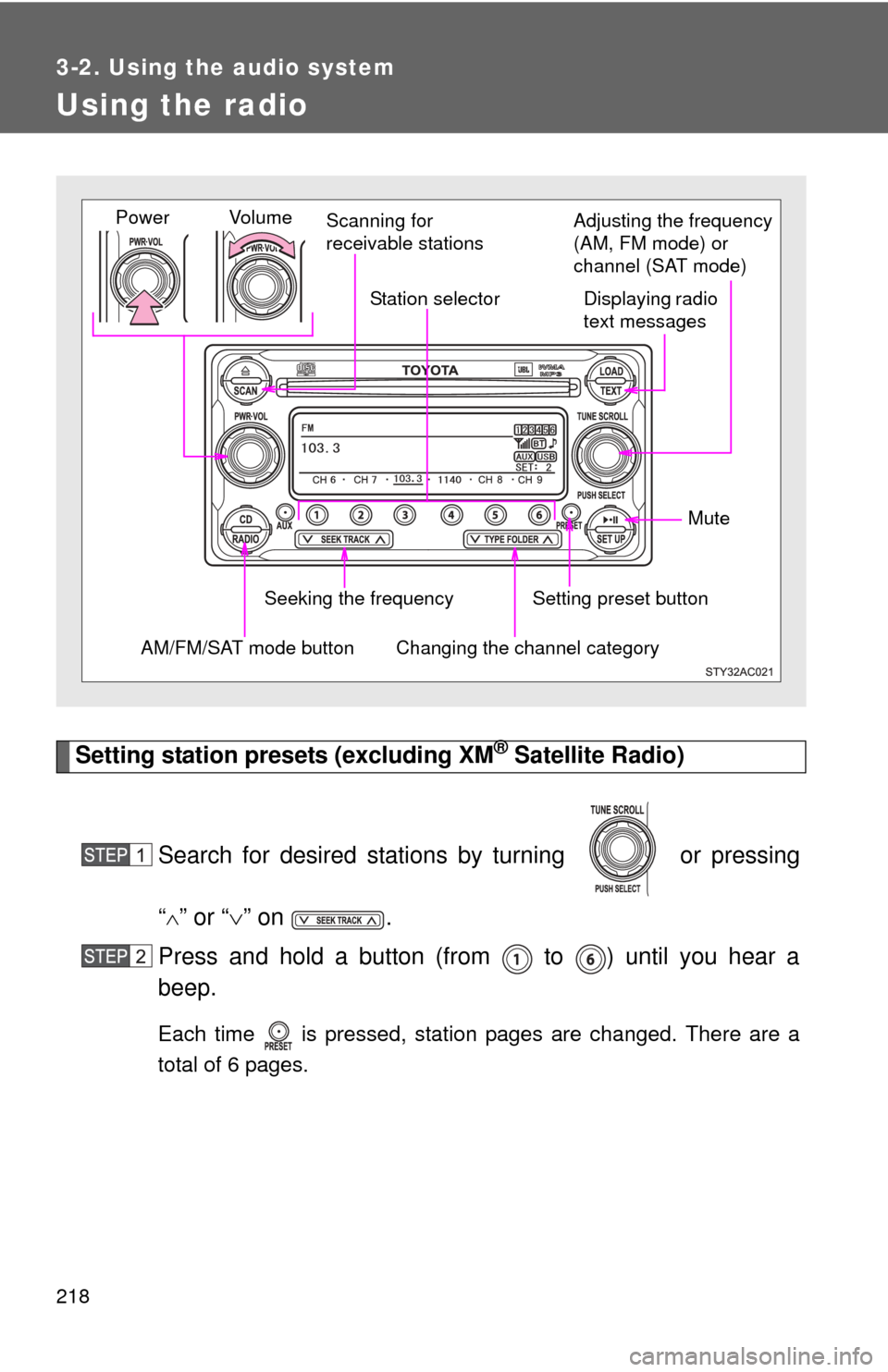
Setting station presets (excluding XM® Satellite Radio)
Search for desired stations by turning or pressing
“
” or “ ” on .
Press and hold a button (from to ) until you hear a
beep.
Each time is pressed, station pages are changed. There are a
total of 6 pages.
Vol u m e Scanning for
receivable stations
Station selector
Seeking the frequency Adjusting the frequency
(AM, FM mode) or
channel (SAT mode)
AM/FM/SAT mode buttonPower
Displaying radio
text messages
Changing the channel category
Setting preset button Mute
Page 219 of 528
219
3-2. Using the audio system
3
Interior features
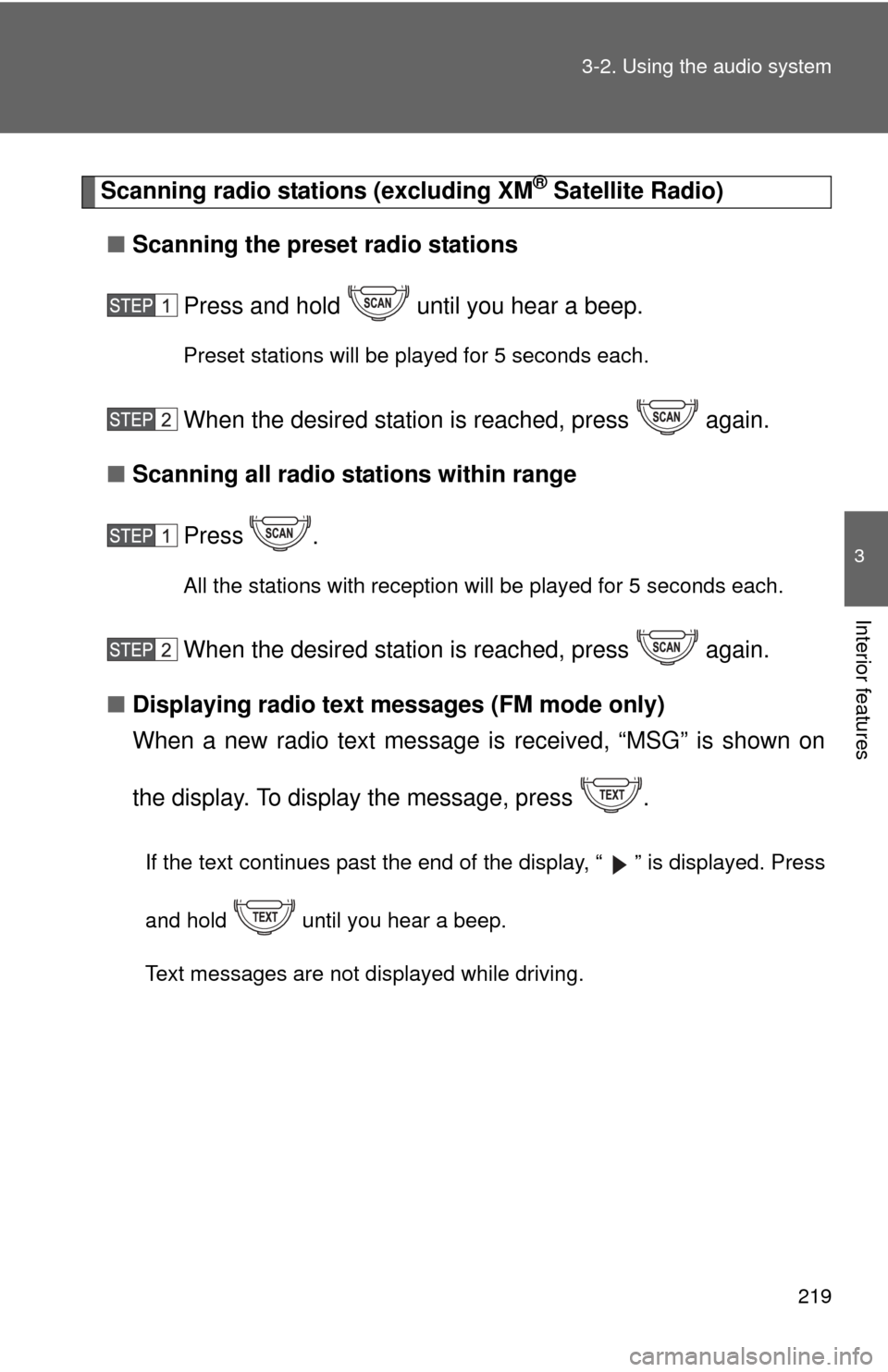
Scanning radio stations (excluding XM® Satellite Radio)
■ Scanning the preset radio stations
Press and hold until you hear a beep.
Preset stations will be played for 5 seconds each.
When the desired station is reached, press again.
■ Scanning all radio stations within range
Press
.
All the stations with reception will be played for 5 seconds each.
When the desired station is reached, press again.
■ Displaying radio text me ssages (FM mode only)
When a new radio text message is received, “MSG” is shown on
the display. To display the message, press .
If the text continues past the end of the display, “ ” is displayed. Press
and hold until you hear a beep.
Text messages are not displayed while driving.
Page 220 of 528
220 3-2. Using the audio system
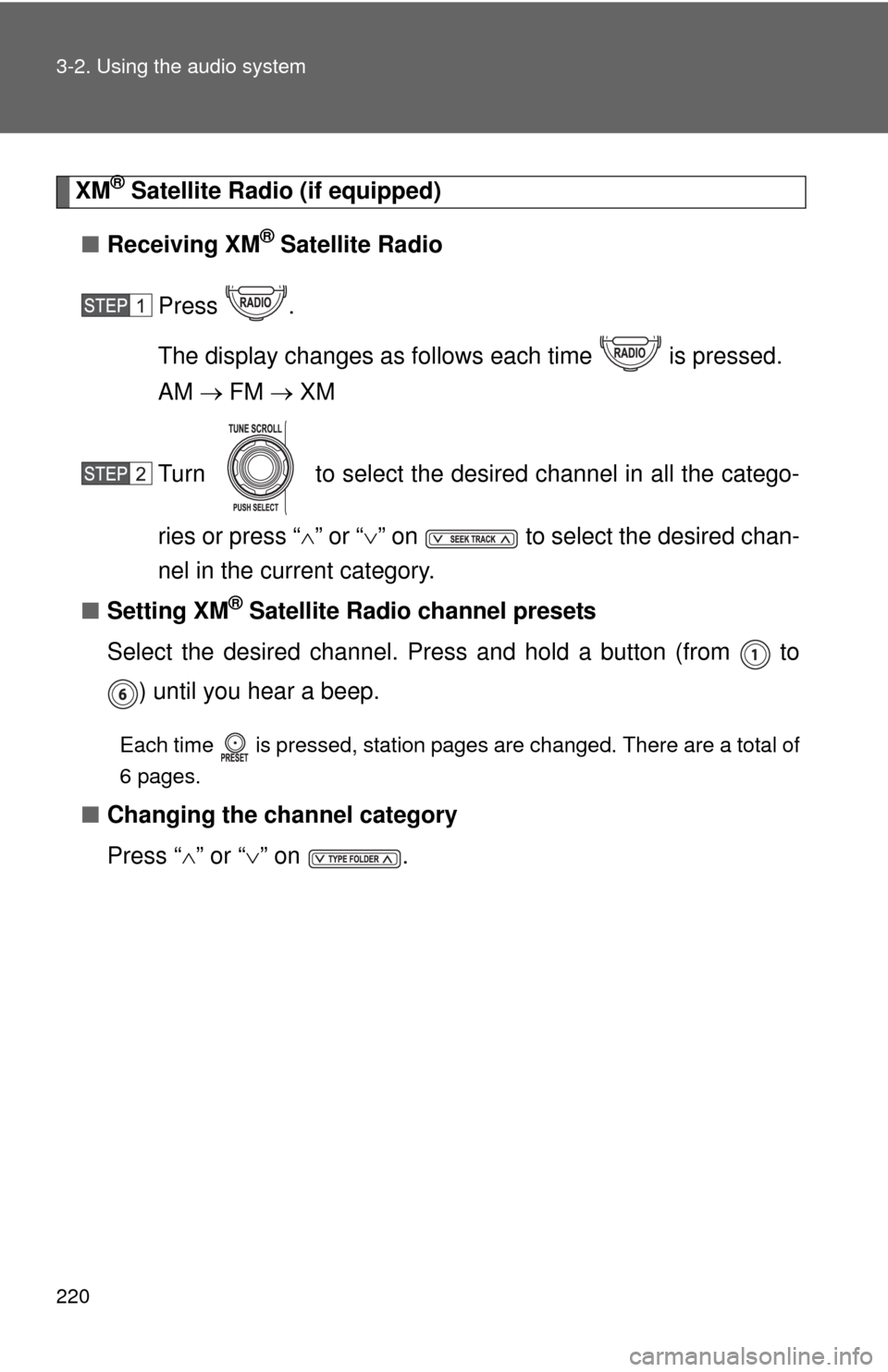
XM® Satellite Radio (if equipped)
■ Receiving XM
® Satellite Radio
Press .
The display changes as follows each time is pressed.
AM FM XM
Turn to select the desired channel in all the catego-
ries or press “ ” or “ ” on to select the desired chan-
nel in the current category.
■ Setting XM
® Satellite Radio channel presets
Select the desired channel. Press and hold a button (from to ) until you hear a beep.
Each time is pressed, station pages are changed. There are a total of
6 pages.
■ Changing the channel category
Press “ ” or “ ” on .
Page 221 of 528
221
3-2. Using the audio system
3
Interior features
■
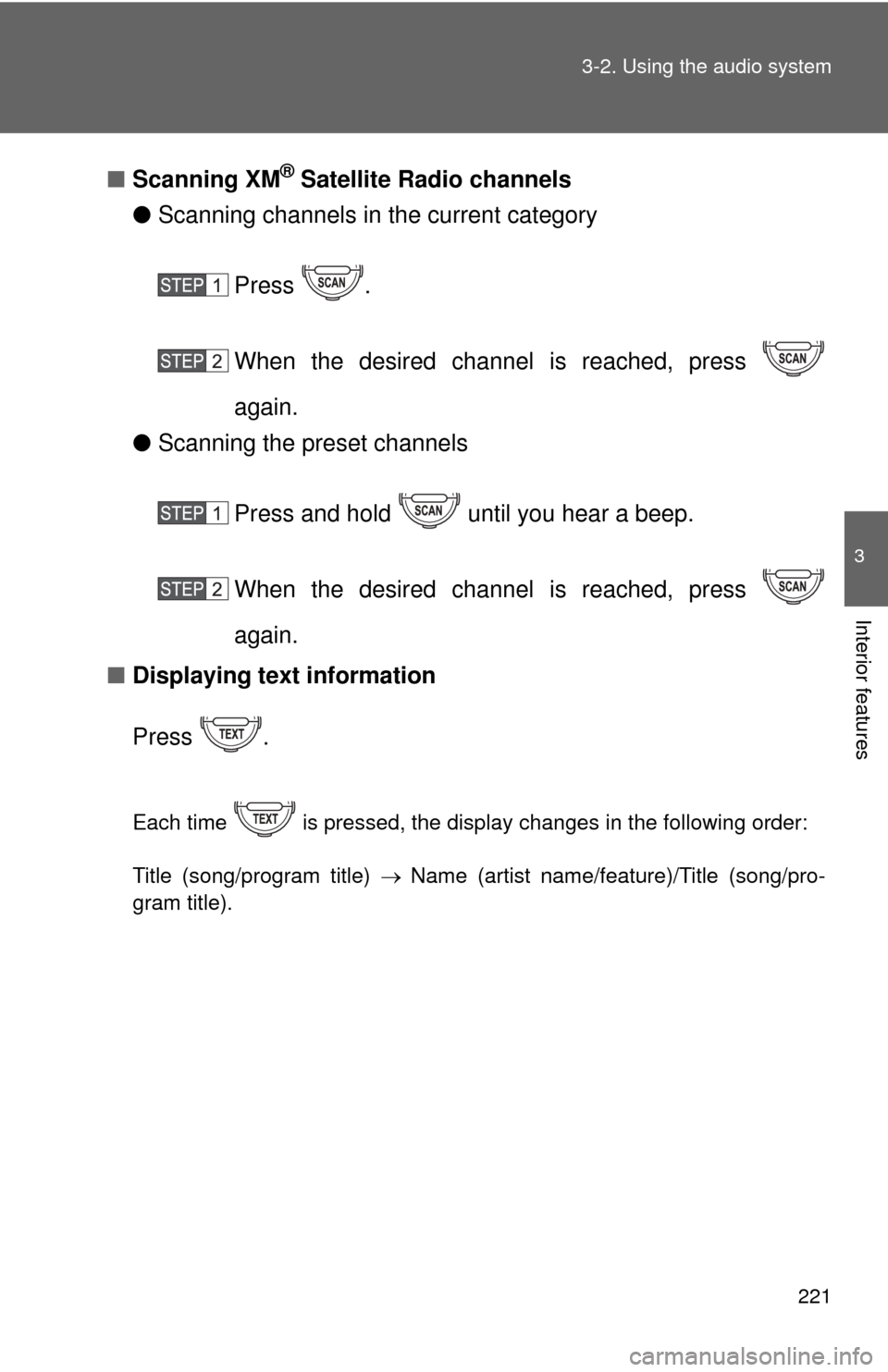
Scanning XM® Satellite Radio channels
● Scanning channels in the current category
Press .
When the desired channel is reached, press
again.
● Scanning the preset channels
Press and hold until you hear a beep.
When the desired channel is reached, press
again.
■ Displaying text information
Press .
Each time is pressed, the display changes in the following order:
Title (song/program title) Name (artist name/feature)/Title (song/pro-
gram title).
Page 225 of 528
225
3-2. Using the audio system
3
Interior features
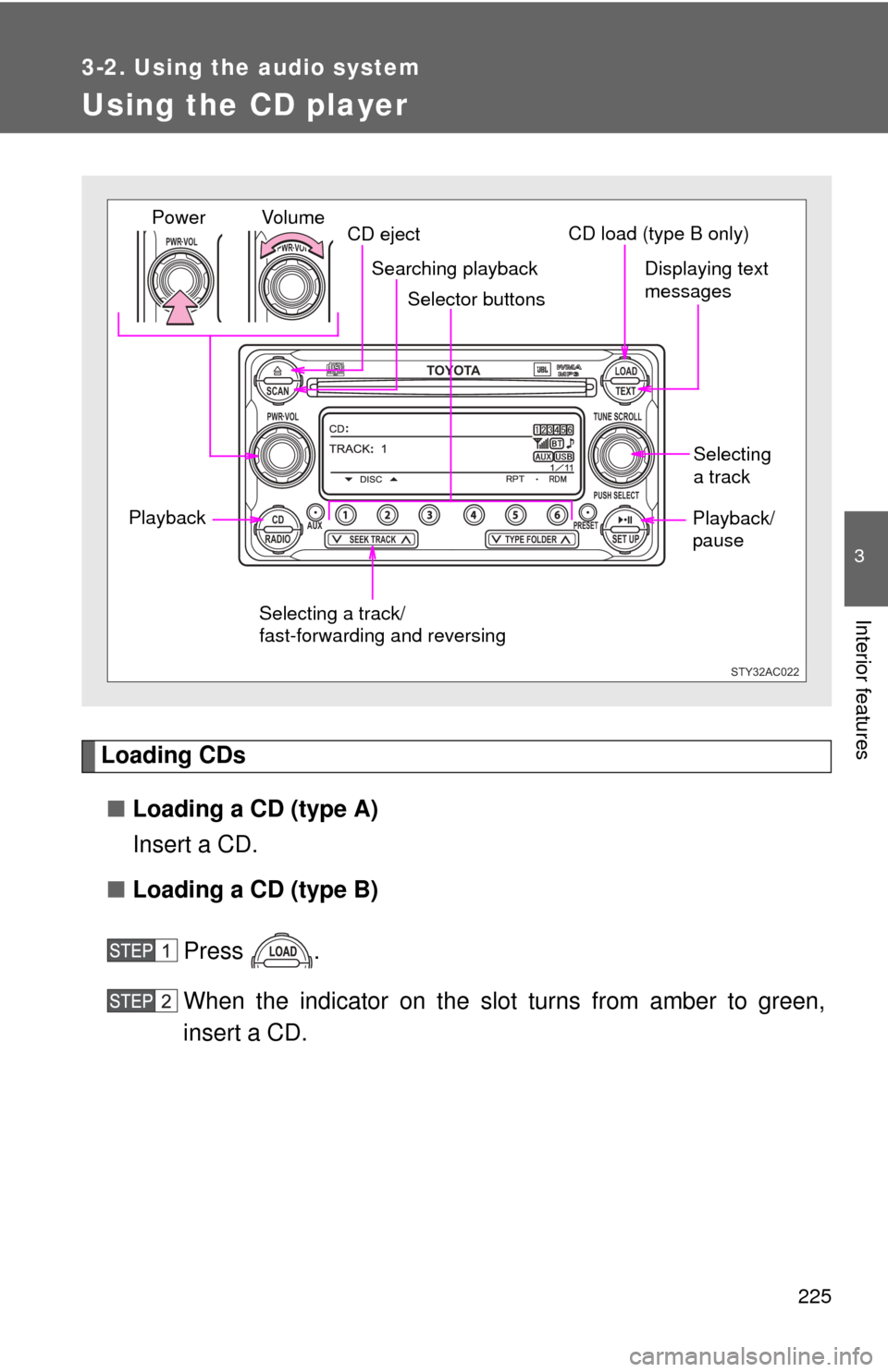
Using the CD player
Loading CDs■ Loading a CD (type A)
Insert a CD.
■ Loading a CD (type B)
Press .
When the indicator on the slot turns from amber to green,
insert a CD.
TOYOTASCAN TEXT
LOAD
CDAUXPRESET
PUSH SELECT
SEEK TRACKTYPE FOLDER RADIOSET UP
PWR VOLTUNE SCROLL
PWR VOLPWR VOL
STY32AC022
Selector buttons
Playback CD eject
Displaying text
messages
Selecting
a track
Selecting a track/
fast-forwarding and reversing
Searching playback
Vol u m e
PowerCD load (type B only)
Playback/
pause
Page 245 of 528
245
3-2. Using the audio system
3
Interior features
■
About iPod
●Apple is not responsible for the operation of this device or its compliance
with safety and regulatory standards.
● iPod is a trademark of Apple Inc., registered in the U.S. and other coun-
tries.
■ iPod functions
●When an iPod is connected and the audio source is changed to iPod
mode, the iPod will resume play from the same point at which it was last
used.
● Depending on the iPod that is connected to the system, certain functions
may not be available. Disconnecting the device and reconnecting it once
again may resolve some malfunctions.
■ iPod problems
To resolve most problems encountered when using your iPod, disconnect
your iPod from the vehicle iPod connection and reset it.
For instructions on how to reset your iPod, refer to your iPod Owner’s Man-
ual.
■ Error messages
“iPod ERROR”:This indicates a problem in the iPod, inside the USB box or
the connection between them.
“NO SONGS”:This indicates that there is no music data in the iPod.
“UPDATE YOUR iPod”:This indicates that the version of the iPod is not com- patible.
Page 257 of 528
257
3-2. Using the audio system
3
Interior features
■
Setting the number of preset pages
The number of preset pages desired c an be set from 1 to 6. The initial
setting is 6 pages.
Press .
Press (MORE).
Press (PRESET).
Press , , , , or as corresponds to the
desired number of preset pages.
■ Language settings
P. 2 1 5
■Trademark owned by SRS Labs, Inc. (type A only)
The audio systems utilize SRS FOCUS
TM and SRS TruBass audio
enhancement technologies, under license from SRS Labs, Inc., in all modes
except AM radio mode.
FOCUS, TruBass, SRS and
symbols are trademarks of SRS Labs,
Inc.
FOCUS and TruBass technologies are incorporated under license from
SRS Labs, Inc.
■ Trademark owned by New Transducers Limited (type A only)
This vehicle incorporates NXT flat panel speaker technology by New
Transducers Limited, UK. is a registered trademarks of New
Transducers Limited.