lights TOYOTA FJ CRUISER 2014 1.G Owners Manual
[x] Cancel search | Manufacturer: TOYOTA, Model Year: 2014, Model line: FJ CRUISER, Model: TOYOTA FJ CRUISER 2014 1.GPages: 572, PDF Size: 9.45 MB
Page 2 of 572

TABLE OF CONTENTSIndex
2
1-1. Key informationKeys ..................................... 30
1-2. Opening, closing and locking the doors
Wireless remote control ....... 32
Side doors ............................ 35
Access doors........................ 38
Back door ............................. 40
Glass hatch .......................... 45
1-3. Adjustable components (seats, mirrors,
steering wheel)
Front seats ........................... 49
Rear seats ............................ 51
Head restraints ..................... 57
Seat belts ............................. 60
Steering wheel ..................... 66
Anti-glare inside rear view mirror.......................... 67
Outside rear view mirrors ..... 71
1-4. Opening and closing the windows
Power windows .................... 74
1-5. Refueling Opening the fuel tank cap .... 76 1-6. Theft deterrent system
Engine immobilizer system ... 79
Theft prevention labels (U.S.A.)............................... 81
1-7. Safety information Correct driving posture ......... 82
SRS airbags ......................... 84
Front passenger occupant classification system ........... 97
Child restraint systems ....... 102
Installing child restraints ..... 106
2-1. Driving procedures Driving the vehicle .............. 118
Engine (ignition) switch....... 129
Automatic Transmission ..... 132
Manual Transmission ......... 134
Turn signal lever ................. 136
Parking brake ..................... 137
Horn .................................... 139
2-2. Instrument cluster Gauges and meters ............ 140
Indicators and warning lights ................................. 143
Accessory meter ................. 146
1Before driving
2When driving
Page 3 of 572

1
2
3
4
5
6
7
3
2-3. Operating the lights and wipers
Headlight switch .................. 148
Windshield wipers and washer .............................. 151
Rear window wiper and washer .............................. 153
2-4. Using other driving systems Cruise control ...................... 154
Intuitive parking assist......... 158
Rear view monitor system... 163
Four-wheel drive system (4WD models with a
manual transmission)........ 176
Four-wheel drive system (4WD models with an
automatic transmission) .... 179
Active traction control system .............................. 182
AUTO LSD system (2WD models) ................... 185
Rear differential lock system .............................. 187
Clutch start cancel switch (vehicles with a manual
transmission) .................... 191
Crawl Control ...................... 192
Driving assist systems ........ 196
2-5. Driving information Off-road precautions ........... 201
Cargo and luggage ............. 206
Vehicle load limits ............... 210
Winter driving tips ............... 211
Trailer towing ...................... 214
Dinghy towing ..................... 232 3-1. Using the air conditioning
system and defogger
Air conditioning system ...... 236
Rear window defogger ....... 243
3-2. Using the audio system Audio system ...................... 244
Using the radio ................... 248
Using the CD player ........... 255
Playing MP3 and WMA discs ....................... 263
Operating an iPod .............. 270
Operating a USB memory ............................ 278
Optimal use of the audio system .............................. 286
Using the AUX port/ USB port........................... 289
Using the steering wheel audio switches.................. 290
Antenna .............................. 293
3-3. Using the Bluetooth
®
audio system
Bluetooth
® audio system .... 296
Using the Bluetooth®
audio system .................... 300
Operating a Bluetooth
®
enabled portable player.... 305
Setting up a Bluetooth
®
enabled portable player.... 307
Bluetooth
® audio system
setup ................................ 312
3Interior features
Page 4 of 572

TABLE OF CONTENTSIndex
4
3-4. Using the hands-free phone system (for cellular phone)
Hands-free phone system (for cellular phone) ........... 313
Using the hands-free phone system
(for cellular phone) ........... 317
Making a phone call ........... 326
Setting a cellular phone...... 331
Security and system setup ................................ 337
Using the phone book ........ 342
3-5. Using the interior lights Interior lights list ................. 350
• Interior lights .................... 351
• Personal lights ................. 352
3-6. Using the storage features List of storage features....... 353
• Glove box ......................... 354
• Cup holders (front) ........... 355
• Cup holders (rear) ............ 358
• Bottle holders ................... 359
• Auxiliary box ..................... 360
3-7. Other interior features Sun visors .......................... 361
Vanity mirrors ..................... 362
Clock .................................. 363
Outside temperature display .............................. 364
Power outlet (12V DC) ....... 365
Power outlet (120V AC) ..... 366
Armrest............................... 372
Floor mat ............................ 373
Luggage storage box (vehicles without
sub woofer) ...................... 375 Luggage compartment
features ............................ 376
Garage door opener ........... 379
Compass ............................ 387
4-1. Maintenance and care Cleaning and protecting the vehicle exterior ........... 394
Cleaning and protecting the vehicle interior ............ 397
4-2. Maintenance Maintenance requirements .................... 400
General maintenance ......... 402
Emission inspection and maintenance (I/M)
programs .......................... 405
4-3. Do-it-yourself maintenance Do-it-yourself service precautions ....................... 406
Hood ................................... 410
Engine compartment .......... 411
Tires.................................... 425
Tire inflation pressure ......... 433
Wheels................................ 437
Air conditioning filter ........... 440
Key battery ......................... 443
Checking and replacing fuses ................................. 445
Light bulbs .......................... 456
4Maintenance and care
Page 6 of 572
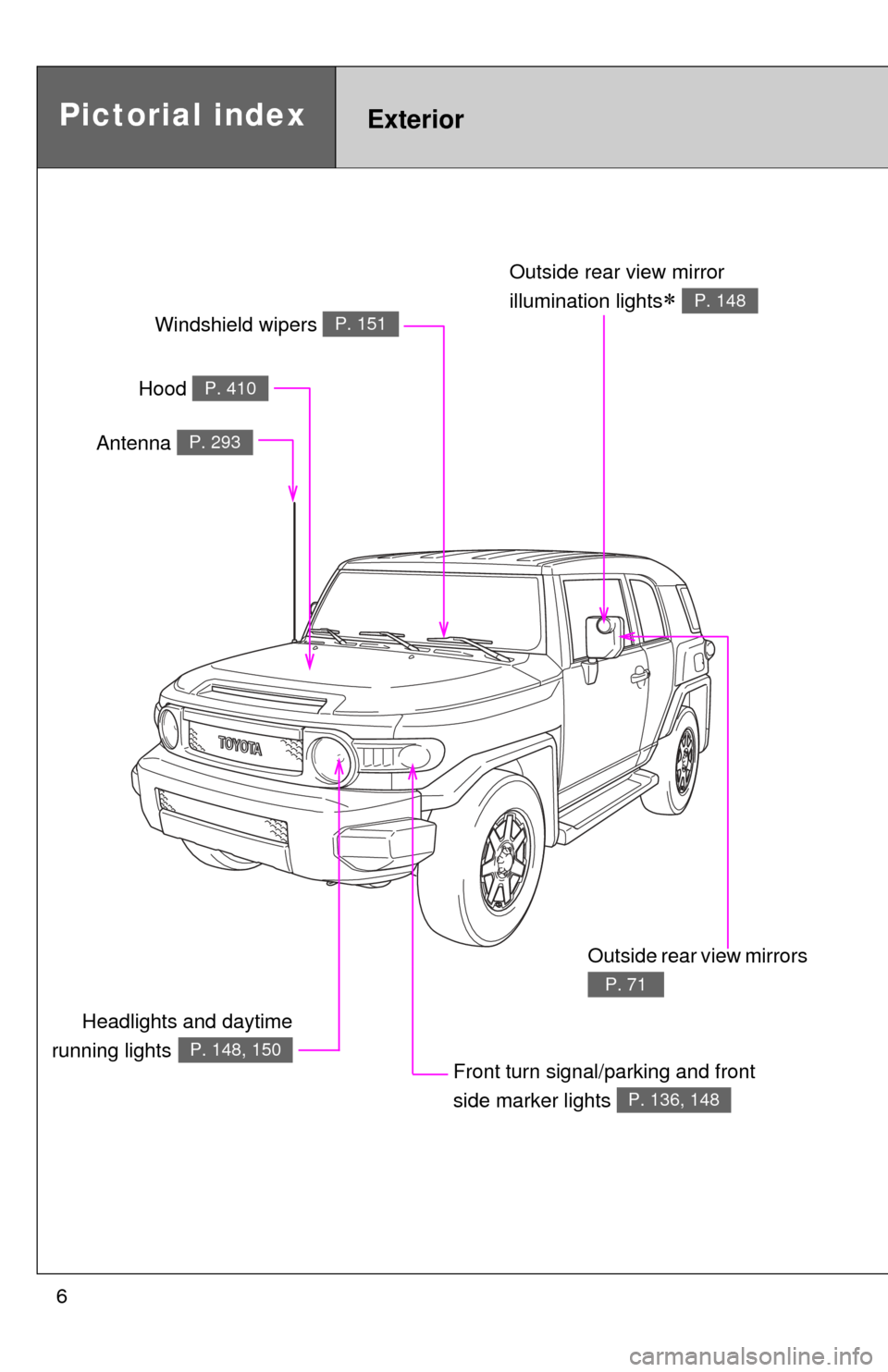
6
Headlights and daytime
running lights
P. 148, 150
Pictorial indexExterior
Hood P. 410
Windshield wipers P. 151
Outside rear view mirror
illumination lights
P. 148
Front turn signal/parking and front
side marker lights
P. 136, 148
Outside rear view mirrors
P. 71
Antenna P. 293
Page 7 of 572
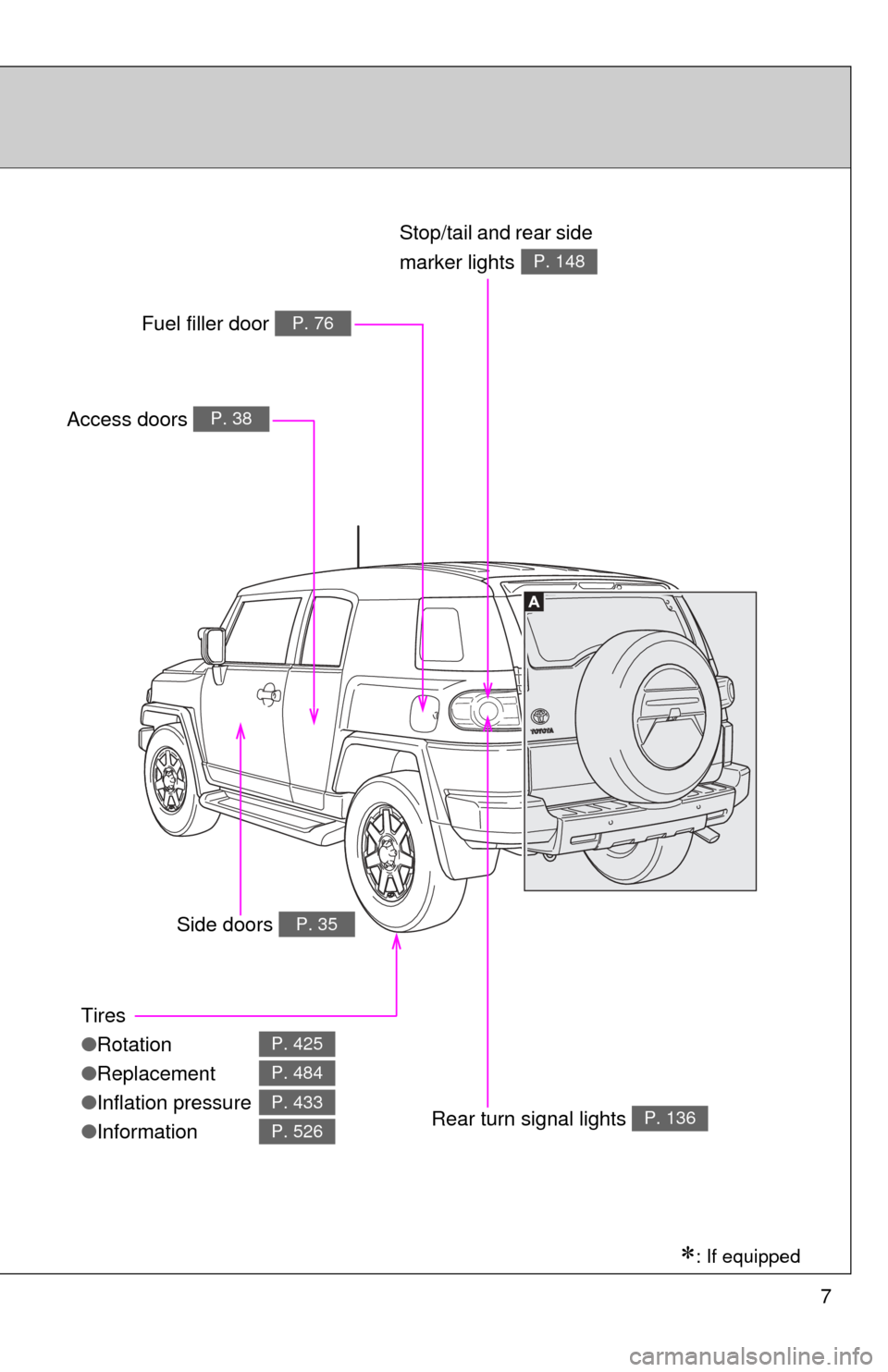
7
Tires
●Rotation
● Replacement
● Inflation pressure
● Information
P. 425
P. 484
P. 433
P. 526
Access doors P. 38
Fuel filler door P. 76
Rear turn signal lights P. 136
Stop/tail and rear side
marker lights
P. 148
Side doors P. 35
: If equipped
Page 8 of 572
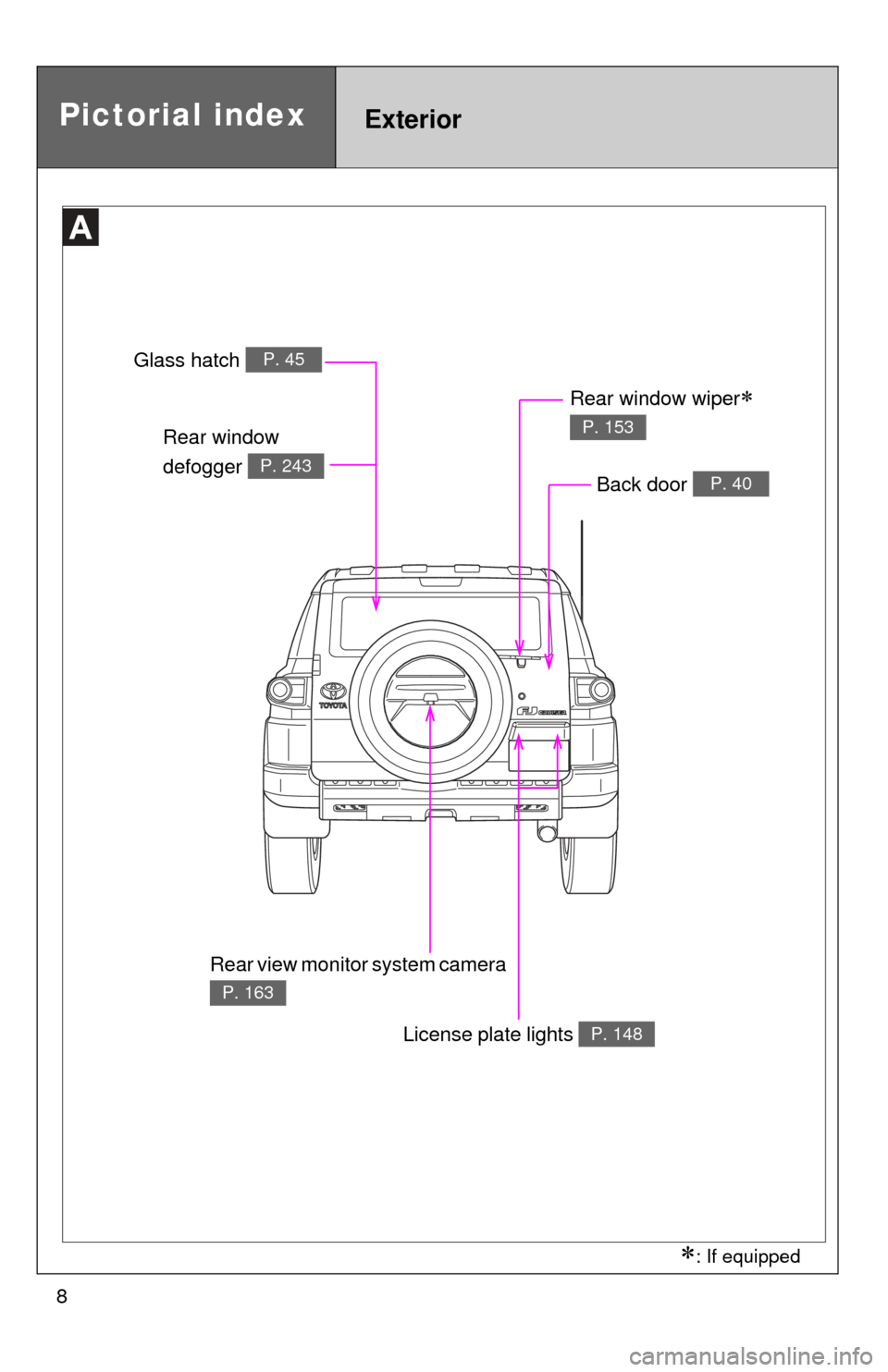
8
Pictorial indexExterior
Rear window
defogger
P. 243
Glass hatch P. 45
License plate lights P. 148
Rear window wiper
P. 153
Back door P. 40
: If equipped
Rear view monitor system camera
P. 163
Page 10 of 572
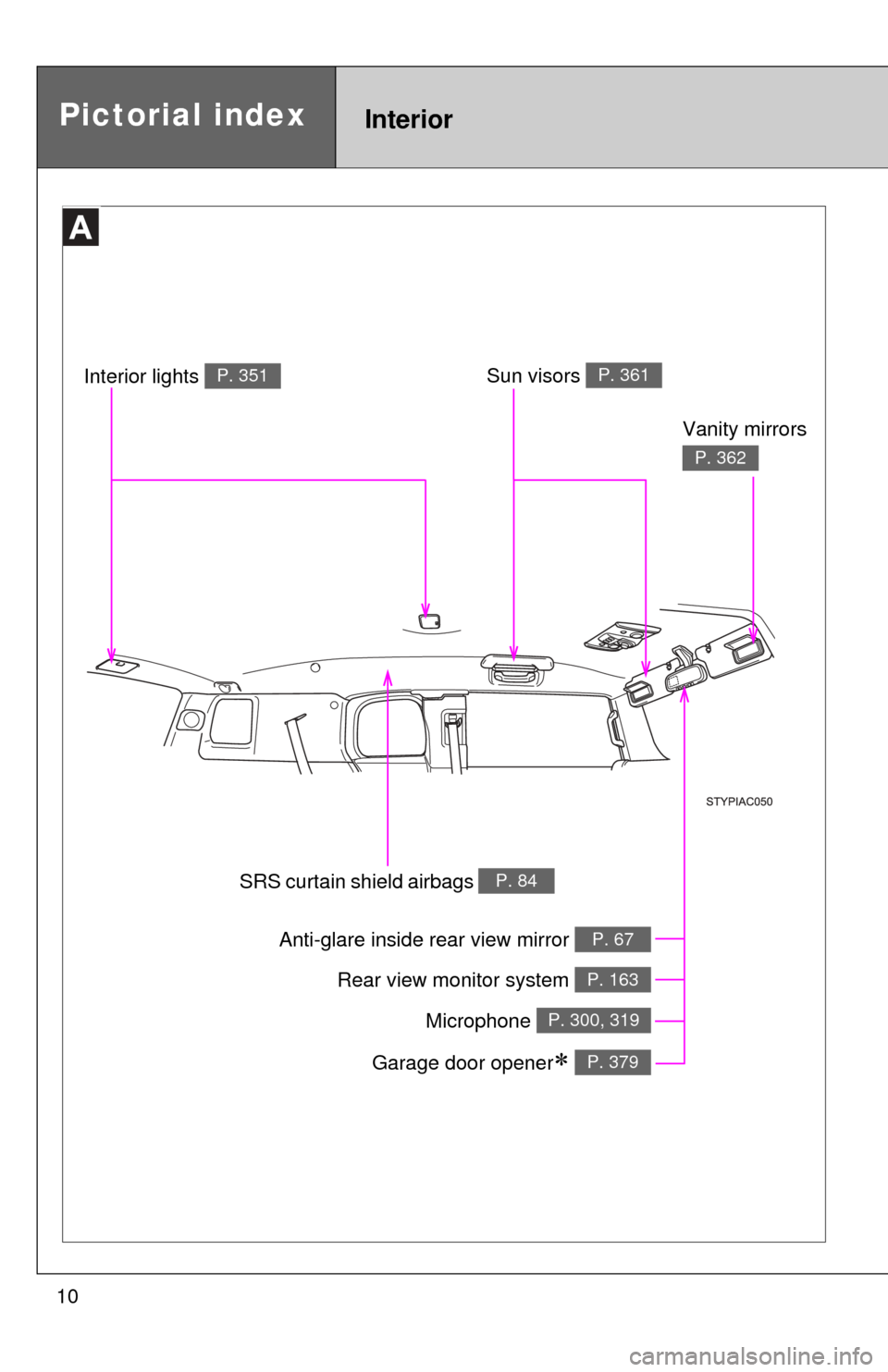
10
Anti-glare inside rear view mirror P. 67
Sun visors P. 361
SRS curtain shield airbags P. 84
Vanity mirrors
P. 362
Interior lights P. 351
Rear view monitor system P. 163
Pictorial indexInterior
Microphone P. 300, 319
Garage door opener P. 379
Page 11 of 572
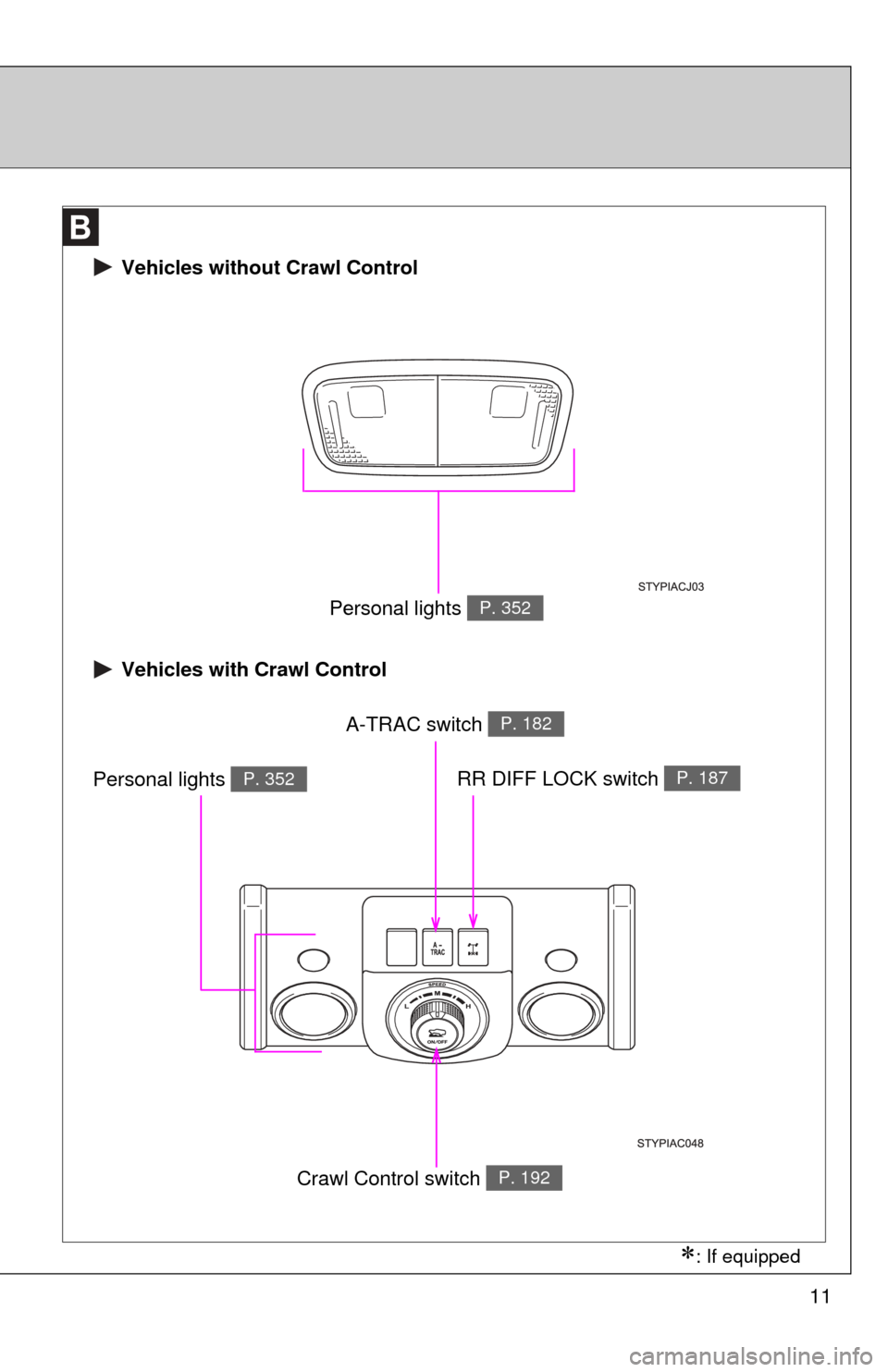
11
RR DIFF LOCK switch P. 187
Crawl Control switch P. 192
A-TRAC switch P. 182
Personal lights P. 352
Vehicles with Crawl Control
Personal lights P. 352
Vehicles without Crawl Control
: If equipped
Page 32 of 572
32
1-2. Opening, closing and locking the doors
Wireless remote control
: If equipped
■Operation signals
A buzzer sounds and the emergency flashers flash to indicate that the doors
have been locked/unlocked. (Locked: Once; Unlocked: Twice)
■Panic mode
■Door lock buzzer
If a door or glass hatch is not fully closed, a buzzer sounds for 10 seconds if
an attempt to lock the door and glass hatch are made. Fully close the door
and glass hatch to stop the buzzer, and lock the vehicle once more.
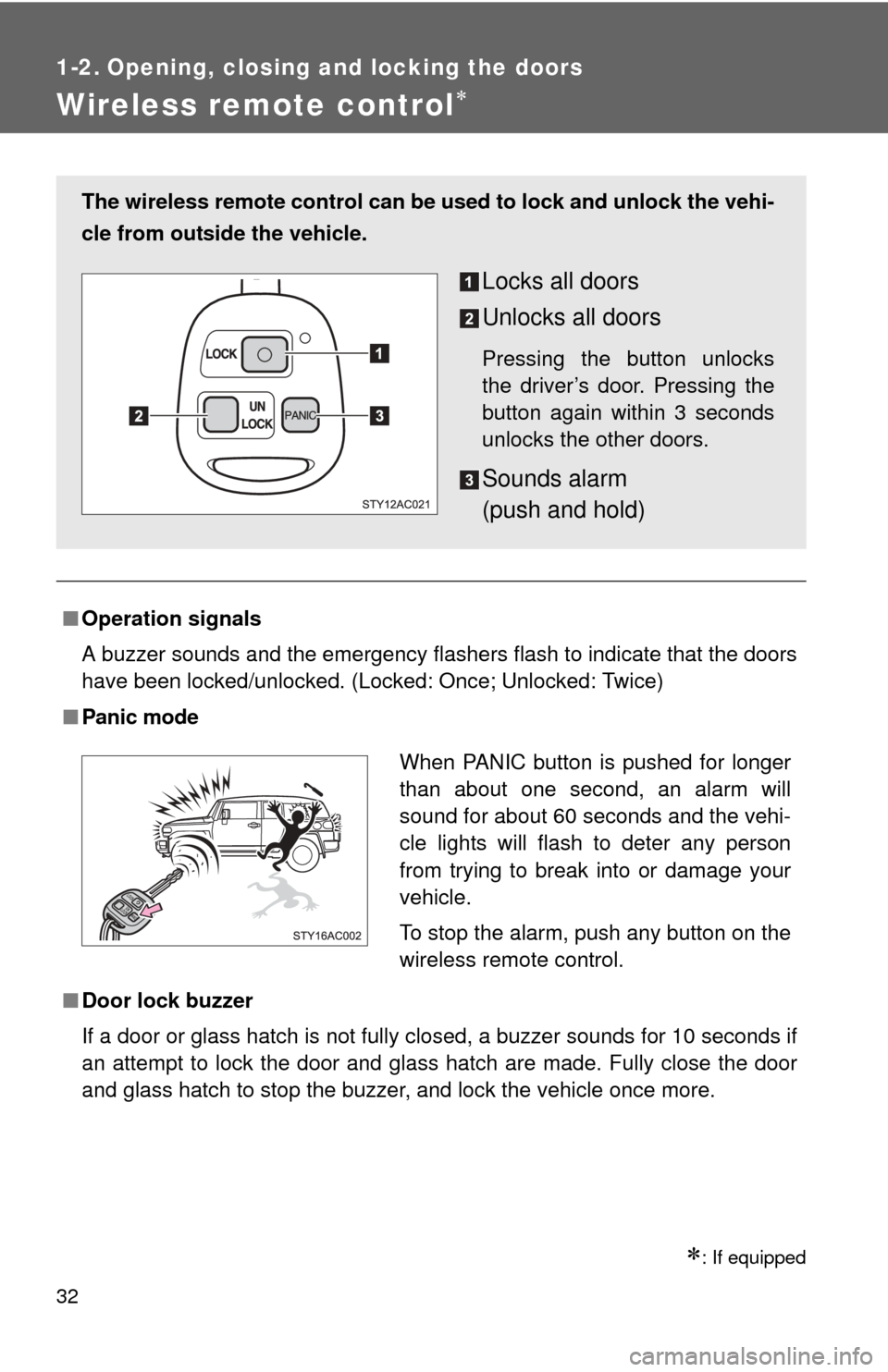
The wireless remote control can be used to lock and unlock the vehi-
cle from outside the vehicle.
Locks all doors
Unlocks all doors
Pressing the button unlocks
the driver’s door. Pressing the
button again within 3 seconds
unlocks the other doors.
Sounds alarm
(push and hold)
When PANIC button is pushed for longer
than about one second, an alarm will
sound for about 60 seconds and the vehi-
cle lights will flash to deter any person
from trying to break into or damage your
vehicle.
To stop the alarm, push any button on the
wireless remote control.
UN
LOCK
LOCKPA N I C
Page 67 of 572
67
1
1-3. Adjustable components (seats, mirrors, steering wheel)
Before driving
Anti-glare inside rear view mirror
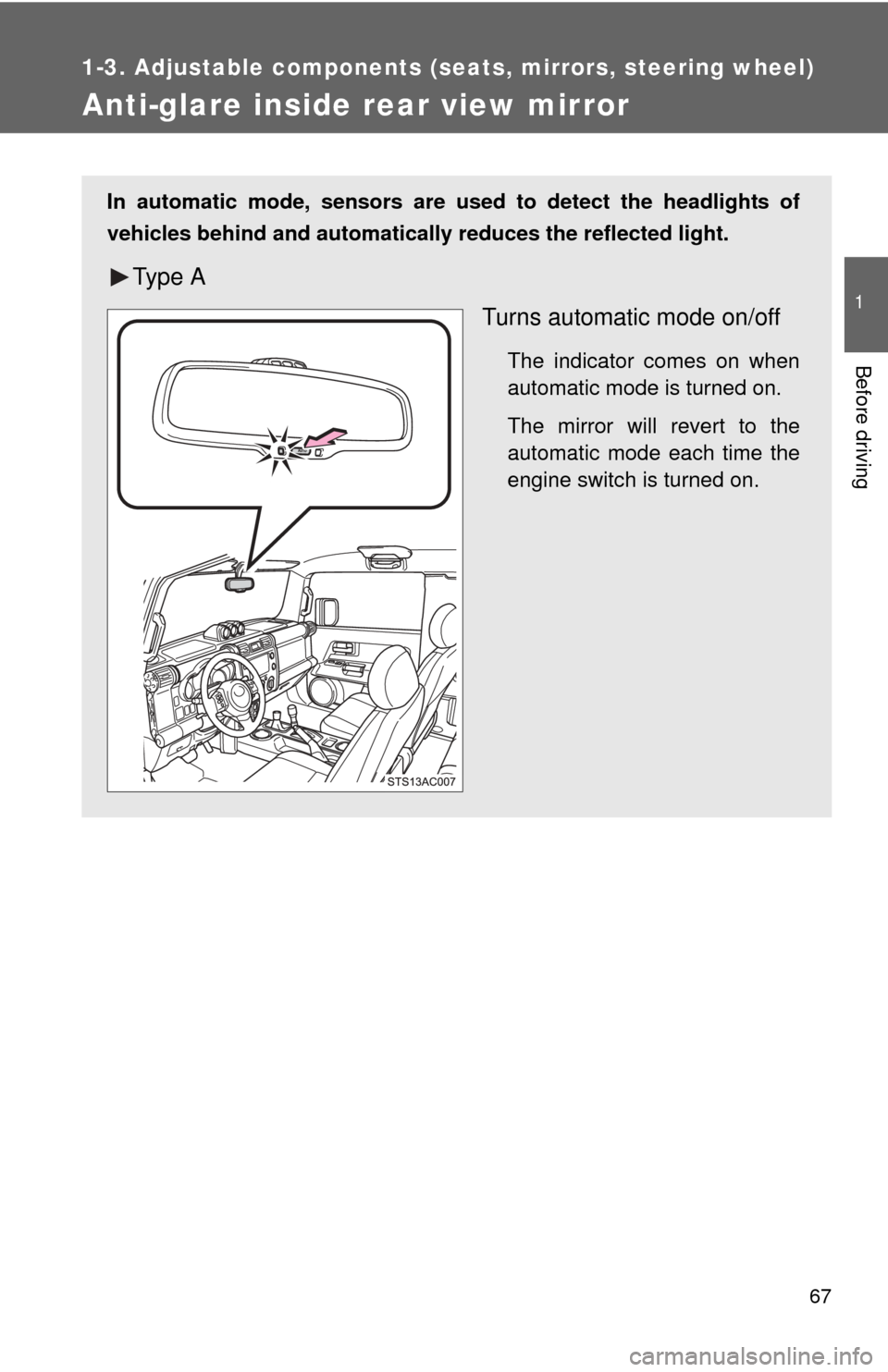
In automatic mode, sensors are used to detect the headlights of
vehicles behind and automatically reduces the reflected light.
Ty p e A
Turns automatic mode on/off
The indicator comes on when
automatic mode is turned on.
The mirror will revert to the
automatic mode each time the
engine switch is turned on.