stop start TOYOTA FR-S 2016 Owners Manual (in English)
[x] Cancel search | Manufacturer: TOYOTA, Model Year: 2016, Model line: FR-S, Model: TOYOTA FR-S 2016Pages: 420, PDF Size: 6.73 MB
Page 6 of 420
TABLE OF CONTENTSIndex
4
4-3. Do-it-yourself maintenance
Do-it-yourself service precautions ...................... 236
Hood................................... 239
Positioning a floor jack ....... 241
Engine compartment .......... 243
Tires ................................... 256
Tire inflation pressure......... 263
Wheels ............................... 267
Air conditioning filter ........... 270
Wireless remote control key battery ....................... 273
Checking and replacing fuses ................................ 276
Light bulbs .......................... 284
5-1. Essential information Emergency flashers ........... 298
If your vehicle needs to be towed .......................... 299
If you think something is wrong ............................ 306
Fuel pump shut off system .............................. 307 5-2. Steps to take in an emergency
If a warning light turns on or a warning buzzer
sounds... .......................... 308
If you have a flat tire ........... 318
If the engine will not start .... 329
If the shift lever cannot be shifted from P .............. 330
If you lose your keys ........... 331
If the battery is discharged ........................ 332
If your vehicle overheats..... 336
If the vehicle becomes stuck ................................. 339
If your vehicle has to be stopped in an
emergency........................ 341
6-1. Specifications Maintenance data (fuel, oil level, etc.) ........... 344
Fuel information .................. 356
Tire information................... 360
6-2. Customization Customizable features ........ 373
5When trouble arises6Vehicle specifications
Page 55 of 420
53
1-4. Opening and closing the windows
1
Before driving
■
The power windows can be operated when
The engine switch is in the “ON” position.
■ Operating the power windows after turning the engine off
The power windows can be operated for approximately 45 seconds even
after the engine switch is turned to the “ACC” or “LOCK” position. They can-
not, however, be operated once either door is opened.
■ Jam protection function
If an object becomes caught between the window and the body, window
travel is stopped and the window is opened slightly.
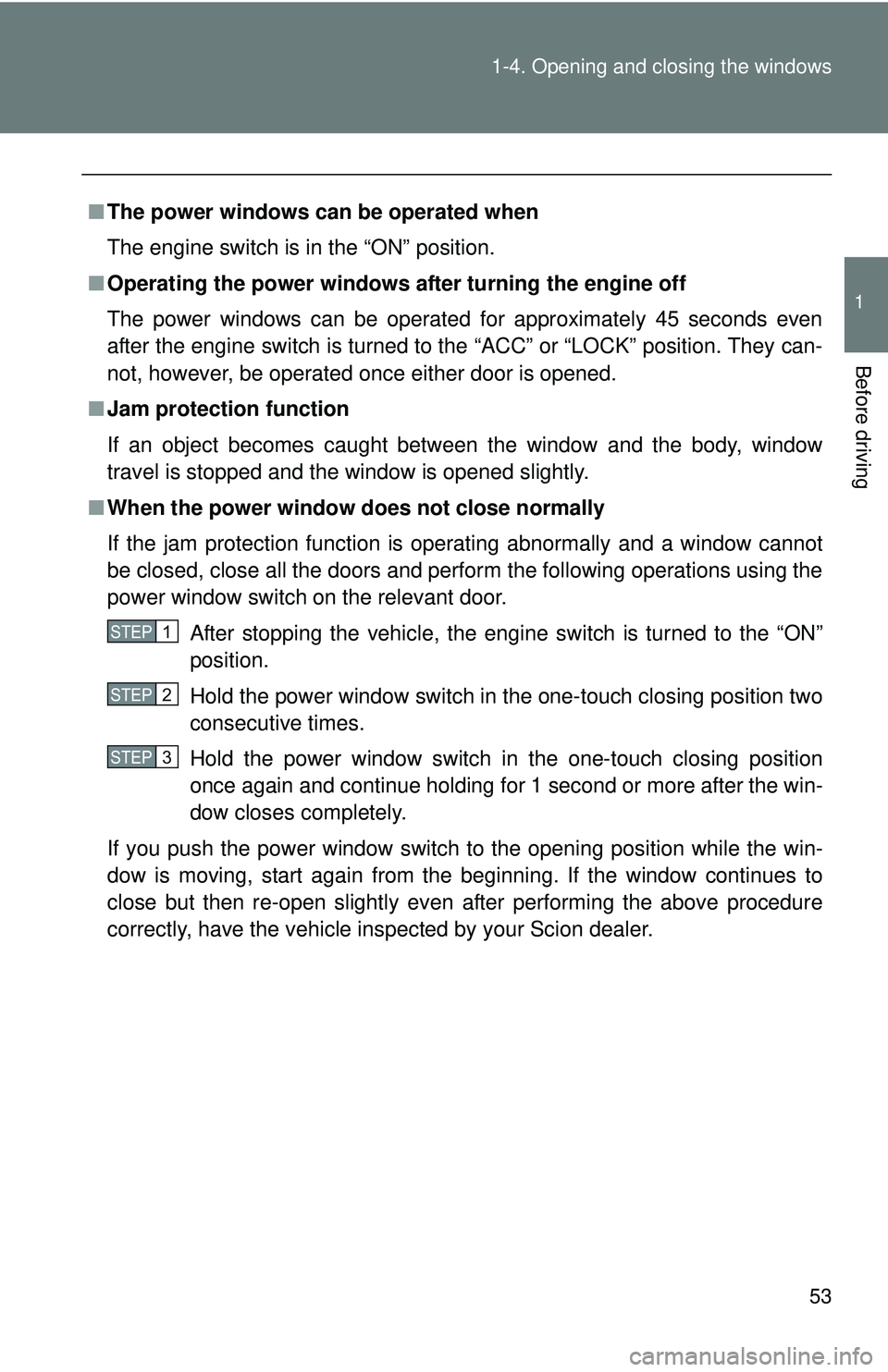
■ When the power window does not close normally
If the jam protection function is operating abnormally and a window cannot
be closed, close all the doors and perform the following operations using the
power window switch on the relevant door.
After stopping the vehicle, the engine switch is turned to the “ON”
position.
Hold the power window switch in the one-touch closing position two
consecutive times.
Hold the power window switch in the one-touch closing position
once again and continue holding for 1 second or more after the win-
dow closes completely.
If you push the power window switch to the opening position while the win-
dow is moving, start again from the beginning. If the window continues to
close but then re-open slightly even after performing the above procedure
correctly, have the vehicle inspected by your Scion dealer.
STEP 1
STEP 2
STEP 3
Page 61 of 420
59
1
Before driving
1-6. Theft deterrent system
Engine immobilizer system
■When the vehicle cannot be st arted with the registered key
Remove the key and try again.
■ System maintenance
The vehicle has a maintenance-free type engine immobilizer system.
■ Conditions that may cause the system to malfunction
● If the key is in contact with a metallic object
● If the key is in close proximity to or touching a key to the security system
(key with a built-in transponder chip) of another vehicle
The vehicle's keys have built-in tr ansponder chips that prevent the
engine from starting if the key has not been previously registered in
the vehicle's on-board computer.
Never leave the keys inside the vehicle when you leave the vehicle.
This system is designed to help prevent vehicle theft but does not
guarantee absolute security against all vehicle thefts.
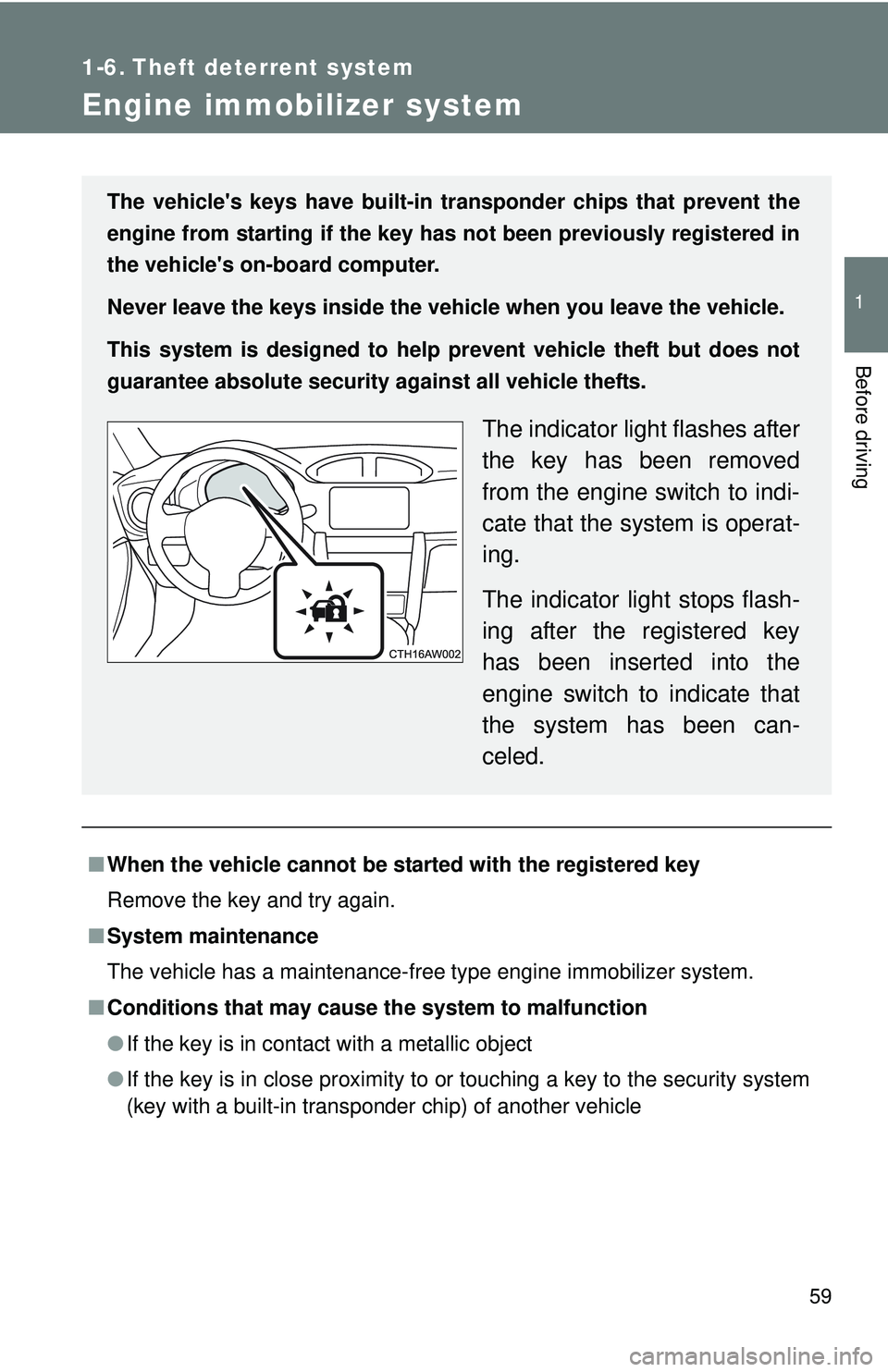
The indicator light flashes after
the key has been removed
from the engine switch to indi-
cate that the system is operat-
ing.
The indicator light stops flash-
ing after the registered key
has been inserted into the
engine switch to indicate that
the system has been can-
celed.
Page 124 of 420
122
2-1. Driving procedures
Driving the vehicle
The following procedures should be observed to ensure safe driv-
ing:
■ Starting the engine
P. 135
■ Driving
Vehicles with an au tomatic transmission
With the brake pedal depressed, shift the shift lever to D.
( P. 138)
Release the parking brake. ( P. 149)
Gradually release the brake pedal and gently depress the
accelerator pedal to accelerate the vehicle.
Vehicles with a manual transmission While depressing the clutch pedal, shift the shift lever to 1.
( P. 145)
Release the parking brake. ( P. 149)
Gradually release the clutch pedal. At the same time, gently
depress the accelerator pedal to accelerate the vehicle.
■ Stopping
Vehicles with an au tomatic transmission
With the shift lever in D, depress the brake pedal.
If necessary, set the parking brake.
If the vehicle is to be stopped for an extended period of time, shift
the shift lever to P or N. ( P. 138)
Vehicles with a manual transmission
While depressing the clutch pedal, depress the brake
pedal.
If necessary, set the parking brake.
If the vehicle is to be stopped for an extended period of time, shift
the shift lever to N. (
P. 145)
STEP 1
STEP 2
STEP 3
STEP 1
STEP 2
STEP 3
STEP 1
STEP 2
STEP 1
STEP 2
Page 128 of 420
126 2-1. Driving procedures
CAUTION
■When starting the vehicle (vehicl es with an automatic transmission)
● Always keep your foot on the brake pedal while stopped with the engine
running. This prevents the vehicle from creeping.
● Firmly depress the brake pedal because engine speed may increase
immediately after starting the engine, when the air conditioning system is
operating, when turning the steering wheel, etc., thereby causing creeping
to become stronger. Apply the parking brake as necessary.
■ When driving the vehicle
●Do not drive if you are unfamiliar with the location of the brake and accel-
erator pedals to avoid depressing the wrong pedal.
• Accidentally depressing the accelerator pedal instead of the brake
pedal will result in sudden acceleration that may lead to an accident
that could result in death or serious injury.
• When backing up, you may twist your body around, leading to a diffi- culty in operating the pedals. Make sure to operate the pedals properly.
• Make sure to keep a correct driving posture even when moving the vehicle only slightly. This allows you to depress the brake and acceler-
ator pedals properly.
• Depress the brake pedal using your right foot. Depressing the brake pedal using your left foot may delay response in an emergency, result-
ing in an accident.
● Do not drive the vehicle over or stop the vehicle near flammable materials.
The exhaust system and exhaust gases can be extremely hot. These hot
parts may cause a fire if there is any flammable material nearby.
● On vehicles with an automatic transmission, do not let the vehicle roll
backward while the shift lever is in a driving position, or roll forward while
the shift lever is in R.
Doing so may cause the engine to stall or lead to poor brake and steering
performance, resulting in an accident or damage to the vehicle.
● If the smell of exhaust is noticed inside the vehicle, open the windows and
check that the trunk is closed. Large amounts of exhaust in the vehicle can
cause driver drowsiness and an accident, resulting in death or a serious
health hazard. Have the vehicle inspected by your Scion dealer immedi-
ately.
Page 135 of 420
133
2-1. Driving procedures
2
When driving
NOTICE
■
Pre-driving check
Trapping small animals in the cooling fan and belts of the engine may result
in a malfunction. Check that no small animal enters the engine compartment
and under the vehicle before starting the engine.
■ When driving the vehicle
Vehicles with an automatic transmission
●Do not depress the accelerator and brake pedals at the same time during
driving, as this may restrain driving torque.
● Do not use the accelerator pedal or depress the accelerator and brake
pedals at the same time to hold the vehicle on a hill.
Vehicles with a manual transmission
● Do not depress the accelerator and brake pedals at the same time during
driving, as this may restrain driving torque.
● Do not shift gears unless the clutch pedal is fully depressed. After shifting,
do not release the clutch pedal abruptly. Doing so may damage the clutch,
transmission and gears.
● Observe the following to prevent the clutch from being damaged.
• Do not rest your foot on the clutch pedal while driving.
Doing so may cause clutch trouble.
• Do not use any gear other than the 1st gear when starting off and mov- ing forward.
Doing so may damage the clutch.
• Do not use the clutch to hold the vehicle when stopping on an uphill grade.
Doing so may damage the clutch.
● Do not shift the shift lever to R when the vehicle is still moving. Doing so
may damage the clutch, transmission and gears.
● Do not release the clutch pedal too quickly. Doing so may damage the
transmission.
■ When parking the vehicle (vehicl es with an automatic transmission)
Always shift the shift lever to P. Failure to do so may cause the vehicle to
move or the vehicle may accelerate suddenly if the accelerator pedal is acci-
dentally depressed.
Page 139 of 420
137
2-1. Driving procedures
2
When driving
CAUTION
■
When starting the engine
Always start the engine while sitting in the driver's seat. Do not depress the
accelerator pedal while starting the engine under any circumstances.
Doing so may cause an accident resulting in death or serious injury.
■ Caution when driving
Do not turn the engine switch to the “LOCK” position while driving. If, in an
emergency, you must turn the engine off while the vehicle is moving, turn the
engine switch only to the “ACC” position to stop the engine. An accident may
result if the engine is stopped while driving. (P. 341)
NOTICE
■To prevent battery discharge
Do not leave the engine switch in the “ACC” or “ON” position for long periods
of time without the engine running.
■ When starting the engine
●Do not crank the engine for more than 10 seconds at a time. This may
overheat the starter and wiring system.
If the engine does not start, turn the engine switch to the “LOCK” position
and try to start the engine again after waiting for 10 seconds or more.
● Do not race a cold engine.
● If the engine becomes difficult to start or stalls frequently, have your vehi-
cle checked by your Scion dealer immediately.
Page 145 of 420
143
2-1. Driving procedures
2
When driving
■
Automatic gear selection when the vehicle is stopped
When the vehicle is idling at high rpm in order to warm up, and the vehicle is
on a slippery road, the transmission may automatically shift to 2
nd gear for
stopping and starting off.
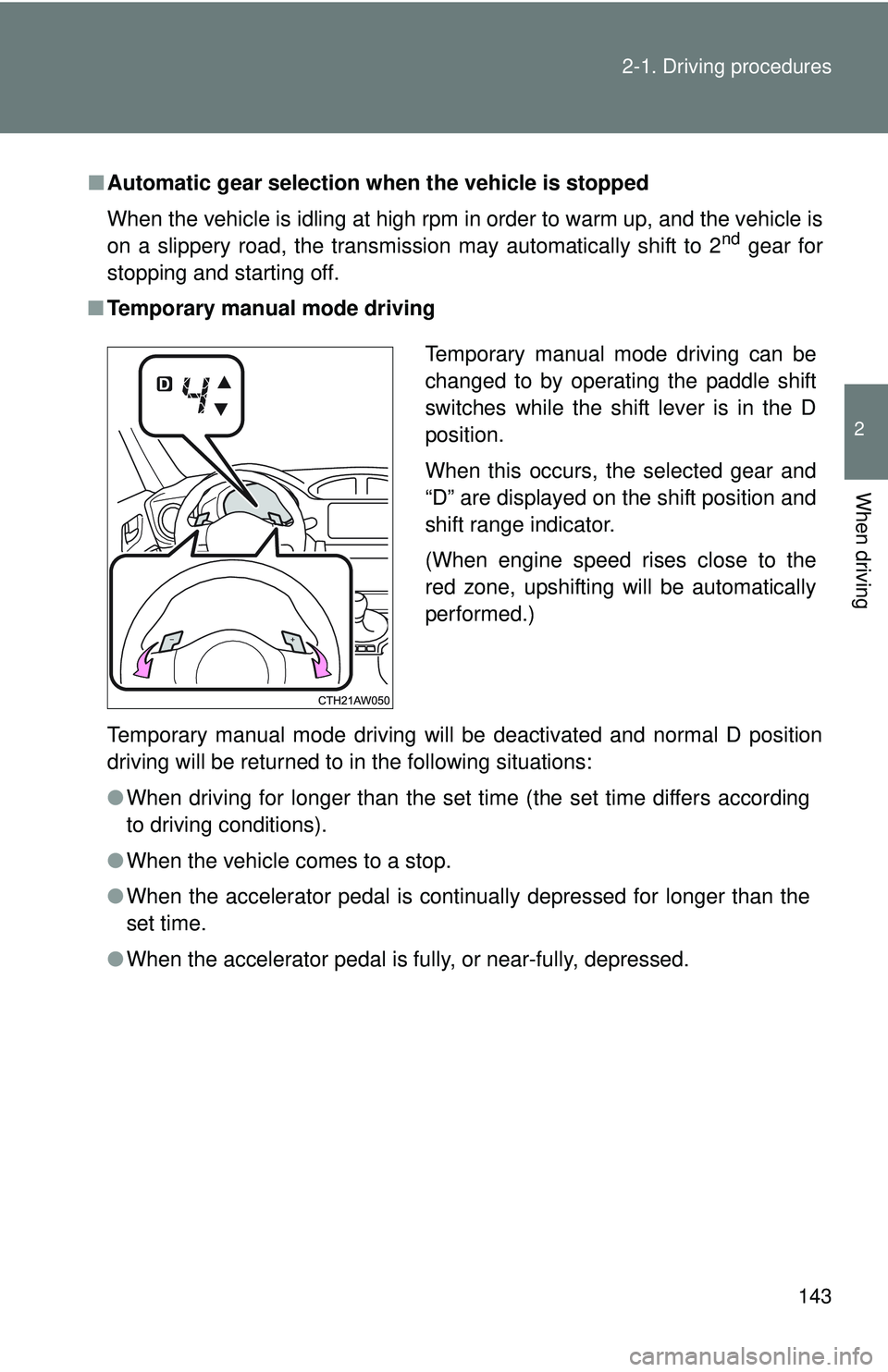
■ Temporary manual mode driving
Temporary manual mode driving will be deactivated and normal D position
driving will be returned to in the following situations:
●When driving for longer than the set time (the set time differs according
to driving conditions).
● When the vehicle comes to a stop.
● When the accelerator pedal is continually depressed for longer than the
set time.
● When the accelerator pedal is fully, or near-fully, depressed.
Temporary manual mode driving can be
changed to by operating the paddle shift
switches while the shift lever is in the D
position.
When this occurs, the selected gear and
“D” are displayed on the shift position and
shift range indicator.
(When engine speed rises close to the
red zone, upshifting will be automatically
performed.)
Page 178 of 420
176
2-4. Using other driving systems
Driving assist systems
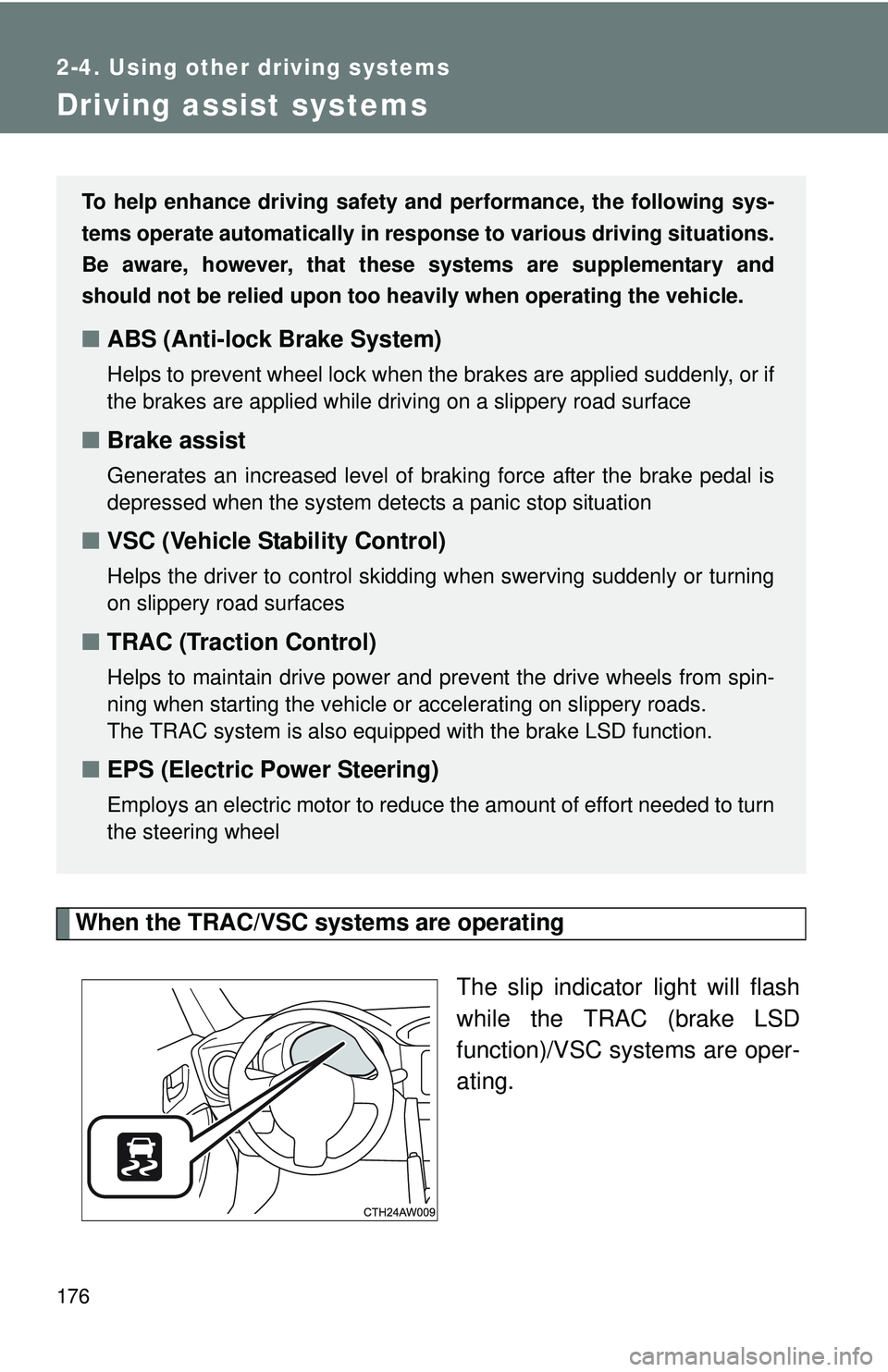
When the TRAC/VSC systems are operatingThe slip indicator light will flash
while the TRAC (brake LSD
function)/VSC systems are oper-
ating.
To help enhance driving safety and performance, the following sys-
tems operate automatically in res ponse to various driving situations.
Be aware, however, that these systems are supplementary and
should not be relied upon too h eavily when operating the vehicle.
■ABS (Anti-lock Brake System)
Helps to prevent wheel lock when the brakes are applied suddenly, or if
the brakes are applied while driving on a slippery road surface
■Brake assist
Generates an increased level of braking force after the brake pedal is
depressed when the system detects a panic stop situation
■VSC (Vehicle Stability Control)
Helps the driver to control skidding when swerving suddenly or turning
on slippery road surfaces
■TRAC (Traction Control)
Helps to maintain drive power and prevent the drive wheels from spin-
ning when starting the vehicle or accelerating on slippery roads.
The TRAC system is also equipped with the brake LSD function.
■ EPS (Electric Power Steering)
Employs an electric motor to reduce the amount of effort needed to turn
the steering wheel
Page 181 of 420
179
2-4. Using other
driving systems
2
When driving
■Turning off both TR AC and VSC systems
To turn the TRAC and VSC systems off, press and hold for more than
3 seconds while the vehicle is stopped.
The “TRAC OFF” indicator light and the VSC off indicator light will come on.
In this case, the brake LSD function remains on.
Press the button again to turn the systems back on.
■ Sounds and vibrations caused by the ABS, brake assist, TRAC and
VSC systems
●A sound may be heard from the engine compartment when the brake
pedal is depressed repeatedly, when the engine is started or just after the
vehicle begins to move. This sound does not indicate that a malfunction
has occurred in any of these systems.
● Any of the following conditions may occur when the above systems are
operating. None of these indicates that a malfunction has occurred.
• Vibrations may be felt through the vehicle body and steering.
• A motor sound may be heard after the vehicle comes to a stop.
• The brake pedal may pulsate slightly after the ABS is activated.
• The brake pedal may move down slightly after the ABS is activated.
■ EPS operation sound
When the steering wheel is operated, a motor sound (whirring sound) may
be heard. This does not indicate a malfunction.
■ Automatic reactivation of TRAC and VSC systems
After turning the TRAC and VSC systems off, the systems will be automati-
cally reactivated in the following situations:
●When the engine switch is turned to “LOCK” position
● If only the TRAC system is turned off, the TRAC will turn on when vehicle
speed is more than approximately 31 mph (50 km/h).
If both the TRAC and VSC systems are turned off, automatic reactivation
will not occur when vehicle speed increases.