light TOYOTA GR SUPRA 2022 Owners Manual
[x] Cancel search | Manufacturer: TOYOTA, Model Year: 2022, Model line: GR SUPRA, Model: TOYOTA GR SUPRA 2022Pages: 356, PDF Size: 39.14 MB
Page 305 of 356
3055-1. MOBILITY
5
MOBILITY
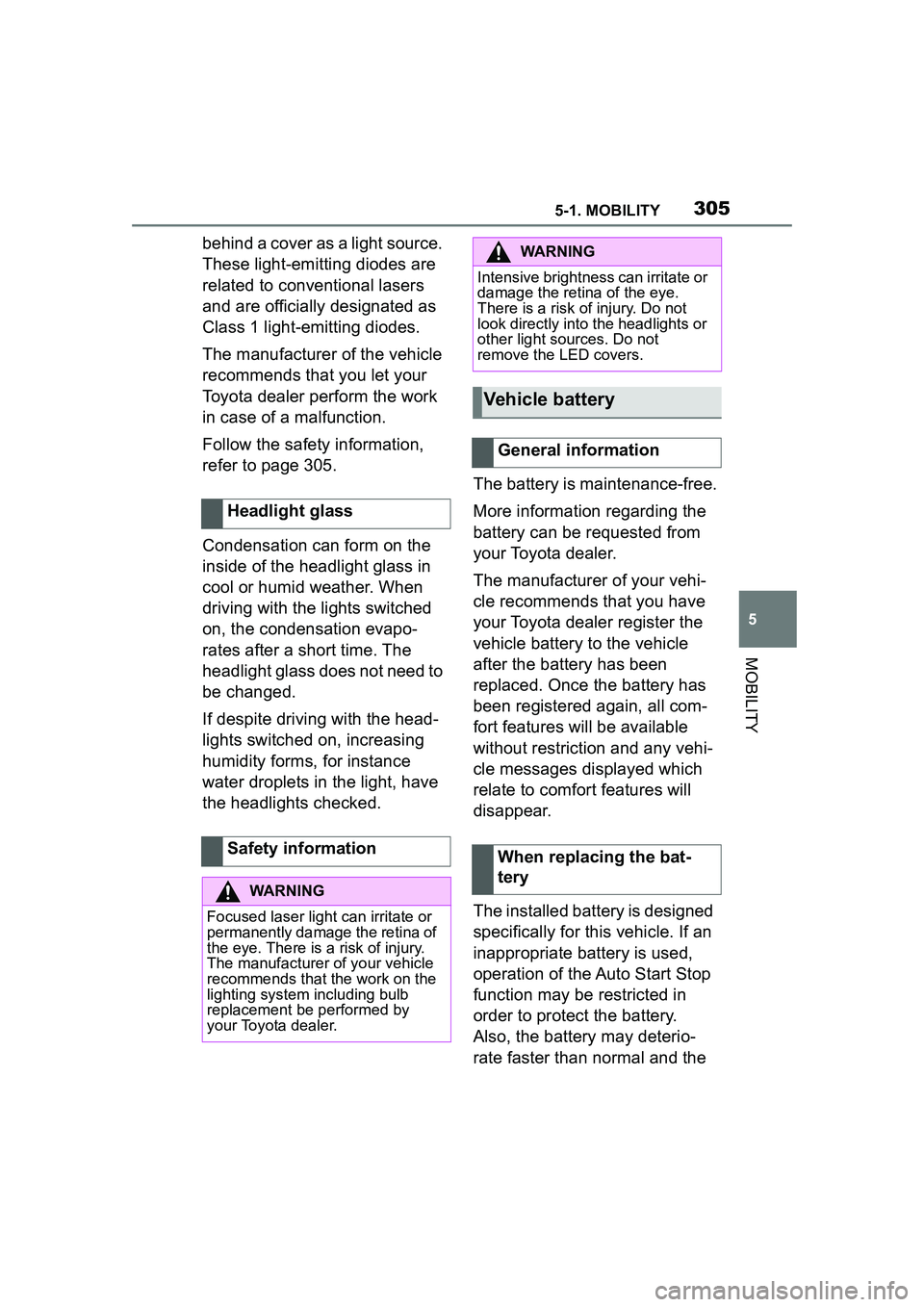
behind a cover as a light source.
These light-emitting diodes are
related to conventional lasers
and are officially designated as
Class 1 light-emitting diodes.
The manufacturer of the vehicle
recommends that you let your
Toyota dealer perform the work
in case of a malfunction.
Follow the safety information,
refer to page 305.
Condensation can form on the
inside of the headlight glass in
cool or humid weather. When
driving with the lights switched
on, the condensation evapo-
rates after a short time. The
headlight glass does not need to
be changed.
If despite driving with the head-
lights switched on, increasing
humidity forms, for instance
water droplets in the light, have
the headlights checked.The battery is maintenance-free.
More information regarding the
battery can be requested from
your Toyota dealer.
The manufacturer of your vehi-
cle recommends that you have
your Toyota dealer register the
vehicle battery to the vehicle
after the battery has been
replaced. Once the battery has
been registered again, all com-
fort features will be available
without restriction and any vehi-
cle messages displayed which
relate to comfort features will
disappear.
The installed battery is designed
specifically for this vehicle. If an
inappropriate battery is used,
operation of the Auto Start Stop
function may be restricted in
order to protect the battery.
Also, the battery may deterio-
rate faster than normal and the
Headlight glass
Safety information
WARNING
Focused laser light
can irritate or
permanently damage the retina of
the eye. There is a risk of injury.
The manufacturer of your vehicle
recommends that the work on the
lighting system including bulb
replacement be performed by
your Toyota dealer.
WARNING
Intensive brightness can irritate or
damage the retina of the eye.
There is a risk of injury. Do not
look directly into the headlights or
other light sources. Do not
remove the LED covers.
Vehicle battery
General information
When replacing the bat-
tery
Page 306 of 356
3065-1. MOBILITY
engine may not be able to be
restarted. Contact your Toyota
dealer for details.
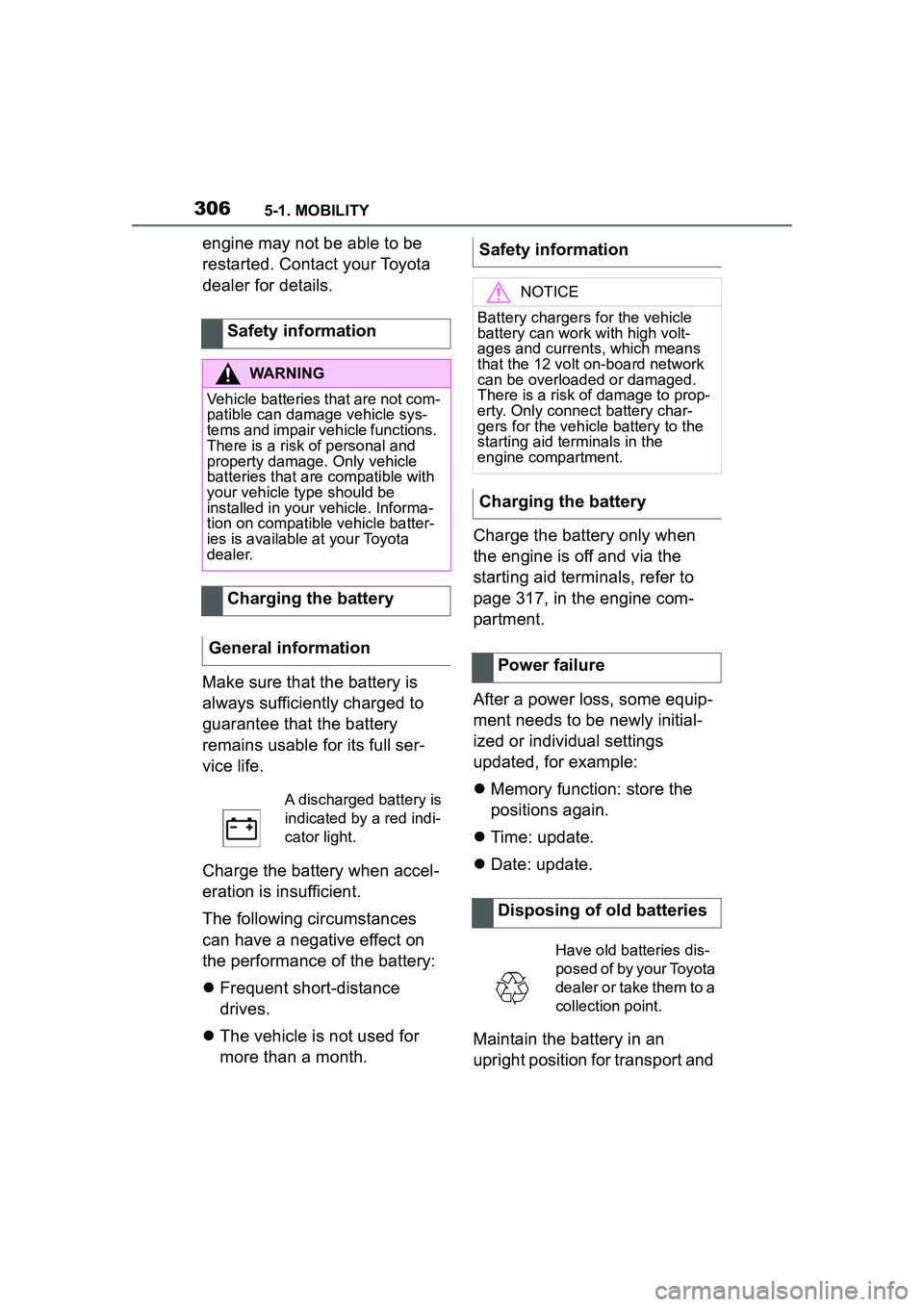
Make sure that the battery is
always sufficiently charged to
guarantee that the battery
remains usable for its full ser-
vice life.
Charge the battery when accel-
eration is insufficient.
The following circumstances
can have a negative effect on
the performance of the battery:
Frequent short-distance
drives.
The vehicle is not used for
more than a month. Charge the battery only when
the engine is off and via the
starting aid terminals, refer to
page 317, in the engine com-
partment.
After a power loss, some equip-
ment needs to be newly initial-
ized or individual settings
updated, for example:
Memory function: store the
positions again.
Time: update.
Date: update.
Maintain the battery in an
upright position for transport and
Safety information
WARNING
Vehicle batteries that are not com-
patible can damage vehicle sys-
tems and impair vehicle functions.
There is a risk of personal and
property damage. Only vehicle
batteries that ar
e compatible with
your vehicle type should be
installed in your vehicle. Informa-
tion on compatible vehicle batter-
ies is available at your Toyota
dealer.
Charging the battery
General information
A discharged battery is
indicated by a red indi-
cator light.
Safety information
NOTICE
Battery chargers for the vehicle
battery can work with high volt-
ages and currents, which means
that the 12 volt on-board network
can be overloaded or damaged.
There is a risk of damage to prop-
erty. Only connect battery char-
gers for the vehicle battery to the
starting aid terminals in the
engine compartment.
Charging the battery
Power failure
Disposing of old batteries
Have old batteries dis-
posed of by your Toyota
dealer or take them to a
collection point.
Page 311 of 356
3115-1. MOBILITY
5
MOBILITY
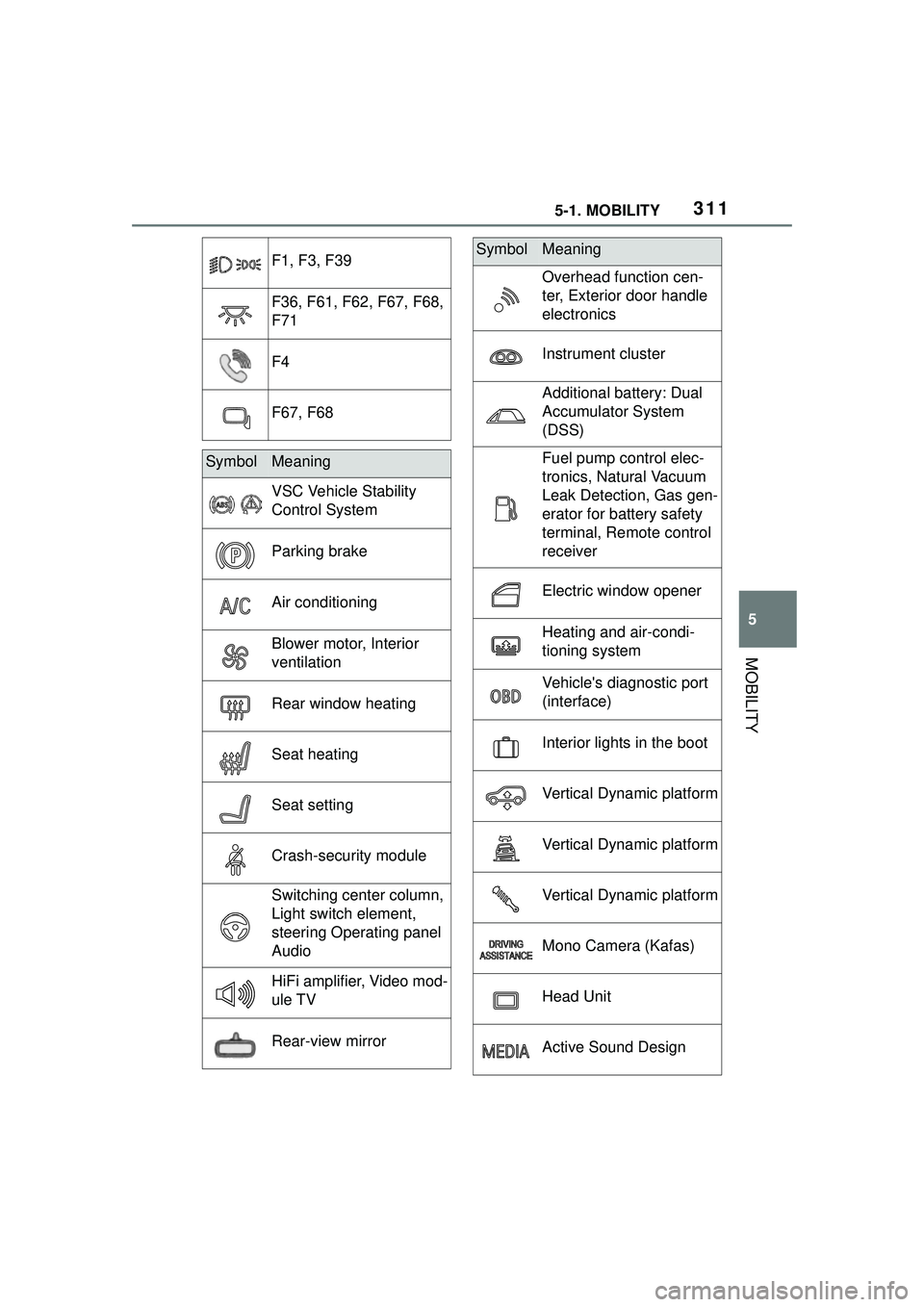
F1, F3, F39
F36, F61, F62, F67, F68,
F71
F4
F67, F68
SymbolMeaning
VSC Vehicle Stability
Control System
Parking brake
Air conditioning
Blower motor, Interior
ventilation
Rear window heating
Seat heating
Seat setting
Crash-security module
Switching center column,
Light switch element,
steering Operating panel
Audio
HiFi amplifier, Video mod-
ule TV
Rear-view mirror
Overhead function cen-
ter, Exterior door handle
electronics
Instrument cluster
Additional battery: Dual
Accumulator System
(DSS)
Fuel pump control elec-
tronics, Natural Vacuum
Leak Detection, Gas gen-
erator for battery safety
terminal, Remote control
receiver
Electric window opener
Heating and air-condi-
tioning system
Vehicle's diagnostic port
(interface)
Interior lights in the boot
Vertical Dynamic platform
Vertical Dynamic platform
Vertical Dynamic platform
Mono Camera (Kafas)
Head Unit
Active Sound Design
SymbolMeaning
Page 312 of 356
3125-1. MOBILITY
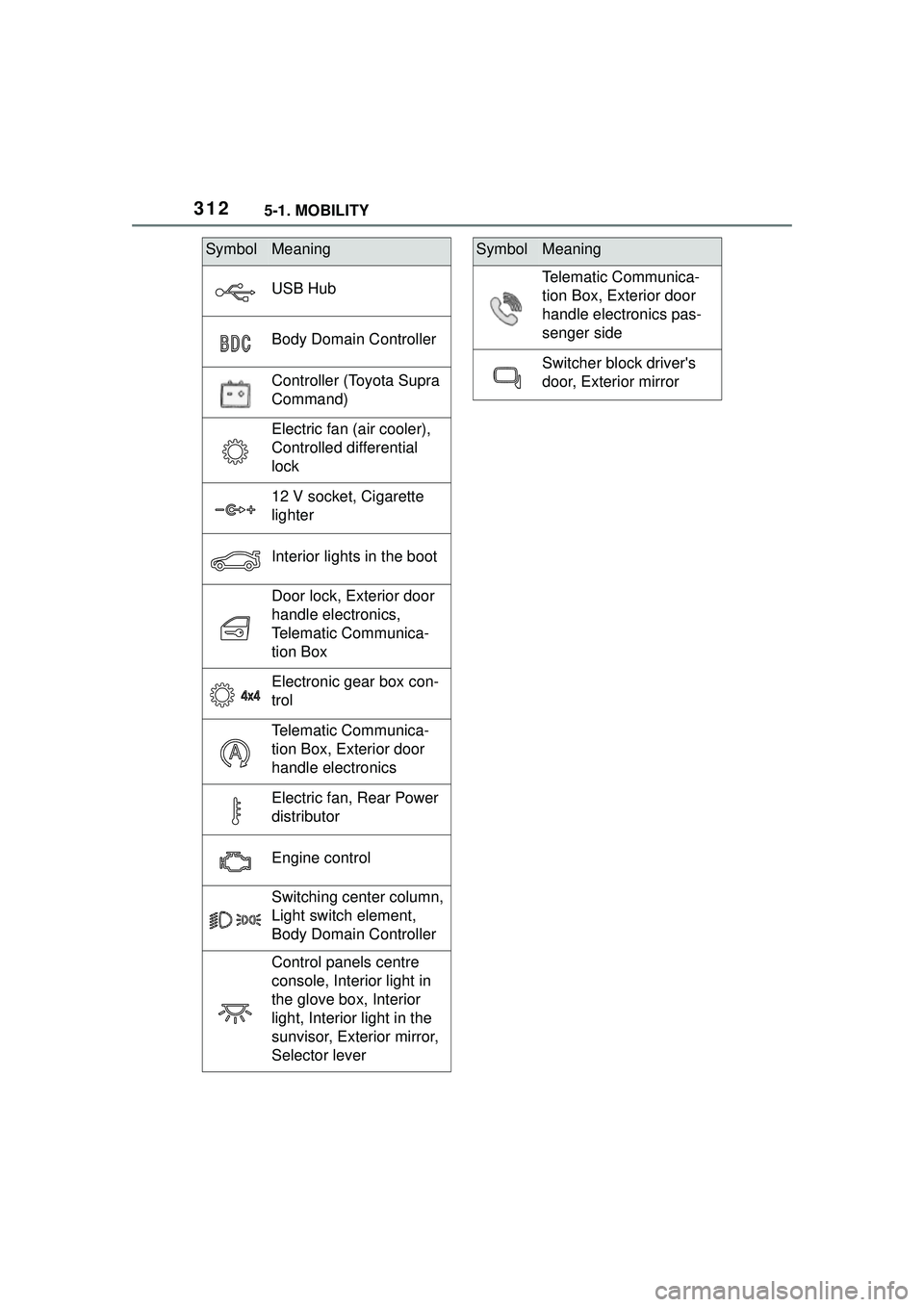
USB Hub
Body Domain Controller
Controller (Toyota Supra
Command)
Electric fan (air cooler),
Controlled differential
lock
12 V socket, Cigarette
lighter
Interior lights in the boot
Door lock, Exterior door
handle electronics,
Telematic Communica-
tion Box
Electronic gear box con-
trol
Telematic Communica-
tion Box, Exterior door
handle electronics
Electric fan, Rear Power
distributor
Engine control
Switching center column,
Light switch element,
Body Domain Controller
Control panels centre
console, Interior light in
the glove box, Interior
light, Interior light in the
sunvisor, Exterior mirror,
Selector lever
SymbolMeaning
Telematic Communica-
tion Box, Exterior door
handle electronics pas-
senger side
Switcher block driver's
door, Exterior mirror
SymbolMeaning
Page 313 of 356
3135-1. MOBILITY
5
MOBILITY
This chapter describes all stan-
dard, country-specific and
optional features offered with
the series. It also describes fea-
tures and functions that are not
necessarily available in your
vehicle, e.g., due to the selected
options or country versions. This
also applies to safety-related
functions and systems. When
using these functions and sys-
tems, the applicable laws and
regulations must be observed.
Breakdown assistance
Vehicle features and
options
If a malfunction occurs
while driving
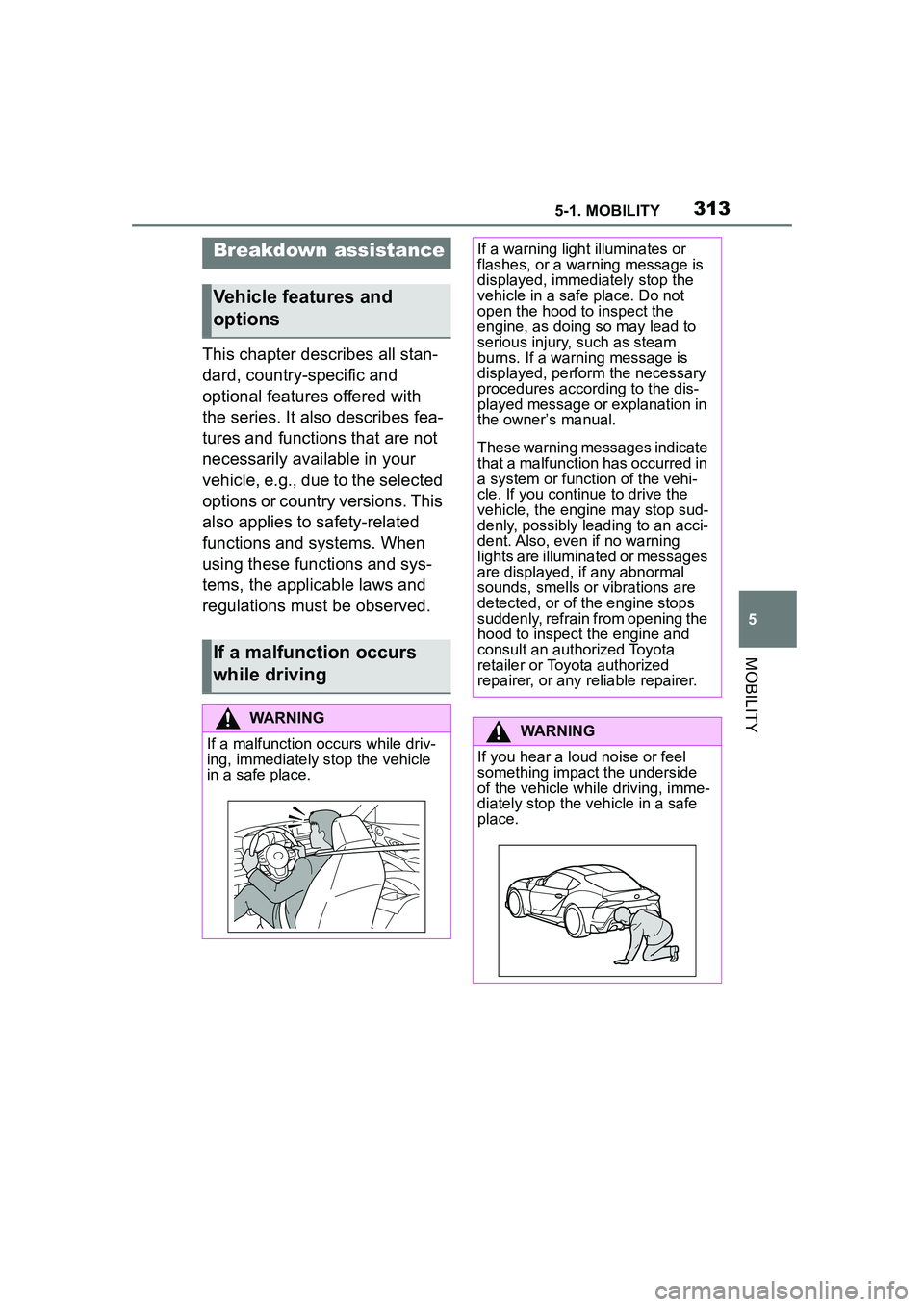
WARNING
If a malfunction occurs while driv-
ing, immediately stop the vehicle
in a safe place.
If a warning light illuminates or
flashes, or a warning message is
displayed, immediately stop the
vehicle in a safe place. Do not
open the hood to inspect the
engine, as doing so may lead to
serious injury, such as steam
burns. If a warning message is
displayed, perform the necessary
procedures according to the dis-
played message or explanation in
the owner’s manual.
These warning messages indicate
that a malfunction has occurred in
a system or function of the vehi-
cle. If you continue to drive the
vehicle, the engine may stop sud-
denly, possibly leading to an acci-
dent. Also, even if no warning
lights are illuminated or messages
are displayed, if any abnormal
sounds, smells or vibrations are
detected, or of the engine stops
suddenly, refrain from opening the
hood to inspect the engine and
consult an authorized Toyota
retailer or Toyota authorized
repairer, or any reliable repairer.
WARNING
If you hear a loud noise or feel
something impact the underside
of the vehicle while driving, imme-
diately stop the vehicle in a safe
place.
Page 315 of 356
3155-1. MOBILITY
5
MOBILITY
airbag related parts will be
extremely hot. Avoid touching
the parts with your hands or
any part of your body.
2 If someone has been injured,
contact emergency services
and request assistance. If
someone has no obvious
external injuries, but they
may have a head injury, keep
their airway open while mov-
ing them as little as possible.
If there is danger of the vehi-
cle being involved in a sec-
ondary collision, move the
injured person to a safe place
while keeping them as hori-
zontal as possible.
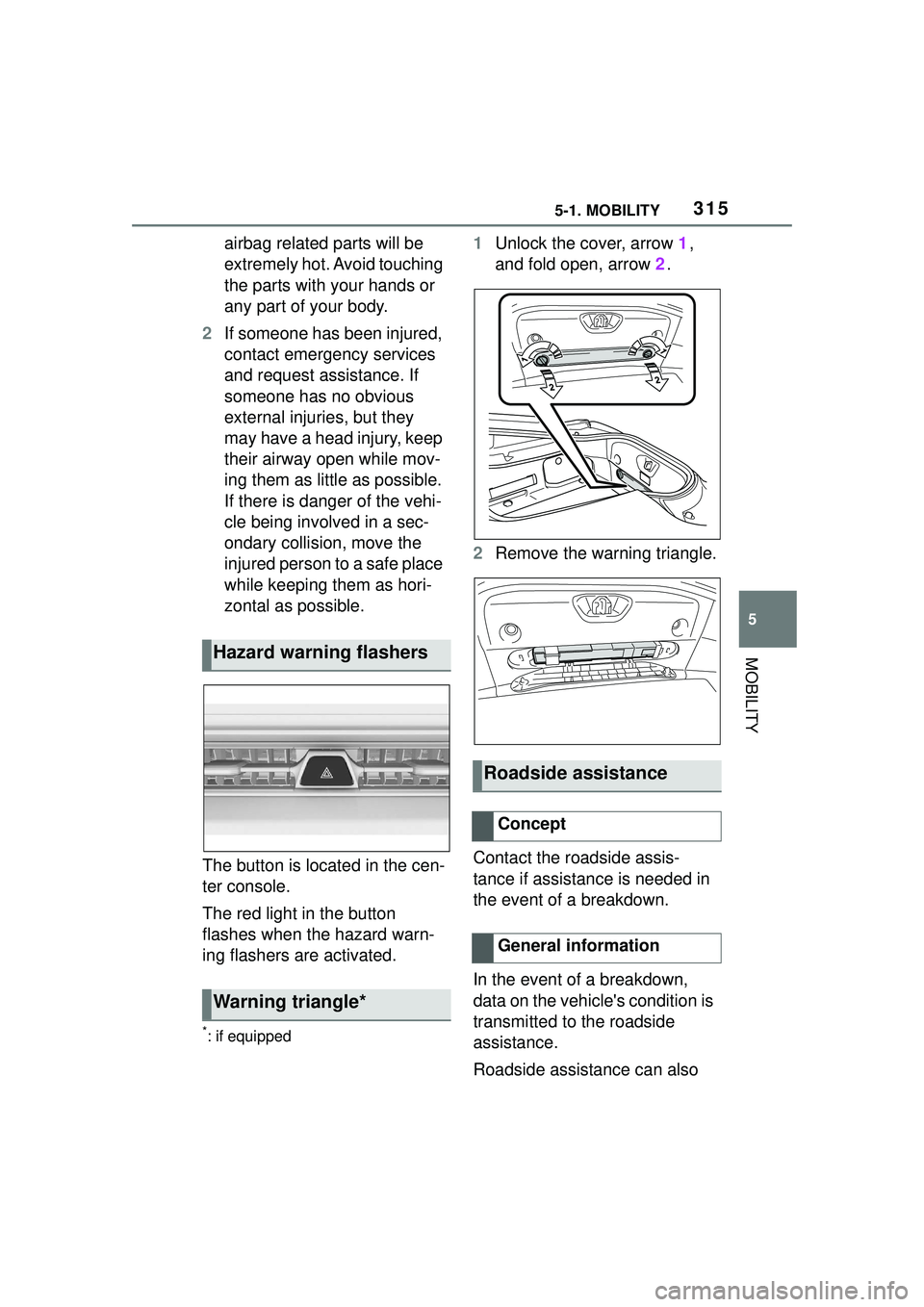
The button is located in the cen-
ter console.
The red light in the button
flashes when the hazard warn-
ing flashers are activated.
*: if equipped
1 Unlock the cover, arrow 1,
and fold open, arrow 2.
2 Remove the warning triangle.
Contact the roadside assis-
tance if assistance is needed in
the event of a breakdown.
In the event of a breakdown,
data on the vehicle's condition is
transmitted to the roadside
assistance.
Roadside assistance can also
Hazard warning flashers
Warning triangle*
Roadside assistance
Concept
General information
Page 320 of 356
3205-1. MOBILITY
If the electrical system has
failed, clearly identify the vehicle
being towed by placing a sign or
a warning triangle in the rear
window.
The tow fittings used should be
on the same side on both vehi-
cles.
Should it prove impossible to
avoid mounting the tow bar at
an offset angle, please follow
the following:
Maneuvering capabi lity is lim-
ited going around corners.
The tow bar will generate lat-
eral forces if it is secured with
an offset. Observe the following notes
when using the tow rope:
Use nylon ropes or straps,
which will enable the vehicle
to be towed without jerking.
Make sure the tow rope is not
twisted when fastening.
Check the fastening of the
tow fitting and tow rope in reg-
ular intervals.
Do not exceed a towing
speed of 30 mph/50 km/h.
Do not exceed a towing dis-
tance of 3 miles/5 km.
When starting to tow the vehi-
cle, make sure that the tow
rope is taut.
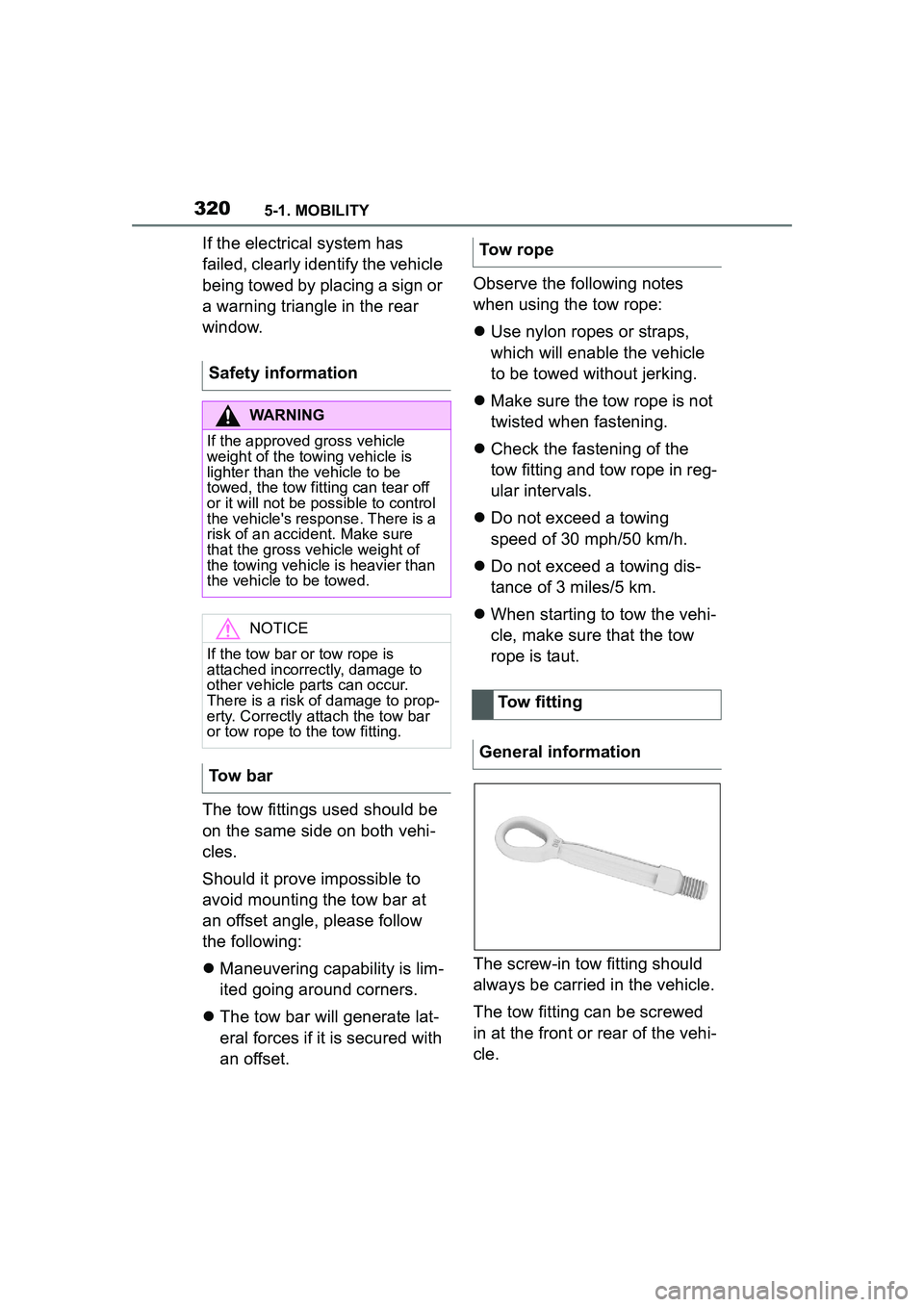
The screw-in tow fitting should
always be carried in the vehicle.
The tow fitting can be screwed
in at the front or rear of the vehi-
cle.
Safety information
WARNING
If the approved gross vehicle
weight of the towing vehicle is
lighter than the vehicle to be
towed, the tow fitting can tear off
or it will not be possible to control
the vehicle's response. There is a
risk of an accident. Make sure
that the gross vehicle weight of
the towing vehicle is heavier than
the vehicle to be towed.
NOTICE
If the tow bar or tow rope is
attached incorrectly, damage to
other vehicle parts can occur.
There is a risk of damage to prop-
erty. Correctly attach the tow bar
or tow rope to the tow fitting.
Tow bar
Tow rope
Tow fitting
General information
Page 323 of 356
3235-1. MOBILITY
5
MOBILITY
■Safety information
■General information
In a vehicle wash, the vehicle
must be able to roll freely. To roll or push the vehicle, refer
to page 128.
Some vehicle washes do not
permit persons in the vehicle.
The vehicle cannot be locked
from the outside when in selec-
tor lever position N. A signal
sounds when an attempt is
made to lock the vehicle.
Make sure that the remote con-
trol is in the vehicle.
Switch on drive-ready state,
refer to page 44.
Do not rub wet headlights dry
and do not use abrasive or
acidic cleaning agents.
Soak areas that have been dirt-
ied, for instance from insects,
with shampoo and wash off with
water.
Thaw ice with de-icing spray; do
not use an ice scraper.
After washing the vehicle, apply
the brakes briefly to dry them;
otherwise, braking action can be
reduced. The heat generated
during braking dries brake discs
and brake pads and protects
them against corrosion.
Completely remove all residues
NOTICE
Improper use of automatic vehicle
washes can cause damage to the
vehicle. There is a risk of damage
to property. Follow the following
instructions:
●Give preference to cloth vehicle
washes or those that use soft
brushes in order to avoid paint
damage.
●Avoid vehicle washes with
guide rails higher than 4 in/10
cm to avoid damage to the
chassis.
●Observe the tire width of the
guide rail to avoid damage to
tires and rims.
●Fold in exterior mirrors to avoid
damage to the exterior mirrors.
●Deactivate the wi
per and, if nec-
essary, rain sensor to avoid
damage to the wiper system.
●Do not treat the convertible top
with wax. Ensure that a cycle
without wax or a special cycle
for convertibles is available to
avoid damage to the convertible
top.
Driving into a vehicle wash
NOTICE
Selector lever pos ition P is auto-
matically engaged when standby
state is switched off. There is a
risk of damage to property. Do not
switch standby state off in vehicle
washes.
Driving out of a vehicle wash
Headlights
After washing the vehicle
Page 325 of 356
3255-1. MOBILITY
5
MOBILITY
Remove dust from the leather
regularly, using a cloth or vac-
uum cleaner.
Otherwise, particles of dust and
road grime chafe in pores and
folds, and lead to increased
wear and premature degrada-
tion of the leather surface.
To guard against discoloration,
such as from clothing, clean
leather and provide leather care
roughly every two months.
Clean light-colored leather more
frequently because soiling on
such surfaces is substantially
more visible.
Use leather care products; oth-
erwise, dirt and grease will grad-
ually break down the protective
layer of the leather surface.
Vacuum the upholstery regularly
with a vacuum cleaner.
If upholstery is very dirty, for
instance with beverage stains,
use a soft sponge or microfiber
cloth with a suitable interior
cleaner.
Clean the upholstery down to
the seams using large sweeping
motions. Avoid rubbing the
material vigorously.
NOTICE
●Wash the vehicle immediately in
the following cases:
• After driving near the sea coast
• After driving on salted roads
• If coal tar or tree sap is present on the paint surface
• If dead insects, insect droppings or bird droppings are present on
the paint surface
• After driving in an area contami- nated with soot, oily smoke,
mine dust, iron powder or chem-
ical substances
• If the vehicle becomes heavily soiled with dust or mud
• If liquids such as benzene and gasoline are spilled on the paint
surface
●If the paint is chipped or
scratched, have it repaired
immediately.
●To prevent the wheels from cor-
roding, remove any dirt and
store in a place with low humid-
ity when storing the wheels.
For the matte finish, pay attention
to the following as well:
●If anything is spilled on a
painted surface, wipe it off as
soon as possible. If spilled
washer fluid or alkaline fluids
are left as is, the paint in the
affected area may deteriorate,
causing blemishing.
●Do not wax or apply coating to
the vehicle. Doing so may
cause a change in the body sur-
face's texture or irregularities in
the paint.
Leather care
Upholstery material care
General information
Page 326 of 356
3265-1. MOBILITY
When cleaning the vehicle, use
only neutral wheel cleaners hav-
ing a pH value from 5 to 9. Do
not use abrasive cleaning
agents or steam jets above 140
°F/60 °C. Follow the manufac-
turer's instructions.
Aggressive, acidic or alkaline
cleaning agents can destroy the
protective layer of adjacent
components, such as the brake
disc.
After cleaning, apply the brakes
briefly to dry them. The heat
generated during braking dries
brake discs and brake pads and
protects them against corrosion.
Carefully clean components
such as the radiator grille or
door handles with plenty of
water, possibly with shampoo
added, particularly when they have been exposed to road salt.
Environmental influences can
cause surface soiling of rubber
parts and a loss of gloss. Use
only water and suitable cleaning
agents for cleaning.
Treat especially worn rubber
parts with rubber care agents at
regular intervals. When cleaning
rubber seals, do not use any sili-
con-containing vehicle care
products in order to avoid dam-
age or noises.
Clean with a microfiber cloth.
Dampen cloth lightly with water.
Do not soak the roofliner.
Safety information
NOTICE
Open hook-and-loop fasteners on
articles of clothing can damage
the seat covers. There is a risk of
damage to property. Ensure that
any hook-and-loop fasteners are
closed.
Caring for special compo-
nents
Light-alloy wheels
Chrome surfaces
Rubber components
Plastic components
NOTICE
Cleansers that contain alcohol or
solvents, such as lacquer thin-
ners, heavy-duty grease remov-
ers, fuel, or such, can damage
plastic parts. There is a risk of
damage to property. Clean with a
microfiber cloth. Dampen cloth
lightly with water.