remote control TOYOTA GR SUPRA 2022 User Guide
[x] Cancel search | Manufacturer: TOYOTA, Model Year: 2022, Model line: GR SUPRA, Model: TOYOTA GR SUPRA 2022Pages: 356, PDF Size: 39.14 MB
Page 79 of 356
793-1. CONTROLS
3
CONTROLS
will be applied.
• The interior lights are switched on, unless they were
manually switched off. For
switching the interior lights
on/off manually, refer to page
158.
• Folded in exterior mirrors are folded out.
If the exterior mirrors were folded in
via the button in the car’s interior,
they will not be folded out when
unlocking.
• With alarm system: The alarm
system, refer to page , will be
switched off.
After opening one of the front
doors, the vehicle is ready for
operation, refer to page 44.
The light functions may depend
on the ambient brightness.
The windows are opened, as
long as the button on the remote
control is pressed.
The behavior of the vehicle
during locking with the remote
control depends on the following settings, refer to page 90:
• If the locking of the vehicle is
confirmed with a light signal
or a sound signal.
• If the exterior mirrors are automatically folded in when
the vehicle is locked. The
exterior mirrors are not folded
in when the hazard warning
flashers are switched on.
• If the headlight courtesy delay feature is activated during
locking.
1 Close the driver's door.
2 Press the button on the
remote control.
The following functions are exe-
cuted:
• All doors, the trunk lid, and the fuel filler flap are locked.
• With alarm system: The alarm system will be switched on.
If the drive-ready state is still
switched on when you lock the
vehicle, the vehicle horn honks
twice. In this case, the
drive-ready state must be
switched off by means of the
Start/Stop button.
Convenient opening
Opening
Press and hold the button
on the remote control.
Locking
General information
Locking the vehicle
Page 80 of 356
803-1. CONTROLS
The windows are closed in the
area close to the vehicle, as
long as the button on the remote
control is pressed.
The function is not available for
the first 10 seconds after lock-
ing.
• The interior lights are switched on, unless they were
manually switched off. For
switching the interior lights
on/off manually, refer to page
158.
• Depending on the settings, the exterior lighting, refer to
page 155, will be switched on. The light functions may depend
on the ambient brightness.
To avoid locking the vehicle key
in the vehicle, do not place the
vehicle key in the cargo area.
You can set up if the doors will
be unlocked when the trunk lid
is opened with the remote con-
trol. Settings, refer to page 90.
You can trigger the alarm sys-
With Smart Key System:
convenient closing
Safety information
WARNING
With convenient closing, body
parts can be jammed. There is a
risk of injury. Make sure that the
area of movement of the doors is
clear during convenient closing.
Closing
Press and hold the button
on the remote control after
locking.
Switching on the interior
and exterior lights
Press the button on the
remote control with the
vehicle locked.
Trunk lid
General information
Safety information
WARNING
Body parts can be jammed when
operating the trunk lid. There is a
risk of injury. Make sure that the
area of movement of the trunk lid
is clear during opening and clos-
ing.
NOTICE
During opening, the trunk lid piv-
ots back and up. There is a risk of
damage to property. Make sure
that the area of movement of the
trunk lid is clear during opening
and closing.
Unlocking
Press and hold the button
on the remote control for
approx. 1 second.
Panic mode
Page 81 of 356
813-1. CONTROLS
3
CONTROLS
tem if you find yourself in a dan-
gerous situation.
To switch off the alarm: press
any button.
Set the duration, refer to page
155.1
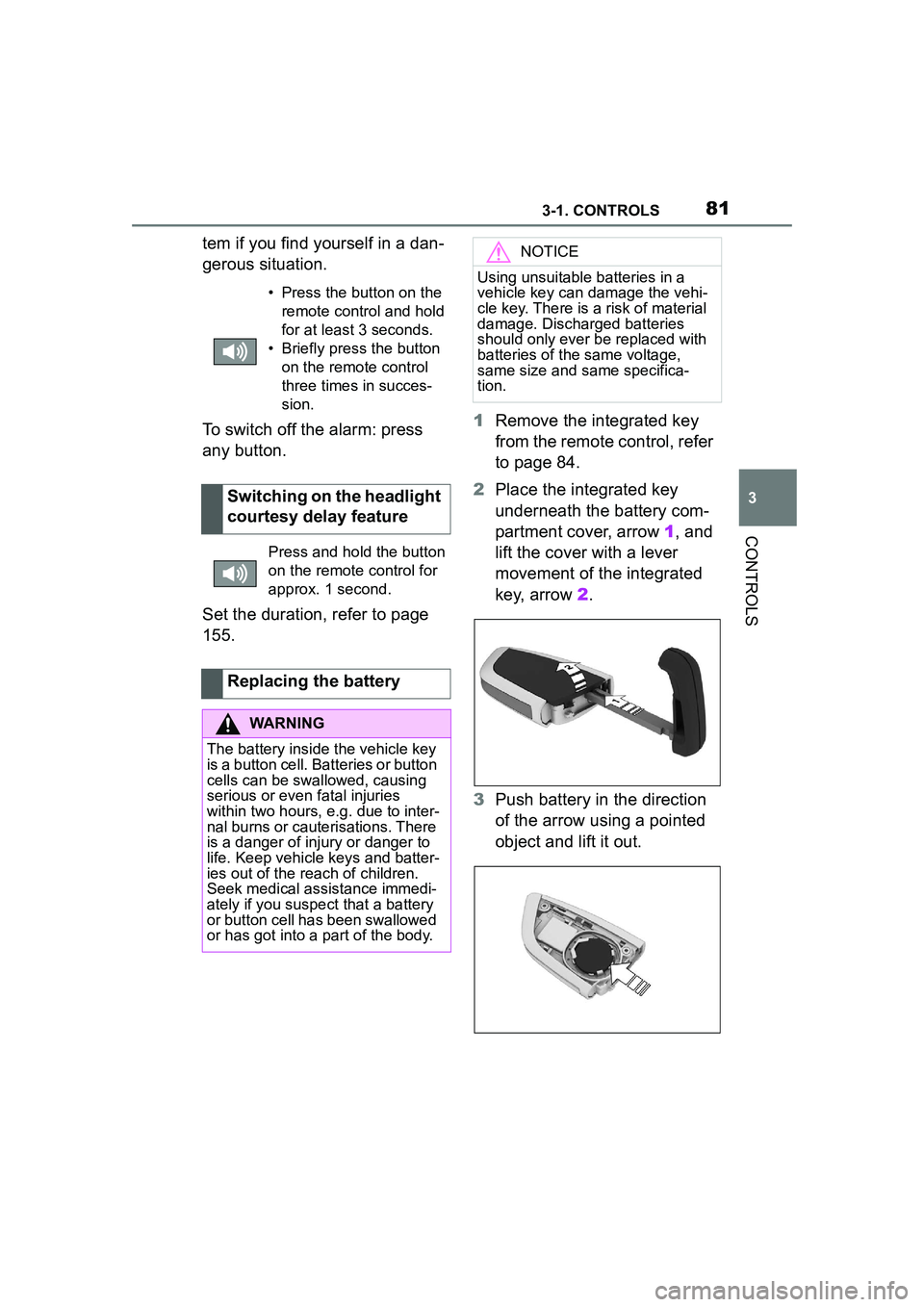
Remove the integrated key
from the remote control, refer
to page 84.
2 Place the integrated key
underneath the battery com-
partment cover, arrow 1, and
lift the cover with a lever
movement of the integrated
key, arrow 2.
3 Push battery in the direction
of the arrow using a pointed
object and lift it out.
• Press the button on the
remote control and hold
for at least 3 seconds.
• Briefly press the button on the remote control
three times in succes-
sion.
Switching on the headlight
courtesy delay feature
Press and hold the button
on the remote control for
approx. 1 second.
Replacing the battery
WARNING
The battery inside the vehicle key
is a button cell. Batteries or button
cells can be swallowed, causing
serious or even fatal injuries
within two hours, e.g. due to inter-
nal burns or cauterisations. There
is a danger of injury or danger to
life. Keep vehicle keys and batter-
ies out of the reach of children.
Seek medical assistance immedi-
ately if you suspect that a battery
or button cell has been swallowed
or has got into a part of the body.
NOTICE
Using unsuitable batteries in a
vehicle key can damage the vehi-
cle key. There is a risk of material
damage. Discharged batteries
should only ever be replaced with
batteries of the same voltage,
same size and same specifica-
tion.
Page 82 of 356
823-1. CONTROLS
4Insert a type CR 2032 3V
battery with the positive side
facing up.
5 Press the cover closed.
6 Push the integrated key into
the vehicle key until the inte-
grated key engages.
Additional remote controls are
available from your Toyota
dealer.
A lost remote control can be
blocked and replaced by your
Toyota dealer.
If the lost remote control has an
assigned driver profile, refer to
page 65, the connection to this
remote control must be deleted.
A new remote control can then
be assigned to the driver profile.
A vehicle message, refer to
page 134, is displayed.
Remote control detection by the
vehicle may malfunction under the following circumstances:
• The battery of the vehicle key
is discharged. For replacing
the battery, refer to page 81.
• Interference of the radio con- nection from transmission
towers or other equipment
with high transmitting power.
• Shielding of the remote con- trol due to metal objects.
Do not transport the remote control
together with metal objects.
• Interference of the radio con-nection from mobile phones
or other electronic devices in
direct proximity to the remote
control.
Do not transport the remote control
together with electronic devices.
• Interference of radio transmis-sion by a chargi ng process of
mobile devices, for instance
charging of a mobile phone.
• The remote control is in direct proximity of the wireless
charging tray.
Place the remote control down at a
different location.
In the case of interference, the
vehicle can be unlocked and
locked from the outside with the
integrated key, refer to page 83.
Have old batteries dis-
posed of by your Toyota
dealer or take them to a
collection point.
Additional remote controls
Loss of the remote con-
trols
Malfunction
General information
Page 83 of 356
833-1. CONTROLS
3
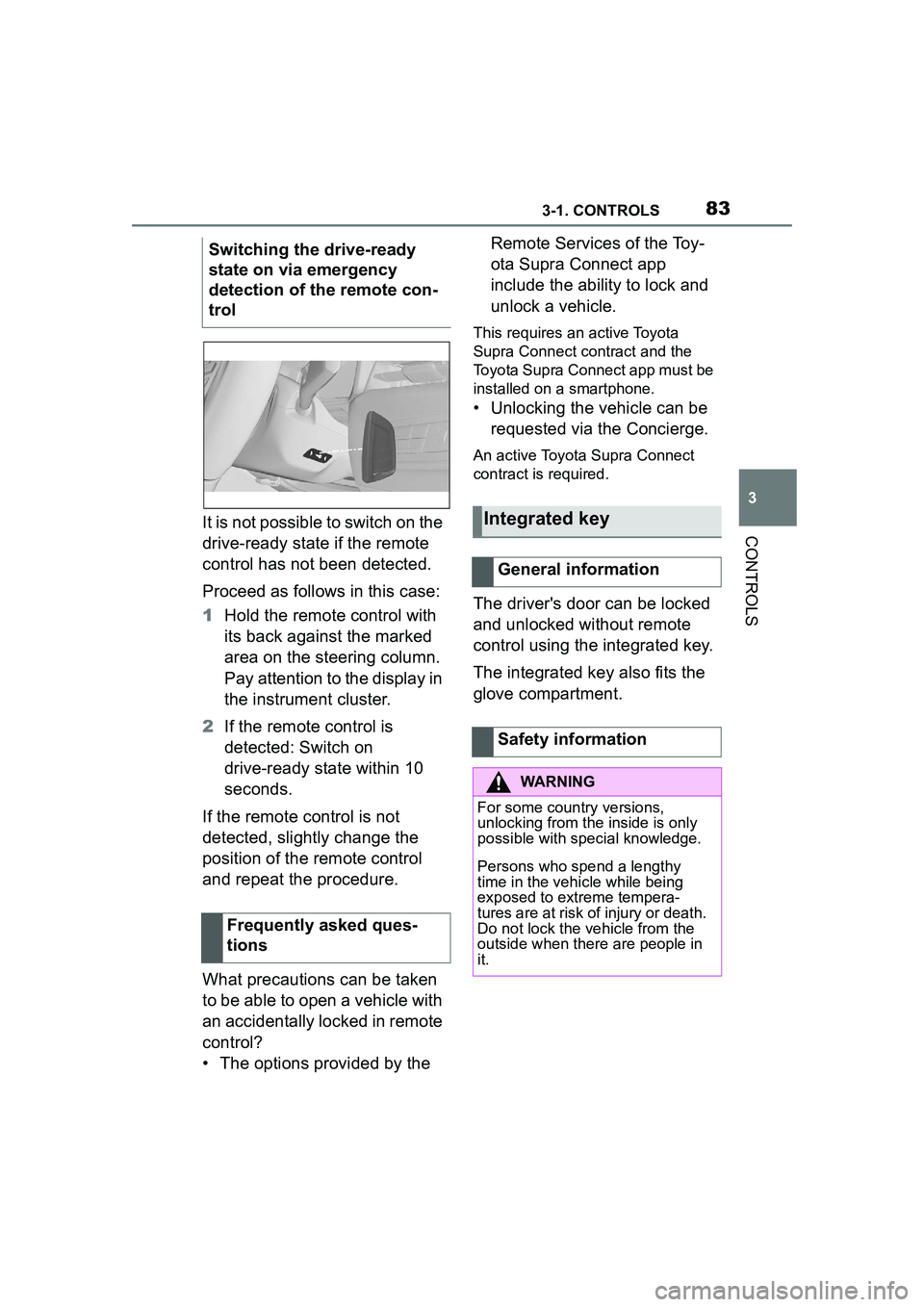
CONTROLSIt is not possible to switch on the
drive-ready state if the remote
control has not been detected.
Proceed as follows in this case:
1Hold the remote control with
its back against the marked
area on the steering column.
Pay attention to the display in
the instrument cluster.
2 If the remote control is
detected: Switch on
drive-ready state within 10
seconds.
If the remote control is not
detected, slightly change the
position of the remote control
and repeat the procedure.
What precautions can be taken
to be able to open a vehicle with
an accidentally locked in remote
control?
• The options provided by the Remote Services of the Toy-
ota Supra Connect app
include the ability to lock and
unlock a vehicle.
This requires an active Toyota
Supra Connect contract and the
Toyota Supra Connect app must be
installed on a smartphone.
• Unlocking the vehicle can be
requested via the Concierge.
An active Toyota Supra Connect
contract is required.
The driver's door can be locked
and unlocked without remote
control using the integrated key.
The integrated key also fits the
glove compartment.
Switching the drive-ready
state on via emergency
detection of the remote con-
trol
Frequently asked ques-
tions
Integrated key
General information
Safety information
WARNING
For some country versions,
unlocking from the inside is only
possible with special knowledge.
Persons who spend a lengthy
time in the vehicle while being
exposed to extreme tempera-
tures are at risk of injury or death.
Do not lock the vehicle from the
outside when there are people in
it.
Page 85 of 356
853-1. CONTROLS
3
CONTROLS
In the event of a severe acci-
dent, the vehicle is automatically
unlocked. The hazard warning
system and interior lights come
on.
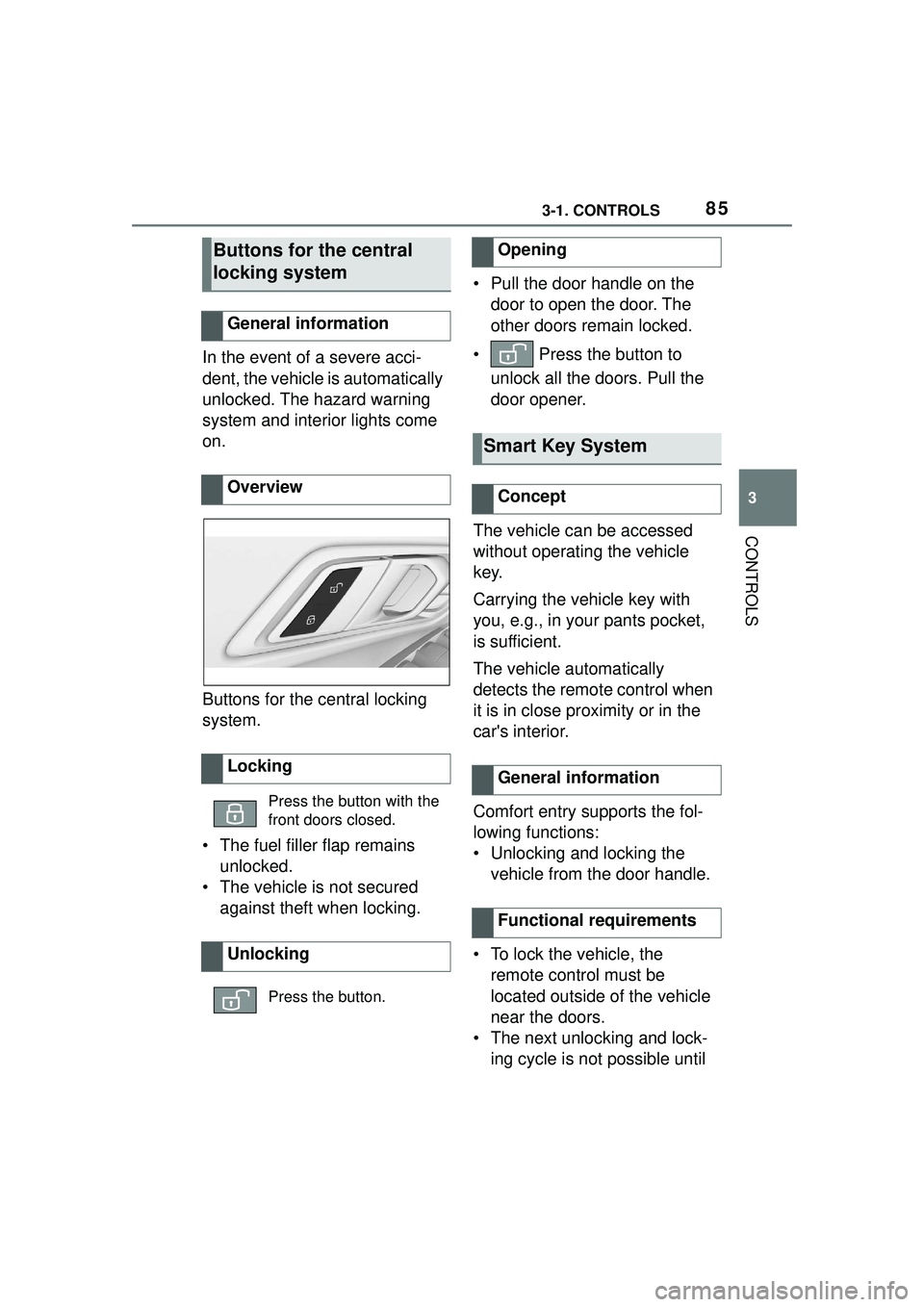
Buttons for the central locking
system.
• The fuel filler flap remains unlocked.
• The vehicle is not secured against theft when locking. • Pull the door handle on the
door to open the door. The
other doors remain locked.
• Press the button to unlock all the doors. Pull the
door opener.
The vehicle can be accessed
without operating the vehicle
key.
Carrying the vehicle key with
you, e.g., in your pants pocket,
is sufficient.
The vehicle automatically
detects the remote control when
it is in close proximity or in the
car's interior.
Comfort entry supports the fol-
lowing functions:
• Unlocking and locking the vehicle from the door handle.
• To lock the vehicle, the remote control must be
located outside of the vehicle
near the doors.
• The next unlocking and lock- ing cycle is not possible until
Buttons for the central
locking system
General information
Overview
Locking
Press the button with the
front doors closed.
Unlocking
Press the button.
Opening
Smart Key System
Concept
General information
Functional requirements
Page 86 of 356
863-1. CONTROLS
after approx. 2 seconds.
The driver should always
carry the remote control on
their person and take it with
them when they leave the
vehicle.
Depending on the location of
the vehicle or the surround-
ing radio wave conditions, the
remote control may not oper-
ate normally. Make sure not to
carry the remote control with
an electronic device, such as
a mobile phone or computer.
Make sure to always take the
remote control with you when
you leave the vehicle, in case
the battery of the remote con-
trol is depleted or the remote
control is malfunctioning.Important pointsSafety notes
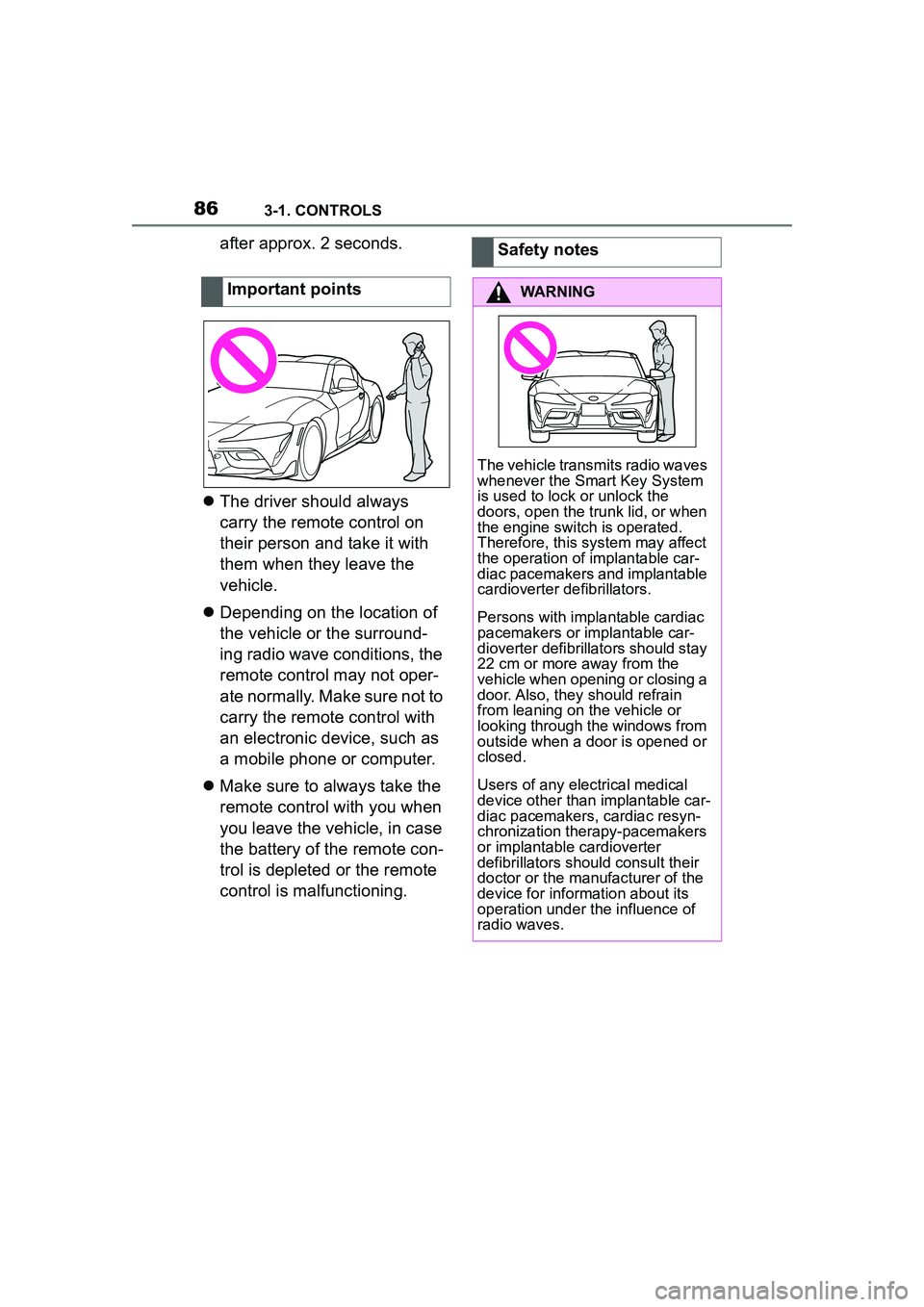
WARNING
The vehicle transmits radio waves
whenever the Smart Key System
is used to lock or unlock the
doors, open the trunk lid, or when
the engine switch is operated.
Therefore, this system may affect
the operation of implantable car-
diac pacemakers and implantable
cardioverter defibrillators.
Persons with implantable cardiac
pacemakers or implantable car-
dioverter defibrillato
rs should stay
22 cm or more away from the
vehicle when opening or closing a
door. Also, they should refrain
from leaning on the vehicle or
looking through the windows from
outside when a door is opened or
closed.
Users of any electrical medical
device other than implantable car-
diac pacemakers, cardiac resyn-
chronization therapy-pacemakers
or implantable cardioverter
defibrillators should consult their
doctor or the manufacturer of the
device for information about its
operation under the influence of
radio waves.
Page 89 of 356
893-1. CONTROLS
3
CONTROLS
To avoid locking the vehicle key
in the vehicle, do not place the
vehicle key in the cargo area.
Depending on the vehicle equip-
ment and country version, it is
also possible to have the doors
unlocked. To perform settings,
refer to page 90.When unlocking with the vehicle
key, refer to page 80, the doors
may also be unlocked.
Trunk lid
General information
Safety information
WARNING
Body parts can be jammed when
operating the trunk lid. There is a
risk of injury. Make sure that the
area of movement of the trunk lid
is clear during opening and clos-
ing.
NOTICE
During opening, the trunk lid piv-
ots back and up. There is a risk of
damage to property. Make sure
that the area of movement of the
trunk lid is clear during opening
and closing.
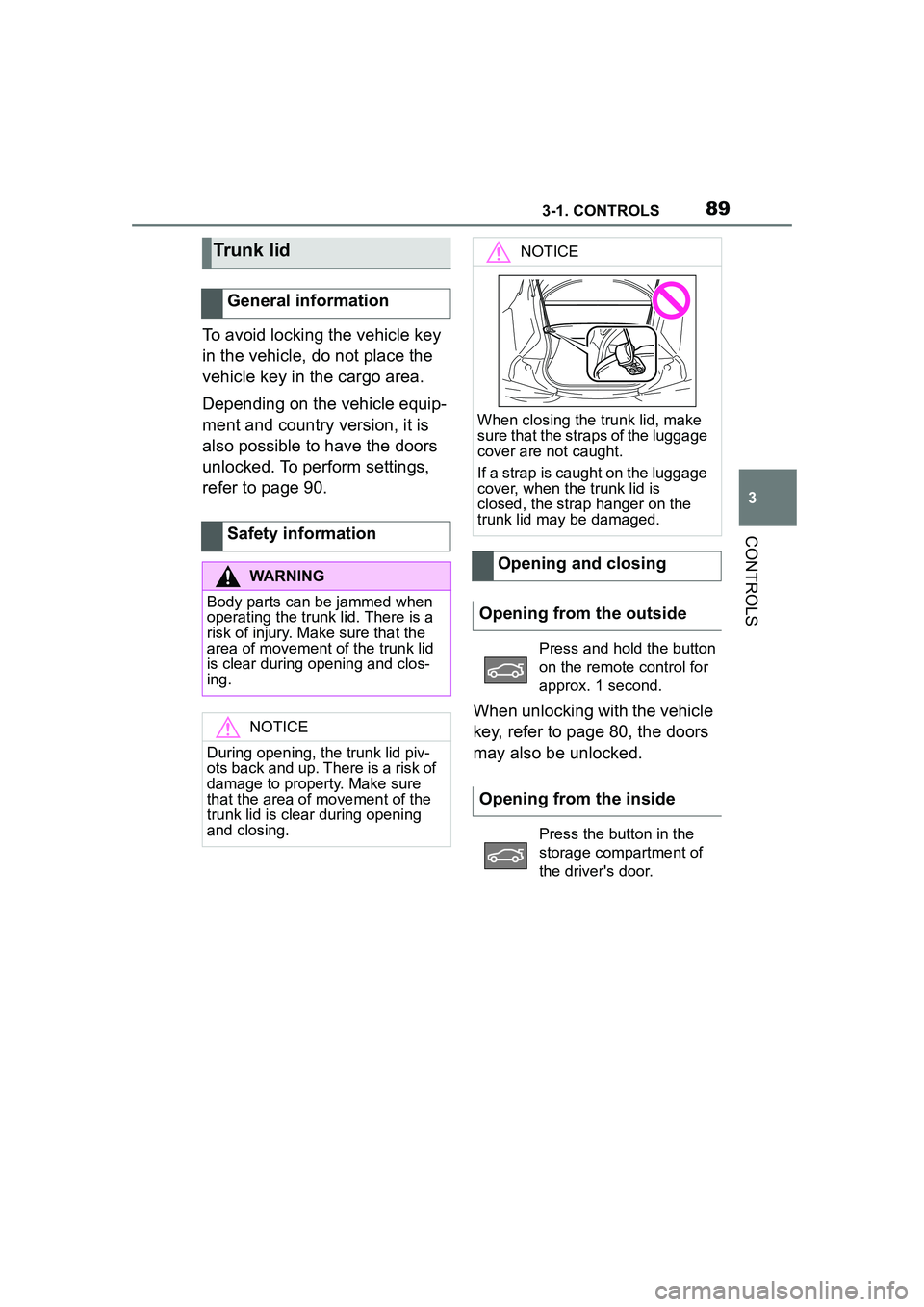
NOTICE
When closing the trunk lid, make
sure that the straps of the luggage
cover are not caught.
If a strap is caught on the luggage
cover, when the trunk lid is
closed, the strap hanger on the
trunk lid may be damaged.
Opening and closing
Opening from the outside
Press and hold the button
on the remote control for
approx. 1 second.
Opening from the inside
Press the button in the
storage compartment of
the driver's door.
Page 90 of 356
903-1. CONTROLS
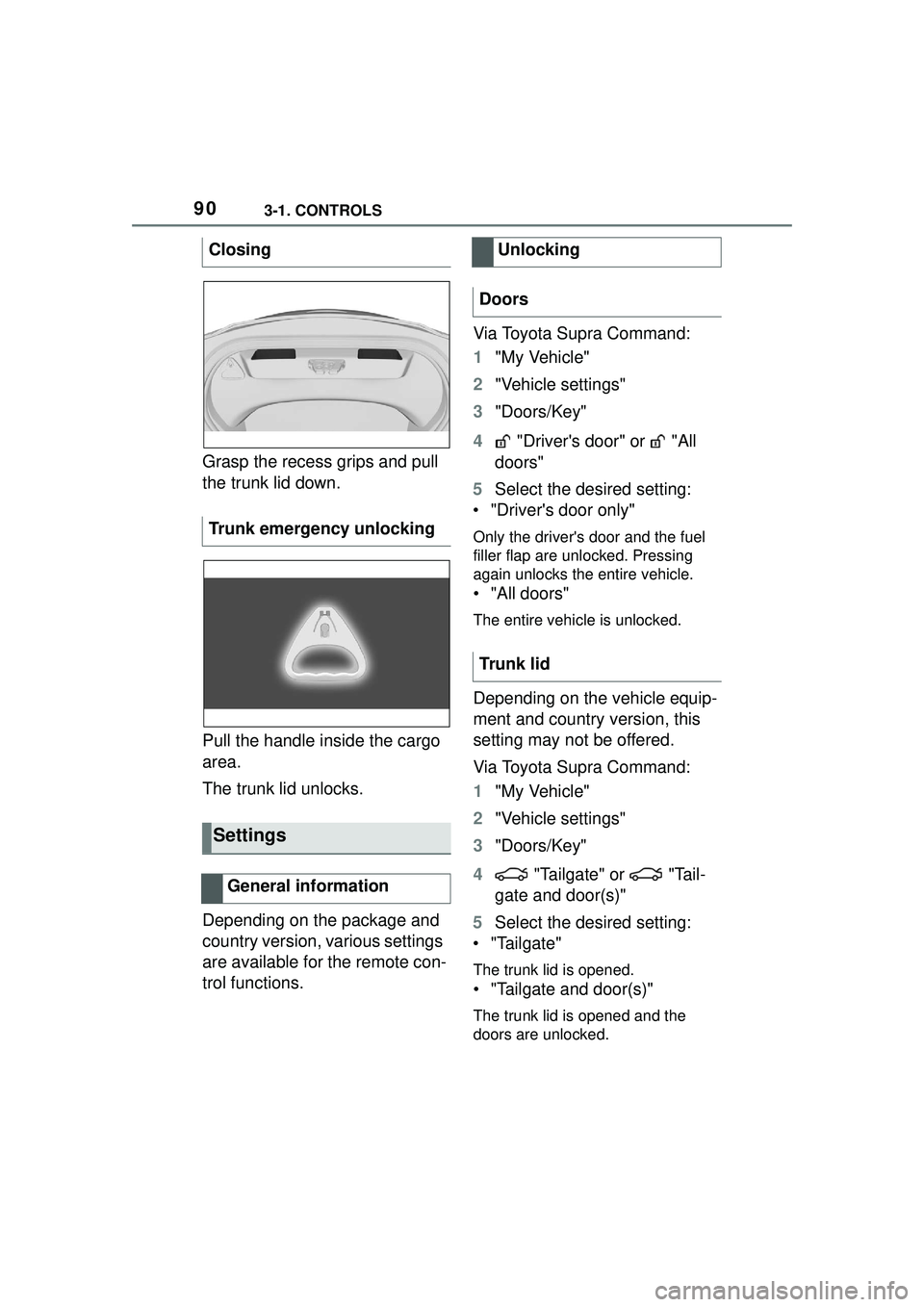
Grasp the recess grips and pull
the trunk lid down.
Pull the handle inside the cargo
area.
The trunk lid unlocks.
Depending on the package and
country version, various settings
are available for the remote con-
trol functions.Via Toyota Supra Command:
1
"My Vehicle"
2 "Vehicle settings"
3 "Doors/Key"
4 "Driver's door" or "All
doors"
5 Select the desired setting:
• "Driver's door only"
Only the driver's door and the fuel
filler flap are unlocked. Pressing
again unlocks the entire vehicle.
• "All doors"
The entire vehicle is unlocked.
Depending on the vehicle equip-
ment and country version, this
setting may not be offered.
Via Toyota Supra Command:
1 "My Vehicle"
2 "Vehicle settings"
3 "Doors/Key"
4 "Tailgate" or "Tail-
gate and door(s)"
5 Select the desired setting:
• "Tailgate"
The trunk lid is opened.
• "Tailgate and door(s)"
The trunk lid is opened and the
doors are unlocked.
Closing
Trunk emergency unlocking
Settings
General information
Unlocking
Doors
Trunk lid
Page 92 of 356
923-1. CONTROLS
3"Doors/Key"
4 "Turn off after door opening"
Opening the front doors establishes
the idle state, refer to page 43.
When the vehicle is locked, the
vehicle alarm system reacts to
the following changes:
• Opening a door, the hood or
the trunk lid.
• Movements in the car's inte- rior.
• Changes in the vehicle tilt, e. g., during attempts at stealing
a wheel or when towing the
vehicle.
• Disconnected battery voltage.
• Improper use of the socket for OBD Onboard Diagnosis.
• Locking the vehicle while a device is connected to the
socket for the OBD Onboard-
Diagnosis. For socket for the
OBD Onboard Diagnosis,
refer to page 302.
The alarm system signals the
following changes visually and
acoustically:
• Acoustic alarm: Depending on local regulations, the acoustic
alarm may be suppressed.
• Visual alarm: By flashing of the hazard warning system
and headlights, where
required. Do not modify the system to
ensure function of the alarm
system.
When you unlock and lock the
vehicle, either with the remote
control or with Comfort entry, the
alarm system is switched off and
on at the same time.
The alarm system is triggered
when a door is opened if the
door was unlocked using the
integrated key in the door lock.
Switching off the alarm, refer to
page 94.
The trunk lid can be opened
even when the alarm system is
switched on.
After the trunk lid is closed, it is
locked and monitored again pro-
vided the doors are locked. The
hazard warning system flashes
once.
You can trigger the alarm sys-
tem if you find yourself in a dan-
Alarm system
General information
Switching on/off
Opening the doors with
the alarm system switched
on
Opening the trunk lid with
the alarm system switched
on
Panic mode