steering TOYOTA GR SUPRA 2022 User Guide
[x] Cancel search | Manufacturer: TOYOTA, Model Year: 2022, Model line: GR SUPRA, Model: TOYOTA GR SUPRA 2022Pages: 356, PDF Size: 39.14 MB
Page 83 of 356
833-1. CONTROLS
3
CONTROLSIt is not possible to switch on the
drive-ready state if the remote
control has not been detected.
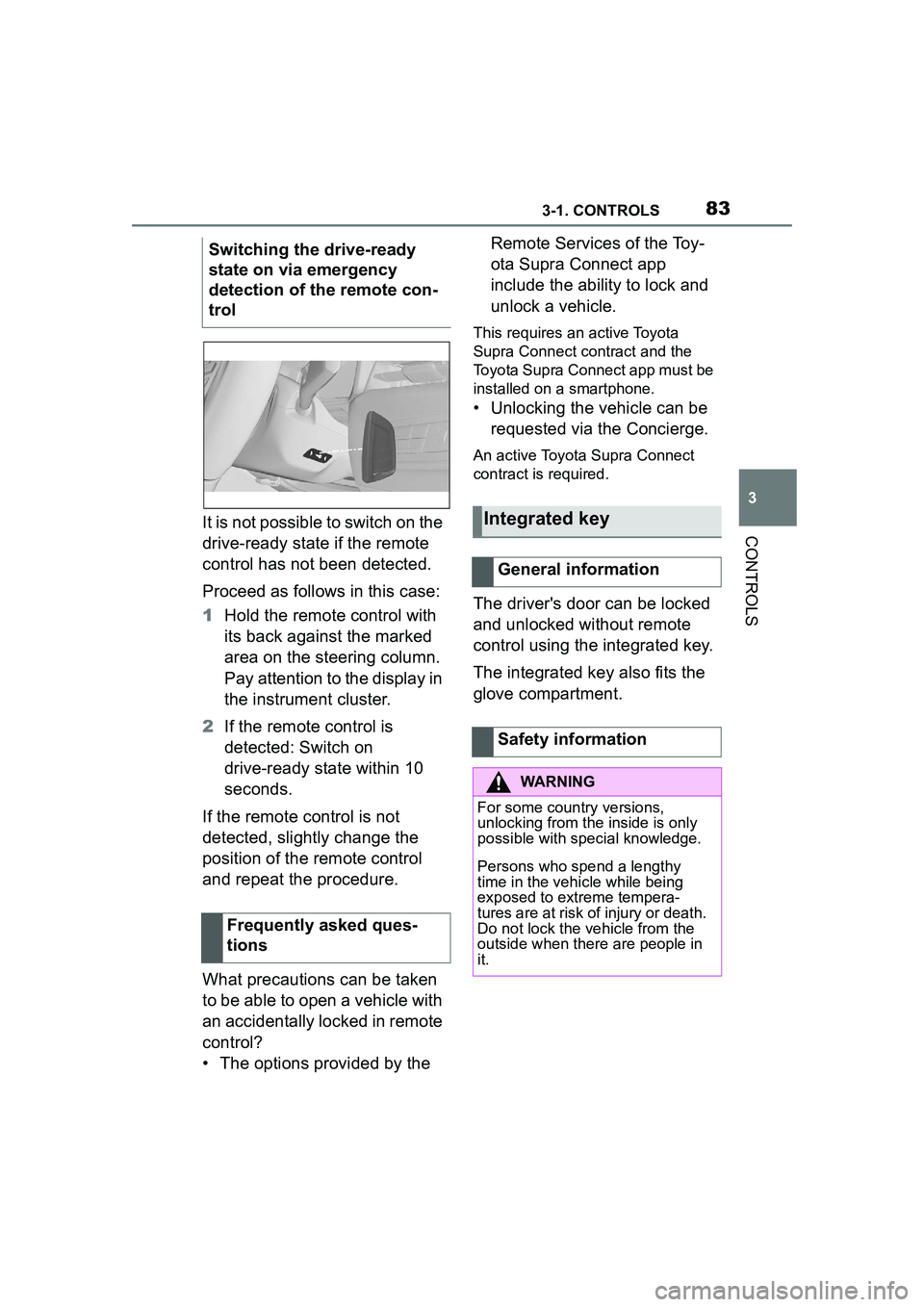
Proceed as follows in this case:
1Hold the remote control with
its back against the marked
area on the steering column.
Pay attention to the display in
the instrument cluster.
2 If the remote control is
detected: Switch on
drive-ready state within 10
seconds.
If the remote control is not
detected, slightly change the
position of the remote control
and repeat the procedure.
What precautions can be taken
to be able to open a vehicle with
an accidentally locked in remote
control?
• The options provided by the Remote Services of the Toy-
ota Supra Connect app
include the ability to lock and
unlock a vehicle.
This requires an active Toyota
Supra Connect contract and the
Toyota Supra Connect app must be
installed on a smartphone.
• Unlocking the vehicle can be
requested via the Concierge.
An active Toyota Supra Connect
contract is required.
The driver's door can be locked
and unlocked without remote
control using the integrated key.
The integrated key also fits the
glove compartment.
Switching the drive-ready
state on via emergency
detection of the remote con-
trol
Frequently asked ques-
tions
Integrated key
General information
Safety information
WARNING
For some country versions,
unlocking from the inside is only
possible with special knowledge.
Persons who spend a lengthy
time in the vehicle while being
exposed to extreme tempera-
tures are at risk of injury or death.
Do not lock the vehicle from the
outside when there are people in
it.
Page 96 of 356
963-1. CONTROLS
This chapter describes all stan-
dard, country-specific and
optional features offered with
the series. It also describes fea-
tures and functions that are not
necessarily available in your
vehicle, e.g., due to the selected
options or country versions. This
also applies to safety-related
functions and systems. When
using these functions and sys-
tems, the applicable laws and
regulations must be observed.
An ideal seating position that
meets the needs of the occu-
pants can make a vital contribu-
tion to relaxed, fatigue-free
driving.
In the event of an accident, the
correct seating position plays an
important role. Follow the infor-
mation in the following chapters:
• Seats, refer to page 96.
• Safety belts, refer to page 100.
• Head restraints, refer to page 104.
• Airbags, refer to page 160.
Seats, mirrors, and
steering wheel
Vehicle features and
options
Sitting safely
Seats
Safety information
WARNING
Seat adjustments while driving
can lead to unexpected move-
ments of the seat. Vehicle control
could be lost. There is a risk of an
accident. Only adjust the seat on
the driver's side when the vehicle
is stationary.
WARNING
With a backrest inclined too far to
the rear, the efficacy of the safety
belt can no longer be ensured.
There is a risk of sliding under the
safety belt in an accident. There is
a risk of injuries or danger to life.
Adjust the seat prior to starting the
trip. Adjust the backrest so that it
is in the most upright position as
possible and do not adjust again
while driving.
WARNING
There is a risk of jamming when
moving the seats. There is a risk
of injury or risk of damage to prop-
erty. Make sure that the area of
movement of the seat is clear
prior to any adjustment.
Page 102 of 356
1023-1. CONTROLS
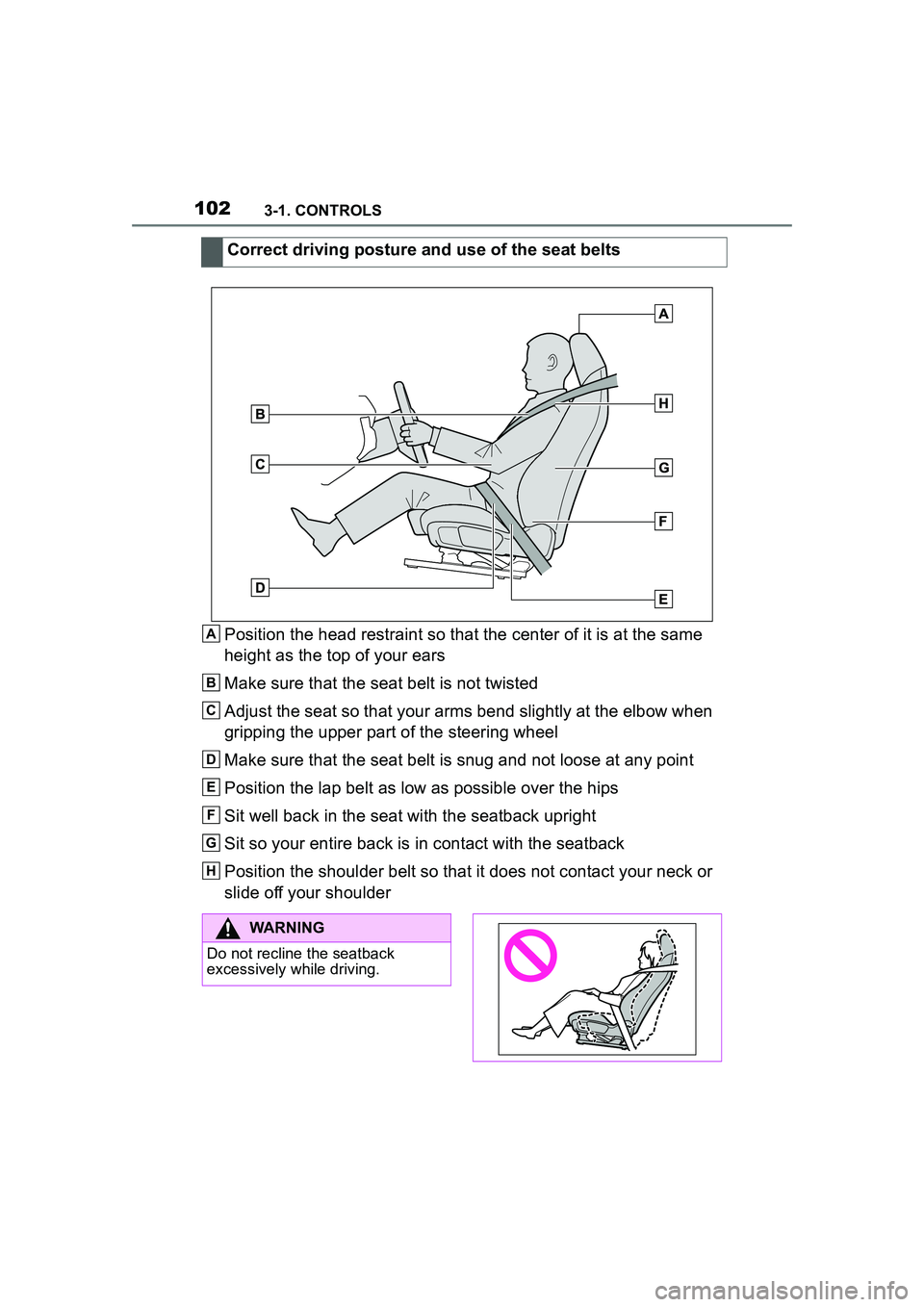
Position the head restraint so that the center of it is at the same
height as the top of your ears
Make sure that the seat belt is not twisted
Adjust the seat so that your arms bend slightly at the elbow when
gripping the upper part of the steering wheel
Make sure that the seat belt is snug and not loose at any point
Position the lap belt as low as possible over the hips
Sit well back in the seat with the seatback upright
Sit so your entire back is in contact with the seatback
Position the shoulder belt so that it does not contact your neck or
slide off your shoulder Correct driving posture and use of the seat beltsA
B
C
D
E
F
G
H
WARNING
Do not recline the seatback
excessively while driving.
Page 107 of 356
1073-1. CONTROLS
3
CONTROLS
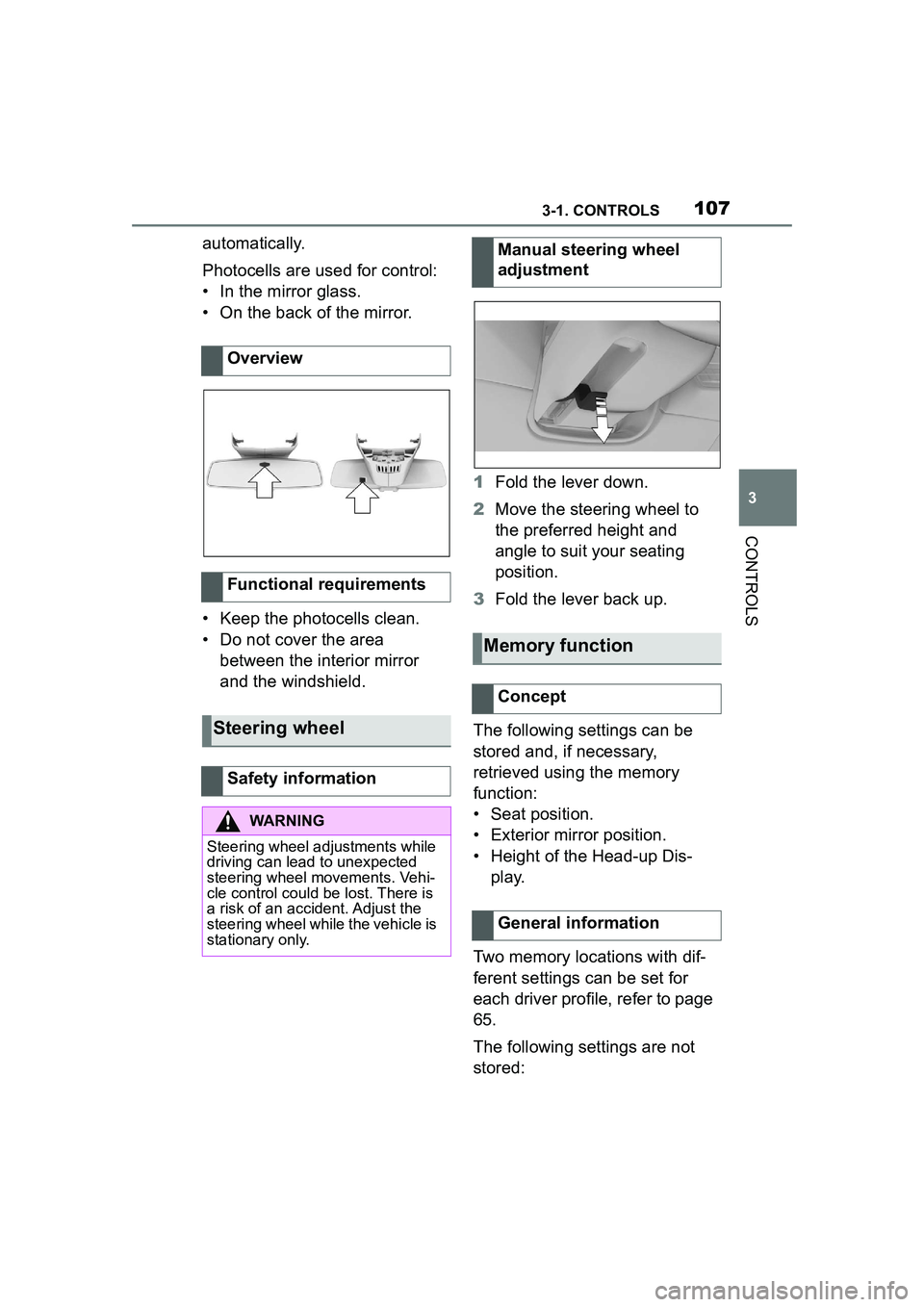
automatically.
Photocells are used for control:
• In the mirror glass.
• On the back of the mirror.
• Keep the photocells clean.
• Do not cover the area between the interior mirror
and the windshield. 1
Fold the lever down.
2 Move the steering wheel to
the preferred height and
angle to suit your seating
position.
3 Fold the lever back up.
The following settings can be
stored and, if necessary,
retrieved using the memory
function:
• Seat position.
• Exterior mirror position.
• Height of the Head-up Dis- p l a y.
Two memory locations with dif-
ferent settings can be set for
each driver profile, refer to page
65.
The following settings are not
stored:
Overview
Functional requirements
Steering wheel
Safety information
WARNING
Steering wheel adjustments while
driving can lead to unexpected
steering wheel movements. Vehi-
cle control could be lost. There is
a risk of an accident. Adjust the
steering wheel while the vehicle is
stationary only.
Manual steering wheel
adjustment
Memory function
Concept
General information
Page 117 of 356
1173-1. CONTROLS
3
CONTROLS
■General information
The engine is not switched off
automatically in the following sit-
uations:
In case of a steep downhill
grade.
Brake not engaged strongly
enough.
The external temperature is
high and automatic air condi-
tioning is running.
The car's interior has not yet
been heated or cooled to the
required level.
Where there is a risk of win-
dow condensation when the
automatic air conditioning is
switched on.
Engine or other parts not at
operating temperature.
Engine cooling is required.
The wheels are at a sharp angle or the steering wheel is
being turned.
Vehicle battery is heavily dis-
charged.
At higher elevations.
The hood is unlocked.
The parking assistant is acti-
vated.
Stop-and-go traffic.
Selector lever position in N or
R.
After driving in reverse.
Use of fuel with high ethanol
content.
The engine starts automatically
under the following precondi-
tions:
By releasing the brake pedal.
After the engine starts, acceler-
ate as usual.
After the engine switches off
automatically, it will not start
again automatically if any one of
the following conditions are met:
The driver's safety belt is
unbuckled and the driver's
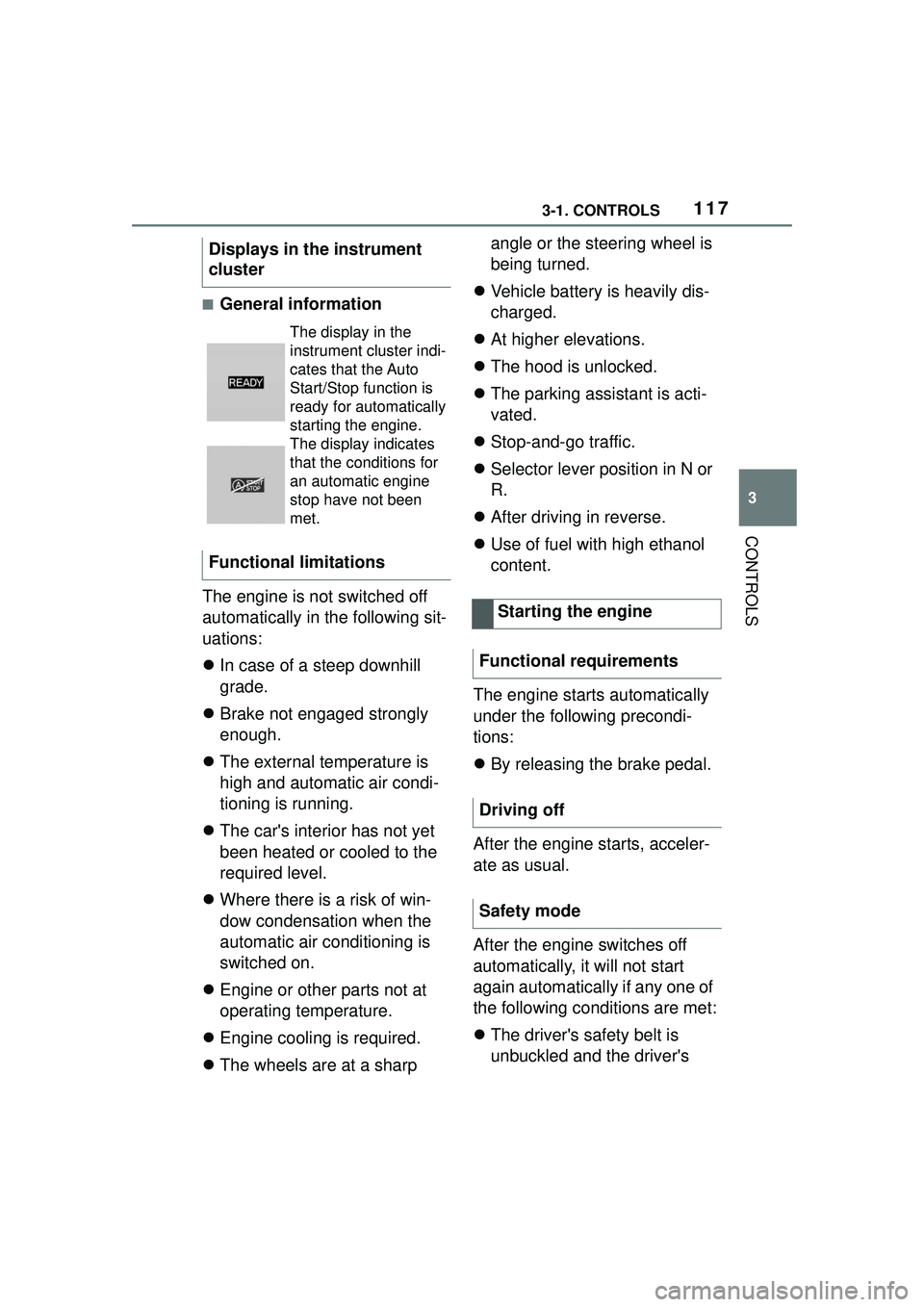
Displays in the instrument
cluster
The display in the
instrument cluster indi-
cates that the Auto
Start/Stop function is
ready for automatically
starting the engine.
The display indicates
that the conditions for
an automatic engine
stop have not been
met.
Functional limitations
Starting the engine
Functional requirements
Driving off
Safety mode
Page 118 of 356
1183-1. CONTROLS
door is open.
The hood was unlocked.
Some indicator lights light up for
a varied length of time.
The engine can only be started
via the Start/Stop button.
Even if driving off was not
intended, the deactivated
engine starts up automatically in
the following situations:
Excessive warming of the
car's interior when the air con-
ditioning is switched on.
Excessive cooling of the car's
interior when the heating is
switched on.
Where there is a risk of win-
dow condensation when the
automatic air conditioning is
switched on.
The steering wheel is turned.
Change from selector lever
position D to N or R.
Change from selector lever
position P to N, D, or R.
Vehicle battery is heavily dis-
charged.
Start of an oil level measure-
ment.
Depending on the vehicle equip- ment and country-specific ver-
sion, the vehicle features a
variety of sensors for assessing
the traffic situation. The Auto
Start/Stop function uses this
information to adapt to various
traffic situations in a proactive
manner.
For instance, this applies to the
following situations:
If a situation is detected in
which the stopping time is
expected to be very short, the
engine is not switched off
automatically. A message
appears on the Control Dis-
play, depending on the situa-
tion.
If a situation is detected in
which the vehicle needs to
drive off immediately, the
engine is started automati-
cally.
The function may be restricted if
the navigation data is invalid,
outdated or not available, for
example.
The engine is not automatically
switched off.
The engine is started during an
automatic engine stop.
System limits
Additional functions Auto
Start/Stop
Activating/deactivating the
system manually
Concept
Page 129 of 356
1293-1. CONTROLS
3
CONTROLS
To shift down: press the
selector lever forward.
To shift up: pull the selector
lever rearwards.
Push the selector lever to the
right.
D is displayed in the instrument
cluster.
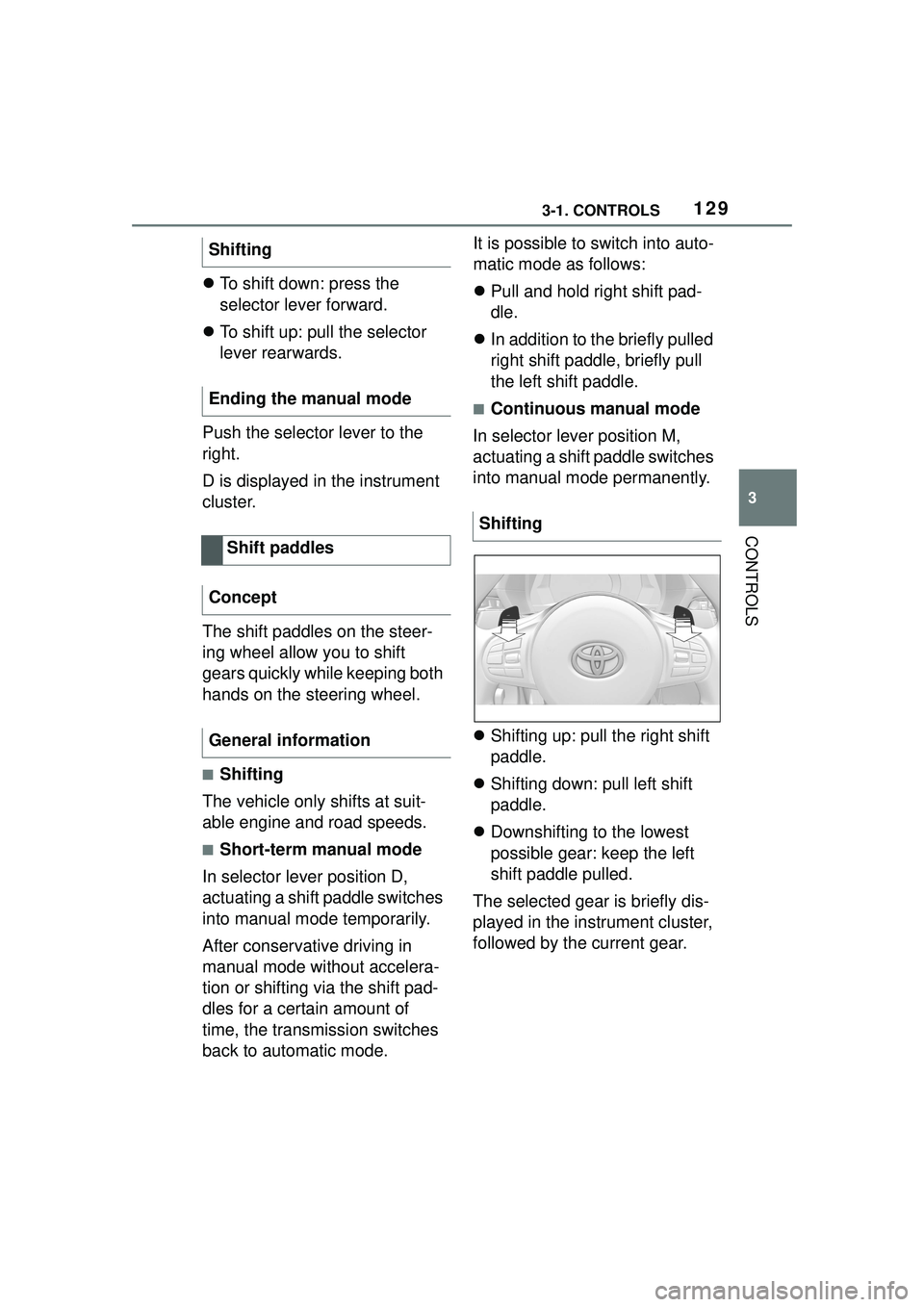
The shift paddles on the steer-
ing wheel allow you to shift
gears quickly while keeping both
hands on the steering wheel.
■Shifting
The vehicle only shifts at suit-
able engine and road speeds.
■Short-term manual mode
In selector lever position D,
actuating a shift paddle switches
into manual mode temporarily.
After conservative driving in
manual mode without accelera-
tion or shifting via the shift pad-
dles for a certain amount of
time, the transmission switches
back to automatic mode. It is possible to switch into auto-
matic mode as follows:
Pull and hold right shift pad-
dle.
In addition to the briefly pulled
right shift paddle, briefly pull
the left shift paddle.
■Continuous manual mode
In selector lever position M,
actuating a shift paddle switches
into manual mode permanently.
Shifting up: pull the right shift
paddle.
Shifting down: pull left shift
paddle.
Downshifting to the lowest
possible gear: keep the left
shift paddle pulled.
The selected gear is briefly dis-
played in the instrument cluster,
followed by the current gear.
Shifting
Ending the manual mode
Shift paddles
Concept
General information
Shifting
Page 131 of 356
1313-1. CONTROLS
3
CONTROLS
Do not use Launch Control
during the break-in, refer to
page 252, period.
Do not steer the steering wheel
when driving off with Launch
Control.
Launch Control is available
when the engine is at operating
temperature. The engine is at
operating temperature after an
uninterrupted trip of at least 6
miles/10 km.
1Switch on drive-ready state.
2 Press the sport button.
SPORT will be displayed on the
instrument cluster, indicating sport
mode has been selected.
3 Press the button.
TRACTION will be displayed on the
instrument cluster and the VSC
OFF indicator la mp will illuminate.
4Select the D selector lever
position.
5 Firmly depress the brake
pedal with your left foot.
6 Fully depress and hold the
accelerator pedal at the kick-
down position.
A flag symbol will be shown in the
instrument cluster.
7The engine speed will be
adjusted for launching. Release the brake pedal
within 3 seconds.
After Launch Control has been
used, the transmission must
cool down for approx. 5 minutes
before Launch Control can be
used again. Launch Control
adjusts to the surrounding con-
ditions, when used again.
To increase vehicle stability,
activate VSC Vehicle Stability
Control System again as soon
as possible.
An experienced driver may be
able to achieve better accelera-
tion values in VSC OFF mode.
The Sport mode button influ-
ences the driving dynamics
properties of the vehicle.
The following systems are
affected, for instance:
Engine characteristics.
Automatic transmission.
Functional requirements
Start with launch control
Repeated use during a trip
After using Launch Control
System limits
Sport mode button
Concept
General information
Page 132 of 356
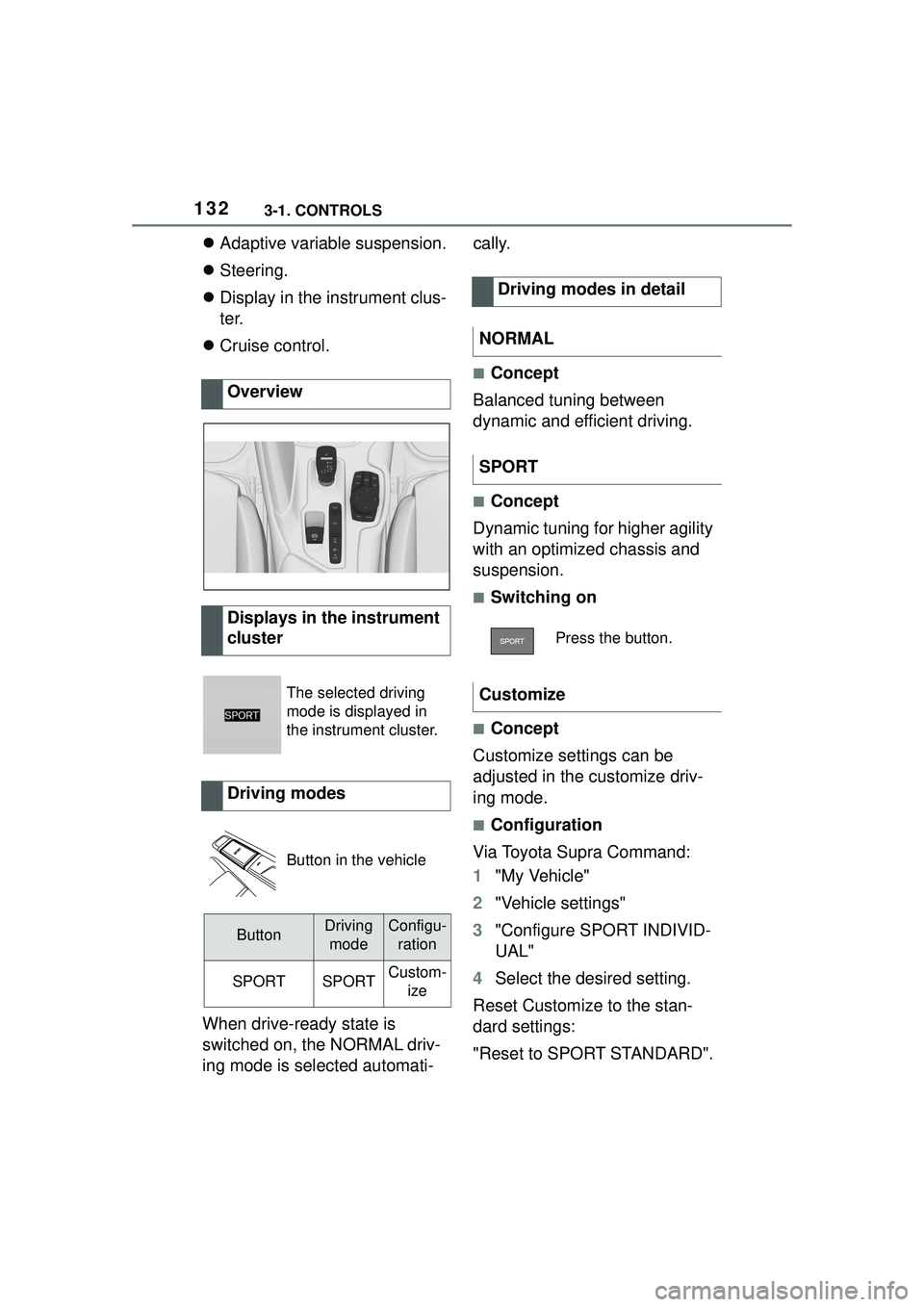
1323-1. CONTROLS
Adaptive variable suspension.
Steering.
Display in the instrument clus-
ter.
Cruise control.
When drive-ready state is
switched on, the NORMAL driv-
ing mode is selected automati- cally.
■Concept
Balanced tuning between
dynamic and efficient driving.
■Concept
Dynamic tuning for higher agility
with an optimized chassis and
suspension.
■Switching on
■Concept
Customize settings can be
adjusted in the customize driv-
ing mode.
■Configuration
Via Toyota Supra Command:
1 "My Vehicle"
2 "Vehicle settings"
3 "Configure SPORT INDIVID-
UAL"
4 Select the desired setting.
Reset Customize to the stan-
dard settings:
"Reset to SPORT STANDARD".
Overview
Displays in the instrument
cluster
The selected driving
mode is displayed in
the instrument cluster.
Driving modes
Button in the vehicle
ButtonDriving
modeConfigu- ration
SPORTSPORTCustom- ize
Driving modes in detail
NORMAL
SPORT
Press the button.
Customize
Page 138 of 356
1383-1. CONTROLS
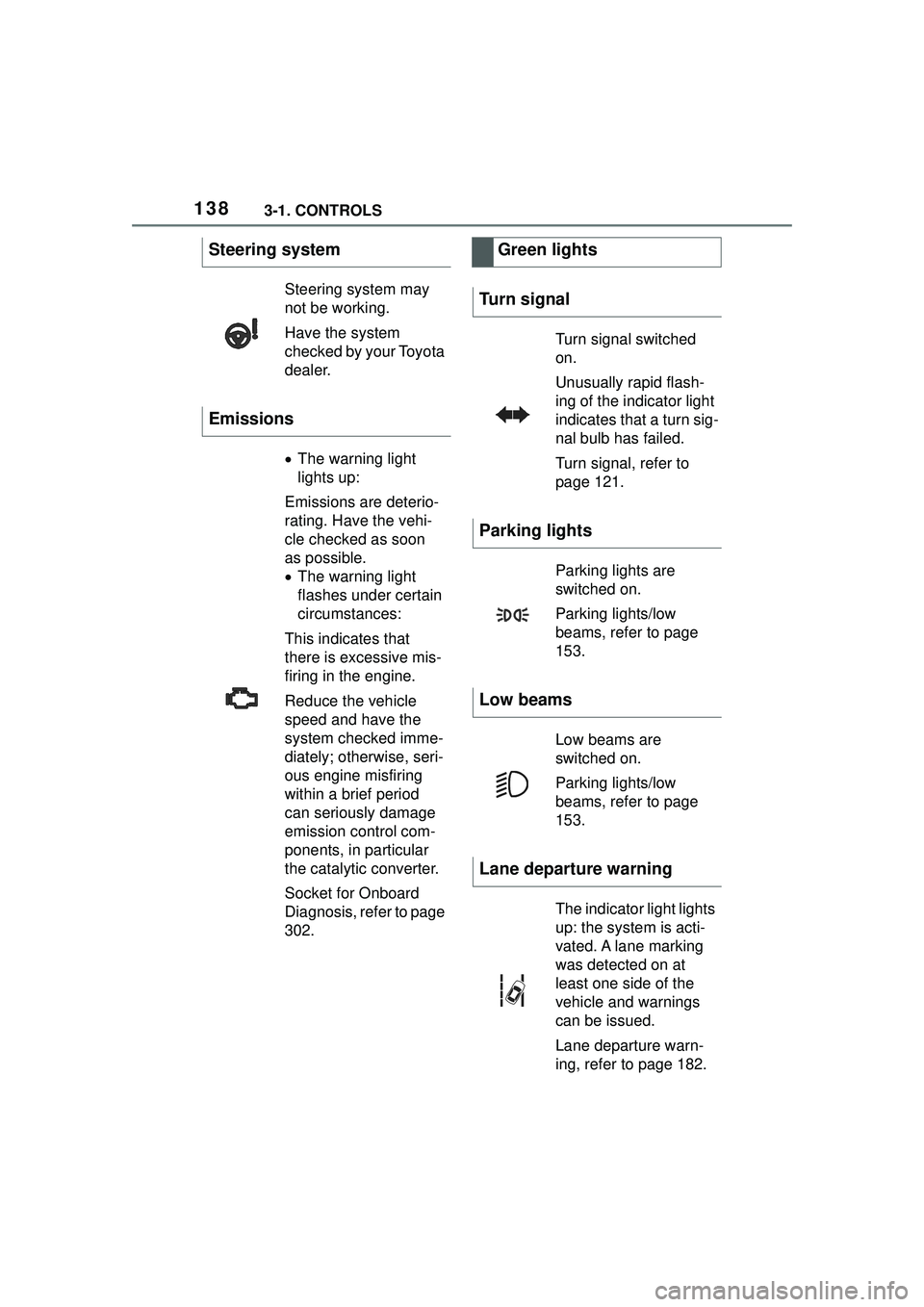
Steering system
Steering system may
not be working.
Have the system
checked by your Toyota
dealer.
Emissions
The warning light
lights up:
Emissions are deterio-
rating. Have the vehi-
cle checked as soon
as possible.
The warning light
flashes under certain
circumstances:
This indicates that
there is excessive mis-
firing in the engine.
Reduce the vehicle
speed and have the
system checked imme-
diately; otherwise, seri-
ous engine misfiring
within a brief period
can seriously damage
emission control com-
ponents, in particular
the catalytic converter.
Socket for Onboard
Diagnosis, refer to page
302.
Green lights
Turn signal
Turn signal switched
on.
Unusually rapid flash-
ing of the indicator light
indicates that a turn sig-
nal bulb has failed.
Turn signal, refer to
page 121.
Parking lights
Parking lights are
switched on.
Parking lights/low
beams, refer to page
153.
Low beams
Low beams are
switched on.
Parking lights/low
beams, refer to page
153.
Lane departure warning
The indicator light lights
up: the system is acti-
vated. A lane marking
was detected on at
least one side of the
vehicle and warnings
can be issued.
Lane departure warn-
ing, refer to page 182.