warning light TOYOTA GR SUPRA 2022 Owner's Guide
[x] Cancel search | Manufacturer: TOYOTA, Model Year: 2022, Model line: GR SUPRA, Model: TOYOTA GR SUPRA 2022Pages: 356, PDF Size: 39.14 MB
Page 170 of 356
1703-1. CONTROLS
The explosive power that acti-
vates driver's/front-seat passen-
ger airbags very much depends
on the positions of the
driver's/front passenger seat.
To maintain the accuracy of this
function over the long term, cali-
brate the front seats as soon as
a respective message appears
on the Control Display.
A corresponding message
appears on the Control Display.
1Press the switch and move
the respective seat all the
way forward, until it stops.
2 Press the switch forward
again. The seat still moves
forward slightly.
3 Readjust the seat to the
desired position.
The calibration procedure is
completed when the message
on the Control Display disap-
pears.
If the message continues to be displayed, repeat the calibration.
If the message does not disap-
pear after a repeat calibration,
have the system checked as
soon as possible.
The system reads if the front
passenger seat is occupied by
measuring the human body's
resistance.
Front, knee, and side airbag on
the front passenger's side are
activated or deactivated.
Before transporting a child on
the front passenger seat, refer
to the safety information and
instructions for children on the
front passenger seat, see Chil-
dren.
Strength of the driver's
and front-seat passenger
airbag
Calibrating the front seats
WARNING
There is a risk of jamming when
moving the seats. There is a risk
of injury or risk of damage to prop-
erty. Make sure that the area of
movement of the seat is clear
prior to any adjustment.
Automatic deactivation of
the front-seat passenger
airbags
Concept
General information
Page 171 of 356
1713-1. CONTROLS
3
CONTROLS
When transporting older chil-
dren and adults, the front-seat
passenger airbags may be
deactivated in certain sitting
positions. In this case, the indi-
cator light for the front-seat pas-
senger airbags lights up.
In this case, change the sitting
position so that the front-seat
passenger airbags are acti-
vated and the indicator light
goes out.
If it is not possible to activate the
airbags, have the person sit in
the rear.
To enable correct recognition of
the occupied seat cushion.
Do not attach covers, cush-
ions, ball mats or other items
to the front passenger seat
unless they are specifically
determined to be safe for use
on the front passenger seat.
Do not place any electronic devices on the front passen-
ger seat if a child restraint
system is to be installed on it.
Do not place objects under
the seat that could press
against the seat from below.
No moisture in or on the seat.
The indicator light for the
front-seat passenger airbag in
the roofliner indicates the oper-
ating state of the front-seat pas-
senger airbag.
The light indicates whether the
airbags are either activated or
deactivated.
After drive-ready state is
switched on, the light briefly
lights up and then indicates
whether the airbags are either
activated or deactivated.
Safety information
WARNING
To ensure the front-seat passen-
ger airbag function, the system
must be able to detect whether a
person is sitting in the front pas-
senger seat. The entire seat cush-
ion area must be used for this
purpose. There is a risk of injuries
or danger to life. Make sure that
the front passenger keeps his or
her feet in the floor area.
Malfunction of the auto-
matic deactivation system
Indicator light for the
front-seat passenger air-
bags
Page 172 of 356
1723-1. CONTROLS
The system generally detects
children seated in a child
restraint system, particularly in
child restraint systems required
by NHTSA at the point in time
when the vehicle was manufac-
tured. After installing a child
restraint system, make sure that
the indicator light for the
front-seat passenger airbags
lights up. This indicates that the
child restraint system has been
detected and the front-seat pas-
senger airbags are not acti-
vated.Toyota Supra Safety enables
central operation of the driver
assistance systems.
Depending on how the vehicle is
equipped, Toyota Supra Safety
consists of one or more systems
that can help prevent an immi-
nent collision.
Pre-Collision System, refer to
page 174.
Pre-Collision System (for
pedestrians and bicycles),
refer to page 179.
Lane departure warning, refer
to page 182.
Blind spot monitor, refer to
page 187.
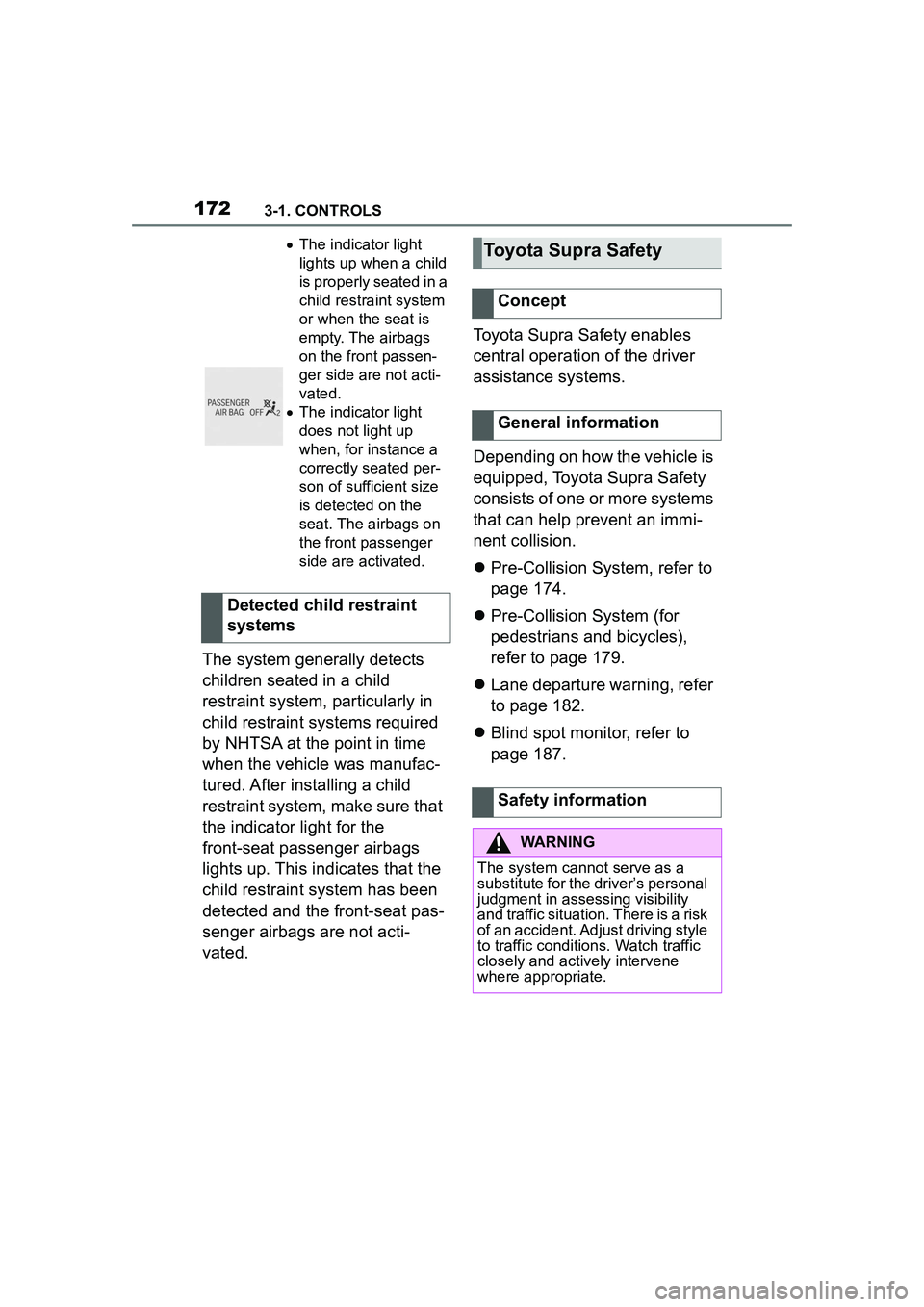
The indicator light
lights up when a child
is properly seated in a
child restraint system
or when the seat is
empty. The airbags
on the front passen-
ger side are not acti-
vated.
The indicator light
does not light up
when, for instance a
correctly seated per-
son of sufficient size
is detected on the
seat. The airbags on
the front passenger
side are activated.
Detected child restraint
systems
Toyota Supra Safety
Concept
General information
Safety information
WARNING
The system cannot serve as a
substitute for the driver’s personal
judgment in assessing visibility
and traffic situation. There is a risk
of an accident. Adjust driving style
to traffic conditions. Watch traffic
closely and actively intervene
where appropriate.
Page 173 of 356
1733-1. CONTROLS
3
CONTROLS
Some Toyota Supra Safety sys-
tems are automatically active after every departure. Some
Toyota Supra Safety systems
activate according to the last
setting.
The menu for the Toyota Supra
Safety system is displayed.
If all Toyota Supra Safety sys-
tems were switched off, all sys-
tems are now switched on.
"Customize Settings": depend-
ing on the equipment version,
the Toyota Supra Safety sys-
tems can be individually config-
ured. The individual settings are
activated and stored. As soon
as a setting is changed on the
menu, all settings of the menu
are activated.
WARNING
Indicators and warnings cannot
serve as a substitute for the
driver’s personal judgment. Due
to its limits, the system might not
output warnings or reactions or
these might be ou
tput late, incor-
rectly. There is a risk of an acci-
dent. Adjust driving style to traffic
conditions. Watch traffic closely
and actively intervene where
appropriate.
WARNING
Due to system limits, individual
functions can malfunction during
tow-starting/towing with the Toy-
ota Supra Safety systems acti-
vated. There is a risk of an
accident. Switch all Toyota Supra
Safety systems off prior to
tow-starting/towing.
Overview
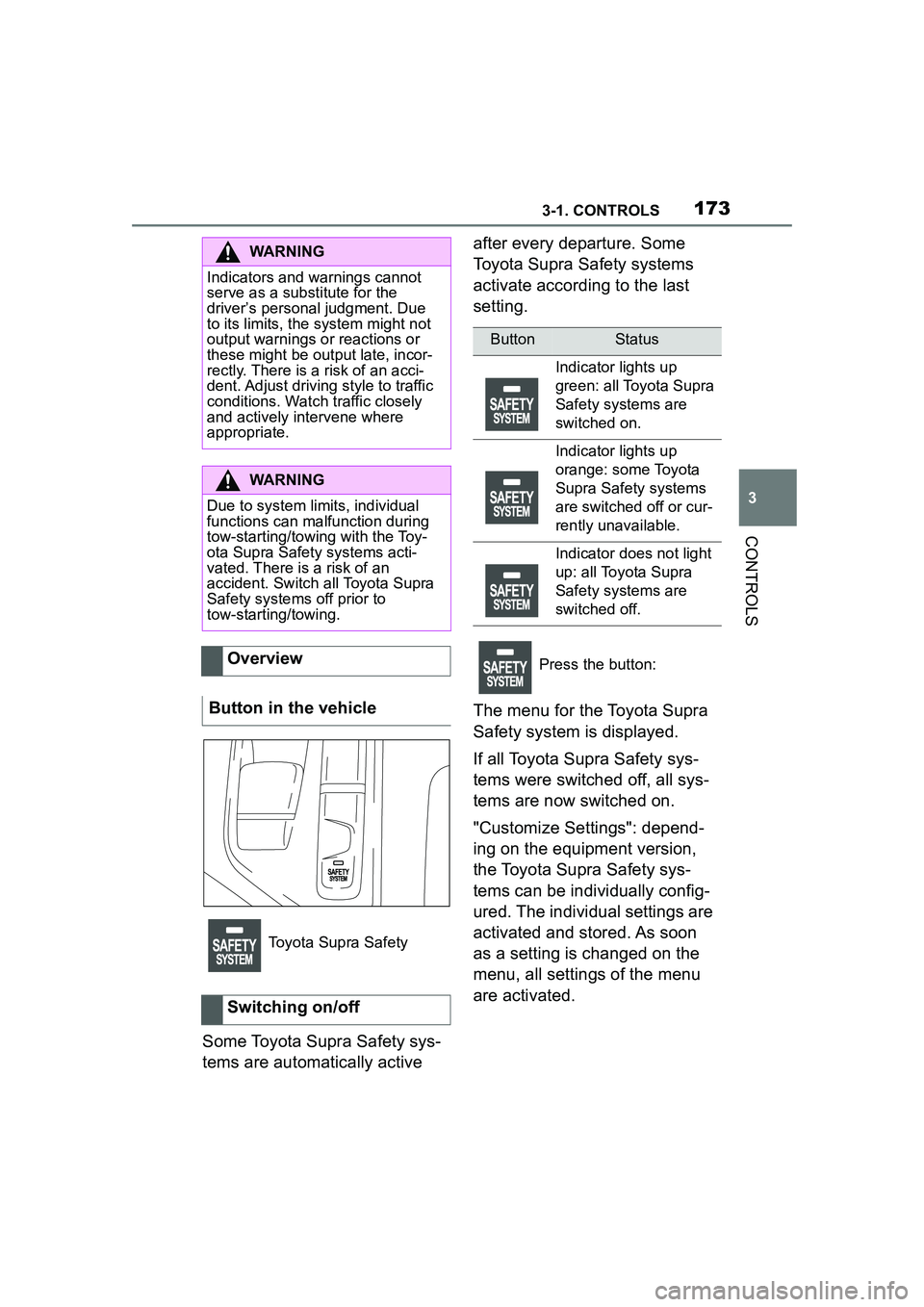
Button in the vehicle
Toyota Supra Safety
Switching on/off
ButtonStatus
Indicator lights up
green: all Toyota Supra
Safety systems are
switched on.
Indicator lights up
orange: some Toyota
Supra Safety systems
are switched off or cur-
rently unavailable.
Indicator does not light
up: all Toyota Supra
Safety systems are
switched off.
Press the button:
Page 176 of 356
1763-1. CONTROLS
The following settings are
switched between:
"ALL ON": all Toyota Supra
Safety systems are switched on.
Basic settings are activated for
the subfunctions.
"Customize": the Toyota Supra
Safety systems are switched on
according to the individual set-
tings.
Some Toyota Supra Safety sys-
tems cannot be individually
switched off.
All Toyota Supra Safety systems
are switched off.
Via Toyota Supra Command:
1"My Vehicle"
2 "Vehicle settings" 3
"Toyota Supra Safety"
4 "Front collision warning"
5 Select desired setting:
"early"
"medium"
"late": only acute warnings
are displayed.
A warning symbol appears in
the instrument cluster and in the
Head-up Display, where avail-
able, if a collision with a
detected vehicle is imminent.
This warning is provided, for
instance when there is impend-
ing danger of a collision or the
distance to the vehicle ahead is
too small.
Press and hold this button.
ButtonStatus
Indicator lights up
green: all Toyota Supra
Safety systems are
switched on.
Indicator lights up
orange: some Toyota
Supra Safety systems
are switched off or cur-
rently unavailable.
Indicator does not light
up: all Toyota Supra
Safety systems are
switched off.
Setting the warning time
Warning with braking
function
Display
SymbolMeasure
Symbol lights up red:
prewarning.
Brake and increase dis-
tance.
Symbol flashes red and
an acoustic signal
sounds: acute warning.
Brake and make an
evasive maneuver, if
necessary.
Prewarning
Page 181 of 356
1813-1. CONTROLS
3
CONTROLS
The following settings are
switched between:
"ALL ON": all Toyota Supra
Safety systems are switched on.
Basic settings are activated for
the subfunctions.
"Customize": the Toyota Supra
Safety systems are switched on
according to the individual set-
tings.
Some Toyota Supra Safety sys-
tems cannot be individually
switched off.
All Toyota Supra Safety systems
are switched off.If a collision with a pedestrian or
a cyclist is imminent, a warning
symbol appears on the instru-
ment cluster and in the Head-up
Display.
Intervene immediately by brak-
ing or make an evasive maneu-
ver.
The warning prompts the driver
to intervene. If a warning is
active, the maximum braking
force is used when the brake is
applied. This requires the brake
pedal to be depressed suffi-
ciently quickly and forcefully.
If there is a risk of collision, the
system may also assist with
braking.
When the vehicle is traveling at
a low speed, the vehicle may
come to a complete stop.
The driver may interrupt the
braking intervention function by
Press and hold this button.
ButtonStatus
Indicator lights up
green: all Toyota Supra
Safety systems are
switched on.
Indicator lights up
orange: some Toyota
Supra Safety systems
are switched off or cur-
rently unavailable.
Indicator does not light
up: all Toyota Supra
Safety systems are
switched off.
Warning with braking
function
Display
The red symbol is dis-
played and a signal
sounds.
Alternatively, depending
on the vehicle equipment,
a red warning triangle
lights up in the instrument
cluster.
Braking intervention
Page 184 of 356
1843-1. CONTROLS
Additional information:
Sensors of the vehicle, refer to
page 40.
The lane departure warning acti-
vates automatically after depar-
ture if the function was switched
on at the completion of the last
trip.
Depending on the national-mar-
ket version, the system is auto-
matically active after every
driving off. The base setting is
thereby activated.
The menu for the Toyota Supra
Safety system is displayed.
If all Toyota Supra Safety sys-
tems were switched off, all sys-
tems are now switched on.
"Customize Settings": depend-
ing on the equipment version,
the Toyota Supra Safety sys-
tems can be individually config-
ured. The individual settings are
activated and stored. As soon
as a setting is changed on the
menu, all settings of the menu
are activated.The following settings are
switched between:
"ALL ON": all Toyota Supra
Safety systems are switched on.
Basic settings are activated for
the subfunctions.
"Customize": the Toyota Supra
Safety systems are switched on
according to the individual set-
tings.
Some Toyota Supra Safety sys-
tems cannot be individually
switched off.
All Toyota Supra Safety systems
are switched off.
Turning on/off
Turning on automatically
Switching on/off manually
Press the button.
Press the button repeat-
edly.
Press and hold this button.
ButtonStatus
Indicator lights up
green: all Toyota Supra
Safety systems are
switched on.
Indicator lights up
orange: some Toyota
Supra Safety systems
are switched off or cur-
rently unavailable.
Indicator does not light
up: all Toyota Supra
Safety systems are
switched off.
Page 187 of 356
1873-1. CONTROLS
3
CONTROLS
When lane markings are cov-
ered in snow, ice, dirt or
water.
In tight curves or on narrow
lanes.
When lane markings are cov-
ered by objects.
When driving very close to the
vehicle in front of you.
Up to 10 seconds after the
start of the engine via the
Start/Stop button.
A vehicle message may be dis-
played when the system is not
fully functional.
*: if equipped
Blind spot monitor detects vehi-
cles in the blind spot or vehicles
approaching from behind in the
adjacent lane. A warning is
issued in various gradations in
these situations. Radar sensors monitor the area
behind and next to the vehicle
when traveling faster than a
minimum speed.
The minimum speed is coun-
try-specific and is displayed in
the menu for the Toyota Supra
Safety systems.
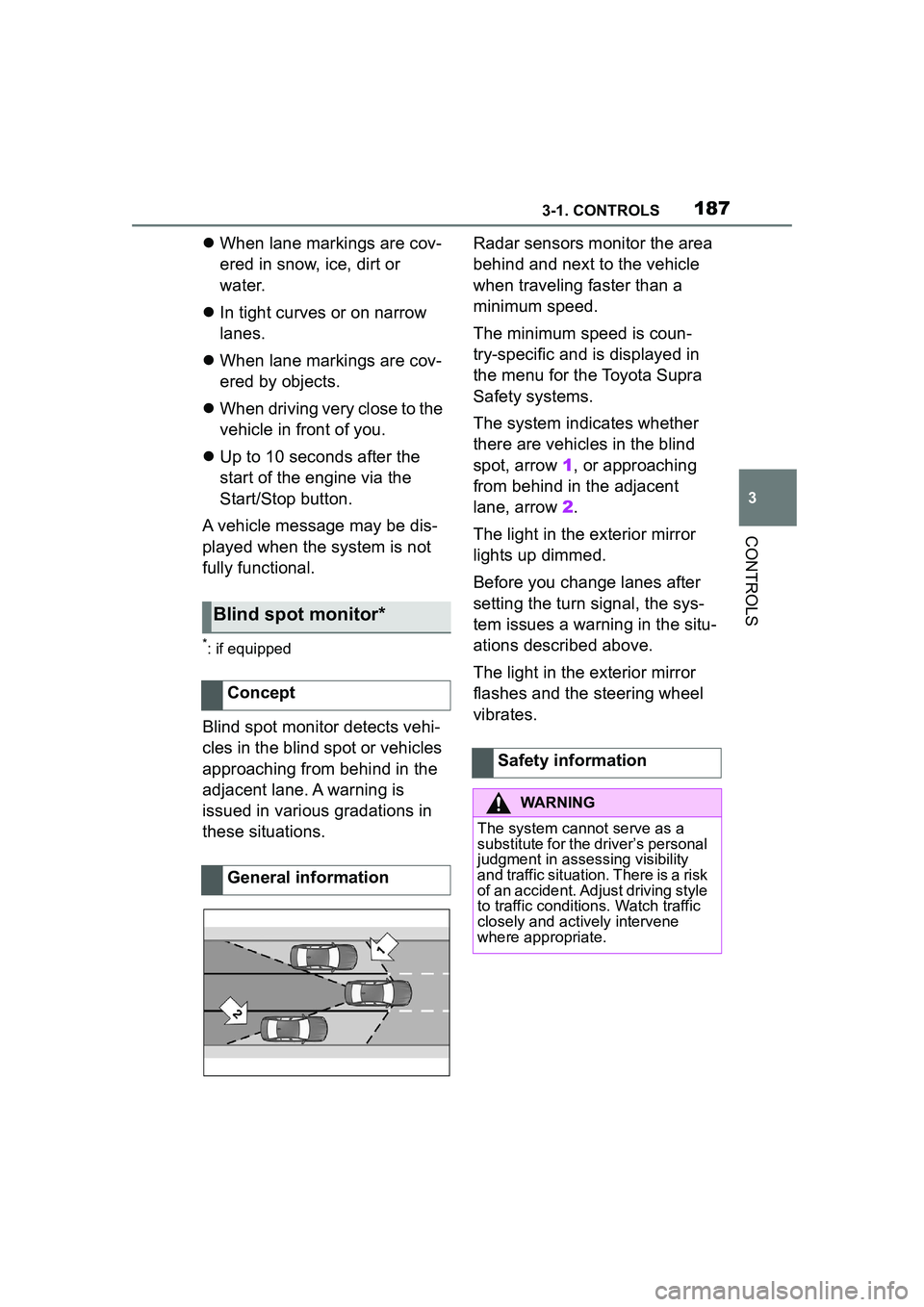
The system indicates whether
there are vehicles in the blind
spot, arrow 1, or approaching
from behind in the adjacent
lane, arrow
2.
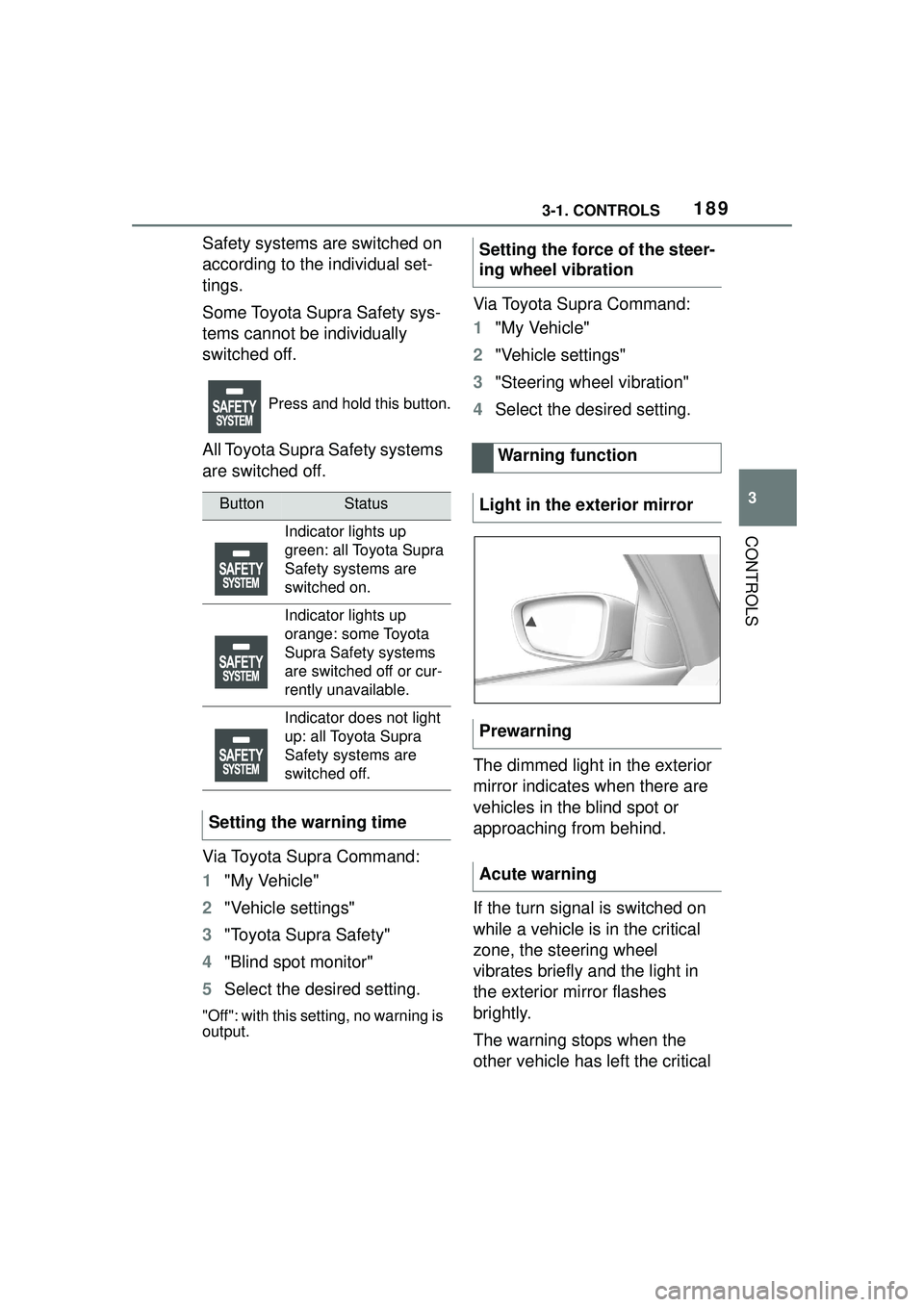
The light in the exterior mirror
lights up dimmed.
Before you change lanes after
setting the turn signal, the sys-
tem issues a warning in the situ-
ations described above.
The light in the exterior mirror
flashes and the steering wheel
vibrates.
Blind spot monitor*
Concept
General information
Safety information
WARNING
The system cannot serve as a
substitute for the driver’s personal
judgment in assessing visibility
and traffic situation. There is a risk
of an accident. Adjust driving style
to traffic conditions. Watch traffic
closely and actively intervene
where appropriate.
Page 189 of 356
1893-1. CONTROLS
3
CONTROLS
Safety systems are switched on
according to the individual set-
tings.
Some Toyota Supra Safety sys-
tems cannot be individually
switched off.
All Toyota Supra Safety systems
are switched off.
Via Toyota Supra Command:
1"My Vehicle"
2 "Vehicle settings"
3 "Toyota Supra Safety"
4 "Blind spot monitor"
5 Select the desired setting.
"Off": with this setting, no warning is
output.
Via Toyota Supra Command:
1"My Vehicle"
2 "Vehicle settings"
3 "Steering wheel vibration"
4 Select the desired setting.
The dimmed light in the exterior
mirror indicates when there are
vehicles in the blind spot or
approaching from behind.
If the turn signal is switched on
while a vehicle is in the critical
zone, the steering wheel
vibrates briefly and the light in
the exterior mirror flashes
brightly.
The warning stops when the
other vehicle has left the critical
Press and hold this button.
ButtonStatus
Indicator lights up
green: all Toyota Supra
Safety systems are
switched on.
Indicator lights up
orange: some Toyota
Supra Safety systems
are switched off or cur-
rently unavailable.
Indicator does not light
up: all Toyota Supra
Safety systems are
switched off.
Setting the warning time
Setting the force of the steer-
ing wheel vibration Warning function
Light in the exterior mirror
Prewarning
Acute warning
Page 190 of 356
1903-1. CONTROLS
area or after deactivation of the
turn signal.
A flashing of the light during
vehicle unlocking serves as sys-
tem self-test.
If the vehicle speed exceeds
approx. 155 mph/250 km/h, the
system is deactivated temporar-
ily.
If the vehicle speed falls below
approx. 155 mph/250 km/h, the
system once again responds
according to the setting.
Additional information:
• Radar sensors, refer to page 40. The system may not be fully
functional in the following situa-
tions:
When a vehicle is approach-
ing at a speed much faster
than your own.
In heavy fog, wet conditions,
or snowfall.
In tight curves or on narrow
lanes.
If the bumper is dirty, iced up,
or covered, for instance by
stickers.
After improperly performed
work on the vehicle paint.
If cargo protrudes.
A vehicle message is displayed
when the system is not fully
functional.
Depending on the selected
warning settings, e.g., warning
time, more or fewer warnings
can be displayed. However,
there may also be an excess of
premature warnings of critical
situations.
Depending on the equipment
Flashing of the light
System limits
Safety information
WARNING
The system is designed to oper-
ate in certain conditions and cir-
cumstances. Due to conditions or
other factors, the system may not
respond. There may be a risk of
accident or risk of damage to
property. Actively intervene as
needed. Refer to the information
in this Owner’s Manual regarding
the scope of the system’s opera-
tion and limitations.
Upper speed limit
System limits of the sensors
Functional limitations
Displaying warnings
Rear-end collision prepa-
ration
Principle