lock TOYOTA GR SUPRA 2022 Workshop Manual
[x] Cancel search | Manufacturer: TOYOTA, Model Year: 2022, Model line: GR SUPRA, Model: TOYOTA GR SUPRA 2022Pages: 356, PDF Size: 39.14 MB
Page 193 of 356
1933-1. CONTROLS
3
CONTROLS
The system is switched on each
time drive-ready state is
switched on.
After travel has begun, the sys-
tem monitors certain aspects of
the driver's behavior, so that
decreasing alertness or fatigue
can be detected.
This procedure takes the follow-
ing criteria into account:
Personal driving style, for
instance steering behavior.
Driving conditions, for
instance length of trip.
Starting at approx. 43 mph/70
km/h, the system is active and
can also display a recommenda-
tion to take a break.
The Driver attention control is
active automatically with each
switching on of drive-ready state
and can thus display a break
recommendation.
The break recommendation can
also be switched on or off and
adjusted via Toyota Supra Com-
mand.
Via Toyota Supra Command:
1 "My Vehicle"
2 "Vehicle settings" 3
"Driver attention control"
4 Select desired setting:
"Standard": the break recom-
mendation is made with a
defined value.
"Sensitive": the break recom-
mendation is issued earlier.
"Off": no break recommenda-
tion is made.
If the driver becomes less alert
or fatigued, a message is dis-
played in the Control Display
with the recommendation to
take a break.
During the display, the following
settings can be selected:
"Do not ask again"
"Places to stop"
"Remind me later"
The break recommendation is
repeated after 20 minutes.
After a break, another recom-
mendation to take a break can-
not be displayed until after
approximately 45 minutes.
The function may be limited in
the following situations and may
be output an incorrect warning
or no warning at all.
When the clock is set incor-
rectly.
Function
Break recommendation
Settings
Display
System limits
Page 194 of 356
1943-1. CONTROLS
When the vehicle speed is
mainly below about 43
mph/70 km/h.
With a sporty driving style,
such as during rapid accelera-
tion or when cornering fast.
In active driving situations,
such as when changing lanes
frequently.
When the road surface is
poor.
In the event of strong side
winds.
The system is reset approx. 45
minutes after parking the vehi-
cle, for instance in the case of a
break during longer trips on
highways. This chapter describes all stan-
dard, country-specific and
optional features offered with
the series. It also describes fea-
tures and functions that are not
necessarily available in your
vehicle, e.g., due to the selected
options or country versions. This
also applies to safety-related
functions and systems. When
using these functions and sys-
tems, the applicable laws and
regulations must be observed.
ABS prevents locking of the
wheels during braking.
The vehicle maintains its steer-
ing power even during full brake
applications, which increases
the active safety.
ABS is operational every time
you start the engine.
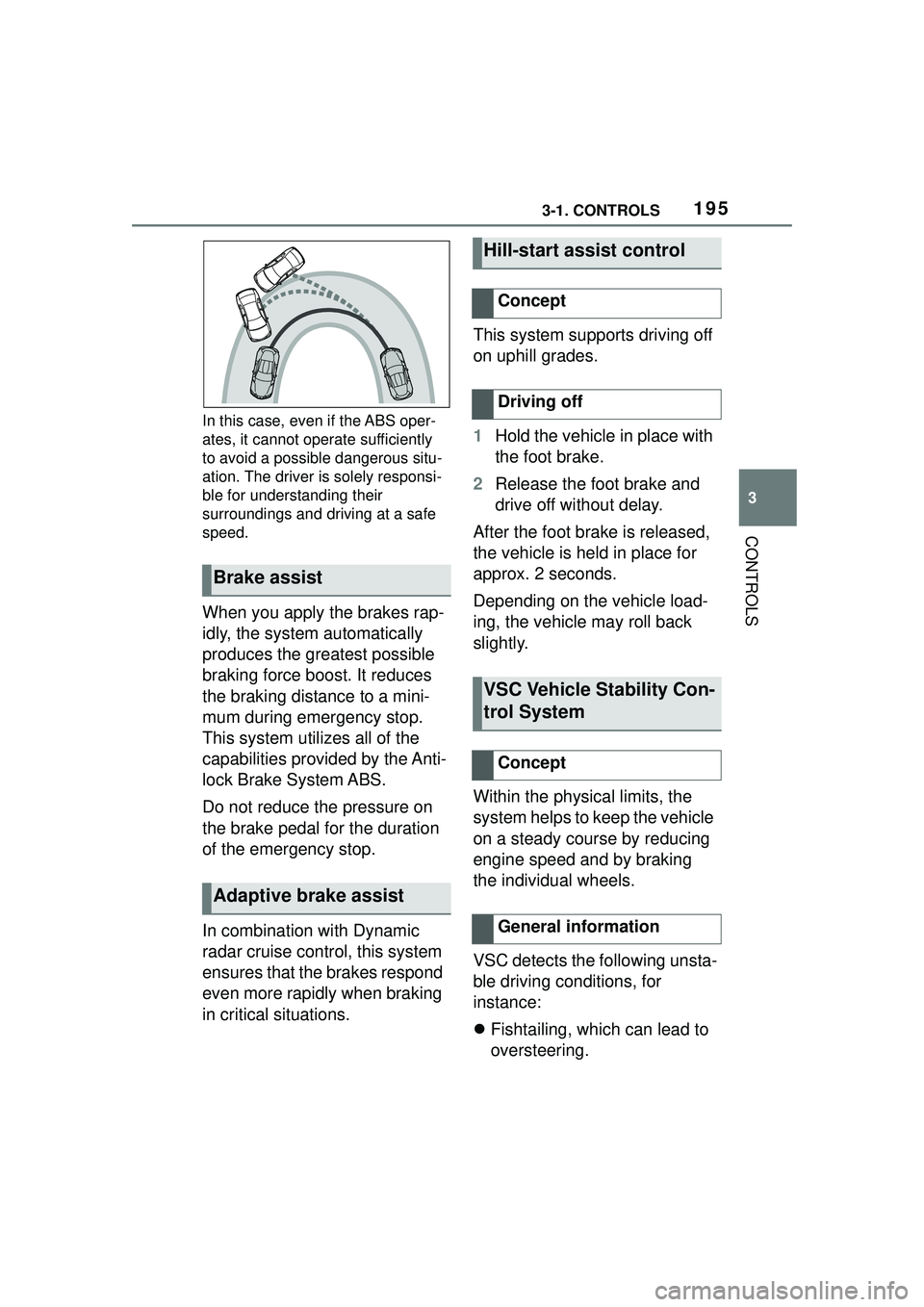
Situations which the ABS can-
not operate sufficiently:
When entering a curve at an
excessively high rate of speedDriving stability con-
trol systems
Vehicle features and
options
Anti-lock Braking System
ABS
Page 195 of 356
1953-1. CONTROLS
3
CONTROLS
In this case, even if the ABS oper-
ates, it cannot operate sufficiently
to avoid a possible dangerous situ-
ation. The driver is solely responsi-
ble for understanding their
surroundings and driving at a safe
speed.
When you apply the brakes rap-
idly, the system automatically
produces the greatest possible
braking force boost. It reduces
the braking distance to a mini-
mum during emergency stop.
This system utilizes all of the
capabilities provided by the Anti-
lock Brake System ABS.
Do not reduce the pressure on
the brake pedal for the duration
of the emergency stop.
In combination with Dynamic
radar cruise control, this system
ensures that the brakes respond
even more rapidly when braking
in critical situations.This system supports driving off
on uphill grades.
1
Hold the vehicle in place with
the foot brake.
2 Release the foot brake and
drive off without delay.
After the foot brake is released,
the vehicle is held in place for
approx. 2 seconds.
Depending on the vehicle load-
ing, the vehicle may roll back
slightly.
Within the physical limits, the
system helps to keep the vehicle
on a steady course by reducing
engine speed and by braking
the individual wheels.
VSC detects the following unsta-
ble driving conditions, for
instance:
Fishtailing, which can lead to
oversteering.
Brake assist
Adaptive brake assist
Hill-start assist control
Concept
Driving off
VSC Vehicle Stability Con-
trol System
Concept
General information
Page 198 of 356
1983-1. CONTROLS
If Traction mode is activated,
TRACTION is displayed in the
instrument cluster.
In certain situations, the VSC is
activated automatically:
If Dynamic radar cruise con-
trol with full-speed range is
activated.
On a braking intervention by
the Toyota Supra Safety sys-
tems.
The vehicle has a flat tire.
*: if equipped
The active differential step-
lessly locks the rear axle
depending on the driving condi-
tions. This provides optimal
power transfer in all driving con-
ditions by helping prevent wheel
spin at either rear wheel.
The driver is responsible adapt-
ing his or her driving style to the
situation.
Activating/deactivating
Traction mode
Activating Traction mode
Press the button.
TRACTION is displayed in
the instrument cluster and
the indicator light for VSC
OFF lights up.
Deactivating Traction mode
Press the button again.
TRACTION and the VSC
OFF indicator light go out.
Display
Display in the instrument
cluster
Indicator/warning lights
The indicator light lights
up: Traction mode is acti-
vated.
Automatic program
change
Active differential*
Page 228 of 356
2283-1. CONTROLS
Via Toyota Supra Command:
1"My Vehicle"
2 "Vehicle settings"
3 "Climate functions"
4 "Temperature adjustment,
upper body"
5 Set the desired temperature.
Do not rapidly switch between
different temperature settings.
Otherwise, the automatic air
conditioning will not have suffi-
cient time to adjust the set tem-
perature.
The air in the car's interior will
be cooled and dehumidified
and, depending on the tempera-
ture setting, warmed again.
The car's interior can only be
cooled with the drive-ready state
switched on. Air conditioning is switched on
with the engine running.
Depending on the weather, the
windshield and side windows
may fog up briefly when
drive-ready state is switched on.
The air conditioning is switched
on automatically with the AUTO
program.
When using the automatic air
conditioning, condensation
water develops and collects
underneath the vehicle.
The system is set to the lowest
temperature, optimum air flow
and recirculated-air mode with
the drive-ready state switched
on.
The function is available with
external temperatures above
approx. 32 °F/0 °C and with the
drive-ready state switched on.
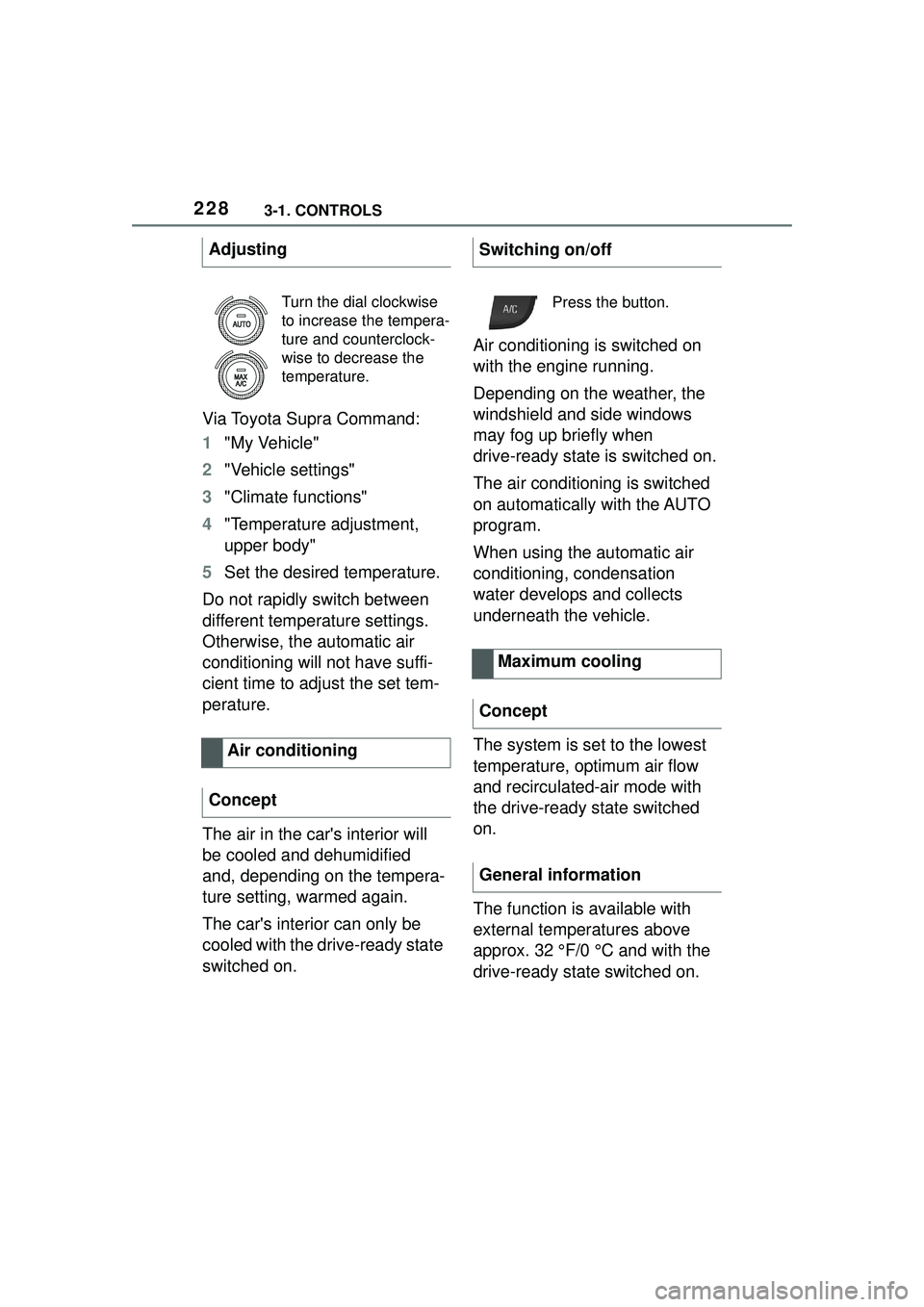
Adjusting
Turn the dial clockwise
to increase the tempera-
ture and counterclock-
wise to decrease the
temperature.
Air conditioning
Concept
Switching on/off
Press the button.
Maximum cooling
Concept
General information
Page 233 of 356
2333-1. CONTROLS
3
CONTROLS
■Switching on
Press any button except:
Rear window defroster.
Lower air flow button side.
Seat heating.
Menu.
■Switching off
The system switches off after
leaving and locking the vehicle.
Press and hold the bot-
tom button.
1 "My Vehicle"
2 "Vehicle settings"
3 "Climate functions"
4 "Comfort ventilation"
5 "Activate now" Different departure times can be
adjusted to ensure a comfort-
able interior temperature in the
vehicle at the time of departure.
One-time departure time: the
time can be set.
The system is switched on once.
Departure time with week-
day: time and day of the week
can be set.
On the desired weekdays, the sys-
tem will be switched on promptly
before the set departure time.
The departure time is prese-
lected in two steps:
Set departure times.
Activate departure times.
A minimum of 10 minutes
should pass between set-
ting/activating the departure
time and the planned departure
time to allow a sufficient period
of time for the climate control.
■Via Toyota Supra Command
1 "My Vehicle"
2 "Vehicle settings"
3 "Climate functions"
4 "Comfort ventilation"
5 Select the desired departure
time.
Via Toyota Supra Command
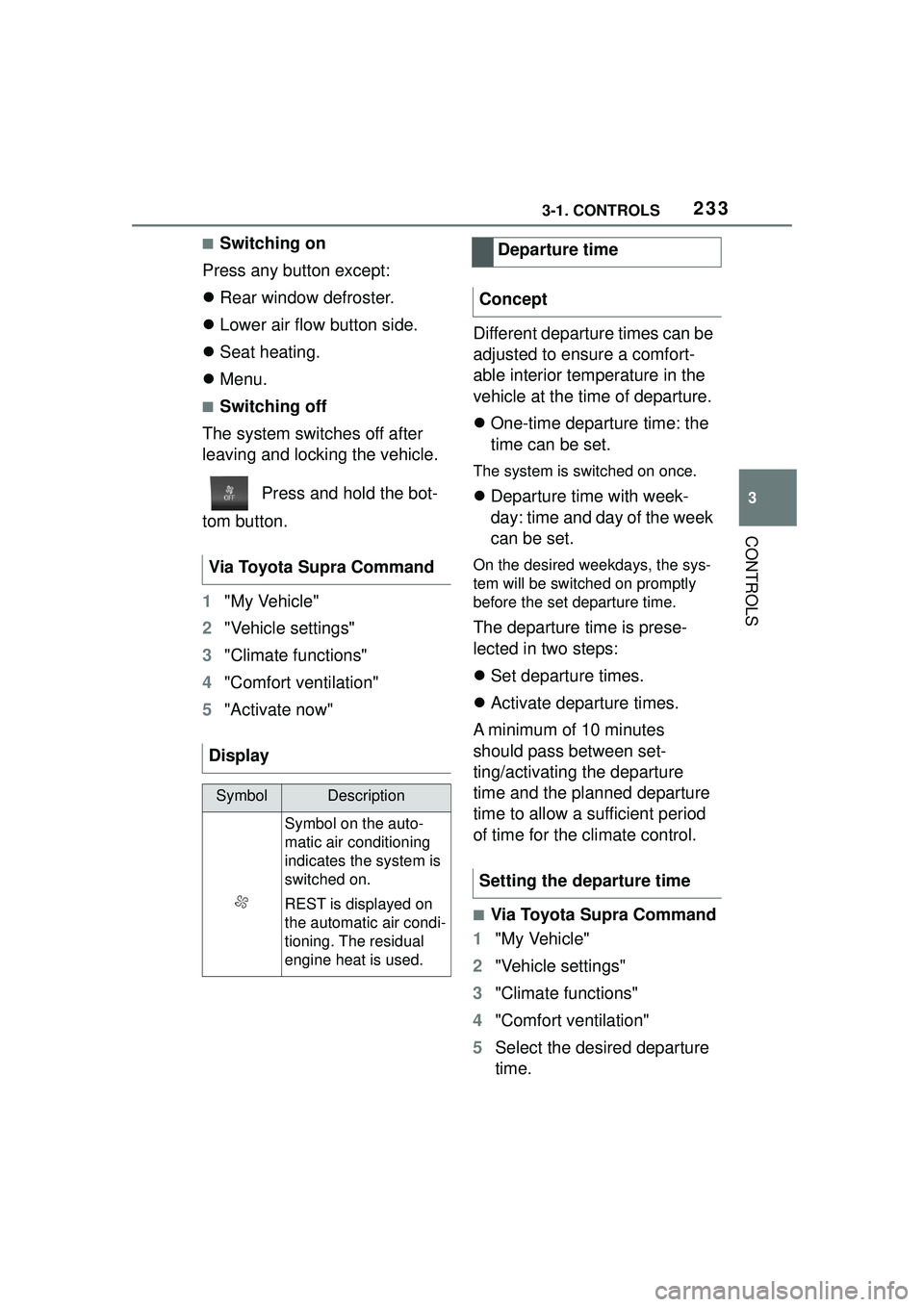
Display
SymbolDescription
Symbol on the auto-
matic air conditioning
indicates the system is
switched on.
REST is displayed on
the automatic air condi-
tioning. The residual
engine heat is used.
Departure time
Concept
Setting the departure time
Page 245 of 356
2453-1. CONTROLS
3
CONTROLS
The glove compartment can be
locked with an integrated key,
refer to page 83. This prevents
access to the glove compart-
ment.
After the glove compartment is
locked, the remote control can
be handed over without the inte-
grated key, for instance when
the vehicle is parked by valet
parking.
There are storage compart-
ments in the doors.Locking
Compartments in the
doors
General information
Safety information
WARNING
Breakable objects, such as glass
bottles or glasses, can break in
the event of an accident or a brak-
ing or evasive maneuver. Broken
glass can be scattered in the car's
interior. There is a risk of injury or
risk of damage to property. Do not
use any breakable objects while
driving. Only stow breakable
objects in closed storage com-
partments.
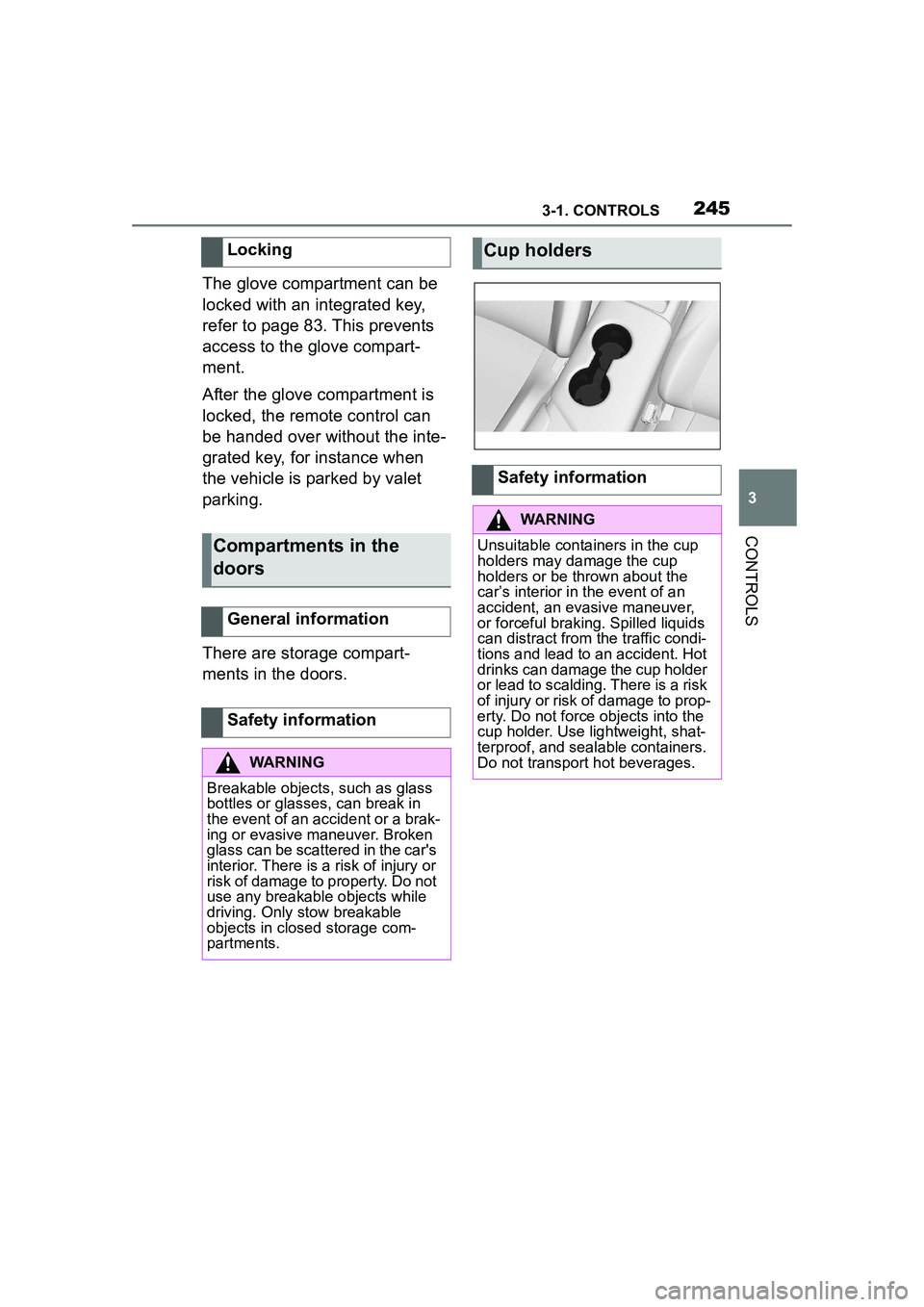
Cup holders
Safety information
WARNING
Unsuitable containers in the cup
holders may damage the cup
holders or be thrown about the
car’s interior in the event of an
accident, an evasive maneuver,
or forceful braking. Spilled liquids
can distract from the traffic condi-
tions and lead to an accident. Hot
drinks can damage the cup holder
or lead to scalding. There is a risk
of injury or risk of damage to prop-
erty. Do not force objects into the
cup holder. Use lightweight, shat-
terproof, and sealable containers.
Do not transport hot beverages.
Page 249 of 356
2493-1. CONTROLS
3
CONTROLS
A storage compartment is avail-
able on the right side of the
cargo area.
Unlock the cover of the right
side panel, arrow 1, and fold up,
arrow 2.
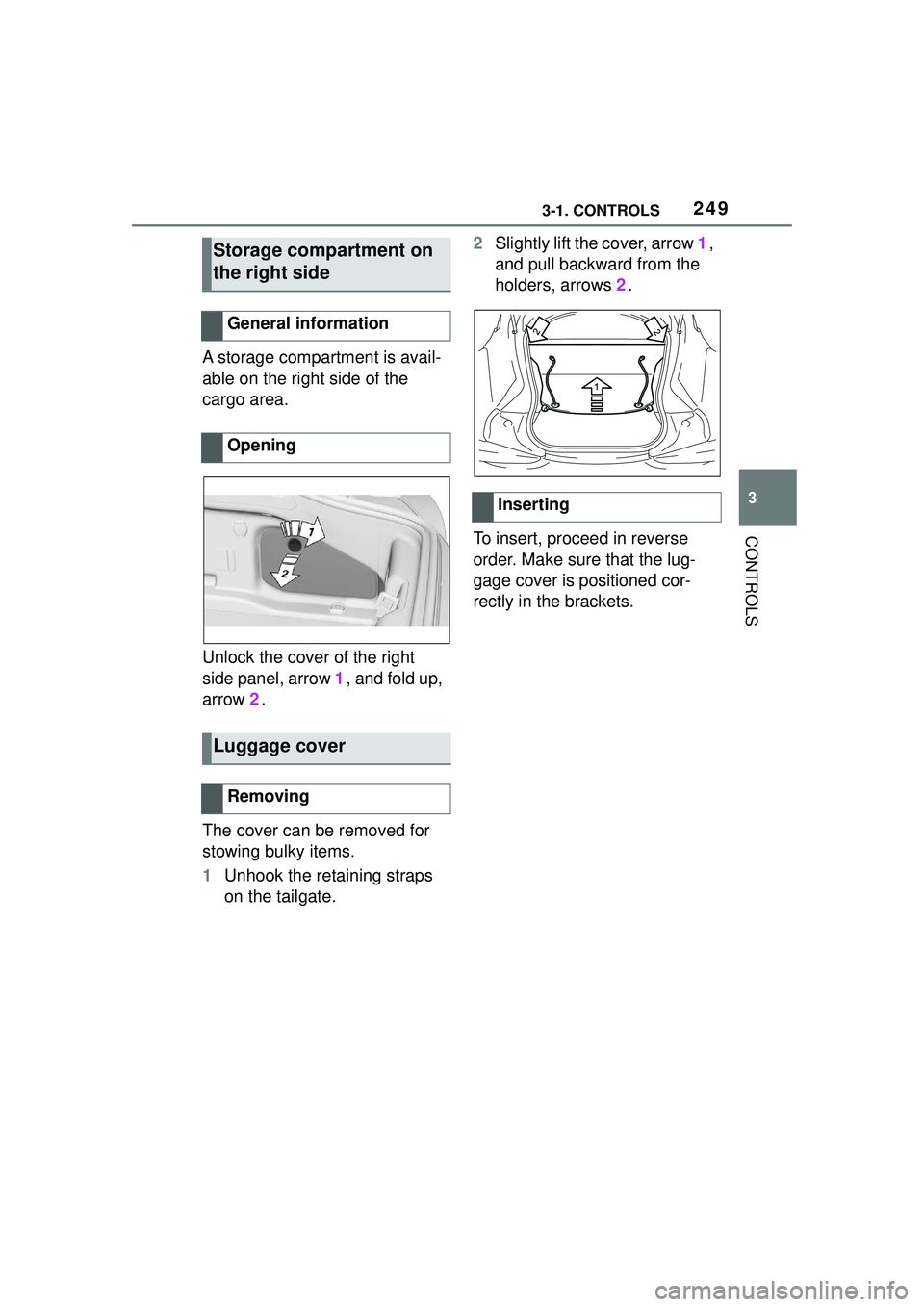
The cover can be removed for
stowing bulky items.
1 Unhook the retaining straps
on the tailgate. 2
Slightly lift the cover, arrow 1,
and pull backward from the
holders, arrows 2.
To insert, proceed in reverse
order. Make sure that the lug-
gage cover is positioned cor-
rectly in the brackets.
Storage compartment on
the right side
General information
Opening
Luggage cover
Removing
Inserting
Page 255 of 356
2554-1. DRIVING TIPS
4
DRIVING TIPS
other vehicles, etc. Increase
the distance between your
vehicle and preceding vehi-
cles and drive safely at a
lower speed than normal,
avoiding sudden accelera-
tion, braking or steering oper-
ations.
Use the rear defroster and air
conditioning system to pre-
vent the windows from fog-
ging up.
Hydroplaning is more likely to
occur when driving on ruts or
through large puddles.
On wet or slushy roads, a
wedge of water can form
between the tires and road sur-
face.
This phenomenon is referred to
as hydroplaning. It is character-
ized by a partial or complete
loss of contact between the tires
and the road surface, ultimately
undermining your ability to steer
and brake the vehicle.
When driving through water, fol-
low the following:
Deactivate Auto Start/Stop
function.
Drive through calm water only.
Drive through water only if it is
not deeper than maximum 9.8
inches/25 cm.
Drive through water no faster
than walking speed, up to 3
mph/5 km/h.
The vehicle is equipped with an
Antilock Braking System ABS as
a standard feature.
Perform an emergency stop in
situations that require such.
Steering is still responsive. You
can still avoid any obstacles with
a minimum of steering effort.
Pulsation of the brake pedal and
sounds from the hydraulic cir-
cuits indicate that the Antilock
Braking System ABS is in its
active mode.
In certain braking situations, the
Hydroplaning
Driving through water
General information
Safety information
NOTICE
When driving too quickly through
too deep water, water can enter
into the engine compartment, the
electrical system or the transmis-
sion. There is a risk of damage to
property. When driving through
water, do not exceed the maxi-
mum indicated water level and the
maximum speed for driving
through water.
Braking safely
General information
Page 256 of 356
2564-1. DRIVING TIPS
perforated brake discs can emit
functional noises. However,
functional noises have no effect
on the performance and opera-
tional reliability of the brake.
When roads are wet, salted, or
in heavy rain, gently press the
brake pedal every few miles.
Ensure that this action does not
endanger other traffic.
The heat generated during brak-
ing dries brake discs and brake
pads and protects them against
corrosion.
In this way braking efficiency will
be available when you need it.
■General information
Drive long or steep downhill gra-
dients in the gear that requires
least braking effort. Otherwise,
the brakes may overheat and
reduce brake efficiency.
You can increase the engine's
braking effect by shifting down,
going all the way to first gear, if
needed.
■Safety information
Corrosion on the brake discs
and contamination on the brake
pads are increased by the fol-
lowing circumstances:
Low mileage.
Extended periods when the
vehicle is not used at all.
Objects in the area around
the pedals
WARNING
Objects in the driver's floor area
can limit the peda
l distance or
block a depressed pedal. There is
a risk of an accident. Stow objects
in the vehicle such that they are
secured and cannot enter into the
driver's floor area. Use floor mats
that are suitable for the vehicle
and can be safely attached to the
floor. Do not use loose floor mats
and do not layer several floor
mats. Make sure that there is suf-
ficient clearance for the pedals.
Ensure that the floor mats are
securely fastened again after they
were removed, for instance for
cleaning.
Driving in wet conditions
Hills
WARNING
Light but consistent brake pres-
sure can lead to high tempera-
tures, brakes wearing out and
possibly even brake failure. There
is a risk of an accident. Avoid
placing excessive stress on the
brake system.
WARNING
In idle state or with the engine
switched off, safety functions, for
instance engine braking effect,
braking assistance and steering
assistance, may not be available.
There is a risk of accident. Do not
attempt to drive in idle state or
with the engine switched off.
Brake disc corrosion