warning TOYOTA GR YARIS 2020 Owners Manual
[x] Cancel search | Manufacturer: TOYOTA, Model Year: 2020, Model line: GR YARIS, Model: TOYOTA GR YARIS 2020Pages: 458, PDF Size: 105.69 MB
Page 186 of 458
184
YARIS(GR) Owner's Manual_Europe_M52L09_en
4-5. Using the driving support systems
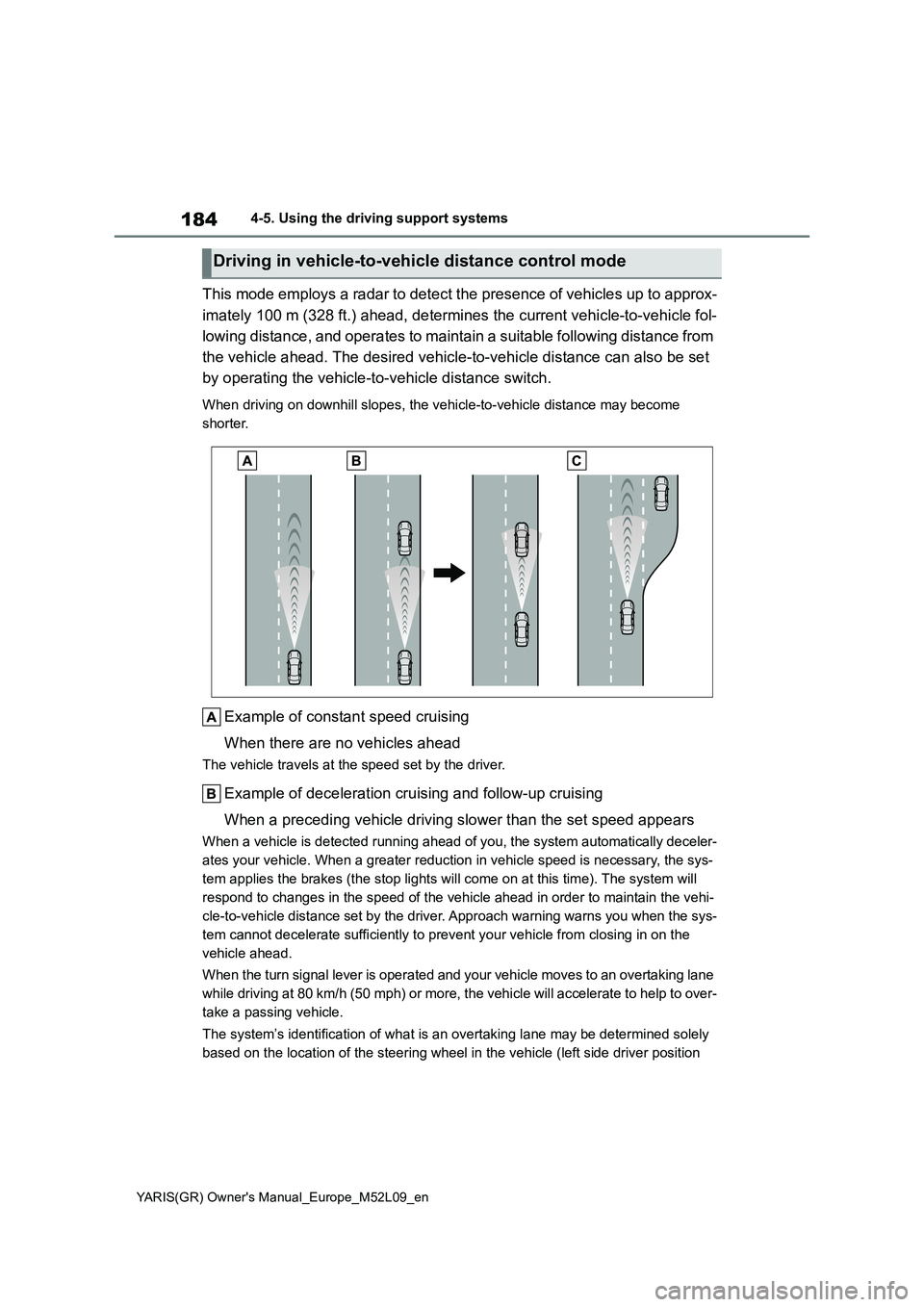
This mode employs a radar to detect the presence of vehicles up to approx-
imately 100 m (328 ft.) ahead, determines the current vehicle-to-vehicle fol-
lowing distance, and operates to maintain a suitable following distance from
the vehicle ahead. The desired vehicle-to-vehicle distance can also be set
by operating the vehicle-to-vehicle distance switch.
When driving on downhill slopes, the vehicle-to-vehicle distance may become
shorter.
Example of constant speed cruising
When there are no vehicles ahead
The vehicle travels at the speed set by the driver.
Example of deceleration cruising and follow-up cruising
When a preceding vehicle driving slower than the set speed appears
When a vehicle is detected running ahead of you, the system automatically deceler-
ates your vehicle. When a greater reduction in vehicle speed is necessary, the sys-
tem applies the brakes (the stop lights will come on at this time). The system will
respond to changes in the speed of the vehicle ahead in order to maintain the vehi-
cle-to-vehicle distance set by the driver. Approach warning warns you when the sys-
tem cannot decelerate sufficiently to prevent your vehicle from closing in on the
vehicle ahead.
When the turn signal lever is operated and your vehicle moves to an overtaking lane
while driving at 80 km/h (50 mph) or more, the vehicle will accelerate to help to over-
take a passing vehicle.
The system’s identification of what is an overtaking lane may be determined solely
based on the location of the steering wheel in the vehicle (left side driver position
Driving in vehicle-to-vehicle distance control mode
Page 189 of 458
187
4
YARIS(GR) Owner's Manual_Europe_M52L09_en
4-5. Using the driving support systems
Driving
speed of 80 km/h (50 mph). Vehi-
cle-to-vehicle distance
increases/decreases in accor-
dance with vehicle speed.
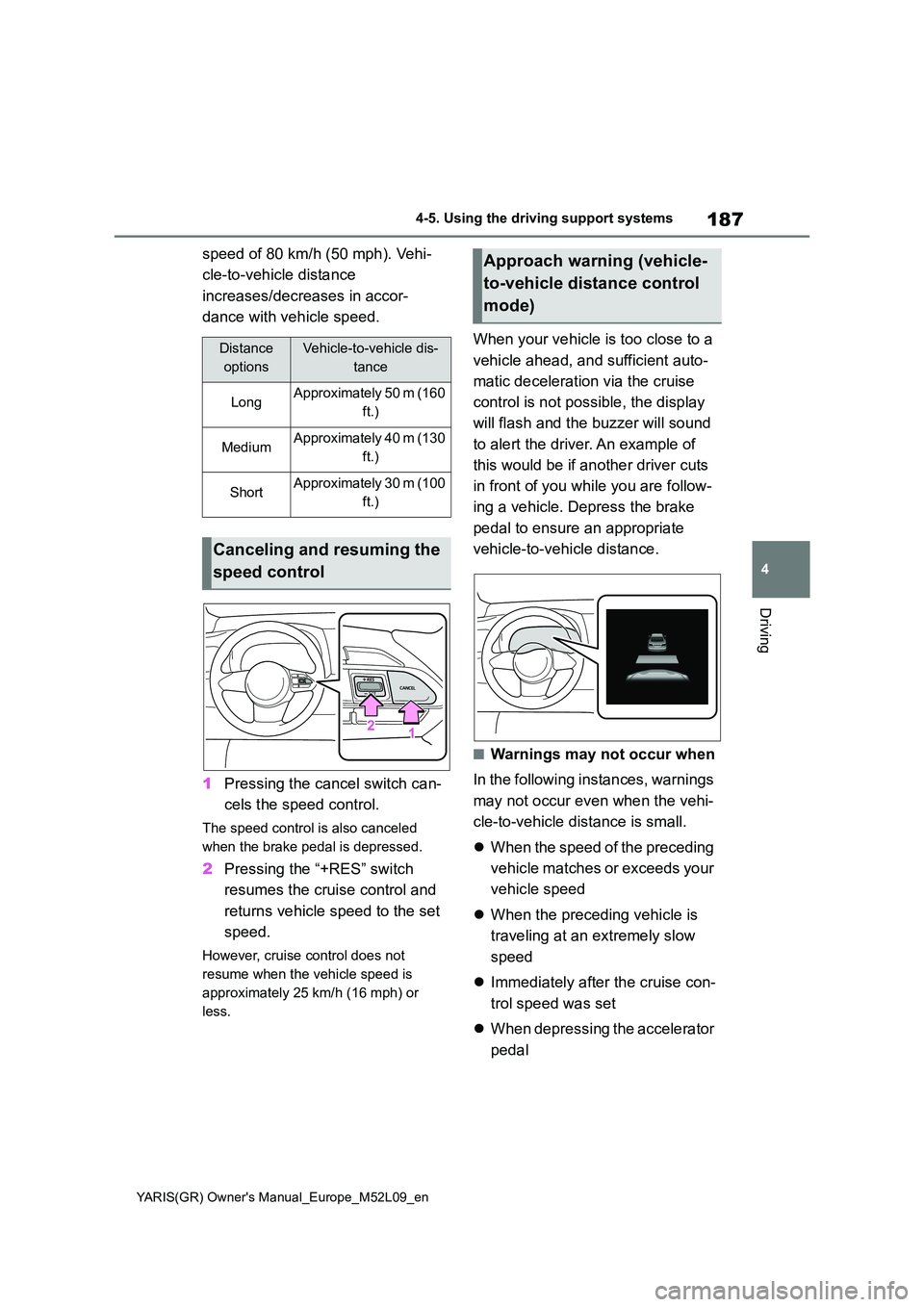
1 Pressing the cancel switch can-
cels the speed control.
The speed control is also canceled
when the brake pedal is depressed.
2 Pressing the “+RES” switch
resumes the cruise control and
returns vehicle speed to the set
speed.
However, cruise control does not
resume when the vehicle speed is
approximately 25 km/h (16 mph) or
less.
When your vehicle is too close to a
vehicle ahead, and sufficient auto-
matic deceleration via the cruise
control is not possible, the display
will flash and the buzzer will sound
to alert the driver. An example of
this would be if another driver cuts
in front of you while you are follow-
ing a vehicle. Depress the brake
pedal to ensure an appropriate
vehicle-to-vehicle distance.
■Warnings may not occur when
In the following instances, warnings
may not occur even when the vehi-
cle-to-vehicle distance is small.
z When the speed of the preceding
vehicle matches or exceeds your
vehicle speed
z When the preceding vehicle is
traveling at an extremely slow
speed
z Immediately after the cruise con-
trol speed was set
z When depressing the accelerator
pedal
Distance
options
Vehicle-to-vehicle dis-
tance
LongApproximately 50 m (160
ft.)
MediumApproximately 40 m (130
ft.)
ShortApproximately 30 m (100
ft.)
Canceling and resuming the
speed control
Approach warning (vehicle-
to-vehicle distance control
mode)
Page 192 of 458
190
YARIS(GR) Owner's Manual_Europe_M52L09_en
4-5. Using the driving support systems
matically canceled in the following situa-
tions:
●Actual vehicle speed is more than
approximately 16 km/h (10 mph)
below the set vehicle speed.
●Actual vehicle speed falls below
approximately 30 km/h (20 mph).
●VSC is activated.
●TRC is activated for a period of time.
●When the VSC or TRC system is
turned off.
●Pre-collision braking is activated.
●When the shift lever is in N or the
clutch pedal is depressed for a certain
amount of time or more.
●The parking brake is operated.
If constant speed control mode is auto-
matically canceled for any reasons other
than the above, there may be a malfunc-
tion in the system. Contact any autho-
rized Toyota retailer or Toyota
authorized repairer, or any reliable
repairer.
■The Dynamic Radar Cruise Control
with Road Sign Assist may not
operate properly when
As the Dynamic Radar Cruise Control
with Road Sign Assist may not operate
properly in conditions in which RSA may
not operate or detect correctly
(→P.194), when using this function,
make sure to check the speed limit sign
displayed.
In the following situations, the set speed
may not be changed to the recognized
speed limit by pressing and holding the
“+RES”/“-SET” switch.
●If speed limit information is not avail-
able
●When the recognized speed limit is
the same as the set speed
●When the recognized speed limit is
outside of the speed range that the
dynamic radar cruise control system
can operate
■Brake operation
A brake operation sound may be heard
and the brake pedal response may
change, but these are not malfunctions.
■Warning messages and buzzers for
dynamic radar cruise control
Warning messages and buzzers are
used to indicate a system malfunction or
to inform the driver of the need for cau-
tion while driving. If a warning message
is shown on the multi-information dis-
play, read the message and follow the
instructions. (→P.158, 323)
■When the sensor may not be cor-
rectly detecting the vehicle ahead
In the case of the following and depend-
ing on the conditions, operate the brake
pedal when deceleration of the system
is insufficient or operate the accelerator
pedal when acceleration is required.
As the sensor may not be able to cor-
rectly detect these types of vehicles, the
approach warning (→P.187) may not be
activated.
●Vehicles that cut in suddenly
●Vehicles traveling at low speeds
●Vehicles that are not moving in the
same lane
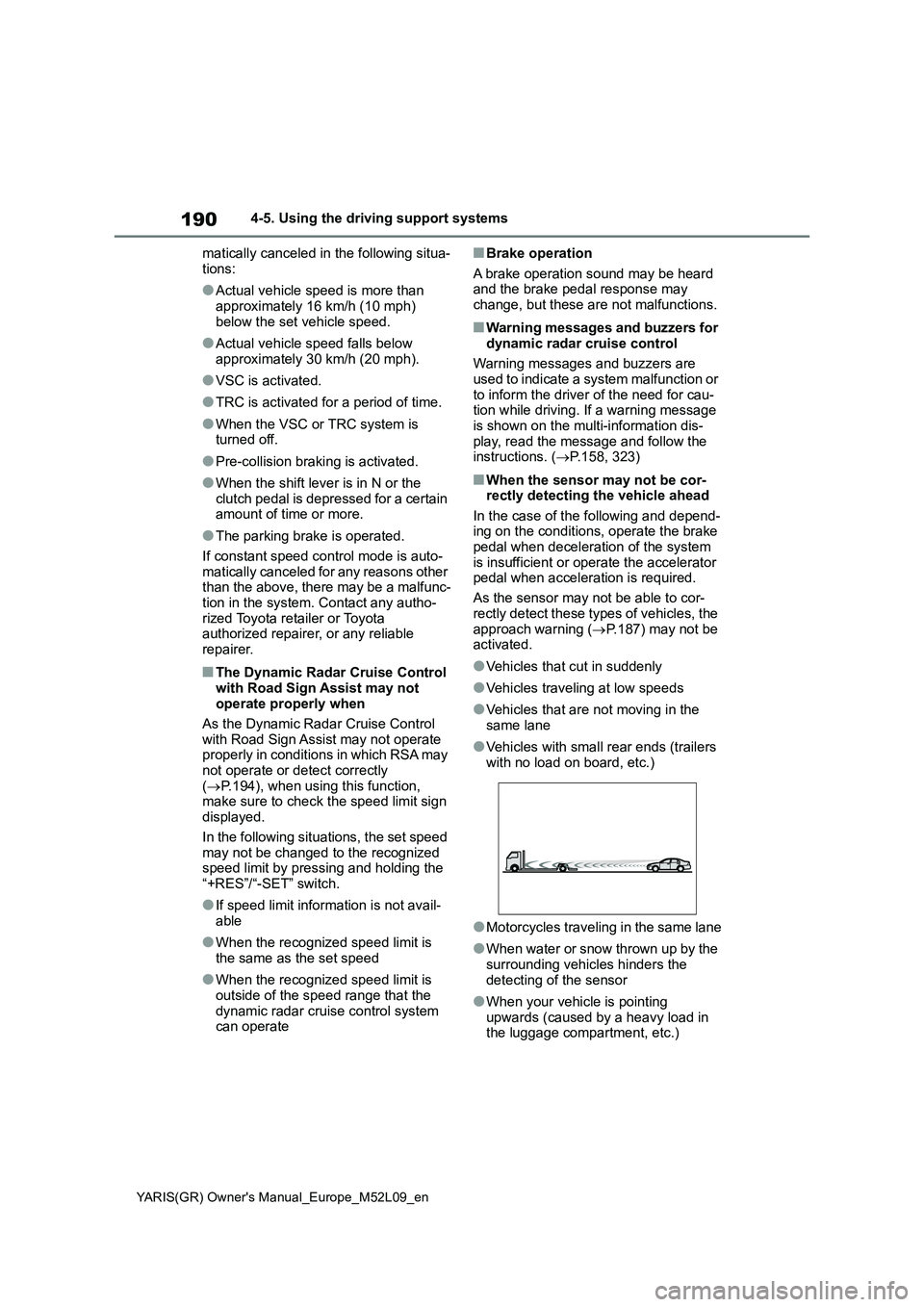
●Vehicles with small rear ends (trailers
with no load on board, etc.)
●Motorcycles traveling in the same lane
●When water or snow thrown up by the
surrounding vehicles hinders the
detecting of the sensor
●When your vehicle is pointing
upwards (caused by a heavy load in
the luggage compartment, etc.)
Page 194 of 458
192
YARIS(GR) Owner's Manual_Europe_M52L09_en
4-5. Using the driving support systems
*: If equipped
The RSA system recognizes spe-
cific road signs using the front cam-
era and/or navigation system (when
speed limit information is available)
to provide information to the driver
via the display.
If the system judges that the vehicle
is being driven over the speed limit,
performing prohibited actions, etc.,
according to the recognized road
signs, it notifies the driver through a
visual notification and notification
buzzer.
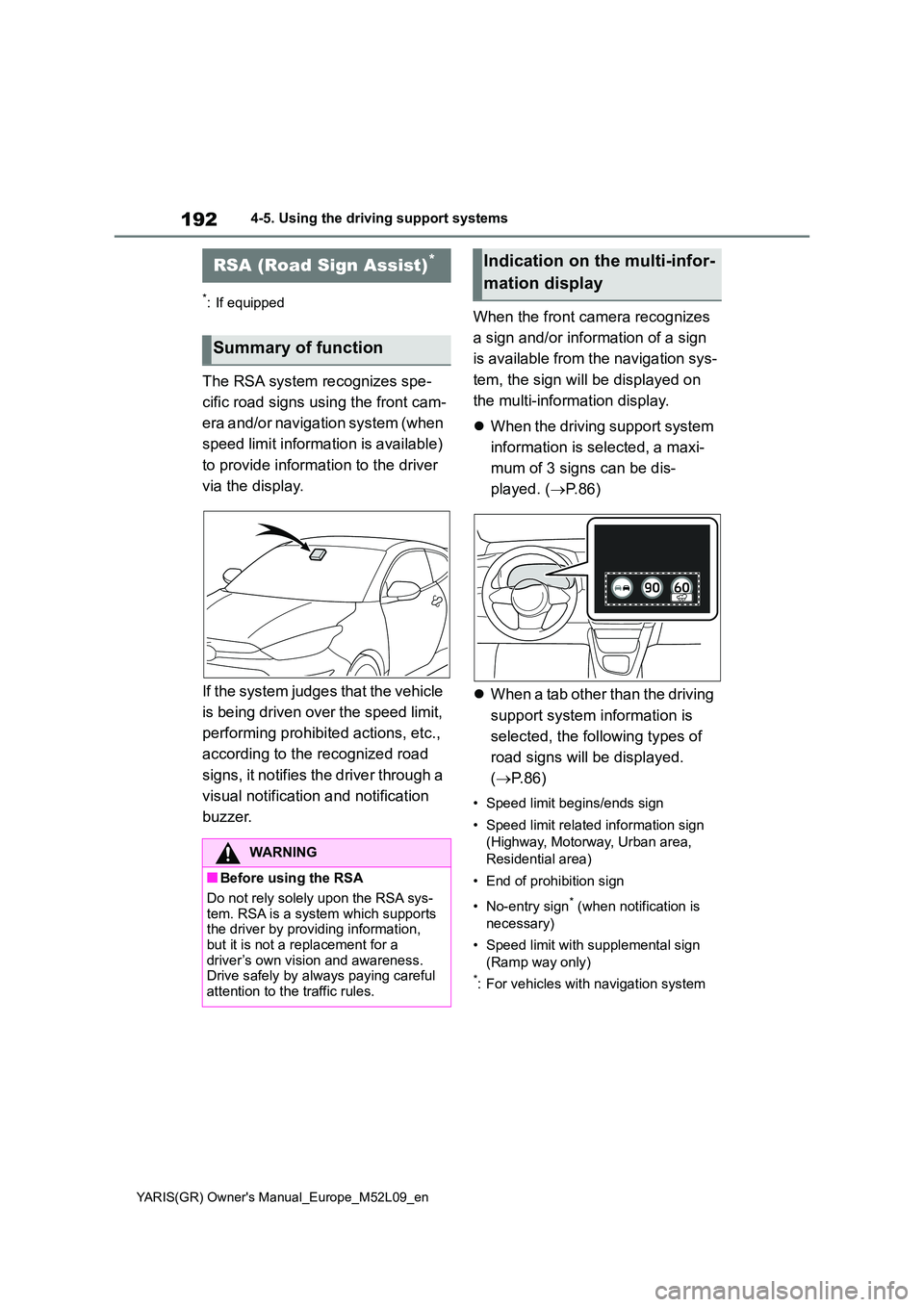
When the front camera recognizes
a sign and/or information of a sign
is available from the navigation sys-
tem, the sign will be displayed on
the multi-information display.
z When the driving support system
information is selected, a maxi-
mum of 3 signs can be dis-
played. ( →P. 8 6 )
z When a tab other than the driving
support system information is
selected, the following types of
road signs will be displayed.
( →P. 8 6 )
• Speed limit begins/ends sign
• Speed limit related information sign
(Highway, Motorway, Urban area,
Residential area)
• End of prohibition sign
• No-entry sign* (when notification is
necessary)
• Speed limit with supplemental sign
(Ramp way only)
*: For vehicles with navigation system
RSA (Road Sign Assist)*
Summary of function
WARNING
■Before using the RSA
Do not rely solely upon the RSA sys-
tem. RSA is a system which supports the driver by providing information, but it is not a replacement for a
driver’s own vision and awareness. Drive safely by always paying careful attention to the traffic rules.
Indication on the multi-infor-
mation display
Page 202 of 458
200
YARIS(GR) Owner's Manual_Europe_M52L09_en
4-5. Using the driving support systems
WARNING
■When the Stop & Start system is operating
Make sure to disable the Stop & Start system while the vehicle is in a poorly ventilated area.
If not disabled, the engine may be automatically restarted unexpectedly, causing exhaust gases to collect and
enter the vehicle, possibly resulting in death or a serious health hazard.
●Do not leave the vehicle while the
engine is stopped by the Stop & Start system (while the Stop & Start indicator is on). An accident may
occur due to the automatic engine start function.
●Depress the brake pedal and apply the parking brake when necessary while the engine is stopped by the
Stop & Start system (while the Stop & Start indicator is on).
NOTICE
■To ensure the system operates correctly
If any of the following situations occur, the Stop & Start system may not oper-ate correctly. Have your vehicle
inspected by any authorized Toyota retailer or Toyota authorized repairer, or any reliable repairer.
●While the driver’s seat belt is fas-tened, the driver’s and front pas-senger’s seat belt reminder light
flashes.
●Even though the driver’s seat belt is
not fastened, the driver’s and front passenger’s seat belt reminder light does not illuminate.
●Even though the driver’s door is closed, the open door warning light
is illuminated or the interior light is illuminated when the interior light switch is in the door position.
●Even though the driver’s door is open, the open door warning light does not illuminate or the interior
light does not illuminate when the interior light switch is in the door position.
■If the engine stalls
If the Stop & Start system is enabled
and the clutch pedal is depressed quickly, the engine may restart.
Page 203 of 458
201
4
YARIS(GR) Owner's Manual_Europe_M52L09_en
4-5. Using the driving support systems
Driving
*: If equipped
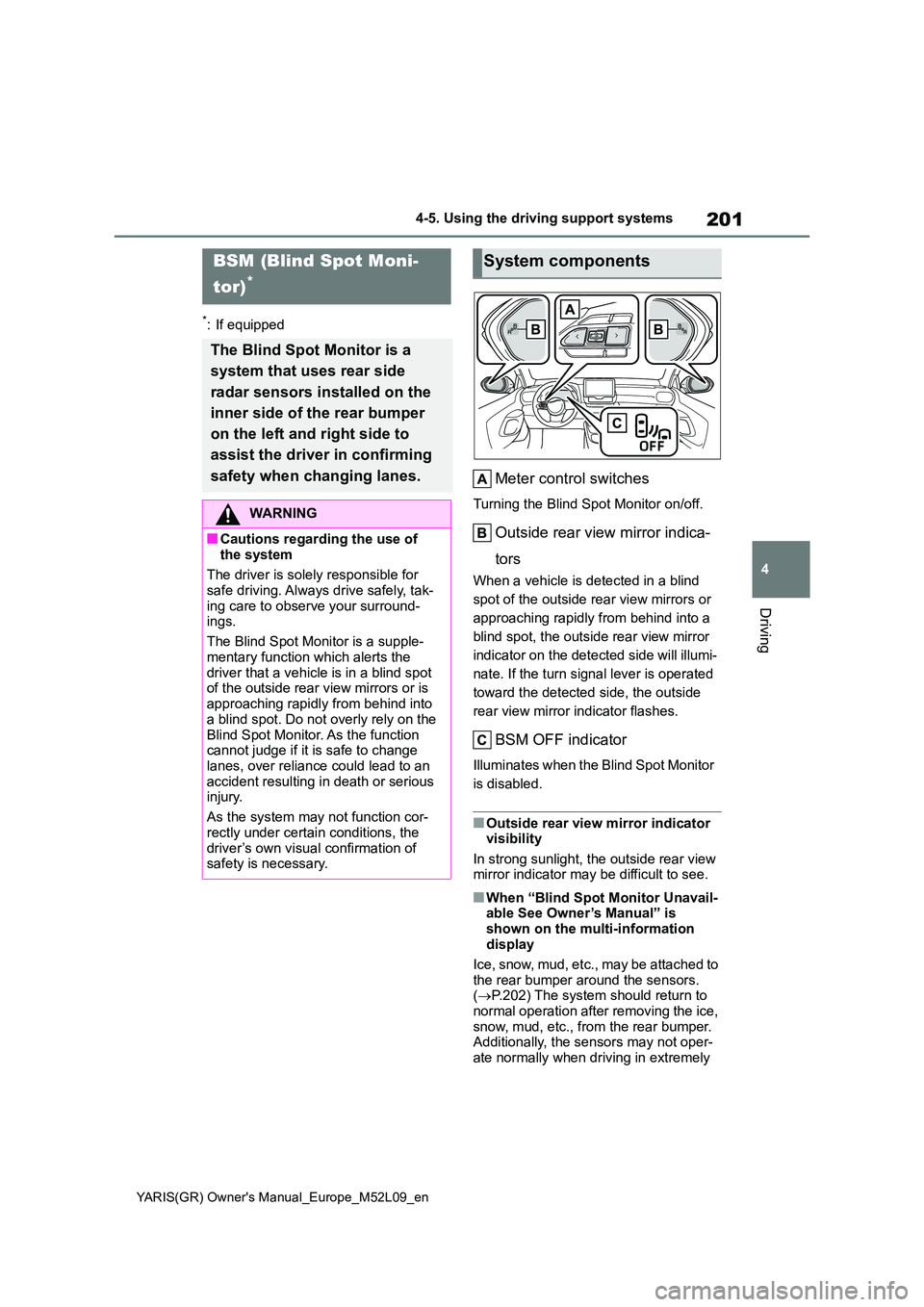
Meter control switches
Turning the Blind Spot Monitor on/off.
Outside rear view mirror indica-
tors
When a vehicle is detected in a blind
spot of the outside rear view mirrors or
approaching rapidly from behind into a
blind spot, the outside rear view mirror
indicator on the detected side will illumi-
nate. If the turn signal lever is operated
toward the detected side, the outside
rear view mirror indicator flashes.
BSM OFF indicator
Illuminates when the Blind Spot Monitor
is disabled.
■Outside rear view mirror indicator visibility
In strong sunlight, the outside rear view mirror indicator may be difficult to see.
■When “Blind Spot Monitor Unavail-able See Owner’s Manual” is
shown on the multi-information display
Ice, snow, mud, etc., may be attached to
the rear bumper around the sensors. ( →P.202) The system should return to normal operation after removing the ice,
snow, mud, etc., from the rear bumper. Additionally, the sensors may not oper-ate normally when driving in extremely
BSM (Blind Spot Moni-
tor)*
The Blind Spot Monitor is a
system that uses rear side
radar sensors installed on the
inner side of the rear bumper
on the left and right side to
assist the driver in confirming
safety when changing lanes.
WARNING
■Cautions regarding the use of
the system
The driver is solely responsible for safe driving. Always drive safely, tak-
ing care to observe your surround- ings.
The Blind Spot Monitor is a supple-
mentary function which alerts the driver that a vehicle is in a blind spot of the outside rear view mirrors or is
approaching rapidly from behind into a blind spot. Do not overly rely on the
Blind Spot Monitor. As the function cannot judge if it is safe to change lanes, over reliance could lead to an
accident resulting in death or serious injury.
As the system may not function cor-
rectly under certain conditions, the driver’s own visual confirmation of safety is necessary.
System components
Page 204 of 458
202
YARIS(GR) Owner's Manual_Europe_M52L09_en
4-5. Using the driving support systems
hot or cold environments.
■When “Blind Spot Monitor Malfunc-
tion Visit Your Dealer” is shown on the multi-information display
There may be a sensor malfunction of
misaligned. Have the vehicle inspected by any authorized Toyota retailer or Toyota authorized repairer, or any reli-
able repairer.
■Customization
Some functions can be customized. ( →P.361)
■Certifications for the Blind Spot
Monitor
→ P. 4 2 1
WARNING
■To ensure the system can oper-
ate properly
Blind Spot Monitor sensors are installed behind the left and right
sides of the rear bumper respectively. Observe the following to ensure the Blind Spot Monitor can operate cor-
rectly.
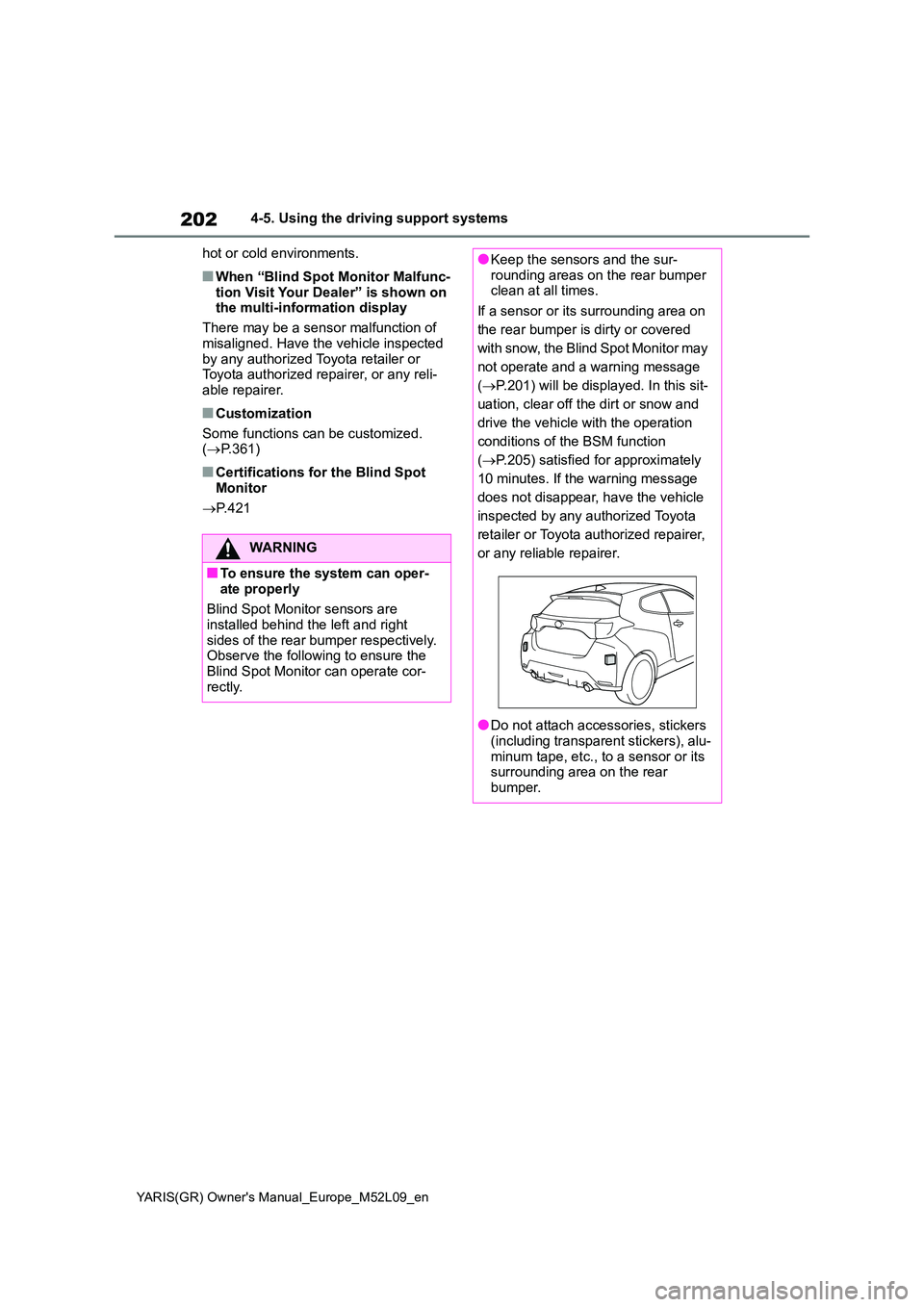
●Keep the sensors and the sur- rounding areas on the rear bumper clean at all times.
If a sensor or its surrounding area on
the rear bumper is dirty or covered
with snow, the Blind Spot Monitor may
not operate and a warning message
( →P.201) will be displayed. In this sit-
uation, clear off the dirt or snow and
drive the vehicle with the operation
conditions of the BSM function
( →P.205) satisfied for approximately
10 minutes. If the warning message
does not disappear, have the vehicle
inspected by any authorized Toyota
retailer or Toyota authorized repairer,
or any reliable repairer.
●Do not attach accessories, stickers (including transparent stickers), alu-
minum tape, etc., to a sensor or its surrounding area on the rear bumper.
Page 205 of 458
203
4
YARIS(GR) Owner's Manual_Europe_M52L09_en
4-5. Using the driving support systems
Driving
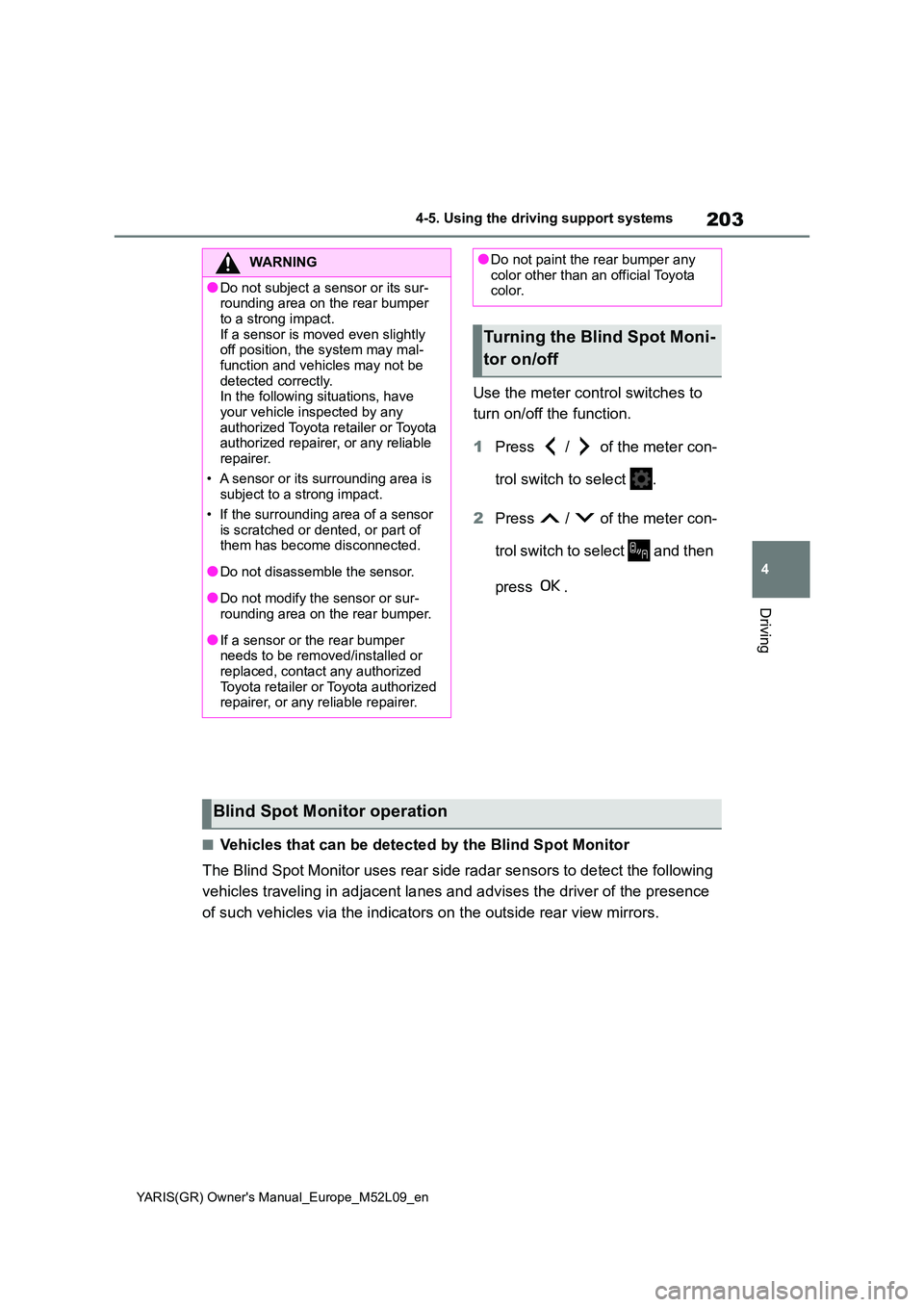
Use the meter control switches to
turn on/off the function.
1 Press / of the meter con-
trol switch to select .
2 Press / of the meter con-
trol switch to select and then
press .
■Vehicles that can be detected by the Blind Spot Monitor
The Blind Spot Monitor uses rear side radar sensors to detect the following
vehicles traveling in adjacent lanes and advises the driver of the presence
of such vehicles via the indicators on the outside rear view mirrors.
WARNING
●Do not subject a sensor or its sur- rounding area on the rear bumper
to a strong impact. If a sensor is moved even slightly off position, the system may mal-
function and vehicles may not be detected correctly.In the following situations, have
your vehicle inspected by any authorized Toyota retailer or Toyota authorized repairer, or any reliable
repairer.
• A sensor or its surrounding area is subject to a strong impact.
• If the surrounding area of a sensor is scratched or dented, or part of them has become disconnected.
●Do not disassemble the sensor.
●Do not modify the sensor or sur-rounding area on the rear bumper.
●If a sensor or the rear bumper needs to be removed/installed or replaced, contact any authorized
Toyota retailer or Toyota authorized repairer, or any reliable repairer.
●Do not paint the rear bumper any color other than an official Toyota color.
Turning the Blind Spot Moni-
tor on/off
Blind Spot Monitor operation
Page 209 of 458
207
4
YARIS(GR) Owner's Manual_Europe_M52L09_en
4-5. Using the driving support systems
Driving
tance to the object.
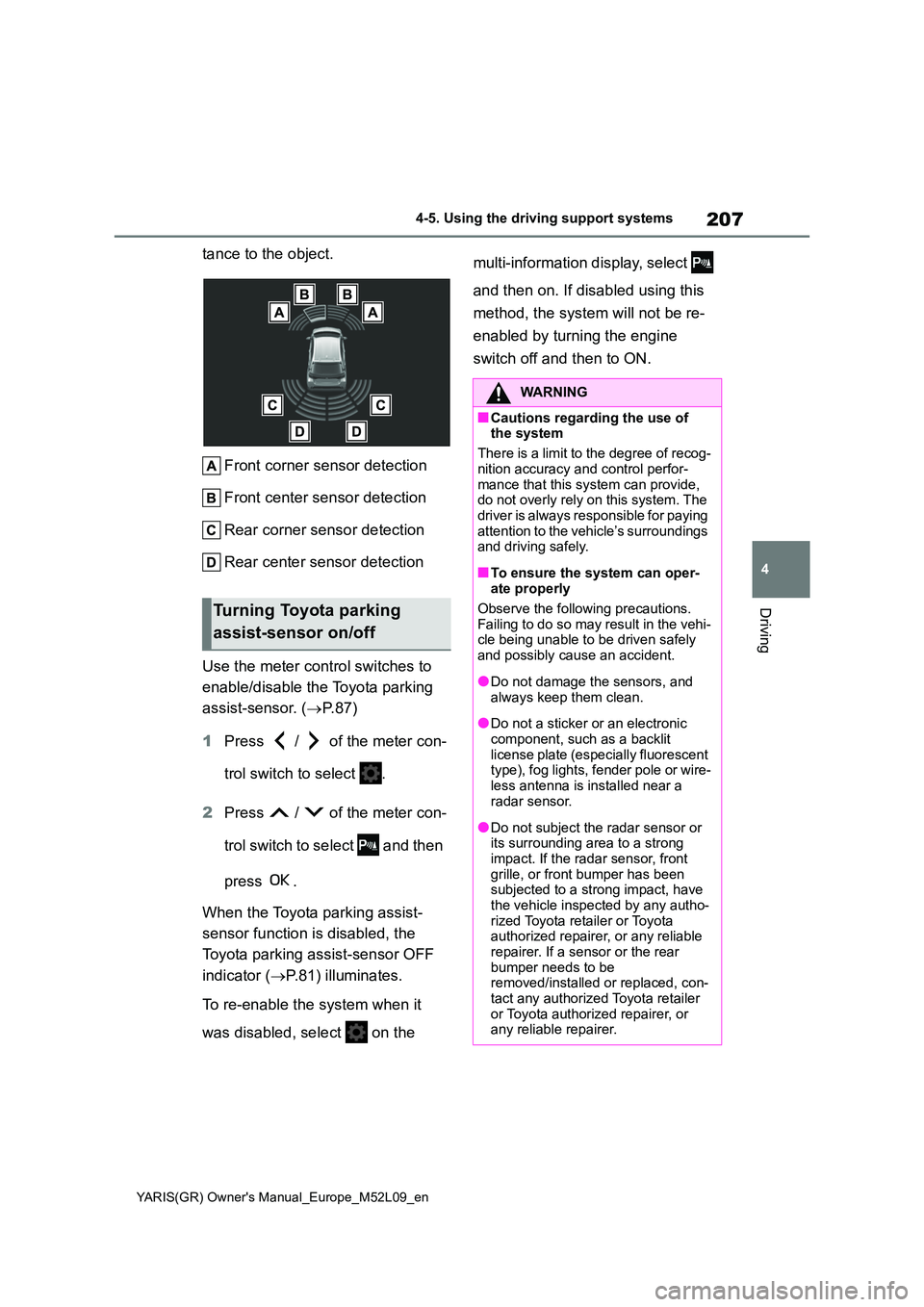
Front corner sensor detection
Front center sensor detection
Rear corner sensor detection
Rear center sensor detection
Use the meter control switches to
enable/disable the Toyota parking
assist-sensor. ( →P. 8 7 )
1 Press / of the meter con-
trol switch to select .
2 Press / of the meter con-
trol switch to select and then
press .
When the Toyota parking assist-
sensor function is disabled, the
Toyota parking assist-sensor OFF
indicator ( →P.81) illuminates.
To re-enable the system when it
was disabled, select on the
multi-information display, select
and then on. If disabled using this
method, the system will not be re-
enabled by turning the engine
switch off and then to ON.
Turning Toyota parking
assist-sensor on/off
WARNING
■Cautions regarding the use of the system
There is a limit to the degree of recog-
nition accuracy and control perfor- mance that this system can provide, do not overly rely on this system. The
driver is always responsible for paying attention to the vehicle’s surroundings and driving safely.
■To ensure the system can oper-ate properly
Observe the following precautions. Failing to do so may result in the vehi-cle being unable to be driven safely
and possibly cause an accident.
●Do not damage the sensors, and
always keep them clean.
●Do not a sticker or an electronic
component, such as a backlit license plate (especially fluorescent type), fog lights, fender pole or wire-
less antenna is installed near a radar sensor.
●Do not subject the radar sensor or its surrounding area to a strong
impact. If the radar sensor, front grille, or front bumper has been subjected to a strong impact, have
the vehicle inspected by any autho- rized Toyota retailer or Toyota authorized repairer, or any reliable
repairer. If a sensor or the rear bumper needs to be removed/installed or replaced, con-
tact any authorized Toyota retailer or Toyota authorized repairer, or any reliable repairer.
Page 210 of 458
208
YARIS(GR) Owner's Manual_Europe_M52L09_en
4-5. Using the driving support systems
■The system can be operated when
●The engine switch is in ON.
●Toyota parking assist-sensor function is on.
●The vehicle speed is less than about 10 km/h (6 mph).
●Steering wheel is turned approxi-mately 90° or more (Front side sen-sors, rear side sensors) (if equipped)
●The parking brake is released.
■If “Clean Parking Assist Sensor” is
displayed on the multi-information display
A sensor may be covered with water
drops, ice, snow, dirt, etc. Remove the water drops, ice, snow, dirt, etc., from the sensor to return the system to nor-
mal.
Also, due to ice forming on a sensor at low temperatures, a warning message
may be displayed or the sensor may not be able to detect an object. Once the ice melts, the system will return to normal.
■Sensor detection information
The following situations may occur during use.
●The sensors may be able to only detect objects near the front and rear bumpers.
●Depending on the shape of the object and other factors, the detection dis-
tance may shorten, or detection may be impossible.
●If an object is extremely close to a sensor, it may not be detected.
●There will be a short delay between object detection and display. Even at low speeds, there is a possibility that
the object will come within the sen- sor’s detection areas before the dis-play is shown and the warning beep
sounds.
●It might be difficult to hear the buzzer
due to the volume of the audio system or air flow noise of the air conditioning system.
●It may be difficult to hear the buzzer if buzzers for other systems are sound-
ing.
■Objects which the system may not be properly detected
The shape of the object may prevent the
sensor from detecting it. Pay particular attention to the following objects:
●Wires, fences, ropes, etc.
●Cotton, snow and other materials that
absorb sound waves
WARNING
●Do not modify, disassemble or paint the sensors.
●Do not attach a license plate cover.
●Keep your tires properly inflated.
■When to disable the function
In the following situations, disable the function as it may operate even though there is no possibility of a colli-
sion.
●Failing to observe the warnings
above.
●A non-genuine Toyota suspension
(lowered suspension, etc.) is installed.
■Notes when washing the vehicle
Do not apply intensive bursts of water or steam to the sensor area.
Doing so may result in the sensor malfunctioning.
●When using a high pressure washer to wash the vehicle, do not spray the sensors directly, as doing
so may cause a sensor to malfunc- tion.
●When using steam to clean the vehicle, do not direct steam too close to the sensors as doing so
may cause a sensor to malfunction.