stop start TOYOTA GR YARIS 2020 User Guide
[x] Cancel search | Manufacturer: TOYOTA, Model Year: 2020, Model line: GR YARIS, Model: TOYOTA GR YARIS 2020Pages: 458, PDF Size: 105.69 MB
Page 83 of 458
81
2
YARIS(GR) Owner's Manual_Europe_M52L09_en
2-1. Instrument cluster
Vehicle status information and indicators
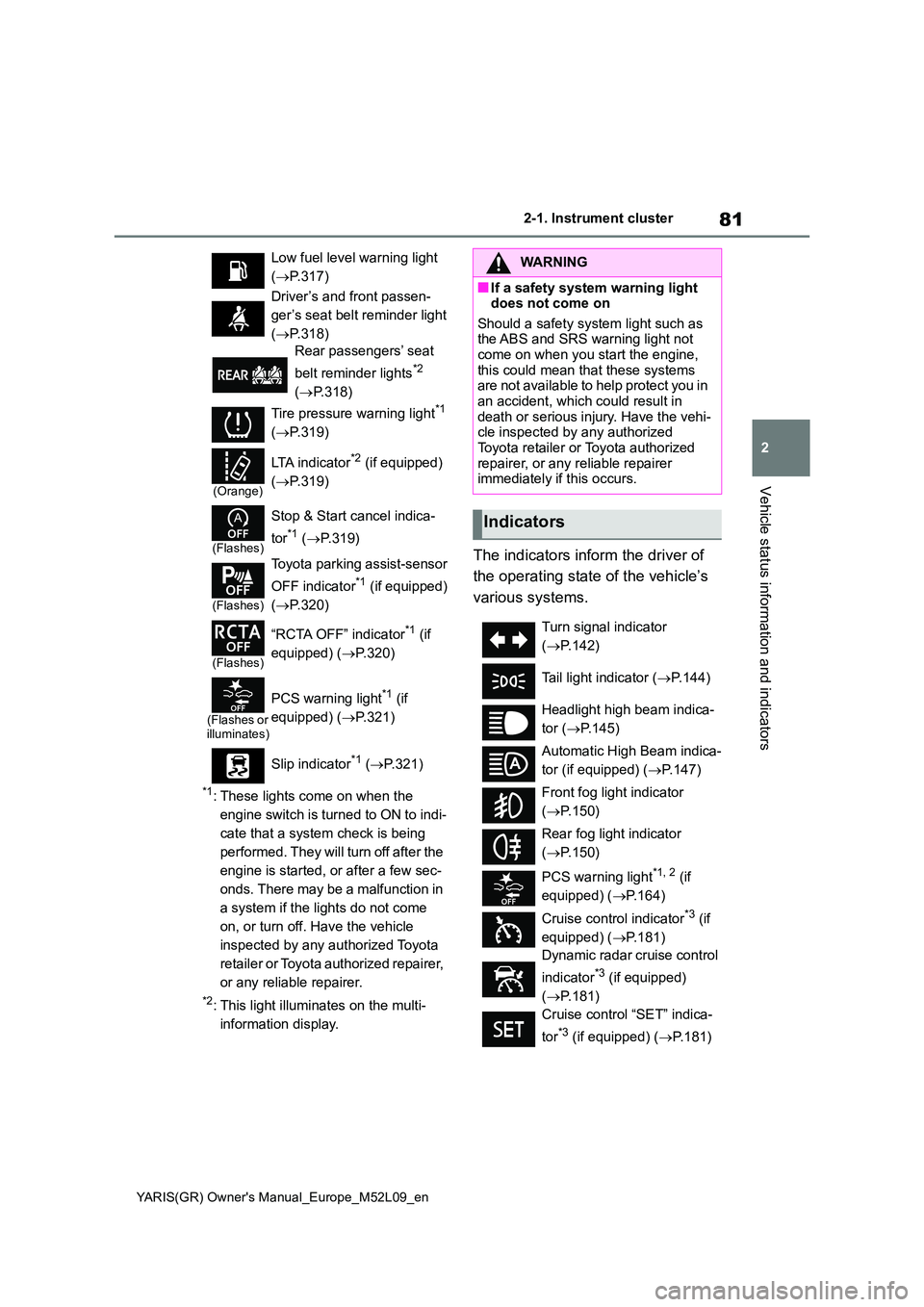
*1: These lights come on when the
engine switch is turned to ON to indi-
cate that a system check is being
performed. They will turn off after the
engine is started, or after a few sec-
onds. There may be a malfunction in
a system if the lights do not come
on, or turn off. Have the vehicle
inspected by any authorized Toyota
retailer or Toyota authorized repairer,
or any reliable repairer.
*2: This light illuminates on the multi-
information display.
The indicators inform the driver of
the operating state of the vehicle’s
various systems.
Low fuel level warning light
( →P.317)
Driver’s and front passen-
ger’s seat belt reminder light
( →P.318)
Rear passengers’ seat
belt reminder lights*2
( →P.318)
Tire pressure warning light*1
( →P.319)
(Orange)
LTA indicator*2 (if equipped)
( →P.319)
(Flashes)
Stop & Start cancel indica-
tor*1 ( →P.319)
(Flashes)
Toyota parking assist-sensor
OFF indicator*1 (if equipped)
( →P.320)
(Flashes)
“RCTA OFF” indicator*1 (if
equipped) ( →P.320)
(Flashes or illuminates)
PCS warning light*1 (if
equipped) ( →P.321)
Slip indicator*1 ( →P.321)
WARNING
■If a safety system warning light does not come on
Should a safety system light such as the ABS and SRS warning light not come on when you start the engine,
this could mean that these systems are not available to help protect you in an accident, which could result in
death or serious injury. Have the vehi- cle inspected by any authorized Toyota retailer or Toyota authorized
repairer, or any reliable repairer immediately if this occurs.
Indicators
Turn signal indicator
( →P.142)
Tail light indicator ( →P.144)
Headlight high beam indica-
tor ( →P.145)
Automatic High Beam indica-
tor (if equipped) ( →P.147)
Front fog light indicator
( →P.150)
Rear fog light indicator
( →P.150)
PCS warning light*1, 2 (if
equipped) ( →P.164)
Cruise control indicator*3 (if
equipped) ( →P.181)
Dynamic radar cruise control
indicator*3 (if equipped)
( →P.181)
Cruise control “SET” indica-
tor*3 (if equipped) ( →P.181)
Page 84 of 458
82
YARIS(GR) Owner's Manual_Europe_M52L09_en
2-1. Instrument cluster
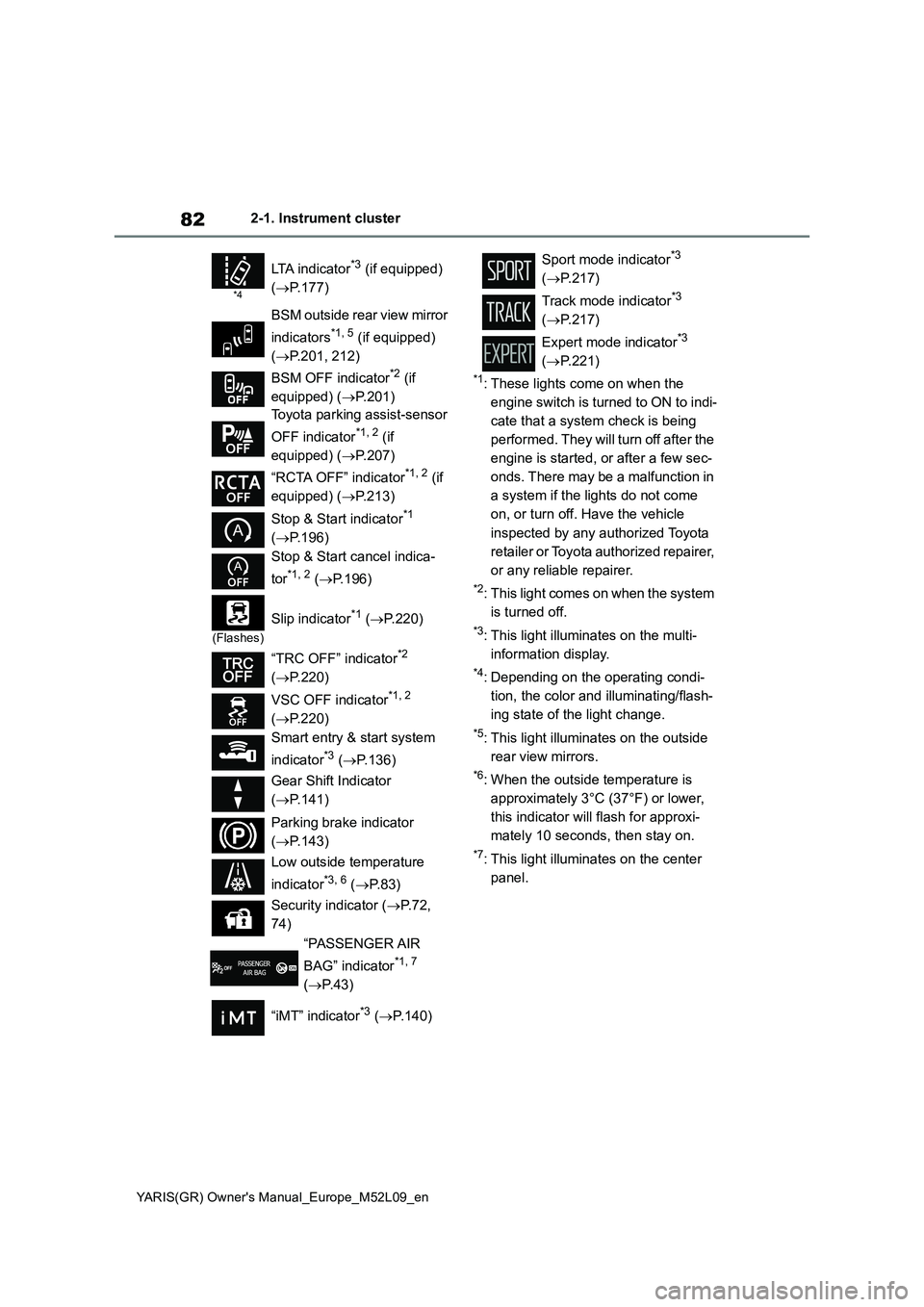
*1: These lights come on when the
engine switch is turned to ON to indi-
cate that a system check is being
performed. They will turn off after the
engine is started, or after a few sec-
onds. There may be a malfunction in
a system if the lights do not come
on, or turn off. Have the vehicle
inspected by any authorized Toyota
retailer or Toyota authorized repairer,
or any reliable repairer.
*2: This light comes on when the system
is turned off.
*3: This light illuminates on the multi-
information display.
*4: Depending on the operating condi-
tion, the color and illuminating/flash-
ing state of the light change.
*5: This light illuminates on the outside
rear view mirrors.
*6: When the outside temperature is
approximately 3°C (37°F) or lower,
this indicator will flash for approxi-
mately 10 seconds, then stay on.
*7: This light illuminates on the center
panel.
*4
LTA indicator*3 (if equipped)
(→P.177)
BSM outside rear view mirror
indicators
*1, 5 (if equipped)
(→P.201, 212)
BSM OFF indicator
*2 (if
equipped) (→P.201)
Toyota parking assist-sensor
OFF indicator
*1, 2 (if
equipped) (→P.207)
“RCTA OFF” indicator
*1, 2 (if
equipped) (→P.213)
Stop & Start indicator
*1
(→P.196)
Stop & Start cancel indica-
tor
*1, 2 (→P.196)
(Flashes)
Slip indicator*1 (→P.220)
“TRC OFF” indicator
*2
(→P.220)
VSC OFF indicator
*1, 2
(→P.220)
Smart entry & start system
indicator
*3 (→P.136)
Gear Shift Indicator
(→P.141)
Parking brake indicator
(→P.143)
Low outside temperature
indicator
*3, 6 (→P. 8 3 )
Security indicator (→P. 7 2 ,
74)
“PASSENGER AIR
BAG” indicator
*1, 7
(→P.43)
“iMT” indicator
*3 (→P.140)
Sport mode indicator*3
(→P.217)
Track mode indicator
*3
(→P.217)
Expert mode indicator
*3
(→P.221)
Page 91 of 458
89
2
YARIS(GR) Owner's Manual_Europe_M52L09_en
2-1. Instrument cluster
Vehicle status information and indicators
■Driving support system infor-
mation
Select to display the operational
status of the following systems:
zLTA (Lane Tracing Assist) (if
equipped) (→P.172)
zDynamic radar cruise control (if
equipped) (→P.181)
■Navigation system-linked dis-
play (if equipped)
Select to display the following navi-
gation system-linked information:
zRoute guidance to destination
zCompass display (heading-up
display)
■Route guidance to destination dis-
play
When the route guidance to destination
display is enabled on the head-up dis-
play, it will not be displayed on the multi-
information display. (→P.92)
Select to enable selection of an
audio source or track on the meter
using the meter control switches.
This menu icon can be set to be dis-
played/not displayed in .
■Drive information
2 items that are selected using the
“Drive Info Items” setting (average
speed, distance and total time) can
be displayed vertically.
The displayed information changes
according to the “Drive Info Type”
setting (since the system was
started or between resets). (→P.90)
Use the displayed information as a ref-
erence only.
Following items will be displayed.
z“Trip”
• “Average Speed”: Displays the aver-
age vehicle speed since engine start*
• “Distance”: Displays the distance
driven since engine start*
• “Total Time”: Displays the elapsed
time since engine start*
*
: These items are reset each time the
engine stops.
z“Total”
• “Average Speed”: Displays the aver-
age vehicle speed since the display
was reset
*
• “Distance”: Displays the distance
driven since the display was reset*
• “Total Time”: Displays the elapsed
time since the display was reset*
*
: To reset, display the desired item and
press and hold the meter control
switch.
■Tire inflation pressure
Displays inflation pressure of each
Driving support system
information display
Audio system-linked dis-
play (if equipped)
Vehicle information display
Page 93 of 458
91
2
YARIS(GR) Owner's Manual_Europe_M52L09_en
2-1. Instrument cluster
Vehicle status information and indicators
tings to the default setting.
■Vehicle functions and settings
that can be changed
→ P. 3 6 1
■Suspension of the settings display
●Some settings cannot be changed
while driving. When changing set- tings, park the vehicle in a safe place.
●If a warning message is displayed, operation of the settings display will be suspended.
z Stop & Start system operation
time (after start)/status notifica-
tion
Displays the current amount of time the
engine has been stopped by the opera-
tion of the Stop & Start system.
Also shows the status of the Stop &
Start system with a pop-up display.
( →P.198)
zStop & Start system settings
The length of time of the Stop & Start
system will operate when the “A/C”
switch of the air conditioning system is
on can be set to 2 different levels in
of the multi-information display.
( →P.198)
WARNING
■Cautions during setting up the display
If the engine is running when chang-
ing the display settings, ensure that the vehicle is parked in a place with adequate ventilation. In a closed area
such as a garage, exhaust gases including harmful carbon monoxide (CO) may collect and enter the vehi-
cle. This may lead to death or a seri- ous health hazard.
NOTICE
■During setting up the display
To prevent battery discharge, ensure
that the engine is running while set- ting up the display features.
Stop & Start system infor-
mation
Page 102 of 458
100
YARIS(GR) Owner's Manual_Europe_M52L09_en
3-1. Key information
3-1.Key info rmation
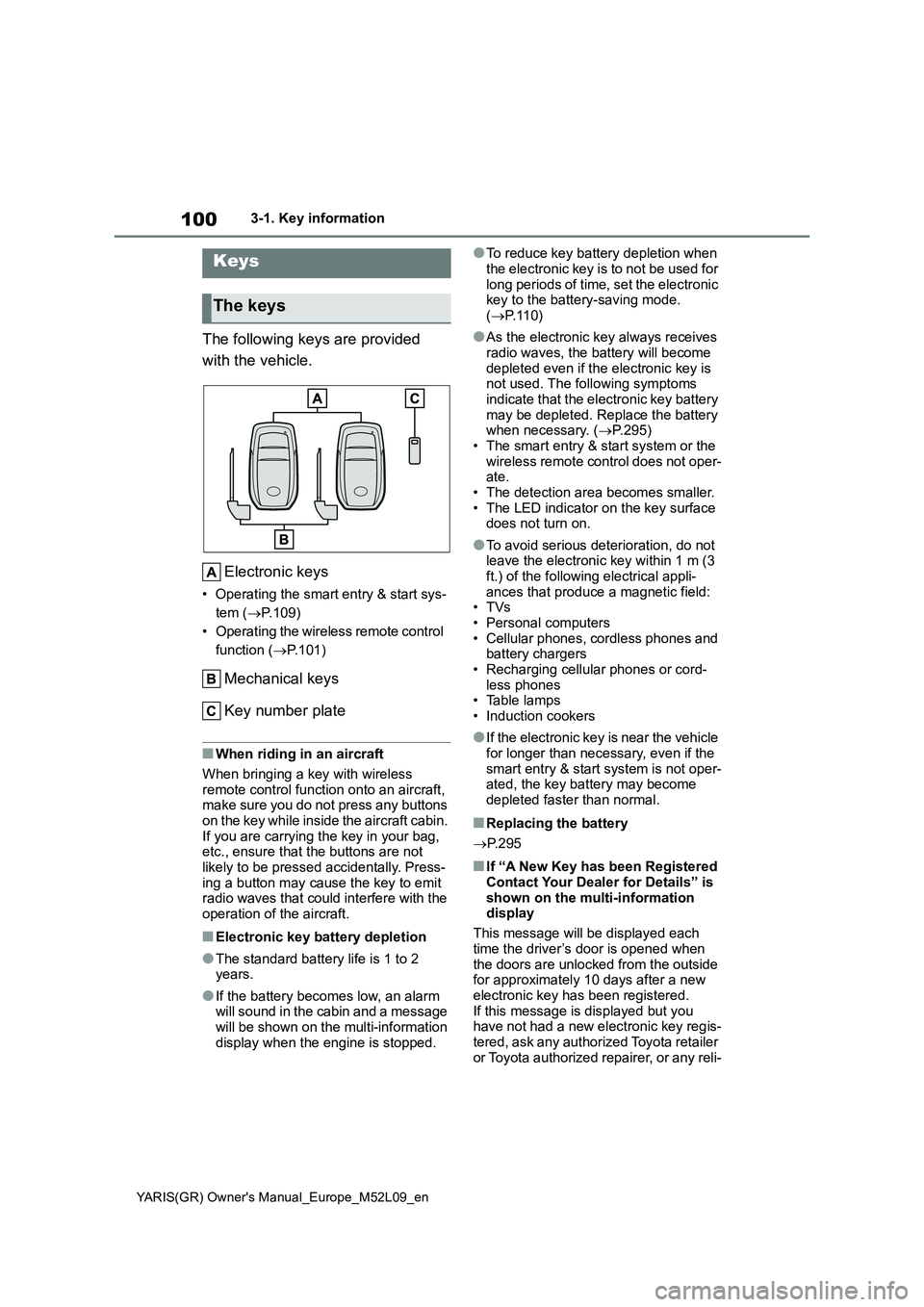
The following keys are provided
with the vehicle.
Electronic keys
• Operating the smart entry & start sys-
tem (→P.109)
• Operating the wireless remote control
function (→P.101)
Mechanical keys
Key number plate
■When riding in an aircraft
When bringing a key with wireless
remote control function onto an aircraft,
make sure you do not press any buttons
on the key while inside the aircraft cabin.
If you are carrying the key in your bag,
etc., ensure that the buttons are not
likely to be pressed accidentally. Press-
ing a button may cause the key to emit
radio waves that could interfere with the
operation of the aircraft.
■Electronic key battery depletion
●The standard battery life is 1 to 2
years.
●If the battery becomes low, an alarm
will sound in the cabin and a message
will be shown on the multi-information
display when the engine is stopped.
●To reduce key battery depletion when
the electronic key is to not be used for
long periods of time, set the electronic
key to the battery-saving mode.
(→P. 1 1 0 )
●As the electronic key always receives
radio waves, the battery will become
depleted even if the electronic key is
not used. The following symptoms
indicate that the electronic key battery
may be depleted. Replace the battery
when necessary. (→P.295)
• The smart entry & start system or the
wireless remote control does not oper-
ate.
• The detection area becomes smaller.
• The LED indicator on the key surface
does not turn on.
●To avoid serious deterioration, do not
leave the electronic key within 1 m (3
ft.) of the following electrical appli-
ances that produce a magnetic field:
•TVs
• Personal computers
• Cellular phones, cordless phones and
battery chargers
• Recharging cellular phones or cord-
less phones
• Table lamps
• Induction cookers
●If the electronic key is near the vehicle
for longer than necessary, even if the
smart entry & start system is not oper-
ated, the key battery may become
depleted faster than normal.
■Replacing the battery
→P. 2 9 5
■If “A New Key has been Registered
Contact Your Dealer for Details” is
shown on the multi-information
display
This message will be displayed each
time the driver’s door is opened when
the doors are unlocked from the outside
for approximately 10 days after a new
electronic key has been registered.
If this message is displayed but you
have not had a new electronic key regis-
tered, ask any authorized Toyota retailer
or Toyota authorized repairer, or any reli-
Keys
The keys
Page 106 of 458
104
YARIS(GR) Owner's Manual_Europe_M52L09_en
3-2. Opening, closing and locking the doors
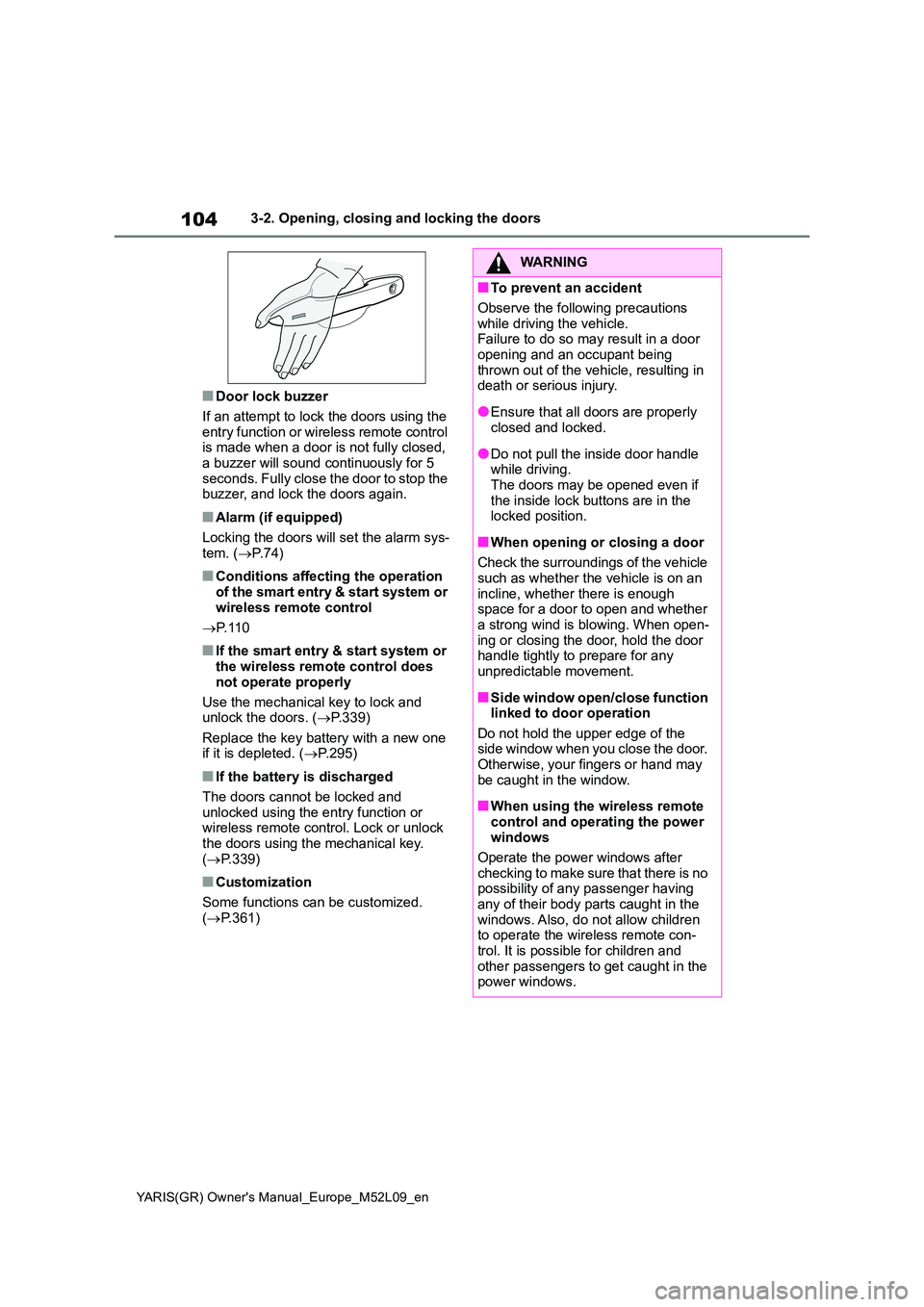
■Door lock buzzer
If an attempt to lock the doors using the entry function or wireless remote control is made when a door is not fully closed,
a buzzer will sound continuously for 5 seconds. Fully close the door to stop the buzzer, and lock the doors again.
■Alarm (if equipped)
Locking the doors will set the alarm sys- tem. ( →P.74)
■Conditions affecting the operation of the smart entry & start system or
wireless remote control
→ P. 1 1 0
■If the smart entry & start system or the wireless remote control does
not operate properly
Use the mechanical key to lock and unlock the doors. ( →P.339)
Replace the key battery with a new one if it is depleted. ( →P.295)
■If the battery is discharged
The doors cannot be locked and
unlocked using the entry function or wireless remote control. Lock or unlock the doors using the mechanical key.
( →P.339)
■Customization
Some functions can be customized. ( →P.361)
WARNING
■To prevent an accident
Observe the following precautions
while driving the vehicle. Failure to do so may result in a door opening and an occupant being
thrown out of the vehicle, resulting in death or serious injury.
●Ensure that all doors are properly closed and locked.
●Do not pull the inside door handle while driving.The doors may be opened even if
the inside lock buttons are in the locked position.
■When opening or closing a door
Check the surroundings of the vehicle such as whether the vehicle is on an
incline, whether there is enough space for a door to open and whether a strong wind is blowing. When open-
ing or closing the door, hold the door handle tightly to prepare for any unpredictable movement.
■Side window open/close function linked to door operation
Do not hold the upper edge of the side window when you close the door. Otherwise, your fingers or hand may
be caught in the window.
■When using the wireless remote
control and operating the power windows
Operate the power windows after
checking to make sure that there is no possibility of any passenger having any of their body parts caught in the
windows. Also, do not allow children to operate the wireless remote con-trol. It is possible for children and
other passengers to get caught in the power windows.
Page 112 of 458
110
YARIS(GR) Owner's Manual_Europe_M52L09_en
3-2. Opening, closing and locking the doors
●Interior buzzer sounds continuously
■Battery-saving function
The battery-saving function will be acti-
vated in order to prevent the electronic
key battery and the vehicle battery from
being discharged while the vehicle is not
operated for a long time.
●In the following situations, the smart
entry & start system may take some
time to unlock the doors.
• The electronic key has been left within
approximately 3.5 m (11 ft.) of the out-
side of the vehicle for 2 minutes or
longer.
• The smart entry & start system has
not been used for 5 days or longer.
●If the smart entry & start system has
not been used for 14 days or longer,
the doors cannot be unlocked from
any door except the driver’s door. In
this case, hold the driver’s door han-
dle, or use the wireless remote control
or mechanical key to unlock the
doors.
■Electronic key battery-saving func-
tion
●When battery-saving mode is set, bat-
tery depletion is minimized by stop-
ping the electronic key from receiving
radio waves.
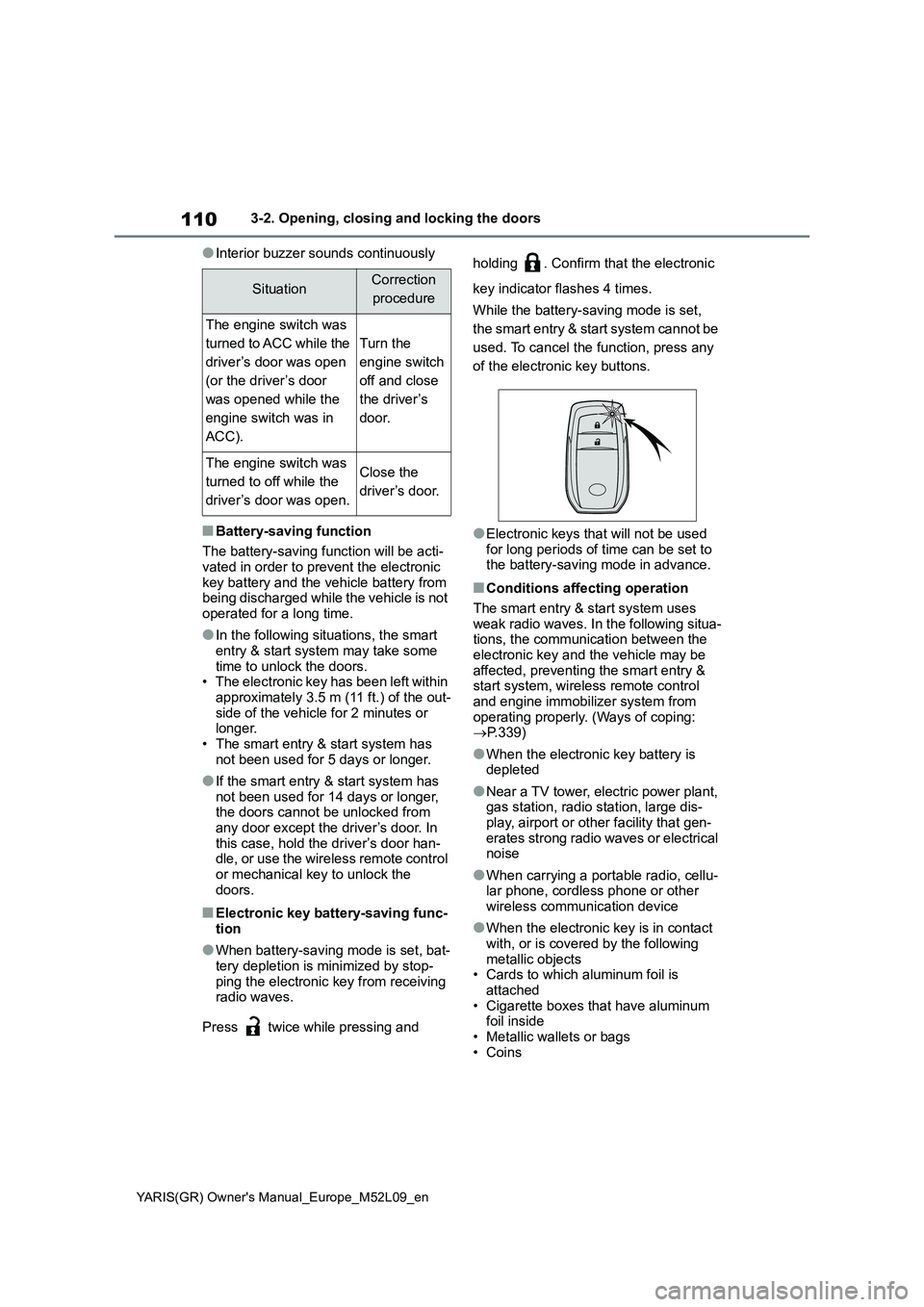
Press twice while pressing and holding . Confirm that the electronic
key indicator flashes 4 times.
While the battery-saving mode is set,
the smart entry & start system cannot be
used. To cancel the function, press any
of the electronic key buttons.
●Electronic keys that will not be used
for long periods of time can be set to
the battery-saving mode in advance.
■Conditions affecting operation
The smart entry & start system uses
weak radio waves. In the following situa-
tions, the communication between the
electronic key and the vehicle may be
affected, preventing the smart entry &
start system, wireless remote control
and engine immobilizer system from
operating properly. (Ways of coping:
→P.339)
●When the electronic key battery is
depleted
●Near a TV tower, electric power plant,
gas station, radio station, large dis-
play, airport or other facility that gen-
erates strong radio waves or electrical
noise
●When carrying a portable radio, cellu-
lar phone, cordless phone or other
wireless communication device
●When the electronic key is in contact
with, or is covered by the following
metallic objects
• Cards to which aluminum foil is
attached
• Cigarette boxes that have aluminum
foil inside
• Metallic wallets or bags
•Coins
SituationCorrection
procedure
The engine switch was
turned to ACC while the
driver’s door was open
(or the driver’s door
was opened while the
engine switch was in
ACC).
Turn the
engine switch
off and close
the driver’s
door.
The engine switch was
turned to off while the
driver’s door was open.Close the
driver ’s door.
Page 114 of 458
112
YARIS(GR) Owner's Manual_Europe_M52L09_en
3-2. Opening, closing and locking the doors
wash the vehicle:
• Place the electronic key in a location 2
m (6 ft.) or more away from the vehi-
cle. (Take care to ensure that the key
is not stolen.)
• Set the electronic key to battery-sav-
ing mode to disable the smart entry &
start system. (→P.110)
●If the electronic key is inside the vehi-
cle and a door handle becomes wet
during a car wash, a message may be
shown on the multi-information dis-
play and a buzzer will sound outside
the vehicle. To turn off the alarm, lock
all the doors.
●The lock sensor may not work prop-
erly if it comes into contact with ice,
snow, mud, etc. Clean the lock sensor
and attempt to operate it again.
●A sudden handle operation or a han-
dle operation immediately after enter-
ing the effective range may prevent
the doors from being unlocked. Touch
the door unlock sensor and check that
the doors are unlocked before pulling
the door handle again.
●If there is another electronic key in the
detection area, it may take slightly lon-
ger to unlock the doors after the door
handle is gripped.
■When the vehicle is not driven for
extended periods
●To prevent theft of the vehicle, do not
leave the electronic key within 2 m (6
ft.) of the vehicle.
●The smart entry & start system can be
deactivated in advance. (→P.361)
●Setting the electronic key to battery-
saving mode helps to reduce key bat-
tery depletion. (→P.110)
■To operate the system properly
Make sure to carry the electronic key
when operating the system. Do not get
the electronic key too close to the vehi-
cle when operating the system from the
outside of the vehicle.
Depending on the position and holding
condition of the electronic key, the key
may not be detected correctly and the system may not operate properly. (The
alarm may go off accidentally, or the
door lock prevention function may not
operate.)
■If the smart entry & start system
does not operate properly
●Locking and unlocking the doors:
→P. 3 3 9
●Starting the engine: →P. 3 4 0
■Customization
Some functions can be customized.
(→P.361)
■If the smart entry & start system
has been deactivated in a custom-
ized setting
●Locking and unlocking the doors: Use
the wireless remote control or
mechanical key. (→P.103, 339)
●Starting the engine and changing
engine switch modes: →P. 3 4 0
●Stopping the engine: →P. 1 3 7
■Certification for the smart entry &
start system
→P. 3 7 1
Page 129 of 458
4
127
YARIS(GR) Owner's Manual_Europe_M52L09_en
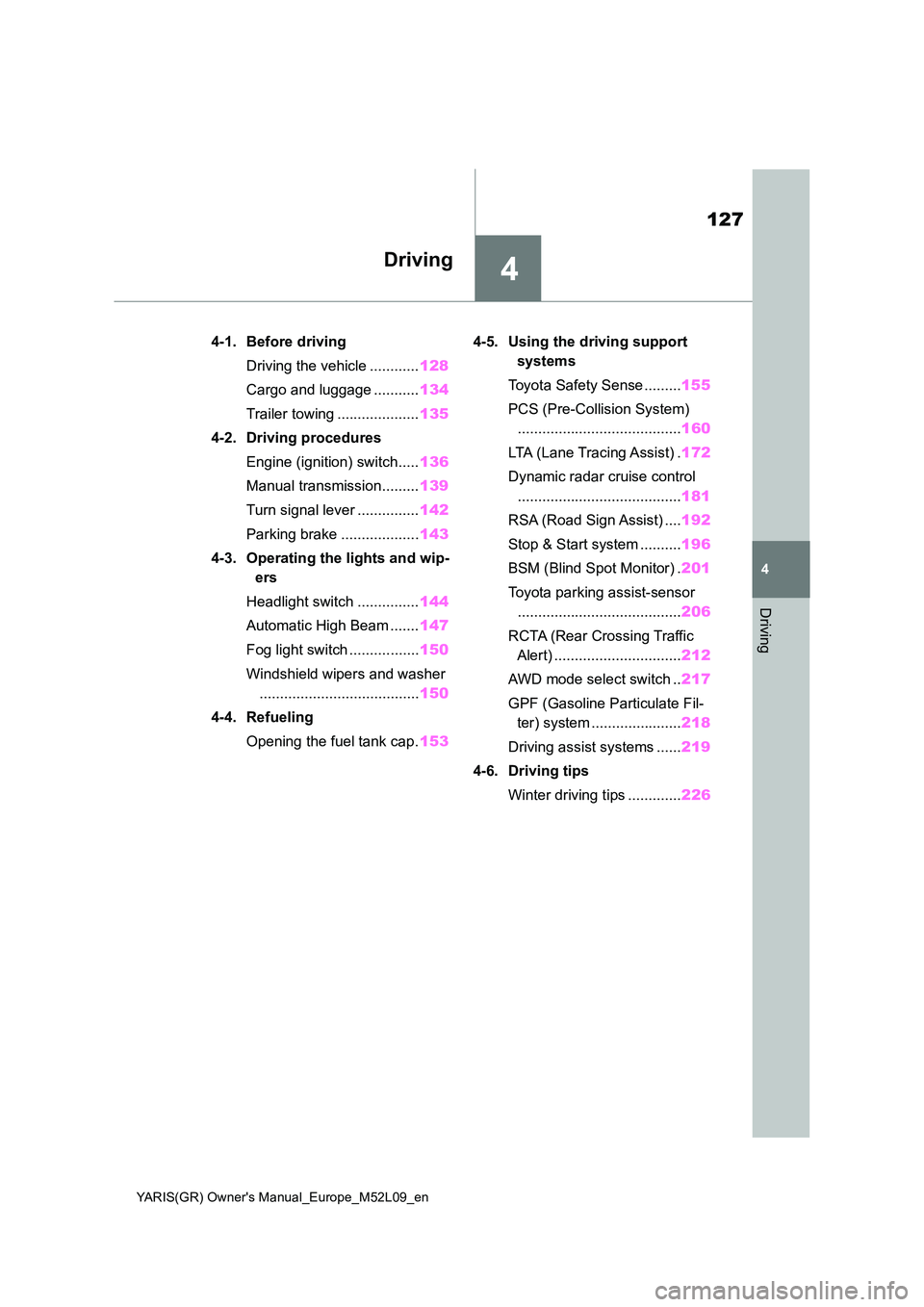
4
Driving
Driving
4-1. Before driving
Driving the vehicle ............ 128
Cargo and luggage ........... 134
Trailer towing .................... 135
4-2. Driving procedures
Engine (ignition) switch..... 136
Manual transmission......... 139
Turn signal lever ............... 142
Parking brake ................... 143
4-3. Operating the lights and wip-
ers
Headlight switch ............... 144
Automatic High Beam ....... 147
Fog light switch ................. 150
Windshield wipers and washer
....................................... 150
4-4. Refueling
Opening the fuel tank cap. 153
4-5. Using the driving support
systems
Toyota Safety Sense ......... 155
PCS (Pre-Collision System)
........................................ 160
LTA (Lane Tracing Assist) . 172
Dynamic radar cruise control
........................................ 181
RSA (Road Sign Assist) .... 192
Stop & Start system .......... 196
BSM (Blind Spot Monitor) . 201
Toyota parking assist-sensor
........................................ 206
RCTA (Rear Crossing Traffic
Alert) ............................... 212
AWD mode select switch .. 217
GPF (Gasoline Particulate Fil-
ter) system ...................... 218
Driving assist systems ...... 219
4-6. Driving tips
Winter driving tips ............. 226
Page 130 of 458
128
YARIS(GR) Owner's Manual_Europe_M52L09_en
4-1. Before driving
4- 1. B ef ore dr iv in g
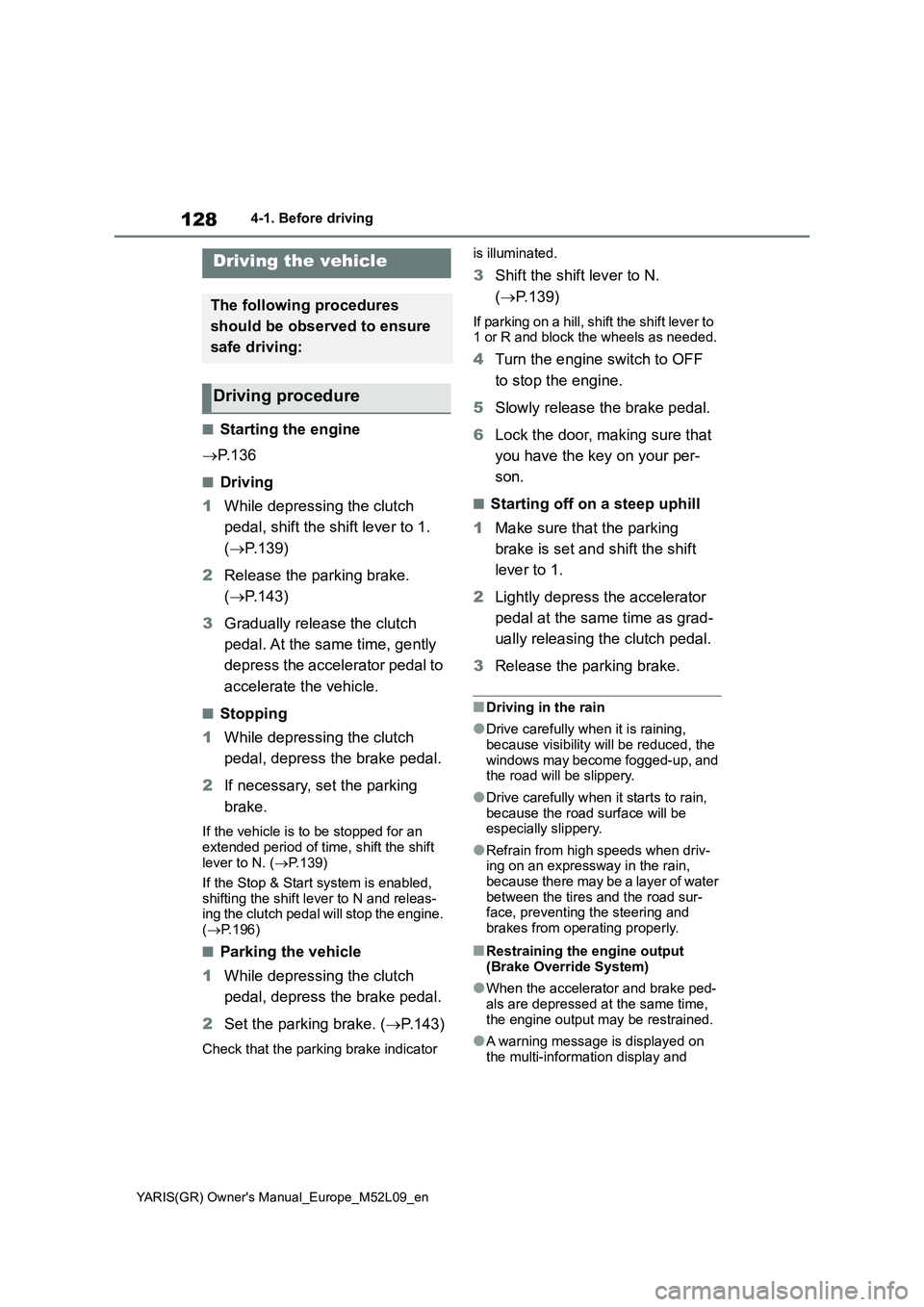
■Starting the engine
→P. 1 3 6
■Driving
1While depressing the clutch
pedal, shift the shift lever to 1.
(→P.139)
2Release the parking brake.
(→P.143)
3Gradually release the clutch
pedal. At the same time, gently
depress the accelerator pedal to
accelerate the vehicle.
■Stopping
1While depressing the clutch
pedal, depress the brake pedal.
2If necessary, set the parking
brake.
If the vehicle is to be stopped for an
extended period of time, shift the shift
lever to N. (→P.139)
If the Stop & Start system is enabled,
shifting the shift lever to N and releas-
ing the clutch pedal will stop the engine.
(→P.196)
■Parking the vehicle
1While depressing the clutch
pedal, depress the brake pedal.
2Set the parking brake. (→P.143)
Check that the parking brake indicator is illuminated.
3Shift the shift lever to N.
(→P.139)
If parking on a hill, shift the shift lever to
1 or R and block the wheels as needed.
4Turn the engine switch to OFF
to stop the engine.
5Slowly release the brake pedal.
6Lock the door, making sure that
you have the key on your per-
son.
■Starting off on a steep uphill
1Make sure that the parking
brake is set and shift the shift
lever to 1.
2Lightly depress the accelerator
pedal at the same time as grad-
ually releasing the clutch pedal.
3Release the parking brake.
■Driving in the rain
●Drive carefully when it is raining,
because visibility will be reduced, the
windows may become fogged-up, and
the road will be slippery.
●Drive carefully when it starts to rain,
because the road surface will be
especially slippery.
●Refrain from high speeds when driv-
ing on an expressway in the rain,
because there may be a layer of water
between the tires and the road sur-
face, preventing the steering and
brakes from operating properly.
■Restraining the engine output
(Brake Override System)
●When the accelerator and brake ped-
als are depressed at the same time,
the engine output may be restrained.
●A warning message is displayed on
the multi-information display and
Driving the vehicle
The following procedures
should be observed to ensure
safe driving:
Driving procedure