turn off auto brake TOYOTA GR YARIS 2021 Owners Manual
[x] Cancel search | Manufacturer: TOYOTA, Model Year: 2021, Model line: GR YARIS, Model: TOYOTA GR YARIS 2021Pages: 458, PDF Size: 105.69 MB
Page 96 of 458
94
YARIS(GR) Owner's Manual_Europe_M52L09_en
2-1. Instrument cluster
■Enabling/disabling of the head-up display
If the head-up display is disabled, it will remain disabled when the engine switch is turned off then back to ON.
■Display brightness
The brightness of the head-up display
can be adjusted on of the multi-
information display. Also, it is automati-
cally adjusted according to the ambient
brightness.
■Driving support system status
display
Displays the operational status of
the following systems:
z Dynamic radar cruise control (if
equipped) ( →P.181)
z LTA (Lane Tracing Assist) (if
equipped) ( →P.172)
Details of content displayed on the
head-up display may differ from that
displayed on the multi-information dis-
play. For details, refer to the explana-
tion of each system.
■Navigation system-linked dis-
play area (if equipped)
Displays the following items which
are linked to the navigation system:
z Street name
z Route guidance to destination
z Compass (heading-up display)
Pop-up displays for the following
systems will be displayed when
necessary:
■Driving support systems
Displays a warning/sugges-
tion/advice message or the operat-
ing state of a relevant system.
z PCS (Pre-Collision System) (if
equipped) ( →P.160)
z LTA (Lane Tracing Assist) (if
equipped) ( →P.172)
z Brake Override System
( →P.128)
Details of content displayed on the
head-up display may differ from that
displayed on the multi-information dis-
play. For details, refer to the explana-
tion of each system.
WARNING
■Caution for changing settings of
the head-up display
If the engine is running when chang- ing the display settings, ensure that
the vehicle is parked in a place with adequate ventilation. In a closed area such as a garage, exhaust gases
including harmful carbon monoxide (CO) may collect and enter the vehi-cle. This may lead to death or a seri-
ous health hazard.
NOTICE
■When changing the settings of the head-up display
To prevent battery discharge, ensure
that the engine is running while changing the settings of the head-up display.
Driving support system sta-
tus/navigation system-
linked display area
Pop-up display
Page 138 of 458
136
YARIS(GR) Owner's Manual_Europe_M52L09_en
4-2. Driving procedures
4-2.Driving pro cedu res
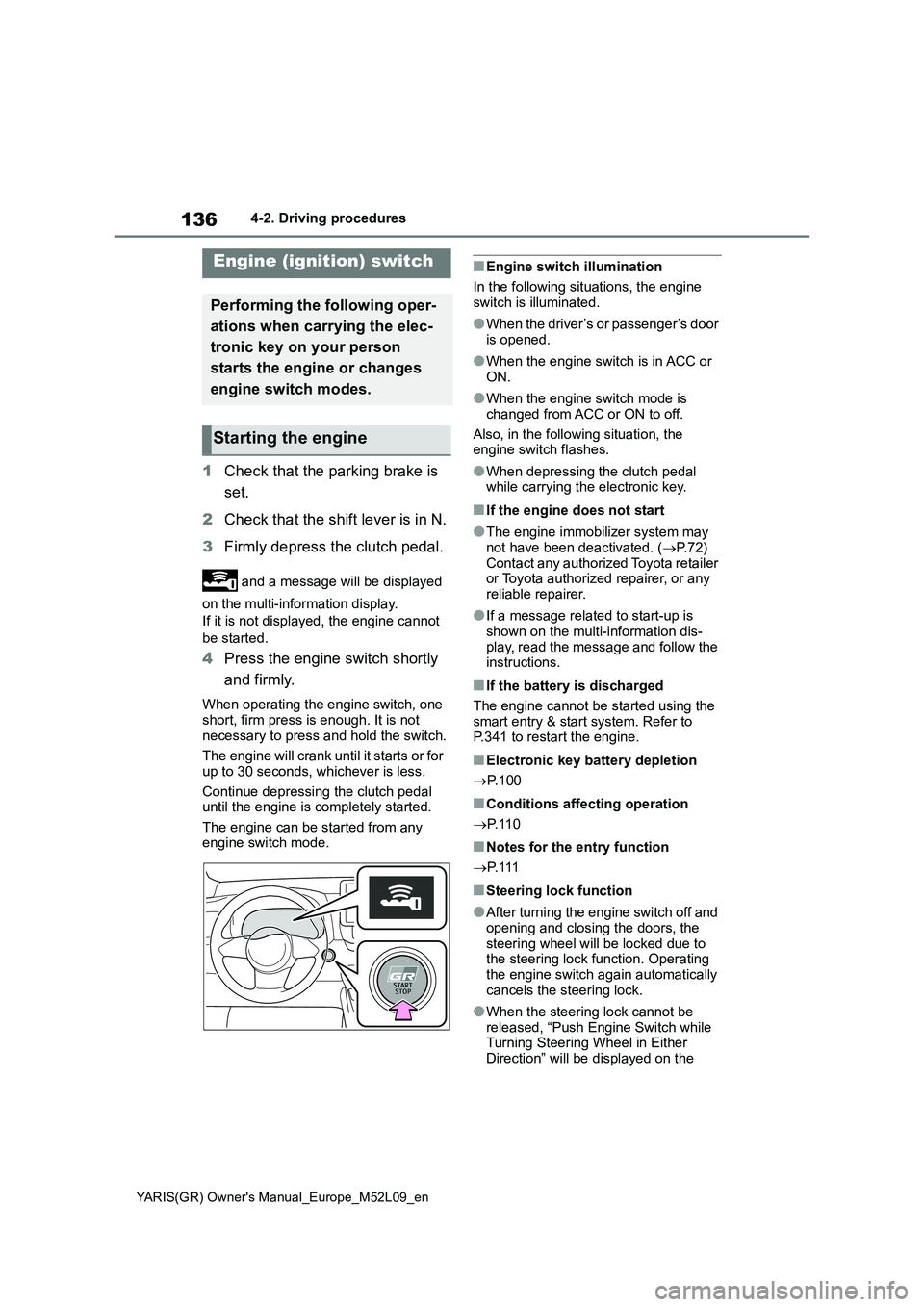
1Check that the parking brake is
set.
2Check that the shift lever is in N.
3Firmly depress the clutch pedal.
and a message will be displayed
on the multi-information display.
If it is not displayed, the engine cannot
be started.
4Press the engine switch shortly
and firmly.
When operating the engine switch, one
short, firm press is enough. It is not
necessary to press and hold the switch.
The engine will crank until it starts or for
up to 30 seconds, whichever is less.
Continue depressing the clutch pedal
until the engine is completely started.
The engine can be started from any
engine switch mode.
■Engine switch illumination
In the following situations, the engine
switch is illuminated.
●When the driver’s or passenger’s door
is opened.
●When the engine switch is in ACC or
ON.
●When the engine switch mode is
changed from ACC or ON to off.
Also, in the following situation, the
engine switch flashes.
●When depressing the clutch pedal
while carrying the electronic key.
■If the engine does not start
●The engine immobilizer system may
not have been deactivated. (→P. 7 2 )
Contact any authorized Toyota retailer
or Toyota authorized repairer, or any
reliable repairer.
●If a message related to start-up is
shown on the multi-information dis-
play, read the message and follow the
instructions.
■If the battery is discharged
The engine cannot be started using the
smart entry & start system. Refer to
P.341 to restart the engine.
■Electronic key battery depletion
→P. 1 0 0
■Conditions affecting operation
→P. 1 1 0
■Notes for the entry function
→P. 1 1 1
■Steering lock function
●After turning the engine switch off and
opening and closing the doors, the
steering wheel will be locked due to
the steering lock function. Operating
the engine switch again automatically
cancels the steering lock.
●When the steering lock cannot be
released, “Push Engine Switch while
Turning Steering Wheel in Either
Direction” will be displayed on the
Engine (ignition) switch
Performing the following oper-
ations when carrying the elec-
tronic key on your person
starts the engine or changes
engine switch modes.
Starting the engine
Page 140 of 458
138
YARIS(GR) Owner's Manual_Europe_M52L09_en
4-2. Driving procedures
3Shift the shift lever to N.
( →P.139)
4 Press the engine switch.
The engine will stop, and the meter dis- play will be extinguished.
5 Release the brake pedal and
check that “ACCESSORY” or
“IGNITION ON” is not shown on
the multi-information display.
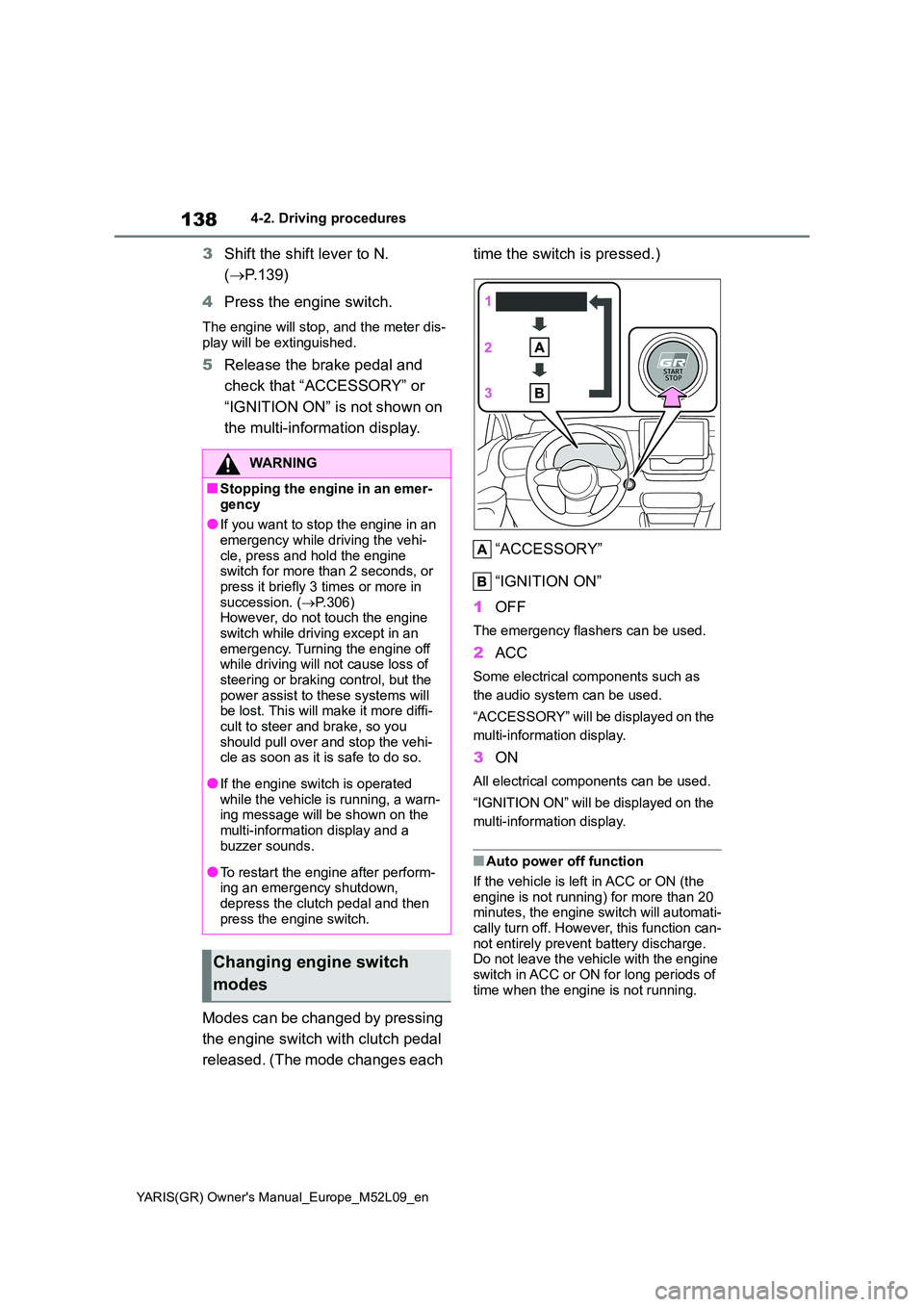
Modes can be changed by pressing
the engine switch with clutch pedal
released. (The mode changes each
time the switch is pressed.)
“ACCESSORY”
“IGNITION ON”
1 OFF
The emergency flashers can be used.
2ACC
Some electrical components such as
the audio system can be used.
“ACCESSORY” will be displayed on the
multi-information display.
3 ON
All electrical components can be used.
“IGNITION ON” will be displayed on the
multi-information display.
■Auto power off function
If the vehicle is left in ACC or ON (the
engine is not running) for more than 20 minutes, the engine switch will automati-cally turn off. However, this function can-
not entirely prevent battery discharge. Do not leave the vehicle with the engine switch in ACC or ON for long periods of
time when the engine is not running.
WARNING
■Stopping the engine in an emer-
gency
●If you want to stop the engine in an emergency while driving the vehi-
cle, press and hold the engine switch for more than 2 seconds, or press it briefly 3 times or more in
succession. ( →P.306) However, do not touch the engine switch while driving except in an
emergency. Turning the engine off while driving will not cause loss of steering or braking control, but the
power assist to these systems will be lost. This will make it more diffi-cult to steer and brake, so you
should pull over and stop the vehi- cle as soon as it is safe to do so.
●If the engine switch is operated while the vehicle is running, a warn-ing message will be shown on the
multi-information display and a buzzer sounds.
●To restart the engine after perform-ing an emergency shutdown, depress the clutch pedal and then
press the engine switch.
Changing engine switch
modes
Page 146 of 458
144
YARIS(GR) Owner's Manual_Europe_M52L09_en
4-3. Operating the lights and wipers
4-3.Operating the lights and wipers
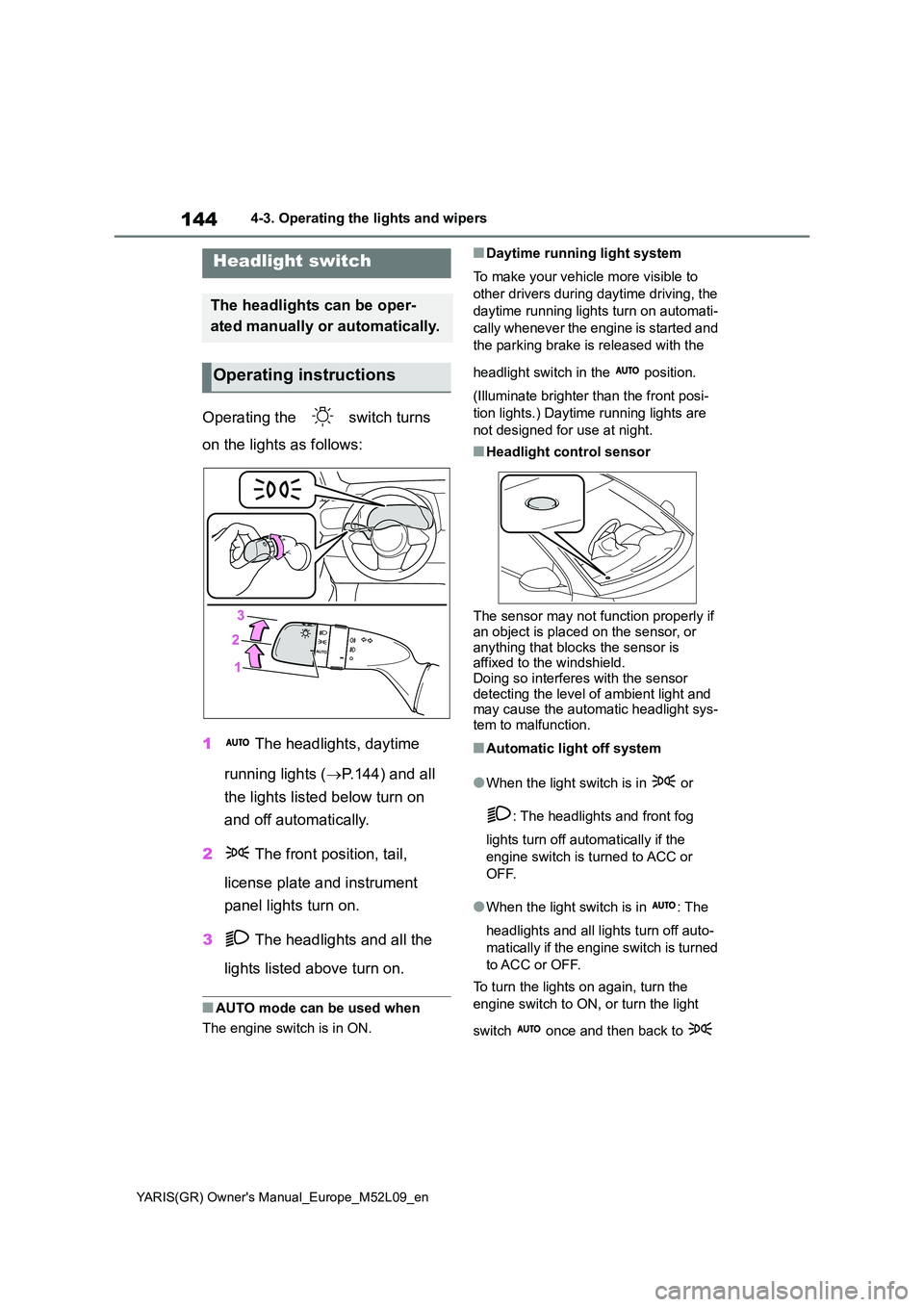
Operating the switch turns
on the lights as follows:
1 The headlights, daytime
running lights ( →P.144) and all
the lights listed below turn on
and off automatically.
2 The front position, tail,
license plate and instrument
panel lights turn on.
3 The headlights and all the
lights listed above turn on.
■AUTO mode can be used when
The engine switch is in ON.
■Daytime running light system
To make your vehicle more visible to
other drivers during daytime driving, the
daytime running lights turn on automati-
cally whenever the engine is started and
the parking brake is released with the
headlight switch in the position.
(Illuminate brighter than the front posi-
tion lights.) Daytime running lights are
not designed for use at night.
■Headlight control sensor
The sensor may not function properly if
an object is placed on the sensor, or anything that blocks the sensor is affixed to the windshield.
Doing so interferes with the sensor detecting the level of ambient light and may cause the automatic headlight sys-
tem to malfunction.
■Automatic light off system
●When the light switch is in or
: The headlights and front fog
lights turn off automatically if the
engine switch is turned to ACC or
OFF.
●When the light switch is in : The
headlights and all lights turn off auto-
matically if the engine switch is turned
to ACC or OFF.
To turn the lights on again, turn the
engine switch to ON, or turn the light
switch once and then back to
Headlight switch
The headlights can be oper-
ated manually or automatically.
Operating instructions
Page 166 of 458
164
YARIS(GR) Owner's Manual_Europe_M52L09_en
4-5. Using the driving support systems
■Enabling/disabling the pre-col-
lision system
The pre-collision system can be
enabled/disabled on ( →P.361)
of the multi-information display.
The system is automatically enabled
each time the engine switch is turned to
ON.
If the system is disabled, the PCS
warning light will turn on and a
message will be displayed on the
multi-information display.
WARNING
• In some situations, while the emer- gency steering assist is operating,
operation of the function may be canceled if the accelerator pedal is depressed strongly, the steering
wheel is operated sharply or the brake pedal is being depressed and the system determines that the
driver is taking evasive action.
• When the emergency steering
assist is operating, if the steering wheel is held firmly or is operated in the opposite direction to that which
the system is generating torque, the function may be canceled.
■When to disable the pre-colli-sion system
In the following situations, disable the
system, as it may not operate prop- erly, possibly leading to an accident resulting in death or serious injury:
●When the vehicle is being towed
●When your vehicle is towing another vehicle
●When transporting the vehicle via truck, boat, train or similar means of transportation
●When the vehicle is raised on a lift with the engine running and the
tires are allowed to rotate freely
●When inspecting the vehicle using
a drum tester such as a chassis dynamometer or speedometer tes-ter, or when using an on vehicle
wheel balancer
●When a strong impact is applied to
the front bumper or front grille, due to an accident or other reasons
●If the vehicle cannot be driven in a stable manner, such as when the vehicle has been in an accident or
is malfunctioning
●When the vehicle is driven in a sporty manner or off-road
●When the tires are not properly inflated
●When the tires are very worn
●When tires of a size other than
specified are installed
●When tire chains are installed
●When a compact spare tire or an emergency tire puncture repair kit is
used
●If equipment (snow plow, etc.) that
may obstruct the radar sensor or front camera is temporarily installed to the vehicle
Changing settings of the
pre-collision system
Page 191 of 458
189
4
YARIS(GR) Owner's Manual_Europe_M52L09_en
4-5. Using the driving support systems
Driving
higher than the recognized
speed limit
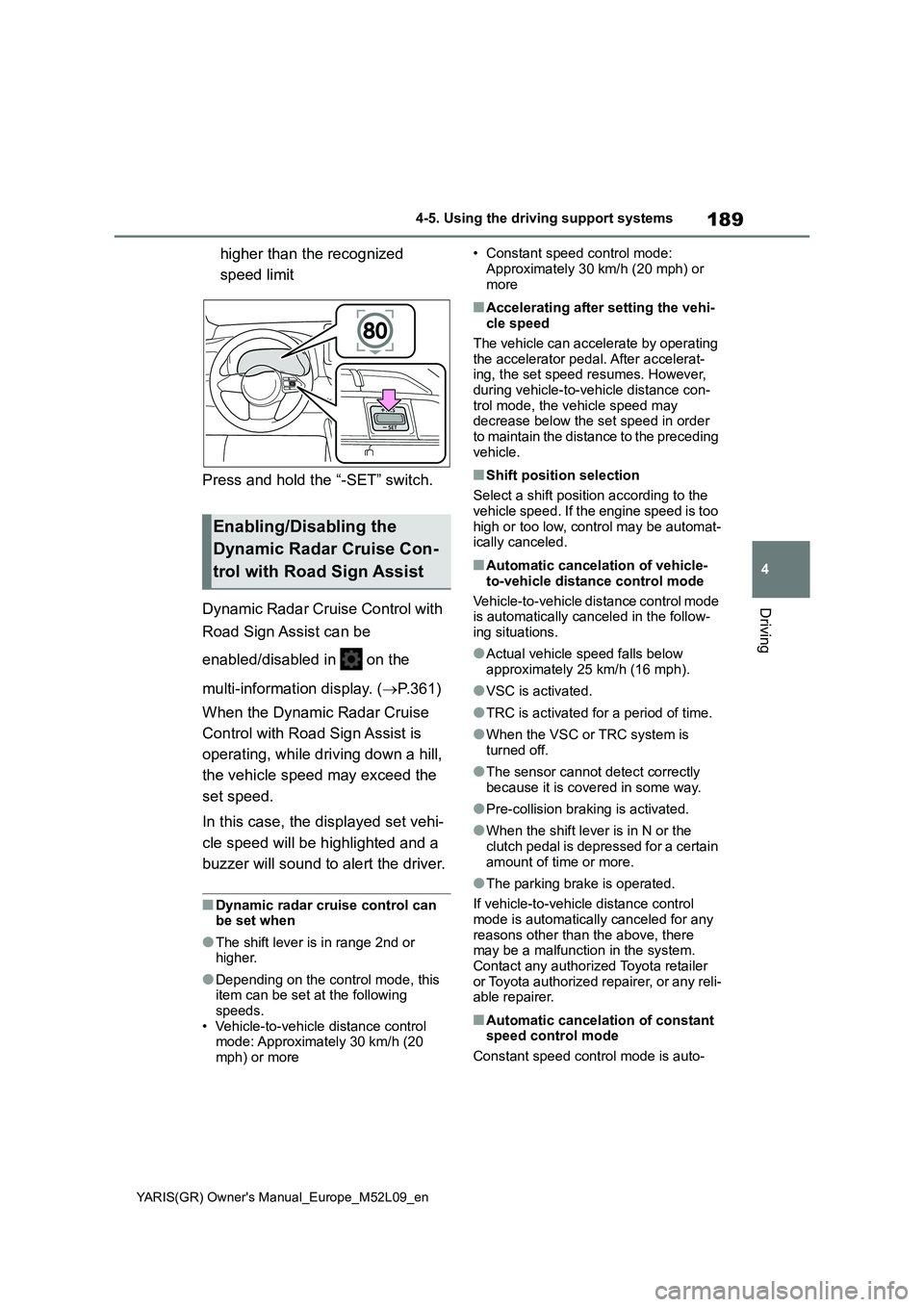
Press and hold the “-SET” switch.
Dynamic Radar Cruise Control with
Road Sign Assist can be
enabled/disabled in on the
multi-information display. ( →P.361)
When the Dynamic Radar Cruise
Control with Road Sign Assist is
operating, while driving down a hill,
the vehicle speed may exceed the
set speed.
In this case, the displayed set vehi-
cle speed will be highlighted and a
buzzer will sound to alert the driver.
■Dynamic radar cruise control can be set when
●The shift lever is in range 2nd or higher.
●Depending on the control mode, this item can be set at the following
speeds. • Vehicle-to-vehicle distance control mode: Approximately 30 km/h (20
mph) or more
• Constant speed control mode:
Approximately 30 km/h (20 mph) or more
■Accelerating after setting the vehi-cle speed
The vehicle can accelerate by operating the accelerator pedal. After accelerat-ing, the set speed resumes. However,
during vehicle-to-vehicle distance con- trol mode, the vehicle speed may decrease below the set speed in order
to maintain the distance to the preceding vehicle.
■Shift position selection
Select a shift position according to the
vehicle speed. If the engine speed is too high or too low, control may be automat-ically canceled.
■Automatic cancelation of vehicle-
to-vehicle distance control mode
Vehicle-to-vehicle distance control mode is automatically canceled in the follow-
ing situations.
●Actual vehicle speed falls below
approximately 25 km/h (16 mph).
●VSC is activated.
●TRC is activated for a period of time.
●When the VSC or TRC system is turned off.
●The sensor cannot detect correctly because it is covered in some way.
●Pre-collision braking is activated.
●When the shift lever is in N or the
clutch pedal is depressed for a certain amount of time or more.
●The parking brake is operated.
If vehicle-to-vehicle distance control mode is automatically canceled for any
reasons other than the above, there may be a malfunction in the system. Contact any authorized Toyota retailer
or Toyota authorized repairer, or any reli- able repairer.
■Automatic cancelation of constant speed control mode
Constant speed control mode is auto-
Enabling/Disabling the
Dynamic Radar Cruise Con-
trol with Road Sign Assist
Page 192 of 458
190
YARIS(GR) Owner's Manual_Europe_M52L09_en
4-5. Using the driving support systems
matically canceled in the following situa-
tions:
●Actual vehicle speed is more than
approximately 16 km/h (10 mph)
below the set vehicle speed.
●Actual vehicle speed falls below
approximately 30 km/h (20 mph).
●VSC is activated.
●TRC is activated for a period of time.
●When the VSC or TRC system is
turned off.
●Pre-collision braking is activated.
●When the shift lever is in N or the
clutch pedal is depressed for a certain
amount of time or more.
●The parking brake is operated.
If constant speed control mode is auto-
matically canceled for any reasons other
than the above, there may be a malfunc-
tion in the system. Contact any autho-
rized Toyota retailer or Toyota
authorized repairer, or any reliable
repairer.
■The Dynamic Radar Cruise Control
with Road Sign Assist may not
operate properly when
As the Dynamic Radar Cruise Control
with Road Sign Assist may not operate
properly in conditions in which RSA may
not operate or detect correctly
(→P.194), when using this function,
make sure to check the speed limit sign
displayed.
In the following situations, the set speed
may not be changed to the recognized
speed limit by pressing and holding the
“+RES”/“-SET” switch.
●If speed limit information is not avail-
able
●When the recognized speed limit is
the same as the set speed
●When the recognized speed limit is
outside of the speed range that the
dynamic radar cruise control system
can operate
■Brake operation
A brake operation sound may be heard
and the brake pedal response may
change, but these are not malfunctions.
■Warning messages and buzzers for
dynamic radar cruise control
Warning messages and buzzers are
used to indicate a system malfunction or
to inform the driver of the need for cau-
tion while driving. If a warning message
is shown on the multi-information dis-
play, read the message and follow the
instructions. (→P.158, 323)
■When the sensor may not be cor-
rectly detecting the vehicle ahead
In the case of the following and depend-
ing on the conditions, operate the brake
pedal when deceleration of the system
is insufficient or operate the accelerator
pedal when acceleration is required.
As the sensor may not be able to cor-
rectly detect these types of vehicles, the
approach warning (→P.187) may not be
activated.
●Vehicles that cut in suddenly
●Vehicles traveling at low speeds
●Vehicles that are not moving in the
same lane
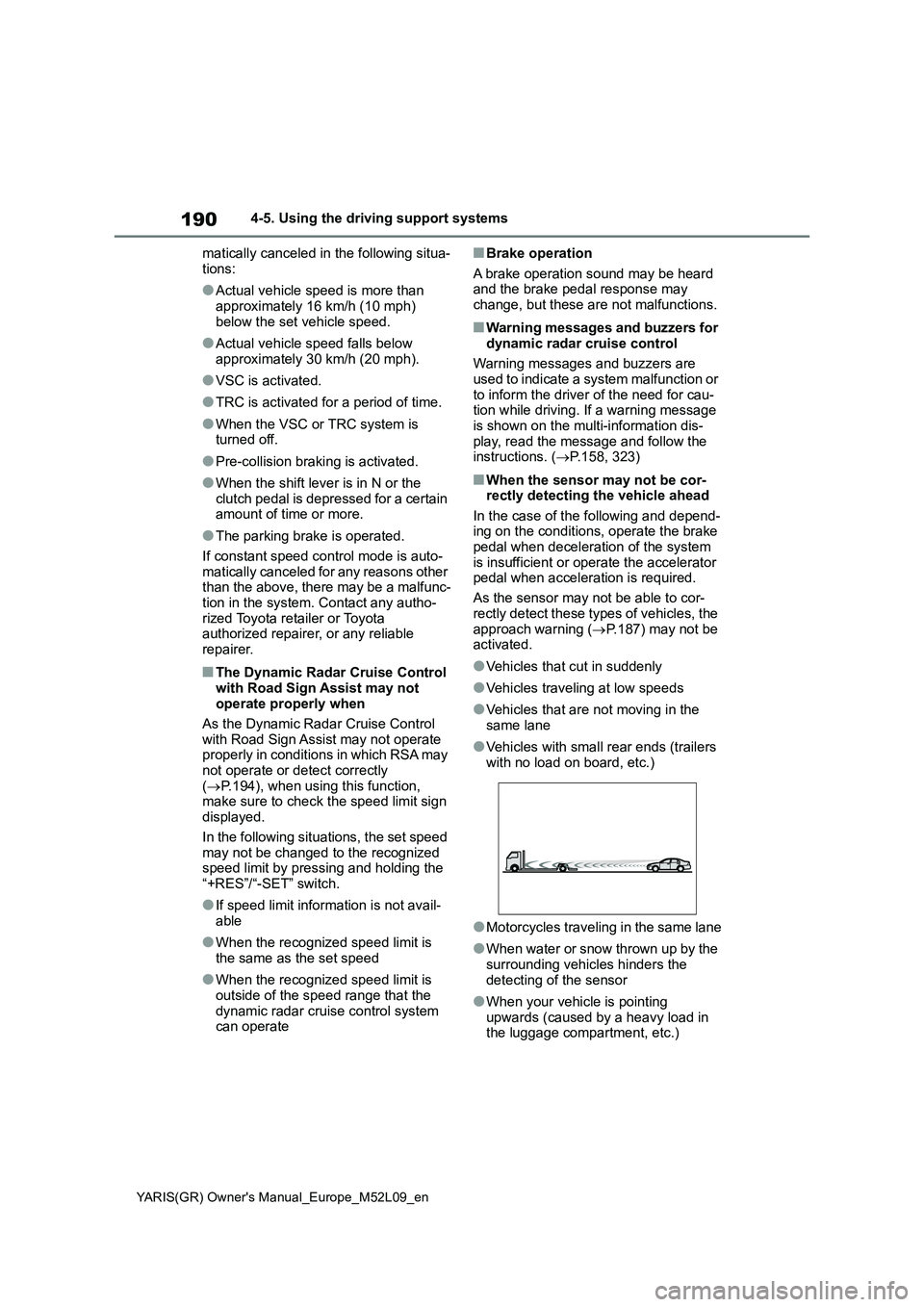
●Vehicles with small rear ends (trailers
with no load on board, etc.)
●Motorcycles traveling in the same lane
●When water or snow thrown up by the
surrounding vehicles hinders the
detecting of the sensor
●When your vehicle is pointing
upwards (caused by a heavy load in
the luggage compartment, etc.)
Page 198 of 458
196
YARIS(GR) Owner's Manual_Europe_M52L09_en
4-5. Using the driving support systems
■Stopping the engine
1Fully depress the clutch pedal
and depress the brake pedal to
stop the vehicle.
2Move the shift lever to N and
release the clutch pedal. The
engine will stop automatically.
When the engine is stopped by the Stop
& Start system, the Stop & Start indica-
tor will illuminate.
■Restarting the engine
With the shift lever in N, depress
the clutch pedal. The engine will
start automatically.
When the engine starts, the Stop &
Start indicator will turn off.
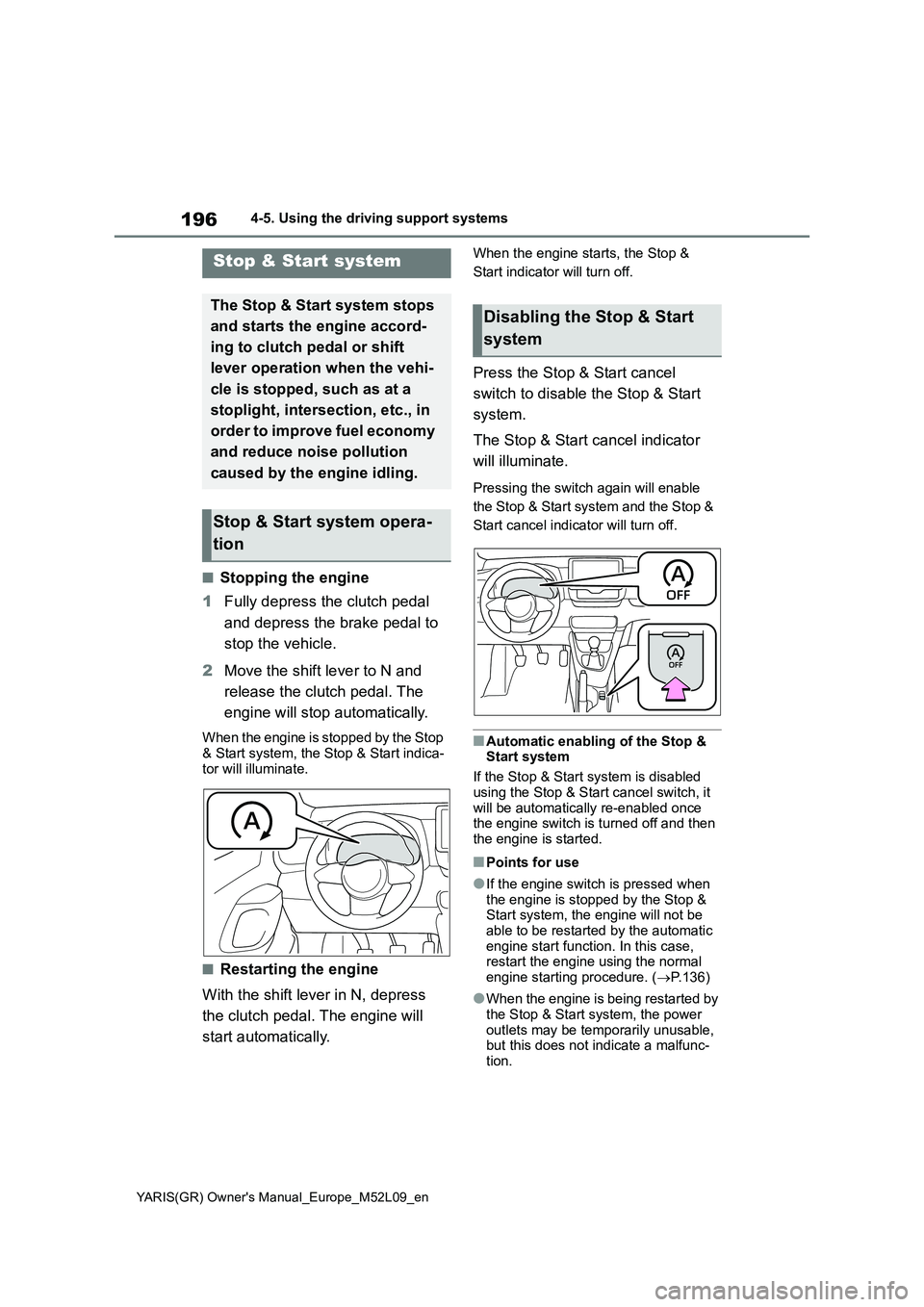
Press the Stop & Start cancel
switch to disable the Stop & Start
system.
The Stop & Start cancel indicator
will illuminate.
Pressing the switch again will enable
the Stop & Start system and the Stop &
Start cancel indicator will turn off.
■Automatic enabling of the Stop &
Start system
If the Stop & Start system is disabled
using the Stop & Start cancel switch, it
will be automatically re-enabled once
the engine switch is turned off and then
the engine is started.
■Points for use
●If the engine switch is pressed when
the engine is stopped by the Stop &
Start system, the engine will not be
able to be restarted by the automatic
engine start function. In this case,
restart the engine using the normal
engine starting procedure. (→P.136)
●When the engine is being restarted by
the Stop & Start system, the power
outlets may be temporarily unusable,
but this does not indicate a malfunc-
tion.
Stop & Start system
The Stop & Start system stops
and starts the engine accord-
ing to clutch pedal or shift
lever operation when the vehi-
cle is stopped, such as at a
stoplight, intersection, etc., in
order to improve fuel economy
and reduce noise pollution
caused by the engine idling.
Stop & Start system opera-
tion
Disabling the Stop & Start
system
Page 199 of 458
197
4
YARIS(GR) Owner's Manual_Europe_M52L09_en
4-5. Using the driving support systems
Driving
●Installation and removal of electrical
components and wireless devices
may affect the Stop & Start system.
Contact any authorized Toyota retailer
or Toyota authorized repairer, or any
reliable repairer for details.
●When stopping the vehicle for a lon-
ger period of time, turn the engine
switch off to stop the engine com-
pletely.
●When the engine is restarted by the
Stop & Start system, the steering
wheel may temporarily feel heavy.
■Operating conditions
●The Stop & Start system is operational
when all of the following conditions
are met:
• The vehicle has been driven a certain
amount of time.
• The clutch pedal is not depressed.
• The shift lever is in N.
• The driver’s seat belt is fastened.
• The driver’s door is closed.
• The selected driving modes are nor-
mal mode and track mode.
• The windshield defogger is off.
• The engine is adequately warmed up.
• The outside temperature is -5°C
(23°F) or higher.
• The hood and back door are closed.
(P.197)
●In the following situations the engine
may not be stopped by the Stop &
Start system. This is not a malfunction
of the Stop & Start system.
• When the air conditioning system is
being used.
• When the battery is undergoing a peri-
odic recharge.
• When the battery is not sufficiently
charged, such as if the vehicle has
been parked for a long time and the
battery charge has decreased, the
electric load is large, the battery fluid
temperature is excessively low or the
battery has deteriorated.
• When the brake booster vacuum is
low.
• When the elapsed time since the
engine was restarted is short.
• When the vehicle is stopped fre-quently, such as when in a traffic jam.
• When the engine coolant temperature
or transmission fluid temperature is
extremely low or high.
• When the steering wheel is being
operated.
• When the vehicle is being driven in a
high altitude area.
• When the battery fluid temperature is
extremely low or high.
• For a while after the battery terminals
have been disconnected and recon-
nected.
●When the engine is stopped by the
S t o p & S t a r t s y s t e m , t h e e n g i n e w i l l b e
restarted automatically if any of the
following conditions are met:
(To enable the engine to be stopped by
the Stop & Start system again, drive the
vehicle.)
• The air conditioning system is turned
on.
• The windshield defogger is turned on.
• The driver’s seat belt is unfastened.
• The driver’s door is opened.
• The driving mode is changed from
normal mode and track mode to
another mode.
• The Stop & Start cancel switch is
pressed.
• The steering wheel is operated.
• The vehicle starts to roll on an incline.
●When the engine is stopped by the
Stop & Start system, the engine may
restart automatically in the following
situations: (To enable the engine to be
stopped by the Stop & Start system
again, drive the vehicle.)
• When the brake pedal is pumped or
strongly depressed.
• When the air conditioning system is
being used.
• When a switch of the air conditioning
system is operated (windshield defog-
ger switch, etc.).
• If the battery charge becomes low.
■When the hood is opened
If the hood is opened while the engine is
stopped by the Stop & Start system, the
engine will stall and will not be able to be
Page 222 of 458
220
YARIS(GR) Owner's Manual_Europe_M52L09_en
4-5. Using the driving support systems
■TRC (Traction Control)
Helps to maintain drive power and
prevent the drive wheels from spin-
ning when starting the vehicle or
accelerating on slippery roads
■Hill-start assist control
Helps to reduce the backward
movement of the vehicle when
starting on an uphill
■EPS (Electric Power Steering)
Employs an electric motor to
reduce the amount of effort needed
to turn the steering wheel.
■Active Torque Split AWD sys-
tem
Automatically switches from front-
wheel drive to all-wheel drive
(AWD) according to the driving con-
ditions, helping to ensure reliable
handling and stability. Examples of
conditions where the system will
switch to AWD are when cornering,
going uphill, starting off or acceler-
ating, and when the road surface is
slippery due to snow, rain, etc.
■Emergency brake signal
When the brakes are applied sud-
denly, the emergency flashers auto-
matically flash to alert the vehicle
behind.
■The secondary Collision Brake
(if equipped)
When the SRS airbag sensor
detects a collision and the system
operates, the brakes and brake
lights are automatically controlled to reduce the vehicle speed and
help reduce the possibility of further
damage due to a secondary colli-
sion.
■When the TRC/VSC systems are
operating
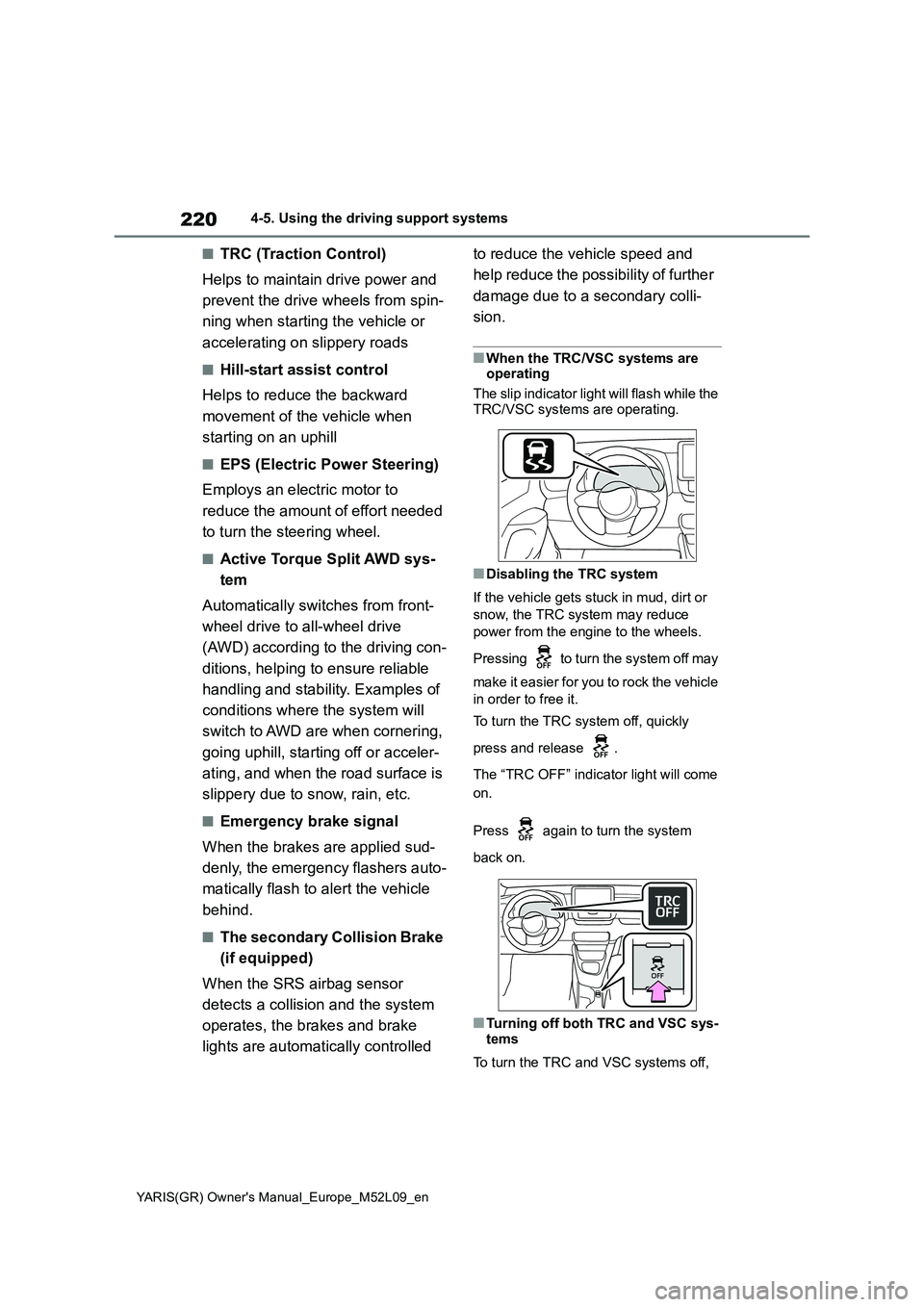
The slip indicator light will flash while the
TRC/VSC systems are operating.
■Disabling the TRC system
If the vehicle gets stuck in mud, dirt or
snow, the TRC system may reduce
power from the engine to the wheels.
Pressing to turn the system off may
make it easier for you to rock the vehicle
in order to free it.
To turn the TRC system off, quickly
press and release .
The “TRC OFF” indicator light will come
on.
Press again to turn the system
back on.
■Turning off both TRC and VSC sys-
tems
To turn the TRC and VSC systems off,