ECO mode TOYOTA GR86 2022 (in English) Owner's Manual
[x] Cancel search | Manufacturer: TOYOTA, Model Year: 2022, Model line: GR86, Model: TOYOTA GR86 2022Pages: 582, PDF Size: 86.38 MB
Page 220 of 582
2184-5. EyeSight
*: If equipped
●The Lead Vehicle Start Alert setting can be turned on or off. ( P.377)
●Under the following conditions, Lead Vehicle Start Alert may activate even
when the vehicle in front has not
started to move, or may not activate even after the vehicle in front has
started to move:
• A motorcycle or similar object cuts in between your vehicle and the stopped
vehicle in front.
• Weather or road conditions may inter- fere with the detection of the vehicle in
front.
• The EyeSight stereo camera loses detection of the vehicle in front.
●Under the following conditions, Lead Vehicle Start Alert will not activate.
• Pre-Collision Braking System is
turned off during TRACK mode. ( P.183, 257)
• TRC and VSC syst em are off.
( P.257) • The EyeSight system has a malfunc-
tion. ( P.222)
• The EyeSight system has stopped temporarily. ( P.223)
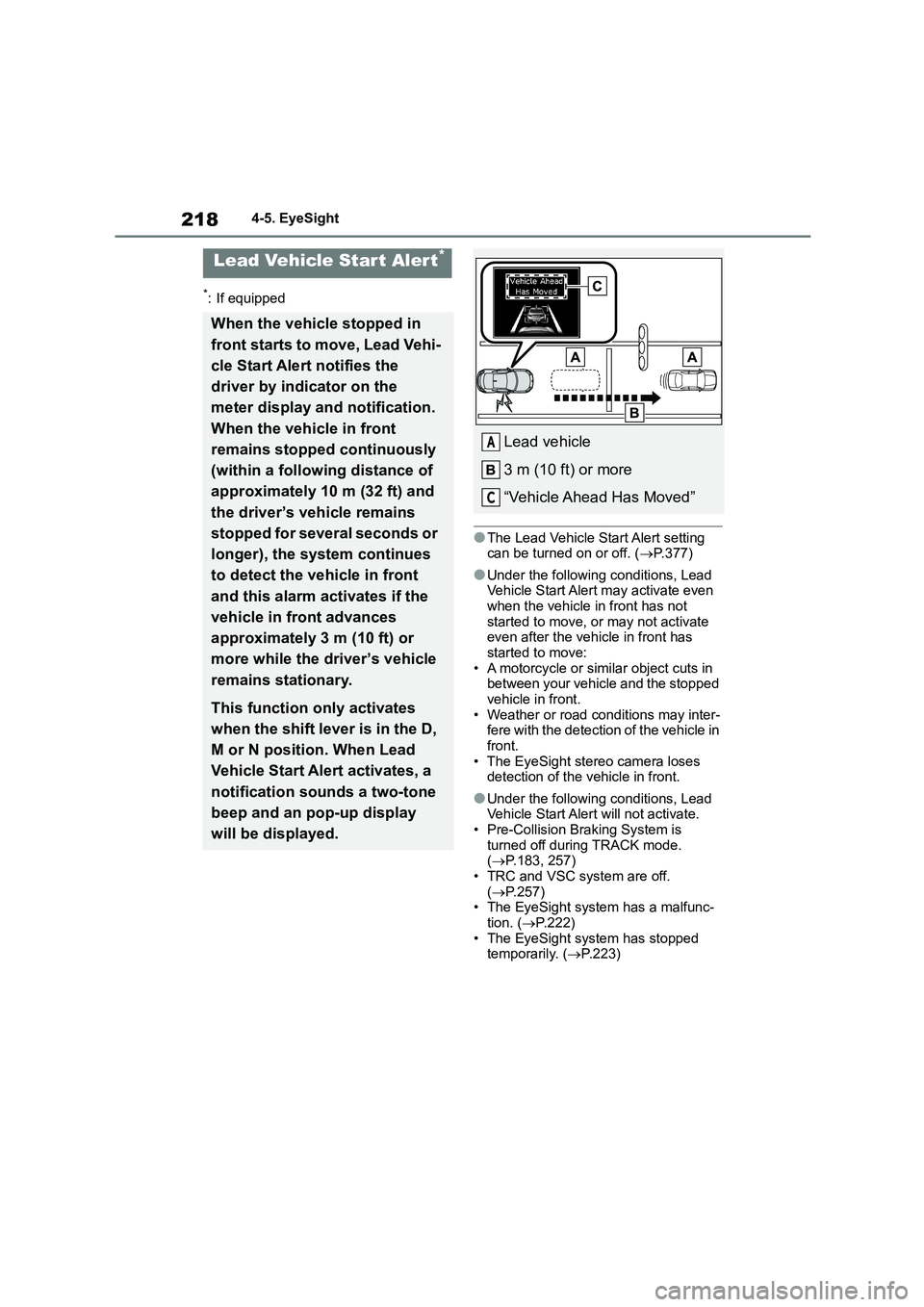
Lead Vehicle Star t Alert*
When the vehicle stopped in
front starts to move, Lead Vehi-
cle Start Alert notifies the
driver by indicator on the
meter display and notification.
When the vehicle in front
remains stopped continuously
(within a following distance of
approximately 10 m (32 ft) and
the driver’s vehicle remains
stopped for several seconds or
longer), the system continues
to detect the vehicle in front
and this alarm activates if the
vehicle in front advances
approximately 3 m (10 ft) or
more while the driver’s vehicle
remains stationary.
This function only activates
when the shift lever is in the D,
M or N position. When Lead
Vehicle Start Alert activates, a
notification sounds a two-tone
beep and an pop-up display
will be displayed.
Lead vehicle
3 m (10 ft) or more
“Vehicle Ahead Has Moved”
A
C
Page 243 of 582
241
4
4-6. Using other driving systems
Driving
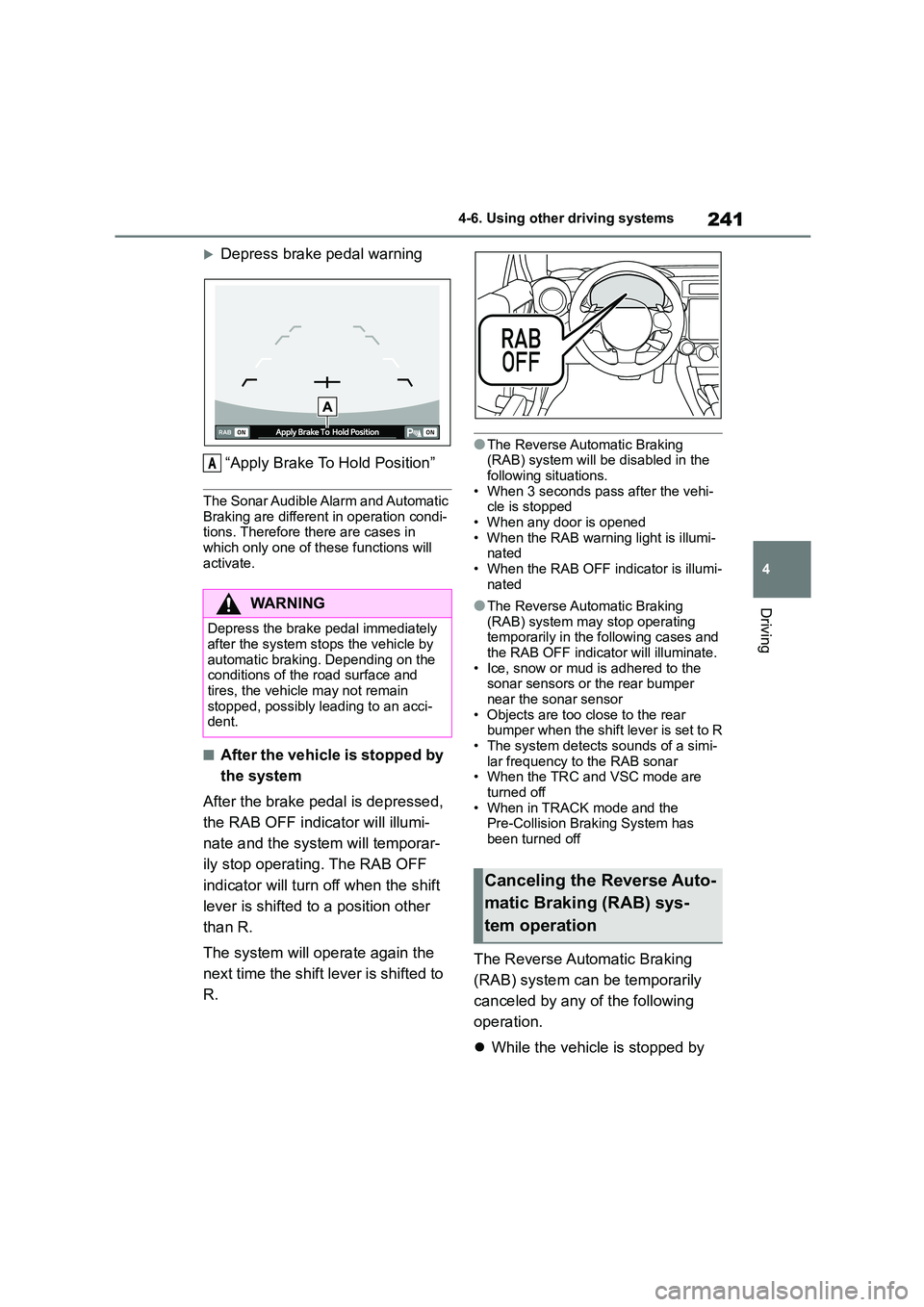
Depress brake pedal warning
“Apply Brake To Hold Position”
The Sonar Audible Alarm and Automatic
Braking are different in operation condi-
tions. Therefore there are cases in which only one of these functions will
activate.
■After the vehicle is stopped by
the system
After the brake pedal is depressed,
the RAB OFF indicator will illumi-
nate and the syst em will temporar-
ily stop operating. The RAB OFF
indicator will turn off when the shift
lever is shifted to a position other
than R.
The system will operate again the
next time the shift le ver is shifted to
R.
●The Reverse Automatic Braking (RAB) system will be disabled in the
following situations.
• When 3 seconds pass after the vehi- cle is stopped
• When any door is opened
• When the RAB warning light is illumi- nated
• When the RAB OFF indicator is illumi-
nated
●The Reverse Automatic Braking
(RAB) system may stop operating temporarily in the following cases and
the RAB OFF indicator will illuminate.
• Ice, snow or mud is adhered to the sonar sensors or the rear bumper
near the sonar sensor
• Objects are too close to the rear bumper when the shift lever is set to R
• The system detects sounds of a simi-
lar frequency to the RAB sonar • When the TRC and VSC mode are
turned off
• When in TRACK mode and the Pre-Collision Braking System has
been turned off
The Reverse Automatic Braking
(RAB) system can be temporarily
canceled by any of the following
operation.
While the vehicle is stopped by
WA R N I N G
Depress the brake pedal immediately after the system stops the vehicle by
automatic braking. Depending on the
conditions of the road surface and
tires, the vehicle may not remain stopped, possibly leading to an acci-
dent.
A
Canceling the Reverse Auto-
matic Braking (RAB) sys-
tem operation
Page 254 of 582
2524-6. Using other driving systems
speed without depressing the
accelerator pedal.
*: If equipped
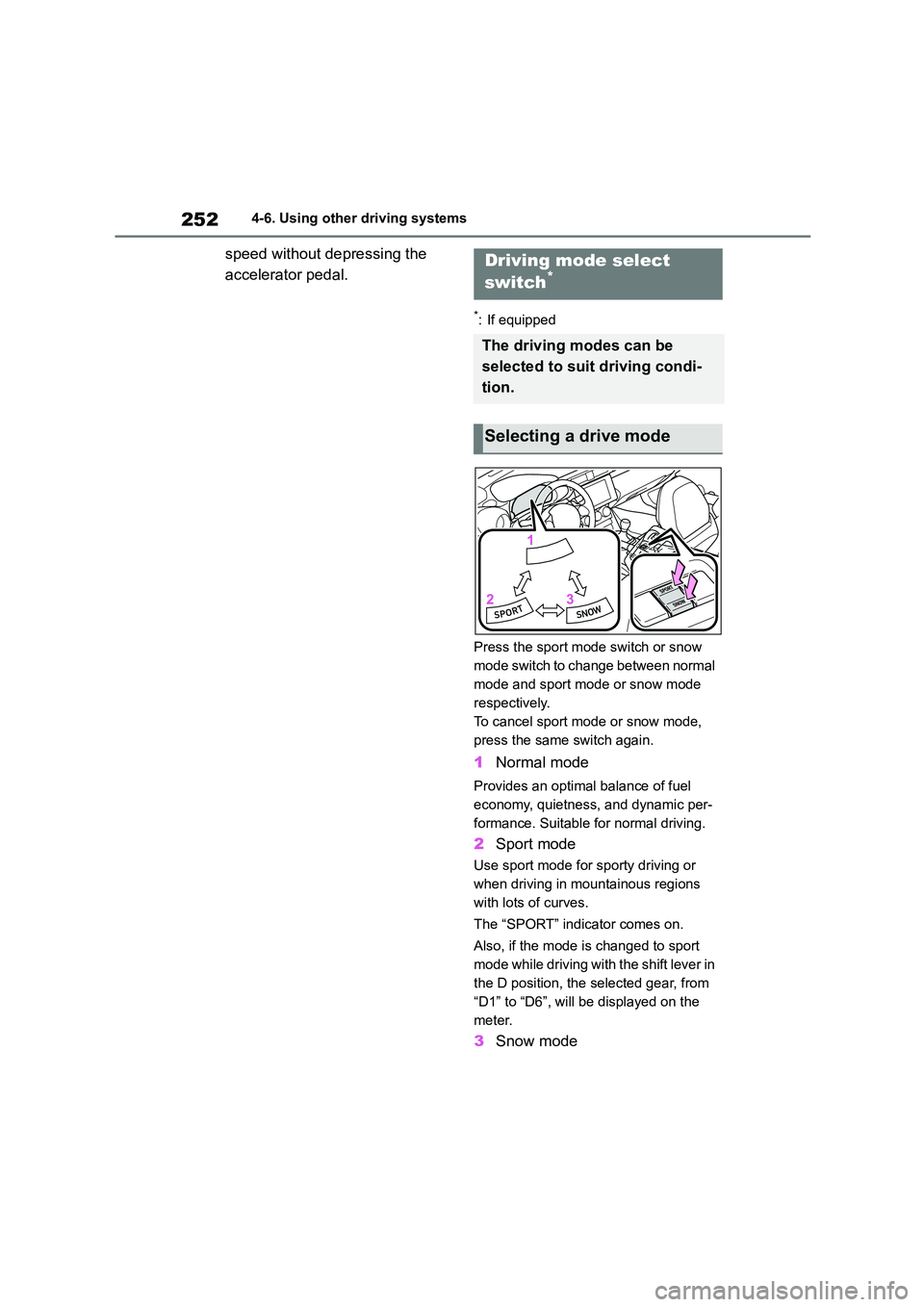
Press the sport mode switch or snow
mode switch to change between normal
mode and sport mode or snow mode
respectively.
To cancel sport mode or snow mode,
press the same switch again.
1 Normal mode
Provides an optimal balance of fuel
economy, quietness, and dynamic per-
formance. Suitable for normal driving.
2 Sport mode
Use sport mode for sporty driving or
when driving in mountainous regions
with lots of curves.
The “SPORT” indicator comes on.
Also, if the mode is changed to sport
mode while driving with the shift lever in
the D position, the selected gear, from
“D1” to “D6”, will be displayed on the
meter.
3 Snow mode
Driving mode select
switch*
The driving modes can be
selected to suit driving condi-
tion.
Selecting a drive mode
Page 255 of 582
253
4
4-6. Using other driving systems
Driving
Use snow mode for accelerating and
driving on slippery road surfaces such
as snow.
The snow mode indi cator comes on.
■Sport mode
●In sport mode, lower gears are used and gears change at a higher engine
speed.
●In the following situations, it may not
be possible to change to sport mode.
When the mode cannot be changed to sport mode, a buzzer will sound and a
message will be displayed on the
multi-information display. • When the Adaptive Cruise Control or
Conventional Cruise Control is operat-
ing • When the engine is cold
■Snow mode
To prevent slipping, 1st gear cannot be
selected when in snow mode.
■Automatic deactivation of sport mode and snow mode
In the following situations, the driving
mode is automatically deactivated:
●When the engine is turned off after
driving in sport mode or snow mode.
●When the Adaptive Cruise Control or
Conventional Cruise Control is acti-
vated while driving in sport mode.
●When in sport mode and stop-
ping/starting off is automatically per- formed in second gear. ( P.144)
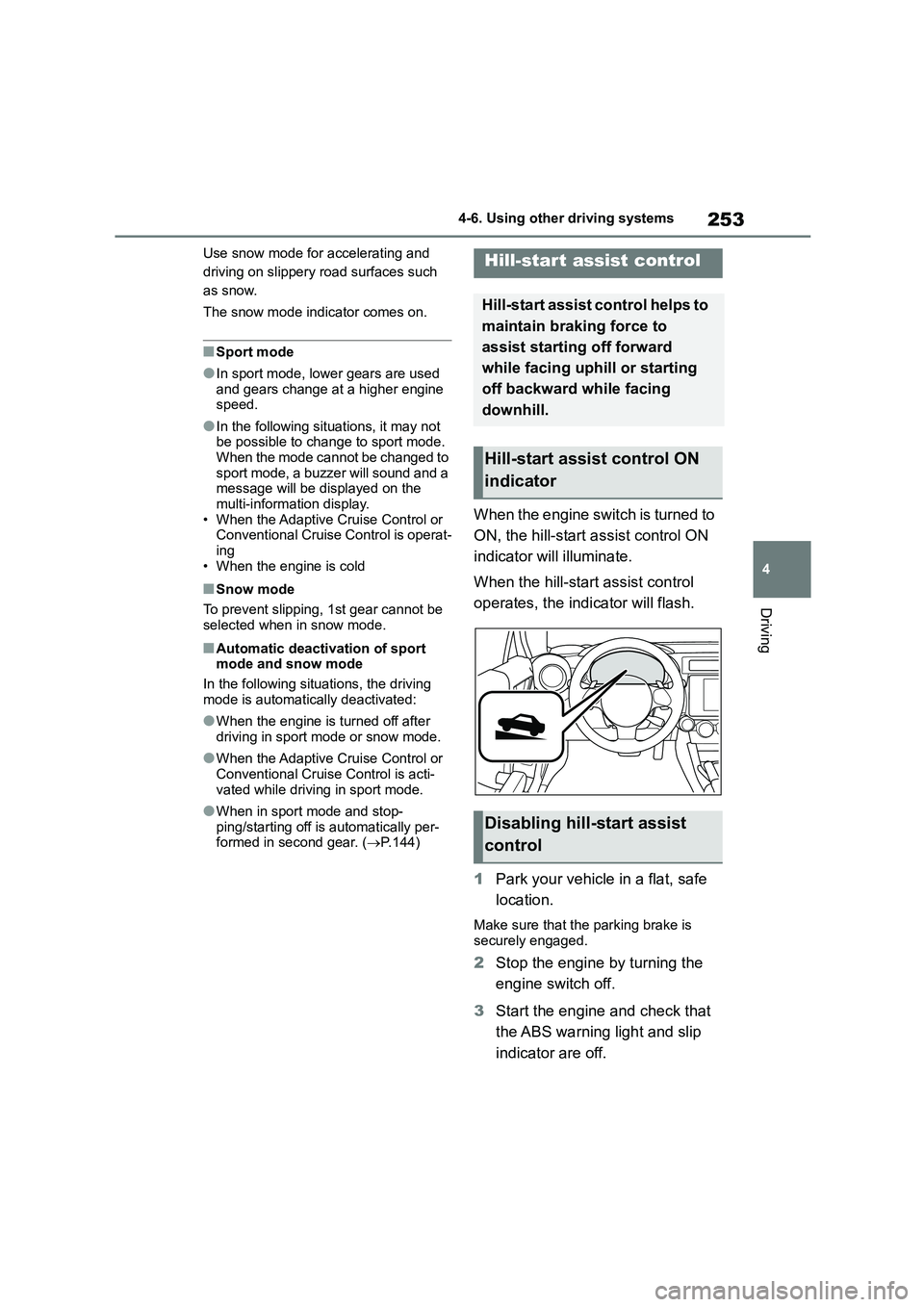
When the engine switch is turned to
ON, the hill-start as sist control ON
indicator will illuminate.
When the hill-start assist control
operates, the indicator will flash.
1 Park your vehicle in a flat, safe
location.
Make sure that the parking brake is
securely engaged.
2 Stop the engine by turning the
engine switch off.
3 Start the engine and check that
the ABS warning light and slip
indicator are off.
Hill-start assist control
Hill-start assist control helps to
maintain braking force to
assist starting off forward
while facing uphill or starting
off backward while facing
downhill.
Hill-start assist control ON
indicator
Disabling hill-start assist
control
Page 256 of 582
2544-6. Using other driving systems
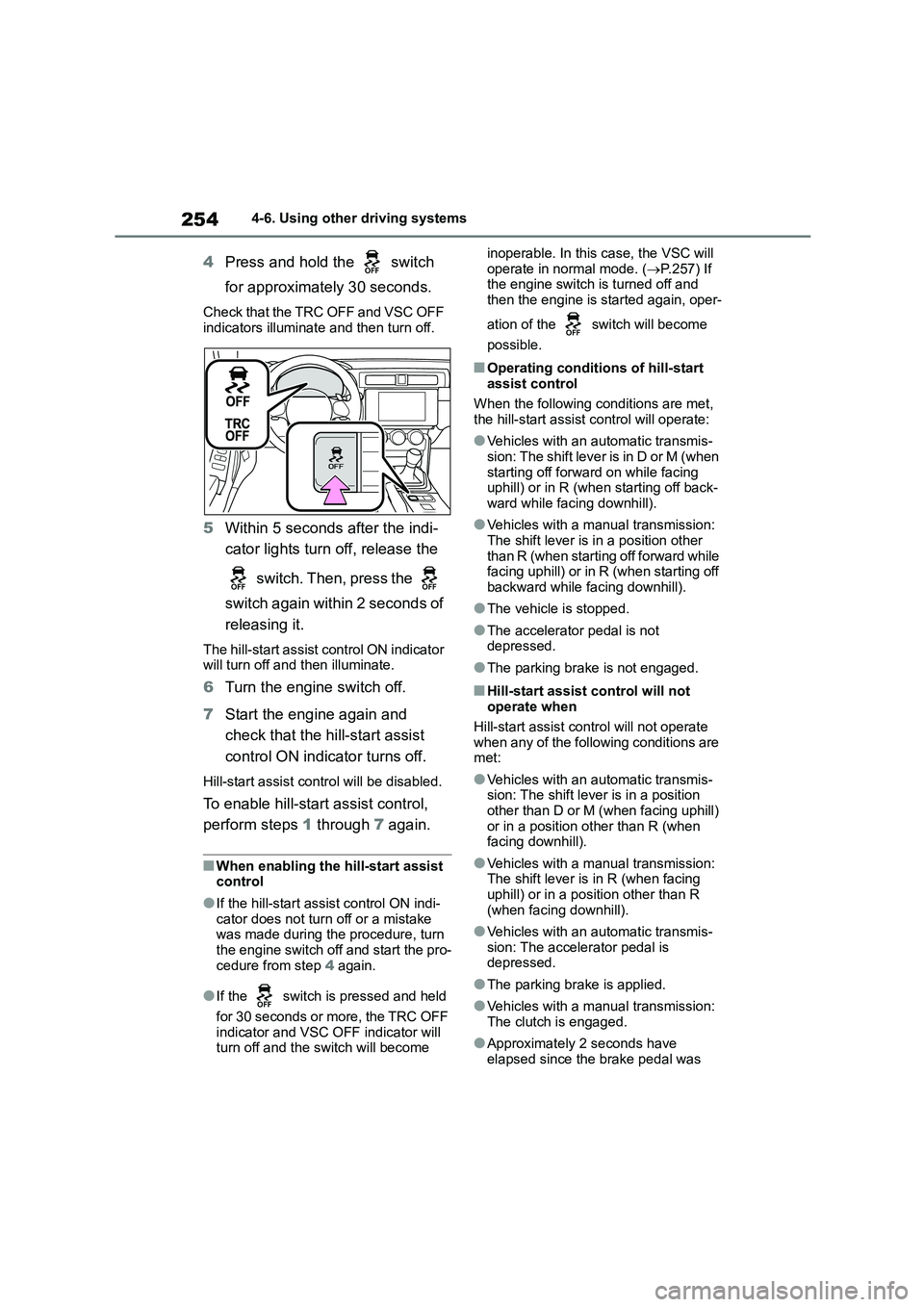
4Press and hold the switch
for approximately 30 seconds.
Check that the TRC OFF and VSC OFF
indicators illuminate and then turn off.
5 Within 5 seconds after the indi-
cator lights turn off, release the
switch. Then, press the
switch again within 2 seconds of
releasing it.
The hill-start assist control ON indicator will turn off and then illuminate.
6 Turn the engine switch off.
7 Start the engine again and
check that the hill-start assist
control ON indicator turns off.
Hill-start assist control will be disabled.
To enable hill-star t assist control,
perform steps 1 through 7 again.
■When enabling the hill-start assist control
●If the hill-start assi st control ON indi-
cator does not turn off or a mistake was made during the procedure, turn
the engine switch off and start the pro-
cedure from step 4 again.
●If the switch is pressed and held
for 30 seconds or more, the TRC OFF indicator and VSC OFF indicator will
turn off and the switch will become
inoperable. In this case, the VSC will
operate in normal mode. ( P.257) If the engine switch is turned off and
then the engine is started again, oper-
ation of the switch will become
possible.
■Operating conditions of hill-start
assist control
When the following conditions are met, the hill-start assist control will operate:
●Vehicles with an automatic transmis-sion: The shift lever is in D or M (when
starting off forward on while facing
uphill) or in R (when starting off back- ward while facing downhill).
●Vehicles with a manual transmission: The shift lever is in a position other
than R (when starting off forward while
facing uphill) or in R (when starting off backward while facing downhill).
●The vehicle is stopped.
●The accelerator pedal is not
depressed.
●The parking brake is not engaged.
■Hill-start assist control will not
operate when
Hill-start assist control will not operate
when any of the following conditions are
met:
●Vehicles with an automatic transmis-
sion: The shift lever is in a position other than D or M (when facing uphill)
or in a position other than R (when
facing downhill).
●Vehicles with a manual transmission:
The shift lever is in R (when facing uphill) or in a position other than R
(when facing downhill).
●Vehicles with an automatic transmis- sion: The accelerator pedal is
depressed.
●The parking brake is applied.
●Vehicles with a manual transmission: The clutch is engaged.
●Approximately 2 seconds have elapsed since the brake pedal was
Page 259 of 582
257
4
4-6. Using other driving systems
Driving
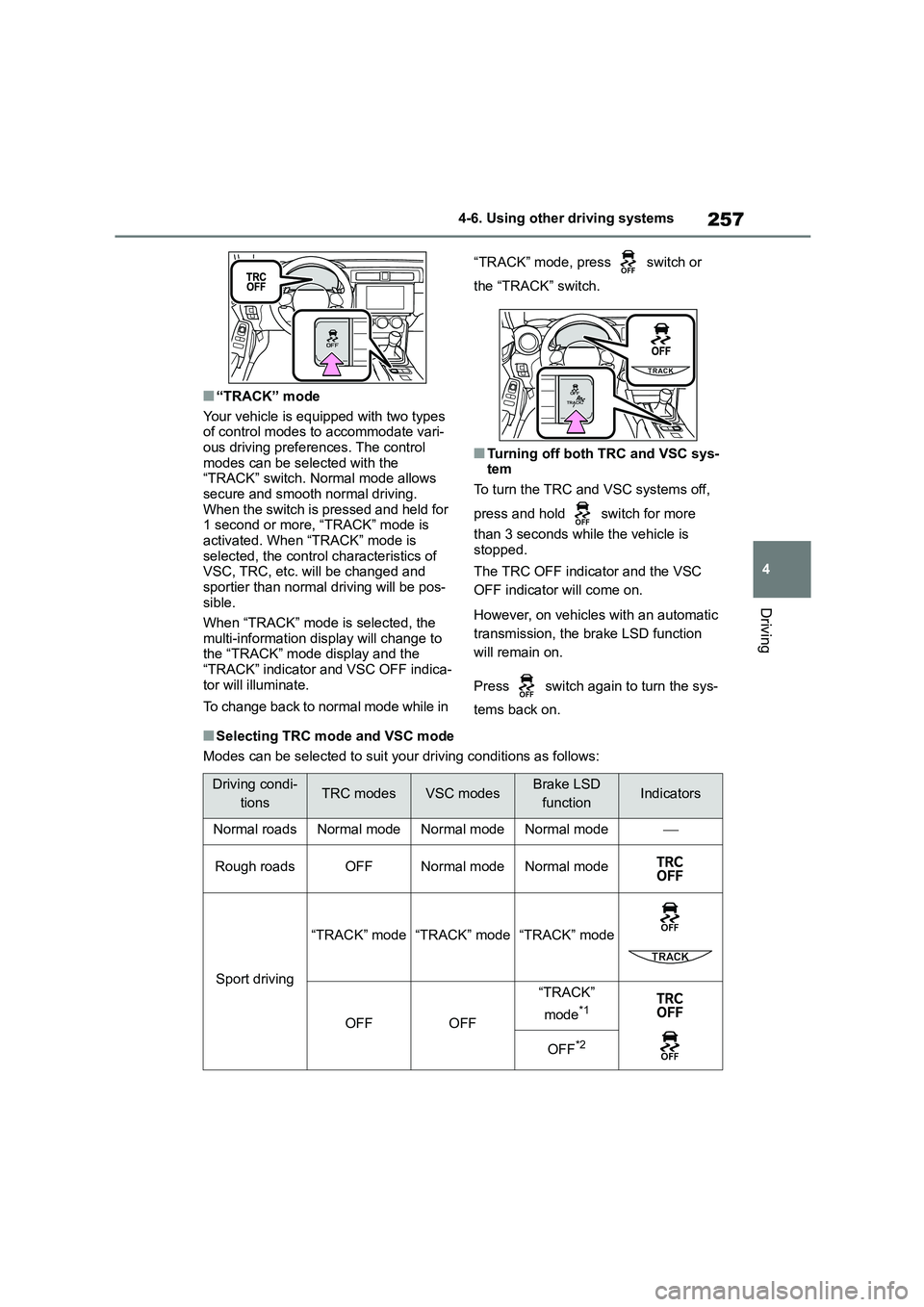
■“TRACK” mode
Your vehicle is equipped with two types of control modes to accommodate vari-
ous driving preferences. The control
modes can be selected with the “TRACK” switch. Normal mode allows
secure and smooth normal driving.
When the switch is pressed and held for 1 second or more, “TRACK” mode is
activated. When “TRACK” mode is
selected, the control characteristics of VSC, TRC, etc. will be changed and
sportier than normal driving will be pos-
sible.
When “TRACK” mode is selected, the
multi-information display will change to
the “TRACK” mode display and the “TRACK” indicator and VSC OFF indica-
tor will illuminate.
To change back to normal mode while in
“TRACK” mode, press switch or
the “TRACK” switch.
■Turning off both TRC and VSC sys- tem
To turn the TRC and VSC systems off,
press and hold switch for more
than 3 seconds while the vehicle is
stopped.
The TRC OFF indicator and the VSC
OFF indicator will come on.
However, on vehicles with an automatic
transmission, the brake LSD function
will remain on.
Press switch again to turn the sys-
tems back on.
■Selecting TRC mode and VSC mode
Modes can be selected to suit your driving conditions as follows:
Driving condi-
tionsTRC modesVSC modesBrake LSD
functionIndicators
Normal roadsNormal modeNormal modeNormal mode
Rough roadsOFFNormal modeNormal mode
Sport driving
“TRACK” mode“TRACK” mode“TRACK” mode
OFFOFF
“TRACK”
mode*1
OFF*2
Page 269 of 582
267
5
5-1. Using the air conditioning system
Interior features
culated air mode is used.
■When driving on dusty roads
Close all windows. If dust thrown up by the vehicle is still dr awn into the vehicle
after closing the windows, it is recom-
mended that the air intake mode be set to outside air mode and the fan speed to
any setting except off.
■Outside/recirculated air mode
●Setting to the recirculated air mode
temporarily is recommended in pre-
venting dirty air from entering the vehicle interior and helping to cool the
vehicle when the outside air tempera-
ture is high.
●Outside/recirculated air mode may
automatically switch depending on the temperature setting or the inside tem-
perature.
■When the outside temperature falls
to nearly 0°C (32°F)
The dehumidification function may not
operate even when “A/C” switch is
pressed.
■Ventilation and air conditioning odors
●To let fresh air in, set the air condition-ing system to the outside air mode.
●During use, various odors from inside and outside the vehicle may enter into
and accumulate in the air conditioning
system. This may then cause odor to be emitted from the vents.
●To reduce potential odors from occur-ring:
• It is recommended that the air condi-
tioning system be se t to outside air mode prior to turning the vehicle off.
• The start timing of the blower may be
delayed for a short period of time
immediately after the air conditioning system is started in automatic mode.
■Air conditioning filter
P.314
■When continuous operation is set
During continuous operation, the defog-
ger stops operating for 2 minutes after
every 15 minutes of continual operation. Even during the 2 minutes that opera-
tion stops, the operating light remains
illuminated. The rear window defogger will continue to operate in this cycle until
it is turned off.
■Customization
Some functions can be customized. ( P.377)
1Press the automatic mode
switch.
2 Adjust the temperature setting.
3 To stop the operation, press the
“ON/OFF” switch.
If the fan speed setting or air flow
modes are operated, the automatic
WA R N I N G
■To prevent the windshield from
fogging up
Do not use the windshield defogger switch during cool air operation in
extremely humid weather. The differ-
ence between the temperature of the outside air and that of the windshield
can cause the outer surface of the
windshield to fog up, blocking your vision.
■When the outside rear view mir-ror defoggers are operating
Do not touch the outside rear view
mirror surfaces, as they can become very hot and burn you.
NOTICE
■To prevent battery discharge
Do not leave the air conditioning sys- tem on longer than necessary when
the engine is off.
Using automatic mode
Page 284 of 582
2826-1. Maintenance and care
6-1.Maintenance and care
Working from top to bottom, lib-
erally apply water to the vehicle
body, wheel wells and underside
of the vehicle to remove any dirt
and dust.
Wash the vehicle body using a
sponge or soft cloth, such as a
chamois.
If very dirty, use a car wash soap
that does not contain abrasives
and then thoroughly rinse with
water.
Wipe away any water.
Wax the vehicle when the water-
proof coating deteriorates.
If water does not bead on a clean sur-
face, apply wax when the vehicle body
is cool.
■Automatic car washes
●Fold the mirrors before washing the
vehicle. Start washing from the front of
the vehicle. Make sure to extend the mirrors before driving.
●Brushes used in automatic car washes may scratch the vehicle sur-
face, parts (wheel, etc.) and harm
your vehicle’s paint.
■High pressure car washes
As water may enter the cabin, do not
bring the nozzle tip near the gaps
around the doors or perimeter of the
windows, or spray these areas continu- ously.
■When using a car wash
If the door handle becomes wet while
the electronic key is within the effective range, the door may lock and unlock
repeatedly. In that case, follow the fol-
lowing correction procedures to wash the vehicle:
●Place the key in a position 2 m (6 ft.) or more separate from the vehicle
while the vehicle is being washed.
(Take care to ensure that the key is not stolen.)
●Set the electronic key to battery-sav-ing mode to disable the smart entry &
start system. ( P.109)
■Wheels and wheel ornaments (vehi-
cles without matte painted wheels)
●Remove any dirt immediately by using
a neutral detergent.
●Wash detergent off with water immedi-
ately after use.
●To protect the paint from damage,
make sure to observe the following precautions.
• Do not use acidic, alkaline or abrasive
detergent • Do not use hard brushes
• Do not use detergent on the wheels
when they are hot, such as after driv- ing or parking in hot weather
■Wheels and wheel ornaments (vehi-
cles with matte painted wheels)
As matte painted wheels require differ- ent cleaning methods than conventional
wheels, be sure to observe the follow-
ing. For details, consult any authorized
Toyota retailer or Toyota authorized repairer, or any reliable repairer.
●Remove dirt using water. If the wheels are excessively dirty, use a sponge or
soft cloth dampened with a diluted
neutral detergent to remove the dirt.
●To protect the matte paint from dam-
age, make sure to observe the follow- ing precautions.
Cleaning and protecting
the vehicle exterior
Perform cleaning in a manner
appropriate to each compo-
nent and its material.
Cleaning instructions
Page 301 of 582
299
6
6-3. Do-it-yourself maintenance
Maintenance and care
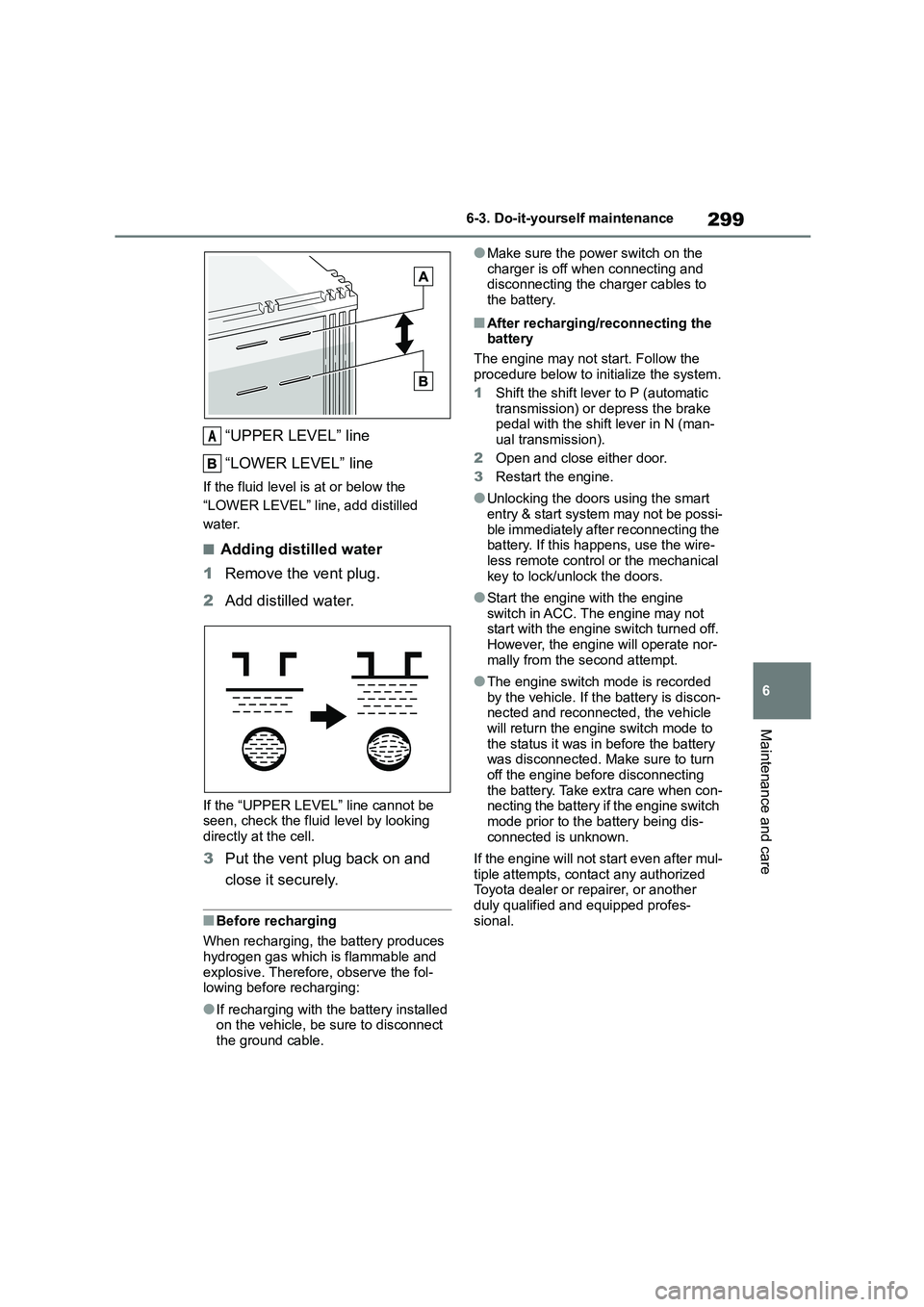
“UPPER LEVEL” line
“LOWER LEVEL” line
If the fluid level is at or below the
“LOWER LEVEL” line, add distilled
water.
■Adding distilled water
1 Remove the vent plug.
2 Add distilled water.
If the “UPPER LEVEL” line cannot be seen, check the fluid level by looking
directly at the cell.
3 Put the vent plug back on and
close it securely.
■Before recharging
When recharging, the battery produces
hydrogen gas which is flammable and
explosive. Therefore, observe the fol- lowing before recharging:
●If recharging with the battery installed on the vehicle, be sure to disconnect
the ground cable.
●Make sure the power switch on the
charger is off when connecting and disconnecting the charger cables to
the battery.
■After recharging/reconnecting the
battery
The engine may not start. Follow the
procedure below to initialize the system.
1 Shift the shift lever to P (automatic
transmission) or depress the brake pedal with the shift lever in N (man-
ual transmission).
2 Open and close either door.
3 Restart the engine.
●Unlocking the doors using the smart
entry & start system may not be possi-
ble immediately after reconnecting the battery. If this happens, use the wire-
less remote control or the mechanical
key to lock/unlock the doors.
●Start the engine with the engine
switch in ACC. The engine may not start with the engine switch turned off.
However, the engine will operate nor-
mally from the second attempt.
●The engine switch mode is recorded
by the vehicle. If the battery is discon- nected and reconnected, the vehicle
will return the engine switch mode to
the status it was in before the battery was disconnected. Make sure to turn
off the engine before disconnecting
the battery. Take extra care when con- necting the battery if the engine switch
mode prior to the battery being dis-
connected is unknown.
If the engine will not start even after mul-
tiple attempts, contact any authorized Toyota dealer or repairer, or another
duly qualified and equipped profes-
sional.
A
Page 361 of 582
359
7
7-2. Steps to take in an emergency
When trouble arises
cal key when the alarm system is set,
the alarm may be triggered.
■Changing engine switch modes
Release the brake pedal (automatic
transmission) or clutch pedal (manual
transmission) and press the engine switch in step 3 above.
The engine does not start and modes
will be changed each time the switch is pressed. ( P.141)
If you have a set of jumper (or
booster) cables and a second vehi-
cle with a 12-volt battery, you can
jump start your vehicle by following
the steps below.
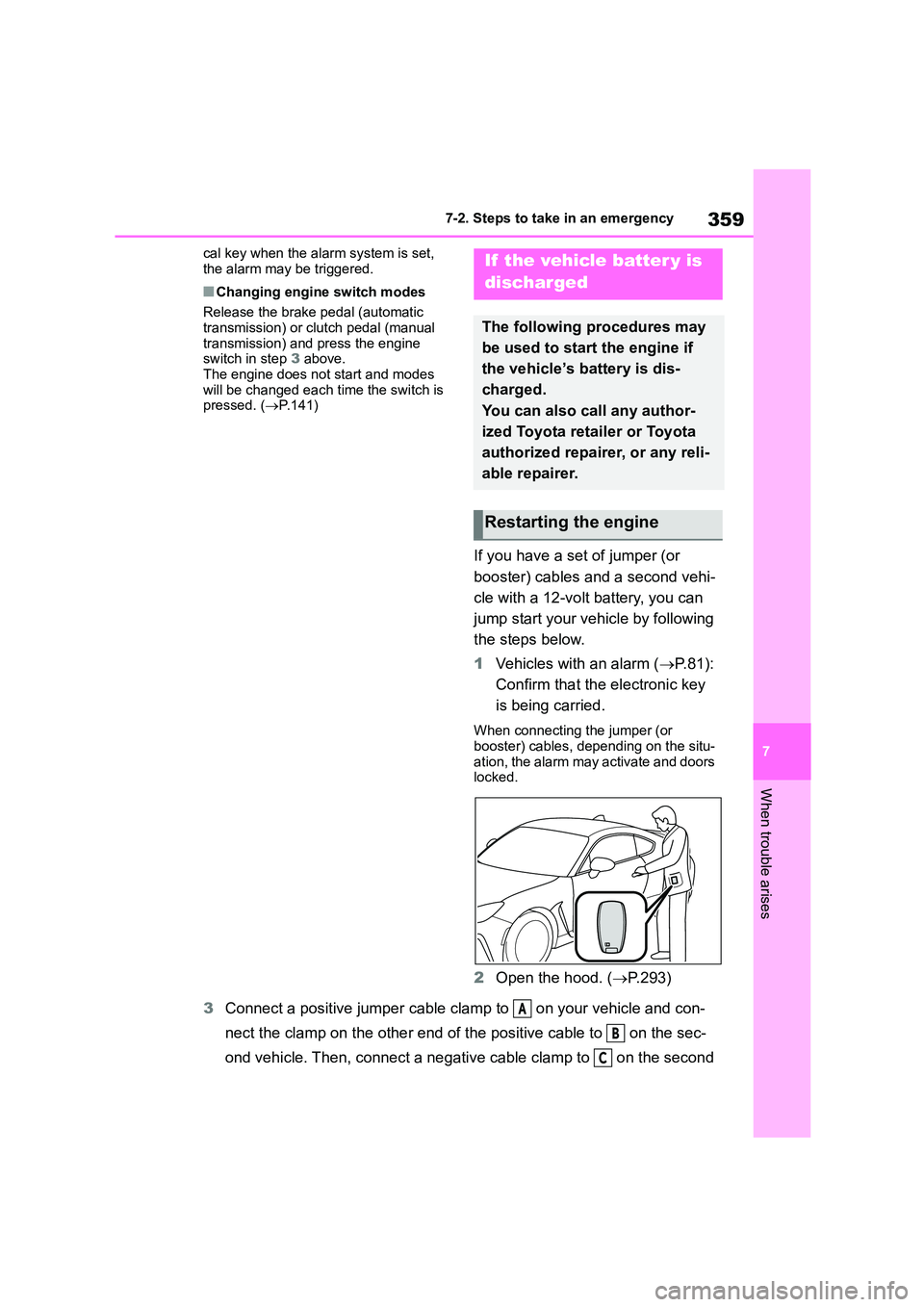
1 Vehicles with an alarm (P. 8 1 ) :
Confirm that the electronic key
is being carried.
When connecting the jumper (or
booster) cables, depending on the situ- ation, the alarm may activate and doors
locked.
2 Open the hood. (P.293)
3 Connect a positive jumper cable clamp to on your vehicle and con-
nect the clamp on the other end of the positive cable to on the sec-
ond vehicle. Then, connect a negativ e cable clamp to on the second
If the vehicle batter y is
discharged
The following procedures may
be used to start the engine if
the vehicle’s battery is dis-
charged.
You can also call any author-
ized Toyota retailer or Toyota
authorized repairer, or any reli-
able repairer.
Restarting the engine
A
B
C