instrument cluster TOYOTA GT86 2012 Owners Manual
[x] Cancel search | Manufacturer: TOYOTA, Model Year: 2012, Model line: GT86, Model: TOYOTA GT86 2012Pages: 448, PDF Size: 13.47 MB
Page 3 of 448
1
2
3
4
5
6
FT86_EE
3
2-2. Instrument cluster
Gauges and meters ............ 190
Indicators and warning
lights ................................. 195
Multi-information display ..... 200
2-3. Operating the lights and
windshield wipers
Headlight switch.................. 205
Fog light switch ................... 212
Windshield wipers and
washer .............................. 214
2-4. Using other driving
systems
Cruise control...................... 217
Driving assist systems ........ 222
2-5. Driving information
Cargo and luggage ............. 227
Winter driving tips ............... 229
Trailer towing ...................... 233
3-1. Using the air conditioning
system and defogger
Manual air conditioning
system .............................. 236
Automatic air conditioning
system .............................. 244
Rear window and
outside rear view
mirror defoggers ............... 2523-2. Using the audio system
Using the AUX/USB port .... 254
3-3. Using the interior lights
Interior lights list ................. 255
• Interior light ...................... 256
3-4. Using the storage features
List of storage features....... 257
• Glove box ......................... 258
• Bottle holders ................... 259
• Cup holders/
console tray...................... 260
3-5. Other interior features
Sun visors .......................... 262
Vanity mirrors ..................... 263
Clock .................................. 264
Outside temperature
display .............................. 265
Ashtray ............................... 266
Power outlets ..................... 267
Seat heaters ....................... 269
Floor mat ............................ 271
Trunk features .................... 274
3Interior features
Page 151 of 448
2When driving
151
FT86_EE
2-1. Driving procedures
Driving the vehicle ............ 152
Engine (ignition) switch
(vehicles with a smart
entry & start system)....... 165
Engine (ignition) switch
(vehicles without a smart
entry & start system)....... 174
Automatic transmission .... 177
Manual Transmission ....... 184
Turn signal lever ............... 187
Parking brake ................... 188
Horn .................................. 189
2-2. Instrument cluster
Gauges and meters .......... 190
Indicators and warning
lights ............................... 195
Multi-information
display ............................ 200
2-3. Operating the lights and
windshield wipers
Headlight switch ............... 205
Fog light switch ................. 212
Windshield wipers and
washer ............................ 2142-4. Using other driving
systems
Cruise control.................... 217
Driving assist systems ...... 222
2-5. Driving information
Cargo and luggage ........... 227
Winter driving tips ............. 229
Trailer towing .................... 233
Page 190 of 448
190
FT86_EE
2-2. Instrument cluster
Gauges and meters
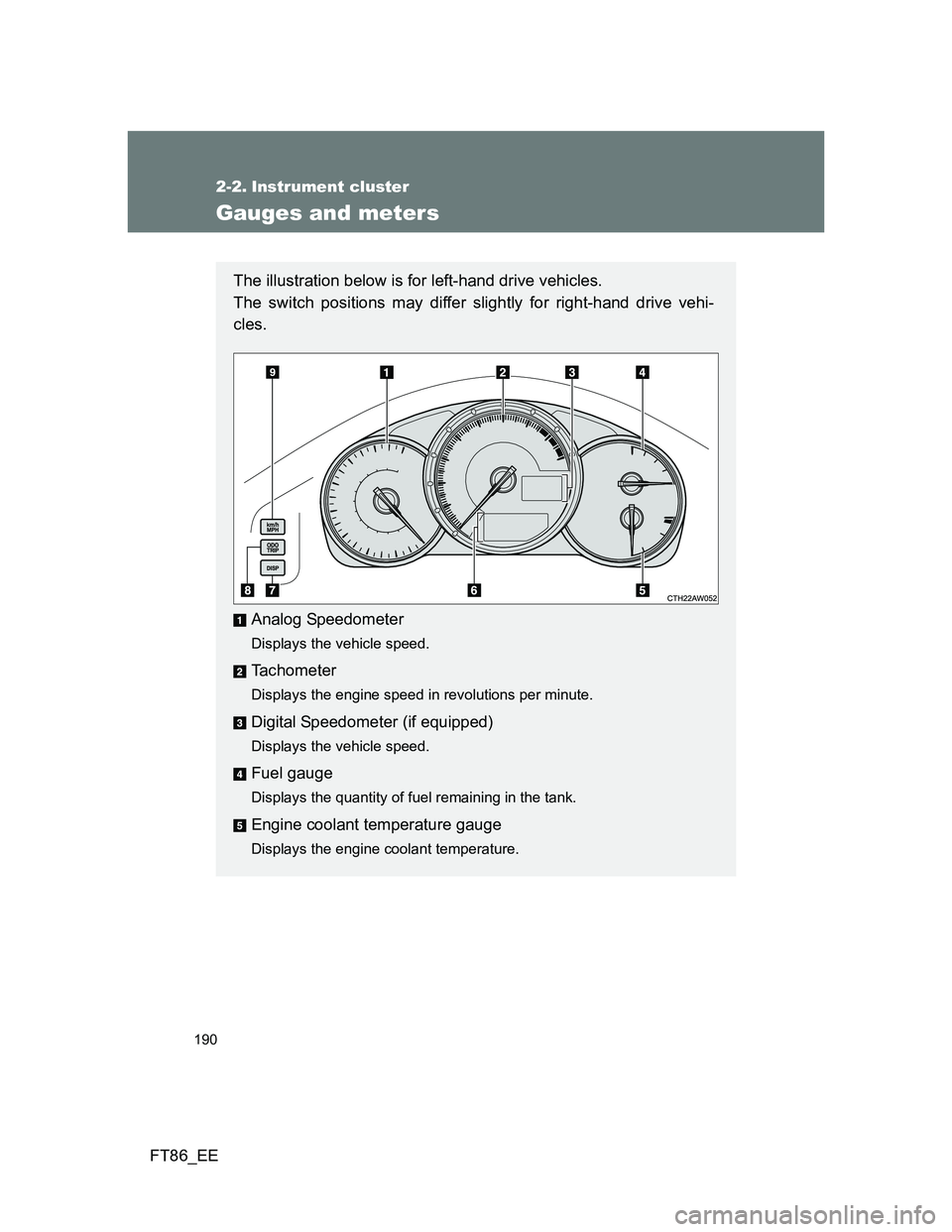
The illustration below is for left-hand drive vehicles.
The switch positions may differ slightly for right-hand drive vehi-
cles.
Analog Speedometer
Displays the vehicle speed.
Tachometer
Displays the engine speed in revolutions per minute.
Digital Speedometer (if equipped)
Displays the vehicle speed.
Fuel gauge
Displays the quantity of fuel remaining in the tank.
Engine coolant temperature gauge
Displays the engine coolant temperature.
Page 191 of 448
191 2-2. Instrument cluster
2
When driving
FT86_EE
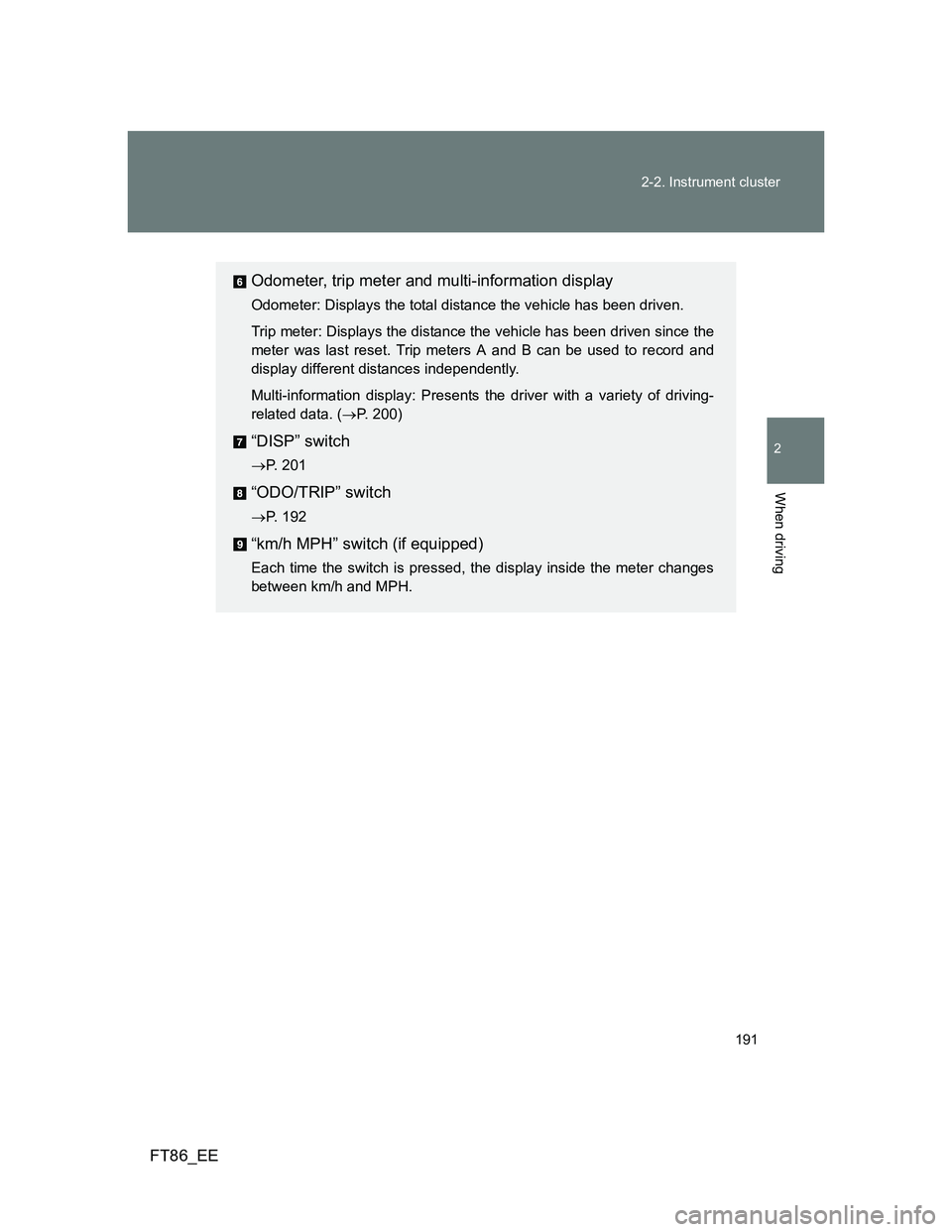
Odometer, trip meter and multi-information display
Odometer: Displays the total distance the vehicle has been driven.
Trip meter: Displays the distance the vehicle has been driven since the
meter was last reset. Trip meters A and B can be used to record and
display different distances independently.
Multi-information display: Presents the driver with a variety of driving-
related data. (P. 200)
“DISP” switch
P. 201
“ODO/TRIP” switch
P. 192
“km/h MPH” switch (if equipped)
Each time the switch is pressed, the display inside the meter changes
between km/h and MPH.
Page 192 of 448
192 2-2. Instrument cluster
FT86_EE
Switch the display
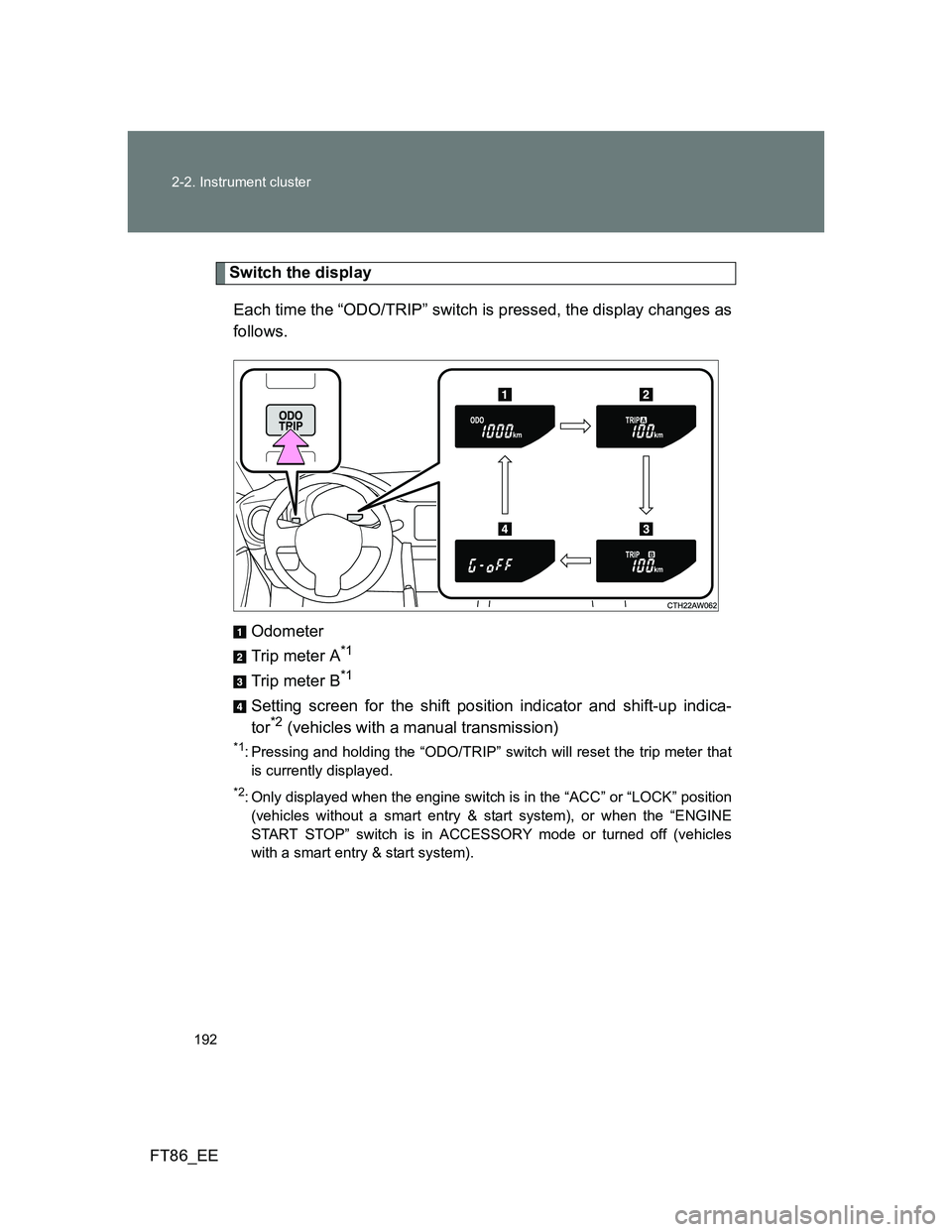
Each time the “ODO/TRIP” switch is pressed, the display changes as
follows.
Odometer
Trip meter A
*1
Trip meter B*1
Setting screen for the shift position indicator and shift-up indica-
tor*2 (vehicles with a manual transmission)
*1: Pressing and holding the “ODO/TRIP” switch will reset the trip meter that
is currently displayed.
*2: Only displayed when the engine switch is in the “ACC” or “LOCK” position
(vehicles without a smart entry & start system), or when the “ENGINE
START STOP” switch is in ACCESSORY mode or turned off (vehicles
with a smart entry & start system).
Page 193 of 448
193 2-2. Instrument cluster
2
When driving
FT86_EE
Setting the shift position indicator and shift-up indicator
(vehicles with a manual transmission)
Displaying of the shift position indicator and shift-up indicator can be
turned on/off.
Press the “ODO/TRIP” switch repeatedly until the setting
screen is displayed. (P. 192)
Each time the switch is pressed and held, the display changes
between on/off.
“G-on”: Display on
“G-oFF”: Display off
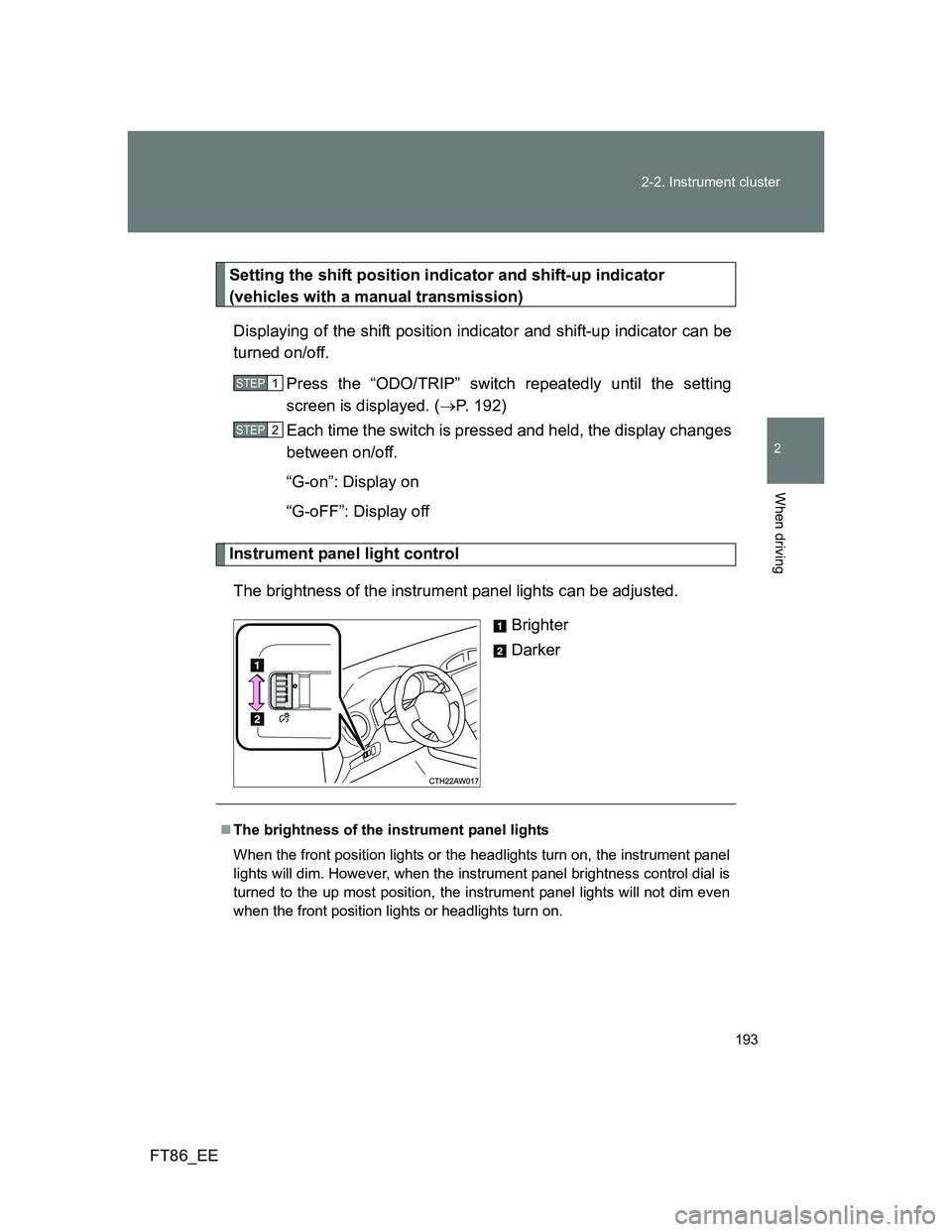
Instrument panel light control
The brightness of the instrument panel lights can be adjusted.
Brighter
Darker
STEP 1
STEP 2
The brightness of the instrument panel lights
When the front position lights or the headlights turn on, the instrument panel
lights will dim. However, when the instrument panel brightness control dial is
turned to the up most position, the instrument panel lights will not dim even
when the front position lights or headlights turn on.
Page 194 of 448
194 2-2. Instrument cluster
FT86_EE
NOTICE
To prevent damage to the engine and its components
Do not let the indicator needle of the tachometer enter the red zone, which
indicates the maximum engine speed.
The engine may be overheating if the temperature gauge is in the red
zone (H). In this case, immediately stop the vehicle in a safe place, and
check the engine after it has cooled completely. (
P. 408)
Page 195 of 448
195
2-2. Instrument cluster
2
When driving
FT86_EE
Indicators and warning lights
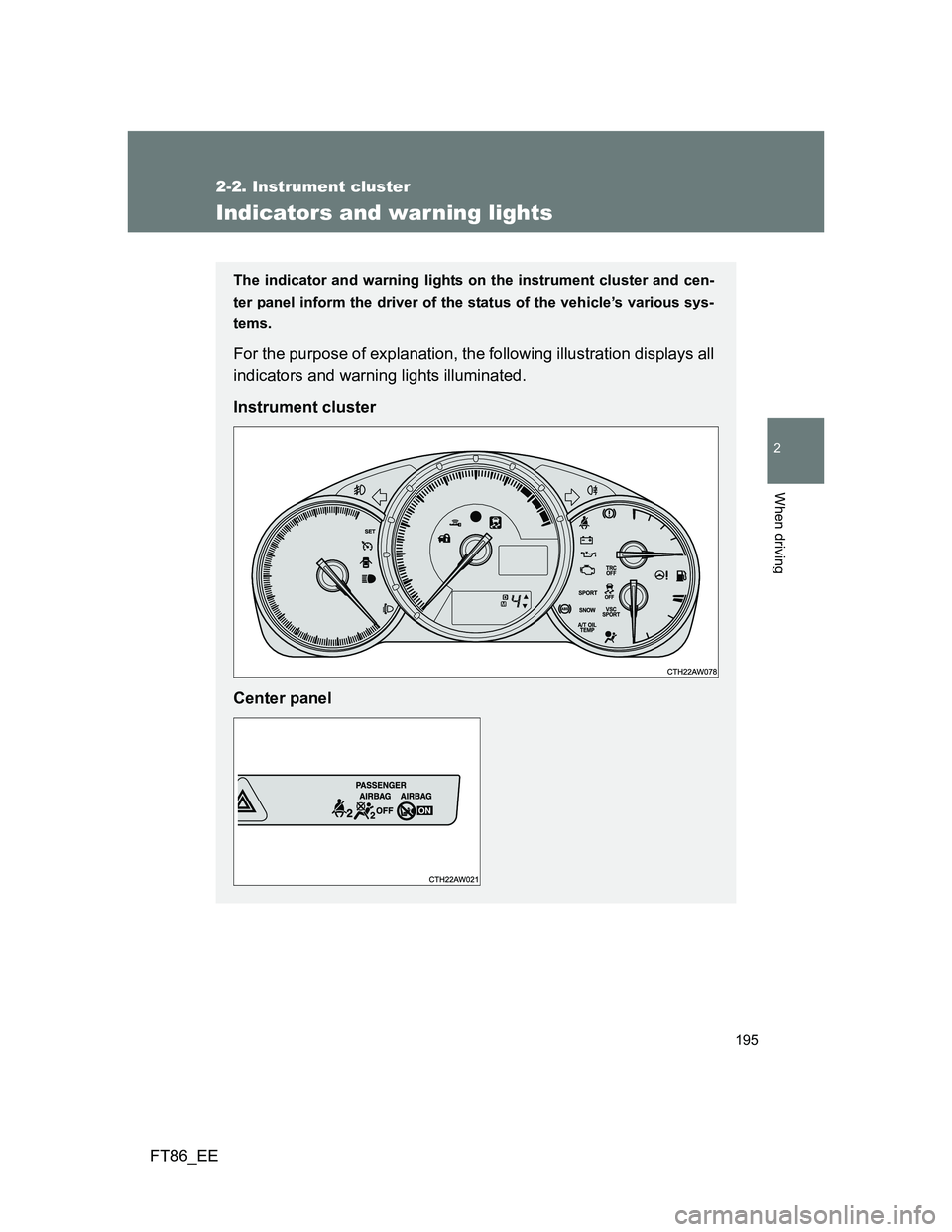
The indicator and warning lights on the instrument cluster and cen-
ter panel inform the driver of the status of the vehicle’s various sys-
tems.
For the purpose of explanation, the following illustration displays all
indicators and warning lights illuminated.
Instrument cluster
Center panel
Page 196 of 448
196 2-2. Instrument cluster
FT86_EE
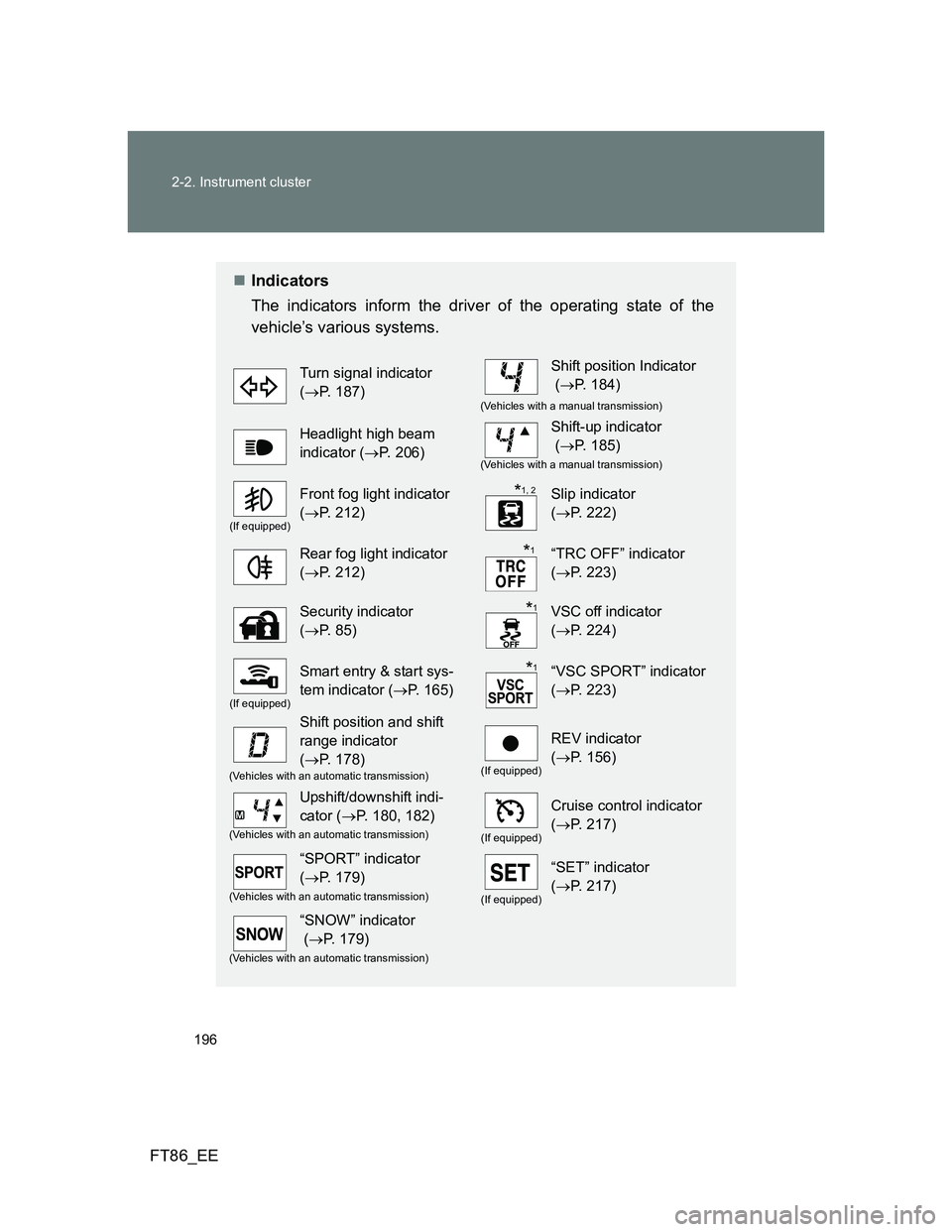
Indicators
The indicators inform the driver of the operating state of the
vehicle’s various systems.
Turn signal indicator
(P. 187)Shift position Indicator
(P. 184)
(Vehicles with a manual transmission)
Headlight high beam
indicator (P. 206)Shift-up indicator
(P. 185)
(Vehicles with a manual transmission)
(If equipped)
Front fog light indicator
(P. 212)Slip indicator
(P. 222)
Rear fog light indicator
(P. 212)“TRC OFF” indicator
(P. 223)
Security indicator
(P. 85)VSC off indicator
(P. 224)
(If equipped)
Smart entry & start sys-
tem indicator (P. 165)“VSC SPORT” indicator
(P. 223)
Shift position and shift
range indicator
(P. 178)
(If equipped)
REV indicator
(P. 156)
(Vehicles with an automatic transmission)
Upshift/downshift indi-
cator (P. 180, 182)
(If equipped)
Cruise control indicator
(P. 217)
(Vehicles with an automatic transmission)
“SPORT” indicator
(P. 179)
(If equipped)
“SET” indicator
(P. 217)
(Vehicles with an automatic transmission)
“SNOW” indicator
(P. 179)
(Vehicles with an automatic transmission)
*1, 2
*1
*1
*1
Page 197 of 448
197 2-2. Instrument cluster
2
When driving
FT86_EE
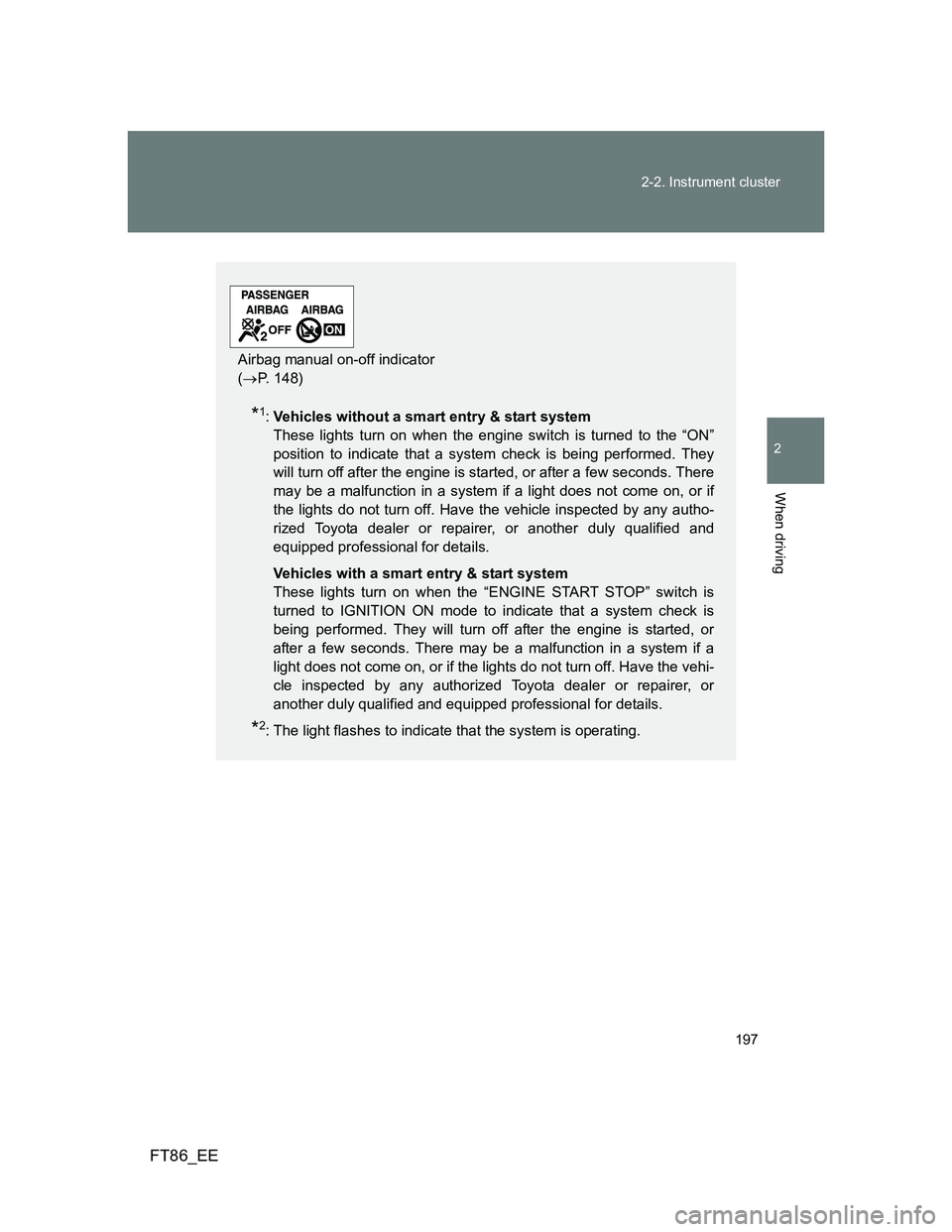
*1:Vehicles without a smart entry & start system
These lights turn on when the engine switch is turned to the “ON”
position to indicate that a system check is being performed. They
will turn off after the engine is started, or after a few seconds. There
may be a malfunction in a system if a light does not come on, or if
the lights do not turn off. Have the vehicle inspected by any autho-
rized Toyota dealer or repairer, or another duly qualified and
equipped professional for details.
Vehicles with a smart entry & start system
These lights turn on when the “ENGINE START STOP” switch is
turned to IGNITION ON mode to indicate that a system check is
being performed. They will turn off after the engine is started, or
after a few seconds. There may be a malfunction in a system if a
light does not come on, or if the lights do not turn off. Have the vehi-
cle inspected by any authorized Toyota dealer or repairer, or
another duly qualified and equipped professional for details.
*2: The light flashes to indicate that the system is operating.
Airbag manual on-off indicator
(P. 148)