rear entertainment TOYOTA HIGHLANDER 2008 XU40 / 2.G Owners Manual
[x] Cancel search | Manufacturer: TOYOTA, Model Year: 2008, Model line: HIGHLANDER, Model: TOYOTA HIGHLANDER 2008 XU40 / 2.GPages: 577, PDF Size: 11.46 MB
Page 4 of 577

TABLE OF CONTENTSIndex
4
3-3. Using the rear audio system ............................. 295
Rear seat entertainment system features ................ 295
Using the DVD player (DVD video)...................... 302
Using the DVD player (video CD) ........................ 310
Using the DVD player (audio CD/CD text) ........... 312
Using the DVD player (MP3 discs) ...................... 313
Using the video mode ........ 315
Changing the initial setting .............................. 317
3-4. Using the hands-free phone system
(for cellular phone)......... 324
Hands-free phone system (for cellular phone)
features ............................ 324
Using the hands-free phone system
(for cellular phone) ........... 328
Making a phone call ........... 336
Setting a cellular phone...... 340
Security and system setup ................................ 345
Using the phone book ........ 348
3-5. Using the interior lights ............................... 355
Interior lights list ................. 355
• Personal/interior light main switch ...................... 356
• Personal/interior lights...... 356
• Interior light ...................... 357 3-6. Using the storage
features ........................... 358
List of storage features ....... 358
• Glove box ......................... 359
• Console box ..................... 359
• Overhead console ............ 360
• Cup holders ...................... 362
• Bottle holders ................... 366
• Auxiliary boxes ................. 367
• Side table ......................... 369
3-7. Other interior features...... 371 Sun visors ........................... 371
Vanity mirror ....................... 372
Clock (vehicles without multi-information
display) ............................. 373
Conversation mirror ............ 374
Power outlet........................ 375
Seat heaters ....................... 378
Armrests ............................. 380
Floor mat ............................ 381
Luggage compartment features ............................ 382
Garage door opener ........... 388
Compass ............................ 393
4-1. Maintenance and care .................................. 398
Cleaning and protecting the vehicle exterior ........... 398
Cleaning and protecting the vehicle interior ............ 401
4Maintenance and care
Page 13 of 577
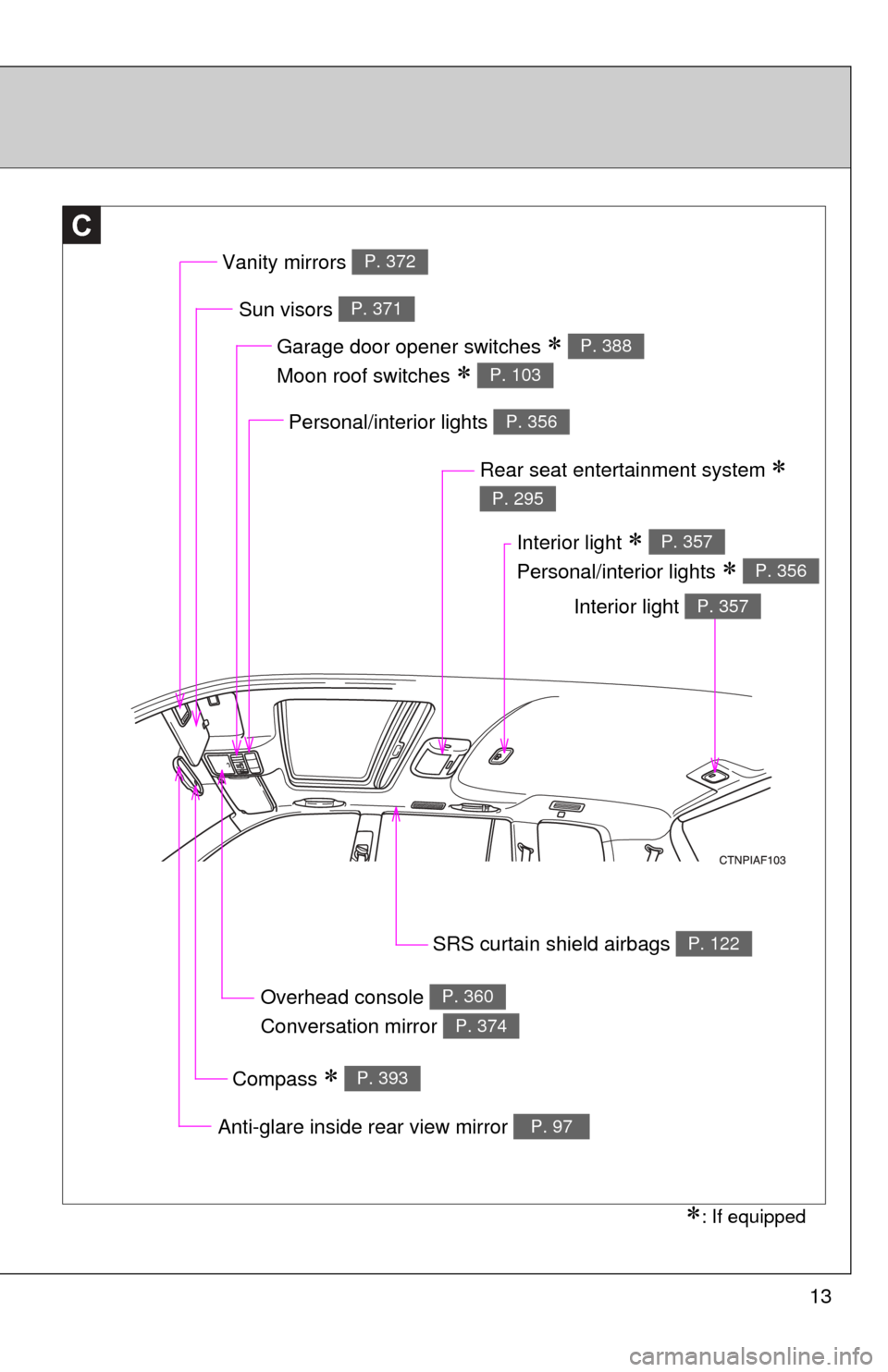
13
C
Overhead console
Conversation mirror P. 360
P. 374
Garage door opener switches
Moon roof switches
P. 388
P. 103
Sun visors P. 371
Personal/interior lights P. 356
Rear seat entertainment system
P. 295
SRS curtain shield airbags P. 122
Compass P. 393
Anti-glare inside rear view mirror P. 97
: If equipped
Vanity mirrors P. 372
Interior light
Personal/interior lights
P. 357
P. 356
Interior light P. 357
Page 241 of 577
240
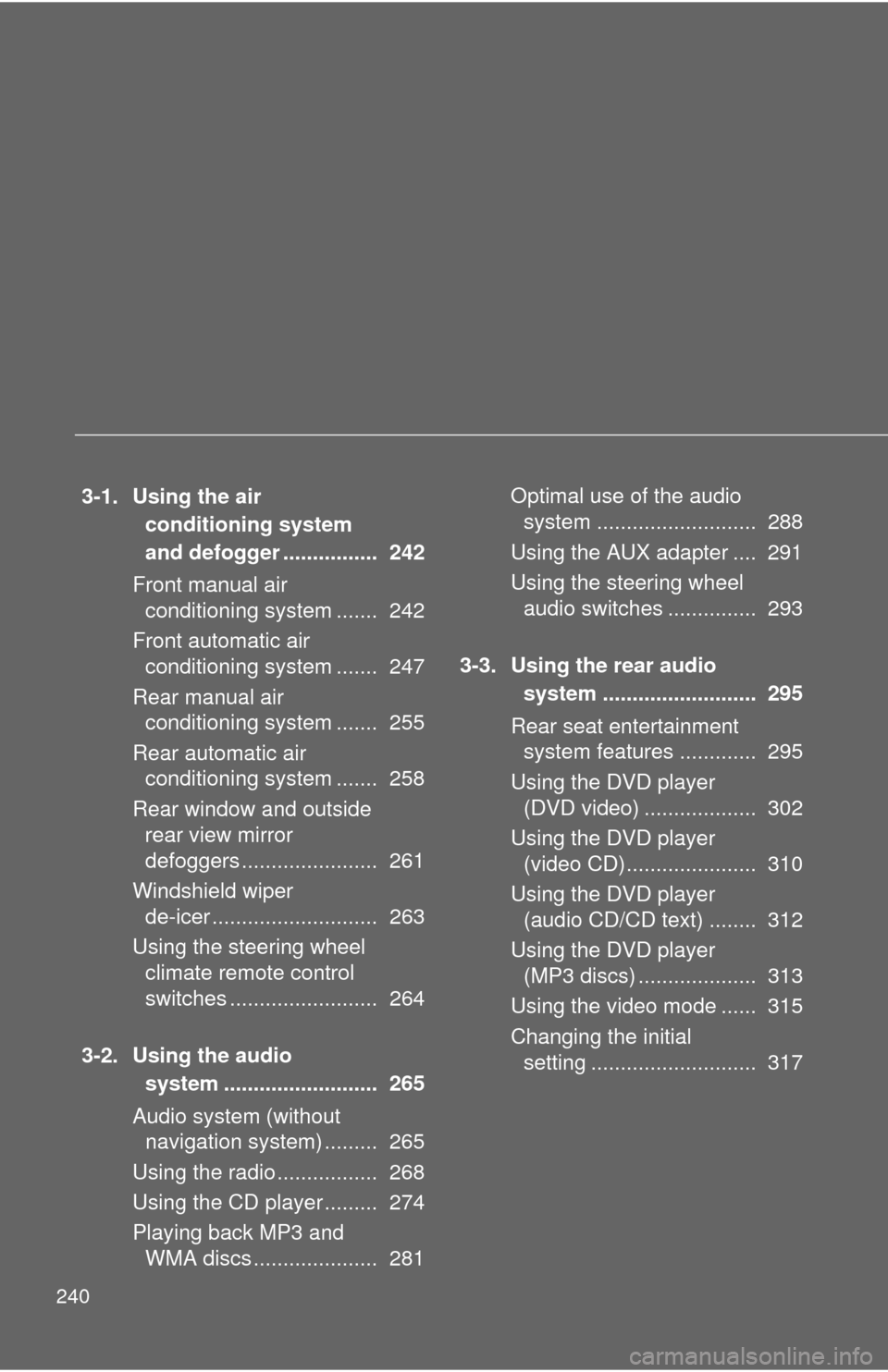
3-1. Using the air conditioning system
and defogger ................ 242
Front manual air conditioning system ....... 242
Front automatic air conditioning system ....... 247
Rear manual air conditioning system ....... 255
Rear automatic air conditioning system ....... 258
Rear window and outside rear view mirror
defoggers ....................... 261
Windshield wiper de-icer ............................ 263
Using the steering wheel climate remote control
switches ......................... 264
3-2. Using the audio system .......................... 265
Audio system (without navigation system) ......... 265
Using the radio ................. 268
Using the CD player ......... 274
Playing back MP3 and WMA discs ..................... 281 Optimal use of the audio
system ........................... 288
Using the AUX adapter .... 291
Using the steering wheel audio switches ............... 293
3-3. Using the rear audio system .......................... 295
Rear seat entertainment system features ............. 295
Using the DVD player (DVD video) ................... 302
Using the DVD player (video CD)...................... 310
Using the DVD player (audio CD/CD text) ........ 312
Using the DVD player (MP3 discs) .................... 313
Using the video mode ...... 315
Changing the initial setting ............................ 317
Page 289 of 577
288
3-2. Using the audio system
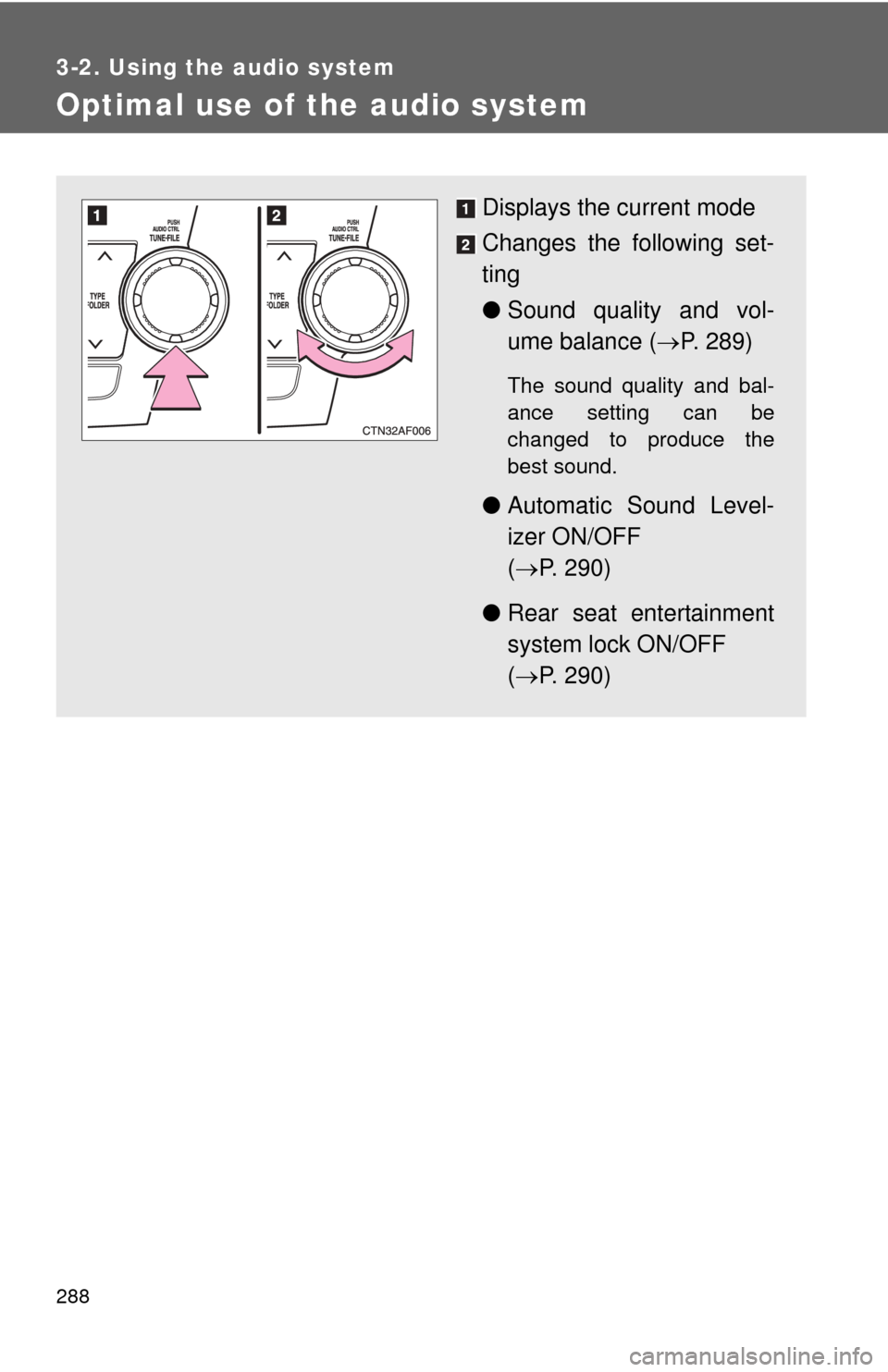
Optimal use of the audio system
Displays the current mode
Changes the following set-
ting
●Sound quality and vol-
ume balance ( P. 289)
The sound quality and bal-
ance setting can be
changed to produce the
best sound.
● Automatic Sound Level-
izer ON/OFF
( P. 290)
● Rear seat entertainment
system lock ON/OFF
( P. 290)
Page 290 of 577
289
3-2. Using the audio system
3
Interior features
Using the audio control function
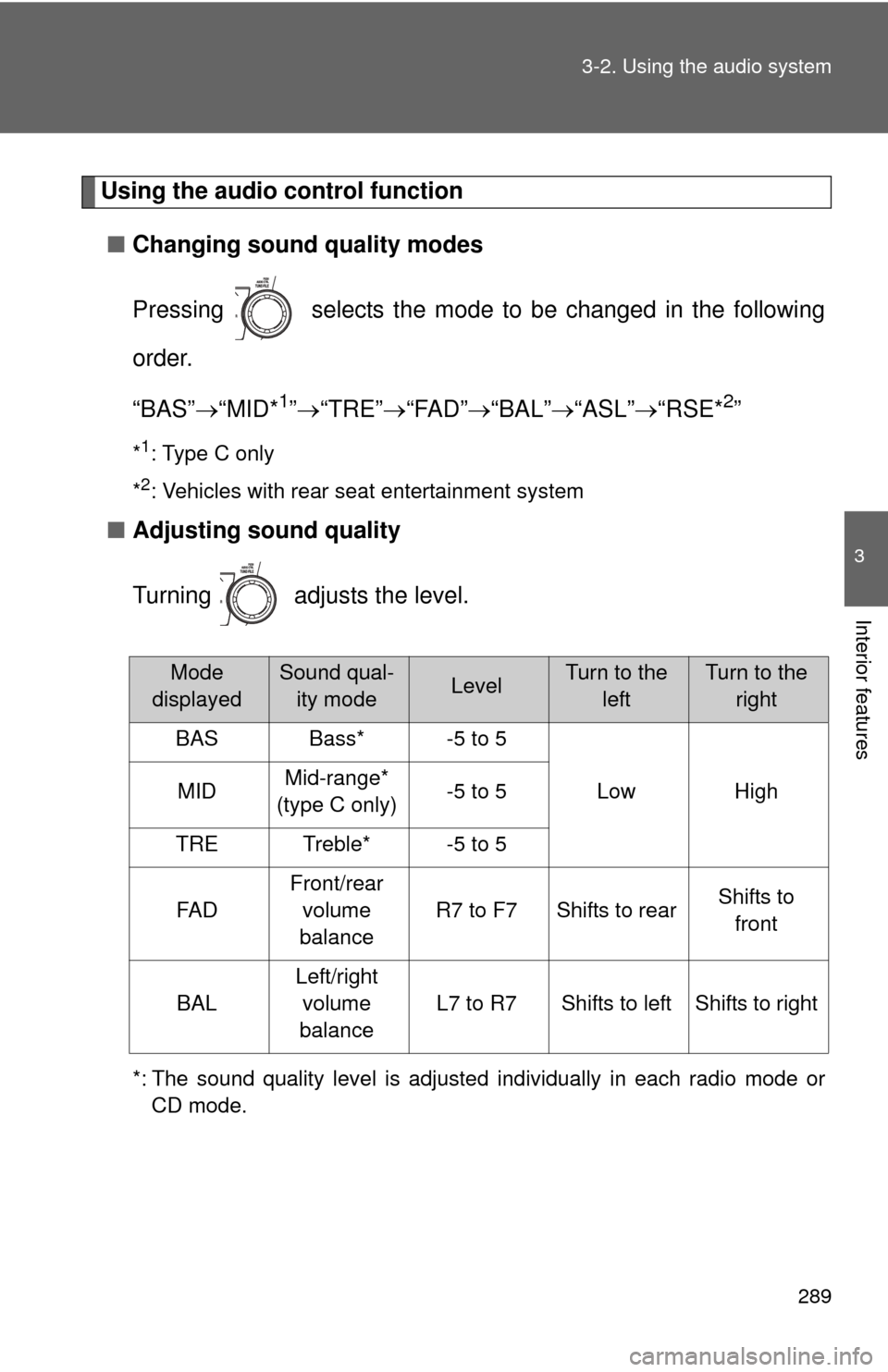
■ Changing sound quality modes
Pressing selects the mode to be changed in the following
order.
“BAS” “MID*
1” “TRE” “FAD” “BAL” “ASL” “RSE*2”
*1: Type C only
*
2: Vehicles with rear seat entertainment system
■ Adjusting sound quality
Turning adjusts the level.
*: The sound quality level is adjusted individually in each radio mode or
CD mode.
Mode
displayedSound qual- ity modeLevelTurn to the leftTurn to the right
BASBass*-5 to 5
LowHighMIDMid-range*
(type C only)-5 to 5
TRETreble*-5 to 5
FA D
Front/rear volume
balance
R7 to F7Shifts to rearShifts to front
BAL
Left/right volume
balance
L7 to R7Shifts to leftShifts to right
Page 291 of 577
290 3-2. Using the audio system
■Adjusting the Automatic Sound Levelizer (ASL)
Type A and B
When “ASL” is selected, turning to the right changes the
amount of “ASL” in the order of “LOW”, “MID” and “HIGH”.
Turning to the left turns “ASL” off.
ASL automatically adjusts the volume and tone quality according to vehi-
cle speed.
Type C
When “ASL” is selected, turning to the right turns “ASL” on,
and turning to the left turns “ASL” off.
“ASL” automatically adjusts the volume and tone quality according to the
noise level as you drive your vehicle.
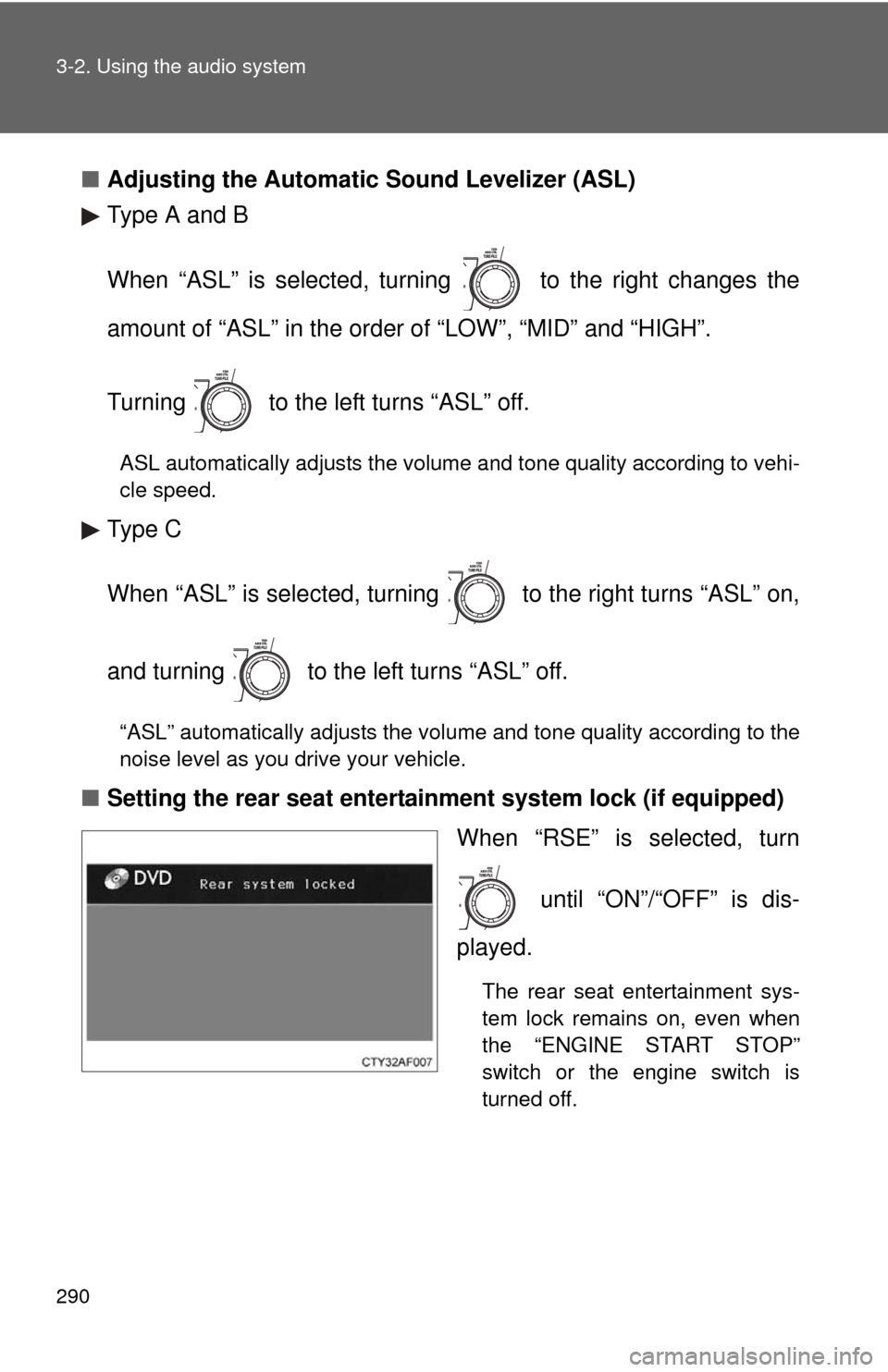
■Setting the rear seat entertainment system lock (if equipped)
When “RSE” is selected, turn
until “ON”/“OFF” is dis-
played.
The rear seat entertainment sys-
tem lock remains on, even when
the “ENGINE START STOP”
switch or the engine switch is
turned off.
Page 296 of 577
295
3
Interior features
3-3. Using the rear audio system
Rear seat enter tainment system features (if equipped)
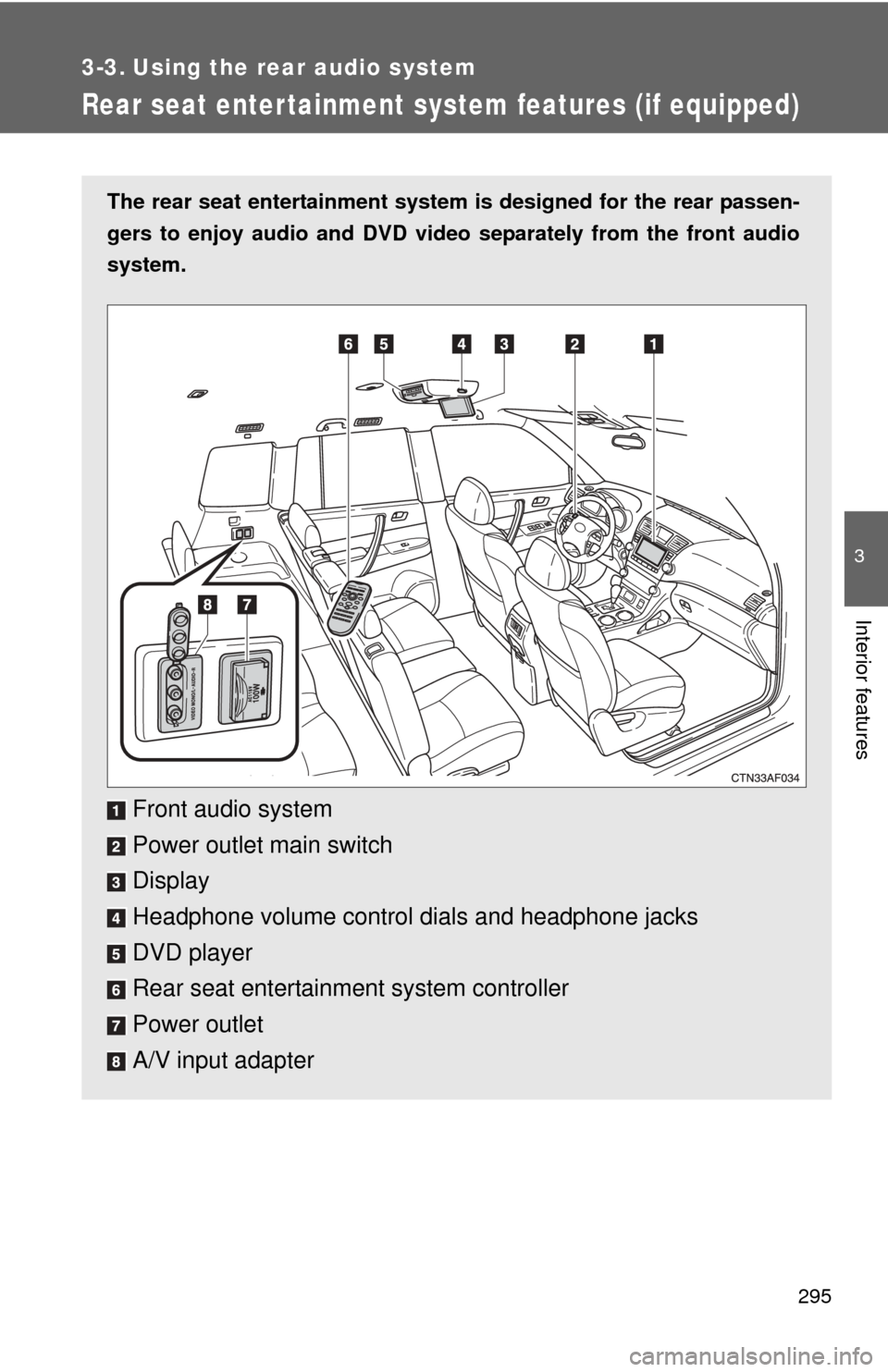
The rear seat entertainment system is designed for the rear passen-
gers to enjoy audio and DVD vide o separately from the front audio
system.
Front audio system
Power outlet main switch
Display
Headphone volume control dials and headphone jacks
DVD player
Rear seat entertainment system controller
Power outlet
A/V input adapter
Page 297 of 577
296 3-3. Using the rear audio system
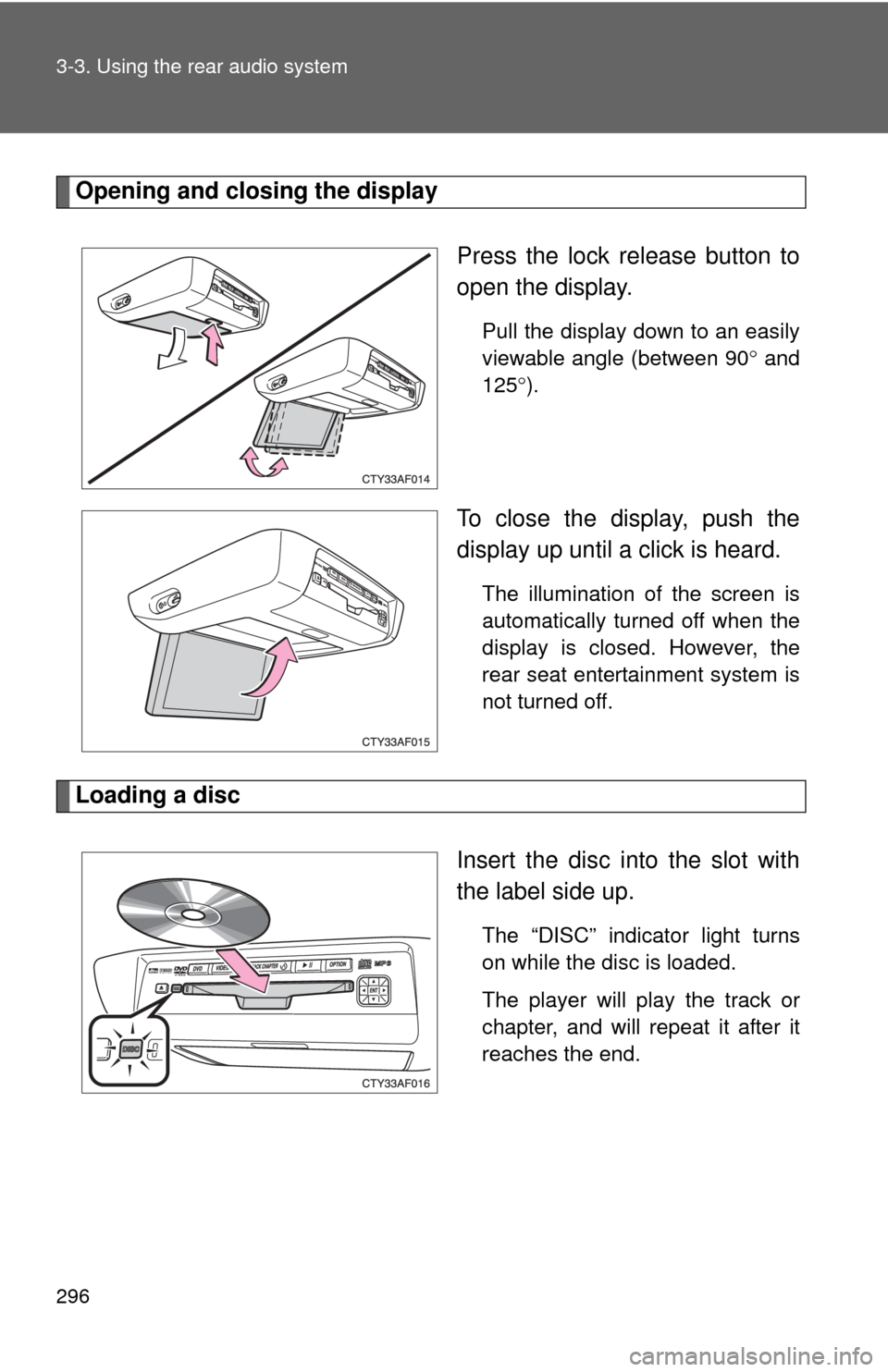
Opening and closing the displayPress the lock release button to
open the display.
Pull the display down to an easily
viewable angle (between 90 and
125 ).
To close the display, push the
display up until a click is heard.
The illumination of the screen is
automatically turned off when the
display is closed. However, the
rear seat entertainment system is
not turned off.
Loading a disc
Insert the disc into the slot with
the label side up.
The “DISC” indicator light turns
on while the disc is loaded.
The player will play the track or
chapter, and will repeat it after it
reaches the end.
Page 300 of 577
299
3-3. Using the rear audio system
3
Interior features
■
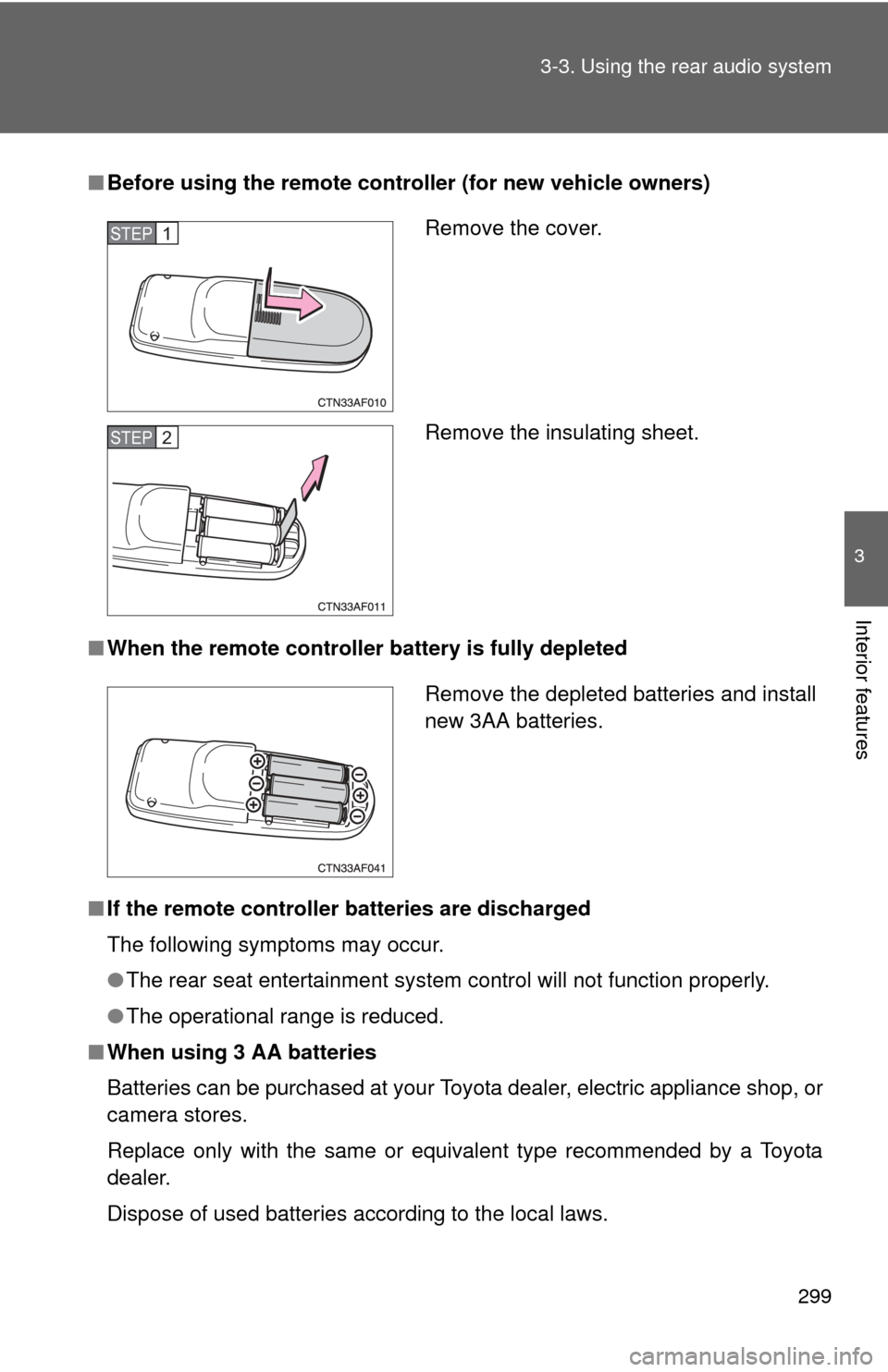
Before using the remote controller (for new vehicle owners)
■ When the remote controller battery is fully depleted
■ If the remote controller batteries are discharged
The following symptoms may occur.
●The rear seat entertainment system control will not function properly.
● The operational range is reduced.
■ When using 3 AA batteries
Batteries can be purchased at your Toyota dealer, electric appliance shop, or
camera stores.
Replace only with the same or equivalent type recommended by a Toyota
dealer.
Dispose of used batteries according to the local laws.
Remove the cover.
Remove the insulating sheet.STEP1
STEP2
Remove the depleted batteries and install
new 3AA batteries.
Page 316 of 577
315
3-3. Using the rear audio system
3
Interior features
Using the video mode
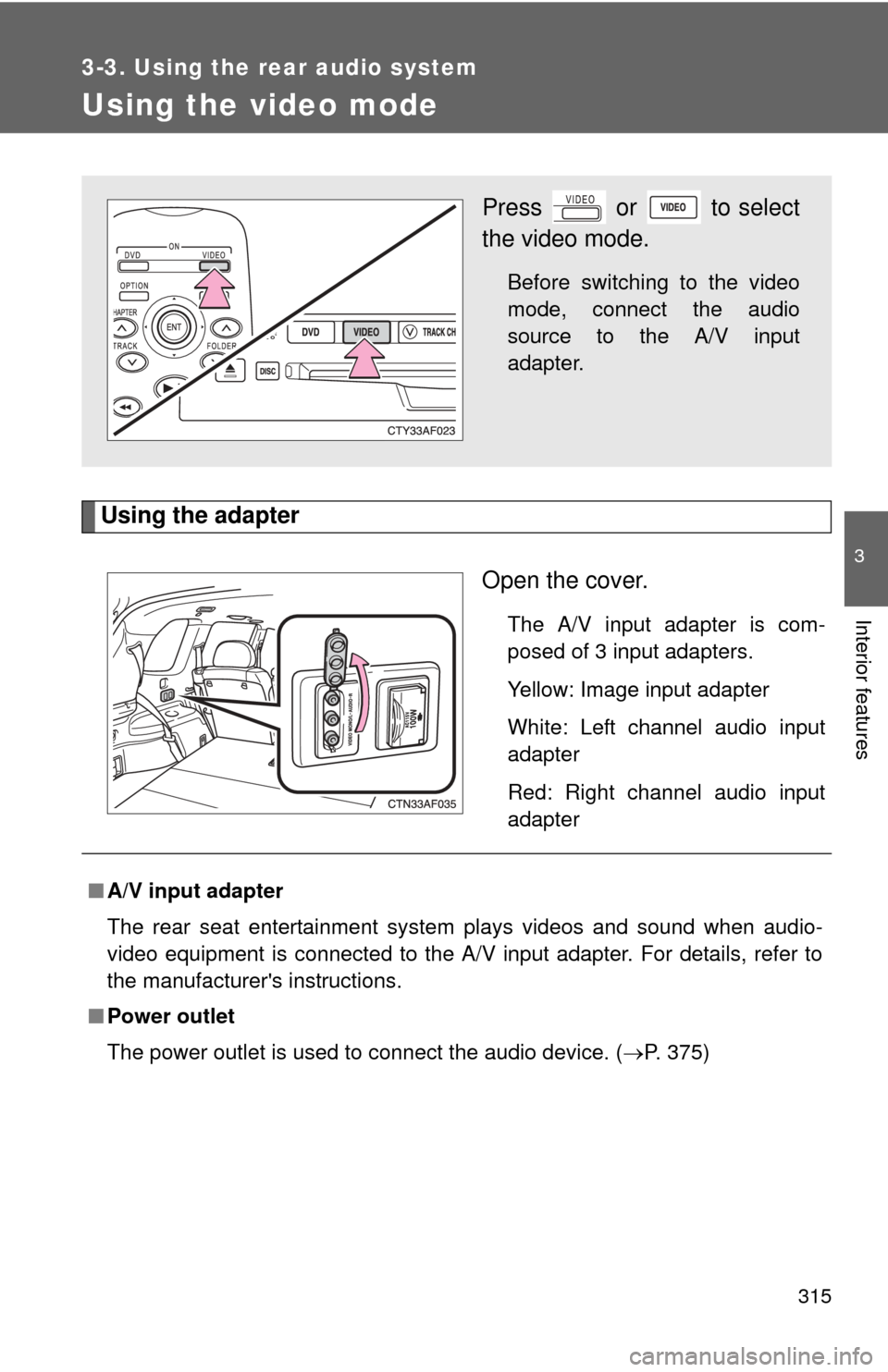
Using the adapterOpen the cover.
The A/V input adapter is com-
posed of 3 input adapters.
Yellow: Image input adapter
White: Left channel audio input
adapter
Red: Right channel audio input
adapter
Press or to select
the video mode.
Before switching to the video
mode, connect the audio
source to the A/V input
adapter.
■A/V input adapter
The rear seat entertainment system plays videos and sound when audio-
video equipment is connected to the A/V input adapter. For details, refer to
the manufacturer's instructions.
■ Power outlet
The power outlet is used to connect the audio device. ( P. 375)