toyota ws TOYOTA HIGHLANDER 2008 XU40 / 2.G Owners Manual
[x] Cancel search | Manufacturer: TOYOTA, Model Year: 2008, Model line: HIGHLANDER, Model: TOYOTA HIGHLANDER 2008 XU40 / 2.GPages: 577, PDF Size: 11.46 MB
Page 24 of 577

24
For your information
Main Owners Manual
Please note that this manual covers all models and all equipment, including
options. Therefore, you may find some explanations for equipment not
installed on your vehicle.
All specifications provided in this manual are current at the time of printing.
However, because of the Toyota policy of continual product improvement, we
reserve the right to make changes at any time without notice.
Depending on specifications, the vehicle shown in the illustrations may differ
from your vehicle in terms of equipment.
Accessories, spare parts and modification of your Toyota
A wide variety of non-genuine spare parts and accessories for Toyota
vehicles are currently available on the market. You should know that these
parts are not covered by Toyota warranty and that Toyota is not responsible
for their performance, repair, or replacement, or for any damage they may
cause to, or adverse effect they may have on, your Toyota vehicle.
This vehicle should not be modified with non-genuine Toyota products.
Modification with non-genuine Toyota products may affect performance,
safety or durability, and may even violate governmental regulations. In
addition, damage or performance problems resulting from the modification
may not be covered under warranty.
Installation of a mobile two-way radio system
As the installation of a mobile two-way radio system in your vehicle may
affect electronic systems such as the multi-port fuel injection system/sequen-
tial multi-port fuel injection system, cruise control system, anti-lock brake
system, SRS airbag system or seat belt pretensioner system, be sure to
check with your Toyota dealer for precautionary measures or special instruc-
tions regarding installation.
Page 25 of 577

25
Scrapping of your Toyota
The SRS airbag and seat belt pretensioner devices in your Toyota contain
explosive chemicals. If the vehicle is scrapped with the airbags and seat belt
pretensioners left as they are, this may cause an accident such as fire. Be
sure to have the systems of the SRS airbag and seat belt pretensioner
removed and disposed of by a qualified service shop or by your Toyota
dealer before you scrap your vehicle.
Perchlorate Material
Special handling may apply, See www.dtsc.ca.gov/hazardouswaste/perchlorate.
Your vehicle has components that may contain perchlorate. These compo-
nents may include airbag, seat belt pretensioners, and wireless remote con-
trol batteries.
Page 27 of 577
27
Symbols used throughout this manual
Cautions & Notices
Safety symbol
CAUTION
This is a warning against anything which may cause death or injury to people if
the warning is ignored. You are informed about what you must or must not do
in order to reduce the risk of injury to yourself and others.
NOTICE
This is a warning against anything which may cause damage to the vehicle or
its equipment if the warning is ignored. You are informed about what you must
or must not do in order to avoid or reduce the risk of damage to your Toyota
and its equipment.Throughout this manual, you will also see the symbol of a circle with
a slash through it. This means “Do not”, “Do not do this”, or “Do not
let this happen”.
Page 31 of 577
31
1-1. Key information
1
Before driving
Using the mechanical key (vehicles with smart key system)
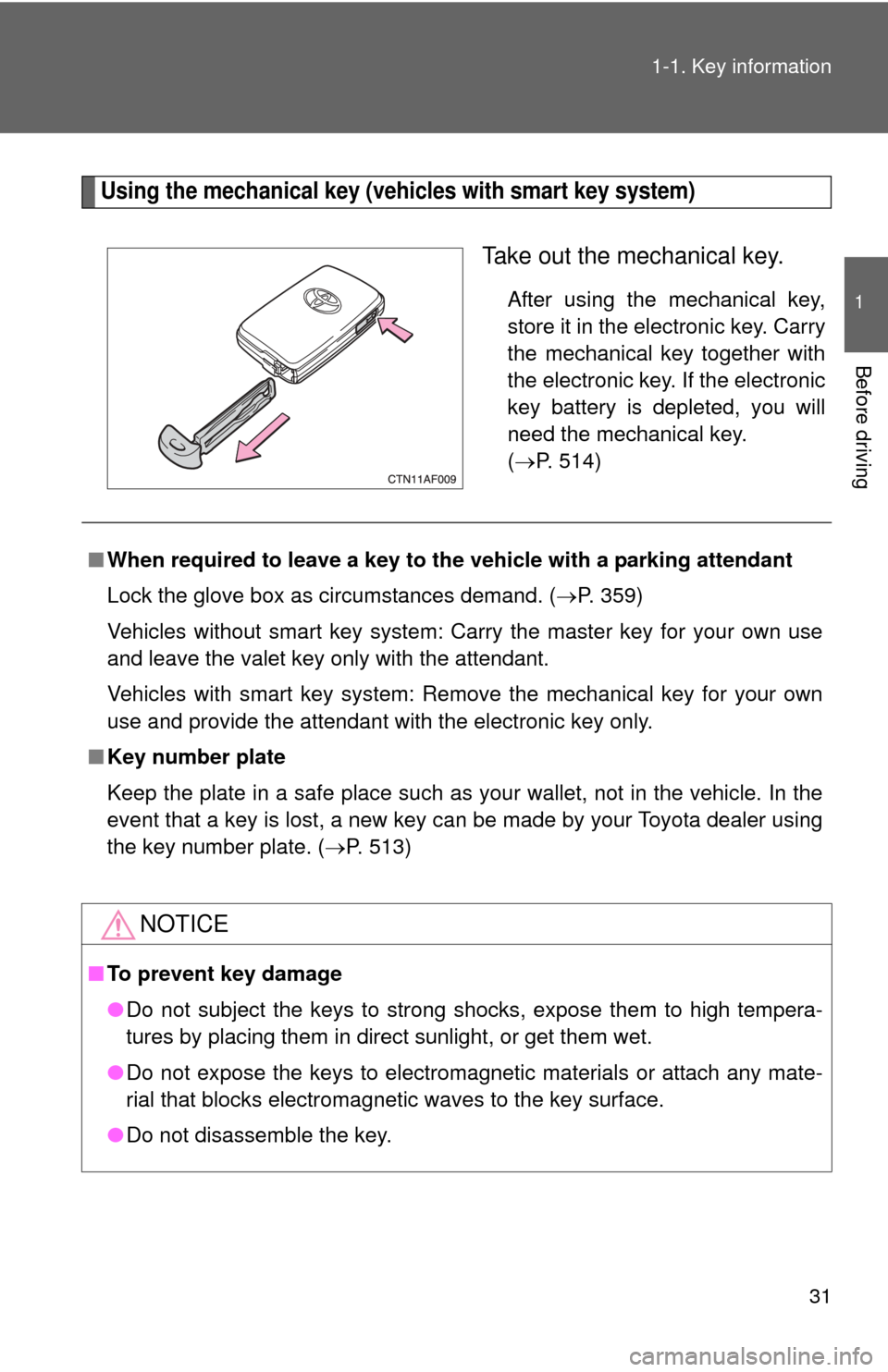
Take out the mechanical key.
After using the mechanical key,
store it in the electronic key. Carry
the mechanical key together with
the electronic key. If the electronic
key battery is depleted, you will
need the mechanical key.
(
P. 514)
■ When required to leave a key to th e vehicle with a parking attendant
Lock the glove box as circumstances demand. ( P. 359)
Vehicles without smart key system: Carry the master key for your own use
and leave the valet key only with the attendant.
Vehicles with smart key system: Remove the mechanical key for your own
use and provide the attendant with the electronic key only.
■ Key number plate
Keep the plate in a safe place such as your wallet, not in the vehicle. In the
event that a key is lost, a new key can be made by your Toyota dealer using
the key number plate. ( P. 513)
NOTICE
■To prevent key damage
●Do not subject the keys to strong shocks, expose them to high tempera-
tures by placing them in direct sunlight, or get them wet.
● Do not expose the keys to electromagnetic materials or attach any mate-
rial that blocks electromagnetic waves to the key surface.
● Do not disassemble the key.
Page 43 of 577
43
1-2. Opening, closing and locking the doors
1
Before driving
■
Customization that can be co nfigured at Toyota dealer
It is possible to deactivate the smart key system etc.
(Customizable features P. 554)
■ Certification for the smart key system
For vehicles sold in the U.S.A.
NOTE:
This device complies with Part 15 of the FCC Rules. Operation is subject to
the following two conditions: (1) This device may not cause harmful interfer-
ence, and (2) this device must accept any interference received, including
interference that may cause undesired operation.
NOTICE:
This equipment has been tested and found to comply with the limits for a
Class B digital device, pursuant to Part 15 of the FCC Rules. These limits
are designed to provide reasonable protection against harmful interference
in a residential installation. This equipment generates, uses and can radiate
radio frequency energy and, if not installed and used in accordance with the
instructions, may cause harmful interference to radio communications. How-
ever, there is no guarantee that interference will not occur in a particular
installation. If this equipment does cause harmful interference to radio or
television reception, which can be determined by turning the equipment off
and on, the user is encouraged to try to correct the interference by one or
more of the following measures:
● Reorient or relocate the receiving antenna.
● Increase the separation between the equipment and receiver.
● Connect the equipment into an outlet on a circuit different from that to
which the receiver is connected.
● Consult the dealer or an experienced radio/TV technician for help.
FCC WARNING:
Changes or modifications not expressly approved by the party responsible
for compliance could void the user's authority to operate the equipment.
FCC ID: NI4TMLF-3
Page 52 of 577

52 1-2. Opening, closing and locking the doors
CAUTION
■Caution regarding interfer ence with electronic devices
● People with implanted pacemakers or cardiac defibrillators should keep
away from smart key system antennas. ( P. 35) The radio waves may
affect the operation of such devices. If necessary, the entry function can
be disabled. Ask your Toyota dealer for details, such as the frequency of
radio waves and timing of emitting the radio waves. Then, consult your
doctor to see if you should disable the entry function.
● User of any electrical medical device other than implanted pacemakers
and implanted cardiac defibrillators should consult the manufacturer of the
device for information about its operation under the influence of radio
waves.
Radio waves could have unexpected effects on the operation of such
medical devices.
Ask your Toyota dealer for details for disabling the entry function.
Page 56 of 577

56 1-2. Opening, closing and locking the doors
■If the wireless remote control does not operate
Vehicles without smart key system
Locking and unlocking the doors: Use the key. ( P. 64)
Vehicles with smart key system
● Locking and unlocking the doors: Use the mechanical key. ( P. 514)
● Starting the engine. ( P. 164)
■ Security feature
If a door is not opened within approximately 60 seconds after the vehicle is
unlocked, the security feature automatically locks the vehicle again.
■ Alarm
Using the wireless remote control to lock the door will set the alarm sy\
stem.
(P. 116)
■ Conditions affecting operation
Vehicles without smart key system
The wireless remote control function may not operate normally in the follow-
ing situations.
● Near a TV tower, radio station, electr ic power plant, airport or other facil-
ity that generates strong radio waves
● When carrying a portable radio, cell ular phone or other wireless commu-
nication device
● When multiple wireless keys are in the vicinity
● When the wireless key has come into contact with, or is covered by a
metallic object
● When a wireless key (that emits radio waves) is being used nearby
● When the wireless key has been left near an electrical appliance such as
a personal computer
Vehicles with smart key system
P. 3 7
■ Customization that can be co nfigured at Toyota dealer
Settings (e.g. wireless remote control) can be changed. (Customizable fea-
tures P. 554)
Page 67 of 577
67
1-2. Opening, closing and locking the doors
1
Before driving
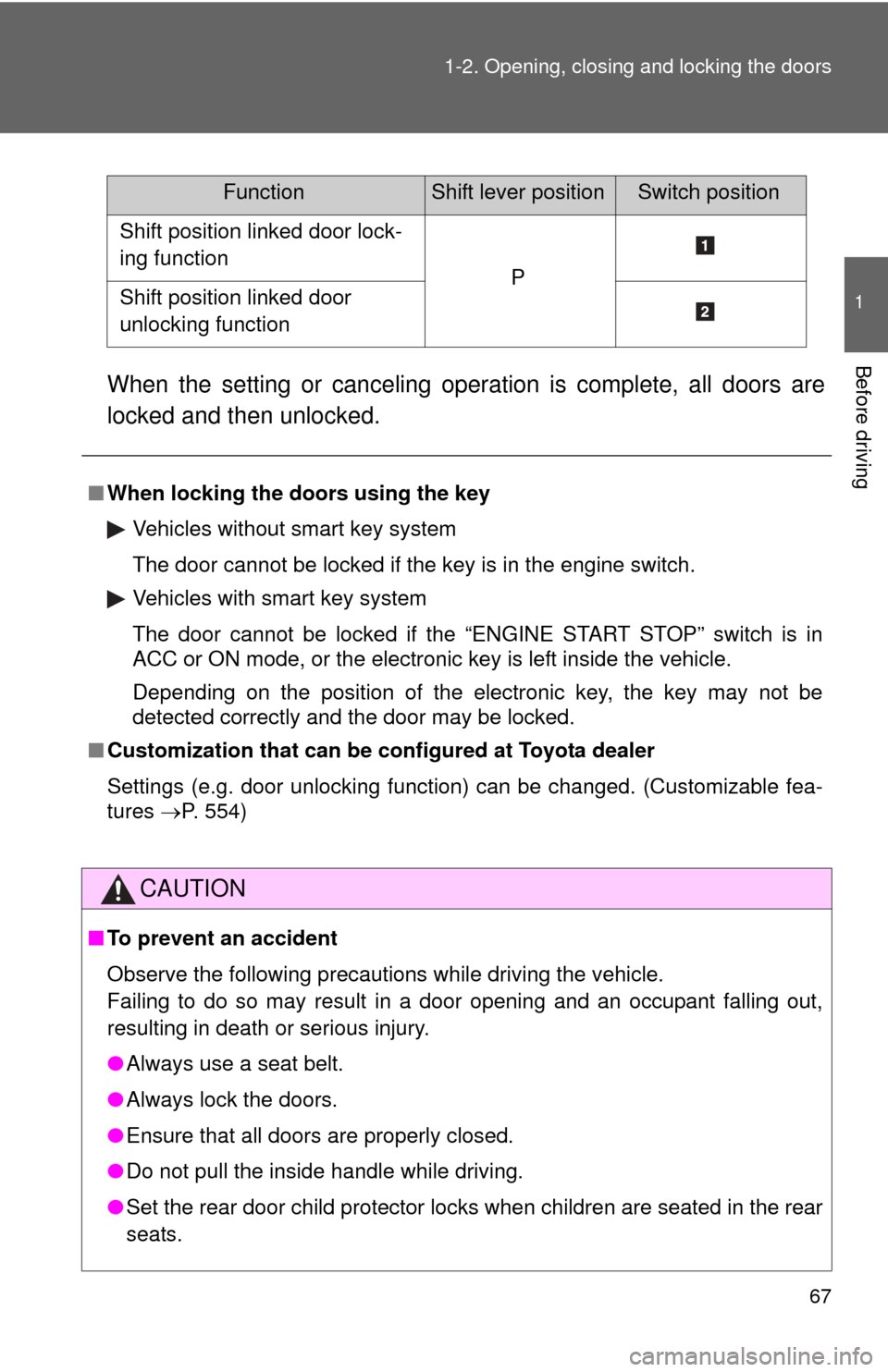
When the setting or canceling operation is complete, all doors are
locked and then unlocked.
FunctionShift lever positionSwitch position
Shift position linked door lock-
ing function
PShift position linked door
unlocking function
■
When locking the doors using the key
Vehicles without smart key system
The door cannot be locked if the key is in the engine switch.
Vehicles with smart key system
The door cannot be locked if the “ENGINE START STOP” switch is in
ACC or ON mode, or the electronic key is left inside the vehicle.
Depending on the position of the electronic key, the key may not be
detected correctly and the door may be locked.
■ Customization that can be co nfigured at Toyota dealer
Settings (e.g. door unlocking function) can be changed. (Customizable fea-
tures P. 554)
CAUTION
■To prevent an accident
Observe the following precautions while driving the vehicle.
Failing to do so may result in a door opening and an occupant falling out,
resulting in death or serious injury.
●Always use a seat belt.
● Always lock the doors.
● Ensure that all doors are properly closed.
● Do not pull the inside handle while driving.
● Set the rear door child protector locks when children are seated in the rear
seats.
Page 71 of 577

71
1-2. Opening, closing and locking the doors
1
Before driving
■
Jam protection function (vehicles with power back door)
If anything obstructs the power back door while it is closing/opening, the
back door will automatically operate in the opposite direction.
■ If the power back door does not work
The back door must be initialized. To initialize, close the back door com-
pletely by hand.
■ Back door closer (vehicl es with power back door)
In the event that the back door is left slightly open, the back door closer will
automatically close it to the fully closed position.
■ Fall-down protection function (vehicles with power back door)
While the power back door is opening automatically, applying excessive
force to it will stop the opening operation to prevent the power back door
from rapidly falling down.
■ Customization that can be co nfigured at Toyota dealer
Settings (e.g. wireless remote control) can be changed. (Customizable fea-
tures P. 554)
Page 74 of 577
74 1-2. Opening, closing and locking the doors
■Customization that can be co nfigured at Toyota dealer
Settings (e.g. wireless remote control) can be changed. (Customizable fea-
tures P. 554)
CAUTION
■ Operating the glass hatch
●Do not open the glass hatch while the vehicle is moving.
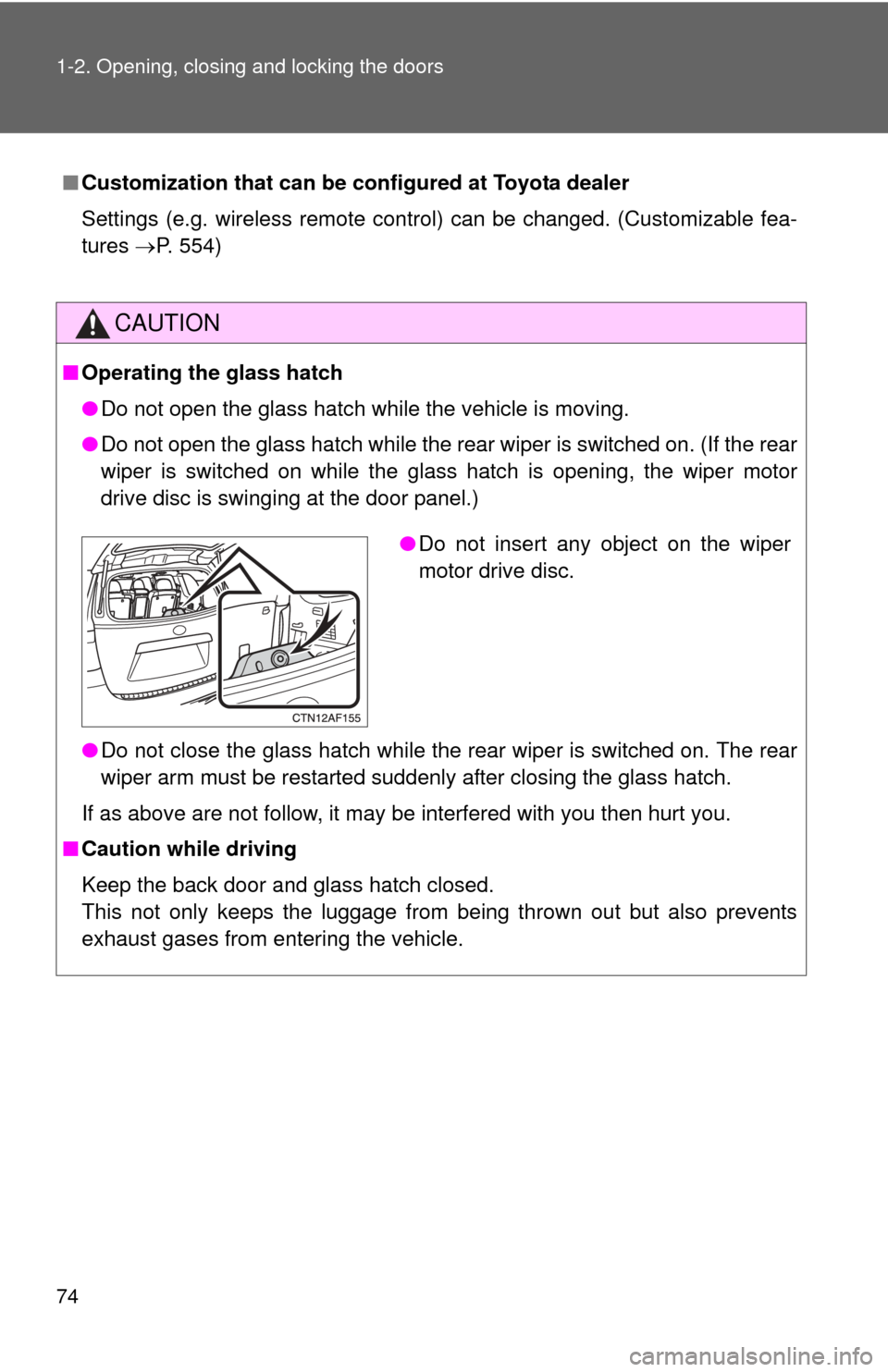
● Do not open the glass hatch while the rear wiper is switched on. (If the rear
wiper is switched on while the glass hatch is opening, the wiper motor
drive disc is swinging at the door panel.)
● Do not close the glass hatch while the rear wiper is switched on. The rear
wiper arm must be restarted suddenly after closing the glass hatch.
If as above are not follow, it may be interfered with you then hurt you.
■ Caution while driving
Keep the back door and glass hatch closed.
This not only keeps the luggage from being thrown out but also prevents
exhaust gases from entering the vehicle.
●Do not insert any object on the wiper
motor drive disc.