ignition TOYOTA HIGHLANDER 2010 XU40 / 2.G Owner's Manual
[x] Cancel search | Manufacturer: TOYOTA, Model Year: 2010, Model line: HIGHLANDER, Model: TOYOTA HIGHLANDER 2010 XU40 / 2.GPages: 608, PDF Size: 11.99 MB
Page 202 of 608

202 2-2. Instrument cluster
■Returning to the previous screen
Select “RETURN” on the menu screen. Press and hold the “DISP”
button until the display changes.
■System check display
Vehicles without smart key system
After the engine switch is turned to the “ON” position, “SYSTEM CHECK”
is displayed while system operation is checked. When the system check
is complete, the normal screen will return. When the system check is
complete, the normal screen will return.
Vehicles with smart key system
After the “ENGINE START STOP” switch is turned to IGNITION ON
mode, “SYSTEM CHECK” is displayed while system operation is
checked. When the system check is complete, the normal screen will
return. When the system check is complete, the normal screen will return.
■ Liquid crystal display
Small bright spots or dots may appear on the liquid crystal display. This is a
particular characteristic of liquid crystal displays and does not indicate a mal-
function. No action is required.
■ Outside temperature display
When stopped, or driving at low speeds (less than 12 mph [20 km/h]), the
correct outside temperature may not be displayed, or the display may take
longer than normal to change.
■ Customization that can be co nfigured at Toyota dealer
Setting of language selection can be changed.
(Customizable features P. 582)
NOTICE
■The multi-information disp lay at low temperatures
Allow the interior of the vehicle to warm up before using the liquid crystal
information display. At extremely low temperatures, the information display
monitor may respond slowly, and display changes may be delayed.
Page 203 of 608
203
2
When driving
2-3. Operating the lights and wipers
Headlight switch
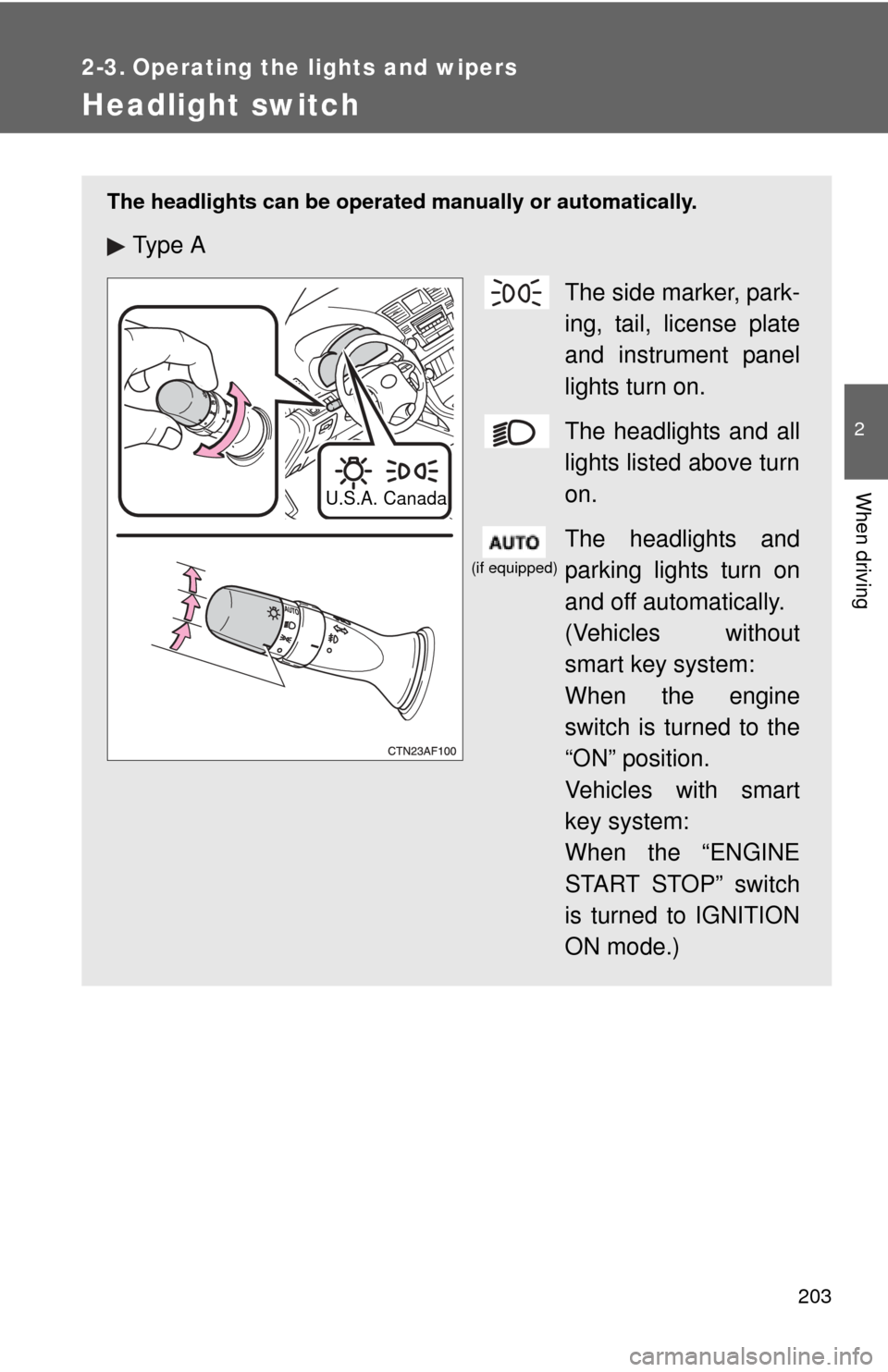
The headlights can be operated manually or automatically.
Ty p e AThe side marker, park-
ing, tail, license plate
and instrument panel
lights turn on.
The headlights and all
lights listed above turn
on.
The headlights and
parking lights turn on
and off automatically.
(Vehicles without
smart key system:
When the engine
switch is turned to the
“ON” position.
Vehicles with smart
key system:
When the “ENGINE
START STOP” switch
is turned to IGNITION
ON mode.)
U.S.A. Canada
(if equipped)
Page 204 of 608
204 2-3. Operating the lights and wipers
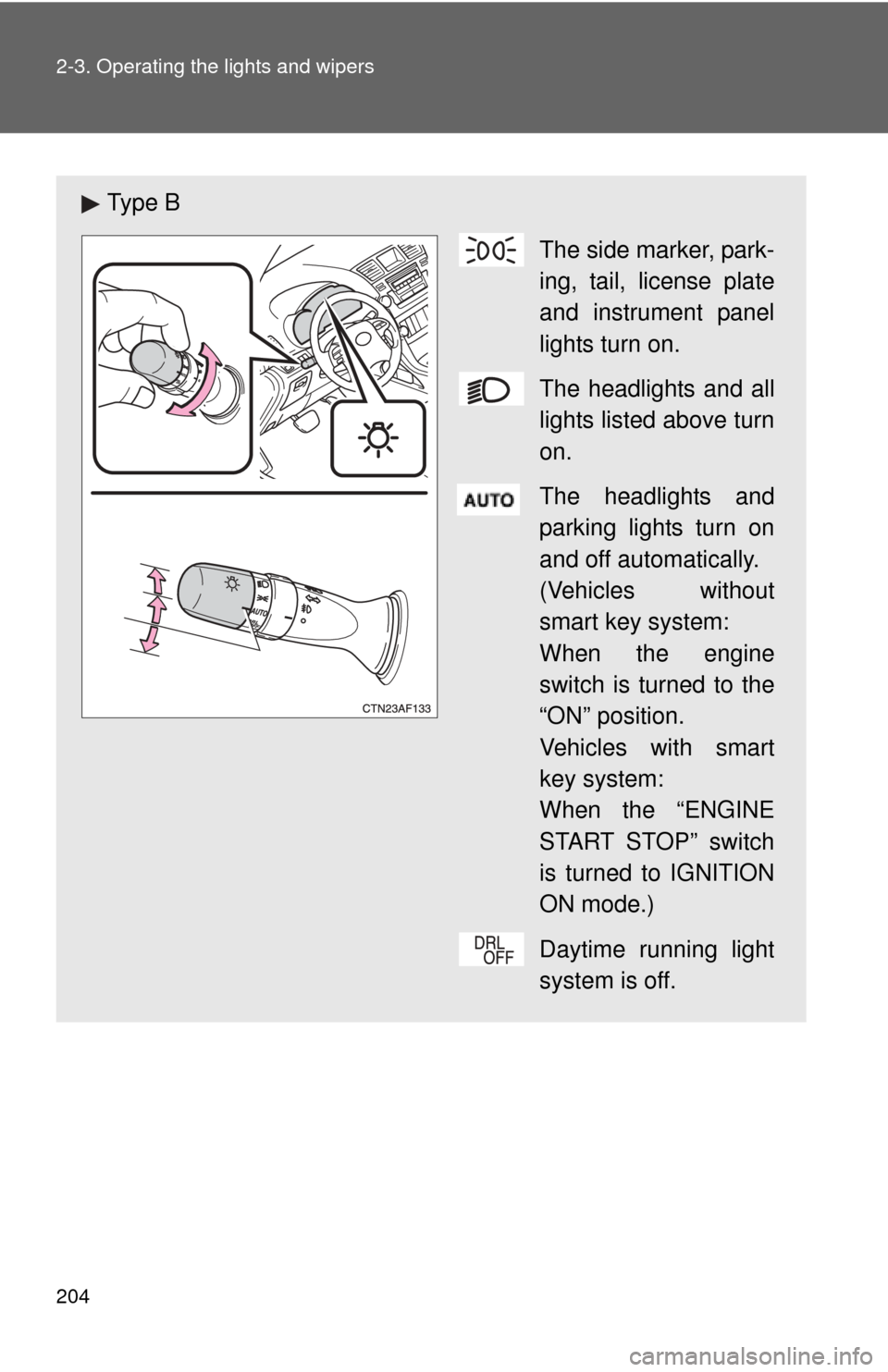
Ty p e BThe side marker, park-
ing, tail, license plate
and instrument panel
lights turn on.
The headlights and all
lights listed above turn
on.
The headlights and
parking lights turn on
and off automatically.
(Vehicles without
smart key system:
When the engine
switch is turned to the
“ON” position.
Vehicles with smart
key system:
When the “ENGINE
START STOP” switch
is turned to IGNITION
ON mode.)
Daytime running light
system is off.
Page 209 of 608
209
2-3. Operating the lights and wipers
2
When driving
■
The windshield wipers and washer can be operated when
Vehicles without smart key system
The engine switch is in
the “ON” position.
Vehicles with smart key system
The “ENGINE START STOP” switch is in IGNITION ON mode.
■ If no windshield washer fluid sprays
Check that the washer nozzles are not blocked and if there is washer fluid in
the windshield washer fluid reservoir.
NOTICE
■When the windshield is dry
Do not use the wipers, as they may damage the windshield.
■ When there is no washer fluid spray from the nozzle
Damage to the washer fluid pump may be caused if the lever is pulled
toward you and held continually.
■ When a nozzle is blocked
Do not try to clear it with a pin or other object. The nozzle will be damaged.
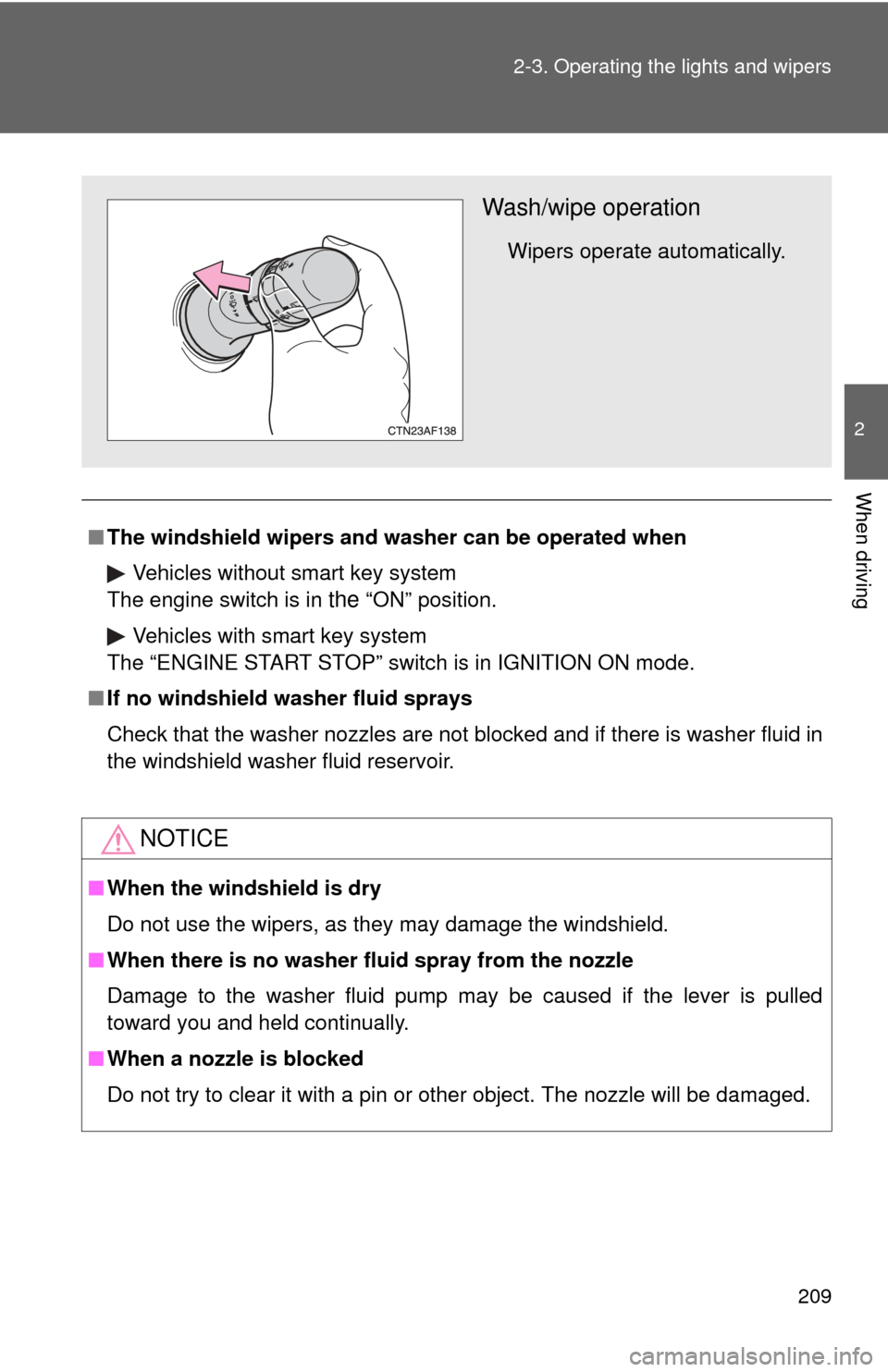
Wash/wipe operation
Wipers operate automatically.
Page 210 of 608
210
2-3. Operating the lights and wipers
Rear window wiper and washer
■The rear window wiper and w asher can be operated when
Vehicles without smart key system
The engine switch is in
the “ON” position.
Vehicles with smart key system
The “ENGINE START STOP” switch is in IGNITION ON mode.
NOTICE
■ When the rear window is dry
Do not use the wipers, as they may damage the rear window.
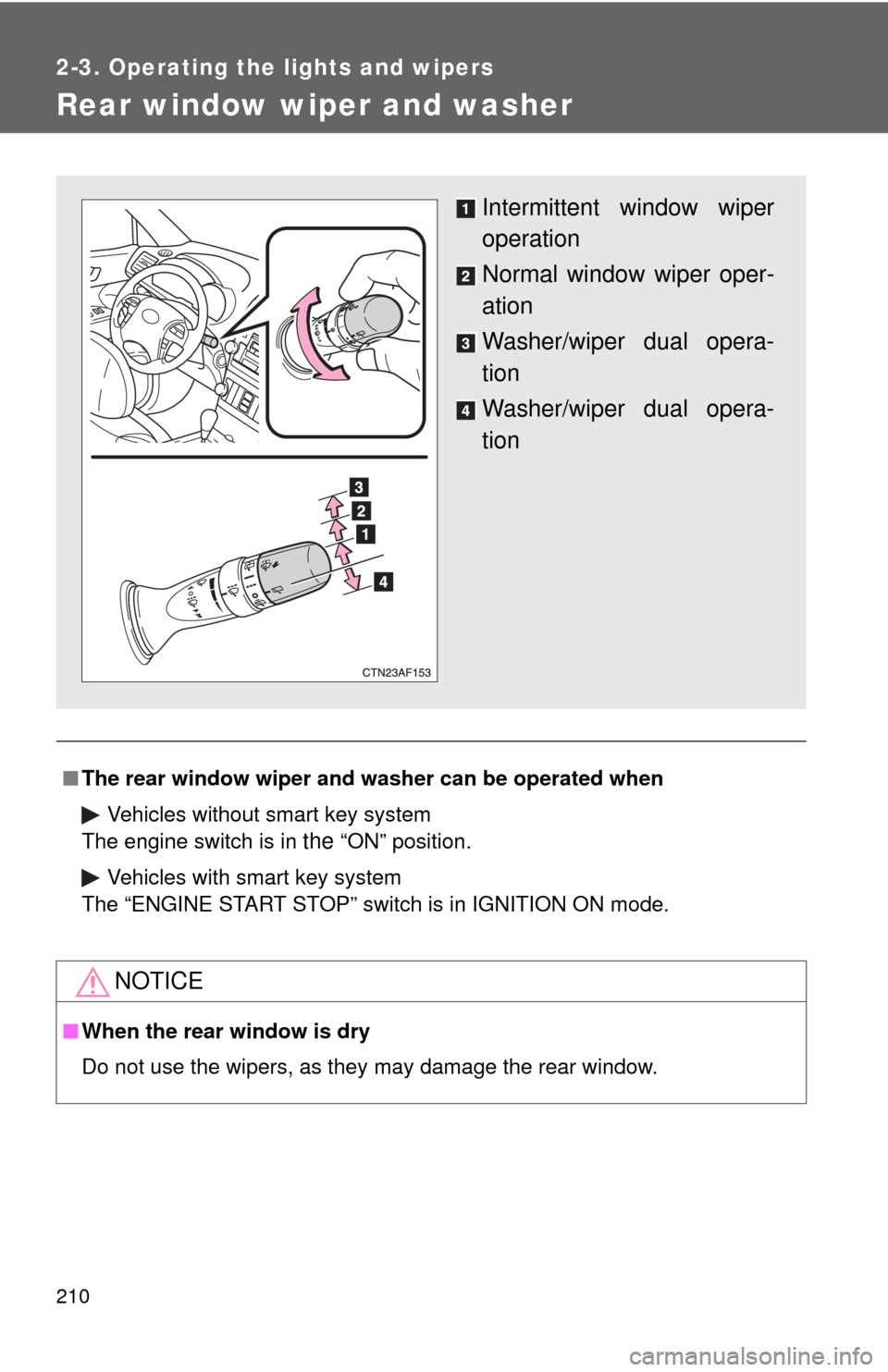
Intermittent window wiper
operation
Normal window wiper oper-
ation
Washer/wiper dual opera-
tion
Washer/wiper dual opera-
tion
Page 278 of 608

278 3-1. Using the air conditioning system and defogger
■The defogger can be operated when
Vehicles without smart key system
The engine switch is in the “ON” position.
Vehicles with smart key system
The “ENGINE START STOP” switch is in IGNITION ON mode.
■ Outside rear view mirror defoggers (vehicles with outside rear view
mirror defoggers)
Turning the rear window defogger on will turn the outside rear view mirror
defoggers on.
CAUTION
■ Outside rear view mirror defoggers (vehicles with outside rear view
mirror defoggers)
The surfaces of the outside rear view mirrors become hot. Do not touch
them to prevent from burning yourself.
Page 279 of 608
279
3-1. Using the air conditioning system and defogger
3
Interior features
Windshield wiper de-icer
■The de-icer can be operated when
Vehicles without smart key system
The engine switch is in the “ON” position.
Vehicles with smart key system
The “ENGINE START STOP” switch is in IGNITION ON mode.
CAUTION
■ When the windshield wiper de-icer is on
Do not touch the glass at the lower part of the windshield or to the side of the
front pillars as the surfaces can become very hot and burn you.
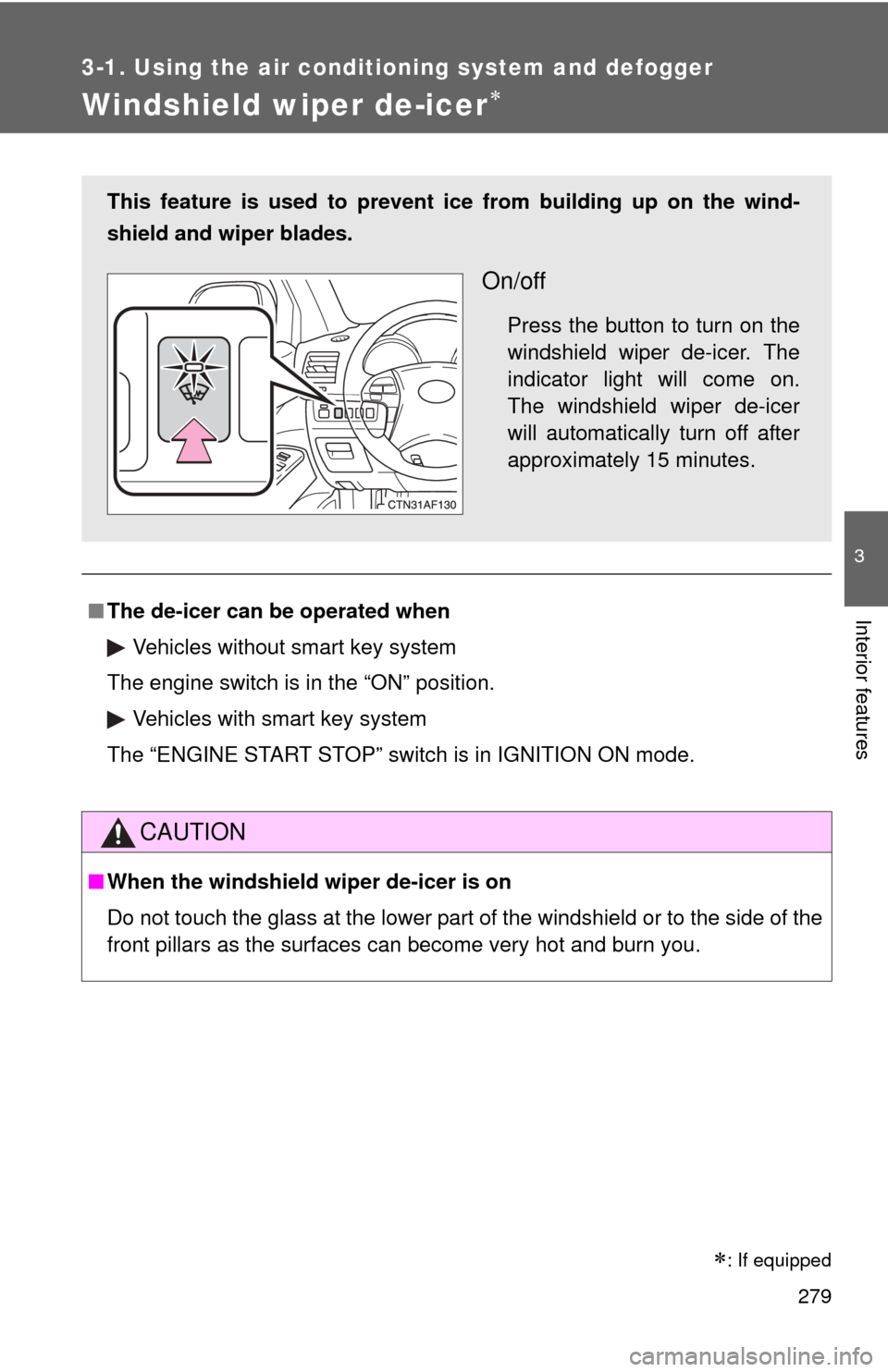
This feature is used to prevent ice from building up on the wind-
shield and wiper blades.
On/off
Press the button to turn on the
windshield wiper de-icer. The
indicator light will come on.
The windshield wiper de-icer
will automatically turn off after
approximately 15 minutes.
: If equipped
Page 314 of 608
314 3-3. Using the rear audio system
■The rear seat entertainmen t system can be used when
Vehicles without smart key system
The engine switch is in the “ACC” or “ON” position.
Vehicles with smart key system
The “ENGINE START STOP” switch is in ACCESSORY or IGNITION ON
mode.
■ Discs that can be used
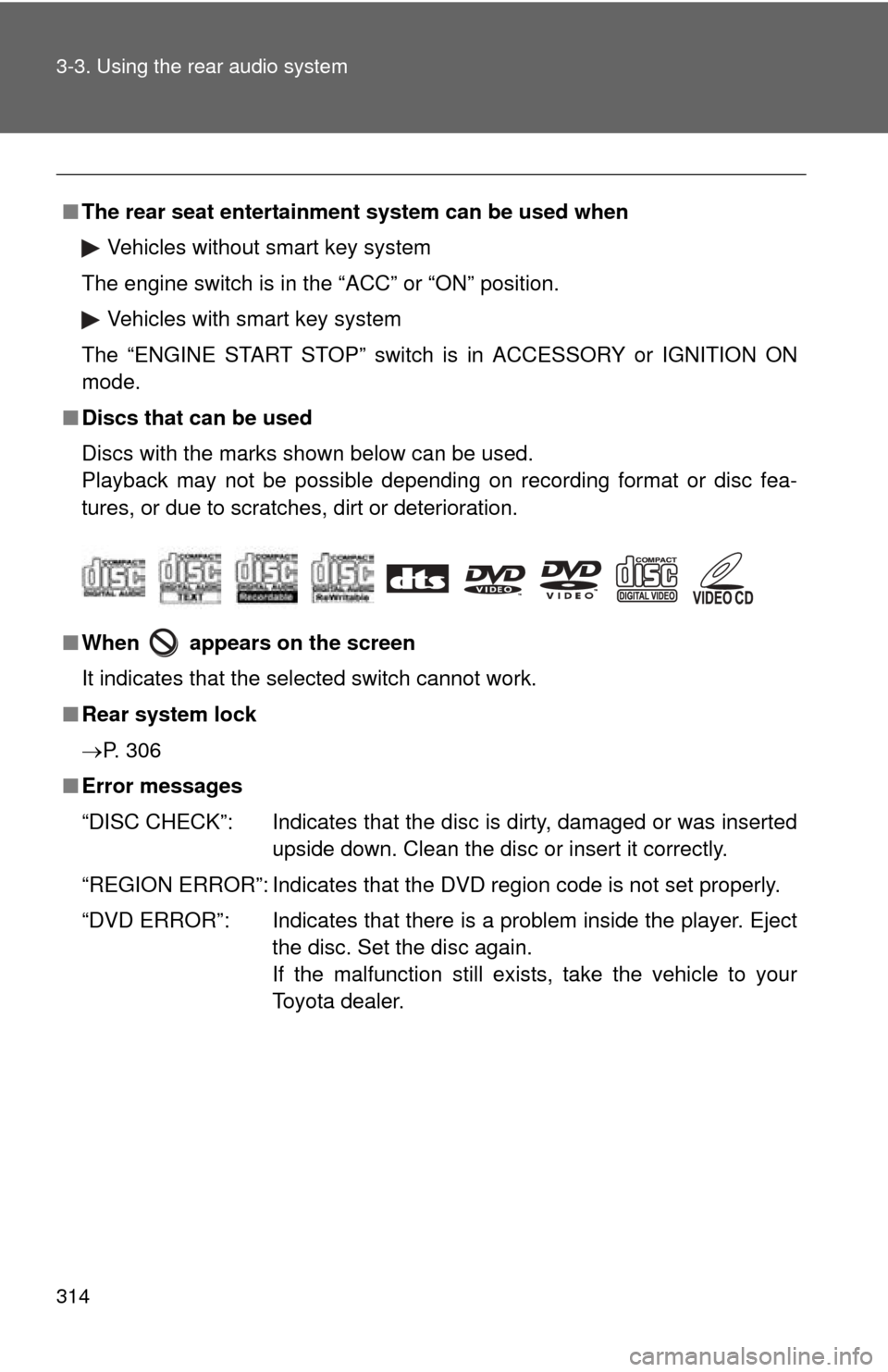
Discs with the marks shown below can be used.
Playback may not be possible depending on recording format or disc fea-
tures, or due to scratches, dirt or deterioration.
■ When appears on the screen
It indicates that the selected switch cannot work.
■ Rear system lock
P. 306
■ Error messages
“DISC CHECK”: Indicates that the disc is dirty, damaged or was inserted
upside down. Clean the disc or insert it correctly.
“REGION ERROR”: Indicates that the DVD region code is not set properly.
“DVD ERROR”: Indicates that there is a problem inside the player. Eject the disc. Set the disc again.
If the malfunction still exists, take the vehicle to your
Toyota dealer.
Page 394 of 608

394 3-7. Other interior features
■The power outlet can be used when
12 V
Vehicles without smart key system:
The engine switch is in the “ACC” or “ON” position.
Vehicles with smart key system:
The “ENGINE START STOP” switch is in ACCESSORY or IGNITION ON
mode.
115 VAC
Vehicles without smart key system:
The engine switch is in the “ON” position.
Vehicles with smart key system:
The “ENGINE START STOP” switch is in IGNITION ON mode.
Page 396 of 608
396
3-7. Other interior features
Seat heaters
■The seat heaters can be used when
Vehicles without smart key system
The engine switch is in the “ON” position. Vehicles with smart key system
The “ENGINE START STOP” switch is in IGNITION ON mode.
■ When not in use
Turn the knob fully counterclockwise. The indicator light turns off.
Press the knob into the recessed position.
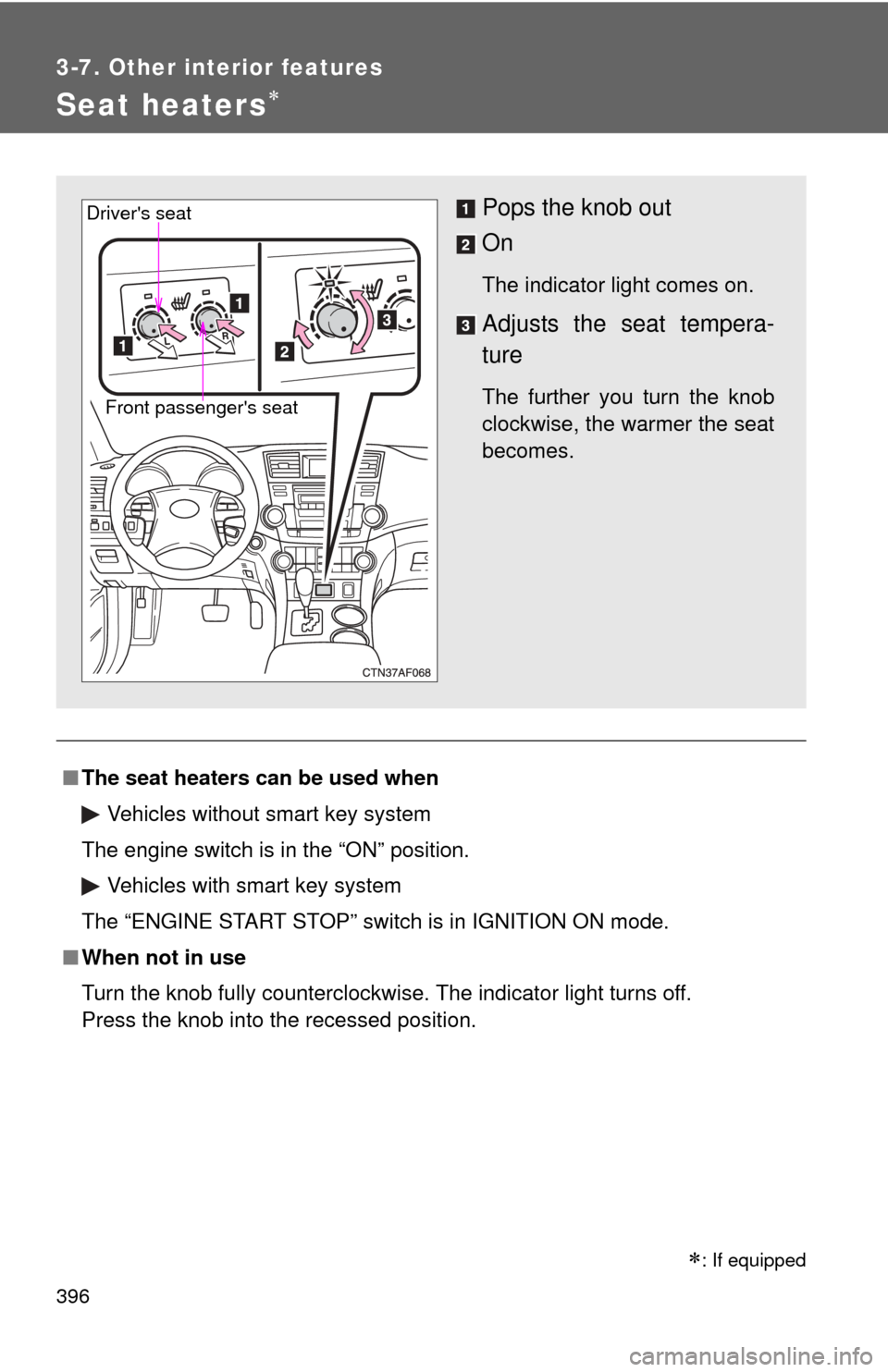
Pops the knob out
On
The indicator light comes on.
Adjusts the seat tempera-
ture
The further you turn the knob
clockwise, the warmer the seat
becomes.Front passenger's seat
Driver's seat
: If equipped