light TOYOTA HIGHLANDER 2010 XU40 / 2.G Repair Manual
[x] Cancel search | Manufacturer: TOYOTA, Model Year: 2010, Model line: HIGHLANDER, Model: TOYOTA HIGHLANDER 2010 XU40 / 2.GPages: 608, PDF Size: 11.99 MB
Page 216 of 608
216 2-4. Using other driving systems
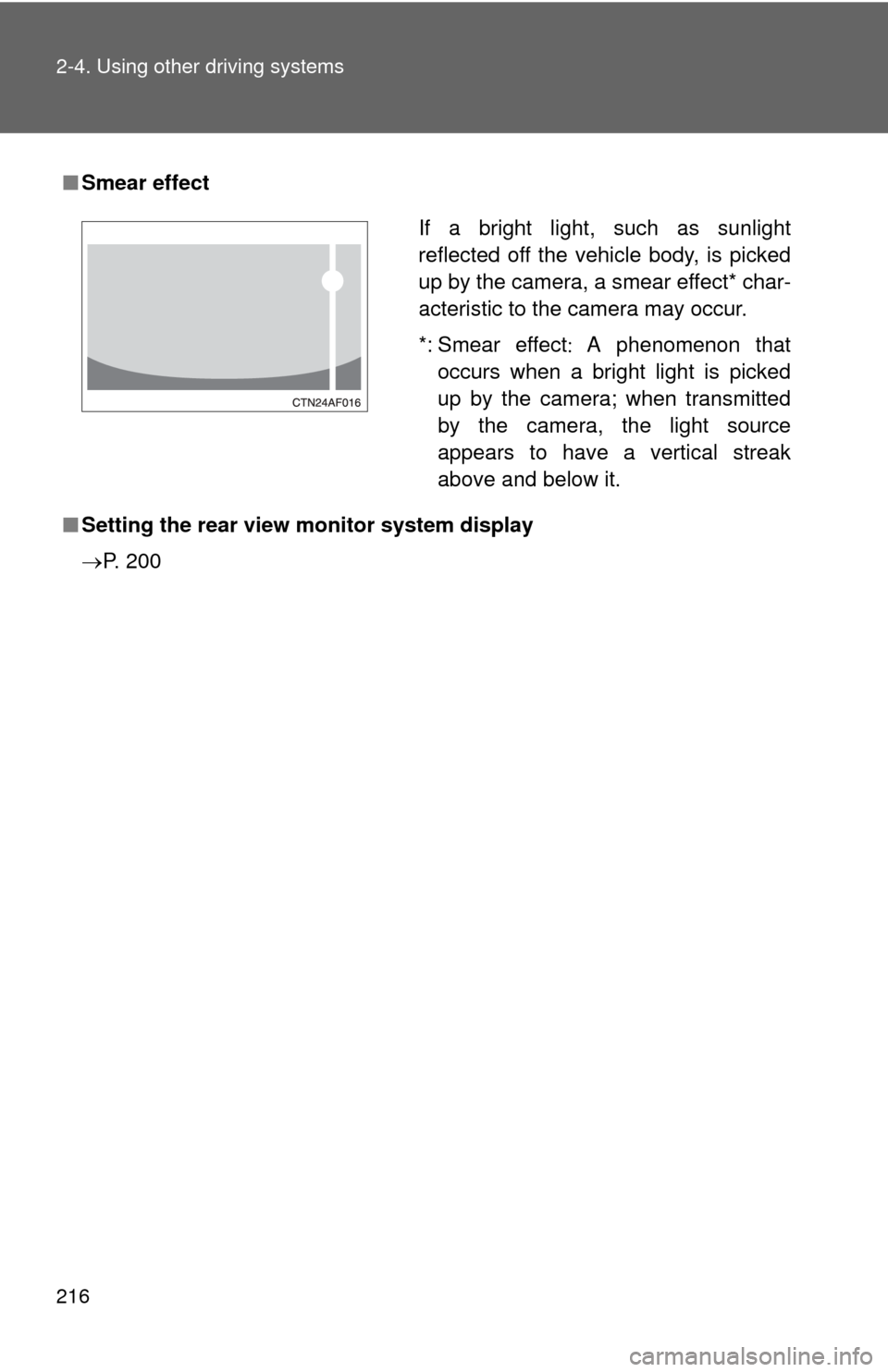
■Smear effect
■ Setting the rear view monitor system display
P. 200
If a bright light, such as sunlight
reflected off the vehicle body, is picked
up by the camera, a smear effect* char-
acteristic to the camera may occur.
*: Smear effect A phenomenon that
occurs when a bright light is picked
up by the camera; when transmitted
by the camera, the light source
appears to have a vertical streak
above and below it.
Page 217 of 608
217
2-4. Using other
driving systems
2
When driving
CAUTION
■When using the rear view monito r system, observe the following pre-
cautions to avoid an accident that coul d result in death or serious inju-
ries.
● Never depend solely on the monitor system when reversing.
● Always check visually and with the mirrors to confirm your intended path is
clear.
● Depicted distances between objects and flat surfaces differ from actual
distances.
● Do not use the system if the back door is open.
■ Conditions which may affect the rear view monitor system
● If the back of the vehicle has been hit, the camera’s position and mounting
angle may have changed. Have the vehicle inspected by your Toyota
dealer.
● Rapid temperature changes, such as when hot water is poured on the
vehicle in cold weather, may cause the system to function abnormally.
● If the camera lens is dirty, it cannot transmit a clear image. Rinse with
water and wipe with a soft cloth. If extremely dirty, wash with a mild
cleanser and rinse.
● The displayed image may be darker and moving images may be slightly
distorted when the system is cold.
Page 219 of 608
219
2-4. Using other
driving systems
2
When driving
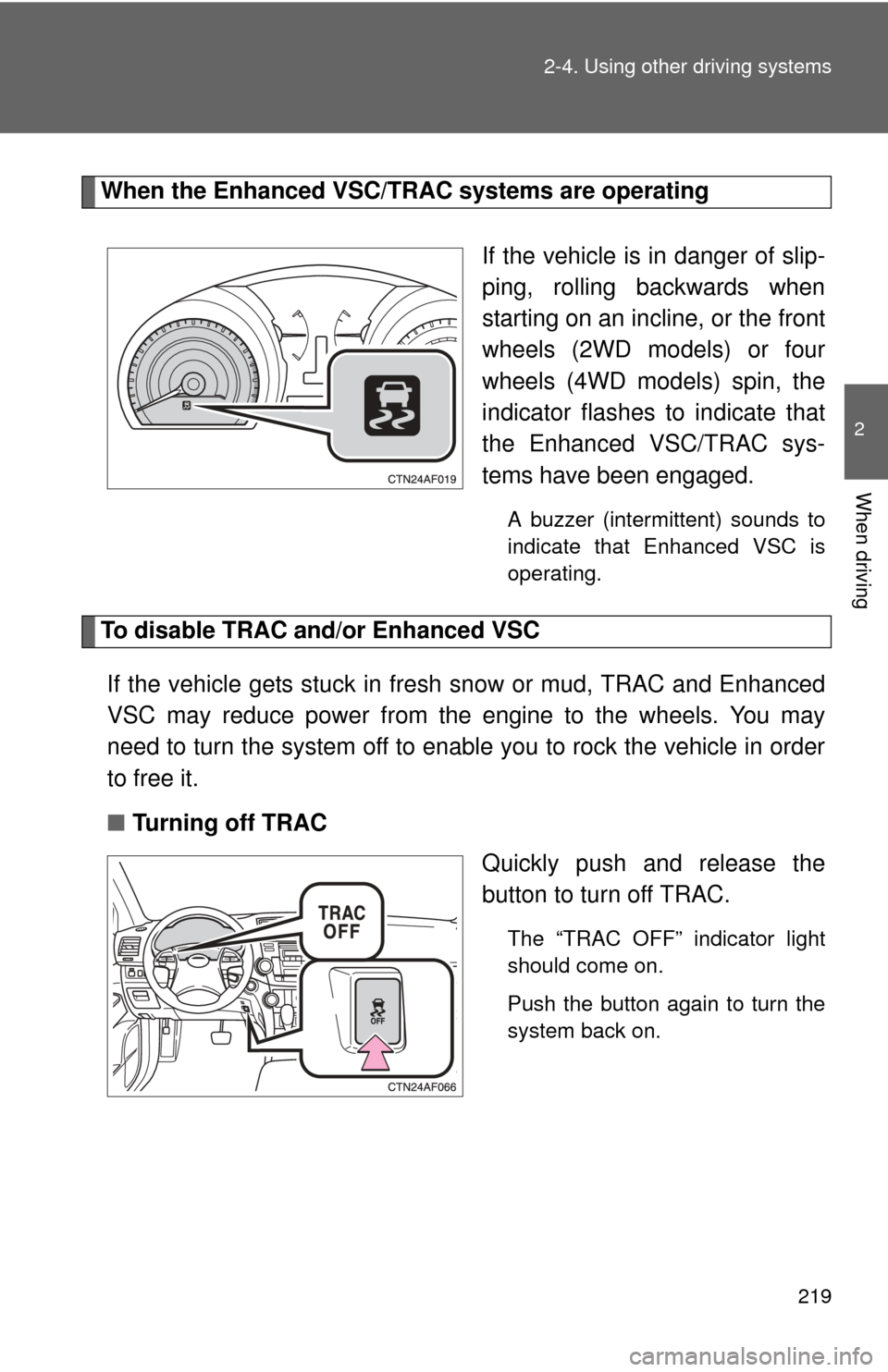
When the Enhanced VSC/TRAC systems are operating
If the vehicle is in danger of slip-
ping, rolling backwards when
starting on an incline, or the front
wheels (2WD models) or four
wheels (4WD models) spin, the
indicator flashes to indicate that
the Enhanced VSC/TRAC sys-
tems have been engaged.
A buzzer (intermittent) sounds to
indicate that Enhanced VSC is
operating.
To disable TRAC and/or Enhanced VSCIf the vehicle gets stuck in fresh snow or mud, TRAC and Enhanced
VSC may reduce power from the engine to the wheels. You may
need to turn the system off to enable you to rock the vehicle in order
to free it.
■ Turning off TRAC
Quickly push and release the
button to turn off TRAC.
The “TRAC OFF” indicator light
should come on.
Push the button again to turn the
system back on.
Page 220 of 608
220 2-4. Using other driving systems
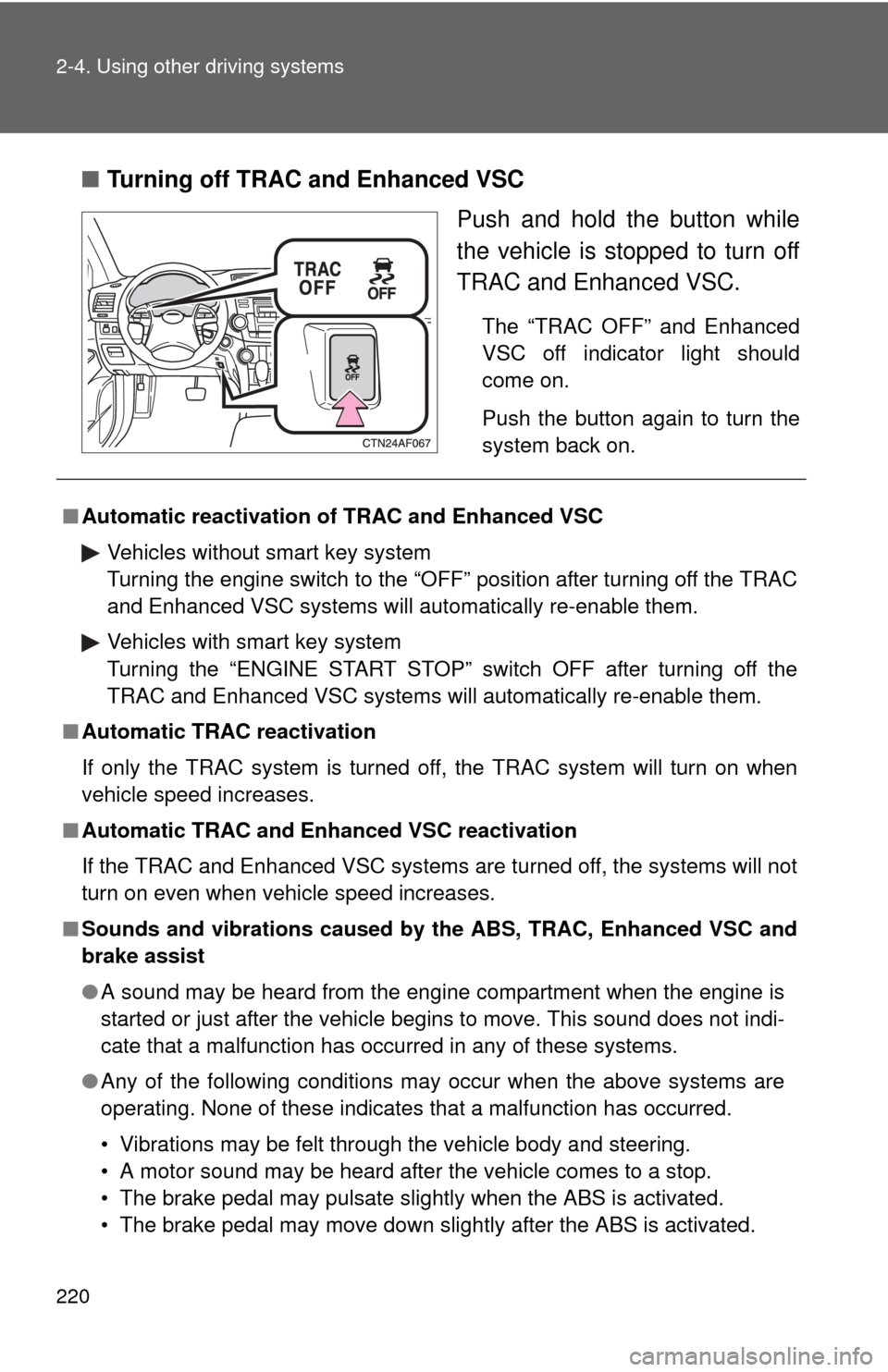
■Turning off TRAC and Enhanced VSC
Push and hold the button while
the vehicle is stopped to turn off
TRAC and Enhanced VSC.
The “TRAC OFF” and Enhanced
VSC off indicator light should
come on.
Push the button again to turn the
system back on.
■Automatic reactivation of TRAC and Enhanced VSC
Vehicles without smart key system
Turning the engine switch to the “OFF” position after turning off the TRAC
and Enhanced VSC systems will automatically re-enable them.
Vehicles with smart key system
Turning the “ENGINE START STOP” switch OFF after turning off the
TRAC and Enhanced VSC systems will automatically re-enable them.
■ Automatic TRAC reactivation
If only the TRAC system is turned off, the TRAC system will turn on when
vehicle speed increases.
■ Automatic TRAC and Enha nced VSC reactivation
If the TRAC and Enhanced VSC systems are turned off, the systems will not
turn on even when vehicle speed increases.
■ Sounds and vibrations caused by the ABS, TRAC, Enhanced VSC and
brake assist
● A sound may be heard from the engine compartment when the engine is
started or just after the vehicle begins to move. This sound does not indi-
cate that a malfunction has occurred in any of these systems.
● Any of the following conditions may occur when the above systems are
operating. None of these indicates that a malfunction has occurred.
• Vibrations may be felt through the vehicle body and steering.
• A motor sound may be heard after the vehicle comes to a stop.
• The brake pedal may pulsate slightly when the ABS is activated.
• The brake pedal may move down slightly after the ABS is activated.
Page 222 of 608
222 2-4. Using other driving systems
CAUTION
■TRAC may not operate effectively when
Directional control and power may not be achievable while driving on slip-
pery road surfaces even if the TRAC system is operating.
Do not drive the vehicle in conditions where stability and power may be lost.
■ When the Enhanced VSC is activated
The slip indicator light flashes and a warning buzzer sounds. Always drive
carefully. Reckless driving may cause an accident. Exercise particular care
when the indicator light flashes and a buzzer sounds.
■ When TRAC and Enhanced VSC are off
Be especially careful and drive at a speed appropriate to the road condi-
tions. As these are systems to ensure vehicle stability and driving force, do
not turn off TRAC and Enhanced VSC unless necessary.
■ Replacing tires
Make sure that all tires are of the same size, brand, tread pattern and total
load capacity. In addition, make sure that the tires are inflated to the appro-
priate tire pressure level.
The ABS and Enhanced VSC systems will not function correctly if different
tires are fitted on the vehicle.
Contact your Toyota dealer for further information when replacing tires or
wheels.
■ Handling of tires and suspension
Using tires with any kind of problem or modifying the suspension will affect
the driving assist systems, and may cause the system to malfunction.
Page 223 of 608
223
2-4. Using other driving systems
2
When driving
Hill-start assist control
■Hill-start assist control operating conditions
The system operates in the following situations:
• The shift lever is in a position other than P.
• The parking brake is not applied.
• The accelerator pedal is not depressed.
■ Hill-start assist control
●While hill-start assist control is operating, the brakes remain automati-
cally applied after the driver releases the brake pedal. The stop lights and
the high mounted stoplight turn on.
● Hill-start assist control operates for about 2 seconds after the brake pedal
is released.
● If the slip indicator does not flash and the buzzer does not sound when
the brake pedal is further depressed, slightly reduce the pressure on the
brake pedal (do not allow the vehicl e to roll backward) and then firmly
depress it again. If the system still does not operate, check that the oper-
ating conditions explained above have been met.
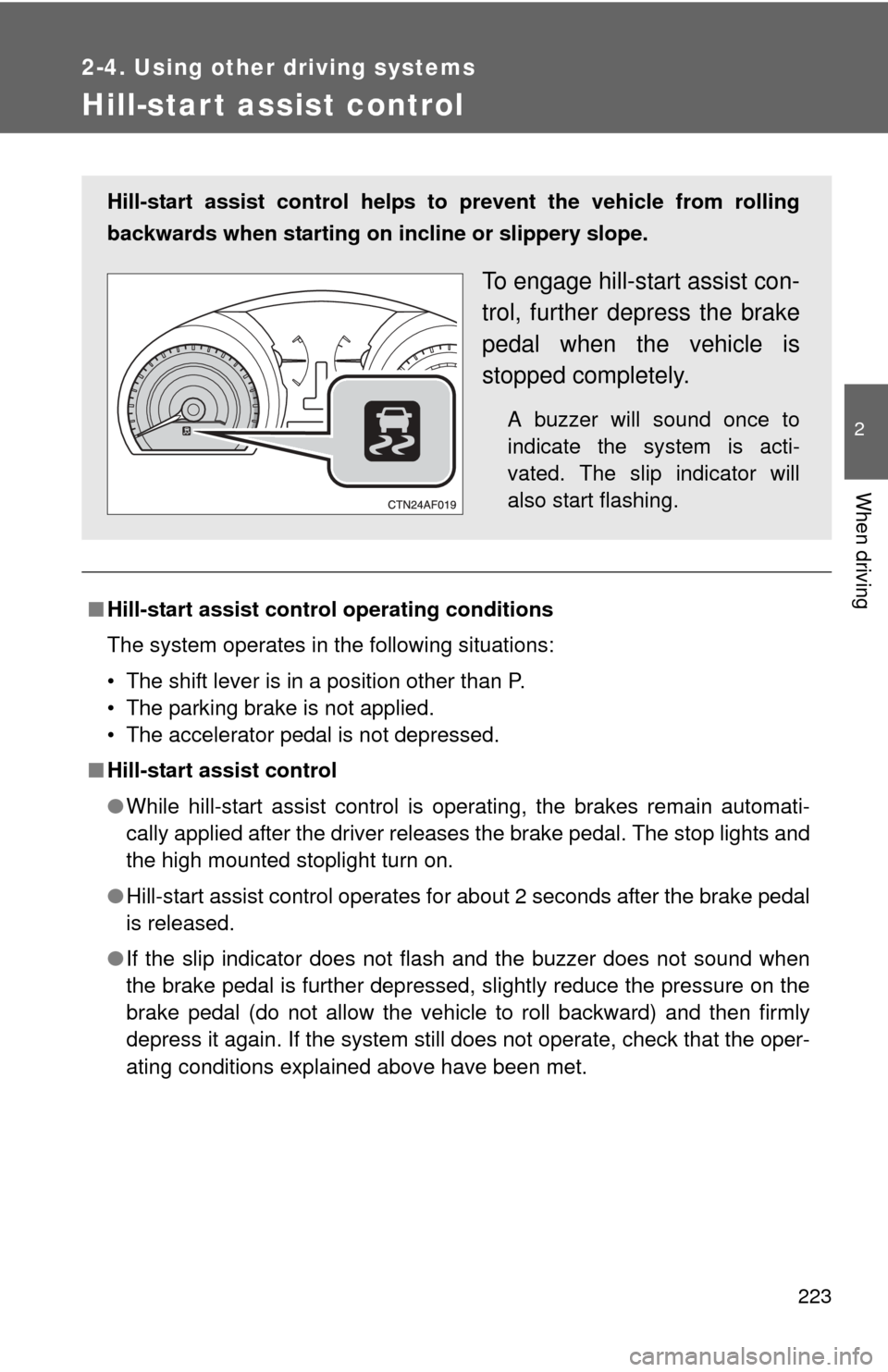
Hill-start assist control helps to prevent the vehicle from rolling
backwards when starting on incline or slippery slope.
To engage hill-start assist con-
trol, further depress the brake
pedal when the vehicle is
stopped completely.
A buzzer will sound once to
indicate the system is acti-
vated. The slip indicator will
also start flashing.
Page 225 of 608
225
2-4. Using other driving systems
2
When driving
Downhill assist control system (4WD models only)
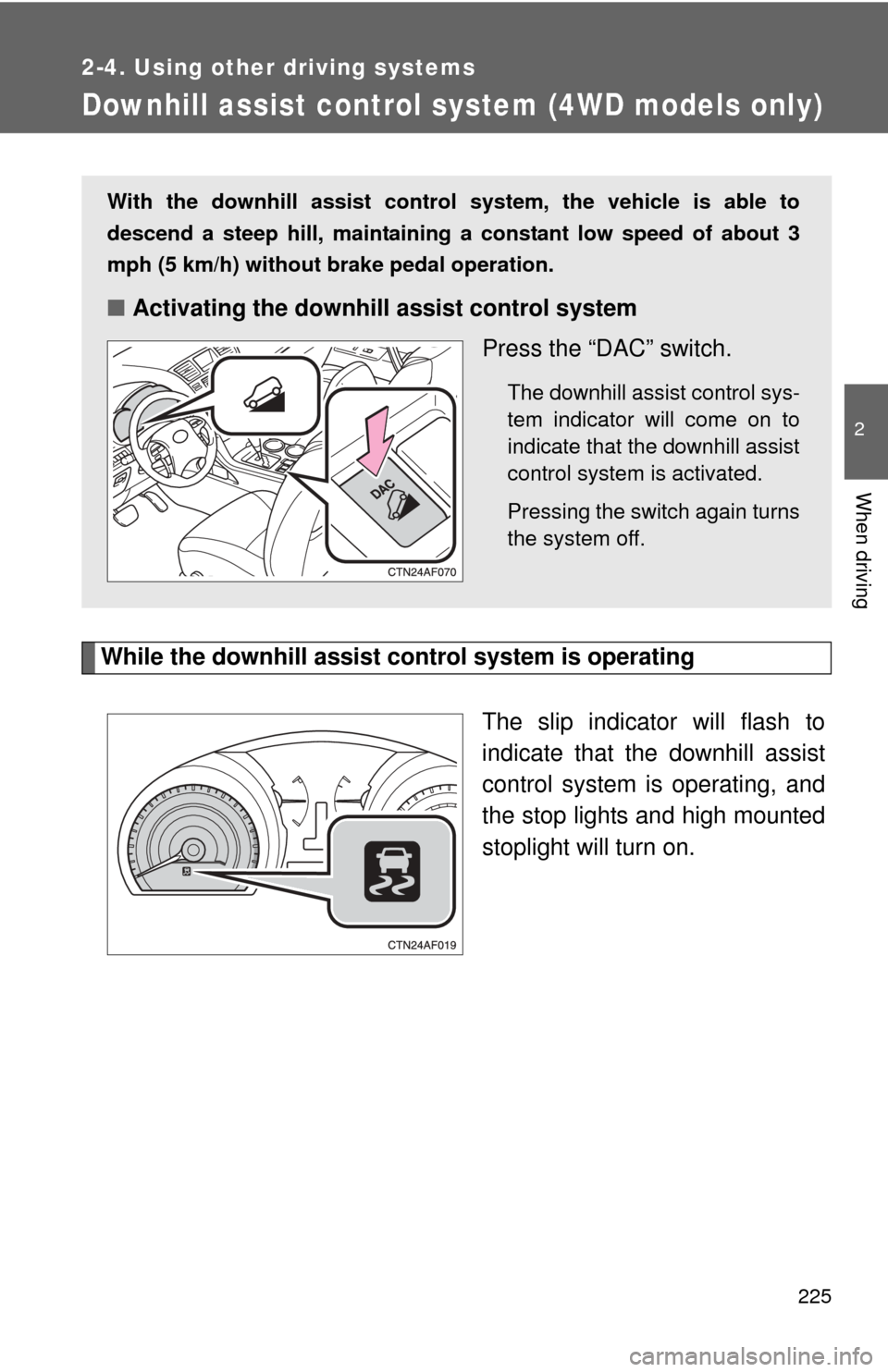
While the downhill assist control system is operatingThe slip indicator will flash to
indicate that the downhill assist
control system is operating, and
the stop lights and high mounted
stoplight will turn on.
With the downhill assist control system, the vehicle is able to
descend a steep hill, maintaining a constant low speed of about 3
mph (5 km/h) without brake pedal operation.
■Activating the downhill assist control system
Press the “DAC” switch.
The downhill assist control sys-
tem indicator will come on to
indicate that the downhill assist
control system is activated.
Pressing the switch again turns
the system off.
Page 246 of 608

246 2-5. Driving information
HitchTrailer hitch assemblies have different weight capacities established
by the hitch manufacturer. Even th ough the vehicle may be rated for
towing a higher weight, the operat or must never exceed the maxi-
mum weight rating specified for the trailer hitch.
Trailer towing tips
Your vehicle will handle differently when towing a trailer. The 3 main
causes of vehicle-trailer accidents are driver error, excessive speed
and improper trailer loading. Keep the following in mind when towing.
● Before starting out, check the trailer lights and the vehicle-trailer
connections. Recheck after driving a short distance.
● Practice turning, stopping and reve rsing with the trailer attached in
an area away from traffic until you become accustomed to the feel
of the vehicle.
● Reversing with a trailer attached is difficult and requires practice.
Grip the bottom of the steering wheel and move your hand to the
left to move the trailer to the left. Move your hand to the right to
move the trailer to right. (This is generally opposite to reversing
without a trailer attached.) Avoid sharp or prolonged turning. Have
someone guide you when reversing to reduce the risk of an acci-
dent.
● As stopping distance is increased when towing a trailer, vehicle-to-
vehicle distance should be increased. For each 10 mph (16 km/h)
of speed, allow at least o ne vehicle and trailer length.
● Avoid sudden braking as you may skid, resulting in jackknifing and
loss of control. This is especiall y true on wet or slippery surfaces.
● Avoid jerky starts or sudden acceleration.
● Avoid jerky steering and sharp turns, and slow down before mak-
ing turns.
Page 249 of 608

249
2-5. Driving information
2
When driving
■
Before towing
Check that the following conditions are met:
●The vehicle's tires are properly inflated. ( P. 562)
● Trailer tires are inflated according to the trailer manufacturer's recom-
mendation.
● All trailer lights work.
● All lights work each time you connect them.
● The vehicle remains level when a loaded or unloaded trailer is hitched.
Do not drive if the vehicle is not level, and check for improper tongue
load, overloading, worn suspension, or other possible causes.
● The trailer cargo is securely loaded.
● The rear view mirrors conform to all applicable federal, state/provincial or
local regulations. If they do not, instal l rear view mirrors appropriate for
towing purposes.
■ Break-in schedule
If your vehicle is new or equipped with any new power train components
(such as an engine, transmission, differential and wheel bearing), Toyota
recommends that you do not tow a trailer until it has been driven for over
2000 miles (3200 km).
However, avoid full throttle acceleration.
■ Maintenance
●If you tow a trailer, your vehicle will require more frequent maintenance
due to the additional load. (See “Scheduled Maintenance Guide” or
“Owner’s Manual Supplement”.)
● Retighten the fixing bolts of the towing ball and bracket after approxi-
mately 600 miles (1000 km) of trailer towing.
Page 251 of 608
251
2-5. Driving information
2
When driving
CAUTION
●
Lubricate the hitch ball with a light coat of grease.
● Remove the trailer hitch whenever you are not towing a trailer. After
removing the hitch, seal any mounting hole in the vehicle body to prevent
entry of any substances into the vehicle.
■ When towing a trailer
●If the gross trailer weight exceeds 1000 lb. (453 kg), trailer brakes are
required. Toyota recommends trailers wi th brakes that conform to all appli-
cable federal and state/provincial regulations.
● Never tap into your vehicle's hydraulic system, as this will lower the vehi-
cle's braking effectiveness.
● Never tow a trailer without using a safety chain securely attached to both
the trailer and the vehicle. If damage occurs to the coupling unit or hitch
ball, there is danger of the trailer wandering into another lane.
NOTICE
■When installing a trailer hitch
●Use only the position recommended by your Toyota dealer. Do not install
the trailer hitch on the bumper as this may cause body damage.
● Do not use axle-mounted hitches, as they can cause damage to the axle
housing, wheel bearings, wheels or tires.
■ Safety chain
A safety chain must always be used between the towing vehicle and the
trailer. Leave sufficient slack in the chain for turns. The chain should cross
under the trailer tongue to prevent the tongue from dropping to the ground in
the case that it becomes damaged or separated. For the correct safety chain
installation procedure, ask your Toyota dealer.
■ Do not directly splice trailer lights
Directly splicing trailer lights may damage your vehicle's electrical system
and cause a malfunction.