radio antenna TOYOTA HIGHLANDER 2013 XU50 / 3.G Owners Manual
[x] Cancel search | Manufacturer: TOYOTA, Model Year: 2013, Model line: HIGHLANDER, Model: TOYOTA HIGHLANDER 2013 XU50 / 3.GPages: 684, PDF Size: 15.42 MB
Page 3 of 684
1
2
3
4
5
6
7
3
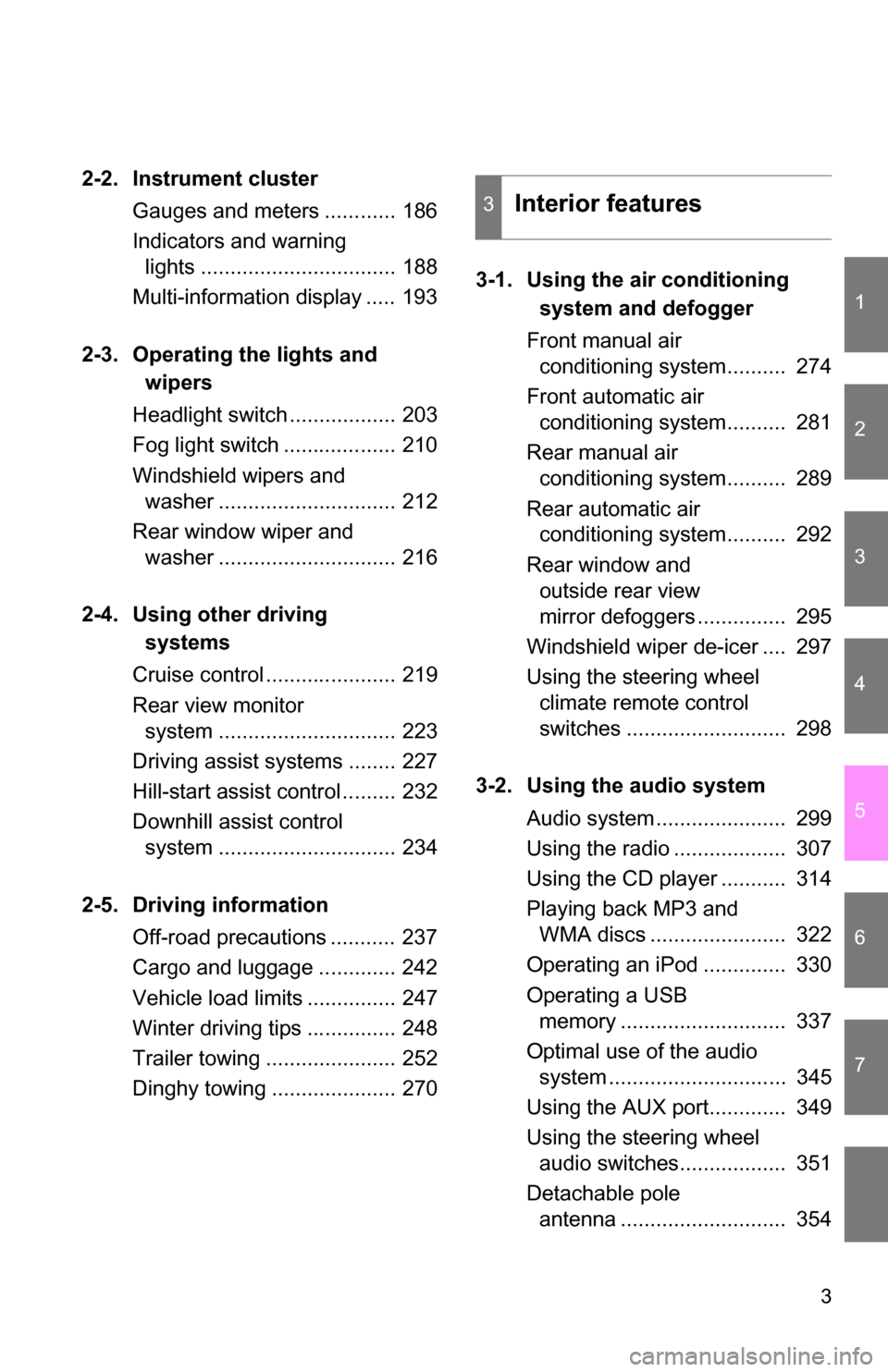
2-2. Instrument clusterGauges and meters ............ 186
Indicators and warning lights ................................. 188
Multi-information display ..... 193
2-3. Operating the lights and wipers
Headlight switch .................. 203
Fog light switch ................... 210
Windshield wipers and washer .............................. 212
Rear window wiper and washer .............................. 216
2-4. Using other driving systems
Cruise control ...................... 219
Rear view monitor system .............................. 223
Driving assist systems ........ 227
Hill-start assist control ......... 232
Downhill assist control system .............................. 234
2-5. Driving information Off-road precautions ........... 237
Cargo and luggage ............. 242
Vehicle load limits ............... 247
Winter driving tips ............... 248
Trailer towing ...................... 252
Dinghy towing ..................... 270 3-1. Using the air conditioning
system and defogger
Front manual air conditioning system.......... 274
Front automatic air conditioning system.......... 281
Rear manual air conditioning system.......... 289
Rear automatic air conditioning system.......... 292
Rear window and outside rear view
mirror defoggers ............... 295
Windshield wiper de-icer .... 297
Using the steering wheel climate remote control
switches ........................... 298
3-2. Using the audio system Audio system ...................... 299
Using the radio ................... 307
Using the CD player ........... 314
Playing back MP3 and WMA discs ....................... 322
Operating an iPod .............. 330
Operating a USB memory ............................ 337
Optimal use of the audio system .............................. 345
Using the AUX port............. 349
Using the steering wheel audio switches.................. 351
Detachable pole antenna ............................ 354
3Interior features
Page 42 of 684
42 1-2. Opening, closing and locking the doors
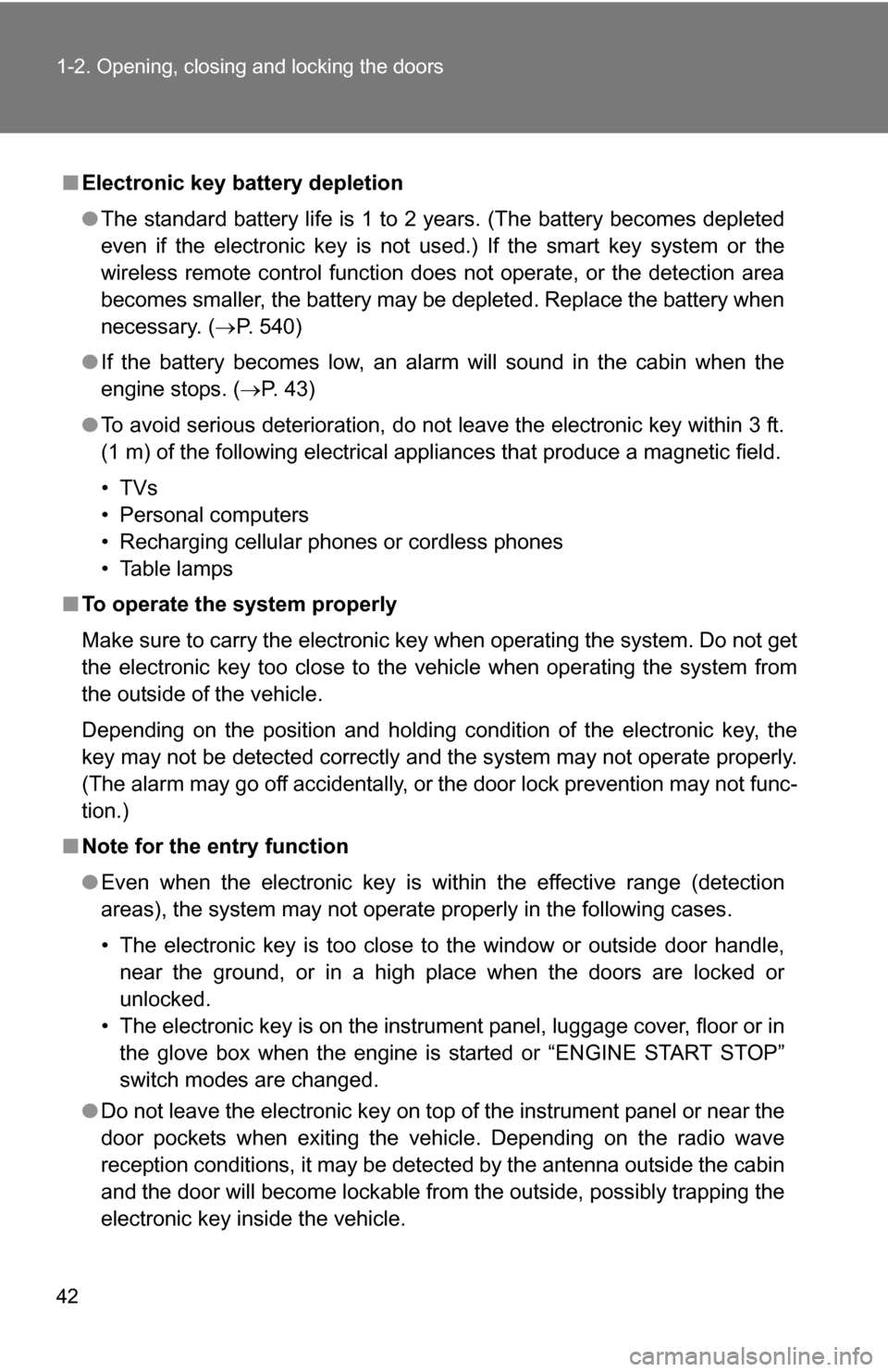
■Electronic key battery depletion
●The standard battery life is 1 to 2 years. (The battery becomes depleted
even if the electronic key is not used.) If the smart key system or the
wireless remote control function does not operate, or the detection area
becomes smaller, the battery may be depleted. Replace the battery when
necessary. ( P. 540)
● If the battery becomes low, an alarm will sound in the cabin when the
engine stops. ( P. 43)
● To avoid serious deterioration, do not leave the electronic key within 3 ft.
(1 m) of the following electrical appliances that produce a magnetic field.
•TVs
• Personal computers
• Recharging cellular phones or cordless phones
• Table lamps
■ To operate the system properly
Make sure to carry the electronic key when operating the system. Do not get
the electronic key too close to the vehicle when operating the system from
the outside of the vehicle.
Depending on the position and holding condition of the electronic key, the
key may not be detected correctly and the system may not operate properly.
(The alarm may go off accidentally, or the door lock prevention may not func-
tion.)
■ Note for the entry function
●Even when the electronic key is within the effective range (detection
areas), the system may not operate properly in the following cases.
• The electronic key is too close to the window or outside door handle,
near the ground, or in a high place when the doors are locked or
unlocked.
• The electronic key is on the instrument panel, luggage cover, floor or in the glove box when the engine is started or “ENGINE START STOP”
switch modes are changed.
● Do not leave the electronic key on top of the instrument panel or near the
door pockets when exiting the vehicle. Depending on the radio wave
reception conditions, it may be detected by the antenna outside the cabin
and the door will become lockable from the outside, possibly trapping the
electronic key inside the vehicle.
Page 47 of 684
47
1-2. Opening, closing and locking the doors
1
Before driving
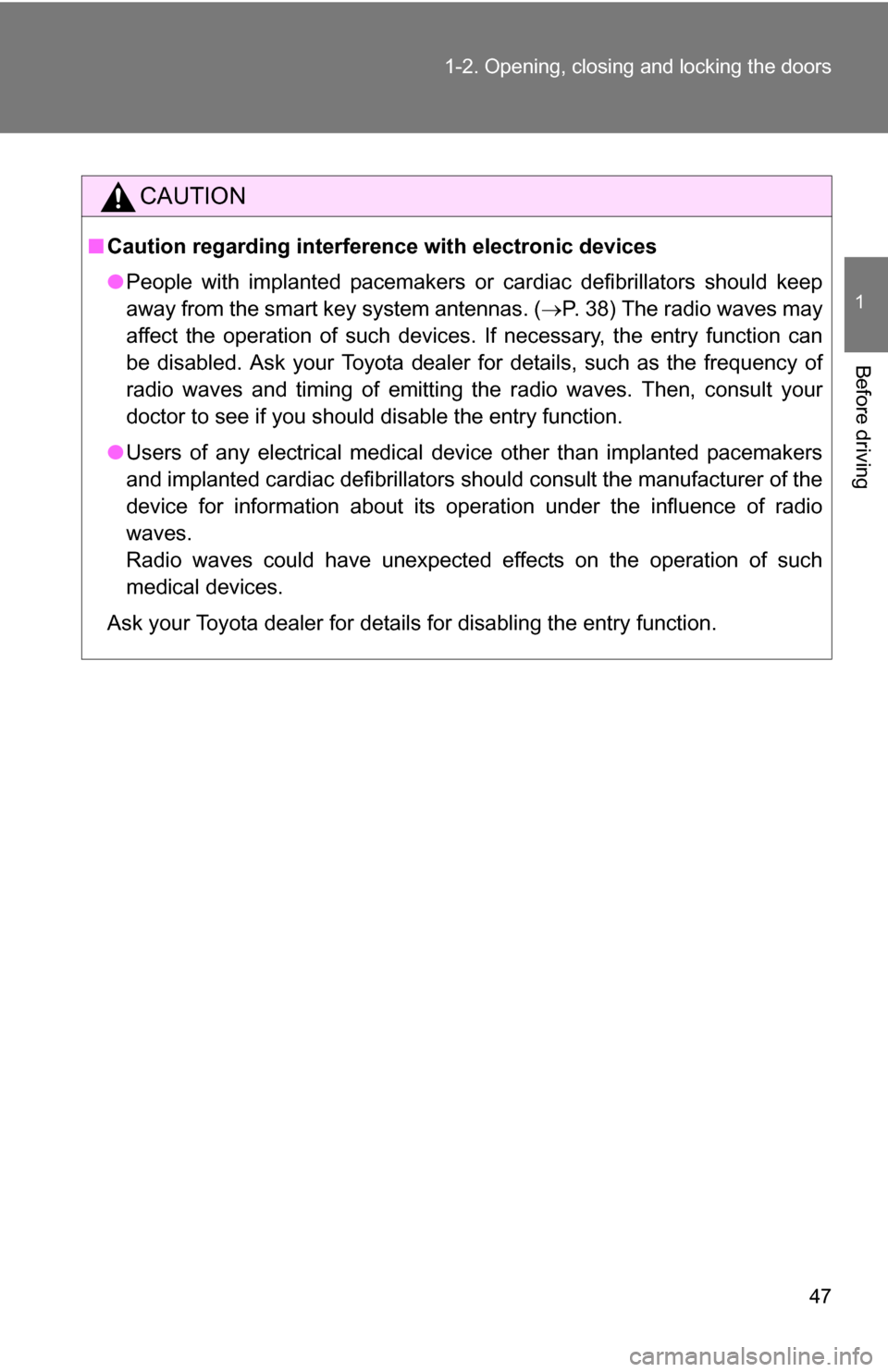
CAUTION
■
Caution regarding interfer ence with electronic devices
● People with implanted pacemakers or cardiac defibrillators should keep
away from the smart key system antennas. ( P. 38) The radio waves may
affect the operation of such devices. If necessary, the entry function can
be disabled. Ask your Toyota dealer for details, such as the frequency of
radio waves and timing of emitting the radio waves. Then, consult your
doctor to see if you should disable the entry function.
● Users of any electrical medical device other than implanted pacemakers
and implanted cardiac defibrillators should consult the manufacturer of the
device for information about its operation under the influence of radio
waves.
Radio waves could have unexpected effects on the operation of such
medical devices.
Ask your Toyota dealer for details for disabling the entry function.
Page 272 of 684
272
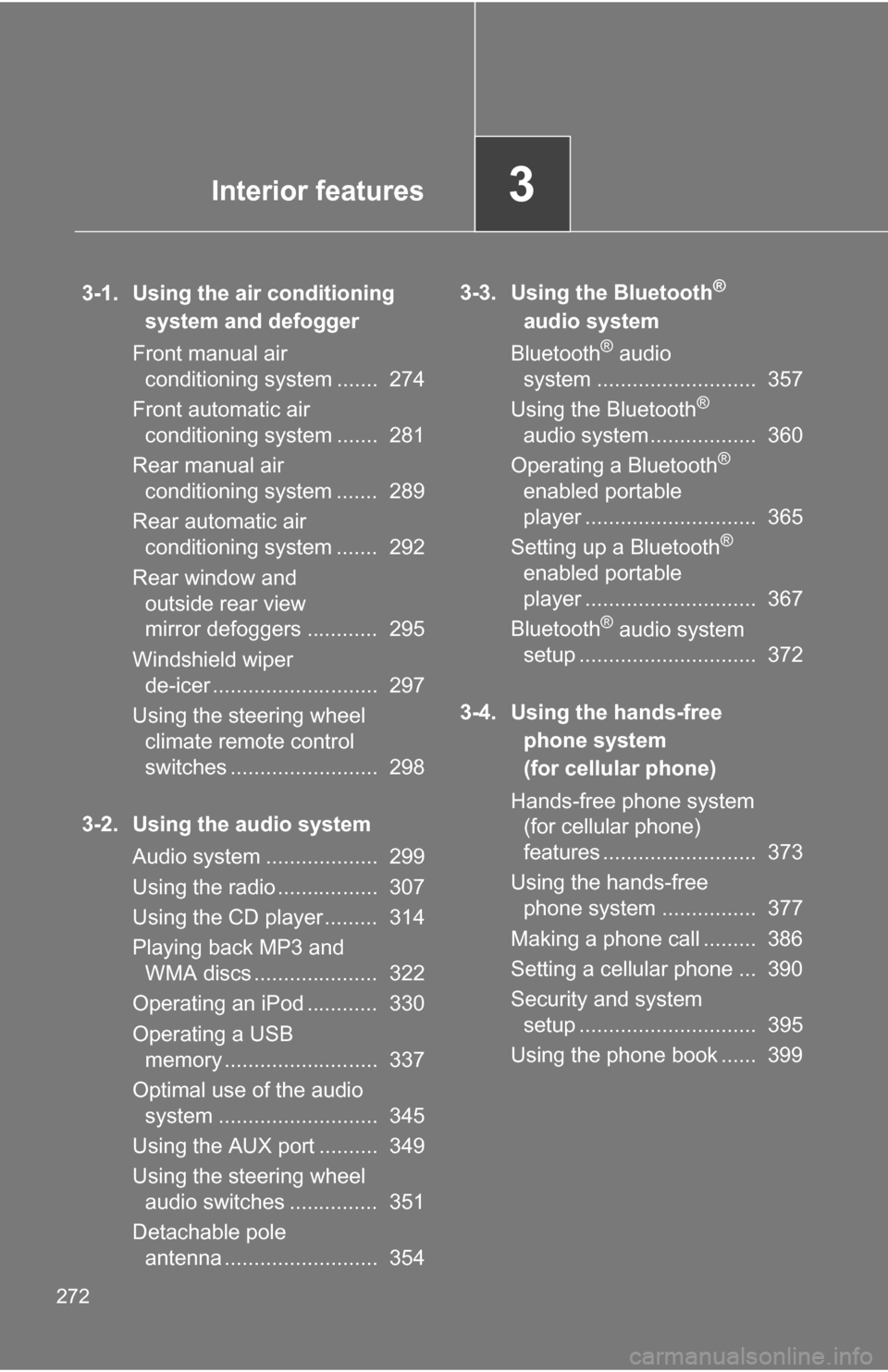
3-1. Using the air conditioning system and defogger
Front manual air conditioning system ....... 274
Front automatic air conditioning system ....... 281
Rear manual air conditioning system ....... 289
Rear automatic air conditioning system ....... 292
Rear window and outside rear view
mirror defoggers ............ 295
Windshield wiper de-icer ............................ 297
Using the steering wheel climate remote control
switches ......................... 298
3-2. Using the audio system Audio system ................... 299
Using the radio ................. 307
Using the CD player ......... 314
Playing back MP3 and WMA discs ..................... 322
Operating an iPod ............ 330
Operating a USB memory .......................... 337
Optimal use of the audio system ........................... 345
Using the AUX port .......... 349
Using the steering wheel audio switches ............... 351
Detachable pole antenna .......................... 354 3-3. Using the Bluetooth®
audio system
Bluetooth
® audio
system ........................... 357
Using the Bluetooth
®
audio system.................. 360
Operating a Bluetooth
®
enabled portable
player ............................. 365
Setting up a Bluetooth
®
enabled portable
player ............................. 367
Bluetooth
® audio system
setup .............................. 372
3-4. Using the hands-free phone system
(for cellular phone)
Hands-free phone system (for cellular phone)
features .......................... 373
Using the hands-free phone system ................ 377
Making a phone call ......... 386
Setting a cellular phone ... 390
Security and system setup .............................. 395
Using the phone book ...... 399
Interior features3
Page 305 of 684
305
3-2. Using the audio system
3
Interior features
CAUTION
FCC Warning:
Changes or modifications not expressly approved by the party responsible
for compliance could void the user’s authority to operate the equipment.
This device complies with Part 15 of the FCC Rules. Operation is subject to
the following two conditions: (1) this device may not cause harmful interfer-
ence, and (2) this device must accept any interference received, including
interference that may cause undesired operation.
This equipment complies with FCC radiation exposure limits set forth for an
uncontrolled environment and meets
the FCC radio frequency (RF) Expo-
sure Guidelines in Supplement C to OET65. This equipment has very low
levels of RF energy that it deemed to comply without maximum permissive
exposure evaluation (MPE). But it is desirable that it should be installed and
operated keeping the radiator at least 20cm or more away from person’s
body (excluding extremities: hands, wrists, feet and ankles).
NOTE: This equipment has been tested and found to comply with the limits
for a Class B digital device, pursuant to Part 15 of the FCC Rules. These lim-
its are designed to provide reasonable protection against harmful interfer-
ence in a residential installation. This equipment generates, uses and can
radiate radio frequency energy and, if not installed and used in accordance
with the instructions, may cause harmful interference to radio communica-
tions. However, there is no guarantee that interference will not occur in a
particular installation.
If this equipment does cause harmful interference to radio or television
reception, which can be determined by turning the equipment off and on, the
user is encouraged to try to correct the interference by one or more of the
following measures:
- Reorient or relocate the receiving antenna.
- Increase the separation between the equipment and receiver.
- Connect the equipment into an outlet on a circuit different from that to which the receiver is connected.
- Consult the dealer or an experienced radio/TV technician for help.
This transmitter must not be co-located or operated in conjunction with any
other antenna or transmitter.
Page 311 of 684
311
3-2. Using the audio system
3
Interior features
■
When the battery is disconnected
All preset stations are erased. (type A only)
■ Reception sensitivity
●Type B and C Cargo loaded on the roof luggage carrier, especially
metal objects, may adversely affect the reception of XM
® Satellite Radio.
● Maintaining perfect radio reception at all times is difficult due to the con-
tinually changing position of the antenna, differences in signal strength
and surrounding objects, such as trains and transmitters.
● Pole type antenna The radio antenna is mounted on the right-side
front fender. The antenna can be removed from the base by turning it.
● Print type antenna The radio antenna is mounted inside the left-side
rear quarter window. To maintain clear radio reception, do not attach
metallic window tinting or other metallic objects to the antenna wire
mounted inside the left-side rear quarter window.
■ XM
® Satellite Radio (type B and C)
An XM
® Satellite Radio is a tuner designed exclusively to receive broadcasts
provided under a separate subscription. Availability is limited to the 48 con-
tiguous states and 10 Canadian provinces.
● XM
® subscriptions
For detailed information about XM® Satellite Radio or to subscribe:
U.S.A.
Visit on the web at www.xmradio.com
or call 1-800-967-2346.
Canada
Visit on the web at www.xmradio.ca
or call 1-877-438-9677.
● Radio ID
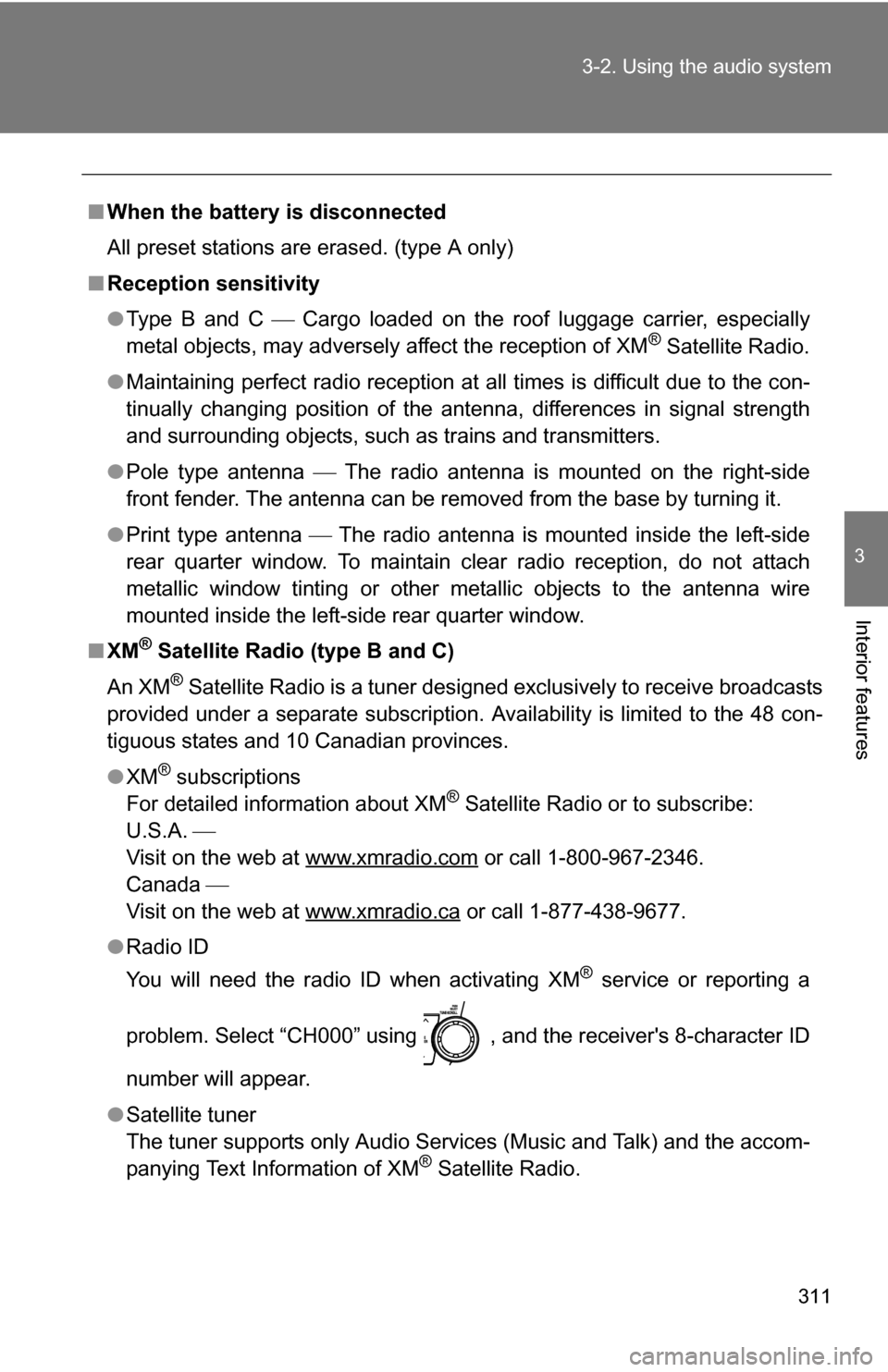
You will need the radio ID when activating XM
® service or reporting a
problem. Select “CH000” using , and the receiver's 8-character ID
number will appear.
● Satellite tuner
The tuner supports only Audio Services (Music and Talk) and the accom-
panying Text Information of XM
® Satellite Radio.
Page 312 of 684
312 3-2. Using the audio system
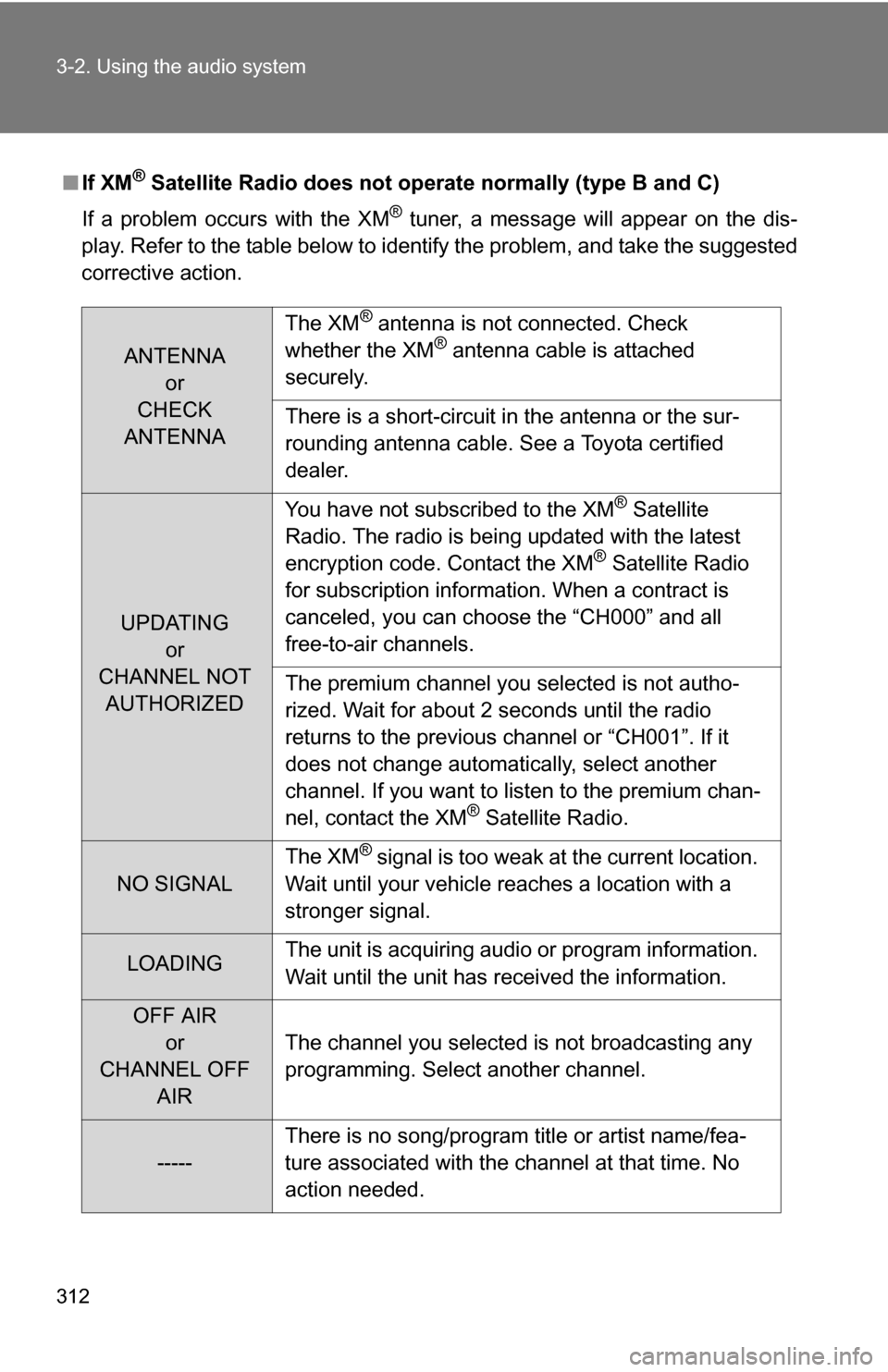
■If XM® Satellite Radio does not operate normally (type B and C)
If a problem occurs with the XM
® tuner, a message will appear on the dis-
play. Refer to the table below to identify the problem, and take the suggested
corrective action.
ANTENNA or
CHECK
ANTENNA The XM
® antenna is not connected. Check
whether the XM® antenna cable is attached
securely.
There is a short-circuit in the antenna or the sur-
rounding antenna cable. See a Toyota certified
dealer.
UPDATING or
CHANNEL NOT AUTHORIZED You have not subscribed to the XM
® Satellite
Radio. The radio is being updated with the latest
encryption code. Contact the XM
® Satellite Radio
for subscription information. When a contract is
canceled, you can choose the “CH000” and all
free-to-air channels.
The premium channel you selected is not autho-
rized. Wait for about 2 seconds until the radio
returns to the previous channel or “CH001”. If it
does not change automatically, select another
channel. If you want to listen to the premium chan-
nel, contact the XM
® Satellite Radio.
NO SIGNAL The XM
® signal is too weak at the current location.
Wait until your vehicle reaches a location with a
stronger signal.
LOADING The unit is acquiring audio or program information.
Wait until the unit has received the information.
OFF AIR
or
CHANNEL OFF AIR The channel you selected is not broadcasting any
programming. Select another channel.
-----
There is no song/program title or artist name/fea-
ture associated with the channel at that time. No
action needed.
Page 313 of 684
313
3-2. Using the audio system
3
Interior features
Contact the XM® Listener Care Center at
1-800-967-2346 (U.S.A.) or 1-877-
438-9677 (Canada).
■ Certifications for the radio tuner
This equipment has been tested and found to comply with the limits for a
class B digital device, pursuant to Part 15 of the FCC Rules. These limits are
designed to provide reasonable protection against harmful interference in a
residential installation. This equipment generates, uses and can radiate
radio frequency energy and, if not installed and used in accordance with the
instructions, may cause harmful interference to radio communications. How-
ever, there is no guarantee that interference will not occur in a particular
installation.
If this equipment does cause harmful interference to radio or television
reception, which can be determined by turning the equipment off and on, the
user is encouraged to try to correct the interference by trying one or more of
the following:
●Reorienting or relocating the receiving antenna.
● Increasing the separation between the equipment and receiver.
● Connecting the equipment into an outlet on a circuit different from that to
which the receiver is connected.
● Consulting the dealer or an experienc ed radio/TV technician for help.
NOTICE
■To prevent damage, remove the antenna in the following cases.
(pole type antenna)
●The antenna will touch the ceiling of a garage.
● A cover will be put on the vehicle.
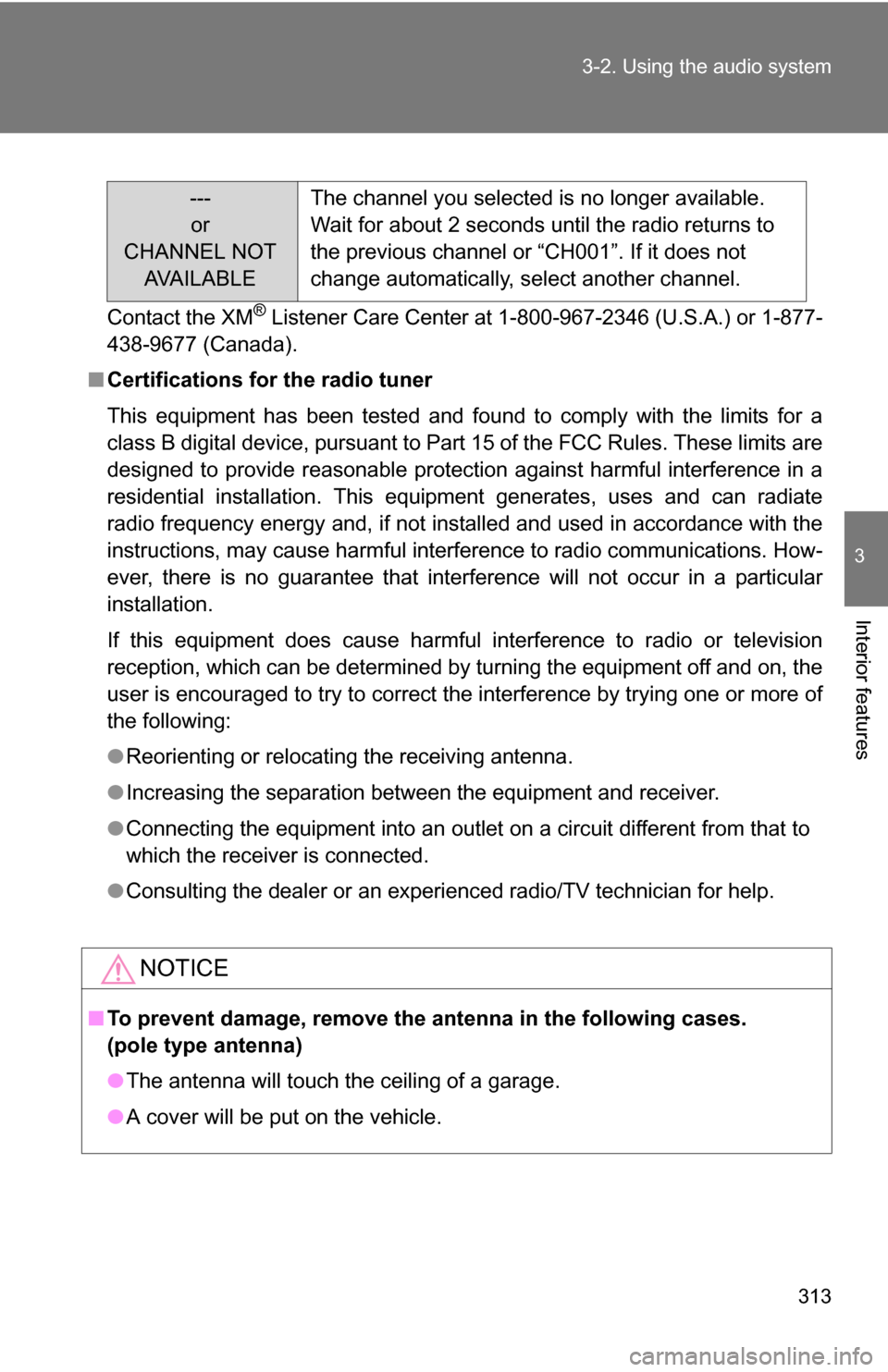
---
or
CHANNEL NOT AVA I L A B L E The channel you selected is no longer available.
Wait for about 2 seconds until the radio returns to
the previous channel or “CH001”. If it does not
change automatically, select another channel.
Page 359 of 684
359
3-3. Using the Bluetooth
® audio system
3
Interior features
■
Certification for the Bluetooth® audio system
FCC ID: ACJ932C5ZZZ035
IC ID: 216J-C5ZZZ035
MADE IN JAPAN
This device complies with Part 15 of the FCC Rules and RSS-Gen of IC
Rules. Operation is subject to the following two conditions: (1) this device
may not cause harmful interference, and (2) this device must accept an\
y
interference received, including interference that may cause undesired oper-
ation.
CAUTION
■ FCC WARNING
Changes or modifications not expressly approved by the party responsible
for compliance could void the user's authority to operate the equipment.
Radio Frequency Radiation Exposure. This equipment complies with FCC/
IC radiation exposure limits set forth for uncontrolled equipment and meets
the FCC radio frequency (RF) Exposure Guidelines in Supplement C to
OET65 and RSS-102 of the IC radio frequency (RF) Exposure rules. This
equipment has very low levels of RF energy that it deemed to comply with-
out maximum permissive exposure evaluation (MPE). But it is desirable that
it should be installed and operated with at least 7.9 in. (20 cm) and more
between the radiator and person’s body (excluding extremities: hands,
wrists, feet and ankles).
This transmitter must not be co-located or operated in conjunction with any
other antenna or transmitter.
■ Caution while driving
Do not connect portable players or operate the controls.
NOTICE
■To prevent damage to portable players
Do not leave portable players in the vehicle. The temperature inside the
vehicle may become high, resulting in damage to the player.
Page 376 of 684
376 3-4. Using the hands-free phone system (for cellular phone)
CAUTION
■FCC WARNING
Changes or modifications not expressly approved by the party responsible
for compliance could void the user's authority to operate the equipment.
Radio Frequency Radiation Exposure. This equipment complies with FCC/
IC radiation exposure limits set forth for uncontrolled equipment and meets
the FCC radio frequency (RF) Exposure Guidelines in Supplement C to
OET65 and RSS-102 of the IC radio frequency (RF) Exposure rules. This
equipment has very low levels of RF energy that it deemed to comply with-
out maximum permissive exposure evaluation (MPE). But it is desirable that
it should be installed and operated with at least 7.9 in. (20 cm) and more
between the radiator and person’s body (excluding extremities: hands,
wrists, feet and ankles).
This transmitter must not be co-located or operated in conjunction with any
other antenna or transmitter.
■ Caution while driving
Do not use a cellular phone, or connect the Bluetooth
® phone.
NOTICE
■To prevent damage to a cellular phone
Do not leave a cellular phone in the vehicle. The temperature inside may
become high resulting in damage to the phone.