brake TOYOTA HIGHLANDER 2016 XU50 / 3.G Owner's Guide
[x] Cancel search | Manufacturer: TOYOTA, Model Year: 2016, Model line: HIGHLANDER, Model: TOYOTA HIGHLANDER 2016 XU50 / 3.GPages: 716, PDF Size: 11.4 MB
Page 230 of 716
2304-2. Driving procedures
HIGHLANDER_U (OM48F09U)
If the engine is stopped with the shift lever in a position other than P,
the engine switch will not be turned off but instead be turned to
ACCESSORY mode. Perform the following procedure to turn the
switch off:
Check that the parking brake is set.
Shift the shift lever to P.
Check that “Turn Power OFF” is displayed on the multi-information
display and then press the engine switch once.
Check that “Turn Power OFF” on the multi-information display is off.
■Message displays
Message illustrations used in this section are intended as examples, and may
differ from the image that is actually displayed on the multi-information dis-
play.
■ Auto power off function
If the vehicle is left in ACCESSORY mode for more than 20 minutes or IGNI-
TION ON mode (the engine is not running) for more than an hour with th\
e
shift lever in P, the engine switch will automatically turn off. However, this
function cannot entirely prevent battery discharge. Do not leave the vehicle
with the engine switch in ACCESSORY or IGNITION ON mode for long peri-
ods of time when the engine is not running.
■ Electronic key battery depletion
P. 1 1 6
■ Conditions affecting operation
P. 149
■ Note for the entry function
P. 150
■ If the engine does not start
●The engine immobilizer system may not have been deactivated. ( P. 80)
Contact your Toyota dealer.
● Check that the shift lever is securely set in P. The engine may not start if the
shift lever is displaced out of P.
When stopping the engine with the shift lever in a position other
than P
1
2
3
4
Page 232 of 716

2324-2. Driving procedures
HIGHLANDER_U (OM48F09U)
WARNING
■When starting the engine
Always start the engine while sitting in the driver’s seat. Do not depress the
accelerator pedal while starting the engine under any circumstances.
Doing so may cause an accident resulting in death or serious injury.
■ Caution while driving
If engine failure occurs while the vehicle is moving, do not lock or open the
doors until the vehicle reaches a safe and complete stop. Activation of the
steering lock in this circumstance may lead to an accident, resulting in
death or serious injury.
■ Stopping the engine in an emergency
If you want to stop the engine in an emergency while driving the vehicle,
press and hold the engine switch for more than 2 seconds, or press it briefly
3 times or more in succession. ( P. 561)
However, do not touch the engine switch while driving except in an emer-
gency. Turning the engine off while driving will not cause loss of steering or
braking control, but the power assist to these systems will be lost. This will
make it more difficult to steer and brake, so you should pull over and stop
the vehicle as soon as it is safe to do so.
Page 234 of 716
2344-2. Driving procedures
HIGHLANDER_U (OM48F09U)
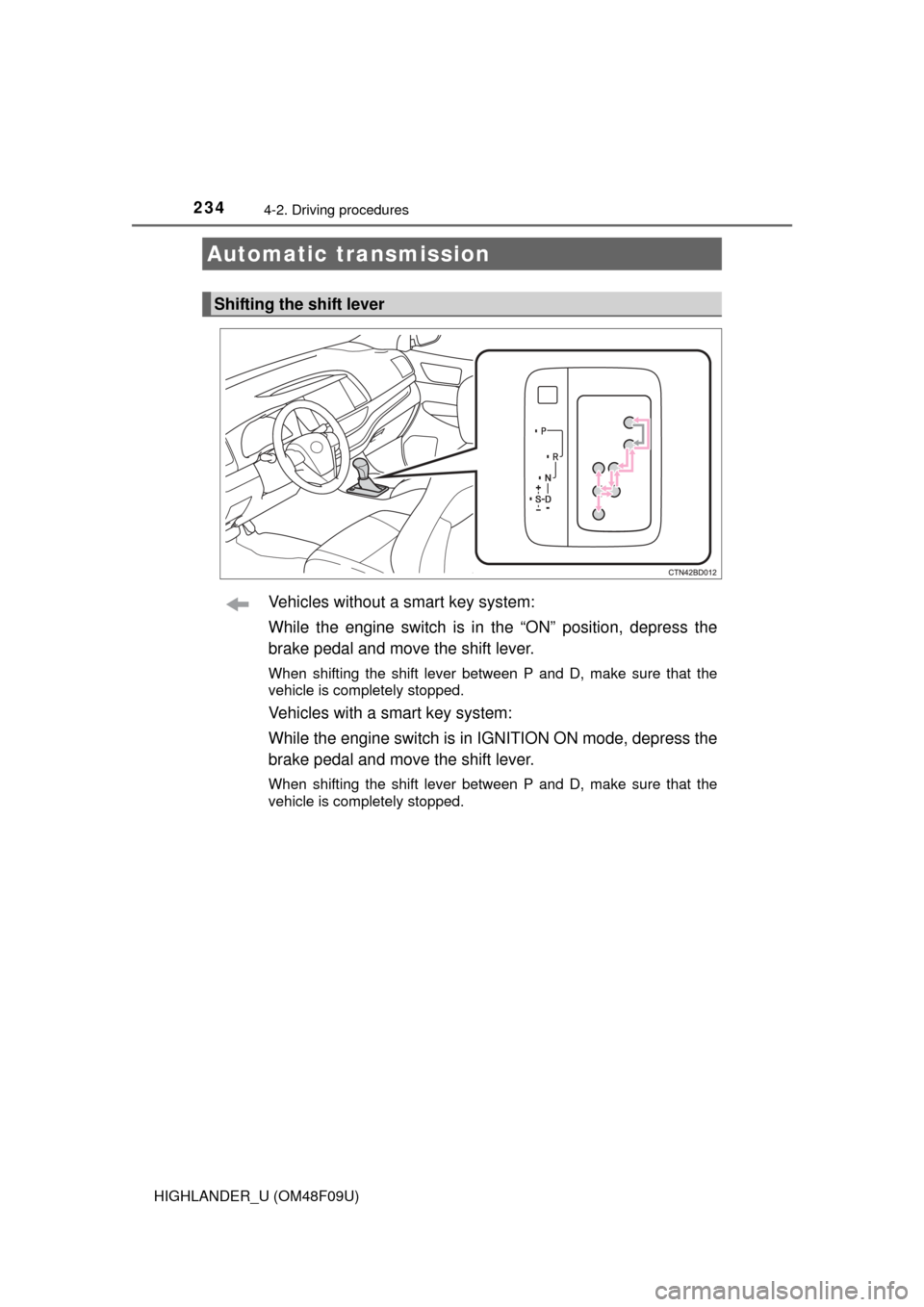
Vehicles without a smart key system:
While the engine switch is in the “ON” position, depress the
brake pedal and move the shift lever.
When shifting the shift lever between P and D, make sure that the
vehicle is completely stopped.
Vehicles with a smart key system:
While the engine switch is in IGNITION ON mode, depress the
brake pedal and move the shift lever.
When shifting the shift lever between P and D, make sure that the
vehicle is completely stopped.
Automatic transmission
Shifting the shift lever
Page 240 of 716
2404-2. Driving procedures
HIGHLANDER_U (OM48F09U)
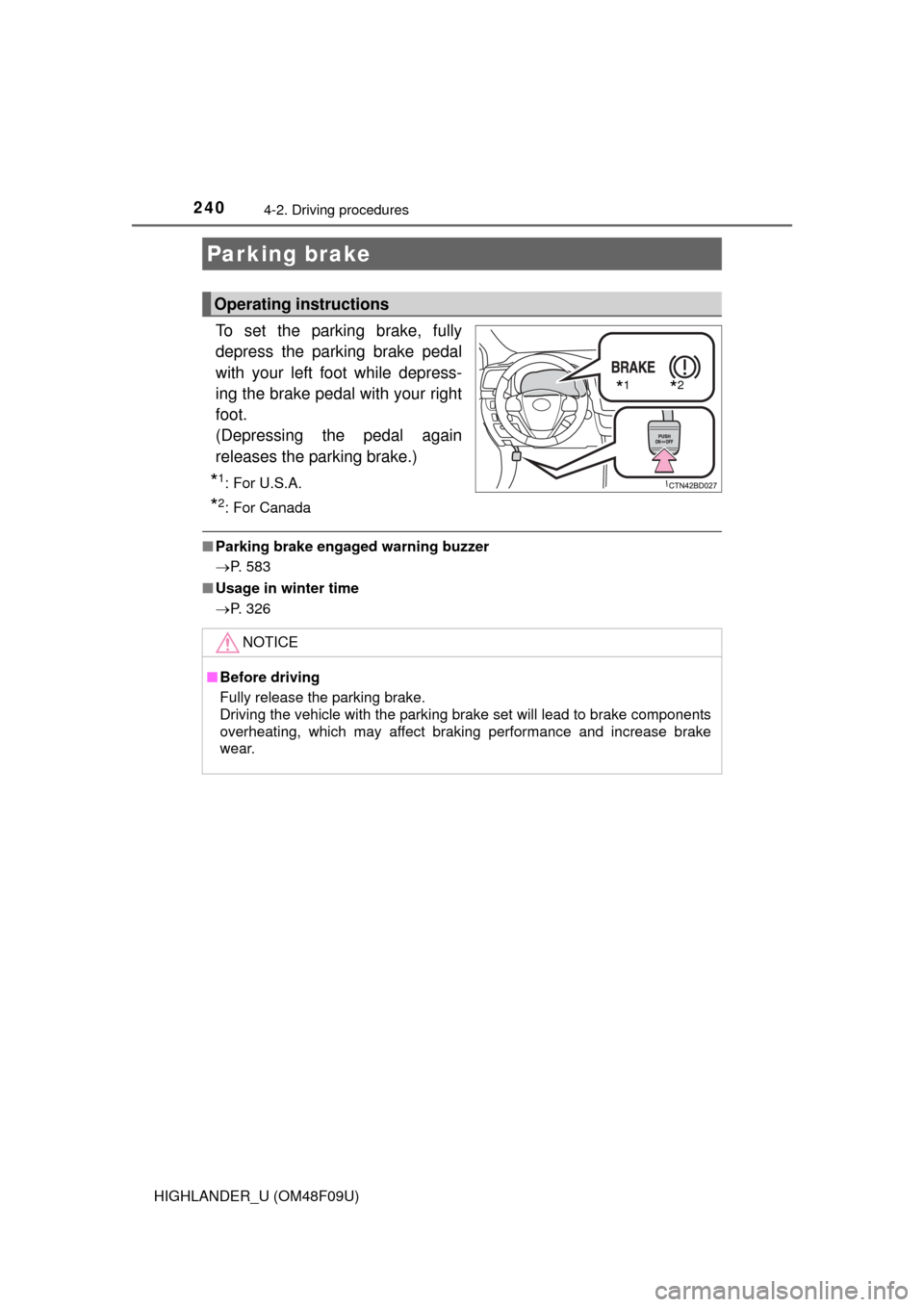
To set the parking brake, fully
depress the parking brake pedal
with your left foot while depress-
ing the brake pedal with your right
foot.
(Depressing the pedal again
releases the parking brake.)
*1:For U.S.A.
*2: For Canada
■Parking brake engaged warning buzzer
P. 583
■ Usage in winter time
P. 326
Parking brake
Operating instructions
*1*2
NOTICE
■Before driving
Fully release the parking brake.
Driving the vehicle with the parking brake set will lead to brake components
overheating, which may affect braking performance and increase brake
wear.
Page 242 of 716
2424-3. Operating the lights and wipers
HIGHLANDER_U (OM48F09U)
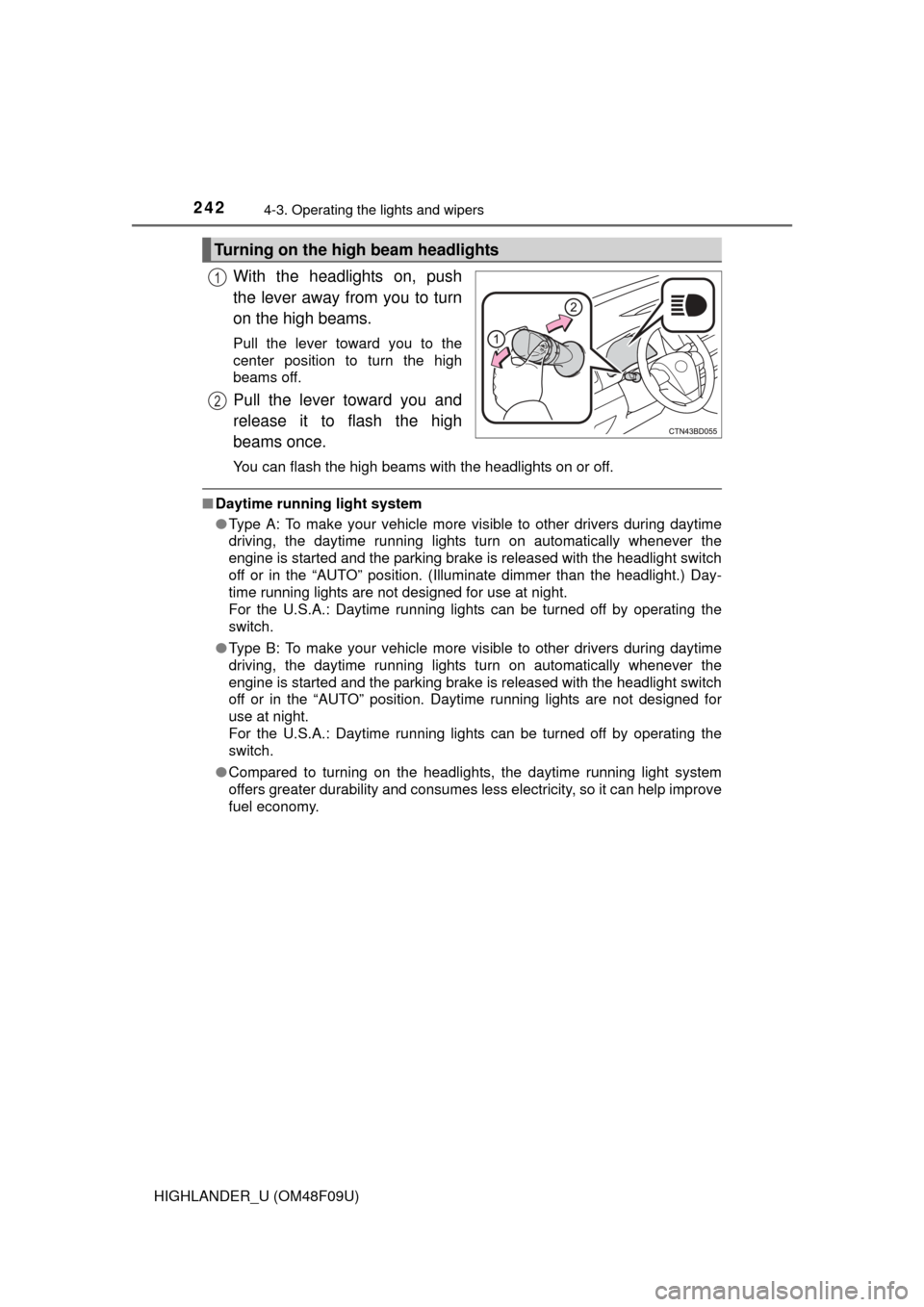
With the headlights on, push
the lever away from you to turn
on the high beams.
Pull the lever toward you to the
center position to turn the high
beams off.
Pull the lever toward you and
release it to flash the high
beams once.
You can flash the high beams with the headlights on or off.
■Daytime running light system
●Type A: To make your vehicle more visible to other drivers during daytime
driving, the daytime running lights turn on automatically whenever the
engine is started and the parking brake is released with the headlight switch
off or in the “AUTO” position. (Illuminate dimmer than the headlight.) Day-
time running lights are not designed for use at night.
For the U.S.A.: Daytime running lights can be turned off by operating the
switch.
● Type B: To make your vehicle more visible to other drivers during daytime
driving, the daytime running lights turn on automatically whenever the
engine is started and the parking brake is released with the headlight switch
off or in the “AUTO” position. Daytime running lights are not designed for
use at night.
For the U.S.A.: Daytime running lights can be turned off by operating the
switch.
● Compared to turning on the headlights, the daytime running light system
offers greater durability and consumes less electricity, so it can help improve
fuel economy.
Turning on the high beam headlights
1
2
Page 265 of 716
2654-5. Using the driving support systems
4
Driving
HIGHLANDER_U (OM48F09U)
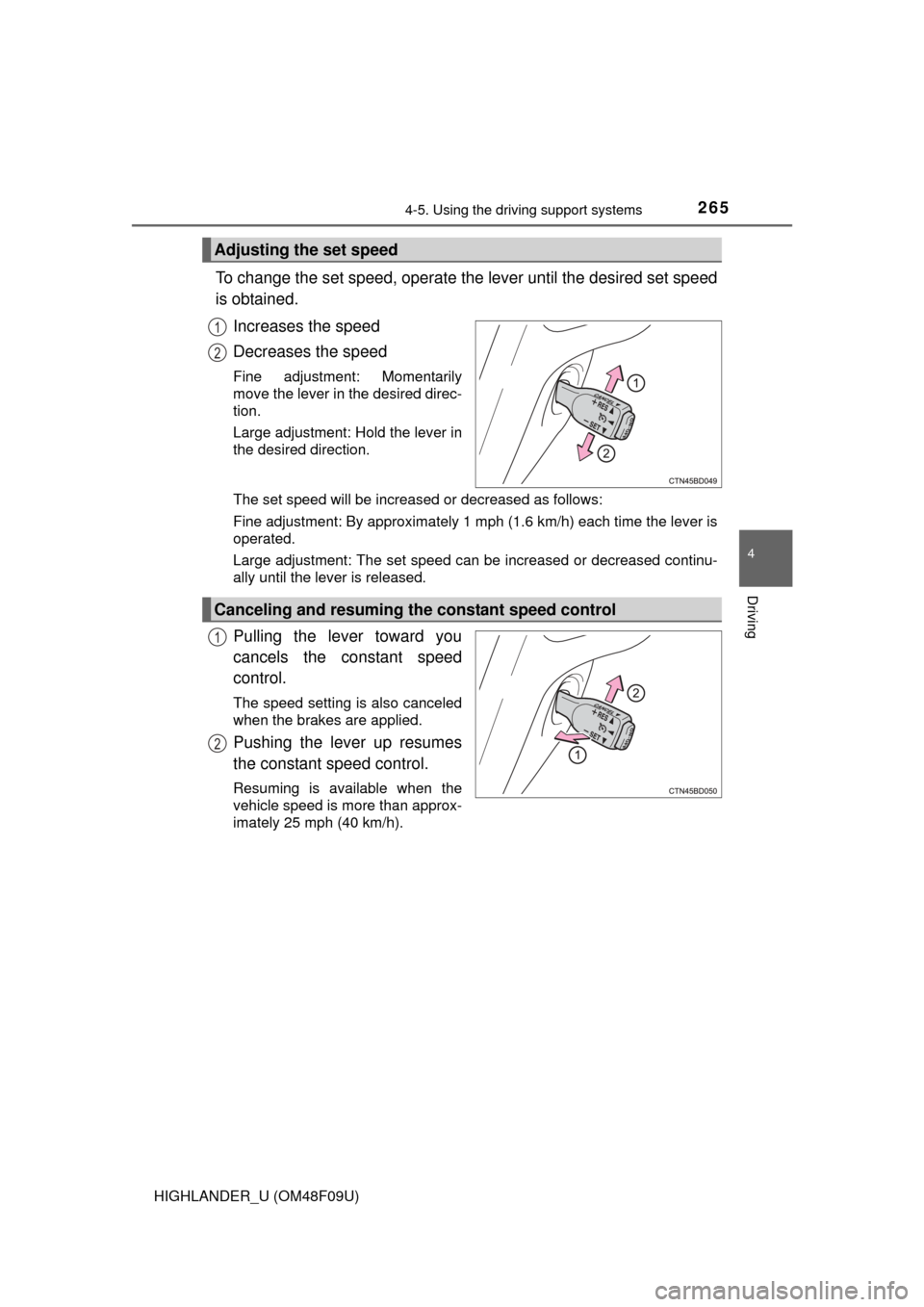
To change the set speed, operate the lever until the desired set speed
is obtained.Increases the speed
Decreases the speed
Fine adjustment: Momentarily
move the lever in the desired direc-
tion.
Large adjustment: Hold the lever in
the desired direction.
The set speed will be increased or decreased as follows:
Fine adjustment: By approximately 1 mph (1.6 km/h) each time the lever is
operated.
Large adjustment: The set speed can be increased or decreased continu-
ally until the lever is released.
Pulling the lever toward you
cancels the constant speed
control.
The speed setting is also canceled
when the brakes are applied.
Pushing the lever up resumes
the constant speed control.
Resuming is available when the
vehicle speed is more than approx-
imately 25 mph (40 km/h).
Adjusting the set speed
1
2
Canceling and resuming the constant speed control
1
2
Page 272 of 716
2724-5. Using the driving support systems
HIGHLANDER_U (OM48F09U)
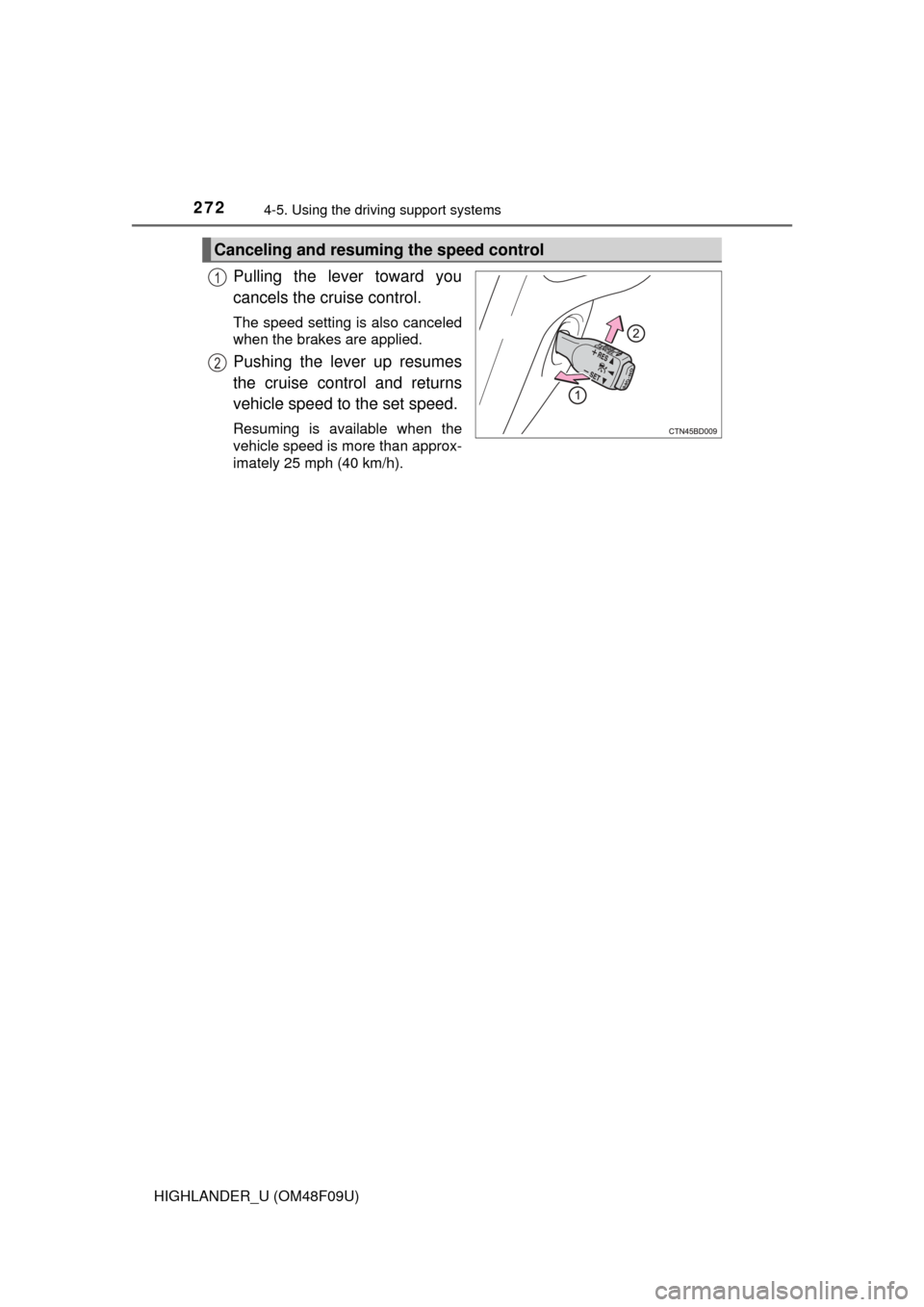
Pulling the lever toward you
cancels the cruise control.
The speed setting is also canceled
when the brakes are applied.
Pushing the lever up resumes
the cruise control and returns
vehicle speed to the set speed.
Resuming is available when the
vehicle speed is more than approx-
imately 25 mph (40 km/h).
Canceling and resuming the speed control
1
2
Page 273 of 716
2734-5. Using the driving support systems
4
Driving
HIGHLANDER_U (OM48F09U)
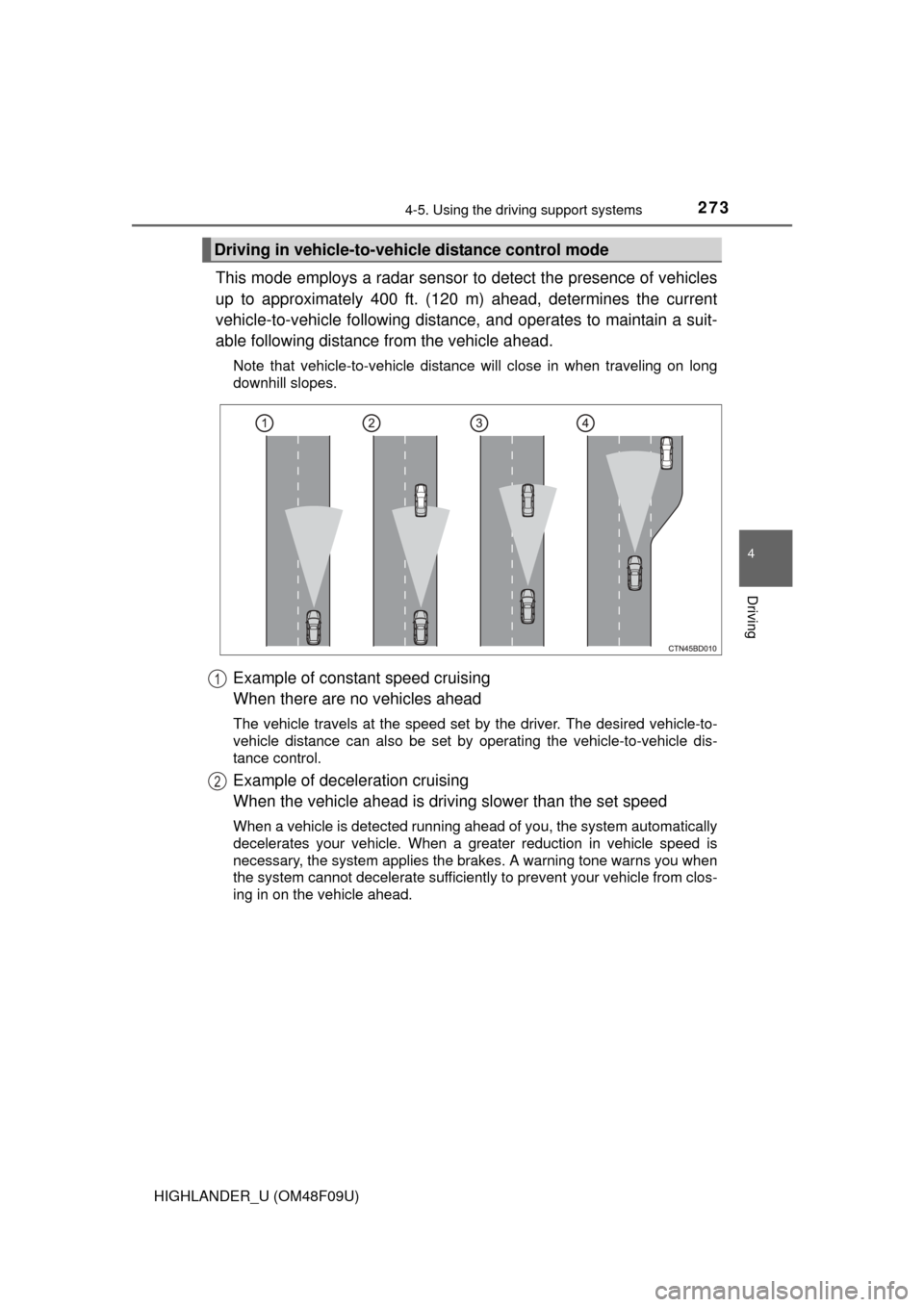
This mode employs a radar sensor to detect the presence of vehicles
up to approximately 400 ft. (120 m) ahead, determines the current
vehicle-to-vehicle following distance, and operates to maintain a suit-
able following distance from the vehicle ahead.
Note that vehicle-to-vehicle distance will close in when traveling on long
downhill slopes.
Example of constant speed cruising
When there are no vehicles ahead
The vehicle travels at the speed set by the driver. The desired vehicle-to-
vehicle distance can also be set by operating the vehicle-to-vehicle dis-
tance control.
Example of deceleration cruising
When the vehicle ahead is drivi ng slower than the set speed
When a vehicle is detected running ahead of you, the system automatically
decelerates your vehicle. When a greater reduction in vehicle speed is
necessary, the system applies the brakes. A warning tone warns you when
the system cannot decelerate sufficiently to prevent your vehicle from clos-
ing in on the vehicle ahead.
Driving in vehicle-to-vehicle distance control mode
1
2
Page 274 of 716
2744-5. Using the driving support systems
HIGHLANDER_U (OM48F09U)
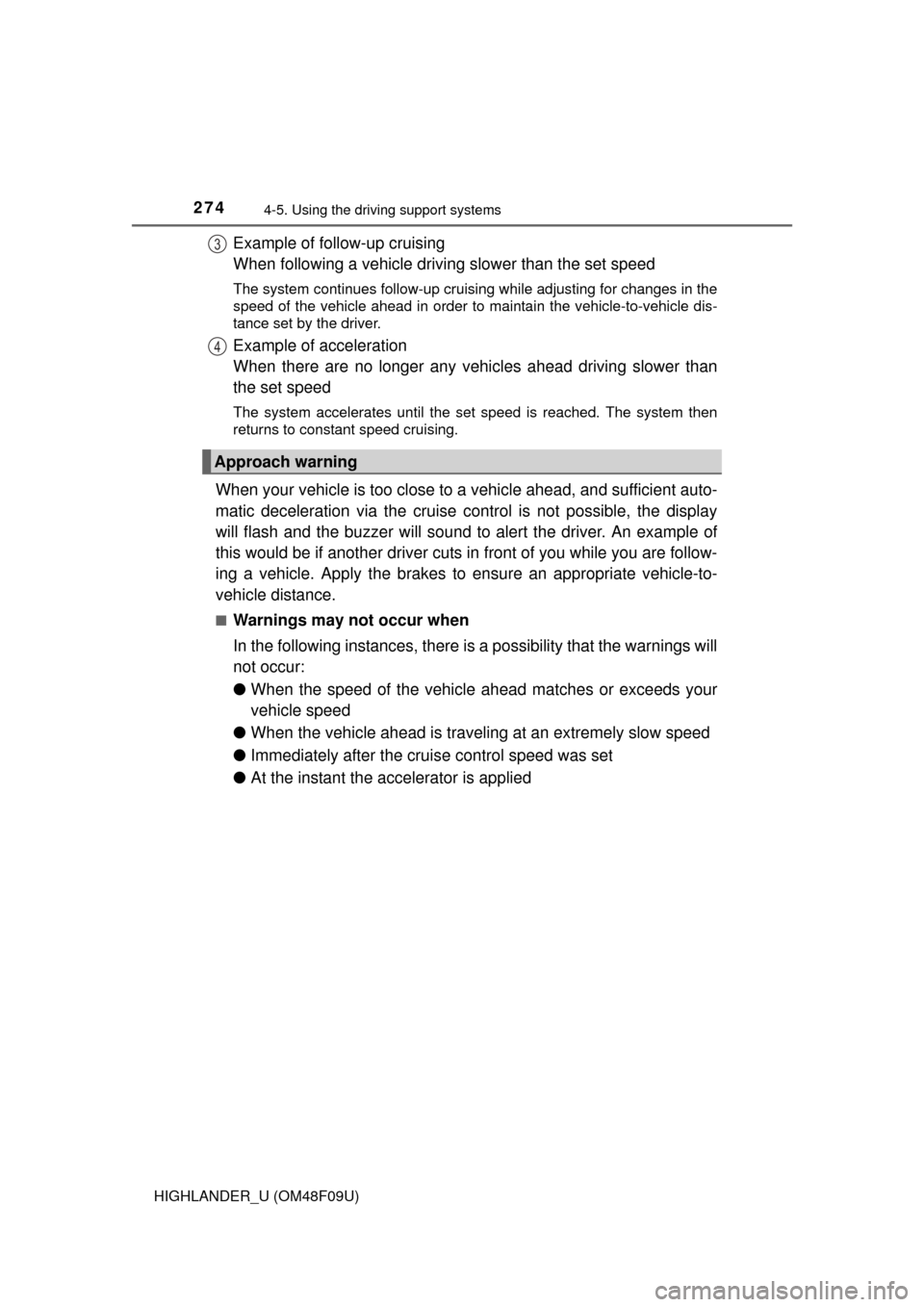
Example of follow-up cruising
When following a vehicle driving slower than the set speed
The system continues follow-up cruising while adjusting for changes in the
speed of the vehicle ahead in order to maintain the vehicle-to-vehicle dis-
tance set by the driver.
Example of acceleration
When there are no longer any vehi cles ahead driving slower than
the set speed
The system accelerates until the set speed is reached. The system then
returns to constant speed cruising.
When your vehicle is too close to a vehicle ahead, and sufficient auto-
matic deceleration via the cruise control is not possible, the display
will flash and the buzzer will sound to alert the driver. An example of
this would be if another driver cuts in front of you while you are follow-
ing a vehicle. Apply the brakes to ensure an appropriate vehicle-to-
vehicle distance.
■Warnings may not occur when
In the following instances, there is a possibility that the warnings will
not occur:
● When the speed of the vehicle ahead matches or exceeds your
vehicle speed
● When the vehicle ahead is traveling at an extremely slow speed
● Immediately after the crui se control speed was set
● At the instant the accelerator is applied
Approach warning
3
4
Page 279 of 716
2794-5. Using the driving support systems
4
Driving
HIGHLANDER_U (OM48F09U)
WARNING
■Before using dynamic radar cruise control
Do not overly rely on vehicle-to-vehicle distance control.
Be aware of the set speed. If automatic deceleration/acceleration is not
appropriate, adjust the vehicle speed, as well as the distance between your
vehicle and vehicles ahead by applying the brakes etc.
■ Cautions regarding the driving assist systems
Observe the following precautions.
Failure to do so may cause an accident resulting in death or serious injury.
●Assisting the driver to measure following distance
The dynamic radar cruise control is only intended to help the driver in
determining the following distance between the driver’s own vehicle and a
designated vehicle traveling ahead. It is not a mechanism that allows care-
less or inattentive driving, and it is not a system that can assist the driver in
low-visibility conditions. It is still necessary for driver to pay close attention
to the vehicle’s surroundings.
● Assisting the driver to judge proper following distance
The dynamic radar cruise control determines whether the following dis-
tance between the driver’s own vehicle and a designated vehicle traveling
ahead is appropriate or not. It is not capable of making any other type of
judgement. Therefore, it is absolutely necessary for the driver to remain
vigilant and to determine whether or not there is a possibility of danger in
any given situation.
● Assisting the driver to operate the vehicle
The dynamic radar cruise control has no capability to prevent or avoid a
collision with a vehicle traveling ahead. Therefore, if there is ever any dan-
ger, the driver must take immediate and direct control of the vehicle and
act appropriately in order to ensure the safety of all involved.
■ To avoid inadvertent cr uise control activation
Switch the cruise control off using the “ON-OFF” button when not in use.