brake sensor TOYOTA HIGHLANDER 2016 XU50 / 3.G Owners Manual
[x] Cancel search | Manufacturer: TOYOTA, Model Year: 2016, Model line: HIGHLANDER, Model: TOYOTA HIGHLANDER 2016 XU50 / 3.GPages: 716, PDF Size: 11.4 MB
Page 273 of 716
2734-5. Using the driving support systems
4
Driving
HIGHLANDER_U (OM48F09U)
This mode employs a radar sensor to detect the presence of vehicles
up to approximately 400 ft. (120 m) ahead, determines the current
vehicle-to-vehicle following distance, and operates to maintain a suit-
able following distance from the vehicle ahead.
Note that vehicle-to-vehicle distance will close in when traveling on long
downhill slopes.
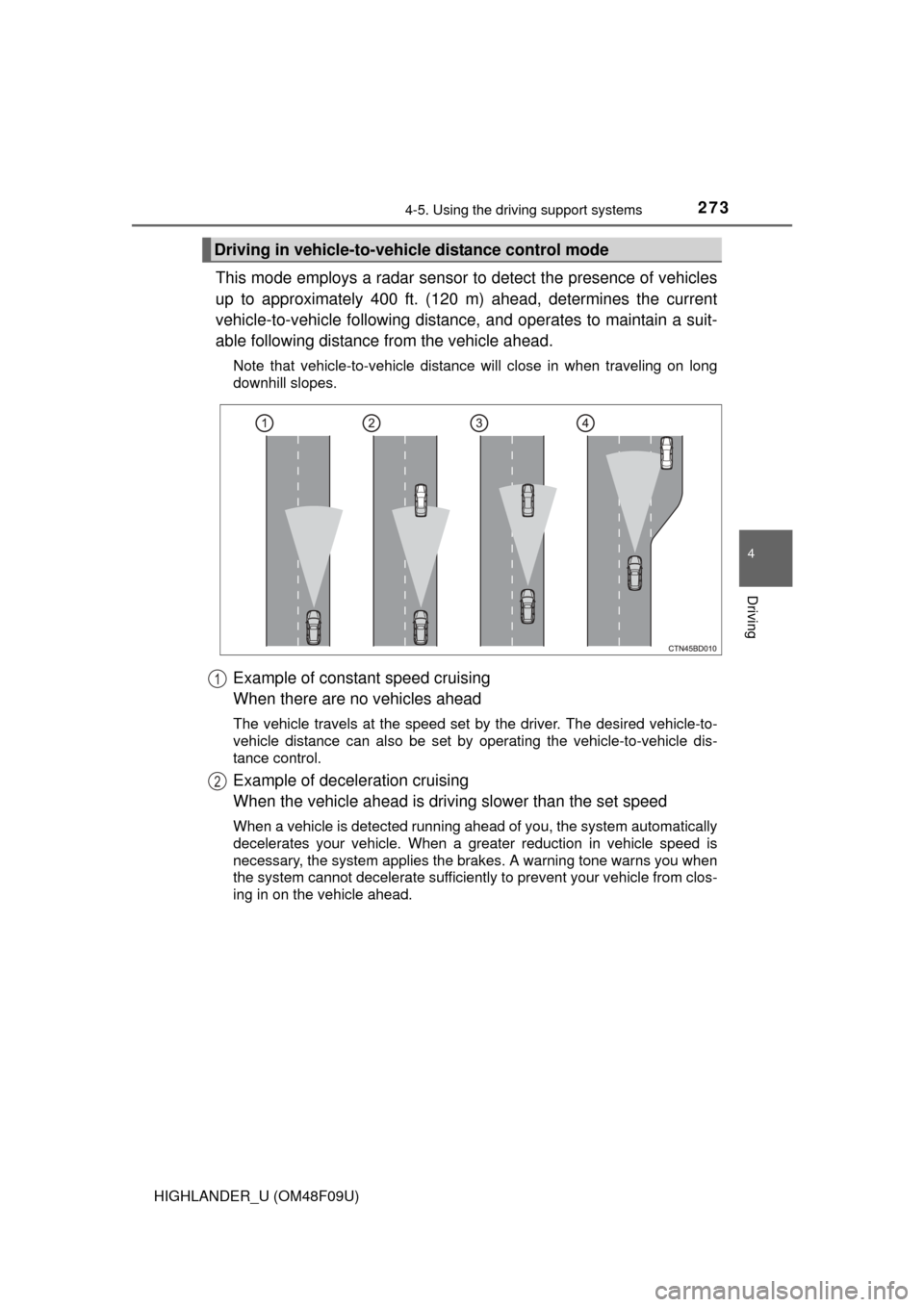
Example of constant speed cruising
When there are no vehicles ahead
The vehicle travels at the speed set by the driver. The desired vehicle-to-
vehicle distance can also be set by operating the vehicle-to-vehicle dis-
tance control.
Example of deceleration cruising
When the vehicle ahead is drivi ng slower than the set speed
When a vehicle is detected running ahead of you, the system automatically
decelerates your vehicle. When a greater reduction in vehicle speed is
necessary, the system applies the brakes. A warning tone warns you when
the system cannot decelerate sufficiently to prevent your vehicle from clos-
ing in on the vehicle ahead.
Driving in vehicle-to-vehicle distance control mode
1
2
Page 280 of 716
2804-5. Using the driving support systems
HIGHLANDER_U (OM48F09U)
WARNING
■Situations unsuitable for dynamic radar cruise control
Do not use dynamic radar cruise control in any of the following situations.
Doing so may result in inappropriate speed control and could cause an acci-
dent resulting in death or serious injury.
●Roads where there are pedestrians, cyclers, etc.
● In heavy traffic
● On roads with sharp bends
● On winding roads
● On slippery roads, such as those covered with rain, ice or snow
● On steep downhills, or where there are sudden changes between sharp up
and down gradients
Vehicle speed may exceed the set speed when driving down a steep hill.
● At entrances to expressways
● When weather conditions are bad enough that they may prevent the sen-
sors from detecting correctly (fog, snow, sandstorm, heavy rain, etc.)
● When an approach warning buzzer is heard often
● When your vehicle is towing a trailer or during emergency towing
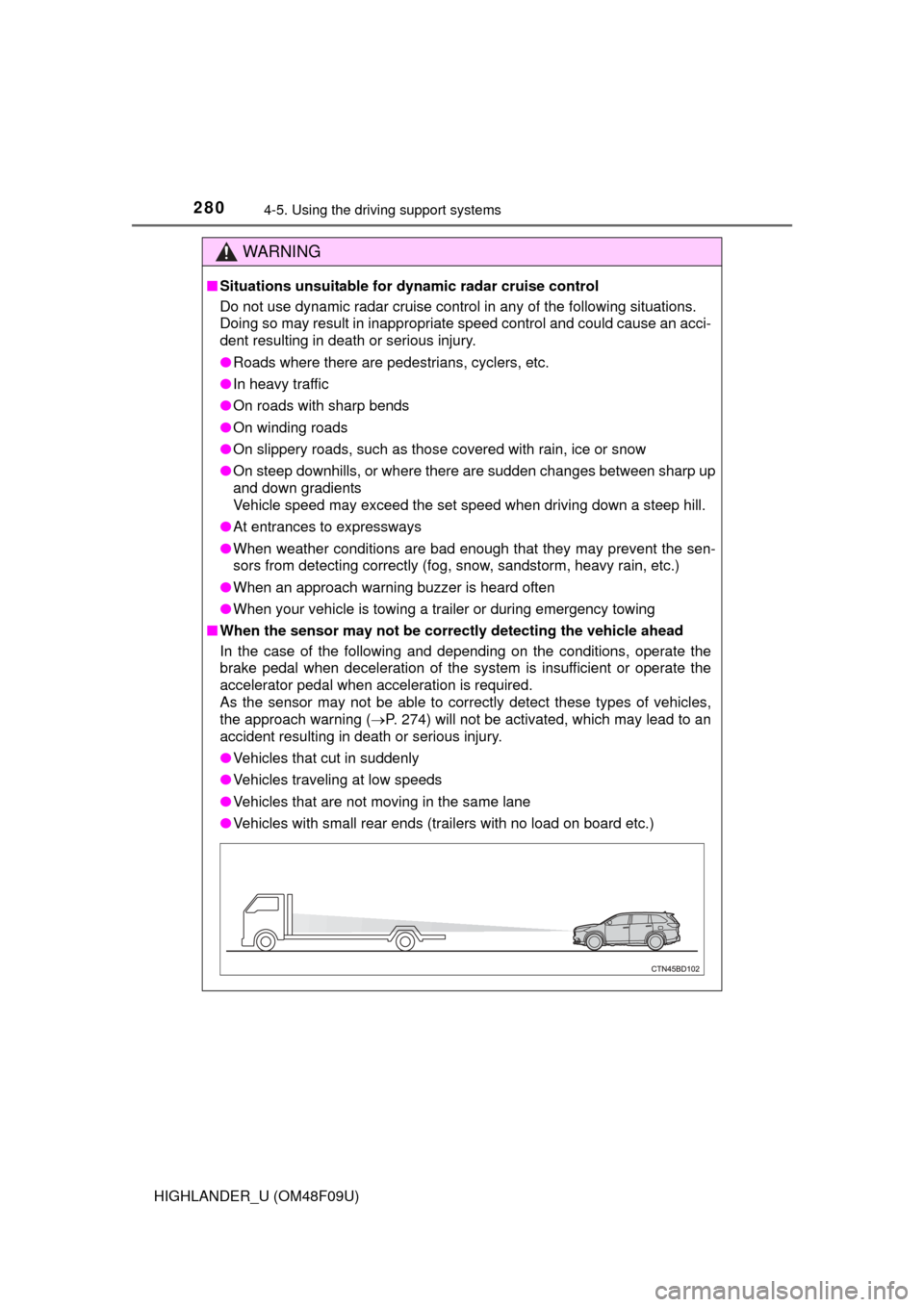
■ When the sensor may not be correct ly detecting the vehicle ahead
In the case of the following and depending on the conditions, operate the
brake pedal when deceleration of the system is insufficient or operate the
accelerator pedal when acceleration is required.
As the sensor may not be able to correctly detect these types of vehicles,
the approach warning ( P. 274) will not be activated, which may lead to an
accident resulting in death or serious injury.
● Vehicles that cut in suddenly
● Vehicles traveling at low speeds
● Vehicles that are not moving in the same lane
● Vehicles with small rear ends (trailers with no load on board etc.)
Page 281 of 716
2814-5. Using the driving support systems
4
Driving
HIGHLANDER_U (OM48F09U)
WARNING
●Motorcycles traveling in the same lane
● When water or snow thrown up by the surrounding vehicles hinders the
detecting of the sensor
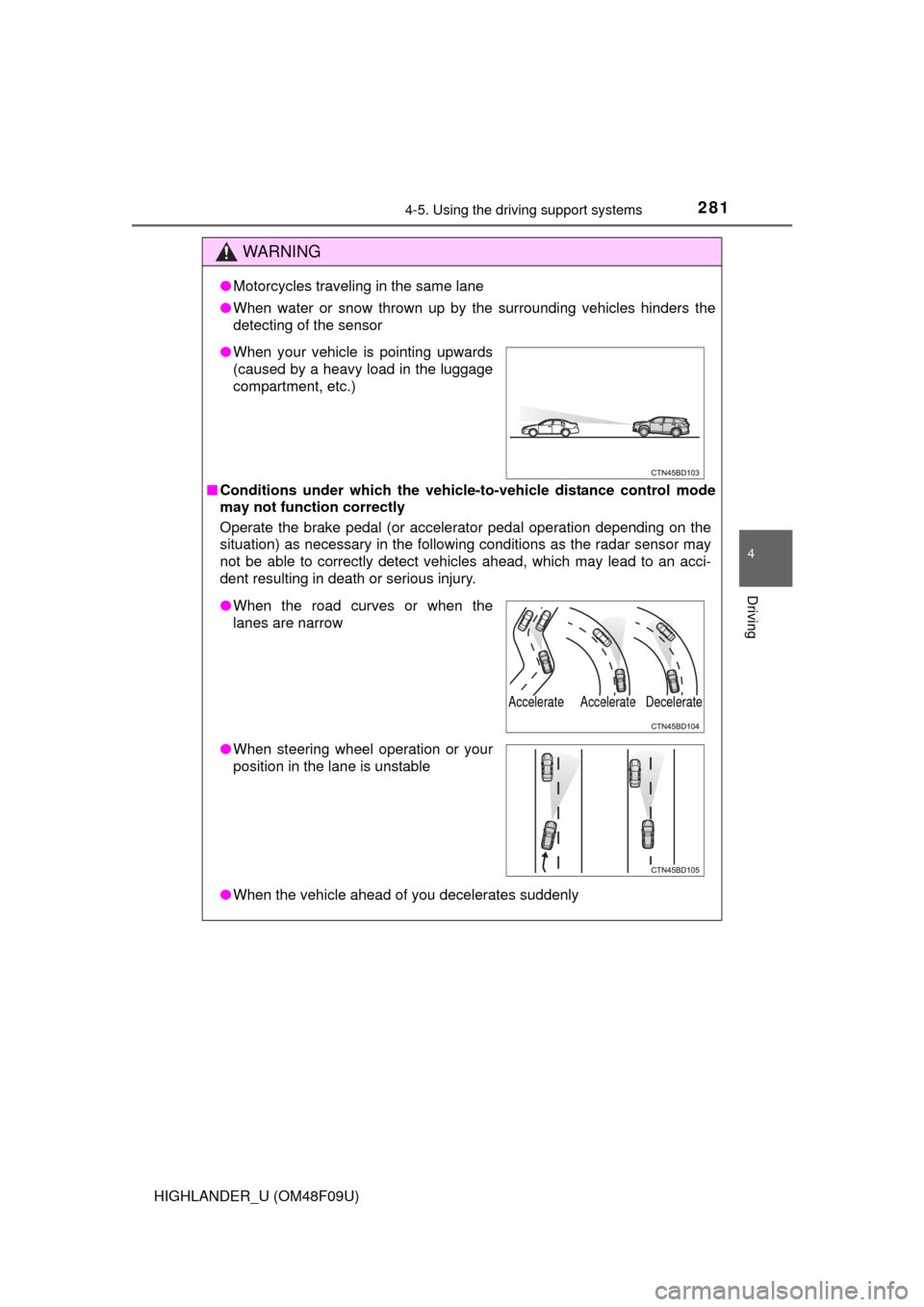
■ Conditions under which the vehicle -to-vehicle distance control mode
may not function correctly
Operate the brake pedal (or accelerator pedal operation depending on the
situation) as necessary in the follow ing conditions as the radar sensor may
not be able to correctly detect vehicles ahead, which may lead to an acci-
dent resulting in death or serious injury.
● When the vehicle ahead of you decelerates suddenly
●When your vehicle is pointing upwards
(caused by a heavy load in the luggage
compartment, etc.)
●When the road curves or when the
lanes are narrow
● When steering wheel operation or your
position in the lane is unstable
Accelerate Accelerate Decelerate
Page 309 of 716
3094-5. Using the driving support systems
4
Driving
HIGHLANDER_U (OM48F09U)
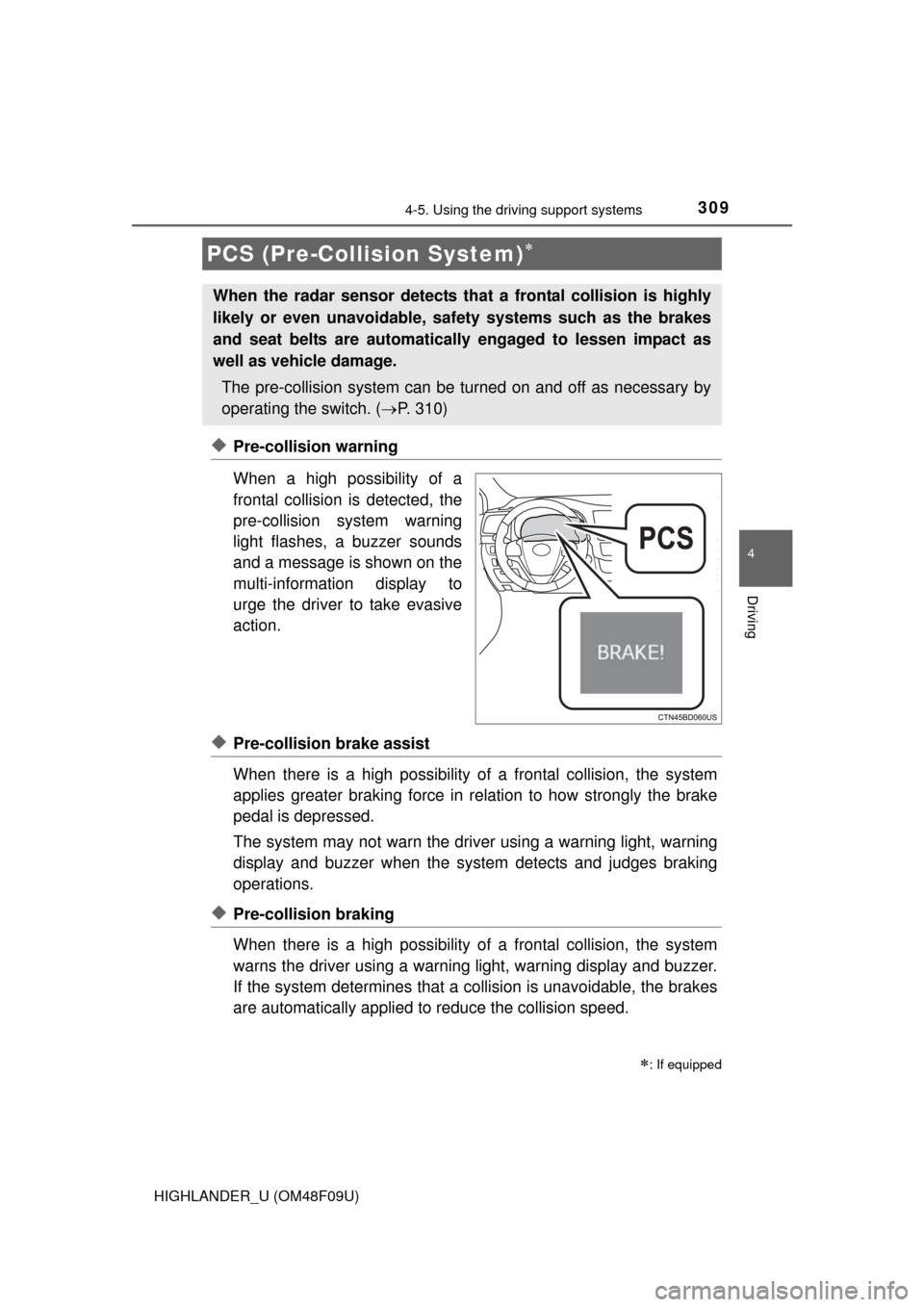
◆Pre-collision warning
When a high possibility of a
frontal collision is detected, the
pre-collision system warning
light flashes, a buzzer sounds
and a message is shown on the
multi-information display to
urge the driver to take evasive
action.
◆Pre-collision brake assist
When there is a high possibility of a frontal collision, the system
applies greater braking force in relation to how strongly the brake
pedal is depressed.
The system may not warn the driver using a warning light, warning
display and buzzer when the system detects and judges braking
operations.
◆Pre-collision braking
When there is a high po ssibility of a frontal collision, the system
warns the driver using a warning light, warning display and buzzer.
If the system determines that a collision is unavoidable, the brakes
are automatically applied to reduce the collision speed.
PCS (Pre-Collision System)
: If equipped
When the radar sensor detects th at a frontal collision is highly
likely or even unavoidable, safety systems such as the brakes
and seat belts are automatically engaged to lessen impact as
well as vehicle damage.
The pre-collision system can be tu rned on and off as necessary by
operating the switch. ( P. 310)
Page 311 of 716
3114-5. Using the driving support systems
4
Driving
HIGHLANDER_U (OM48F09U)
■The pre-collision system is operational when
The PCS OFF switch is not pressed and the following conditions are met:
● Pre-collision warning:
• Vehicle speed is greater than about 10 mph (15 km/h).
• The speed at which your vehicle is approaching the obstacle or the vehi-
cle running ahead of you is greater than about 10 mph (15 km/h).
● Pre-collision brake assist:
• The VSC OFF switch is not pressed.
• Vehicle speed is greater than about 19 mph (30 km/h).
• The speed at which your vehicle is approaching the obstacle or the vehi-
cle running ahead of you is greater than about 19 mph (30 km/h).
• The brake pedal is depressed.
● Pre-collision braking:
• The VSC OFF switch is not pressed.
• Vehicle speed is greater than about 10 mph (15 km/h).
• The speed at which your vehicle is approaching the obstacle or the vehi-
cle running ahead of you is greater than about 10 mph (15 km/h).
■ Conditions that may trigger the system even if there is no danger of a
collision
In any of the following situations where the frontal area of the radar sensor is
interrupted, the radar sensor may detect possibility of a frontal collision and
the system may be activated.
● When passing by an oncoming vehicle in a curve or a turn to the right or the
left
● When rapidly approaching an obstacle ahead (e.g. preceding vehicle, toll
gate barrier, etc.)
● When there is a structural object (billboard, low ceiling, fluorescent light,
etc.) above the uphill road ahead
● When driving on a narrow road or through under a low overhead structure
(bridge, tunnel, fly-under, etc.)
● When driving on an uneven road surface
● When there is a metal object, bump, or protrusion on the road surface
● When vehicle’s front part is raised or lowered depending on loading condi-
tions
● When the direction of radar sensor is misaligned by strong impact applied
on an area around the radar sensor, etc.
● When there is an obstacle (guard rail, etc.) by the roadside at the entrance
to a curve
● When the front of your vehicle is pointing upwards (caused by towing a
trailer, during emergency towing or putting a heavy load in the luggage com-
partment etc.)
When the system is activated in the situations described above, there is also
a possibility that the brakes may be applied with a force greater than normal.
Page 314 of 716

3144-5. Using the driving support systems
HIGHLANDER_U (OM48F09U)
WARNING
■Limitations of the pre-collision system
The driver is solely responsible for safe driving. Always drive safely, taking
care to observe your surroundings.
Do not use the pre-collision system instead of normal braking operations
under any circumstances. This system will not prevent collisions or lessen
damage or injuries in all cases. Do not overly rely on this system.
Failure to do so may cause an accident, resulting in death or serious injury.
This system has been designed to help avoid and reduce the impact of col-
lisions. However, the system operates differently depending on the situation
(P. 311). As a result, the same level of performance may not be expected
in all cases. Also, the pre-collision brakes may not operate if the driver is
depressing the brake pedal or turning the steering wheel, as the system will
determine such conditions as collision avoidance operations.
■ When the sensor may not be correct ly detecting the vehicle ahead
Apply the brakes as necessary in any of the following situations:
● When water or snow thrown up by the surrounding vehicles hinders the
functioning of the sensor
● When your vehicle is pointing upwards (caused by a heavy load in the lug-
gage compartment etc.)
● Vehicles that cut in suddenly
● Vehicles with small rear ends (trailers with no load on board etc.)
● Motorcycles traveling in the same lane
■ Handling the radar sensor
Observe the following to ensure the pre-collision system can function effec-
tively.
Otherwise, the system may not function correctly and could result in an
accident.
●Keep the sensor and grille cover clean at all times.
Clean the sensor and grille cover with a soft cloth so you do not mark or
damage them.
● Do not subject the sensor or surrounding area to a strong impact.
If the sensor moves even slightly off position, the system may malfunction.
If the sensor or surrounding area is subject to a strong impact, always
have the area inspected and adjusted by your Toyota dealer.
● Do not disassemble the sensor.
● Do not attach accessories or stickers to the sensor, grille cover or sur-
rounding area.
● Do not modify or paint the sensor and grille cover.
● If the radar sensor needs to be replaced, contact your Toyota dealer.
Page 583 of 716
5838-2. Steps to take in an emergency
8
When trouble arises
HIGHLANDER_U (OM48F09U)
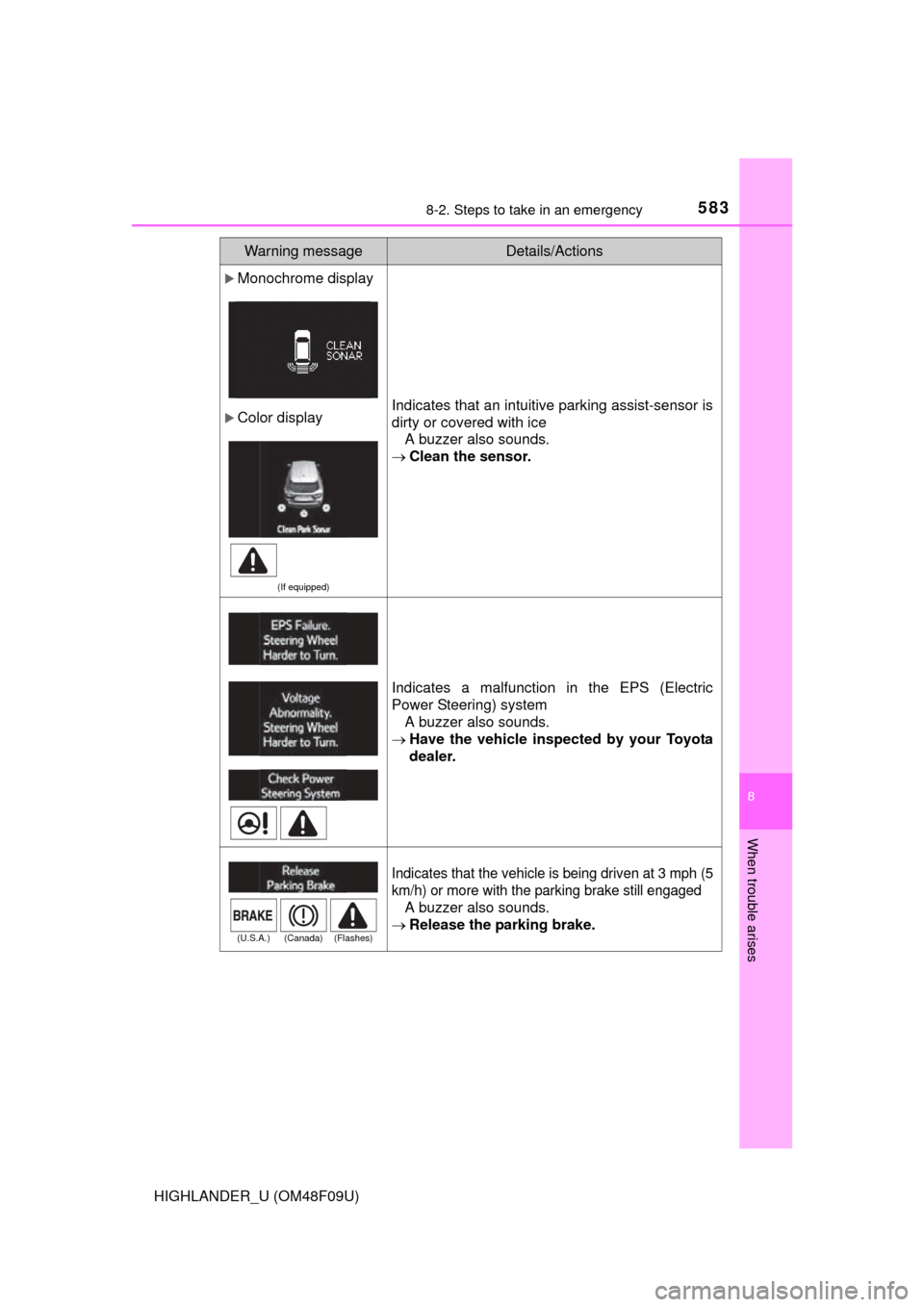
Monochrome display
Color display
(If equipped)
Indicates that an intuitive parking assist-sensor is
dirty or covered with iceA buzzer also sounds.
Clean the sensor.
Indicates a malfunction in the EPS (Electric
Power Steering) system
A buzzer also sounds.
Have the vehicle inspected by your Toyota
dealer.
Indicates that the vehicle is being driven at 3 mph (5
km/h) or more with the parking brake still engaged
A buzzer also sounds.
Release the parking brake.
Warning messageDetails/Actions
(U.S.A.) (Canada) (Flashes)
Page 589 of 716
5898-2. Steps to take in an emergency
8
When trouble arises
HIGHLANDER_U (OM48F09U)
*: Refer to the separate “Scheduled Maintenance Guide” or “Owner’s ManualSupplement” for the maintenance interval applicable to your vehicle.
(If equipped)
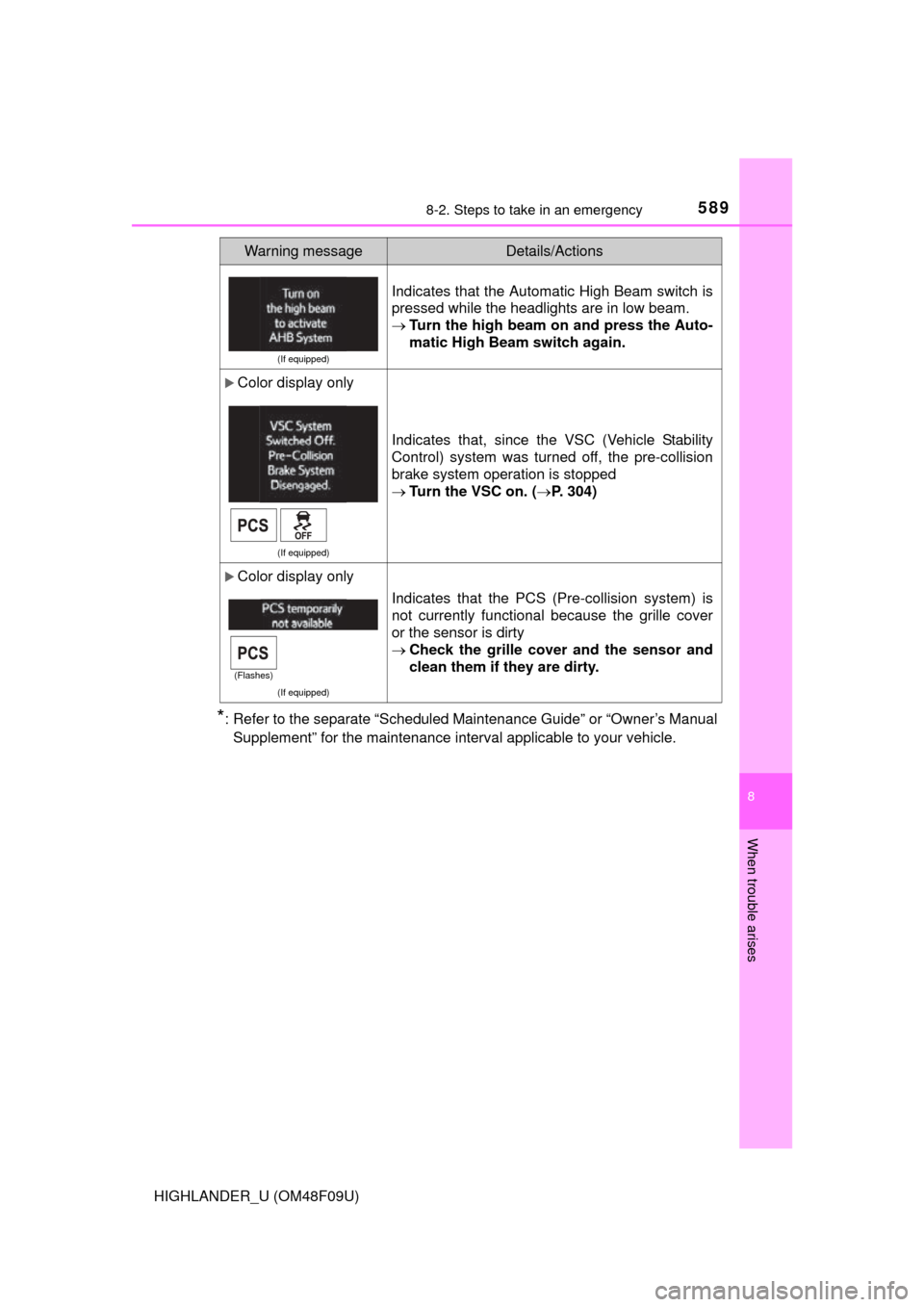
Indicates that the Automatic High Beam switch is
pressed while the headlights are in low beam.
Turn the high beam on and press the Auto-
matic High Beam switch again.
Color display only
(If equipped)
Indicates that, since the VSC (Vehicle Stability
Control) system was turned off, the pre-collision
brake system operation is stopped
Turn the VSC on. ( P. 304)
Color display only
(If equipped)
Indicates that the PCS (Pre-collision system) is
not currently functional because the grille cover
or the sensor is dirty
Check the grille cover and the sensor and
clean them if they are dirty.
Warning messageDetails/Actions
(Flashes)
Page 697 of 716
697What to do if... (Troubleshooting)
HIGHLANDER_U (OM48F09U)
●The auto power off function will be operated if the vehicle is left in ACCES-
SORY or IGNITION ON mode (the engine is not running) for a period of
time. (P. 230)
●The seat belt reminder light is flashing
Are the driver and the front passenger wearing the seat belts? ( P. 571)
●The parking brake indicator is on
Is the parking brake released? (P. 240)
Depending on the situation, other types of warning buzzer may also sound.
( P. 569, 578)
●Did anyone inside the vehicle open a door during setting the alarm?
The sensor detects it and the alarm sounds. ( P. 82)
Vehicles without a smart key system:
To stop the alarm, turn the engine switch to the “ON” position or start the
engine.
Vehicles with a smart key system:
To stop the alarm, turn the engine switch to IGNITION ON mode or start the
engine.
The engine switch is tu rned off automatically
(vehicles with a smart key system)
A warning buzzer sounds during driving
An alarm is activated and the horn sounds
(vehicles with an alarm)
Page 710 of 716

710Alphabetical index
HIGHLANDER_U (OM48F09U)
Panoramic moon roof ............. 185Jam protection function......... 187
Operation .............................. 185
Parking assist sensors (intuitive parking
assist)
*
Parking brake ........................... 240 Operation .............................. 240
Parking brake engaged
warning buzzer ................... 583
Parking brake engaged
warning message ............... 583
Parking lights ........................... 241 Light switch ........................... 241
Replacing light bulbs............. 545
Wattage ................................ 651
PCS
(Pre-Collision System) .......... 309Function ................................ 309
PCS OFF switch ................... 310
Warning light ......................... 570
Personal lights ......................... 449 Wattage ................................ 651
Power back door...................... 127
Power outlets ........................... 463
Power steering (Electric power steering) ...... 302
Warning light ......................... 570
Power windows........................ 177 Door lock linked
window operation ............... 179
Jam protection function......... 178
Operation .............................. 177
Window lock switch............... 178
Pre-Collision System (PCS) ...................................... 309
Function ................................ 309
PCS OFF switch ................... 310
Warning light ......................... 570 Radar cruise control (dynamic
radar cruise control) ............. 268
Radiator .................................... 514
Radio ........................................ 356
Rear automatic air conditioning system ............. 442
Rear manual air conditioning system.................................... 439
Rear personal lights ................ 449 Wattage ................................ 651
Rear seat .................................. 156
Adjustment............................ 156
Folding down ................ 158, 160
Rear seat entertainment
system
*
Rear side marker lights........... 241 Light switch ........................... 241
Replacing light bulbs ............ 545
Wattage ................................ 651
Rear sunshade......................... 466
Rear turn signal lights ............ 239
Replacing light bulbs ............ 545
Turn signal lever ................... 239
Wattage ................................ 651
Rear view mirror Inside rear view mirror .......... 173
Outside rear view mirrors ..... 175
Rear view monitor system
*.... 291
Rear window defogger......................... 428, 434
Rear window wiper .................. 257
Refueling .................................. 259 Capacity................................ 641
Fuel types ............................. 641
If the fuel filler door cannot be opened .............. 261
Opening the fuel tank cap..... 261
PR