change key battery TOYOTA HIGHLANDER 2021 Owners Manual (in English)
[x] Cancel search | Manufacturer: TOYOTA, Model Year: 2021, Model line: HIGHLANDER, Model: TOYOTA HIGHLANDER 2021Pages: 568, PDF Size: 15.96 MB
Page 135 of 568
1353-2. Opening, closing and locking the doors
3
Before driving
HIGHLANDER_Uwireless remote control or the
mechanical key, to unlock the
doors.
■Turning an electronic key to
battery-saving mode
When battery-saving mode is set,
battery depletion is minimized by
stopping the electronic key from
receiving radio waves.
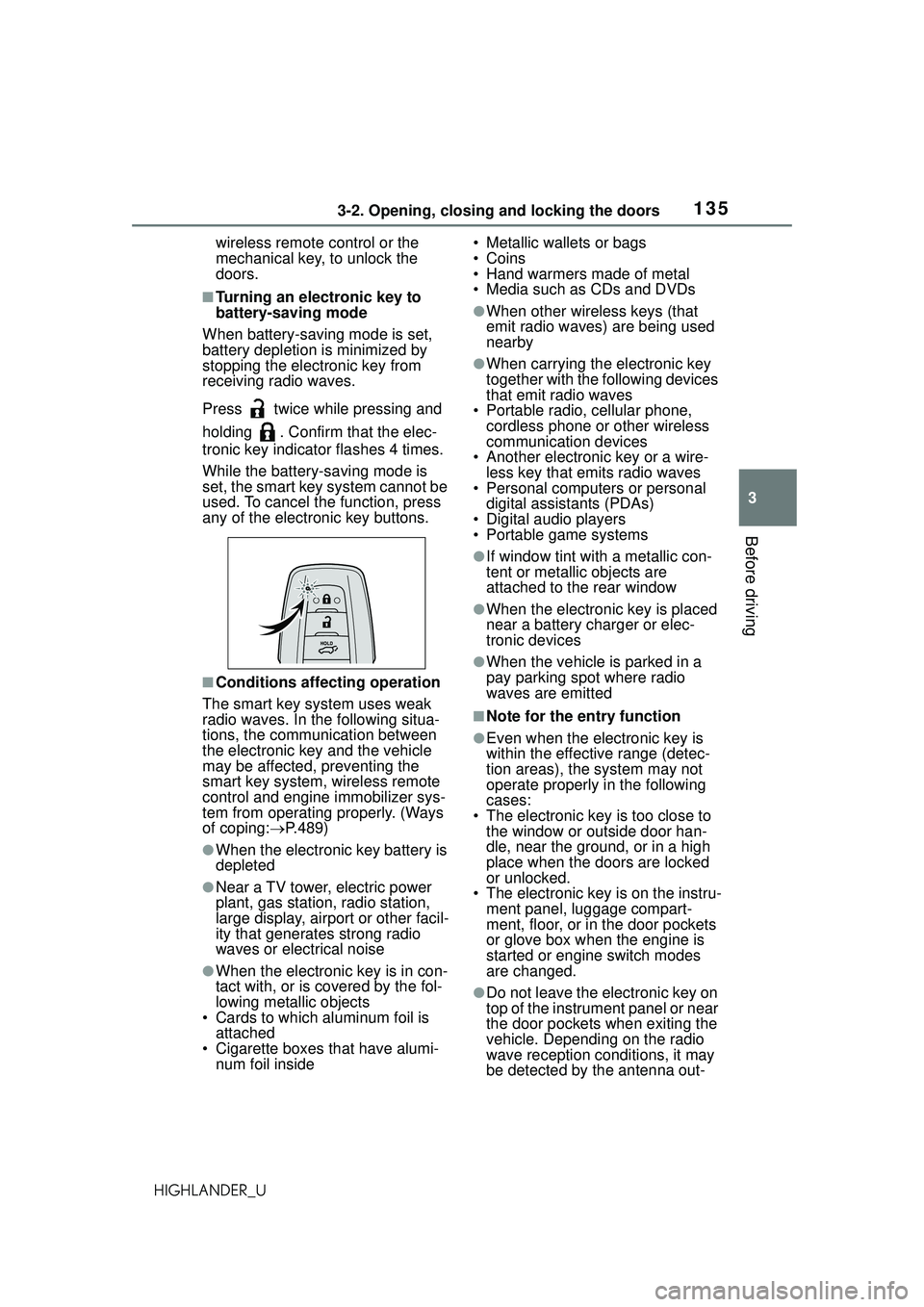
Press twice while pressing and
holding . Confirm that the elec-
tronic key indicator flashes 4 times.
While the battery-saving mode is
set, the smart key system cannot be
used. To cancel t he function, press
any of the electronic key buttons.
■Conditions affecting operation
The smart key system uses weak
radio waves. In the following situa-
tions, the communication between
the electronic key and the vehicle
may be affected, preventing the
smart key system, wireless remote
control and engine immobilizer sys-
tem from operating properly. (Ways
of coping: P.489)
●When the electronic key battery is
depleted
●Near a TV tower, electric power
plant, gas station, radio station,
large display, airport or other facil-
ity that generates strong radio
waves or electrical noise
●When the electronic key is in con-
tact with, or is covered by the fol-
lowing metallic objects
• Cards to which aluminum foil is attached
• Cigarette boxes that have alumi- num foil inside • Metallic wallets or bags
•Coins
• Hand warmers made of metal
• Media such as CDs and DVDs
●When other wireless keys (that
emit radio waves) are being used
nearby
●When carrying the electronic key
together with the following devices
that emit radio waves
• Portable radio, cellular phone, cordless phone or other wireless
communication devices
• Another electronic key or a wire- less key that emits radio waves
• Personal computers or personal
digital assistants (PDAs)
• Digital audio players
• Portable game systems
●If window tint with a metallic con-
tent or metallic objects are
attached to the rear window
●When the electronic key is placed
near a battery charger or elec-
tronic devices
●When the vehicle is parked in a
pay parking spot where radio
waves are emitted
■Note for the entry function
●Even when the electronic key is
within the effective range (detec-
tion areas), the system may not
operate properly in the following
cases:
• The electronic key is too close to the window or outside door han-
dle, near the ground, or in a high
place when the doors are locked
or unlocked.
• The electronic key is on the instru-
ment panel, luggage compart-
ment, floor, or in the door pockets
or glove box when the engine is
started or engine switch modes
are changed.
●Do not leave the electronic key on
top of the instrument panel or near
the door pockets when exiting the
vehicle. Depending on the radio
wave reception conditions, it may
be detected by the antenna out-
Page 202 of 568
2024-2. Driving procedures
HIGHLANDER_U
4-2.Driving procedures
1Check that the parking brake
is set.
2 Check that the shift lever is in
P.
3 Firmly depress the brake
pedal.
and a message will be dis-
played on the multi-information dis-
play.
If it is not displayed, the engine
cannot be started.
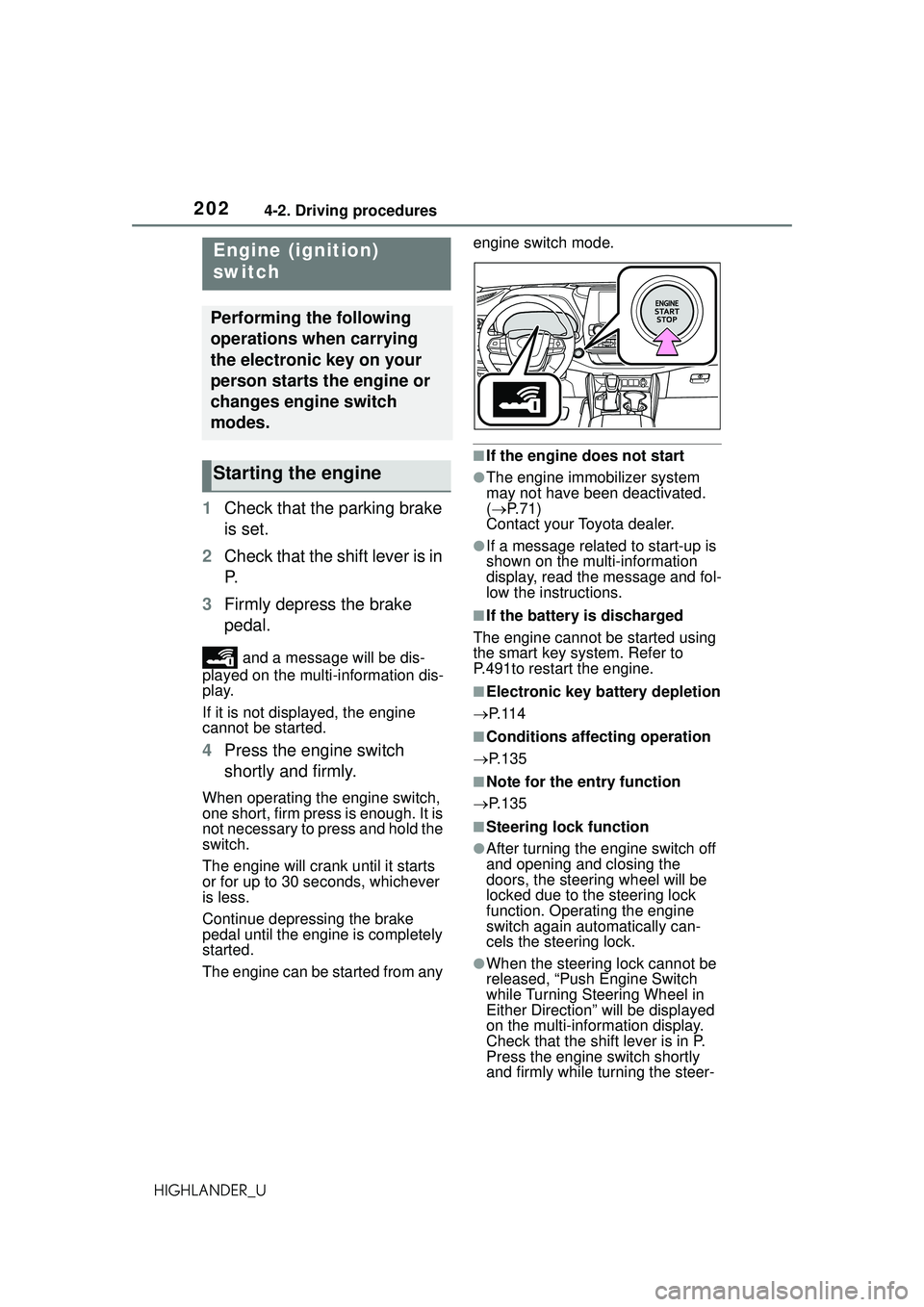
4 Press the engine switch
shortly and firmly.
When operating the engine switch,
one short, firm press is enough. It is
not necessary to press and hold the
switch.
The engine will crank until it starts
or for up to 30 se conds, whichever
is less.
Continue depressing the brake
pedal until the engine is completely
started.
The engine can be started from any engine switch mode.
■If the engine does not start
●The engine immobilizer system
may not have been deactivated.
(
P. 7 1 )
Contact your Toyota dealer.
●If a message related to start-up is
shown on the multi-information
display, read the message and fol-
low the instructions.
■If the battery is discharged
The engine cannot be started using
the smart key system. Refer to
P.491to restart the engine.
■Electronic key battery depletion
P. 1 1 4
■Conditions affecting operation
P.135
■Note for the entry function
P.135
■Steering lock function
●After turning the engine switch off
and opening and closing the
doors, the steering wheel will be
locked due to the steering lock
function. Operating the engine
switch again automatically can-
cels the steering lock.
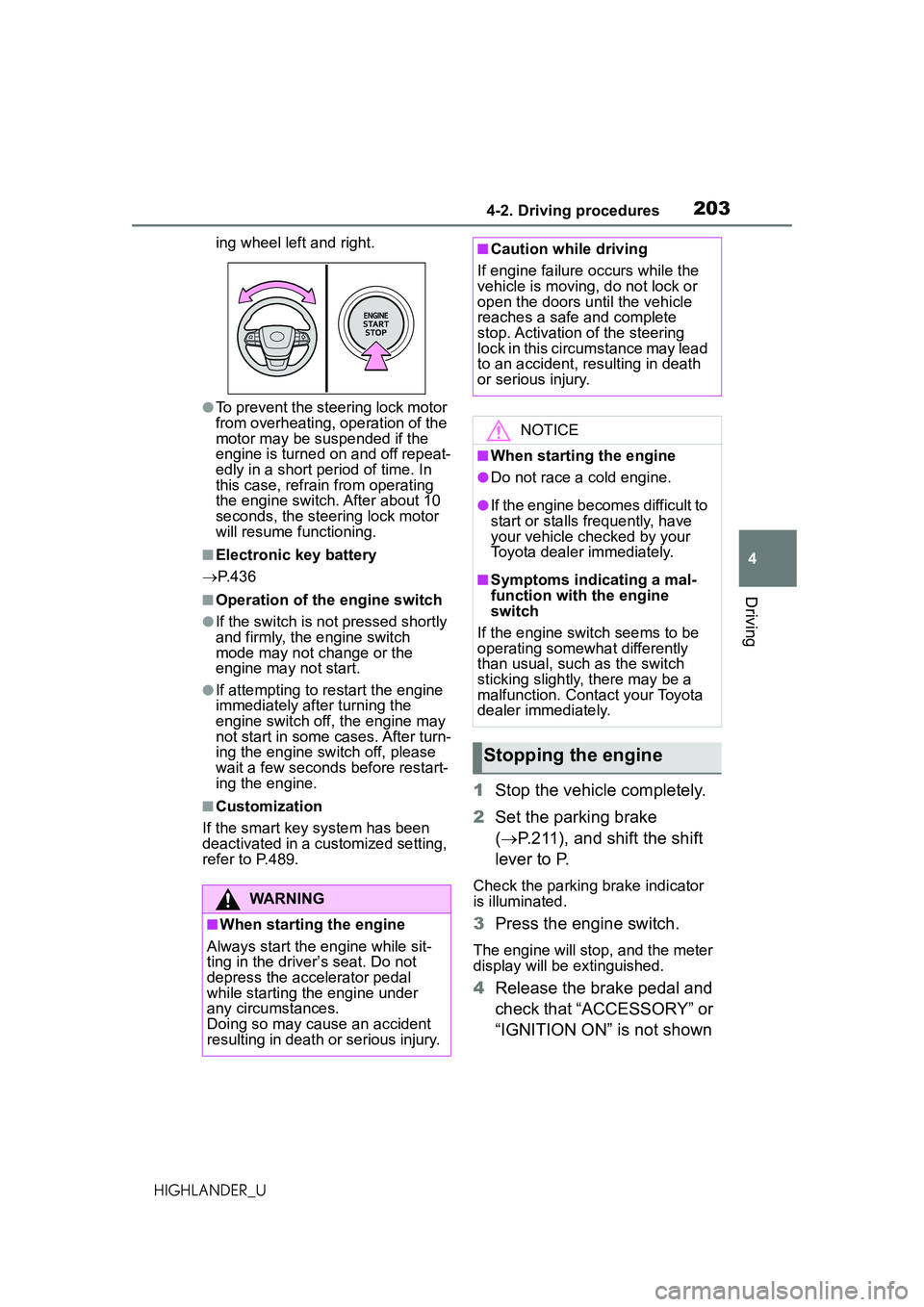
●When the steering lock cannot be
released, “Push Engine Switch
while Turning Steering Wheel in
Either Direction” will be displayed
on the multi-info rmation display.
Check that the shift lever is in P.
Press the engine switch shortly
and firmly while turning the steer-
Engine (ignition)
switch
Performing the following
operations when carrying
the electronic key on your
person starts the engine or
changes engine switch
modes.
Starting the engine
Page 203 of 568
2034-2. Driving procedures
4
Driving
HIGHLANDER_Uing wheel left and right.
●To prevent the steering lock motor
from overheating, operation of the
motor may be suspended if the
engine is turned on and off repeat-
edly in a short period of time. In
this case, refrain from operating
the engine switch. After about 10
seconds, the steering lock motor
will resume functioning.
■Electronic key battery
P. 4 3 6
■Operation of the engine switch
●If the switch is not pressed shortly
and firmly, the engine switch
mode may not change or the
engine may not start.
●If attempting to restart the engine
immediately after turning the
engine switch off, the engine may
not start in some cases. After turn-
ing the engine switch off, please
wait a few seconds before restart-
ing the engine.
■Customization
If the smart key system has been
deactivated in a customized setting,
refer to P.489.
1 Stop the vehicle completely.
2 Set the parking brake
( P.211), and shift the shift
lever to P.
Check the parking brake indicator
is illuminated.
3 Press the engine switch.
The engine will stop, and the meter
display will be extinguished.
4Release the brake pedal and
check that “ACCESSORY” or
“IGNITION ON” is not shown
WARNING
■When starting the engine
Always start the engine while sit-
ting in the driver’s seat. Do not
depress the accelerator pedal
while starting the engine under
any circumstances.
Doing so may cause an accident
resulting in death or serious injury.
■Caution while driving
If engine failure occurs while the
vehicle is moving, do not lock or
open the doors until the vehicle
reaches a safe and complete
stop. Activation of the steering
lock in this circumstance may lead
to an accident, resulting in death
or serious injury.
NOTICE
■When starting the engine
●Do not race a cold engine.
●If the engine becomes difficult to
start or stalls frequently, have
your vehicle checked by your
Toyota dealer immediately.
■Symptoms indicating a mal-
function with the engine
switch
If the engine switch seems to be
operating somewhat differently
than usual, such as the switch
sticking slightly, there may be a
malfunction. Contact your Toyota
dealer immediately.
Stopping the engine
Page 490 of 568
4907-2. Steps to take in an emergency
HIGHLANDER_U
1Ensure that the shift lever is
in P and depress the brake
pedal.
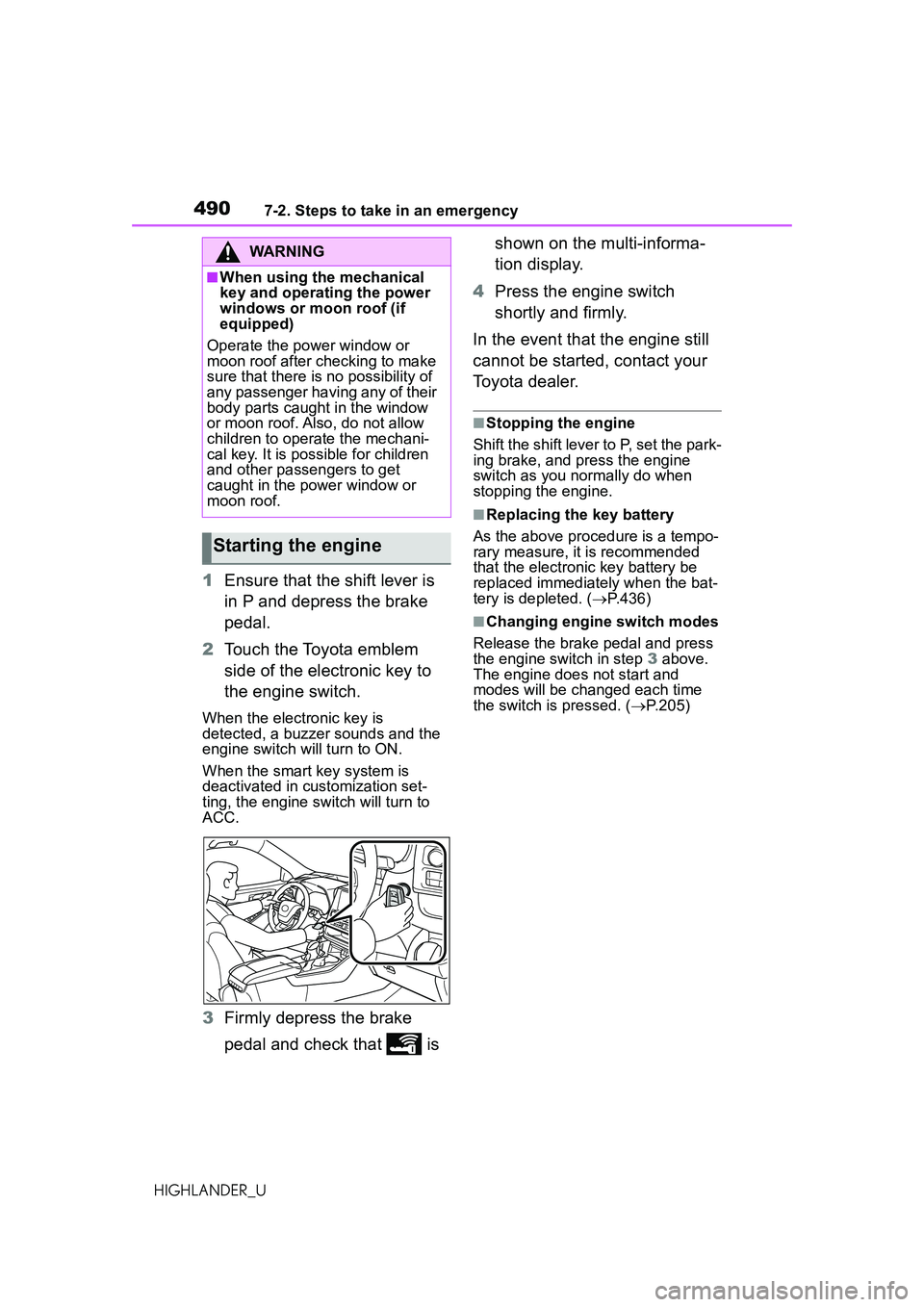
2 Touch the Toyota emblem
side of the electronic key to
the engine switch.
When the electronic key is
detected, a buzzer sounds and the
engine switch will turn to ON.
When the smart key system is
deactivated in customization set-
ting, the engine switch will turn to
ACC.
3Firmly depress the brake
pedal and check that is shown on the multi-informa-
tion display.
4 Press the engine switch
shortly and firmly.
In the event that the engine still
cannot be started, contact your
Toyota dealer.
■Stopping the engine
Shift the shift lever to P, set the park-
ing brake, and press the engine
switch as you normally do when
stopping the engine.
■Replacing the key battery
As the above procedure is a tempo-
rary measure, it is recommended
that the electronic key battery be
replaced immediately when the bat-
tery is depleted. ( P.436)
■Changing engine switch modes
Release the brake pedal and press
the engine switch in step 3 above.
The engine does not start and
modes will be changed each time
the switch is pressed. ( P.205)
WARNING
■When using the mechanical
key and operating the power
windows or moon roof (if
equipped)
Operate the power window or
moon roof after checking to make
sure that there is no possibility of
any passenger having any of their
body parts caught in the window
or moon roof. Also, do not allow
children to operate the mechani-
cal key. It is possible for children
and other passengers to get
caught in the power window or
moon roof.
Starting the engine