headlights TOYOTA HIGHLANDER HYBRID 2012 XU40 / 2.G Owners Manual
[x] Cancel search | Manufacturer: TOYOTA, Model Year: 2012, Model line: HIGHLANDER HYBRID, Model: TOYOTA HIGHLANDER HYBRID 2012 XU40 / 2.GPages: 636, PDF Size: 11.26 MB
Page 8 of 636
8
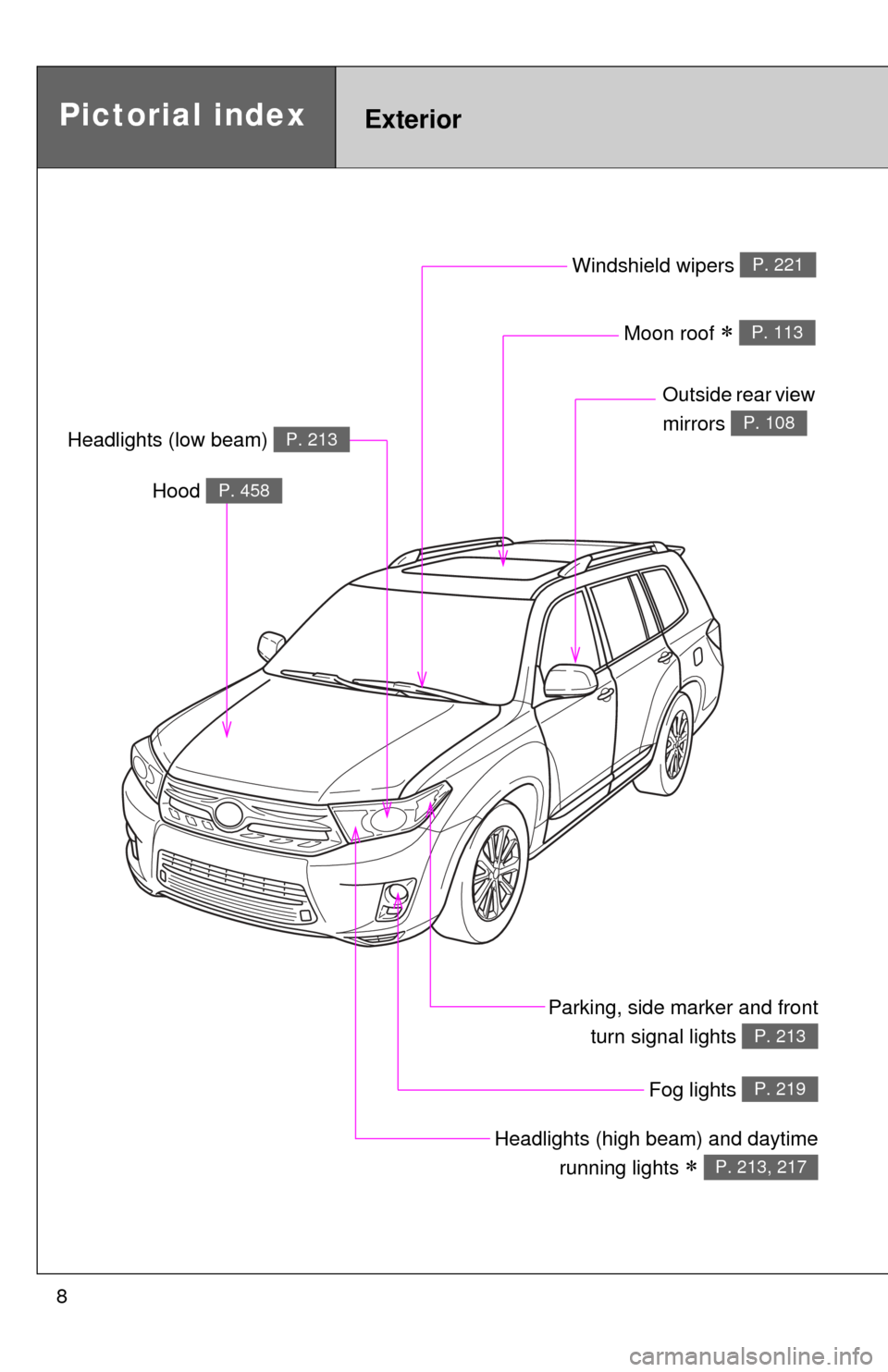
Pictorial indexExterior
Fog lights P. 219
Parking, side marker and frontturn signal lights
P. 213
Windshield wipers P. 221
Moon roof P. 113
Outside rear view
mirrors
P. 108Headlights (low beam) P. 213
Headlights (high beam) and daytime
running lights
P. 213, 217
Hood P. 458
Page 105 of 636
105
1
1-4. Adjustable components (seats, mirrors, steering wheel)
Before driving
Anti-glare inside rear view mirror
Glare from the headlights of vehicles behind can be reduced by
using the following functions.
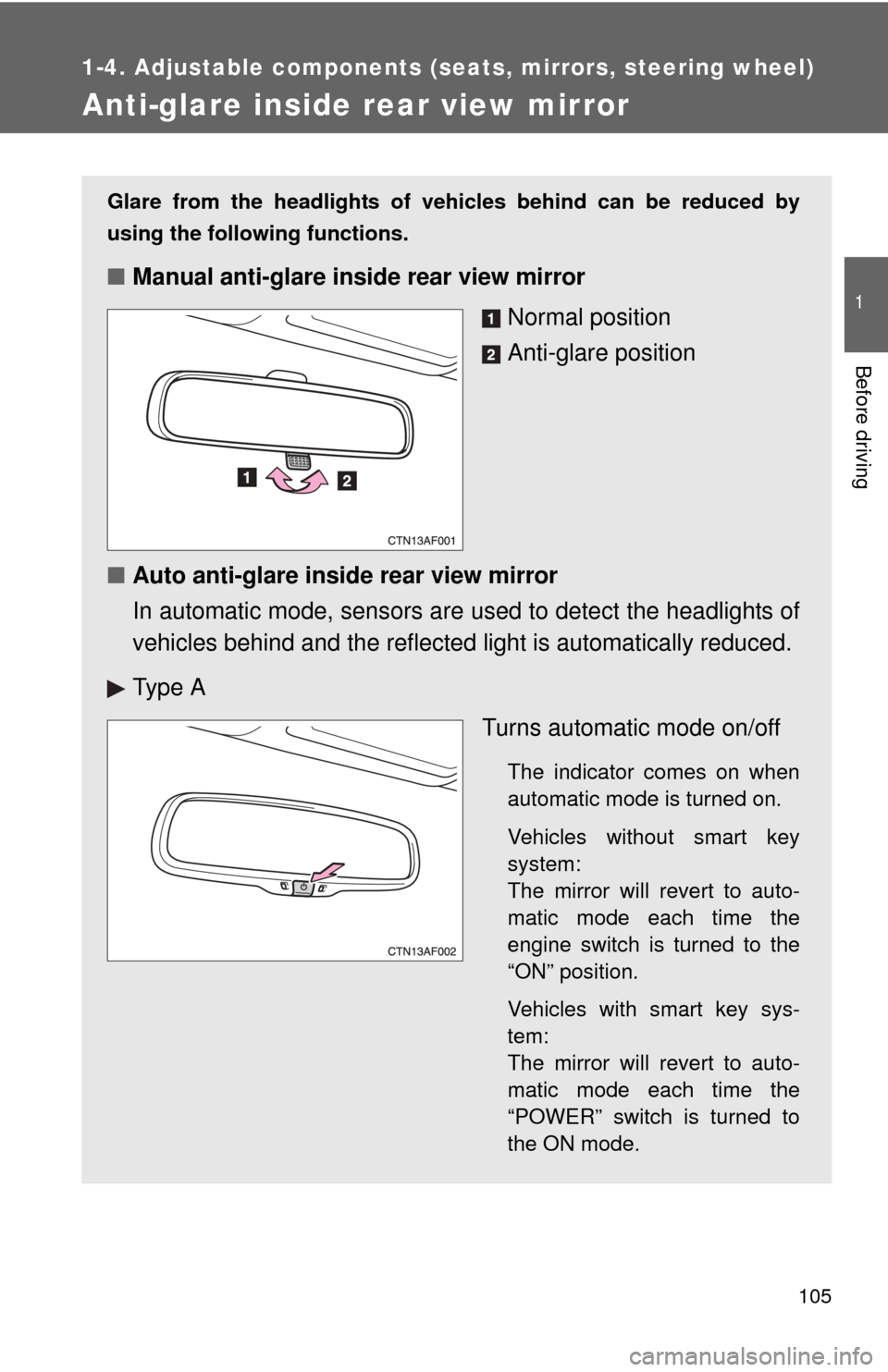
■Manual anti-glare inside rear view mirror
Normal position
Anti-glare position
■ Auto anti-glare inside rear view mirror
In automatic mode, sensors are used to detect the headlights of
vehicles behind and the reflecte d light is automatically reduced.
Ty p e A Turns automatic mode on/off
The indicator comes on when
automatic mode is turned on.
Vehicles without smart key
system:
The mirror will revert to auto-
matic mode each time the
engine switch is turned to the
“ON” position.
Vehicles with smart key sys-
tem:
The mirror will revert to auto-
matic mode each time the
“POWER” switch is turned to
the ON mode.
Page 213 of 636
213
2
When driving
2-3. Operating the lights and wipers
Headlight switch
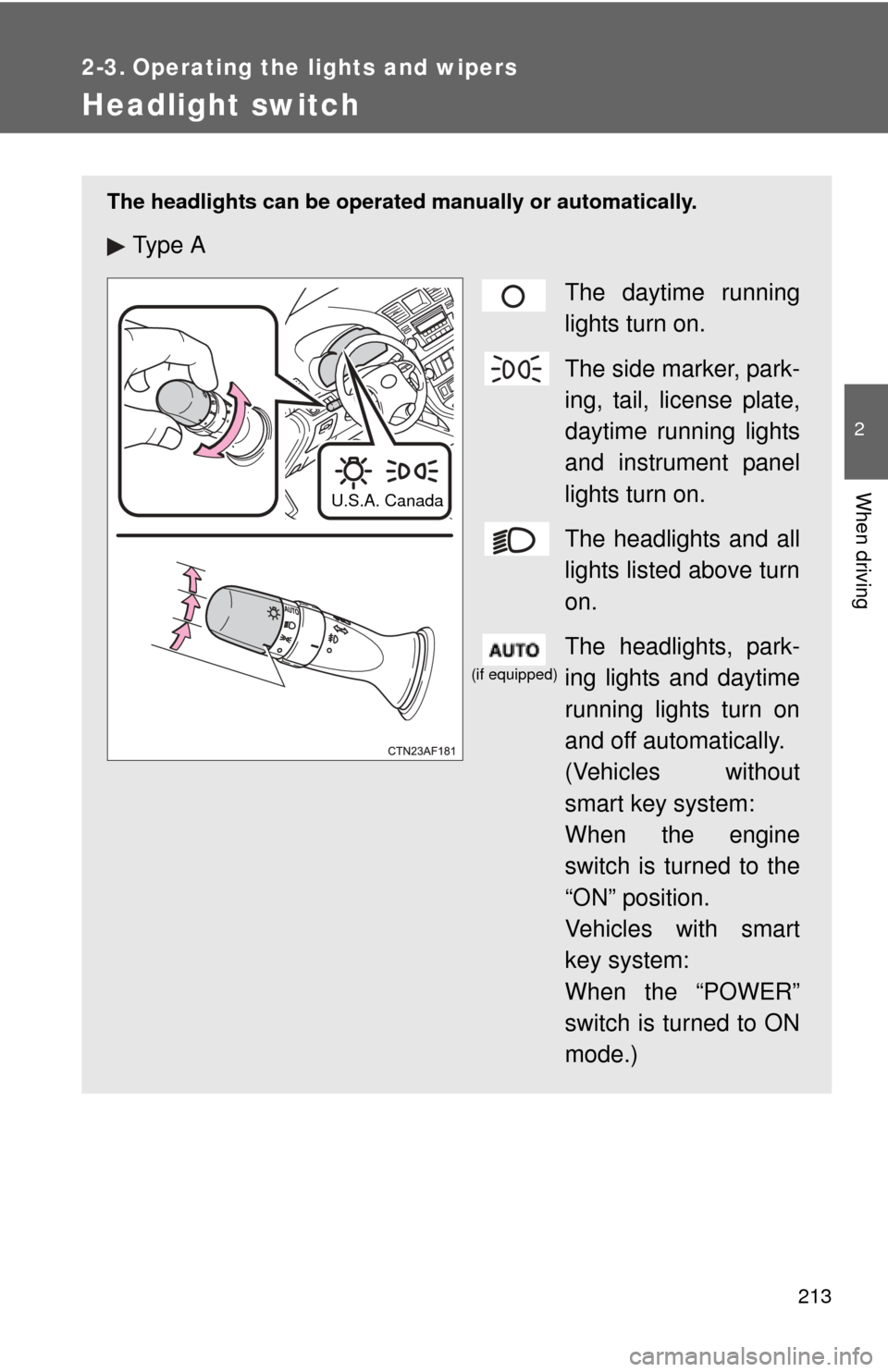
The headlights can be operated manually or automatically.
Ty p e AThe daytime running
lights turn on.
The side marker, park-
ing, tail, license plate,
daytime running lights
and instrument panel
lights turn on.
The headlights and all
lights listed above turn
on.
The headlights, park-
ing lights and daytime
running lights turn on
and off automatically.
(Vehicles without
smart key system:
When the engine
switch is turned to the
“ON” position.
Vehicles with smart
key system:
When the “POWER”
switch is turned to ON
mode.)
U.S.A. Canada
(if equipped)
Page 214 of 636
214 2-3. Operating the lights and wipers
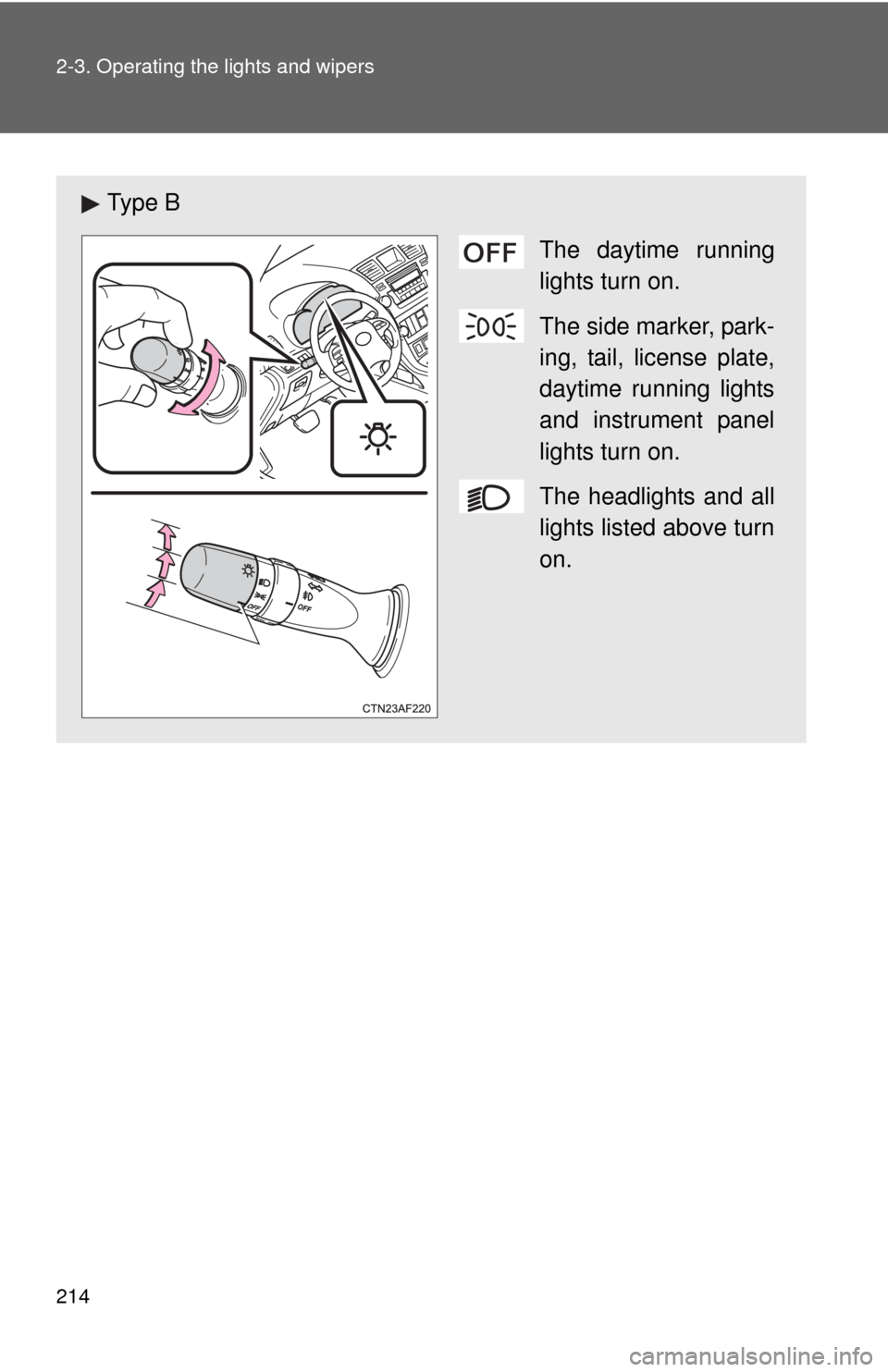
Ty p e BThe daytime running
lights turn on.
The side marker, park-
ing, tail, license plate,
daytime running lights
and instrument panel
lights turn on.
The headlights and all
lights listed above turn
on.
Page 215 of 636
215
2-3. Operating the lights and wipers
2
When driving
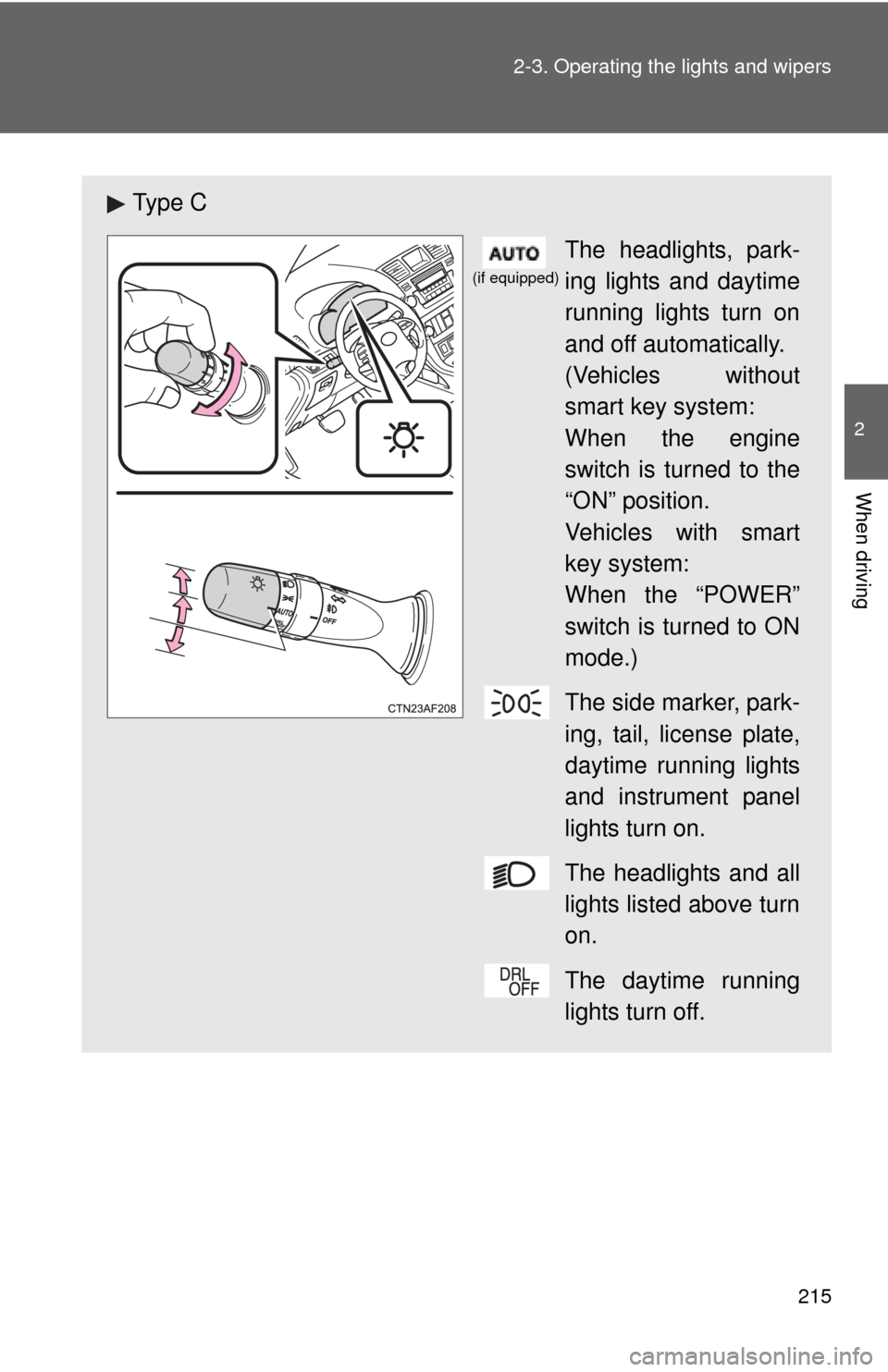
Ty p e C
The headlights, park-
ing lights and daytime
running lights turn on
and off automatically.
(Vehicles without
smart key system:
When the engine
switch is turned to the
“ON” position.
Vehicles with smart
key system:
When the “POWER”
switch is turned to ON
mode.)
The side marker, park-
ing, tail, license plate,
daytime running lights
and instrument panel
lights turn on.
The headlights and all
lights listed above turn
on.
The daytime running
lights turn off.
(if equipped)
Page 216 of 636
216 2-3. Operating the lights and wipers
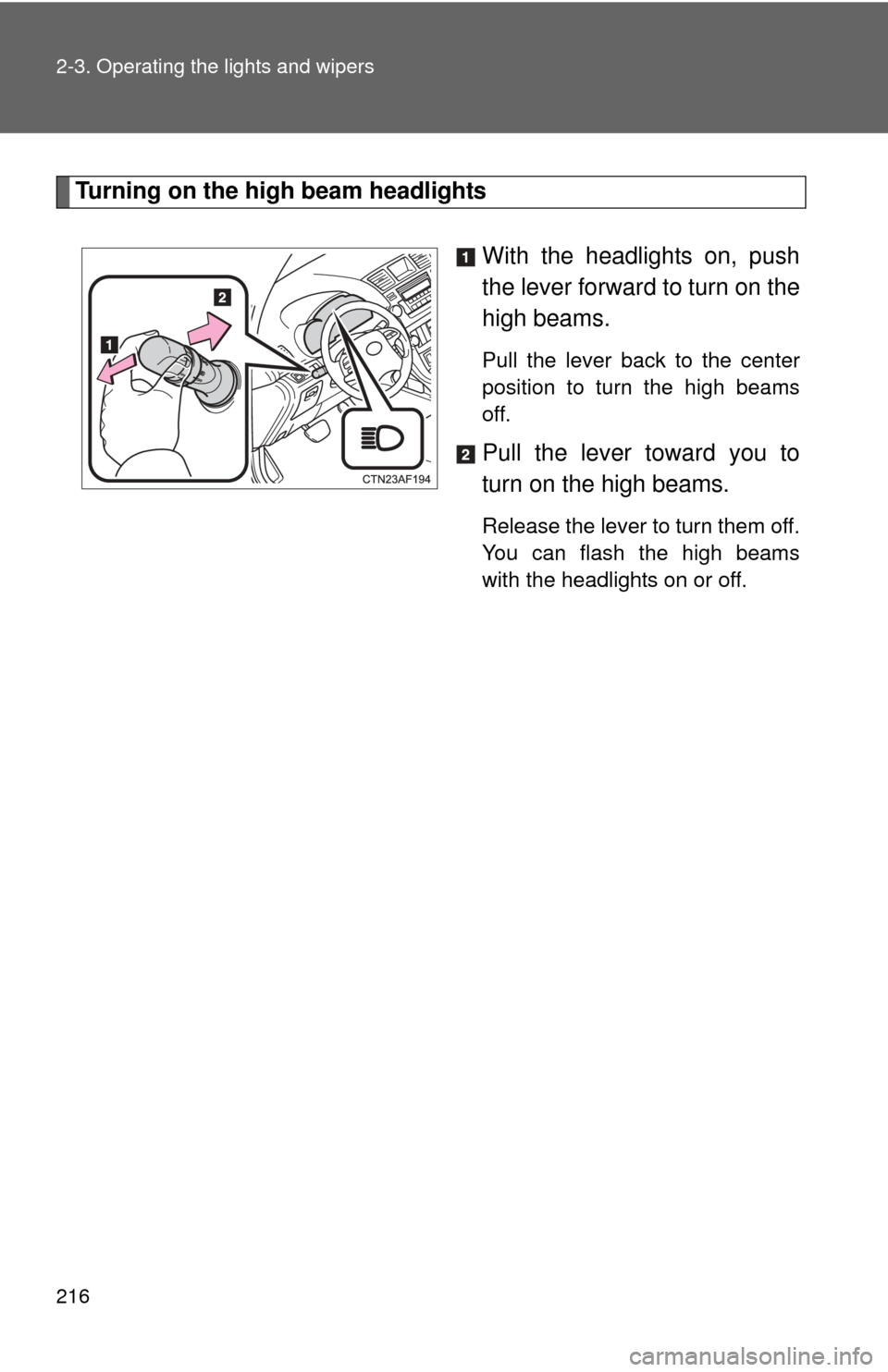
Turning on the high beam headlightsWith the headlights on, push
the lever forward to turn on the
high beams.
Pull the lever back to the center
position to turn the high beams
off.
Pull the lever toward you to
turn on the high beams.
Release the lever to turn them off.
You can flash the high beams
with the headlights on or off.
Page 217 of 636
217
2-3. Operating the lights and wipers
2
When driving
■
Daytime running light system (if equipped)
●To help make your vehicle visible to other drivers, the headlights turn on
automatically (at a reduced intensity) whenever the hybrid system is
started and the parking brake is released. Daytime running lights are not
designed for use at night.
U.S.A.: Daytime running lights can be turned off by operating the switch.
● The daytime running light system helps to offer great durability and con-
sumes less electricity, so it can help enhance fuel economy.
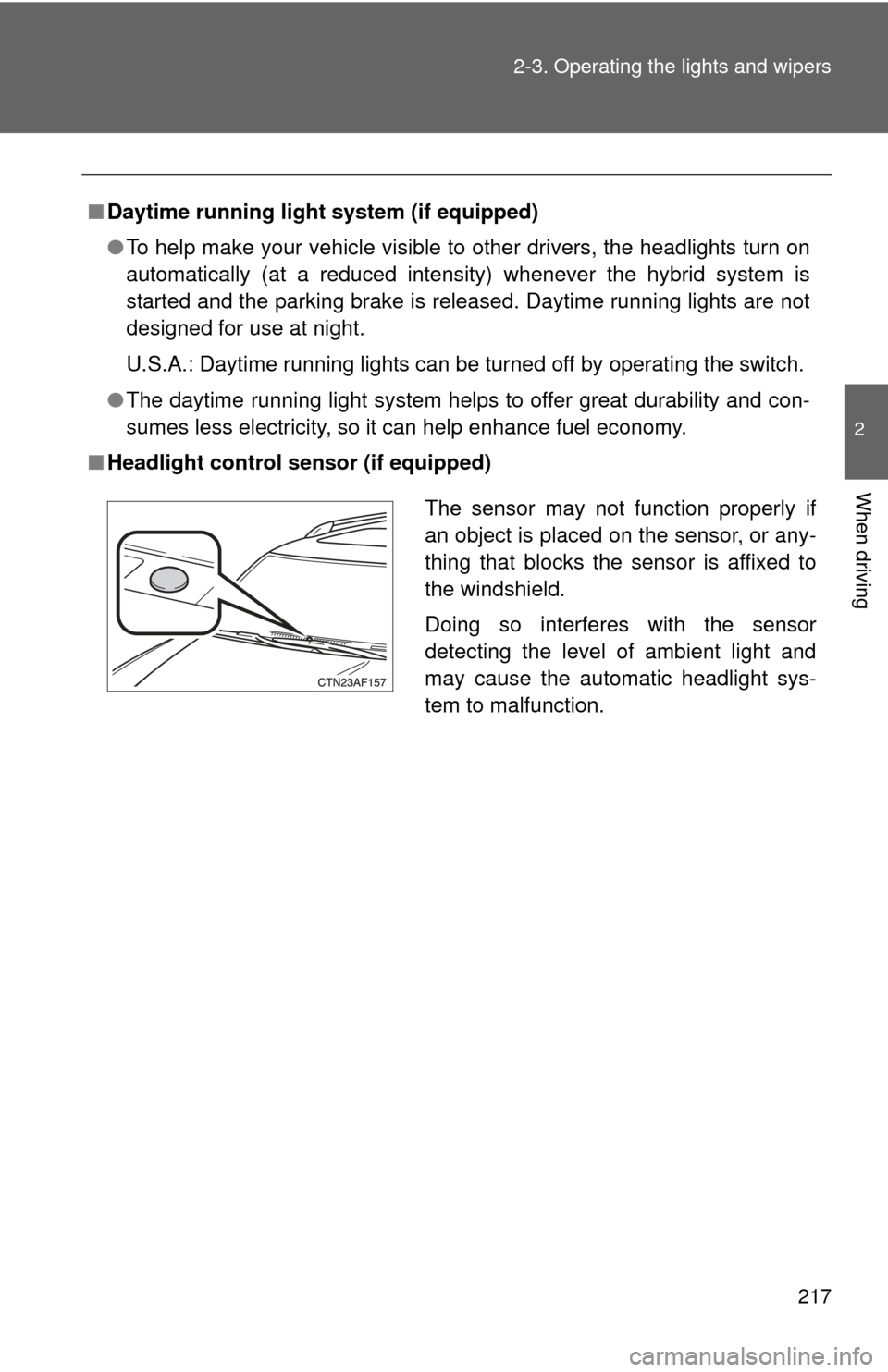
■ Headlight control sensor (if equipped)
The sensor may not function properly if
an object is placed on the sensor, or any-
thing that blocks the sensor is affixed to
the windshield.
Doing so interferes with the sensor
detecting the level of ambient light and
may cause the automatic headlight sys-
tem to malfunction.
Page 218 of 636
218 2-3. Operating the lights and wipers
■Automatic light off system
Vehicles without smart key system
● When the headlights come on: The headlights and tail lights turn off 30
seconds after a door is opened and closed if the engine switch is turned
to the “ACC” or “LOCK” position. (The lights turn off immediately if
on the wireless remote control is pressed after all the doors are
locked.)
● When only the tail lights come on: The tail lights turn off automatically if
the engine switch is turned to the “ACC” or “LOCK” position and the
driver’s door is opened.
To turn the lights on again, turn the engine switch to the “ON” position, or
turn the light switch off and then back to or .
Vehicles with smart key system
● When the headlights come on: The headlights and tail lights turn off 30
seconds after a door is opened and closed if the “POWER” switch is
turned to ACCESSORY mode or turned off. (The lights turn off immedi-
ately if on the key is pressed after all the doors are locked.)
● When only the tail lights come on: The tail lights turn off automatically if
the “POWER” switch is turned to ACCESSORY mode or turned off and
the driver’s door is opened.
To turn the lights on again, turn the “POWER” switch to ON mode, or turn the
light switch off and then back to or .
■ Customization that can be co nfigured at Toyota dealer
Settings (e.g. daytime running light system) can be changed.
(Customizable features P. 599)
NOTICE
■To prevent 12-volt battery from being discharged
Do not leave the lights on longer than necessary when the hybrid system is
off.
Page 219 of 636
219
2-3. Operating the lights and wipers
2
When driving
Fog light switch
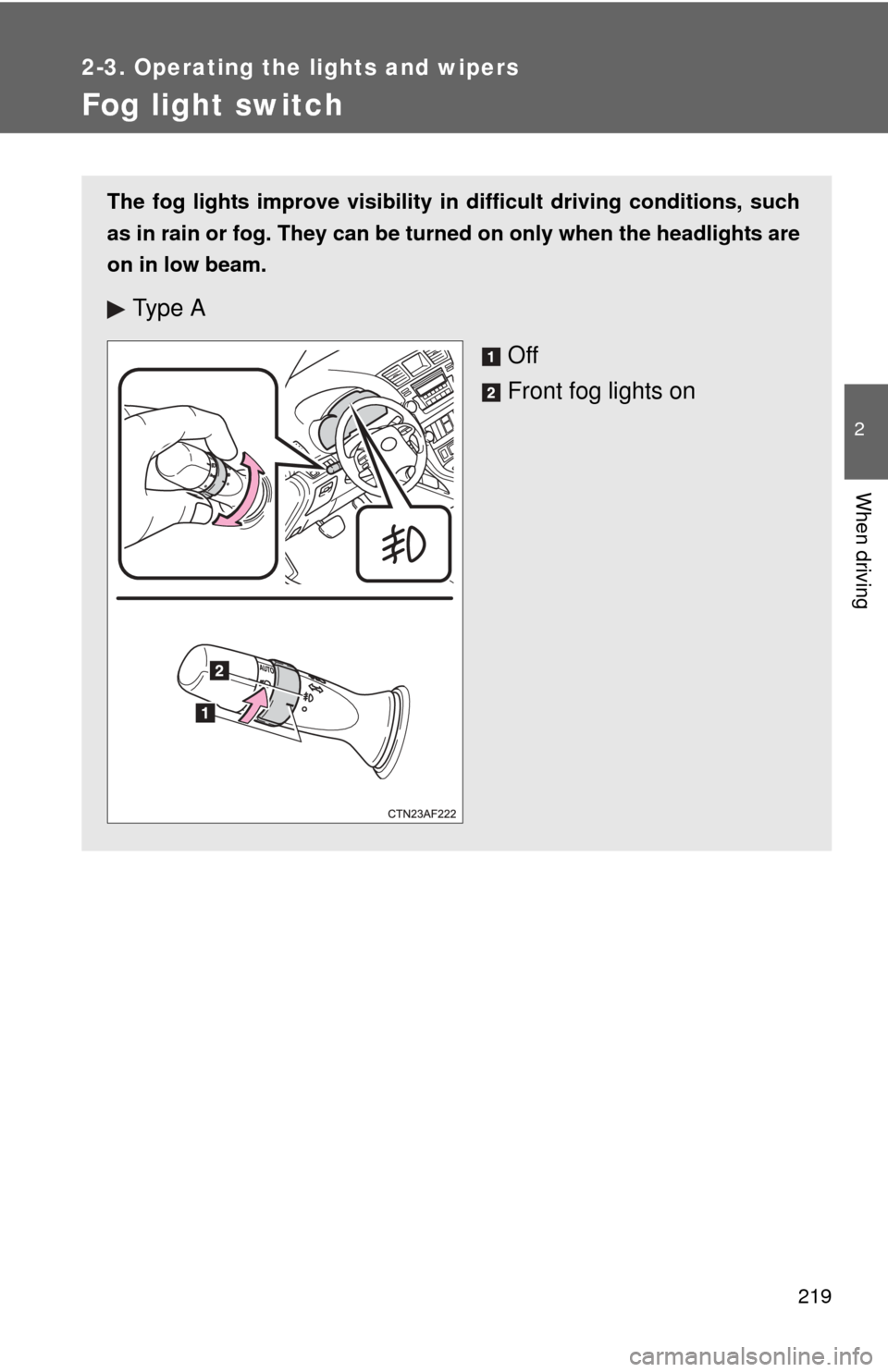
The fog lights improve visibility in difficult driving conditions, such
as in rain or fog. They can be turned on only when the headlights are
on in low beam.
Ty p e A
Off
Front fog lights on
Page 231 of 636
231
2-4. Using other
driving systems
2
When driving
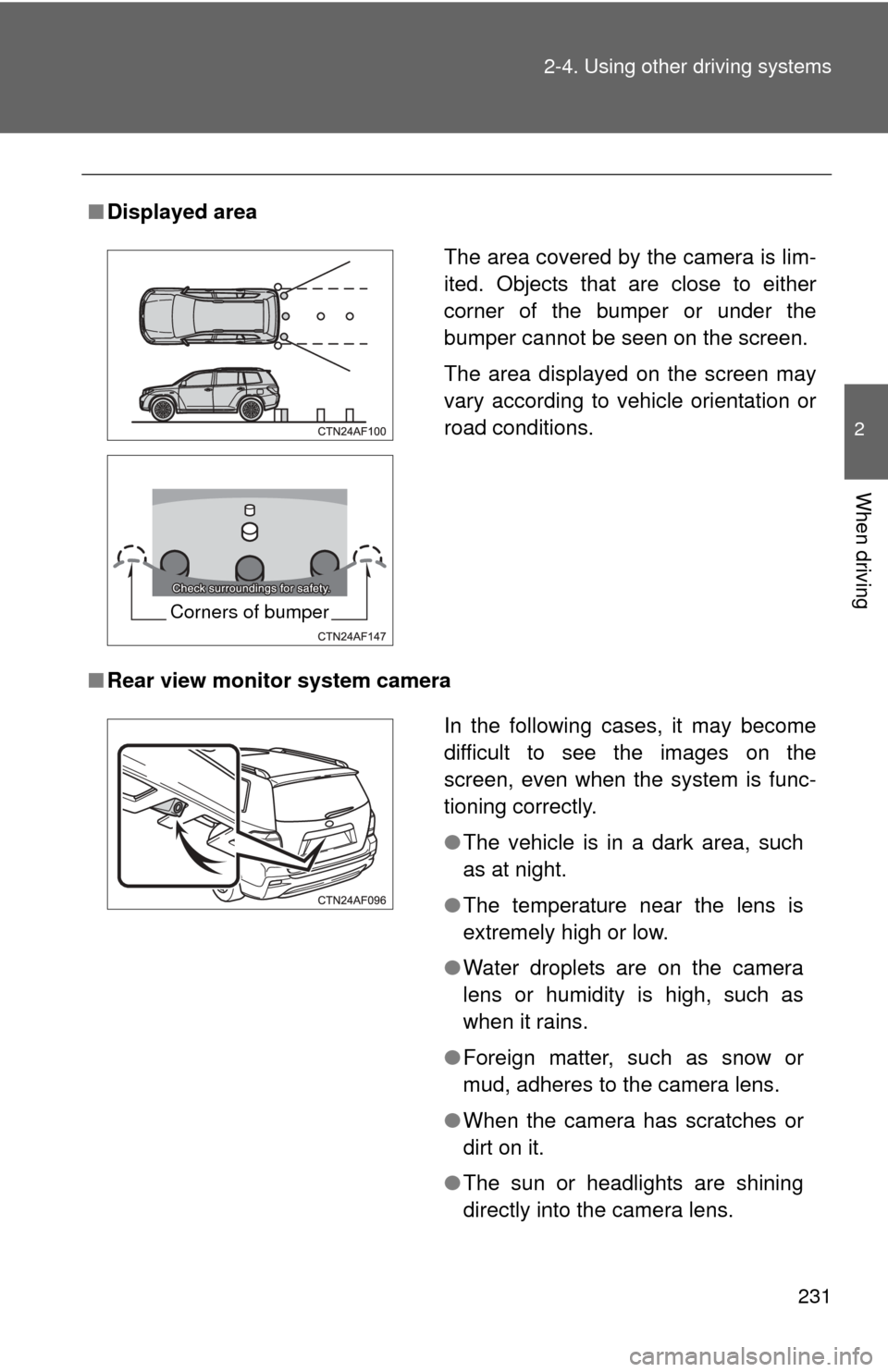
■Displayed area
■ Rear view monitor system camera
The area covered by the camera is lim-
ited. Objects that are close to either
corner of the bumper or under the
bumper cannot be seen on the screen.
The area displayed on the screen may
vary according to vehicle orientation or
road conditions.
Corners of bumper
In the following cases, it may become
difficult to see the images on the
screen, even when the system is func-
tioning correctly.
●The vehicle is in a dark area, such
as at night.
● The temperature near the lens is
extremely high or low.
● Water droplets are on the camera
lens or humidity is high, such as
when it rains.
● Foreign matter, such as snow or
mud, adheres to the camera lens.
● When the camera has scratches or
dirt on it.
● The sun or headlights are shining
directly into the camera lens.