instrument cluster TOYOTA HIGHLANDER HYBRID 2013 XU50 / 3.G User Guide
[x] Cancel search | Manufacturer: TOYOTA, Model Year: 2013, Model line: HIGHLANDER HYBRID, Model: TOYOTA HIGHLANDER HYBRID 2013 XU50 / 3.GPages: 676, PDF Size: 12.48 MB
Page 208 of 676
208 2-2. Instrument cluster
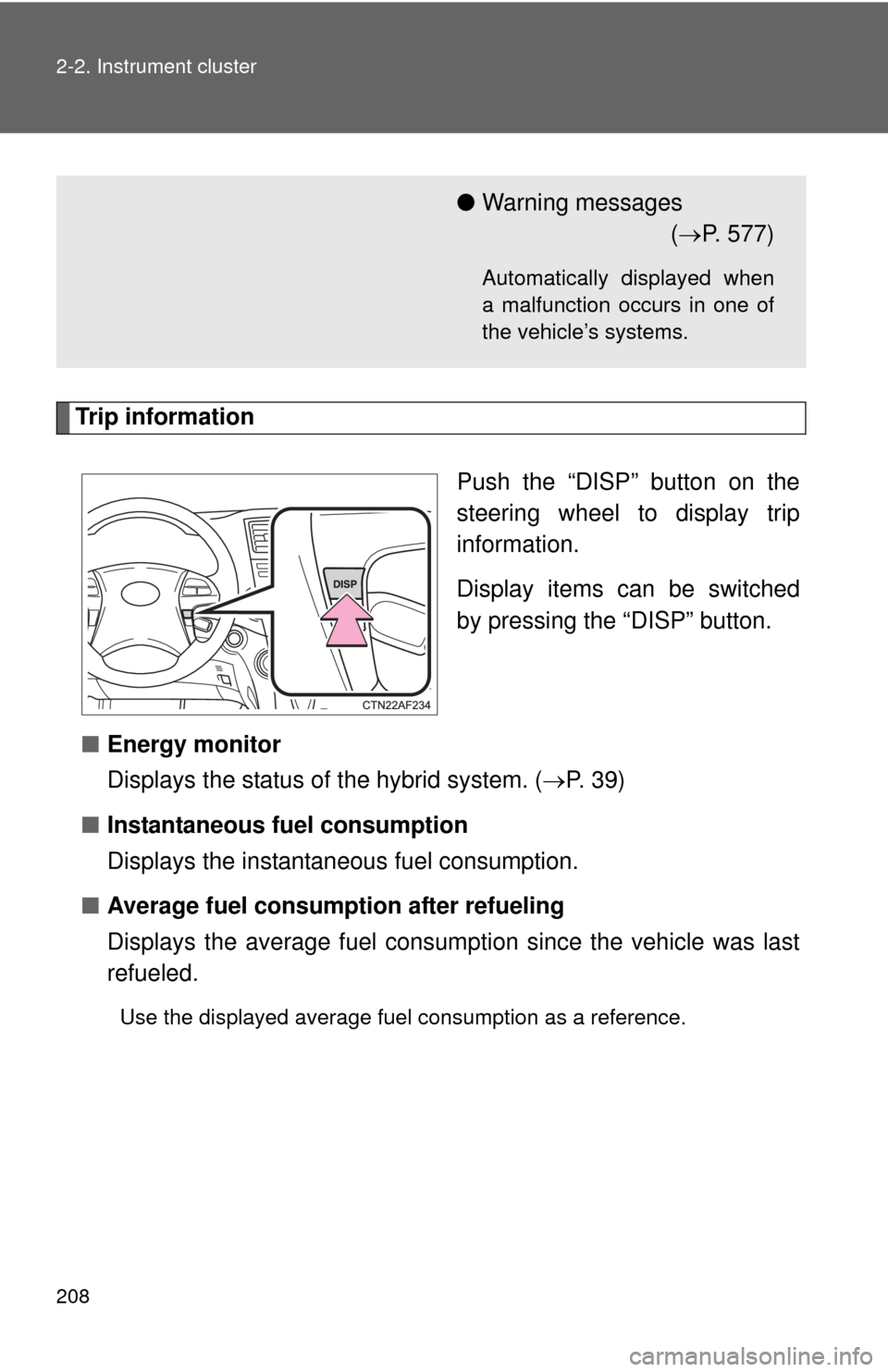
Trip informationPush the “DISP” button on the
steering wheel to display trip
information.
Display items can be switched
by pressing the “DISP” button.
■ Energy monitor
Displays the status of the hybrid system. ( P. 39)
■ Instantaneous fuel consumption
Displays the instantan eous fuel consumption.
■ Average fuel consumption after refueling
Displays the average fuel consumption since the vehicle was last
refueled.
Use the displayed average fuel consumption as a reference.
●Warning messages
( P. 577)
Automatically displayed when
a malfunction occurs in one of
the vehicle’s systems.
Page 209 of 676
209
2-2. Instrument cluster
2
When driving
■
Cruising range
Displays the estimated maximum di stance that can be driven with
the quantity of fuel remaining.
• This distance is computed based on your average fuel consumption.
As a result, the actual distance that can be driven may differ from that
displayed.
• Vehicles without smart key system: When only a small amount of fuel is added to the tank, the display may not be updated.
When refueling, turn the engine switch OFF. If the vehicle is refueled
without turning the engine switch OFF, the display may not be
updated.
• Vehicles with smart key system: When only a small amount of fuel is added to the tank, the display may not be updated.
When refueling, turn the “POWER” switch OFF. If the vehicle is refu-
eled without turning the “POWER” switch OFF, the display may not be
updated.
■Average fuel consumption
Displays the average fuel cons umption since the function was
reset.
• This function can be reset by pressing the “DISP” button on the steer-
ing wheel for longer than one second when the average fuel con-
sumption is displayed.
• Use the displayed average fuel consumption as a reference.
■ Driving distance
Displays the driving distance since the hybrid system was started.
■ Average fuel consumption after refueling history
Displays the previous five av erage fuel consumption values.
Page 210 of 676
210 2-2. Instrument cluster
■Tire inflation pressure
Displays inflation pressure of ea ch tire. There is no correlation
between the order of the display ed values and the tire positions.
If the inflation pressure of any tire drops a certain amount below
the tire inflation pressure value currently memorized in the system,
the displayed values will be highlighted.
It may take a few minutes to display the tire inflation pressure after the
engine switch is turned to the “ON” position (vehicles without smart key
system) or the “POWER” switch is turned to ON mode (vehicles with
smart key system). It may also take a few minutes to display the tire
inflation pressure after inflation pressure has been adjusted.
If the tire pressure warning light is on or flashing, a message describing
the situation will be displayed.
Setting up the displays
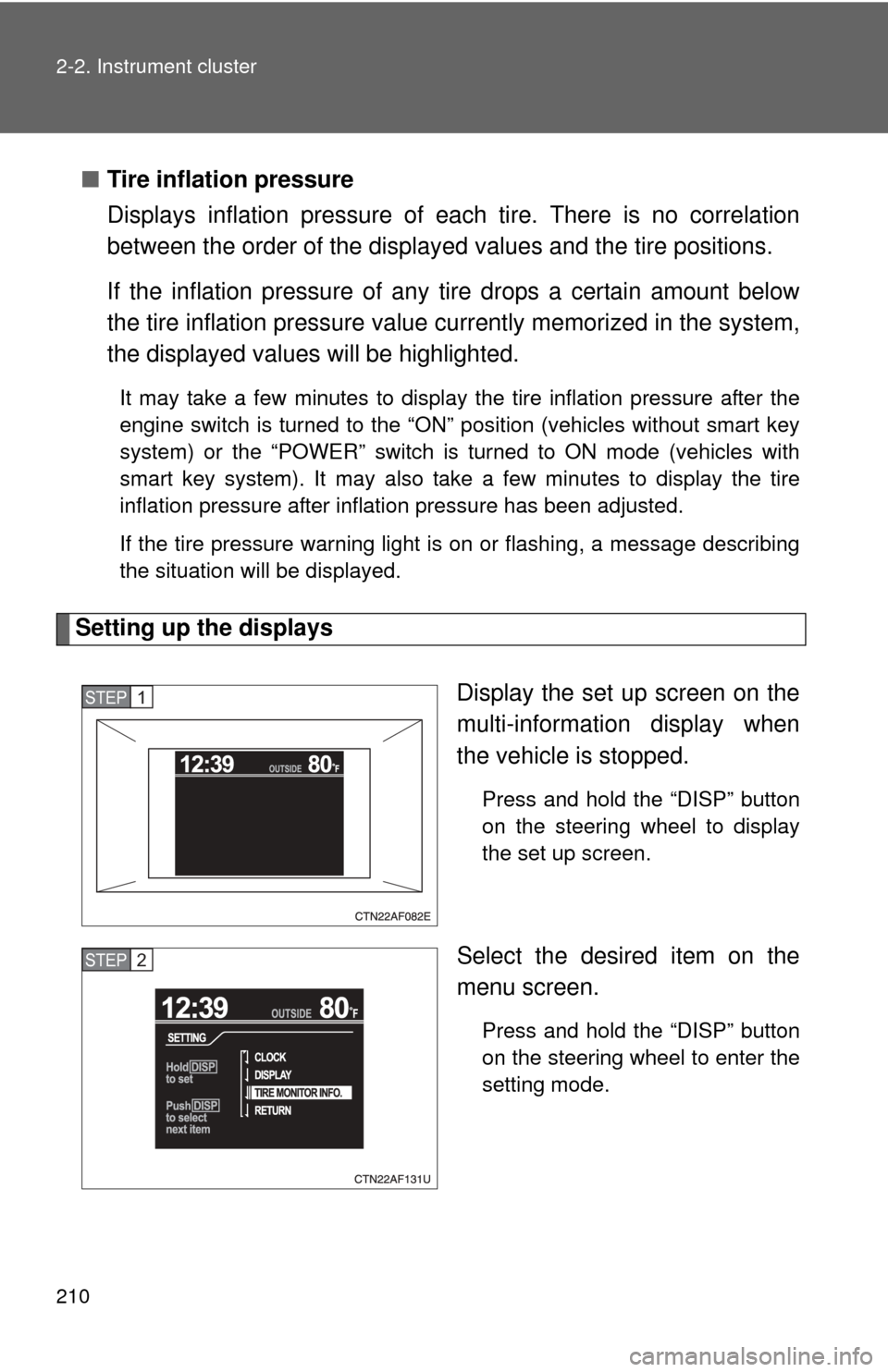
Display the set up screen on the
multi-information display when
the vehicle is stopped.
Press and hold the “DISP” button
on the steering wheel to display
the set up screen.
Select the desired item on the
menu screen.
Press and hold the “DISP” button
on the steering wheel to enter the
setting mode.
STEP1
STEP2
Page 211 of 676
211
2-2. Instrument cluster
2
When driving
■
Setting the clock
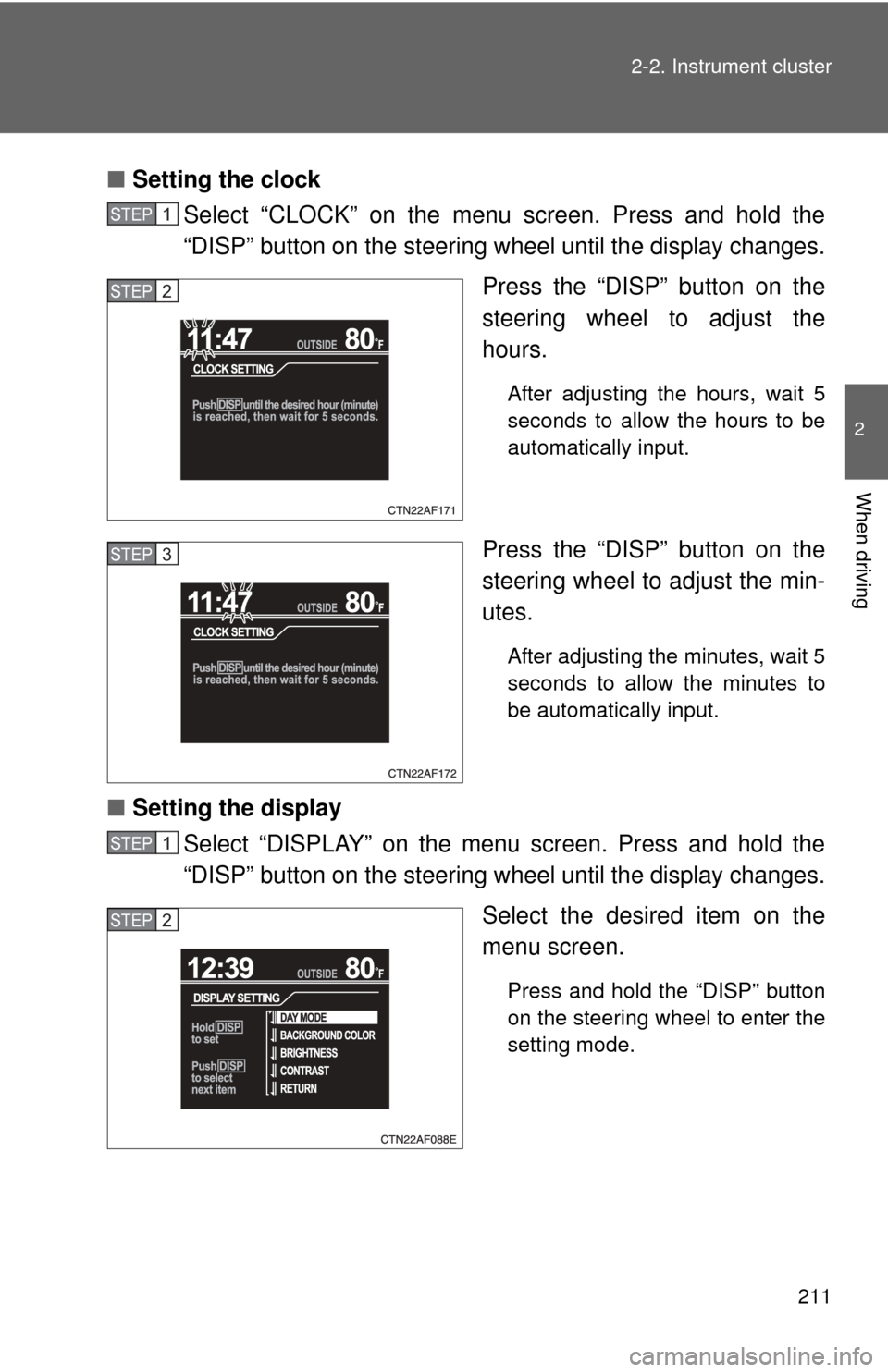
Select “CLOCK” on the menu screen. Press and hold the
“DISP” button on the steering w heel until the display changes.
Press the “DISP” button on the
steering wheel to adjust the
hours.
After adjusting the hours, wait 5
seconds to allow the hours to be
automatically input.
Press the “DISP” button on the
steering wheel to adjust the min-
utes.
After adjusting the minutes, wait 5
seconds to allow the minutes to
be automatically input.
■ Setting the display
Select “DISPLAY” on the menu screen. Press and hold the
“DISP” button on the steering w heel until the display changes.
Select the desired item on the
menu screen.
Press and hold the “DISP” button
on the steering wheel to enter the
setting mode.
STEP1
STEP2
STEP3
STEP1
STEP2
Page 212 of 676
212 2-2. Instrument cluster
●Setting day mode
Select “DAY MODE” on the menu screen. Press and hold the
“DISP” button on the steering wheel until the display changes.
Press the “DISP” button on the steering wheel to select “ON”
or “OFF”.
After setting day mode, wait 5 seconds to allow the mode to be auto-
matically input.
● Setting the background color
Select “BACKGROUND COLOR” on the menu screen. Press
and hold the “DISP” button on the steering wheel until the dis-
play changes.
Press the “DISP” button on the steering wheel to select
“BLACK” or “BLUE”.
After selecting a background color, wait 5 seconds to allow the color
to be automatically input.
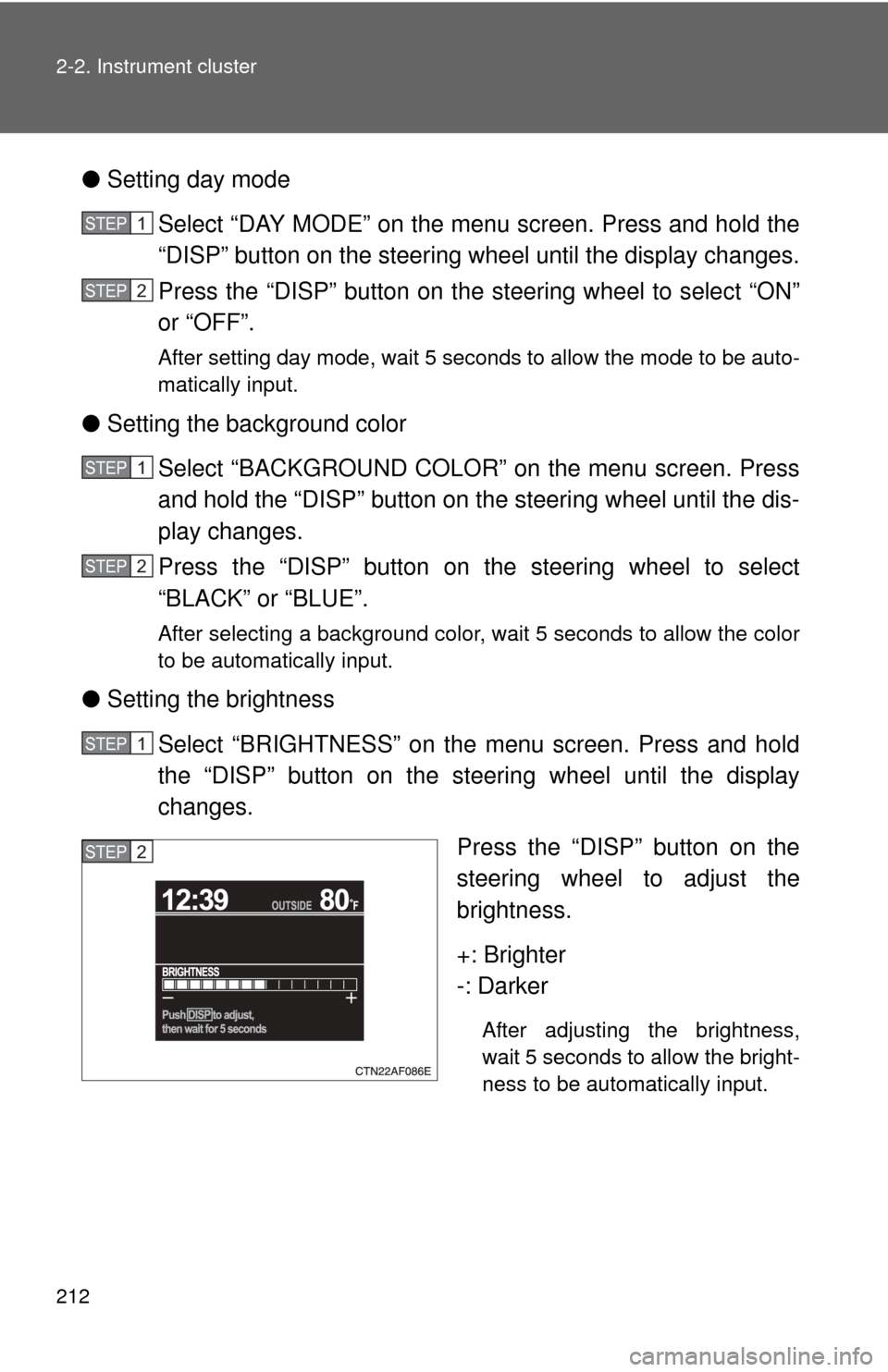
●Setting the brightness
Select “BRIGHTNESS” on the menu screen. Press and hold
the “DISP” button on the steering wheel until the display
changes. Press the “DISP” button on the
steering wheel to adjust the
brightness.
+: Brighter
-: Darker
After adjusting the brightness,
wait 5 seconds to allow the bright-
ness to be automatically input.
STEP1
STEP2
STEP1
STEP2
STEP1
STEP2
Page 213 of 676
213
2-2. Instrument cluster
2
When driving
●
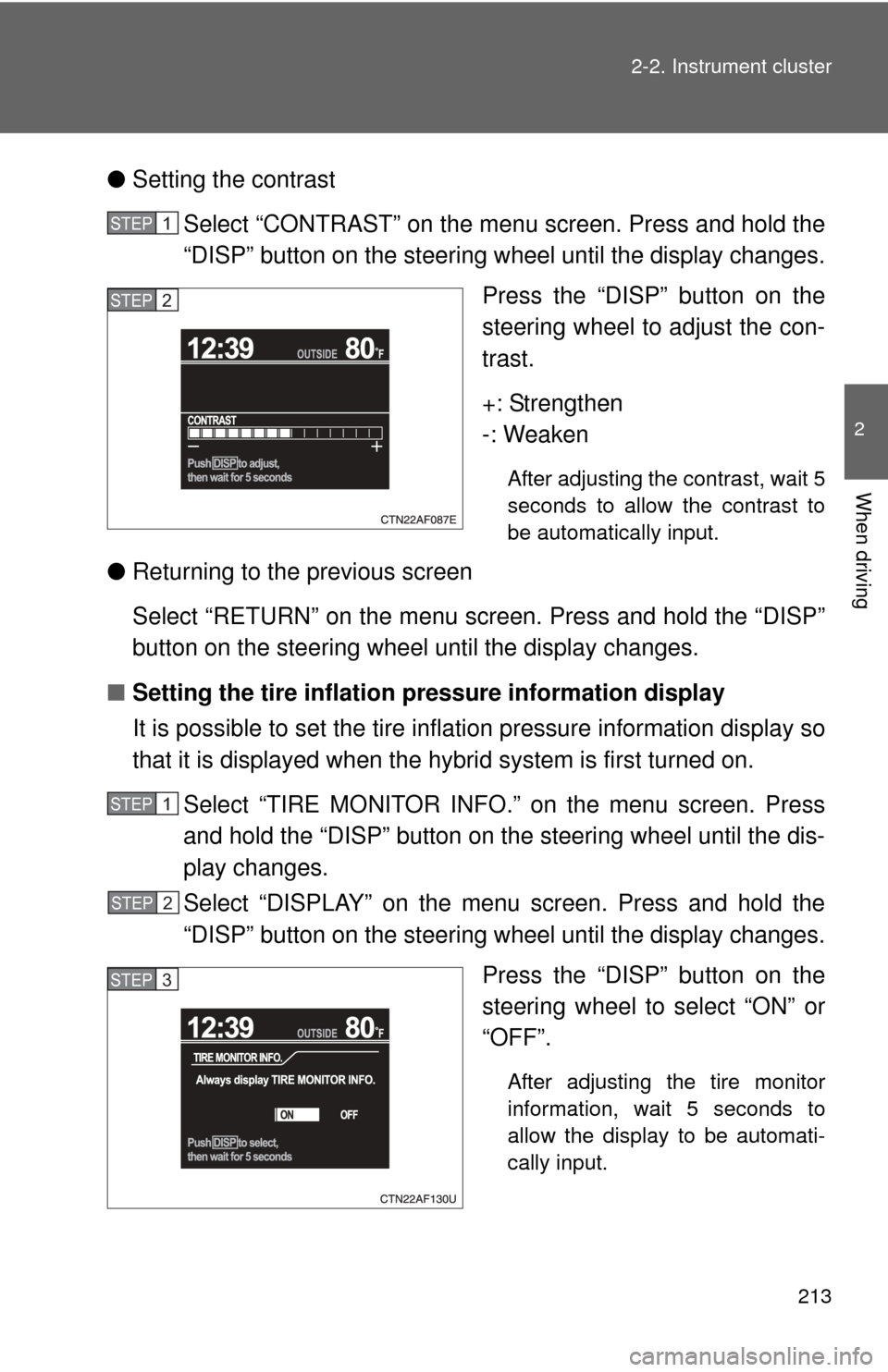
Setting the contrast
Select “CONTRAST” on the menu screen. Press and hold the
“DISP” button on the steering w heel until the display changes.
Press the “DISP” button on the
steering wheel to adjust the con-
trast.
+: Strengthen
-: Weaken
After adjusting the contrast, wait 5
seconds to allow the contrast to
be automatically input.
● Returning to the previous screen
Select “RETURN” on the menu screen. Press and hold the “DISP”
button on the steering wheel until the display changes.
■ Setting the tire inflation pr essure information display
It is possible to set the tire inflation pressure information display so
that it is displayed when the hy brid system is first turned on.
Select “TIRE MONITOR INFO.” on the menu screen. Press
and hold the “DISP” button on the steering wheel until the dis-
play changes.
Select “DISPLAY” on the menu screen. Press and hold the
“DISP” button on the steering w heel until the display changes.
Press the “DISP” button on the
steering wheel to select “ON” or
“OFF”.
After adjusting the tire monitor
information, wait 5 seconds to
allow the display to be automati-
cally input.
STEP1
STEP2
STEP1
STEP2
STEP3
Page 214 of 676
214 2-2. Instrument cluster
●Returning to the previous screen
Select “RETURN” on the menu screen. Press and hold the “DISP”
button on the steering wheel until the display changes.
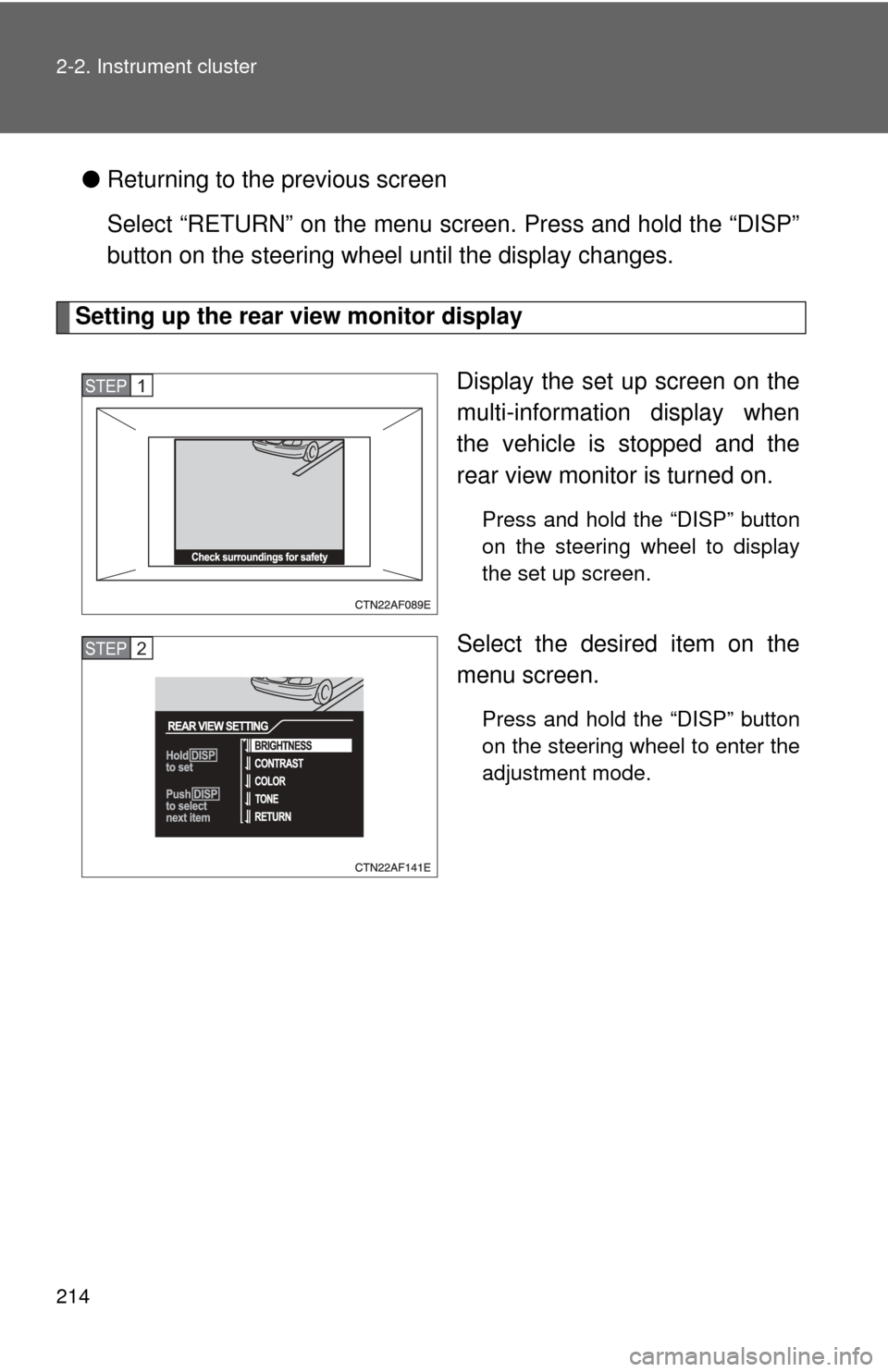
Setting up the rear view monitor display
Display the set up screen on the
multi-information display when
the vehicle is stopped and the
rear view monitor is turned on.
Press and hold the “DISP” button
on the steering wheel to display
the set up screen.
Select the desired item on the
menu screen.
Press and hold the “DISP” button
on the steering wheel to enter the
adjustment mode.
STEP1
STEP2
Page 215 of 676
215
2-2. Instrument cluster
2
When driving
■
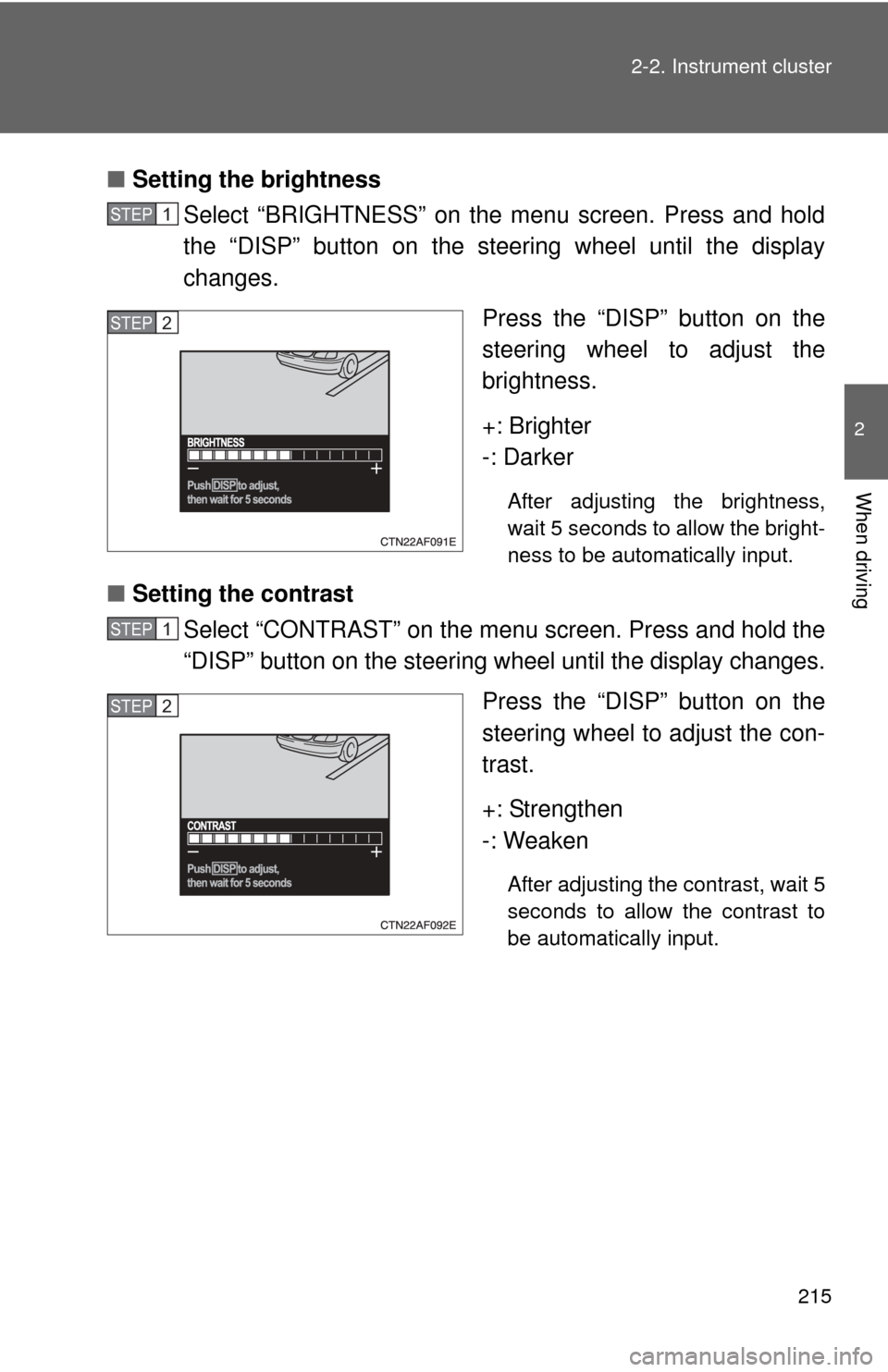
Setting the brightness
Select “BRIGHTNESS” on the menu screen. Press and hold
the “DISP” button on the steering wheel until the display
changes.
Press the “DISP” button on the
steering wheel to adjust the
brightness.
+: Brighter
-: Darker
After adjusting the brightness,
wait 5 seconds to allow the bright-
ness to be automatically input.
■Setting the contrast
Select “CONTRAST” on the menu screen. Press and hold the
“DISP” button on the steering w heel until the display changes.
Press the “DISP” button on the
steering wheel to adjust the con-
trast.
+: Strengthen
-: Weaken
After adjusting the contrast, wait 5
seconds to allow the contrast to
be automatically input.
STEP1
STEP2
STEP1
STEP2
Page 216 of 676
216 2-2. Instrument cluster
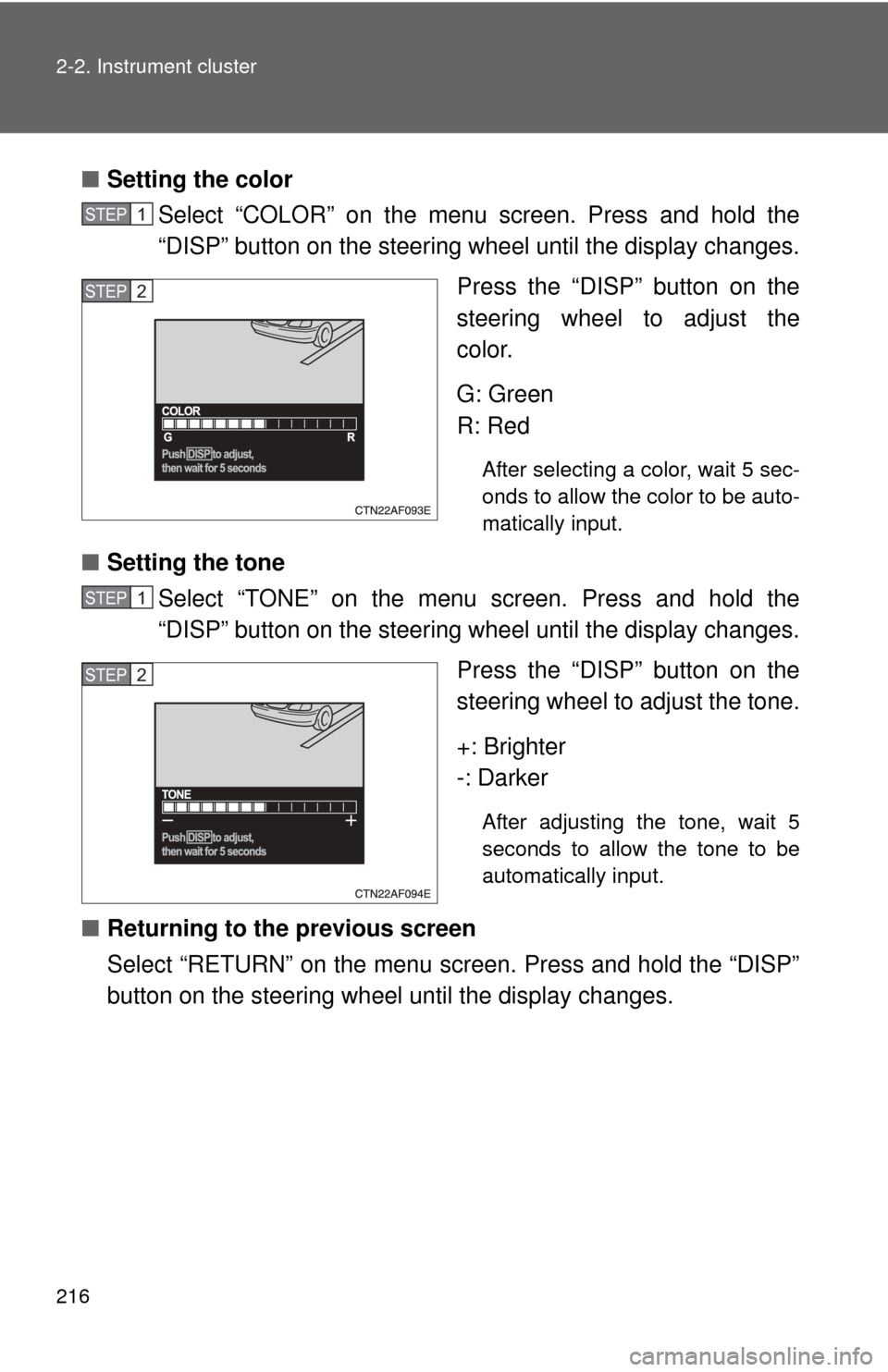
■Setting the color
Select “COLOR” on the menu screen. Press and hold the
“DISP” button on the steering wheel until the display changes.
Press the “DISP” button on the
steering wheel to adjust the
color.
G: Green
R: Red
After selecting a color, wait 5 sec-
onds to allow the color to be auto-
matically input.
■Setting the tone
Select “TONE” on the menu screen. Press and hold the
“DISP” button on the steering wheel until the display changes.
Press the “DISP” button on the
steering wheel to adjust the tone.
+: Brighter
-: Darker
After adjusting the tone, wait 5
seconds to allow the tone to be
automatically input.
■Returning to the previous screen
Select “RETURN” on the menu screen. Press and hold the “DISP”
button on the steering wheel until the display changes.
STEP1
STEP2
STEP1
STEP2
Page 217 of 676
217
2-2. Instrument cluster
2
When driving
■
System check display
Vehicles without smart key system
After the engine switch is turned to the “ON” position, “SYSTEM CHECK” is
displayed while system operation is checked. When the system check is
complete, the normal screen will return.
Vehicles with smart key system
After switching the “POWER” switch to ON mode, “SYSTEM CHECK” is dis-
played while system operation is checked. When the system check is com-
plete, the normal screen will return.
■ When using the multi- information display
The display may seem dark and hard to see when viewed through sun-
glasses. Adjust the display ( P. 211, 214) or remove your sunglasses.
■ Liquid crystal display
Small bright spots or dots may appear on the liquid crystal display. This is a
particular characteristic of liquid crystal displays and does not indicate a mal-
function. No action is required.
■ Outside temperature display
When stopped, or driving at low speeds (less than 12 mph [20 km/h]), the
correct outside temperature may not be displayed, or the display may take
longer than normal to change.
■ Customization that can be co nfigured at Toyota dealer
Setting of language selection can be changed.
(Customizable features P. 639)
NOTICE
■The multi-information disp lay at low temperatures
Allow the interior of the vehicle to warm up before using the liquid crystal
information display. At extremely low temperatures, the information display
monitor may respond slowly, and display changes may be delayed.