Awd TOYOTA HIGHLANDER HYBRID 2022 Owners Manual
[x] Cancel search | Manufacturer: TOYOTA, Model Year: 2022, Model line: HIGHLANDER HYBRID, Model: TOYOTA HIGHLANDER HYBRID 2022Pages: 572, PDF Size: 14.5 MB
Page 71 of 572
711-4. Hybrid system
1
For safety and security
1-4.Hybrid system
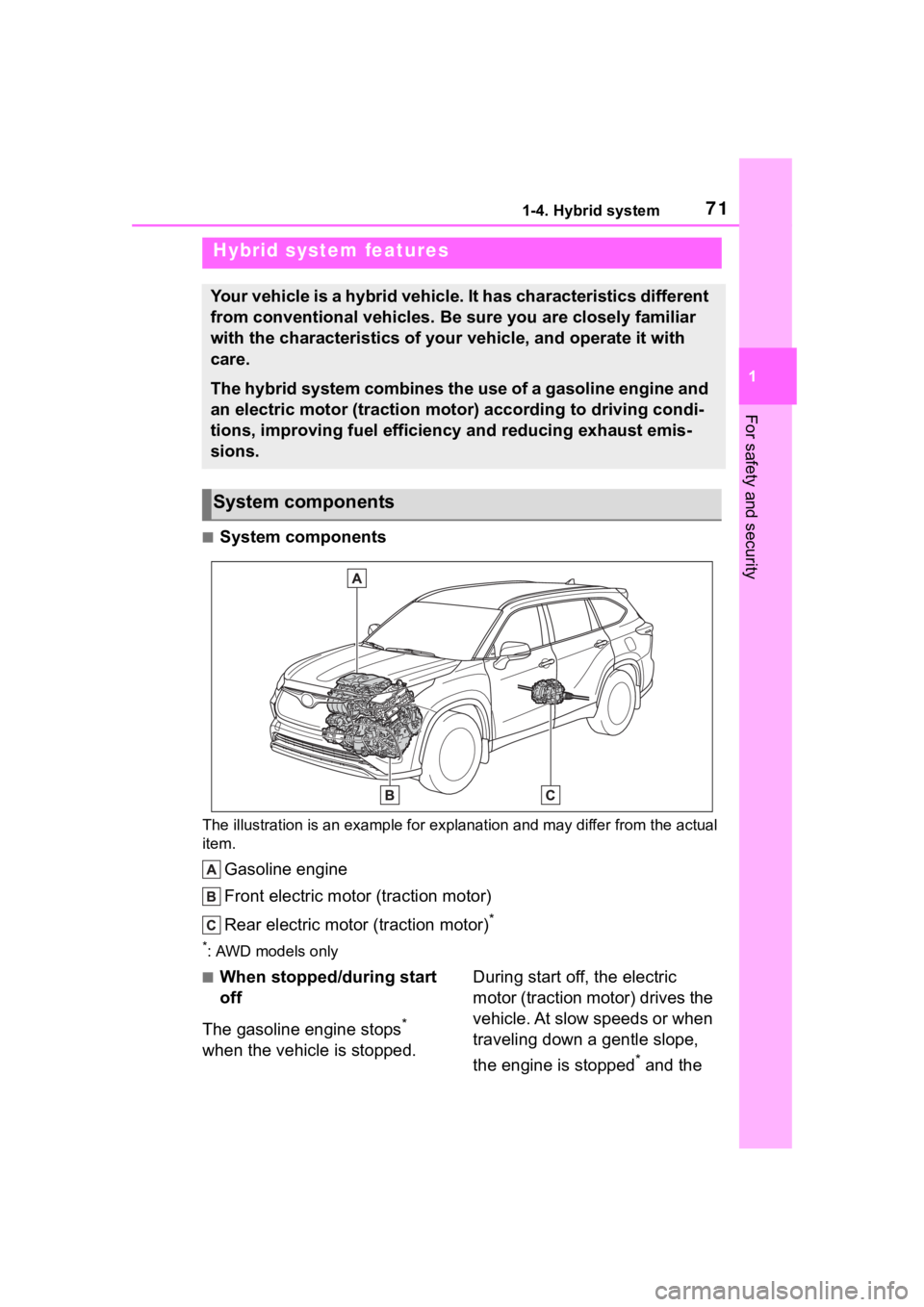
■System components
The illustration is an example for explanation and may differ from the actual
item.
Gasoline engine
Front electric motor (traction motor)
Rear electric motor (traction motor)
*
*: AWD models only
■When stopped/during start
off
The gasoline engine stops
*
when the vehicle is stopped. During start off, the electric
motor (traction motor) drives the
vehicle. At slow speeds or when
traveling down a gentle slope,
the engine is stopped
* and the
Hybrid system features
Your vehicle is a hybrid vehicle. It has characteristics differ
ent
from conventional vehicles. Be sure you are closely familiar
with the characteristics of your vehicle, and operate it with
care.
The hybrid system combines the use of a gasoline engine and
an electric motor (traction motor) according to driving condi-
tions, improving fuel efficiency and reducing exhaust emis-
sions.
System components
Page 75 of 572

751-4. Hybrid system
1
For safety and security
The illustration is an example for explanation and may differ from the actual
item.
Warning label
Service plug
High voltage cables (orange)
Power control unit
Hybrid battery (traction battery)
Rear electric motor (traction motor)
*
Front electric motor (traction motor)
Air conditioning compressor
*: AWD models only
■Running out of fuel
When the vehicle has run out of fuel
and the hybrid system cannot be
started, refuel th e vehicle with at least enough gasoline to make the
low fuel level warning light (
P.467)
go off. If there is only a small
amount of fuel, the hybrid system
may not be able to start. (The stan-
dard amount of fuel is about 2.9 gal.
Hybrid system precautions
Take care when handling the hybrid system, as it is a high
voltage system (about 650 V at maximum) as well as contains
parts that become extremely hot when the hybrid system is
operating. Obey the warning labels attached to the vehicle.
System components
Page 97 of 572

972-1. Instrument cluster
2
Vehicle status information and indicators
the engine stops.
“Total”
• “Average Speed”: Displays the
average vehicle speed since the
display was reset
*
• “Distance”: Displ ays the distance
driven since the display was
reset
*
• “Total Time”: Displays the elapsed
time since the display was reset
*
*
: To reset, display the desired item
and press and hold .
■Energy monitor
P. 1 1 7
■Tire pressure
P. 4 2 4
■AWD Control (if equipped)
The illustration used is intended as
an example, and may differ from the
image that is actually displayed on
the multi-information display.
Torque distribution display
Displays the drive status of each
wheel in 6 steps from 0 to 5.
G-force display*
Displays the size and direction of
the G-force applie d to the vehicle
via changes to the position of the ball on the display.
Maximum G-force course*
This item is linke
d with the G-force
display and the co urse of the past
movement of the ball is displayed.
Press and hold to reset the
record.
Wheel spin display
When a tire is spi nning, its icon on
the display changes its color and
blinks.
*: This item is displayed only when driving mode is set to sport mode.
■Tire pressure
• It may take a few minutes to dis-
play the tire inflation pressure
after the power switch is turned to
ON. It may also take a few min-
utes to display the tire inflation
pressure after infl ation pressure
has been adjusted.
• “---” may be displayed if the tire position information cannot be
determined due to unfavorable
radio wave conditions.
• Tire inflation pressure changes with temperature. The displayed
values may also be different from
the values measured using a tire
pressure gauge.
■Changing settings
Use the meter control switches
on the steering wheel to change
settings.
1 Press or of the meter
control switch to select .
Settings display ( )
Page 100 of 572

1002-1. Instrument cluster
Select to change the units of mea-
sure displayed.
EV indicator ( P.217)
Select to enable/disable the EV
indicator.
Select to change the displayed con-
tent of the following:
• Hybrid system indicator
Select to display/not display the
Eco Accelerator Guidance. ( P. 9 0 )
• Fuel economy display
Select to change the average fuel
consumption display between after
start/after reset. ( P. 9 4 )
Select to display/not display the
audio system linked display.
Select to change the displayed con-
tent of the following:
• Display contents
Select to display/not display the
AWD control (if equipped) and
energy monitor. ( P. 9 7 , 1 1 7 )
• Drive information type
Select to change the drive informa-
tion type display between after
start/after reset.
• Drive information items
Select to set the first and second
items of the drive information dis-
play to any of the following: aver-
age vehicle
speed/distance/elapsed time.
Trip Summary
Select to turn the display of a trip
summary display.
Pop-up display
Select to enable/disable pop-up
displays for each relevant system.
Multi-information display off
Displays a blank screen.
Default setting
Select to reset the meter display
settings to the default setting.
■Vehicle functions and set-
tings that can be changed
P.528
■Suspension of the settings dis-
play
●Some settings cannot be changed
while driving. When changing set-
tings, park the vehicle in a safe
place.
●If a warning message is displayed,
operation of the settings display
will be suspended.
■Pop-up displays
Depending on the pop-up display,
the currently displayed item in the
message display area may be tem-
porarily not displayed. The item will
be displayed after the pop-up dis-
play is no longer displayed.
Page 106 of 572
1062-1. Instrument cluster
■The ECO Accelerator Guid-
ance/Eco score will not operate
when
The ECO Accelerator Guidance/Eco
score will not opera te in the follow-
ing situations:
●The Hybrid System Indicator is not
operating.
●The vehicle is being driven using
the dynamic radar cruise control
with full-speed range.
■Driving support system
information
Select to display the operational
status of the following systems:
LTA (Lane Tracing Assist)
( P.260)
RSA (Road Sign Assist) (if
equipped) ( P.283)
Dynamic radar cruise control
with full-speed range
( P.271)
■Navigation system-linked
display (if equipped)
Select to display the following
navigation system-linked infor-
mation:
Route guidance to destination
Compass display (head-
ing-up display)
■Route guidance to destination
display
When the route guidance to destina-
tion display is enabled on the
head-up display, it will not be dis- played on the multi-information dis-
play. (
P. 1 1 4 )
Select to enable selection of an
audio source or track on the
meter using the meter control
switches.
This menu icon can be set to be
displayed/not displayed in .
■Energy monitor
P. 1 1 7
■Tire pressure
P.424
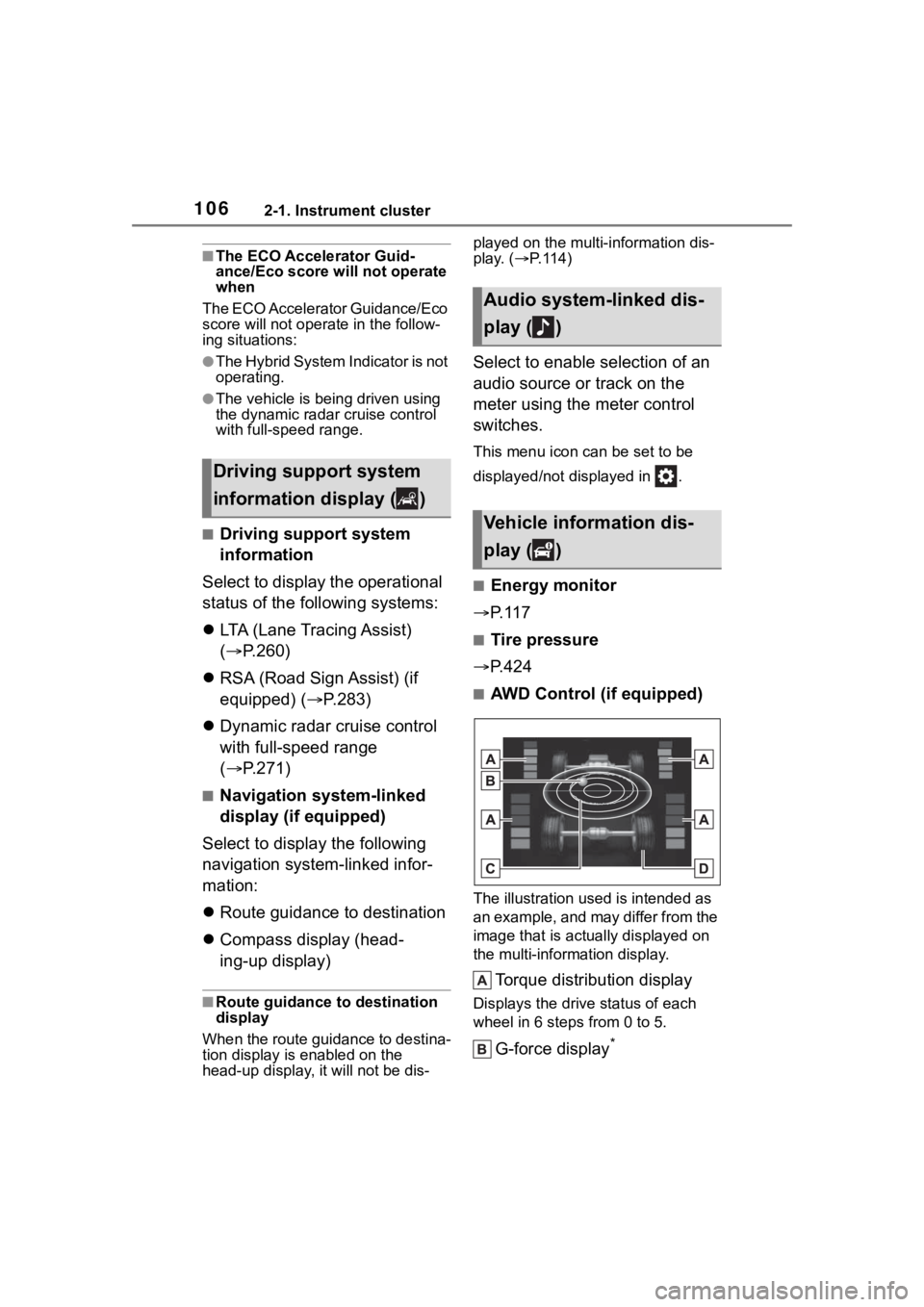
■AWD Control (if equipped)
The illustration used is intended as
an example, and may differ from the
image that is actually displayed on
the multi-information display.
Torque distribution display
Displays the drive status of each
wheel in 6 steps from 0 to 5.
G-force display*
Driving support system
information display ( )
Audio system-linked dis-
play ( )
Vehicle information dis-
play ( )
Page 118 of 572
1182-1. Instrument cluster
If a screen other than “Energy Mon-
itor” is displayed, select “Energy”.
Audio Plus (vehicles with
Data Communication Mod-
ule) or Premium Audio
1 Press the “MENU” button.
2 Select “Info” on the “Menu”
screen.
3 Select “ECO” on the “Infor-
mation” screen.
If a screen other than “Energy Mon-
itor” is displayed, select “Energy”.
12.3-inch display
1 Select Toyota multi-oper-
ation touch ( P.338).
2 Select “Energy”.
The screen posit ion can also be
changed by select a desired infor-
mation in full screen.
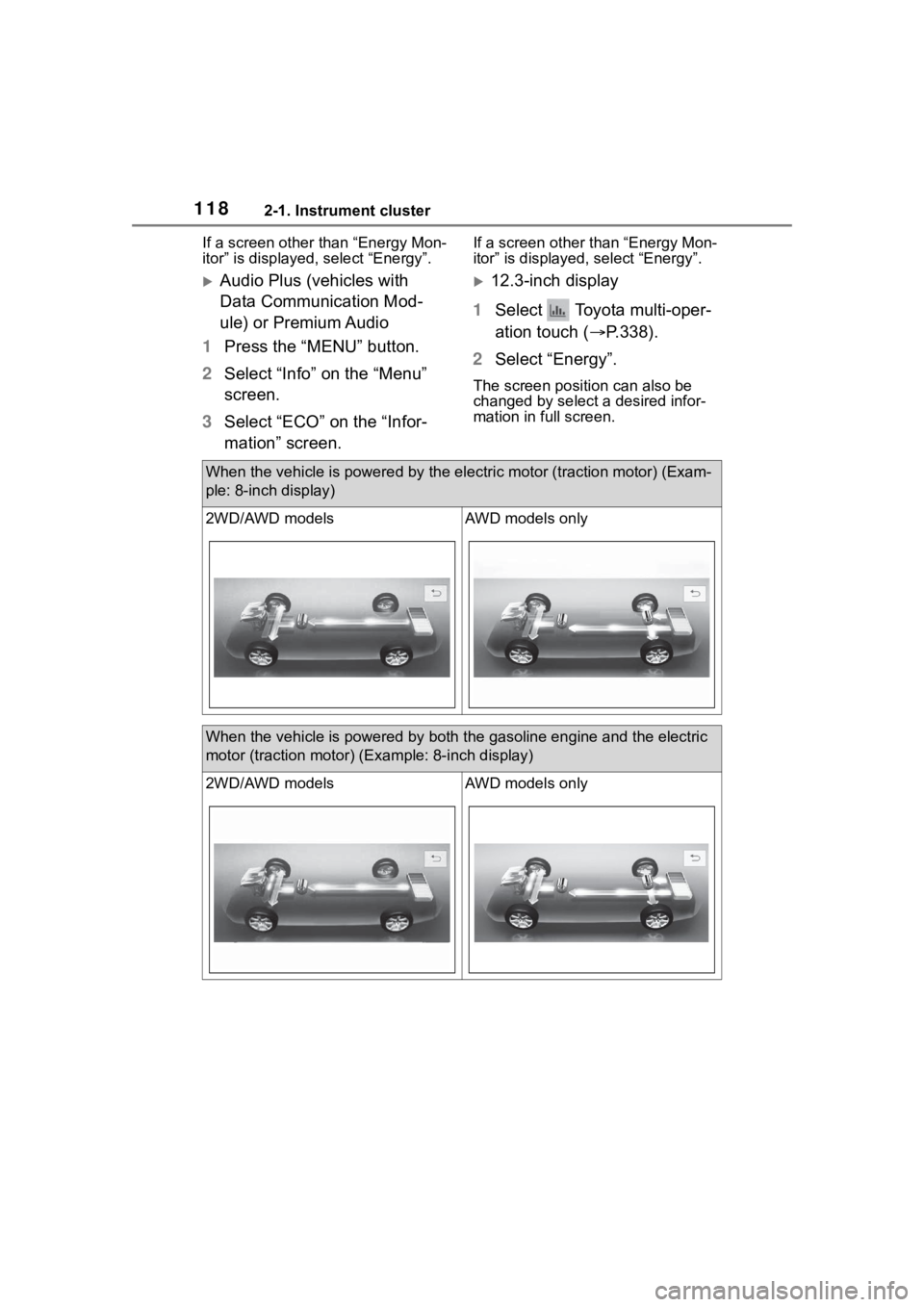
When the vehicle is powered by th e electric motor (traction motor) (Exam-
ple: 8-inch display)
2WD/AWD modelsAWD models only
When the vehicle is powered by both the gasoline engine and the electric
motor (traction motor) ( Example: 8-inch display)
2WD/AWD modelsAWD models only
Page 119 of 572
1192-1. Instrument cluster
2
Vehicle status information and indicators
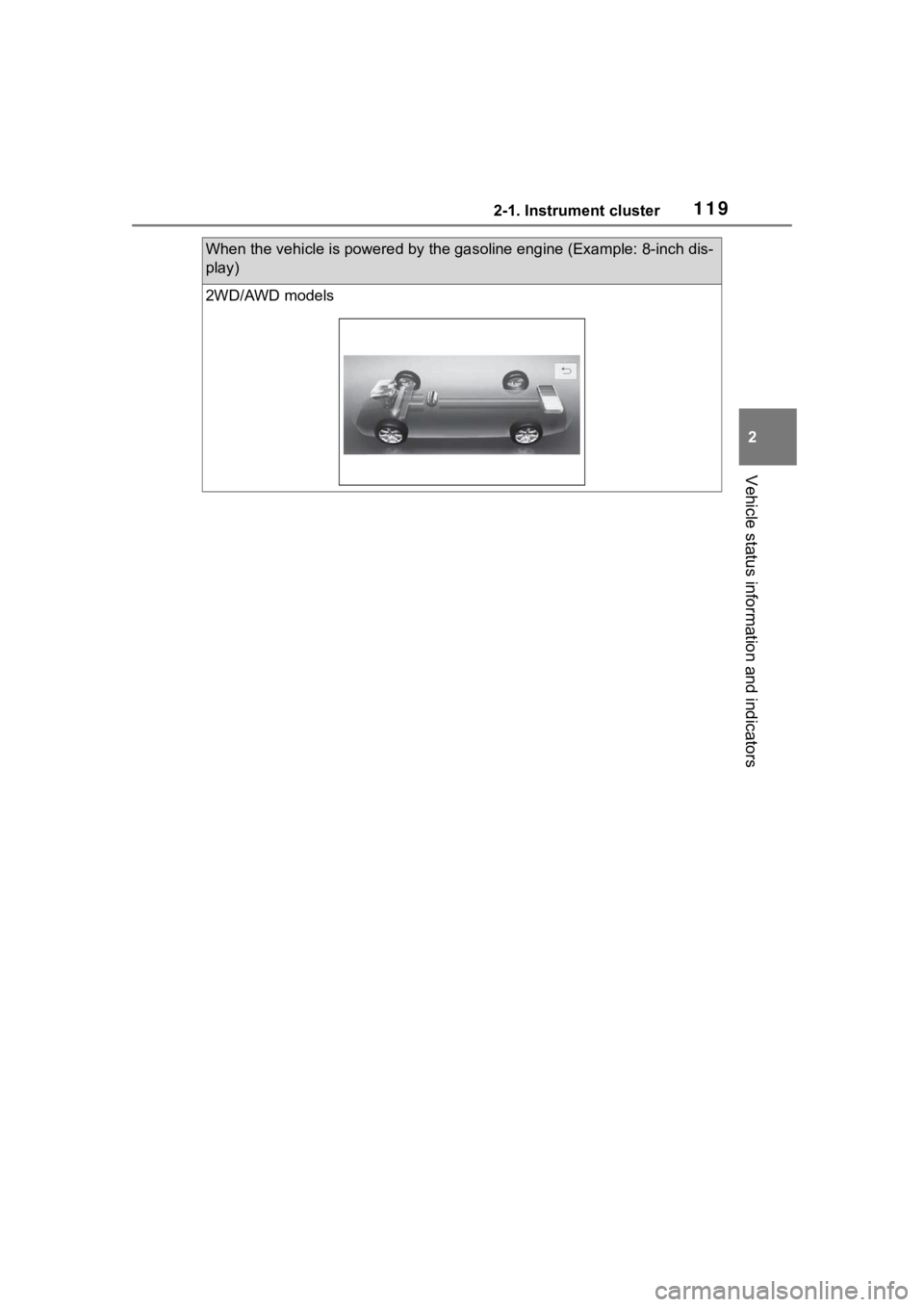
When the vehicle is powered by the gasoline engine (Example: 8-inch dis-
play)
2WD/AWD models
Page 120 of 572
1202-1. Instrument cluster
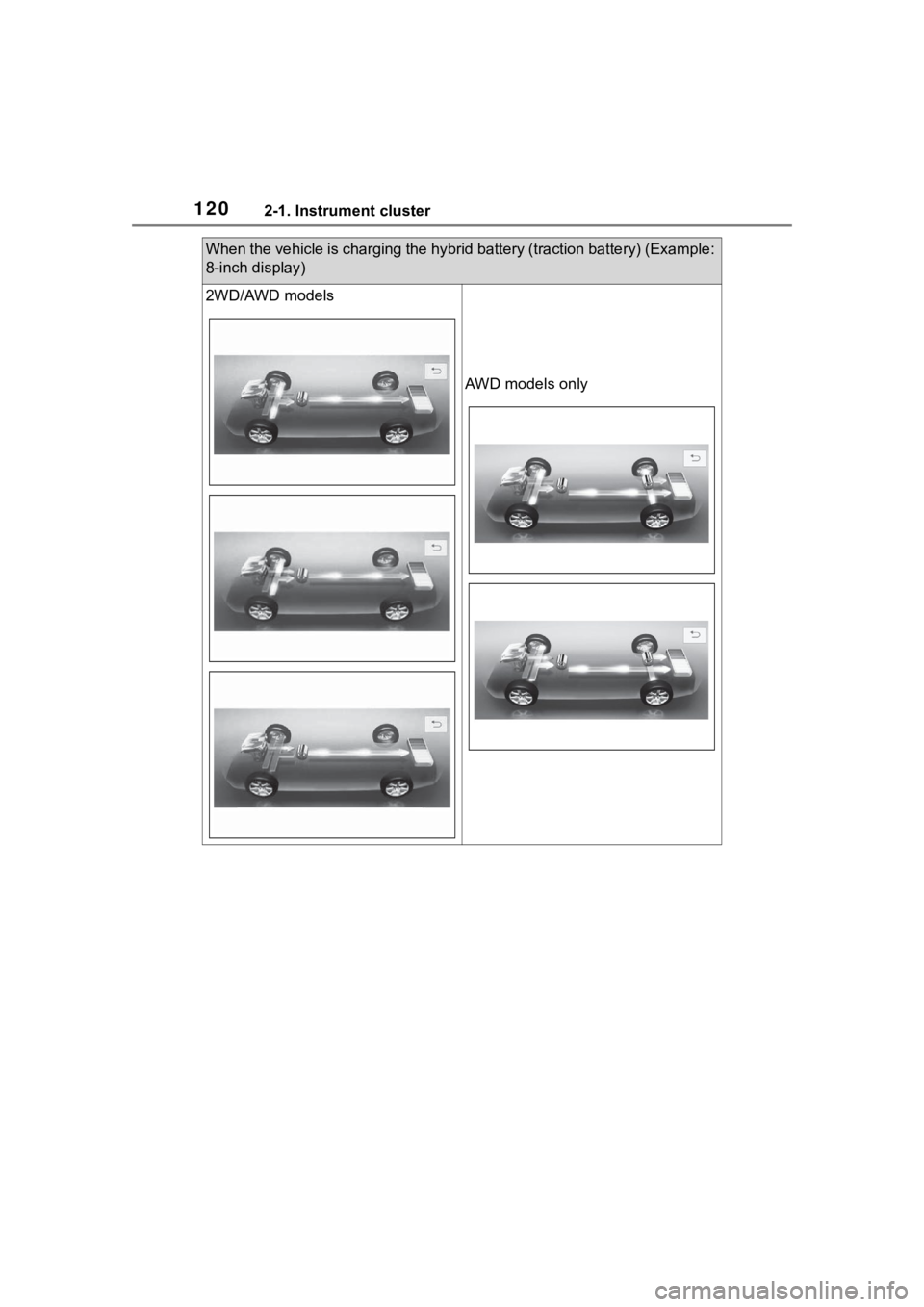
When the vehicle is charging the hybrid battery (traction battery) (Example:
8-inch display)
2WD/AWD models
AWD models only
Page 121 of 572
1212-1. Instrument cluster
2
Vehicle status information and indicators
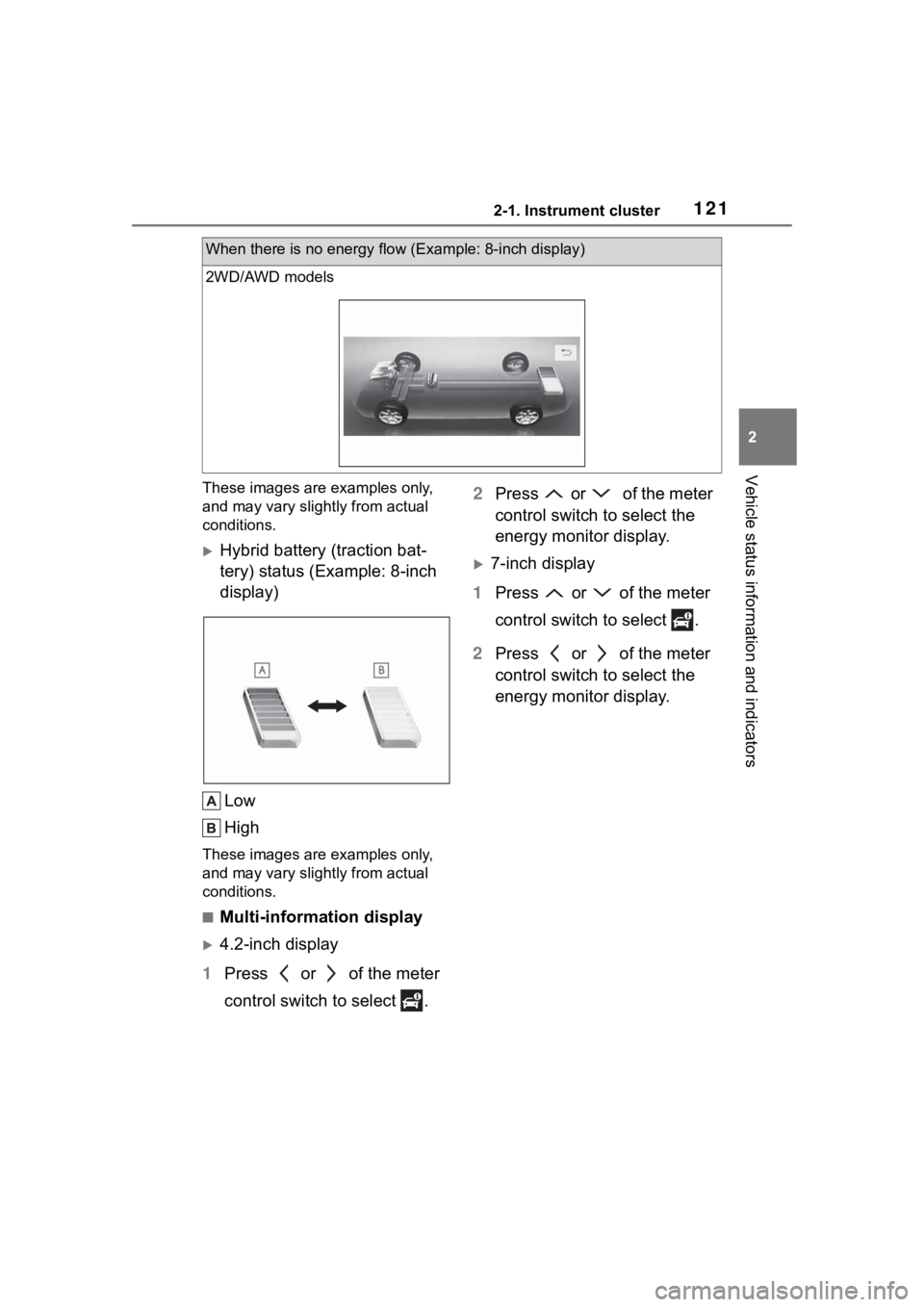
These images are examples only,
and may vary slightly from actual
conditions.
Hybrid battery (traction bat-
tery) status (Example: 8-inch
display)Low
High
These images are examples only,
and may vary slightly from actual
conditions.
■Multi-information display
4.2-inch display
1 Press or of the meter
control switch to select . 2
Press or of the meter
control switch to select the
energy monitor display.
7-inch display
1 Press or of the meter
control switch to select .
2 Press or of the meter
control switch to select the
energy monitor display.
When there is no energy flow (Example: 8-inch display)
2WD/AWD models
Page 122 of 572
1222-1. Instrument cluster
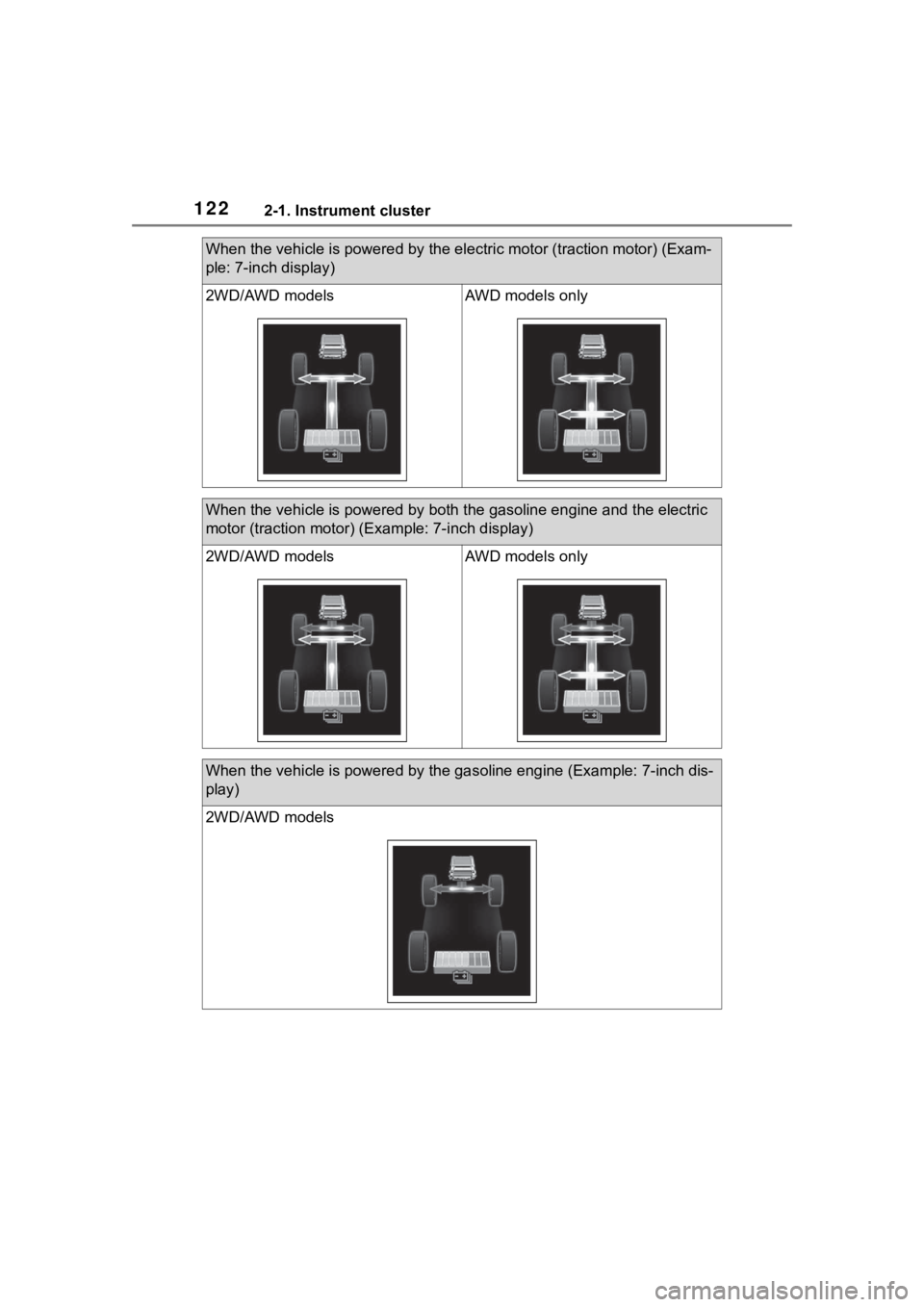
When the vehicle is powered by the electric motor (traction motor) (Exam-
ple: 7-inch display)
2WD/AWD modelsAWD models only
When the vehicle is powered by both the gasoline engine and the electric
motor (traction motor) ( Example: 7-inch display)
2WD/AWD modelsAWD models only
When the vehicle is powered by th e gasoline engine (Example: 7-inch dis-
play)
2WD/AWD models