fog light TOYOTA HIGHLANDER HYBRID 2023 Owners Manual
[x] Cancel search | Manufacturer: TOYOTA, Model Year: 2023, Model line: HIGHLANDER HYBRID, Model: TOYOTA HIGHLANDER HYBRID 2023Pages: 572, PDF Size: 14.07 MB
Page 3 of 572

3TABLE OF CONTENTS
1
2
3
4
5
6
7
8
9
10
Hybrid transmission............213
Turn signal lever................. 216
Parking brake ..................... 217
Brake Hold ......................... 220
4-3. Operating the lights and wip- ers
Headlight switch ................. 223
Automatic High Beam ........ 226
Fog light switch .................. 229
Windshield wipers and washer ......................................... 229
Rear windshield wiper and washer ............................. 232
4-4. Refueling Opening the fuel tank cap .. 234
4-5. Using the driving support sys- tems
Toyota Safety Sense 2.5 +......................................... 237
PCS (Pre-Collision System) ......................................... 242
LTA (Lane Tracing Assist)... 253
Dynamic radar cruise control with full-speed range ........ 263
RSA (Road Sign Assist) ..... 275
BSM (Blind Spot Monitor)... 278
Intuitive parking assist ........ 283
RCTA (Rear Cross Traffic Alert) function ............................ 291
PKSB (Parking Support Brake) ......................................... 297
Parking Support Brake function (static objects) .................. 304
Parking Support Brake function (rear-crossing vehicles).... 307
Driving mode select switch ......................................... 308
Trail Mode .......................... 309
Driving assist systems........ 311
4-6. Driving tips Hybrid Electric Vehicle driving tips ................................... 318Winter driving tips ..............
320
Utility vehicle precautions .. 323
5-1. Using the air conditioning system and defogger
Front automatic air conditioning
system ............................. 328
Rear automatic air conditioning system ............................. 337
Heated steering wheel/seat heaters/seat ventilators.... 341
5-2. Using the interior lights Interior lights list ................. 343
5-3. Using the storage features List of storage features ...... 346
Luggage compartment features ......................................... 350
5-4. Using the other interior fea- tures
Other interior features ........ 355
Garage door opener........... 370
6-1. Maintenance and care Cleaning and protecting the vehicle exterior................. 380
Cleaning and protecting the vehicle interi or.................. 38
3
6-2. Maintenance Maintenance requirements......................................... 386
General maintenance......... 388
Emission inspection and mainte- nance (I/M) programs ...... 390
6-3. Do-it-yourself maintenance Do-it-yourself service precau-tions ................................. 392
Hood .................................. 394
5Interior features
6Maintenance and care
Page 12 of 572
12Pictorial index
Pictorial index
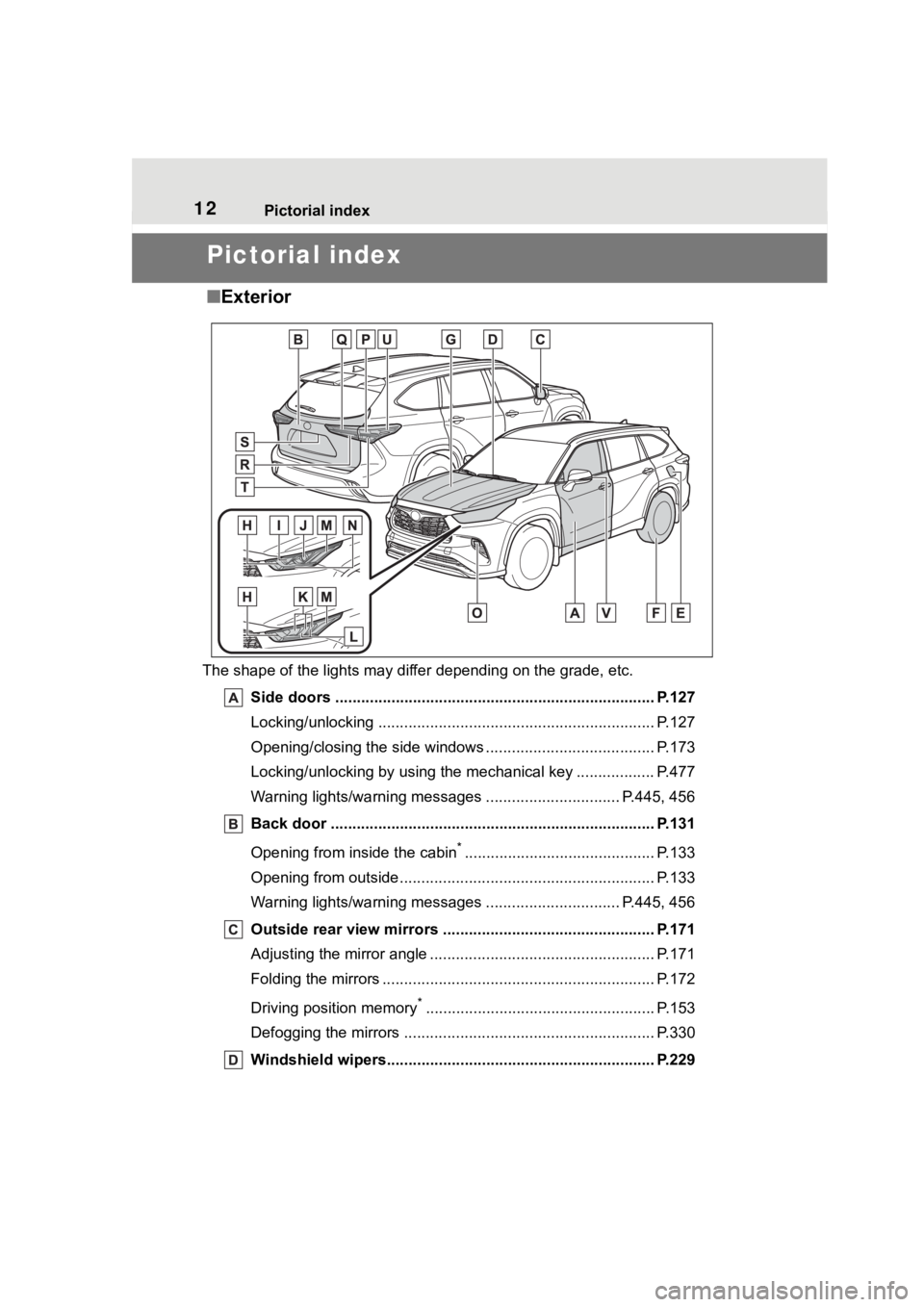
■Exterior
The shape of the lights may diff er depending on the grade, etc.
Side doors ......... ................................. ................................ P.127
Locking/unlocking .............................................. .................. P.127
Opening/closing the side windows ............................... ........ P.173
Locking/unlocking by using the mechanical key .................. P. 4 7 7
Warning lights/warning messages ............................... P .445, 456
Back door ...................................................... ..................... P.131
Opening from inside the cabin
*............................................ P.133
Opening from outside........................................... ................ P.133
Warning lights/warning messages ............................... P .445, 456
Outside rear view mirrors ................................................. P.171
Adjusting the mirror angle ..................................... ............... P.171
Folding the mirrors ............................................ ................... P.172
Driving position memory
*..................................................... P.153
Defogging the mirrors .......................................... ................ P.330
Windshield wipers.............................................. ................ P.229
Page 13 of 572
13Pictorial index
Precautions for winter season.............................................. P.320
To prevent freezing (windshiel d wiper de-icer) ..................... P.330
Precautions for car wash
*.................................................... P.381
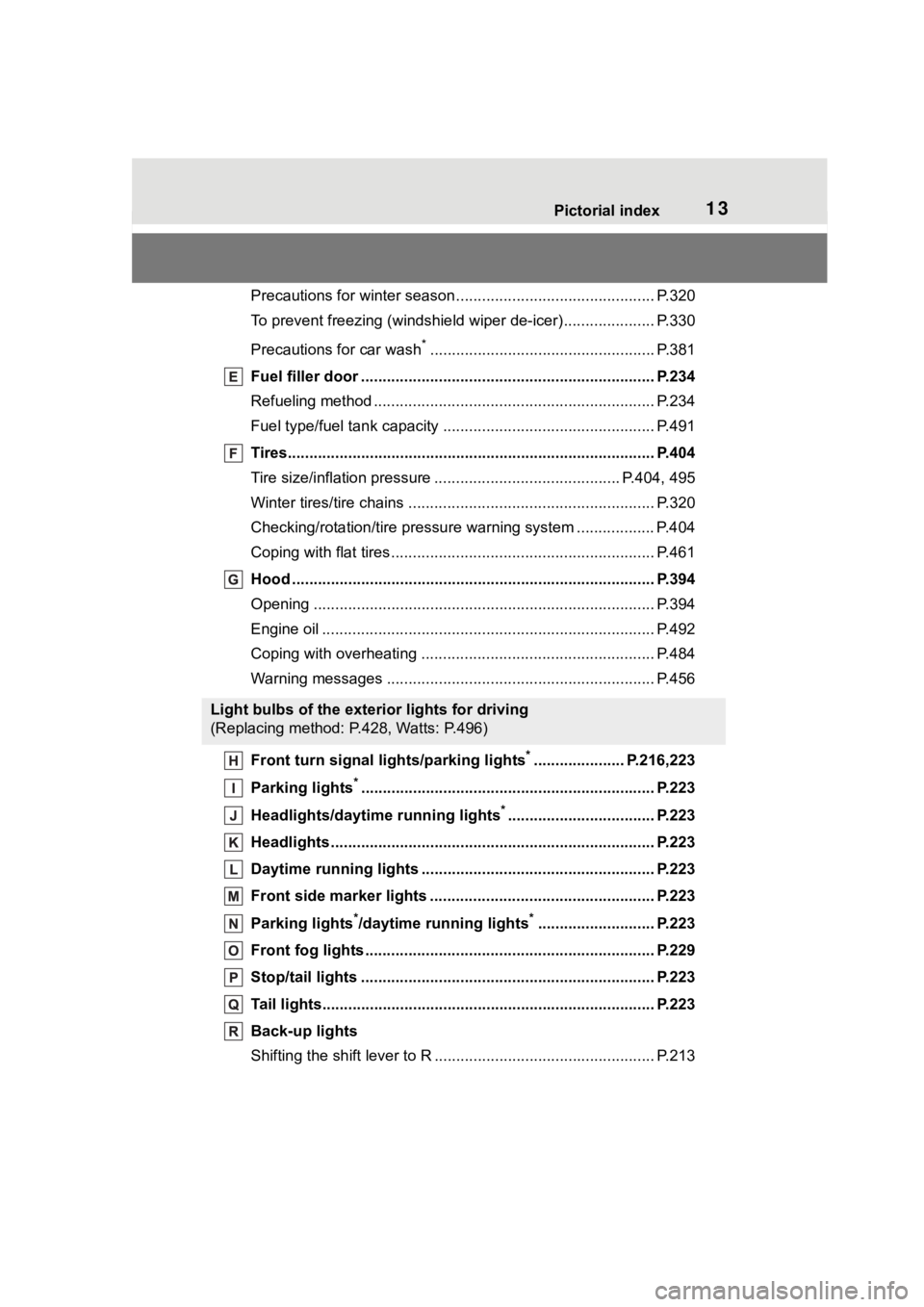
Fuel filler door ............................................... ..................... P.234
Refueling method ............................................... .................. P.234
Fuel type/fuel tan k capacity ................................... .............. P.491
Tires.......................................................... ........................... P.404
Tire size/inflation pressure ................................... ........ P.404, 495
Winter tires/tire chains ....................................... .................. P.320
Checking/rotation/tire pressur e warning system ..................P.404
Coping with flat tires......................................... .................... P.461
Hood ........................................................... ......................... P.394
Opening ............................................................................... P.394
Engine oil ..................................................... ........................ P.492
Coping with overheating ...................................................... P.484
Warning messages ............................................... ............... P.456
Front turn signal lights/parking lights
*..................... P.216,223
Parking lights
*............................................................... ..... P.223
Headlights/daytime running lights
*.................................. P.223
Headlights..................................................... ...................... P.223
Daytime running lights .. .................................................... P.223
Front side marker lights ....................................... ............. P.223
Parking lights
*/daytime running lights*........................... P.223
Front fog lights ............................................... .................... P.229
Stop/tail lights ............................................... ..................... P.223
Tail lights.................................................... ......................... P.223
Back-up lights
Shifting the shift lever to R ................................................... P.213
Light bulbs of the exterior lights for driving
(Replacing method: P.428, Watts: P.496)
Page 16 of 572

16Pictorial index
When the warning messages are displayed ........................P. 4 5 6
Turn signal lever.............................................. ................... P.216
Headlight switch ............................................... ................. P.223
Headlights/side marker lights/pa rking lights/tail lights/license plate
lights/daytime running lights .................................. ............... P.223
Front fog lights ............................................... ...................... P.229
Windshield wiper and washer sw itch....................... P.229, 232
Usage.......................................................... ................. P.229, 232
Adding washer fluid .............................................................. P.401
Warning messages ............................................... ............... P.456
Emergency flasher switch ....................................... .......... P.438
Hood lock release lever ........................................ ............. P.394
Tilt and telescopic steering lock release lever ................P. 1 5 9
Adjustment ..................................................... ...................... P.159
Air conditioning system ............................. ....................... P.328
Usage................................................................................... P.328
Rear window defogger ........................................... .............. P.330
Windshield wiper de-icer
*1................................................... P.330
Audio system
*2
Fuel filler door opener swi tch ........................................... P.234
*1: If equipped
*2: Refer to “MULTIMEDIA OWNER’S MANUAL”.
Page 85 of 572
852-1. Instrument cluster
2
Vehicle status information and indicators
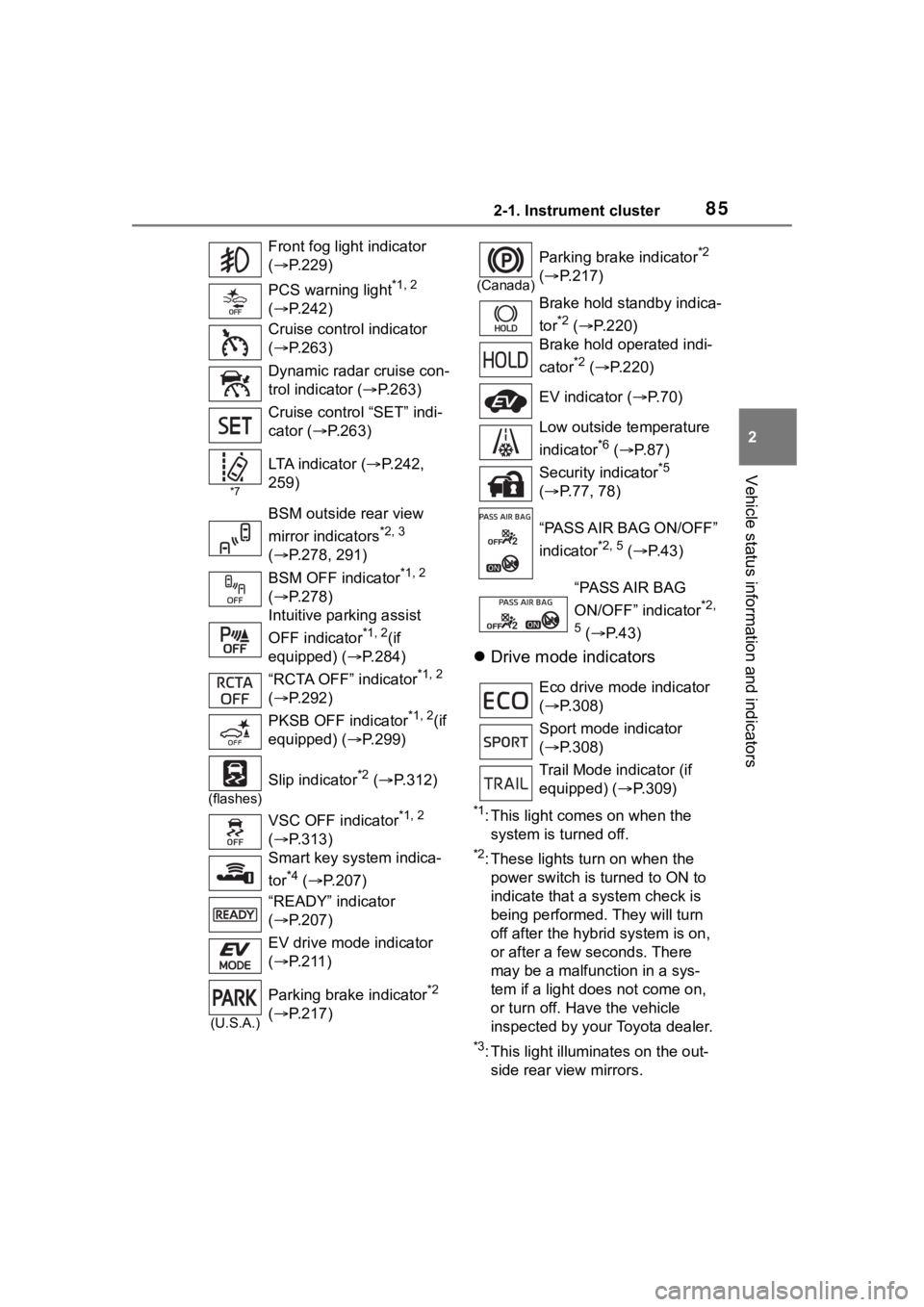
Drive mode indicators
*1: This light comes on when the
system is turned off.
*2: These lights tu rn on when the
power switch is turned to ON to
indicate that a system check is
being performed. They will turn
off after the hybr id system is on,
or after a few seconds. There
may be a malfunction in a sys-
tem if a light does not come on,
or turn off. Have the vehicle
inspected by your Toyota dealer.
*3: This light illuminates on the out- side rear view mirrors.
Front fog light indicator
(
P.229)
PCS warning light
*1, 2
( P.242)
Cruise control indicator
( P.263)
Dynamic radar cruise con-
trol indicator ( P.263)
Cruise control “SET” indi-
cator ( P.263)
*7
LTA i n d i c a t o r ( P.242,
259)
BSM outside rear view
mirror indicators
*2, 3
( P.278, 291)
BSM OFF indicator
*1, 2
( P.278)
Intuitive parking assist
OFF indicator
*1, 2(if
equipped) (P.284)
“RCTA OFF” indicator
*1, 2
( P.292)
PKSB OFF indicator
*1, 2(if
equipped) (P.299)
(flashes)
Slip indicator*2 ( P.312)
VSC OFF indicator
*1, 2
( P.313)
Smart key system indica-
tor
*4 ( P.207)
“READY” indicator
( P.207)
EV drive mode indicator
( P.211)
(U.S.A.)
Parking brake indicator*2
( P.217)
(Canada)
Parking brake indicator*2
( P.217)
Brake hold standby indica-
tor
*2 ( P.220)
Brake hold operated indi-
cator
*2 ( P.220)
EV indicator ( P. 7 0 )
Low outside temperature
indicator
*6 ( P.87)
Security indicator
*5
( P.77, 78)
“PASS AIR BAG ON/OFF”
indicator
*2, 5 ( P. 4 3 )
“PASS AIR BAG
ON/OFF” indicator
*2,
5
( P. 4 3 )
Eco drive mode indicator
( P.308)
Sport mode indicator
( P.308)
Trail Mode ind icator (if
equipped) ( P.309)
Page 183 of 572
183
4
4
Driving
Driving
.4-1. Before drivingDriving the vehicle....... 184
Cargo and luggage ..... 191
Vehicle load limits ....... 194
Trailer towing............... 195
Dinghy towing ............. 206
4-2. Driving procedures Power (ignition) switch.................................. 207
EV drive mode ............ 211
Hybrid transmission .... 213
Turn signal lever.......... 216
Parking brake .............. 217
Brake Hold .................. 220
4-3. Operating the lights and wipers
Headlight switch .......... 223
Automatic High Beam . 226
Fog light switch ........... 229
Windshield wipers and washer....................... 229
Rear windshield wiper and washer....................... 232
4-4. Refueling Opening the fuel tank cap.................................. 234
4-5. Using the driving support
systems
Toyota Safety Sense 2.5 + .................................. 237PCS (Pre-Collision System)
.................................. 242
LTA (Lane Tracing Assist) .................................. 253
Dynamic radar cruise con- trol with full-speed range
.................................. 263
RSA (Road Sign Assist) .................................. 275
BSM (Blind Spot Monitor) .................................. 278
Intuitive parking assist . 283
RCTA (Rear Cross Traffic Alert) function ............ 291
PKSB (Parking Support Brake) ........................ 297
Parking Support Brake func- tion (static objects) .... 304
Parking Support Brake func- tion (rear-crossing vehi-
cles) ........................... 307
Driving mode select switch .................................. 308
Trail Mode ................... 309
Driving assist systems .................................. 311
4-6. Driving tips Hybrid Electric Vehicle driv-ing tips ....................... 318
Winter driving tips........ 320
Utility vehicle precautions .................................. 323
Page 227 of 572

2274-3. Operating the lights and wipers
4
Driving
from around a curve
• When the vehicle is cut in front of by another vehicle
• When vehicles ahead cannot be detected due to repeated curves,
road dividers or roadside trees
• When vehicles ahead appear in a faraway lane on a wide road
• When the lights of vehicles ahead
are not on
●The high beams may be turned off
if a vehicle ahead that is using fog
lights without its headlights turned
on is detected.
●House lights, street lights, traffic
signals, and illumi nated billboards
or signs and other reflective
objects may cause the high
beams to change to the low
beams, or the low beams to
remain on.
●The following factors may affect
the amount of time taken for the
high beams to turn on or off:
• The brightness of the headlights, fog lights, and ta il lights of vehi-
cles ahead
• The movement and direction of vehicles ahead
• When a vehicle ahead only has
operational lights on one side
• When a vehicle ahead is a two-wheeled vehicle
• The condition of the road (gradi-
ent, curve, condi tion of the road
surface, etc.)
• The number of passengers and amount of luggage in the vehicle
●The high beams may turn on or off
unexpectedly.
●Bicycles or similar vehicles may
not be detected.
●In the following situations the sys-
tem may not be abl e to correctly
detect the surrounding brightness
level. This may cause the low
beams to remain on or the high
beams to flash or dazzle pedestri-
ans or vehicles ahead. In such a
case, it is necess ary to manually
switch between the high and low
beams. • When driving in inclement weather
(heavy rain, snow, fog, sand-
storms, etc.)
• When the windshi eld is obscured
by fog, mist, ice, dirt, etc.
• When the windshield is cracked or
damaged
• When the camera sensor is deformed or dirty
• When the temperature of the cam- era sensor is extremely high
• When the surrounding brightness
level is equal to that of headlights,
tail lights or fog lights
• When headlights or tail lights of
vehicles ahead are turned off,
dirty, changing color, or not aimed
properly
• When the vehicle is hit by water,
snow, dust, etc. from a preceding
vehicle
• When driving through an area of intermittently changing brightness
and darkness
• When frequently and repeatedly driving ascending/descending
roads, or roads with rough, bumpy
or uneven surfaces (such as
stone-paved roads, gravel roads,
etc.)
• When frequently and repeatedly taking curves or driving on a wind-
ing road
• When there is a h ighly reflective
object ahead of the vehicle, such
as a sign or mirror
• When the back of a preceding vehicle is highly reflective, such as
a container on a truck
• When the vehicle’s headlights are damaged or dirty, or are not aimed
properly
• When the vehicle is listing or titling due to a flat tire, a trailer being
towed, etc.
• When the headlights are changed between the high beams and low
beams repeatedly in an abnormal
manner
• When the driver believes that the high beams may be flashing or
dazzling pedestrians or other driv-
ers
Page 229 of 572
2294-3. Operating the lights and wipers
4
Driving
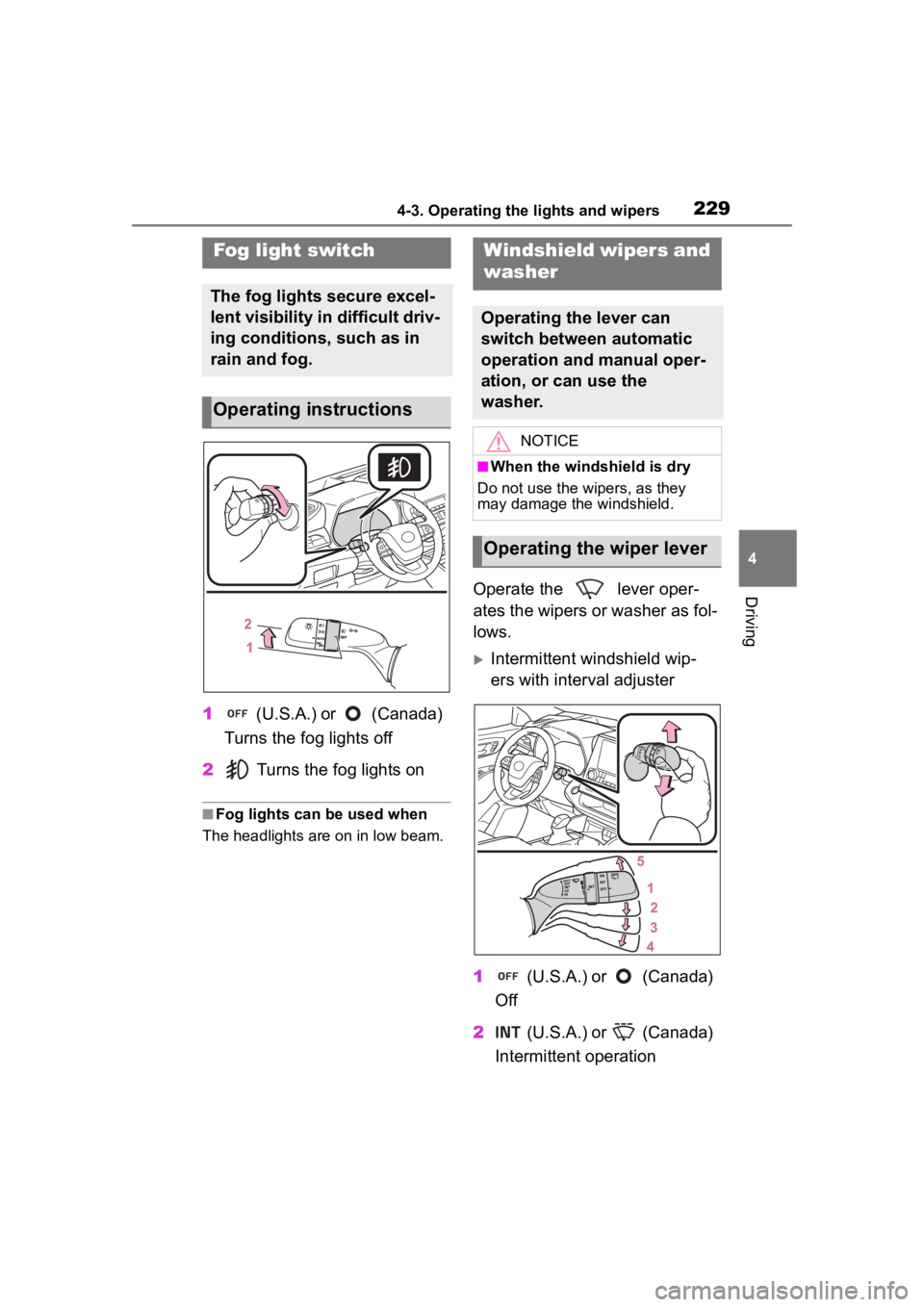
1 (U.S.A.) or (Canada)
Turns the fog lights off
2 Turns the fog lights on
■Fog lights can be used when
The headlights are on in low beam.
Operate the lever oper-
ates the wipers or washer as fol-
lows.
Intermittent windshield wip-
ers with interval adjuster
1 (U.S.A.) or (Canada)
Off
2 (U.S.A.) or (Canada)
Intermittent operation
Fog light switch
The fog lights secure excel-
lent visibility in difficult driv-
ing conditions, such as in
rain and fog.
Operating instructions
Windshield wipers and
washer
Operating the lever can
switch between automatic
operation and manual oper-
ation, or can use the
washer.
NOTICE
■When the windshield is dry
Do not use the wipers, as they
may damage the windshield.
Operating the wiper lever
Page 239 of 572
2394-5. Using the driving support systems
4
Driving
WARNING
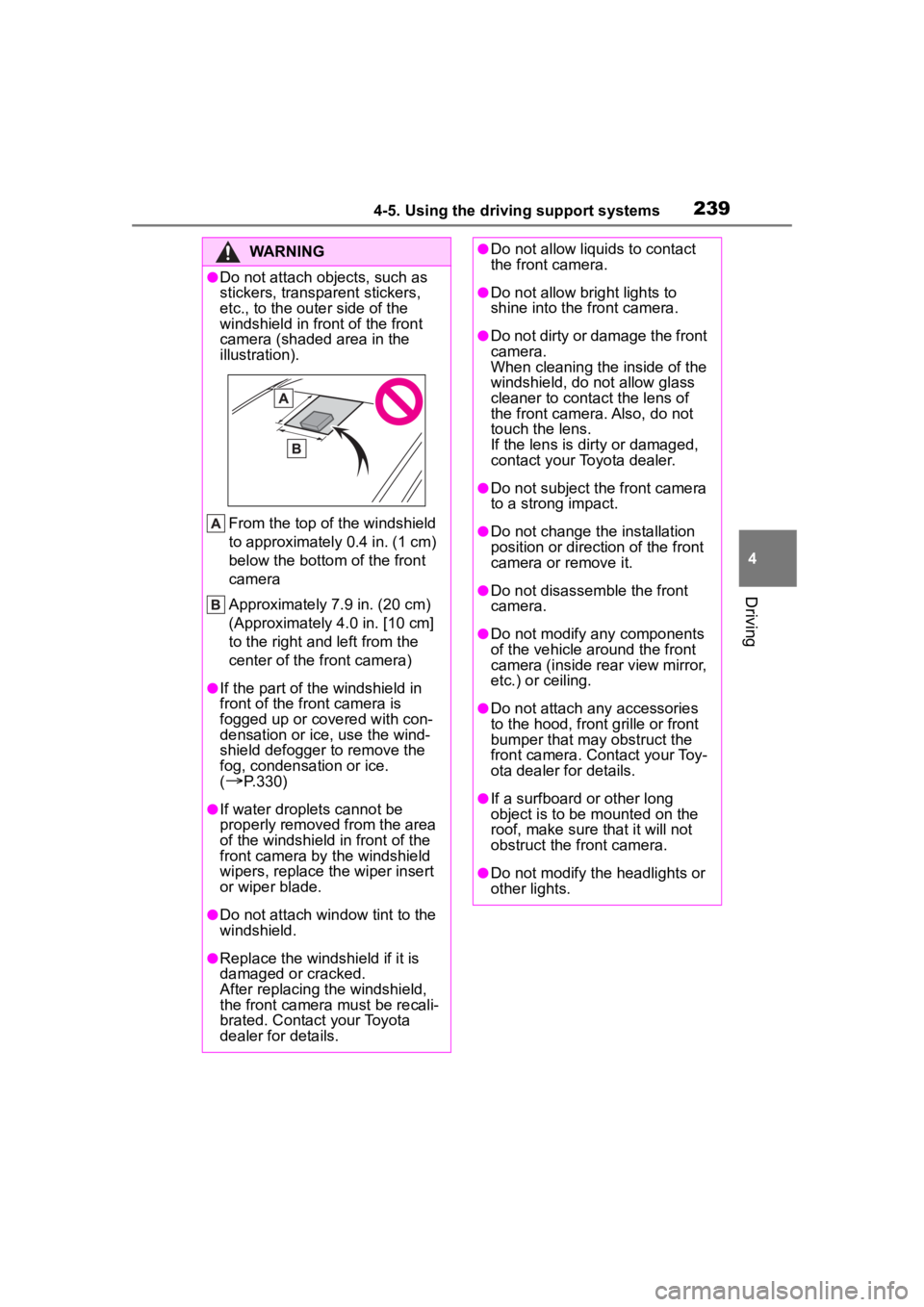
●Do not attach objects, such as
stickers, transparent stickers,
etc., to the outer side of the
windshield in fr ont of the front
camera (shaded area in the
illustration).
From the top of the windshield
to approximately 0.4 in. (1 cm)
below the bottom of the front
camera
Approximately 7.9 in. (20 cm)
(Approximately 4.0 in. [10 cm]
to the right and left from the
center of the front camera)
●If the part of the windshield in
front of the front camera is
fogged up or covered with con-
densation or ice, use the wind-
shield defogger to remove the
fog, condensation or ice.
(
P.330)
●If water droplets cannot be
properly removed from the area
of the windshield in front of the
front camera by the windshield
wipers, replace the wiper insert
or wiper blade.
●Do not attach win dow tint to the
windshield.
●Replace the windshield if it is
damaged or cracked.
After replacing the windshield,
the front camera must be recali-
brated. Contact your Toyota
dealer for details.
●Do not allow liquids to contact
the front camera.
●Do not allow bright lights to
shine into the front camera.
●Do not dirty or damage the front
camera.
When cleaning the inside of the
windshield, do not allow glass
cleaner to contact the lens of
the front camera. Also, do not
touch the lens.
If the lens is dirty or damaged,
contact your Toyota dealer.
●Do not subject the front camera
to a strong impact.
●Do not change the installation
position or direction of the front
camera or remove it.
●Do not disassemble the front
camera.
●Do not modify any components
of the vehicle around the front
camera (inside rear view mirror,
etc.) or ceiling.
●Do not attach any accessories
to the hood, front grille or front
bumper that may obstruct the
front camera. Contact your Toy-
ota dealer for details.
●If a surfboard or other long
object is to be mounted on the
roof, make sure that it will not
obstruct the front camera.
●Do not modify the headlights or
other lights.
Page 240 of 572
2404-5. Using the driving support systems
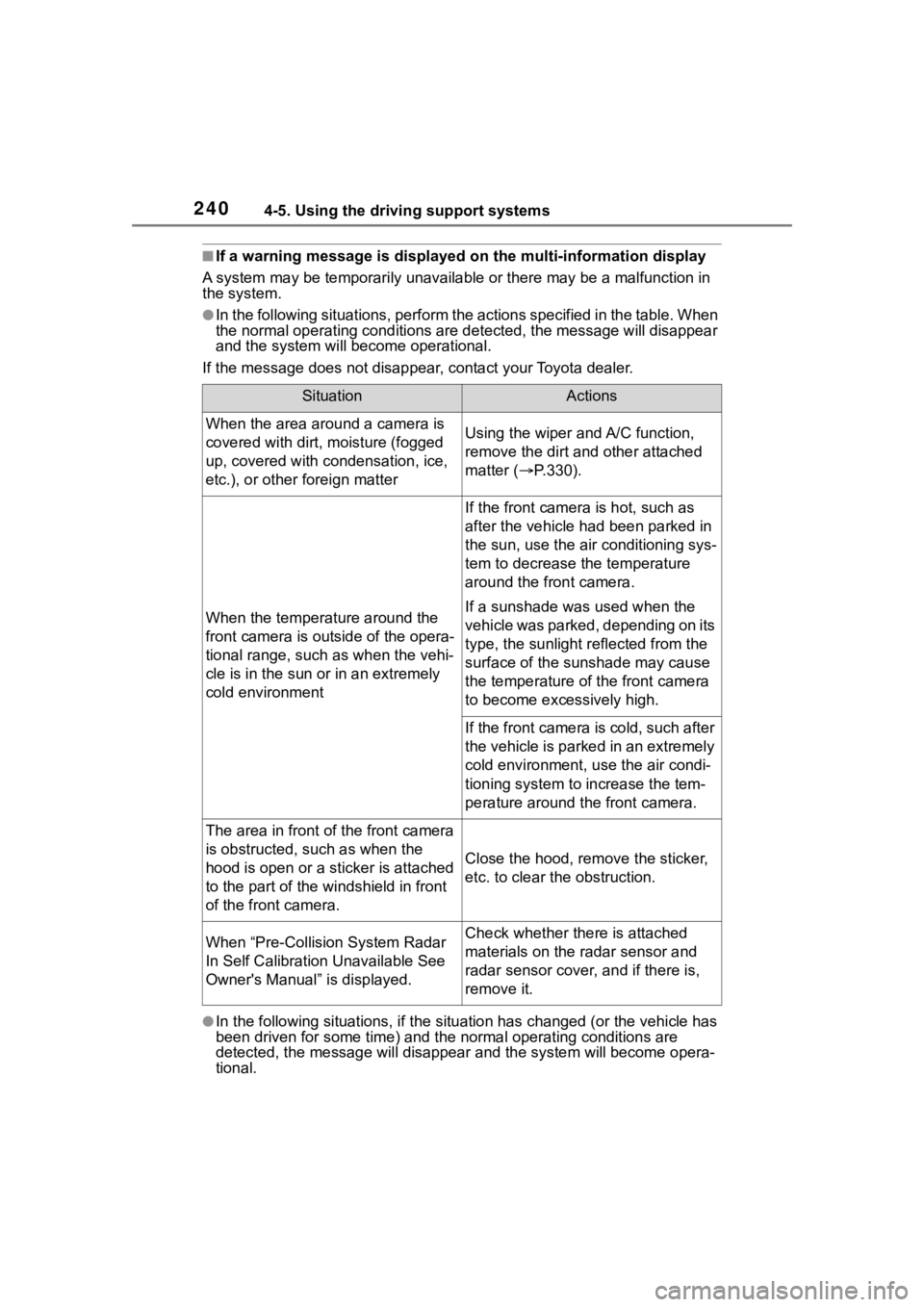
■If a warning message is displayed on the multi-information display
A system may be tempor arily unavailable or there may be a malfu nction in
the system.
●In the following situations, perform the actions specified in t he table. When
the normal operating conditions are detected, the message will disappear
and the system will be come operational.
If the message does not disapp ear, contact your Toyota dealer.
●In the following situations, if the situation has changed (or the vehicle has
been driven for some time) and the normal operating conditions are
detected, the message will disappear and the system will become opera-
tional.
SituationActions
When the area around a camera is
covered with dirt, moisture (fogged
up, covered with condensation, ice,
etc.), or other foreign matterUsing the wiper and A/C function,
remove the dirt and other attached
matter ( P.330).
When the temperature around the
front camera is out side of the opera-
tional range, such as when the vehi-
cle is in the sun or in an extremely
cold environment
If the front camera is hot, such as
after the vehicle had been parked in
the sun, use the air conditioning sys-
tem to decrease the temperature
around the front camera.
If a sunshade was used when the
vehicle was parked, depending on its
type, the sunlight r eflected from the
surface of the sunshade may cause
the temperature of the front camera
to become exce ssively high.
If the front camera is cold, such after
the vehicle is parked in an extremely
cold environment, use the air condi-
tioning system to increase the tem-
perature around the front camera.
The area in front of the front camera
is obstructed, such as when the
hood is open or a sticker is attached
to the part of the windshield in front
of the front camera.
Close the hood, remove the sticker,
etc. to clear the obstruction.
When “Pre-Collisi on System Radar
In Self Calibration Unavailable See
Owner's Manual” is displayed.Check whether there is attached
materials on the radar sensor and
radar sensor cover, and if there is,
remove it.