air condition TOYOTA HILUX 2013 (in English) User Guide
[x] Cancel search | Manufacturer: TOYOTA, Model Year: 2013, Model line: HILUX, Model: TOYOTA HILUX 2013Pages: 644, PDF Size: 34.35 MB
Page 161 of 644
161 2-1. Driving procedures
2
When driving
HILUX_OM_OM0K189E_(EE)
NOTICE
When encountering flooded roads
Do not drive on a road that has flooded after heavy rain etc. Doing so may
cause the following serious damage to the vehicle:
Engine stalling
Short in electrical components
Engine damage caused by water immersion
In the event that you drive on a flooded road and the vehicle is flooded, be
sure to have any authorized Toyota dealer or repairer, or another duly quali-
fied and equipped professional check the following:
Brake function
Changes in quantity and quality of oil and fluid used for the engine, trans-
mission, transfer (4WD models), differential, etc.
Lubricant condition for the propeller shaft, bearings and suspension joints
(where possible), and the function of all joints, bearings, etc.
Page 211 of 644
211 2-4. Using other driving systems
2
When driving
HILUX_OM_OM0K189E_(EE)
CAUTION
Conditions which may affect the rear view monitor system
If the back of the vehicle has been hit, the camera’s position and mounting
angle may have changed. Have the vehicle inspected by any authorized
Toyota dealer or repairer, or another duly qualified and equipped profes-
sional.
Rapid temperature changes, such as when hot water is poured on the
vehicle in cold weather, may cause the system to function abnormally.
If the camera lens is extremely dirty, it cannot transmit a clear image.
Rinse with water and wipe with a soft cloth. If the camera lens is extremely
dirty, wash with a mild cleanser and rinse.
The displayed image may be darker and moving images may be slightly
distorted when the system is cold.
When washing the vehicle, do not apply intensive bursts of water to the
camera or camera area. Doing so may result in the camera malfunction-
ing.
Do not strongly rub the camera lens. If the camera lens is scratched, it
cannot transmit a clear image.
Do not allow organic solvent, car wax, window cleaner or glass coat to
adhere to the camera. If this happens, wipe it off as soon as possible.
As the camera has a water proof construction, do not detach, disassemble
or modify it. This may cause incorrect operation.
Do not subject the camera to a strong impact.
Page 224 of 644
224 2-4. Using other driving systems
HILUX_OM_OM0K189E_(EE)
Sounds and vibrations caused by the ABS, brake assist, VSC and TRC
A sound may be heard from the engine compartment when the engine is
started or just after the vehicle begins to move. This sound does not indi-
cate that a malfunction has occurred in any of these systems.
Any of the following conditions may occur when the above systems are
operating. None of these indicates that a malfunction has occurred.
• Vibrations may be felt through the vehicle body and steering.
• A motor sound may be heard after the vehicle comes to a stop.
• The brake pedal may pulsate slightly after the ABS is activated.
• The brake pedal may move down slightly after the ABS is activated.
Reactivation of the TRC/VSC systems after turning off the engine
Turning off the engine after turning off the TRC/VSC systems will automati-
cally reactivate them.
Reactivation of the TRC system linked to vehicle speed
When only the TRC system is turned off, the TRC system will turn on when
vehicle speed increases. However, when both TRC and VSC systems are
turned off, the systems will not turn on even when vehicle speed increases.
If the VSC OFF indicator light blinks and the slip indicator light comes
on...
It may indicate a malfunction in the VSC and TRC. Consult any authorized
Toyota dealer or repairer, or another duly qualified and equipped profes-
sional.
Page 227 of 644
227
2-4. Using other driving systems
2
When driving
HILUX_OM_OM0K189E_(EE)
DPF (Diesel Particulate Filter) system
DPF system failure warning
Vehicles without the DPF system switch
If the DPF system warning light turns on, drive continuously.
(P. 563)
If the DPF system warning light flashes, have the vehicle inspected
by any authorized Toyota dealer or repairer, or another duly qualified
and equipped professional, immediately. (P. 560)
: If equipped
When the deposit collected by the filter reaches a predetermined
amount, it is automatically regenerated.
Regeneration
Regeneration is performed as necessary in accordance with
driving conditions.
System characteristics
The DPF system has the following characteristics:
Idle speed increases during regeneration
The smell of the exhaust gas differs from that of a conven-
tional diesel vehicle
Page 236 of 644
236 2-5. Driving information
HILUX_OM_OM0K189E_(EE)
Before driving the vehicle
Perform the following according to the driving conditions:
Do not try to forcibly open a window or move a wiper that is
frozen. Pour warm water over the frozen area to melt the ice.
Wipe away the water immediately to prevent it from freezing.
To ensure proper operation of the climate control system fan,
remove any snow that has accumulated on the air inlet vents
in front of the windshield.
Remove any ice that has accumulated on the vehicle chassis.
Periodically check for and remove any excess ice or snow
that may have accumulated in the wheel well or on the
brakes.
When driving the vehicle
Accelerate the vehicle slowly and drive at a reduced speed suit-
able to road conditions.
When parking the vehicle (in the winter time or in the cold
latitudes)
Park the vehicle and move the shift lever to P (automatic trans-
mission) or 1 or R (manual transmission) without setting the
parking brake. The parking brake may freeze up, preventing it
from being released. If necessary, block the wheels to prevent
inadvertent sliding or creeping.
Page 248 of 644
248 2-5. Driving information
HILUX_OM_OM0K189E_(EE)If the engine overheats
Towing a loaded trailer up a long, steep incline in temperatures
exceeding 30C (85F) may result in the engine overheating. If the
engine coolant temperature gauge indicates that the engine is
overheating, turn the air conditioning off immediately, leave the
road and stop the vehicle in a safe place. (P. 592)
When parking the vehicle
Always place wheel chocks under the wheels of both the vehicle
and trailer. Firmly set the parking brake and shift the shift lever to P
for automatic transmissions, and 1 or R for manual transmissions.
CAUTION
Follow all the precautions described in this section. Failure to do so could
cause an accident resulting in death or serious injury.
Trailer towing precautions
When towing, make sure that none of the weight limits are exceeded.
(P. 240)
Vehicle speed in towing
Observe the legal maximum speeds for trailer towing.
Before descending hills or long declines
Reduce speed and downshift. However, never downshift suddenly while
descending steep or long down hill grades.
Operation of the brake pedal
Do not hold the brake pedal depressed often or for long periods of time.
Doing so may result in the brake overheating or reduce braking effects.
Page 250 of 644
250
HILUX_OM_OM0K189E_(EE)
3-1. Using the air conditioning
system and defogger
Manual air conditioning
system ............................ 252
Automatic air
conditioning system ........ 258
Power heater .................... 265
Rear window defogger
switch.............................. 266
3-2. Using the audio system
Audio system types........... 268
Using the radio.................. 270
Using the CD player.......... 275
Playing MP3 and WMA
discs ............................... 282
Operating an iPod ............. 290
Operating a USB
memory........................... 300
Optimal use of
the audio system ............ 309
Using the AUX port ........... 313
Using the steering wheel
audio switches ................ 314
Page 252 of 644
252
HILUX_OM_OM0K189E_(EE)
3-1. Using the air conditioning system and defogger
Manual air conditioning system
: If equipped
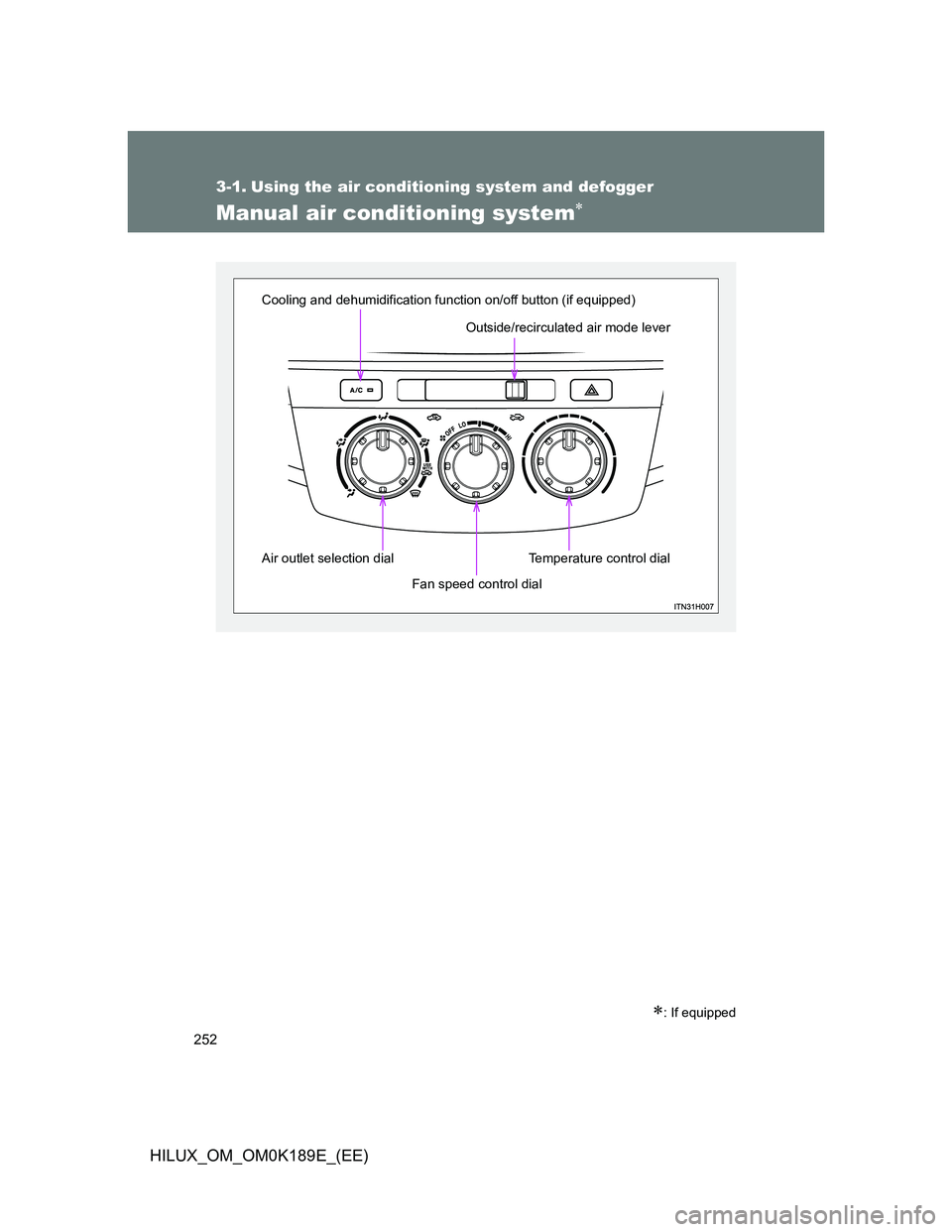
Outside/recirculated air mode lever
Air outlet selection dial
Temperature control dial
Fan speed control dial Cooling and dehumidification function on/off button (if equipped)
Page 253 of 644
253 3-1. Using the air conditioning system and defogger
3
Interior features
HILUX_OM_OM0K189E_(EE)
Adjusting the settings
To adjust the fan speed, turn the fan speed control dial the
clockwise (increase) or the counterclockwise (decrease).
Set the dial to “OFF” turns off the fan.
To adjust the temperature setting, turn the temperature control
dial clockwise (warm) or counterclockwise (cool).
If the “A/C” button is not pressed, the system will blow ambient tem-
perature air or heated air. (if equipped)
To select the air outlets, set the air outlet selection dial to the
desired position.
The positions between the air outlet selections shown below can
also be selected for more delicate adjustment.
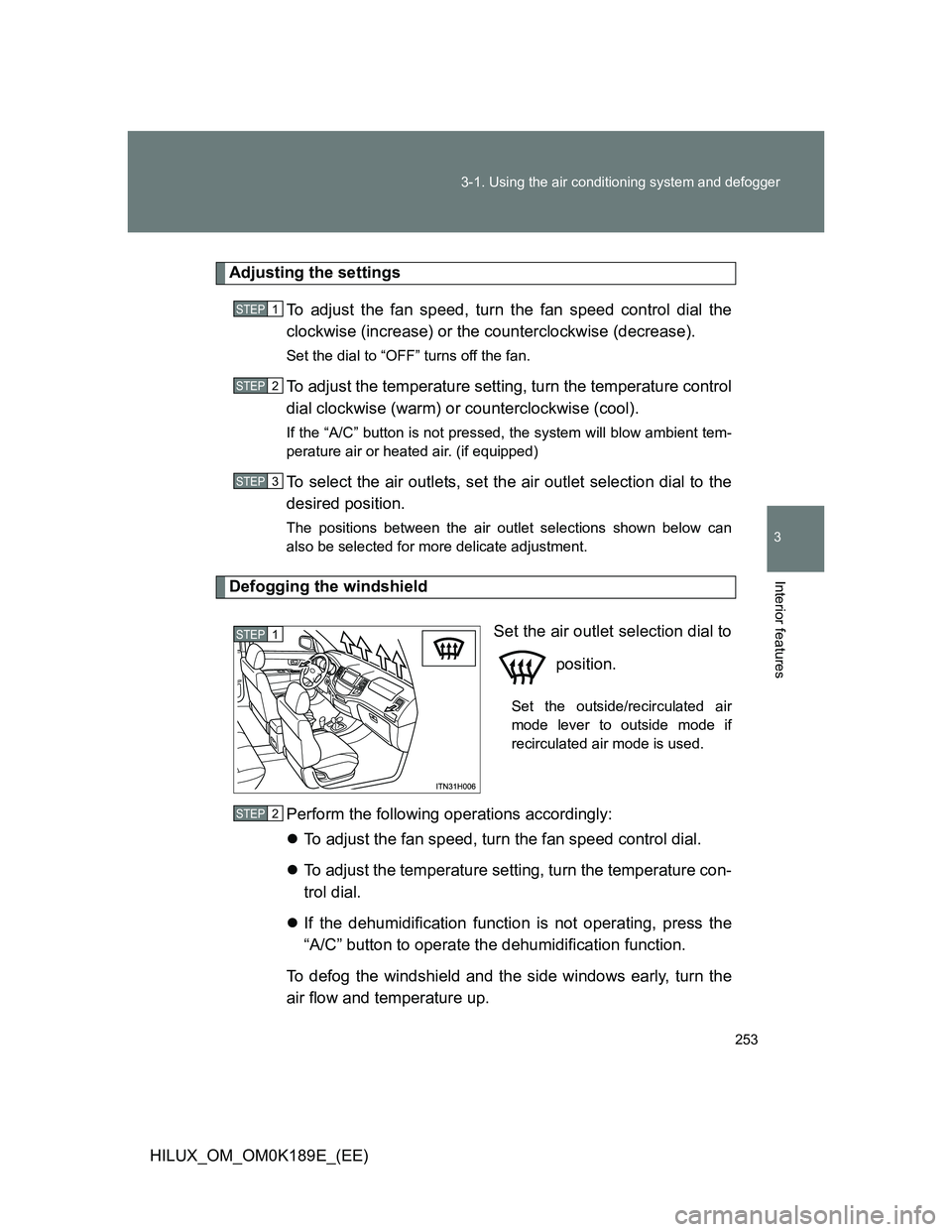
Defogging the windshield
Set the air outlet selection dial to
position.
Set the outside/recirculated air
mode lever to outside mode if
recirculated air mode is used.
Perform the following operations accordingly:
To adjust the fan speed, turn the fan speed control dial.
To adjust the temperature setting, turn the temperature con-
trol dial.
If the dehumidification function is not operating, press the
“A/C” button to operate the dehumidification function.
To defog the windshield and the side windows early, turn the
air flow and temperature up.
STEP1
STEP2
STEP3
STEP1
STEP2
Page 254 of 644
254 3-1. Using the air conditioning system and defogger
HILUX_OM_OM0K189E_(EE)
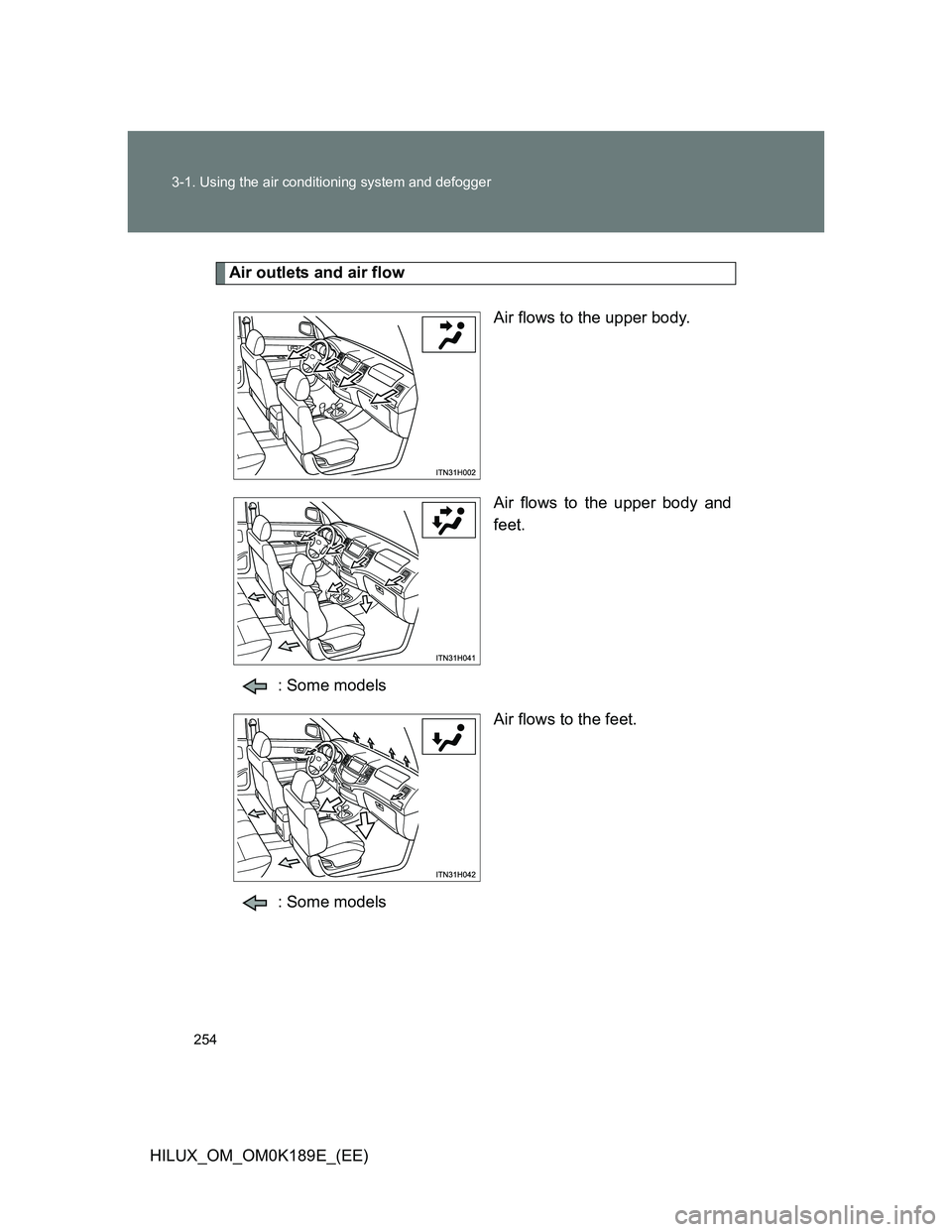
Air outlets and air flow
Air flows to the upper body.
Air flows to the upper body and
feet.
: Some models
Air flows to the feet.
: Some models