USB port TOYOTA HILUX 2013 Owners Manual (in English)
[x] Cancel search | Manufacturer: TOYOTA, Model Year: 2013, Model line: HILUX, Model: TOYOTA HILUX 2013Pages: 644, PDF Size: 34.35 MB
Page 4 of 644
TABLE OF CONTENTSIndex
4
HILUX_OM_OM0K189E_(EE)
3-1. Using the air conditioning
system and defogger
Manual air conditioning
system .............................. 252
Automatic air conditioning
system .............................. 258
Power heater ...................... 265
Rear window defogger
switch................................ 266
3-2. Using the audio system
Audio system types............. 268
Using the radio.................... 270
Using the CD player............ 275
Playing MP3 and WMA
discs ................................. 282
Operating an iPod ............... 290
Operating a USB
memory............................. 300
Optimal use of the audio
system .............................. 309
Using the AUX port ............. 313
Using the steering wheel
audio switches .................. 3143-3. Using the “touch screen”
Touch screen ..................... 317
Setup menu ........................ 319
Audio system...................... 327
Using the radio ................... 331
Using the CD player ........... 336
Playing an audio CD
and MP3/WMA discs........ 337
Listening to an iPod............ 350
Listening to a USB
memory ............................ 360
Using the AUX port ............ 369
Listening to Bluetooth
®
audio ................................ 370
Using the steering wheel
audio switches ................. 384
Hands-free system
(for cellular phone) ........... 387
Using the Bluetooth
®
phone ............................... 395
Setting the hands-free
system.............................. 411
Bluetooth
® settings ............ 428
3Interior features
Page 22 of 644
22
HILUX_OM_OM0K189E_(EE)
B
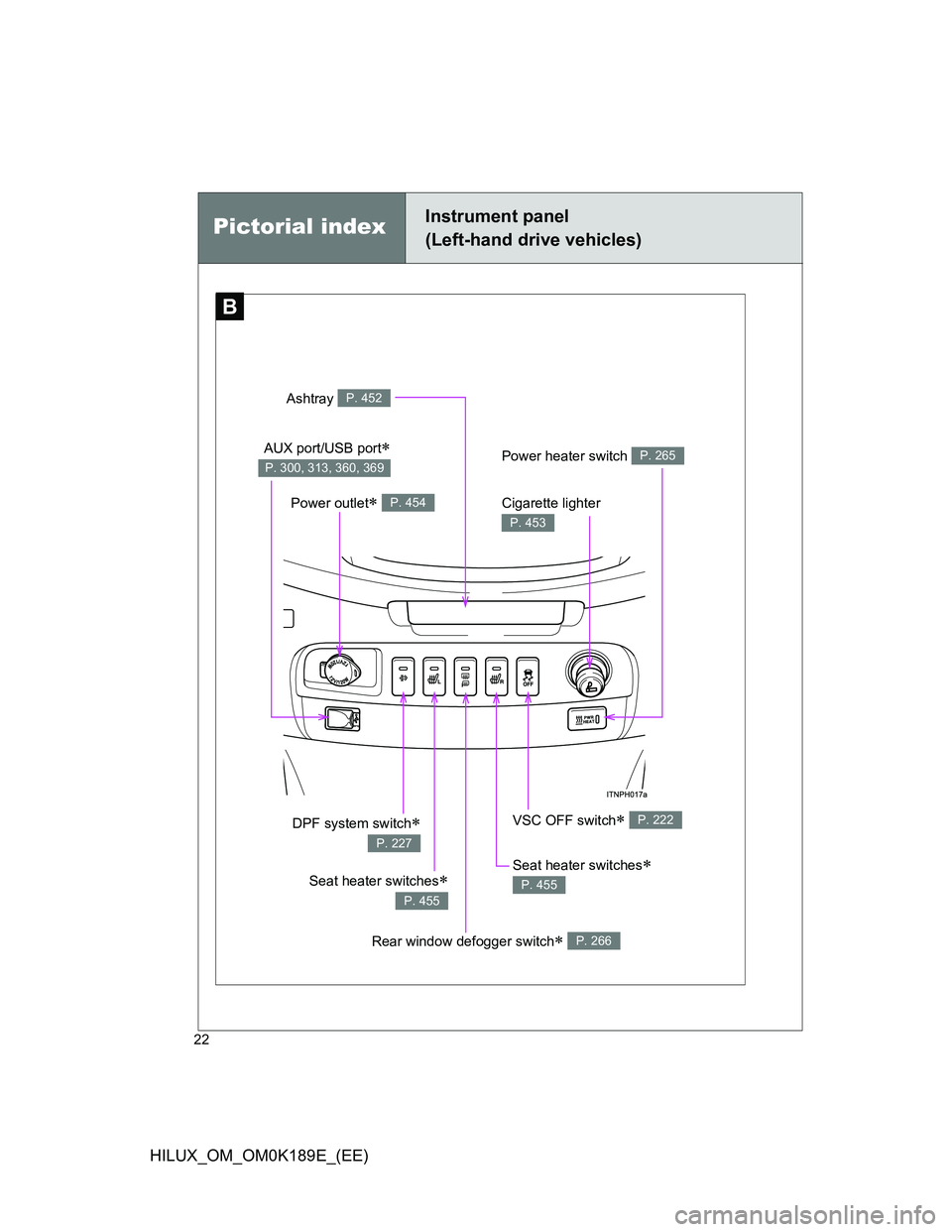
Pictorial indexInstrument panel
(Left-hand drive vehicles)
Power outlet P. 454
VSC OFF switch P. 222DPF system switch
P. 227
Cigarette lighter
P. 453
Ashtray P. 452
AUX port/USB port
P. 300, 313, 360, 369Power heater switch P. 265
Seat heater switches
P. 455
Rear window defogger switch P. 266
Seat heater switches
P. 455
Page 33 of 644

33
HILUX_OM_OM0K189E_(EE)
B
Power outlet P. 454
VSC OFF switch P. 222
Cigarette lighter
P. 453
Ashtray P. 452
Power heater switch P. 265
Rear window defogger
switch
P. 266
: If equipped
DPF system switch
P. 227
AUX port/USB port
P. 300, 313, 360, 369
Page 250 of 644
250
HILUX_OM_OM0K189E_(EE)
3-1. Using the air conditioning
system and defogger
Manual air conditioning
system ............................ 252
Automatic air
conditioning system ........ 258
Power heater .................... 265
Rear window defogger
switch.............................. 266
3-2. Using the audio system
Audio system types........... 268
Using the radio.................. 270
Using the CD player.......... 275
Playing MP3 and WMA
discs ............................... 282
Operating an iPod ............. 290
Operating a USB
memory........................... 300
Optimal use of
the audio system ............ 309
Using the AUX port ........... 313
Using the steering wheel
audio switches ................ 314
Page 251 of 644
3Interior features
251
HILUX_OM_OM0K189E_(EE)
3-3. Using the “touch screen”
Touch screen .................... 317
Setup menu ...................... 319
Audio system .................... 327
Using the radio ................. 331
Using the CD player ......... 336
Playing an audio CD and
MP3/WMA discs ............. 337
Listening to an iPod .......... 350
Listening to a USB
memory........................... 360
Using the AUX port ........... 369
Listening to Bluetooth
®
audio ............................... 370
Using the steering wheel
audio switches ................ 384
Hands-free system
(for cellular phone).......... 387
Using the Bluetooth
®
phone ............................. 395
Setting the hands-free
system ............................ 411
Bluetooth
® settings ........... 4283-4. Using the interior lights
Interior lights list ................ 438
• Personal lights ................ 439
• Interior light ..................... 439
3-5. Using the storage features
List of storage features ..... 440
• Glove box ....................... 442
• Console box.................... 443
• Cup holders .................... 444
• Bottle holders.................. 446
• Auxiliary boxes ............... 447
3-6. Other interior features
Sun visors ......................... 449
Vanity mirror ..................... 450
Clock ................................. 451
Ashtray.............................. 452
Cigarette lighter ................ 453
Power outlet ...................... 454
Seat heaters ..................... 455
Floor mat........................... 457
Compass........................... 459
Deck hooks ....................... 465
Page 268 of 644
268
HILUX_OM_OM0K189E_(EE)
3-2. Using the audio system
Audio system types
: If equipped
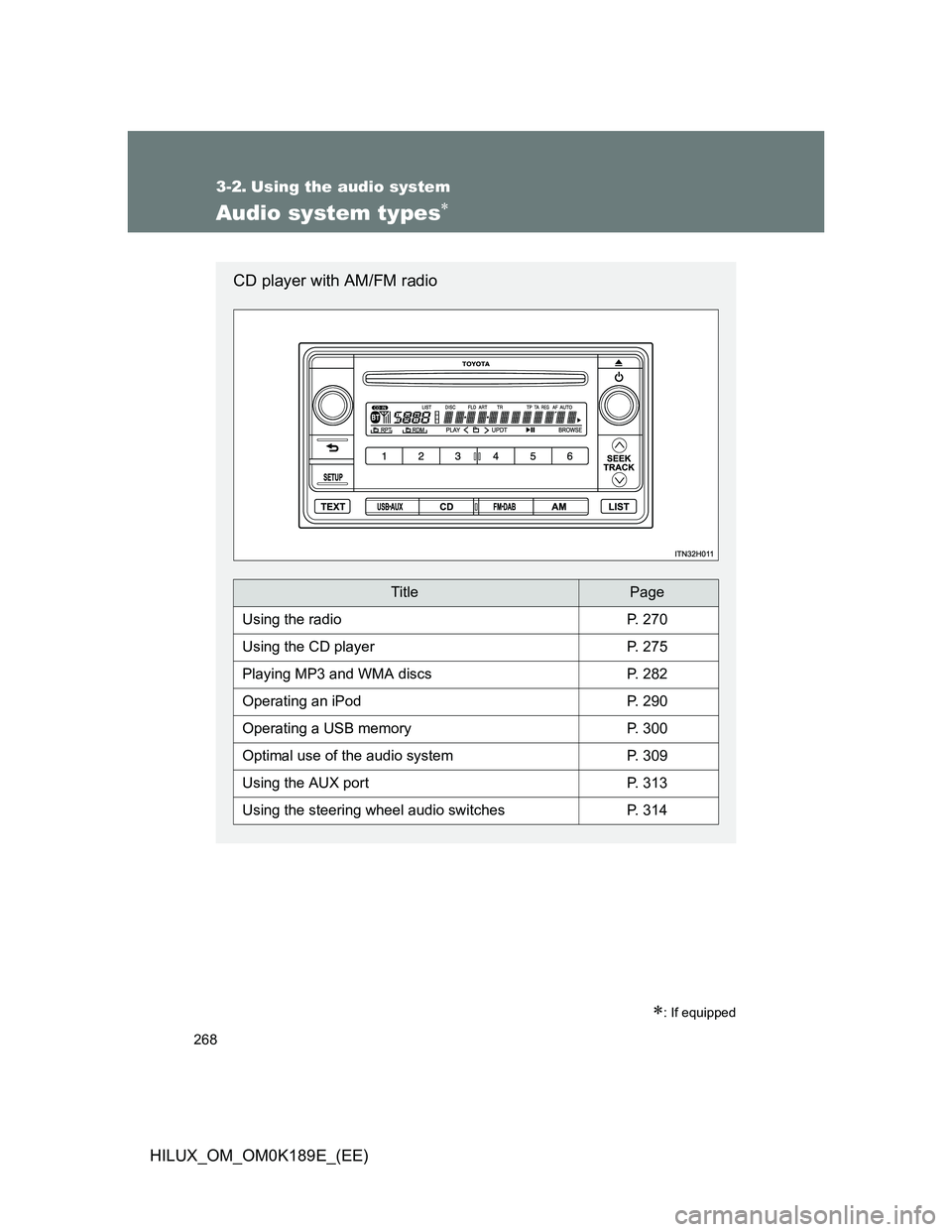
CD player with AM/FM radio
TitlePage
Using the radioP. 270
Using the CD playerP. 275
Playing MP3 and WMA discsP. 282
Operating an iPodP. 290
Operating a USB memoryP. 300
Optimal use of the audio systemP. 309
Using the AUX portP. 313
Using the steering wheel audio switchesP. 314
Page 308 of 644
308 3-2. Using the audio system
HILUX_OM_OM0K189E_(EE)
Playback
• To play MP3 files with steady sound quality, we recommend a fixed bit
rate of at least 128 kbps and a sampling frequency of 44.1 kHz.
• There is a wide variety of freeware and other encoding software for
MP3 and WMA files on the market, and depending on the status of the
encoding and the file format, poor sound quality or noise at the start of
playback may result. In some cases, playback may not be possible at
all.
• Microsoft, Windows, and Windows Media are registered trademarks of
Microsoft Corporation in the U.S.A. and other countries.
CAUTION
Caution while driving
Do not connect USB memory or operate the controls.
NOTICE
To prevent damage to USB memory
Do not leave USB memory in the vehicle. The temperature inside the vehi-
cle may become high, resulting in damage to the player.
Do not push down on or apply unnecessary pressure to the USB memory
while it is connected as this may damage the USB memory or its terminal.
Do not insert foreign objects into the port as this may damage the USB
memory or its terminal.
Page 313 of 644
313
3-2. Using the audio system
3
Interior features
HILUX_OM_OM0K189E_(EE)
Using the AUX por t
Operating portable audio devices connected to the audio system
The volume can be adjusted using the vehicle’s audio controls. All the other
adjustments must be made on the portable audio device itself.
When using a portable audio device connected to the power outlet
Noise may occur during playback. Use the power source of the portable
audio device.
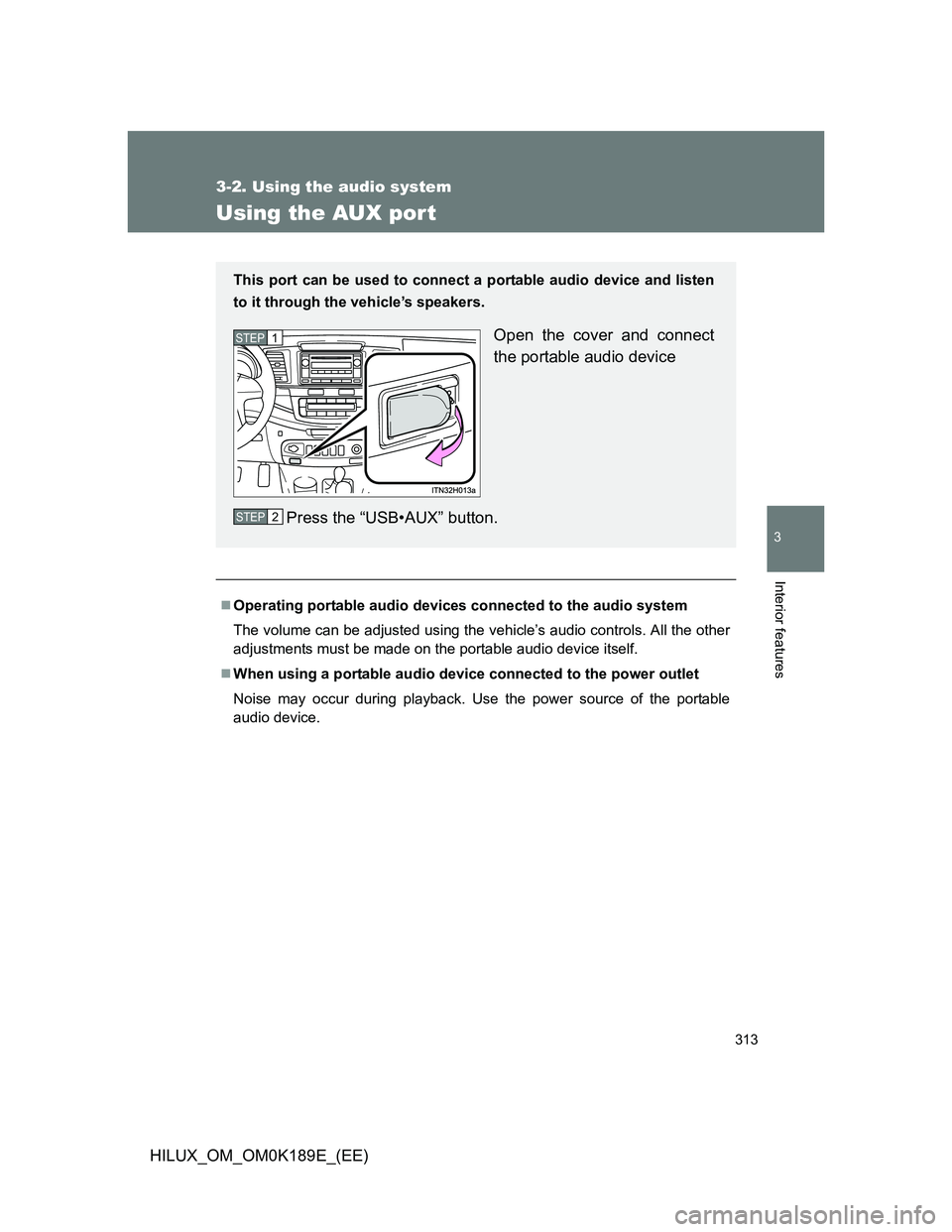
This port can be used to connect a portable audio device and listen
to it through the vehicle’s speakers.
Open the cover and connect
the portable audio device
Press the “USB•AUX” button.STEP1
STEP2
Page 327 of 644
327
3-3. Using the “touch screen”
3
Interior features
HILUX_OM_OM0K189E_(EE)
Audio system
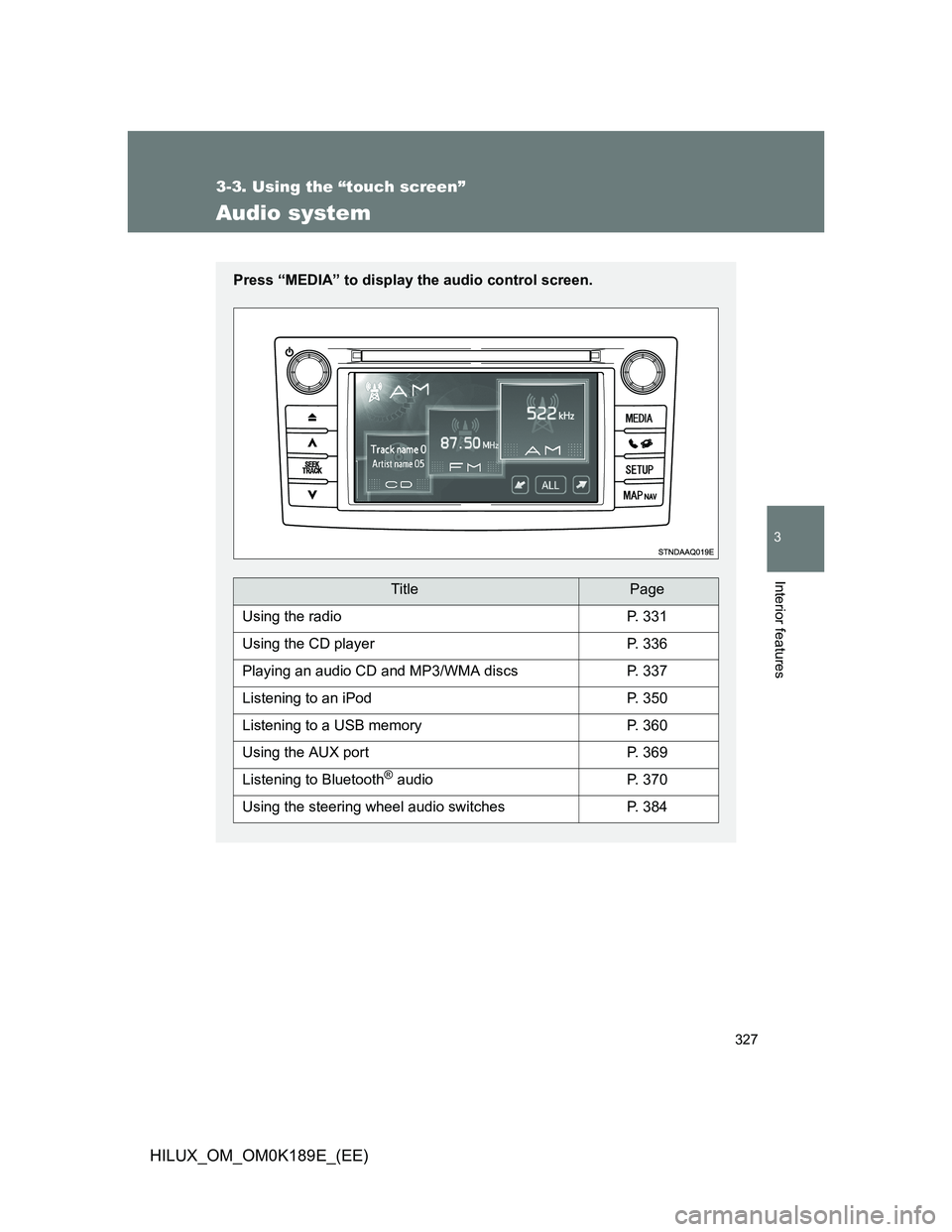
Press “MEDIA” to display the audio control screen.
TitlePage
Using the radioP. 331
Using the CD playerP. 336
Playing an audio CD and MP3/WMA discsP. 337
Listening to an iPodP. 350
Listening to a USB memoryP. 360
Using the AUX portP. 369
Listening to Bluetooth® audioP. 370
Using the steering wheel audio switchesP. 384
Page 368 of 644
368 3-3. Using the “touch screen”
HILUX_OM_OM0K189E_(EE)
Playback
• To play MP3 files with steady sound quality, we recommend a fixed bit
rate of at least 128 kbps and a sampling frequency of 44.1 kHz.
• There is a wide variety of freeware and other encoding software for MP3
and WMA files on the market, and depending on the status of the encod-
ing and the file format, poor sound quality or noise at the start of play-
back may result. In some cases, playback may not be possible at all.
• Microsoft, Windows, and Windows Media are the registered trademarks
of Microsoft Corporation in the U.S.A. and other countries.
CAUTION
While driving
Do not connect a USB memory or operate the controls.
NOTICE
To prevent damage to the USB memory or its terminal
Do not leave USB memory in the vehicle. The temperature inside the vehi-
cle may become high, resulting in damage to the USB memory.
Do not push down on or apply unnecessary pressure to the USB memory
while it is connected.
Do not insert foreign objects into the port.