audio TOYOTA HILUX 2013 (in English) User Guide
[x] Cancel search | Manufacturer: TOYOTA, Model Year: 2013, Model line: HILUX, Model: TOYOTA HILUX 2013Pages: 644, PDF Size: 34.35 MB
Page 251 of 644
3Interior features
251
HILUX_OM_OM0K134E_(EE)
3-3. Using the “touch screen”
Touch screen .................... 317
Setup menu ...................... 319
Audio system .................... 327
Using the radio ................. 331
Using the CD player ......... 336
Playing an audio CD and
MP3/WMA discs ............. 337
Listening to an iPod .......... 350
Listening to a USB
memory........................... 360
Using the AUX port ........... 369
Listening to Bluetooth
®
audio ............................... 370
Using the steering wheel
audio switches ................ 384
Hands-free system
(for cellular phone).......... 387
Using the Bluetooth
®
phone ............................. 395
Setting the hands-free
system ............................ 411
Bluetooth
® settings ........... 4283-4. Using the interior lights
Interior lights list ................ 438
• Personal lights ................ 439
• Interior light ..................... 439
3-5. Using the storage features
List of storage features ..... 440
• Glove box ....................... 442
• Console box.................... 443
• Cup holders .................... 444
• Bottle holders.................. 446
• Auxiliary boxes ............... 447
3-6. Other interior features
Sun visors ......................... 449
Vanity mirror ..................... 450
Clock ................................. 451
Ashtray.............................. 452
Cigarette lighter ................ 453
Power outlet ...................... 454
Seat heaters ..................... 455
Floor mat........................... 457
Compass........................... 459
Deck hooks ....................... 465
Page 268 of 644
268
HILUX_OM_OM0K134E_(EE)
3-2. Using the audio system
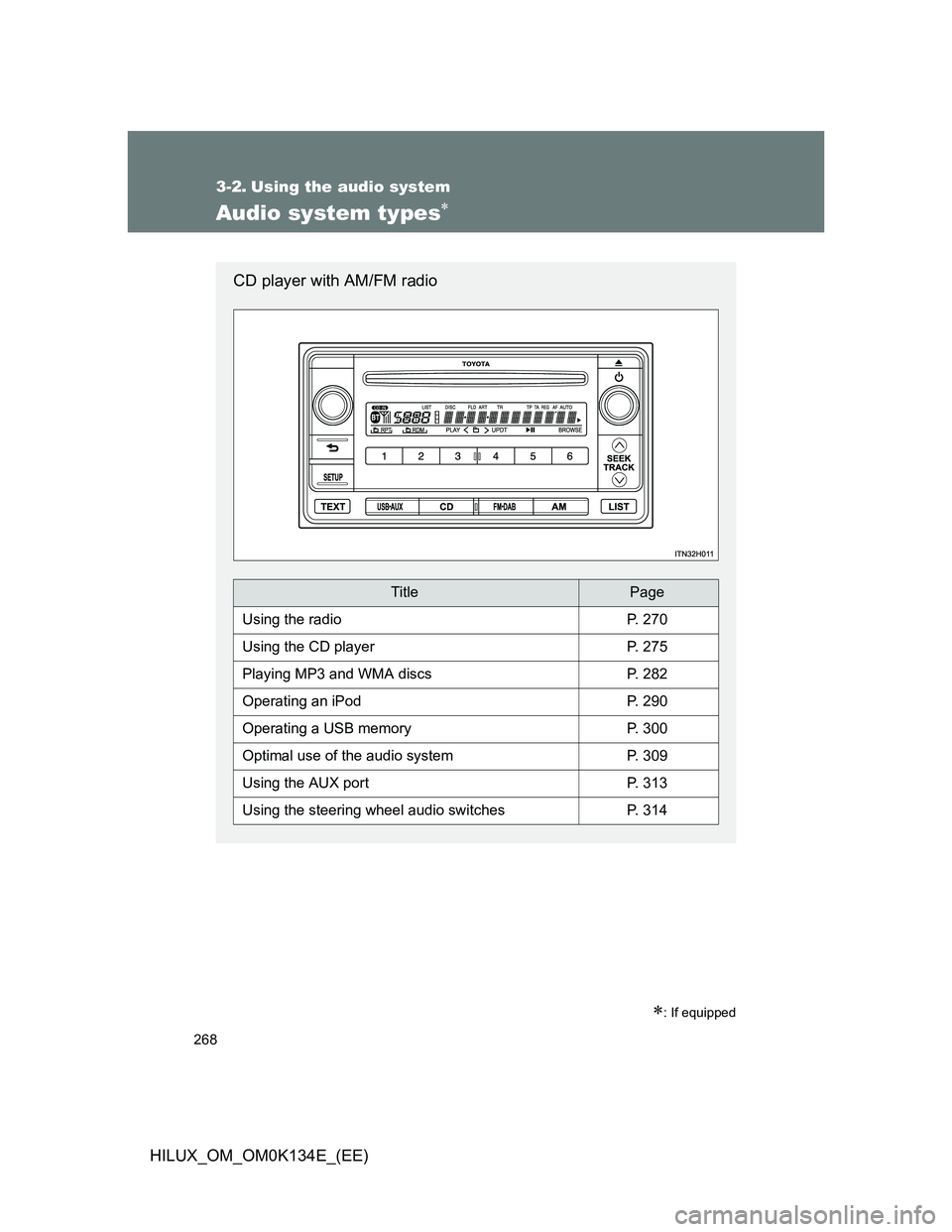
Audio system types
: If equipped
CD player with AM/FM radio
TitlePage
Using the radioP. 270
Using the CD playerP. 275
Playing MP3 and WMA discsP. 282
Operating an iPodP. 290
Operating a USB memoryP. 300
Optimal use of the audio systemP. 309
Using the AUX portP. 313
Using the steering wheel audio switchesP. 314
Page 269 of 644
269 3-2. Using the audio system
3
Interior features
HILUX_OM_OM0K134E_(EE)
Using cellular phones
Interference may be heard through the audio system’s speakers if a cellular
phone is being used inside or close to the vehicle while the audio system is
operating.
CAUTION
Certification for the disc player
This product is a class 1 laser product.
A laser beam leak may result in hazardous radiation exposure.
Do not open the cover of the player or attempt to repair the unit yourself.
Refer servicing to qualified personnel.
NOTICE
To prevent battery discharge
Do not leave the audio system on longer than necessary with the engine off.
To avoid damaging the audio system
Take care not to spill drinks or other fluids over the audio system.
Page 270 of 644
270
3-2. Using the audio system
HILUX_OM_OM0K134E_(EE)
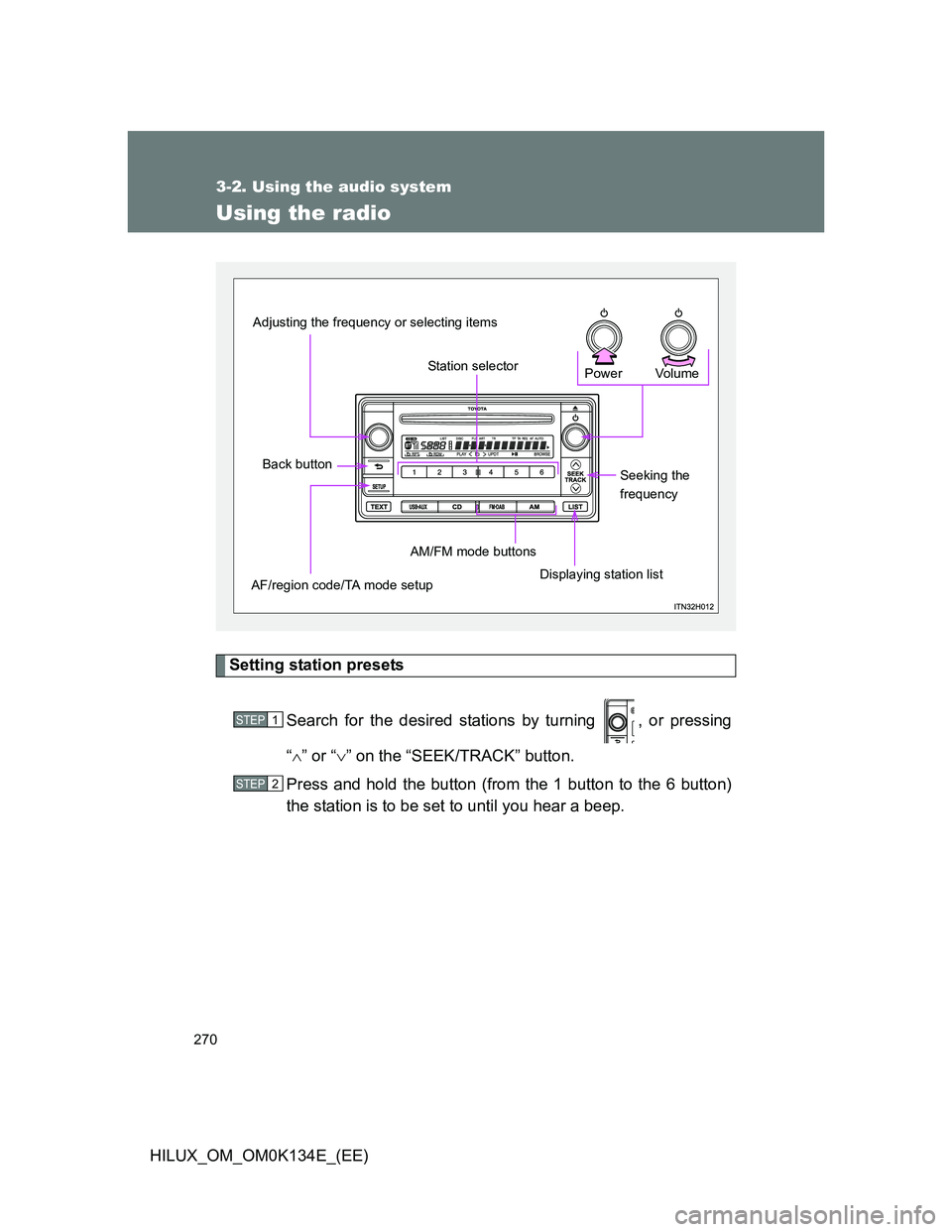
Using the radio
Setting station presets
Search for the desired stations by turning , or pressing
“” or “” on the “SEEK/TRACK” button.
Press and hold the button (from the 1 button to the 6 button)
the station is to be set to until you hear a beep.
Vo lu m e Power
Seeking the
frequency
Displaying station list AM/FM mode buttons
Station selector
Adjusting the frequency or selecting items
Back button
AF/region code/TA mode setup
STEP1
STEP2
Page 271 of 644
271 3-2. Using the audio system
3
Interior features
HILUX_OM_OM0K134E_(EE)
Using the station list
Updating the station list
Press the “LIST” button.
The station list will be displayed.
Press the 4 (UPDT) button to update the list.
Available stations will be listed on the display.
To cancel the updating process, press .
Selecting a station from the station list
Press the “LIST” button.
The station list will be displayed.
Turn to select a station.
Press to tune in the station.
To return to the previous display, press .
STEP1
STEP2
STEP1
STEP2
STEP3
Page 272 of 644
272 3-2. Using the audio system
HILUX_OM_OM0K134E_(EE)
RDS (Radio Data System)
This feature allows your radio to receive station.
Listening to stations of the same network
Press the “SETUP” button.
Turn to “RADIO” and press .
Turn as corresponds to the desired mode: “FM AF” or
“REG”.
Press to select “ON” or “OFF”.
“FM AF ON” mode: The station among those of the same network
with strong reception is selected.
“REG ON” mode: The station among those of the same network
with strong reception and broadcasting the
same program is selected.
STEP1
STEP2
STEP3
STEP4
Page 273 of 644
273 3-2. Using the audio system
3
Interior features
HILUX_OM_OM0K134E_(EE)Traffic information
Press the “SETUP” button.
Turn to “RADIO” and press .
Turn to “TA” mode.
Press to select “ON” or “OFF”.
“TP” mode: The system automatically switches to traffic informa-
tion when a broadcast with a traffic information signal
is received.
The station returns to the previous one when the traffic infor-
mation ends.
“TA” mode: The system automatically switches to traffic informa-
tion when a broadcast with a traffic information signal
is received. In FM modes, the system will be mute
unless traffic information is being broadcast.
The audio system returns to the previous mode when the
traffic information ends.
STEP1
STEP2
STEP3
STEP4
Page 274 of 644
274 3-2. Using the audio system
HILUX_OM_OM0K134E_(EE)
EON (Enhanced Other Network) system (for traffic announcement
function)
If the RDS station (with EON data) you are listening to is not broadcasting a
traffic information program and the audio system is in the TA (traffic
announcement) mode, the radio will be switched automatically to a station
broadcasting a traffic information program in the EON AF list when traffic
information begins.
Reception sensitivity
It is difficult to maintain perfect radio reception at all times due to the con-
tinually changing position of the antenna, differences in signal strength
and surrounding objects, such as trains and transmitters.
The radio antenna is mounted on the roof. The antenna can be removed
from the base by turning.
Digital Audio Broadcast (DAB) radio
The optional radio antenna and tuner are necessary for the use of Digital
Audio Broadcast (DAB) radio.
NOTICE
To prevent damage, retract the antenna in the following cases
The antenna will touch the ceiling of a garage.
A cover will be put on the roof.
When driving through an automatic car wash.
Any other cases where there is a risk of touching surrounding parts.
Page 275 of 644
275
3-2. Using the audio system
3
Interior features
HILUX_OM_OM0K134E_(EE)
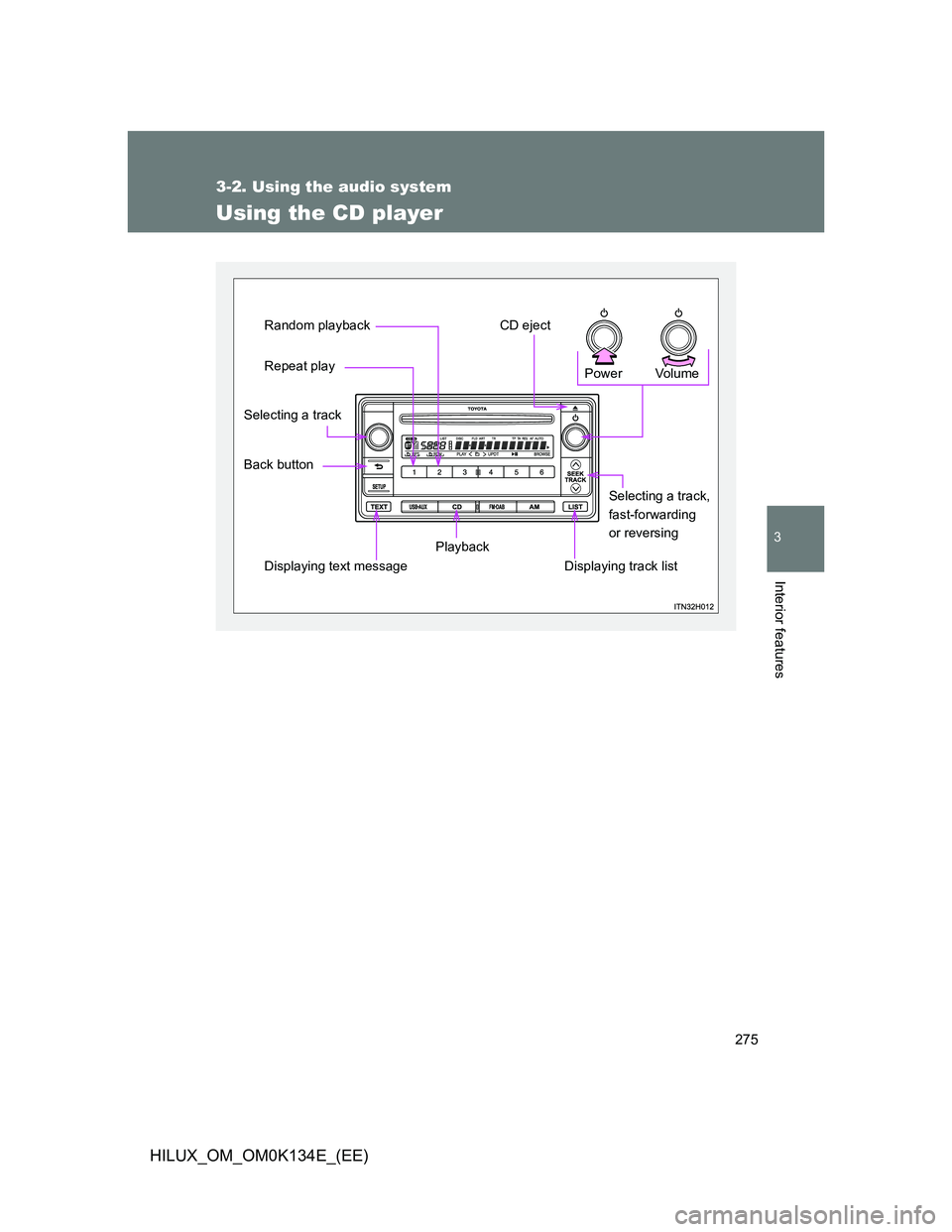
Using the CD player
Vo lu m e Power
Displaying track listSelecting a track,
fast-forwarding
or reversing
Playback
Displaying text message
Repeat play Random playback
CD eject
Back button Selecting a track
Page 276 of 644
276 3-2. Using the audio system
HILUX_OM_OM0K134E_(EE)
Loading a CD
Insert a CD.
Ejecting a CD
Press and remove the CD.
Selecting a track
Turn , or press “” to move up or “” to move down using the
“SEEK/TRACK” button until the desired track number is displayed.
Selecting a track from a track list
Press the “LIST” button.
The track list will be displayed.
Turn and press to select a track.
To return to the previous display, press or the “LIST” button.
STEP1
STEP2