reset TOYOTA HILUX 2018 User Guide
[x] Cancel search | Manufacturer: TOYOTA, Model Year: 2018, Model line: HILUX, Model: TOYOTA HILUX 2018Pages: 708, PDF Size: 95.31 MB
Page 150 of 708
1502. Instrument cluster
HILUX_OM_OM0K375E_(EE)
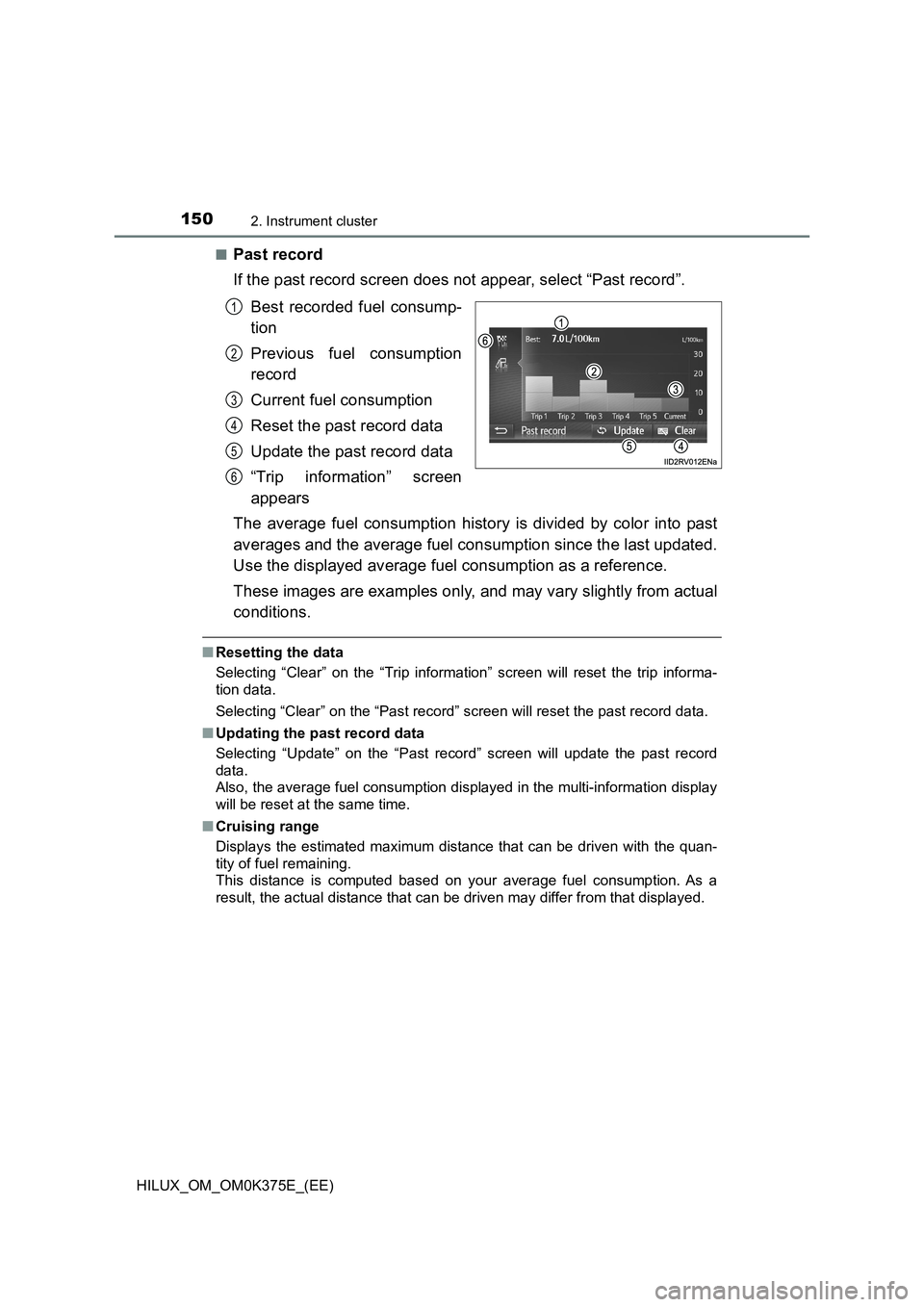
■Past record
If the past record screen does not appear, select “Past record”.
Best recorded fuel consump-
tion
Previous fuel consumption
record
Current fuel consumption
Reset the past record data
Update the past record data
“Trip information” screen
appears
The average fuel consumption history is divided by color into past
averages and the average fuel consumption since the last updated.
Use the displayed average fuel consumption as a reference.
These images are examples only, and may vary slightly from actual
conditions.
■ Resetting the data
Selecting “Clear” on the “Trip information” screen will reset the trip informa-
tion data.
Selecting “Clear” on the “Past record” screen will reset the past record data.
■ Updating the past record data
Selecting “Update” on the “Past record” screen will update the past record
data.
Also, the average fuel consumption displayed in the multi-information display
will be reset at the same time.
■ Cruising range
Displays the estimated maximum distance that can be driven with the quan-
tity of fuel remaining.
This distance is computed based on your average fuel consumption. As a
result, the actual distance that can be driven may differ from that displayed.
1
2
3
4
5
6
Page 350 of 708
3504-5. Using the driving support systems
HILUX_OM_OM0K375E_(EE)
■Cruise control can be set when
● The shift lever is in the D or range 4 or higher of S has been selected. (vehi-
cles with automatic transmission)
● Vehicle speed is above approximately 40 km/h (25 mph).
■ Accelerating after setting the vehicle speed
● The vehicle can be accelerated normally. After acceleration, the set speed
resumes.
● Even without canceling the cruise control, the set speed can be increased
by first accelerating the vehicle to the desired speed and then pushing the
lever down to set the new speed.
■ Automatic cruise control cancelation
Cruise control will stop maintaining the vehicle speed in any of the following
situations:
● Actual vehicle speed falls more than approximately 16 km/h (10 mph) below
the preset vehicle speed.
At this time, the memorized set speed is not retained.
● Actual vehicle speed is below approximately 40 km/h (25 mph).
● VSC is activated. (if equipped)
● 4WD models: The front-wheel drive control switch is switched between H2
and H4.
● TRC or A-TRC is activated for a period of time.
● When the VSC, TRC or A-TRC system is turned off. (if equipped)
■ If the warning message for the cruise control is shown on the multi-
information display
Press the “ON-OFF” button once to deactivate the system, and then press
the button again to reactivate the system.
If the cruise control speed cannot be set or if the cruise control cancels imme-
diately after being activated, there may be a malfunction in the cruise control
system. Have the vehicle inspected by any authorized Toyota retailer or
Toyota authorized repairer, or any reliable repairer.
Page 383 of 708
3834-5. Using the driving support systems
4
Driving
HILUX_OM_OM0K375E_(EE)
■ Displaying the Stop & Start system status
Operation status of the Stop & Start system can be displayed on the
(Drive information) screen of multi-information display. ( P. 144)
The display of “After Reset” can be reset.
● To reset the display, press of the meter control switches, press “<” or “>”
to select “Reset”, and then press and hold .
● To stop the reset procedure, press .
■ Multi-information display messages
If the following situations, and a message may be displayed on the
multi-information display.
● When the engine cannot be stopped by the Stop & Start system
Smart Stop
Displays the current engine stop time. Also, the
engine stop time when t he air conditioning sys-
tem is on can be adjusted using the meter con-
trol switches. ( P. 382)
After Start
Displays the cumulative time that the engine is
stopped by the Stop & Start system from when
the engine is started until the engine is stopped.
After Reset
Displays the cumulative time that the engine is
stopped by the Stop & Start system from the
previous reset until the system is reset again.
MessageDetails/Actions
“Depress brake
firmly to activate”
The brake pedal is not depressed enough.
If the brake pedal is depressed further,
the system will operate.
“For climate con-
trol”
Vehicles with automatic air conditioning sys-
tem:
• The air conditioning system is being used
when the ambient temperature is high or
low.
If the difference between the set tem-
perature and cabin temperature is
small, the system will be enabled.
• is on.
Page 411 of 708
4115-1. Basic Operations
5
Audio system
HILUX_OM_OM0K375E_(EE)
Press the “MODE” switch when the audio system is turned off.
Press the “MODE” switch when the audio system is turned on. The
audio source changes as follows each time the button is pressed. If a
mode cannot be used, it will be skipped.
AM FM1FM2*CD modeiPod or USB memory
Bluetooth® audio* AUX
*: If equipped
Press the “+” switch to increase the volume and the “-” switch to
decrease the volume.
Hold down the switch to continue increasing or decreasing the volume.
Press and hold the “MODE” switch.
To cancel, press and hold the switch again.
Press the “MODE” switch to select the radio mode.
Press the “ ” or “” switch to select a preset station.
To scan for receivable stations, press and hold the switch until you hear a
beep.
Turning on the power
Changing the audio source
Adjusting the volume
Silencing a sound
Selecting a radio station
1
2
Page 417 of 708
4175-3. Using the radio
5
Audio system
HILUX_OM_OM0K375E_(EE)
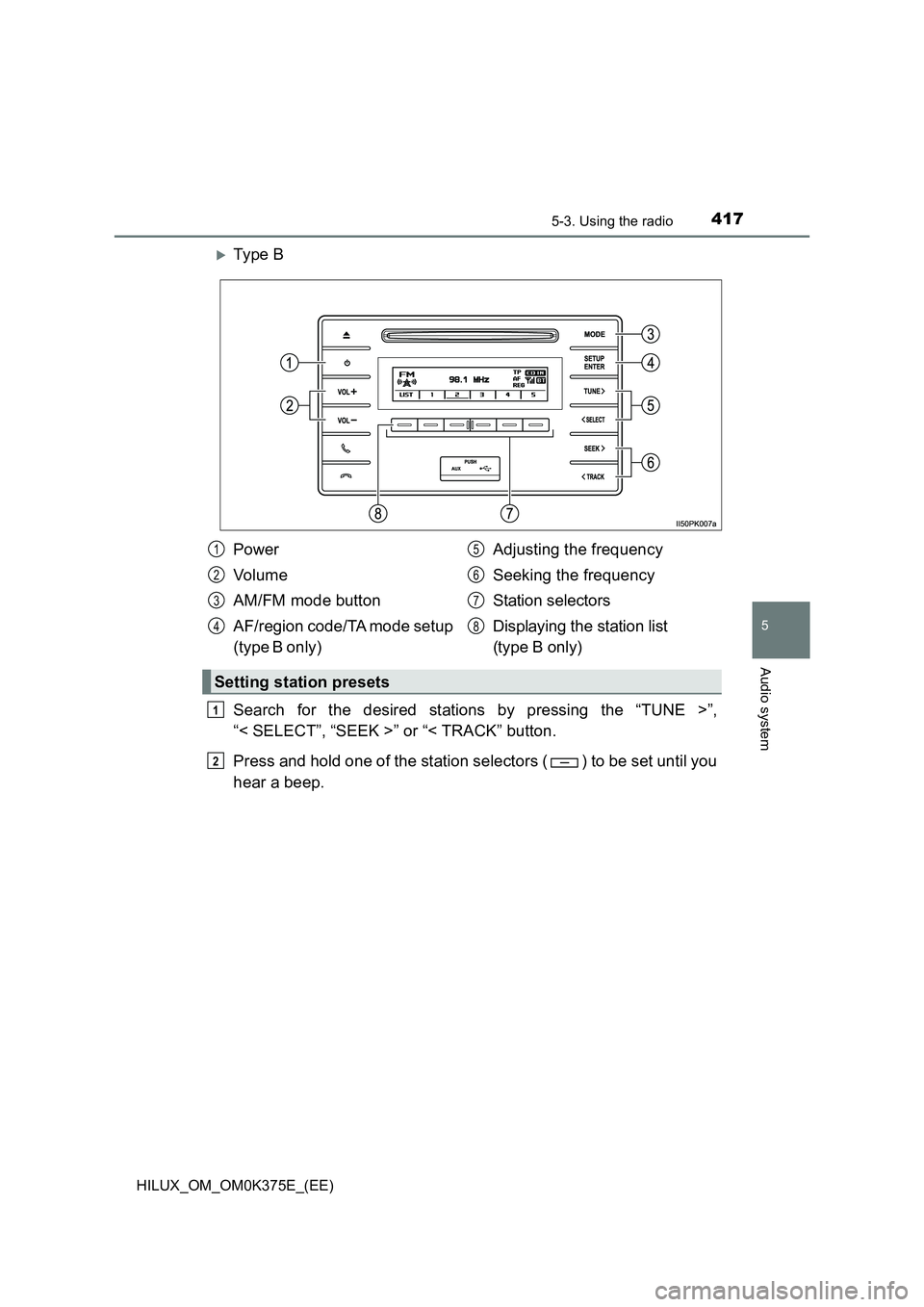
Ty pe B
Search for the desired stations by pressing the “TUNE >”,
“< SELECT”, “SEEK >” or “< TRACK” button.
Press and hold one of the station selectors ( ) to be set until you
hear a beep.
Power
Vo lu m e
AM/FM mode button
AF/region code/TA mode setup
(type B only)
Adjusting the frequency
Seeking the frequency
Station selectors
Displaying the station list
(type B only)
Setting station presets
1
2
3
4
5
6
7
8
1
2
Page 420 of 708
4205-3. Using the radio
HILUX_OM_OM0K375E_(EE)
■EON (Enhanced Other Network) system (for traffic announcement func-
tion) (type B only)
If the RDS station (with EON data) you are listening to is not broadcasting a
traffic information program and the audio system is in the TA (traffic
announcement) mode, the radio will be switched automatically to a station
broadcasting a traffic information program in the EON AF list when traffic
information begins.
■ When the battery is disconnected
Stations presets are erased.
■ Reception sensitivity
● Maintaining perfect radio reception at all times is difficult due to the continu-
ally changing position of the antenna, differences in signal strength and sur-
rounding objects, such as trains, transmitters, etc.
● The radio antenna is mounted on the roof. The antenna can be removed
from the base by turning it.
NOTICE
■ To prevent damage, remove the antenna in the following cases
● The antenna will touch the ceiling of a garage.
● A cover will be put on the roof.
● When driving through an automatic car wash.
● Any other cases where there is a risk of touching surrounding parts.
Page 436 of 708
4365-5. Using an external device
HILUX_OM_OM0K375E_(EE)
■ iPod problems
To resolve most problems encountered when using your iPod, disconnect
your iPod from the vehicle iPod connection and reset it.
For instructions on how to reset your iPod, refer to your iPod Owner’s Man-
ual.
■ Display
P. 425
■ Error messages
If an error message is displayed, refer to the following table and take the
appropriate measures. If the problem is not rectified, take the vehicle to any
authorized Toyota retailer or Toyota authorized repairer, or any reliable
repairer.
MessageCause/Correction procedures
“ERROR”This indicates a problem in the iPod or its con-
nection.
“NO SONGS”This indicates that there is no music data in
the iPod.
“NO PLAYLIST”This indicates that some available songs are
not found in a selected playlist.
“UPDATE YOUR iPod”
This indicates that the version of the iPod is
not compatible. Upgrade your iPod software
to the latest version.
Page 461 of 708
4615-7. “SETUP” menu
5
Audio system
HILUX_OM_OM0K375E_(EE)
Select “Add contacts” using the “TUNE >” or “< SELECT” button, and
press the “SETUP ENTER” button.
● Transferring all contacts from the cellular phone
Select “Overwrite all” using the “TUNE >” or “< SELECT” button,
and press the “SETUP ENTER” button.
Press (YES).
● Transferring one contact from the cellular phone
Select “Add one contact” using the “TUNE >” or “< SELECT” but-
ton, and press the “SETUP ENTER” button.
Press (YES).
Select “Add SD” using the “TUNE >” or “< SELECT” button, and
press the “SETUP ENTER” button.
Select the desired data using the “TUNE >” or “< SELECT” button,
and press the “SETUP ENTER” button.
Press the desired preset button (from [1] to [5]).
For details about setting speed dials from the call history: P. 470
For details about deleting speed dials: P. 469
Adding a new phone number
Setting speed dials
1
2
1
2
1
2
3
Page 469 of 708
469
5
5-9. Bluetooth® Phone
Audio system
HILUX_OM_OM0K375E_(EE)
Making a phone call
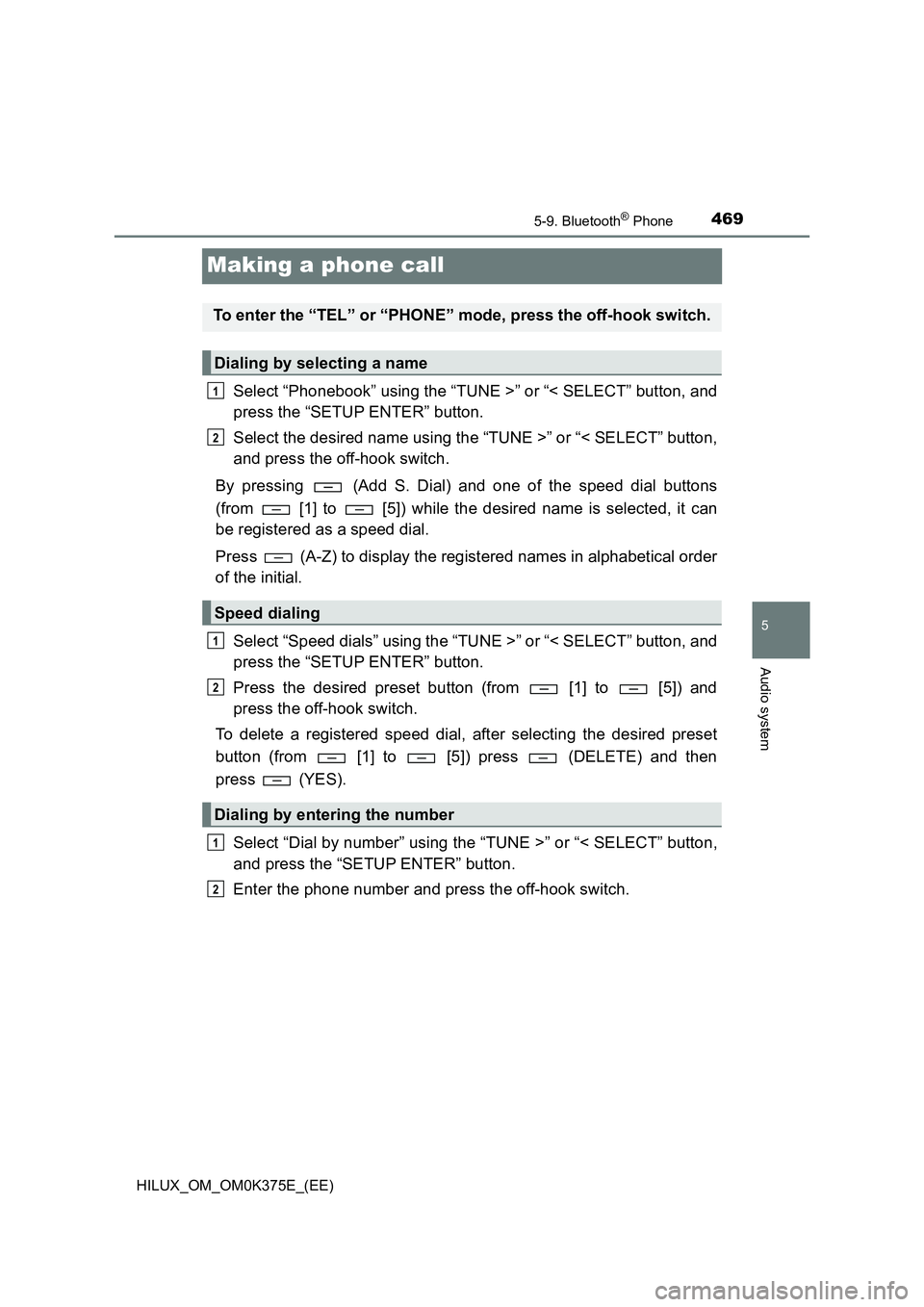
Select “Phonebook” using the “TUNE >” or “< SELECT” button, and
press the “SETUP ENTER” button.
Select the desired name using the “TUNE >” or “< SELECT” button,
and press the off-hook switch.
By pressing (Add S. Dial) and one of the speed dial buttons
(from [1] to [5]) while the desired name is selected, it can
be registered as a speed dial.
Press (A-Z) to display the registered names in alphabetical order
of the initial.
Select “Speed dials” using the “TUNE >” or “< SELECT” button, and
press the “SETUP ENTER” button.
Press the desired preset button (from [1] to [5]) and
press the off-hook switch.
To delete a registered speed dial, after selecting the desired preset
button (from [1] to [5]) press (DELETE) and then
press (YES).
Select “Dial by number” using the “TUNE >” or “< SELECT” button,
and press the “SETUP ENTER” button.
Enter the phone number and press the off-hook switch.
To enter the “TEL” or “PHONE” mode, press the off-hook switch.
Dialing by selecting a name
Speed dialing
Dialing by entering the number
1
2
1
2
1
2
Page 470 of 708
4705-9. Bluetooth® Phone
HILUX_OM_OM0K375E_(EE)
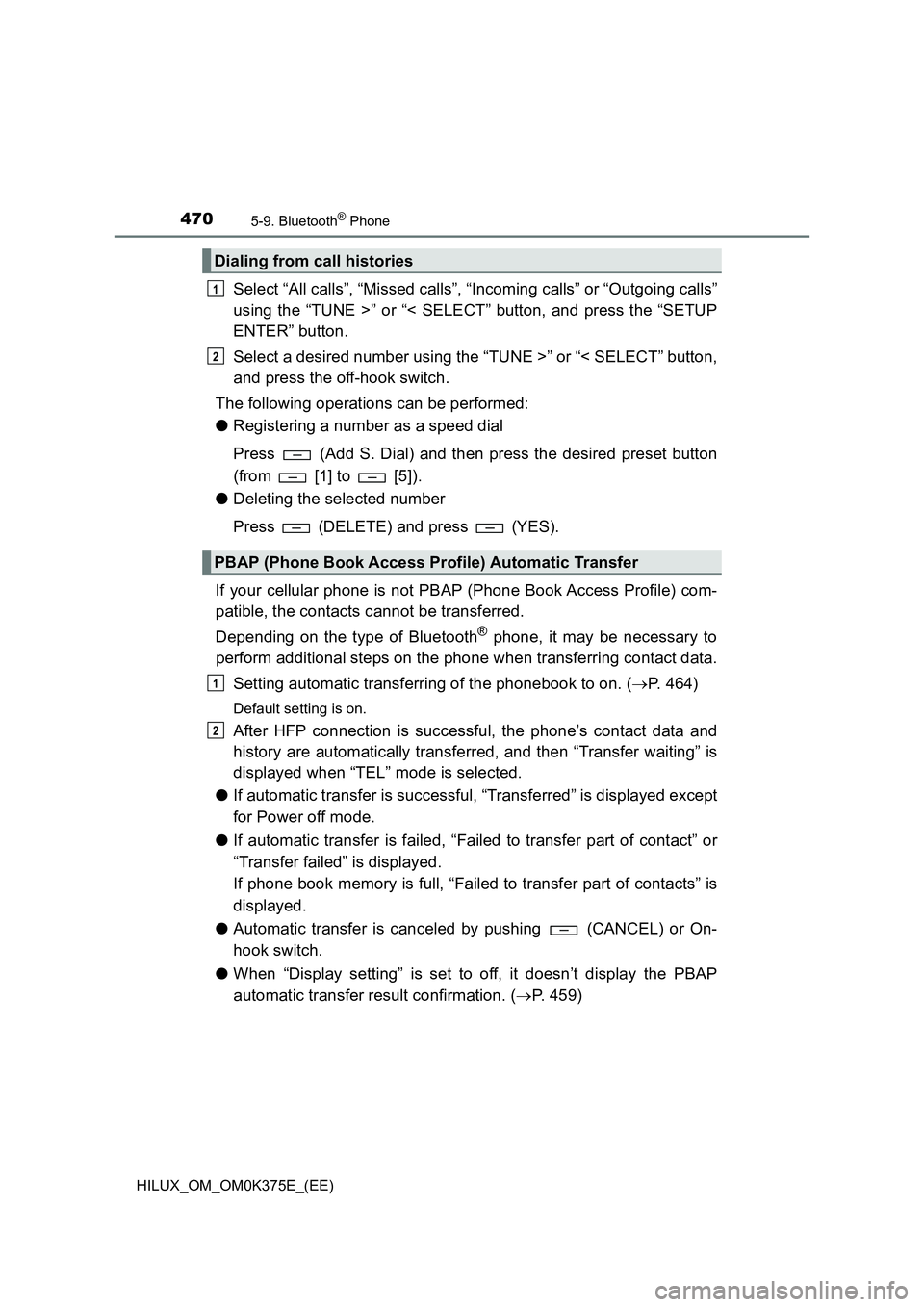
Select “All calls”, “Missed calls”, “Incoming calls” or “Outgoing calls”
using the “TUNE >” or “< SELECT” button, and press the “SETUP
ENTER” button.
Select a desired number using the “TUNE >” or “< SELECT” button,
and press the off-hook switch.
The following operations can be performed:
● Registering a number as a speed dial
Press (Add S. Dial) and then press the desired preset button
(from [1] to [5]).
● Deleting the selected number
Press (DELETE) and press (YES).
If your cellular phone is not PBAP (Phone Book Access Profile) com-
patible, the contacts cannot be transferred.
Depending on the type of Bluetooth® phone, it may be necessary to
perform additional steps on the phone when transferring contact data.
Setting automatic transferring of the phonebook to on. ( P. 464)
Default setting is on.
After HFP connection is successful, the phone’s contact data and
history are automatically transferred, and then “Transfer waiting” is
displayed when “TEL” mode is selected.
● If automatic transfer is successful, “Transferred” is displayed except
for Power off mode.
● If automatic transfer is failed, “Failed to transfer part of contact” or
“Transfer failed” is displayed.
If phone book memory is full, “Failed to transfer part of contacts” is
displayed.
● Automatic transfer is canceled by pushing (CANCEL) or On-
hook switch.
● When “Display setting” is set to off, it doesn’t display the PBAP
automatic transfer result confirmation. ( P. 459)
Dialing from call histories
PBAP (Phone Book Access Profile) Automatic Transfer
1
2
1
2