engine TOYOTA HILUX 2019 Owners Manual
[x] Cancel search | Manufacturer: TOYOTA, Model Year: 2019, Model line: HILUX, Model: TOYOTA HILUX 2019Pages: 708, PDF Size: 95.31 MB
Page 324 of 708
3244-5. Using the driving support systems
HILUX_OM_OM0K375E_(EE)
WARNING
■When to disable the pre-collision system
In the following situations, disable the system, as it may not operate prop-
erly, possibly leading to an accident resulting in death or serious injury:
● When the vehicle is being towed
● When your vehicle is towing another vehicle
● When transporting the vehicle via truck, boat, train or similar means of
transportation
● When the vehicle is raised on a lift with the engine running and the tires
are allowed to rotate freely
● When inspecting the vehicle using a drum tester such as a chassis
dynamometer or speedometer tester , or when using an on vehicle wheel
balancer
● When a strong impact is applied to the front bumper or front grille, due to
an accident or other reasons
● If the vehicle cannot be driven in a stable manner, such as when the vehi-
cle has been in an accident or is malfunctioning
● When the vehicle is driven in a sporty manner or off-road
● When the tires are not properly inflated
● When the tires are very worn
● When tires of a size other than specified are installed
● When tire chains are installed
● When a compact spare tire or an emergency tire puncture repair kit is used
● If equipment (snow plow, etc.) that may obstruct the radar sensor or cam-
era sensor is temporarily installed to the vehicle
Page 325 of 708
3254-5. Using the driving support systems
4
Driving
HILUX_OM_OM0K375E_(EE)
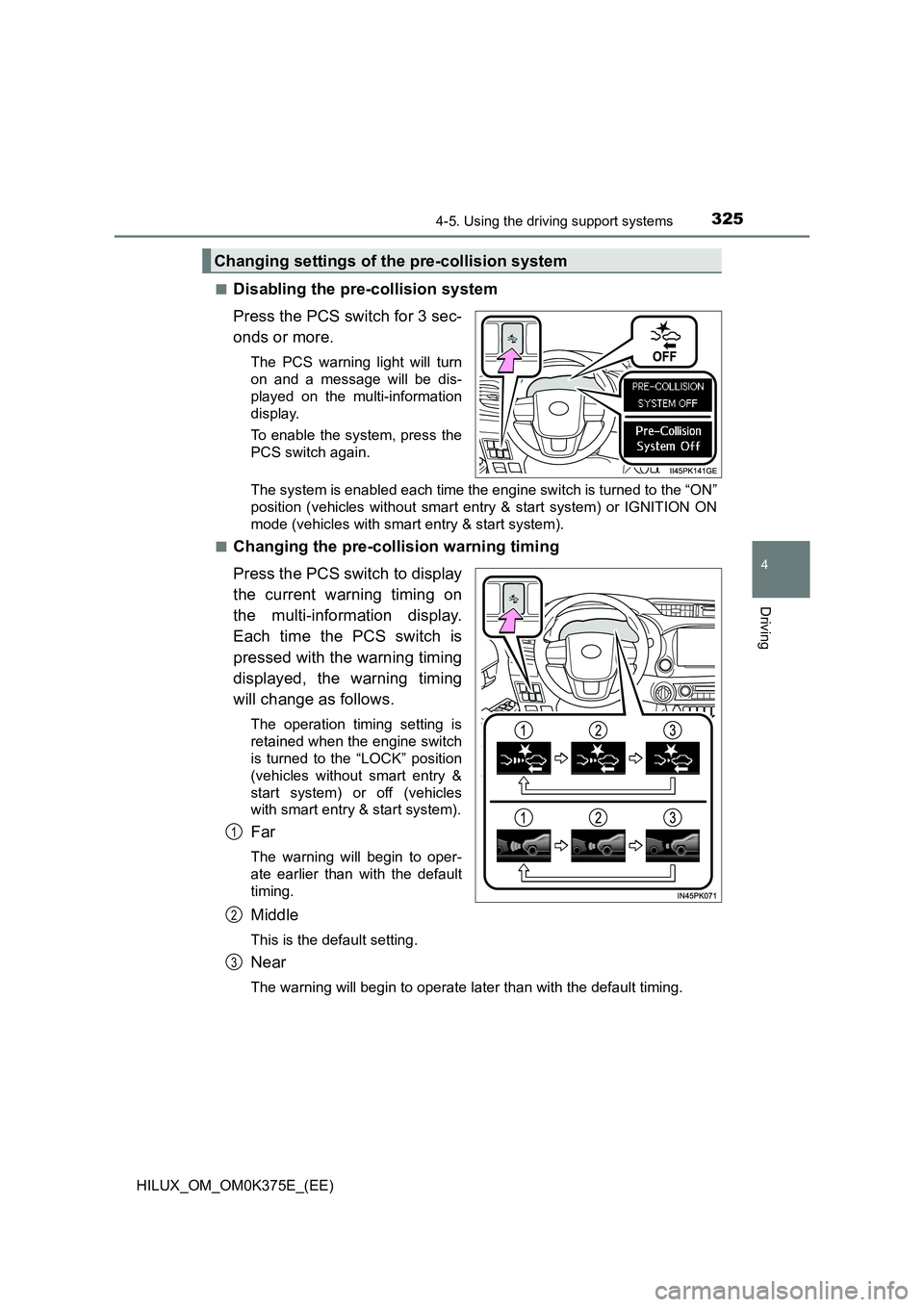
■Disabling the pre-collision system
Press the PCS switch for 3 sec-
onds or more.
The PCS warning light will turn
on and a message will be dis-
played on the multi-information
display.
To enable the system, press the
PCS switch again.
The system is enabled each time the engine switch is turned to the “ON”
position (vehicles without smart entry & start system) or IGNITION ON
mode (vehicles with smart entry & start system).
■Changing the pre-collision warning timing
Press the PCS switch to display
the current warning timing on
the multi-information display.
Each time the PCS switch is
pressed with the warning timing
displayed, the warning timing
will change as follows.
The operation timing setting is
retained when the engine switch
is turned to the “LOCK” position
(vehicles without smart entry &
start system) or off (vehicles
with smart entry & start system).
Far
The warning will begin to oper-
ate earlier than with the default
timing.
Middle
This is the default setting.
Near
The warning will begin to operate later than with the default timing.
Changing settings of the pre-collision system
1
2
3
Page 331 of 708
3314-5. Using the driving support systems
4
Driving
HILUX_OM_OM0K375E_(EE)
• When driving in inclement weather such as heavy rain, fog, snow or a
sandstorm
• When the vehicle is hit by water, snow, dust, etc. from a vehicle ahead
• When driving through steam or smoke
• When driving in a place where the surrounding brightness changes sud-
denly, such as at the entrance or exit of a tunnel
• When a very bright light, such as the sun or the headlights of oncoming
traffic, shines directly into the camera sensor
• When the surrounding area is dim, such as at dawn or dusk, or while at
night or in a tunnel
• After the engine has started the vehicle has not been driven for a certain
amount of time
• While making a left/right turn and for a few seconds after making a left/
right turn
• While driving on a curve and for a few seconds after driving on a curve
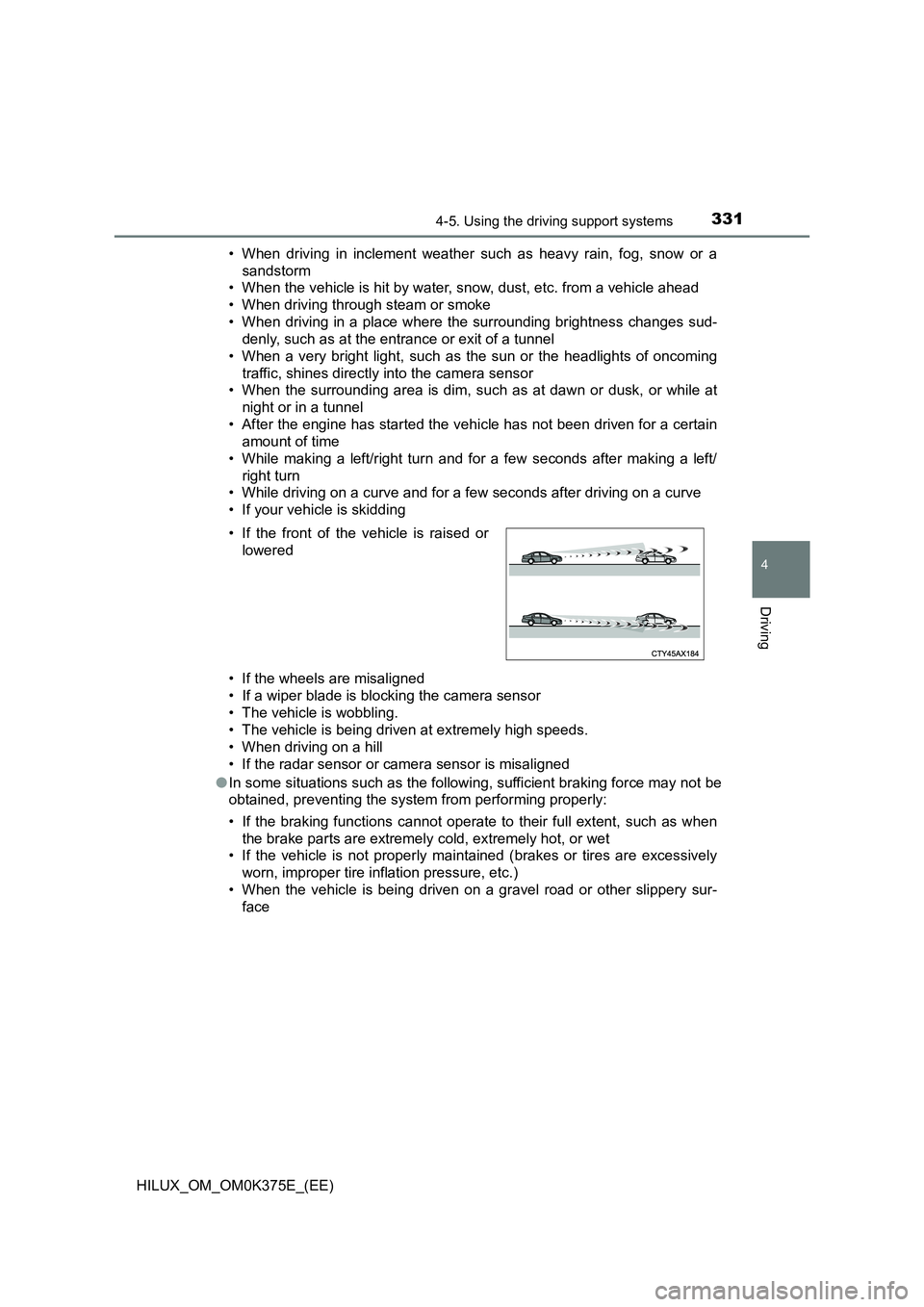
• If your vehicle is skidding
• If the wheels are misaligned
• If a wiper blade is blocking the camera sensor
• The vehicle is wobbling.
• The vehicle is being driven at extremely high speeds.
• When driving on a hill
• If the radar sensor or camera sensor is misaligned
● In some situations such as the following, sufficient braking force may not be
obtained, preventing the system from performing properly:
• If the braking functions cannot operate to their full extent, such as when
the brake parts are extremely cold, extremely hot, or wet
• If the vehicle is not properly maintained (brakes or tires are excessively
worn, improper tire inflation pressure, etc.)
• When the vehicle is being driven on a gravel road or other slippery sur-
face
• If the front of the vehicle is raised or
lowered
Page 337 of 708
3374-5. Using the driving support systems
4
Driving
HILUX_OM_OM0K375E_(EE)
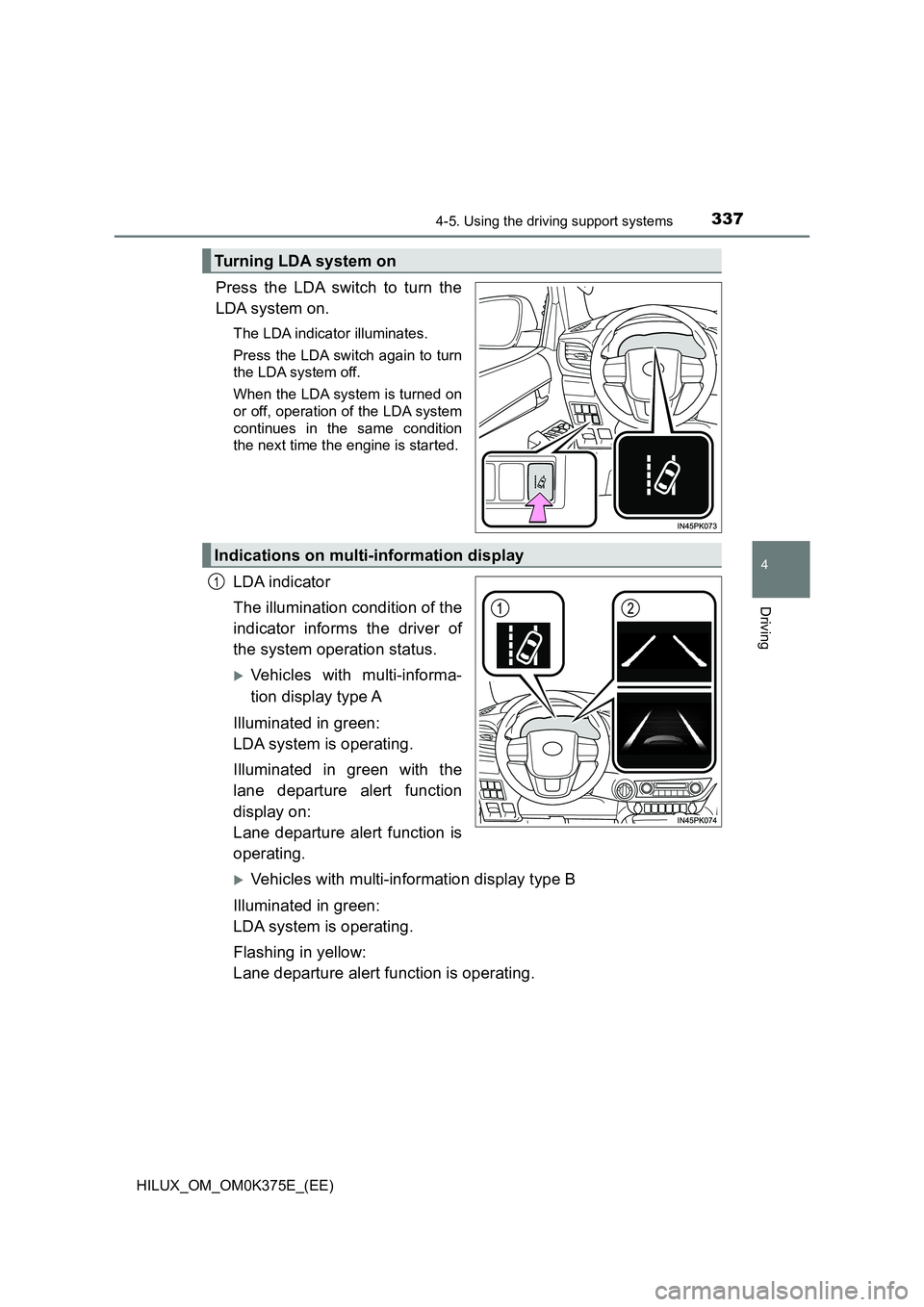
Press the LDA switch to turn the
LDA system on.
The LDA indicator illuminates.
Press the LDA switch again to turn
the LDA system off.
When the LDA system is turned on
or off, operation of the LDA system
continues in the same condition
the next time the engine is started.
LDA indicator
The illumination condition of the
indicator informs the driver of
the system operation status.
Vehicles with multi-informa-
tion display type A
Illuminated in green:
LDA system is operating.
Illuminated in green with the
lane departure alert function
display on:
Lane departure alert function is
operating.
Vehicles with multi-information display type B
Illuminated in green:
LDA system is operating.
Flashing in yellow:
Lane departure alert function is operating.
Turning LDA system on
Indications on multi-information display
1
Page 347 of 708
3474-5. Using the driving support systems
4
Driving
HILUX_OM_OM0K375E_(EE)
● The sign is only visible to the camera sensor for a short amount of time.
● The driving scene (turning, lane change, etc.) is judged incorrectly.
● Even if it is a sign not appropriate for the currently traveled lane, such a sign
exists directly after a freeway branches, or in an adjacent lane just before
merging.
● Stickers are attached to the rear of the preceding vehicle.
● A sign resembling a system compatible sign is recognized.
● The vehicle is driven in a country with a different direction of traffic.
● Side road speed signs may be detected and displayed (if positioned in sight
of the camera sensor) while the vehicle is traveling on the main road.
● Roundabout exit road speed signs may be detected and displayed (if posi-
tioned in sight of the camera sensor) while traveling on a roundabout.
● The speed information displayed on the meter and that displayed on the
navigation system (if equipped) may be different due to the multimedia sys-
tem using map data.
■ When driving vehicle in country with different speed unit
Since RSA recognizes signs based on the set unit of the meter, it is neces-
sary to change the set unit of the meter. Adjust the set unit of the meter to the
speed unit of signs in the current location. ( P. 684)
■ Turning the system on/off
Use the meter control switches to select while the vehicle is stopped and
press , and select and press . ( P. 141)
■ Speed limit sign display
If the engine switch was last turned to the “LOCK” position (vehicles without
smart entry & start system) or off (vehicles with smart entry & start system)
while a speed limit sign was displayed on the multi-information display, the
same sign displays again when the engine switch is turned to the “ON” posi-
tion (vehicles without smart entry & start system) or IGNITION ON mode
(vehicles with smart entry & start system).
■ Customization
Setting (e.g. speeding warning threshold) can be changed.
(Customizable feature: P. 683)
Page 353 of 708
3534-5. Using the driving support systems
4
Driving
HILUX_OM_OM0K375E_(EE)
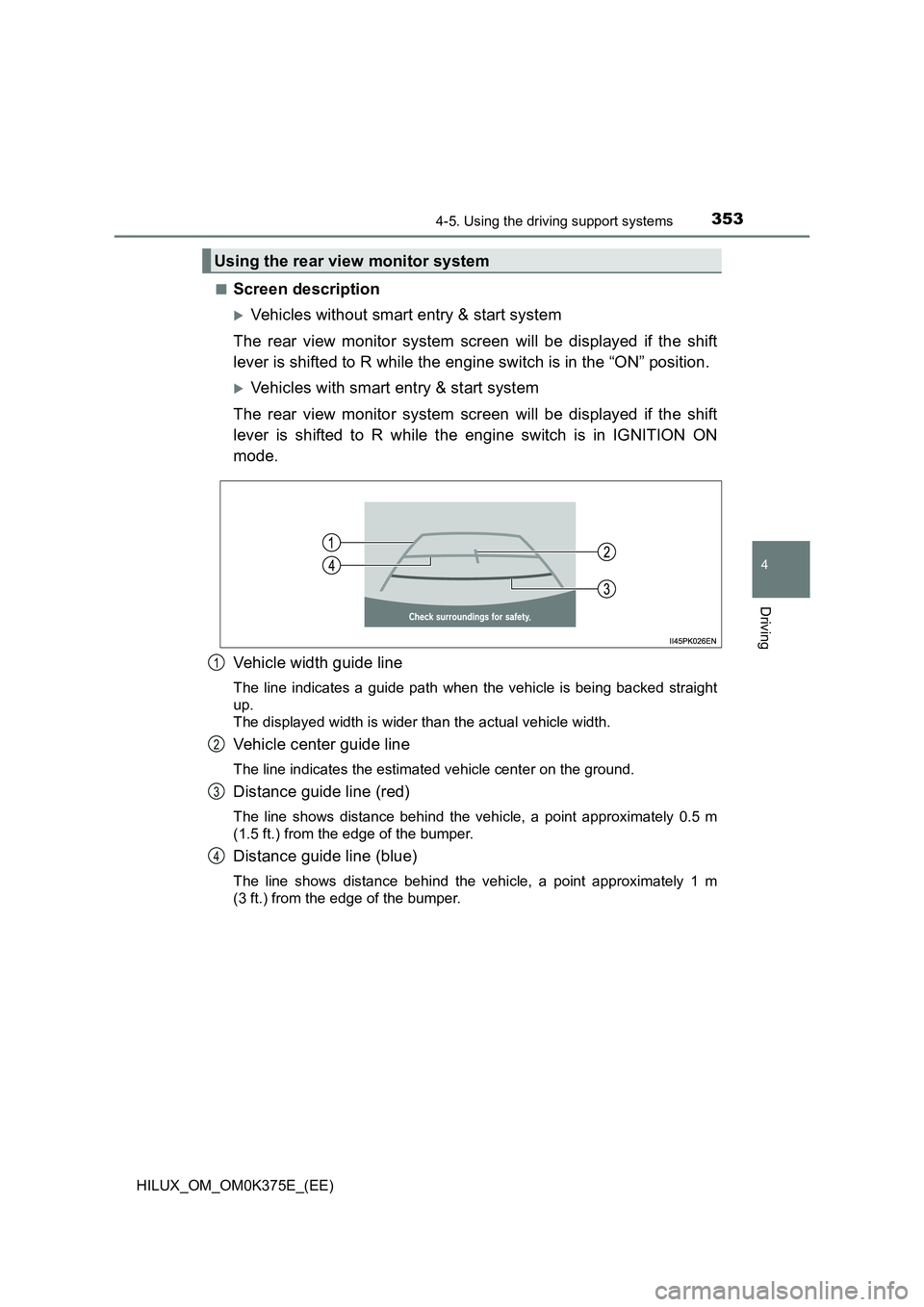
■Screen description
Vehicles without smart entry & start system
The rear view monitor system screen will be displayed if the shift
lever is shifted to R while the engine switch is in the “ON” position.
Vehicles with smart entry & start system
The rear view monitor system screen will be displayed if the shift
lever is shifted to R while the engine switch is in IGNITION ON
mode.
Vehicle width guide line
The line indicates a guide path when the vehicle is being backed straight
up.
The displayed width is wider than the actual vehicle width.
Vehicle center guide line
The line indicates the estimated vehicle center on the ground.
Distance guide line (red)
The line shows distance behind the vehicle, a point approximately 0.5 m
(1.5 ft.) from the edge of the bumper.
Distance guide line (blue)
The line shows distance behind the vehicle, a point approximately 1 m
(3 ft.) from the edge of the bumper.
Using the rear view monitor system
1
2
3
4
Page 376 of 708
3764-5. Using the driving support systems
HILUX_OM_OM0K375E_(EE)
■Locking the rear differential
The following systems do not operate w hen the rear differential is locked.
It is normal operation for the ABS warning light, VSC OFF indicator (if
equipped) and “TRC OFF” indicator (if equipped) to be on or for “TRC
TURNED OFF”/“TRC turned off” to be displayed on the multi-information dis-
play (if equipped) at this time.
•ABS
• Brake assist (if equipped)
• VSC (if equipped)
• TRC/A-TRC (if equipped)
• Trailer Sway Control (if equipped)
• Hill-start assist control (if equipped)
• Downhill assist control (if equipped)
■ Unlocking the rear differential
If the rear differential lock indicator still flashes even after unlocking the rear
differential, check the safety of the surrounding area and slightly turn the
steering wheel in either direction while the vehicle is in motion.
■ Automatic system cancelation of the rear differential lock system
The rear differential lock is also unlocked in any of the following situations:
● The front-wheel drive control switch is turned to H2 or H4 (4WD models)
● The engine switch is turned to the “ACC” or “LOCK” position (vehicles with-
out smart entry & start system) or A CCESSORY or off (vehicles with smart
entry & start system)
■ After unlocking the rear differential
Check that the indicator goes off.
WARNING
■ To avoid an accident
Failure to observe the following precautions may result in an accident.
● Do not use the rear differential lock system except when wheel spinning
occurs in a ditch or on a slippery or rugged surface. Large steering effort
and careful cornering control will be required.
● Do not lock the rear differential until the wheels have stopped spinning.
Otherwise, the vehicle may move in an unexpected direction when the dif-
ferential lock is engaged, resulting in an accident. This may also lead to
possible damage to rear differential lock component parts.
● Do not drive over 8 km/h (5 mph) when the differential is locked.
● Do not keep driving with the rear differential lock switch on.
Page 377 of 708
377
4
4-5. Using the driving support systems
Driving
HILUX_OM_OM0K375E_(EE)
Stop & Start system (Smart Stop)
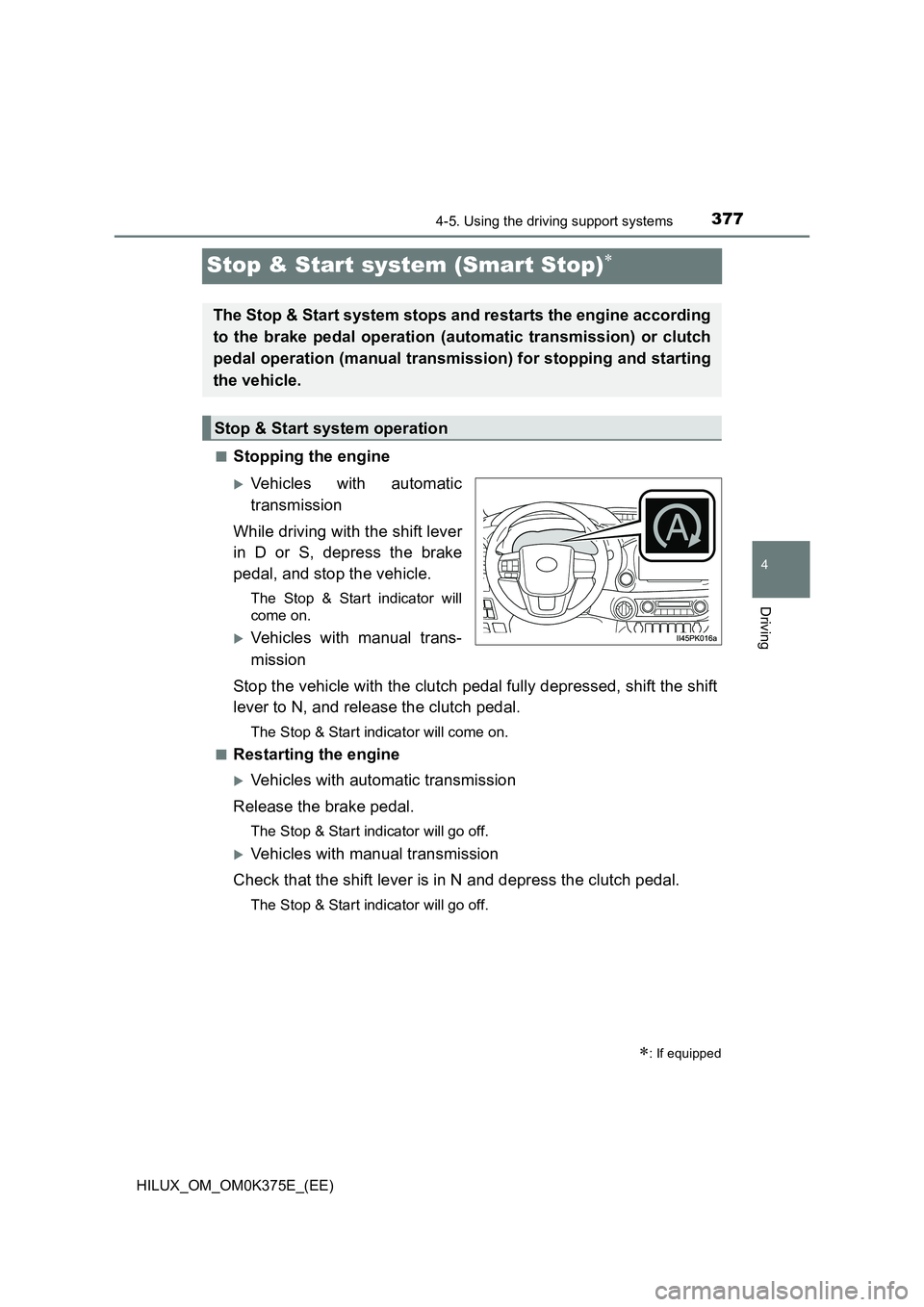
■Stopping the engine
Vehicles with automatic
transmission
While driving with the shift lever
in D or S, depress the brake
pedal, and stop the vehicle.
The Stop & Start indicator will
come on.
Vehicles with manual trans-
mission
Stop the vehicle with the clutch pedal fully depressed, shift the shift
lever to N, and release the clutch pedal.
The Stop & Start indicator will come on.
■Restarting the engine
Vehicles with automatic transmission
Release the brake pedal.
The Stop & Start indicator will go off.
Vehicles with manual transmission
Check that the shift lever is in N and depress the clutch pedal.
The Stop & Start indicator will go off.
: If equipped
The Stop & Start system stops and restarts the engine according
to the brake pedal operation (automatic transmission) or clutch
pedal operation (manual transmission) for stopping and starting
the vehicle.
Stop & Start system operation
Page 378 of 708
3784-5. Using the driving support systems
HILUX_OM_OM0K375E_(EE)
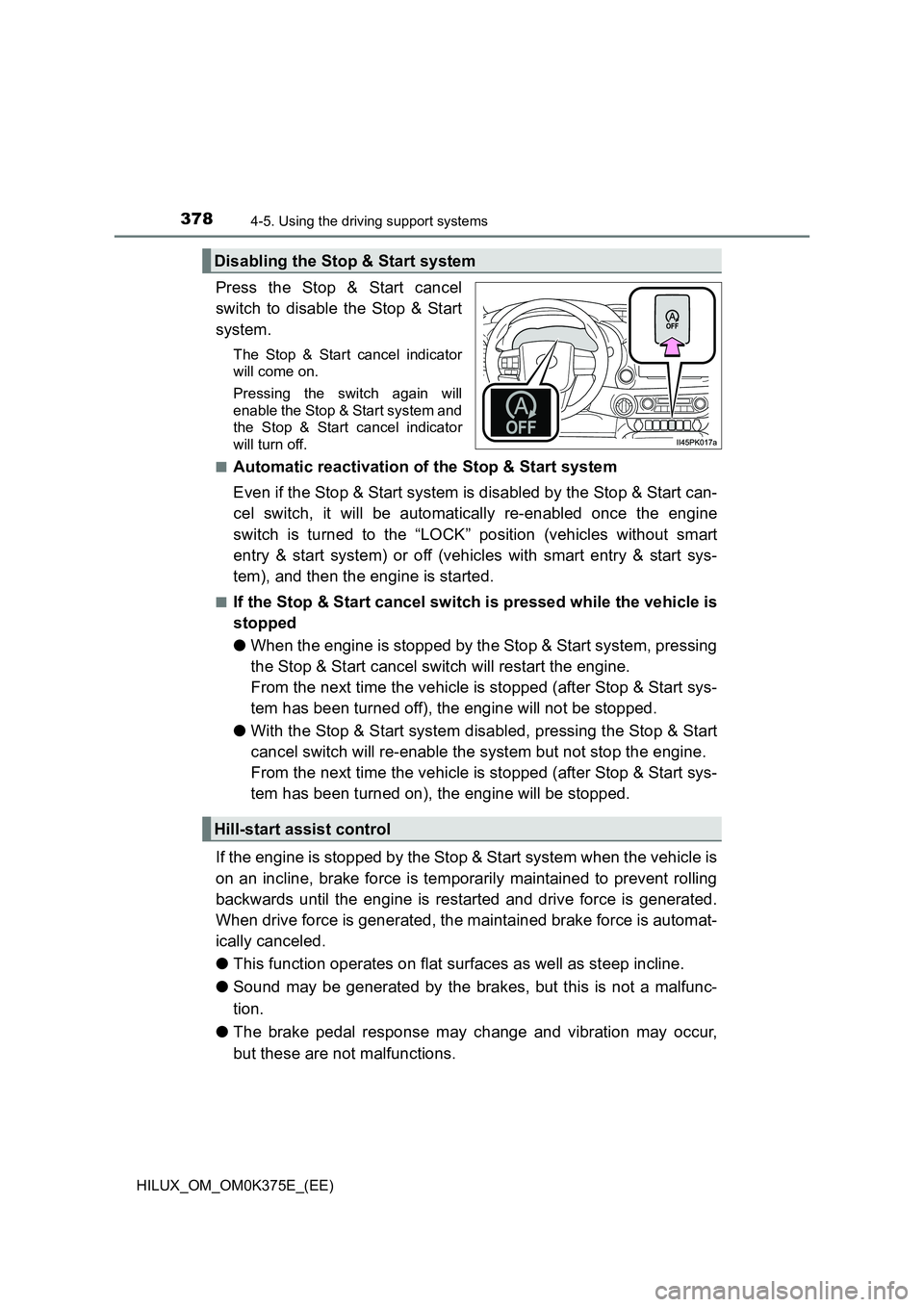
Press the Stop & Start cancel
switch to disable the Stop & Start
system.
The Stop & Start cancel indicator
will come on.
Pressing the switch again will
enable the Stop & Start system and
the Stop & Start cancel indicator
will turn off.
■Automatic reactivation of the Stop & Start system
Even if the Stop & Start system is disabled by the Stop & Start can-
cel switch, it will be automatically re-enabled once the engine
switch is turned to the “LOCK” position (vehicles without smart
entry & start system) or off (vehicles with smart entry & start sys-
tem), and then the engine is started.
■If the Stop & Start cancel switch is pressed while the vehicle is
stopped
● When the engine is stopped by the Stop & Start system, pressing
the Stop & Start cancel switch will restart the engine.
From the next time the vehicle is stopped (after Stop & Start sys-
tem has been turned off), the engine will not be stopped.
● With the Stop & Start system disabled, pressing the Stop & Start
cancel switch will re-enable the system but not stop the engine.
From the next time the vehicle is stopped (after Stop & Start sys-
tem has been turned on), the engine will be stopped.
If the engine is stopped by the Stop & Start system when the vehicle is
on an incline, brake force is temporarily maintained to prevent rolling
backwards until the engine is restarted and drive force is generated.
When drive force is generated, the maintained brake force is automat-
ically canceled.
● This function operates on flat surfaces as well as steep incline.
● Sound may be generated by the brakes, but this is not a malfunc-
tion.
● The brake pedal response may change and vibration may occur,
but these are not malfunctions.
Disabling the Stop & Start system
Hill-start assist control
Page 379 of 708
3794-5. Using the driving support systems
4
Driving
HILUX_OM_OM0K375E_(EE)
■Operating conditions
● The Stop & Start system is operational when all of the following conditions
are met:
• Vehicles with automatic transmission: The brake pedal is being
depressed firmly
• Vehicles with manual transmission: The clutch pedal is not being
depressed.
• The engine is adequately warmed up.
• The outside temperature is -5 C (23 F) or higher
• Vehicles with automatic transmission: The shift lever is in D or S, or P
after driving in D or S.
• Vehicles with manual transmission: The shift lever is in N.
• Vehicles with automatic air conditioning system: is off.
• The hood is closed. ( P. 380)
• The driver’s seat belt is fastened.
• The driver’s door is closed.
• The accelerator pedal is not being depressed.
● In the following situations, the engine may not be stopped by the Stop &
Start system. This is not a malfunction of the Stop & Start system.
• The air conditioning system is being used when the ambient temperature
is high or low.
• The battery is undergoing a periodic recharge.
• The battery is not sufficiently charged, such as if the vehicle has been
parked for a long time and the battery charge has decreased, the electric
load is large, the battery temperature is excessively low or the battery has
deteriorated.
• The brake booster vacuum is low.
• The vehicle is stopped on a steep incline.
• The steering wheel is being operated
• Due to traffic or other circumstances the vehicle is being stopped repeat-
edly.
• The vehicle is being driven in a high altitude area.
• Engine coolant temperature or tr ansmission fluid temperature is
extremely low or high.
• The battery fluid temperature is extremely low or high.
• For a while after the battery terminals have been disconnected and
reconnected.
• For a while after the battery has been replaced.
• The front-wheel drive control switch is in the L4 position or the rear differ-
ential is locked.