fog light TOYOTA HILUX 2019 User Guide
[x] Cancel search | Manufacturer: TOYOTA, Model Year: 2019, Model line: HILUX, Model: TOYOTA HILUX 2019Pages: 708, PDF Size: 95.31 MB
Page 299 of 708
299
4
4-3. Operating the lights and wipers
Driving
HILUX_OM_OM0K375E_(EE)
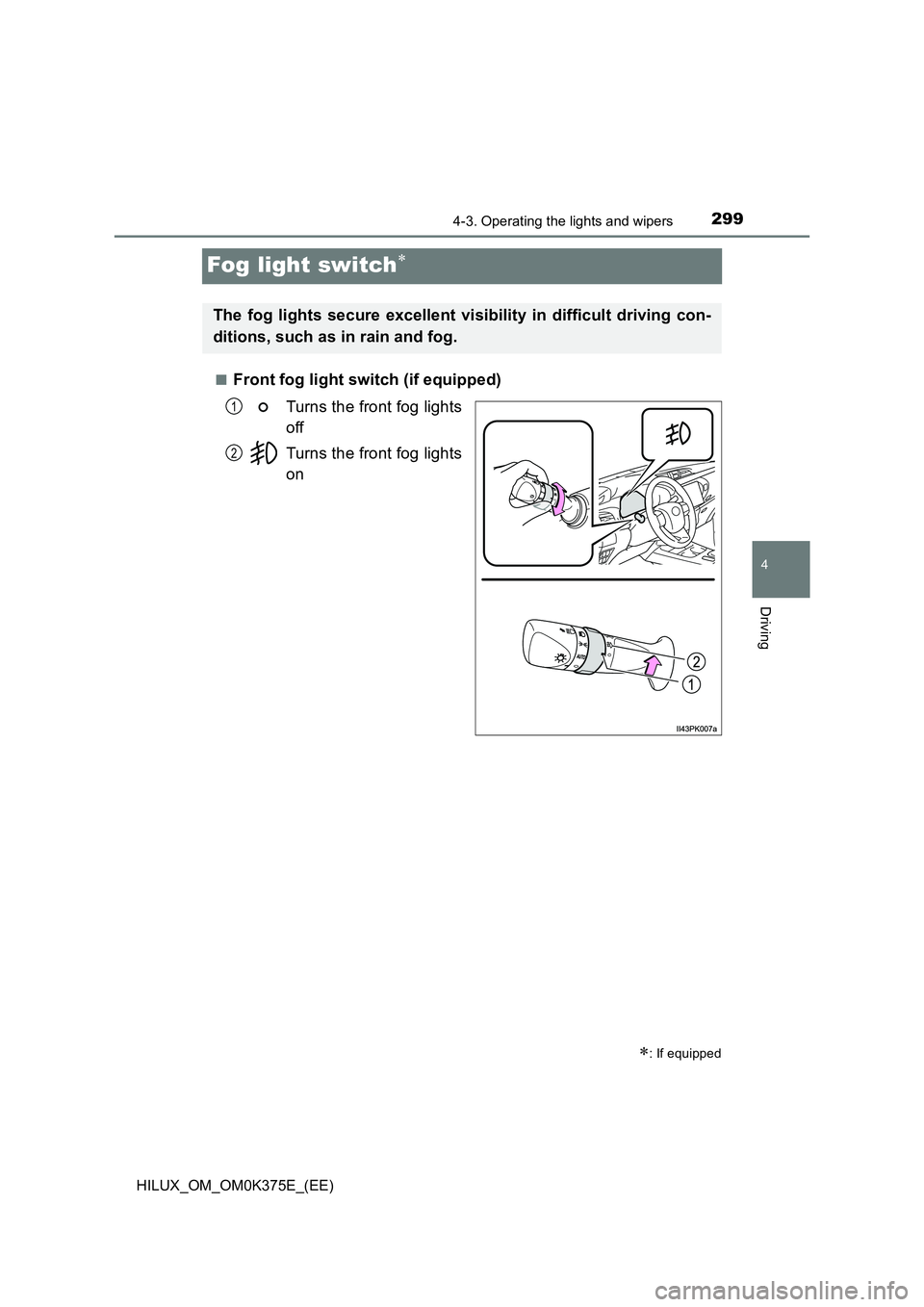
Fog light switch
■Front fog light switch (if equipped)
Turns the front fog lights
off
Turns the front fog lights
on
: If equipped
The fog lights secure excellent visibility in difficult driving con-
ditions, such as in rain and fog.
1
2
Page 300 of 708

3004-3. Operating the lights and wipers
HILUX_OM_OM0K375E_(EE)
■Rear fog light switch (if equipped)
Turns the rear fog light on
Releasing the switch ring
returns it to .
Operating the switch ring again
turns the rear fog light off.
■Front and rear fog light switch (if equipped)
Turns the front and rear
fog lights off
Turns the front fog lights
on
Turns both front and
rear fog lights on
Releasing the switch ring
returns it to .
Operating the switch ring again
turns only the rear fog light off.
1
2
3
Page 301 of 708
3014-3. Operating the lights and wipers
4
Driving
HILUX_OM_OM0K375E_(EE)
■Fog lights can be used when
Vehicles with front and rear fog lights
Front fog lights: The headlights or front position lights are turned on.
Rear fog light: The front fog lights are turned on.
Vehicles with rear fog light only
The headlights are turned on.
Page 331 of 708
3314-5. Using the driving support systems
4
Driving
HILUX_OM_OM0K375E_(EE)
• When driving in inclement weather such as heavy rain, fog, snow or a
sandstorm
• When the vehicle is hit by water, snow, dust, etc. from a vehicle ahead
• When driving through steam or smoke
• When driving in a place where the surrounding brightness changes sud-
denly, such as at the entrance or exit of a tunnel
• When a very bright light, such as the sun or the headlights of oncoming
traffic, shines directly into the camera sensor
• When the surrounding area is dim, such as at dawn or dusk, or while at
night or in a tunnel
• After the engine has started the vehicle has not been driven for a certain
amount of time
• While making a left/right turn and for a few seconds after making a left/
right turn
• While driving on a curve and for a few seconds after driving on a curve
• If your vehicle is skidding
• If the wheels are misaligned
• If a wiper blade is blocking the camera sensor
• The vehicle is wobbling.
• The vehicle is being driven at extremely high speeds.
• When driving on a hill
• If the radar sensor or camera sensor is misaligned
● In some situations such as the following, sufficient braking force may not be
obtained, preventing the system from performing properly:
• If the braking functions cannot operate to their full extent, such as when
the brake parts are extremely cold, extremely hot, or wet
• If the vehicle is not properly maintained (brakes or tires are excessively
worn, improper tire inflation pressure, etc.)
• When the vehicle is being driven on a gravel road or other slippery sur-
face
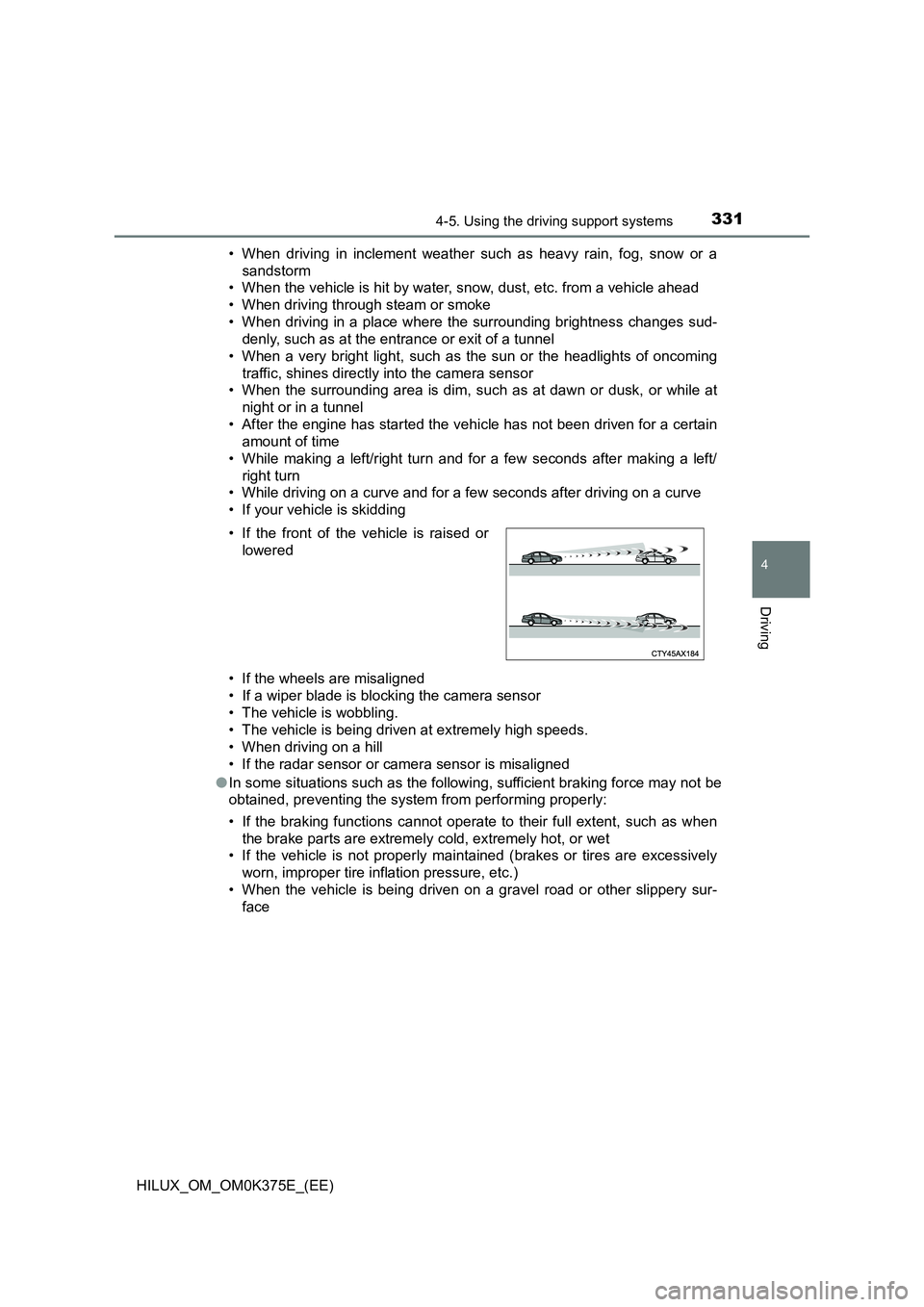
• If the front of the vehicle is raised or
lowered
Page 333 of 708
3334-5. Using the driving support systems
4
Driving
HILUX_OM_OM0K375E_(EE)
■ If the PCS warning light flashes or illuminates and a warning message is
displayed on the multi-information display
The pre-collision system may be tem porarily unavailable or there may be a
malfunction in the system.
● In the following situations, the warning light will turn off, the message will
disappear and the system will beco me operational when normal operating
conditions return:
• When the radar sensor or camera s ensor or the area around either sen-
sor is hot, such as in the sun
• When the radar sensor or camera s ensor or the area around either sen-
sor is cold, such as in an extremely cold environment
• When a front sensor is dirty or covered with snow, etc.
• When the part of the windshield in front of the camera sensor is fogged
up or covered with condensation or ice.
(Defogging the windshield: P. 485, 494)
• If the camera sensor is obstructed, such as when the hood is open or a
sticker is attached to the windshield near the camera sensor
● If the PCS warning light continues to flash or remains illuminated or the
warning message does not disappear even though the vehicle has returned
to normal, the system may be malfunctioning. Have the vehicle inspected by
any authorized Toyota retailer or Toyota authorized repairer, or any reliable
repairer immediately.
■ If VSC is disabled
● If VSC is disabled (P. 389), the pre-collision brake assist and pre-collision
braking functions are also disabled.
● The PCS warning light will turn on and “VSC TURNED OFF PRE-COLLI-
SION BRAKE SYSTEM UNAVAILABLE”/“VSC Turned Off Pre-Collision
Brake System Unavailable” will be di splayed on the multi-information dis-
play.
Page 336 of 708
3364-5. Using the driving support systems
HILUX_OM_OM0K375E_(EE)
WARNING
■Situations unsuitable for LDA system
Do not use the LDA system in the following situations.
The system may not operate properly and lead to an accident, resulting in
death or serious injury.
● A spare tire, tire chains, etc., are equipped.
● Objects or patterns that could be mistaken for white (yellow) lines are
present on the side of the road (guardrails, curbs, reflective poles, etc.).
● Vehicle is driven on a snow-covered road.
● White (yellow) lines are difficult to see due to rain, snow, fog, dust, etc.
● Asphalt repair marks, white (yellow) line marks, etc., are present due to
road repair.
● Vehicle is driven in a temporary lane or restricted lane due to construction
work.
● Vehicle is driven in a construction zone.
■ Preventing LDA system malfunctions and operations performed by
mistake
● Do not modify the headlights or place stickers, etc., on the surface of the
lights.
● Do not modify the suspension etc. If the suspension etc. needs to be
replaced, contact any authorized Toyota retailer or Toyota authorized
repairer, or any reliable repairer.
● Do not install or place anything on the hood or grille. Also, do not install a
grille guard (bull bars, kangaroo bar, etc.).
● If your windshield needs repairs, contact any authorized Toyota retailer or
Toyota authorized repairer, or any reliable repairer.
Page 346 of 708
3464-5. Using the driving support systems
HILUX_OM_OM0K375E_(EE)
*1: A speed limit sign with a value greater than 130 may not be recognized
and a wrong speed limit may be displayed.
*2: If the turn signal indicator is not operated when changing lanes, the mark
does not display.
In the following situations, the RSA system alerts the driver using a
warning display.
● When the vehicle speed exceeds the speed warning threshold
applied to the speed limit of the sign displayed on the multi-informa-
tion display, the sign color becomes inverted.
● If it is detected that your vehicle is overtaking when a no overtaking
sign is displayed on the multi-information display, the sign flashes.
Depending on the situation, traffic environment (traffic direction,
speed, unit) may be detected incorrectly and a warning display may
not operate properly.
■ Automatic turn-off of RSA sign display
One or more signs automatically turn off in the following situations.
● A new sign is not recognized for a certain distance.
● The road changes due to a left or right turn, etc.
■ Conditions in which the function may not operate or detect correctly
In the following situations, RSA does not operate normally and may not rec-
ognize signs, display the incorrect sign, etc. However, this does not indicate a
malfunction.
● The camera sensor is misaligned due to a strong impact being applied to
the sensor, etc.
● Dirt, snow, stickers, etc. are on the windshield near the camera sensor.
● In inclement weather such as heavy rain, fog, snow or sand storms
● Light from an oncoming vehicle, the sun, etc., enters the camera sensor.
● The sign is dirty, faded, tilted or bent, and if an electronic sign, the contrast
is poor.
● All or part of the sign is hidden by the leaves of a tree, a pole, etc.
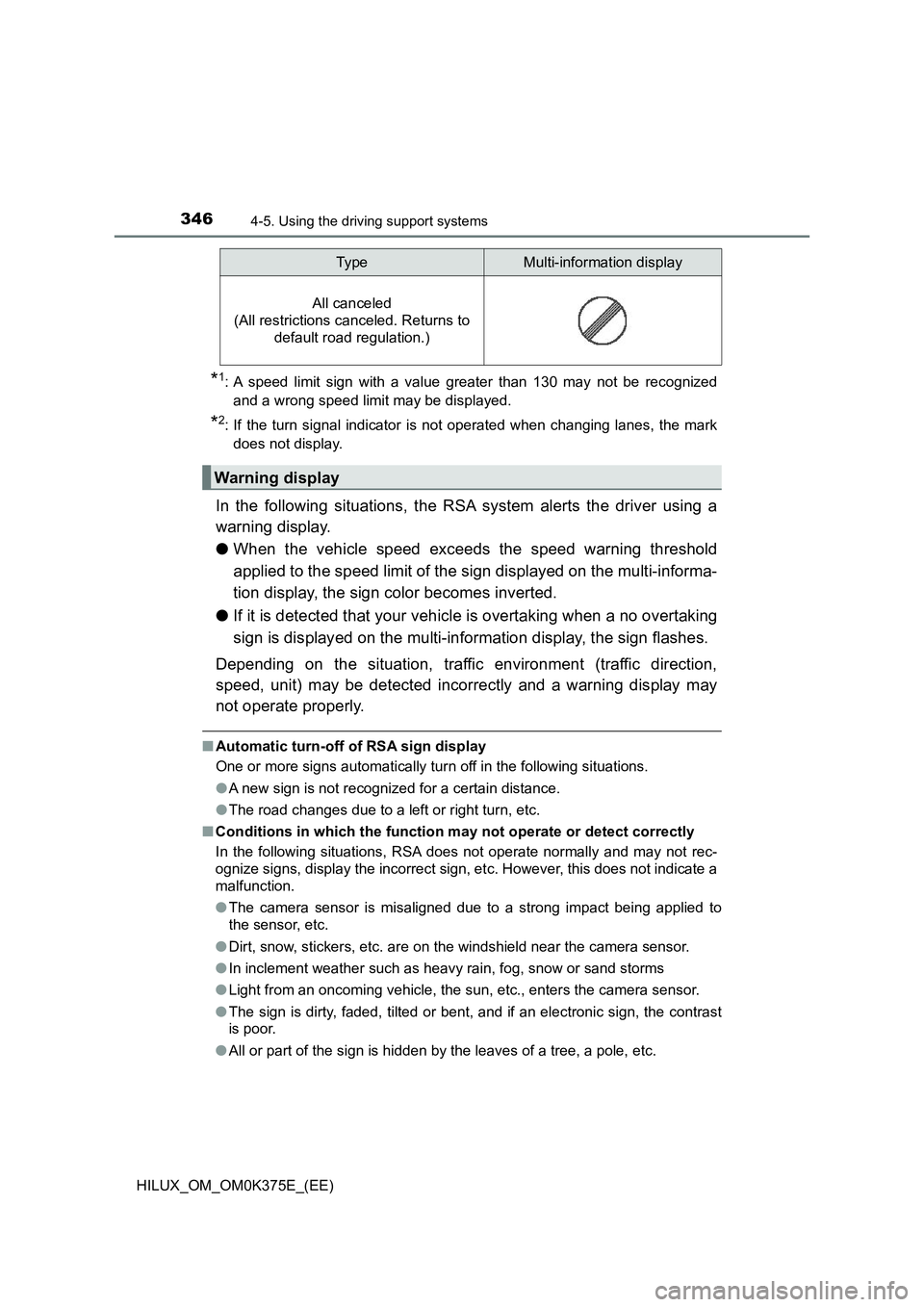
All canceled
(All restrictions canceled. Returns to
default road regulation.)
Warning display
Typ eMulti-information display
Page 483 of 708
483
6Interior features
HILUX_OM_OM0K375E_(EE)
6-1. Using the air conditioning
system and defogger
Manual air conditioning
system ............................. 484
Automatic air conditioning
system ............................. 492
Heated steering wheel/
seat heaters ..................... 501
6-2. Using the interior lights
Interior lights list ................. 503
• Personal/interior light
main switch.................... 504
• Personal/interior
lights .............................. 504
• Interior light.................... 504
6-3. Using the storage features
List of storage features ...... 506
• Glove box ...................... 507
• Console box .................. 507
• Cup holders ................... 508
• Bottle holders ................ 509
• Auxiliary boxes .............. 510
Luggage compartment
features............................ 513
6-4. Using the other interior
features
Other interior features ........ 514
• Sun visors...................... 514
• Vanity mirror .................. 514
• Clock ............................. 515
• Power outlets................. 516
• Grocery bag hooks ........ 518
• Coat hooks .................... 519
• Armrest .......................... 519
ERA-GLONASS/EVAK ...... 520
Page 502 of 708
5026-1. Using the air conditioning system and defogger
HILUX_OM_OM0K375E_(EE)
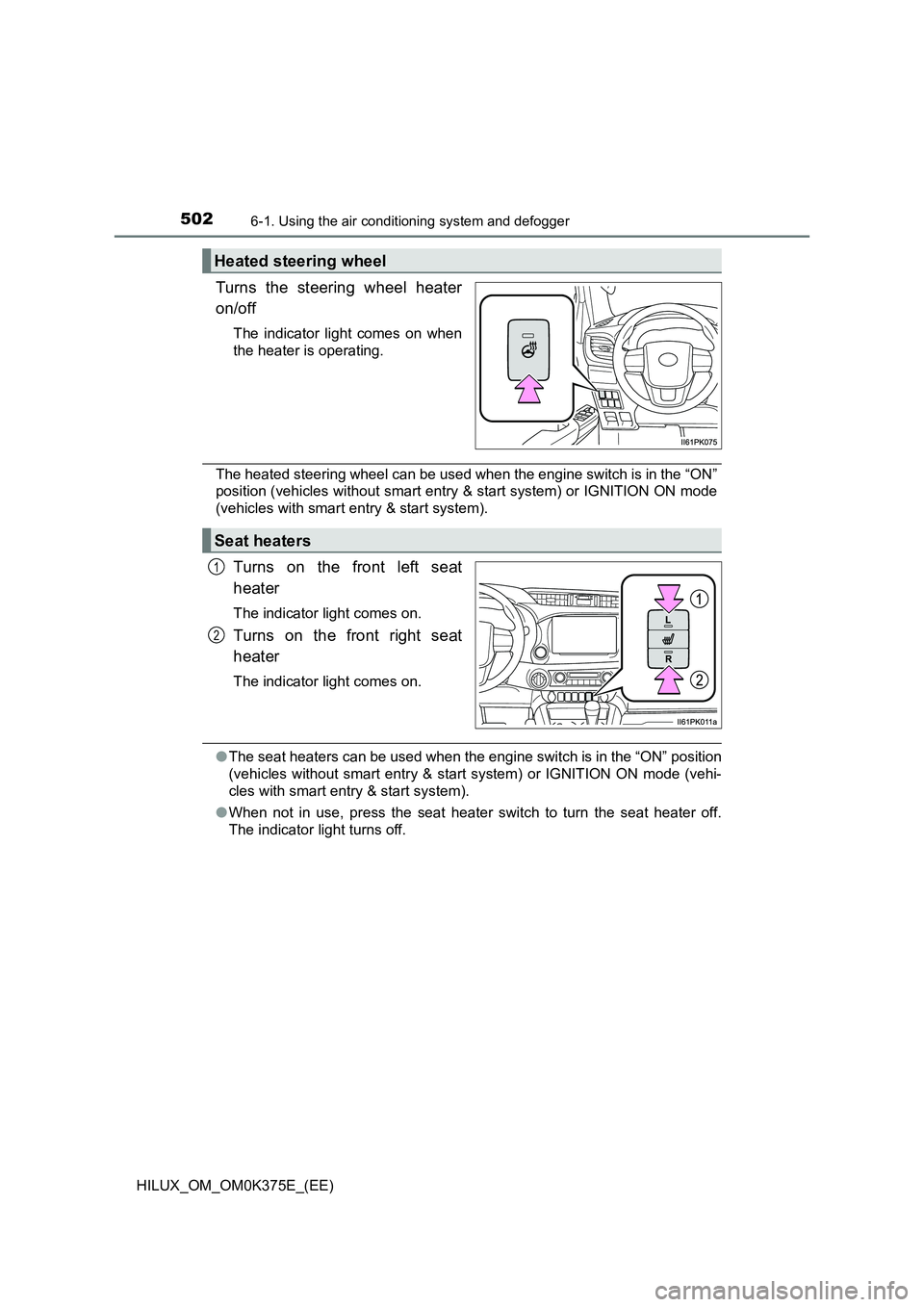
Turns the steering wheel heater
on/off
The indicator light comes on when
the heater is operating.
The heated steering wheel can be used when the engine switch is in the “ON”
position (vehicles without smart entry & start system) or IGNITION ON mode
(vehicles with smart entry & start system).
Turns on the front left seat
heater
The indicator light comes on.
Turns on the front right seat
heater
The indicator light comes on.
● The seat heaters can be used when the engine switch is in the “ON” position
(vehicles without smart entry & start system) or IGNITION ON mode (vehi-
cles with smart entry & start system).
● When not in use, press the seat heater switch to turn the seat heater off.
The indicator light turns off.
Heated steering wheel
Seat heaters
1
2
Page 531 of 708
5317-1. Maintenance and care
7
Maintenance and care
HILUX_OM_OM0K375E_(EE)
NOTICE
■Cleaning detergents
● Do not use the following types of detergent, as they may discolor the vehi-
cle interior or cause streaks or damage to painted surfaces:
• Non-seat portions: Organic substances such as benzene or gasoline,
alkaline or acidic solutions, dye, and bleach
• Seats: Alkaline or acidic solutions, such as thinner, benzene, and alco-
hol
● Do not use polish wax or polish cleaner. The instrument panel’s or other
interior part’s painted surface may be damaged.
■ Preventing damage to leather surfaces
Observe the following precautions to avoid damage to and deterioration of
leather surfaces:
● Remove any dust or dirt from leather surfaces immediately.
● Do not expose the vehicle to direct sunlight for extended periods of time.
Park the vehicle in the shade, especially during summer.
● Do not place items made of vinyl, plastic, or containing wax on the uphol-
stery, as they may stick to the leather surface if the vehicle interior heats
up significantly.
■ Water on the floor
Do not wash the vehicle floor with water.
Vehicle systems such as the audio system may be damaged if water comes
into contact with electrical components such as the audio system above or
under the floor of the vehicle. Water may also cause the body to rust.
■ When cleaning the inside of the windshield (vehicles with Toyota
Safety Sense)
Do not allow glass cleaner to contact the lens. Also, do not touch the lens.
( P. 3 1 1 )
■ Cleaning the inside of the rear window (vehicles with rear window
defogger)
● Do not use glass cleaner to clean the rear window, as this may cause
damage to the rear window defogger heater wires. Use a cloth dampened
with lukewarm water to gently wipe the window clean. Wipe the window in
strokes running parallel to the heater wires.
● Be careful not to scratch or damage the heater wires.