remote start TOYOTA HILUX 2019 User Guide
[x] Cancel search | Manufacturer: TOYOTA, Model Year: 2019, Model line: HILUX, Model: TOYOTA HILUX 2019Pages: 708, PDF Size: 95.31 MB
Page 187 of 708
1873-2. Opening, closing and locking the doors
3
Operation of each component
HILUX_OM_OM0K375E_(EE)
■ Conditions affecting operation
The smart entry & start system uses weak radio waves. In the following situa-
tions, the communication between the electronic key and the vehicle may be
affected, preventing the smart entry & start system, wireless remote control
and engine immobilizer system from operating properly.
(Ways of coping: P. 635)
● When the electronic key battery is depleted
● Near a TV tower, electric power plant, gas station, radio station, large dis-
play, airport or other facility that generates strong radio waves or electrical
noise
● When carrying a portable radio, cellular phone, cordless phone or other
wireless communication device
● When the electronic key is in contact with, or is covered by the following
metallic objects
• Cards to which aluminum foil is attached
• Cigarette boxes that have aluminum foil inside
• Metallic wallets or bags
• Coins
• Hand warmers made of metal
• Media such as CDs and DVDs
● When multiple electronic keys are in the vicinity
● When other wireless keys (that emit radio waves) are being used nearby
● When carrying the electronic key together with the following devices that
emit radio waves
• Another vehicle’s electronic key or a wireless key that emits radio waves
• Personal computers or pers onal digital assistants (PDAs)
• Digital audio players
• Portable game systems
● If window tint with a metallic content or metallic objects are attached to the
rear window
● When the electronic key is placed near a battery charger or electronic devices
Page 188 of 708
1883-2. Opening, closing and locking the doors
HILUX_OM_OM0K375E_(EE)
■ Note for the entry function
● Even if the electronic key is within the effective range (detection areas)
when locking or unlocking the doors, the system may not operate properly if
the electronic key is too close to the window or outside door handle, near
the ground, or in a high place.
● Do not leave the electronic key on top of the instrument panel or near the
door pockets when exiting the vehicle. Depending on the radio wave recep-
tion conditions, it may be detected by the antenna outside the cabin and the
doors will become lockable from the outside, possibly trapping the electronic
key inside the vehicle.
● As long as the electronic key is within the effective range, the doors may be
locked or unlocked by anyone. However, only the doors detecting the elec-
tronic key can be used to unlock the vehicle.
● Even if the electronic key is not inside the vehicle, it may be possible to start
the engine if the electronic key is near the window.
● If the wireless remote control is used to lock the doors when the electronic
key is near the vehicle, there is a possibility that the door may not be
unlocked by the entry function. (Use the wireless remote control to unlock
the doors.)
● Pulling the outside door handle while pressing the lock/unlock button on the
outside door handle may prevent the doors from being unlocked. In this
case, return the door handle to the original position, press the lock/unlock
button again, and check that the doors unlock before pulling the door handle
again.
● Unlocking the vehicle may take more time if another electronic key is within
the effective range.
■ When the vehicle is not driven for extended periods
● To prevent theft of the vehicle, do not leave the electronic key within 2 m
(6 ft.) of the vehicle.
● The smart entry & start system can be deactivated in advance. Ask any
authorized Toyota retailer or Toyota authorized repairer, or any reliable
repairer for details.
■ To operate the system properly
Make sure to carry the electronic key when operating the system. Do not get
the electronic key too close to the vehicle when operating the system from the
outside of the vehicle.
Depending on the position and holding condition of the electronic key, the key
may not be detected correctly and the system may not operate properly. (The
alarm may go off accidentally, or the door lock prevention function may not
operate.)
Page 189 of 708
1893-2. Opening, closing and locking the doors
3
Operation of each component
HILUX_OM_OM0K375E_(EE)
■ If the smart entry & start system does not operate properly
● Locking and unlocking the doors: Use the mechanical key. (P. 635)
● Starting the engine: P. 636
■ Electronic key battery depletion
● The standard battery life is 1 to 2 years.
● If the battery becomes low, an alarm will sound in the cabin when the engine
stops.
● As the electronic key always receives radio waves, the battery will become
depleted even if the electronic key is not used. The following symptoms indi-
cate that the electronic key battery may be depleted. Replace the battery
when necessary. ( P. 567)
• The smart entry & start system or the wireless remote control does not
operate.
• The detection area becomes smaller.
• The LED indicator on the key surface does not turn on.
● To avoid serious deterioration, do not leave the electronic key within 1 m (3
ft.) of the following electrical appliances that produce a magnetic field:
•TVs
• Personal computers
• Cellular phones, cordless phones and battery chargers
• Recharging cellular phones or cordless phones
• Table lamps
• Induction cookers
■ If “KEY LEFT INSIDE VEHICLE”/“Key left inside vehicle” is shown on the
multi-information display (if equipped)
An attempt was made to lock the doors using the smart entry & start system
while the electronic key was still inside the vehicle, or an attempt was made
to lock either front door by opening a door and putting the inside lock button
into the lock position, then closing the door by pulling on the outside door
handle with the electronic key still inside the vehicle.
Retrieve the electronic key from the vehicle and lock the doors again.
■ Customization that can be configured at any authorized Toyota retailer
or Toyota authorized repairer, or any reliable repairer
Settings (e.g. smart entry & start system) can be changed.
(Customizable features: P. 683)
■ If the smart entry & start system has been deactivated in a customized
setting
● Locking and unlocking the doors:
Use the wireless remote control or mechanical key. ( P. 174, 635)
● Starting the engine and changing engine switch modes: P. 636
● Stopping the engine: P. 271
Page 548 of 708
5487-3. Do-it-yourself maintenance
HILUX_OM_OM0K375E_(EE)
■Before recharging
When recharging, the battery produces hydrogen gas which is flammable and
explosive. Therefore, observe the following before recharging:
● If recharging with the battery installed on the vehicle, be sure to disconnect
the ground cable.
● Make sure the power switch on the charger is off when connecting and dis-
connecting the charger cables to the battery.
■ After recharging/reconnecting the battery (vehicles with smart entry &
start system)
The engine may not start. Follow the procedure below to initialize the system.
Shift the shift lever to P (automat ic transmission) or depress the brake
pedal with the shift lever in N (manual transmission).
Open and close any of the doors.
Restart the engine.
● Unlocking the doors using the smart entry & start system may not be possi-
ble immediately after reconnecting the battery. If this happens, use the wire-
less remote control or the mechanical key to lock/unlock the doors.
● Start the engine with the engine switch in ACCESSORY mode. The engine
may not start with the engine switch turned off. However, the engine will
operate normally from the second attempt.
● The engine switch mode is recorded by the vehicle. If the battery is recon-
nected, the vehicle will return the engine switch mode to the status it was in
before the battery was disconnected. Make sure to turn off the engine
before disconnect the battery. Take extra care when connecting the battery
if the engine switch mode prior to discharge is unknown.
If the system will not start even after multiple attempts, contact any authorized
Toyota retailer or Toyota authorized repairer, or any reliable repairer.
■ If a symbol of a battery is shown on the multi-information display (if
equipped)
There is a malfunction in the vehicle’s charging system.
Immediately stop the vehicle in a safe place and contact any authorized
Toyota retailer or Toyota authorized repai rer, or any reliable repairer. Continu-
ing to drive the vehicle may be dangerous.
1
2
3
Page 567 of 708
5677-3. Do-it-yourself maintenance
HILUX_OM_OM0K375E_(EE)
7
Maintenance and care
Wireless remote control/electronic key
batter y
● Flathead screwdriver
● Small flathead screwdriver
● Lithium battery
Vehicles without smart entry & start system: CR1620
Vehicles with smart entry & start system: CR2032
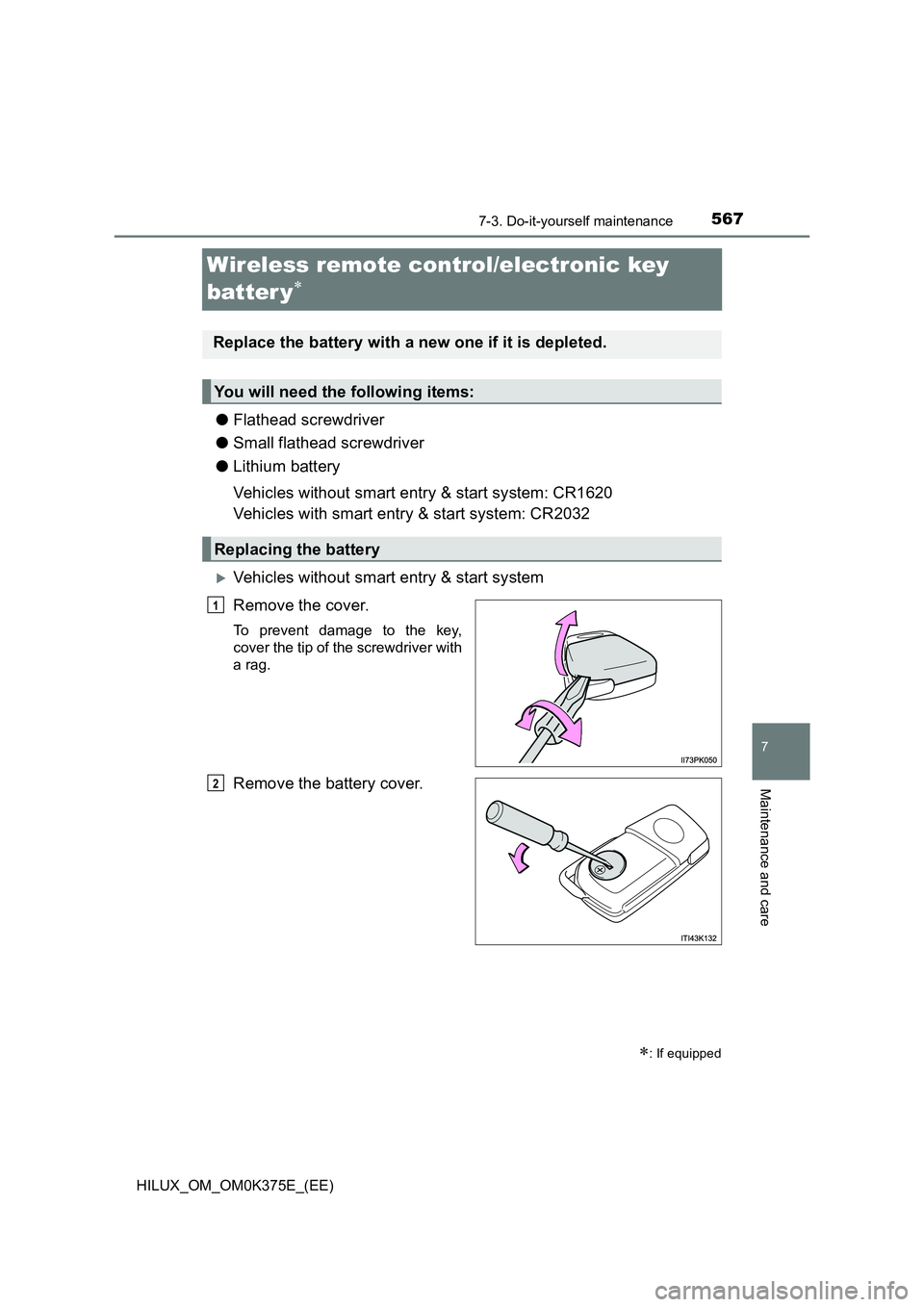
Vehicles without smart entry & start system
Remove the cover.
To prevent damage to the key,
cover the tip of the screwdriver with
a rag.
Remove the battery cover.
: If equipped
Replace the battery with a new one if it is depleted.
You will need the following items:
Replacing the battery
1
2
Page 569 of 708
5697-3. Do-it-yourself maintenance
HILUX_OM_OM0K375E_(EE)
7
Maintenance and care
■Use a lithium battery
Vehicles without smart entry & start system: CR1620
Vehicles with smart entry & start system: CR2032
● Batteries can be purchased at any authorized Toyota retailer or Toyota
authorized repairer, or any reliable repairer, local electrical appliance shops
or camera stores.
● Replace only with the same or equivalent type recommended by the manu-
facturer.
● Dispose of used batteries according to local laws.
■ If the key battery is depleted
The following symptoms may occur:
● The smart entry & start system (if equipped) and wireless remote control will
not function properly.
● The operational range will be reduced.
WARNING
■Removed battery and other parts
These parts are small and if swallowed by a child, they can cause choking.
Keep away from children. Failure to do so could result in death or serious
injury.
■ Certification for the key battery
CAUTION
RISK OF EXPLOSION IF BATTERY IS REPLACED BY AN INCORRECT
TYPE. DISPOSE OF USED BATTERIES ACCORDING TO THE
INSTRUCTIONS
NOTICE
■ For normal operation after replacing the battery
Observe the following precautions to prevent accidents:
● Always work with dry hands.
Moisture may cause the battery to rust.
● Do not touch or move any other component inside the remote control.
● Do not bend either of the battery terminals.
Page 635 of 708
6358-2. Steps to take in an emergency
HILUX_OM_OM0K375E_(EE)
8
When trouble arises
If the electronic key does not operate properly
(vehicles with smart entry & start system)
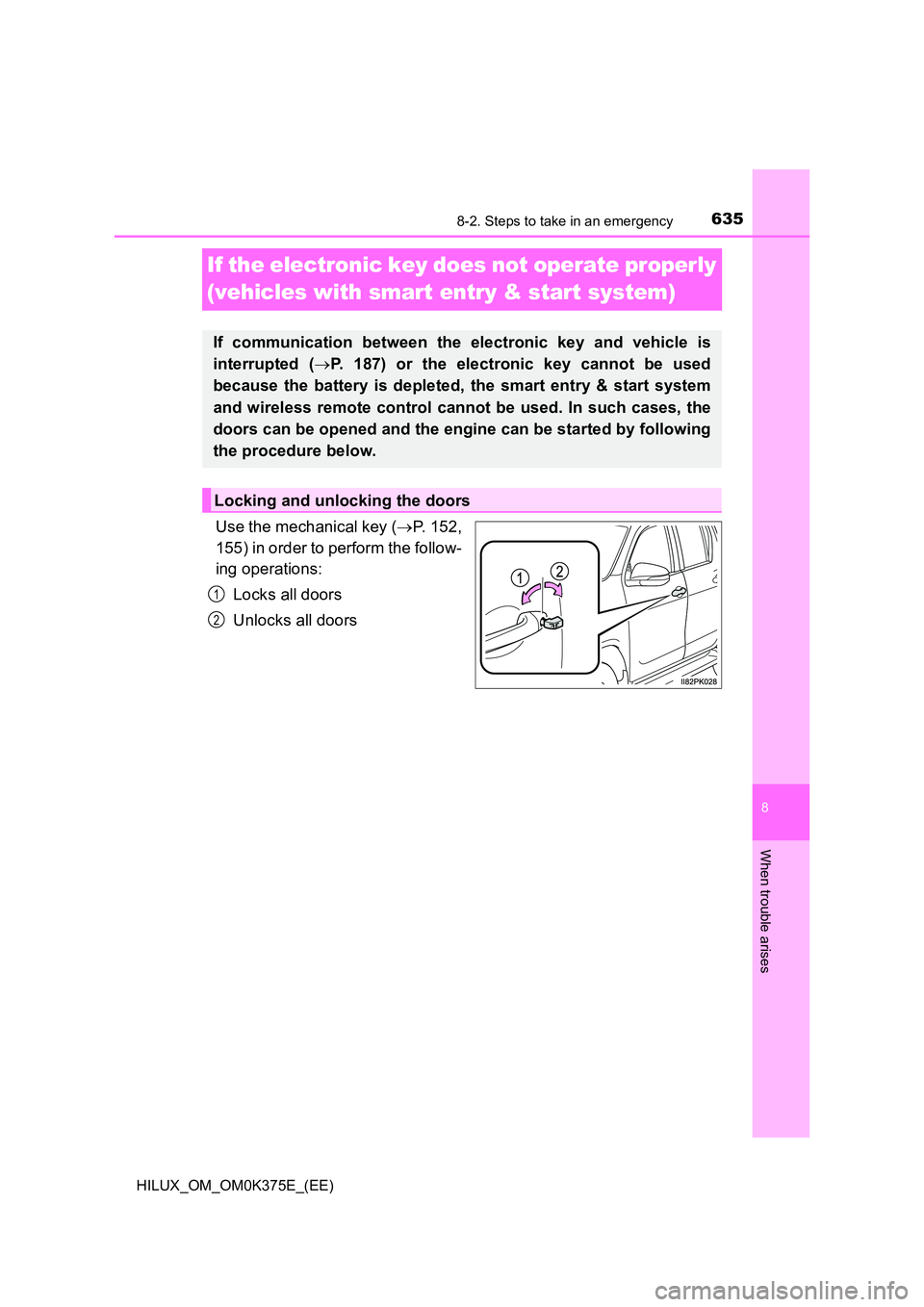
Use the mechanical key (P. 152,
155) in order to perform the follow-
ing operations:
Locks all doors
Unlocks all doors
If communication between the electronic key and vehicle is
interrupted ( P. 187) or the electronic key cannot be used
because the battery is depleted, the smart entry & start system
and wireless remote control cannot be used. In such cases, the
doors can be opened and the engine can be started by following
the procedure below.
Locking and unlocking the doors
1
2
Page 641 of 708
6418-2. Steps to take in an emergency
HILUX_OM_OM0K375E_(EE)
8
When trouble arises
■Starting the engine when the battery is discharged (vehicles with auto-
matic transmission)
The engine cannot be started by push-starting.
■ To prevent battery discharge
● Turn off the headlights and the audio system while the engine is off.
(Vehicles with Stop & Start system: Except when the engine is stopped due
to the Stop & Start system)
● Turn off any unnecessary electrical components when the vehicle is running
at a low speed for an extended period, such as in heavy traffic.
■ When the battery is removed or discharged
● Information stored in the ECU is cleared. When the battery is depleted, have
the vehicle inspected at any authorized Toyota retailer or Toyota authorized
repairer, or any reliable repairer.
● The power windows may not close normally. In this case, initialize the power
windows. (if equipped) ( P. 234)
■ Charging the battery
The electricity stored in the battery will discharge gradually even when the
vehicle is not in use, due to natural discharge and the draining effects of cer-
tain electrical appliances. If the vehicle is left for a long time, the battery may
discharge, and the engine may be unable to start. (The battery recharges
automatically during driving.)
■ When recharging or replacing the battery (vehicles with smart entry &
start system)
● In some cases, it may not be possible to unlock the doors using the smart
entry & start system when the battery is discharged. Use the wireless
remote control or the mechanical key to lock or unlock the doors.
● The engine may not start on the first attempt after the battery has recharged
but will start normally after the second attempt. This is not a malfunction.
● The engine switch mode is memorized by the vehicle. When the battery is
reconnected, the system will return to the mode it was in before the battery
was discharged. Before disconnecting the battery, turn the engine switch off.
If you are unsure what mode the engine switch was in before the battery dis-
charged, be especially careful when reconnecting the battery.
● Vehicles with Stop & Start system: For a while after the battery terminals
have been disconnected or reconnected, for a while after the battery has
been replaced, the Stop & Start system may not automatically stop the
engine for approximately 5 to 60 minutes.
Page 702 of 708
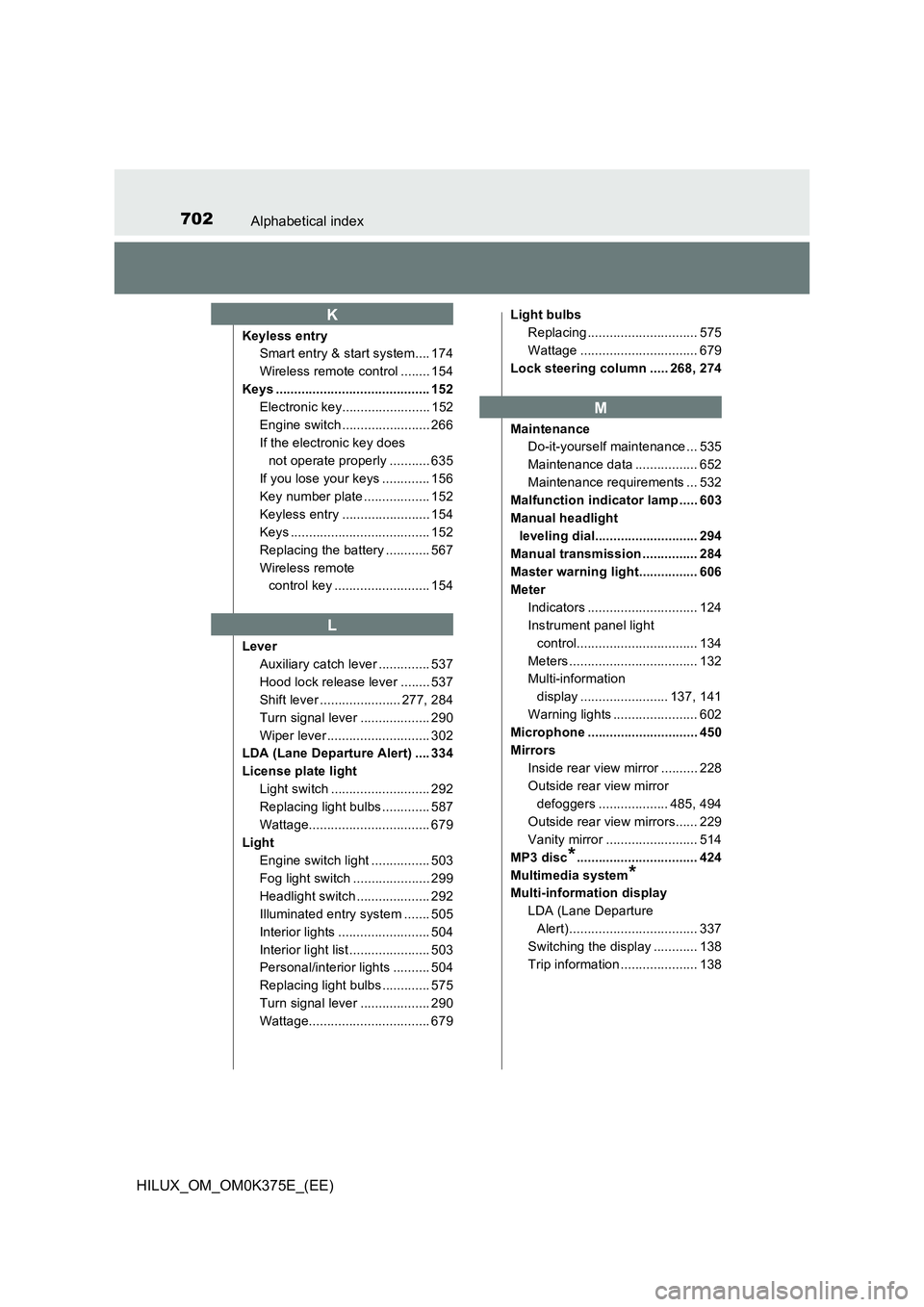
702Alphabetical index
HILUX_OM_OM0K375E_(EE)
Keyless entry
Smart entry & start system.... 174
Wireless remote control ........ 154
Keys .......................................... 152
Electronic key........................ 152
Engine switch ........................ 266
If the electronic key does
not operate properly ........... 635
If you lose your keys ............. 156
Key number plate .................. 152
Keyless entry ........................ 154
Keys ...................................... 152
Replacing the battery ............ 567
Wireless remote
control key .......................... 154
Lever
Auxiliary catch lever .............. 537
Hood lock release lever ........ 537
Shift lever ...................... 277, 284
Turn signal lever ................... 290
Wiper lever ............................ 302
LDA (Lane Departure Alert) .... 334
License plate light
Light switch ........................... 292
Replacing light bulbs ............. 587
Wattage................................. 679
Light
Engine switch light ................ 503
Fog light switch ..................... 299
Headlight switch .................... 292
Illuminated entry system ....... 505
Interior lights ......................... 504
Interior light list ...................... 503
Personal/interior lights .......... 504
Replacing light bulbs ............. 575
Turn signal lever ................... 290
Wattage................................. 679
Light bulbs
Replacing .............................. 575
Wattage ................................ 679
Lock steering column ..... 268, 274
Maintenance
Do-it-yourself maintenance ... 535
Maintenance data ................. 652
Maintenance requirements ... 532
Malfunction indicator lamp ..... 603
Manual headlight
leveling dial............................ 294
Manual transmission ............... 284
Master warning light................ 606
Meter
Indicators .............................. 124
Instrument panel light
control................................. 134
Meters ................................... 132
Multi-information
display ........................ 137, 141
Warning lights ....................... 602
Microphone .............................. 450
Mirrors
Inside rear view mirror .......... 228
Outside rear view mirror
defoggers ................... 485, 494
Outside rear view mirrors...... 229
Vanity mirror ......................... 514
MP3 disc*................................. 424
Multimedia system*
Multi-information display
LDA (Lane Departure
Alert)................................... 337
Switching the display ............ 138
Trip information ..................... 138
K
L
M
Page 704 of 708
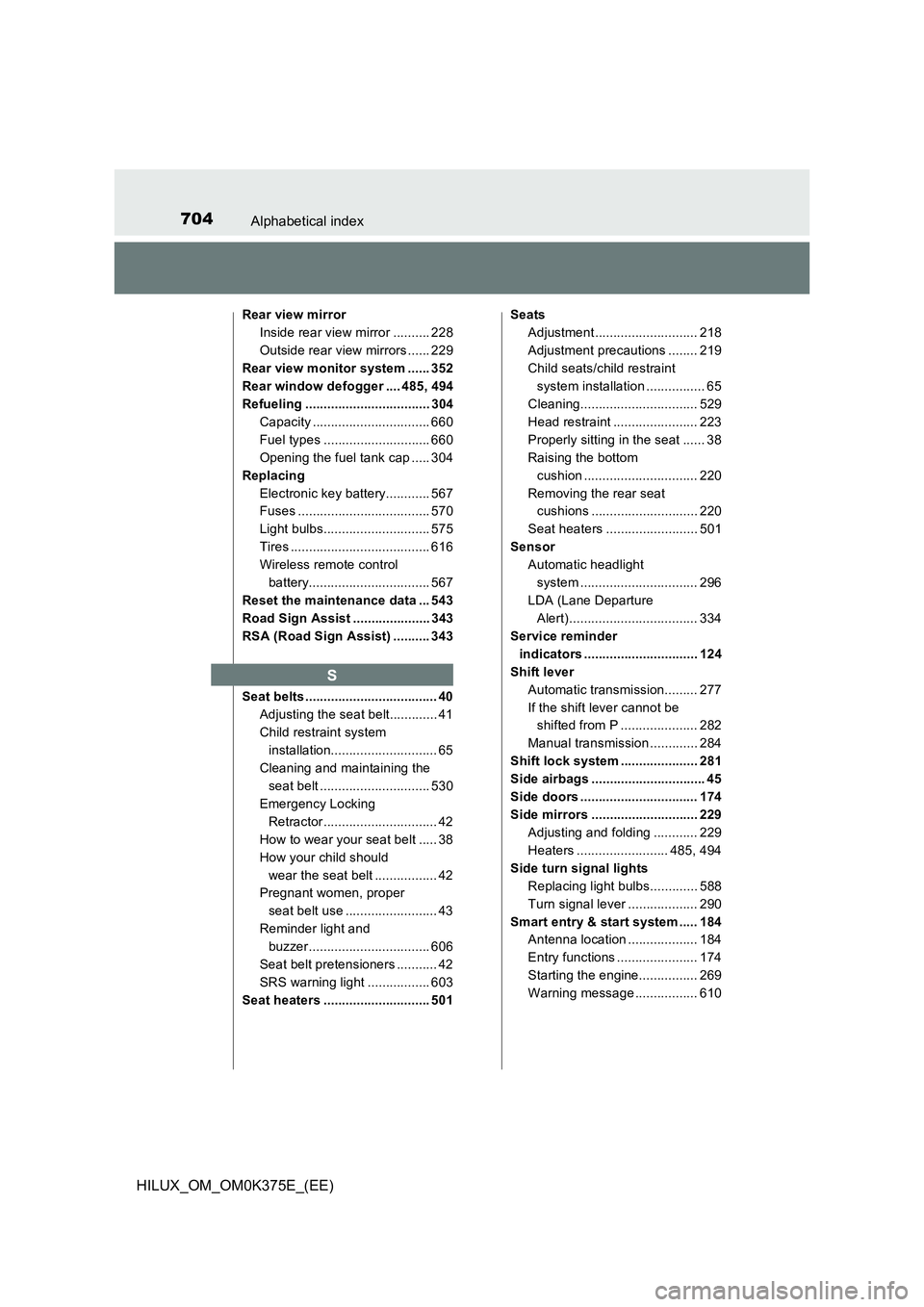
704Alphabetical index
HILUX_OM_OM0K375E_(EE)
Rear view mirror
Inside rear view mirror .......... 228
Outside rear view mirrors ...... 229
Rear view monitor system ...... 352
Rear window defogger .... 485, 494
Refueling .................................. 304
Capacity ................................ 660
Fuel types ............................. 660
Opening the fuel tank cap ..... 304
Replacing
Electronic key battery............ 567
Fuses .................................... 570
Light bulbs............................. 575
Tires ...................................... 616
Wireless remote control
battery................................. 567
Reset the maintenance data ... 543
Road Sign Assist ..................... 343
RSA (Road Sign Assist) .......... 343
Seat belts .................................... 40
Adjusting the seat belt............. 41
Child restraint system
installation............................. 65
Cleaning and maintaining the
seat belt .............................. 530
Emergency Locking
Retractor............................... 42
How to wear your seat belt ..... 38
How your child should
wear the seat belt ................. 42
Pregnant women, proper
seat belt use ......................... 43
Reminder light and
buzzer................................. 606
Seat belt pretensioners ........... 42
SRS warning light ................. 603
Seat heaters ............................. 501
Seats
Adjustment ............................ 218
Adjustment precautions ........ 219
Child seats/child restraint
system installation ................ 65
Cleaning................................ 529
Head restraint ....................... 223
Properly sitting in the seat ...... 38
Raising the bottom
cushion ............................... 220
Removing the rear seat
cushions ............................. 220
Seat heaters ......................... 501
Sensor
Automatic headlight
system ................................ 296
LDA (Lane Departure
Alert)................................... 334
Service reminder
indicators ............................... 124
Shift lever
Automatic transmission......... 277
If the shift lever cannot be
shifted from P ..................... 282
Manual transmission ............. 284
Shift lock system ..................... 281
Side airbags ............................... 45
Side doors ................................ 174
Side mirrors ............................. 229
Adjusting and folding ............ 229
Heaters ......................... 485, 494
Side turn signal lights
Replacing light bulbs............. 588
Turn signal lever ................... 290
Smart entry & start system ..... 184
Antenna location ................... 184
Entry functions ...................... 174
Starting the engine................ 269
Warning message ................. 610
S